






Still downloading templates?
There’s an easier way. Try a free AI Agent in ClickUp that actually does the work for you—set up in minutes, save hours every week.
Sorry, there were no results found for “”
Sorry, there were no results found for “”
Sorry, there were no results found for “”

Tired of answering the same questions on repeat? Thought so.
Notion FAQ templates help you save time and sanity by turning scattered answers into clean, easy-to-find clarity.
This list of free templates helps you set up FAQ hubs, help centers, guides, and internal knowledge bases that make information easy to find and easy to use.
| Template name | Download template | Ideal for | Best features |
| Notion FAQ Website Template | Download this template | Product teams publishing customer-facing FAQs | Toggle-style answers, tag filters, navigation sidebar |
| Notion Internal FAQs Template | Download this template | HR, operations, or team leads | Question submission table, owner assignment, easy categorization |
| Notion Product FAQs Template | Download this template | SaaS or digital product teams | Feature-tagged pages, module grouping, admin dashboard |
| Notion Simple FAQ Template | Download this template | Small teams or creators | Minimal setup, toggle Q&A layout, easy customization |
| Notion Q&A Page Template | Download this template | Freelancers, micro-teams, or side-projects | Searchable Q&A page, flexible layout, search functionality |
| Notion FAQ Template | Download this template | Creators or small teams | Centralized FAQs, pending questions tracker, multiple views |
| Notion FAQ Help Center & Knowledge Base Website Template | Download this template | Digital products, startups, or service businesses | Searchable content, customizable layout, organized structure |
| Notion Feature FAQs Template | Download this template | Small businesses or product teams | Customize tags, clone templates, customizable layout |
| Notion Help Center for CX Teams Template | Download this template | Product managers and marketing teams | Centralized product launch page, database tabs |
| Notion Lean FAQ Template | Download this template | Small teams, events, or for MVPs | Single-click section adding, custom categorization, fast to build |
| ClickUp FAQ Document Template | Get free template | Customer support teams and product or service companies | Real-time collaboration, nested pages for categories, task management |
| ClickUp Knowledge Base Template | Get free template | Growing teams, startups, or remote companies | Flexible organization with categories, tags, nested pages, etc. |
| ClickUp HR Knowledge Base Template | Get free template | HR departments in small to large enterprises | Centralized knowledge repository, built‑in collaboration & version control features |
| ClickUp Employee Handbook Template for HVAC Company Template | Get free template | HVAC businesses | Pre-formatted sections for policies, procedures, safety protocols, etc. |
| ClickUp Wiki Template with Multiple Pages | Get free template | Operations and HR teams | Centralized docs for cross-team collaboration and knowledge sharing |
| ClickUp Team Docs Template | Get free template | All teams that manage recurring syncs and project documentation | Centralized repository of meeting minutes and internal processes |
| ClickUp Project Handover Template | Get free template | Project managers managing multi-stage project transitions | Ready-to-use document and workspace setup for project handoffs |
| ClickUp Process and Procedures Template | Get free template | Teams looking for a system to standardize workflows | Process flowchart and multiple custom views |
| ClickUp Company Processes Document Template | Get free template | Teams that want to document and manage company-wide processes | Centralized documentation with real-time editing, comments, versioning, and AI tools |
| ClickUp General Employee Onboarding Template | Get free template | HR teams and hiring managers | End-to-end onboarding workflow management |
| ClickUp Project Documentation Template | Get free template | Project managers who are required to maintain detailed project documentation | Project documentation system that integrates with ClickUp Docs, Tasks, and Custom Views |
| ClickUp Request for Information Template | Get free template | Project managers coordinating with vendors or contractors | Customizable RFI submission form and multiple preconfigured views |
| ClickUp Sales Strategy Guide Template | Get free template | Teams building repeatable, measurable sales processes | Built-in structure for sales planning, documenting, and execution |
| ClickUp Customer Support Template | Get free template | Teams looking for a structured way to manage customer inquiries | Custom Fields, statuses, and views for issue tracking |
A good Notion FAQ template gives you a simple way to organize your answers once and makes knowledge-sharing smoother for everyone.
Here’s what makes a knowledge base template truly effective:
💡 Pro Tip: FAQ templates are a strong starting point for connected AI workflows, where documented answers feed smarter systems that assist teams with faster, more informed responses.
Here are the top Notion FAQ templates to reduce repetitive questions and create a searchable, self-serve knowledge base in minutes.
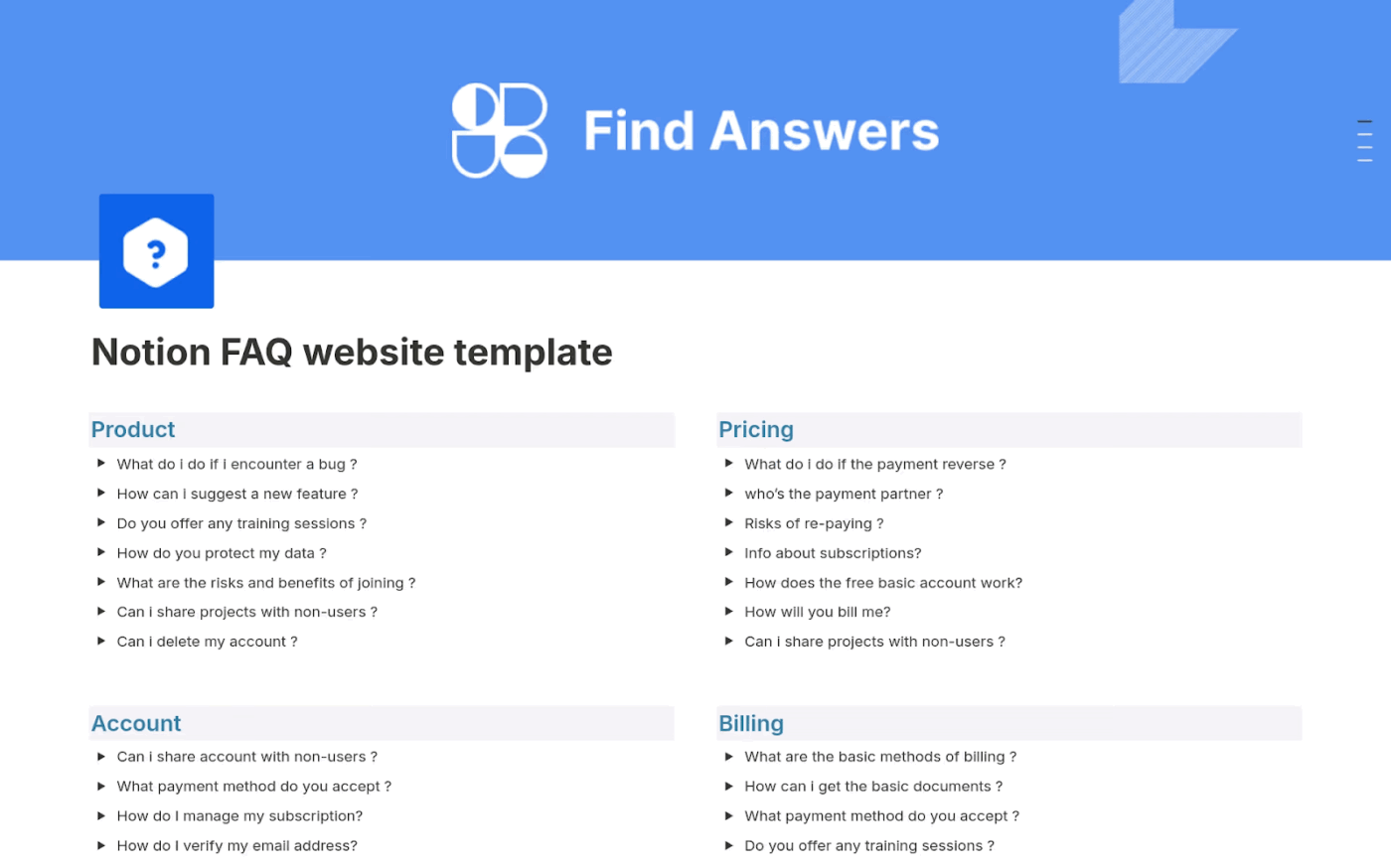
The FAQ & Help Center Template is built for external or product-support FAQs. You’ll get a clean toggle-style layout where each question reveals its answer below. Also, there are tag filters and a navigation sidebar for easy browsing.
✅ Ideal for: Product teams publishing customer-facing FAQs
⚡ Template Archive: Free Customer Journey Map Templates
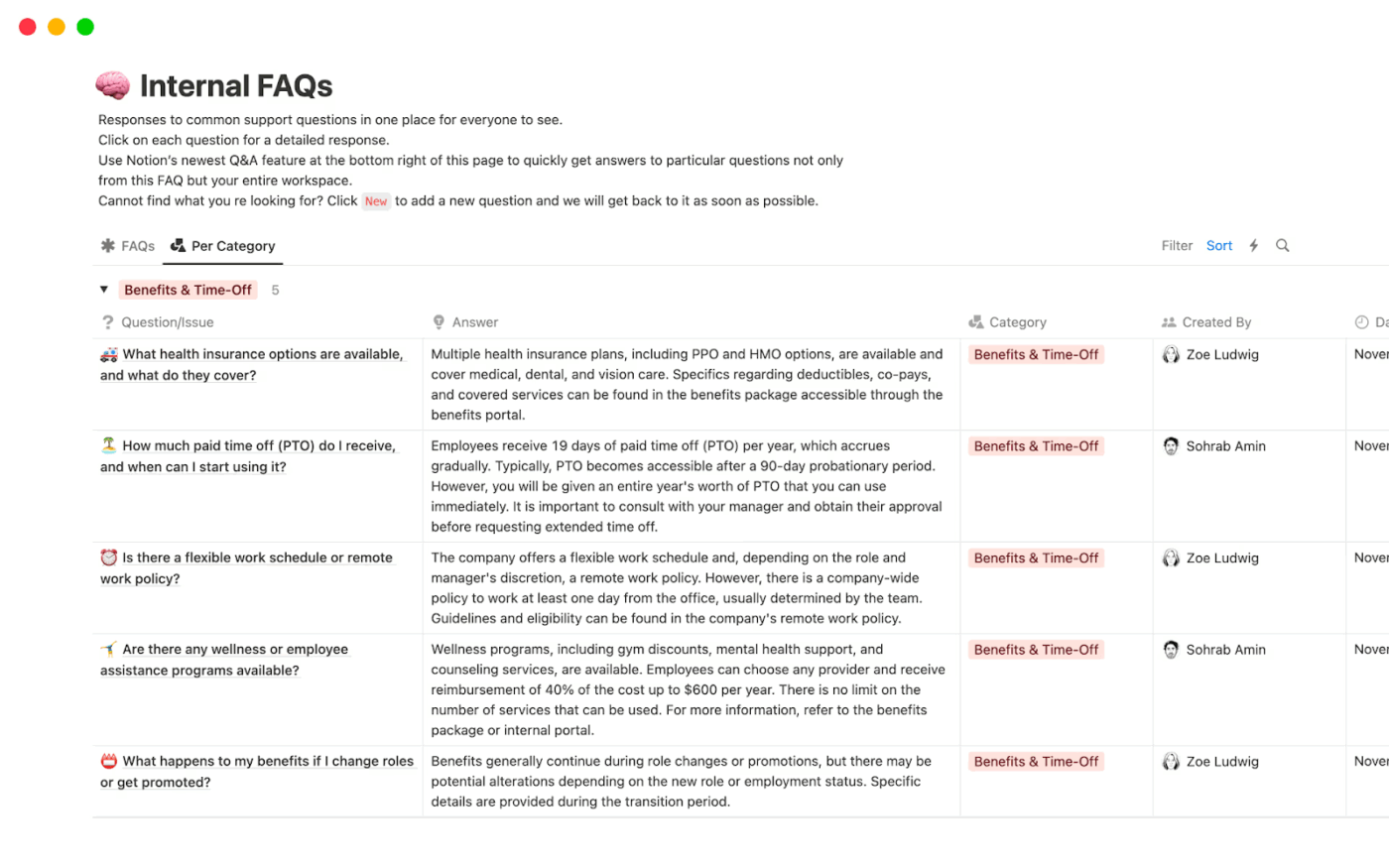
The Internal FAQs Template is designed for sharing company- or team-wide questions and answers. It has a Table View where questions are tagged or marked with who’s responsible for answering or maintaining them.
✅ Ideal for: HR, operations, or team leads responsible for centralizing an internal knowledge base through questions and responses in one place
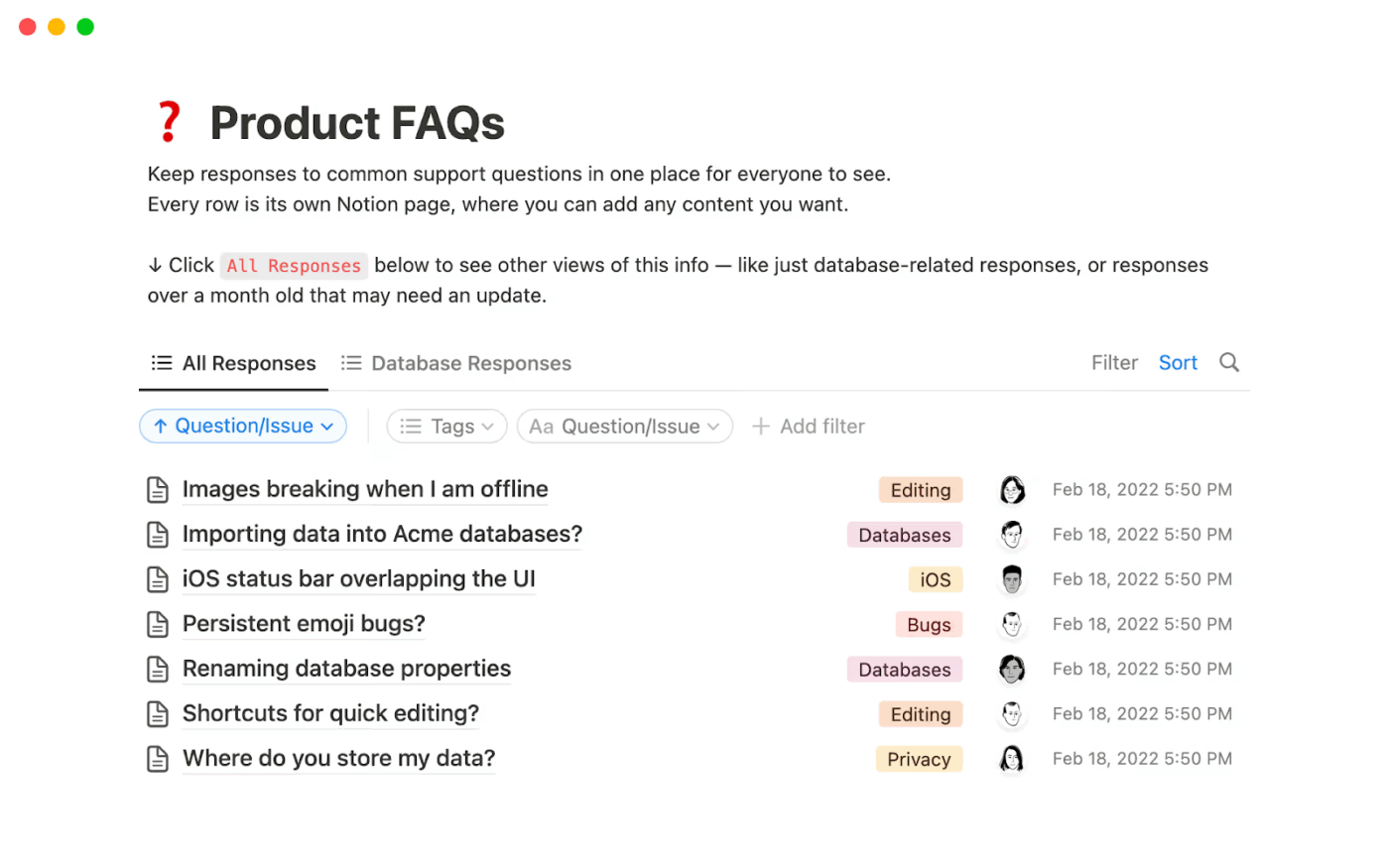
Built specifically for product FAQs, the Product FAQs Template consolidates frequently asked customer or user questions into one place. Each entry in the database behaves like its own Notion page so that you can add detailed answers, images, links, or additional context.
✅ Ideal for: SaaS or digital product teams looking for a clean FAQ section grouped by feature or module
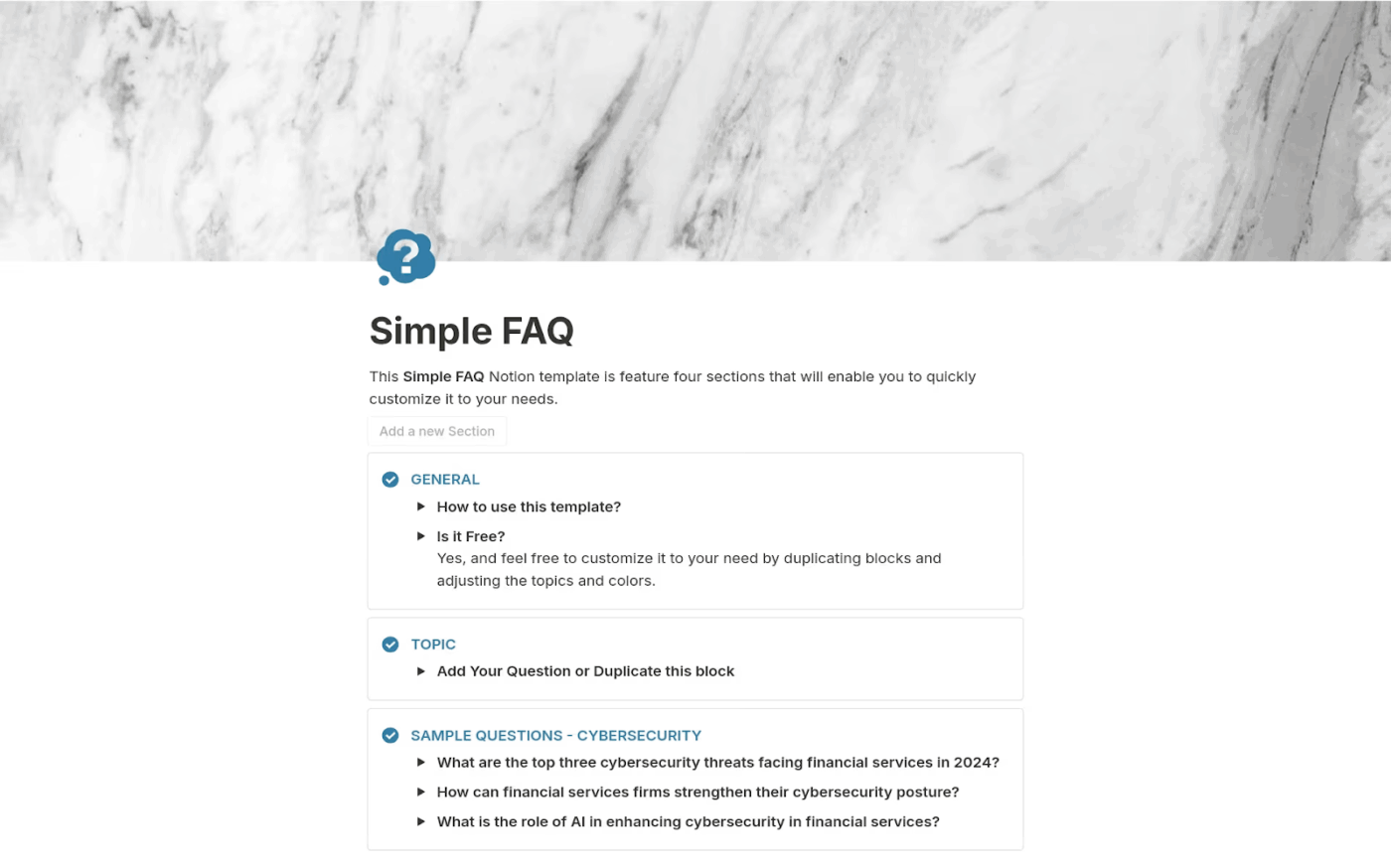
Get a pre-designed knowledge management system layout using a basic question-and-answer toggle format with Notion’s Simple FAQ Template. Also, you get options for tagging and categorization, perfect for quick setup without over-engineering.
✅ Ideal for: Small teams or creators who want a lightweight FAQ section without full knowledge-base complexity
📮 ClickUp Insight: Our AI maturity survey shows that 38% of knowledge workers don’t use AI at all, and only 12% have it fully integrated into their workflows.
This gap is often caused by disconnected tools and an AI assistant that serves only as a surface layer.
When AI isn’t embedded where tasks, docs, and discussions happen, adoption becomes slow and inconsistent. The fix? Deep context!
ClickUp Brain removes the context barrier by living inside your workspace. It is accessible via every task, doc, message, and workflow, and knows exactly what you and your team are working on.
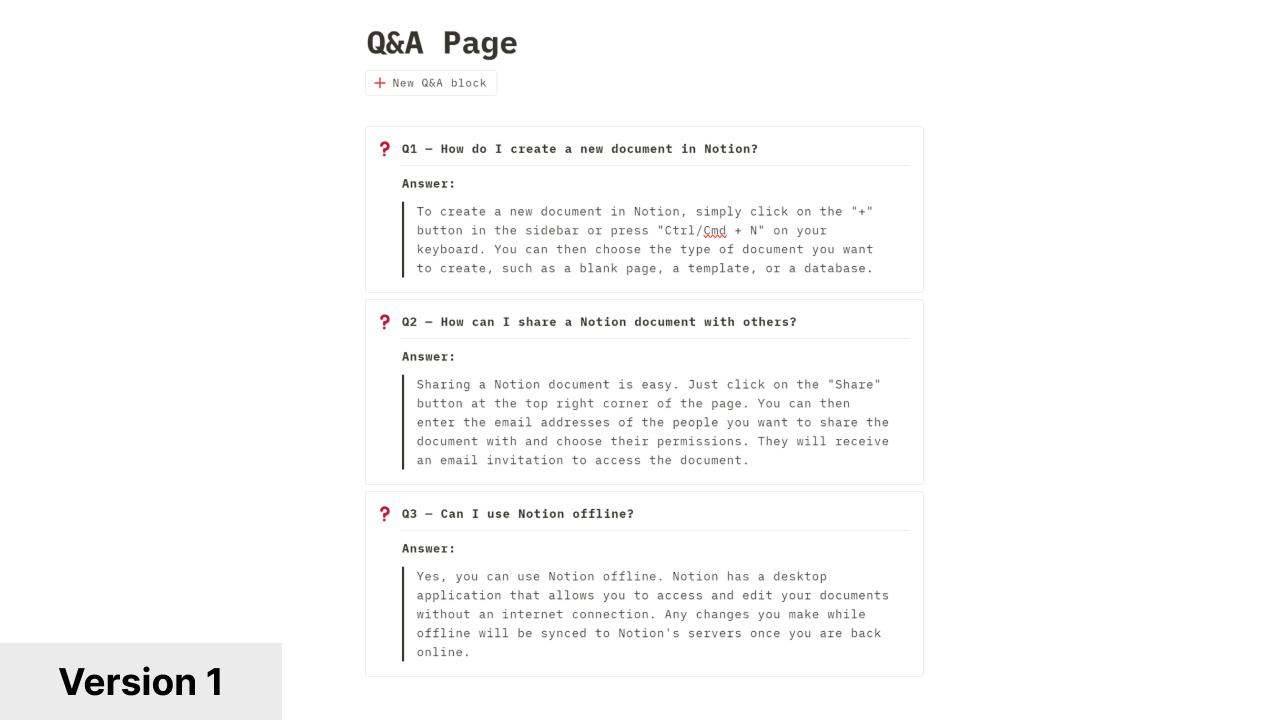
The Q&A Page Template works well for small teams with few Q&A entries. It helps your team build a central ‘answer bank’ and streamline workflows with minimal setup.
✅ Ideal for: Freelancers, micro-teams, or side-projects needing a quick FAQ or Q&A section
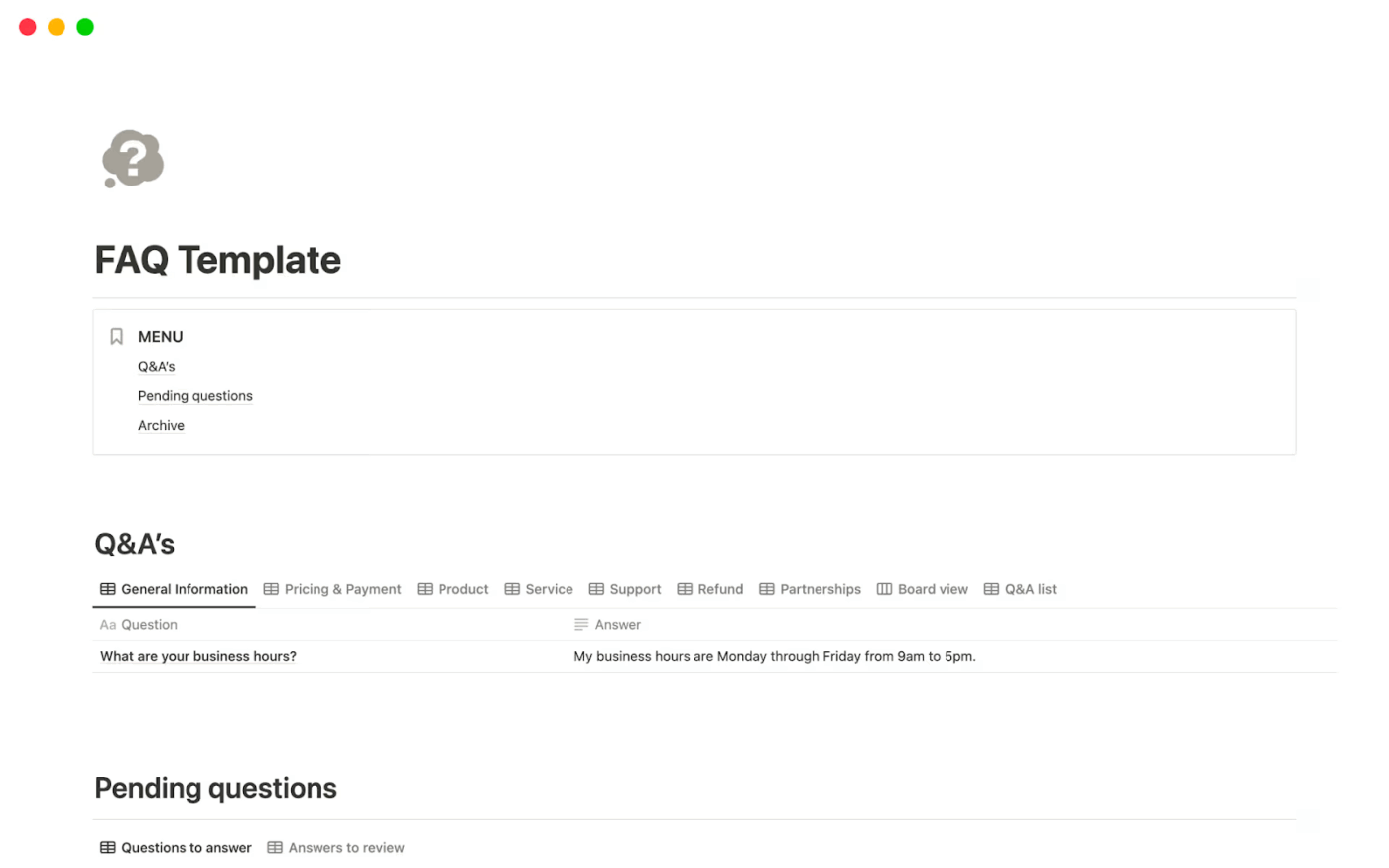
The FAQ Template gives you a simple, publish-ready FAQ page layout. It gives you the flexibility to generate FAQs, update existing ones, rearrange categories or answers, or archive outdated entries without coding or complex workflows.
✅ Ideal for: Creators or small teams putting up a public FAQ page that’s easy to manage

Notion’s FAQ Help Center & Knowledge Base Website Template gives you a whole structure to build a knowledge base or help center with detailed FAQs, guides, tutorials, documentation, etc.
✅ Ideal for: Digital products, startups, or service businesses that require a branded FAQ site
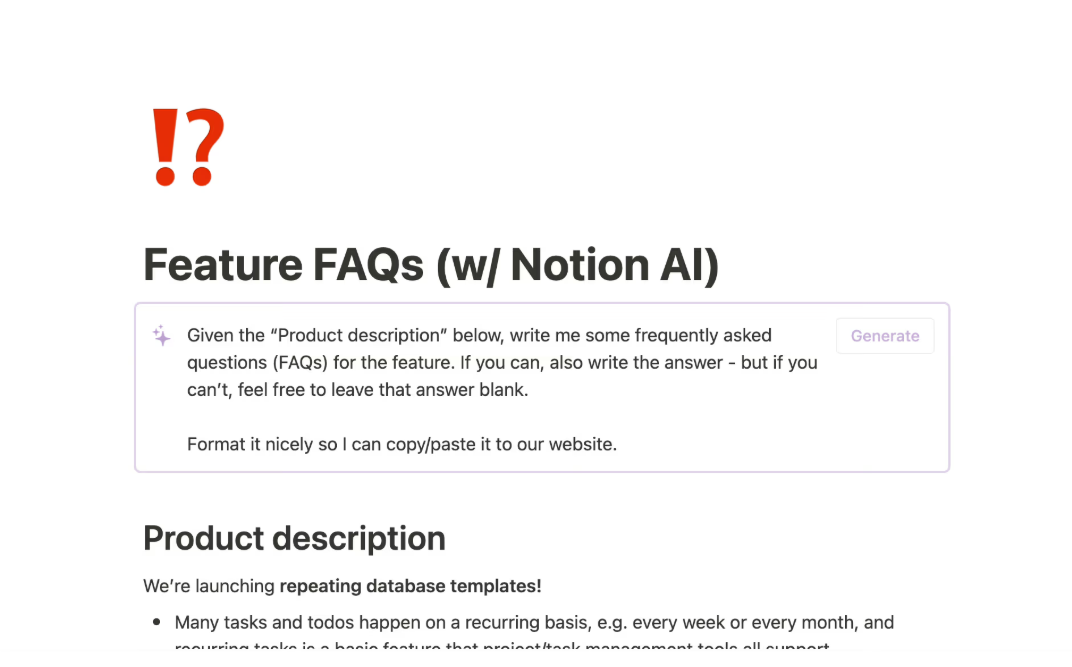
If your product or service has multiple features, the Feature FAQs Template in Notion helps present FAQs in a question-and-answer format for each feature. This makes it useful for user documentation or support. You also get Notion’s built-in AI features for writing assistance and summarization with this template.
✅ Ideal for: Product teams who manage products with several features, modules, or workflows
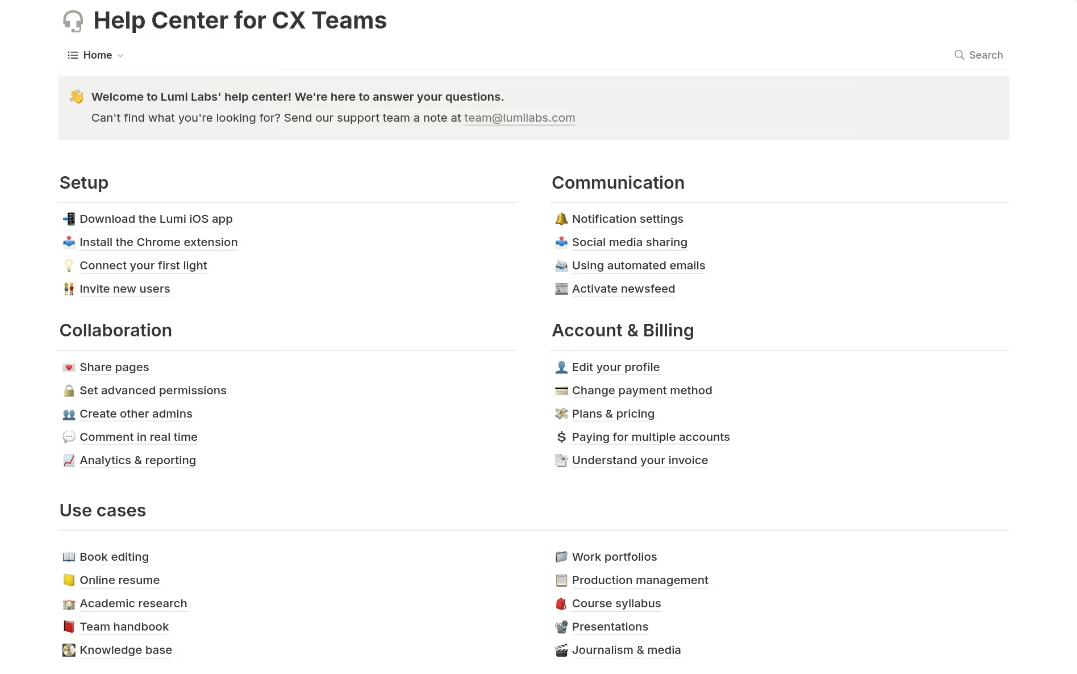
Notion’s Help Center for CX Teams Template can be a solid AI tool for customer service if you want a public-facing knowledge base or support center. The structure supports multiple pages and categories, such as setup guides, FAQs, use cases, troubleshooting, and account & billing, to help users find answers without confusion.
✅ Ideal for: Startups or service-based offerings looking to build a simple but polished help center without much overhead
📚 Read More: Best AI Content Creation Tools
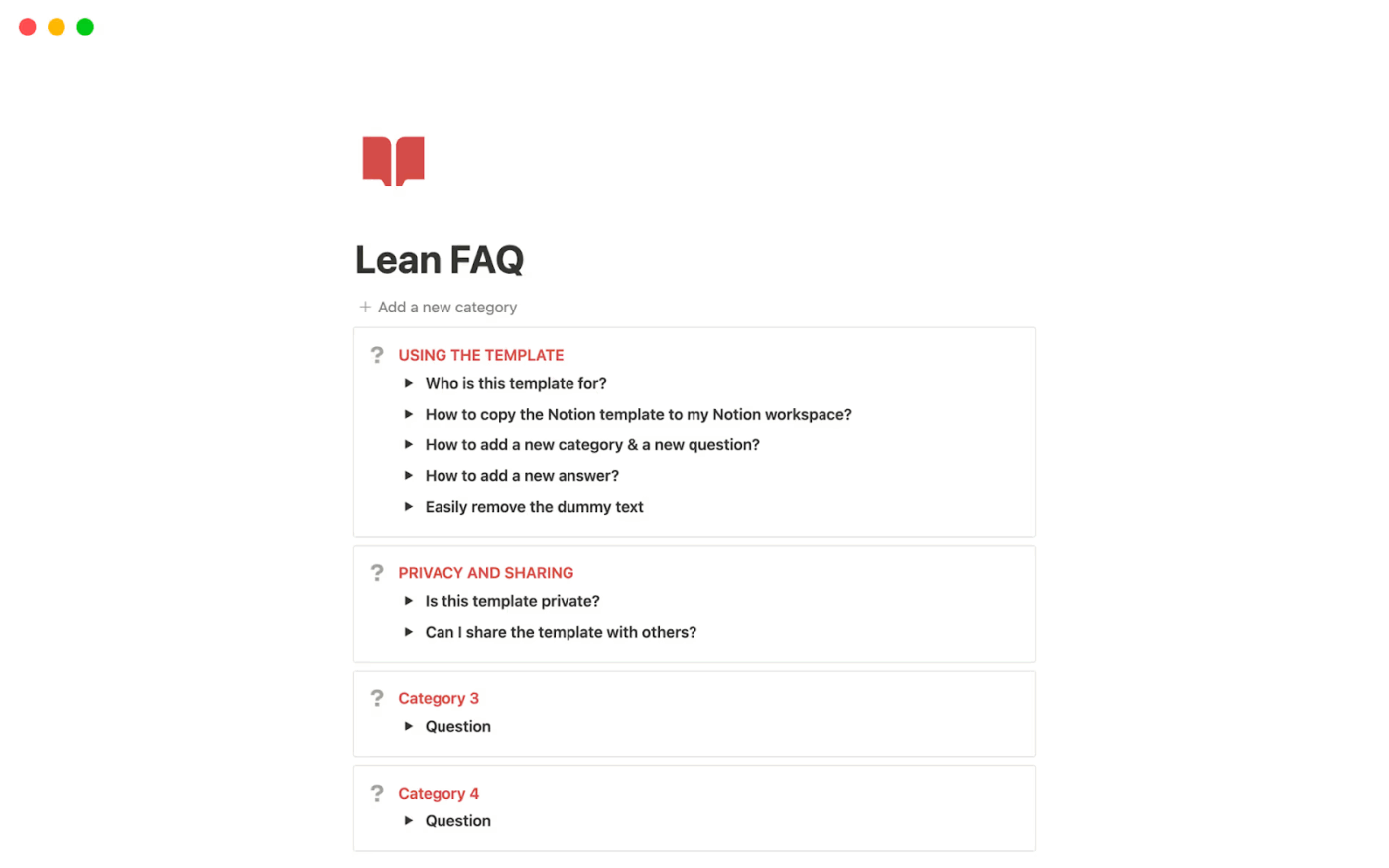
This Lean FAQ Template is a one-page FAQ layout built for speed. You can follow the built-in usage guidelines and launch your FAQ in minutes.
✅ Ideal for: Small teams and early‑stage businesses that don’t yet have a huge volume of FAQs
Notion can be a great fit for small teams. But as teams scale, it can get harder to track ownership and keep FAQs consistent across multiple contributors.
Some of the common limitations are:
❗ Automations and reminders exist, but governance is manual. You can set reminders and database automations, but most teams still need clear owners and review cycles to keep answers current
❗ Analytics are limited. Notion offers page analytics (views and edits), but teams may want deeper reporting on what users search for and where they drop off
❗ Approvals are not standardized. You can build workflows, but structured review and approval steps typically require intentional setup and discipline
❗ Operational linkage varies. Notion can integrate with other tools, but FAQs often sit separate from ticketing and task execution unless you connect the workflow intentionally
If you’ve outgrown a static setup, it’s time to explore Notion alternatives with real-time collaboration and advanced automations.
With ClickUp, you can connect your FAQs, wikis, tasks, and updates into a single workspace.
Here are some of the best ready-to-use, fully customizable templates.
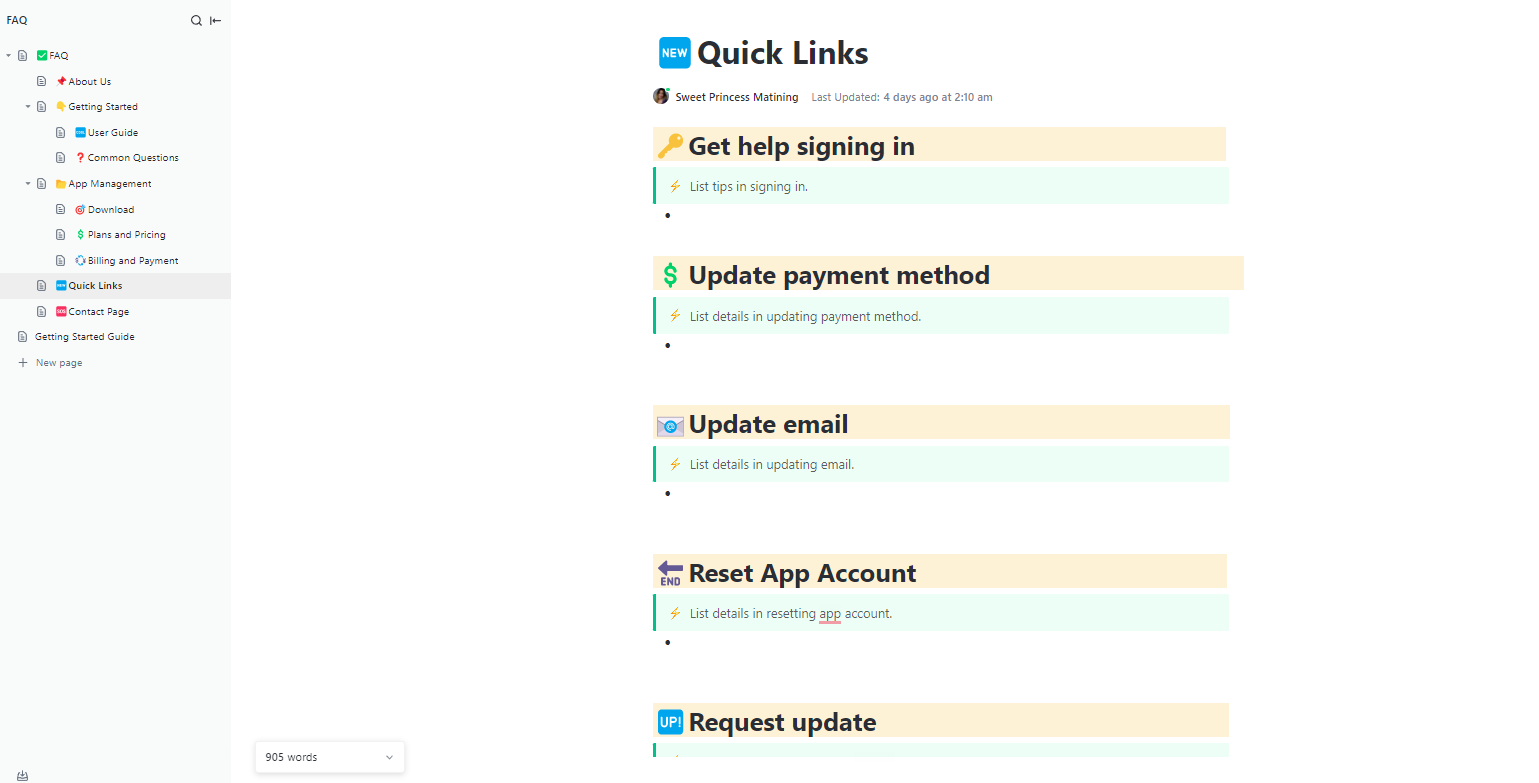
The ClickUp FAQ Document Template helps create both general FAQs for internal teams or product- or service-specific FAQs for customers and end users.
You can start by writing and formatting your questions and answers in ClickUp Docs. Add headers to organize sections and use tables, callouts, images, GIFs, etc. to present information clearly. Nested pages work best for maintaining hierarchy when you want to group related questions under sections, so users can quickly find what they need.
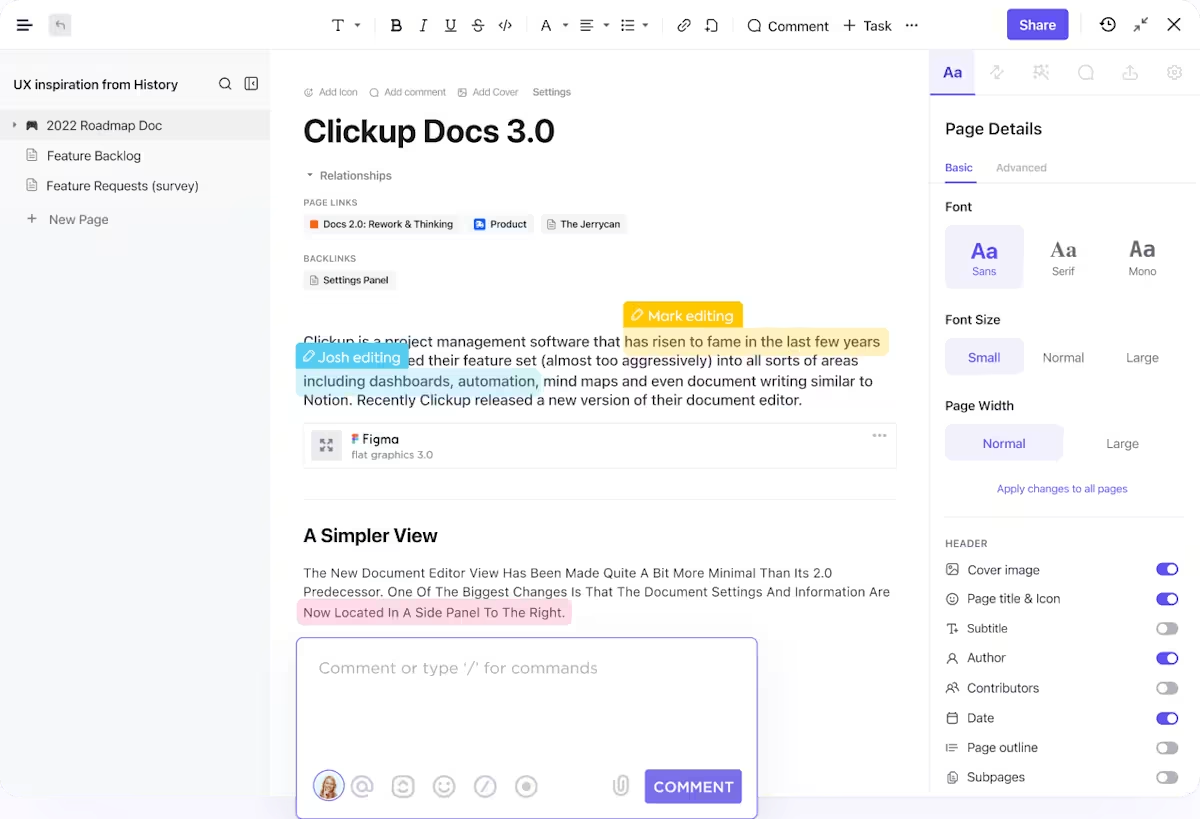
From the Doc, each FAQ item can be converted into a ClickUp Task. You can assign them to team members, add subtasks, comments, status labels, and monitor progress. This is helpful when your team wants to build or maintain an extensive FAQ database collaboratively.
✅ Ideal for: Customer support teams and product or service companies looking to reduce repetitive support load
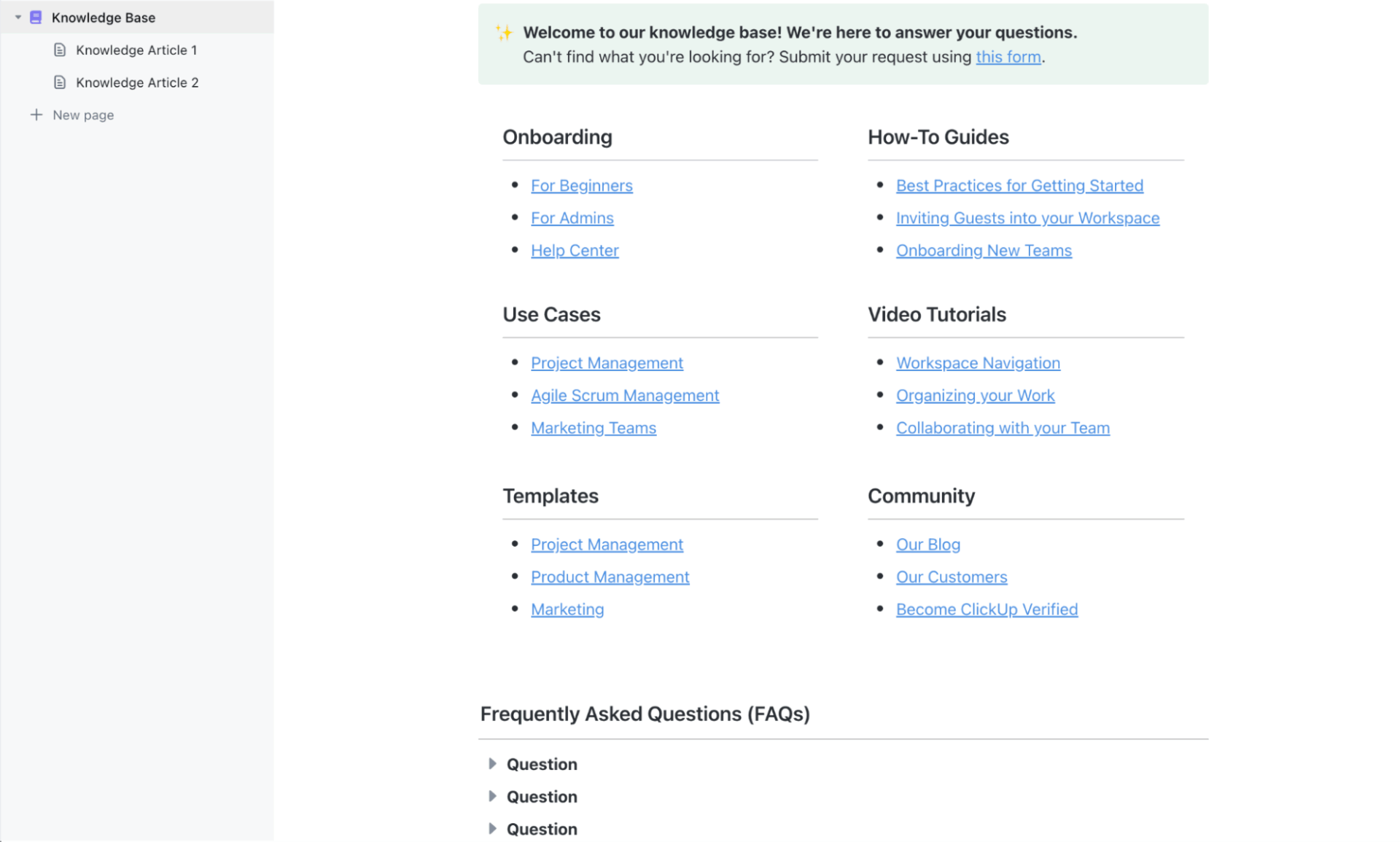
The ClickUp Knowledge Base Template provides teams with a ready system for building a digital library of team- or organization-wide information.
Each page serves as a structured article that can branch into subtopics, making it ideal for documenting product updates, onboarding guides, or internal SOPs. Content can be organized logically in folders and grouped by category, topic, department, function, etc.
✅ Ideal for: Growing teams, startups, or remote companies that want a single, well-structured source of truth for internal knowledge
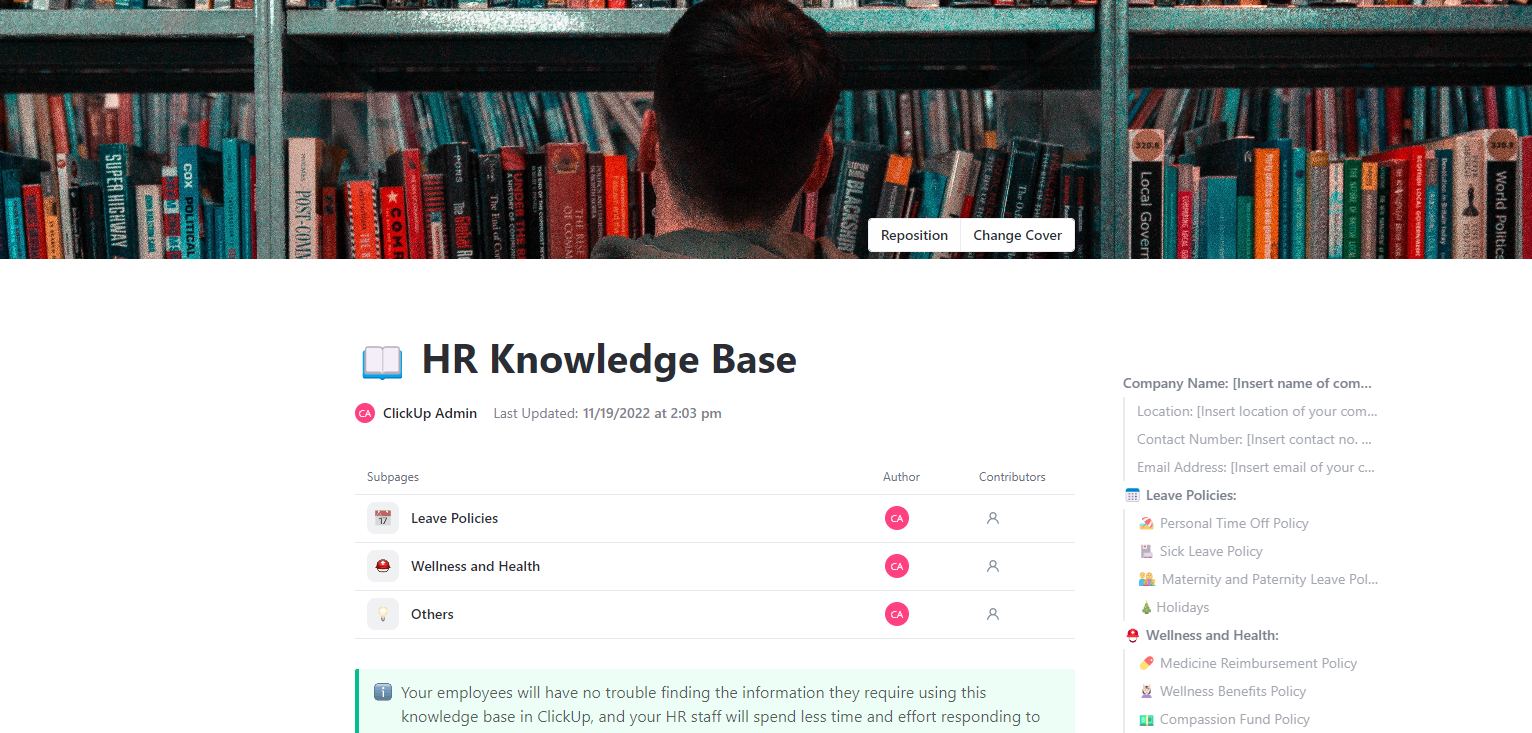
Create a centralized, easy-to-navigate HR library with the ClickUp HR Knowledge Base Template. Use it to house all employee policies, procedures, guidelines, and team FAQs in one accessible workspace.
For each document category, owners and contributors can be assigned to ensure responsibilities are clearly defined. The entire lifecycle, from drafting to publishing, can be tracked with ClickUp Tasks, while Custom Fields and Custom Statuses allow you to monitor revisions, approvals, due dates, priority levels, etc.
✅ Ideal for: HR departments that need to keep all policies, handbooks, compliance documents, and guidelines in one place
📚 Also Read: Best Knowledge Management Software Tools
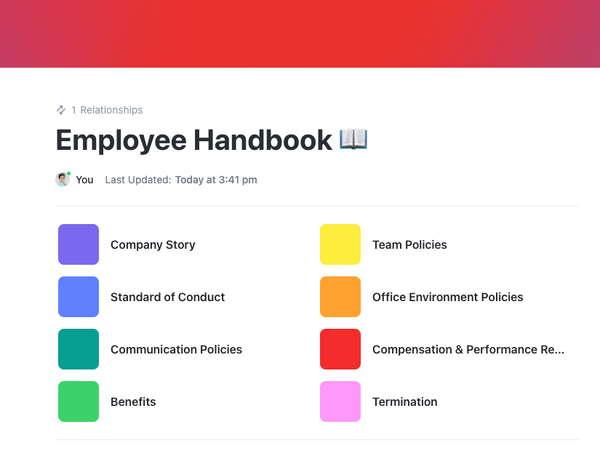
The ClickUp Employee Handbook Template for HVAC Companies lets you store policies and handbooks in a single workspace. You get pre-formatted and fully customizable sections for policies, procedures, job roles, training, onboarding, and more, making it easy to get started quickly.
Since clear safety and compliance policies are critical in HVAC firms, this template helps document and consistently enforce them. You can also use the comprehensive document to reduce the need for repeated orientation sessions and standardize onboarding for new hires.
✅ Ideal for: HVAC businesses that need to maintain consistent policy communication across field and office teams
📚 Also Read: Best Document Management Software to Get Organized
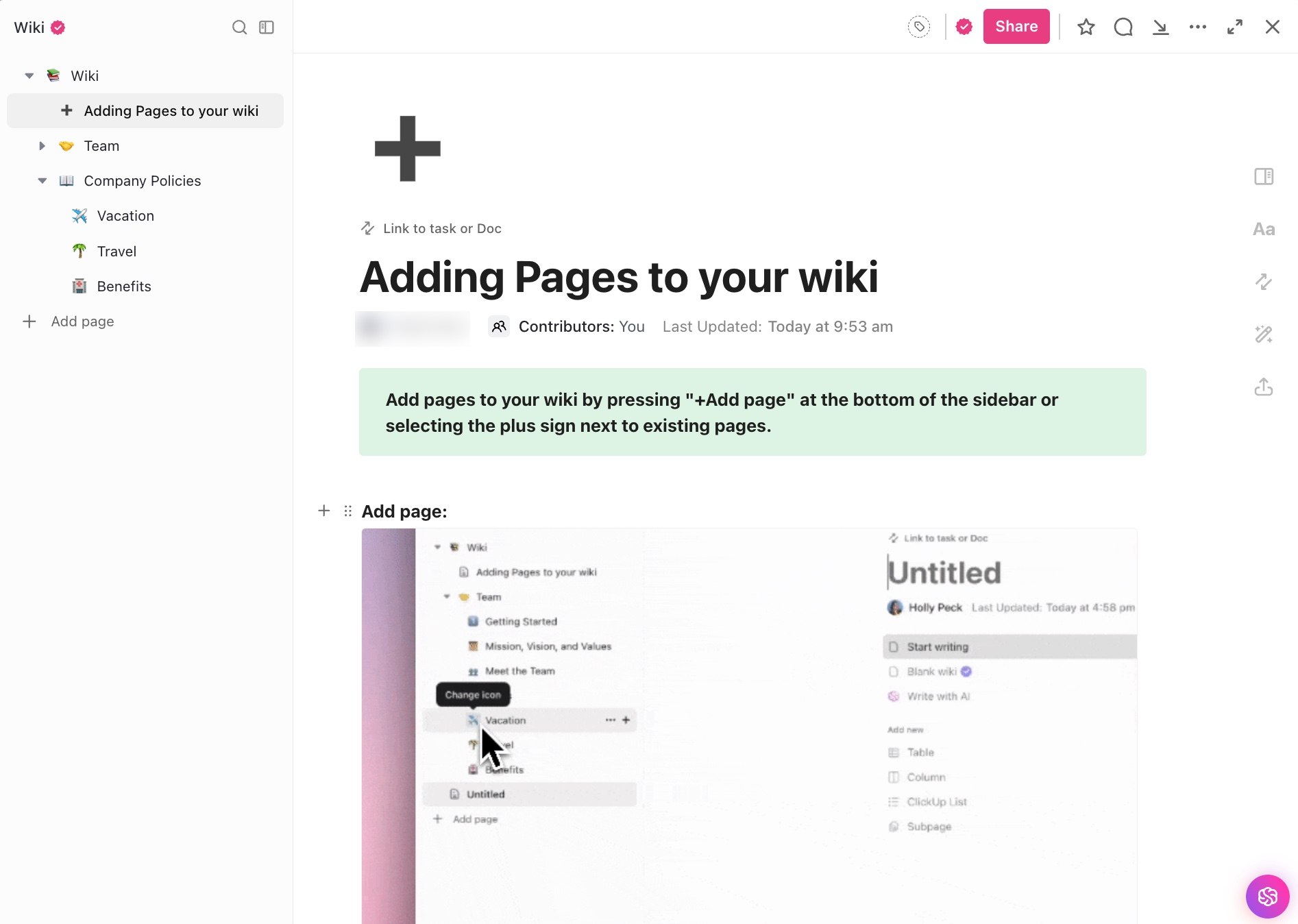
The ClickUp Wiki Template with Multiple Pages provides a hierarchical structure for grouping FAQs by section. With the nested pages showing up in a sidebar on the left, the information is easy to find.
Create a separate page for different resources, such as vacation, benefits, travel, or compliance, with linked subpages for deeper details.
✅ Ideal for: Operations and HR teams building a scalable internal wiki for policies, procedures, and team resources
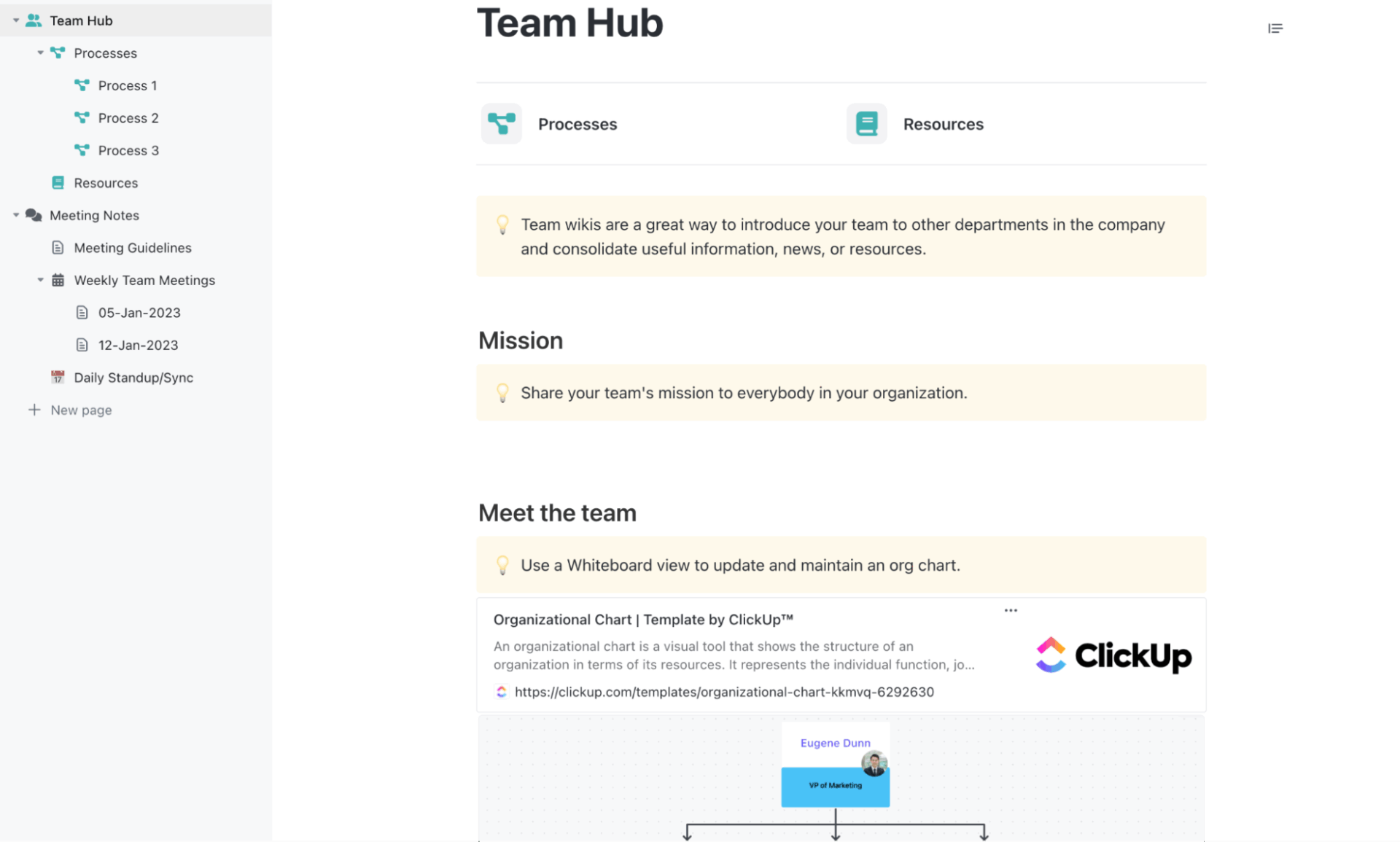
The ClickUp Team Docs Template lets you create a central repository for your team’s processes, goals, and discussions.
The Meeting Notes section is where you consolidate meeting minutes to ensure everyone has the same context. The Team Wiki can contain detailed documentation of internal processes, team knowledge, the company’s mission, resource allocation, etc., so key information is always easy to locate and update.
✅ Ideal for: Teams that manage recurring syncs, project documentation, or internal training materials and want everything logically connected in one place
🤔 Did You Know? The average professional wastes over an hour hunting down a single file or detail, with nearly one in four spending more than five hours just trying to find what they need.
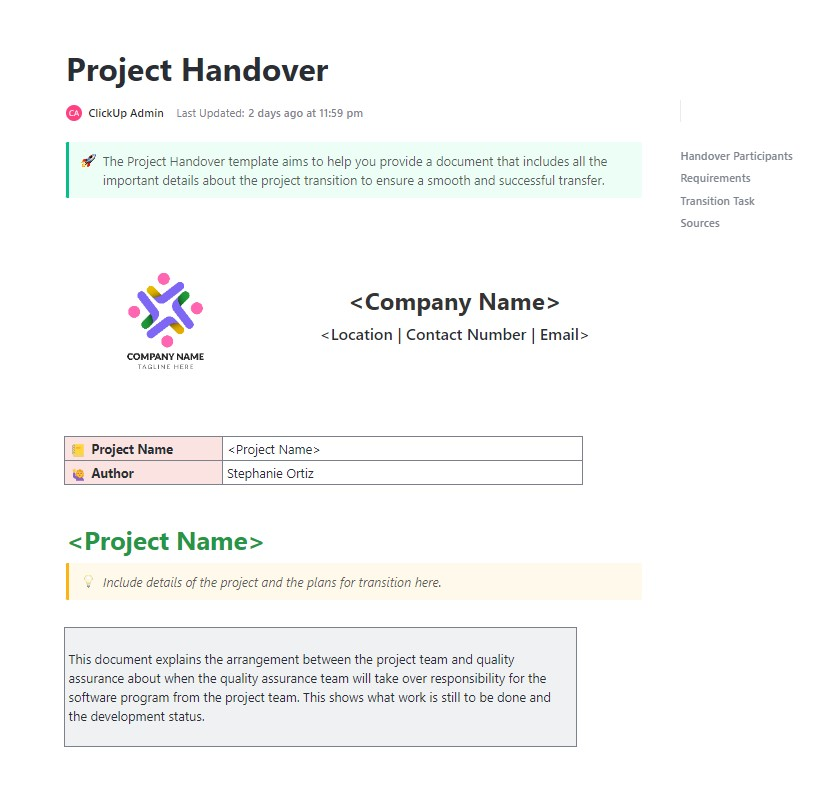
Project wrap-ups can get tricky when files are missing, the following steps are unclear, or communication gaps exist between teams. But with the ClickUp Project Handover Template, you get a single, editable document to capture every key detail before transition.
Custom Fields such as Handover Date, Responsible Team/Individual, Key Deliverables, and Status Updates help capture key handover details.
✅ Ideal for: Project managers, client delivery leads, QA teams, and consultants managing multi-stage project transitions
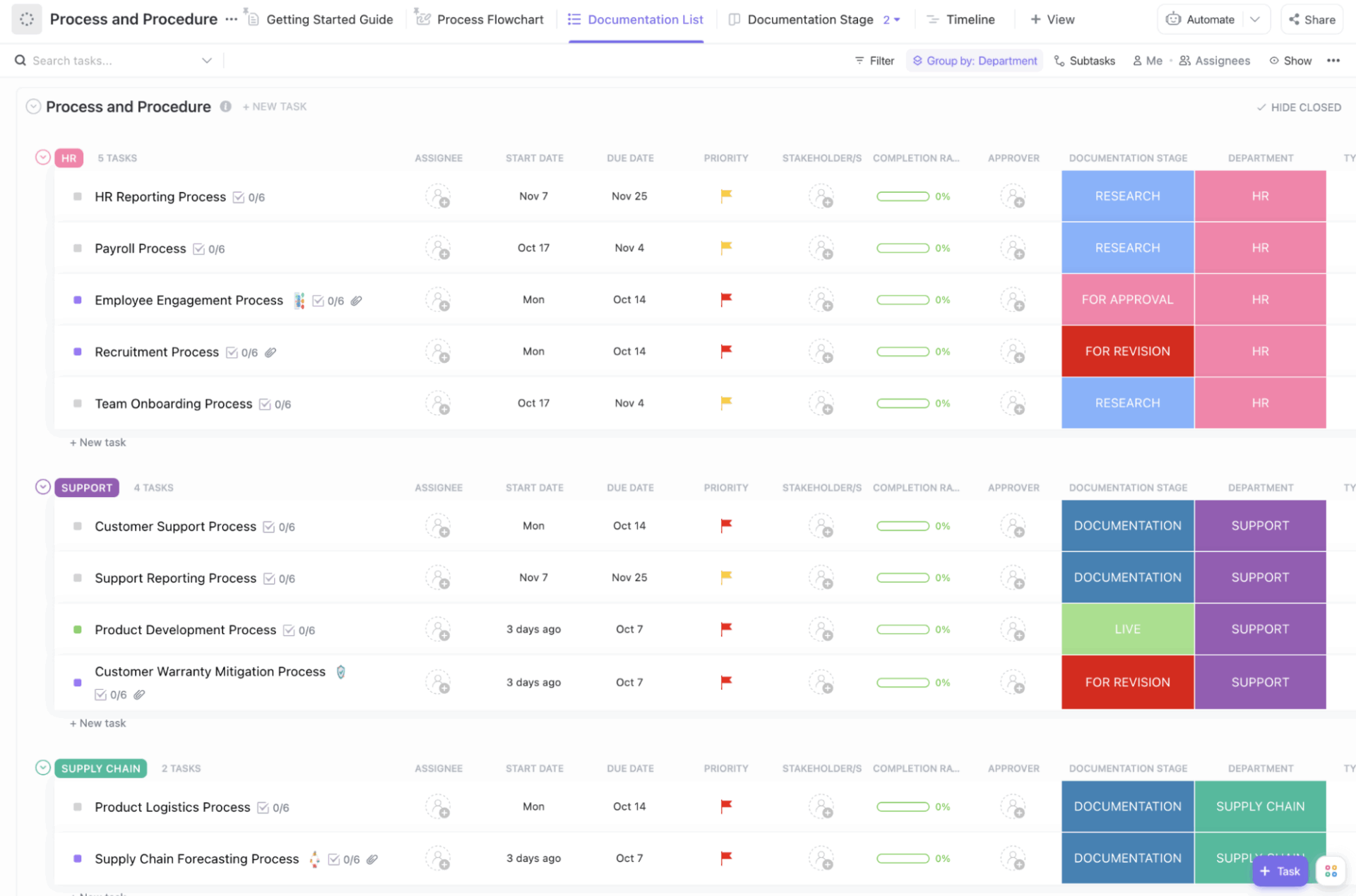
Every business runs on processes. But too often, those processes are documented in fragmented documents and outdated SOPs. The ClickUp Process and Procedures Template turns that disorder into a dynamic, visual system.
The Process Flowchart lets you visually map out your company’s processes and procedures. It is organized by process categories, each containing its related activities. After defining your activities, connect them to show process flow using connectors.
Here‘s how you can start mapping your processes in ClickUp 📹
✅ Ideal for: Operations leads, compliance teams, and department heads building or standardizing internal workflows
Get all your workflows, procedures, and SOPs into one structured, interactive document with the ClickUp Company Processes Document Template. Each section is neatly organized with prompts for scope, purpose, governance, tools, RACI charts, and contributors, so your team can document every process with context and clarity.
✅ Ideal for: Operations or HR teams creating a single, structured system to document and manage company-wide processes
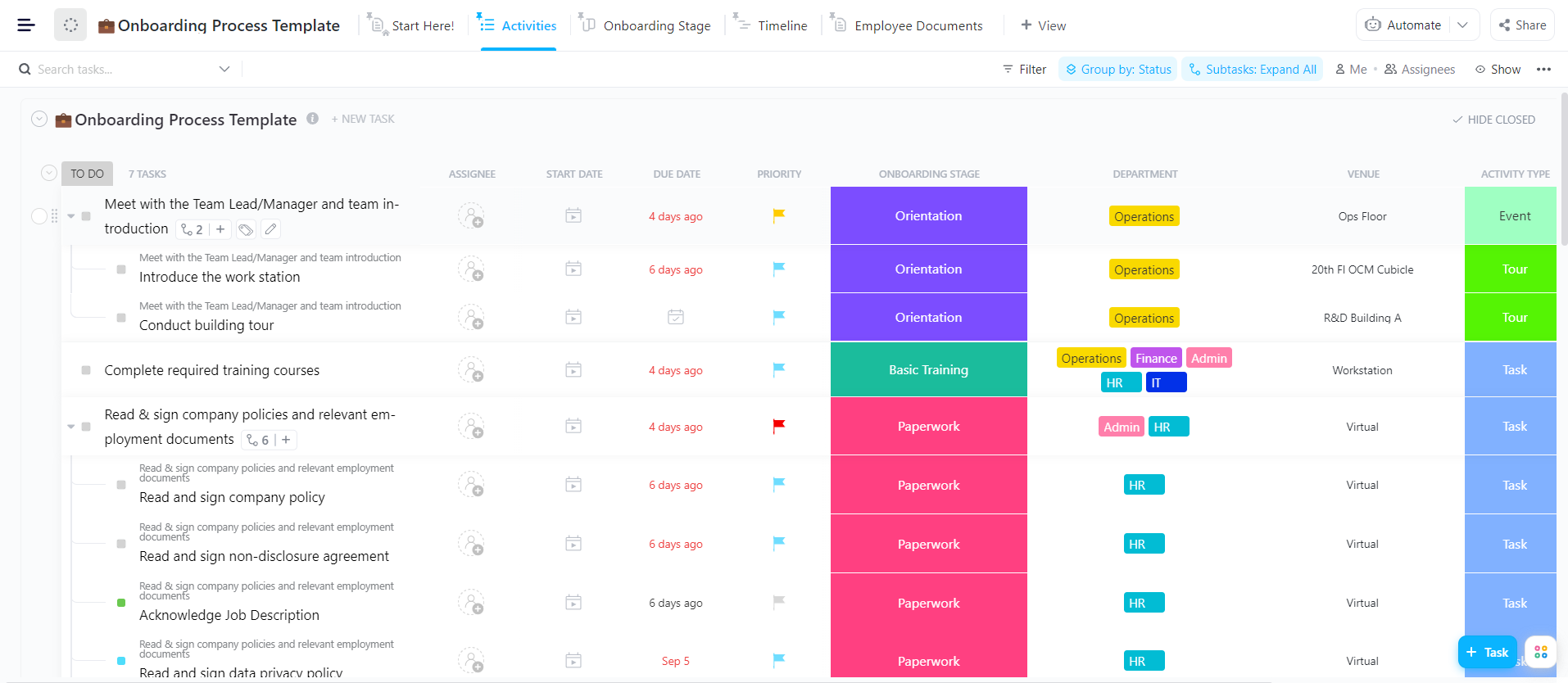
Get every new hire started in the right direction with the ClickUp General Employee Onboarding Template. Each stage of onboarding, such as HR paperwork, department introductions, training, and reviews, remains connected within a single workflow.
The Activities View displays all your onboarding tasks from start to finish. If you want to break tasks down further, you can easily add subtasks. For a quick overview of task progress, use the Onboarding Stage Board View that groups tasks by onboarding stage.
Finally, the Employee Documents View stores all relevant onboarding documents and role-specific materials in one place.
✅ Ideal for: HR teams, hiring managers, and department leads responsible for delivering a structured onboarding experience for every new hire
🤔 Did You Know? A well-structured onboarding experience can boost employee performance by up to 15% and increase discretionary effort by more than 20%.
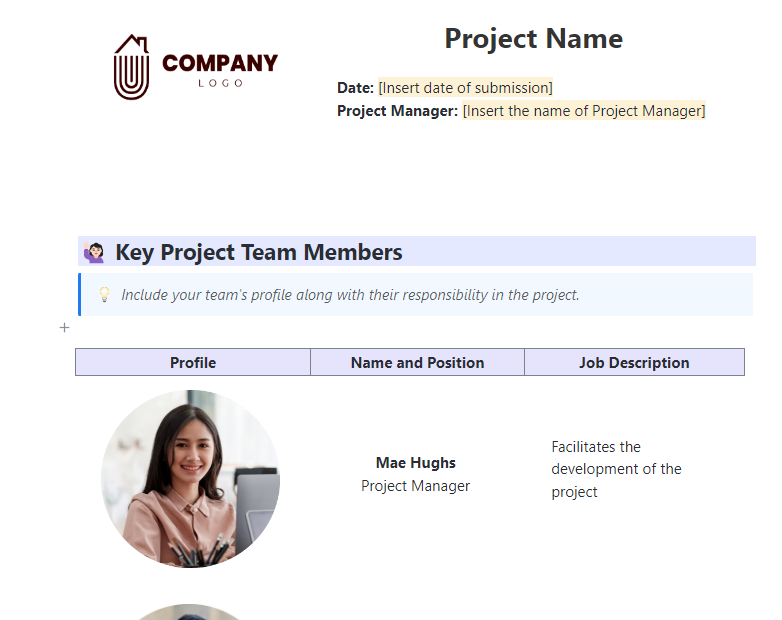
Bring structure and clarity to your project lifecycle with the ClickUp Project Documentation Template. It’s built to capture every part of a project, from team roles and goals to budgets, timelines, and risk logs.
With 15+ Custom Views, you can link documentation to List, Calendar, Gantt, and Workload views to visualize timelines, milestones, and dependencies. This embeds documentation directly into your project workflow, so it’s not separate from execution.
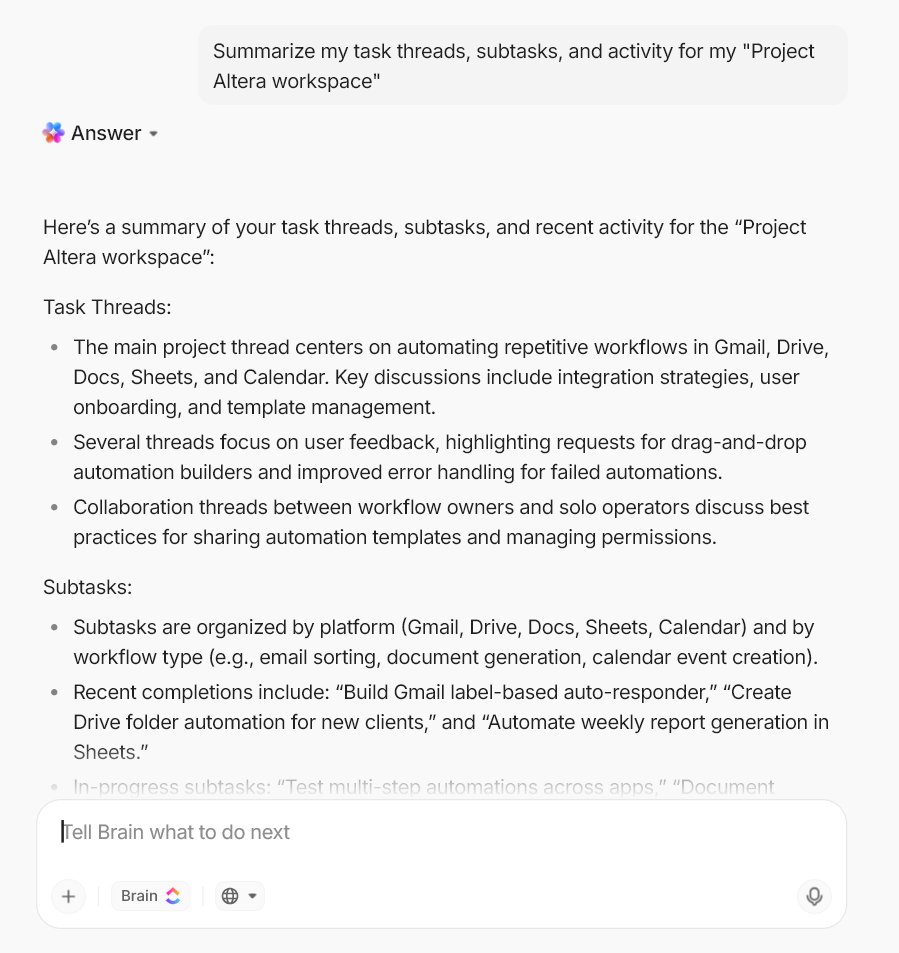
ClickUp Brain, a built-in AI assistant, speeds up documentation by fetching relevant information from across your workspace. It transcribes meeting notes, helps draft meeting agendas, summarizes Docs and chat threads, and even analyzes your tasks to help prioritize work.
✅ Ideal for: Teams managing structured projects that require detailed documentation
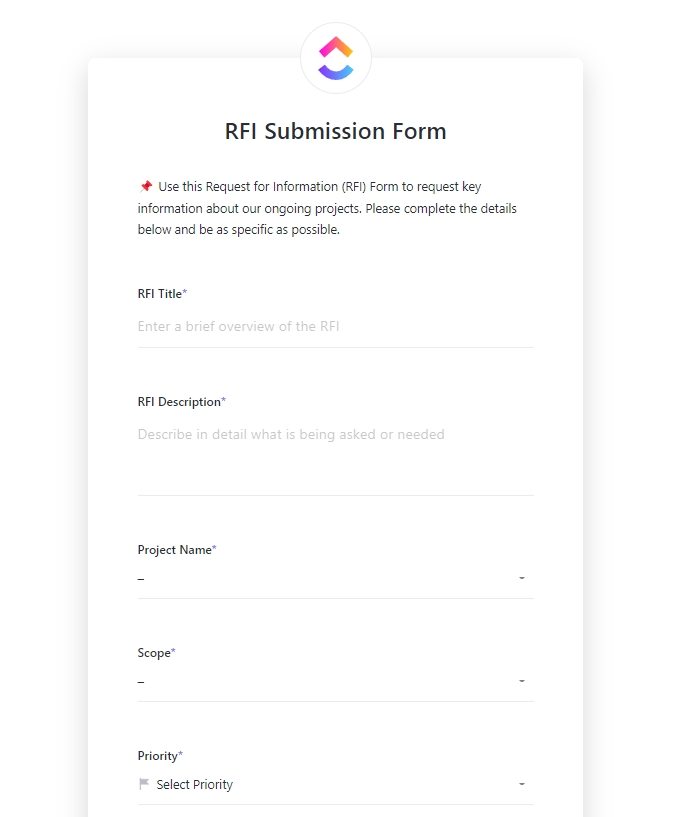
The ClickUp Request for Information Template helps you collect and organize information from vendors or external stakeholders, such as pricing, materials, qualifications, timelines, etc.
The customizable RFI Submission Form makes it easy to get details, and the RFI Log List View provides a consolidated overview of all RFIs, grouped by status. In the Project Board View, you can organize RFIs by project using key fields such as Scope, Change in Cost, Change in Timeline, and Response.
✅ Ideal for: Project and site managers handling multiple vendors or contractors with a need for a clear, accountable record of every RFI
📚 Read More: Digital Journal Apps for Bullet Journaling
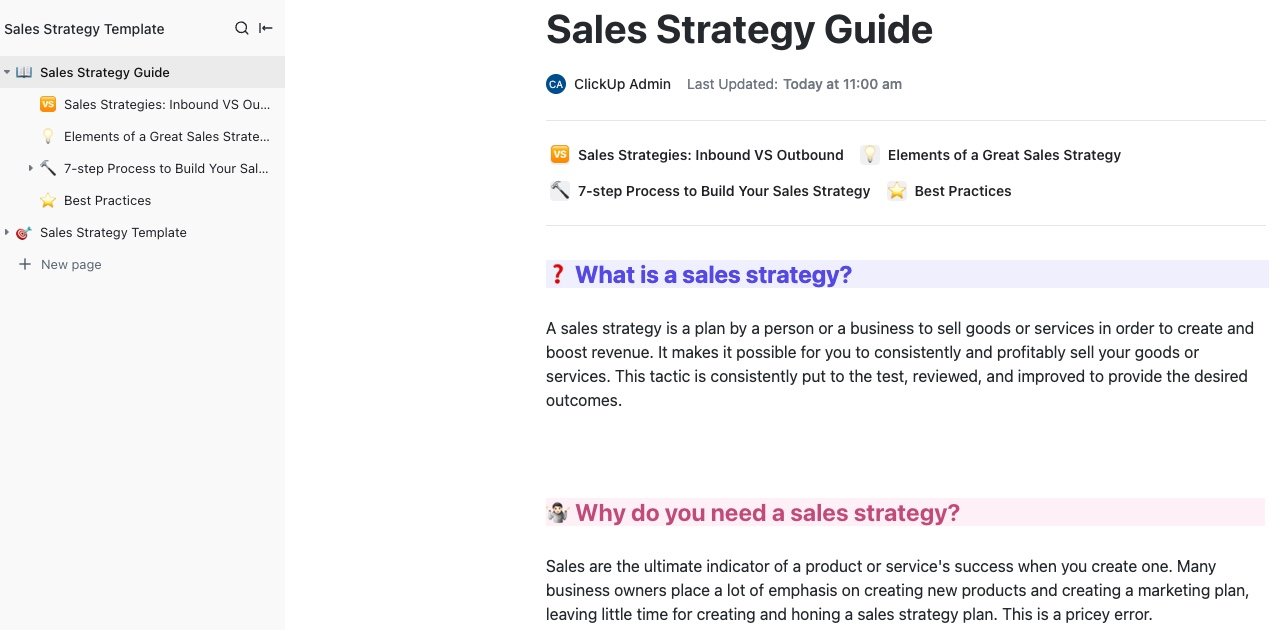
The ClickUp Sales Strategy Guide Template can help turn your sales framework into a working blueprint, so your team has a clear roadmap with milestones and measurable outcomes.
Each section, from SWOT analysis to budgeting, is editable and can be linked to ClickUp Tasks for end-to-end workflow management. You can also expand the template with pages for campaigns, market insights, proven sales tactics, and performance updates, turning it into a comprehensive guide for your sales team.
✅ Ideal for: Sales leaders, account managers, and revenue teams that thrive on keeping every stage of the sales process transparent and measurable
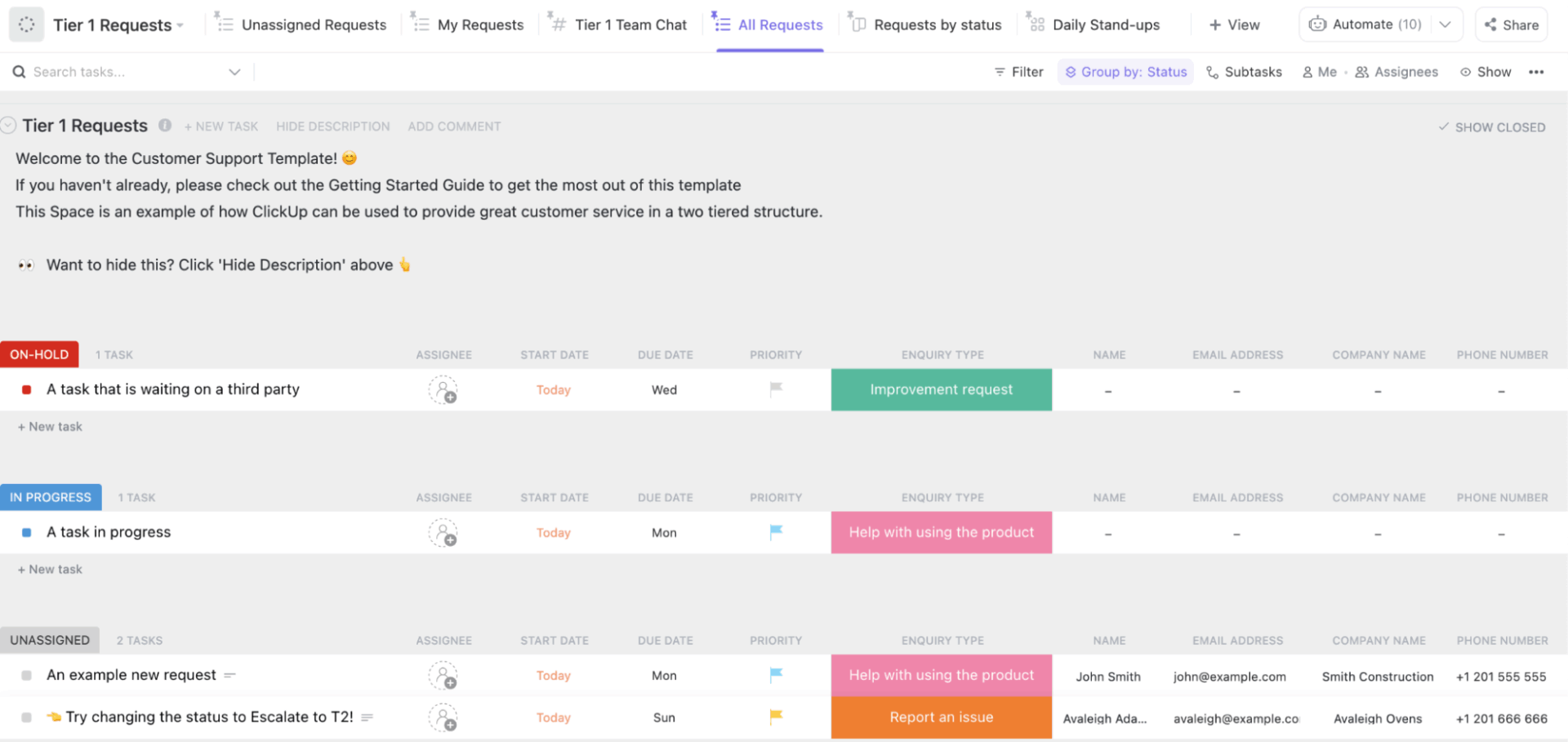
You can make use of the ClickUp Customer Support Template to streamline how your team receives, manages, and resolves customer issues. Built as a single Space, it helps you centralize all support requests, automate ticket routing, and monitor workload across Tier 1 and Tier 2 teams in real time.
There’s also a Workload View, which makes it easy to track team bandwidth, while overdue and escalation views help maintain service-level commitments.
✅ Ideal for: Small businesses and startups that don’t have a dedicated support tool but still need a structured way to manage customer inquiries
📚 Also Read: How to Build a Customer Service Knowledge Base?
A well-designed FAQ will provide an ongoing conversation between your business and the people who rely on it. A good starting point could be any of the FAQ templates we explored above.
Both Notion and ClickUp can be used to organize ideas and documentation. The difference shows up once that information needs ownership, intake, and follow-through. After outlining your FAQs, ClickUp extends that work with ready-made templates that add clear responsibility, form-based submissions, automation, and real-time progress tracking, so documentation stays connected to ongoing work.
You can sign up for ClickUp and access the FAQ templates for free.

© 2026 ClickUp

There’s an easier way. Try a free AI Agent in ClickUp that actually does the work for you—set up in minutes, save hours every week.