
Sorry, there were no results found for “”
Sorry, there were no results found for “”
Sorry, there were no results found for “”
Whether you’re a carpenter or a nuclear engineer, having the right tools is a prerequisite for doing your job properly. And if you happen to be a coder, there is no tool more important than a code editor—a quality one can save you hours of manual work and minimize human error.
Notepad++ is a name that frequently comes up when talking about code editors, and rightly so. It is one of the most popular tools, beloved for its lightweight design and user-friendly interface. However, despite its versatile capabilities, Notepad++ is not perfect, and some coders will want to look elsewhere for more customizability, advanced features, or integration opportunities.
We’ll introduce you to 10 fantastic Notepad++ alternatives to give you a headstart in your search. We’ll discuss their key features, shortcomings, and pricing options to help you pick your next text editor with confidence! ?
Source-code editors have evolved from their humble beginnings to offer much more than basic code editing, including features like debugging, file management, and even gaming. However, for any text editor to serve as a respectable alternative to Notepad++, it doesn’t need bells and whistles. See that it excels in the following categories:
We’ve analyzed dozens of text editors against the above criteria to compile this list of the top 10 alternatives to Notepad++. Let’s look at their pros, cons, pricing, and user reviews to help you find the one that checks all the boxes. ✅
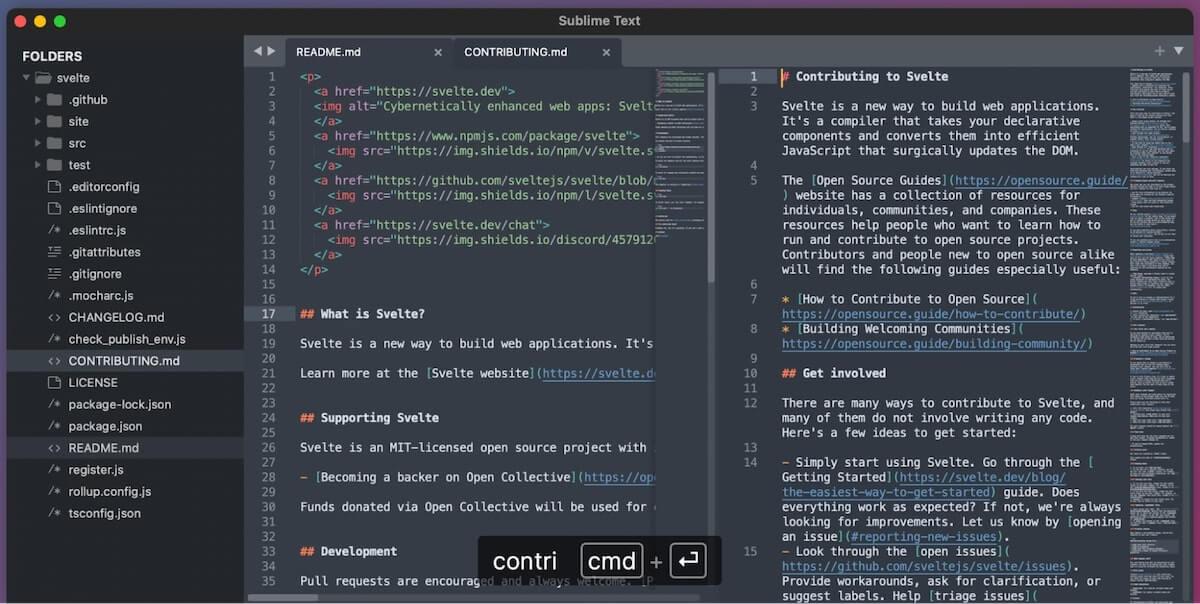
Sublime Text is one of the most popular Notepad++ alternatives with many unique features. For instance, its GoTo Anything function allows you to quickly jump to any line of source code, file, or tab. And thanks to multi-caret editing, you can make the same changes to multiple lines of code simultaneously. ?
Finding and executing commands is also a breeze thanks to the tool’s Command Palette, which makes command suggestions through adaptive matching as you type.
Sublime Text’s latest version introduced the ability to edit multiple files side-by-side in a split tabs view. The auto-complete functionality has also been improved to provide more relevant, context-aware suggestions based not only on the programming language of the file but also on the code you’re editing.

GNU Emacs is not your average code editor—it’s also a debugger, a file manager, a project planner, and an IRC client, all combined in one. That’s why some programmers refer to it as an operating system rather than a text editor. ?
Its code editing functionality has built-in documentation to help new users get started quickly and separate modes for editing text and code. It’s also highly customizable, thanks to its Emacs Lisp interpreter, which allows users to write scripts to automate various tasks or modify its functionality.
GNU Emacs integrates with GNU Debugger to serve as an integrated development environment (IDE), offering features like code auto-completion, syntax highlighting, and file comparison.
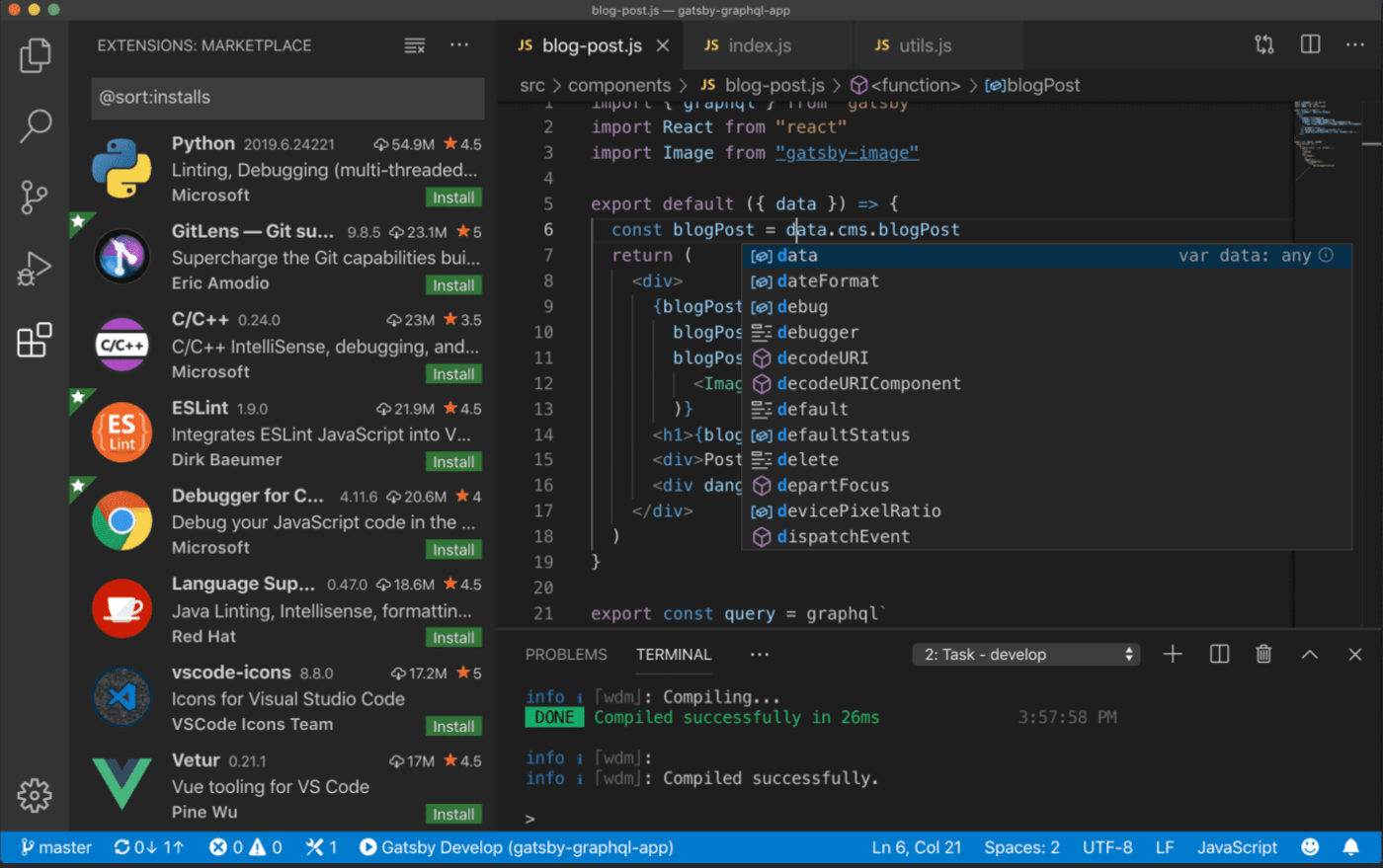
Visual Studio Code, or VS Code, is arguably the most sophisticated text editor and Notepad++ alternative on our list. Its IntelliSense functionality takes the concept of code auto-completion a step further by suggesting code based on variables, functions, methods, and imported modules.
The second major highlight is the built-in Git integration, which allows version control within the editor. It also has an integrated terminal to run command-line tools and scripts.
Finally, you can extend VS Code’s functionality with dozens of extensions available in the Visual Studio Marketplace (including adding support for various programming languages). Extensions run as separate processes, so the editor doesn’t slow down.

While Apache NetBeans primarily focuses on Java development, it earns a spot on our list because it can be extended to support other languages.
Besides all the standard features of a modern editor, such as syntax highlighting, debugging, and code completion, its Swing GUI Builder allows users to build a graphical user interface for Java applications effortlessly.
This text editor also comes with Git integration for easy version control. It links seamlessly with Apache Maven to provide solid project management capabilities, which can significantly ease the Java application development process.

UltraEdit’s functionality extends so far beyond the scope of a text editor that it could easily rename itself UltraEverything. ?
The tool offers all the features you would expect from a modern editor, such as code auto-completion, multi-caret editing, syntax highlighting, and other integrated development environment features like debugging. Still, its key selling point must be how well it handles large files without slowing down.
It also has code folding, which allows you to collapse the parts of programming code you’re not editing. On top of that, its powerful search-and-replace functionality helps you quickly find a line of code in any file while handling a large project.
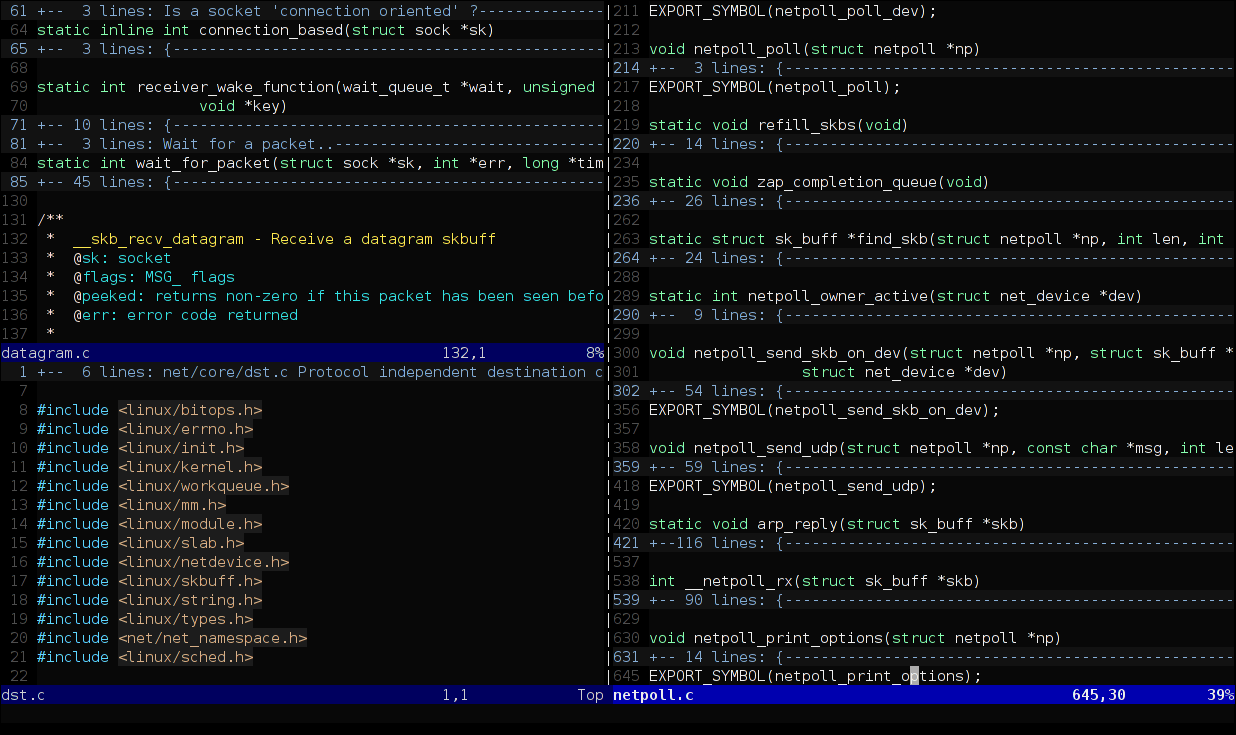
Vim is a successor to the Vi text editor, the standard editor for Unix-based systems for many years. It comes with a unique Modal editing functionality, which provides different modes for viewing, editing, and navigating through text. Once you learn how to switch between various modes quickly, you’ll significantly boost your coding efficiency because almost everything can be done with the help of a keyboard alone. ⌨️
The text editor also supports split windows, which can be useful for editing multiple files simultaneously. It has a scripting language called Vimscript. Use it to create custom scripts, commands, and functions for automation.

Brackets is a sophisticated text editor with unique features that make front-end web development especially easy. It integrates with your web browser to see the live preview of coded files. It also supports preprocessor languages like Less and Sass. It can compile both on the fly, so you can quickly check the live preview of the resulting CSS.
Another feature you’ll adore is the platform’s inline editing functionality! It allows you to open any HTML file’s CSS or JS code within the same editor window instead of opening the CSS or JS files in separate tabs. This saves time that would otherwise be spent on switching tabs.

Geany is an extremely lightweight yet advanced text editor in over 40 natural languages with built-in support for 50+ programming languages. ?
It includes all the common features of an IDE, like syntax highlighting and code auto-completion. With code folding, you can prioritize what you’re working on and focus only on the code you want to edit.
Despite its lightweight nature, it still includes a native terminal and a file browser to help you handle code files. While the terminal assists in running shell commands and scripts within the editor, the file manager aids you in browsing and organizing code files.

While its name may give off jQuery and Java vibes, jEdit has native support for mind-boggling 200+ programming languages. ?
There’s syntax coloring and highlighting for all the supported languages and code folding functionality to help you focus only on the code you want to edit. On top of that, it has a split view for editing multiple parts of the same file or project simultaneously.
jEdit has a nifty built-in macro language that you can use to set up macros and automate boring, repetitive tasks.

TextPad is the only text editor on our list without cross-platform support. It’s designed for Windows only but has earned a place on our list thanks to some interesting features.
For instance, the editor’s macro recording functionality lets you easily create automation scripts and macros using its built-in macro language. Meanwhile, you can use its project management features to organize all code files for quick retrieval and editing.
On the other hand, the file comparison feature can come in handy when you’re trying to figure out all the changes done to a file by comparing it with a previous version.
Finding a worthy alternative to Notepad++ is one aspect of working effectively on your web and software development projects. To maximize productivity and honor project deadlines, you also need a reliable project management tool that lets you keep track of tasks, workloads, timelines, and budgets. That’s where ClickUp comes into the fray. Let’s see what it has to offer to software teams!
ClickUp is not a code editor but offers everything you need to perfectly manage your coding projects. It has an entire feature set designed to help agile software engineer teams keep track of product roadmaps and backlogs and collaborate in real time. Let’s see how. ?
The ClickUp Agile Teams feature suite allows you to bring all your team members together on a single platform to plan and execute your development projects. Its workflow builder allows you to visualize and plan the entire project workflow from start to finish. Meanwhile, the workflow automation features let you put the repetitive parts of your web development process (such as updating project status, task management, and task handover between team members) on autopilot.
Things get even better with collaboration features like ClickUp Whiteboards, assigning comments, and task tagging. You and your team members can brainstorm ideas using sticky notes and various other shapes on a Whiteboard and move to action instantly by turning those visual elements into concrete tasks, complete with tags and comments for additional context.

The icing on the cake of ClickUp’s offering to developers is ClickUp AI. This omnipotent AI writing assistant allows you to create all content necessary for your software projects. Simply describe what you need, and within seconds, the AI will generate incredible project briefs, product requirements documents, test plans, and much more.

In this new development landscape, AI-powered tools have become just as important as text editors for the success of your coding endeavors. It would be best to have an AI-powered project management tool like ClickUp to complement your editor, maximize efficiency and productivity, and keep your entire development team on the same page.
So sign up for ClickUp for free today and unlock new levels of coding productivity! ⏩

Arya P Dinesh
Max 15min read

Manasi Nair
Max 15min read
Manasi Nair
Max 19min read

© 2026 ClickUp