

Sorry, there were no results found for “”
Sorry, there were no results found for “”
Sorry, there were no results found for “”
Endless email chains, overflowing inboxes, and calendar clutter—it’s enough to make anyone long for carrier pigeons. However, getting a robust email management tool is a more practical option.
An email management system can declutter and organize the constant influx of emails in your inbox. You’ve probably been using Microsoft Outlook for this.
While it’s a popular choice for many, especially Microsoft Office users, it has limitations. Outlook users find its interface challenging and sometimes lags and crashes, causing productivity disruptions. Additionally, its search function often falls short.
I know you’re on the hunt for other options for business communication. So, I did the hard part and created the perfect list your needs.
Explore our top 10 alternatives to Outlook. From features to pricing to reviews, I’ve covered it all so you can choose a mail client that simplifies your email management.

The average team spends $127/user/month across disconnected communication tools. The cost isn’t one tool, but the 12 others duct-taped around it.
Here are the top 10 Microsoft Outlook Alternatives
Curious about what to look for in an email management system? Here are some top features to consider before choosing the right email provider:
Here’s our curated list of the top 10 alternatives to Microsoft Outlook that you can use to manage your email communication.
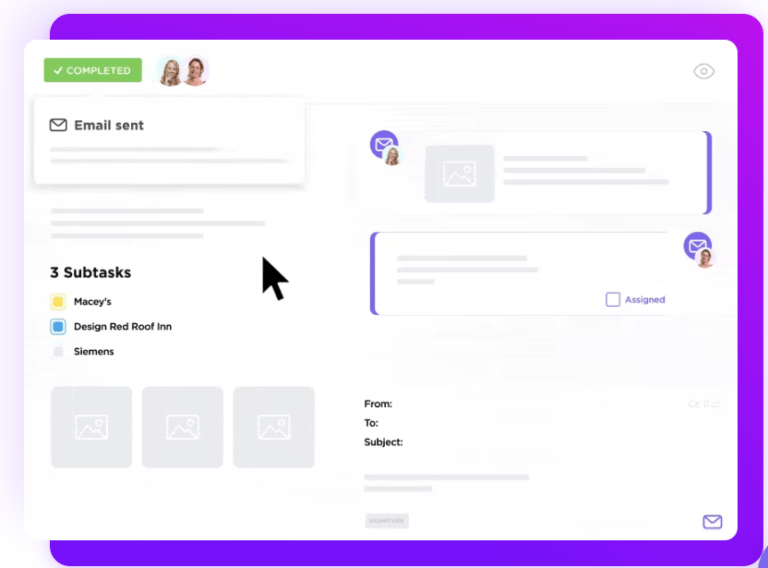
Trusted by teams worldwide, ClickUp Emails is a single-platform email application that allows you to send and receive emails without leaving ClickUp’s collaborative workspace.
Attach files and to-do lists, link emails to tasks, and structure your conversations.

Boost your productivity by automating your emails and tasks through custom triggers based on fields, form submissions, or task events. Generate action items from customer emails, tickets, bugs, and more, saving everyone time and effort.
ClickUp isn’t just an inbox; it’s a comprehensive email management tool. It can integrate with major email clients like Gmail, Office 365, and IMAP and comes with 15+ customizable views to track and organize all your messages.
If you’re more comfortable with templates, consider using ClickUp’s Email Marketing Template for quicker responses and improved consistency. You can rely on this template to schedule messages, automate emails, and track progress.
And, if you’re looking to build an email campaign, ClickUp’s Email Campaign Template does most of the job for you. It’s specially made to help you plan and create successful campaigns, see how well your emails are doing, and improve them for maximum impact.
This template helps you save time by giving you a readymade design for your email campaign. Simply add and update the content, and you’re good to go.

And, if you’d rather not spend time drafting and typing email content, let ClickUp AI do the heavy lifting and create emails and responses for you. Automate your email creation and generate summaries, outlines, email threads, and other content in seconds.
ClickUp AI will also help you with email marketing ideas for your next campaign.

Thunderbird is a free mail client and a popular alternative to Outlook. Made by the Mozilla Foundation, it’s an open-source email client with a user-friendly interface. It helps manage emails with features like filtering and labeling, support for multiple accounts, and a built-in calendar.
Thunderbird focuses on security with key features like encryption and anti-phishing tools. You can also customize it with add-ons for more functions.
It’s easy to use and works with popular email clients like Gmail and Yahoo, making it useful for personal and business needs.

BlueMail is another one of the Outlook Alternatives cross-platform email client and calendar app that can manage unlimited mail accounts by combining them into unified folders.
It’s armed with a ChatGPT-powered AI, clusters for grouping emails, and an integrated calendar to maintain a clutter-free mailbox and foster productivity.
Meanwhile, its syncing feature enables easy backup, restoration, and secure transfer of accounts and settings between new and old devices.

If you’re looking for another one of the fast and efficient Outlook alternatives that puts all your IMAP and Office 365 accounts in one place, Mailspring would be ideal. It adds useful features like shortcuts, link tracking, and read receipts, even if your account lacks built-in support.
Distinct from other alternatives for Microsoft Outlook, Mailspring prioritizes unifying emails. It introduces tools to organize your inbox, including quick reply templates and detailed contact profiles based on communication history.
Mailspring also provides insights into your email activity through its Activity tab, breaking down received emails and showing peak times and click/open rates for tracked messages.

As a user-friendly customer communication platform, Helpwise centralizes customer inquiries in one place using a universal inbox. Its automation and collaboration features will improve the way you handle customer communications.
This email management platform helps the support, sales, and customer service teams work together on shared emails, making tackling conversations smoother and more efficient.
As a robust outlook alternative, it offers extra features like a self-serve help center to reduce incoming questions, chatbots for quick support, and saved replies for handling repetitive questions.

Mailbird is a Windows-based email client that helps manage multiple email accounts and mobile apps, all in one place.
With Mailbird, you can create a workspace by combining various other email providers’ accounts like Gmail, Yahoo Mail, and Office 365. Plus, it includes social media and productivity apps. This makes it the ideal Outlook alternative for freelancers or small business owners who handle multiple work accounts or communication channels.
Mailbird also introduces AI-powered email writing using ChatGPT to add speed and accuracy to creating outbound messages.

Unlike other contenders, Shift is a desktop Outlook alternative that organizes your important tabs, apps, and bookmarks in one central location, improving team collaboration.
Shift’s email features are why it has scored a place on our list. It combines all your emails and connects various accounts like Gmail, Outlook, and Office 365. It also works with iCloud and Yahoo Mail. You can easily access your Mail, Google Calendar, and Google Drive accounts with a single click.
You can also set up notifications for each inbox the way you like, and Shift keeps everything in sync across different devices so that you can continue your work smoothly.

Proton Mail is a top Outlook alternative for businesses who value security and privacy in email communications. It’s a highly secure, Swiss-based email service with end-to-end encryption and open-source technology, granting you more control over your data.
The service emphasizes security and user-friendliness, featuring easy navigation and extras like custom domains, VPN services, and calendars. Committed to user privacy, it strictly follows a no-logging policy and complies with robust Swiss privacy laws.
Accessible on various platforms, you can use Proton Mail from any device.

Gmail, Google’s email management system, is a widely adopted and secure solution known for its reliability and user-friendly design. You can use Gmail alone or as part of Google Workspace, which offers extra business features.
Google Workspace (formerly G Suite) is a cloud-based platform that securely stores data on Google’s servers, accessible from any device with an internet connection.
Its Business Starter plan guarantees a 99.9% uptime and has advanced features like Smart Reply and Smart Compose to improve email interactions.
Integrated with tools like Google Drive, Google Calendar, and Google Docs, Gmail’s popularity arises from its free access and useful features like labeling, spam filters, contact management, file sharing, and real-time communication through chat.

Front reimagines email management by blending the effectiveness of a help desk with the familiar nature of email. It uses automated workflows and real-time collaboration to prevent churn, enhance retention, and fuel customer growth.
Front brings shared inboxes and different communication channels together in a single interface. The main goal is to gather incoming messages, including phone calls, emails from multiple email accounts, social media, and text messages.
You can also tag specific members, efficiently route messages, and track responses and conversations for improved customer service and communication.
Emails are essential for productive business interactions. But with a few thousand unread emails in our inboxes every day, finding an email management system that gives us confidence and not anxiety is necessary.
And nobody fits the bill better than ClickUp—the one-stop app that can manage everything from emails to projects to tasks, all within the same workspace.
With its intuitive design and comprehensive suite of tools, ClickUp can keep up with all kinds of businesses without breaking a sweat.
Sign up with ClickUp today for free and get to Inbox Zero much faster!

Manasi Nair
Max 26min read
Manasi Nair
Max 26min read
Manasi Nair
Max 20min read

© 2026 ClickUp





