






Still downloading templates?
There’s an easier way. Try a free AI Agent in ClickUp that actually does the work for you—set up in minutes, save hours every week.
Sorry, there were no results found for “”
Sorry, there were no results found for “”
Sorry, there were no results found for “”


Tools like Martin AI save you from last-minute schedule changes. However, some users find its scheduling suggestions a bit too rigid, forcing them to manually tweak events to fit real-life priorities.
Others feel the integrations are limited, making it tricky to connect with all the tools they use daily, so they end up hunting for information and linking tasks from multiple other tools, and losing precious time to work sprawl.
Well, it’s time to look for an alternative and consider what really matters to you in a productivity tool. Whether you’re looking for tighter data security, smart verification steps to prevent last-minute surprises, or smart task management, you’ll find a tool that fits your use case.
In this blog, we’ll explore the best Martin AI alternatives that adapt to how you work. 🚀
While Martin AI has earned praise for its simplicity, it doesn’t deliver at the level advanced users need. Here’s why you might consider switching to a Martin AI alternative:
👀 Did You Know? Between 1974 and 1980, the field of AI experienced its first major setback, known as the ‘AI Winter.’ It saw a dramatic decline in funding, public interest, and government support due to unmet expectations and underwhelming results from early research.
Before proceeding with an in-depth analysis, let’s compare the top Martin AI alternatives.
| Tool | Best For | Best Features | Pricing* |
| ClickUp | Work management with AI-powered automation and collaboration Team size: Individuals, small and mid-sized teams, and enterprise firms | AI writing, task summarization, custom automations, AI collaboration tools like documents and chat, project scheduling, personal follow-ups, and project visualization | Free plan available; Customization available for enterprises |
| Jasper | AI-powered marketing and content creation Team size: Marketing teams, content agencies, and brand strategists | Content generation, AI templates for marketing use-cases, tone customization, brand voice memory, and multi-language support | Paid plans start at $69/month per user |
| Microsoft Copilot Studio | Building custom copilots inside the Microsoft ecosystem Team size: Enterprise users, Microsoft 365 adopters, and IT teams | Natural language prompt-building, Power Platform integration, real-time response control, adaptive cards, automation flows | Pay as you go option or $200 billed annually |
| Notion AI | Enhancing productivity and documentation within Notion Team size: Knowledge workers, team collaborators, and personal productivity users | Context-aware summarization, note cleanup, Q&A within pages, task suggestions, meeting insights | Free plan available; Paid plans start at $12/month per user |
| NotebookLM | AI-assisted research and knowledge management Team size: Researchers, analysts, and academic teams | Document-grounded Q&A, source-based citations, note synthesis, topic linking, query-based summarization | Free plan available; Custom pricing |
| Celoxis | Enterprise-grade project portfolio management Team size: PMOs, operations heads, and enterprise teams | Custom dashboards, project health tracking, time and resource management, workload visualization, and financial forecasting | Paid plans start at $10/month per user (billed annually) |
| STAN AI | Real-time executive dashboards and AI insights Team size: Decision-makers, business analysts, and C-suite executives | Live data streaming, KPI monitoring, predictive analytics, custom data pipelines, cross-tool aggregation | Custom pricing |
| Zendesk AI | AI-driven customer support automation Team size: Customer support teams and service-heavy enterprises | AI ticket triaging, intent detection, auto-responses, answer suggestions, escalation prediction | Free plan available; Paid plans start at $69/month per user |
| Qodo | No-code AI workflows and automation Team size: Product teams, internal ops, and automation leads | Drag-and-drop interface, chatbot builder, GPT tool integration, conditional triggers, knowledge base uploads | Free plan available; Paid plans start at $38/month per user |
| My AskAI | Creating custom AI Q&A assistants from documents Team size: Consultants, educators, and customer-facing teams | Document ingestion, smart Q&A generation, chatbot embedding, custom branding, analytics dashboard | Free trial available; Paid plans start at $149/month |
Our editorial team follows a transparent, research-backed, and vendor-neutral process, so you can trust that our recommendations are based on real product value.
Here’s a detailed rundown of how we review software at ClickUp.
Martin AI has sparked considerable interest due to its potential. However, if you find it too basic, there are many reliable alternatives.
Let’s look at some.

In an era when teams are juggling multiple AI tools for writing, note-taking, scheduling, and brainstorming, ClickUp stands out by preventing AI sprawl—the fragmentation caused by using too many disconnected AI apps.
Instead of relying on separate tools like Martin for brainstorming, Otter.ai for meeting notes, and Google Calendar for scheduling, ClickUp brings everything under one roof.
ClickUp is the world’s first Converged AI Workspace that combines project management, knowledge management, and chat—all powered by AI that helps you work faster and smarter.
ClickUp Brain turns your workspace into a fully AI-assisted engine. It understands the context of your work, the goals you are working towards, the projects you’re managing, and the documents you rely on.
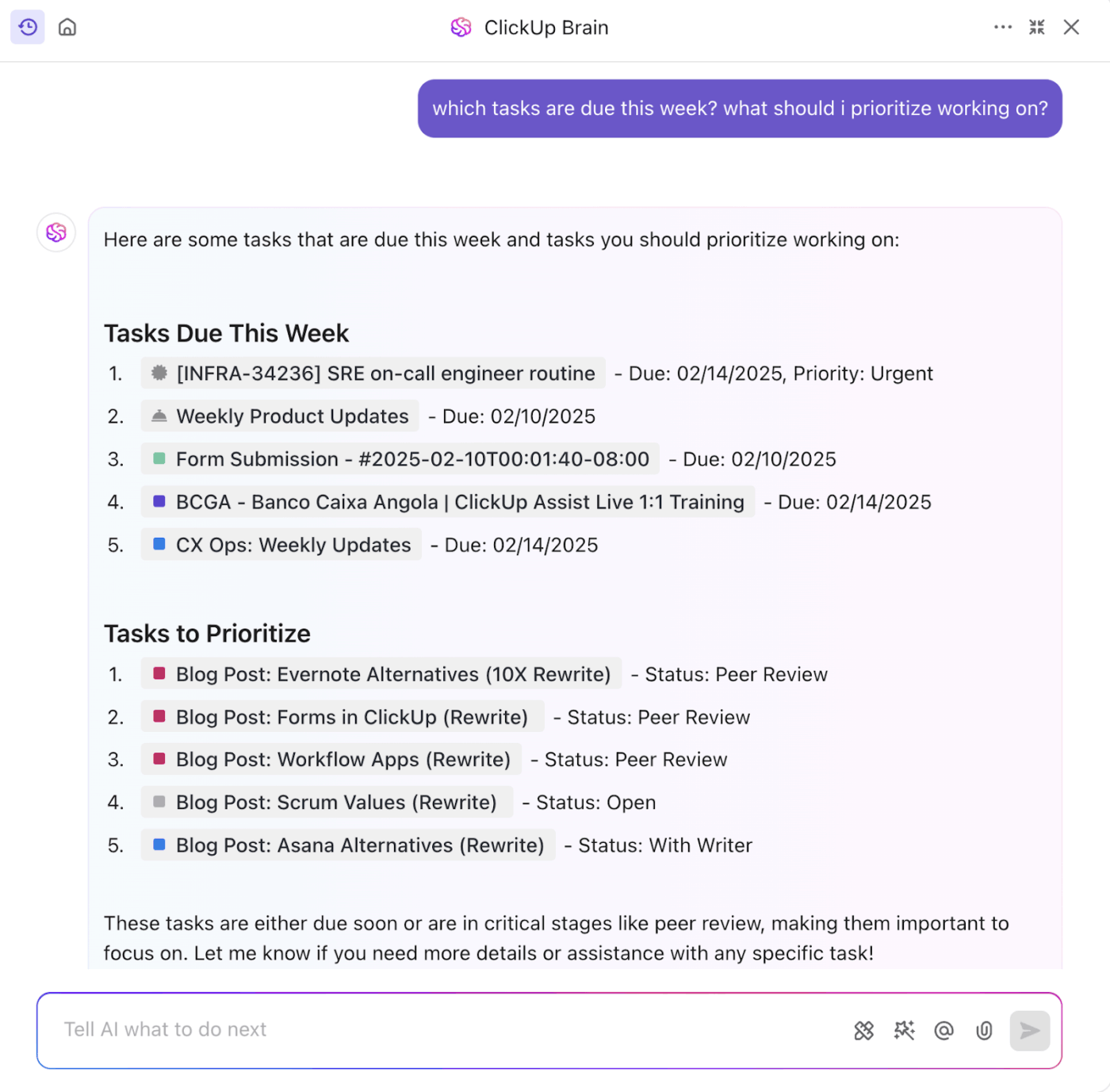
Brain’s AI Knowledge Manager pulls information from tasks, docs, and chats to give you instant, accurate answers with full context. You can ask it to generate summaries, decision histories, or specific numbers, and get answers in seconds.
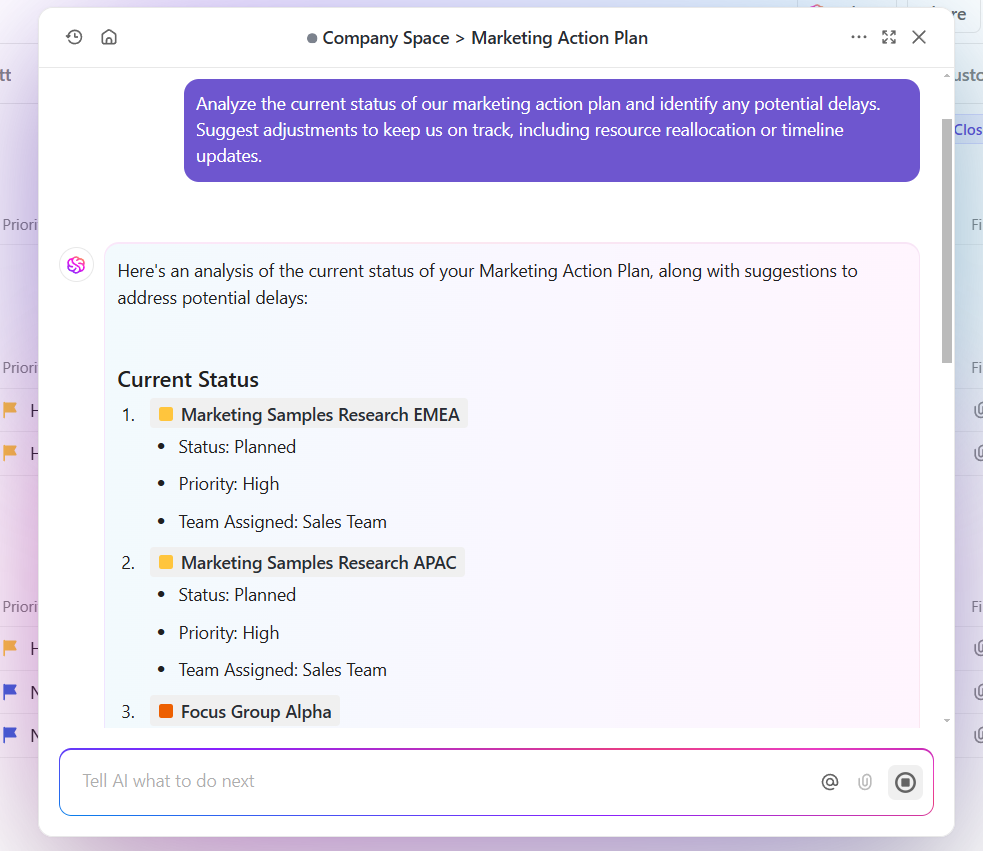
Additionally, its AI Project Manager automatically generates timelines, assigns tasks, forecasts risks, and summarizes project updates. For instance, if you’re managing a product launch, you can prompt it to create a marketing timeline, assign tasks based on team availability, and flag at-risk deadlines.
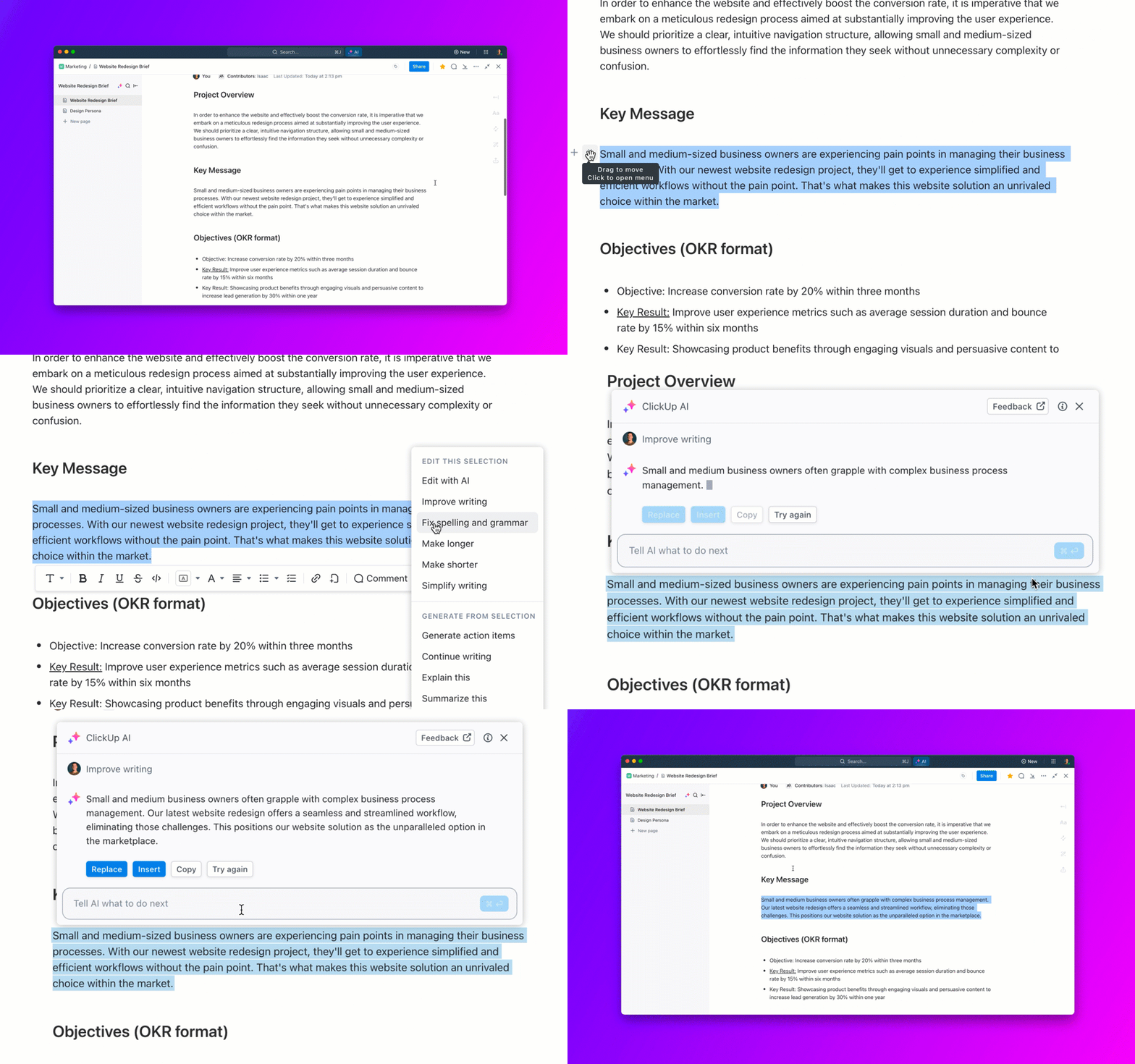
For content and communication-heavy roles, its AI Writer can create first drafts for blog posts, briefs, or campaign plans based on a few notes. This AI personal assistant adapts to your role, so every response is tailored.
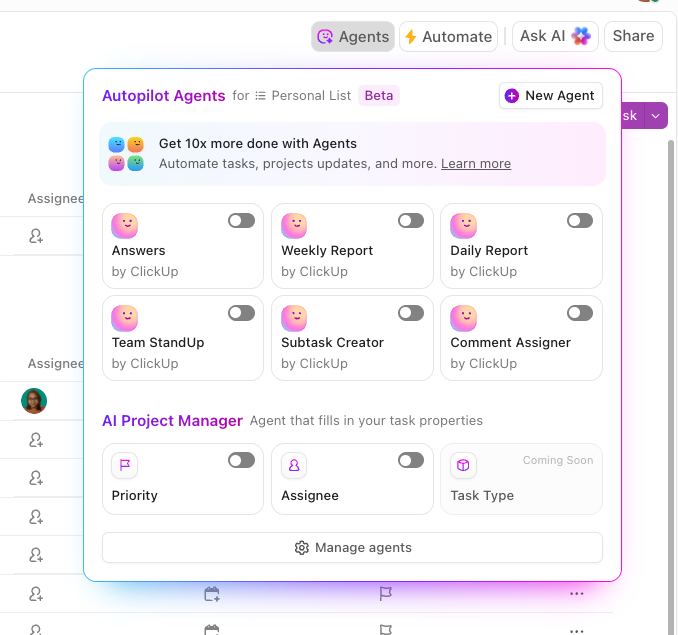
To eliminate repetitive work, you have ClickUp Autopilot Agents. You can design AI assistants specifically for your team and its needs. Unlike pre-built agents, Custom Agents let you define your own triggers, conditions, and actions inside ClickUp.
For instance, you can create a trigger that every time a developer marks a feature ‘Ready for Testing,’ your custom agent can assign it to a QA engineer and update the task status.
If your team also uses tools outside of ClickUp, Brain MAX is the AI desktop app that connects them all.
It lets you search across your workspace and integrated tools, use premium external AI models (like GPT, Gemini, or Claude), and with Talk to Tex, allows you to ask, dictate, and command your work by voice—hands-free, anywhere.
Watch this video to learn more:
This is how one user described their experience:
ClickUp is hands-down the most flexible and powerful project management tool I’ve worked with. As the founder of WRKSTN, I help agencies and creative teams streamline operations—and ClickUp is central to that. The ability to customize everything from task types to automations, combined with tools like dashboards, forms, and now ClickUp Brain, means I can build scalable, efficient systems for any workflow. Plus, I love how fast the platform continues to evolve.
📮 ClickUp Insight: 29% of managers say bottlenecks are discovered too late—but only 12% use automated status reports to prevent them.
That delay has a cost. By the time a task gets flagged, it’s often already blocking progress downstream. Truth time? Bottlenecks don’t start big—they start invisible.
ClickUp Brain can help you proactively track dependencies, monitor updates, and flag risks in real time. Use it to generate instant status reports and smart alerts when tasks go quiet, deadlines shift, or workloads spike.
💫 Real Results: Finastra saw a 30% lift in collaboration and 40% growth in GTM efficiency thanks to ClickUp’s unified workspace.
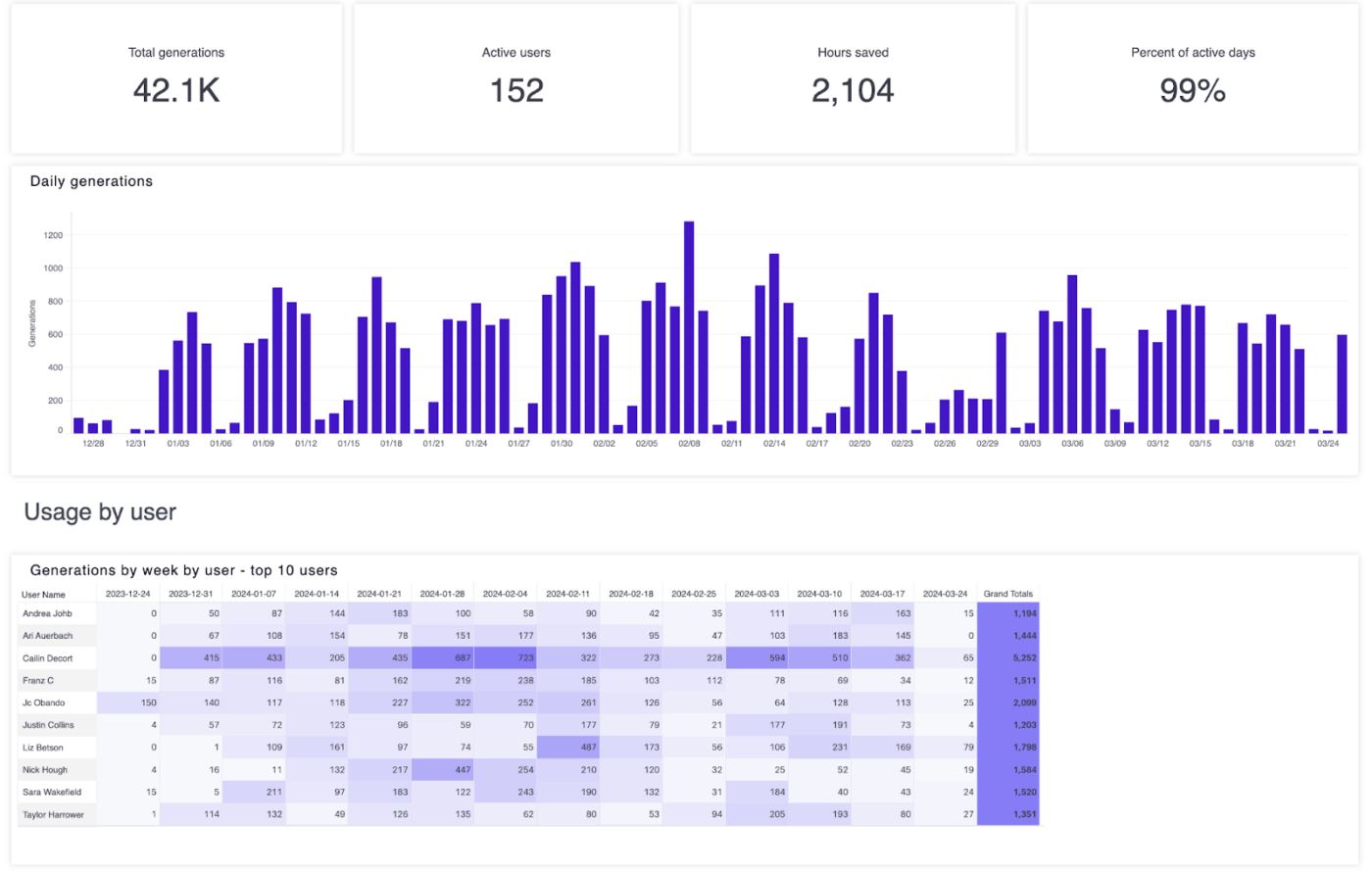
While Martin AI may handle broader assistant-like functions, Jasper AI focuses on helping you meet writing and communication demands. Its key tools, like Jasper Chat, Workflows, Brand Voice, Document Editor, and AI content writer templates, allow you to offload the kind of tasks Martin AI doesn’t specialize in.
Jasper Chat can brainstorm, revise, or expand ideas, and Brand Voice ensures tone and style consistency. Additionally, Workflows help move drafts through defined stages without reinventing prompts each time, and the Document Editor allows collaborative writing, co-editing, or refining copy across formats.
While it won’t automate meetings, follow-ups, or complex task dependencies, it fulfills most needs for content-heavy roles.
One review puts it this way:
Writes high-converting sales copy IN MY VOICE TONE. The copy actually sounds like me. I can write emails, social posts, and ads in minutes where I used to agonize and procrastinate for days. It does all the heavy-lifting for me and I don’t have to hire a copywriter.
👀 Did You Know? In 1956, Allen Newell, Herbert Simon, and J.C. Shaw created Logic Theorist, the first AI program. This marked the birth of artificial intelligence as they helped coin the very term.
📚 Also Read: Best Jasper AI Alternatives & Competitors
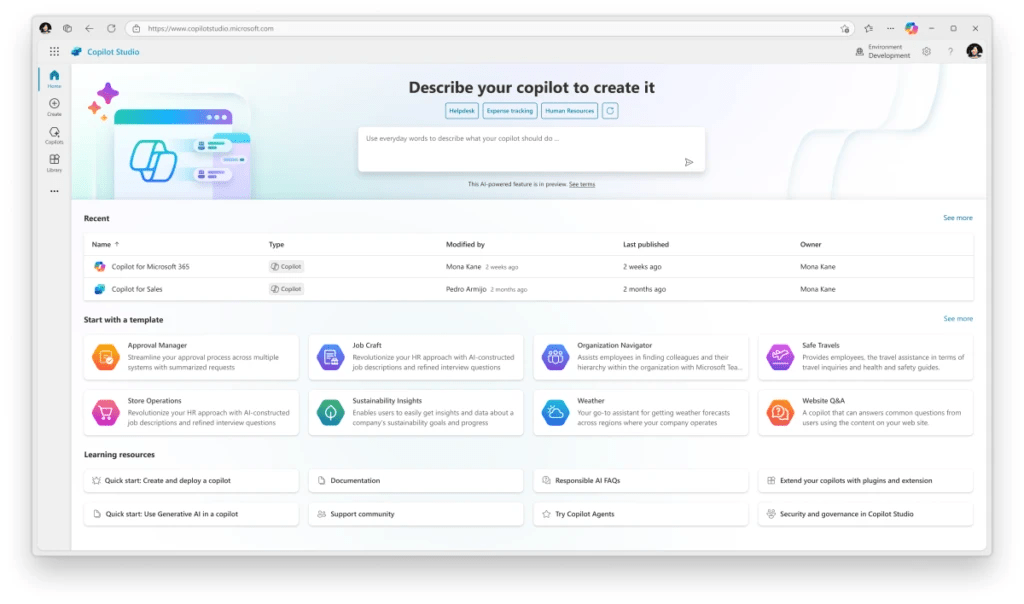
Microsoft Copilot Studio is a low-code platform that lets professionals build and deploy AI-powered agents with minimal technical expertise. While Martin AI focuses on autonomous task execution and integrations, Copilot Studio adds Microsoft’s ecosystem strengths.
You get over 1,500 prebuilt connectors to internal tools, direct grounding of responses through Knowledge Sources, and enterprise-grade governance via Microsoft Purview.
It works through natural language prompts and visual dialog flows supported by components like Topics, Slot Filling, and Entities. This means non-developers can create structured, context-aware AI agents that can automate workflows, retrieve data, and engage in multi-step conversations
A quick snippet from a real user:
Copilot saves me hours of time and has allowed me to provide more for my clients that I was previously able to with helping me with sophisticated tasks and analysis.
📚 Also Read: Best Microsoft Copilot Alternatives & Competitors
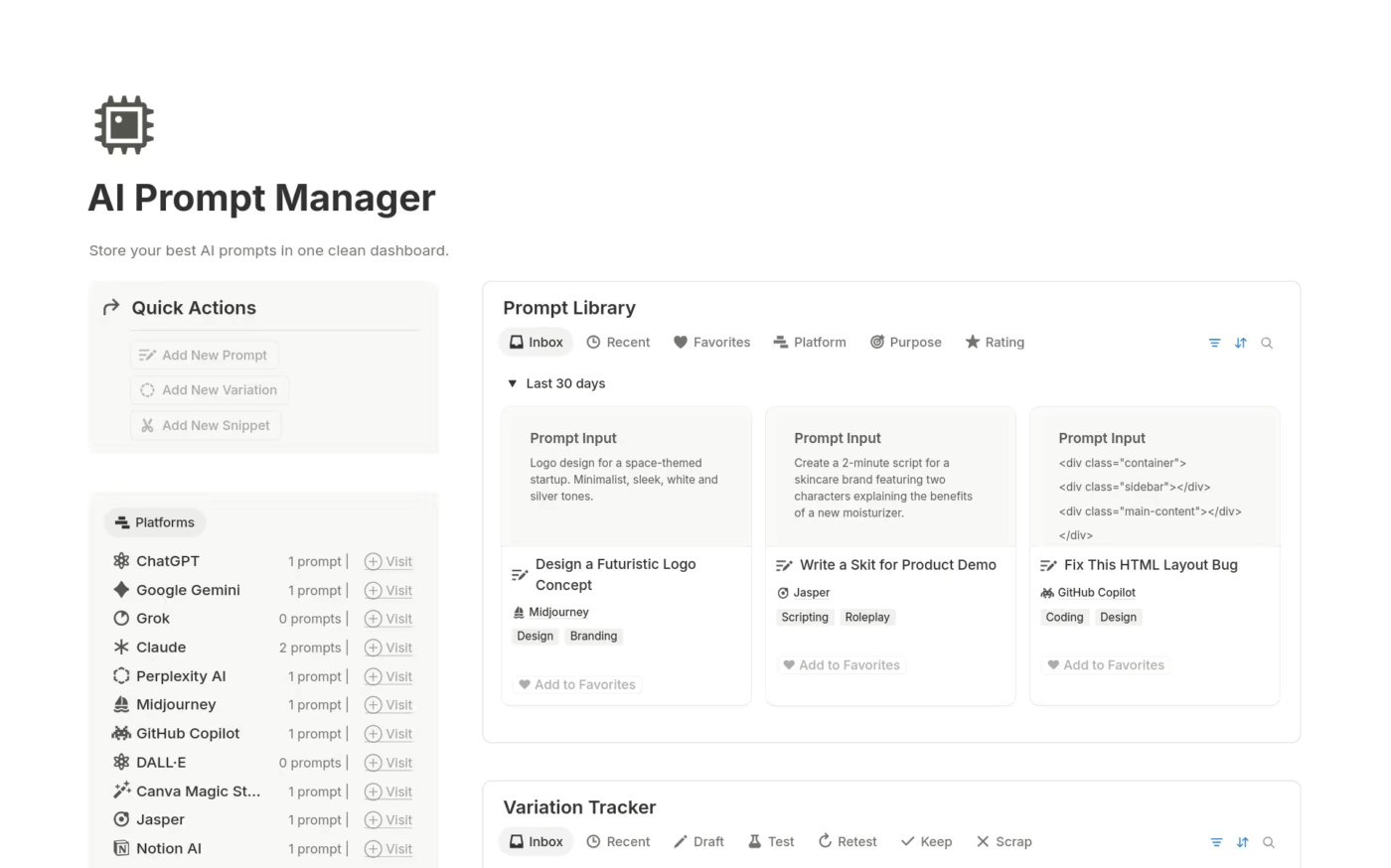
For busy async teams working on a Notion workspace, Notion AI is convenient for managing everyday tasks. Now, it’s not designed to manage your calendar or automate email follow-ups like Martin AI. However, if your biggest challenge is staying organized and completing written work faster, Notion AI can help.
It lets you use AI for meeting notes and turn scattered brainstorming sessions into concise summaries. And when you’re stuck wading through a long doc, you can just prompt it to pull out the key points using the /ask AI command.
It works seamlessly inside the Notion editor, where you can refine tone, fix grammar, translate content, or reformat messy notes without switching apps. The AI is context-aware within your workspace, so it draws directly from your existing pages and linked docs when generating outputs.
According to one reviewer:
Notion AI is amazing! I no longer have to jump between apps to brainstorm or summarize meeting notes, polish my writing, or change the tone of the things I’m writing, since the AI does it for you and everything is in one place.
👀 Did You Know? Generative AI is a trillion-dollar shift. According to McKinsey, Gen AI applications could add up to $4.4 trillion to the global economy every year.
📚 Also Read: Best Notion AI Alternatives & Competitors
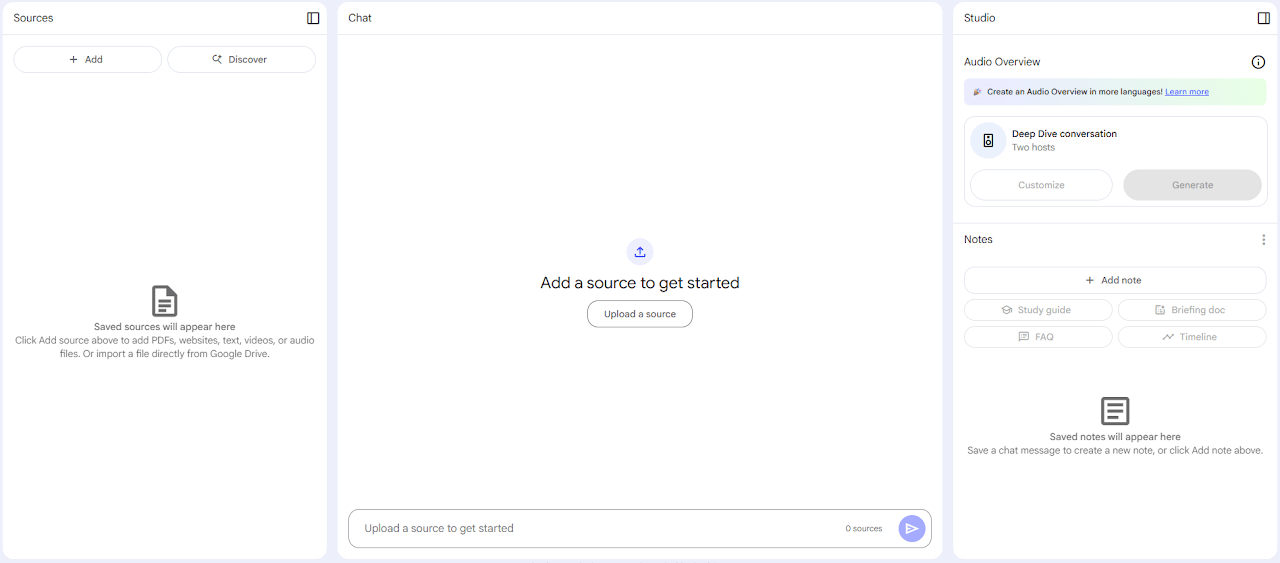
NotebookLM is Google’s research and summarization tool that quickly extracts information from your own content. It works entirely from the materials you upload, such as PDFs, strategy docs, interview transcripts, or board decks, and helps you understand and organize the information.
Once your documents are in, you can ask it questions, request summaries, or generate new content based on what it already ‘knows.’ Additionally, it offers inline citations that link back to the source file and location for all its AI-generated insights.
You can also group related documents into notebooks to manage content by team, project, sprints, or objectives.
While Martin AI focuses on automating workflows, NotebookLM is purpose-built for knowledge work. This makes it well-suited for researchers, strategists, and content-heavy teams that need to extract meaning and connections from their data.
📖 Also Read: Top NotebookLM Alternatives for Note Taking
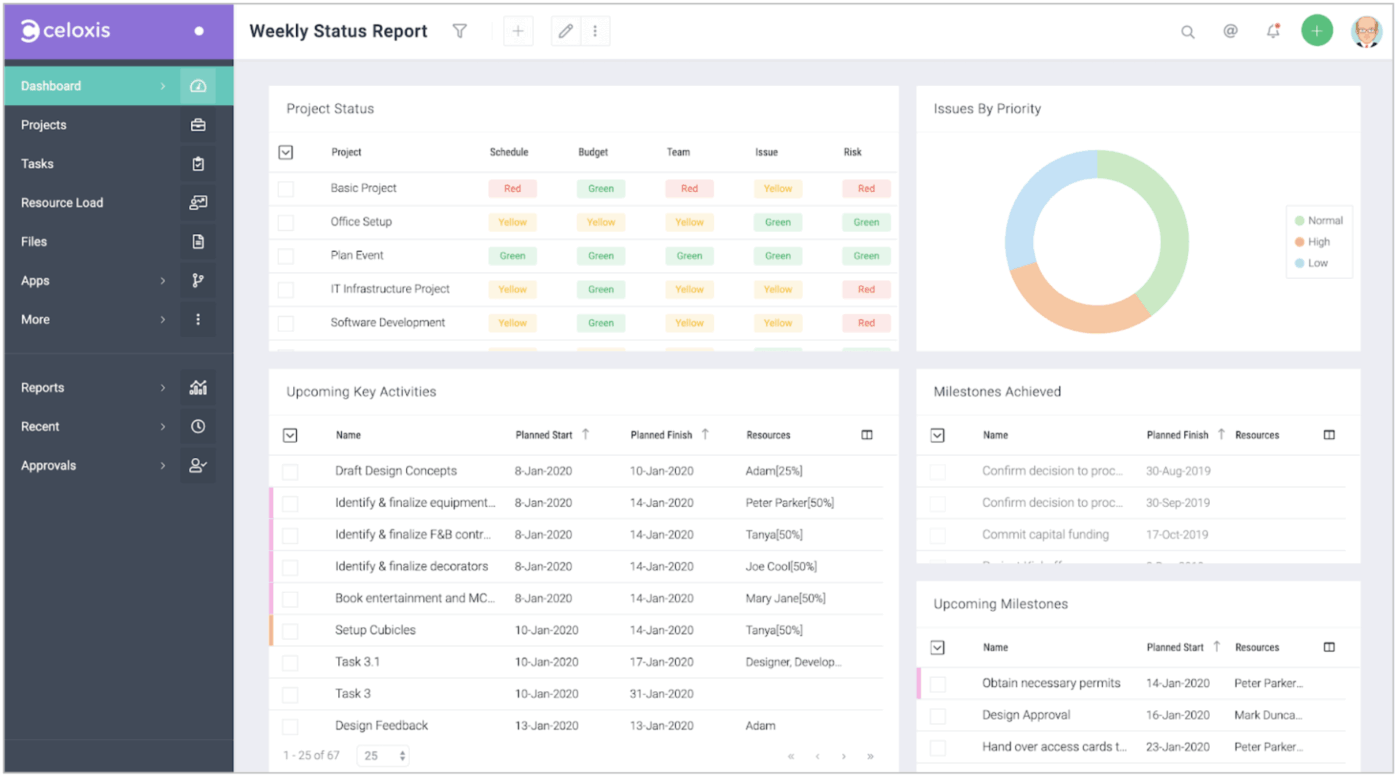
Celoxis is a project and portfolio management platform for enterprise firms managing multi-phase initiatives. Using Gantt charts with auto-scheduling, cross-project dependencies, and critical path analysis, you can manage resources with built-in capacity planning, skill-based filtering, and real-time workload balancing.
Where Martin AI focuses heavily on automation, Celoxis offers Lex, an AI assistant for natural-language queries. Similar to Martin AI, you can ask it to surface risks, rebalance resources, forecast timelines, or create staffing plans. The difference is that Lex ties directly into Celoxis dashboards, giving you immediate, contextual data.
The platform also offers built-in budgeting, revenue forecasting, margin tracking, and custom KPI reporting. This mix of advanced planning, AI-powered decisions, and financial control makes it a good pick for large-scale projects.
A G2 user shared this feedback:
Celoxis offers a comprehensive project management environment that handles everything from task planning and resource allocation to timesheets and custom reporting. Its Gantt charts are intuitive, the real-time dashboards are a huge plus for tracking KPIs, and the custom workflows help in aligning project processes with company operations.
🧠 Fun Fact: In 1966, MIT professor Joseph Weizenbaum created Eliza, the world’s first chatbot. Cast as a psychotherapist, Eliza mimicked conversation by applying simple rules to user input. Named after Eliza Doolittle from Pygmalion, the bot showed how language alone could simulate intelligence long before modern AI models emerged.
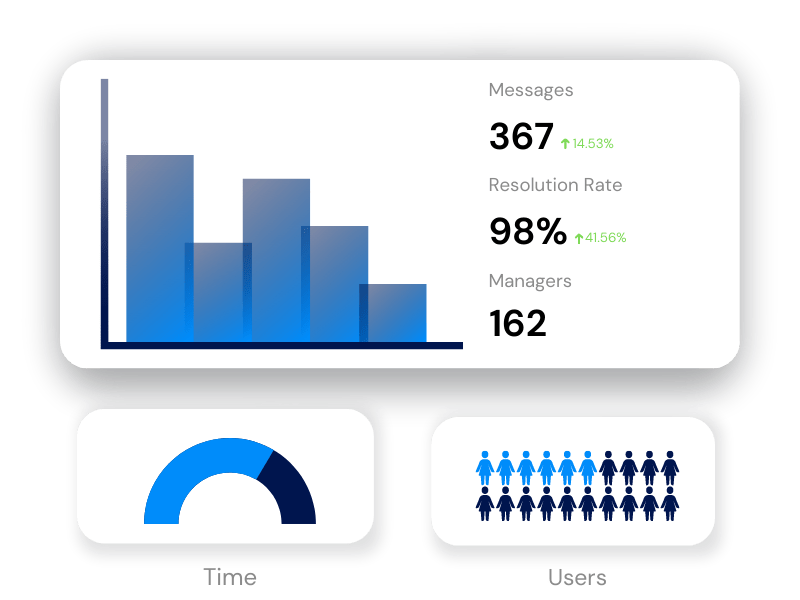
Built specifically for property and community association managers, STAN AI is a niche alternative to Martin AI. Instead of general project automation, it focuses on resident communication and service requests.
Available as a suite of AI tools, Textbot, Email, Web Chat, and Voice, the AI tool responds instantly to resident messages, books amenities, and processes maintenance requests without human intervention.
The AI virtual assistant integrates with your existing property management software, such as Buildium, eUnify, Frontsteps, VMS, and more. Residents can check account info, schedule facility bookings, and submit service requests directly, while STAN routes those into your PMS and keeps residents updated on status.
Here’s a G2 review:
Once you get STAN AI set up, and you educate your residents about it, it can be so helpful as far as reducing the quantity of phone calls and emails received on a daily basis.
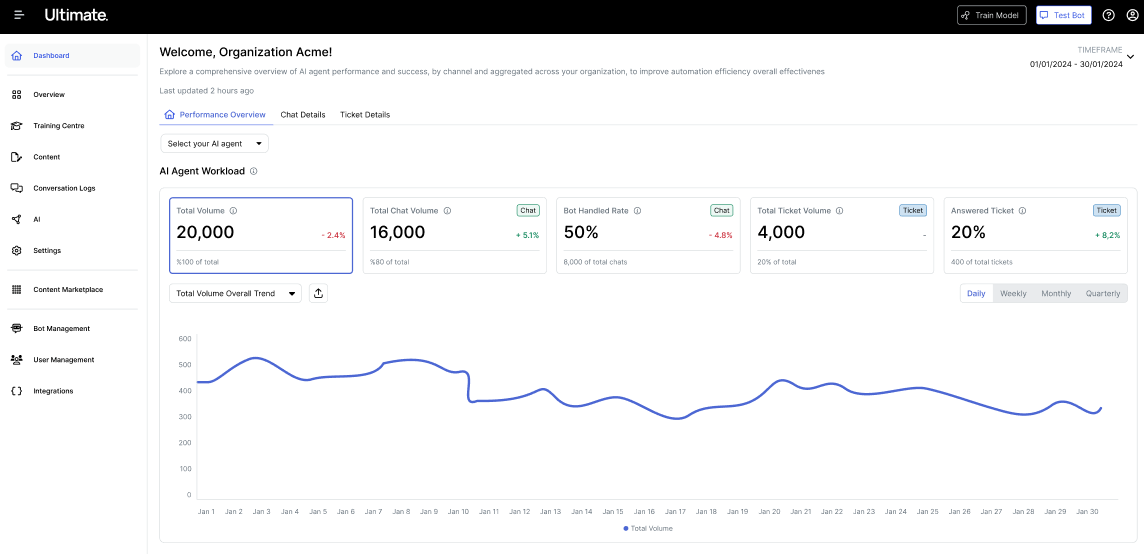
Zendesk AI, often referred to as AI Copilot, is integrated into the Zendesk Resolution Platform. Like Martin AI, it speeds up workflows with real-time suggestions and automation. But while Martin is broader, Zendesk AI is specialized for customer support.
It analyzes tickets for sentiment, language, and intent and instantly suggests replies, actions, or knowledge articles. The intelligent triage feature auto-categorizes requests and routes them by urgency or topic to cut response times.
If you go for higher-tier plans, you get features like ticket summarization, sentiment prediction, and macro suggestions based on past trends.
A quick snippet from a real user:
The Zendesk is one of the best manageable tools for ticket management which I have worked on yet. Navigating options, dashboard, calling partners using integrated extensions, and using AI for ticket summary all are super easy and a minute job to understand. In office environment performance is absolutely good and the environment is secure as well.
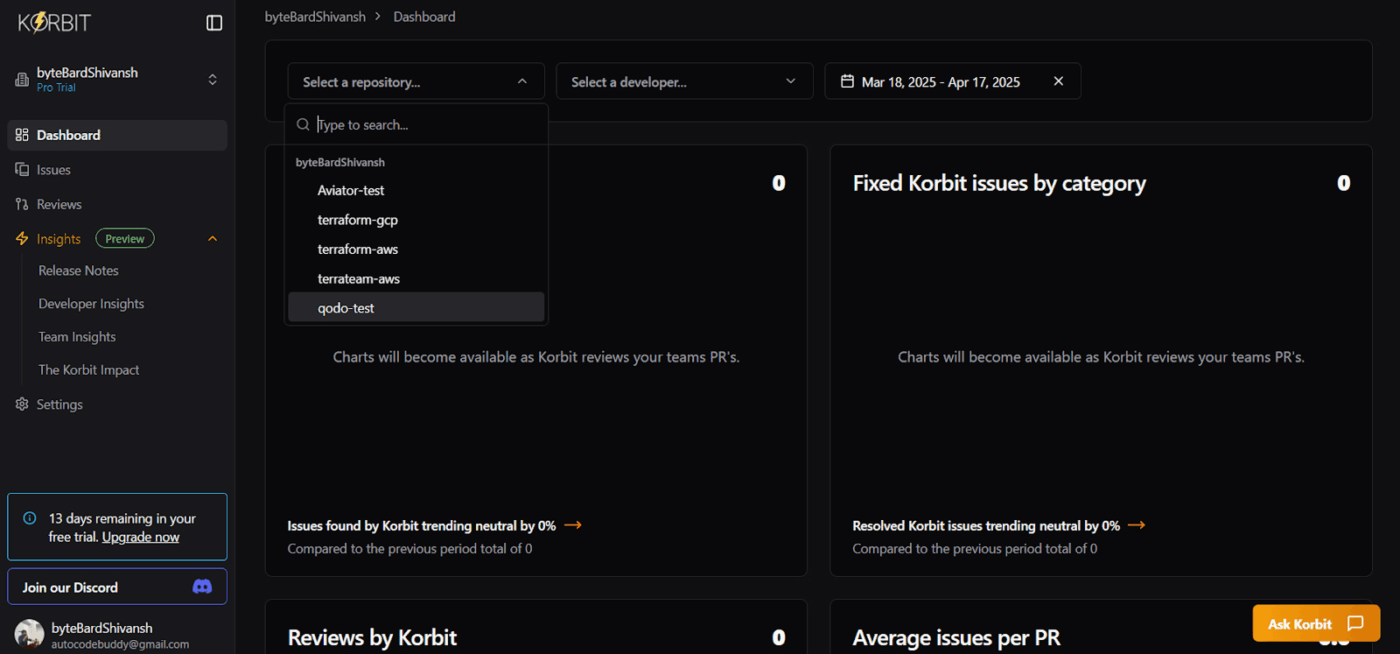
Like Martin AI, Qodo AI uses automation to speed up work, but it focuses on code quality and delivery pipelines. It offers Qodo Gen, Qodo Merge, and Qodo Command for code generation, test creation, and pull-request feedback, right in your IDE or CI pipeline.
Its agent framework lets you create multi-step agents for CI/CD, issue triage, or technical debt tracking. You can run agents from the terminal, via webhooks, or in a web UI. This makes Qodo AI a good option for teams who want AI as part of their software development process.
Here’s a G2 review:
Qodo intelligently understands the context of my code and has project-specific nuances, that can make a huge difference. It helps by reducing the time spent figuring out syntax or recalling function names, improving both speed and code quality.
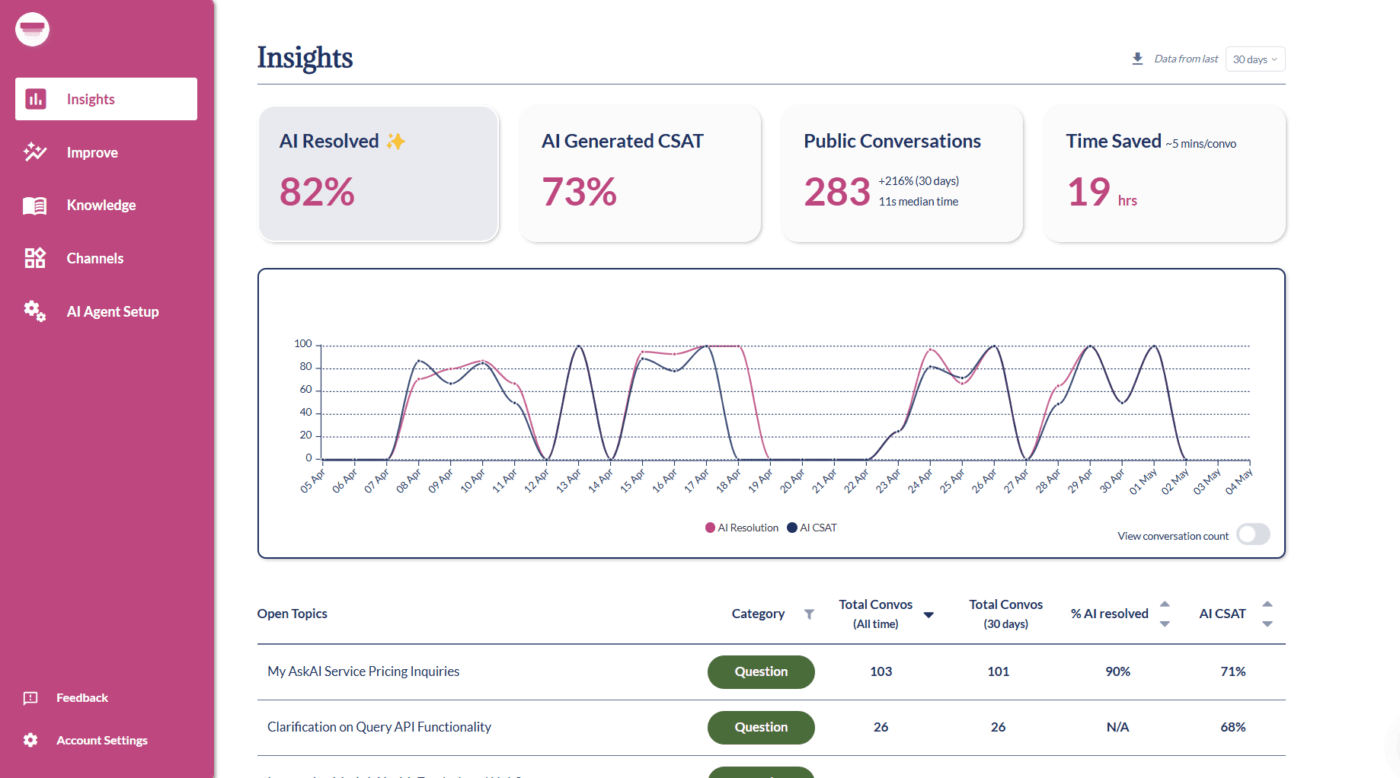
My AskAI automates customer support across SMS, chat, email, WhatsApp, and tools like Intercom, Slack, and Zendesk. Like Martin AI, it can be trained on your own content, but AskAI focuses more on omnichannel coverage.
It learns from your knowledge base, help articles, and website, then answers questions instantly. When needed, the AI automation tool offers smooth handovers to human agents, so you don’t sacrifice reliability.
Built-in conversation analytics provide you with insight into recurring pain points, bugs, or trending questions.
See what this reviewer had to say:
I work with a number of small businesses an this is a fast and easy way we can improve the on boarding process. They can quickly connect all of the onboarding documentation allowing new team members to ask questions and find the answers without search through files.
👀 Did You Know? In 1981, Japan launched an ambitious initiative called the Fifth Generation Computer Project, investing $850 million to develop computers capable of human-like reasoning and conversation.
While other Martin AI alternatives focus on specific aspects, like scheduling, writing, or reminders, ClickUp integrates everything in one app.
The AI-powered Project Manager updates tasks, sets reminders, and tracks progress, while the Knowledge Manager answers questions instantly.
Additionally, the AI Writer helps you draft, edit, and summarize content across different devices. Pair that with Custom Agents and tools like Docs, Calendar, Reminder, and Views, and you’ve got a complete workspace for you and your team.
Sign up on ClickUp for free today! ✅

© 2026 ClickUp

There’s an easier way. Try a free AI Agent in ClickUp that actually does the work for you—set up in minutes, save hours every week.