






Still downloading templates?
There’s an easier way. Try a free AI Agent in ClickUp that actually does the work for you—set up in minutes, save hours every week.
Sorry, there were no results found for “”
Sorry, there were no results found for “”
Sorry, there were no results found for “”
Ever feel like your company is stuck in the Stone Age—trying to send a raven when everyone else is using chat and email? This, unfortunately, is a common struggle.
👀 Did You Know? Over 40% of employees say poor communication reduces trust in their leaders and teammates.
And when your tools aren’t talking, your team probably isn’t either.
That’s where the intranet vs. digital workplace debate comes in. While intranets have been the go-to for centralizing company information, digital workplaces are rising fast with flexible solutions. But is newer always better?
The key is knowing what your team needs to thrive. This guide breaks down the differences so you can make a smart call (hint: use ClickUp!) and take charge of your productivity.
An intranet is an organization’s private, secure network to facilitate communication, collaboration, and access to company resources.
Think of it like your company’s central noticeboard, but smarter. A place where teams can find the latest HR policies, read company news, download templates, or look up who’s who in the organization. It’s like an internal Google but with permission settings and a badge scanner.
Traditional intranet software often includes:
Unlike the open Internet, intranets are walled gardens accessible only to company employees. This means sensitive information (like payroll documents or strategy decks) stays protected, and internal conversations remain private.
🧠 Fun Fact: In 1996, Frontier Technologies introduced the Intranet Genie, a suite of applications designed to enhance internal communication with features like document sharing and electronic messaging. This marked a significant step in the evolution of intranet software.
Company intranets can look different depending on business requirements, but here are some of the most common ways businesses use them.
From optimizing internal communication to simplifying onboarding, intranets offer a central space that helps teams stay aligned, informed, and less buried in email chains.
Let’s talk perks! An intranet is a solid choice for many organizations looking to level up their internal operations, as it:
Of course, no tool is perfect. While an intranet brings a lot to the table, it also has a few limitations:
A digital workplace is a centralized, cloud-based platform that combines all the digital tools your team needs to collaborate, manage tasks, and work efficiently from anywhere in the world.
Think of it as your entire office—files, chats, apps, meetings, projects—neatly packed into one virtual space.
🧠 Fun Fact! The digital workplace idea first gained traction way back in 1996, thanks to Jeffrey Bier. His five key criteria for a successful digital workplace—comprehensible, contagious, cross-enterprise, complete, and connected—are still relevant today.
Here’s where it gets interesting.
While most intranets are great for sharing company updates, policies, and documents, a digital workplace platform takes it several steps further.
It includes collaboration tools, remote work tools, task tracking, automated workflows, virtual meeting tools, core business applications, and integrations that keep everything in sync.
In short, a digital workplace encompasses the full spectrum of how modern teams operate—from brainstorming and planning to execution and delivery.
Whether you manage teams from home, in the office, or across time zones, a digital workplace environment makes it feel like you’re all working from the same room.
📮 ClickUp Insight: Work shouldn’t be a guessing game—but too often, it is. Our knowledge management survey found that employees often waste time searching through internal docs (31%), company knowledge bases (26%), or even personal notes and screenshots (17%) just to find what they need.
With ClickUp’s Connected Search, every file, doc, and conversation is instantly accessible from your home page—so you can find answers in seconds, not minutes.
💫 Real Results: Teams are able to reclaim 5+ hours every week using ClickUp—that’s over 250 hours annually per person—by eliminating outdated knowledge management processes. Imagine what your team could create with an extra week of productivity every quarter!
So, what makes a digital workplace truly work? Let’s break down the features that turn it from just another platform into your team’s productivity hub.
The main goal of a digital workplace is to simplify your life, and here’s how it does this efficiently.
In short, a well-designed digital workplace doesn’t just support work—it elevates how your team collaborates, communicates, and grows with the trends, keeping you ahead of the game.
An intranet can be part of a wider digital workplace—but not vice versa.
Both intranets and digital workplaces are internal communication software that improve resource management and collaboration, but that’s pretty much where the similarities end.
The real differences lie in how they function, what they offer, and how teams use them daily. Here’s a table that simplifies the intranet vs. digital workplace difference:
| Feature | Intranet | Digital Workplace |
| Purpose | Information repository | End-to-end work platform |
| Access | Limited internal | Remote and global |
| Collaboration | Minimal | Advanced real-time collaboration |
| Tools integration | Low | Possible choice of 1000+ integrations |
| Use case | Policies, updates | Projects, meetings, work tools |
| Communication | Focuses on one-way info sharing | Two-way, engaging experience |
| Automation | Basic automation in a traditional intranet | Powered by AI workflow automation |
| Use experience | Static interface | Highly flexible and customizable interface |
While intranets lay the groundwork for internal communication, digital workplaces build on that foundation. If you start with an intranet, eventually, you might want to transition to a workplace, and then comes the main question.
Making the shift from a traditional intranet to a modern digital workplace isn’t just a tech upgrade—it’s a shift in how your organization works. Here’s how to transition effectively.
Start with a clear audit of your existing intranet. Identify what’s working, what isn’t, and what your employees need, especially when it comes to collaboration, access to information, and workflow efficiency.
Select a cloud-based platform that goes beyond static information sharing. Look for tools that support real-time collaboration, remote access, and app integrations so teams can work efficiently from anywhere.
Your digital workplace should unify tools your teams already use—CRM, HR software, project management software, and communication tools—into one cohesive system. This reduces friction and context switching.
Instead of a one-size-fits-all intranet, set up custom workspaces for HR, Sales, and Marketing departments. These spaces can stay distinct but still share tasks, documents, and dashboards across teams when needed.
Support the transition with employee training and regular feedback loops. Use built-in communication plan templates to understand usage patterns, address adoption issues, and continuously improve the digital employee experience.
💡 Pro Tip: Start small—pilot your digital workplace rollout with a few teams before going organization-wide. This helps you gather real-time feedback, refine workflows, and build internal productivity templates to help adoption across departments.
Imagine logging into one platform and having everything you need—tasks, chats, documents, dashboards, automations, and AI assistance—all in one place. That’s not just a dream; ClickUp is the everything app for work!
More than just a project management tool, ClickUp for Project Management Teams is a full-fledged digital workplace solution that goes beyond what a traditional intranet offers. It combines task management, team collaboration, documentation, and 1000+ integrations to help your team work smarter, not harder.
Let’s walk through how ClickUp brings your digital workplace vision to life.
At the core of every successful team is clarity, and that starts with a well-defined hierarchy. With the ClickUp Hierarchy, you can customize and create the perfect structure for teams in your organization. Within the Workspace, organize departments into Spaces, create Folders for projects and initiatives, and build Lists of tasks.
With ClickUp Tasks, break down projects into subtasks, set priorities, attach deadlines, and assign ownership.
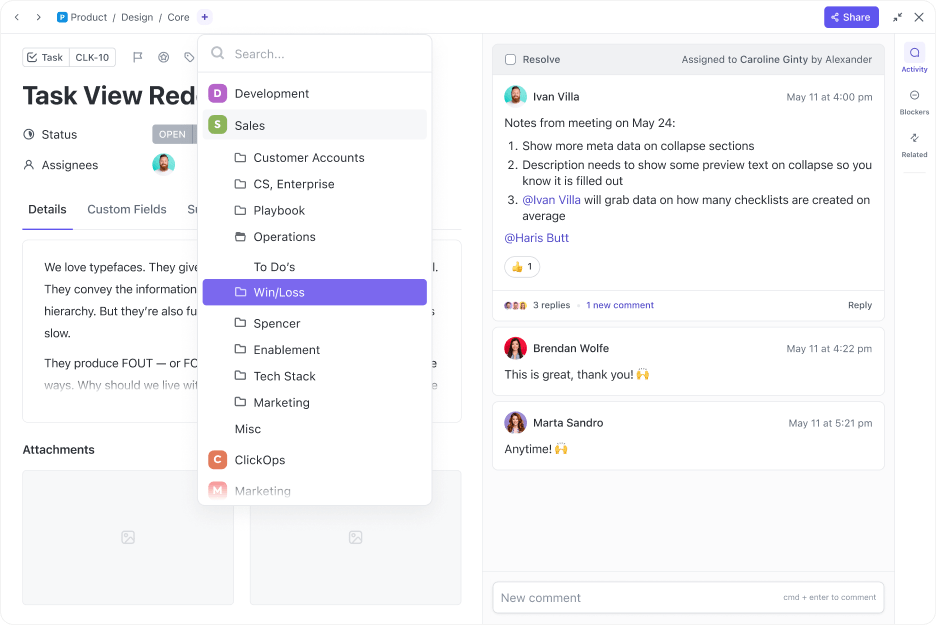
Use Custom Fields and Custom Statuses to ensure all the information you need about a task is available at a glance.
Do you want to view tasks in a table, list, or calendar? Choose from 15+ customizable views that cater to all your requirements. It’s everything your team needs to stay focused, on track, and aligned—whether you’re in-office or fully remote.
We now have teams that are separate by function and geography working on synchronised tasks. So the Partnerships team and the Communications team have separate spaces in ClickUp but shared tasks which is critical for aligned effort to project outcomes
Tasks are great, but even better when paired with real-time communication. ClickUp Chat lets you talk with teammates inside your workspace, right next to your tasks.
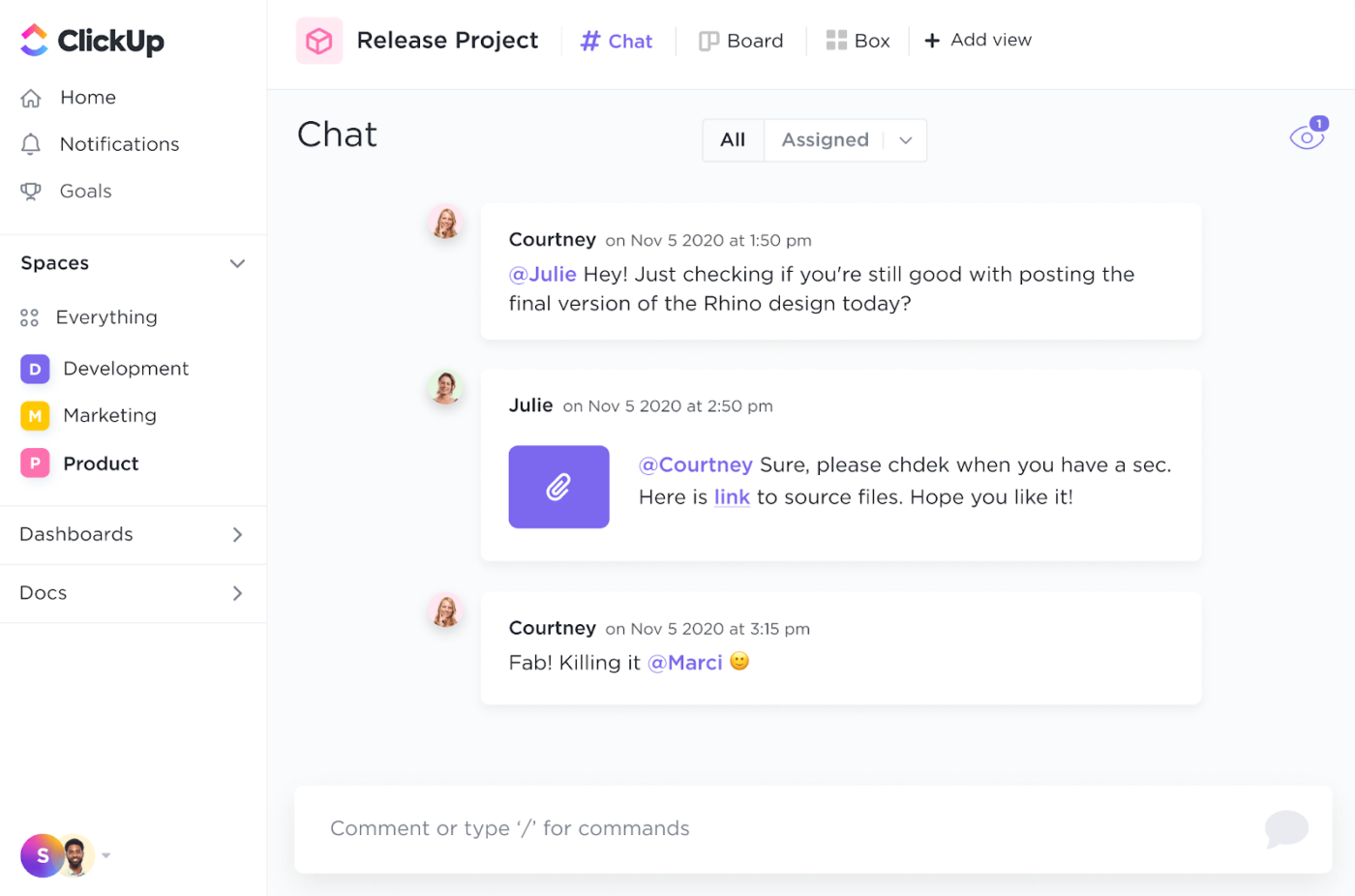
No more context-switching or endless email chains—just mention your team members with ‘@’ and keep everyone in the loop. The best part? You can create tasks right from the chat instead of adding them to your to-do list. This is efficiency at its best!
Need a more visual way to communicate? Record your screen and share your thoughts with ClickUp Clips, a great async communication tool.
One thing the modern intranet does right is make knowledge accessible. However, information doesn’t always stay the same, right? This adds another layer of tasks to an already complex workflow. But not with ClickUp!
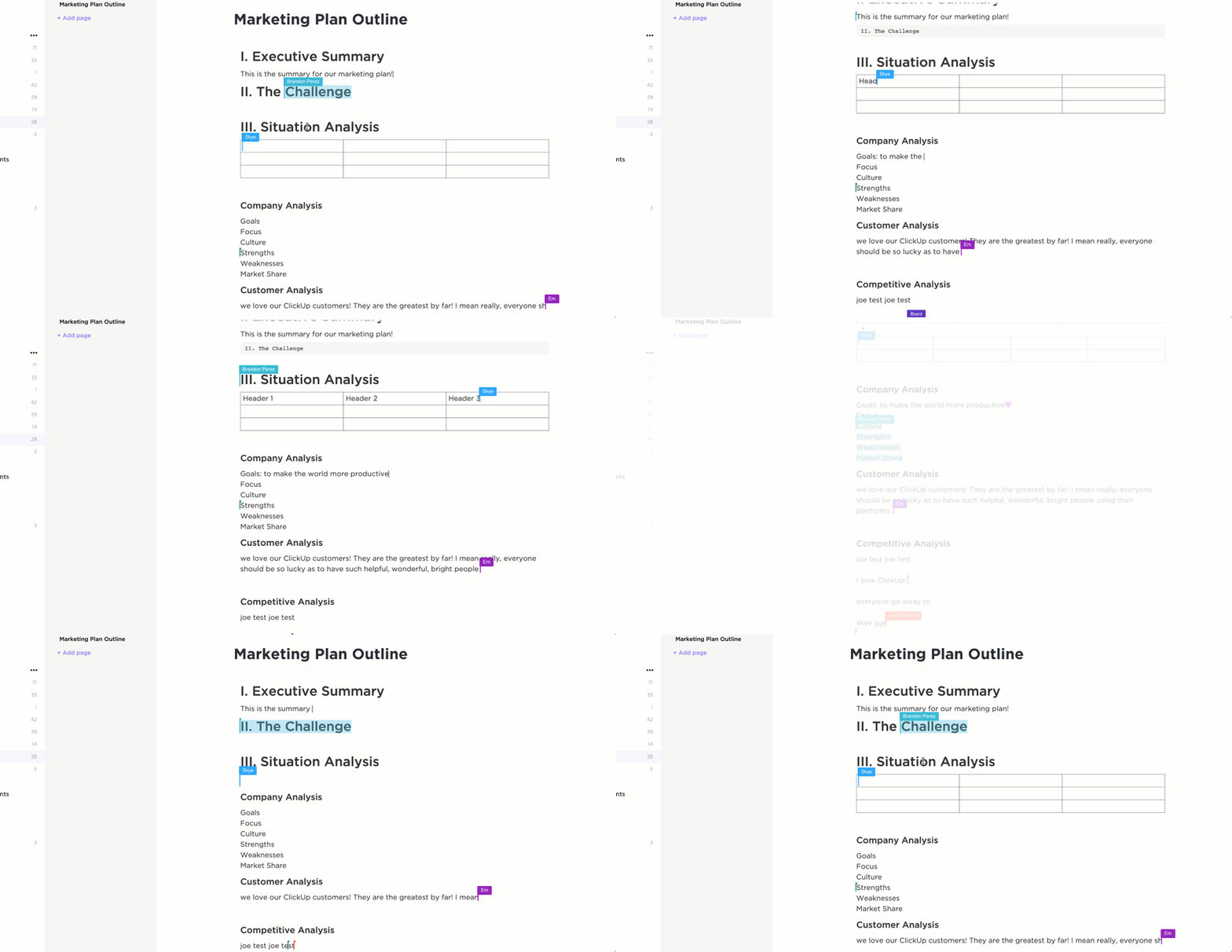
ClickUp Docs lets your team co-edit documents in real-time, whether it’s meeting notes, SOPs, or brainstorming sessions. Link docs directly to tasks so the context is always clear and the information is always up-to-date.
Worried about access control? Customizable permissions and version history control make your life easier.
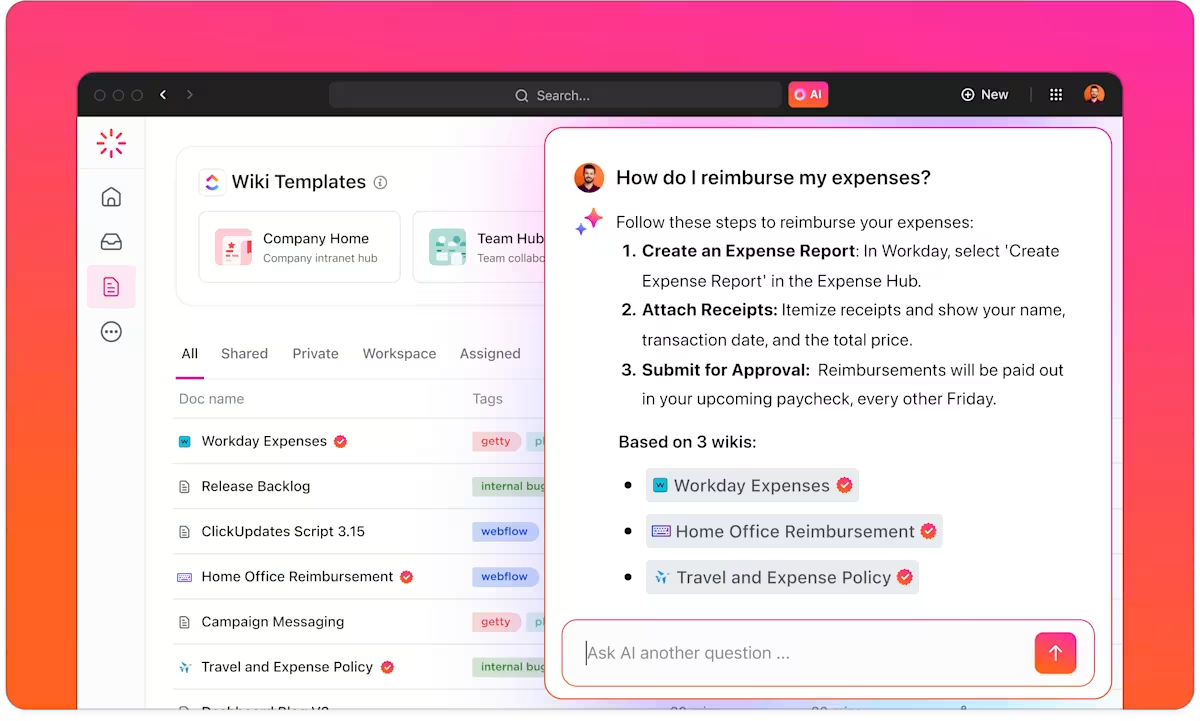
Beyond creating content, you need a way to organize and access it. That’s where the ClickUp Knowledge Management feature comes in.
You can categorize documents, Wiki templates, and internal resources using folders, tags, and permissions, making it easy for different departments to access the correct information when needed.
What if your workspace could think with you? With ClickUp Brain, your team gets access to AI-powered assistance that helps generate ideas, summarize notes, and even answer questions about your workspace content.
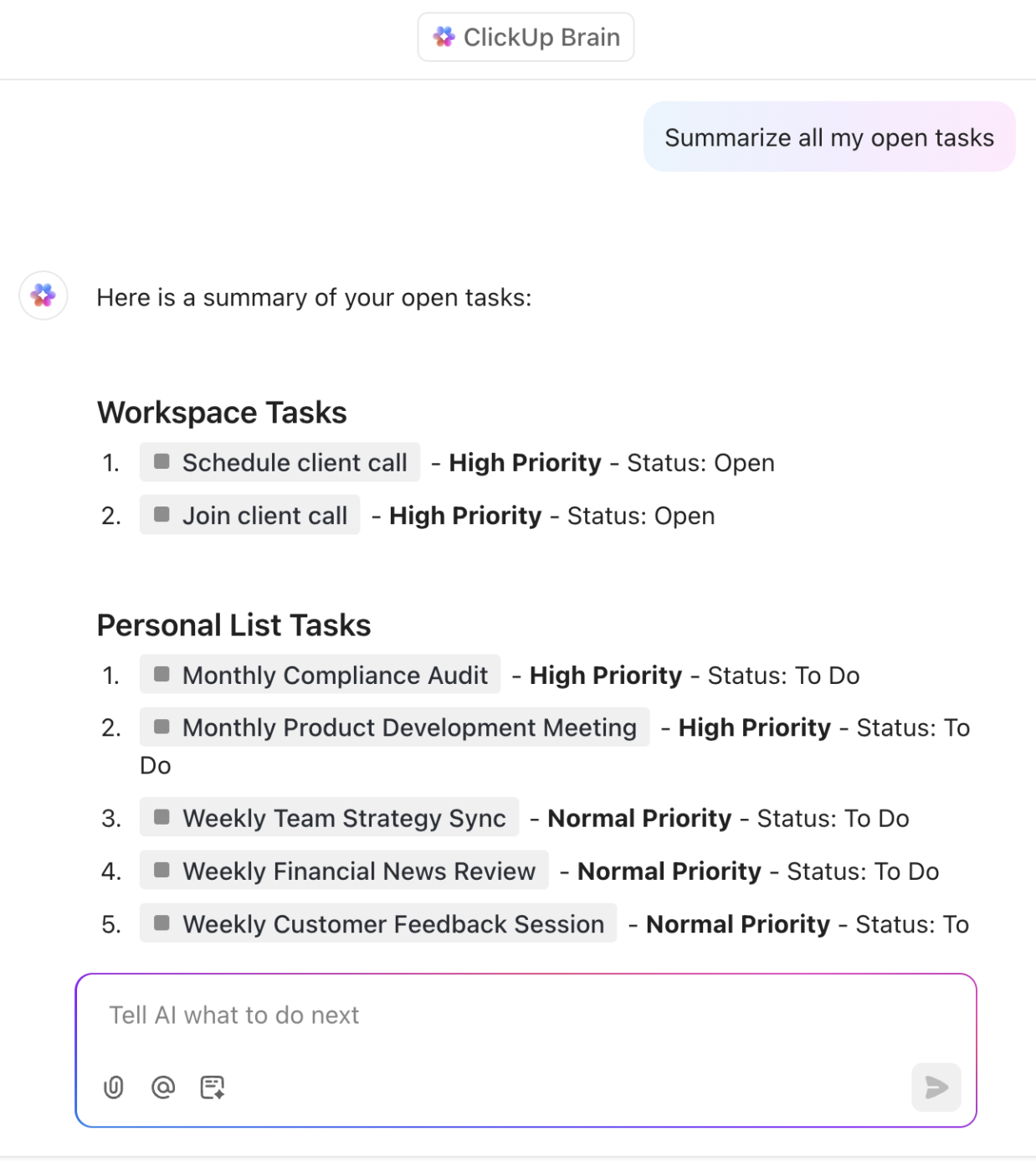
Need updates about what you talked to a team member about? Ask Brain, or just use one of the prebuilt AI Agents in ClickUp.
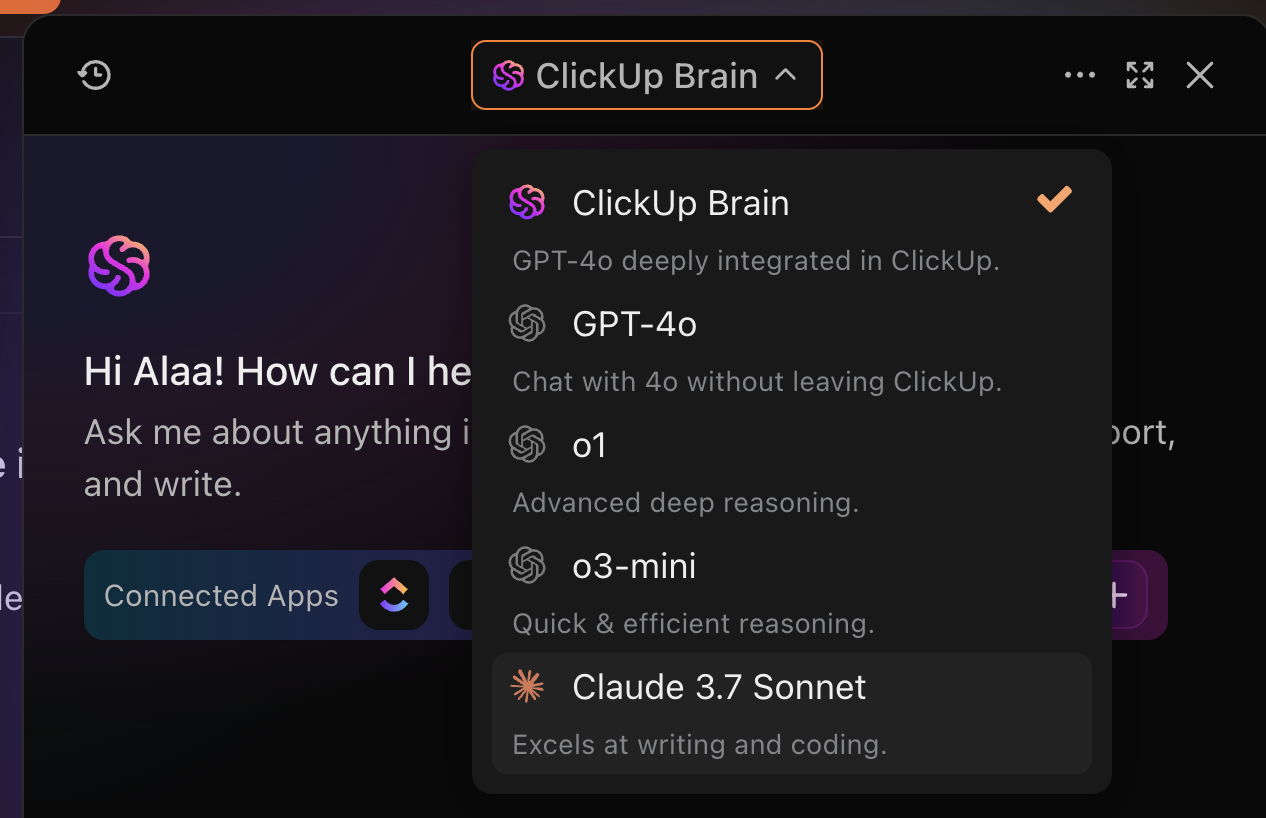
Want to use ChatGPT or your favorite AI writing assistant? Do it right through your workspace!
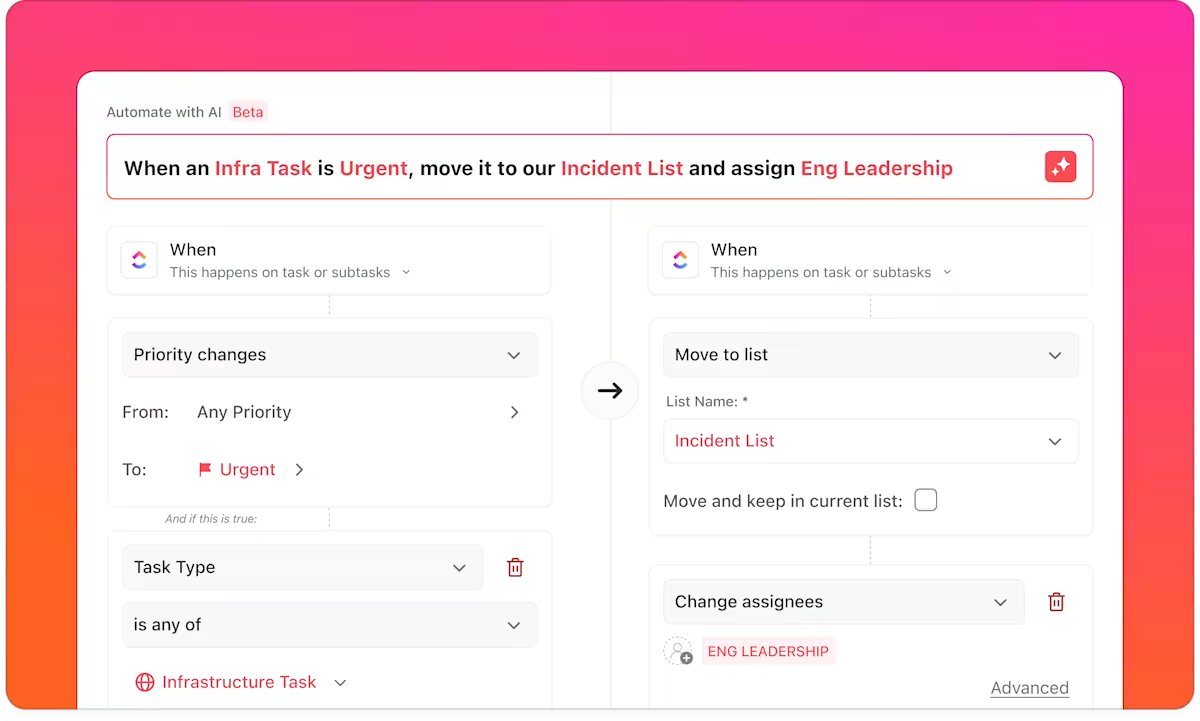
Add in ClickUp Automations, and repetitive tasks like status updates or reminders run in the background, saving you time and reducing manual errors. Don’t know how to set up automations? The templates will help you.
All of this would be useless if you didn’t know whether it’s working for your team, right? ClickUp Dashboards give you a bird’s-eye view of your team’s productivity. Everything from availability to client progress can be found here.
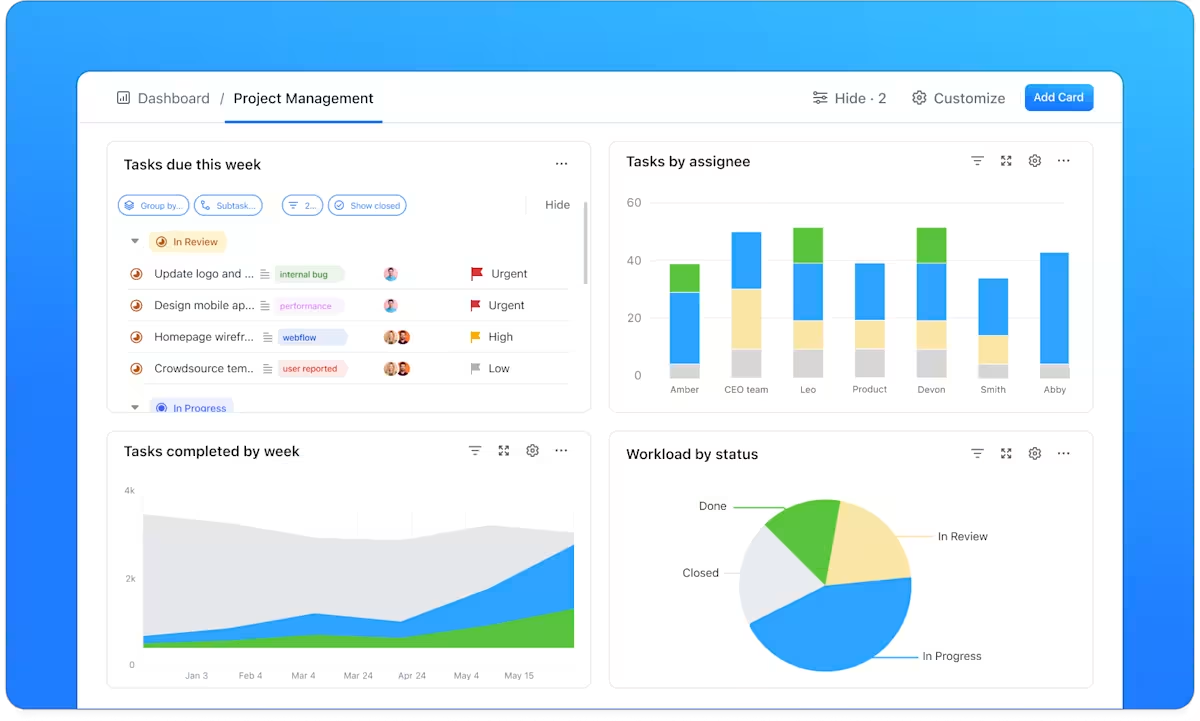
Customize widgets to track task completion, workload balance, project timelines, and more. It’s your digital team management center for performance insights and data-driven decision-making.
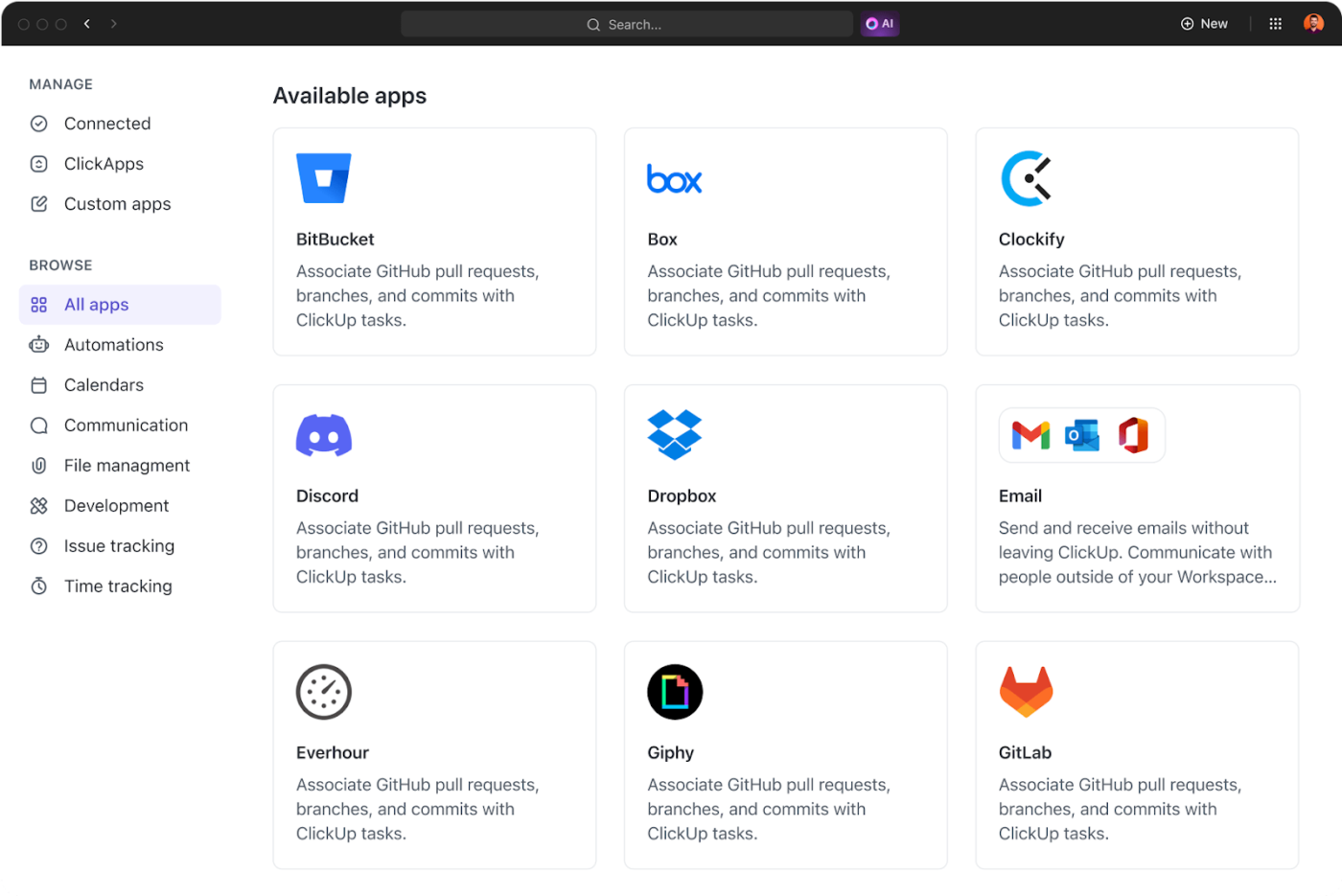
A true digital workplace doesn’t exist in a silo. Hence, ClickUp integrates with 1000+ tools like Slack, Zoom, Google Drive, and Outlook. So even if your team uses other platforms, ClickUp keeps everything synced and flowing smoothly—no more hopping between tabs.
ClickUp was selected by one team, and then was implemented division-wide. By getting everyone onto one platform, we’ve saved a lot of time and back-and-forth by having everything in one place. We replaced at least 3 tools with ClickUp and have consolidated communication from a few platforms, too.
But with all of this, can ClickUp also offer the same level of security as a traditional intranet? Absolutely! ClickUp complies with ISO 27001, PCI, and SOC 2 standards, ensuring your information stays safe, encrypted, and accessible only to the right people.
With everything from smart collaboration to enterprise-grade security, ClickUp is an all-in-one software built to power the way modern teams work.
Whether you’re managing campaigns, onboarding employees, or syncing with external stakeholders, ClickUp brings it all under one roof, making it a true digital workplace solution.
Choosing between an intranet vs. a digital workplace depends on your business needs, size, and how your teams work together.
Create an intranet if your organization:
A robust digital workplace is ideal if your team:
The future of work is all about smart, connected, and immersive experiences.
We’re talking advanced AI workflow automation, VR meeting spaces that make virtual collaboration more engaging, and intelligent systems that understand employee needs and recommend real-time actions.
In short, whether you start with an intranet or leap into digital workplace software, the direction is clear—toward more effortless, human-centered digital experiences.
An efficient workflow is like a good Wi-Fi connection. When it’s working, nobody notices, but when it fails, everything grinds to a screeching halt!
While intranets keep info flowing, a digital workplace like ClickUp takes employee productivity to the next level.
Task management? Check. Real-time chats? Yup. Docs, dashboards, automations, AI smarts, and enterprise-grade security? All in one place.
For everything you need, this is the only place you need to be. Sign up for a free ClickUp account today because future-ready teams don’t just work hard—they ClickUp!

© 2026 ClickUp

There’s an easier way. Try a free AI Agent in ClickUp that actually does the work for you—set up in minutes, save hours every week.