







Still downloading templates?
There’s an easier way. Try a free AI Agent in ClickUp that actually does the work for you—set up in minutes, save hours every week.
Sorry, there were no results found for “”
Sorry, there were no results found for “”
Sorry, there were no results found for “”
Most product managers have seen this before: Roadmaps that mean different things to different people. PRDs that live only in someone’s head. Decisions have to be re-explained every time a new stakeholder joins.
When things go wrong in the project development process, you’re asked: Why wasn’t this documented?
Now imagine the opposite scenario.
Before work even begins, the problem is clearly articulated. The user context is written down. Trade-offs, assumptions, and priorities are recorded.
Anyone joining mid-project can open a document and understand not just what is being built, but why, behind the whole product development process.
What changed? The product management team documents everything.
In this guide, we break down the 10 most important documents product managers must prepare.
They make product management easier and less chaotic.
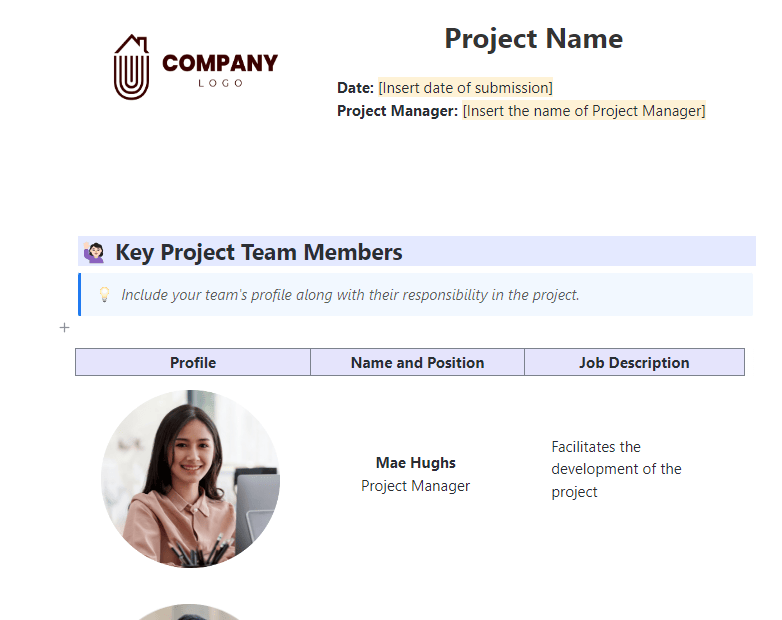
The ClickUp Project Documentation Template is the best starting point for building organized, transparent, and collaborative project records for your entire product lifecycle.
Use this template to outline the product vision, tools, processes, and timelines your team needs to plan and execute initiatives. List down the key team members involved in the product development process, add the key goals and deliverables, and define the project scope.
If you only remember one thing, it’s that the best documentation systems cover discovery, planning, execution, and learning. That’s what the ten documents below do.
These documents fall into four buckets: discovery (market + personas), planning (roadmap + business case), execution (PRD + backlog + stories + release plan + comms), and learning (post-launch review).
Strong product management is built on clear, repeatable process documentation.
Who these documents are for:
- GTM and enablement: roadmap, release plan, stakeholder comms, post-launch analysis
- Leadership: business case, roadmap, stakeholder comms, post-launch analysis
- Engineering: PRD, backlog, user stories, release plan
Below are the ten key documents that help product managers create shared understanding and keep product work moving forward.
A Product Requirements Document (PRD) outlines a product’s purpose, scope, features, and success criteria.
Here’s a quick video to guide you through writing a PRD!
Key elements to include in a PRD:
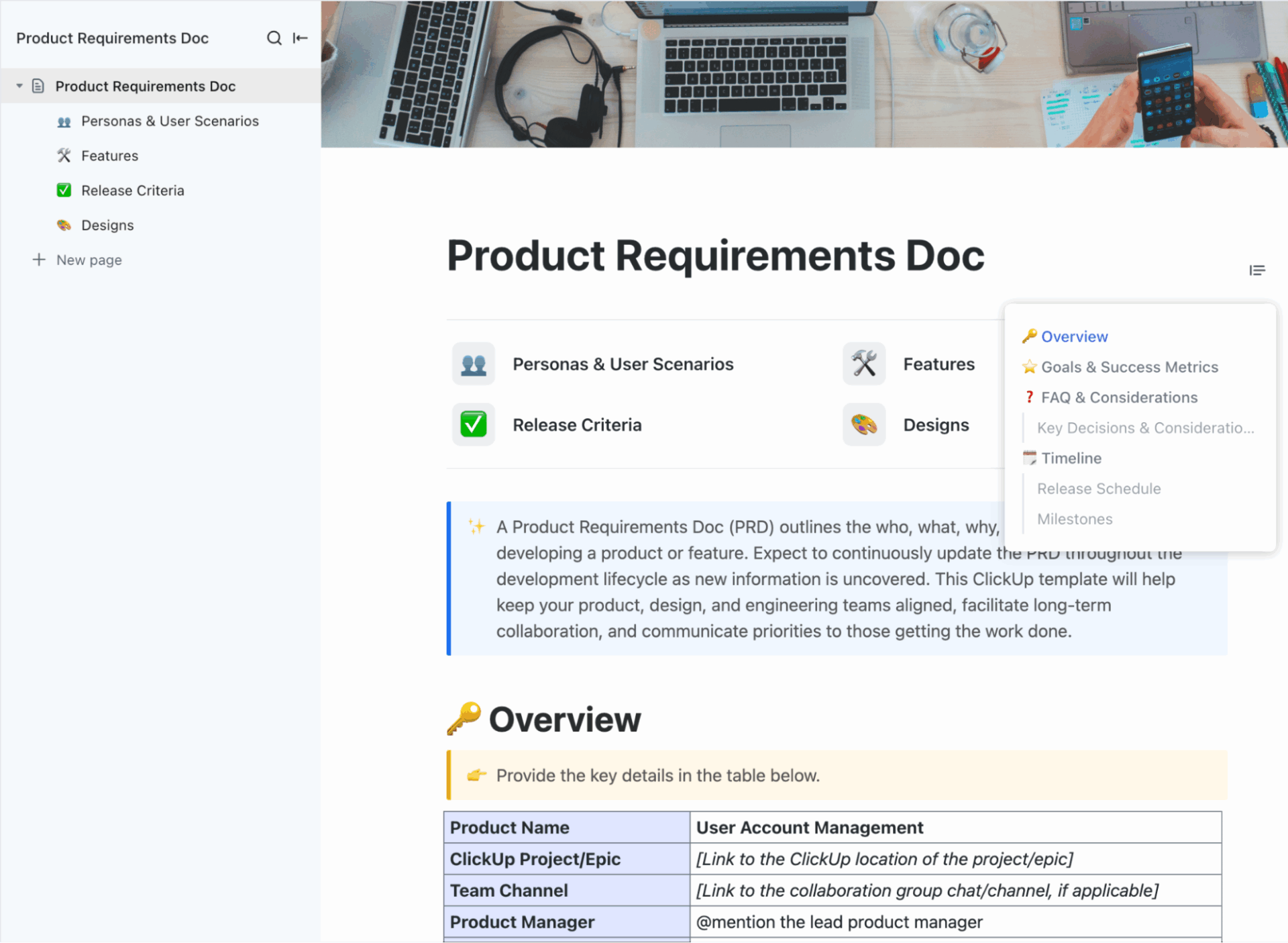
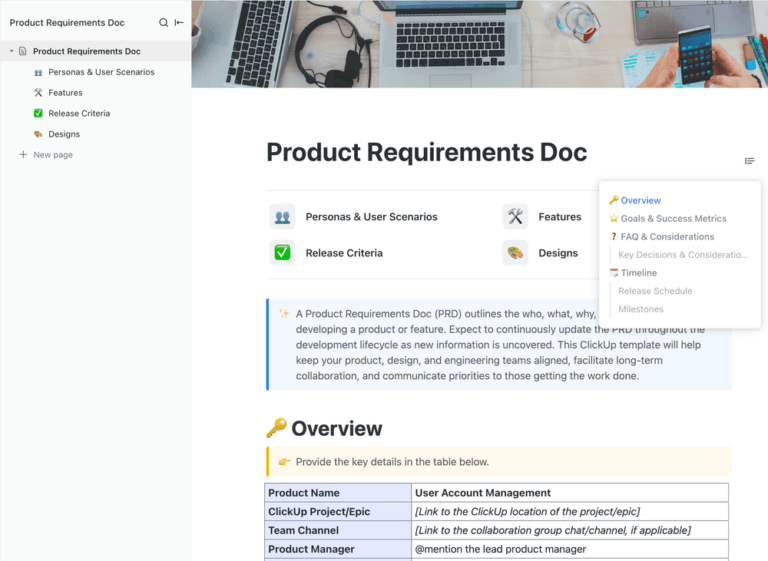
If you want a ready-made structure for a PRD, the ClickUp Product Requirements Doc Template is the best pick because it mirrors how product work moves from idea to launch.
It houses:
⚡ Template Archive: Free Product Management Templates to Build Strategic Roadmaps
👀 Did You Know? The role of the product manager began in 1931 when Neil H. McElroy at Procter & Gamble wrote a memo about hiring ‘brand men’ to manage individual products.
A product roadmap is a high-level document that shows where the product is headed and why, over a defined period of time. It connects business goals, customer needs, and planned product initiatives into a narrative.
Unlike a detailed execution plan, a roadmap focuses on direction, priorities, and sequencing rather than task-level delivery.
Most roadmaps cover a few key parts to fulfill the overall product strategy and vision:
Let’s give you a quick example 👇
| Quarter | Theme | Initiatives | Expected Outcome |
| Q1 | Improve Onboarding | Simplify signup, add guided setup | Faster user activation |
| Q2 | Boost Retention | Add loyalty perks, refine notifications | Longer active use |
| Q3 | Expand Integrations | New partner tools, open API access | Broader ecosystem reach |
| Q4 | Optimize Performance | Reduce load time, update analytics | Smoother experience |
For a quick head start, use the ClickUp Product Roadmap Template.
With it, you get:
There’s more inside the template than what fits on paper. The best way to see it is to start with it yourself!
📮 ClickUp Insight: If all your open tabs disappeared in a browser crash, how would you feel? 41% of our survey respondents admit that most of those tabs won’t even matter.
That’s decision fatigue in action: closing tabs involves too many decisions and feels overwhelming. So we keep them all open instead of choosing what to keep. 😅
As your ambient AI partner, ClickUp Brain naturally captures all your work context. If you’re working on a research task about LangChain models, for instance, Brain will already be primed and ready to search the web for the topic, create a task from it, assign the right person to it, and schedule a meeting for a kickoff discussion.
The business case document is a foundational artifact that justifies the investment in a product initiative. It aligns stakeholders (executives, finance, engineering, etc.) by demonstrating the problem worth solving, the proposed solution’s viability, and the expected return.
In general, product managers typically prepare this way before significant resource allocation (e.g., during discovery or pre-kickoff phases) to secure buy-in and funding.
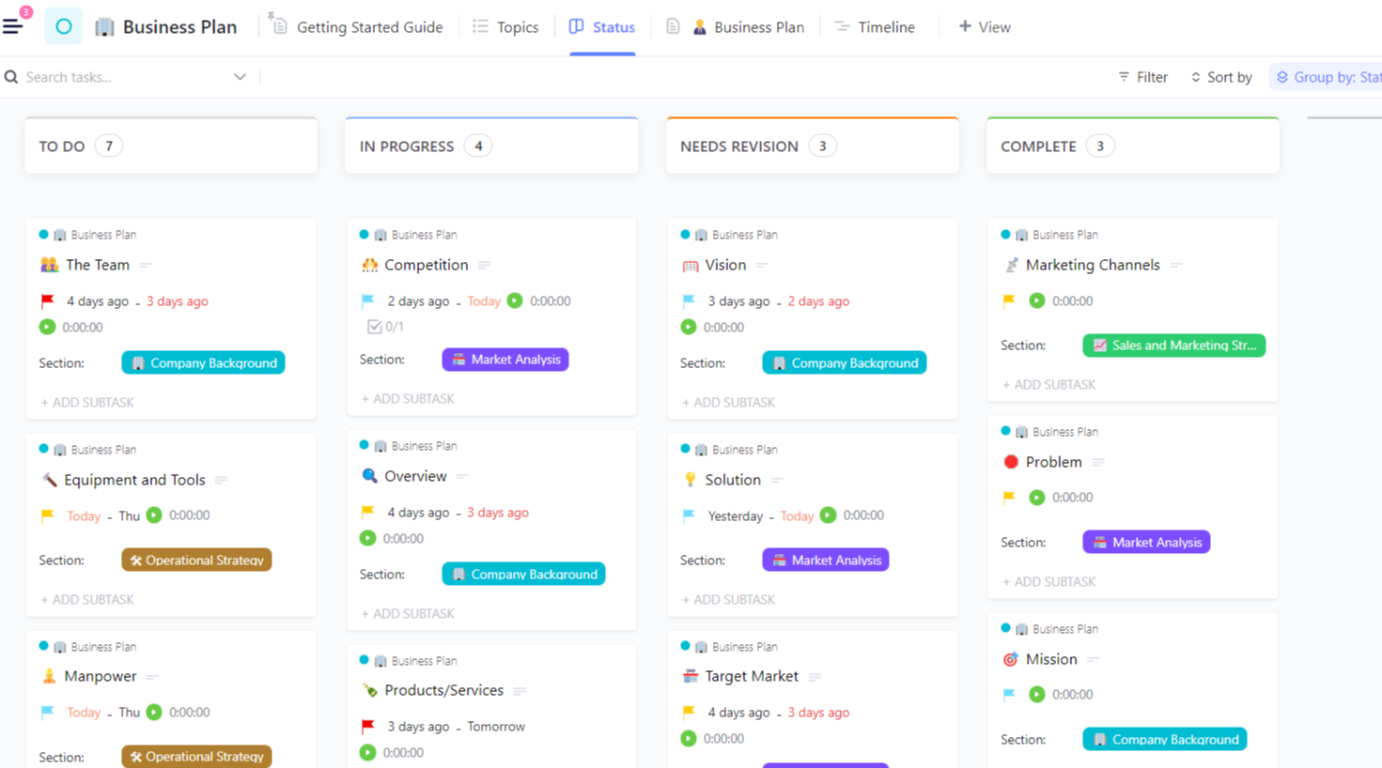
ClickUp’s Business Plan Template is a ready-to-use framework that helps categorize and structure each part of the plan clearly.
Different companies or teams may add or rename sections, but every document should have the following elements for a sound business case:
💡 Pro Tip: Replace vague benefits like ‘improved efficiency’ with measurable outcomes like ‘reduces processing time from 4 hours to 45 minutes per transaction.’ Specific metrics survive executive scrutiny, just as a clear user narrative document makes an impact tangible for stakeholders.
A user persona document describes the people for whom a product is built. It turns research data into a set of believable profiles that show how different users think, what they value, and what problems they need solved.
Ideally, in a persona document, you would want to combine patterns from interviews, surveys, and usage data into a short narrative that explains behavior in context.
What a persona document usually includes 👇
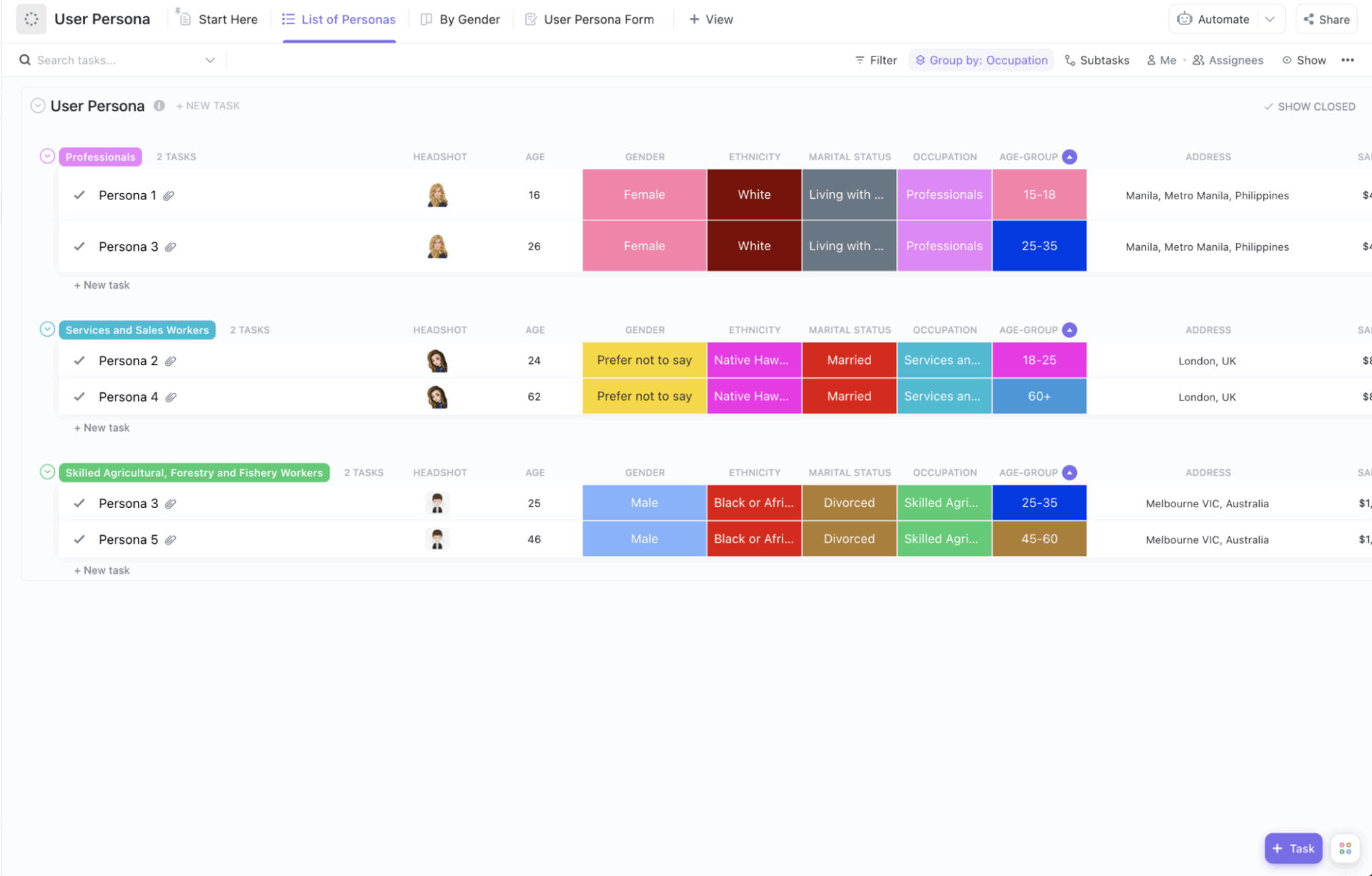
To make this process faster and more hands-on, you can create your personas using the ClickUp User Persona Template.
Personas are grouped by role or occupation to help you compare user segments at a glance. You have fields for age, background, goals, challenges, and other details.
The template lets you add headshots, jot down quick notes, or switch to a view that sorts personas by demographics or job type.
⭐ Bonus: ClickUp Forms to gather persona data straight from interviews or surveys, which then automatically updates your workspace.
A market research document is a formal report that presents the findings, analysis, and conclusions from research conducted to understand a specific market, audience, or industry.
This product management documentation is used to access market size, growth trends, and adoption readiness. You can also add a competitive analysis documentation to identify market gaps.
Here are some market requirement documents you will come across:
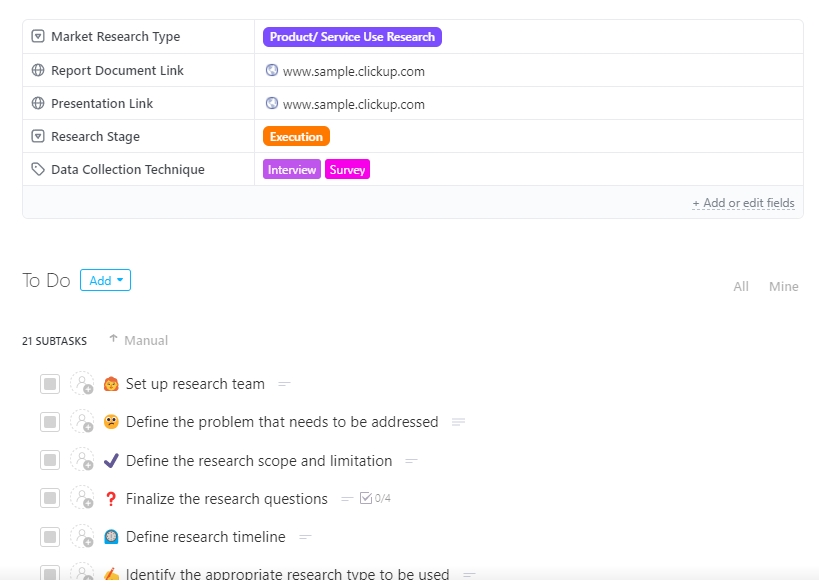
ClickUp’s Market Research Template helps turn market research data into insights and decisions more efficiently.
You can centralize information from interviews, surveys, competitive data, etc., in one space and use Custom Fields to categorize projects effectively.
📚 Read More: Best Technical Documentation Software
A backlog document is an organized list of tasks, features, requirements, or ideas that need to be completed or considered in future development cycles, typically used in product development or Agile methodologies.
A well-structured, useful backlog document typically includes the following components:
| Field | Description |
| ID/Reference number | A unique identifier for tracking each backlog item |
| Title/Item name | A brief, descriptive name of the task or feature |
| Description | A concise explanation of what needs to be done and why |
| Type | The category (e.g., feature, bug, improvement, research task) |
| Priority | The importance or urgency (e.g., High, Medium, Low) |
| Status | The current state (e.g., To Do, In Progress, Completed, Deferred) |
| Assignee/owner | The person or team responsible for completing the task |
| Estimated effort/Story points | A measure of how much work is required |
| Dependencies | Links to other items or tasks that must be completed first |
| Target release/Sprint | Indicates when the item is expected to be delivered |
| Date added/Updated | For tracking when items were created or modified |
| Comments/Notes | Any additional information, context, or decisions |
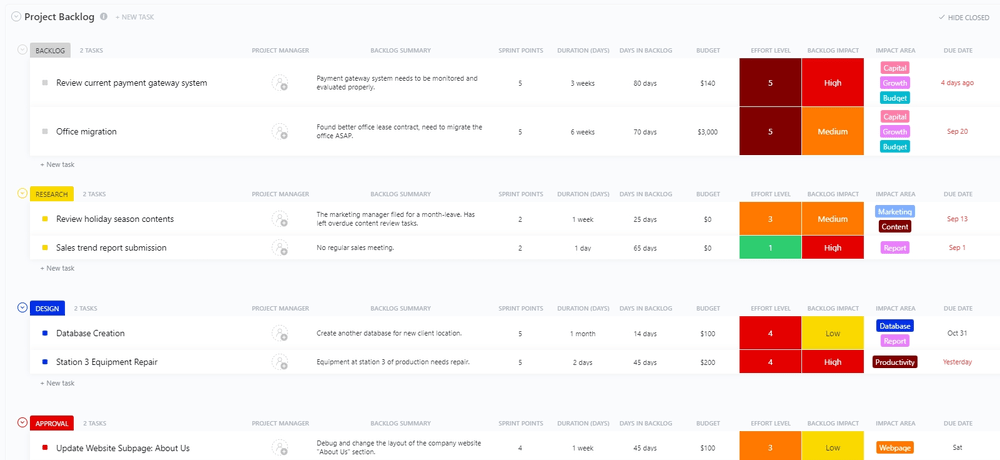
For effective backlog management, ClickUp’s Project Backlog Template lets you switch between Custom Views to visualize backlog items by status, priority, and scheduled implementation windows.
An ideal tool for product managers, the template becomes a staging area before sprint planning. Feature requests, bugs, and improvements can be captured before breaking workflows, and backlog items can move smoothly into releases once they are ready.
🧠 Fun Fact: The wave of SaaS we know today kicked off in 1999, when Salesforce launched a cloud-based CRM that challenged the old ‘buy software, install it’ model.
📋 Note: Some teams also include a Recommendation or Executive Summary to help reviewers grasp the key points in seconds.
A user story document is a collection of short, simple descriptions of features or functionality, told from the end user’s perspective. In other words, it helps a development team understand what the user needs, why they need it, and what value it delivers across the product life cycle.
📋 Note: A user story document is different from a user manual document! While a user manual document explains how users interact with the finished product, a User Stories document focuses on what needs to be built to meet those user goals in the first place.
A user story document generally includes:
📌 Structure of a user story document: A standard user story follows a simple template, like 👇
As a [type of user], I want [a feature or action] so that [a benefit or reason].
For example, ‘As a registered customer, I want to reset my password online so that I can regain access to my account without contacting support.’
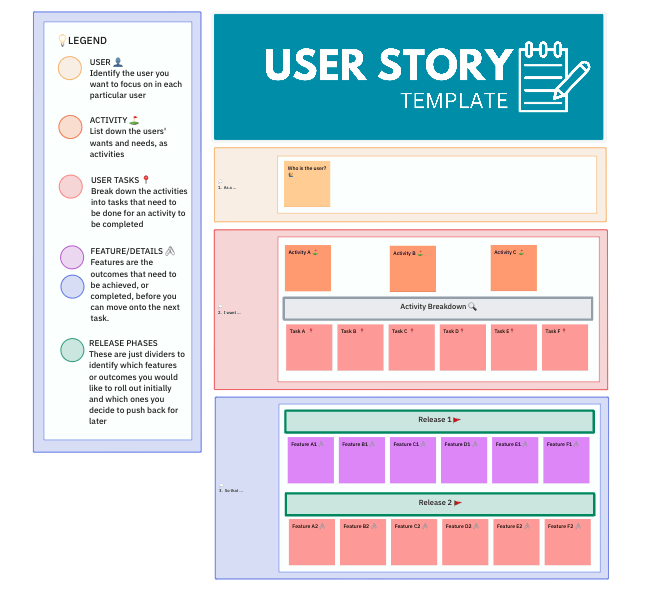
To make it easier to write, track, and organize user stories, start with the ClickUp User Story Template.
This template begins with identifying who the user is and what they want to achieve, then breaks those goals into smaller activities and tasks.
You can also tag features that need to be delivered before moving on to the next step and sort them into different release phases based on your rollout plan.
The ‘legend’ on the side guides you through the structure, from defining the user to breaking down releases, which makes the process intuitive even for teams new to user story mapping.
❗ Quick Question: Have you ever tried using AI to draft or polish your documentation? It gets you past the blank page and even helps tighten long, detailed sections.
According to a McKinsey & Company survey, 78% of organizations now use AI in at least one business function.
A release plan document is a high-level roadmap used in Agile (Scrum, SAFe, or hybrid) and traditional product management to define what will be delivered when, by whom, and under what constraints across one or more release cycles (typically 3–12 months).
This document bridges the Product Roadmap (vision) and Sprint/Iteration Plans (execution), answering: ‘Which user stories, features, or epics will ship in which release, and why?’
Below is an example of what you generally need to include in documents like these:
| Epic / Feature | User stories | Story points | Sprint | Status | Notes |
| Mobile dashboard | US-101, US-102 | 13 | Sprint 1 | Done | |
| Push notifications | US-201, US-202, US-203 | 21 | Sprint 2–3 | In Progress | Depends on Firebase |
| Offline mode | US-301 | 8 | Sprint 4 | To Do | Tech debt |
| Total | 42 | ||||
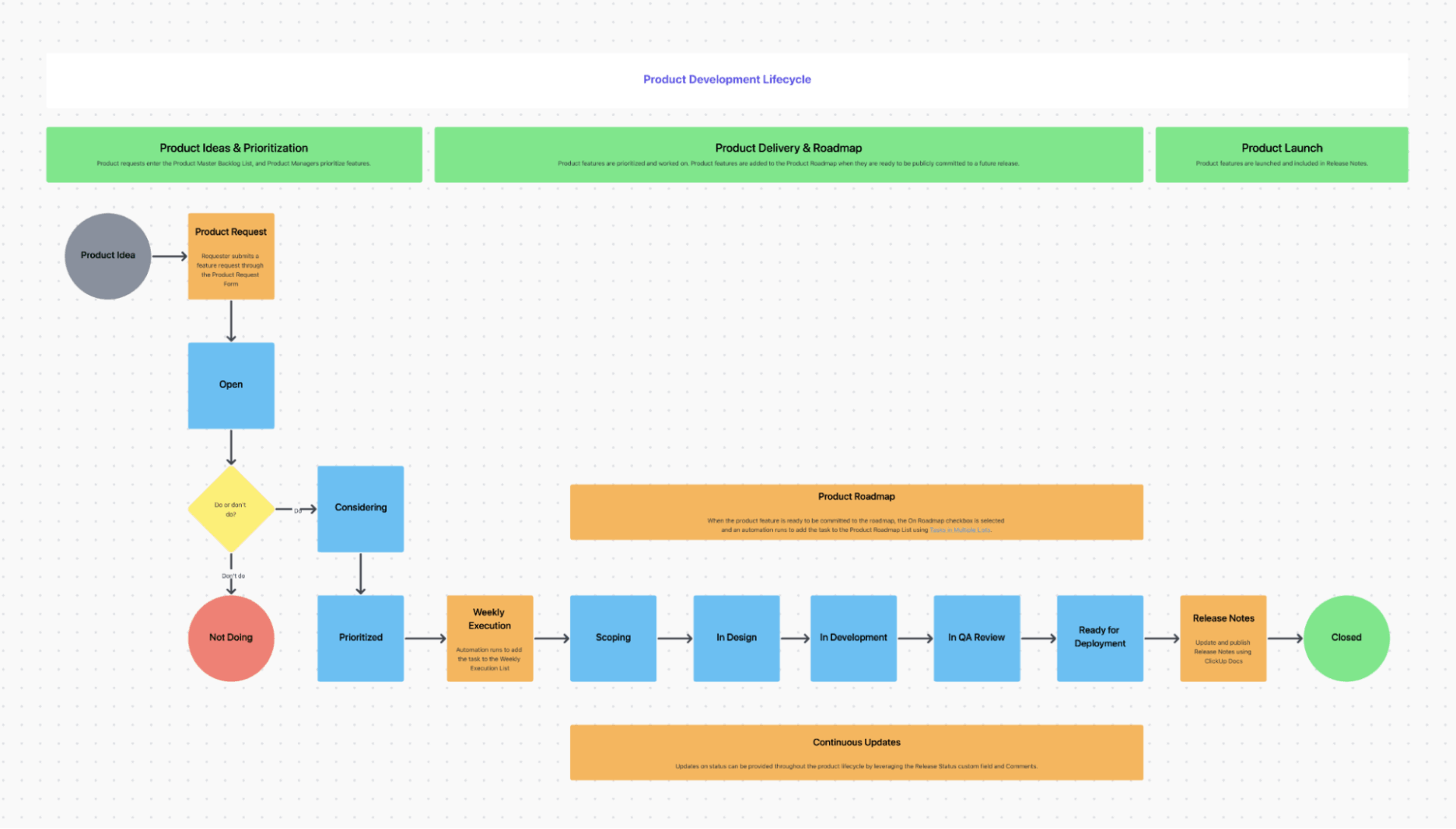
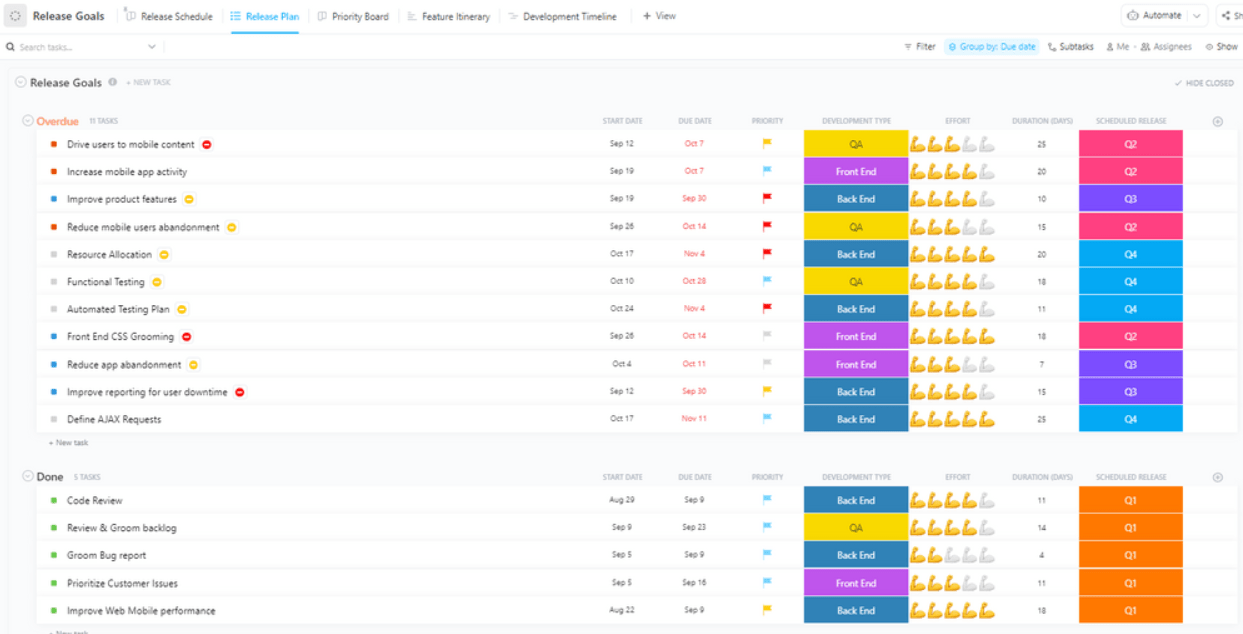
ClickUp’s Release Planning Template helps manage software or product releases from start to finish. From planning and design reviews to testing and rollout, all tasks can be captured in one place for transparency and better coordination between teams.
With Custom Statuses, you can track task stages based on your workflow design and needs. This significantly reduces ambiguity and confusion around who owns the next move.
📋 Quick Note: Don’t confuse release plans with release notes!
The stakeholder communication document (also called Stakeholder Communication Plan, Comms Plan, or RACI + Cadence Matrix) is a plan that lists every stakeholder, tells exactly what information each one needs, when they need it, how they will receive it, and who is responsible for sending it.
In a nutshell, this is what it entails:
ClickUp’s Project Status Report Template ensures key project details are captured and communicated to stakeholders clearly. It has dedicated sections for progress updates, resourcing needs, blockers, areas for improvement, etc., making it easier to maintain alignment and minimize confusion as the project evolves.
📚 Read More: How to Create a Stakeholder Communication Plan
A post-launch analysis document (also called a release retrospective or launch review) is created after a product goes live to evaluate how the launch performed against expectations. It compiles key metrics like sales data, customer feedback, website traffic, and engagement trends to assess whether launch goals were met.
Along with tracking numbers, this product management documentation is used to understand what worked, where the team members fell short, and what can be improved for the next release.
This document includes:
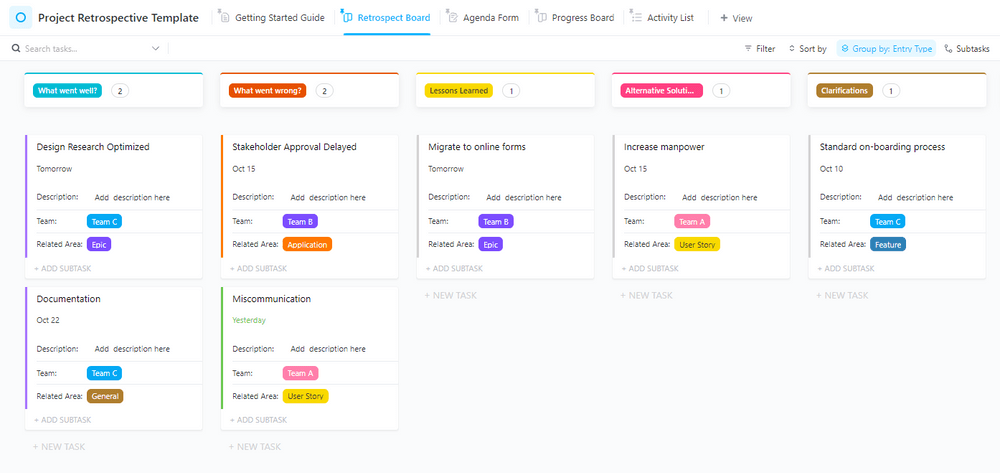
For end-of-project evaluations, use the Project Retrospective Template by ClickUp. You can centralize outcomes and learnings, and make reflections actionable rather than just a discussion.
The Kanban-style Board View groups entries into specific retrospective inputs, such as what went well, what went wrong, lessons learned, alternative solutions, etc. This makes it easy for teams to separate wins, problems, insights, and open questions instead of mixing everything together.
⚡ Template Archive: Free Technical Documentation Templates for IT Teams
As a competent product manager with a high workload, there’s always an invisible drag of context-switching, misalignment, and data spread across silos.
Not to mention, the volume of work in terms of managing users, market, strategy, features, stakeholders, and launch outcomes!
Enter ClickUp: the world’s first Converged AI Workspace.
What does that mean? 👇
Below, we show you how ClickUp’s Product Management Software makes your life easier, with AI-powered features.
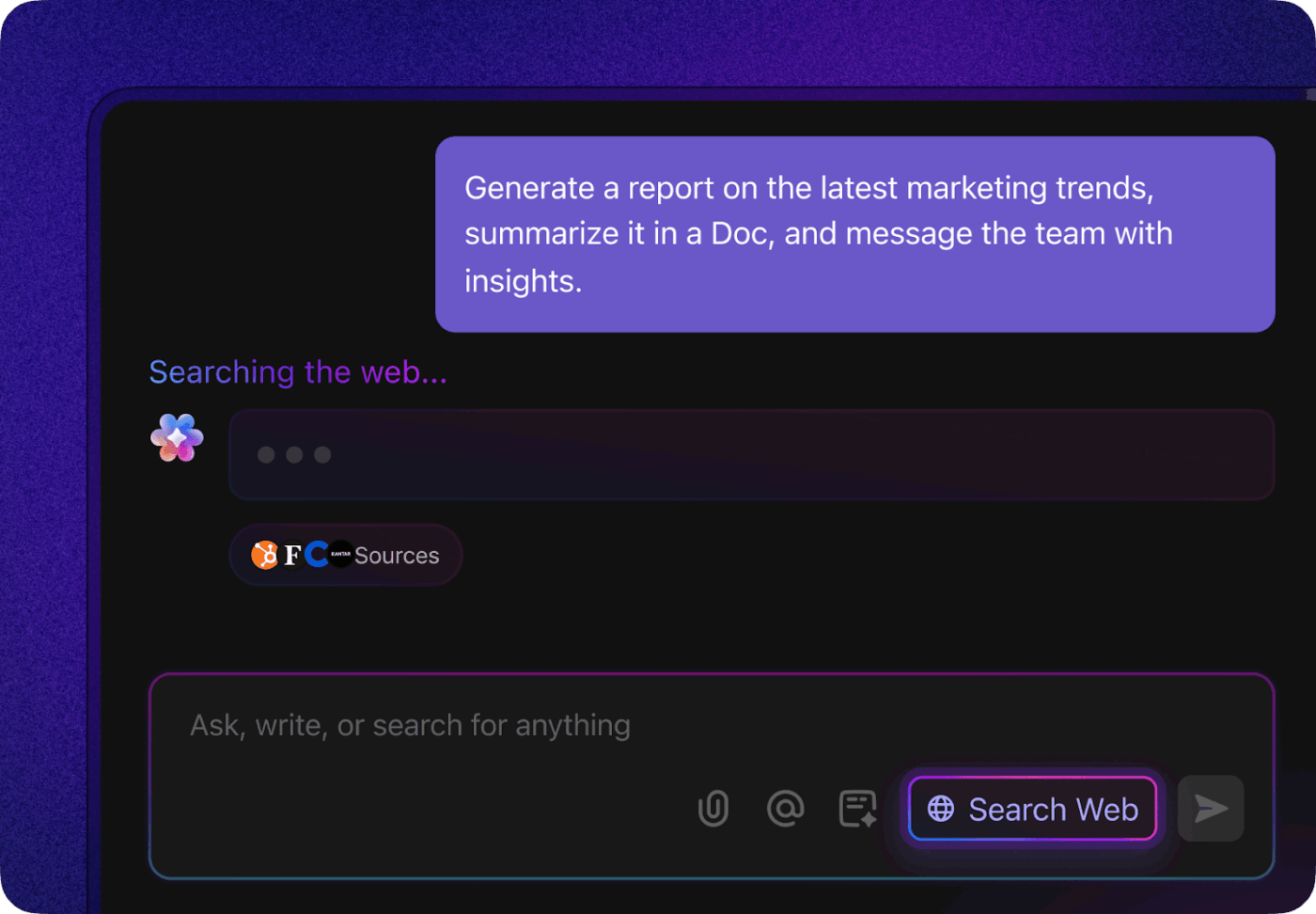
ClickUp Brain is an always-on productivity assistant embedded directly inside your product workspace.
Brain pulls information from your tasks, Docs, chats, fields, and connected tools to give you highly contextual answers and outputs.
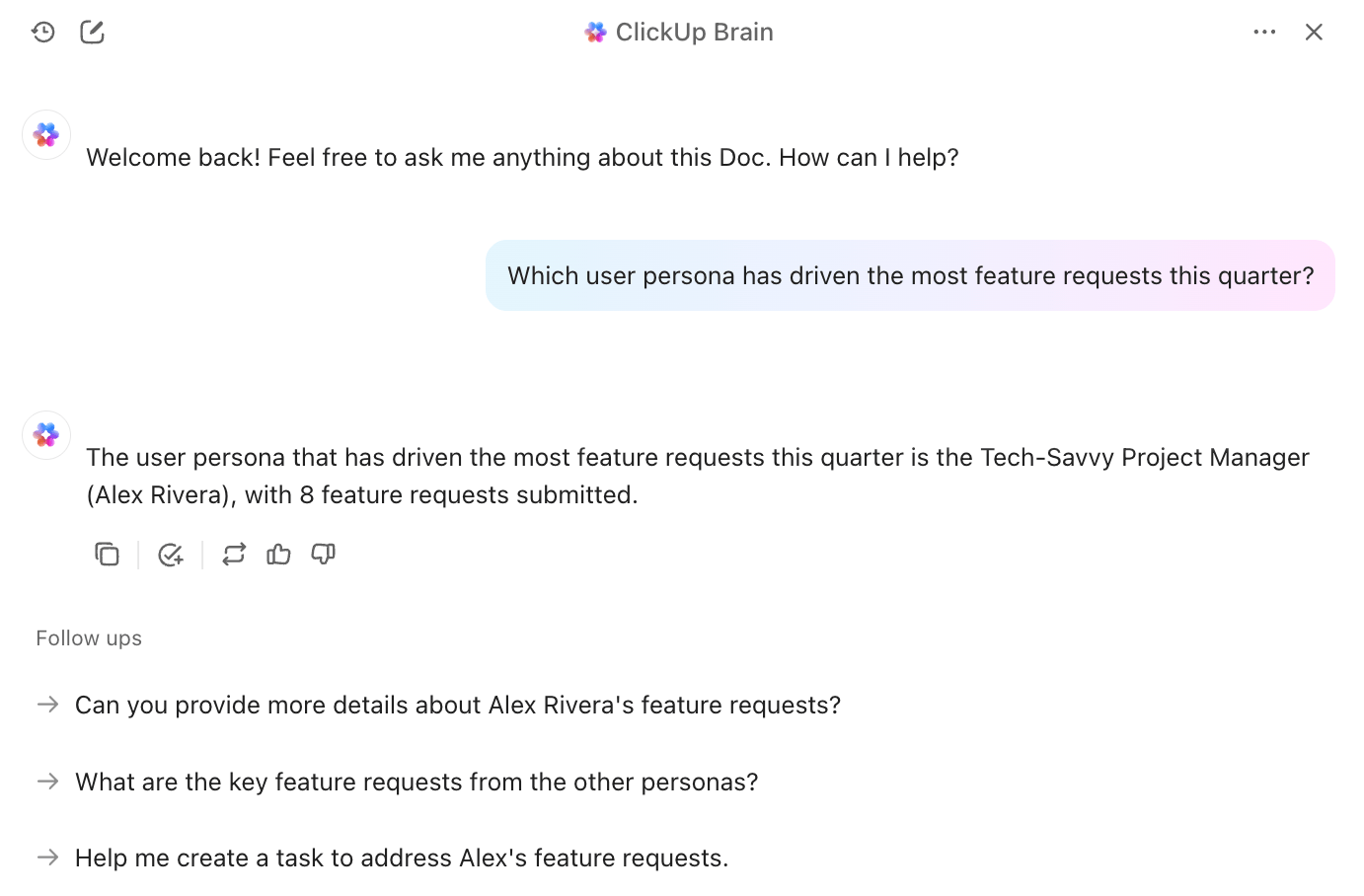
In the context of product documentation, ClickUp Brain helps you with:
With support for multiple AI models, you can choose the best intelligence for the task. Strategy narratives, user-facing documentation, technical breakdowns, and research synthesis can all be handled from the same interface without leaving ClickUp.
Super Agents take this one step further. They are intelligent, autonomous agents that run in the background.
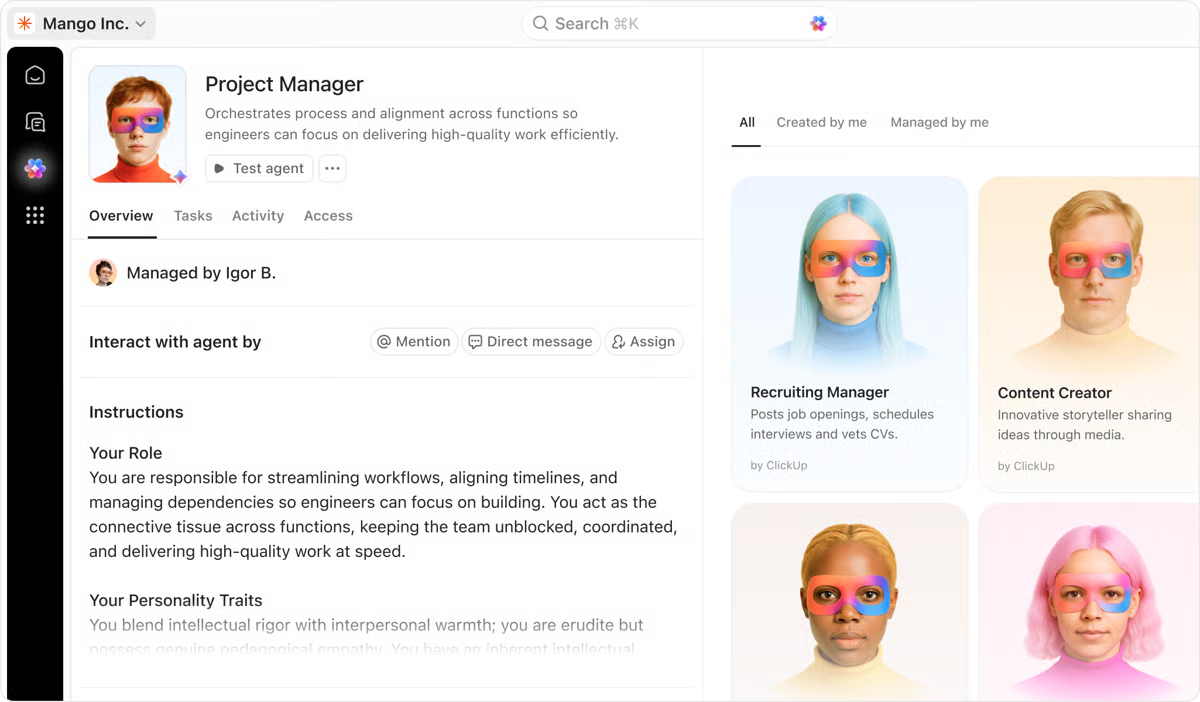
🤝 ClickUp Brain + Agents combo = A shared operating layer for your product team.
You get:
⭐ Bonus: Bring the best of ClickUp to your desktop with ClickUp Brain MAX—a standalone super app.
If you’re already dealing with AI sprawl, here’s a video on how you can control it before things spiral:
ClickUp Docs gives your product managers a single place to document requirements, capture meeting decisions, collaborate with teams in real time, and link every idea directly to tasks and execution.
Inside Docs, ClickUp Brain helps draft and update Docs using context from tasks, discussions, and past decisions. Your documentation stays current without extra effort.
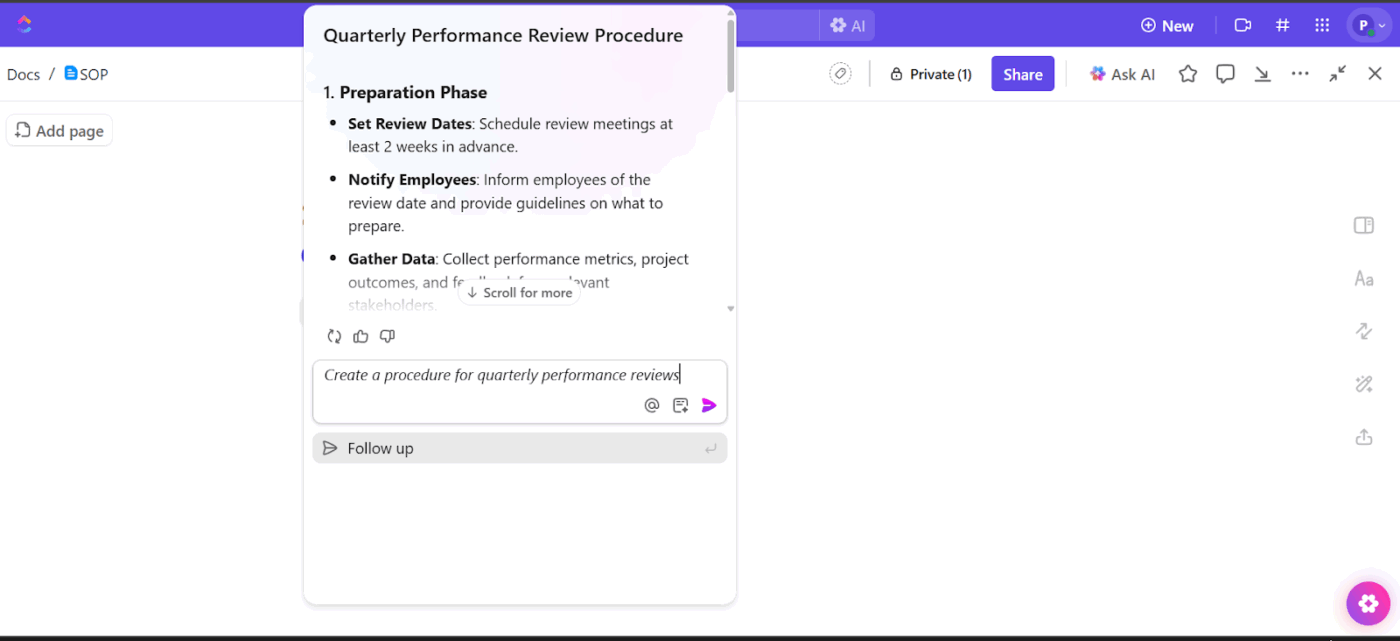
With comments and version history, your team members can review, discuss, and refine product decisions over a single source of truth.
Updates happen where the work already lives, reducing rework and misalignment.
With permissions and sharing controls, you can tailor access for leadership, engineering, design, or external stakeholders, ensuring everyone sees the right level of detail without duplicating documents.
One part is to create product documentation. The second, equally important part is to convert them into action.
How do you do this within the ClickUp Workspace?
Create ClickUp Tasks directly from Docs, comments, or AI outputs. This step ensures requirements, decisions, and acceptance criteria move straight into execution.
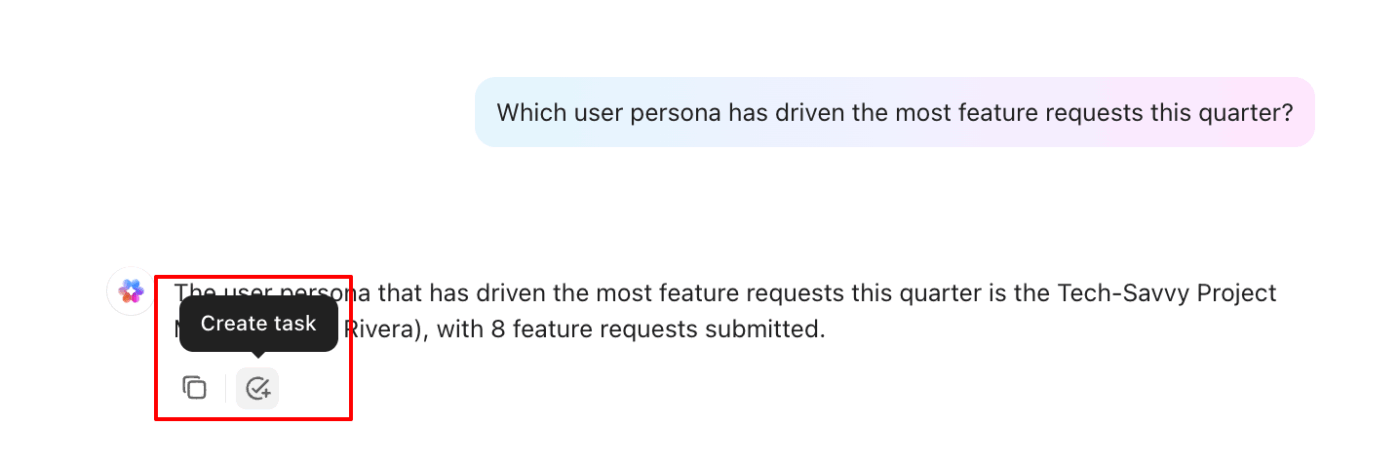
As work progresses, task updates automatically reflect the current state of the product.
Build high-level overviews of everything in your Workspace with ClickUp Dashboards. It could be progress, risks, impact, and custom dashboards for detailed internal and external reporting.
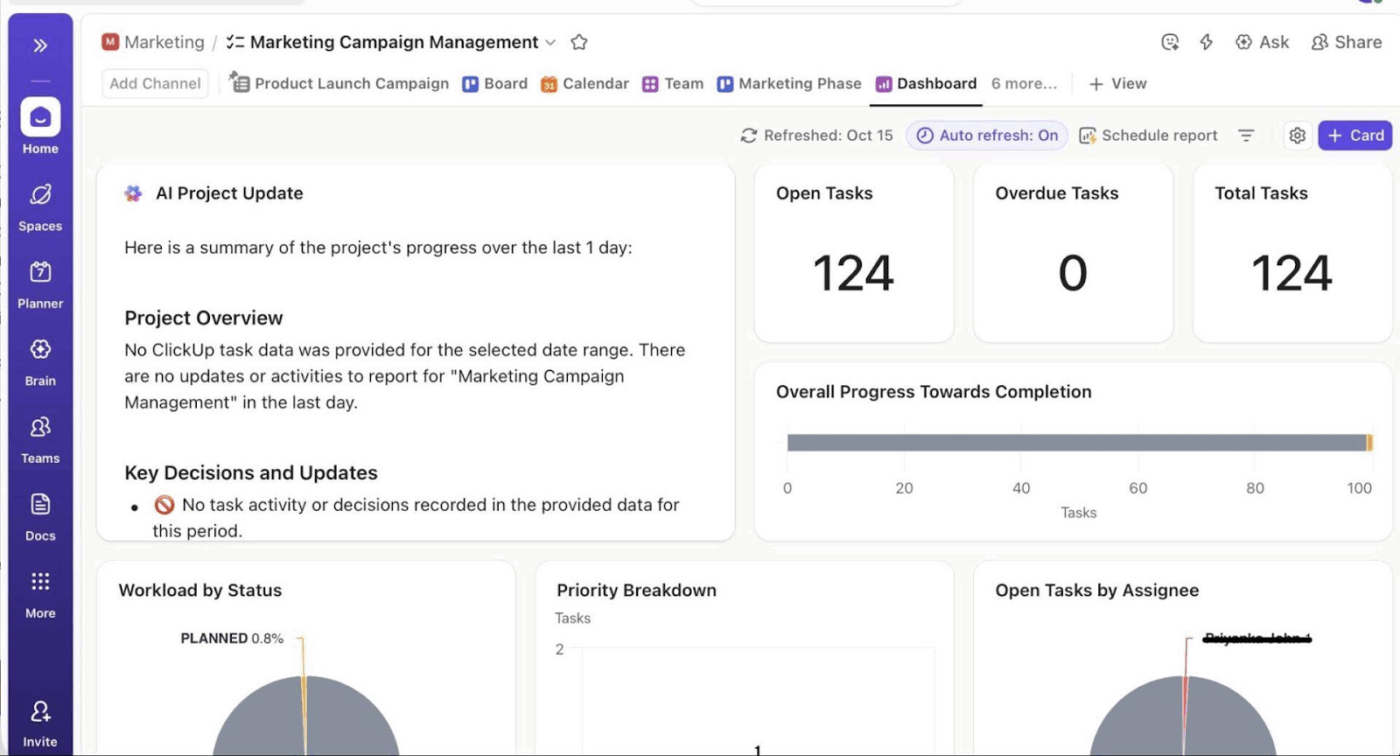
Within Dashboards, you can:
When you prioritize product documentation, your product team will be able to build a repository of information that everyone can lean on.
ClickUp’s connected Workspace makes it easy for you.
You can create, update, and evolve product documents in the same place where work happens, without duplicating effort or chasing updates.
With Docs, Tasks, Dashboards, and built-in AI working together, product documentation becomes part of your daily workflow instead of an afterthought.
Whether you’re a product manager, an aspiring PM, or a founder leading product decisions, ClickUp helps you move from scattered documentation to clear, execution-ready plans.
Ready to give it a test drive? Sign up on ClickUp for free.
Every product manager should maintain a core set of documents that cover discovery, planning, execution, and learning.
They include a Product Requirements Document (PRD), product roadmap, business case or problem statement, user personas, market research, backlog, user stories, release plan, stakeholder updates, and post-launch analysis.
B2B SaaS products require documentation that reflects longer lifecycles, multiple stakeholders, and ongoing iteration. The documents include detailed PRDs with role-based workflows, user personas for buyers, users, and admins, market research with competitive and pricing analysis, and product roadmaps tied to retention, expansion, or revenue goals.
Teams also rely on written communication with release plans, customer-facing release notes, and post-launch analysis focused on adoption, usage, and churn.
It usually starts with a clear problem statement and goals, followed by user context, assumptions, and scope. The PRD then outlines functional requirements, acceptance criteria, dependencies, constraints, and success metrics.
A product roadmap communicates direction and priorities, showing what the team intends to work on over time and why those initiatives matter.
Roadmaps = strategy and outcome-oriented.
A release plan, on the other hand, focuses on execution and timing, detailing when specific features will ship, what dependencies exist, and how delivery will be coordinated.
Release plans = tactical and delivery-focused.
Embed documentation into daily workflows rather than treating it as a one-time task. Link documents to tasks and backlogs, update them during sprint planning or release reviews, and use comments or version history to capture evolving decisions.
Several tools help product managers to create and maintain relevant documentation across different key documentation types. ClickUp stands at the core for its ability to auto-generate content, link tasks, automate workflows, and build visual roadmaps.
For mapping ideas visually, Miro and Lucidchart are useful choices because they help teams create journey maps, diagrams, and visual flows.
And when it comes to layout, Figma allows you to embed wireframes and prototypes directly into documents for end-to-end collaboration between design and product. Meanwhile, Airtable provides dynamic databases that support research issue statements, track progress, and organize insights across teams.

© 2026 ClickUp

There’s an easier way. Try a free AI Agent in ClickUp that actually does the work for you—set up in minutes, save hours every week.