






Still downloading templates?
There’s an easier way. Try a free AI Agent in ClickUp that actually does the work for you—set up in minutes, save hours every week.
Sorry, there were no results found for “”
Sorry, there were no results found for “”
Sorry, there were no results found for “”
Three months ago, you launched a customer survey expecting maybe 100 responses.
Fast forward to today, and you’re staring at 3,000 entries spread across multiple spreadsheets, each one more confusing than the last.
Welcome to the moment every operations team dreads. 😶🌫️
The truth is, most data collection initiatives start with good intentions but often end in digital chaos.
This chaos is often the result of work sprawl, where responses live across spreadsheets, inboxes, form tools, and dashboards with no clear system of record. Teams then try to fix it with multiple AI tools layered on top, creating AI sprawl, automations and insights that operate without shared context. The result is fragmented data, duplicated effort, and insights that don’t translate into action.
Data collection software solves this problem. Good platforms make it easy to create surveys, organize responses, and spot patterns in your data.
Let’s look at 11 options that work. 📋
These are the best data collection software solutions compared.
| Tool name | Key features | Best for | Pricing* |
| ClickUp | Forms with conditional logic, Workflow automation, AI Fields, Custom Fields, Dashboards, Assign Comments, Docs, Chat, Integrations, Connected Search | Teams needing flexible data collection built into workflows | Free plan; Paid plans from $7/user/month |
| Google Forms | Real-time collaboration, Branching logic, Auto-updating charts, Google Sheets integration, Email notifications, Website embedding | Quick survey creation, unlimited responses | Free |
| Microsoft Forms | Office 365 integration, Quiz-building, Power BI dashboards, AI insights, Response controls, Power Automate workflows | Office 365 users, corporate environments | Paid plans from $9.99/user/month |
| Zoho Forms | Business process automation, Payment collection, Digital signatures, Approval workflows, Advanced logic, CRM integration | Business process automation, CRM workflows | Free plan; Paid plans from $12/month |
| FastField | Mobile-first, Offline data collection, GPS & photo capture, Real-time dashboards, Geofencing, File attachments | Mobile data collection, field teams | Free trial; Paid plans from $30/user/month |
| KoboToolBox | Multilingual forms, Complex skip logic, Repeat groups, Humanitarian standards, Offline support | Humanitarian data collection, NGOs | Free trial; Paid plans from $159/month |
| Wufoo | Customizable forms, Payment processing, Analytics, API/webhooks, Email automation, CRM/email integrations | Embedded form solutions, web developers | Free plan; Paid plans from $16.25/month |
| Typeform | Conversational forms, Logic jumps, Analytics dashboards, Integrations (Slack, HubSpot, Zapier), Custom thank-you pages | Interactive user experiences, engaging surveys | Free plan; Paid plans from $29/month |
| Jotform | 10,000+ templates, Payment collection, Conditional logic, Analytics, E-signatures, Drag-and-drop builder | Form template variety, easy customization | Free plan; Paid plans from $39/month |
| Paperform | Document-style forms, Smart Forms, Real-time calculations, Payment & booking, CSS customization | Document-style forms, quotes, e-commerce | Free trial; Paid plans from $29/month |
| Fulcrum | Mobile GIS, Geospatial data, Photo annotation, Approval workflows, Role-based security, Offline support | Field data collection, geospatial teams | Free demo; Paid plans from $52/user/month |
Our editorial team follows a transparent, research-backed, and vendor-neutral process, so you can trust that our recommendations are based on real product value.
Here’s a detailed rundown of how we review software at ClickUp.
Most data collection software is either too basic or too clunky, leaving you stuck with missing fields, duplicate entries, and no way to act on the data you worked so hard to gather. 🫠
Look for features that solve these problems:
🧠 Fun Fact: The earliest known census was conducted in 3800 BCE Babylon. It recorded livestock, workers, and food supplies to help plan resource distribution across the empire.
These are our picks for the best data collection tools.
Collecting data is one thing. Doing something useful with it is another.
As the first Converged AI Workspace, ClickUp solves this by building data collection into your workflows. You don’t need separate tools to gather and process responses. Everything flows directly into your task management software, ready for action.
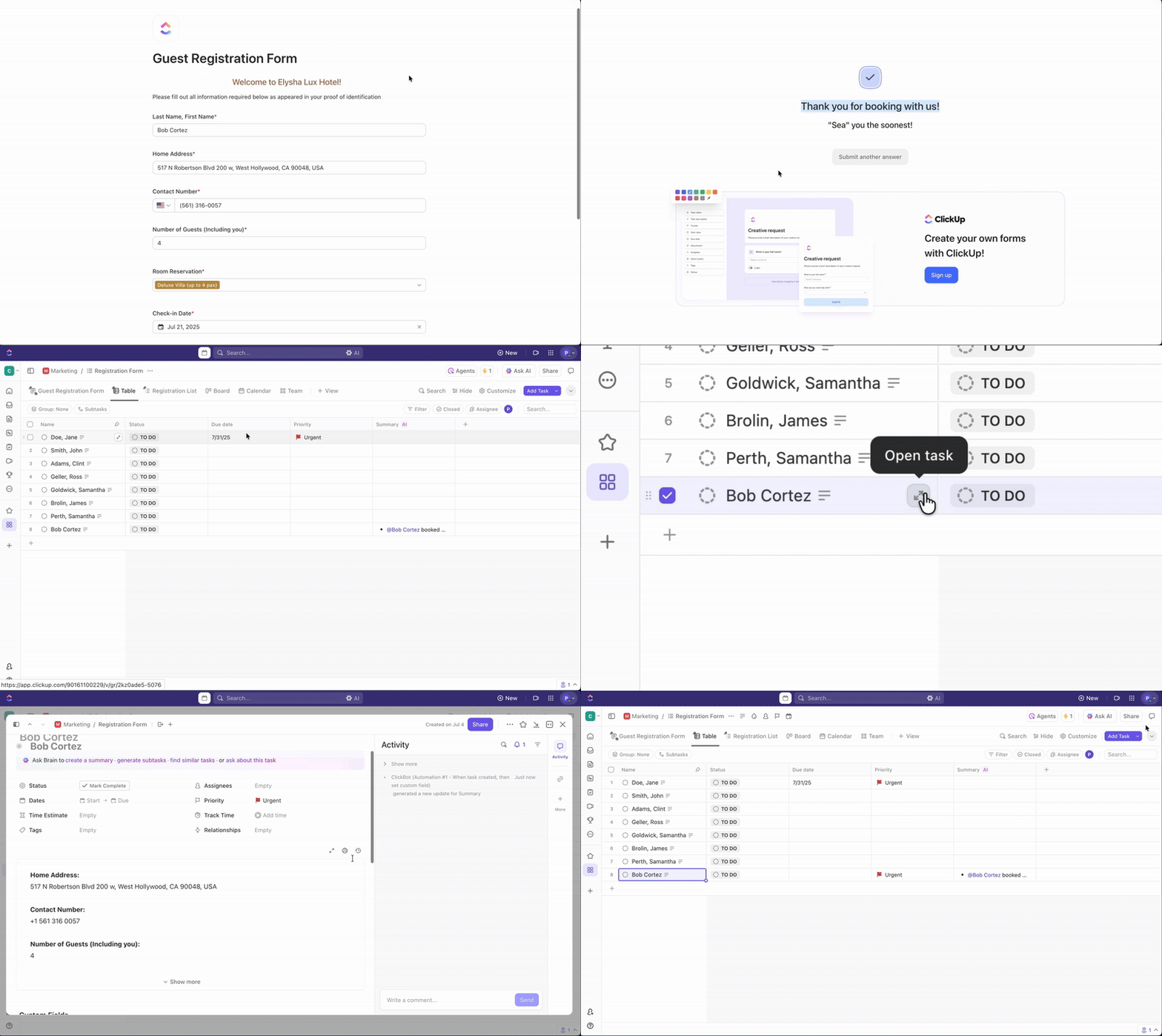
Say your operations team is handling internal requests for resources. You set up a ClickUp Form that collects details like request type, urgency, department, and required date. But this isn’t a basic form that dumps data into a spreadsheet.
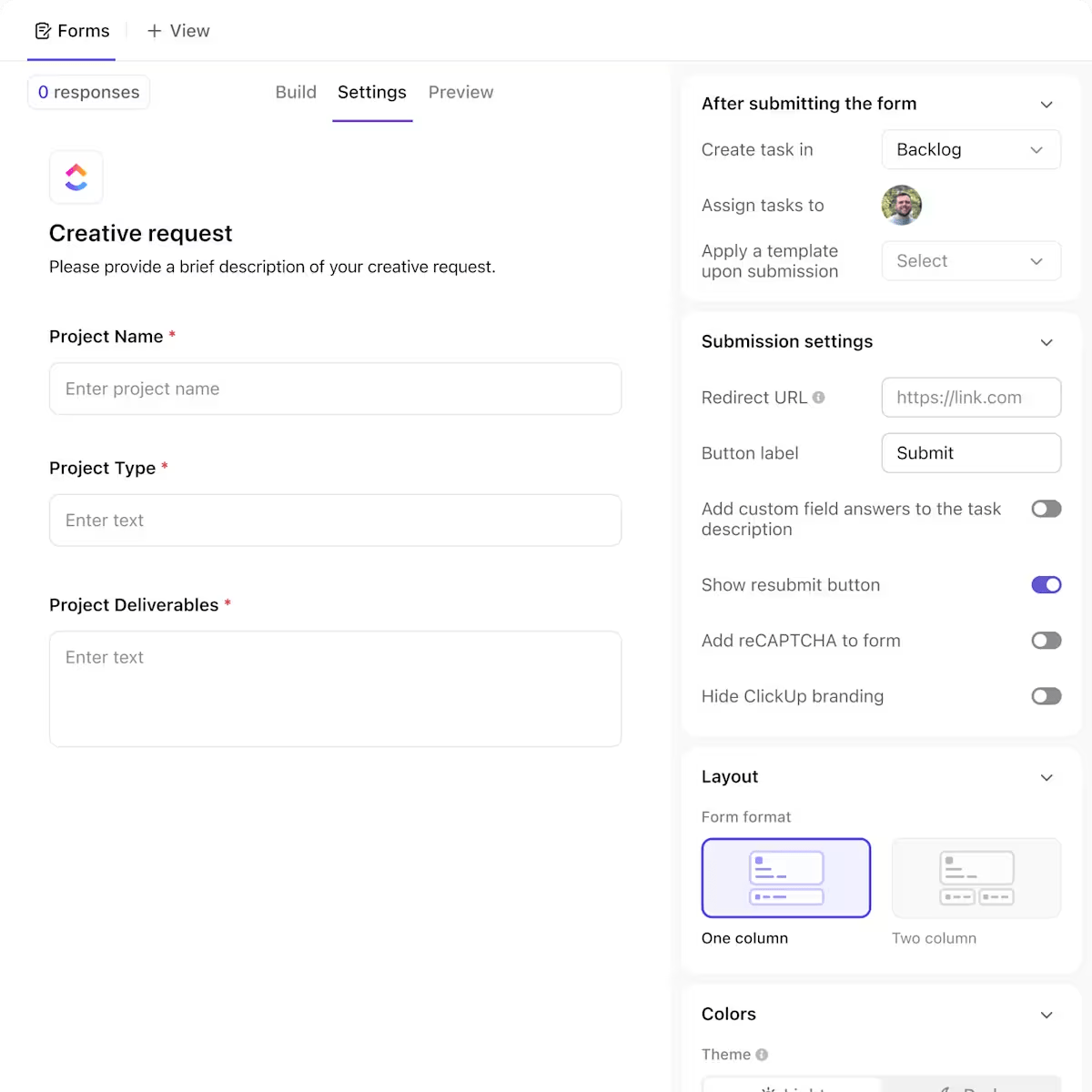
Conditional logic in ClickUp Forms gives you more control. You can show or hide fields based on previous answers, organize questions using dividers and headers, and route submissions into different lists depending on their content.
So if someone selects ‘IT Equipment’ as the request type, the ClickUp Form can reveal additional questions about model preferences or software needs and automatically send the task to your IT board, not facilities.
Once submitted, the response is converted into a ClickUp Task.
If a field engineer requests a laptop, the task appears in the ‘Procurement Queue,’ already tagged with its department and priority level. The logistics manager assigns it, adds notes, and updates the status as the request moves through stages like ‘Confirmed, ’ ‘Shipped,’ and ‘Delivered.’
To avoid digging through Tasks or building messy filters, you can add ClickUp Custom Fields tailored to your workflows. AI Fields amplify this even further.
A project manager running cross-functional planning surveys might use a form to collect team inputs and tag each task with department, initiative type, and quarter. That way, filtering for all Q3 engineering submissions takes seconds, not hours.
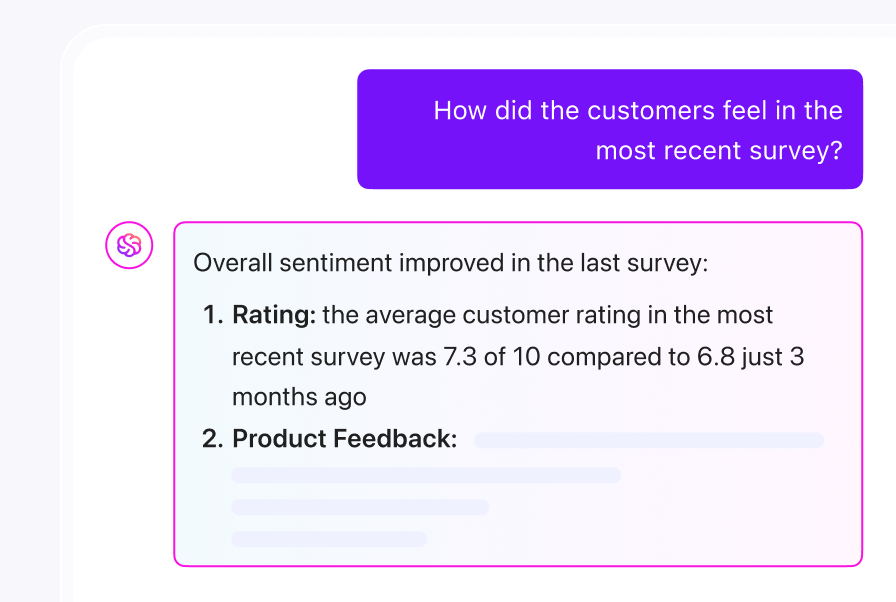
As responses grow, ClickUp Brain helps you avoid the classic CTRL+F nightmare.
You can ask the integrated AI assistant things like ‘Show me all stakeholder survey responses tagged high priority from this week’ or ‘Which onboarding feedback tasks are still open?’. It’ll answer instantly without you needing to remember where anything is stored.
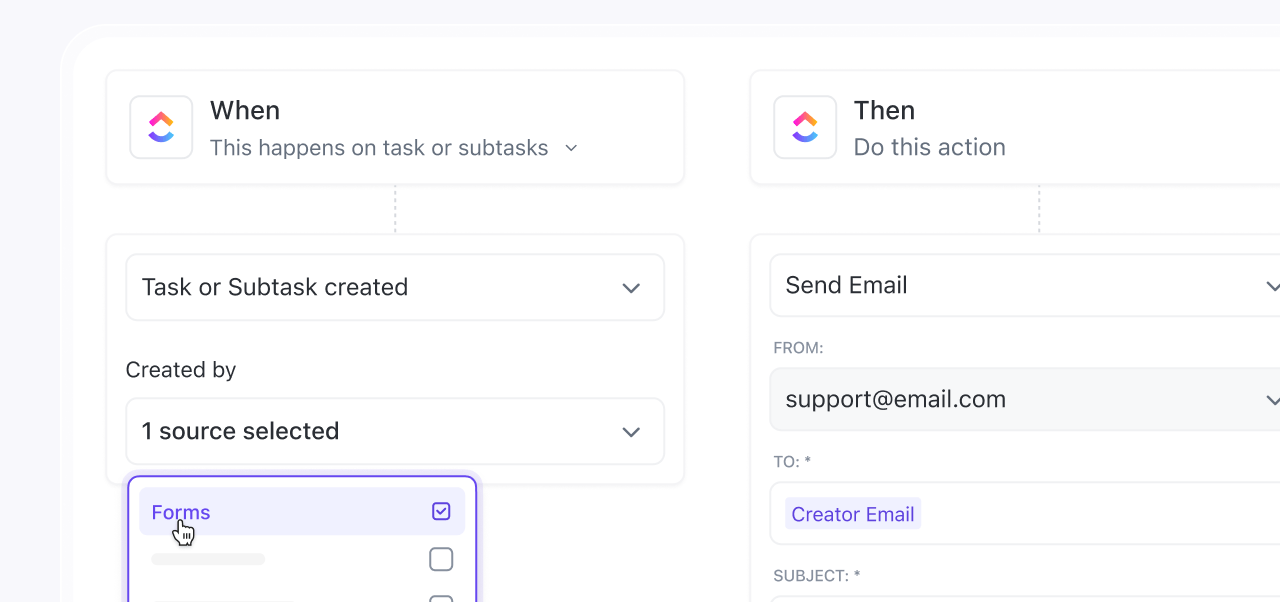
If the volume of data starts to scale, you don’t want your team spending time manually sorting everything.
ClickUp Automation can help by routing tasks based on form inputs. If you want to be completely hands-off, set up an Agent in ClickUp.
Suppose someone flags a feedback form as urgent. ClickUp Agents can tag the task, assign it to the customer success lead, and post a comment asking for a 24-hour response. The manual triage step disappears.
Here’s how we use it in ClickUp:
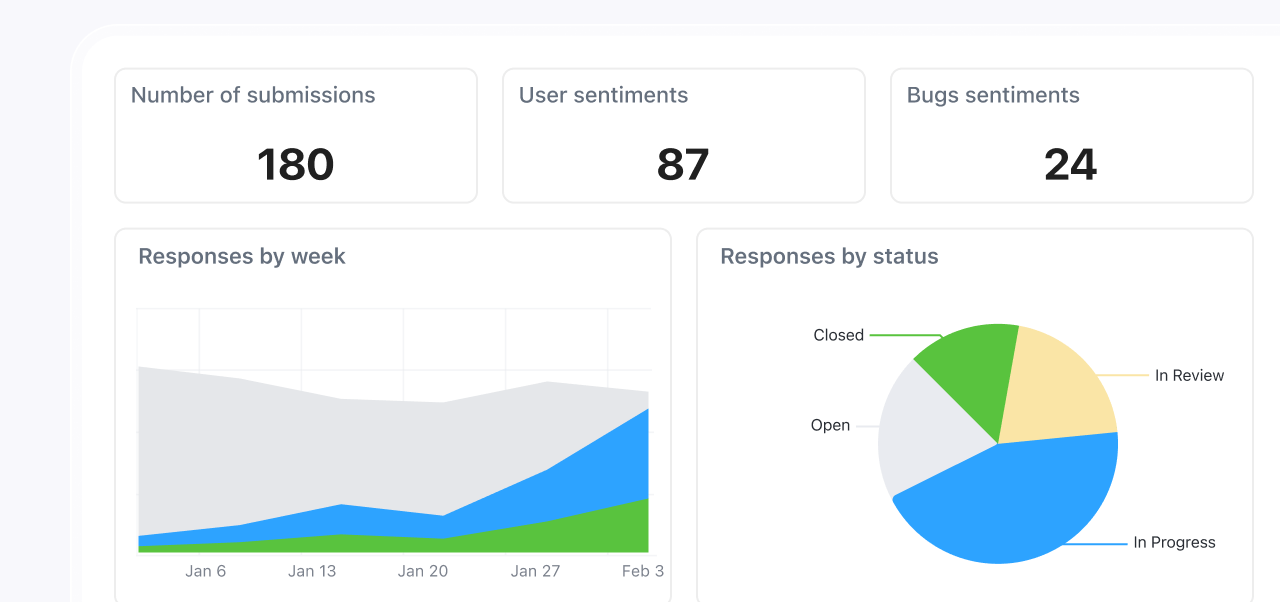
All of this data feeds directly into ClickUp Dashboards, where you can visualize what’s happening without running reports or exporting anything.
Hear it from this user on Reddit:
I really like the look of the Forms feature. Seems intuitive and the AI feature is kinda cool. I don’t get a ton of form responses, but I can see how this would save time if you’re constantly sorting through feedback or requests. Also, they let you customize forms more. I played around with the cover images and button colors, and it’s nice to not be stuck with the default.
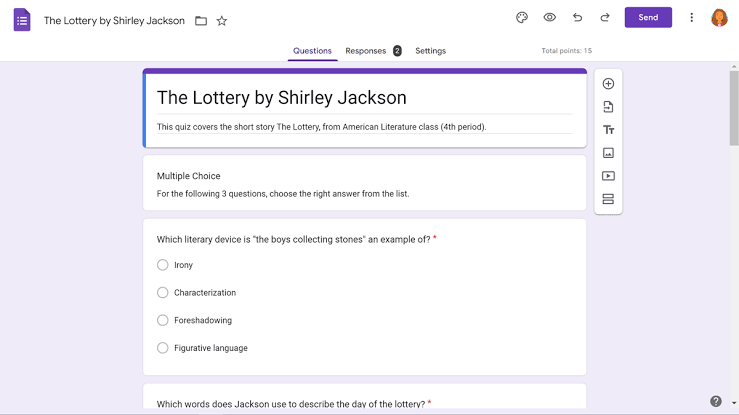
via Google Forms
Google Forms turns data collection into a team sport.
Since it is a flexible tool, your marketing team can brainstorm survey questions while your analyst sets up the response tracking, all happening in real time.
The data collection software lives inside Google’s ecosystem, so collected responses automatically flow into Google Sheets, where your team can start analyzing immediately.
You get unlimited responses without paying a penny, which means you can survey your entire customer base without worrying about hitting response limits.
Hear it from this user:
As a healthcare organization, having HIPAA-compliant tools like Google Meet and Google Forms has made intake, documentation, and virtual sessions with clients smooth and professional. The shared Drives and user permission settings also help maintain data privacy while enabling team collaboration.
📮ClickUp Insight: Only 12% of our survey respondents use AI features embedded within productivity suites.
This low adoption suggests current implementations may lack the seamless, contextual integration that would compel users to transition from their preferred standalone conversational platforms.
For example, can the AI execute an automation workflow based on a plain-text prompt from the user? ClickUp Brain can!
The AI is deeply integrated into every aspect of ClickUp, including, but not limited to, summarizing chat threads, drafting or polishing text, pulling information from the workspace, generating images, and more.
Join the 40% of ClickUp customers who have replaced 3+ apps with our everything app for work!
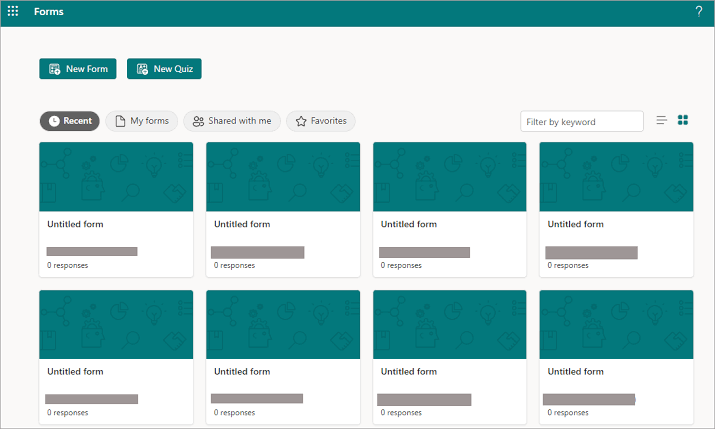
via Microsoft Forms
Microsoft Forms feels right at home in corporate environments.
Your IT department already trusts Microsoft’s security, so getting approval for this data collection software usually takes minutes instead of months.
The quiz-building feature transforms boring Microsoft Forms templates into engaging assessments with automatic scoring and personalized feedback. When you connect it to Power BI, your survey data becomes those impressive dashboard visualizations that make executives happy.
This G2 review explains what works (and what doesn’t):
Microsoft Forms is very easy to set up and use, and they allow for a lot of different types of forms. It integrates well with other Microsoft products. I use it every time I need to gather feedback or information. […] The presentation output features are limited. There is also no way to do live polling or input.
🔍 Did You Know? The Nielsen Company began tracking radio audiences in the 1930s. Their system evolved into the TV ratings industry and eventually digital behavior measurement, shaping how media gets bought and sold today.
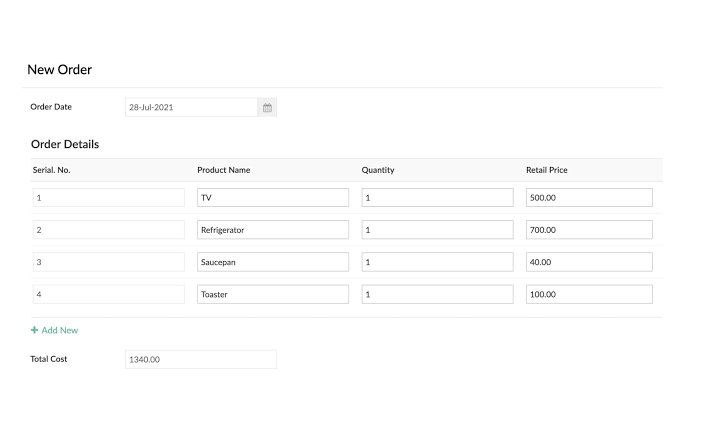
via Zoho Forms
Zoho Forms thinks bigger than just collecting data.
When someone fills out your form, the data collection software can automatically create a lead in your CRM, send a welcome email, assign a task to your sales team, and schedule a follow-up reminder.
You can accept payments, collect digital signatures, and route approvals through your organization without requiring manual data handling.
The tool connects with over 40 Zoho apps plus hundreds of third-party tools, turning form submissions into complete workflows.
Hear it from this user:
Very easy to configure the form from the designer and run it quickly and check the respondents as well.
📖 Also Read: Best Member Management Software for Organizations
via FastField
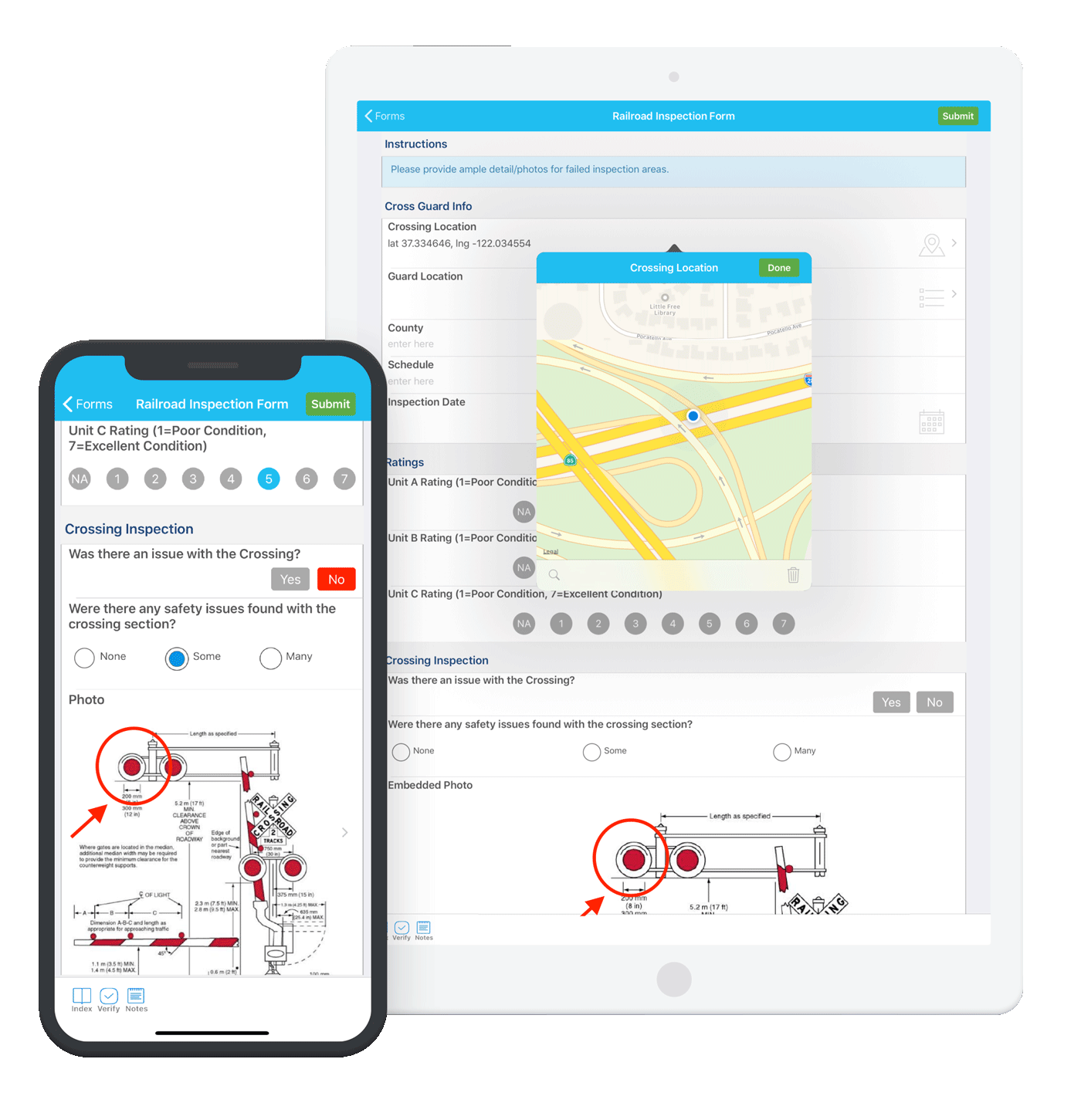
FastField lives on smartphones and tablets where your field teams work. Construction sites, retail stores, delivery routes, and anywhere Wi-Fi is spotty or nonexistent.
This data collection software keeps working even when your internet connection doesn’t, storing everything locally until you get back online.
Every submission captures exactly where and when it happened, plus you can snap photos and attach files right from the field. Your office team gets real-time updates through custom dashboards that show what’s happening across all your locations, facilitating better remote team management.
Straight from a G2 review about this data collection software:
We use FastField to send forms to clients. The feature that I love is the photo feature. We require our clients to send us a photo of their drivers license so that we can keep it on file. FastField is easy to drag and drop to create a form. Then sending out to a client is a snap.
🧠 Fun Fact: In 2014, the New York Public Library created a dataset of over 17,000 historical restaurant menus. Researchers now use it to study food trends, pricing changes, and cultural shifts across decades.
via KoboToolBox
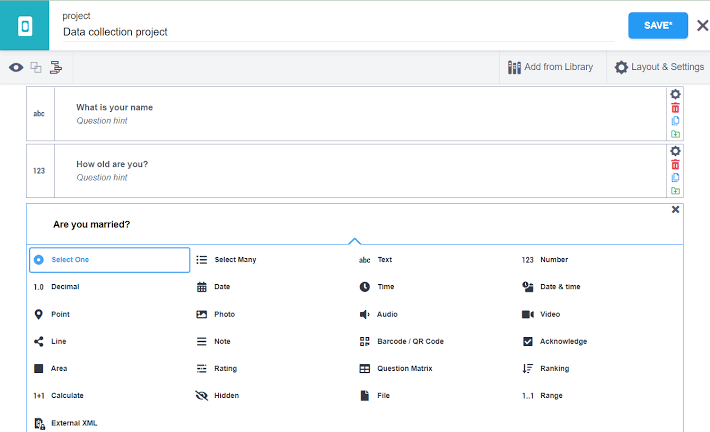
KoboToolBox was built for the toughest environments: refugee camps, disaster zones, and remote villages where other data collection apps simply won’t suffice.
Aid workers require mobile forms that function in multiple languages, accommodate complex family structures, and safeguard sensitive information.
The platform excels at handling repeat groups, making it reliable for collecting information about every household member or tracking multiple supply distributions. You can build cascading questions that adapt based on geographic regions or demographics, and all information remains encrypted and compliant with international humanitarian standards.
One G2 review puts it this way:
Early of others, I can say that data collection by the Kobo toolbox is easy and fun. You don’t have to be tech-savvy to design questionnaires on the tool be it open or closed-ended. Anyone with a very basic orientation on the tool can jump to use the tool without any difficulty and even, will automatically jettison paper-based data collection. The data collected is easily exported to different formats.
📖 Also Read: Free Client Intake Form Templates in Word & ClickUp
via Wufoo
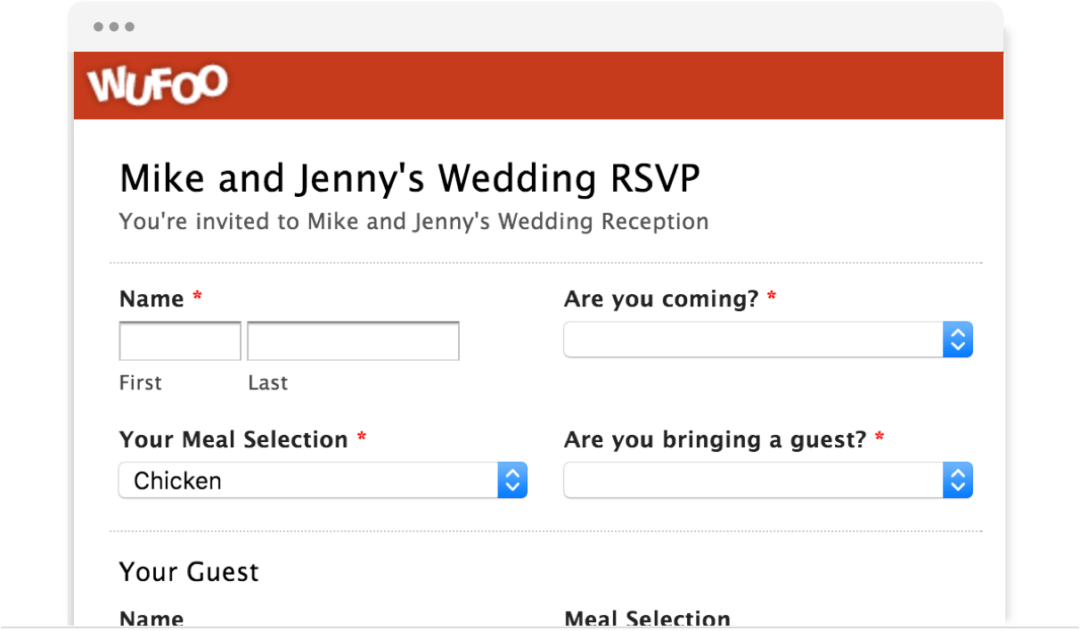
Wufoo speaks fluent CSS and HTML, making it the data collection software for people who care about how their forms look and feel. Your web developer can customize every pixel to match your brand while the platform handles the heavy lifting of payment processing and email automation.
You’ll get detailed analytics showing exactly where people abandon your forms and which questions cause the most confusion. The API access means you can connect Wufoo to practically any system your business uses, making it play nicely with your existing tech stack.
Hear it from this user:
I use Wufoo platform in my day to day use at work, the tool allows me to know and storage all customer importat data.
🔍 Did You Know? In 2008, Google’s Flu Trends project attempted to predict flu outbreaks based on user search behavior. It was promising but ultimately inaccurate, highlighting the challenges of using indirect data signals without proper validation.
via Typeform
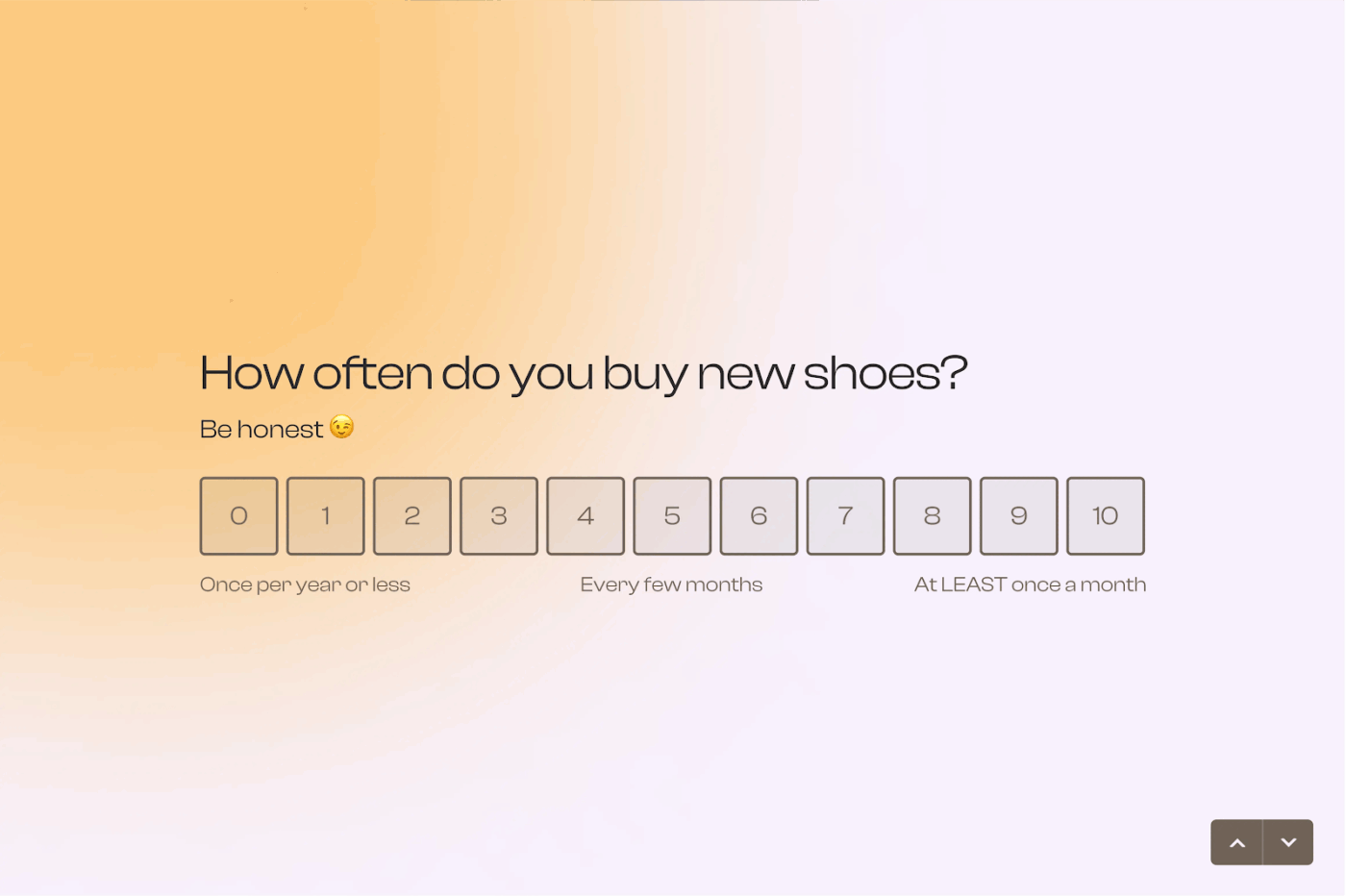
Typeform turned boring surveys into conversations.
While most apps overwhelm people with endless questions on one page, this data collection software presents one question at a time with smooth animations that actually feel enjoyable.
People stick around longer and complete more forms because the experience feels more like chatting than filling out paperwork. The logic jumps create personalized paths through your questions so you only see what’s relevant.
From a conversation on Reddit:
the design capabilities are outstanding. The most compelling case study I can give you is that I needed to use a survey to gather customer data as a way of kicking off a machine learning process by seeding a database with an approximation of the behavioural data we were hoping to gather through continuous operation. […] We had a LONG questionnaire and completion rate increased from 14% to 57% solely by switching from survey monkey to typeform. design is just so important!
📖 Also Read: How to Create an Anonymous Survey
via Jotform
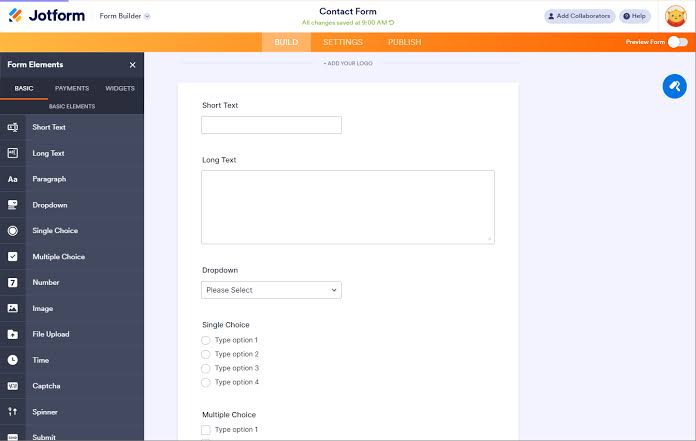
Jotform boasts over 10,000 templates, covering every conceivable scenario.
Need a wedding RSVP form? They’ve got 17 variations. Planning a corporate event? There’s a feedback form template for that, too. This data collection software saves you from starting with a blank page, and then lets you drag and drop your way to customization.
The conditional logic gets surprisingly sophisticated, creating forms that adapt and change based on user responses. You can collect payments, gather signatures, and connect to business tools without writing a single line of code.
See what this Reddit user had to say:
Jotform is an amazing platform that makes creating and managing forms incredibly easy and efficient. I use it regularly for my business, and it’s been a game-changer for collecting client information, processing requests, and organizing data. The interface is user-friendly, and the customization options are fantastic — you can build forms that truly fit your brand and needs. My only wish is for a higher form allocation limit on the lower-tier plans, as it can be hard to justify the jump to $40/month for the same features with just more forms.
🧠 Fun Fact: The first weather data collection network was launched in 1849 by the Smithsonian Institution. Observers across the U.S. sent daily reports by telegraph, creating one of the earliest real-time national data systems.
via Paperform
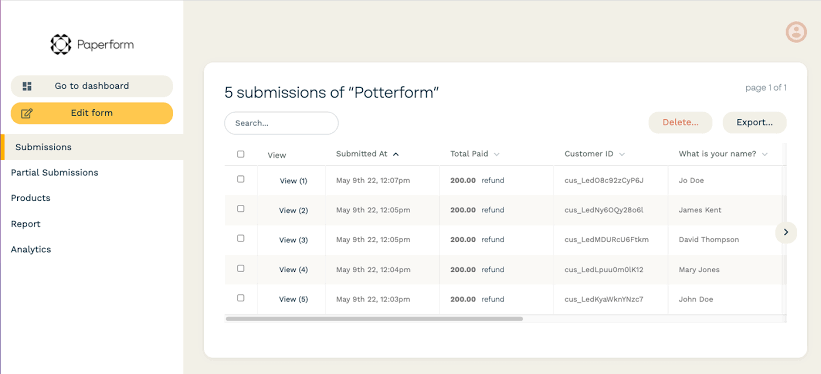
Paperform distinguishes itself with its unique, intuitive free-text form editing interface that feels like editing a document, allowing for highly flexible design and customization without coding.
Its standout capability is the creation of “Smart Forms” that incorporate advanced conditional logic, built-in real-time calculations, and auto-populated fields to create a dynamic and personalized user experience that adapts as the respondent fills it out.
This feature, combined with strong payment and e-commerce capabilities, makes it an excellent choice for generating quotes, managing orders, and creating polished, visually appealing digital documents.
Hear it from this user:
I’ve used Paperform for the past decade. They are the workhorse of form services and are the very best in my experience. They have the right interface, a huge amount of features, and lots of customizability—plus super well designed embeds. I’ve used Typeform hundreds (if not thousands) of times and continue to come back to it due to its ease of use, ease of installation, and the fact that it integrates with just about everything. Their customer support is amazing as well. Whenever I have a question, they answer.
🔍 Did You Know? Spotify collects more than just what you listen to. It also logs when you skip a song, how long you pause, and what time of day you play certain genres. That data shapes everything from personalized playlists to global trend reports.
via Fulcrum
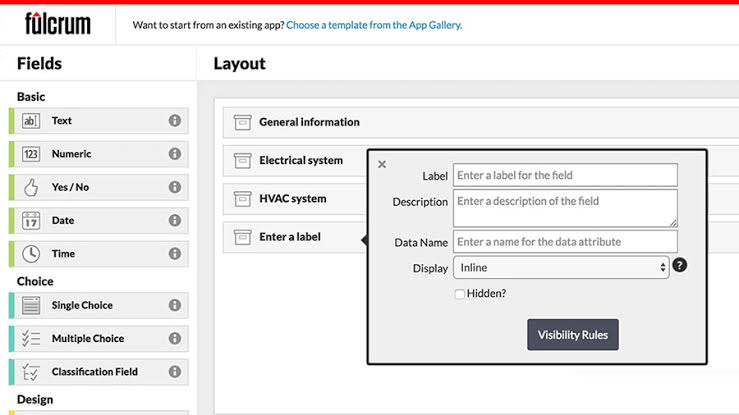
Fulcrum is the industry leader for field-first, geospatial data collection, catering to teams that need to collect and manage location-based information, such as utilities, environmental services, and asset management.
Its core capability is its AI-powered mobile GIS platform, which allows field teams to collect accurate geospatial data (points, lines, polygons) using their mobile devices, even offline. The platform ensures data quality through AI-powered validation, mandatory fields, and automatic location capture, and it integrates seamlessly with enterprise GIS systems, such as Esri ArcGIS, turning field observations into reliable, real-time spatial data for critical decision-making.
The survey analysis software handles massive datasets across multiple locations while maintaining the kind of data security and audit trails that big organizations demand.
According to a G2 review:
I like that Fulcrum is easy to use and helps me get my work done quickly and easily. It’s a simple and effective tool that makes everything faster and smoother. […] The only issue I’ve experienced is that once I synchronize my data, I can’t edit it.
🧠 Fun Fact: The U.S. Library of Congress once attempted to archive all public tweets. The project ran from 2010 to 2017 before pausing due to scale. It revealed how difficult it is to preserve real-time digital data in meaningful ways.
While many data collection software solutions in this list help you collect information, most stop short of turning that data into clear action.
ClickUp is different. It doesn’t treat data collection as a separate process.
Forms feed directly into your workflows, tasks, and dashboards. Every response can trigger automations, update project boards, or prompt instant follow-ups. You stay in control from the moment data enters the system to the point it’s acted on.
For teams that value speed, visibility, and built-in accountability, ClickUp is the most complete solution on the list.
Sign up for ClickUp today! ✅
Data collection software gathers inputs through forms or surveys, while data management software helps organize and act on that data. Some tools, like ClickUp, combine both.
Yes, modern tools structure responses automatically and update data in real time. This reduces manual work and errors.
Validation rules, required fields, and conditional logic prevent incomplete or inaccurate entries. Automation can flag issues instantly.
Most tools offer role-based access, encryption, and audit logs. Always review security and compliance features before choosing.
When data needs routing, approvals, or follow-ups, basic forms aren’t enough. Workflow-enabled tools work better.

© 2026 ClickUp

There’s an easier way. Try a free AI Agent in ClickUp that actually does the work for you—set up in minutes, save hours every week.