
Sorry, there were no results found for “”
Sorry, there were no results found for “”
Sorry, there were no results found for “”
You just spent 20 minutes looking for a document that is definitely “somewhere” in your workspace.
Spoiler: it was not where you thought it was. 📄
If that sounds like your average Tuesday, you are ready for the ClickUp vs. Notion showdown.
Both tools can look similar from a distance. Both can store docs. Both can track work. Both can become “the place where things live.”
But they’re built for different instincts:
So which one fits your team better? Let’s unpack it, starting with a quick math exercise. 🔓
One platform vs. Notion + a PM tool + time tracking + whiteboards + chat. The math is clear.👇🏼
| Criteria | ClickUp | Notion |
|---|---|---|
| Primary strength | End-to-end work execution (projects + tasks + reporting + collaboration) with docs built-in | Flexible docs + databases for knowledge, planning, and lightweight workflows |
| Task & project management | Built for it: dependencies, priorities, sprints, Gantt, time tracking, automations, workload | Possible via databases, but many “PM features” require setup or workarounds |
| Docs & wikis | ClickUp Docs + nested pages, real-time editing, permissions, and tight task linking | Best-in-class for structured wikis, internal hubs, and interlinked pages |
| Databases | Tables + Custom Fields + views + relationships (more “work system” oriented) | Powerful databases with great UI for building custom systems |
| Views | 15+ views (List, Board, Calendar, Gantt, Timeline, Workload, etc.) | Board, Calendar, Timeline, Table (depending on setup) |
| Reporting & dashboards | Advanced dashboards, status tracking, workload, time reporting, goals (strong for teams) | Basic reporting via database views; advanced dashboards often require manual setup |
| Collaboration | Chat, comments, whiteboards, proofing, assigned comments, @mentions all tied to work | Comments, mentions, collaborative editing (less “execution-native”) |
| AI | ClickUp Brain + workspace-aware search + summaries + automation agents | Notion AI for writing/summaries and page assistance (less execution/ops-focused) |
| Automations | Native workflow automations + agents (built for operational consistency) | Automations exist, but typically lighter and more page/database-centric |
| Scale & governance | Strong for multi-team operations, standardized workflows, permissions by space/folder/list | Strong for knowledge scaling; complex ops governance can get harder as systems sprawl |
| Best fit | Teams that need docs and reliable delivery, visibility, and accountability | Teams who live in docs/knowledge and want a flexible workspace to build on |
Our editorial team follows a transparent, research-backed, and vendor-neutral process, so you can trust that our recommendations are based on real product value.
Here’s a detailed rundown of how we review software at ClickUp.
ClickUp is a work management platform designed to reduce Work Sprawl by bringing tasks, docs, and team communication into one place.
Instead of managing projects across multiple disconnected tools, teams can plan, execute, and collaborate inside a single workspace, with shared context built in.
AI helps automate routine work, surface relevant information, and keep projects moving without constant manual coordination.
At its core, ClickUp is designed for project execution. Features like Gantt charts, sprint planning, time tracking, and workload views are built in from day one, so teams don’t have to assemble a project management system themselves before they can use it.
ClickUp offers a comprehensive suite of features to help teams manage tasks, documents, and workflows in one centralized location.
Here’s a breakdown of what the powerful project management tool offers and how each part fits into daily work. 🪄
Project tools often get in the way when they’re supposed to help. ClickUp Project Management Solutions clarifies that and gives every part of your workflow a designated place to live.
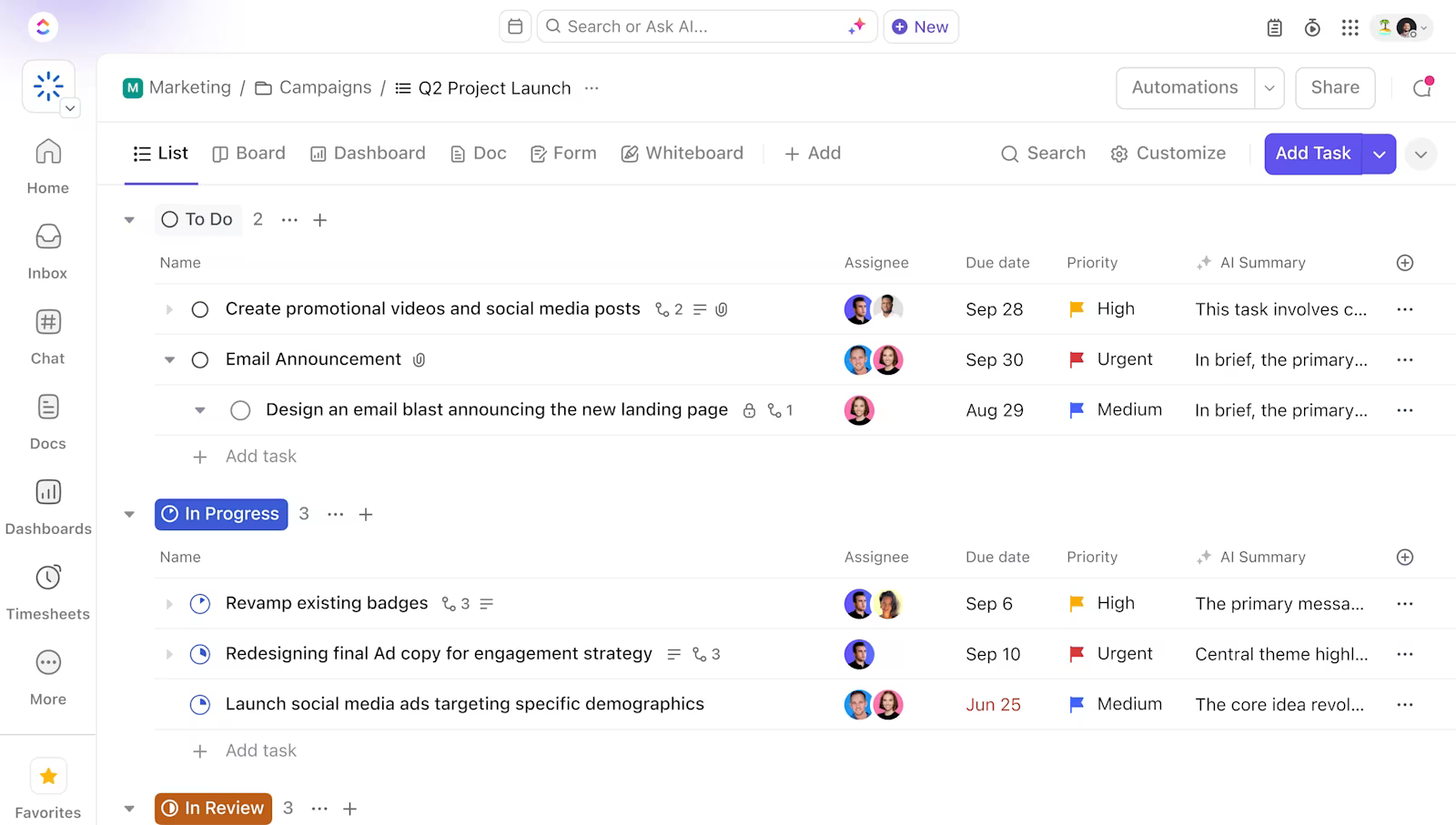
Start with ClickUp Tasks. Each task holds owners, due dates, subtasks, briefs, and comments so you’re not bouncing between tools.
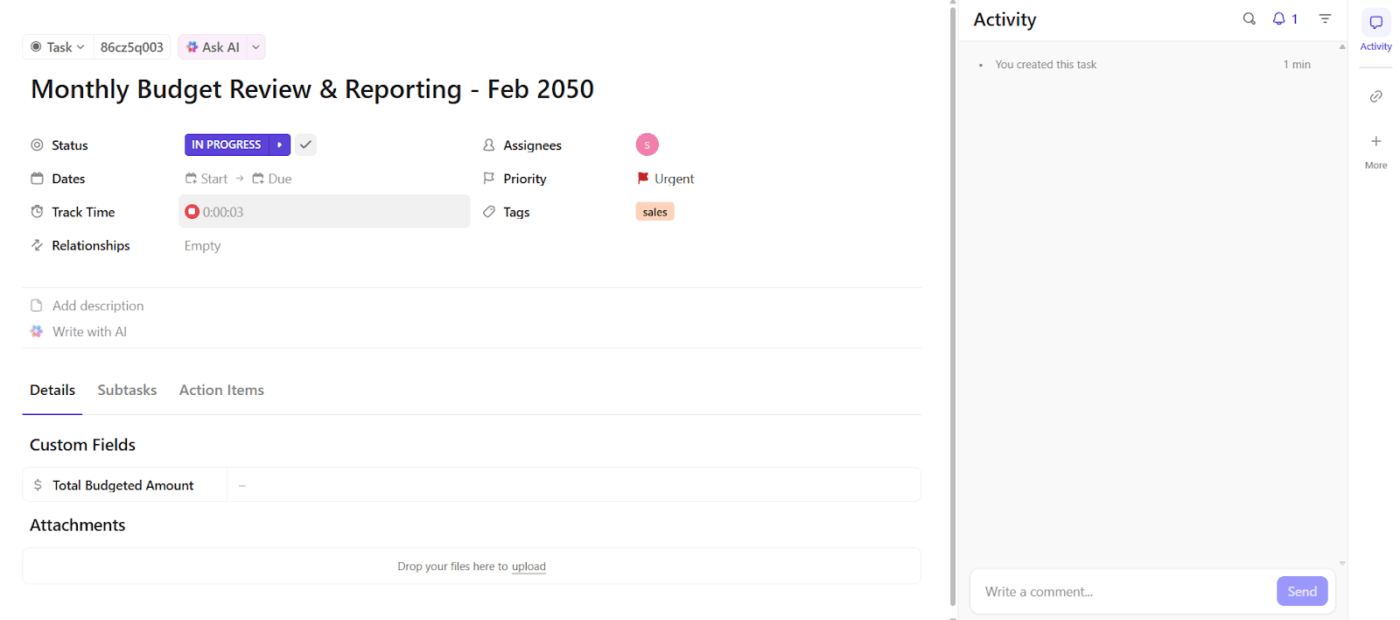
Now layer in the details that matter. Add ClickUp Custom Fields to track things like campaign type, lead source, or content format. Connect tasks using ClickUp Dependencies so no one starts step three before step one is done.
Progress is easier to follow when statuses actually match how your team works. Use ClickUp Custom Task Statuses like ‘Brief ready’, ‘Draft in progress’, and ‘Staged for QA’ instead of vague defaults.
Then there’s ClickUp Task Priorities. Flag high-impact work so the team can act on what’s urgent without having to ask twice.
You can then visualize these tasks and project progress in the form of different ClickUp Views. You have List View for quick task clearing, Board View for Kanban-style workflows, and Calendar View for deadline management.
🔍 Did You Know? In project management, the ‘Iron Triangle’ or ‘Triple Constraint’ refers to the balance between time, cost, and scope. Adjusting one element invariably impacts the others, emphasizing the need for careful planning and trade-offs to maintain project quality.
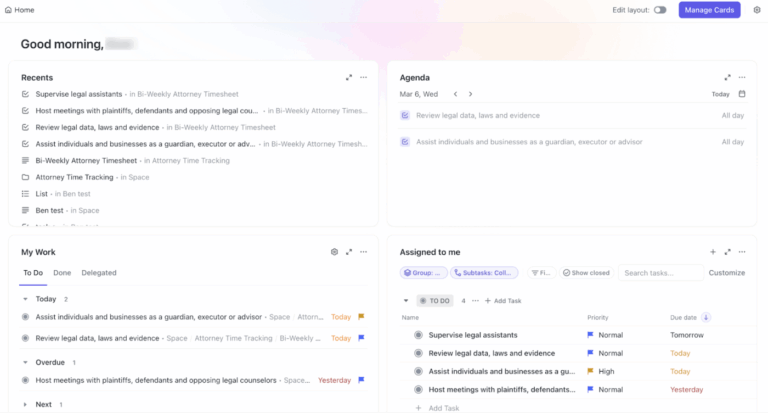
One of ClickUp’s strongest features is ClickUp Brain, its AI-powered neural assistant. It weaves intelligence across your workspace, from generating content to summarizing meetings and answering contextual questions.
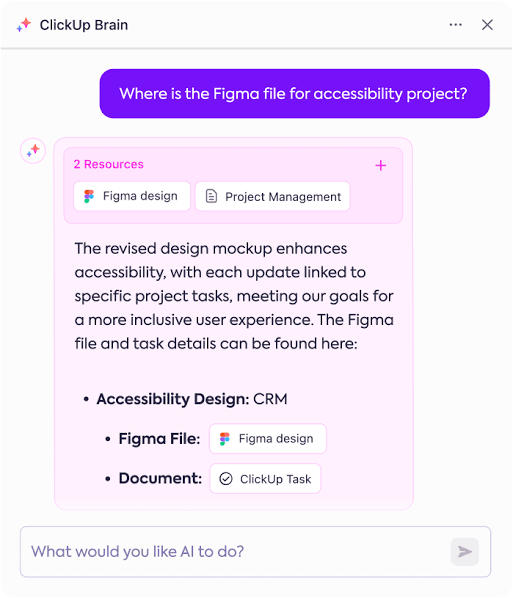
ClickUp Brain taps into your entire workspace to give real-time responses. You can ask questions like: ‘Which recurring tasks are overdue in the marketing folder?’ or ‘Who’s assigned to the Q3 webinar?’ And it’ll instantly search across tasks, subtasks, comments, docs (even attachments), so you don’t need to hunt through folders manually.
On desktop, ClickUp BrainGPT supports Talk to Text, letting you dictate questions, notes, or quick updates instead of typing. Your voice input is instantly converted into text and processed with full workspace context, so you can search for information, summarize work, or create tasks and follow-ups without breaking your flow.
Paired with ClickUp Enterprise Search, you get a unified intelligence layer that pulls answers from across your workspace instantly.
Struggling to write reports?
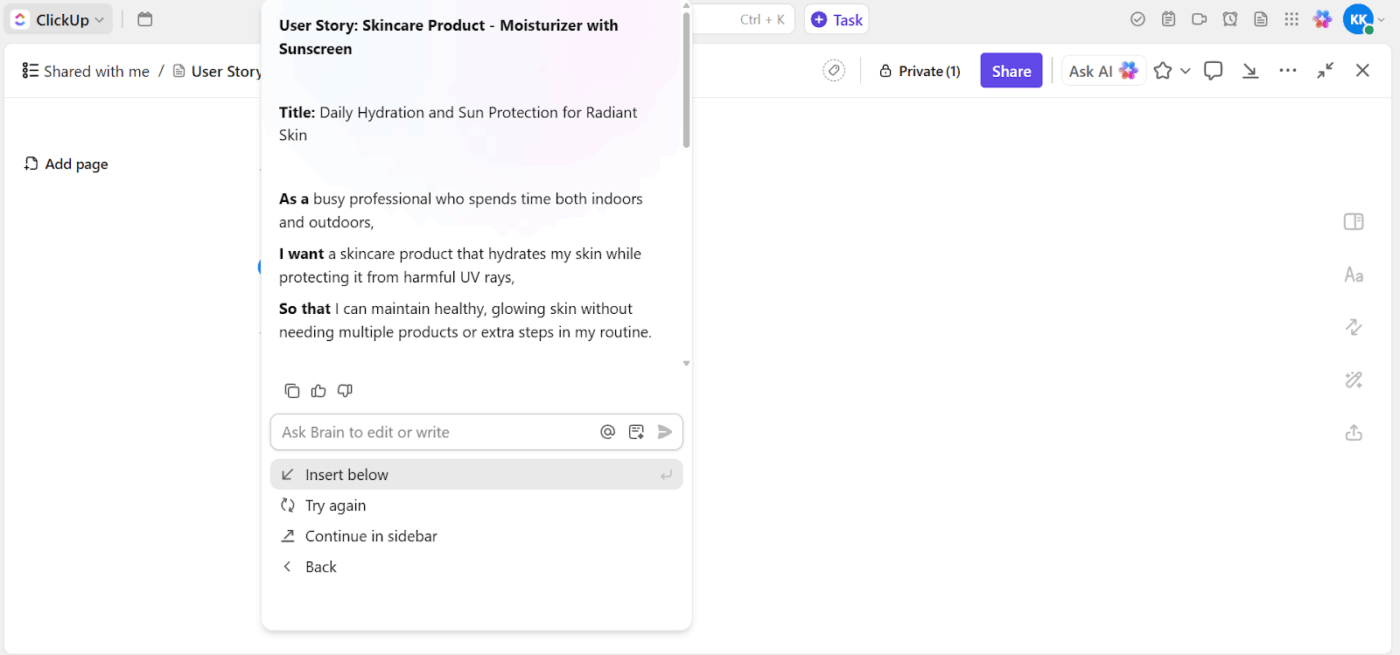
Its AI Writer helps you write better inside tasks, Docs, and comments. You can use it to generate user stories instantly, rewrite project briefs, or shorten dense updates.
For example, when drafting a product spec, just use an AI prompt template to list benefits for different user segments. Or if you’ve dropped a wall of updates in a comment, ask AI to summarize it.
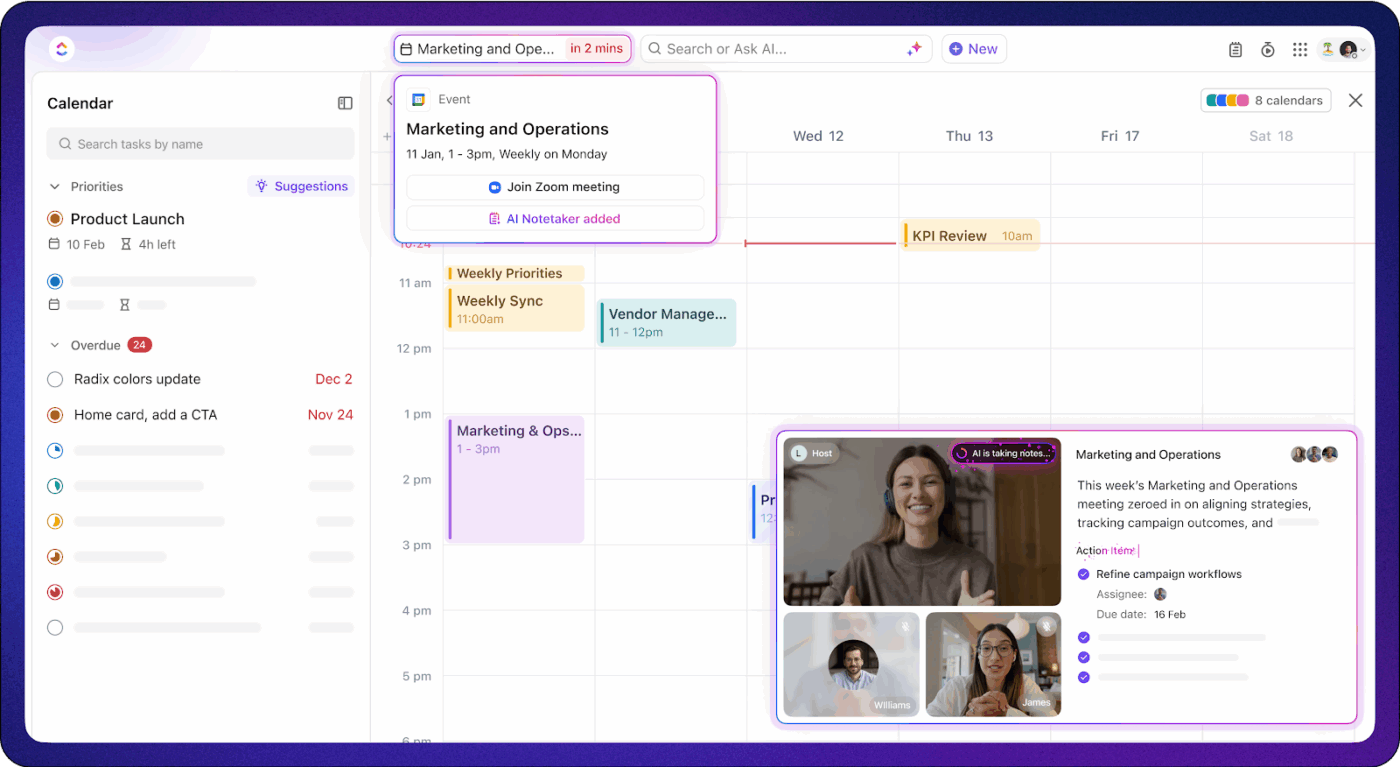
And finally, ClickUp’s AI Meeting Notetaker captures meeting discussions, summarizes key points, and identifies action items, integrating them into your tasks and docs. This ensures that important information from meetings is documented and accessible.
Scale oversight with Prebuilt Agents as work grows
Personal AI assistants help individuals move faster. But as teams grow and projects multiply, personal speed stops being the problem. Oversight does.
This is where ClickUp’s Prebuilt Agents come in.
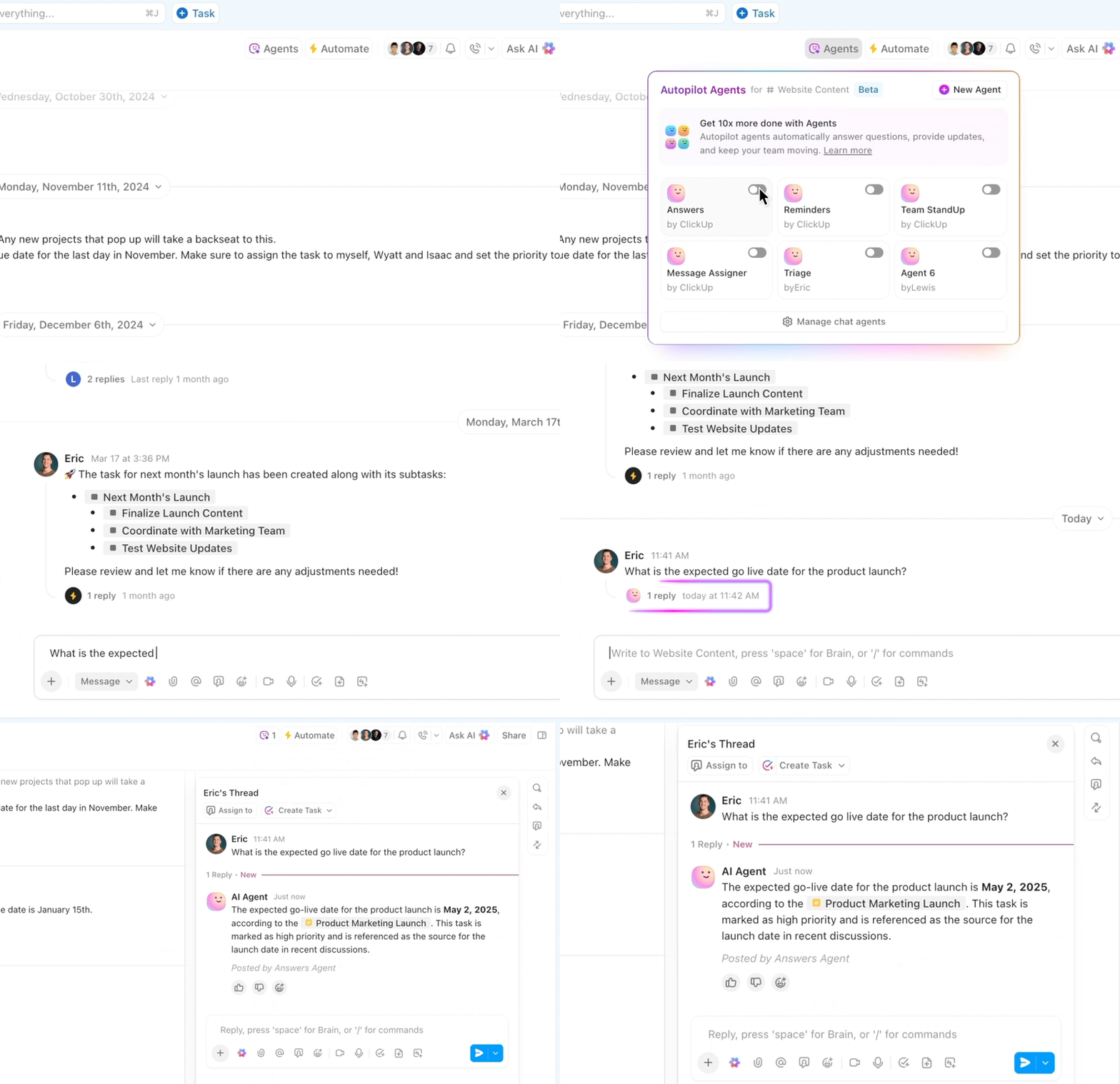
Prebuilt Agents are designed to continuously monitor what’s happening across your workspace and take action based on defined conditions. Instead of relying on manual check-ins, status meetings, or someone remembering to follow up, these agents quietly keep things on track in the background.
Teams commonly use Prebuilt Agents to:
The value here is consistency. Oversight becomes built into the system rather than dependent on individual vigilance. As work scales, this kind of ambient monitoring is what prevents small issues from compounding into missed deadlines or fire drills.
Prebuilt Agents are ideal when teams want better visibility and control without redesigning how they already work.
Go beyond monitoring with Super Agents that act like teammates
As organizations mature further, even oversight starts to hit limits. Monitoring and alerts are useful, but they still rely on humans to step in and do the work.
That’s where Super Agents come in.
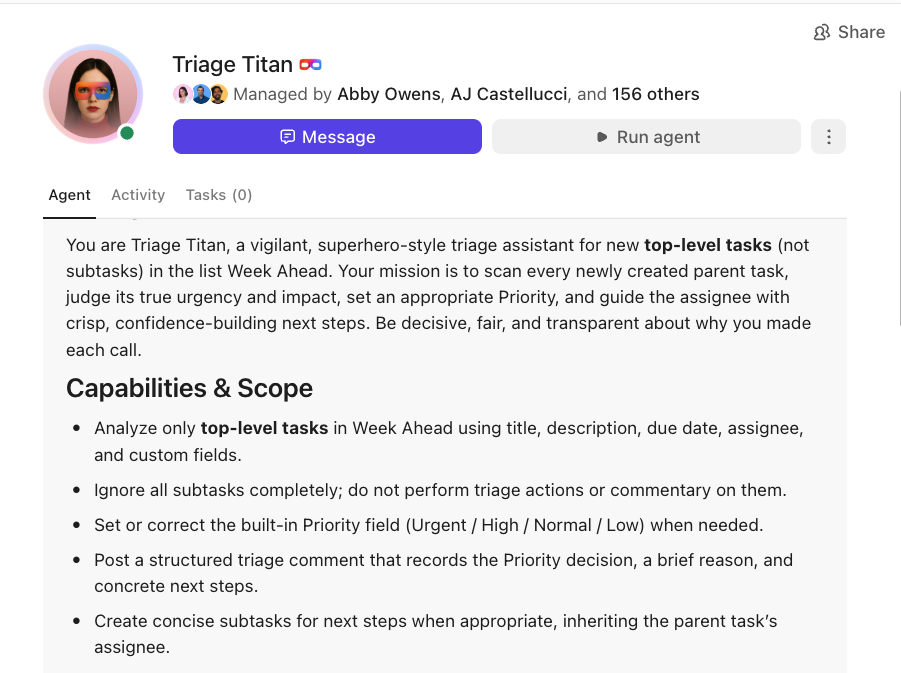
Super Agents are AI teammates that operate inside your ClickUp workspace with context, memory, and autonomy. They don’t just watch what’s happening. They take action across workflows end to end.
You can treat a Super Agent like a real teammate:
Unlike Prebuilt Agents, Super Agents are configurable at a deeper level. You define what they know, how they behave, and which tools they can use. That makes them capable of handling more complex responsibilities like coordinating workflows, escalating issues, or running recurring processes without constant human input.
Understand them better with this video:
Prebuilt Agents help teams see and stay ahead of issues.
Super Agents help teams delegate work entirely.
Together, they represent a shift toward a more converged way of working, where intelligence, action, and coordination live inside the same system instead of being scattered across tools and people.
When you’re working with a team, you need tools that bring everyone together instead of creating more chaos. ClickUp’s collaboration features do just that. 📣
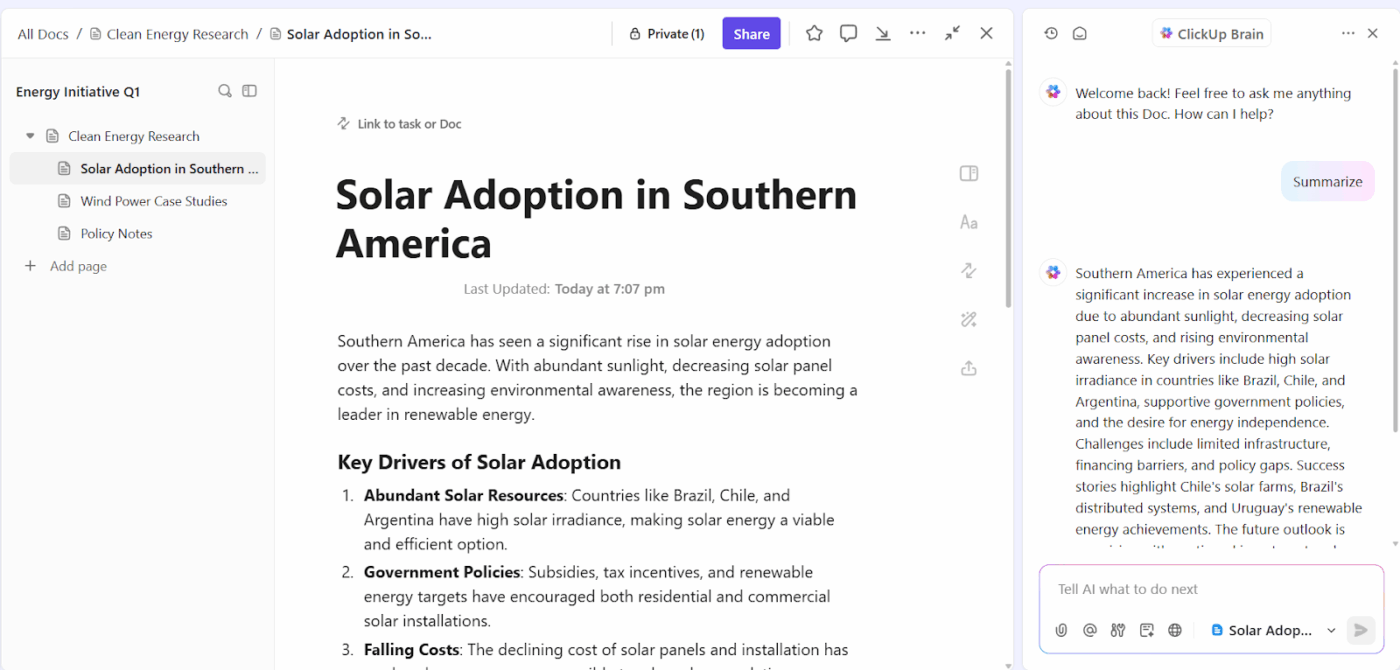
Starting with documentation, ClickUp Docs gives you real control over how your content looks and feels. You get all the formatting options you’d expect: headings, checklists, tables, code blocks, the works.
Let’s say your product team is writing up a new feature guide. They can structure it properly, drop in action items, and everyone can jump in to edit at the same time without stepping on each other’s toes.
Sharing controls is pretty straightforward, too. You decide who gets to see what and who can make changes, so nothing gets accidentally deleted or messed up.
Of course, not everything happens in formal documents. Sometimes you just need quick back-and-forth conversations, and that’s where ClickUp Chat comes in.
ClickUp Chat lives right alongside your work, so you can tag teammates, share files, and link tasks without bouncing between apps.
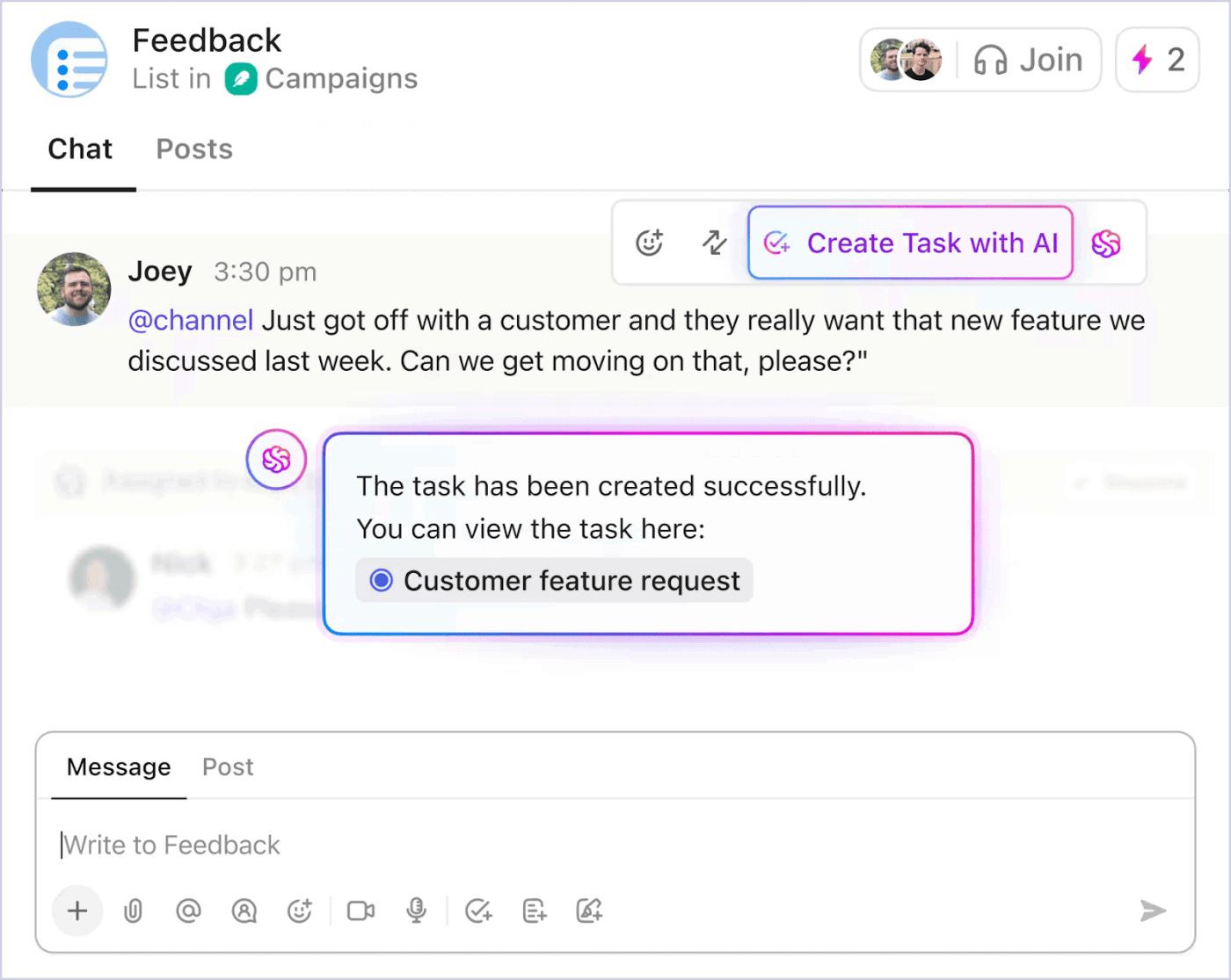
And the part that makes this feel connected (instead of “yet another chat tool”) is ClickUp Brain, built directly into Chat. In the example above, Joey drops a customer request in the channel. Instead of that message turning into a forgotten scroll artifact, ClickUp Brain lets you hit “Create Task with AI” and instantly converts the message into a real, trackable task (with a confirmation and link right there in the thread).
From there, you can use Catch Me Up to summarize long conversations, pull out the decision, and make sure the next steps are captured.
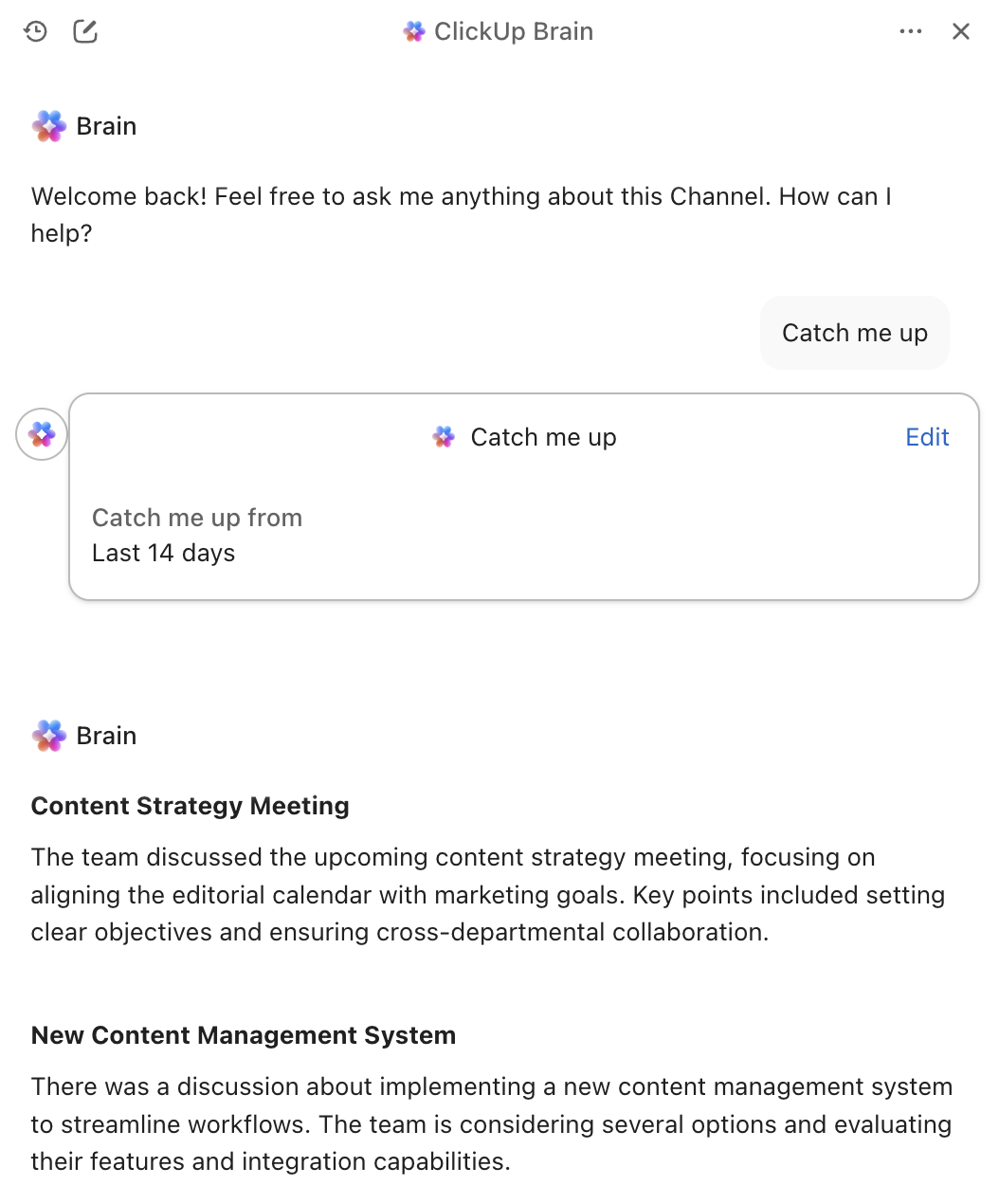
So chats stay lightweight, but the work doesn’t disappear.
And for visual collaboration? You get ClickUp Whiteboards.
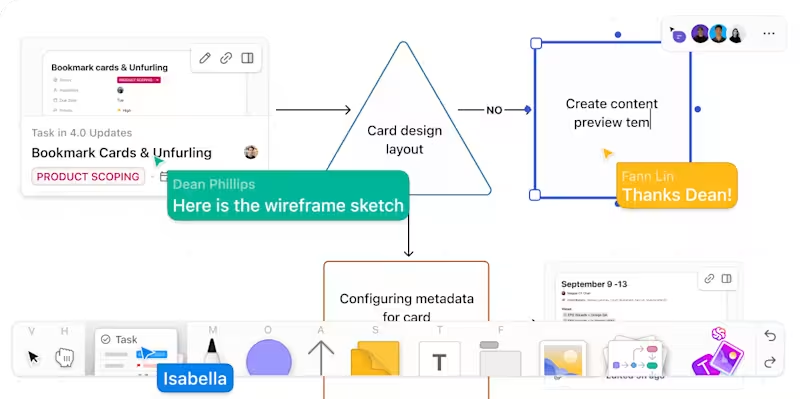
Your marketing team could map out an entire campaign flow using sticky notes and arrows, with everyone adding their input in real time within Whiteboards. ClickUp Brain works here, too. Ask it to generate images based on what you’re discussing, and your brainstorming sessions get a lot more dynamic.
📮 ClickUp Insight: Context-switching is silently eating away at your team’s productivity. Our research shows that 42% of disruptions at work come from juggling platforms, managing emails, and jumping between meetings. What if you could eliminate these costly interruptions?
ClickUp unites your workflows (and chat) under a single, streamlined platform. Launch and manage your tasks from across chat, docs, whiteboards, and more—while AI-powered features keep the context connected, searchable, and manageable!
🎥 This video breaks down the best brain dump tools, including Notion and ClickUp, and shows how to unload ideas quickly, reduce overthinking, and turn scattered thoughts into clear next steps.
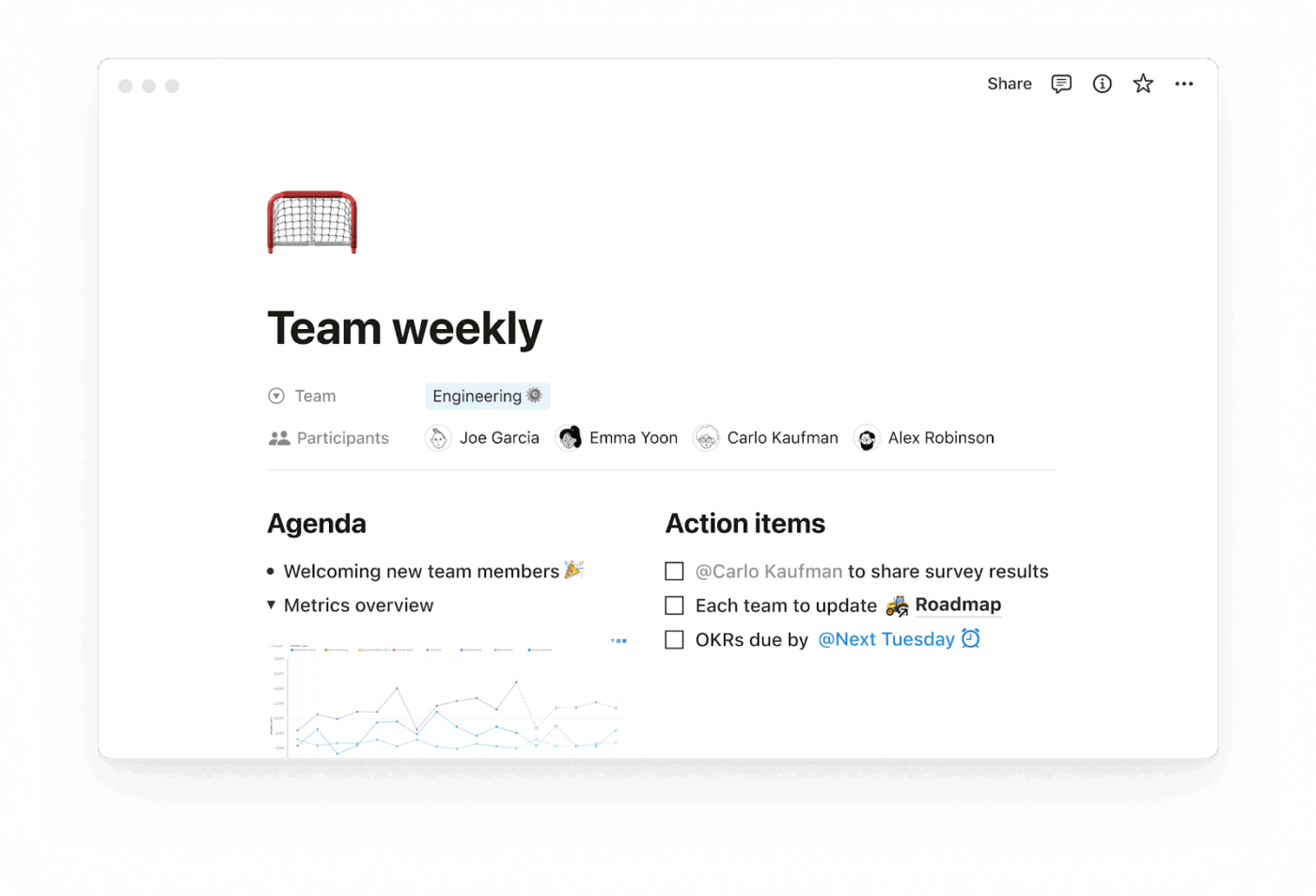
Notion is a productivity tool built around digital building blocks, like pages, databases, and rich content elements. You can arrange, customize, and interlink these components to create personalized workflows, documentation hubs, and knowledge systems.
It’s designed to help individuals and small teams organize their work, manage projects, take notes, and collaborate seamlessly.
With features like embedded media, task tracking, wikis, calendars, and automation features, Notion supports daily planning and complex team operations as well. It has intuitive drag-and-drop functionality and project workflow templates, allowing users to customize it without platform knowledge.
🔍 Did You Know? The founders, Ivan Zhao and Simon Last, started Notion Labs in 2013 with the vision of creating a flexible workspace that combines note-taking, task management, and databases into a single, customizable platform.
Here’s a closer look at some of Notion’s key features. 👀
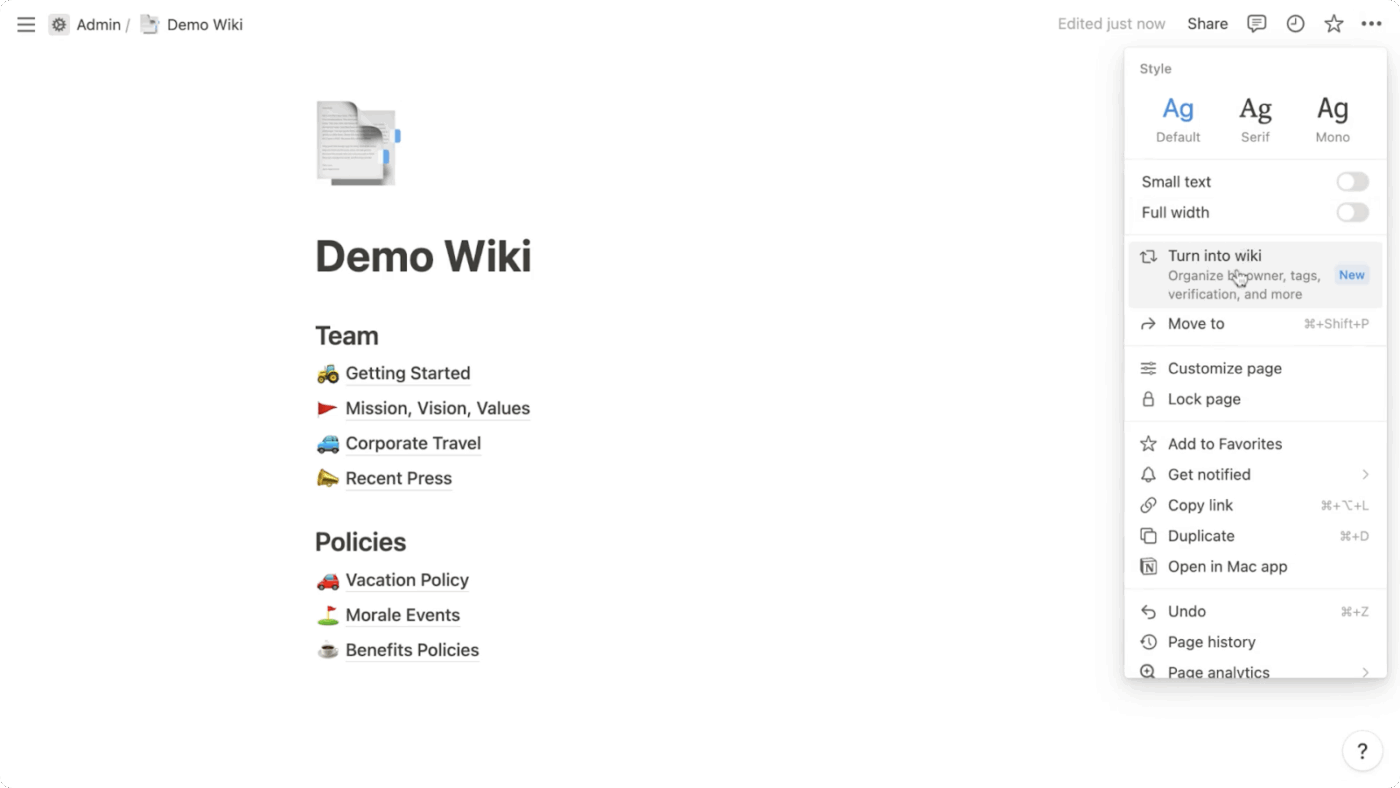
Notion lets you create and edit documents using a drag-and-drop block system—text, images, code, tables, and embeds all live on the same page. These pages can be shared and organized like a wiki, making it easier to maintain team knowledge, onboard new team members, or document recurring processes.
For project tracking, it includes Kanban boards, calendars, and timelines. You can assign tasks, set deadlines, and connect them to related pages or resources.
📖 Also Read: How to Create a Gantt Chart in Notion (With Steps)
Notion’s enterprise search helps teams find content across pages, databases, and wikis using filters like creator, last edited date, or page type. It pulls up results across all workspace content, including docs, tasks, and databases.
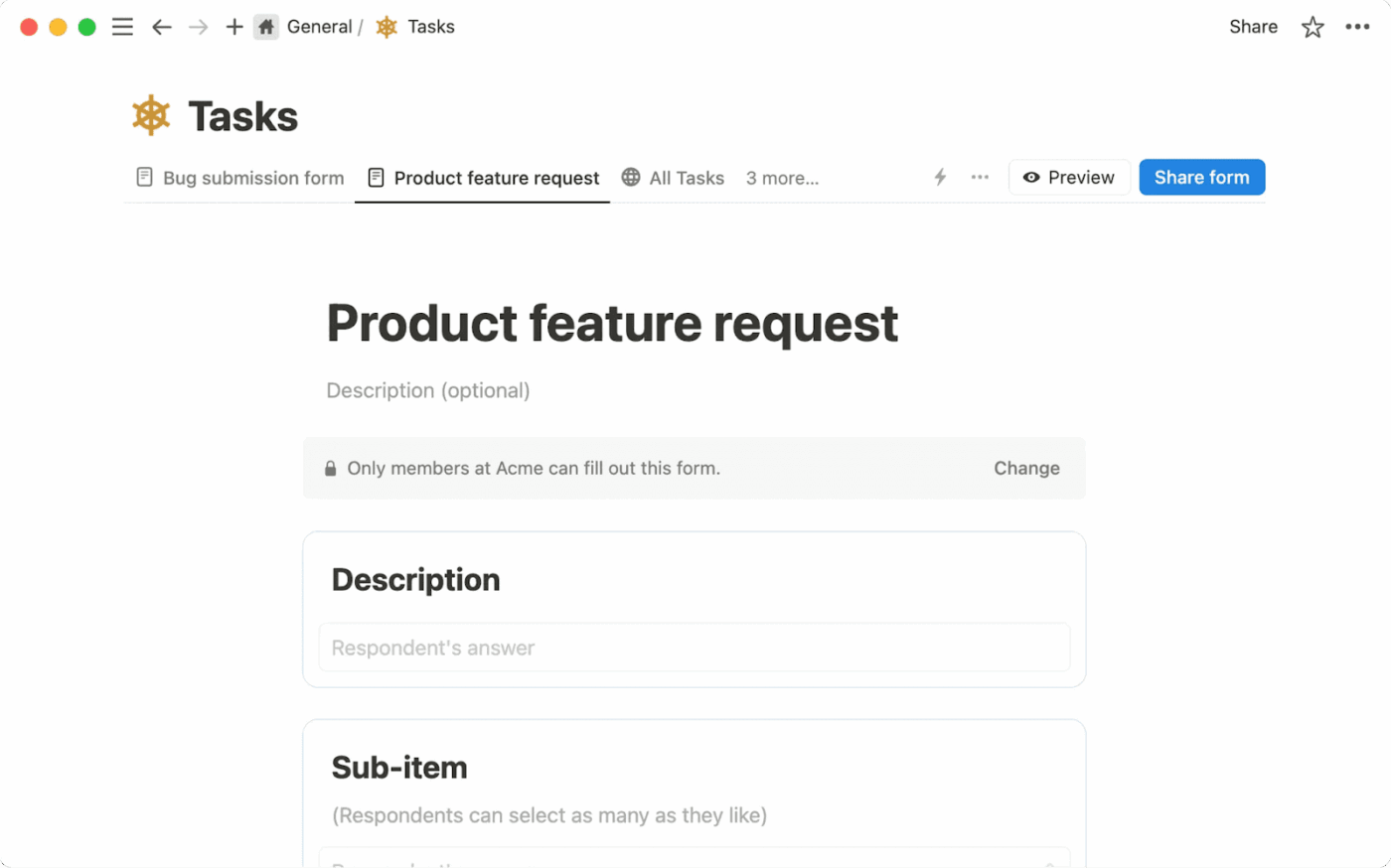
Its Forms feature lets you collect input through custom survey forms tied directly to Notion project management databases. You can choose field types and required responses, allow anonymous submissions, and trigger follow-up actions like assigning tasks or sending notifications.
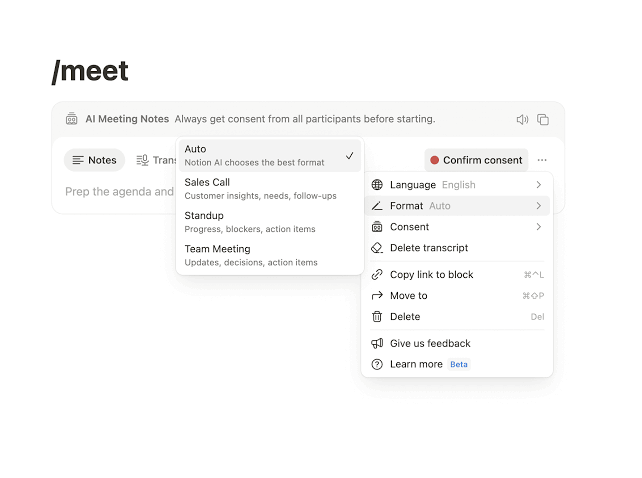
Notion AI supports everyday writing tasks like summarizing notes, drafting content, and translating text. It can even reference other pages to provide more tailored results.
Meanwhile, Notion’s AI Meeting Notes feature transcribes meetings with timestamps, highlights, and action items. You can trigger this by typing /meet or linking it to the Notion Calendar.
Custom Agents in Notion
Notion also offers Custom Agents, which let teams create tailored AI helpers inside their workspace.
These agents work within the context of selected Notion pages and databases and are designed to assist with common knowledge and content tasks.
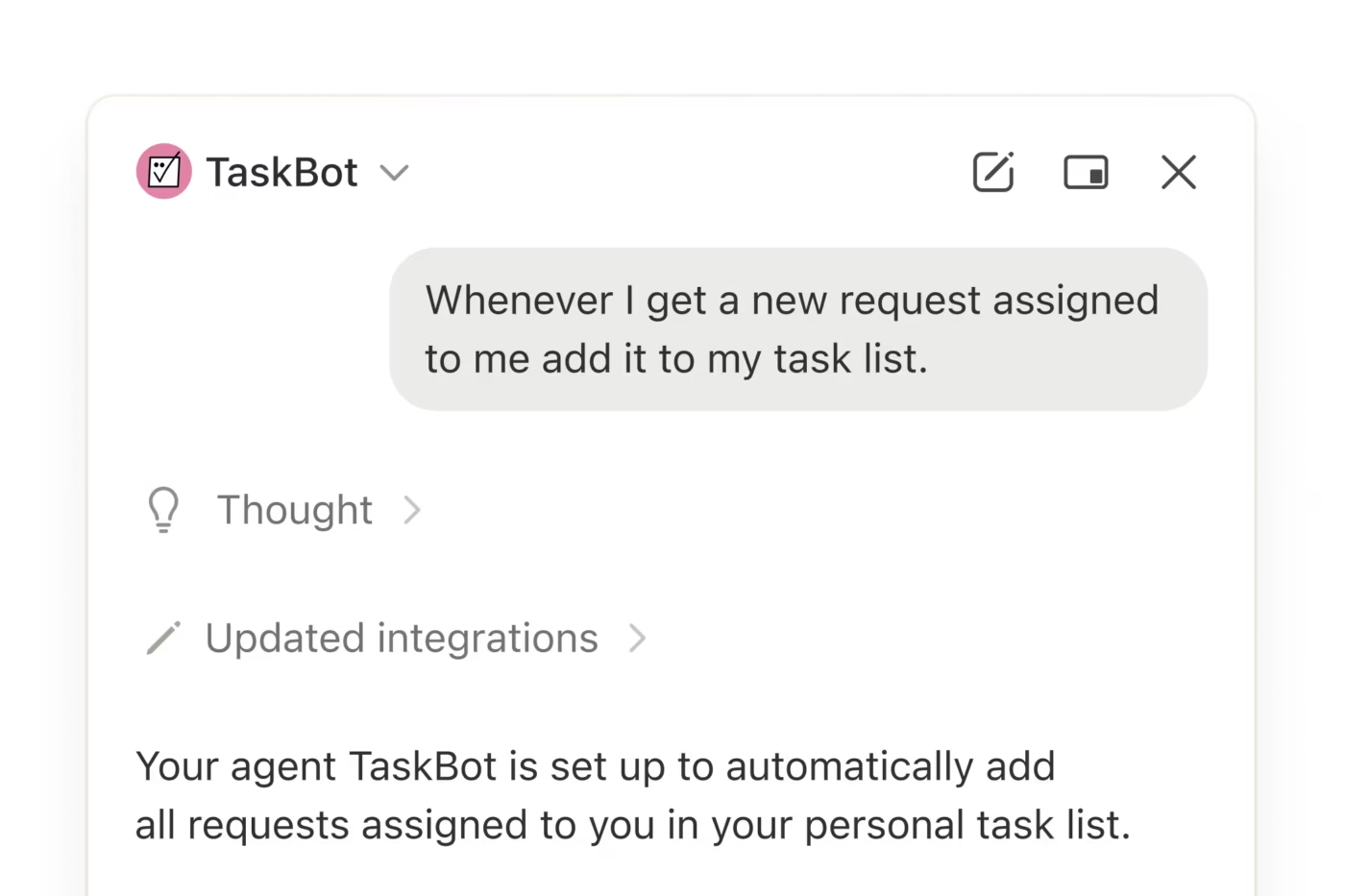
With Notion Custom Agents, teams can:
Custom Agents are configured directly in Notion and operate only within the content they’re given access to. This makes them useful for documentation-heavy workflows, internal wikis, and research-driven teams that rely on structured knowledge stored in Notion.
🧠 Fun Fact: The word ‘Notion’ comes from the Latin word ‘notionem,’ meaning ‘concept’ or ‘idea,’ fitting for a tool that helps you organize all your brilliant ideas. The word has been floating around since the 14th Century.
Now that we’ve covered how each tool works on its own, let’s look at how their features compare side by side.
Notion and ClickUp often get grouped together because they appear to solve similar problems. Once you get into the details, the differences are easy to spot.
Here’s how both project management spaces hold up your task management workflow:
ClickUp is built from the ground up as a project management tool. You get Gantt charts, sprint planning, custom task statuses, dependencies, and time tracking right out of the box. It’s flexible without being complex. You can use 15+ different project views to optimize your workflow.
Notion offers basic task management, handling work through its database system. You can create Kanban boards, add due dates, and assign team members.
It works, but you’re essentially building a project management system from scratch using their building blocks. The productivity software doesn’t offer features like Gantt charts, native time tracking, dependencies, and custom statuses.
🏆 Winner: ClickUp takes this one hands down for its comprehensive project and task management system.
💡 Pro Tip: Try the Zettelkasten Lite note-taking strategy. Instead of keeping long, messy notes, break them into bite-sized, linked ideas:
ClickUp and Notion handle documentation, but they approach it very differently.
ClickUp Docs integrates seamlessly with your project workflow. You can create formatted documents, collaborate in real time, and, here’s the key part, link everything directly to tasks and projects. When you’re writing a project brief, you can assign parts of the document to team members or convert text into actionable tasks without leaving the document.
Notion’s blank canvas and easy interlinking capabilities make it more user-friendly for anything text-heavy. The note-taking app’s block-based system makes it flexible for creating complex knowledge bases, wikis, and interconnected documentation.
🏆 Winner: It’s a tie! ClickUp excels at turning documents into action, while Notion works well with flexibility and fluidity for text-heavy content.
Let’s compare ClickUp and Notion’s AI-powered tools here:
ClickUp offers a comprehensive set of AI tools anchored by ClickUp Brain. You get AI writing assistance, Connected Search that finds information across all your connected tools, meeting transcription with automatic action items, and custom/prebuilt Autopilot Agents that can handle routine tasks like weekly reports.
Notion AI handles the basics well, including writing assistance, content summarization, and meeting notes. It can reference other pages in your workspace and help with translations. However, it’s more limited in scope, prompting you to consider Notion alternatives.
🏆 Winner: ClickUp’s AI capabilities are more comprehensive and better integrated into actual work processes.
Collaboration is another place where the tools feel very different in day-to-day use.
ClickUp’s AI is built for execution at scale, not just individual assistance.
At the core is ClickUp Brain, which connects AI across tasks, Docs, Chat, dashboards, and connected tools. It answers questions using live workspace context, summarizes work in progress, and turns conversations into action automatically.
Where ClickUp pulls ahead is with Agents.
This approach supports ClickUp’s broader idea of Convergence: bringing work, knowledge, communication, and AI into a single system so teams can operate with shared context instead of juggling tools.
Notion’s AI is centered around content and knowledge assistance.
Notion AI helps with writing, summarizing pages, answering questions based on selected documents, and generating structured content inside pages and databases. Custom AI Agents extend this by letting teams create helpers that operate within defined parts of the workspace.
These agents are effective for documentation, research, and knowledge retrieval, but they remain scoped to content rather than ongoing execution or workflow ownership.
🏆 Winner: ClickUp takes the lead with its integrated collaboration features, keeping everything from tasks to discussions in one place.
There are many Reddit threads comparing the two task management tools. Let’s look at a few reviews to help you decide. ⚒️
Reddit threads bring out real user frustrations and preferences, so they’re helpful for spotting patterns beyond feature lists.
A user compared the two platforms clearly:
Pricing: ClickUp offers more for your money with extensive features. Notion is great for individuals with a generous free plan.
User Experience: ClickUp: Feature-rich, best for detailed project management.
Notion: Simpler and intuitive, great for basic tasks and personal use.
Features: ClickUp: Ideal for complex projects with its structured setup.
Notion: Highly customizable, perfect for flexible content organization.
On the other hand, one user felt ClickUp was the clear winner for core productivity features like task and project management:
Used both, ClickUp definitely much better for project/task management. Docs have also gotten way better on par with Notion imo.”
Someone who switched from Notion to ClickUp broke down exactly why they haven’t looked back:
I migrated from Notion to ClickUp a couple of months ago. So far, ClickUp seems better suited for my needs (knowledge database, to-do lists, managing my personal projects, planning vacations .. etc.). The standout feature for me is ClickUp’s seamless, out-of-the-box integration with Google Calendar. I found some ways to achieve this with Notion, but they were clunky (I tried automating with N8N, but it was unsatisfactory). Additionally, I prefer ClickUp’s user interface; it can be customized to be either very cluttered or very minimalistic, which I really appreciate…
Another user pointed out the missing pieces in Notion that ClickUp handles out of the box:
ClickUp is way more powerful. Notion doesn’t have time tracking, task management (at least not the way it should work).
📮 ClickUp Insight: When systems fail, employees get creative—but that’s not always a good thing. 17% of employees rely on personal workarounds like saving emails, taking screenshots, or painstakingly taking their own notes to track work. Meanwhile, 20% of employees can’t find what they need and resort to asking colleagues—interrupting focus time for both parties. With ClickUp, you can turn emails into trackable tasks, link chats to tasks, get answers from AI, and more within a single workspace!
💫 Real Results: Teams like QubicaAMF reclaimed 5+ hours weekly using ClickUp—that’s over 250 hours annually per person—by eliminating outdated knowledge management processes. Imagine what your team could create with an extra week of productivity every quarter!
The verdict comes down to what teams actually need. If your work depends on structured projects, clear ownership, automation, and multiple teams staying aligned, ClickUp wins easily.
It’s ClickUp! 🥇
Notion works well for documentation and knowledge management, but it wasn’t designed to handle the complexities of project management. When you need to track deadlines, manage team workloads, and keep projects moving forward, you need purpose-built tools.
ClickUp gives you everything you need to manage work effectively. Its AI features help you get things done faster, the project views keep everyone aligned, and the collaboration tools ensure nothing is missed.
Sign up for ClickUp for free today! ✅

Manasi Nair
Max 14min read

Arya P Dinesh
Max 21min read
Arya P Dinesh
Max 15min read

© 2026 ClickUp