






Still downloading templates?
There’s an easier way. Try a free AI Agent in ClickUp that actually does the work for you—set up in minutes, save hours every week.
Sorry, there were no results found for “”
Sorry, there were no results found for “”
Sorry, there were no results found for “”

It’s 9:30 a.m., and your calendar says ‘Team Brainstorm.’ You join Zoom with coffee in hand, ready to think big, but instead, you spend the first ten minutes waiting for everyone to unmute, share screens, or finish ‘just wrapping up another call.’
Traditional brainstorming doesn’t fit how teams actually work today. Ideas strike at odd hours, teams are spread across time zones, and not everyone thrives in live meetings.
That’s why brainstorming on-the-go with ClickUp SyncUps just makes sense. You can drop ideas, react, or record thoughts when inspiration strikes (not when the meeting link suggests it should).
In this blog post, we’ll show you how to replace internal brainstorming sessions on Zoom with ClickUp SyncUp and turn those conversations into action. 🏁
Brainstorming over live calls once made sense when teams shared the same walls and whiteboards. However, today’s distributed workflows demand a way to exchange and evolve ideas without the noise, scheduling friction, or loss of momentum.
Here’s what makes traditional brainstorming calls fall short. 👇
In a live call, only one person can speak at a time, leading to a cognitive bottleneck known as production blocking.
While one team member talks, others lose their train of thought or hesitate to interrupt. Add dominant personalities or senior voices steering the discussion, and brainstorming turns repetitive.
🔍 Did You Know? The idea of group-ideation sessions was popularized by Alex F. Osborn (an advertising executive) in his 1953 book Applied Imagination. He coined the term ‘brainstorming’ (group creativity technique) and laid out rules like ‘defer judgement,’ ‘welcome wild ideas,’ and ‘build on others’ ideas.’
Trying to find a single time slot that works across teams, time zones, and creative schedules is a nightmare. These scheduling delays often stall projects that need quick input and iteration.
And even when everyone does show up, Zoom fatigue sets in. Plus, long, back-to-back meetings leave people mentally drained and uninspired. Instead of sparking creativity, they end up extending timelines and reducing momentum before project execution even begins.
Traditional brainstorming calls tend to stifle creativity rather than unlock it. Many participants hold back due to evaluation apprehension (fear of judgment), which is the hesitation to share bold or unpolished ideas in front of peers or leadership.
Others simply ‘free ride’ through sessions (social loafing), assuming others will contribute enough. Over time, teams tend to gravitate toward ‘safe’ ideas, and groupthink takes hold, where the first few suggestions dominate the discussion, leaving little room for genuine innovation.
💡 Pro Tip: Try the SCAMPER brainstorming technique in your next session to stretch your team’s creativity. Start by questioning your idea:
What can you ‘Substitute,’ ‘Combine,’ or ‘Adapt?’ Could you ‘Modify’ or ‘Magnify’ it for a bigger impact? Maybe ‘Put’ it to a new use, ‘Eliminate’ what doesn’t add value, or ‘Rearrange’ the flow for a fresh outcome. It’s a simple yet powerful way to turn ordinary ideas into breakthrough solutions.
Once the call ends, most of the insights are lost. Unless someone’s manually documenting every thought, there’s no centralized place where ideas live or evolve. While Zoom allows basic meeting recordings, those files are often buried in cloud folders and lack searchable transcripts or actionable follow-up tools.
This lack of visibility leads to repetition, disengagement, and skepticism about the value of future brainstorming calls.
📮 ClickUp Insight: ClickUp found that 47% of meetings last an hour or more. But is all that time truly necessary? The reason for our skepticism? Only 12% of our respondents rate their meetings as highly effective.
Tracking metrics like action items generated, follow-through rates, and outcomes can reveal whether longer meetings truly deliver value.
ClickUp’s meeting management tools can help here! Easily capture action items during discussions with AI Notetaker, convert them into trackable tasks, and monitor completion rates—all in one unified workspace. See which meetings actually drive results and which ones are just stealing time from your team’s day!
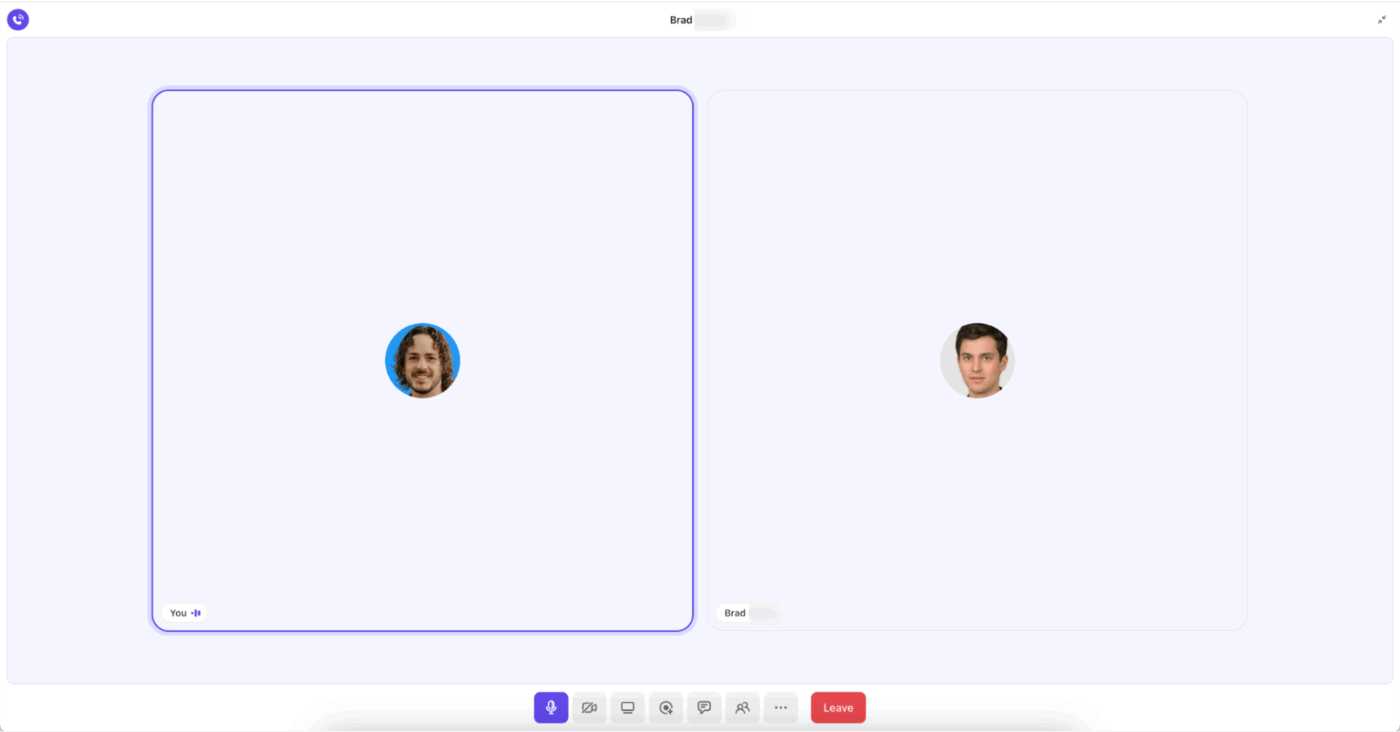
ClickUp SyncUp is an AI-powered meeting and collaboration tool that lets you start instant audio or video calls within your ClickUp workspace.
You can start a SyncUp from any ClickUp Chat DM’s and Channels, to talk about ideas, share updates, or finalize next steps. Each recording stays connected to the work it relates to, so discussions turn into clear, trackable outcomes.
Here’s why it’s an ideal way to brainstorm. 👀
SyncUps allows you to launch a call, record an update, or drop an idea directly within your workspace conversations (Channels and DMs). This keeps all your discussions, ideas, and feedback in the same place as your work, so nothing gets lost in the black hole.

This way, each conversation is tied to the particular task, and everyone “Watching” that channel or “Following” that task has the full context. Therefore, if a leader wants to identify the blocker on Task A, they can access the thread easily. No time wasted getting everyone up to speed, either.
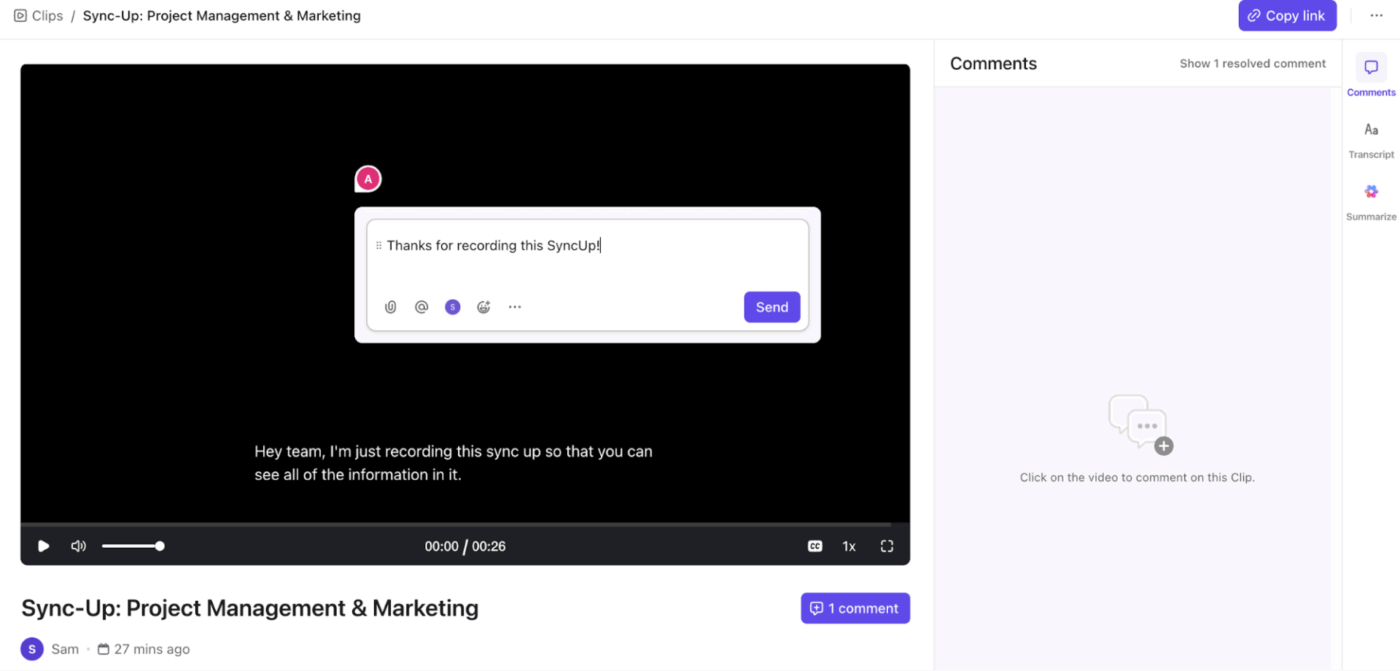
For async brainstorming, skip the live calls and record a standalone ClickUp Clip to pitch ideas or share feedback. Record your brainstorming sessions, ideation techniques, or team updates as well.
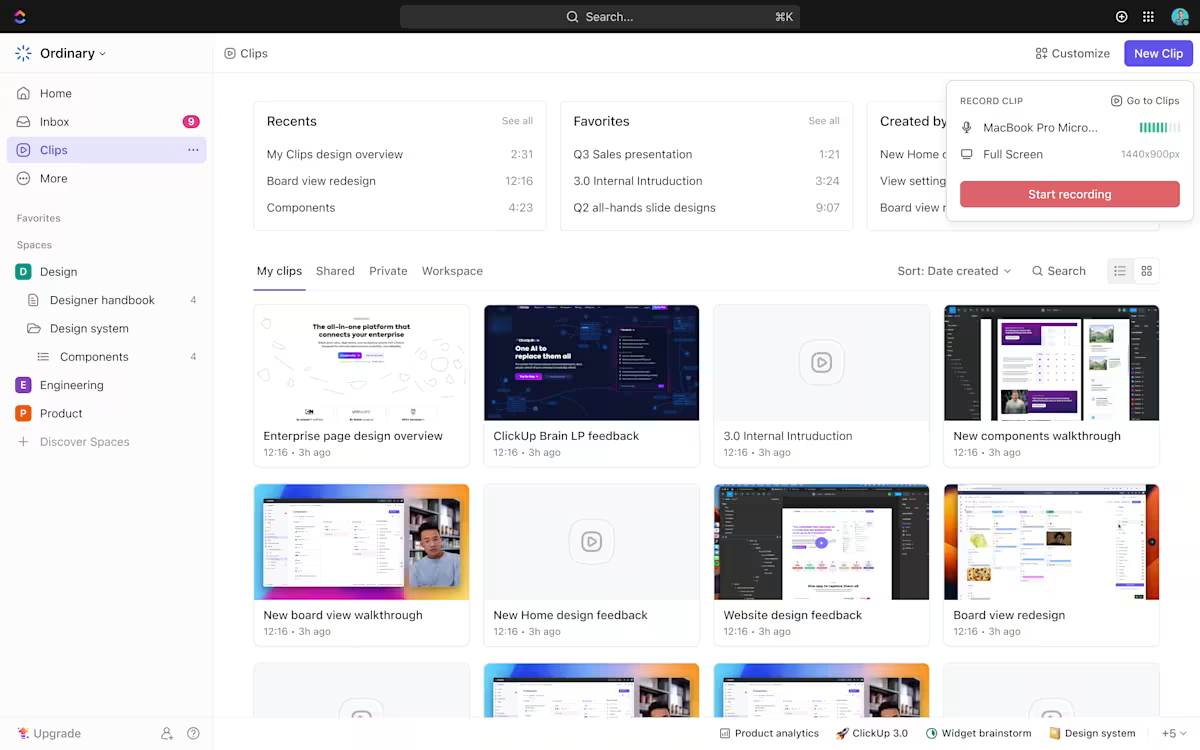
You can even comment directly on the video, add time-stamped notes, and keep the conversation going asynchronously. Then, you can drop the clip right into Docs, Comments, or Chat. Your team gets feedback on their own time, and you get hours back in your day.
📖 Also Read: How Virtual Whiteboards Power Creative Agencies
🎥 Watch: Virtual meetings have evolved way beyond “just video calls.”
In this guide, we compare the best virtual meeting platforms—from the classics like Zoom and Google Meet to new AI-powered platforms designed for real collaboration.
What we’ll cover ⬇️
Traditional brainstorming puts pressure on people to think fast and speak up. SyncUp flips that dynamic. Teammates can review ideas when they’re ready, reply to SyncUp threads and later convert those replies to tasks.
This way, everyone can build on each other’s thoughts asynchronously.
As the best Zoom alternative, ClickUp gives introverted and analytical thinkers the time they need for deeper reflection, eliminating production blocking and fear of judgment. Everyone contributes on equal footing, and the end result is a richer, more diverse pool of ideas.
Unlike conventional Zoom calls, SyncUp keeps brainstorming ongoing and accessible long after the call has ended. When recorded, each video, note, and decision is stored in the same workspace where your projects live. Thus, always creating an archive of creative progress.
Instead of being limited to a single scheduled meeting slot, your team can continue to add ideas, comments, and responses as inspiration strikes.
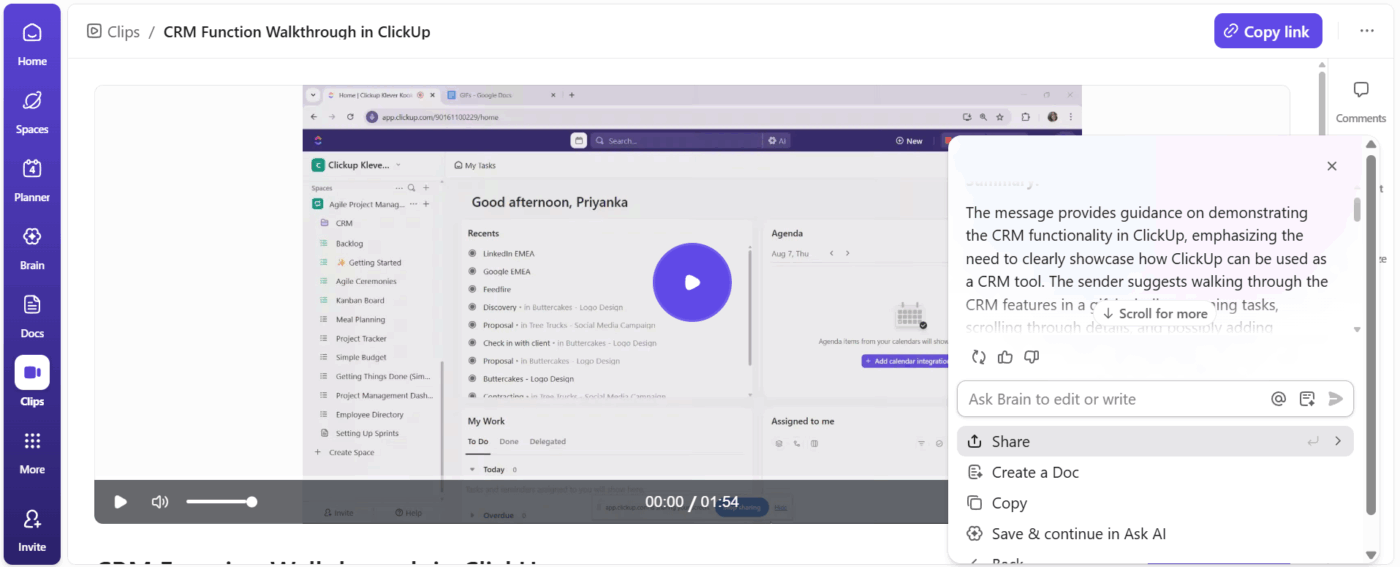
💡 Pro Tip: ClickUp Brain, the platform’s AI-powered assistant, connects your tasks, docs, chat, and connected apps to ensure context. Its ClickUp AI Enterprise Search lets you retrieve information in seconds with just simple natural language prompts.
For instance, if you’ve been OOO for a week, you can just ask Brain to get you meeting details and action items from last week’s SyncUp.
Creative, marketing, and product teams are feeling the strain of real-time meetings that slow momentum, fragment decisions, and bury inspiration in recordings no one revisits.
It’s clear that the old model of live brainstorming doesn’t match the speed or flexibility modern teams need. That’s why many teams are turning to ClickUp.
ClickUp is the world’s first Converged AI Workspace, bringing together all work apps, data, and workflows.
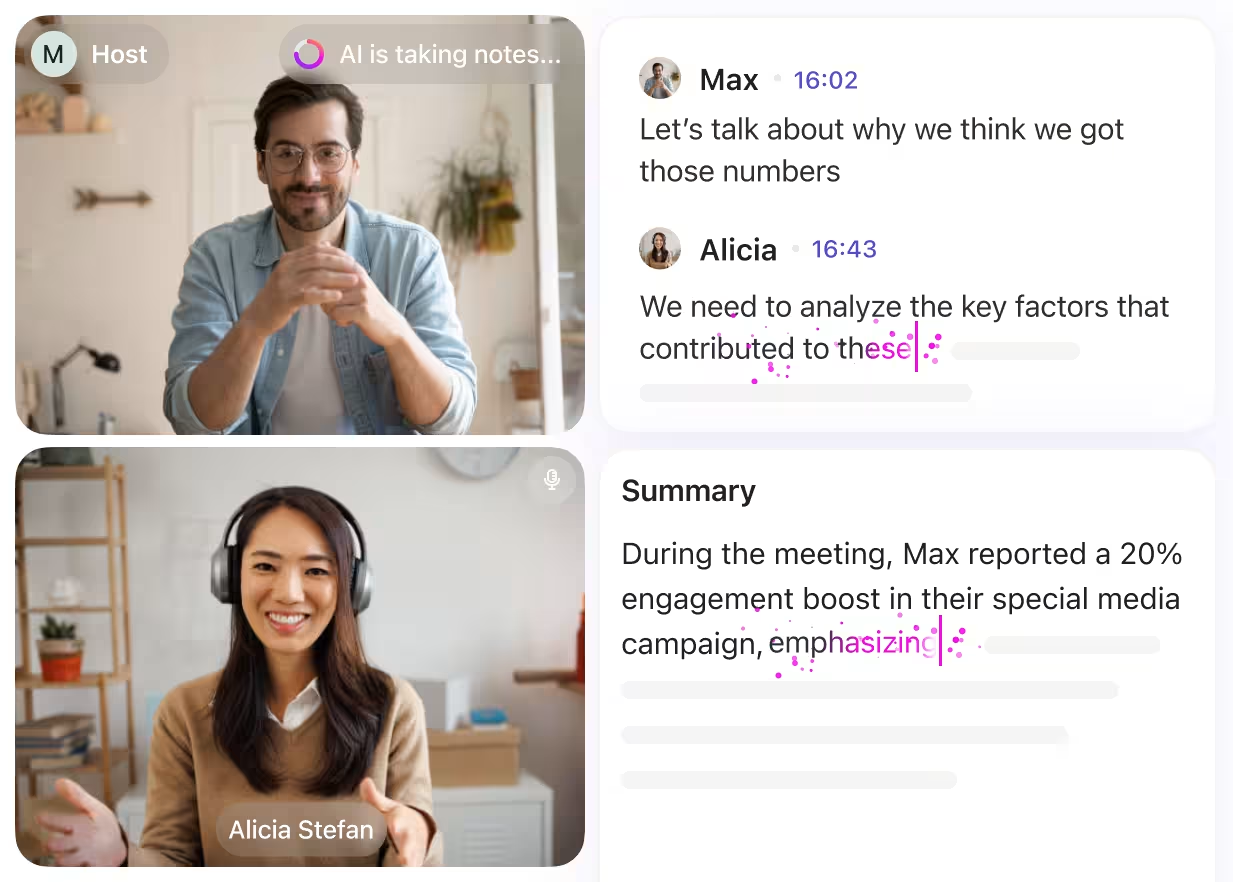
With SyncUp, ideas don’t disappear after a meeting—they live directly alongside tasks, docs, comments, and AI-powered summaries. The result? A faster, clearer, and more creative workflow.
At the end of the day, ClickUp eliminates all forms of Work Sprawl to provide 100% context and a single place for humans and agents to work together.
If you want to reduce meetings, speed up ideation, and make every update actionable, here’s how to replace your internal Zoom brainstorming sessions with ClickUp SyncUp. 🧩
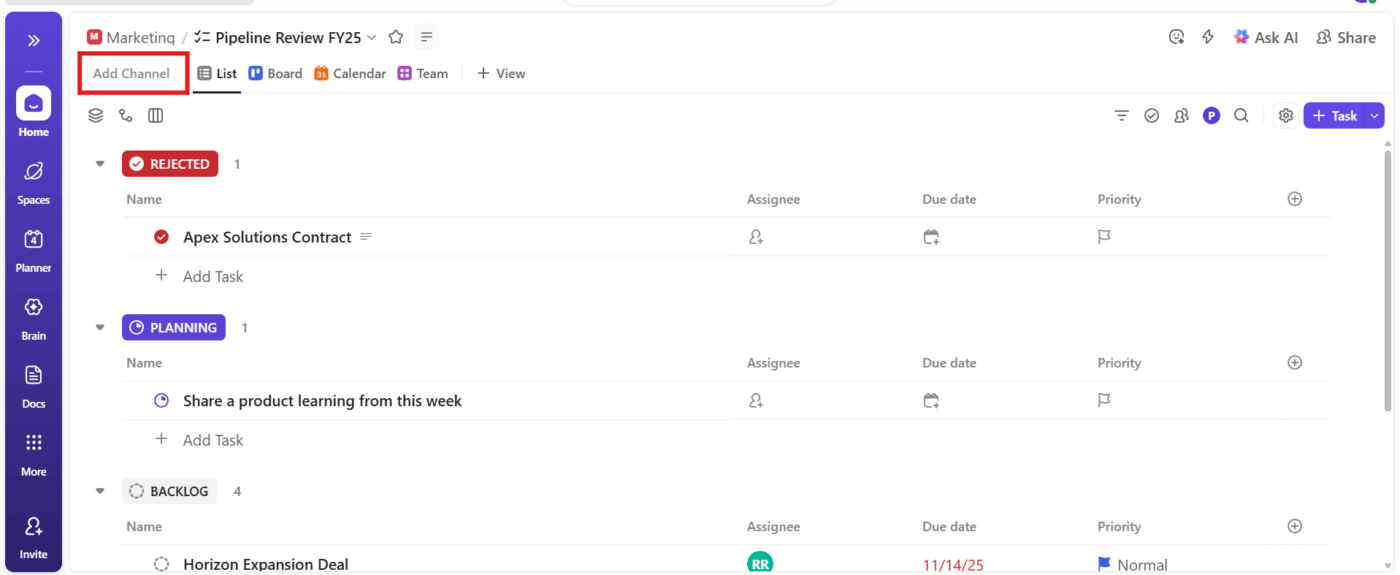
Start by setting up a ClickUp List. This acts as your idea hub where each ClickUp Task can represent a new concept, campaign, or product feature. Here, you must connect a Chat Channel before you start a SyncUp. In the upper-left corner of the view, click Add Channel.
Use ClickUp Custom Fields to categorize ideas by theme, priority, or goal, and add tags for quick filtering and assign collaborators so everyone knows where to focus.
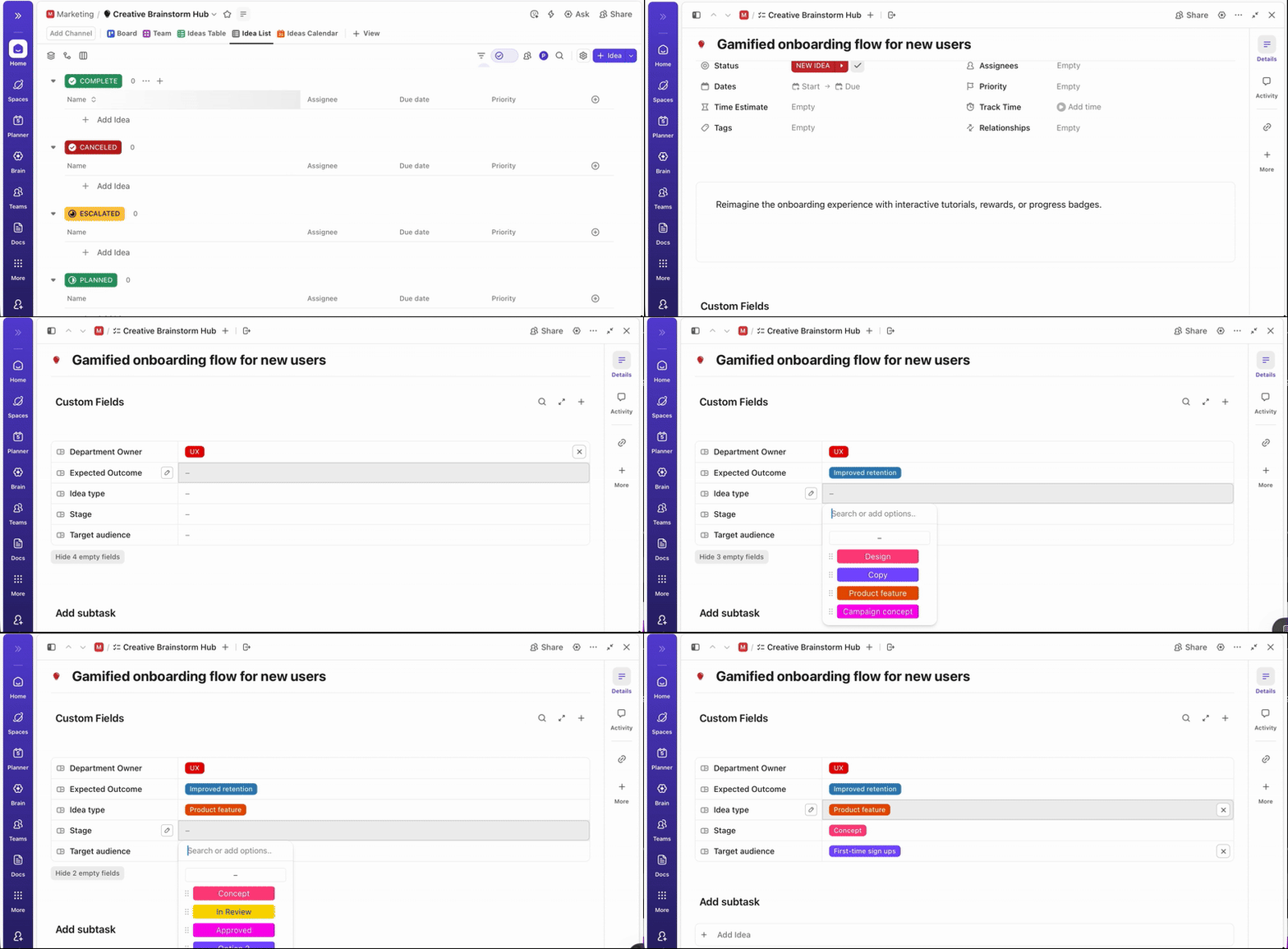
For instance, you can add:
🚀 Friendly Tip: If your team prefers a visual format, open a ClickUp Whiteboard linked to the same List. It offers a shared, interactive space where everyone can create an idea board to brainstorm in real time, see each other’s edits live, and contribute ideas simultaneously.

Use design thinking tools like shapes, sticky notes, connectors, and freehand drawings to map out ideas or workflows clearly. Here, you can create and link ClickUp Tasks or Docs, converting shapes or notes into actionable tasks without leaving the canvas.
Once your brainstorming List or Whiteboard is ready, record a SyncUp to share your initial thoughts, creative direction, or design walkthroughs with your teammates.
Here’s how to do it:
1. Start a SyncUp directly from:
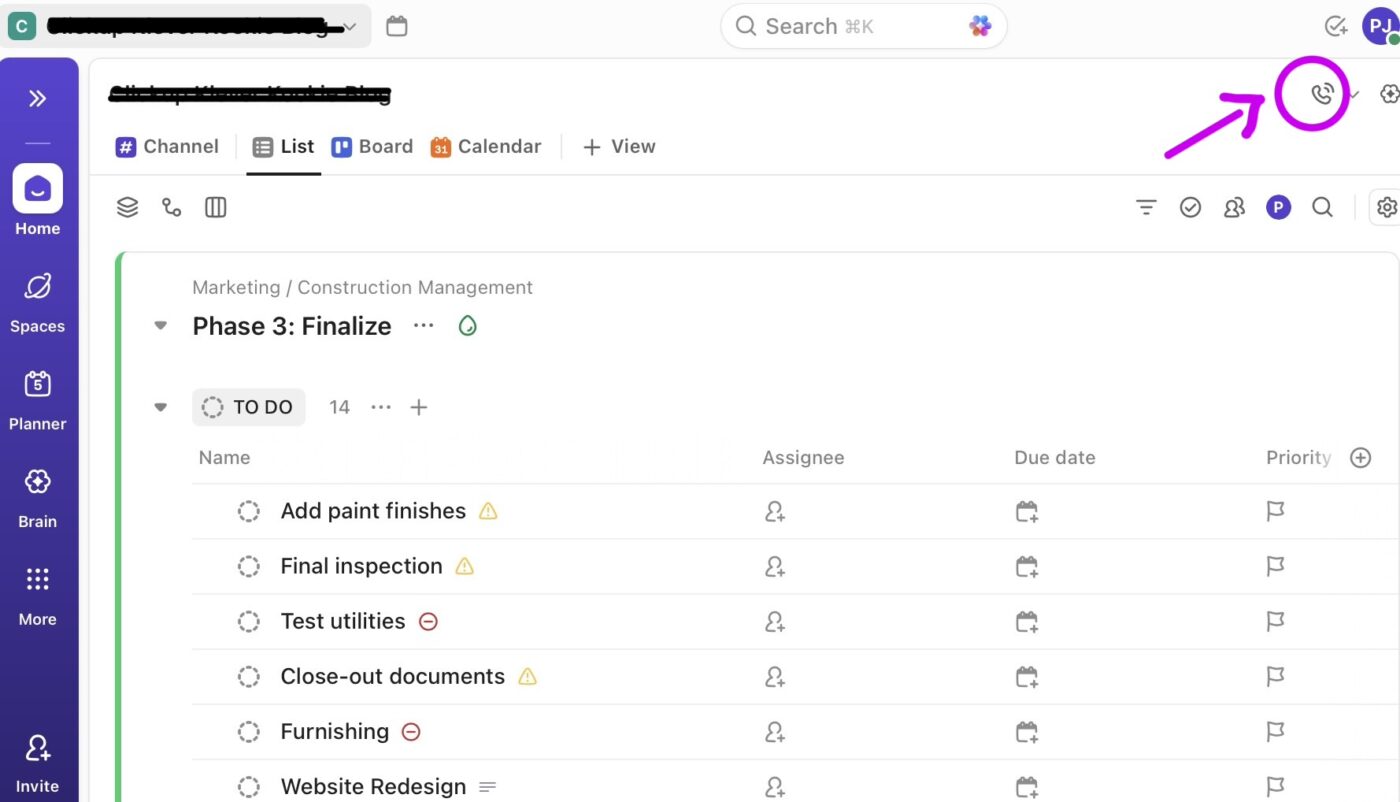
2. Hit the record icon in the SyncUp toolbar to capture your session
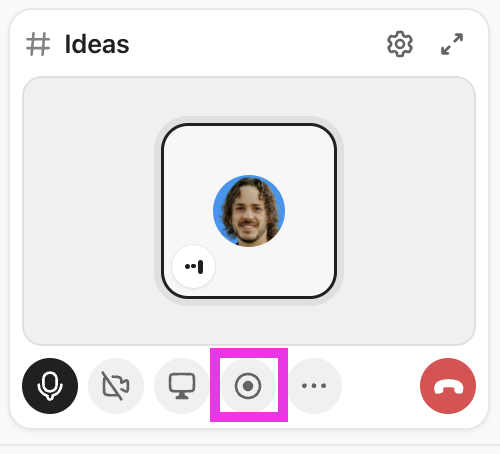
Add participants by sharing the SyncUp link or inviting them from the sidebar if anyone can join or collaborate in real time.
📖 Also Read: Mind Map Examples – What is a Mind Map?
Now that your SyncUp has been recorded, it’s time for the team to jump in asynchronously, no matter their time zone or schedule.
Here’s how you can maximize async collaboration:
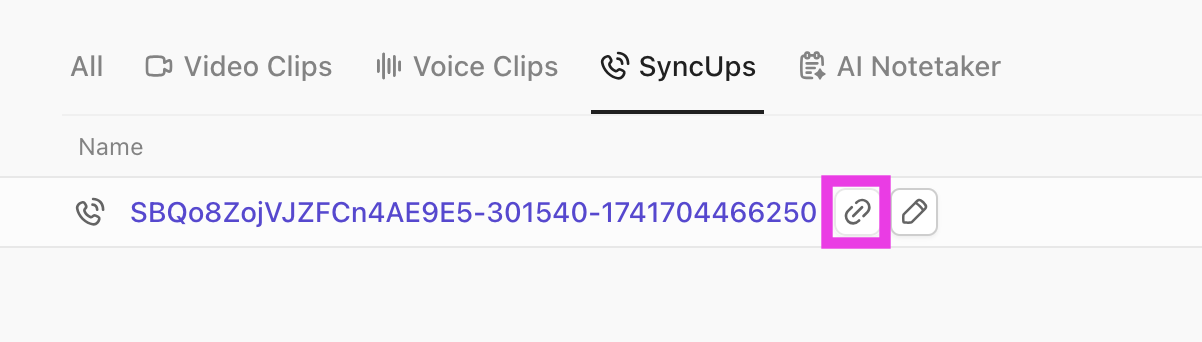
1. Access the recording (Clip) from the Clips Hub after your SyncUp ends
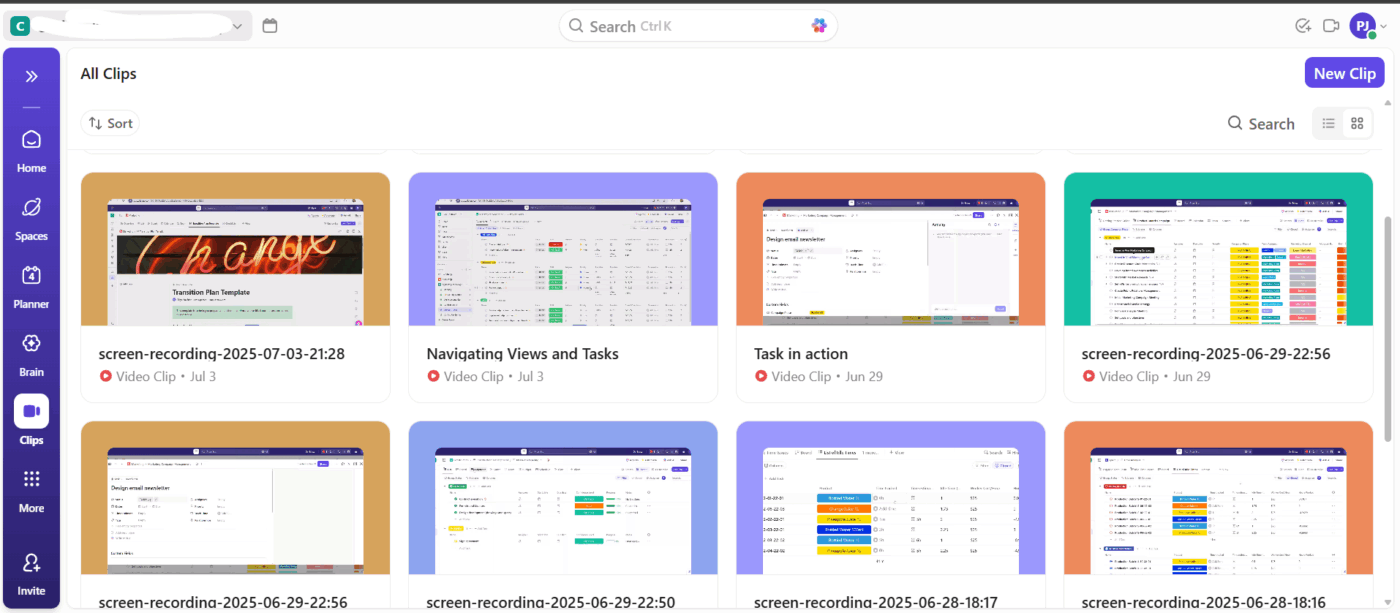
2. Copy the public recording link and share it in your chat channel, or tag teammates directly. Anyone with access can watch the recording at their convenience
Teams can then:
Here, ClickUp Chat also steps in, making it easy to keep ideas moving, whether your team is brainstorming live or chiming in hours later.
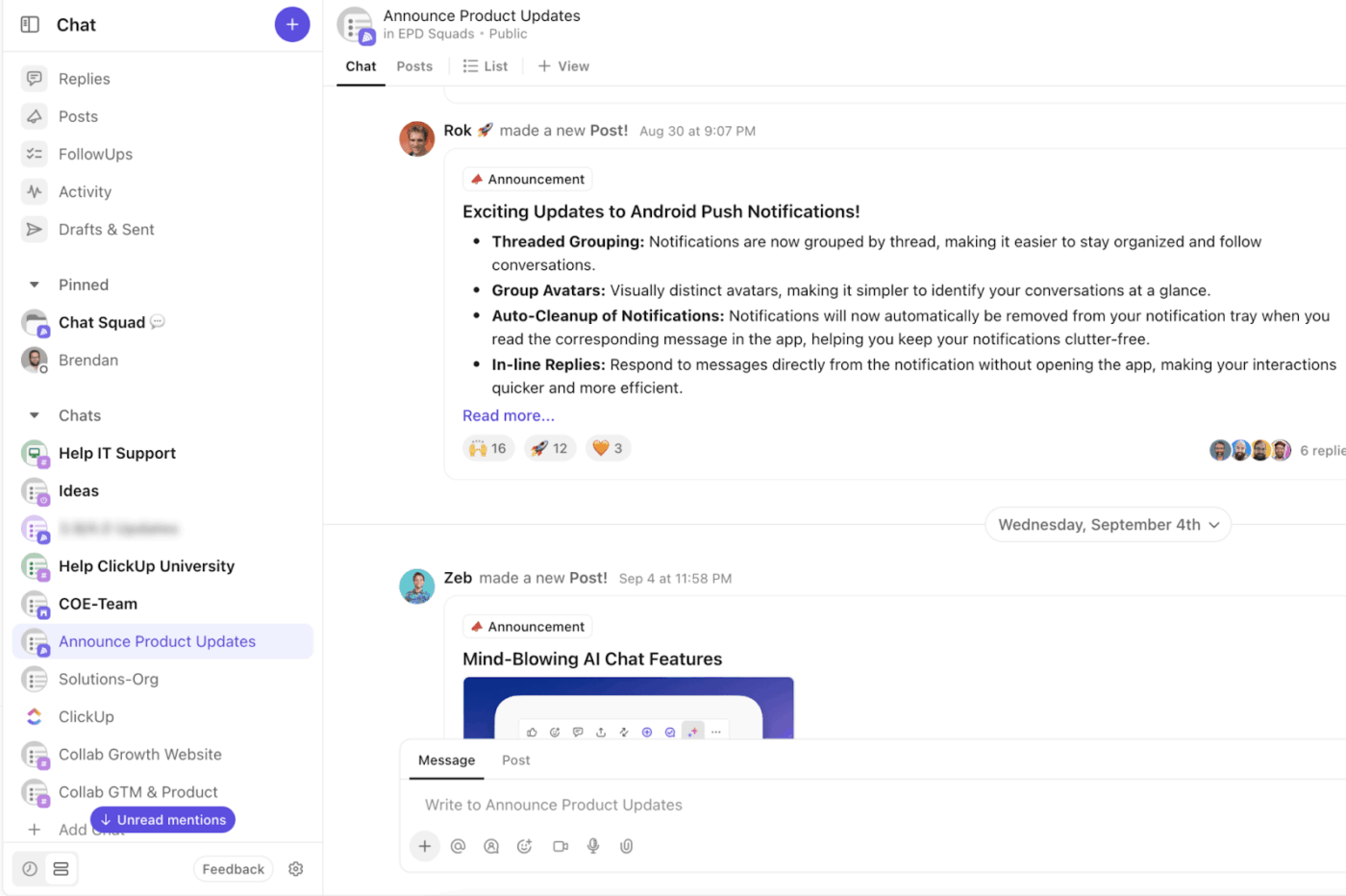
Here’s how Chat helps you stay connected and organized:
And to keep things fun, you can add custom emojis to your chats, bringing personality and energy to every conversation.
Once ideas start coming in, organize them so your team can quickly identify priorities and next steps.
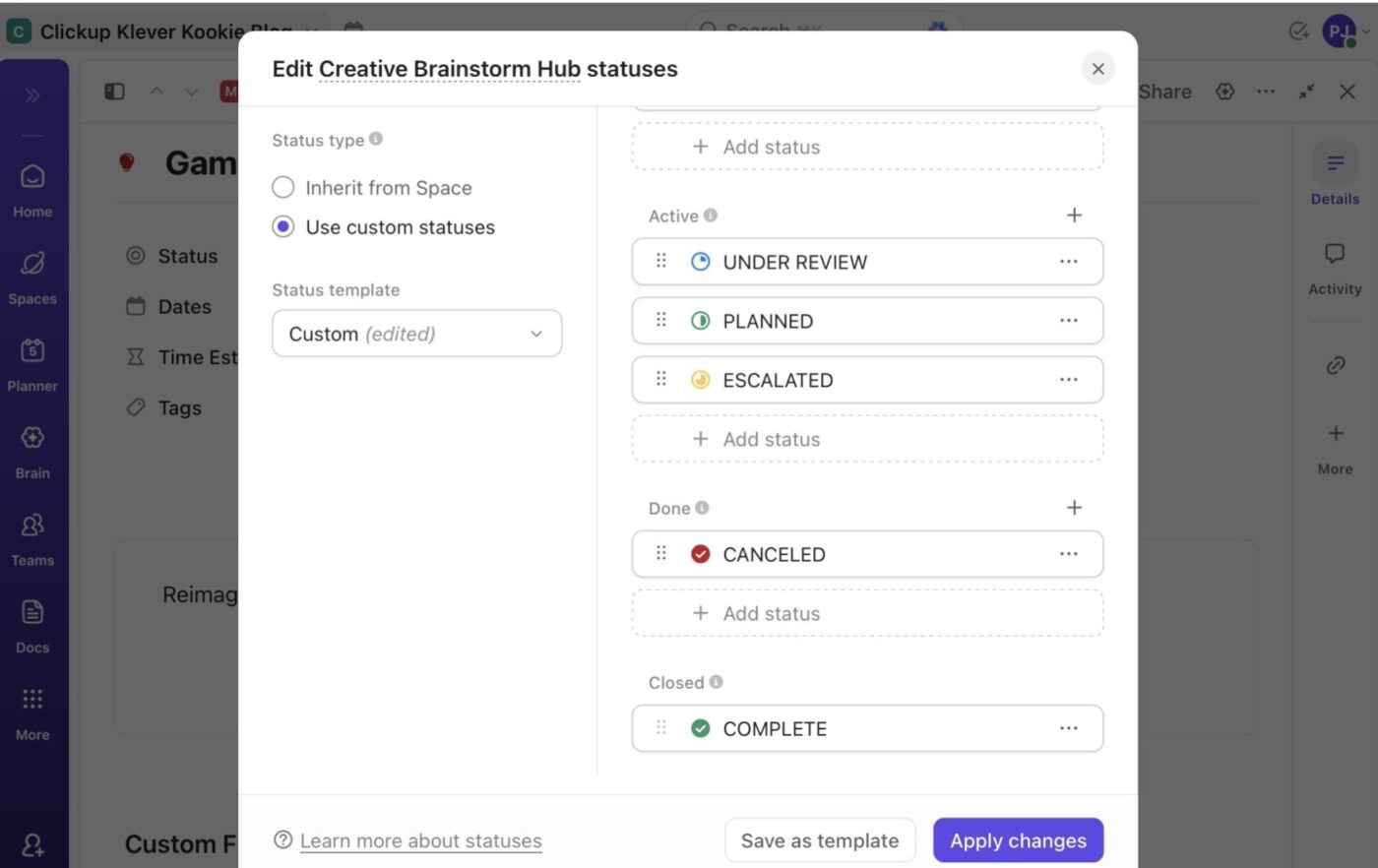
Apply ClickUp Custom Statuses to define where each idea stands in your workflow. Every task holds a single status, giving your team a clear sense of progress.
For example:
🟢 Promising: Worth exploring further
🟡 Needs Discussion: Requires group input
🔵 In Progress: Selected for development
ClickUp Task Tags add an extra layer of context, helping you categorize ideas beyond their workflow stage. They’re perfect for grouping tasks by theme, audience, or priority, such as:
💡 Pro Tip: Use ClickUp Task Priorities to categorize them by the following urgency levels: Low, Normal, High, and Urgent. This way, your team knows what to prioritize first. You can also add a detailed task description.
Once everything’s done, use AI for brainstorming. ClickUp Brain’s project management prowess helps summarize key points, organize ideas, and expand creative discussions into actionable next steps.
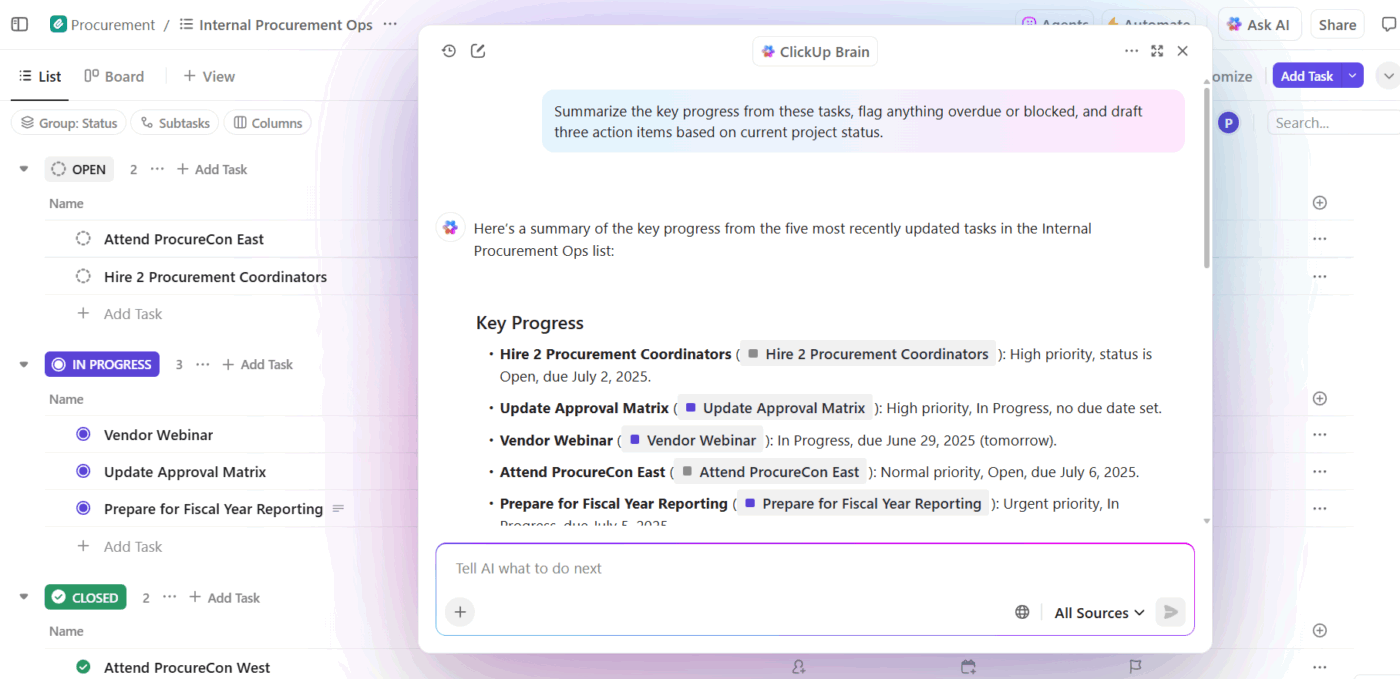
For example, after a brainstorm, run a summary on your ‘Brainstorming List’ to instantly see which ideas were marked as ‘Promising’ or ‘In Progress.’
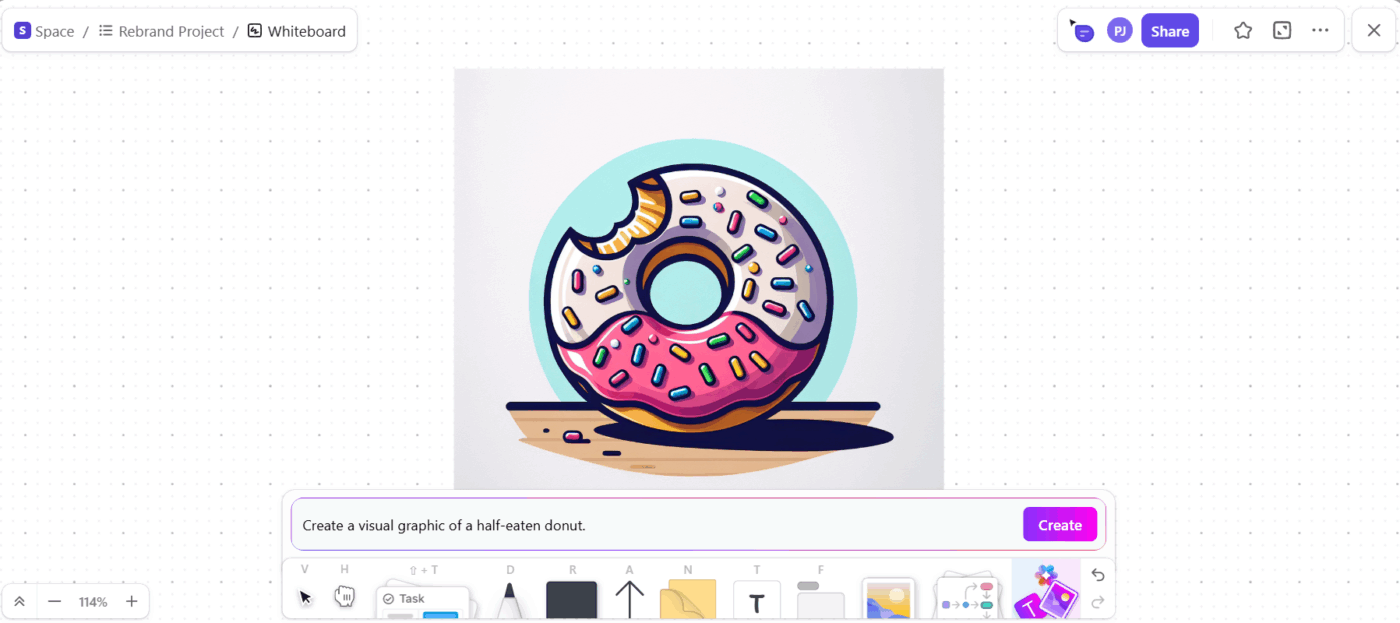
And when ideas need a visual boost, describe a concept in text and let the AI tool generate quick mockups or visuals right inside your Task or Doc. For instance, your marketing team can brainstorm campaign slogans and generate a few image variations for ad layouts or social posts to visualize them instantly.
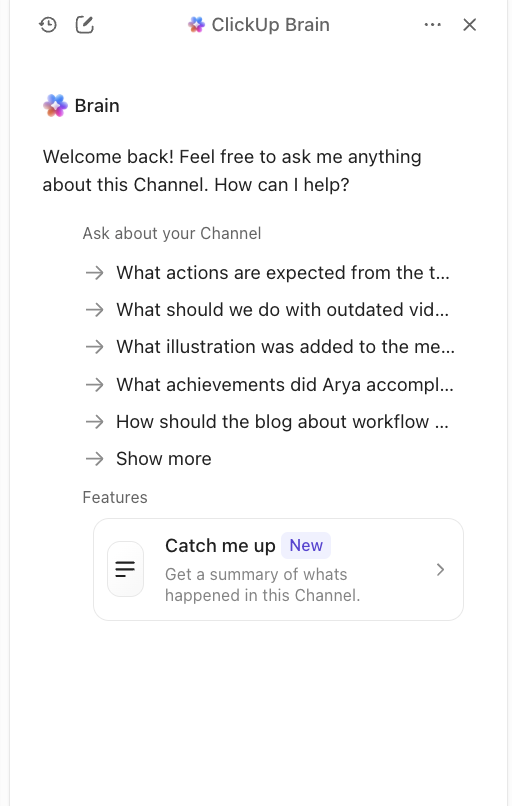
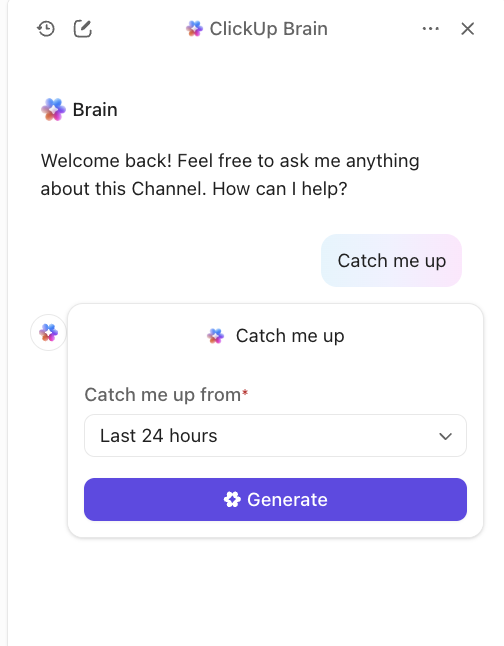
💡 Pro Tip: Leverage ClickUp Brain inside your Chat and comments to stay updated. You can use the Catch me up feature to summarize entire chat threads or see what’s happened since your last check-in. It’s perfect for team members who join discussions late or work in different time zones.
Research shows employees toggle between apps 1200 times a day, wasting nearly 4 hours a week just refocusing.
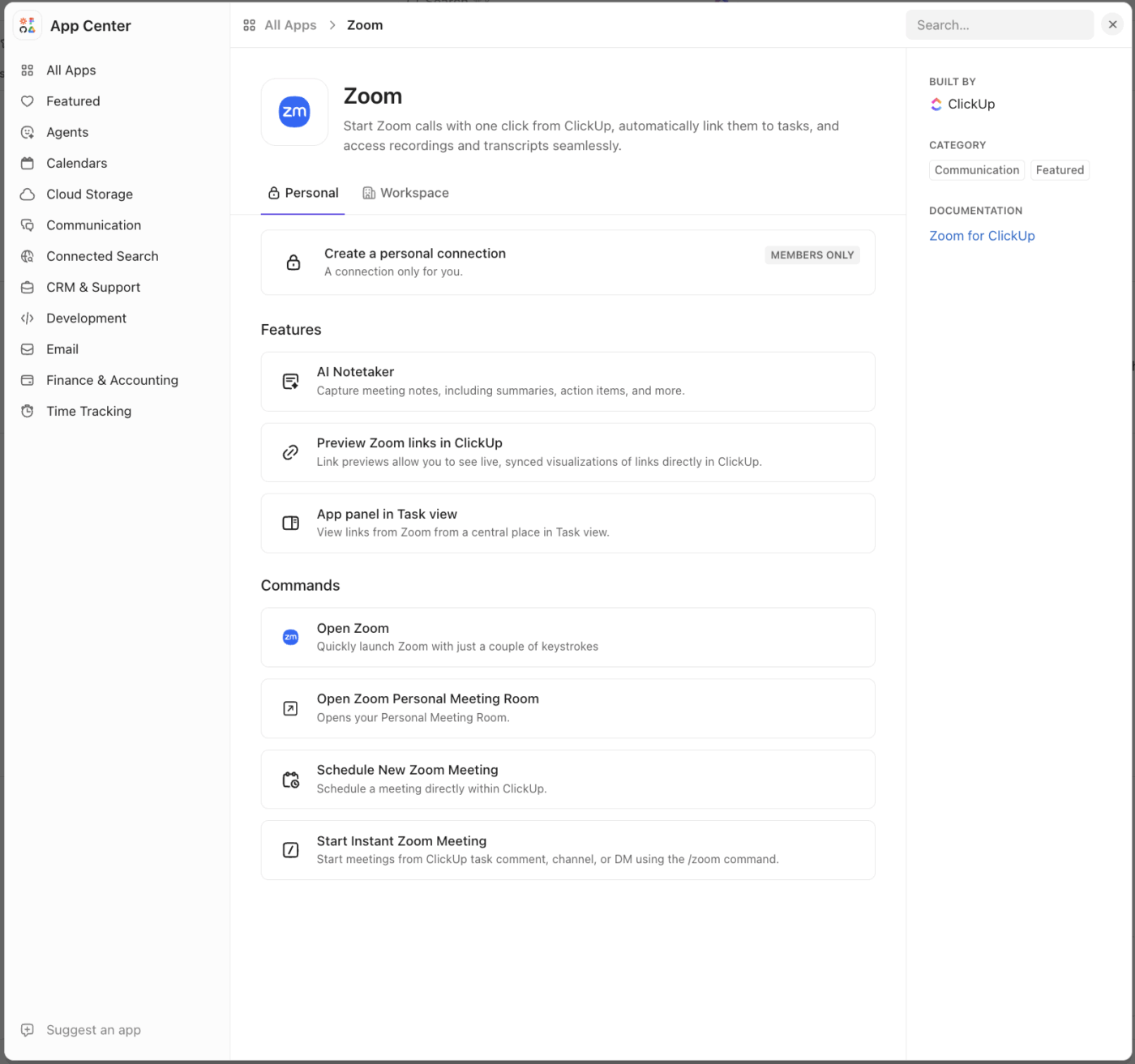
And since less than 28% of tools are integrated, remote teams often redo the same work across different systems. Platforms like Zoom, while great for calls, add to this tool sprawl. After every new Zoom meeting, you’re back to juggling notes, tasks, and files across other apps, breaking context.
And some of us have a hard time context-switching, jumping from one meeting to another, and then back to work.
Here are some of the key benefits of using ClickUp SyncUp instead of Zoom to enhance team productivity:
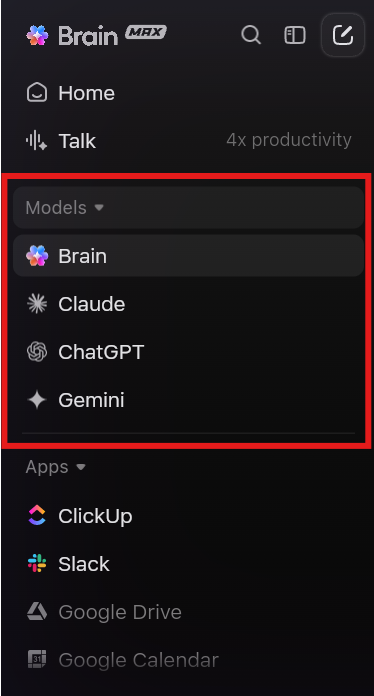
Here’s how different teams can put ClickUp into practice:
When your teammates span across time zones, async brainstorming ensures no voice gets lost. Create a shared List where everyone can drop ideas when inspiration strikes.
For instance, a product team spanning APAC, EMEA, and the US can gather feature requests around the clock and review them collectively later. Using custom statuses like ‘Promising’ or ‘In Progress’ helps track idea progress clearly.
🔍 Did You Know? Another found that the physical and psychological environment matters: the ‘pleasantness’ of the meeting room (lighting, temperature, comfort) influences ‘psychological safety’ and thus productivity.
For marketing and creative teams, async brainstorming keeps ideas flowing continuously. Use ClickUp Lists to collect campaign themes, blog ideas, or social media concepts. Teammates can tag content by topic or audience, add references, or attach visuals for context.
Later, the team can use ClickUp Brain to summarize discussions and identify recurring themes for planning the next campaign.
📖 Also Read: 6 Process Mapping Examples & Strategies
Async retrospectives give everyone space to reflect honestly. After a sprint, teammates can drop notes about what went well, what didn’t, and what could be improved in a shared List.
And when it’s time for your retro IRL (in real time), jump into your team’s Channel to start the SyncUp.
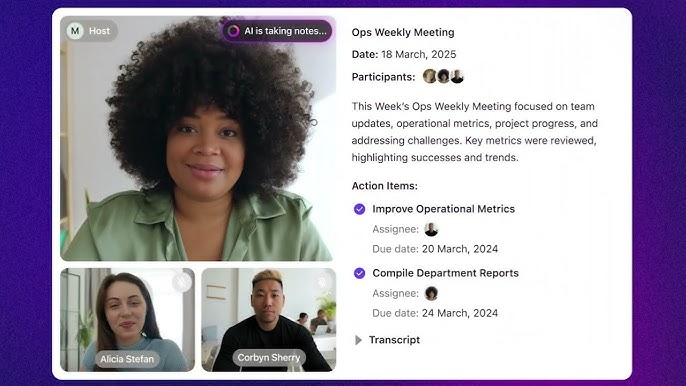
In that case, you can also rely on the reliable ClickUp AI-Notetaker. It records, transcribes, and summarizes meetings, pulling out key action items and next steps.
When different departments need to get on the same page, async brainstorming keeps input organized. Teams such as Sales, Support, and Product can use a shared List to log customer pain points or feature requests as they arise.
Tags and Custom Fields help group and prioritize these ideas by urgency, product area, or customer segment. Later, decision-makers can filter by tags to determine which ideas are included in the product roadmap.
Here’s what Ansh Prabhakar, Business Process Improvement Analyst, Airbnb, had to say about ClickUp:
ClickUp has a lot to offer in one place such as project management, brainstorming options, task management, project planning, documentation management, etc. It has definitely made life comparatively easier as it’s easy to use, UI is well designed, and collaboration within the team and with other teams is easier. We were able to manage work better, track and report work easily, and based on progress daily huddles, future planning was easy.
ClickUp can power company-wide innovation in an asynchronous style. Host a virtual hackathon by creating a dedicated List where participants post concepts, attach prototypes, and vote with emoji reactions or comments.
Again, ClickUp Brain can summarize top ideas or generate quick briefs to help organizers shortlist submissions. Everyone gets to participate, regardless of location or schedule.
👀 Did You Know: Over a three-year period, organizations using ClickUp achieved an estimated 384% return on investment (ROI), according to Forrester Research. These organizations generated about US $3.9 million in incremental revenue through projects enabled or improved by ClickUp.
Not all kickoffs need a Zoom call. Start a new project by creating a shared Chat thread where team members post their goals, blockers, and questions asynchronously.
Then, let ClickUp Brain pull together common themes and key objectives, giving you a ready-made summary for your next team sync.
💡 Pro Tip: Use structured brainstorming sessions. The 6-3-5 Brainwriting technique (also known as the ‘635 Method’) was developed in 1968 by Bernd Rohrbach. Six participants write three ideas in five minutes; rotate and repeat. In 30 minutes, you get 108 ideas.
Async brainstorming works best when there’s clarity, structure, and open participation. ClickUp brings all the right tools together, but how you use them makes all the difference.
Here are some best practices to help your team collaborate well:
🔍 Did You Know? One of the earliest online conferencing platforms for group decision-making and ideation was the Electronic Information Exchange System (EIES). It was developed between 1974 and 78 at the New Jersey Institute of Technology to enable asynchronous communication and collective problem-solving.
Brainstorming doesn’t have to drain your team’s energy or calendar space. Why juggle Zoom plus 10 other apps when you can do it all in ClickUp? With ClickUp SyncUps, everything you need to capture, discuss, and act on ideas lives under one roof.
ClickUp Chat keeps collaboration in context. ClickUp Brain tracks every idea and turns the best ones into creative briefs. And ClickUp Clips let you share thoughts asynchronously without another calendar block.
So before your next ‘quick Zoom brainstorm’ turns into another two-hour meeting, sign up for ClickUp for free and make every idea count. 💭
Yes. SyncUp lets teams brainstorm through instant video or audio calls within ClickUp, with every idea, note, and action item automatically linked to the Channel or direct message conversation.
You can screen-share in a SyncUp or share a link to a ClickUp Whiteboard in the SyncUp thread. Watch the meeting recording or revisit its thread for future reference.
Keep it under 30 minutes. Short, focused sessions help teams stay creative without fatigue, especially when async notes and follow-ups continue in ClickUp.
Convert selected ideas into ClickUp Tasks, categorize them by priority or owner, and review progress through views or Dashboards.
Yes. You can start a call from a Whiteboard view or Doc view that is added to a List, Folder, or Space that has a Channel associated with it. To associate a Channel with it, a user must go to a view in the List, Folder, or Space, and click Add Channel in the upper-left.

© 2026 ClickUp

There’s an easier way. Try a free AI Agent in ClickUp that actually does the work for you—set up in minutes, save hours every week.