13 Best Call Recording Software for Businesses and Teams in 2025

Sorry, there were no results found for “”

A reliable call recording software can be a game-changer, whether you’re closing deals, gathering customer feedback, or ensuring team alignment. But with so many tool options out there, how do you choose the right one for your business needs?
We’ve shortlisted 13 top call recording software to help you find a solution that balances compliance, quality, and usability.
Let’s discover the voice call recording software to transform how your team communicates this year.
Need a call recording solution but not sure where to start? Here’s a quick breakdown of the 13 best call recording software options and what they do best:
Before we explore the top call recording tools, let’s determine what makes a call recording software a good one.
📌 Here’s a list of the key features that your call recording software should have:
Whether you’re looking to enhance training, ensure compliance, or improve customer service, the right call recording tools can help you capture crucial conversations effortlessly.
Let’s explore some of the best call recording software options available to elevate your communication strategy!

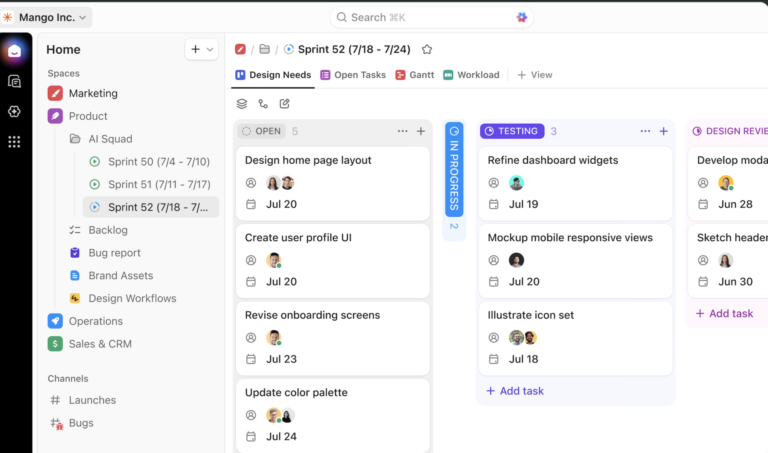
While many companies claim to be “all-in-one” solutions, they effectively just bundle standalone modules. You still see different interfaces, sign-ins, or data silos. This is where ClickUp changes the narrative by being the true everything app for work.
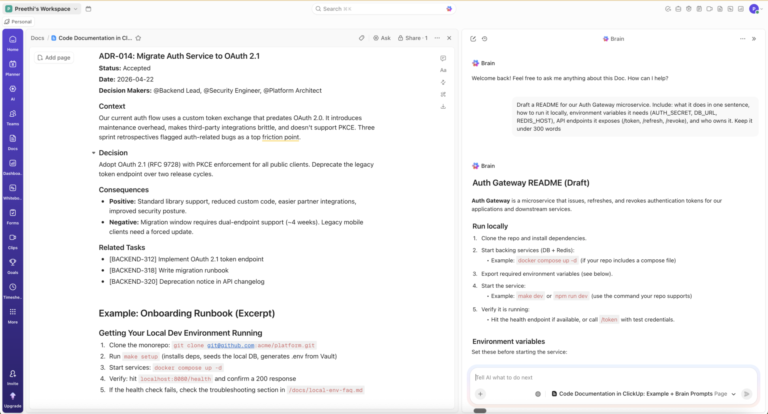
ClickUp integrates call recordings, tasks, AI-powered automation, and collaboration tools into one platform, making it easy for teams to work together in a unified interface.
We’ve all been there—frantically digging through endless emails, meeting minutes, and random sticky notes to find that one crucial detail from last week’s meeting.
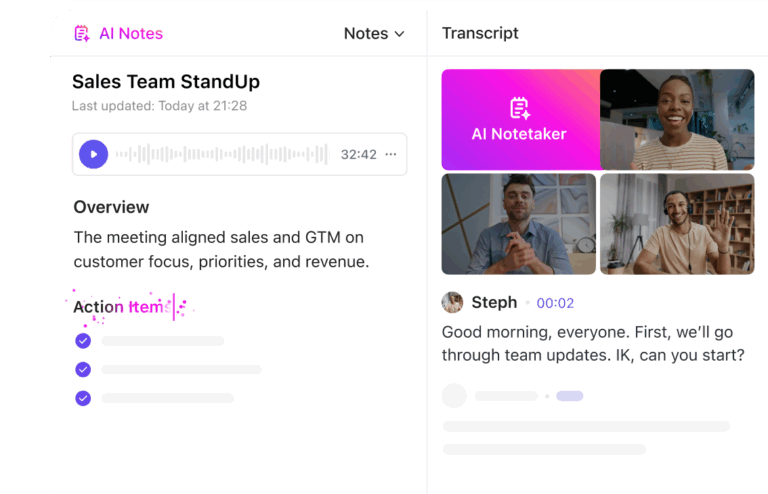
But with ClickUp AI Notetaker, you can say goodbye to that chaos. With AI-powered automatic transcriptions, summaries, and action items, every call is captured and organized effortlessly—no more guesswork, no more clutter—just crystal-clear notes, always at your fingertips.
ClickUp AI Notetaker can automatically create tasks from your meeting discussions or share the summary directly to your team chat. This way, everyone stays aligned, and nothing falls through the cracks.
📋 Here’s what ClickUp AI Notetaker does for you:
✅ Automatically records and transcribes meetings
✅ Creates meeting summaries with key takeaways and action items
✅ Captures full audio recordings for reference
✅ Lists attendees and organizes notes in ClickUp Docs
✅ Allows searching transcripts to find important details instantly
✅ Works with Zoom, Google Meet, and Teams for seamless integration
✅ Syncs with ClickUp’s Calendar view to auto-join and take notes
We’ve all been there—writing long-winded emails or hopping on yet another meeting just to explain something that could’ve been shown in seconds. Work communication is broken, but ClickUp Clips fixes it. 🏆
With ClickUp Clips, you can record, edit, and share voice and video calls, making communication faster, clearer, and more efficient. No more confusion, no more back-and-forth messages—just hit record, explain visually, and send.
📹 Here’s what ClickUp Clips does for you:
✅ Record voice calls, video calls, and screen recordings for instant clarity
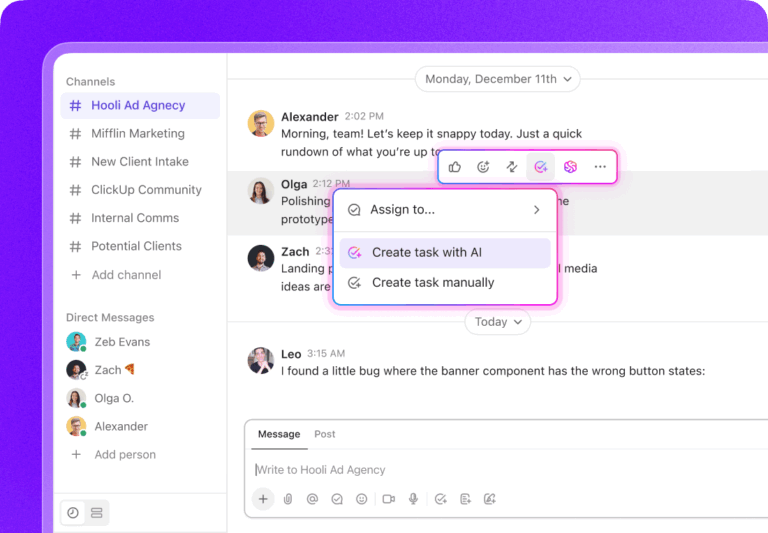
✅ Embed Clips directly into ClickUp Docs and ClickUp Chat—keeping communication streamlined
✅ Edit, share, and download Clips effortlessly
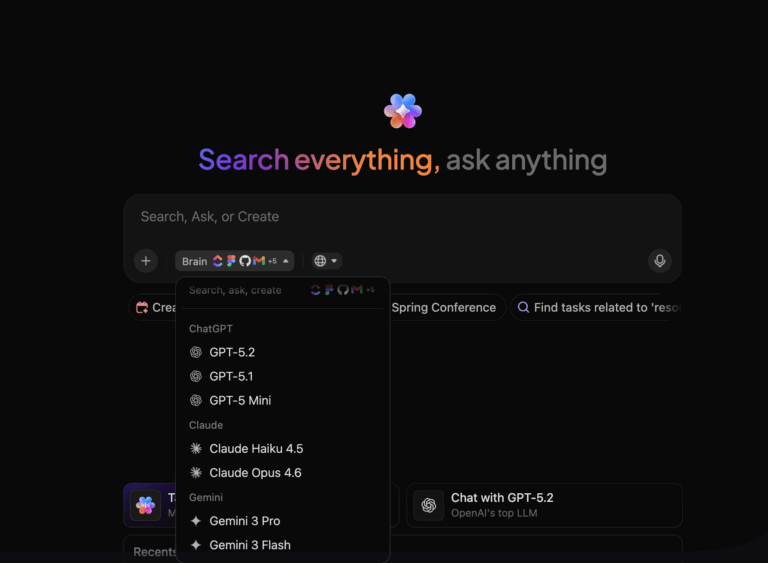
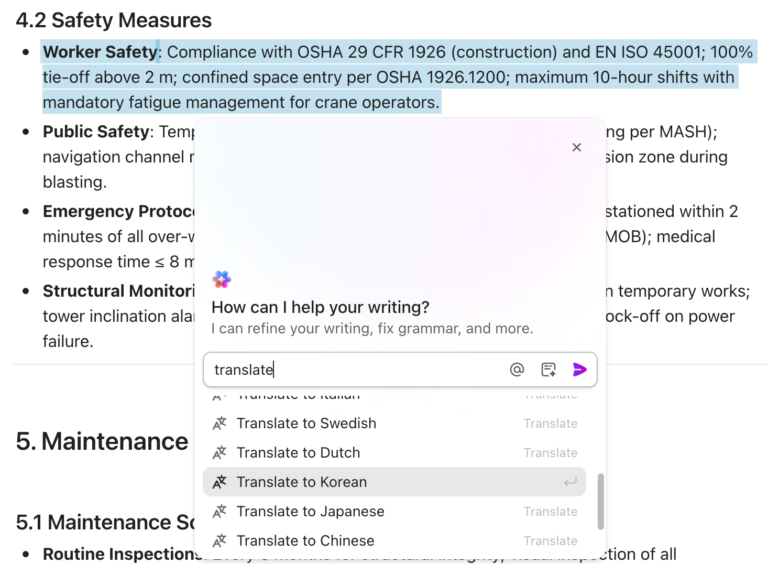
✅ Auto-transcribe with ClickUp Brain, complete with timestamps for easy searching
✅ Convert Clips into tasks with ClickUp Tasks—so nothing gets lost in translation
✅ Sync with ClickUp Docs for detailed explanations and walkthroughs
💡 Pro Tip: Every Clip sent in ClickUp Chat is automatically embedded for quick access—no need to dig through links or emails!
ClickUp also integrates seamlessly with over 1,000 apps, including Google Meet, Zoom, Microsoft Teams, and other VoIP and conferencing calling software, ensuring a smooth workflow without needing to jump between platforms.
By combining these features, ClickUp becomes a central hub for managing all aspects of your calls and meetings:
As Ray Chan, VP of IT at San Diego Padres, testifies,
By using ClickUp, we’re able to stay connected and have visibility into what’s going on across the entire organization.
A G2 User says:
What I love most about ClickUp is how it replaces multiple tools in one place. No more switching between multiple apps. It offers an unparalleled number of features compared to other software.
🔮 Key Insight: ClickUp Meetings keeps everything in one place—notes, meeting agendas, and action items—so your team always knows what’s next. No more scrambling through scattered docs or forgotten follow-ups! With AI-powered note-taking, checklists, and assigned comments, every meeting is organized, actionable, and easy to revisit. 🚀
Gong is an advanced call recording software that automatically records, transcribes, and analyzes sales calls to provide actionable insights.
Using AI, Gong identifies customer sentiment, key topics, and objections and helps sales teams improve pitches and close deals.
Gong also integrates with CRMs, web conferencing, and email platforms, ensuring that all customer interactions are captured and analyzed for better decision-making.
According to this G2 User :
Gong lets me stay focused and engaged in all my meetings by taking all the notes for me. It is extremely beneficial because it allows me to be actively listening to my clients and discover real pain points that they have, leading to business for myself.
🌟 Fun Fact: While telephone switchboards (staffed by operators) date back to the late 1800s, the concept of a dedicated “call center” is often traced to the 1960s. Birmingham Press and Mail in the UK is frequently cited for installing one of the earliest known commercial systems that routed customer calls to designated agents.
Aircall is a call management software designed for businesses looking to capture and store both inbound and outbound calls made through the platform.
This tool helps teams improve customer service, sales performance, and quality assurance by providing a reliable record of customer interactions. It can also be used as a contact management software thanks to its features that help businesses manage their internal contact center operations within its cloud platform.
This is what a Capterra User is saying about Aircall:
We use Aircall and its integration with HubSpot in our remote team, and it works very, very well. Everything is logged automatically, and we can even do workflows based on some Aircall rules.
💡 Pro Tip: Keep track of incoming and outgoing calls effortlessly with these 10 free phone call log templates
Talkdesk is a call recording software designed for customer support teams and contact centers to capture and store phone calls between agents and customers.
With features like AI-powered insights and real-time call monitoring, Talkdesk collectively enhances both customer experience and quality control in high-volume call environments.
According to this G2 User :
I like the ease of using Talkdesk, it’s very easy to understand and introduce to new agents. We utilize Talkdesk every day to make and receive calls with customers, so it is important for us to have software that works well.
🌟 Fun Fact: There’s a well-known maxim in customer service training: “Customers can hear a smile.” Research on voice quality shows that smiling changes your vocal tone (a noticeable effect on pitch and resonance). It helps convey friendliness and warmth, even if the customer can’t see you.
Rummaging through a multitude of apps for communication can take a lot of time away from doing actual work, especially for a sales rep. This is resolved by RingCentral.
RingCentral is a call recording software designed for businesses that need a centralized communication platform for managing phone calls, sales calls, and customer interactions.
This software offers automatic and on-demand call recording, making it a flexible choice for sales teams, customer support, and business managers.
📮 ClickUp Insight: Businesses thrive on a centralized system, but without it, important follow-ups and decisions often get lost across multiple tools.
Research shows that 43% of workers send only 0-10 messages per day—which could mean they are having more focused, meaningful conversations or struggling with scattered communication across different platforms. This is where an all-in-one productivity platform like ClickUp becomes crucial, helping teams centralize conversations, recordings, project updates, and knowledge-sharing in one workspace.
One missed meeting can define weeks of backlogs on your workload. This problem is solved by Dialpad.
Dialpad is a call recording and transcription software notable for its smart search functionality that pairs well with its AI-powered summaries. This functionality ensures businesses can review calls efficiently and extract key insights that can be used to improve call quality.
Dialpad is especially ideal for sales teams and customer service reps and helps improve customer service, training, and performance tracking.
A G2 User says:
I love the simplicity and ease of use that makes using Dialpad easier than using a normal landline office phone. It is easy to move throughout the app and explore all the features, and you can seamlessly move your calls throughout your office/organization with no hassle or extra steps.
🔮 Key Insight: Call recordings are great, but sometimes seeing is just as important as hearing—combine them with the 15 best screen recording software with no watermark for complete context!
TapeACall is a call recording app designed for smartphone users who need to record incoming and outgoing calls effortlessly
This app ensures that no important phone call details are lost, making it a suitable call recording software for a plethora of uses—business meetings, sales calls, interviews, legal documentation, or personal records.
The Rev Call Recorder is a call recording app designed for iPhone users who need a free, unlimited call recorder with an option for high-accuracy transcription.
Whether you’re recording sales pitches, interviews, or business calls, The Rev Call Recorder ensures that you capture every word and can order accurate transcripts when needed.
All Call Recorder is a call recording app for Android devices that enables users to record, save, and manage phone calls with customizable settings.
This is especially helpful if you’ve to back up your conversations, train your sales team, or improve your call quality.
Additionally, All Call Recorder offers multiple recording formats, transcription services, and sharing options for added flexibility.
🧠 Did You Know? 67% of professionals say virtual meetings are just as productive as in-person ones—but only when they’re well-structured! Master virtual meeting etiquette with these 10 best practices to keep your calls efficient and engaging.
Cube Call Recorder (Cube ACR) is a call recording app that enables users to record phone calls and VoIP conversations on both Android and iPhone devices. This app works well to capture calls on software like WhatsApp, Skype, and other popular VoIP tools.
Cube ACR also offers high-quality audio recording, cloud backup, and advanced security features to users.
🌟 Fun Fact: Early call recording involved magnetic tapes and physical switchboard patching. In the 1960s and ‘70s, businesses and government organizations began adopting reel-to-reel recording for quality assurance and security. Today’s digital call recording systems owe their legacy to these early analog devices.
Google Voice is a VoIP service that provides basic call recording software features for businesses looking for an affordable and easy-to-use solution.
To suit different needs, Google Voice is available on both desktop and mobile Google Voice supports call recording, call history tracking, voicemail, SMS, and call routing.
According to this Capterra User :
I use Google Voice for my business phone line, it’s very convenient and has always been free! I can access it across multiple phones or from my laptop, so I never miss a call or text from customers.
By combining automatic call recording with a call blocker, Call Master ensures that users can capture important conversations while filtering out nuisance calls.
Call Master is especially helpful for new users thanks to its easy-to-use interface and features like contact list integration that make call recording a relatively effortless process.
🌟 Fun Fact: While many people still prefer human interaction over the phone, AI-driven chatbots and virtual assistants are increasingly handling first-line support. According to Gartner, by 2027, about 25% of customer service operations could rely on virtual customer assistants (VCAs) to manage routine requests, freeing up human agents for more complex tasks.
Call Recorder Automatic is a feature-rich tool that offers features like caller ID, spam blocking, and multi-language support for users who need automatic call recording without extra effort.
Whether you’re saving business conversations, reviewing sales calls, or filing away important discussions, Call Recorder Automatic allows for easy storage, organization, and sharing of recordings.
Here are a few more call recording software options that didn’t make it to our top list but are great options for CRM integration, sales teams, and small business owners:
75% of workplace conversations will be recorded and analyzed to uncover valuable insights and mitigate risks, according to a Deloitte study. That’s not just a trend—it’s the future of smarter decision-making.
This is exactly why the right call recording software is a competitive necessity. And ClickUp fulfills this need by bringing everything together in one AI-powered, fully integrated platform, so you’re not stuck with frantic memos about what a customer actually said.
With automatic call recording, searchable transcriptions, seamless CRM integrations, and smart analytics, ClickUp makes it easy to capture, organize, and act on every important call, without disrupting your workflow.
Sign up today on ClickUp and experience the difference!
© 2025 ClickUp