

Sorry, there were no results found for “”
Sorry, there were no results found for “”
Sorry, there were no results found for “”
Laura’s startup was ready to scale, but she faced a dilemma.
Should she overhaul her existing platform, a decision that would require reworking years of legacy code (a brownfield project)? Or perhaps, she could start from scratch with a fresh, innovative design (a greenfield project)?
Both paths have unique software development challenges and benefits. But choosing between a brownfield and greenfield approach isn’t just about code. The decision impacts your product architecture and the entire company’s direction.
In this post, we’ll lay out the pros and cons of each approach to determine which path aligns with your project’s vision.
Greenfield software development refers to developers starting a project from scratch without relying on existing systems, frameworks, or constraints. It allows teams to create solutions tailored to specific project needs, free from legacy dependencies.
It’s ideal for projects prioritizing innovation, scalability, and customization, especially when paired with tools like low-code platforms to speed up delivery.
Historically, greenfield projects have enabled groundbreaking advancements. Examples of greenfield developments include early eCommerce platforms like Amazon and mobile operating systems like Android. These initiatives started without prior restrictions, creating new standards in their industries.
Some industries naturally benefit more from starting fresh. Mobile app companies often choose this path since they must stay current with the latest tech. New-age fintech companies also love greenfield development. When handling people’s money, you need modern, secure systems built specifically for today’s banking needs.
Healthcare technology is another prime example. With strict regulations and the need for cutting-edge patient care tools, starting from scratch often makes more sense than updating old systems.
👀 Did You Know? The term greenfield originates from construction, where a ‘greenfield site’ refers to undeveloped land for new projects. Similarly, in software, it signifies a clean slate for innovation.
Starting fresh comes with solid benefits that make many teams choose this path. Here’s what makes Greenfield development attractive:
👉🏼 Curious about managing technical debt? Here are five simple steps to prevent it from derailing the development process.
While starting from zero sounds great, it’s not all smooth sailing. Here’s what you need to watch out for:
Brownfield software development refers to modifying, improving, or integrating existing software systems instead of building from scratch. It focuses on modernizing legacy systems while maintaining their core functionality. This approach ensures continuity while adapting to evolving requirements or technologies.
Charles Bartsch of the Northeast-Midwest Institute, a US-based nonprofit, popularized ‘brownfield’ during a 1990s conference on managing old industrial properties.
The term quickly gained traction and has since been widely used in publications, seminars, and discussions across both public and private sectors.
Similarly, brownfield software projects transform outdated systems into modern, scalable solutions without discarding the existing infrastructure and assets.
👀 Did You Know? Over 70% of global company CXOs consider mainframe or legacy modernization a strategic business priority.
In the past, brownfield development has been essential for industries dependent on large-scale legacy systems. A notable example is the transition of banking systems to online platforms. Instead of replacing core banking infrastructure, banks integrated digital tools into existing facilities while retaining vital legacy components.
Industries like finance, telecom, and manufacturing benefit significantly from brownfield redevelopment projects. These sectors rely on legacy systems for critical operations and require updates to remain competitive. Telecom companies, for instance, often upgrade their systems for faster data processing without overhauling entire networks.
When deciding whether to modify existing systems or start fresh, brownfield development offers several compelling benefits:
While Brownfield development has its strengths, it also comes with notable challenges that teams should consider:
👀 Did You Know? Agile methodologies are particularly effective for Brownfield projects as they allow for continuous improvement without disrupting existing operations.
Should you build from scratch or transform an existing site or app? This choice directly impacts your budget, timeline, and overall project approach. When choosing between brownfield and greenfield projects, you should evaluate these key factors:
| Aspect | Greenfield software development | Brownfield software development |
| Definition | Developing a new software project from scratch without any prior codebase. | Enhancing or adding new features to an existing software system with pre-built code. |
| Approach | Building a new product or solution with no legacy constraints. | Working within an established codebase with legacy systems to improve or extend functionality. |
| Time to launch | Typically, it is longer due to the need to build everything from the ground up. | Often shorter since some infrastructure and systems are already in place. |
| Flexibility | More flexibility in design, tech stack, and overall architecture decisions. | Less flexibility due to constraints of existing code and systems. |
| Technical debt | Minimal to none at the start, but can accumulate over time as the project grows. | High potential for technical debt, as legacy systems may require significant refactoring. |
| Complexity | It can be complex due to the need for comprehensive system design, architecture, and planning. | Complexity arises from the need to integrate with and modify existing systems. |
| Development process | Emphasis on planning, architecture, and iterative development. | More focused on refactoring, bug fixing, and incremental feature development. |
| Risk | Higher risk of failure due to unknowns and untested concepts. | Lower risk of failure but can inherit legacy issues or outdated technologies. |
| Testing | It requires comprehensive testing due to a lack of pre-existing validation. | Testing focuses on integration with the legacy system, ensuring stability and compatibility. |
Here’s a simple checklist to help you decide which approach is the best for you.
Greenfield development suits projects that create a new product, platform, or system. It’s ideal for startups, new business ventures, or organizations seeking to innovate with a new idea, technology, or market.
Deciding factors include:
Here are a few example use cases for greenfield development:
Brownfield development is best when you need to improve, upgrade, or expand an existing system. It’s suitable for businesses with a legacy system and must add new features, enhance performance, or ensure compatibility with newer technologies.
Deciding factors include:
Here are a few example use cases for brownfield development:
🧠 Fun Fact: Thomas Dohmke, GitHub CEO, believes that AI will not take over developers’ jobs but help them learn in augmented environments and assist in coding faster with fewer bugs.
A straightforward process and the right tools can make all the difference when tackling software development projects. While the complexity of these projects can be overwhelming, ClickUp, the everything app for work, can make things easier.
ClickUp for Software Development is designed to help development teams efficiently manage their projects and resources for both greenfield and brownfield development.
Use it to assign tasks, schedule automated actions, and easily oversee your entire software project lifecycle in one place.
Here’s how ClickUp supports greenfield and brownfield software development:
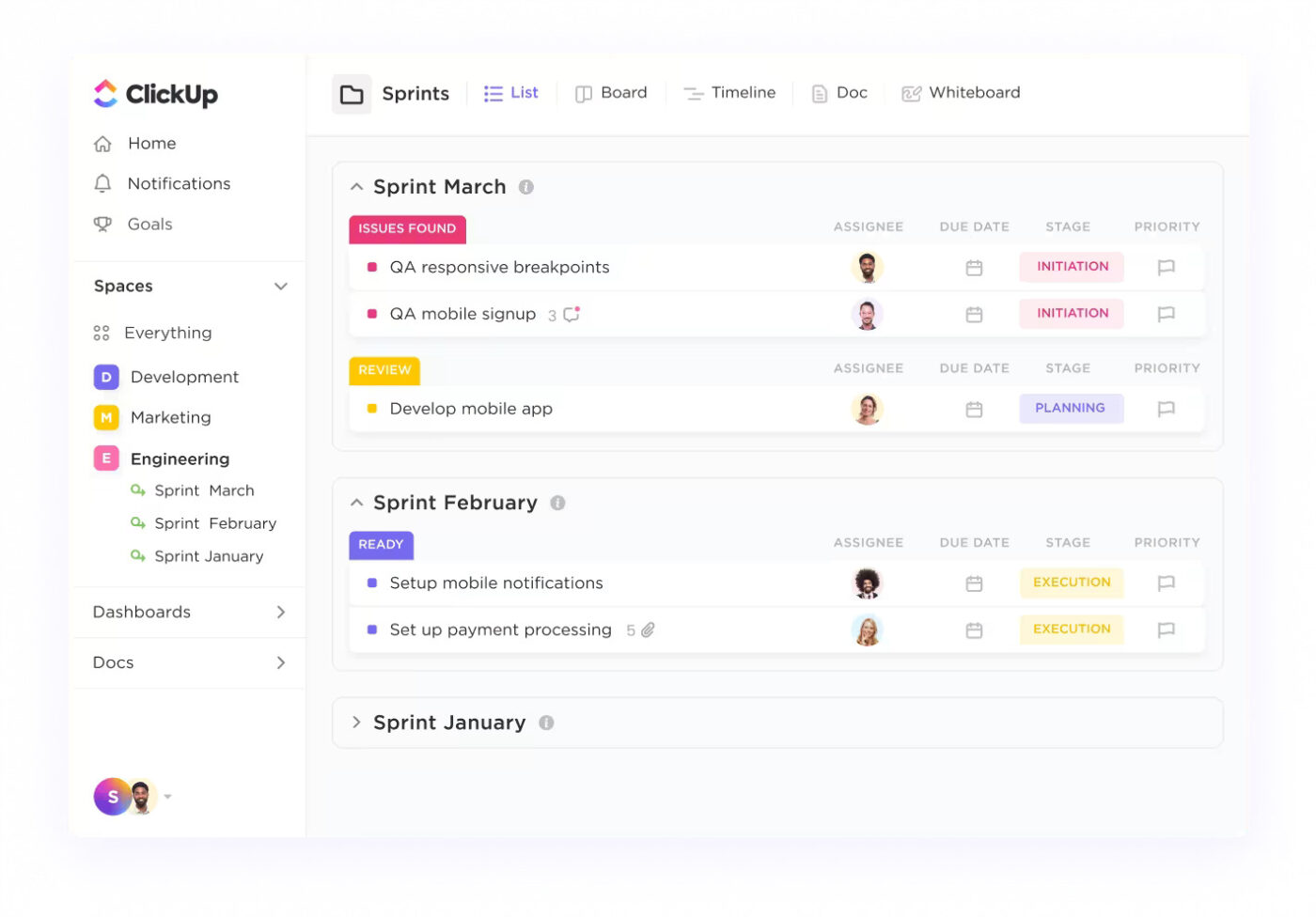
ClickUp’s Sprints and Agile boards allow teams to plan and execute work iteratively, making it ideal for both Greenfield (building from scratch) and Brownfield (modifying existing systems) projects.
ClickUp for Agile software teams offers customizable workflows for Scrum, Kanban, and other Agile approaches, letting teams generate product roadmaps, create test plans, write technical specifications, and more with the enhanced power of built-in AI.
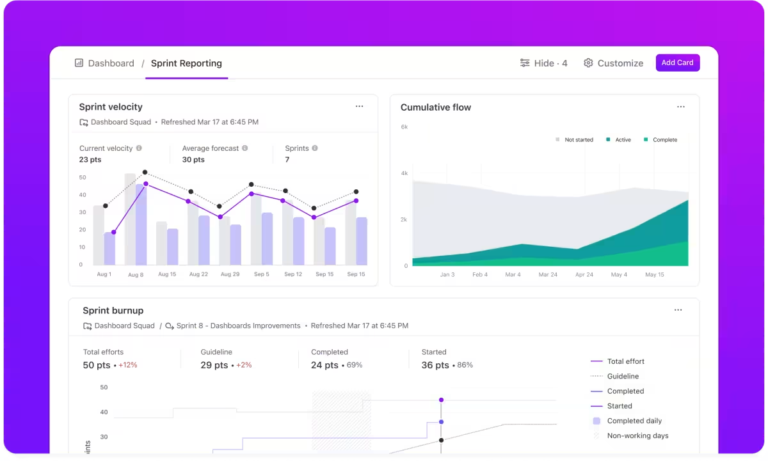
Features like Agile dashboards, sprint reporting, and native Git integrations further allow teams to stay aligned on product roadmaps, backlogs, and progress.
Use Custom Task Statuses in ClickUp to reflect each phase of development, from ideation to deployment. Track sprint velocity and team progress with burndown charts and velocity reports to keep projects on schedule.
With ClickUp Tasks, you can tailor your task statuses, such as To Do, In Progress, and Completed, to match the stages of your development cycle. Break down large greenfield projects into structured task hierarchies (Epics → Features → Tasks → Subtasks).
Assign tasks with four different Task Priorities in ClickUp—Urgent, High, Normal, and Low—to ensure the most critical components are built first.
You can even link related and dependent tasks to see how different parts of your project are interconnected.
For brownfield projects, ClickUp’s Task Dependencies (e.g., “Blocked by,” “Waiting on”) ensure teams can clearly visualize dependencies between old and new system components. At the same time, Gantt Charts in ClickUp provide a timeline view to track progress and identify bottlenecks when refactoring legacy systems.

As the everything app for work, ClickUp links your tasks, docs, and external tools seamlessly, helping your team access everything you need in a central work hub. For Agile teams balancing innovation and maintenance, ClickUp eliminates silos, reduces context-switching, and connects everything in one place—so they can build, iterate, and ship faster.
📮 ClickUp Insight: Low-performing teams are 4 times more likely to juggle 15+ tools, while high-performing teams maintain efficiency by limiting their toolkit to 9 or fewer platforms. But how about using one platform?
As the everything app for work, ClickUp brings your tasks, projects, docs, wikis, chat, and calls under a single platform, complete with AI-powered workflows. Ready to work smarter? ClickUp works for every team, makes work visible, and allows you to focus on what matters while AI handles the rest.
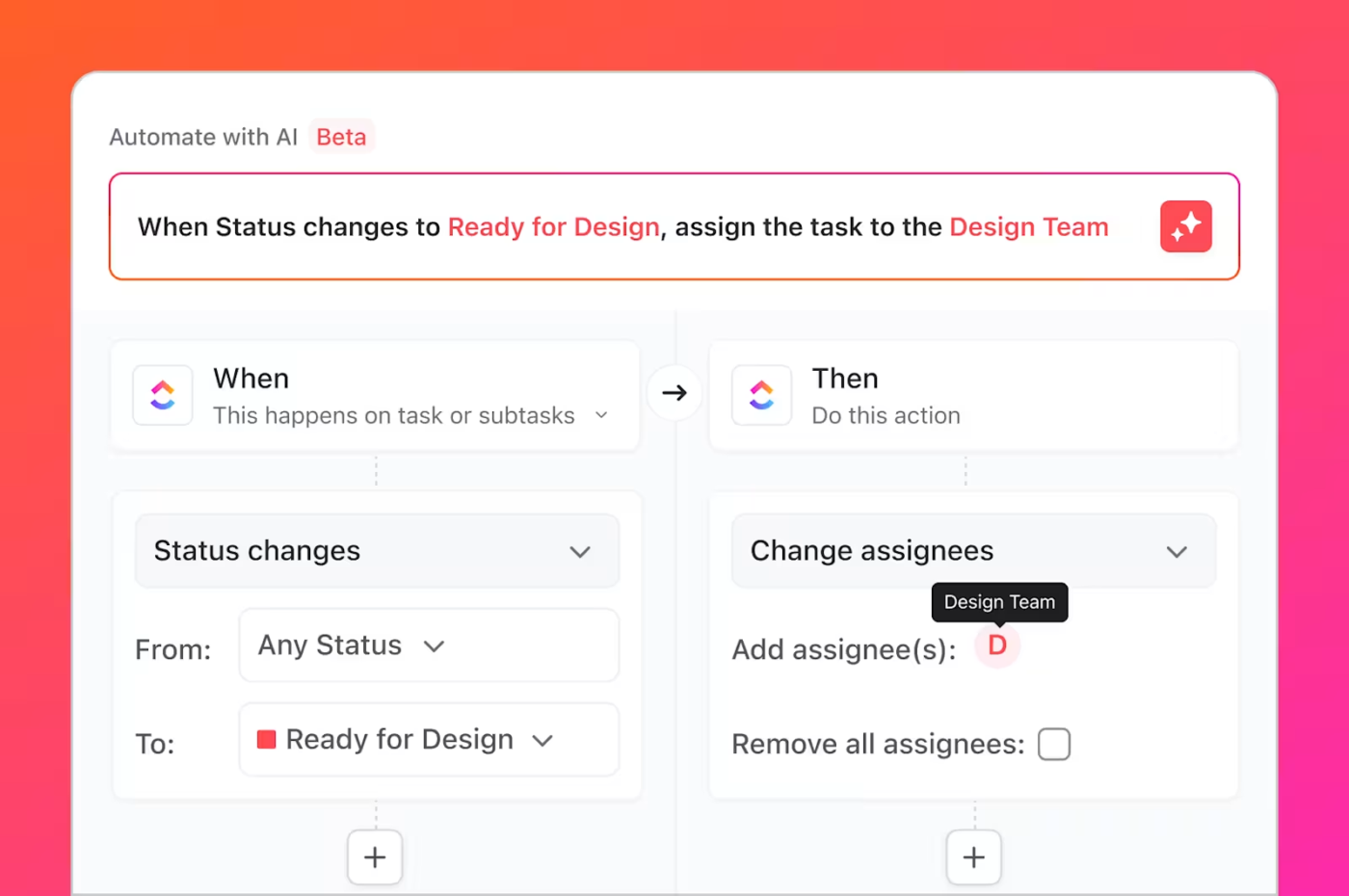
Automating repetitive tasks—standardizing code reviews, testing approvals, and deployment pipelines—with ClickUp Automations gives your team more time for critical work.
For example, if you often have to remind team members about approaching deadlines, you can create automated alerts.
When a task is nearing its due date, ClickUp will prompt you to adjust priorities, change lists, or create a new task for the manager. Then, you can stay on top of deadlines and focus on what truly matters—building great software.
Mundane yet time-consuming tasks like moving cards in Agile boards when status updates occur can also be automated. You can even set up notifications for when legacy system updates (brownfield projects) impact development sprints for greenfield initiatives. This ensures that brownfield updates don’t break existing functionality before new features are deployed.
Jira’s look and feel is very pasé which issues a negative sense of work motivation. Along with it, it is extremely difficult to create automations especially when multiple boards are involved. ClickUp excels in all these areas.
ClickUp enhances real-time collaboration without disrupting your team’s focus.
Use ClickUp Whiteboards to visualize system architecture for both greenfield planning and brownfield modernization.
Threaded comments and @mentions on tasks ensure smooth communication across developers, product managers, and stakeholders, while custom ClickUp Dashboards provide a high-level view of development progress, blockers, and resource allocation.
You can ask any question in ClickUp Chat, and AI will instantly provide an answer, drawing from the entire history of that conversation or information across your workspace and connected apps like Google Drive, GitHub, Figma, and Salesforce.
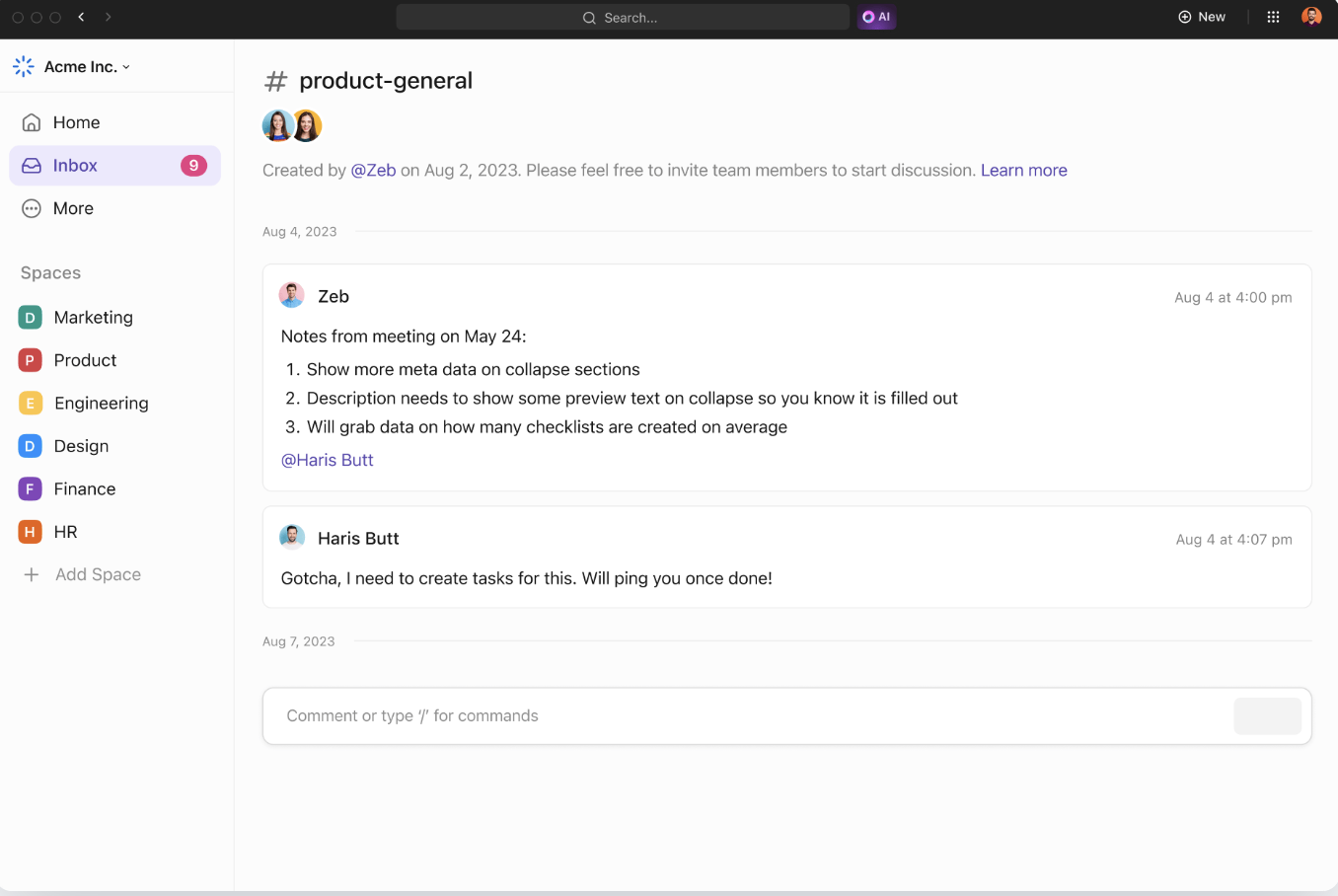
Agile teams often work in fast-moving sprints, where quick decisions are crucial. Instead of bouncing between Slack, Jira, and email, ClickUp Chat keeps everything inside the same platform. Developers, PMs, and QA testers can create and tag tasks directly in chat, making it easier and faster to track action items.
Each List, Folder, and Space has its own Chat in ClickUp. Access all existing views and manage projects directly through the Chat interface.
📮ClickUp Insight: 60% of workers respond to instant messages within 10 minutes, but each interruption costs up to 23 minutes of focus time, creating a productivity paradox.
By centralizing all your conversations, tasks, and chat threads within your workspace, ClickUp allows you to ditch the platform hopping and get the quick answers you need. No context is ever lost!
In greenfield projects, teams define architecture, APIs, and feature requirements from scratch. In brownfield projects, teams need clear documentation on existing systems and how updates affect dependencies. With ClickUp Docs, you can embed tasks directly within documentation—so devs can reference specs without switching tabs. With features like version history and collaborative editing, your team can update API documentation as it evolves.

ClickUp integrates with 1,000+ tools you already use, for free.
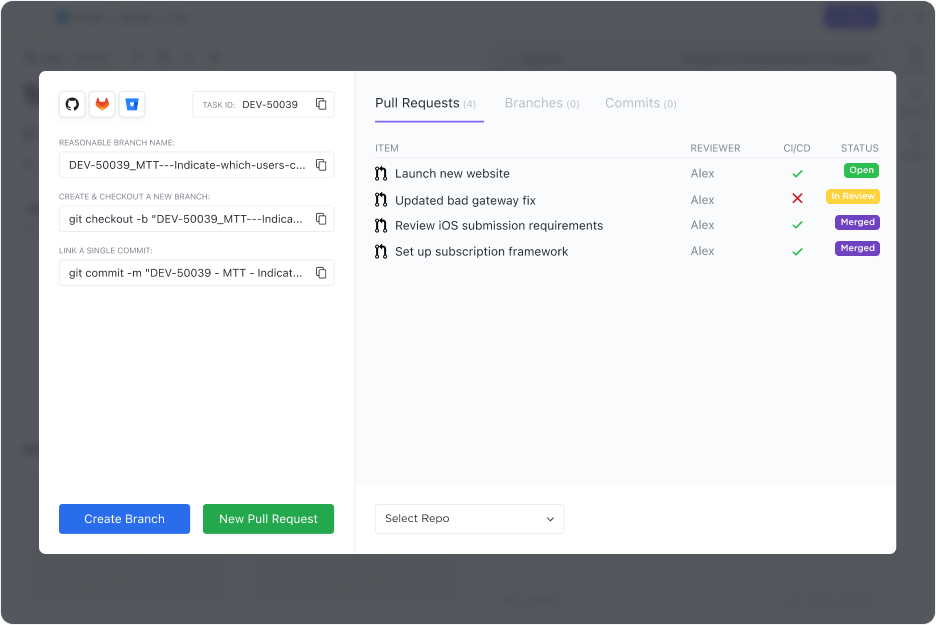
Connect with GitHub, GitLab, Bitbucket, and other version control tools to track commits and pull requests directly in ClickUp. You can also integrate Jira or Azure DevOps if transitioning from legacy tools.
Also Read: Best Software Development Tools
Now that you understand greenfield vs. brownfield software development, you can choose the best approach for your project. The answer isn’t always clear-cut, but it depends on your needs. The decision should be made early on in the project lifecycle, with input from all stakeholders, including the client and software development team.
If your existing system functions well, has clean code, and offers future-proof solutions, brownfield development is likely the right choice. It allows you to build a new software system on a solid foundation and update it with new features.
However, greenfield development is the way to go if you need a custom solution tailored to your unique business needs or if your current system is outdated and disorganized.
💡 Whether you’re building software from the ground up or modernizing legacy systems, ClickUp provides the flexibility, visibility, and automation to streamline project planning and execution.

Praburam Srinivasan
Max 25min read

Sudarshan Somanathan
Max 22min read
Praburam Srinivasan
Max 23min read

© 2026 ClickUp




