






Still downloading templates?
There’s an easier way. Try a free AI Agent in ClickUp that actually does the work for you—set up in minutes, save hours every week.
Sorry, there were no results found for “”
Sorry, there were no results found for “”
Sorry, there were no results found for “”
AI workflow automation has become standard in modern workplaces, with nearly 9 out of 10 organizations now using some form of AI in their operations. If you’re a project manager or team lead using Assista AI, you’ve likely experienced how AI agents can handle repetitive tasks across your apps.
But as your team grows and project complexity increases, you might be exploring other options that offer different features, pricing, or integration capabilities.
Whether you’re looking for specialized project management features or a different approach to automation, we’ve put together this list of Assista AI alternatives to help you find the right fit.
Let’s get started. 💪🏼
Here’s a brief overview of the best Assista AI alternatives and what each brings to the table. 👇
| Tool | Best for | Best features | Pricing* |
| ClickUp | AI-driven project management and automation for cross-functional teams, scaling companies, and enterprise operations | ClickUp Brain for live project summaries and decision tracing, BrainGPT with multiple AI models including ChatGPT, Claude, and Gemini, Talk to Text for fast idea capture, AI Agents for automated monitoring and reporting, Automations for consistent execution | Free forever; customizations available for enterprise |
| Zapier | No-code automation and AI-powered app connectivity for operations teams, marketers, and growing businesses | AI agents that automate multi-step workflows, chatbot-triggered automations, conditional Paths, data formatting tools, and workflow chaining across 7,000+ apps | Free; Starts at $29.99/month |
| Make | Visual workflow building and advanced automation design for technical teams and process-heavy organizations | Drag-and-drop scenario builder, branching logic with Routers, AI integrations across multiple models, data stores for persistent logic, and granular execution controls | Free; Starts at $10.59/month |
| n8n | Self-hosted and developer-friendly automation for engineering teams and security-focused organizations | Visual workflows with code extensibility, LangChain-based AI agents, natural-language workflow generation, error-handling controls, and Git-based versioning | Free trial; Custom pricing |
| Avoma | Revenue conversation analysis for sales, customer success, and go-to-market teams | AI meeting transcription with Smart Chapters, framework detection like MEDDIC, CRM field updates, competitor mention tracking, and coaching insights | Free trial; Starts at $29/month per recorder |
| Google Gemini | Multimodal AI assistance for knowledge workers, researchers, and Google Workspace users | Cross-modal reasoning across text, images, and video, Deep Research for autonomous web analysis, long-context processing, personalized Gems, and native Workspace integration | Free; Starts at $19.99/month |
| Claude | Extended reasoning and long-form analysis for strategists, developers, and research-heavy teams | Large context windows for complex documents, sustained task execution, Projects with persistent knowledge, data analysis tools, and artifact-based outputs | Free; Starts at $20/month |
| ChatGPT | Versatile AI assistance across writing, analysis, coding, and creative workflows for individuals and teams | Multimodal input handling, advanced reasoning models, custom GPTs for specialized tasks, memory-based personalization, and built-in data analysis and image generation | Free; Starts at $20/month |
| HubSpot | Unified CRM automation with AI agents for marketing, sales, and customer teams in growing businesses | Breeze AI agents for content, prospecting, and support, CRM-aware Copilot assistance, automated data enrichment, and campaign intelligence | Free; Starts at $15/month per user |
| Zendesk | AI-powered customer service automation for support teams and service-driven enterprises | Autonomous AI agents for ticket resolution, sentiment-aware triage, Copilot summaries and suggestions, and advanced routing automations | Free trial; Starts at $25/month per user |
Our editorial team follows a transparent, research-backed, and vendor-neutral process, so you can trust that our recommendations are based on real product value.
Here’s a detailed rundown of how we review software at ClickUp.
📮 ClickUp Insight: While 35% of our survey respondents use AI for basic tasks, advanced capabilities like automation (12%) and optimization (10%) still feel out of reach for many.
Most teams feel stuck at the “AI starter level” because their apps only handle surface-level tasks. One tool generates copy, another suggests task assignments, a third summarizes notes—but none of them share context or work together.
When AI operates in isolated pockets like this, it produces outputs, but not outcomes. That’s why unified workflows matter.
ClickUp Brain changes that by tapping into your tasks, content, and process context—helping you execute advanced automation and agentic workflows effortlessly, via smart, built-in intelligence. It’s AI that understands your work, not just your prompts.
Assista AI is used for workflow automation, but some teams look for more depth in planning, reporting, and cross-functional execution as they scale. Here’s what drives them to explore other options:
These are our picks for the top Assista AI alternatives. 📝
ClickUp brings planning, execution, and intelligence into one Converged AI Workspace, so your work stays connected instead of scattered across tools. Your documentation, tasks, projects, and workflows live side by side, which eliminates Work Sprawl and keeps context intact as work evolves.
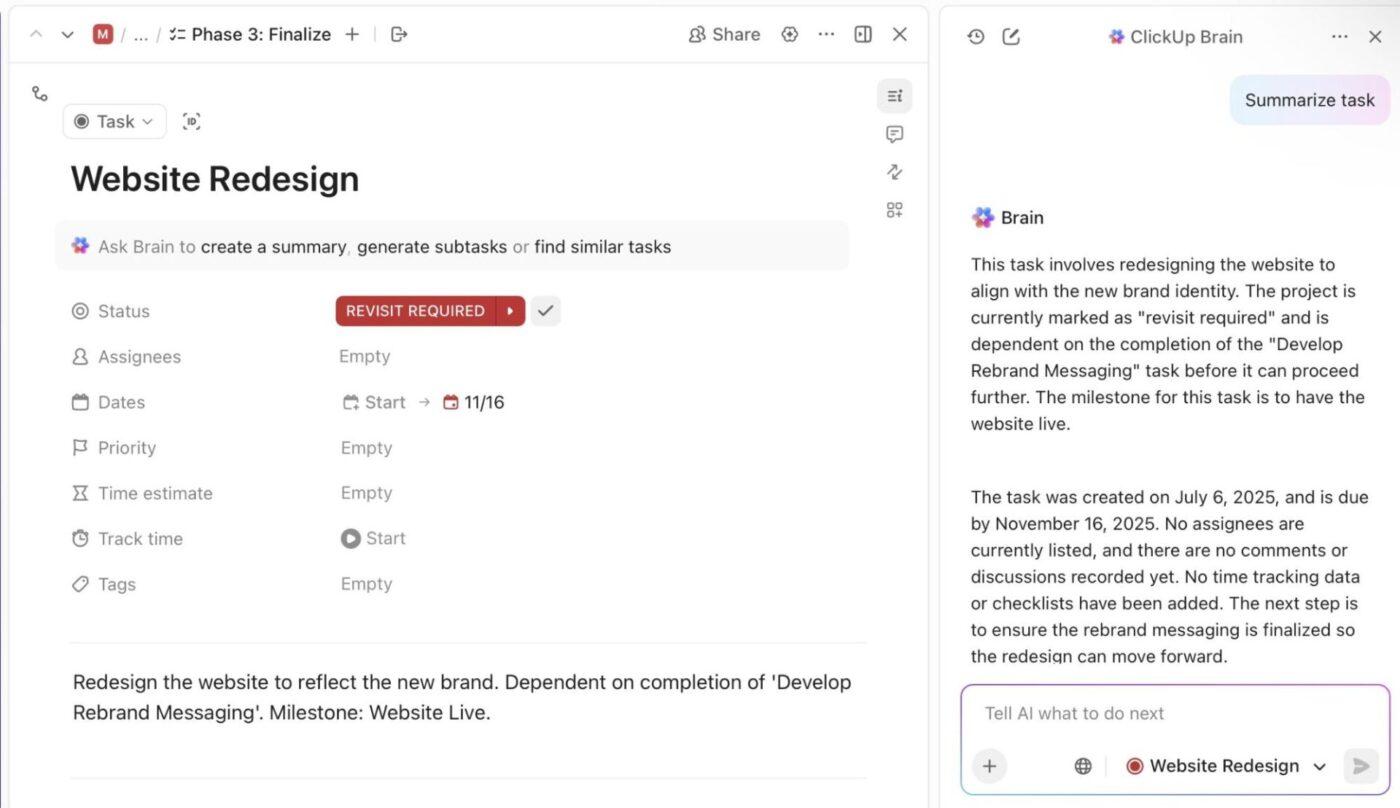
ClickUp Brain helps you make sense of active projects without digging through tasks or chasing updates. It reads task activity, comments, dependencies, and timelines to surface insights that reflect real progress.
Suppose you run a product launch involving engineering, marketing, and support. You ask ClickUp Brain to review the launch project before your weekly sync. It highlights which features reached completion, where approvals stalled, and which dependencies threaten the release date.
You walk into the meeting ready to decide next steps instead of asking for status updates.
📌 Try this prompt: Review this launch project and summarize progress, risks, and actions needed before the next milestone.
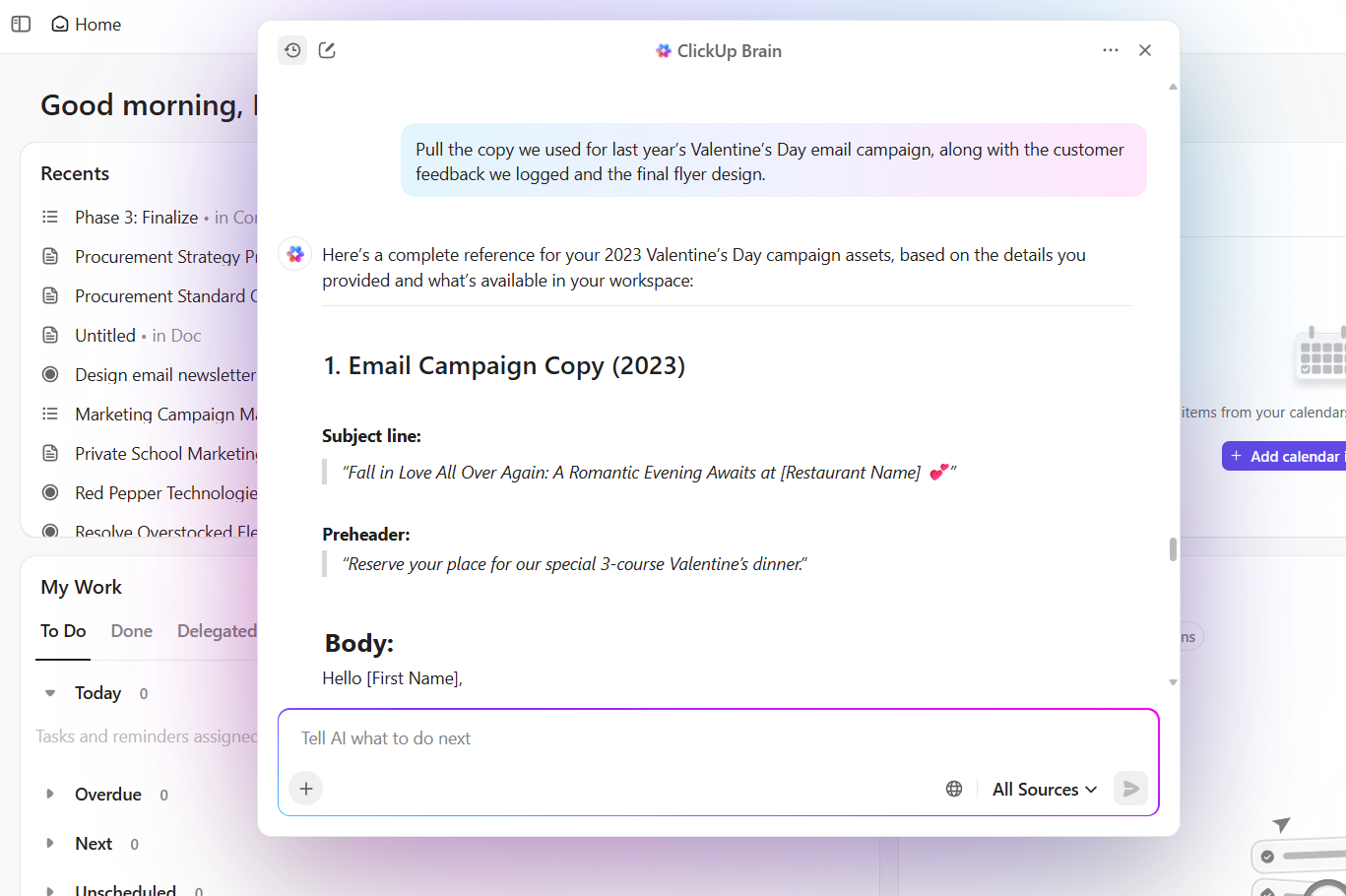
Suppose you lead a platform team and product, security, and operations all weighed in on a rollout decision over two weeks. The discussion lives across multiple tasks and comments.
Before a steering committee review, you ask ClickUp Brain to trace the decision. It summarizes the original proposal, captures objections raised, notes compromises agreed on, and surfaces the final direction. It’s as easy as that!
📌 Try this prompt: Review related tasks and comments for this rollout. Summarize the decision path, key trade-offs, and final outcome.
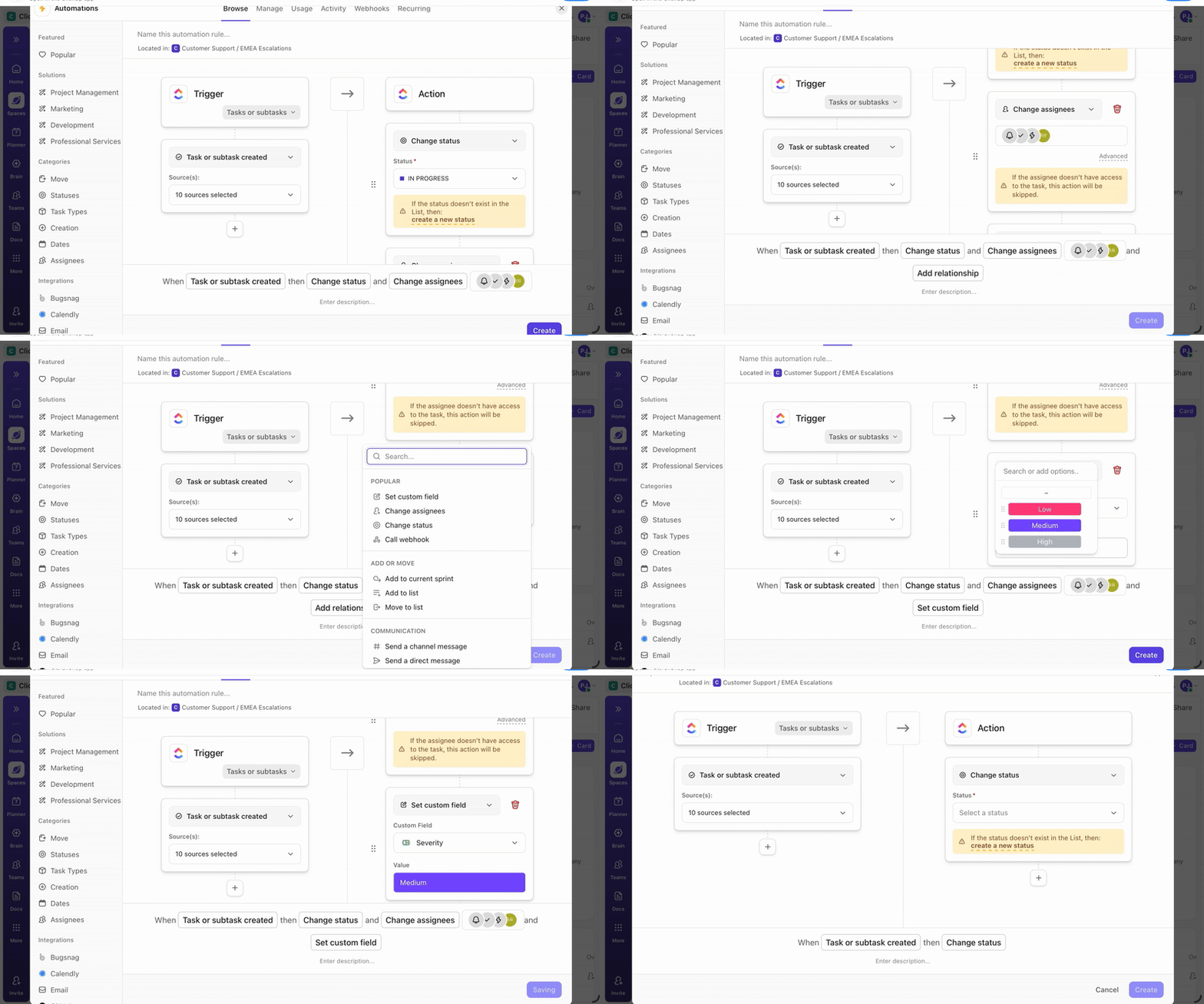
Once you understand what needs attention, consistency becomes the next challenge. ClickUp Automation helps you maintain momentum by handling repeatable project steps automatically.
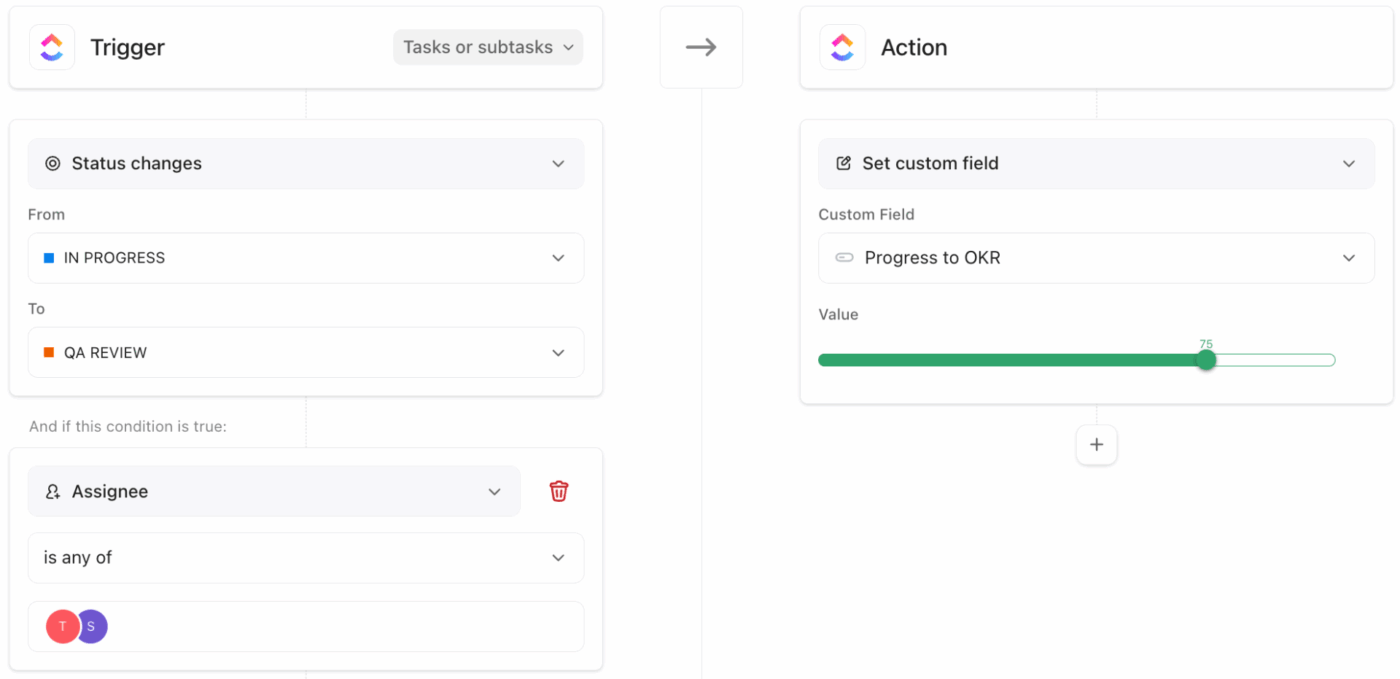
For example, let’s say your agency manages client onboarding projects. You set a project management automation to assign tasks to design and implementation teams once a contract task moves into execution.
Another automation updates project status and notifies stakeholders when key deliverables reach review. Your workflows stay predictable, and your team focuses on delivery instead of manual coordination.
See how AI helps you automate tasks by watching this video:
As projects grow in number, manual oversight stops working. ClickUp Agents help you manage that scale by monitoring your workspace and acting on defined conditions.
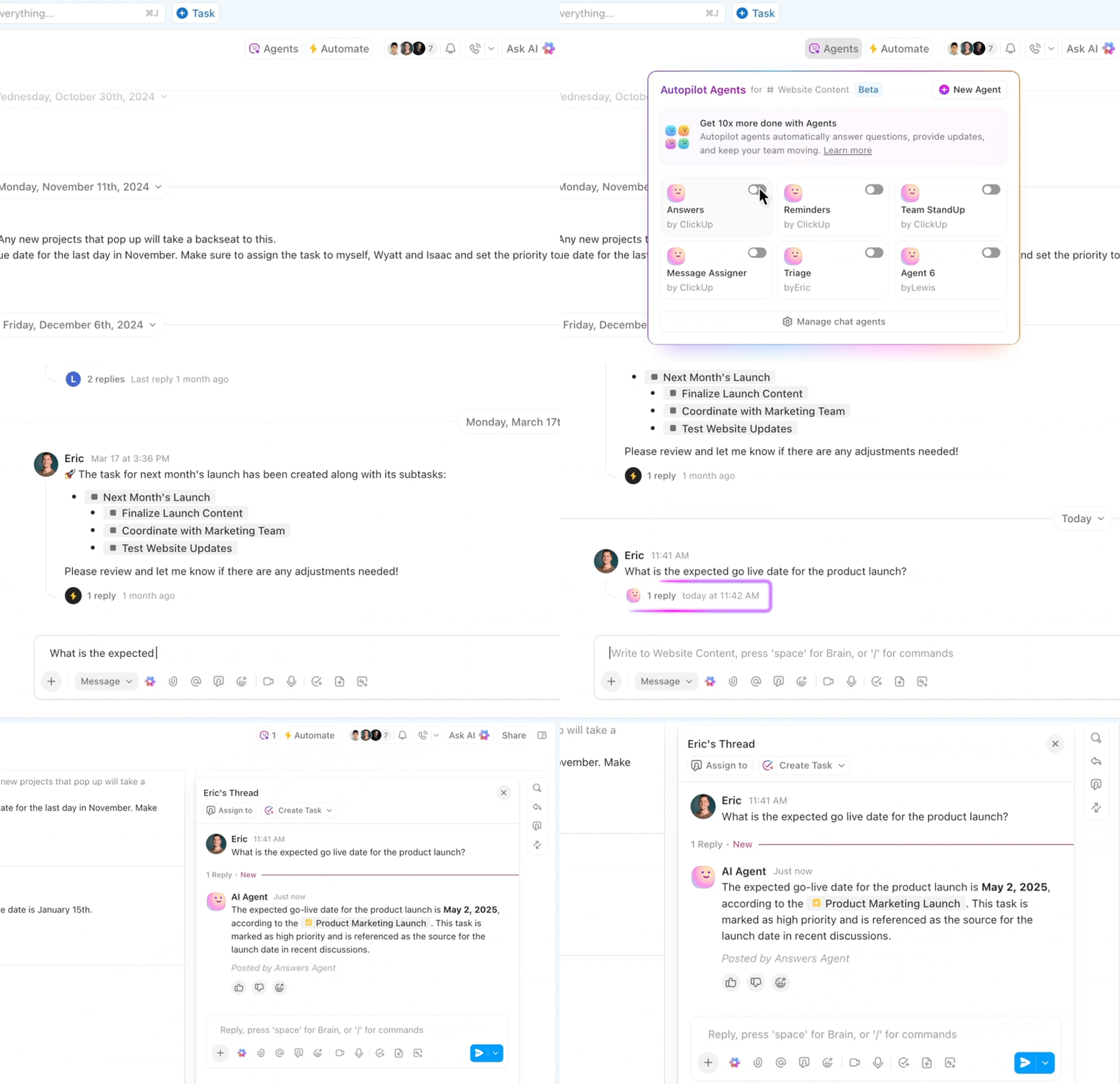
You can try these Prebuilt Agents to handle common workspace needs:
You can also build your own AI agents. ClickUp lets you define your own rules, triggers, and goals, so Agents act according to your team’s unique workflows.
Watch this video to learn how:
Prebuilt Agents handle visibility.
Super Agents handle responsibility.
Super Agents are custom AI teammates designed around specific roles in your workflow. They are configured as AI “users” inside your workspace and can be assigned work, mentioned in tasks, or triggered by events.
Instead of reacting to individual conditions, Super Agents operate with context, memory, and intent.
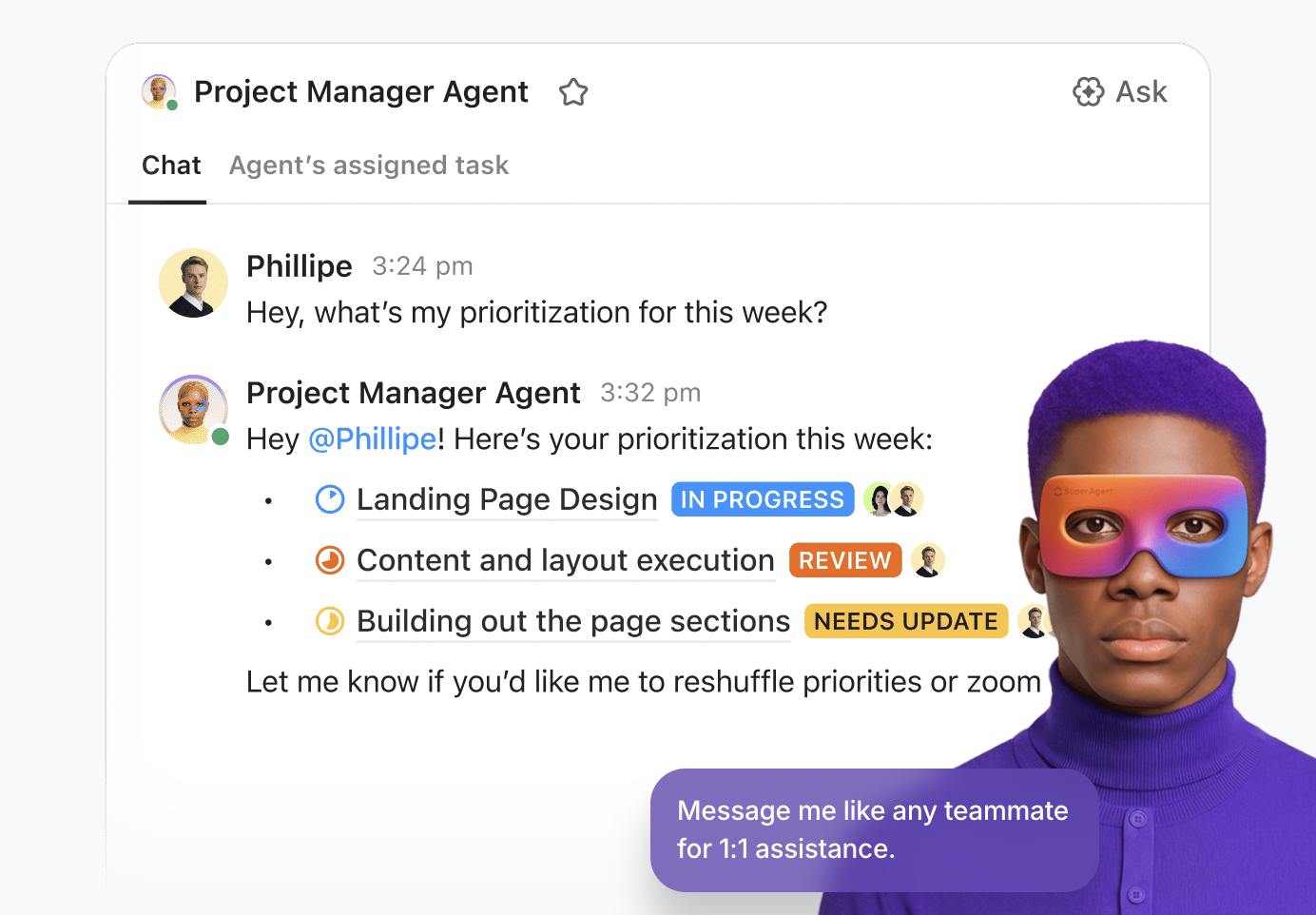
Examples that fit the browser-to-workflow transition:
This is the shift from automation to delegation.
A happy user put it like this:
I find ClickUp incredibly valuable as it consolidates functions into a single platform, which ensures that all work and communication are gathered into one place, providing me with 100% context. This integration simplifies project management for me, enhancing efficiency and clarity. I particularly like the Brain AI feature, as it functions as an AI agent that executes my commands, effectively performing tasks on my behalf. This automation aspect is very helpful because it streamlines my workflow and reduces manual effort. Additionally, the initial setup of ClickUp was very easy to navigate, which made transitioning from other tools seamless. I also appreciate that ClickUp integrates with other tools I use, such as Slack, Open AI, and GitHub, creating a cohesive work environment. Overall, for these reasons, I would highly recommend ClickUp to others.
🔍 Did You Know? One of the earliest demonstrations of generative AI was using GANs to create fake celebrity faces. The website thispersondoesnotexist.com produces photorealistic human faces that are 100% synthetic. This went viral because people realized how convincing generative models had become.
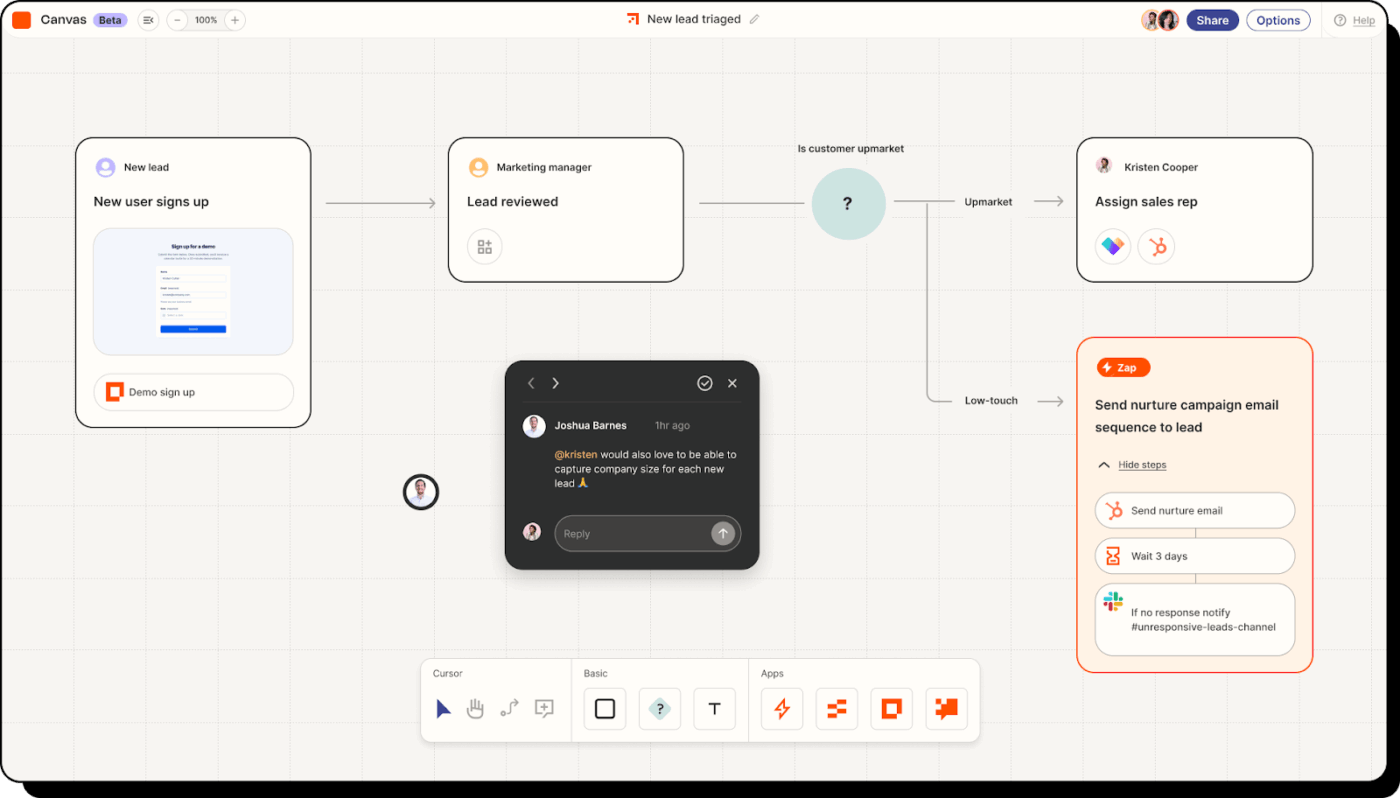
Zapier wires together over 7,000 applications through automated workflows called Zaps, moving information where it needs to go without requiring technical knowledge. Beyond simple app-to-app automation, Zapier includes various types of AI agents that operate autonomously across your tech stack. These agents handle sequences that used to need human oversight—prospecting, data enrichment, follow-ups.
You can also build chatbots that embed on your website and trigger workflows based on conversation context. The platform bundles access to models like ChatGPT and Gemini, so you skip the hassle of managing separate API keys.
I dig the flexibility. Yes, you can move data between two apps with an existing plug-in. With a zap I can move that data, do it in a way that other people can easily update if something changes, send an email to alert a user that something has happened, and log the transaction in a spreadsheet for auditing later. In other words, I’m not limited the functionality [sic] the plug-in creator thought I might need.
🔍 Did You Know? An AI system wrote the script for a short film called Sunspring in 2016. The resulting movie was odd, disjointed, and strangely poetic, and it quickly went viral. It showed how AI could contribute to storytelling in unpredictable ways.
📖 Also Read: Best Zapier Alternatives & Competitors
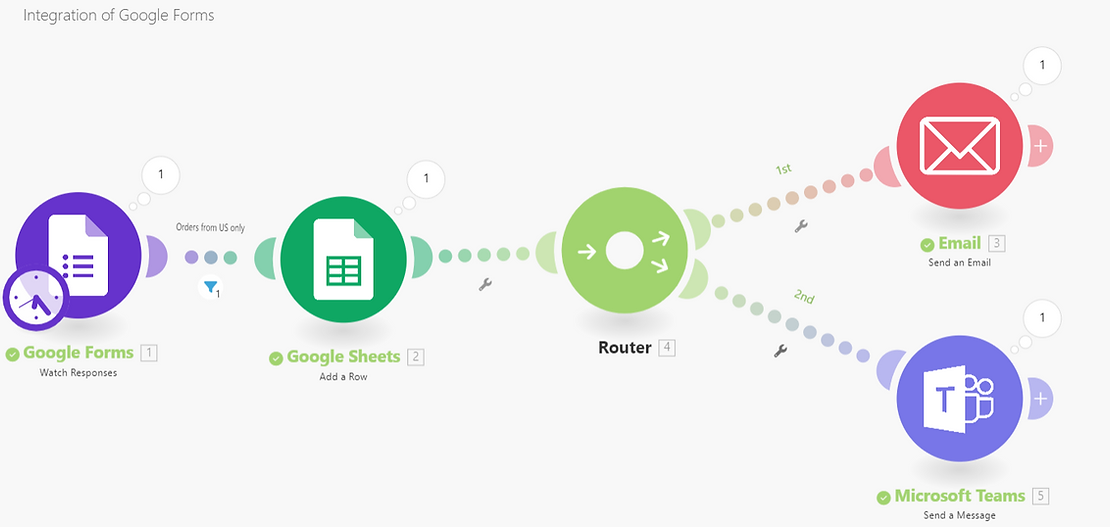
Make puts your entire automation on a canvas where you see everything at once—every module, every connection, every data transformation. You simply drag modules onto a visual workspace and wire them together exactly how you need them. This approach works particularly well when you’re building workflows that split into parallel branches, include conditional logic, or transform data through multiple steps.
The platform doesn’t lock you into workflow templates. Pick from over 200 AI integrations (OpenAI, Claude, Stability AI, ElevenLabs) and connect them however your specific use case demands. Make’s Router module splits execution into multiple branches that run based on conditions you define, useful when different data types need different processing paths.
A G2 reviewer shares:
Make offers a flexible and powerful platform for building automations and integrating tools across our stack. Its visual builder makes complex logic easy to follow, and the wide range of app integrations enables us to scale workflows quickly without heavy development.
📖 Also Read: Make Alternatives to Automate Workflows & Processes
🧠 Fun Fact: People use AI to blend images of different animals. They create imaginary creatures called GANimals (like a mix between a tiger and a rabbit).
Here’s what a GANimal looks like:

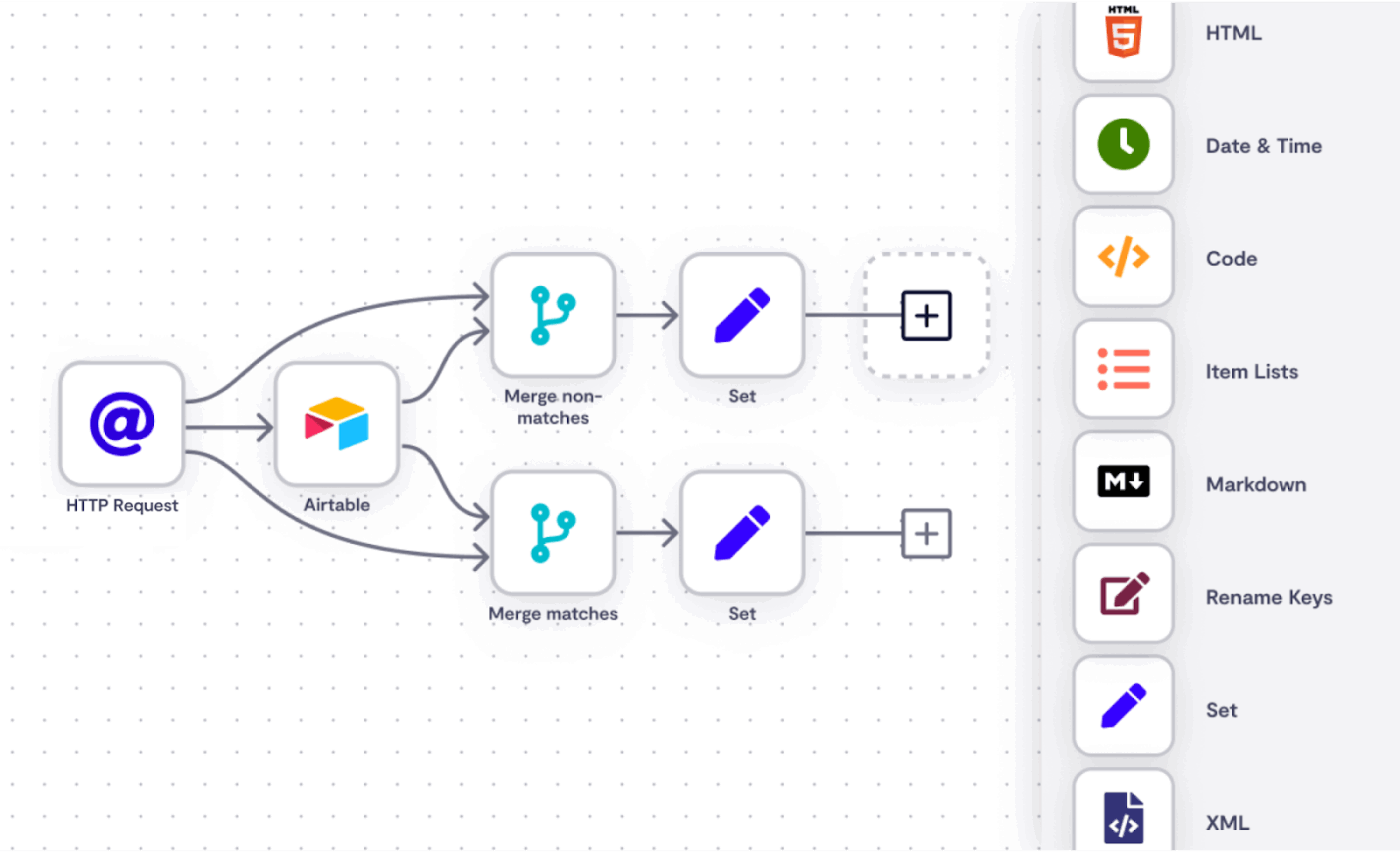
n8n gives you the infrastructure to combine visual workflow building with the option to write JavaScript or Python whenever pre-built nodes don’t match your exact requirements. Run everything on your own servers (Docker, Kubernetes, bare metal) or use n8n’s cloud. Either way, you control where data lives and how it’s processed.
LangChain integration sits at the core of n8n’s AI capabilities. You can build multi-agent systems that include conversation memory, vector stores for semantic search, and tool use that lets LLM agents interact with external services. The AI Workflow Builder generates complete workflows from natural language descriptions. Additionally, the MCP Server Trigger allows external AI systems to invoke your n8n workflows directly.
A G2 user says:
This tool is both user-friendly and highly powerful. I really like that it allows you to test either the whole flow or just an individual node, depending on your needs. Additionally, there are plenty of practical and easy-to-follow examples provided, which makes getting started much simpler. No need to know how to code, but if you know it, it is better.
🧠 Fun Fact: In 1951, Christopher Strachey created a program that generated love letters on the Ferranti Mark I. The computer filled in templates with romantic words and phrases, producing surprisingly charming results. It is one of the earliest examples of generative creativity in computing.
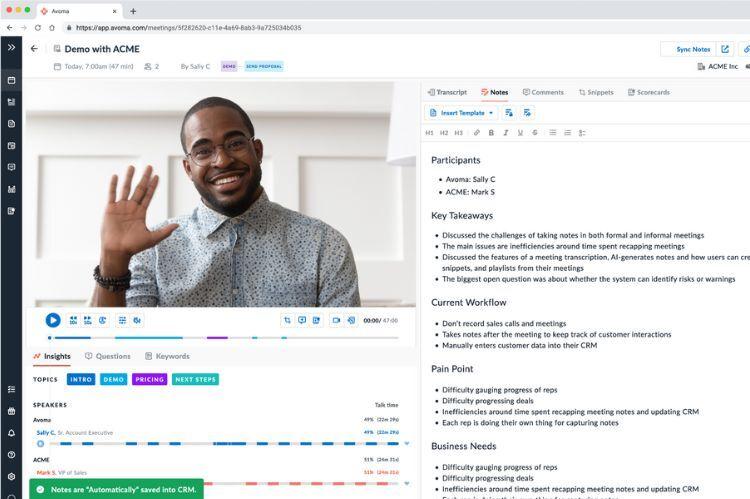
Avoma records customer-facing meetings across video platforms, then pulls out insights that would otherwise disappear into forgotten notes. The Assista AI alternative transcribes conversations with speaker identification, organizes content into Smart Chapters, and lets you jump directly to specific topics.
In addition, Avoma connects meeting intelligence to your revenue operations. It detects whether your team follows frameworks like MEDDIC or SPICED during conversations, then updates corresponding CRM fields automatically. The tool also surfaces competitor mentions, tracks talk-time ratios, identifies objection handling patterns, and highlights coaching opportunities based on scorecard criteria you define.
A G2 review notes:
I use Avoma for recording and reviewing sales calls, and it’s very seamless with high reliability; I experience no transcription failures or errors. I really appreciate the Ask Avoma feature as it saves a lot of time by helping me check specific details from conversations. It decreases friction in referring to historical context and accurately maintaining context, making it easier for me to fish out deal specifics that are otherwise hard to find. Avoma has also solved note-taking for me completely, which helped close process gaps and improve skills.
🔍 Did You Know? 95% of professionals now use AI at work or at home, and 76% pay for AI tools out of their own pockets. Most respondents report sustained productivity gains, suggesting that real-world use of AI is mainstream rather than experimental.
📖 Also Read: Top Avoma Alternatives and Competitors
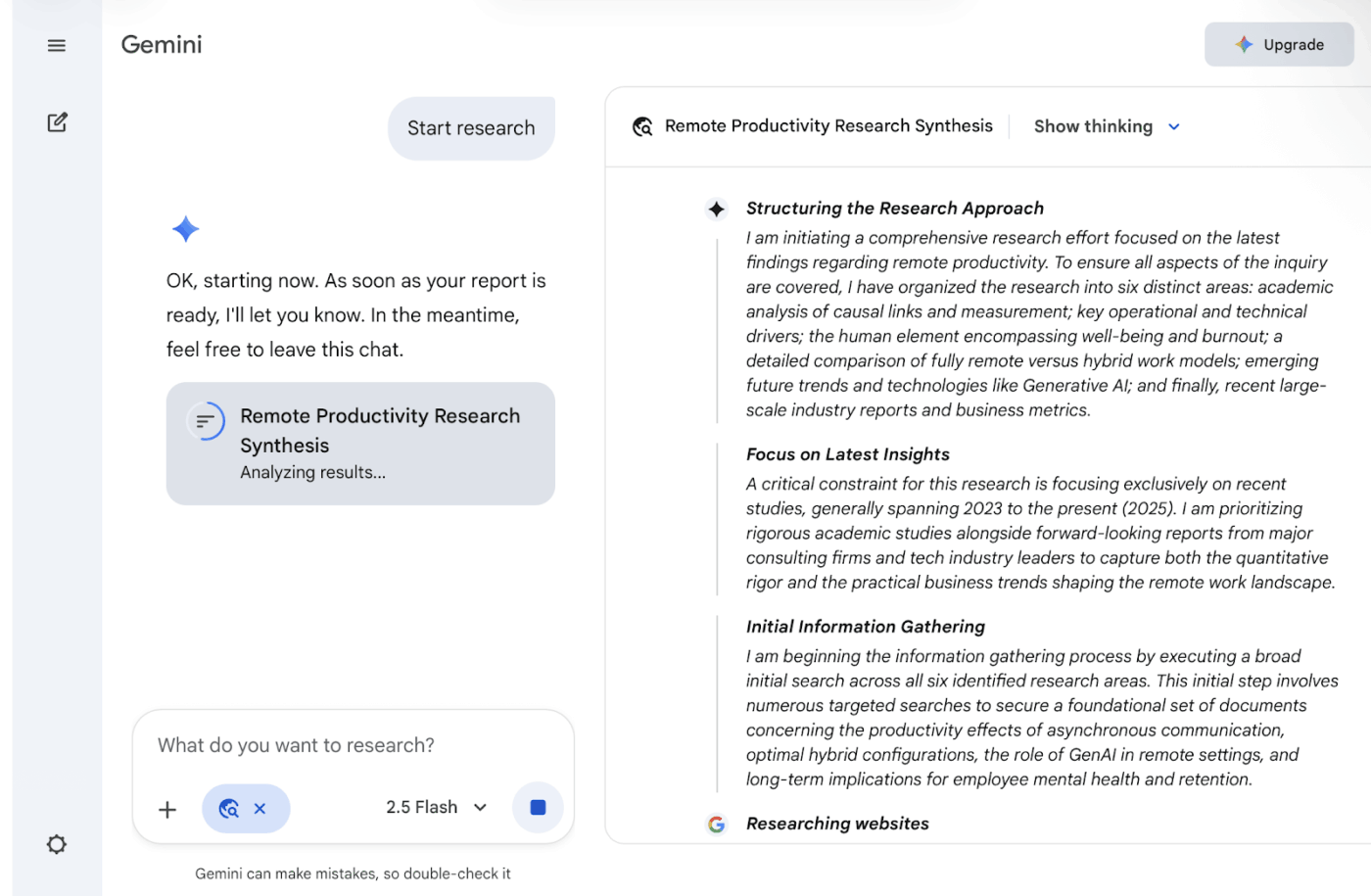
Google’s Gemini understands different types of information—text, images, audio, video—as connected rather than separate capabilities. The model was built from the ground up to process multimodal inputs simultaneously and understand how they relate to each other.
This shows up in how Gemini integrates across Google Workspace. Ask it to analyze a three-hour video recording and extract specific data points. Pull context from your Gmail history to draft personalized responses. Create calendar events based on scattered information across documents and emails. Furthermore, Deep Research helps browse hundreds of websites autonomously to compile comprehensive reports. The 1-million-token context window processes entire textbooks, dense research papers, and comprehensive codebases that other models can’t accommodate.
Note: Initial months may have reduced pricing.
As per a Capterra review:
What impressed me mostly is their Nano Banana image/graphics generation tool – amazing tool that made good graphics I am using for my work. Overall Gemini is intuitive and easy to use, and they improved [sic] so much since the launch. You really don’t need to draft long prompts anymore in order to get results you expect. I also used it for writing blog articles and captions on social media posts, and it Gemini’s [sic] initial response to my first prompt was usually exactly what I need (I don’t need to tweak outputs much or asking to paraphrase/fix text).
🧠 Fun Fact: A program called Racter generated poetry in the 1960s and eventually had an entire book published. The writing was strange, sometimes nonsensical, but undeniably creative. Many readers assumed it was the work of an eccentric human poet.
📖 Also Read: Top Google Gemini AI Alternatives to Try Now
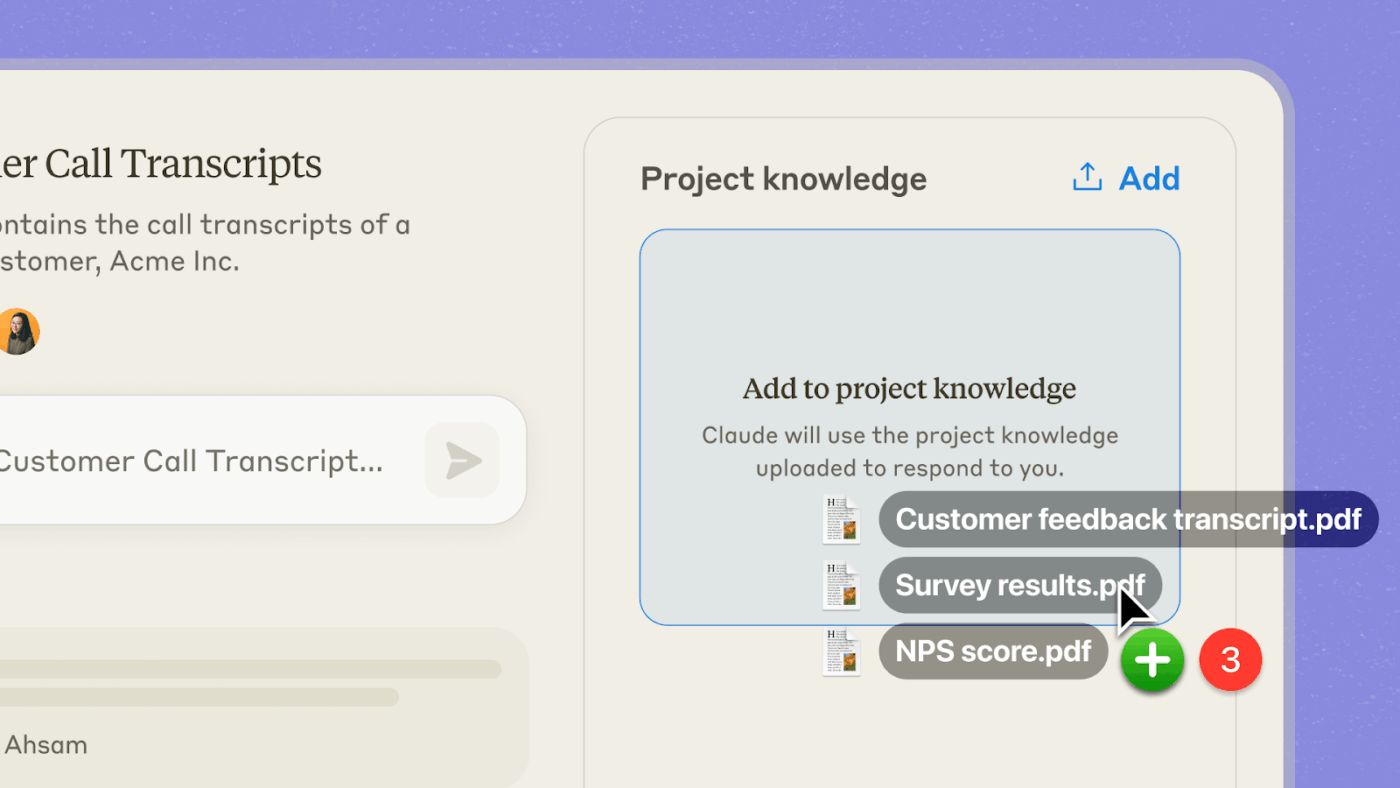
Claude handles complex tasks that require sustained focus and nuance. Built using Constitutional AI principles, the model maintains context over extended conversations, understands subtle instructions, and produces output that rarely needs heavy supervision. The 200,000-token context window means you can work with entire codebases or lengthy documents without losing track.
It includes autonomous operation for up to 30 hours on complex tasks, such as managing multiple codebases, debugging issues, and implementing features without constant intervention. Claude Code brings this capability to the command line, where you delegate coding tasks directly from your terminal. The Artifacts render interactive applications, data visualizations, and documents as you refine them through conversation.
Per a G2 review:
Claude’s ability to maintain context and understand nuanced business requirements is strong. Claude helps me structure complex deliverables and simulations, analyze huge volumes of text or data, and craft precise client communications without losing strategic intent. The tool particularly excels at helping me catch critical details I might miss when exhausted – like when we debugged that Google Apps Script issue where the simple capitalization error in “Index.html” was causing deployment failures. Claude’s direct approach matches exactly what I need – clear thinking without fluff or unnecessary validation.
🔍 Did You Know? Education and workforce readiness for AI are also expanding. More countries are incorporating AI and computer science into K-12 curricula, and degrees in computing have grown in places like the U.S., but gaps in access and preparedness remain in many regions.
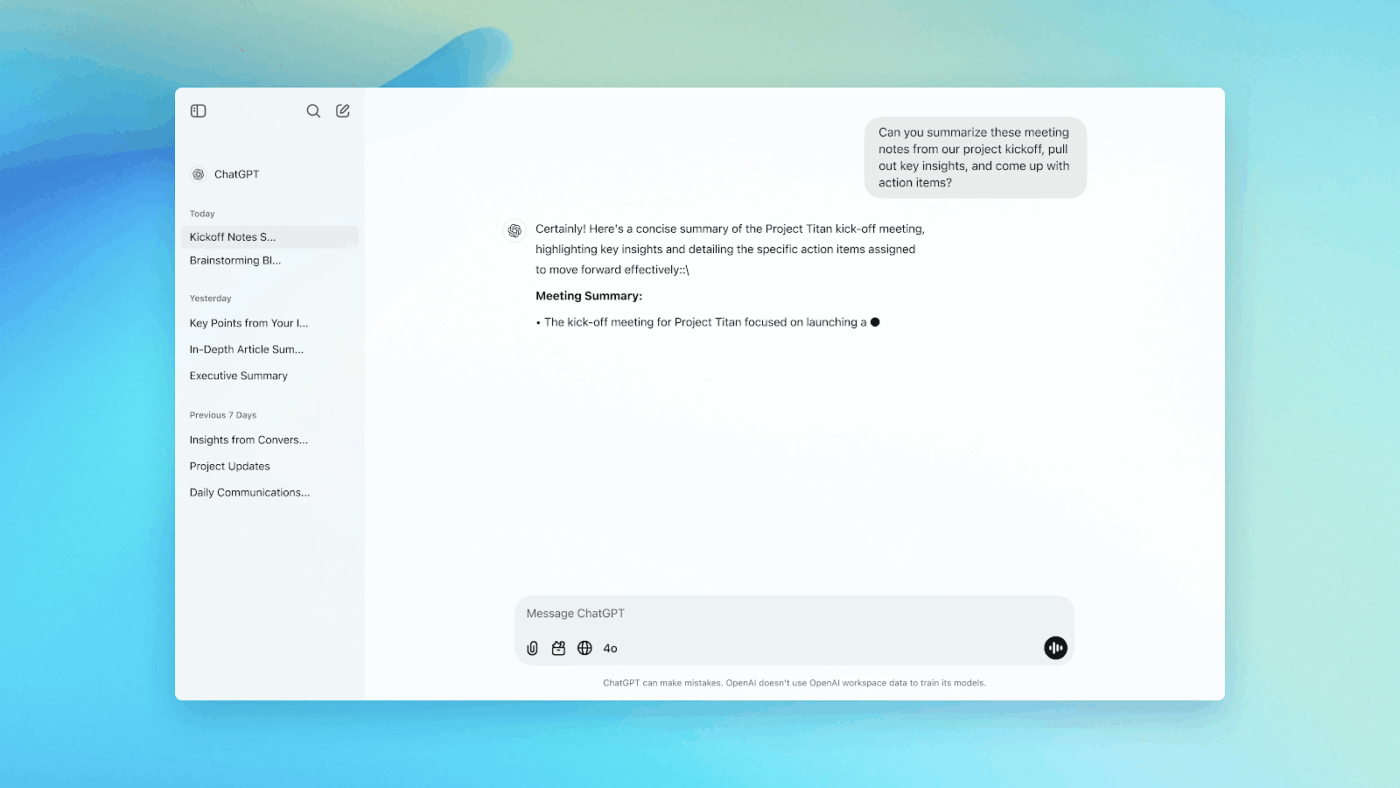
ChatGPT spans from simple questions to complex reasoning tasks, code generation, image creation, and voice conversations that feel remarkably human. It handles multimodal inputs—voice conversations including realistic intonation, image and video analysis, seamless switching between task types mid-conversation.
The o-series models add extended reasoning that works through problems step-by-step before responding, useful for mathematics, strategic planning, and complex coding challenges. Custom GPTs let you create specialized versions tailored for specific workflows without writing code. It searches the web, analyzes uploaded files, and executes Python code within the same conversation thread.
On G2, a user wrote:
What I like best about ChatGPT is that it functions like an entire support team wrapped into one tool. It is my writer, editor, strategist, researcher, and thought partner, available any time I need it. I can bring in complex ideas, raw notes, or half finished drafts, and it helps me turn them into clear, structured, professional work that I can actually use with clients, partners, and organizations.
🧠 Fun Fact: In 2018, a GAN-generated portrait called Edmond de Belamy sold at Christie’s for 432,500 dollars. The piece was printed on canvas and signed with the algorithm’s mathematical formula. Its sale sparked debates about authorship, creativity, and the role of AI in art.
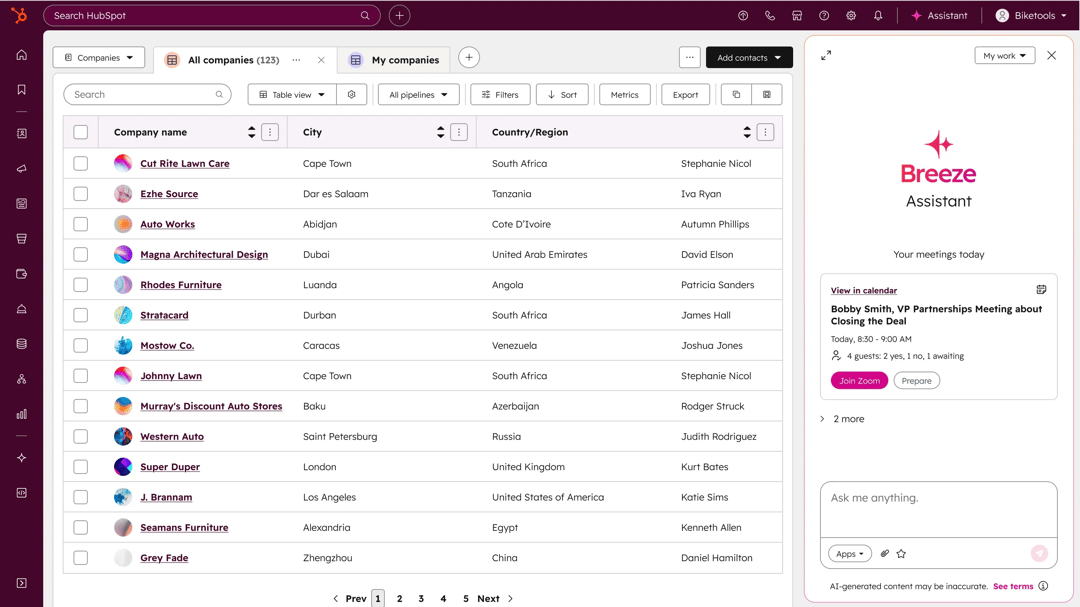
HubSpot built its reputation by making marketing, sales, and customer service tools accessible without enterprise software complexity. Breeze embeds AI capabilities throughout the customer platform rather than treating them as separate add-ons. Copilot acts as a conversational AI companion that answers questions about your CRM data and generates content based on business context. Its AI agent tools automate complete workflows for content creation, social media management, prospecting, and customer support from start to finish.
Breeze Intelligence enriches contact and company records automatically by pulling from over 200 million buyer profiles that refresh every 30 days. Content Remix transforms single videos into clips, audio files, blog posts, and social content. Moreover, the Prospecting Agent researches leads, identifies buying signals, and crafts personalized email outreach using your brand voice and CRM insights.
From a G2 review:
One new thing I really like about HubSpot Marketing Hub is the AI-powered content and campaign recommendations. It actually analyzes audience behaviour and suggests the best content, subject lines and sending time for each campaign. This makes it much easier to optimise performance without guessing. […] Another feature I appreciate is the improved multi-touch attribution reporting. It clearly shows which channels, ads and touchpoints contributed the most in converting a lead, which helps us make smarter budget decisions.
🔍 Did You Know? AI winters in the 1970s and 1980s nearly wiped out the field. Funding disappeared after early researchers made bold promises that never materialized. These setbacks slowed progress but also forced the community to rethink foundational ideas.
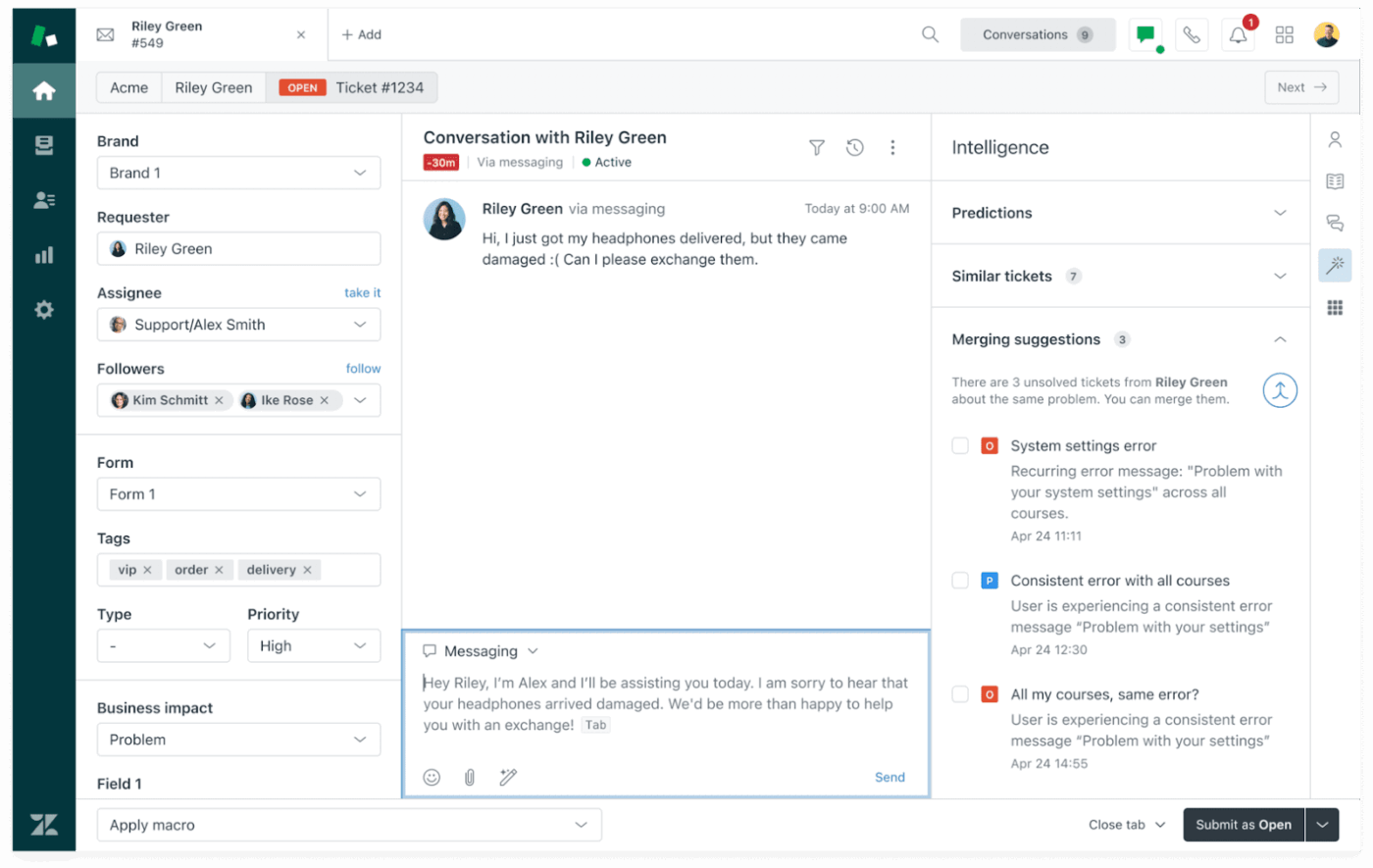
Zendesk combines autonomous AI agents for automation with Copilot tools to help human agents resolve complex issues faster. The AI agents work across messaging channels to resolve customer issues independently, using agentic AI that reasons through problems and adapts to different scenarios rather than following rigid scripts.
Intelligent Triage automatically categorizes incoming requests by intent, detects language, assesses sentiment, and routes tickets to the appropriate team member instantly. Copilot provides conversation summaries, suggests relevant macros, and surfaces action recommendations directly in agent workflows. AI agents for project management can expand brief notes into comprehensive, tone-appropriate responses using AI that maintains brand voice consistency.
According to a G2 review about this Assista AI alternative:
It was fairly easy to set up, and I liked that it was able to build some initial KB articles from AI scraping about the industry I’m in. The interface to handle tickets is solid, and easy to set up as well.
adding the chat agent to my website was easy. integrating email with the ticketing system was fairly easy as well.
The capabilities of the support system were solid.
🧠 Fun Fact: A neural network at Google learned to recognize cats in 2012 by watching millions of unlabeled YouTube videos. No one told the model what a cat was; it discovered the pattern on its own. This experiment demonstrated the power of deep learning and unsupervised discovery.
Assista AI works well for basic automation. It connects tools, triggers actions, and handles repeatable workflows. For many teams, that’s a solid starting point.
The friction shows up as work grows more complex and context spreads across tools.
ClickUp stands out here because it combines automation, AI agents, and project execution in the world’s first Converged AI Workspace. Tasks, docs, timelines, dashboards, and conversations stay connected, so AI works from live context rather than disconnected triggers.
ClickUp Brain turns ongoing work into clear summaries, risks, and next steps, while Automations and Agents handle follow-ups, reporting, and oversight without manual coordination.If you’re comparing Assista AI alternatives and want something that scales past simple automation, sign up for ClickUp today! ✅

© 2026 ClickUp

There’s an easier way. Try a free AI Agent in ClickUp that actually does the work for you—set up in minutes, save hours every week.