






Still downloading templates?
There’s an easier way. Try a free AI Agent in ClickUp that actually does the work for you—set up in minutes, save hours every week.
Sorry, there were no results found for “”
Sorry, there were no results found for “”
Sorry, there were no results found for “”
If your tools are supposed to save time, why does work feel… slower?
A 2024 Intuit QuickBooks survey found businesses spend 25 hours a week reconciling data across apps, and estimate that $3,000/month is wasted on unused software. A surprising chunk of that drag comes from app sprawl: the slow accumulation of “helpful” tools that quietly turns into a maze.
Companies now average 106 SaaS apps, and mid-sized businesses often sit around 101. That means more logins, more duplicate work, more places for information to hide, and more subscriptions that renew long after anyone remembers why they were bought.
This article breaks down what app sprawl really costs and gives you a practical playbook to audit, consolidate, and keep your stack clean going forward.
Your marketing lead needs last quarter’s campaign performance data. She checks the team’s project management tool first, then the shared drive, then the chat app where someone might have posted it, then her email. Twenty minutes later, she’s still searching, and the meeting she needed that data for has already started.
This is the daily reality of app sprawl. It’s the uncontrolled accumulation of software tools that creates more problems than it solves. It happens gradually. You add one app for chat, another for docs, and another for tasks. Before you know it, your workflow is overflowing with logins and browser tabs.
The problem compounds into two distinct but related challenges. Work sprawl happens when projects and tasks are scattered across disconnected tools and systems that don’t communicate with each other. Your project lives in one place, the related documents in another, and the conversations about both in a third. Context sprawl follows naturally, as teams waste hours switching between apps, searching for files, and piecing together information just to do their jobs.
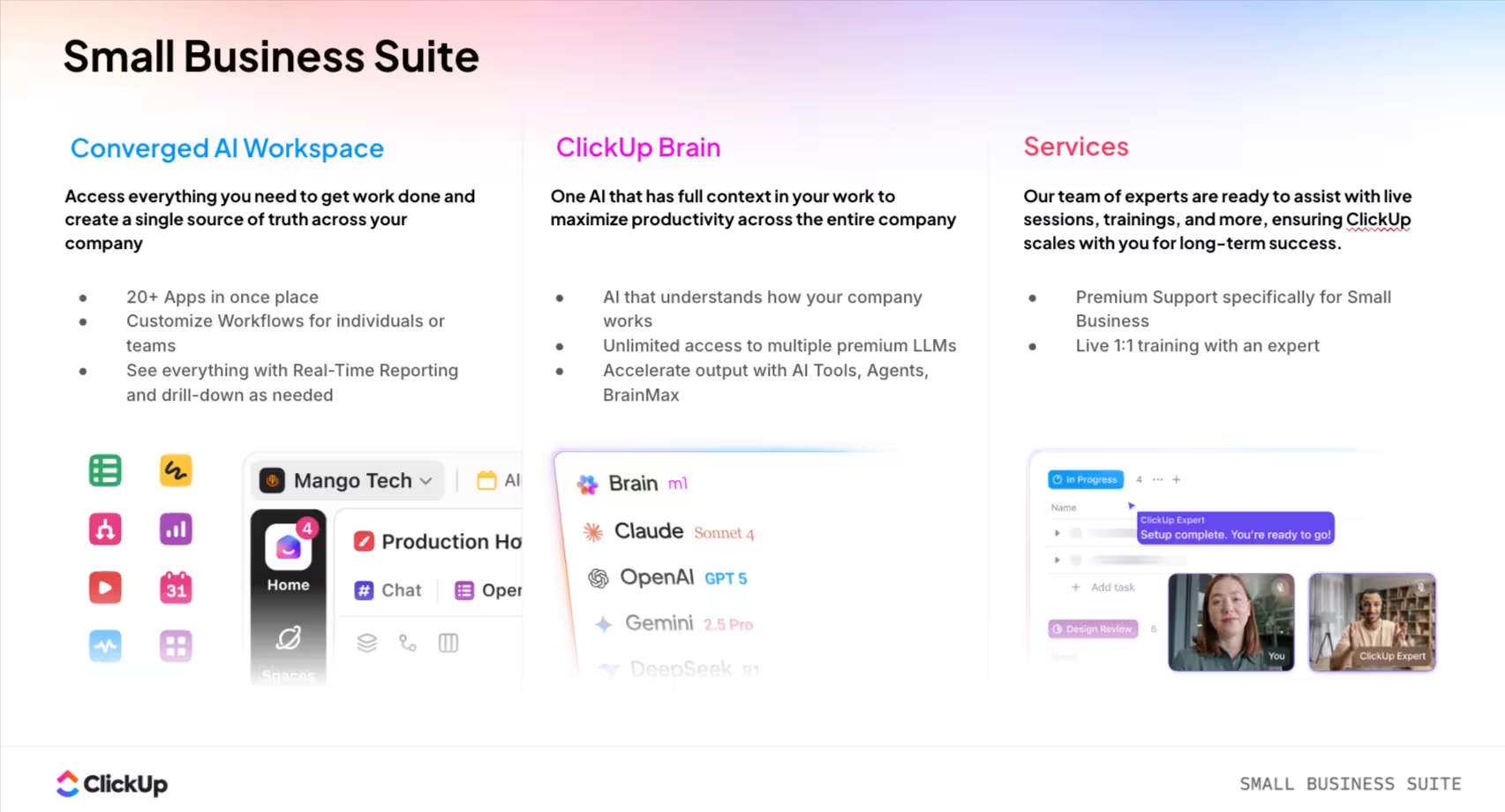
A Converged AI Workspace addresses both by bringing projects, documents, conversations, and analytics into a single, secure platform, with AI embedded as the intelligence layer. That’s the model ClickUp is built around. Instead of forcing your team to become experts at navigating a dozen different interfaces, everything lives in one connected environment where information flows naturally from one workflow to the next.
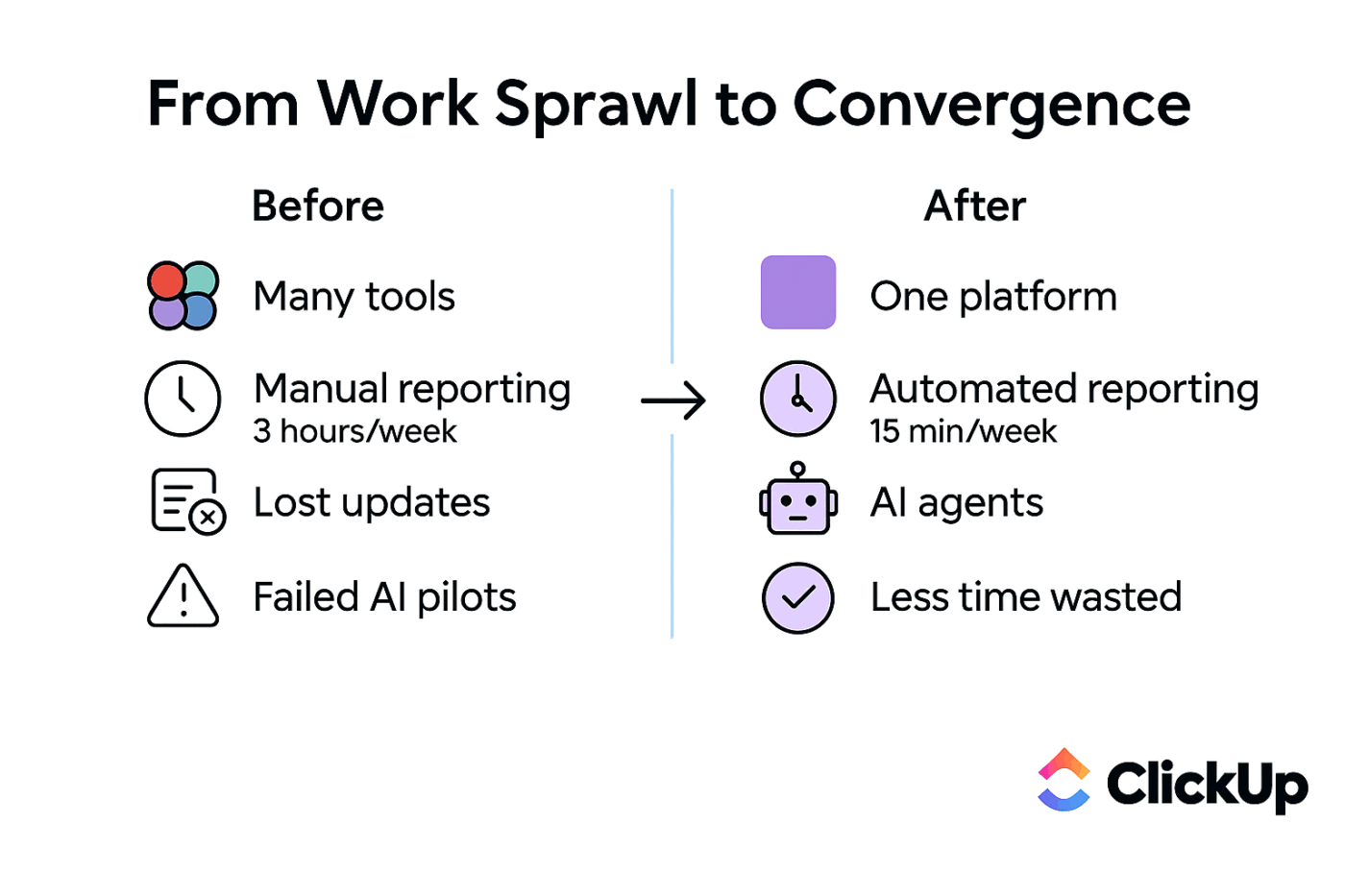
🧐 Did You Know? According to McKinsey research, employees spend an average of 1.8 hours every day searching and gathering information, which translates to 9.3 hours per week just hunting for what they need.
Your brain isn’t built to jump between unrelated mental environments every few minutes.
Every time you switch from writing to searching, from reading to responding, from planning to reacting, your mind has to reload the “state” of the work. What was I doing? What was the point? What’s the next sentence? What did we decide? What’s due today?
It’s like walking out of a movie halfway through, watching ten minutes of another movie, then coming back and trying to remember the plot.
You can do it. You just pay for it in focus.
And the cost isn’t dramatic at the moment. It’s sneaky. It shows up as:
The irony is that many tools were adopted to make work easier. One tool for chat. One for docs. One for tasks. One for dashboards. One for approvals. One for “quick notes.” One for “this one specific thing marketing needed.”
Each one is useful on its own. But together, they create a new job: managing the space between them.
That “space between” is where work gets lost.
A decision gets made in chat, but the task never updates. A doc gets revised, but the project plan still references the old version. A teammate asks for the status, but the status is split across three places, so someone has to translate it into a message.
In theory, you’re collaborating. In practice, you’re reconstructing reality.
💡 Pro Tip: Eliminate information gaps and keep your team aligned by bringing tasks, docs, chat, and AI into one connected environment with a converged workspace like ClickUp.
If your software stack feels chaotic and unmanageable, you’re in good company. Many small businesses struggle to find the right apps that can scale without creating a mess. The path to app sprawl is paved with good intentions. Every tool in your tech stack was added to solve a real problem, and at the moment it was adopted, it probably did exactly that. The trouble is that these individual solutions, chosen by different people at different times to solve different problems, eventually create a bigger problem than any of them originally solved.
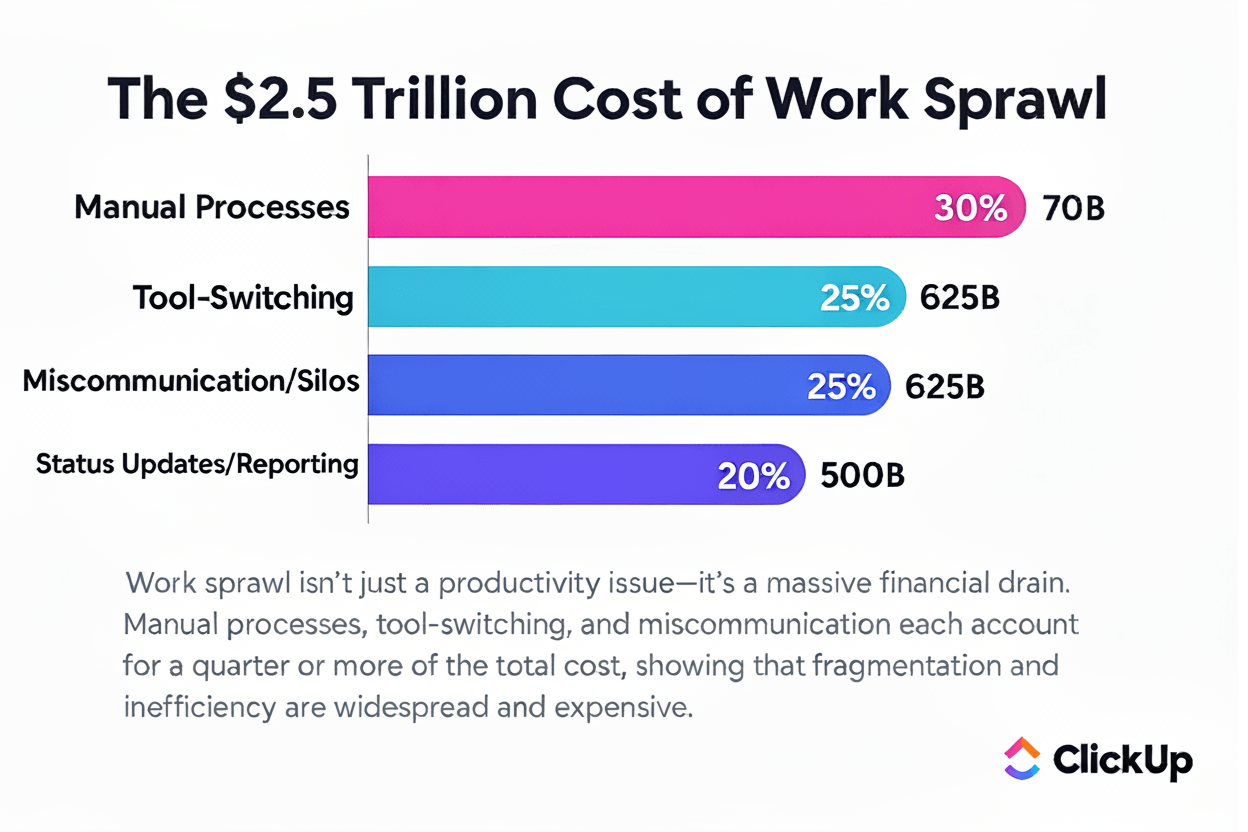
Understanding how you got here is the first step toward finding your way out. Here are the patterns that show up again and again:
The silo effect takes hold quietly
Your marketing team discovers a project tool they love. Sales, meanwhile, has adopted something completely different that works better for their pipeline. Engineering has their own preferred system, optimized for sprints and bug tracking. No one coordinates these decisions, and suddenly you’re paying for three platforms that fundamentally do the same thing, just with different interfaces and none of them talking to each other.
A customer feedback crisis hits, and you need a solution yesterday. Someone finds a survey tool, signs up for the free trial, and the immediate problem gets solved. Six months later, that “temporary” tool has become a permanent part of your workflow. Nobody remembers that you already had survey capabilities built into another platform you were paying for.
The two-week trial was supposed to be an experiment. But the tool worked well enough, the trial converted to a paid subscription, and now it’s embedded in your processes. Nobody ever evaluated whether it was the best option or whether existing tools could have done the job.
When teams went distributed practically overnight, everyone grabbed whatever tools they needed to stay productive. This independent adoption created a patchwork of personal preferences rather than a unified company strategy. Two years later, you’re still living with the consequences.
Most small businesses don’t have IT departments governing software decisions. Anyone with a company credit card and a problem to solve can add a new tool to the stack. This democratized approach feels empowering until you realize nobody has visibility into the whole picture.
📮 ClickUp Insight: Low-performing teams are 4 times more likely to juggle 15+ tools, while high-performing teams maintain efficiency by limiting their toolkit to 9 or fewer platforms. But how about using one platform? As the everything app for work, ClickUp brings your tasks, projects, docs, wikis, chat, and calls under a single platform, complete with AI-powered workflows.
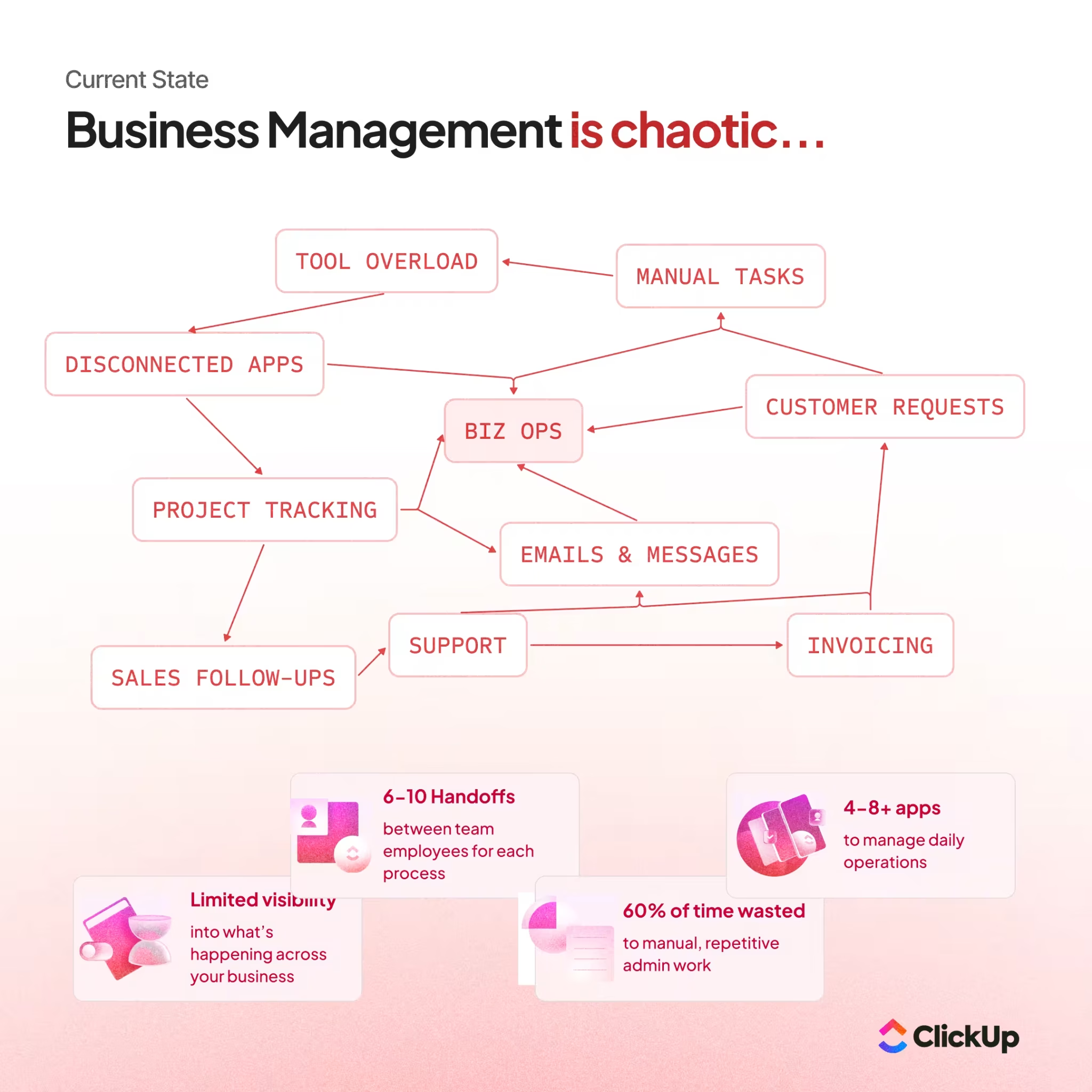
The frustration of hunting for information is the most obvious symptom, but app sprawl reveals itself in subtler ways, too. It hides in the questions your team asks every day, the friction they’ve learned to accept as normal, and the workarounds they’ve built to cope with disconnected systems.
You might have a serious case of app sprawl if these scenarios feel familiar:
The software inventory mystery: When someone asks how many tools your company pays for, you can’t answer without digging through credit card statements, expense reports, and departmental budgets. The fact that this information isn’t readily available is itself a symptom of the problem.
The redundancy revelation: Different teams have adopted different tools for identical purposes. Marketing tracks projects one way, operations tracks them another, and sales has their own system entirely. Everyone’s doing essentially the same work in incompatible silos, and information rarely crosses the boundaries.
The source of truth confusion: “Which version is the final version?” becomes a daily question. Documents exist in multiple places, and nobody’s quite sure which copy reflects the latest changes. This ambiguity leads to mistakes, rework, and the occasional embarrassing moment when someone presents outdated information to a client.
The onboarding obstacle course: New hires need a week just to get access to all the platforms they’ll use, learn the basics of each interface, and understand which tool to use for which purpose. Their first impression of your company is one of overwhelming complexity.
The conversation archaeology: “Which app was that conversation in?” is something people ask multiple times per day. Important decisions are scattered across chat threads, email chains, document comments, and video call recordings. Finding a specific discussion means searching four or five different places.
The zombie subscription phenomenon: Tools nobody uses continue to auto-renew month after month, quietly draining budget. These forgotten subscriptions accumulate because nobody has visibility into what’s being used and what’s been abandoned.
💡 Pro Tip: Find information instantly across your entire workspace with ClickUp Brain‘s Connected Search. You can search everything—including connected apps like Google Drive and Slack—from a single search bar.
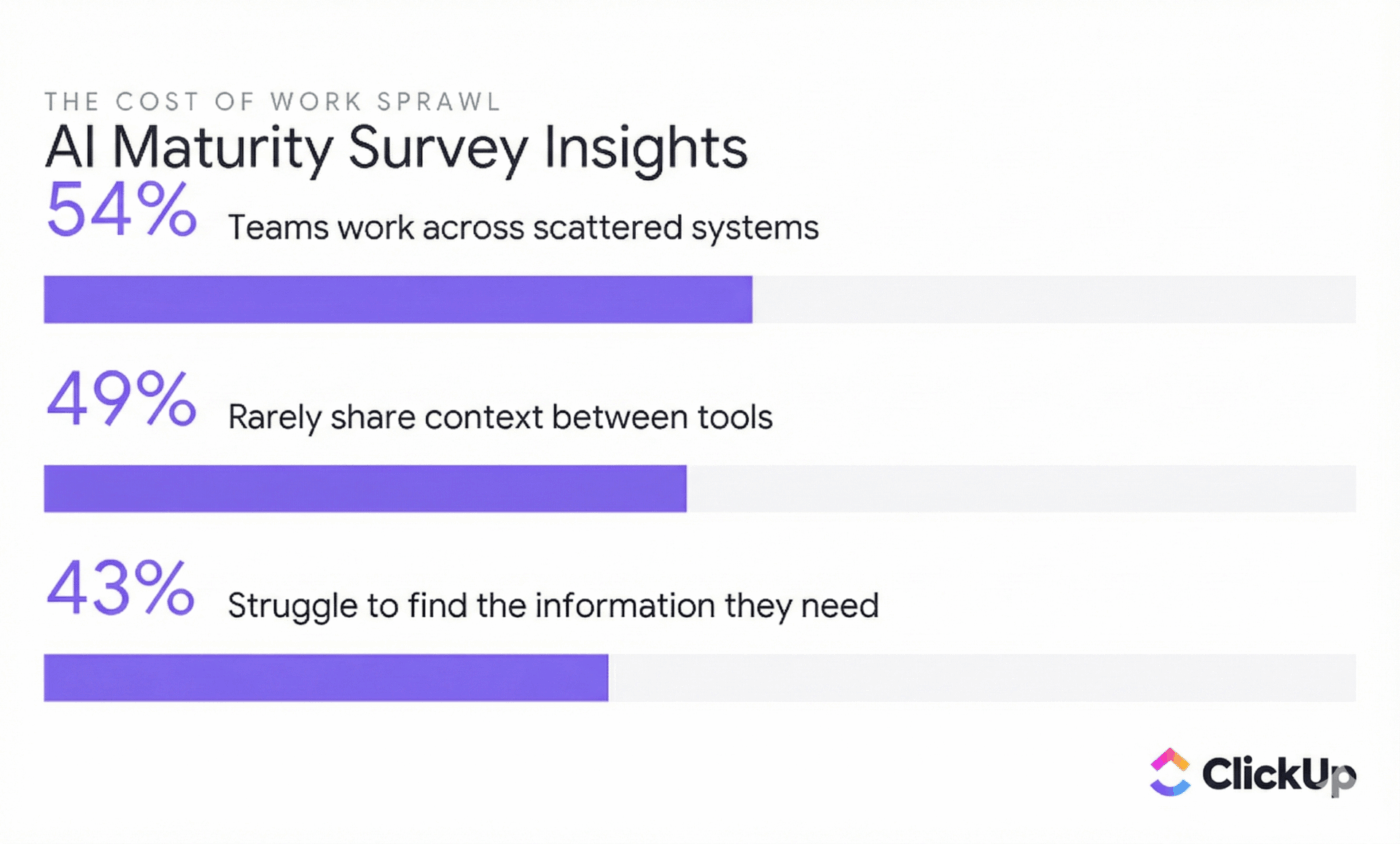
The most obvious waste comes from duplicate tools and unused licenses, but the hidden costs run deeper. You may be paying for overlapping features in multiple apps, as well as integrations that force them to sync, and licenses that nobody has used for months. These small leaks compound into major annual losses.
The obvious waste comes from duplicate subscriptions, paying for multiple tools that serve the same purpose, because different departments made different choices. But the less obvious costs add up even faster. Unused licenses represent pure sunk cost: you might be paying for 20 seats when only 12 people have logged in this quarter. Overlapping features mean you’re paying premium prices for capabilities that already exist in other tools you own. Integration costs pile on top of everything else, as you pay for middleware platforms just to force your disconnected apps to share data.
📮 ClickUp Insight: Companies with just 100 employees lose around $420,000 annually due to miscommunication and disconnected tools. Stop financial leaks and simplify your workflow by consolidating your tools in one place. ClickUp replaces separate apps for tasks, docs, chat, whiteboards, and AI.
Your team spends their days navigating apps instead of doing the work they were hired for. Every time an employee jumps from a chat app to a project management tool to a document editor, they lose focus and momentum.
The manual data entry tax compounds the problem further. When systems don’t talk to each other, humans become the integration layer. A salesperson closes a deal in the CRM, then manually copies customer information into the project management tool to kick off onboarding. This is tedious, error-prone work that exists only because the tools weren’t designed to work together.
💫 Real Results: Teams like QubicaAMF reclaimed 5+ hours weekly using ClickUp, that’s over 250 hours annually per person, by eliminating outdated knowledge management processes. Imagine what your team could accomplish with an extra week of productivity every quarter.
Your company’s sensitive data is scattered across a multitude of platforms, each with its own permissions, security protocols, and compliance posture. This fragmentation creates dangerous blind spots. When you don’t have a central view of your data, you can’t effectively protect it.
Shadow IT, the phenomenon of employees adopting tools without official approval, represents one of the most significant risks. Someone starts using an AI writing tool to help draft documents, not realizing they’re feeding confidential company information into a system that doesn’t meet your security standards. These well-intentioned adoptions create vulnerabilities that security teams can’t monitor because they don’t know the tools exist. Without a proper cybersecurity risk management framework, these blind spots multiply.
Offboarding becomes a security nightmare when employees leave. You have to manually track down and revoke access from dozens of different systems, and it’s disturbingly easy to miss one. That forgotten access in an obscure tool becomes a security hole that can persist for months or years. For companies in regulated industries, proving compliance becomes nearly impossible when data is scattered across tools with different, and sometimes unknown, security postures, making any IT compliance audit a nightmare.
Protect your data and simplify security by centralizing your work in one platform. ClickUp lets you manage permissions, maintain audit trails, and enforce data governance policies from a single place.
🧐 Did You Know? 56% of SaaS apps aren’t managed by IT in high-growth businesses. This means teams or individuals purchase most tools directly. That number jumps to 68% in small, fast-growing companies, making SaaS sprawl a norm rather than an exception.
Once you understand the financial and operational damage, the next step is unwinding the mess without disrupting your team.
Recognizing the problem is the first step, but fixing it requires systematic action. You can’t just start canceling subscriptions randomly without creating chaos. What you need is a clear roadmap that untangles your software stack, cuts costs, and prevents the mess from recurring.
You can’t fix what you can’t see. Most small businesses have no clear picture of their full software stack, which is exactly why the first step must be a thorough inventory. Using software asset management tools or even a simple spreadsheet, this project feels daunting, but it’s the foundation for every cost-saving measure that follows.
Begin by gathering data from every source: credit card statements, expense reports, bank records, and departmental budgets. You’re looking for every recurring software charge, no matter how small. Then go beyond the financial records. Ask each department and team leader to list all the tools they use, including free ones. The tools that don’t cost money still cost time and attention.
Once you have your inventory, categorize it by function. Group tools into buckets like project management, communication, file storage, design, and so on. This is where the waste becomes visible. You’ll likely discover multiple tools serving the same purpose, chosen by different teams at different times.
Check actual usage, not just subscriptions. Many SaaS platforms provide analytics showing how many users are active. If you’re paying for 50 licenses but only 10 people logged in this quarter, you’ve found an immediate savings opportunity. Finally, calculate the true cost of each tool by including not just the subscription fee, but also the cost of any integration platforms required to make it work with your other systems. Streamlining your SaaS operations starts with understanding exactly what you’re paying for.
Once your audit reveals the redundancies, tool consolidation becomes possible. This is where you’ll achieve the most significant cost savings, but it’s also where you’ll face the most internal resistance. People form attachments to their tools. SaaS consolidation fails when teams feel like their favorites are being taken away without their input.
Success requires a collaborative approach. Prioritize by impact, starting with the categories that have the most overlap and the highest costs. For most businesses, project management and communication tools are the obvious places to begin. Involve your team in the decision-making process, demonstrating how a unified platform will make their work easier rather than harder.
Plan the migration carefully. Don’t simply cancel a subscription and abandon the data it contains. Create detailed plans for moving information and workflows into your consolidated platform. Give your team adequate notice and training before sunsetting old tools. The goal is a smooth transition, not a traumatic one.
After the hard work of cleanup, you need systems to prevent app sprawl from creeping back. Without clear IT governance, you’ll find yourself in the same messy situation a year from now. A software purchasing policy becomes your defense against future digital clutter.
The policy should include a formal approval process for new tools, even free ones. Before any tool is considered, the requesting team should demonstrate that it solves a critical problem your current platforms cannot address. Assign ownership of the overall software portfolio to one person or a small committee, and schedule regular audits, quarterly or annually, to catch shadow IT before it becomes entrenched. Proper SaaS vendor management and SaaS procurement processes ensure new tools get evaluated against what you already have.
The ultimate solution to app sprawl is a fundamental shift in approach: moving from a collection of point solutions to a single, converged platform. These all-in-one software workspaces are designed from the ground up to eliminate the integration headaches and data silos that define sprawling software stacks.
The advantages compound over time. When your tasks, documents, and conversations all live in the same place, context flows naturally. You no longer have to manually link things together or serve as the human integration layer between disconnected systems. Administration simplifies dramatically: one bill, one set of permissions, one vendor relationship.
And crucially, AI becomes more useful when it has access to all your work context. An AI assistant that can see only your documents gives you one kind of help. An AI assistant that can see your documents, your tasks, your conversations, and your project history gives you something far more powerful. This convergence in AI is the difference between generic assistance and genuinely useful intelligence.
💫 Real Results: Atrato reduced software costs by consolidating multiple tools into ClickUp, eliminating the need for separate project management and communication platforms. The savings were immediate, and the productivity gains compounded over time.
Small businesses operate in a challenging middle ground. You need enterprise-level capabilities, the kind of functionality that keeps complex operations running smoothly, but you can’t afford enterprise-level complexity or cost. Every hour spent learning new tools, managing integrations, or hunting for information is an hour not spent serving customers or growing the business.
ClickUp is built specifically for this reality. It’s a converged AI workspace that grows with your business while keeping everything and everyone connected. Rather than forcing you to choose between powerful features and usable simplicity, it delivers both.
Starting a consolidation project by signing up for yet another app would be self-defeating. ClickUp serves as your command center for the entire audit and consolidation process, proving its versatility before you’ve even finished evaluating your stack.
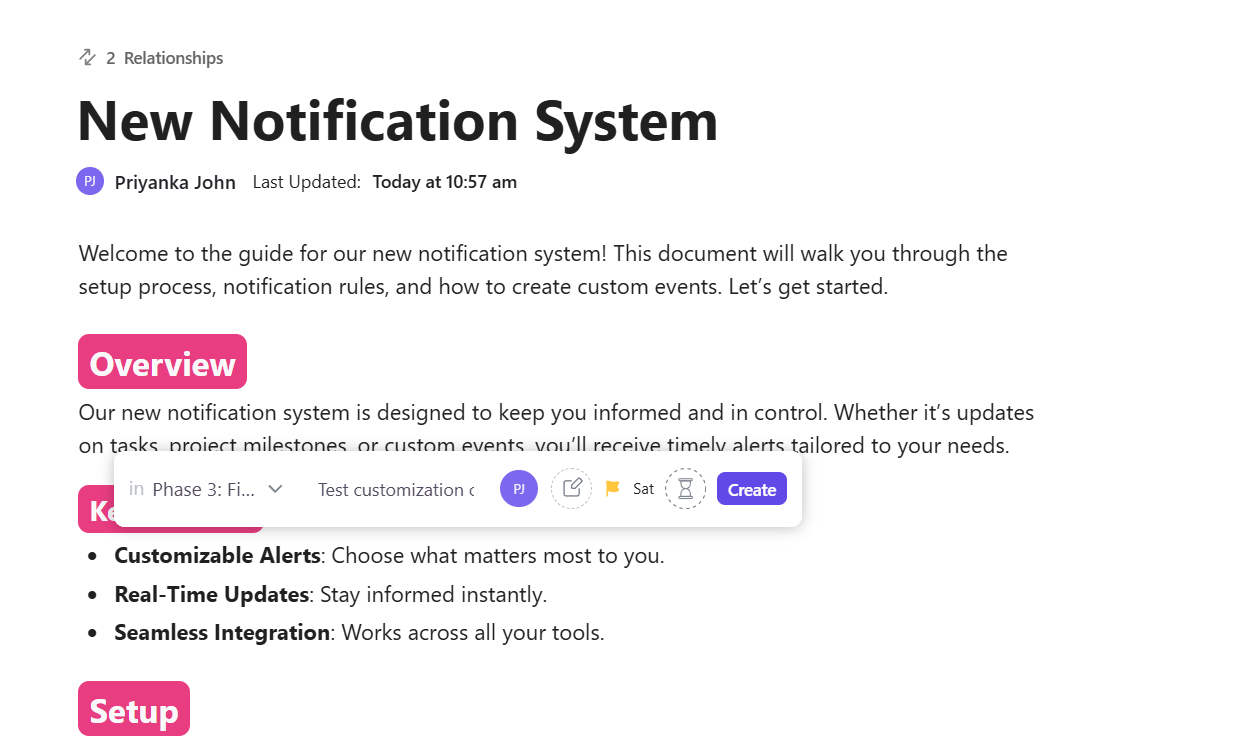
Set up your software audit as a project within ClickUp itself. Create a centralized inventory using ClickUp Docs, building a living document that lists every tool your company uses along with the department, monthly cost, user count, and primary function. Because Docs live inside ClickUp, you can link directly to related tasks and share with stakeholders instantly as the audit progresses.
Track your evaluation using ClickUp Lists, with each software tool represented as a task. Add Custom Fields for the metrics that matter: monthly cost, active users, renewal date, and consolidation status. Your entire software portfolio becomes visible at a glance, sortable and filterable by any dimension you choose.
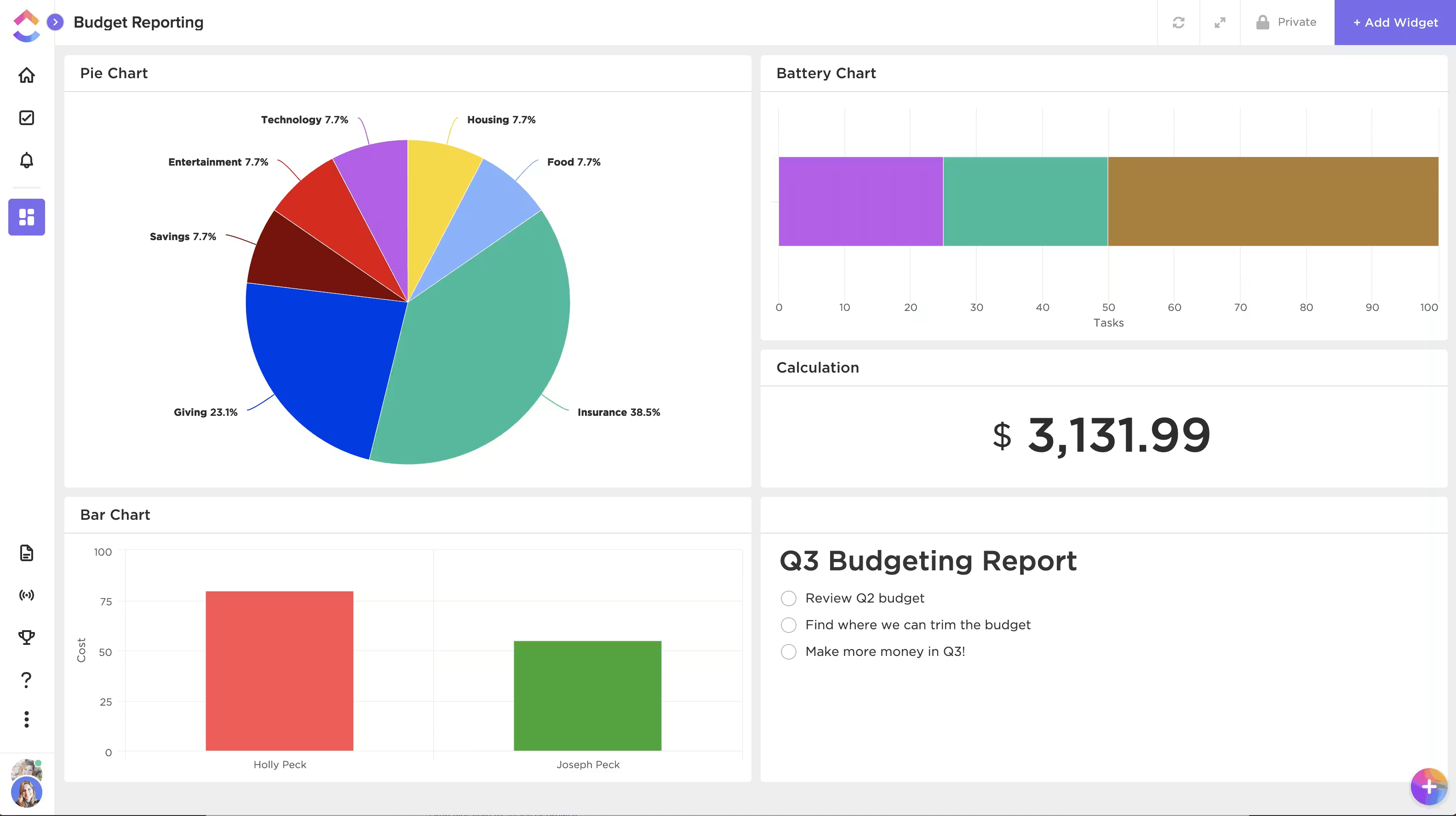
Visualize the opportunity with ClickUp Dashboards. Build a Dashboard that pulls data from your audit List and displays widgets showing total monthly spend, spend by category, and tools flagged for consolidation. When you share this Dashboard with leadership, alignment happens faster because everyone sees the same picture.
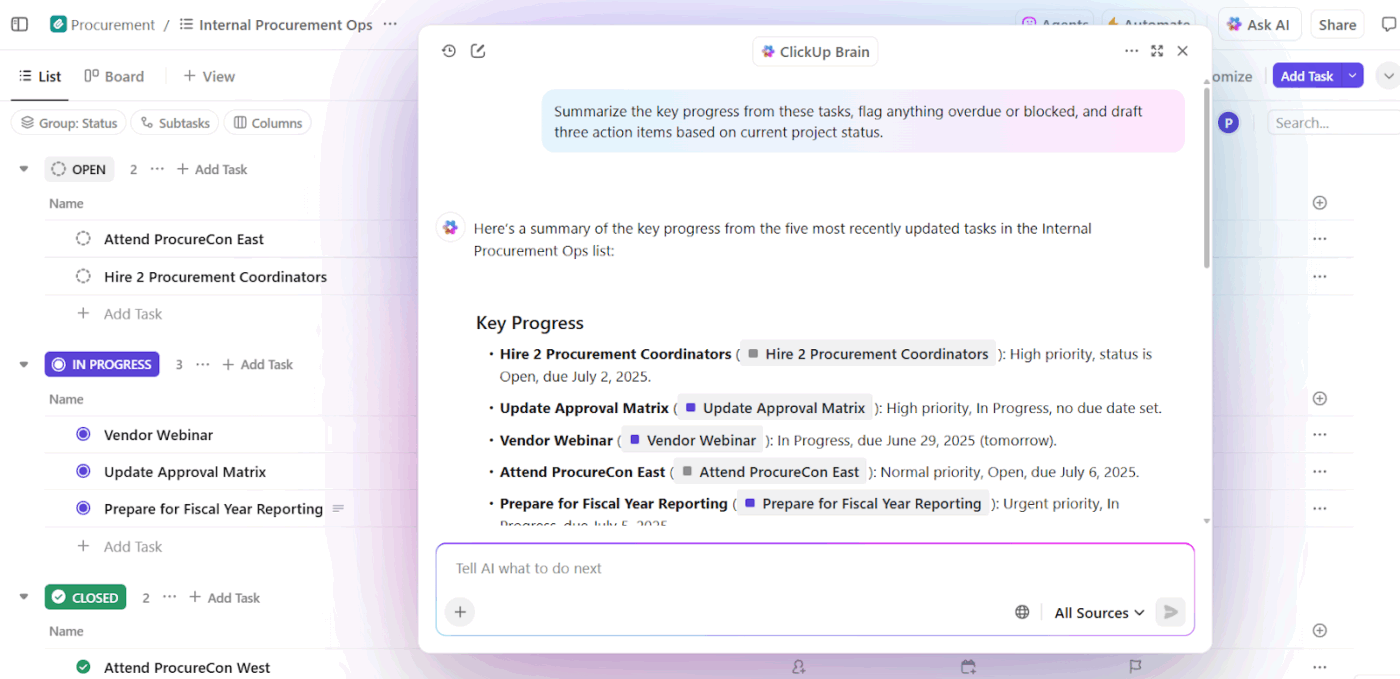
Then put ClickUp Brain to work analyzing your findings. Once your audit data is in the system, ask Brain questions like “Which categories have the most tool overlap?” or “What’s our total spend on communication tools?” Brain pulls from your workspace data to surface insights you might otherwise miss, turning raw information into actionable intelligence.
💡 Pro Tip: Set up a recurring task to re-audit your software stack quarterly. This catches new shadow IT tools before they become entrenched and ensures your consolidation gains don’t erode over time.
The math is straightforward: every tool you eliminate saves subscription costs, reduces context switching, and simplifies security management. ClickUp replaces entire categories of software while giving your team more capability, not less. Here’s how consolidation works in practice:
Different teams prefer different ways of visualizing their work, and that’s fine. ClickUp Tasks offers 15+ views, so marketing can work in Board view for campaign workflows, while engineering uses List view for sprint planning, and leadership monitors everything in Gantt view for timeline visibility. One platform, multiple perspectives, zero arguments about which tool to use.
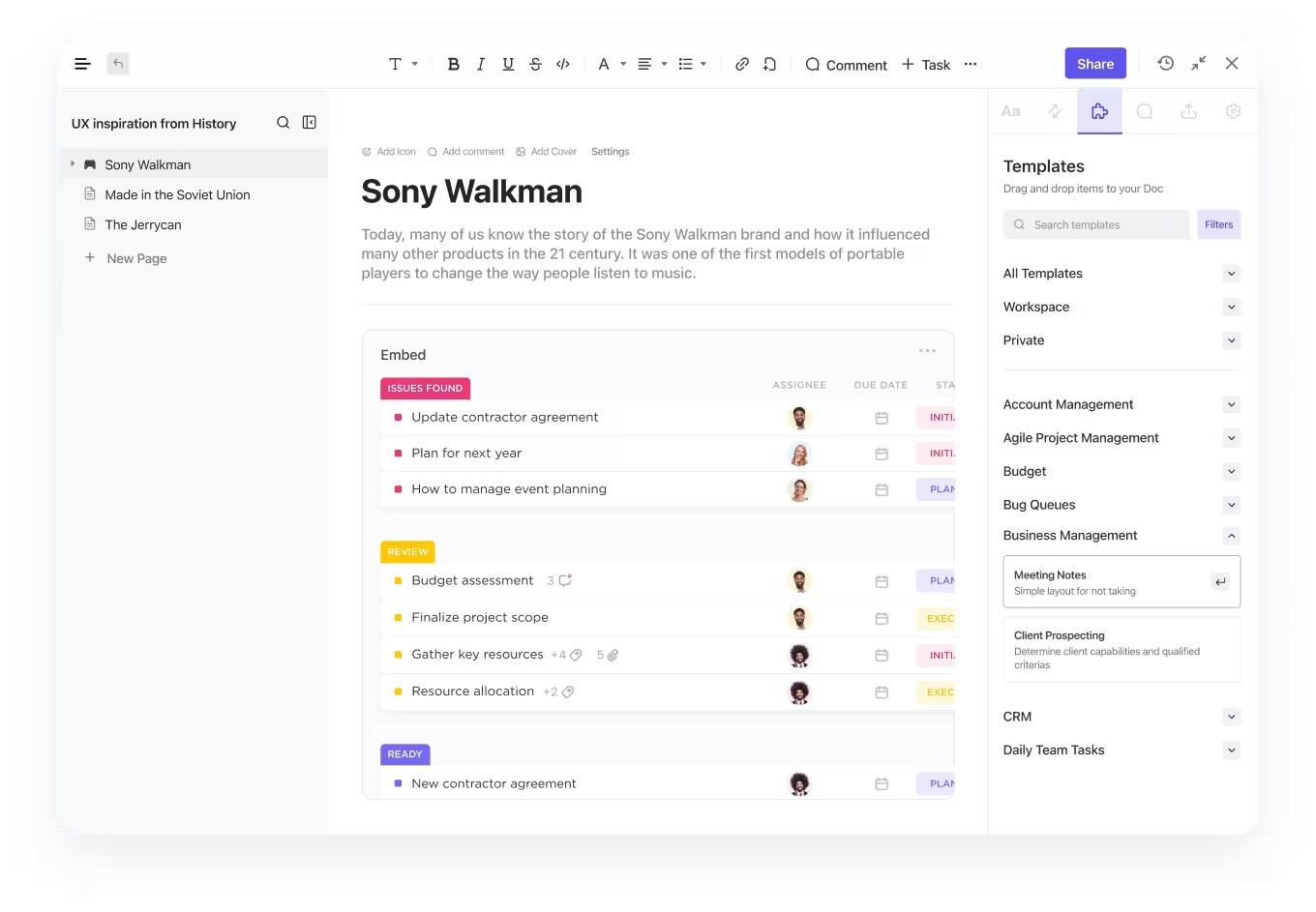
Most documentation tools exist in isolation. You write things down, and then those documents sit disconnected from the work they describe. ClickUp Docs changes the equation by providing rich document creation with real-time collaboration, nested pages for complex wikis, and direct connections to your tasks and projects.
When you mention a task in a Doc, it creates a live link. When that task updates, anyone viewing the Doc sees the current status. Documentation stops being a static artifact and becomes a living part of your workflow.
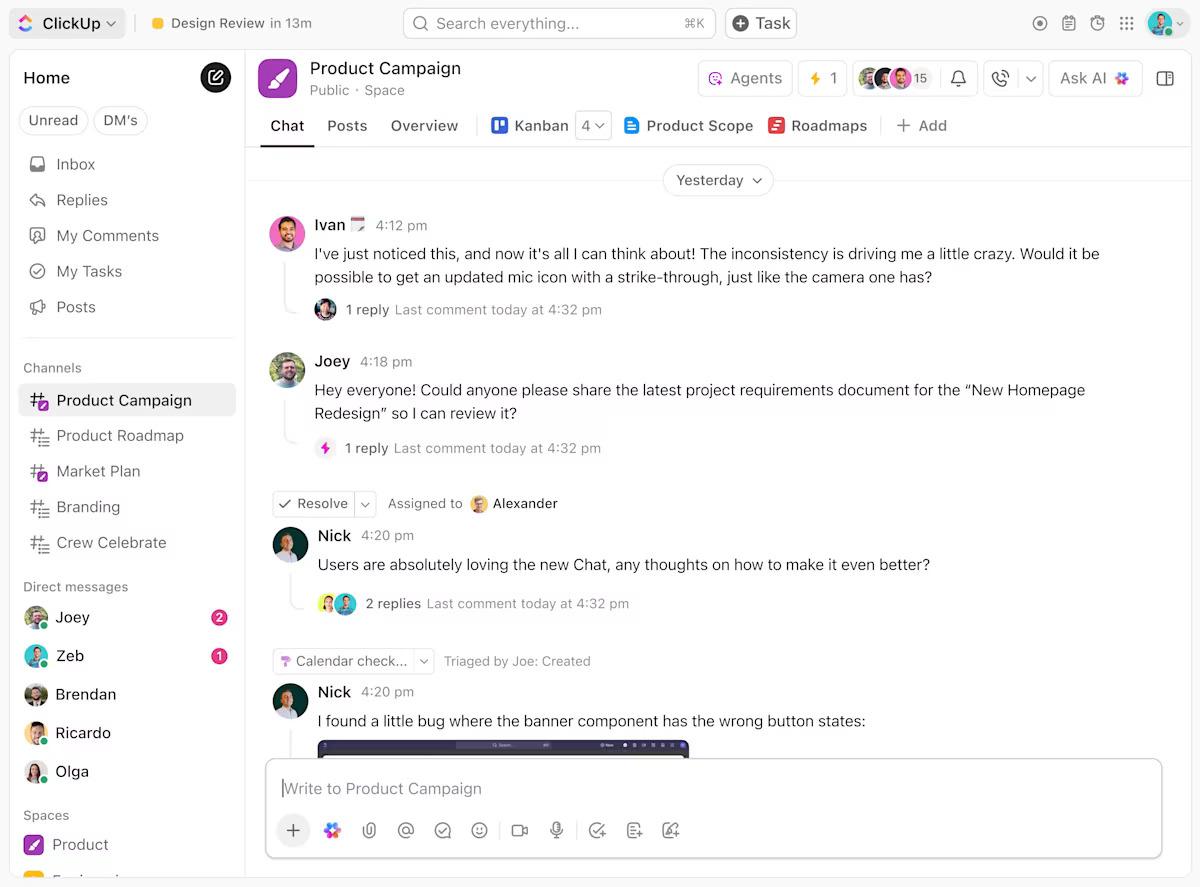
When conversations happen in a separate app from the work they discuss, important decisions get lost. ClickUp Chat keeps conversations where the work happens. Create channels for projects, teams, or topics.
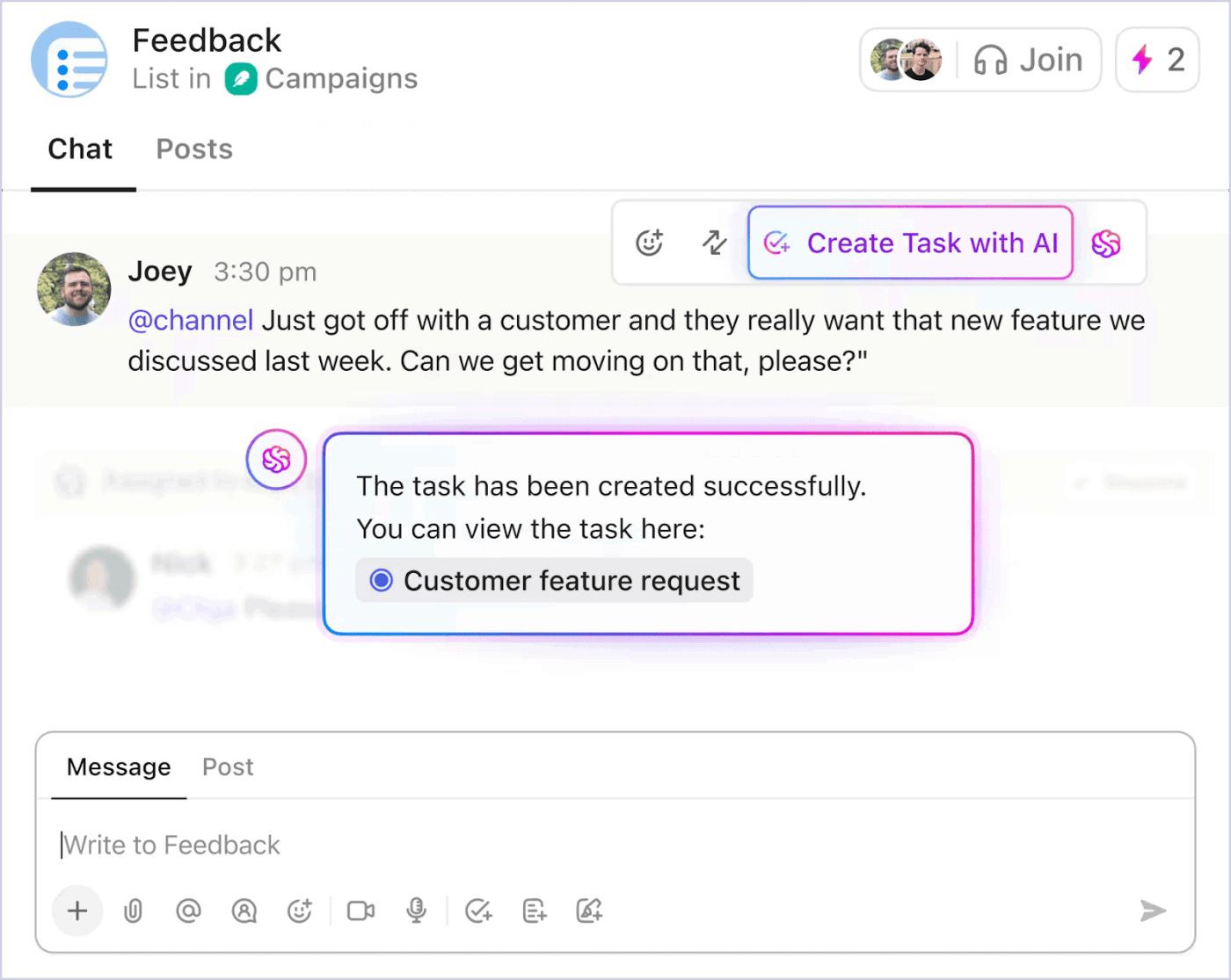
The key difference? Every Chat message can be converted to a task with one click. No more hunting through message history trying to find who agreed to do what. Decisions become actions immediately.
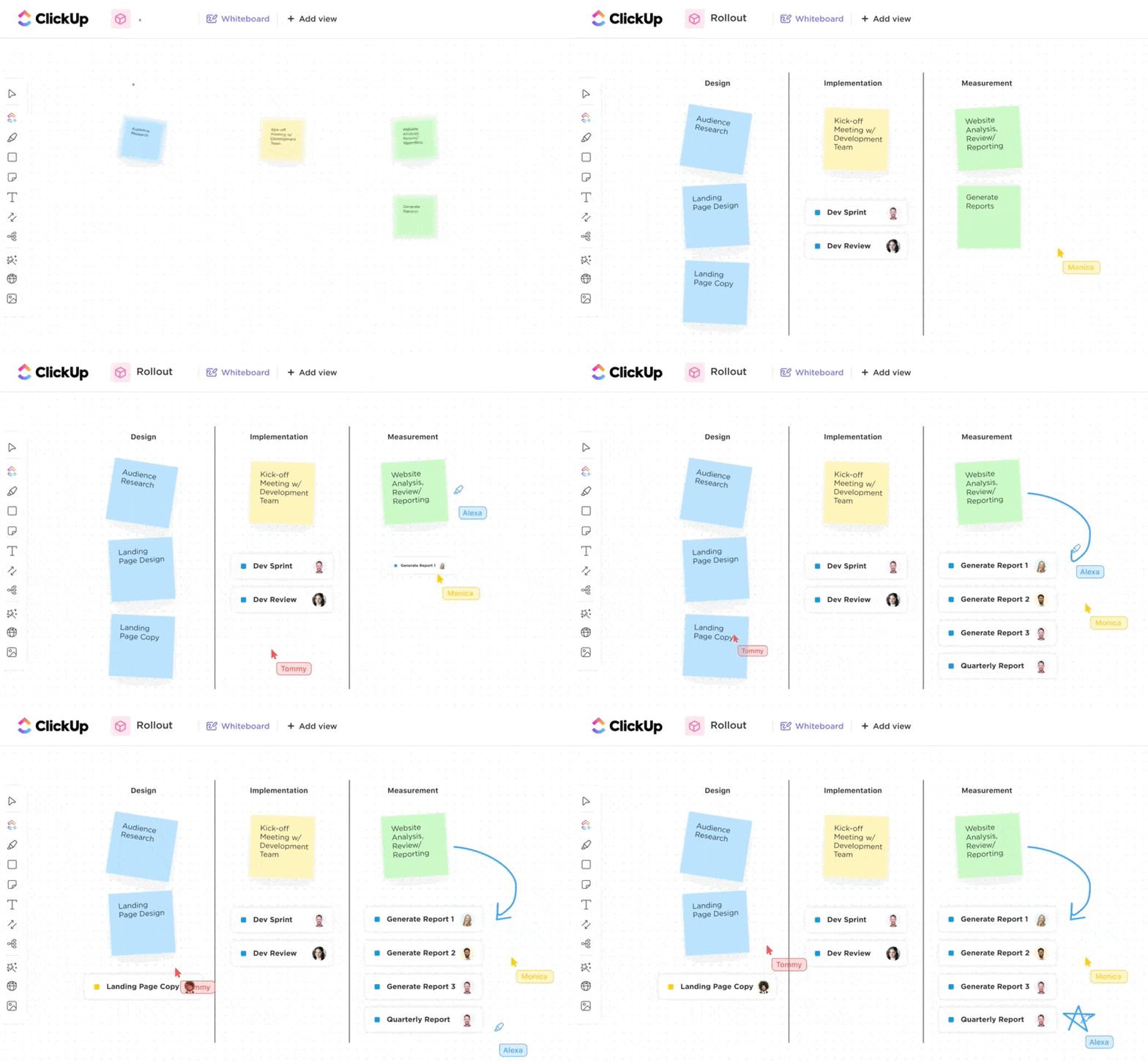
Brainstorming and visual thinking shouldn’t require a separate app. ClickUp Whiteboards provides infinite canvas brainstorming combined with task management. Draw a workflow diagram, then convert shapes directly into tasks. Embed live Docs and tasks onto your canvas. Your brainstorm becomes your project plan without any manual recreation.
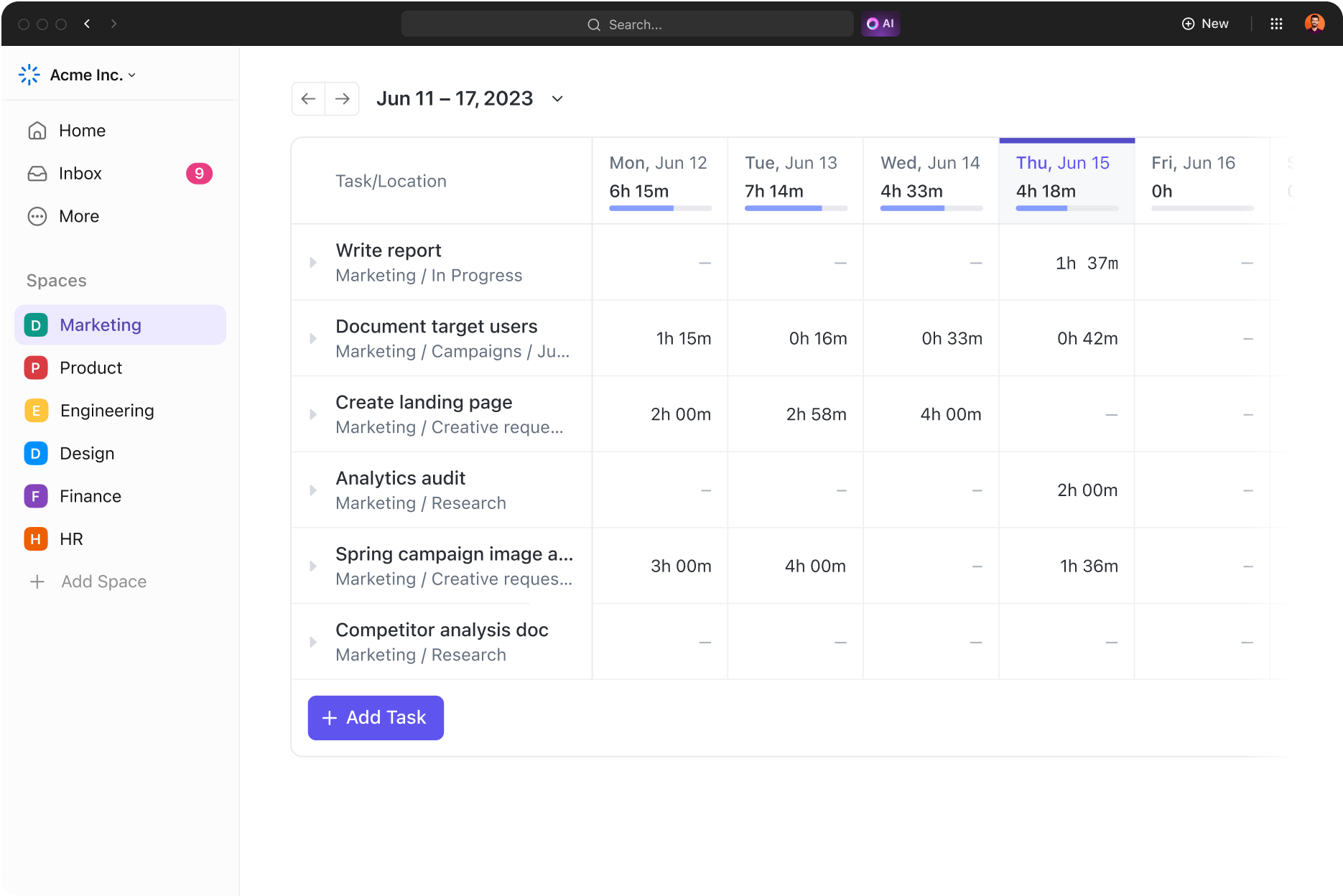
Understanding where time actually goes shouldn’t require exporting data between systems. ClickUp Time Tracking is native to every task. Start a timer, log time manually, or enable automatic tracking. Run reports by project, client, or team member. The insights you need are already connected to the work.
When form submissions require manual processing, things fall through the cracks. ClickUp Forms turn submissions directly into tasks with all form data mapped to Custom Fields. Client requests become trackable work items the instant they’re submitted.

The prospect of migration keeps many teams stuck with inadequate tools. ClickUp Import supports direct migration from most major platforms, bringing your existing tasks, projects, and attachments with you. You’re not starting from scratch or abandoning institutional knowledge.
App sprawl recurs because rigid tools force teams to find workarounds. ClickUp’s extensibility breaks this cycle by adapting to new needs without new subscriptions.
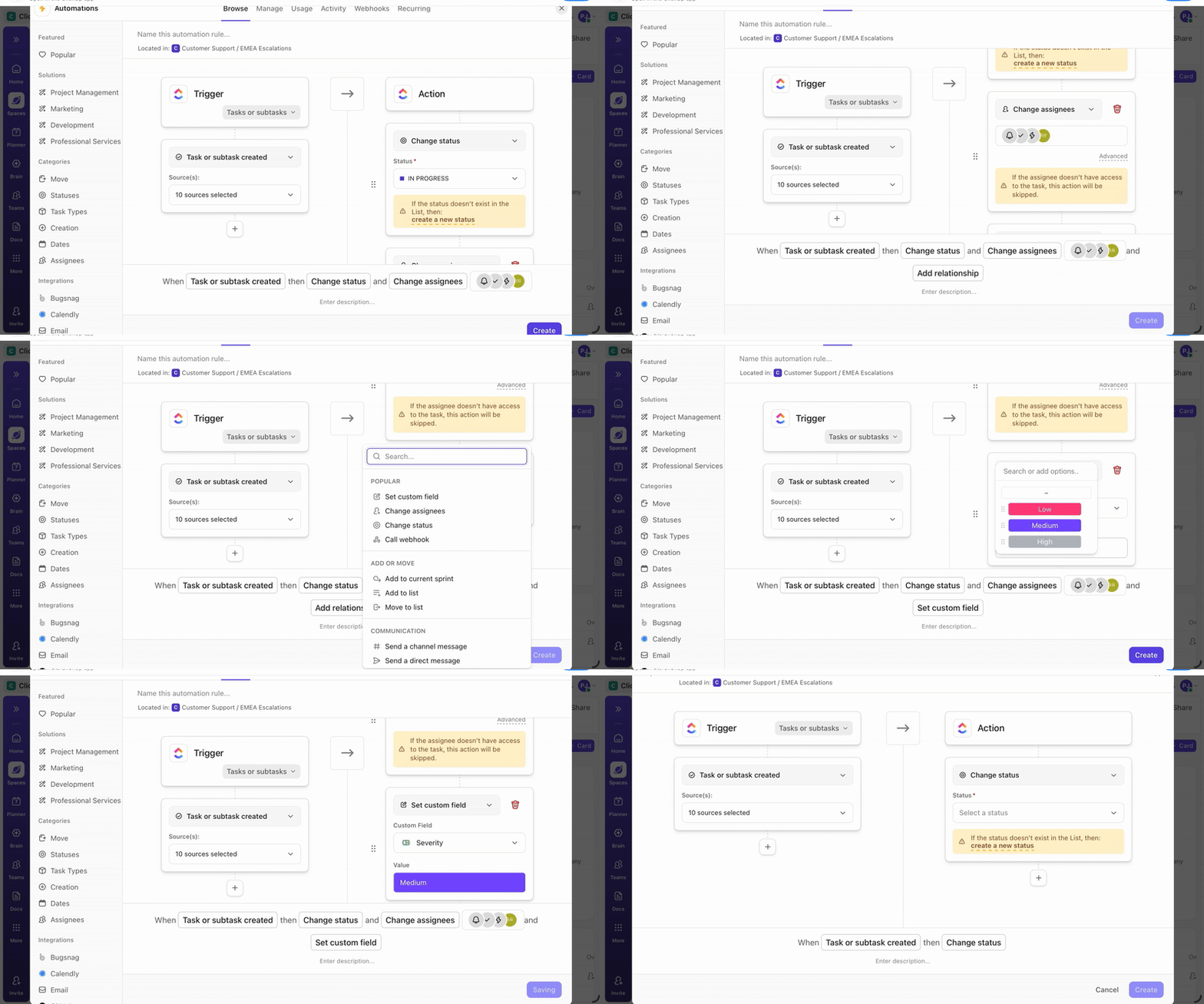
ClickUp Automations handles triggers, conditions, and actions natively. When a task status changes to “Approved,” automatically assign it to the next team member, move it to a different List, and post a notification to Chat. Build automations through a visual interface, no coding required, and no external automation platform adding to your monthly costs.
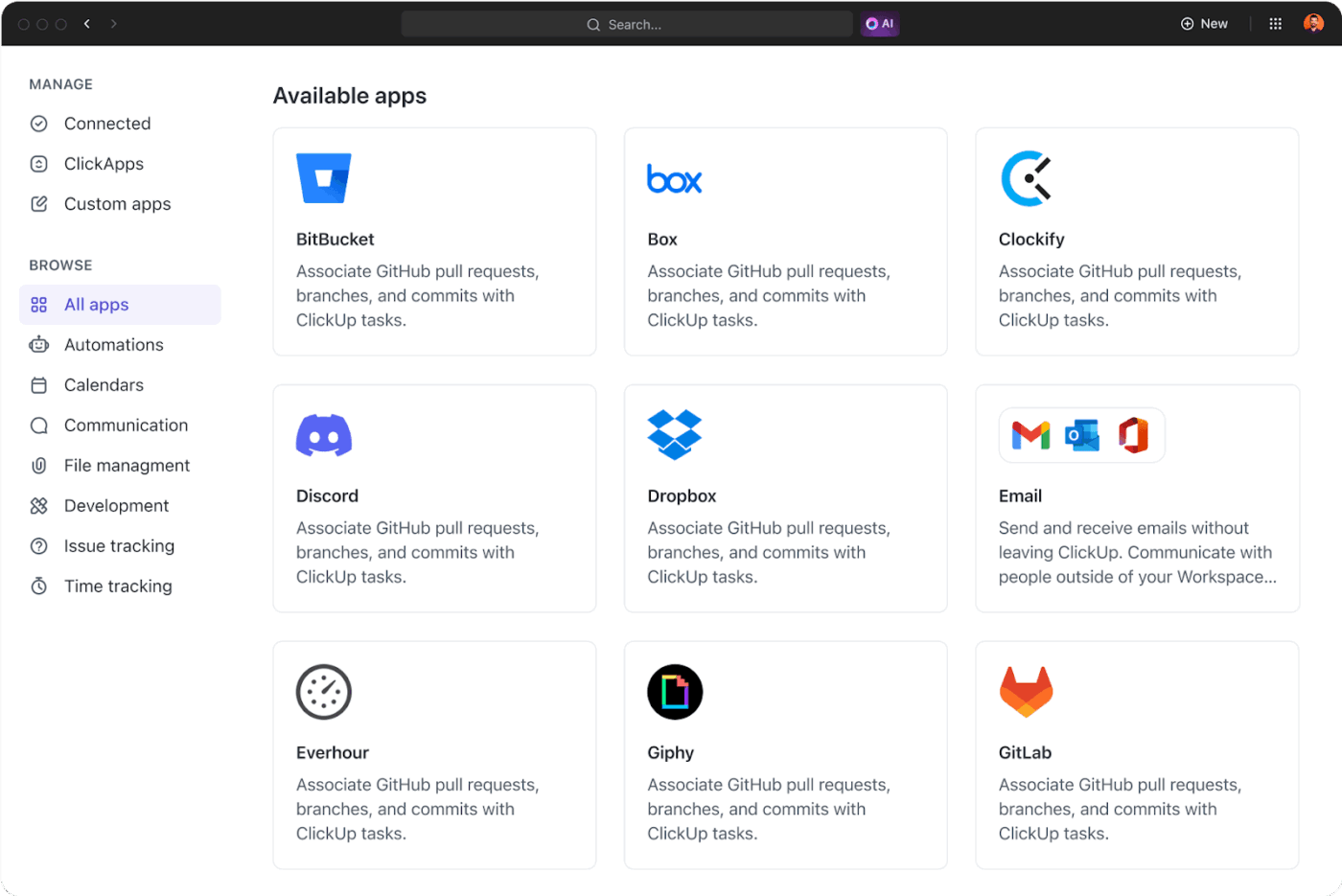
ClickUp Integrations connect directly to the tools you still need: Google Drive for file storage, GitHub for code repositories, Zoom for video calls, and dozens more. Data flows between systems automatically. When you truly need something custom, the open API lets you build exactly what your business requires.
Need to track sales leads? Add fields for deal value, stage, and probability. Managing inventory? Add fields for SKU, quantity, and reorder threshold. Running client projects? Add fields for client name, contract value, and deadline. ClickUp Custom Fields transform ClickUp into the specific tool your business needs without adding another app.

Once you’ve built a workflow that works, save it as a Template. New projects spin up with your proven structure already in place, including task lists, Custom Fields, Automations, and Doc templates. ClickUp Templates ensure your best practices become your default practices, and scaling no longer means reinventing the wheel.

🧐 Did You Know? Three-quarters of IT decision-makers report moderate to extensive technology sprawl, and two-thirds are now addressing it through proactive tool consolidation strategies.
Standalone AI tools create their own form of sprawl. You end up juggling one tool for writing assistance, another for meeting summaries, and another for data analysis, each requiring a separate context and producing disconnected outputs. ClickUp Brain eliminates AI sprawl by embedding intelligence directly into your workspace, with full access to your actual work context.
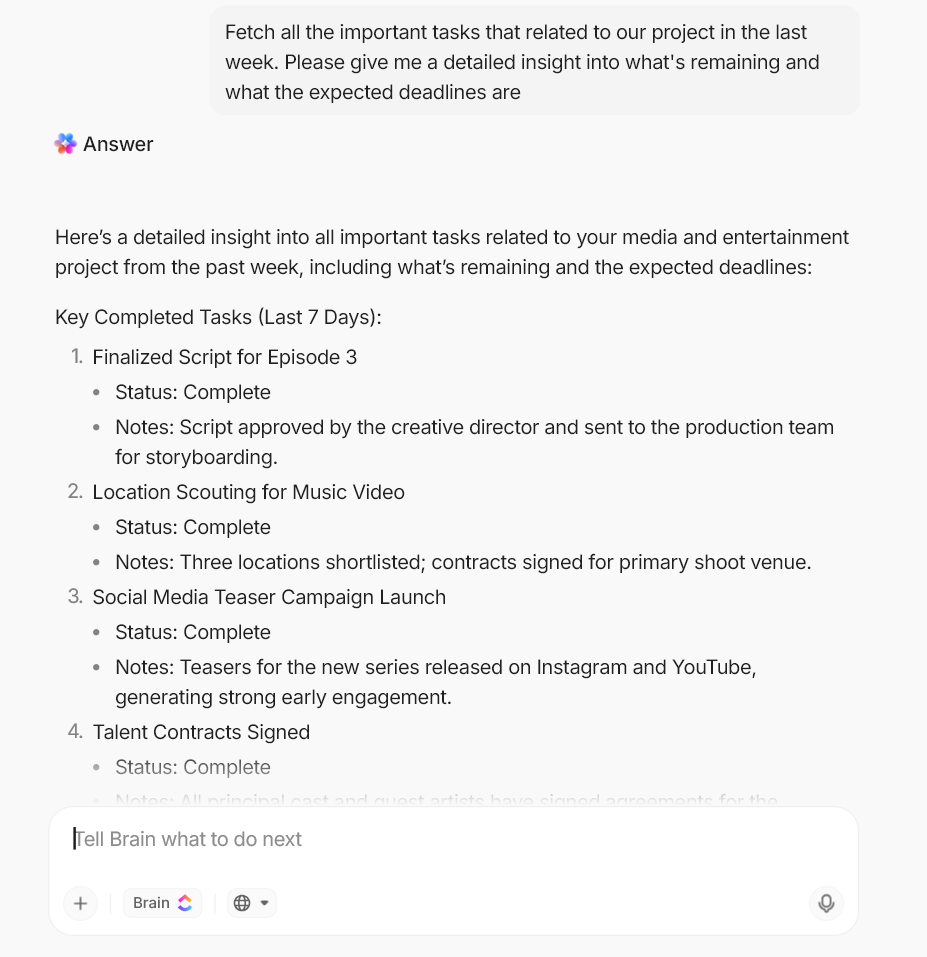
Ask Brain questions the way you’d ask a colleague. “What tasks are overdue this week?” “Summarize the status of the Henderson project.” “What did Sarah accomplish last month?” Brain searches across your tasks, Docs, comments, and Chat to give you answers based on your real data, not generic responses from training sets.
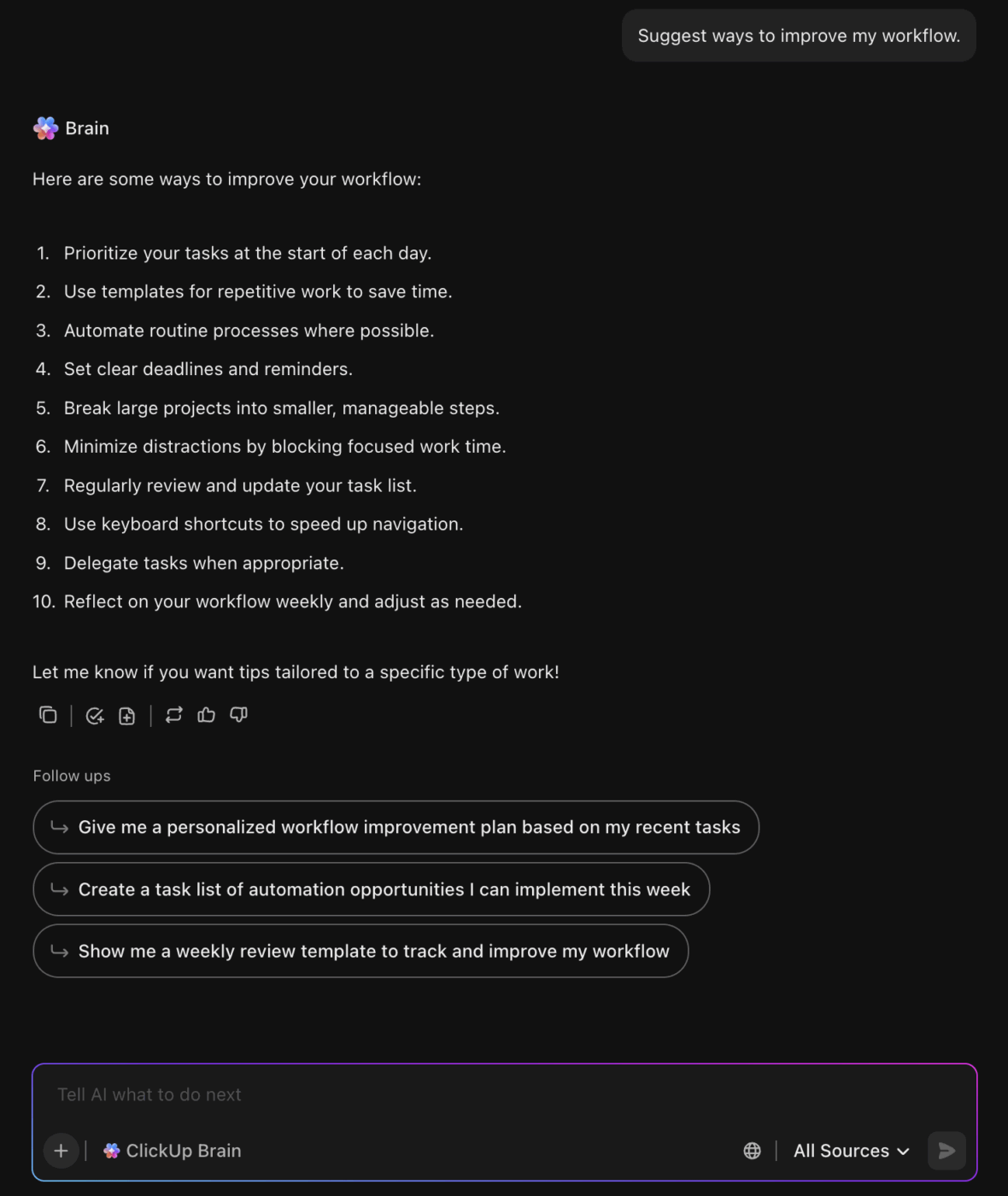
When you ask Brain to draft a project update, it pulls from actual task progress, completed milestones, and upcoming deadlines. The output is specific to your work, accurate to your current status, and useful without extensive editing.
Brain’s Connected Search reaches beyond ClickUp into your integrated apps. Search once, find results from your workspace, connected cloud storage, and other linked tools. The multi-platform scavenger hunt becomes a thing of the past.
Brain summarizes long Doc threads, extracts action items from meeting notes, and suggests next steps based on project patterns. The repetitive mental work that drains your team’s energy gets handled automatically, freeing people to focus on work that requires human judgment.
Personal AI assistants help individuals move faster. But once work scales across teams and projects, personal productivity stops being the bottleneck. Oversight does.
ClickUp Super Agents are designed for this stage of growth. Operating inside ClickUp’s Converged AI Workspace, they continuously monitor tasks, Docs, conversations, and workflows to keep work moving without manual check-ins or status chasing.
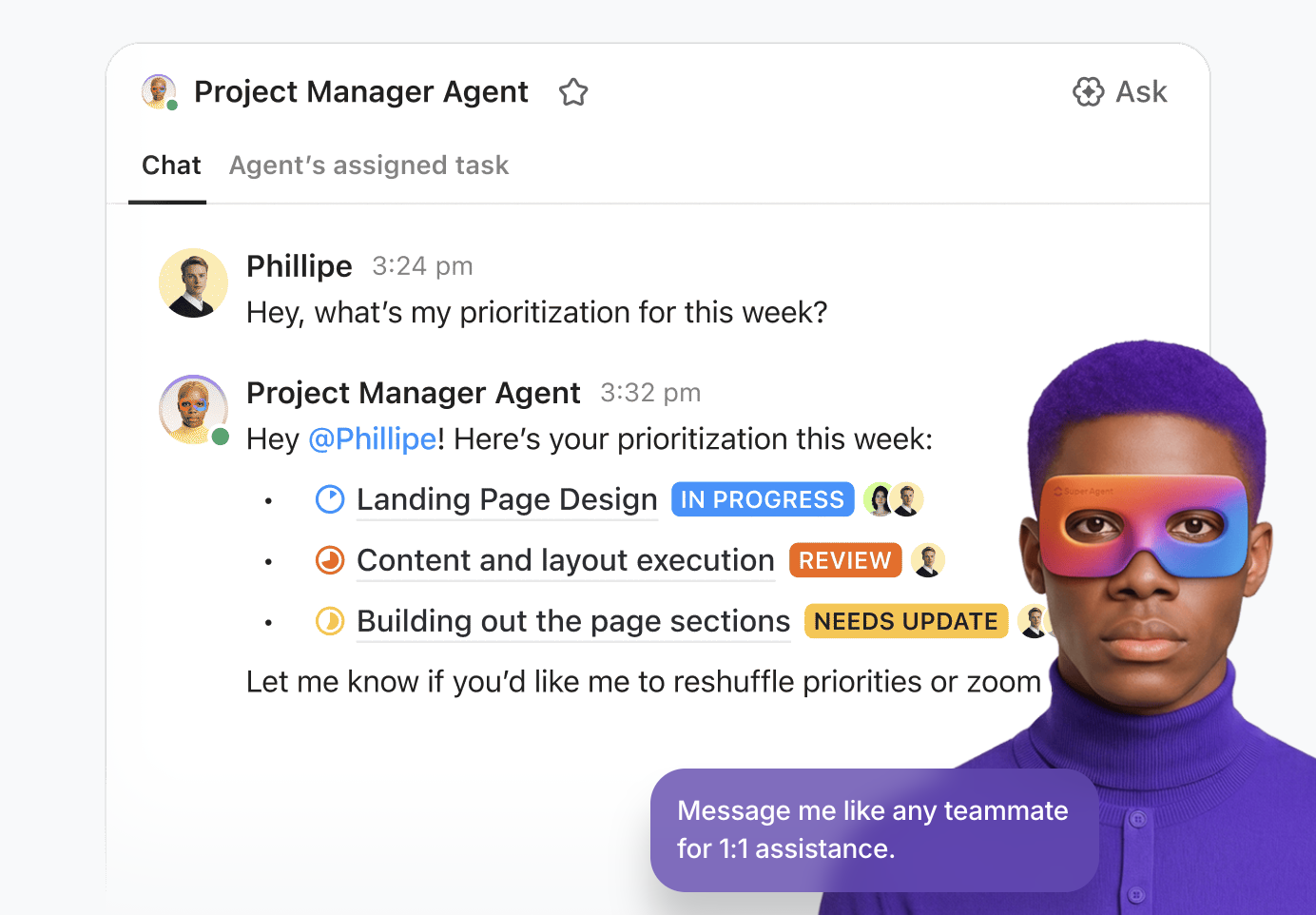
Super Agents can automatically generate weekly project summaries, surface stalled tasks before they turn into blockers, flag risks across multiple initiatives, or keep leadership informed without teams preparing reports by hand. Instead of managers reconstructing reality from scattered updates, oversight becomes ambient and always on.
Because Super Agents live natively inside ClickUp, they work with the full workspace context. They understand ownership, dependencies, priorities, and historical activity across projects. They don’t just respond to isolated triggers. They help maintain momentum across connected work as complexity increases.
This is where consolidation turns into scale. ClickUp doesn’t just reduce the number of tools your team uses. It replaces manual oversight with intelligent coordination that grows with your business.
💫 Real Results: Companies using ClickUp Brain report 40% faster project completion by eliminating time spent searching for information and manually synthesizing updates across disconnected tools.
App sprawl is more than a messy collection of browser tabs. It’s a silent tax on your small business’s budget, productivity, and security. The subscription fees are visible enough, but the real cost is the daily friction your team endures while hunting for information across disconnected systems. Progress stalls. Focus shatters. Good work gets lost in the digital noise.
Solving app sprawl isn’t about cutting relentlessly. It’s about choosing a connected system where work, communication, and AI live together instead of scattering across tabs. Once everything runs in one place, teams move faster, onboarding gets easier, and every new project becomes simpler to manage.
Ready to see what it feels like to have everything in one place? Get started for free with ClickUp and bring your work together. ✨
📖 Also Read:
App sprawl is the problem of having too many uncontrolled software tools, while SaaS rationalization is the solution—the process of auditing and consolidating your software to cut costs and improve efficiency.
Add up all your direct subscription costs, then estimate the indirect costs, like money spent on integration tools and the value of employee time lost to searching for information and switching between apps. Use ClickUp Dashboards to track both categories and visualize your total software spend.
Yes, a team leader or operations manager can lead the charge by conducting a simple software audit in a spreadsheet, identifying the most obvious tool overlaps, and championing a move to a single, user-friendly platform like ClickUp that’s designed for small business project management.

© 2026 ClickUp

There’s an easier way. Try a free AI Agent in ClickUp that actually does the work for you—set up in minutes, save hours every week.