

Sorry, there were no results found for “”
Sorry, there were no results found for “”
Sorry, there were no results found for “”
Every project manager and team leader knows the feeling—your to-do list grows faster than you can check off items, and it’s hard to stay ahead of the curve.
What if some of your tasks didn’t demand much of your attention anymore?
That’s where AI agents come in.
AI agents actively drive productivity, adapt to workflows, and make real-time decisions that transform how work gets done.
In this blog post, we’ll look at 13 of the best AI agents that can help you streamline operations, prioritize better, and give your productivity a serious push.
We also have a video for you with our top picks!
| Tool | Best features | Best for | *Pricing |
|---|---|---|---|
| ClickUp | – AI-powered project management with ClickUp Brain- Automate tasks using no-code workflows- Generate content with AI Writer for Work- Summarize updates and streamline collaboration with Chat Agents | Teams managing complex projects, docs, and collaboration in one place | Free forever plan; Customizations available for enterprises |
| Notion AI | – Pulls insights from Notion, Slack, and Google Drive- Uses GPT-4 and Claude to respond in context- Auto-generates to-do lists from unstructured content- Helps structure docs and meeting notes | Document creation and knowledge management for async teams | Free plan available; Paid plans start at $12/month per user |
| Reclaim AI | – AI-powered scheduling for tasks, habits, and meetings- Tracks time across tasks and meetings- Syncs availability with Slack, CRMs, and calendars- Prioritizes work-life balance with smart time blocks | Smart calendar optimization and focus-time management | Free plan available; Paid plans start at $10/month per user |
| Motion AI | – Automatically schedules and reschedules tasks- Predicts project delays and adjusts workloads- AI Meeting Links protect no-meeting hours- Workflow automation with built-in templates | Task and project planning with smart scheduling for individuals and teams | Paid plans start at $20/month per user |
| Fellow.app | – Auto-generates meeting recaps, action items, and decisions- Templates for pre-meeting planning- Syncs notes and transcripts to CRMs- Stores all meeting insights in one place | Meeting-heavy teams needing clear follow-ups and centralized notes | Free plan available; Paid plans start at $11/month per user |
| Grammarly AI | – Real-time tone and clarity feedback- Plagiarism detection across millions of sources- Deep integrations across apps and browsers- AI writing suggestions for emails, docs, and more | Writing clean, error-free content across all platforms | Free plan available; Paid plans start at $30/month per user |
| SaneBox | – Smart filters to sort emails by priority- Unsubscribe with SaneBlackHole- Snooze emails to reduce clutter- Daily Digest for low-priority updates | Managing email overload and boosting inbox efficiency | Paid plans start at $3.49/month |
| Intuit Assist | – Turns notes and receipts into invoices- Personalizes financial insights with AI prompts- Smart invoice reminders and client tracking- Connects QuickBooks, TurboTax, Mailchimp | Automating small business bookkeeping and cash flow insights | Custom pricing |
| Intercom AI | – AI-powered customer support via Fin Agent- Real-time conversation summaries and reply suggestions- Unified inbox across platforms- Smart Help Center with self-serve support | Teams that want fast, AI-first support with a human fallback | Paid plans start at $39/month per user |
| Glean AI | – Company-wide AI search across all connected apps- Smart assistant to summarize docs and generate content- Personalized answers based on role and activity- Builds searchable knowledge graph | Fast answers and content support for knowledge-heavy teams | Custom pricing |
| AutoGPT | – Executes complex tasks with minimal input- Uses memory to make informed decisions- Breaks big goals into AI-handled subtasks- Summarizes docs with GPT-3.5 and GPT-4 | Automating workflows, research, and multi-step tasks | Custom pricing |
| Superhuman | – AI triage for faster email sorting- Keyboard shortcuts for instant replies- In-email calendar and social insights- Follow-up nudges and engagement tracking | Email productivity with fast triage and deep personalization | Paid plans start at $30/month per user |
| RescueTime AI | – Tracks and reports time spent across tools- Focus Sessions block distractions- Daily insights on productivity patterns- Goal alerts to build better habits | Solo workers and teams tracking time to improve focus | Paid plans start at $9/month per user |
AI agents are intelligent software programs that perform complex tasks, make decisions, and adapt based on data. They analyze their environment, process information, and take action to achieve specific goals.
Using machine learning and natural language processing (NLP), AI agents learn and improve over time, becoming more dynamic and responsive.
AI in the workplace enhances productivity by automating complex business processes, minimizing decision fatigue, and optimizing resource allocation. Beyond execution, agents continuously evolve and tackle AI challenges, making them essential for efficiency in fast-paced environments.
Let’s explore the best AI agents for productivity so you can find the perfect one for your work needs. 📊
Our editorial team follows a transparent, research-backed, and vendor-neutral process, so you can trust that our recommendations are based on real product value.
Here’s a detailed rundown of how we review software at ClickUp.
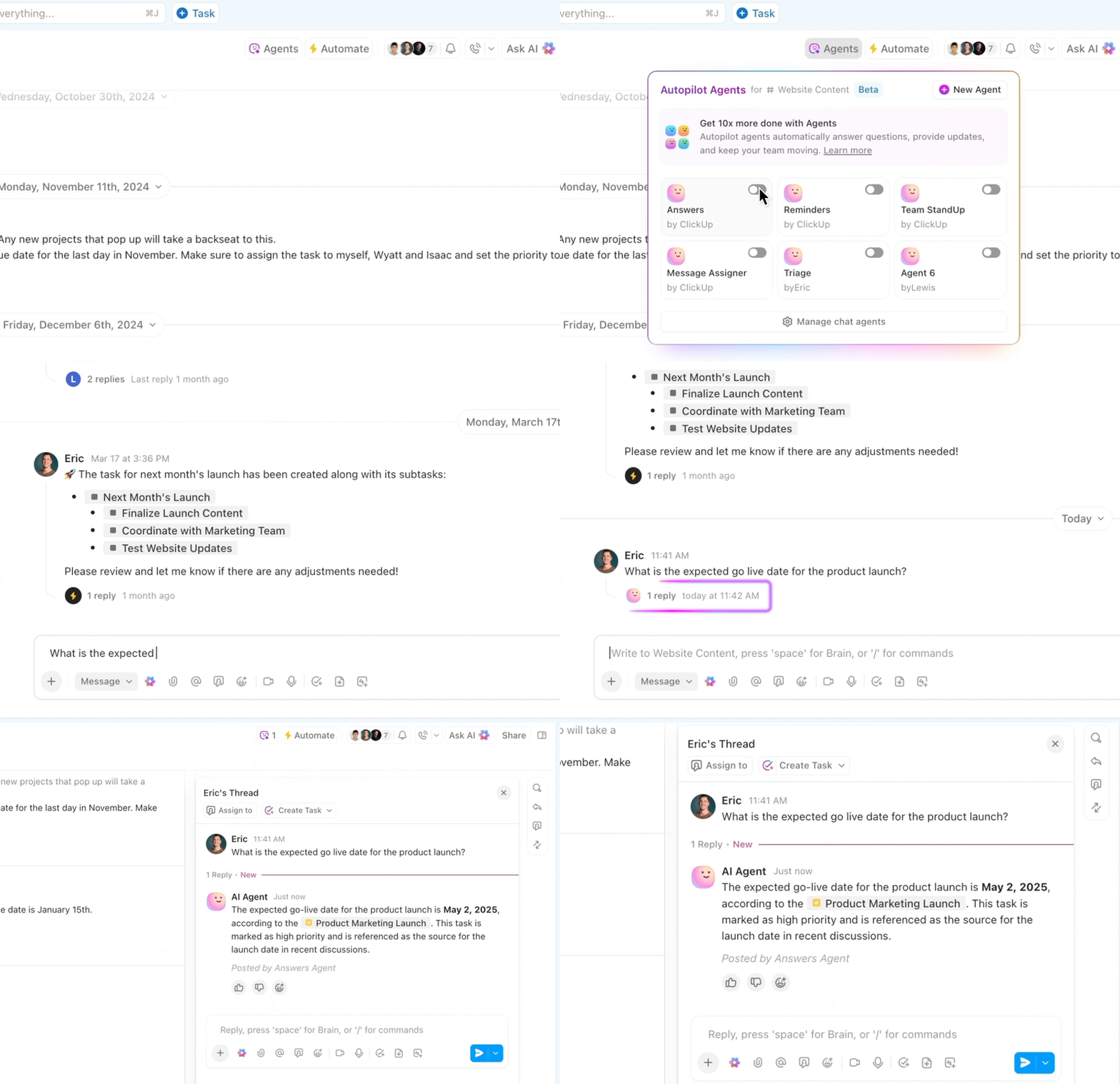
ClickUp is the everything app for work combining project management, knowledge management, and team communication—all powered by AI that helps you work faster and smarter.
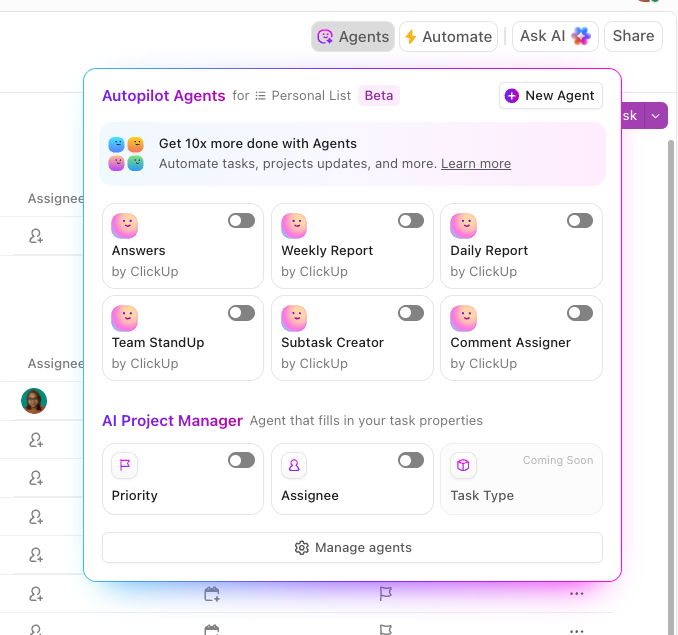
What truly sets ClickUp apart is its next-generation AI Agents—called Autopilot Agents—built right into the platform. These AI Agents are not just simple bots or automation; they’re intelligent digital teammates that can understand your goals, make decisions, and take action across your workspace.
ClickUp Autopilot Agents can supercharge productivity by:
Want to see what it actually looks like when an AI agent understands your work context? Watch how Atlassian’s AI Agent taps into company knowledge to deliver answers with real nuance. Check out the demo →
💡 Pro Tip: ClickUp AI Agents can even connect with other tools (like Slack, Google Calendar, or Salesforce) to keep your entire workflow in sync.
ClickUp Automation takes the busywork off your plate, handling repetitive tasks so teams can focus on what matters. From assigning tasks and updating statuses to sending reminders and syncing data, it keeps everything running smoothly behind the scenes.
The AI Builder makes setting up workflow automation effortless. Instead of manually configuring automation rules, you can simply describe what you need in plain English—like “Automatically assign a reviewer when a task moves to the ‘In Review’ stage”—and ClickUp Brain will instantly configure the rule for you.
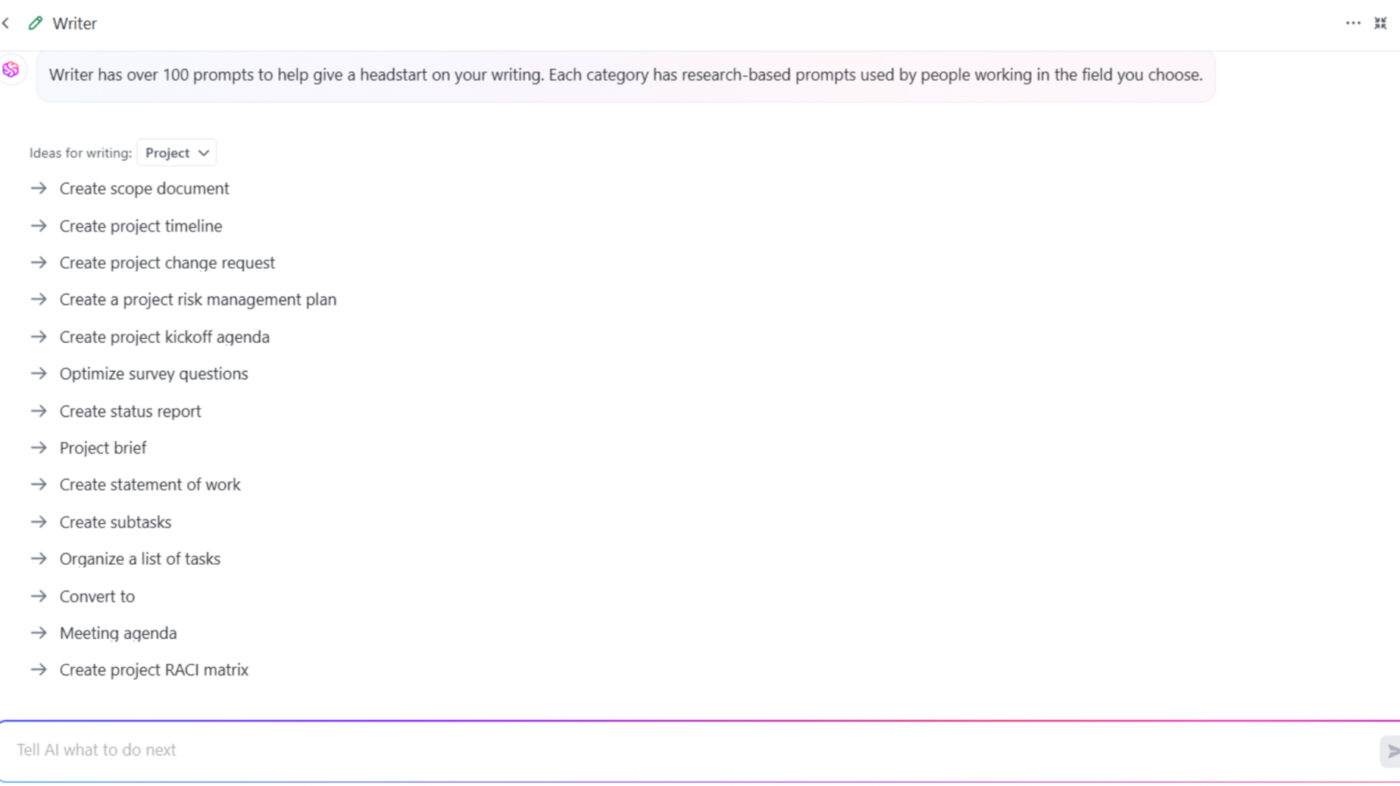
ClickUp Brain takes AI-driven work management up a notch by automating tasks, summarizing project updates, and delivering real-time insights across the organization. Built right into ClickUp’s Project Management Software, it’s an extra set of hands and brain to help make smarter decisions.
For users who want even more advanced AI features, ClickUp offers Brain MAX—a standalone desktop app that builds on the power of ClickUp Brain. While ClickUp Brain is integrated within the ClickUp platform, Brain MAX brings AI-powered search, task management, and automation tools to your entire desktop environment.
With Brain MAX, you can:
Brain MAX is ideal for teams and individuals who want a dedicated, AI-powered productivity hub that centralizes work, knowledge, and automation.
ClickUp AI Agents are intelligent assistants built into the ClickUp platform. These agents automate multi-step workflows, make decisions, and execute actions across ClickUp—going far beyond simple task automation. You can create custom agents using natural language instructions to fit your unique processes.
As a predictive analytics software, Brain utilizes historical data and offers predictive insights to forecast project timelines and potential challenges. For example, AI analyzes past project durations and resource utilization to predict potential delays in current projects, enabling managers to allocate resources more effectively.
Additionally, using AI as a personal assistant helps stay on top of tasks, automate routine updates, and streamline decision-making.
And if you prefer hands-free interaction? ClickUp Brain Max brings AI agents to your desktop with push-to-talk voice commands, so you can assign work or get updates without touching your keyboard.
ClickUp Brain also features an AI Notetaker that can join calls, transcribe meetings, generate summaries, and extract action items—linking notes directly to tasks and projects in ClickUp.
ClickUp Brain users can choose between leading AI models—including OpenAI, Claude, and Gemini—directly within their ClickUp workspace, giving you flexibility and control over your AI experience.
For quick responses, it offers pre-written replies or transforms short notes into polished messages, helping teams stay productive without chat overload.
pricing-table
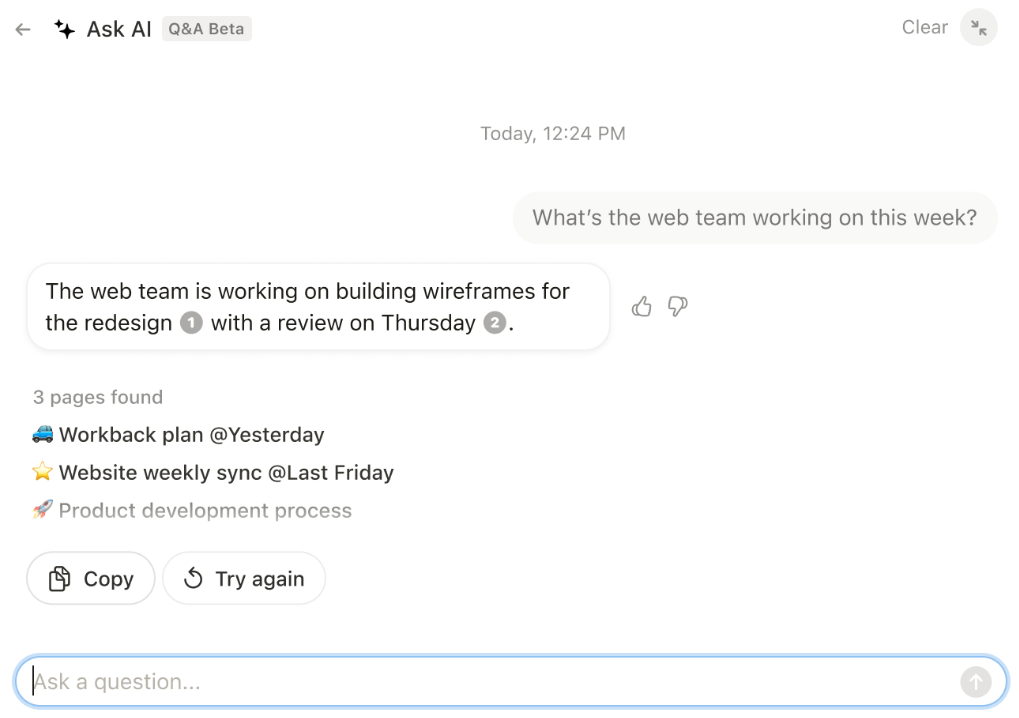
Notion AI transforms the way teams manage projects, analyze information, and make decisions.
Its ability to pull information from various sources, extract insights from documents, and automate workflows makes it more than just a writing assistant. It’s an AI agent that helps teams stay organized, reduce manual work, and make data-driven decisions faster.
Notion AI integrates with your workspace, meaning it understands context, references the AI knowledge base, and helps structure work.
🔍 Did You Know? Multitasking lowers productivity gains. Studies show that switching between tasks can reduce efficiency by up to 40%, as the brain struggles to refocus each time.
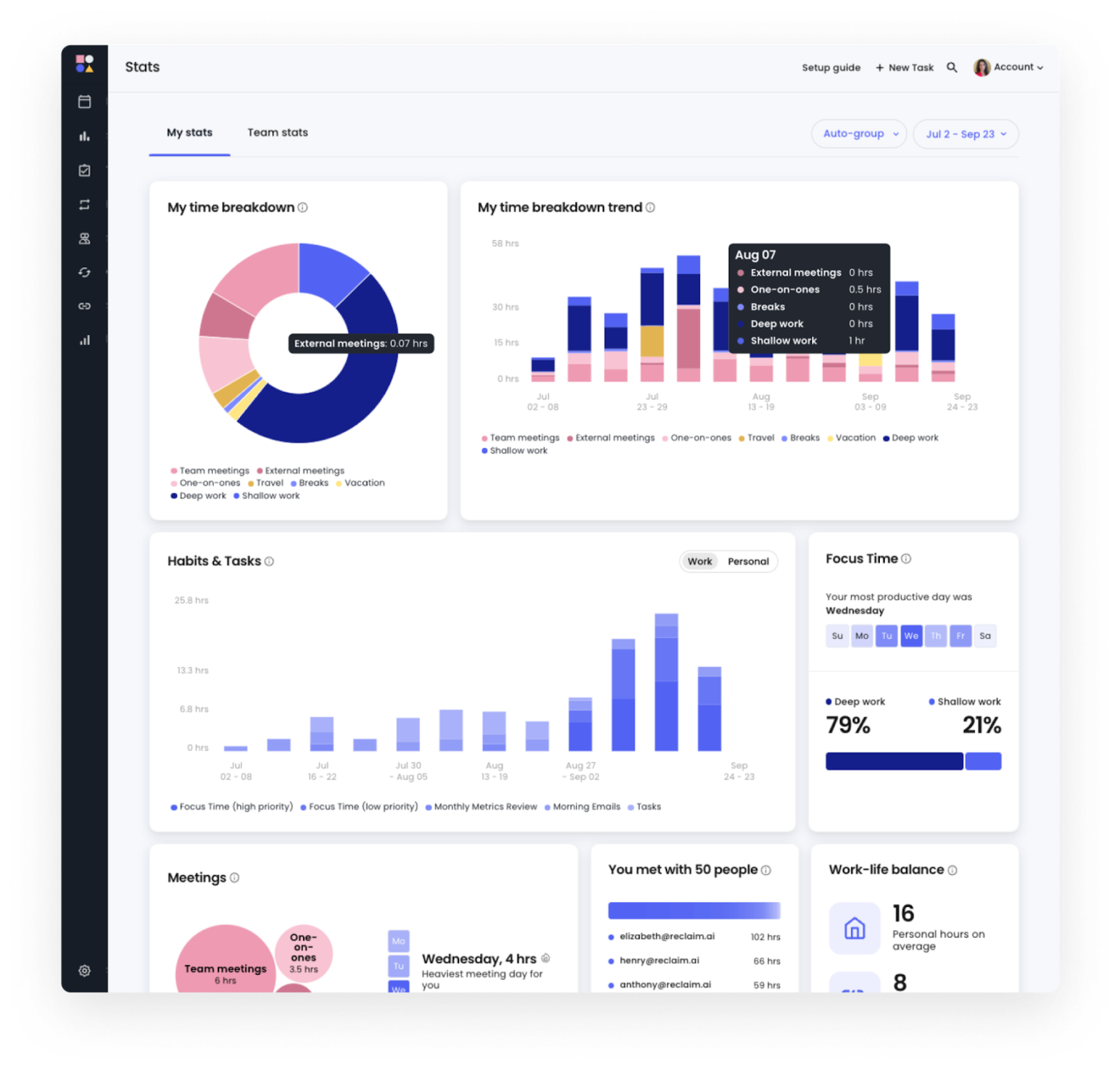
Reclaim AI is an intelligent scheduling assistant designed to help teams and individuals optimize their calendars without manual intervention.
It defends your focus time, prevents burnout with smart work-life balance controls, and even syncs with tools like Slack and Asana to keep your workflow uninterrupted. Whether you need to automate meetings, protect no-meeting days, or track how your team spends time, Reclaim AI is an adaptive time manager that constantly optimizes your schedule.
🔍 Did You Know? Music can boost productivity—but only the right kind. Instrumental music, especially classical or ambient sounds, helps improve focus, while songs with lyrics can distract from tasks requiring deep concentration.
📮 ClickUp Insight: About 60% of workers reply to instant messages within 10 minutes, but each interruption can take up to 23 minutes to refocus, making quick responses come at the cost of lost productivity.
That’s where ClickUp saves the day. Automations handle routine updates, Assigned Comments keep action items organized, and ClickUp Brain sums up key discussions—so you’re always in the know without endless distractions. Less context-switching, more getting things done!
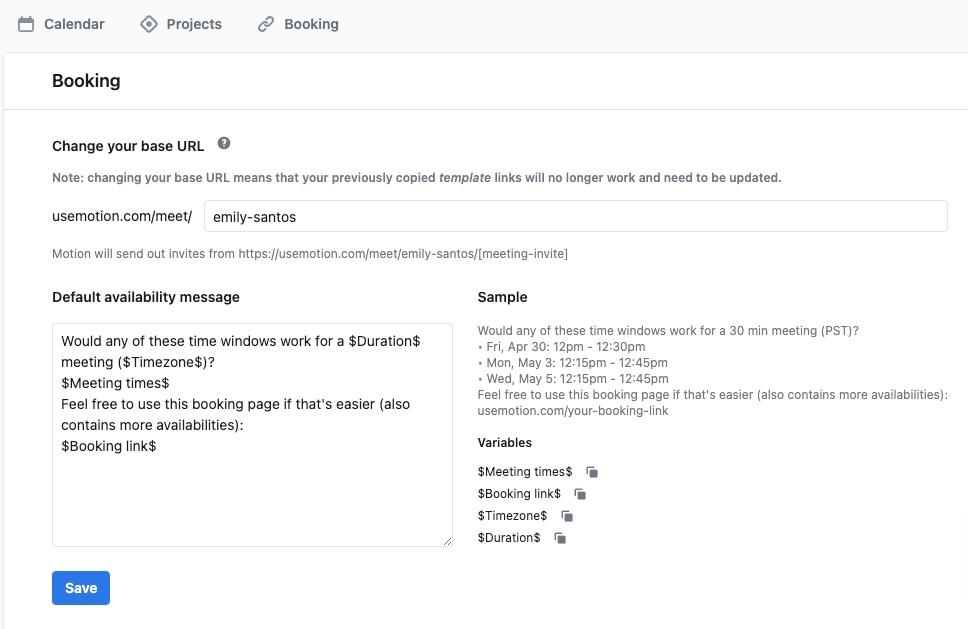
Motion is an AI-driven task and project management platform that automatically schedules tasks, optimizes team workflows, and ensures projects stay on track. It prioritizes work based on deadlines, dependencies, and workload capacity, keeping your team aligned without constant check-ins.
Unlike traditional AI project management tools, Motion actively manages your time. It predicts project completion timelines, prevents scheduling conflicts, and auto-adjusts priorities when plans change.
🧠 Fun Fact: Shorter workweeks can increase productivity. Countries experimenting with four-day workweeks found that employees were just as productive—sometimes even more—while enjoying better work-life balance.
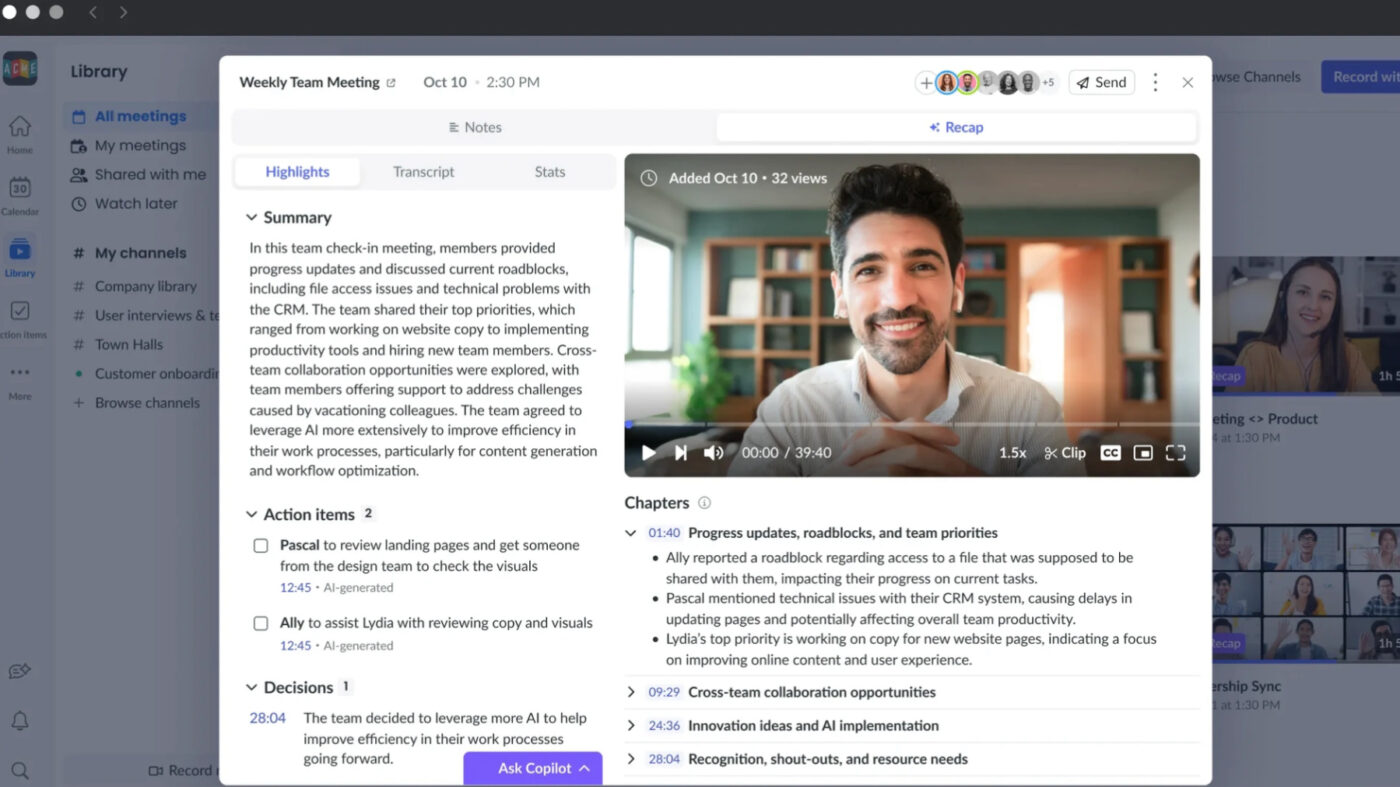
Fellow is an AI meeting assistant that enhances productivity before, during, and after every meeting. It automates note-taking, tracks action items, and centralizes meeting insights, ensuring that every discussion leads to meaningful outcomes.
This type of AI agent actively organizes and optimizes meetings. It integrates directly with calendars, CRMs, and collaboration tools to streamline scheduling, generate automated summaries, and ensure follow-ups happen on time.
🤝 Friendly Reminder: Your most productive time of day is unique to you. Some people work best in the morning, while others hit their stride in the afternoon or evening. Identifying your peak productivity hours helps you schedule tasks more effectively.
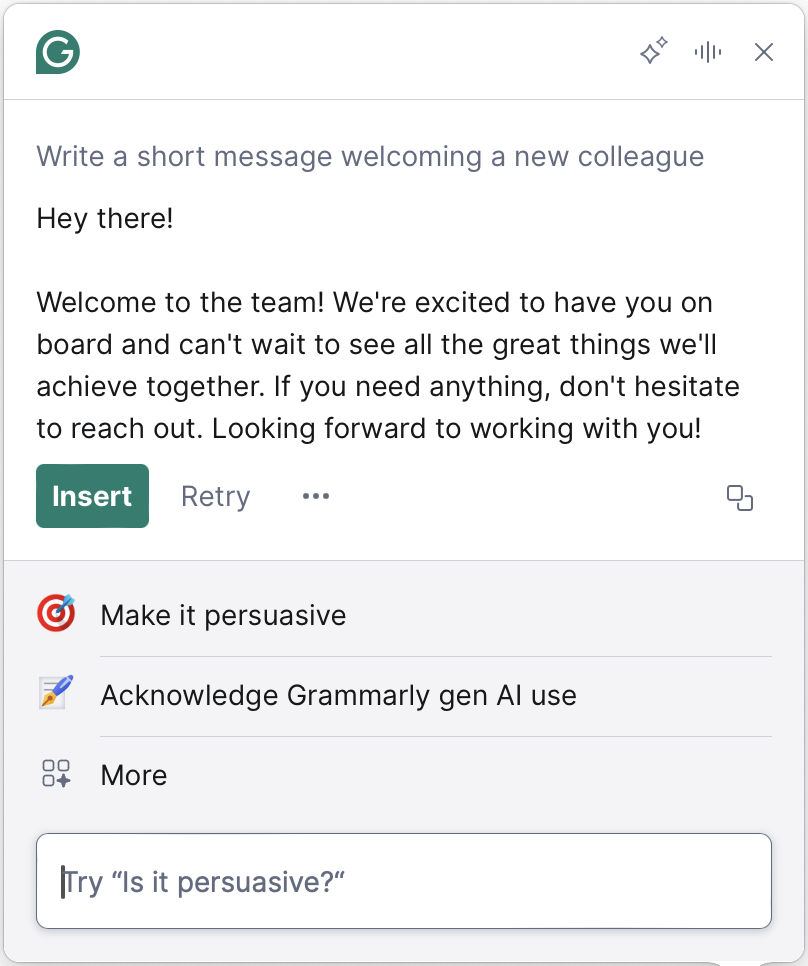
Grammarly improved clarity, coherence, and engagement across all forms of communication. It refines sentence structure, optimizes tone, and rewrites entire paragraphs for better readability. AI-driven insights help professionals, students, and teams craft polished, error-free content that aligns with their intended message.
With AI-powered strategic coaching and workflow automation, Grammarly functions as a personalized editor to ensure every piece of writing is clear and effective.
📖 Also Read: How to Build an AI Agent for Better Automation
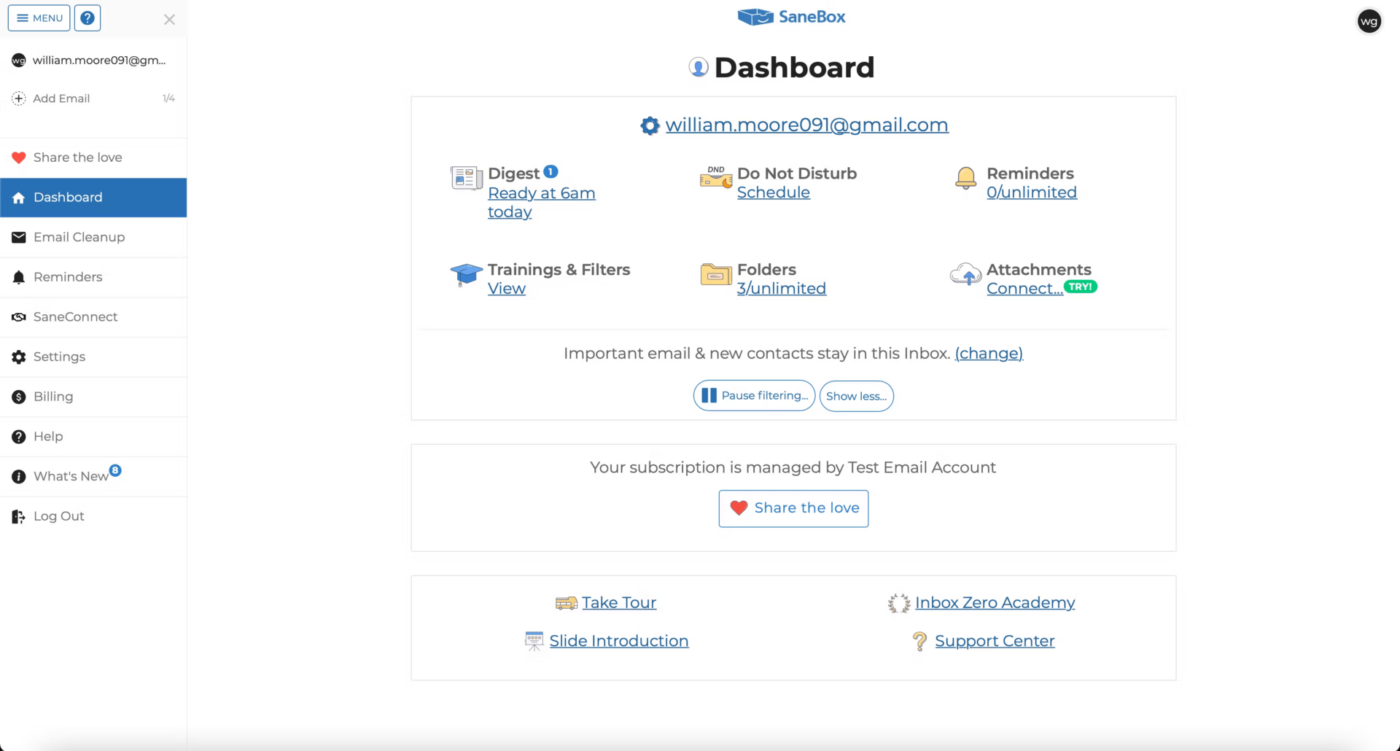
SaneBox filters your emails based on your past behavior. The app studies which emails you open, respond to, or delete to sort future messages into different folders.
It automatically categorizes messages into folders like SaneLater for less urgent emails, SaneNews for newsletters, and SaneBlackHole for senders you never want to hear from again. The agent streamlines follow-ups, prevents inbox overload, and even generates a Daily Digest so you can review non-essential emails at a glance.
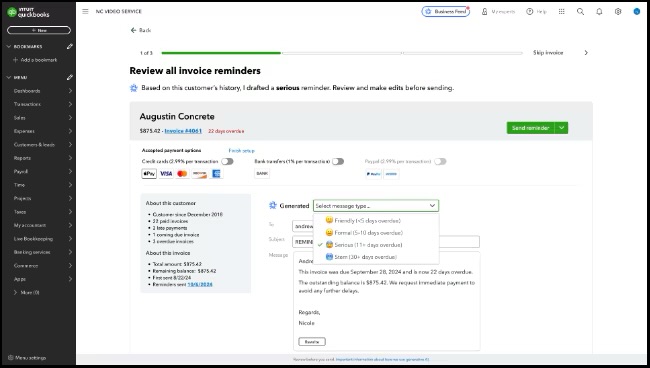
Intuit Assist is a generative AI-powered financial assistant that simplifies bookkeeping, invoicing, and decision-making for small businesses and individuals. It automates routine financial tasks, provides personalized insights, and enhances cash flow management by integrating QuickBooks, TurboTax, Credit Karma, and Mailchimp.
Beyond automation, Intuit Assist transforms scattered financial data into actionable insights. It processes unstructured inputs—such as handwritten notes, email correspondence, and receipts—turning them into invoices, expense entries, or financial projections.
💡 Pro Tip: Create a shutdown ritual. Ending your day with a routine—like reviewing tasks or tidying up—helps you transition smoothly into personal time.
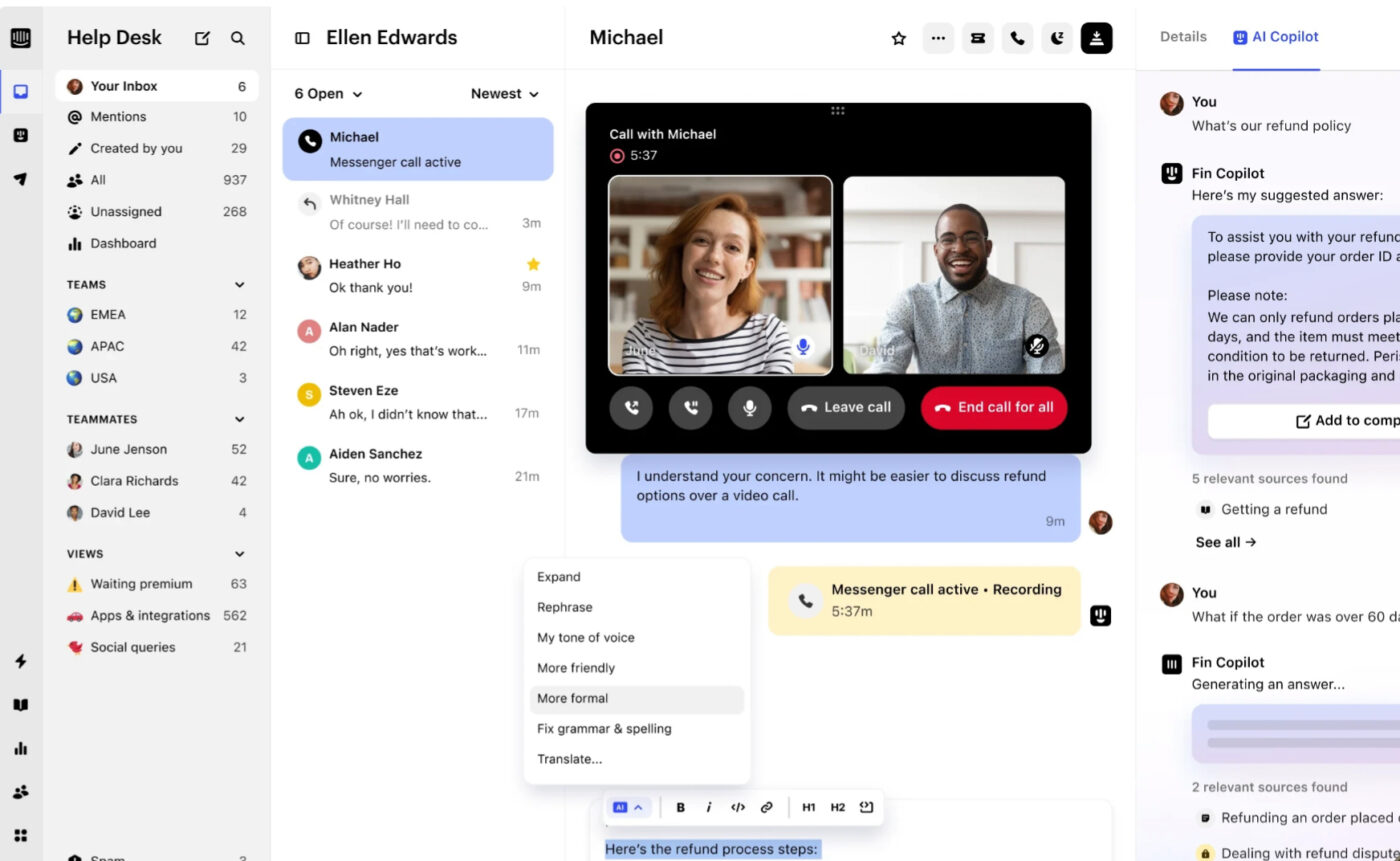
Intercom combines AI chatbots with human support teams to handle customer questions. The AI tackles common problems like password resets or shipping updates while your team jumps in for the trickier stuff. The system remembers past chats, so if a customer returns with an issue, all their history pops up.
Want to speed things up? The AI suggests responses based on similar past tickets, so agents don’t have to type the same answers over and over. Plus, the dashboard shows which questions keep popping up, helping spot areas where a quick FAQ or product tweak could save everyone time.
🔍 Did You Know? A whopping 87% of employees say they’d be more productive if they could choose how many days they work from home. When asked why they prefer remote work, the top reason was avoiding the commute, with increased productivity coming in second.
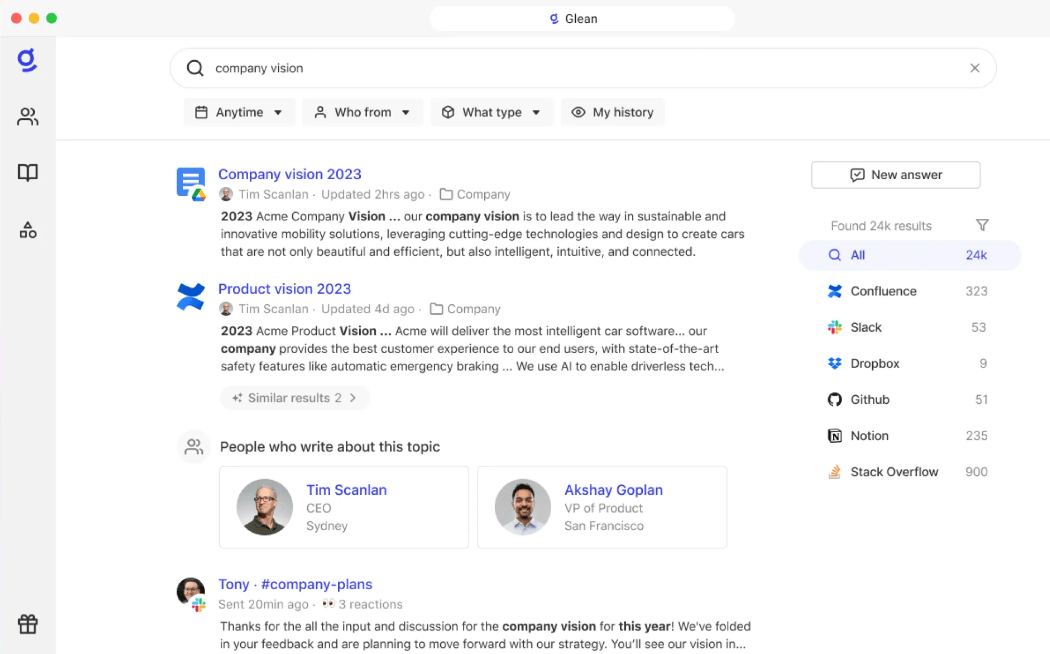
Glean enhances workplace productivity by seamlessly integrating with applications like Microsoft 365, Google Workspace, Salesforce, and Slack. It enables you to efficiently find, create, and use AI to automate tasks. It helps draft emails, summarize meetings, and analyze data.
At its core, Glean functions as a knowledge hub that brings together company information across multiple platforms, providing real-time search results and personalized recommendations. It adapts to individual roles, learning from historical data to improve accuracy and relevance over time.
🤝 Friendly Reminder: Sometimes, doing nothing is productive. Moments of stillness—daydreaming, meditating, or simply staring out the window—can spark fresh ideas and problem-solving breakthroughs.
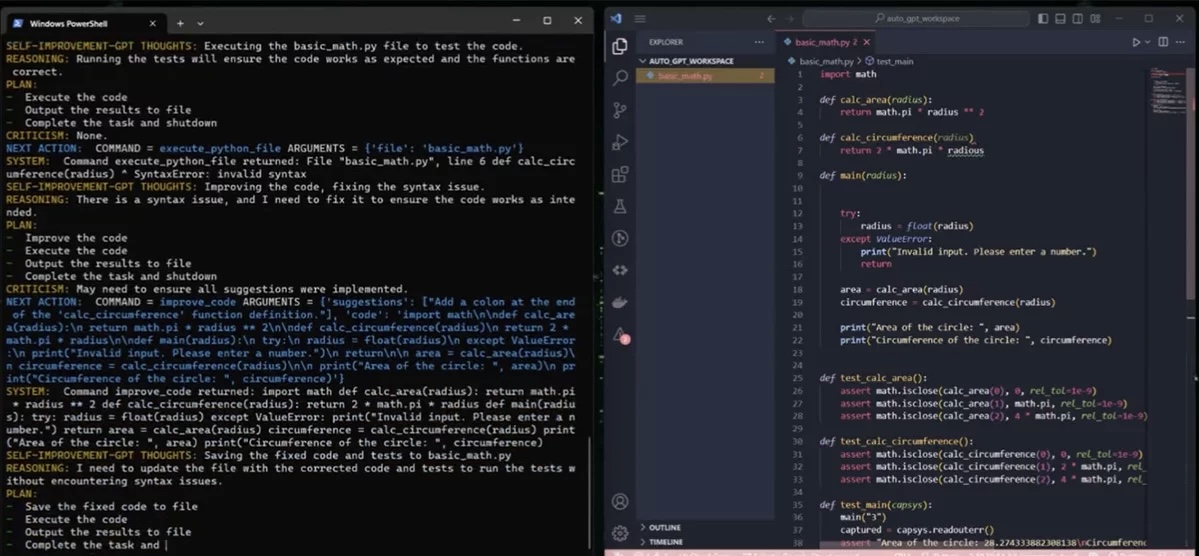
AutoGPT acts like a digital assistant that breaks big tasks into smaller, manageable chunks. Feed it a goal like ‘research competitors’ and it maps out the steps, gathering info from specified sources. The tool connects to GPT-4 to understand tasks and figure out what to do next.
For developers, it helps write and fix code by suggesting solutions or spotting potential bugs. Tell it what you’re trying to build, and it outlines the coding steps or helps troubleshoot issues. Since it runs in the cloud, you can set it up once and let it handle repetitive tasks while you focus on other work.
💡 Pro Tip: Save AI prompt templates to speed up tasks and maintain consistency across your team.
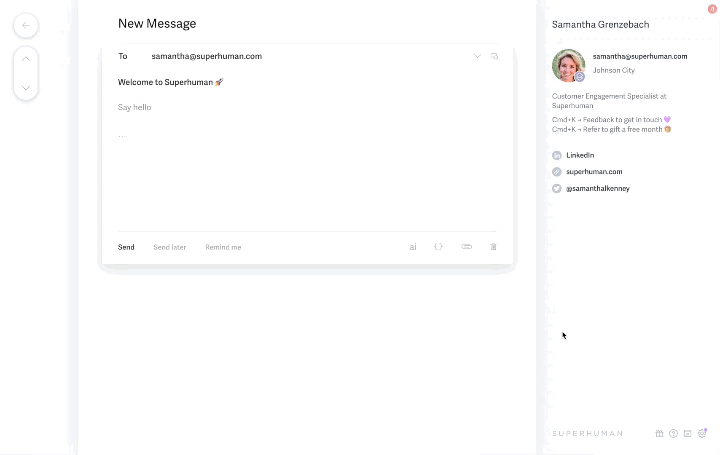
Superhuman speeds up your email routine through keyboard shortcuts and quick actions. Split your inbox into sections like ‘needs reply’ or ‘can wait till later’ and zip through messages using just your keyboard. The app nudges you about emails you meant to follow up on and lets you temporarily hide messages that aren’t urgent.
Want to schedule a meeting? Just hit a few keys and your calendar pops up right there in your inbox. The app also shows you info about whoever you’re emailing—their role, company, and social profiles—saving you from opening new tabs to look people up.
Check out these Superhuman alternatives!
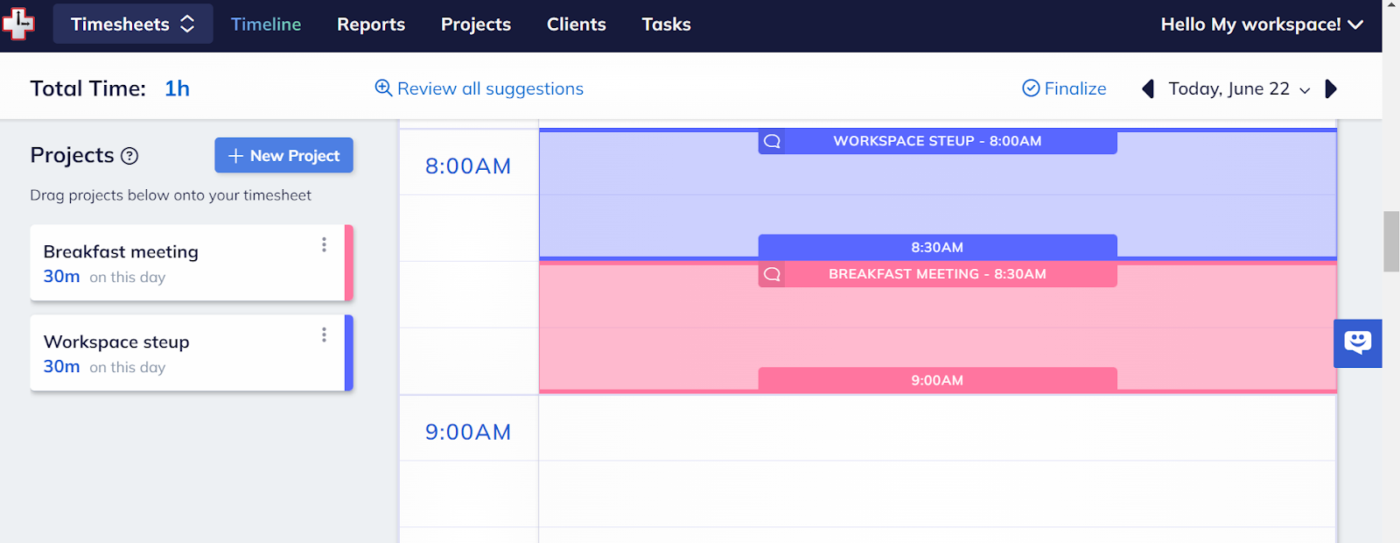
RescueTime watches how you spend time on your computer and gives you the real story. Noticed you spent three hours on YouTube when you thought it was just a quick break? The app shows you these patterns without judging. Tag different websites and apps as helpful or distracting, and check your dashboard to see where your time actually goes.
You can also turn on a Focus Session to block those tempting sites that pull you away from work. The app tracks these focused chunks so you can spot your most productive hours.
💡 Pro Tip: Learn to say no. Protecting your time ensures you can focus on high-value work instead of being overloaded.
AI agents have become essential to refine workflows and enhance productivity, but with so many options, it can be hard to know which one will truly make a difference.
To ensure you’re getting the most out of the agent, here’s what to look for:
The AI agents we’ve covered each serve a unique purpose, from task automation to communication. They help refine workflows, enhance decision-making, and improve team collaboration, making everyday tasks more efficient.
However, ClickUp stands out as the all-in-one solution that unifies everything.
With ClickUp’s AI-powered features and robust automations, you can seamlessly integrate project management, task delegation, and communication in one platform.
Sign up for ClickUp and experience the future of work today. 📝

© 2026 ClickUp




