

Sorry, there were no results found for “”
Sorry, there were no results found for “”
Sorry, there were no results found for “”
Surprisingly, 38% of U.S. workers still use punch cards, paper timesheets, or outdated time cards instead of a modern scheduling tool. These manual methods lead to missed shifts, payroll miscalculations, and inconsistent attendance tracking, hurting productivity and labor costs.
With an employee scheduling app, you can automate shift assignments, track time-off requests, and receive real-time notifications about employee absences.
This guide explores the 10 best employee scheduling apps for streamlining scheduling, tracking time off, and improving workforce management.
| Tool | Best features | Best for | Pricing |
|---|---|---|---|
| ClickUp | • Customizable HR templates and workflows • AI-powered calendar scheduling and prioritization • Built-in time tracking and reminders • Seamless collaboration with comments, chat, and Docs | HR teams managing hiring, onboarding, and schedules in one place | Free forever plan; Customizations available for enterprises. |
| Workday | • AI-driven optimized shift creation • Unified platform for time tracking and HR tasks • Empowers employee self-scheduling | Mid-to-large organizations needing automated, enterprise scheduling | Custom pricing |
| Sage HR | • Drag-and-drop shift planner • Built-in time off management and approvals • Auto-notifications for shift changes | Businesses looking for simple scheduling with strong time-off tracking | Paid plans start at £5.28/employee/month |
| Homebase | • Time clock app for any device • Real-time schedule sharing and updates • Built-in team messaging | Small businesses needing free time tracking and scheduling tools | Free plan available; Paid plans start at $24.95/month/location |
| Rippling | • Automated scheduling with compliance checks • Real-time shift allocation • Seamless payroll sync | Companies seeking all-in-one HR + compliance scheduling | Custom pricing |
| BambooHR | • Mobile time tracking with geolocation • HR management and performance reviews • Easy-to-use mobile app | SMBs looking to integrate time tracking with core HR functions | Custom pricing |
| Factorial HR | • Shift planning across roles and locations • Auto-conflict detection and real-time adjustments • Syncs scheduling with payroll and absences | Distributed teams managing schedules across multiple sites | Custom pricing |
| Connecteam | • Drag-and-drop shift builder • Time off request handling and chat notifications • Clock-ins with real-time tracking | Deskless teams needing mobile scheduling with shift swap features | Free plan available; Paid plans start at $35/month (30 users) |
| Deputy | • Auto-scheduling for labor optimization • Employee shift swapping • Time clock and attendance sync | Teams wanting fast, accurate scheduling and compliance-friendly rosters | Free plan available; Paid plans start at $6/month/user |
| Gusto | • Integrated time tracking and payroll • Employee self-service portal • Auto-tax filing and QuickBooks sync | Companies looking for seamless payroll and scheduling integration | Paid plans start at $40/month + $6/month per person |
Choosing the best employee scheduling app isn’t just about basic scheduling—it’s about optimizing efficiency, reducing errors, and keeping your workforce happy.
So, what employee management features should you prioritize? Let’s have a look below:
💡 Pro Tip: Customizable templates make work quicker and easier. Explore the best 10 free work schedule templates that help small businesses stay on top of all projects and daily work and manage schedules seamlessly.
Here are the 10 employee scheduling tools that streamline operations, reduce administrative headaches, and create employee schedules that work for both your business and your team:
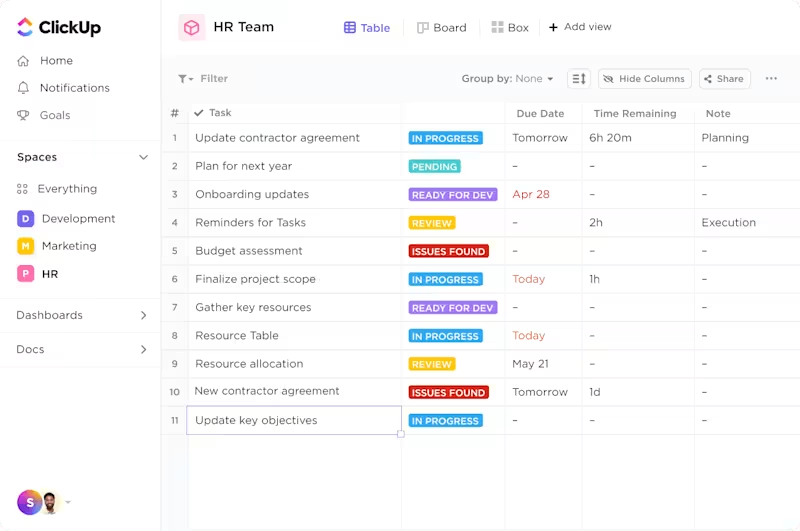
Tired of scattered resumes and missed follow-ups? ClickUp HR tool lets you track candidates, applications, and outreach in one place. You can create a ClickUp Kanban board to track candidates from “Applied” to “Interviewed” to “Hired.”
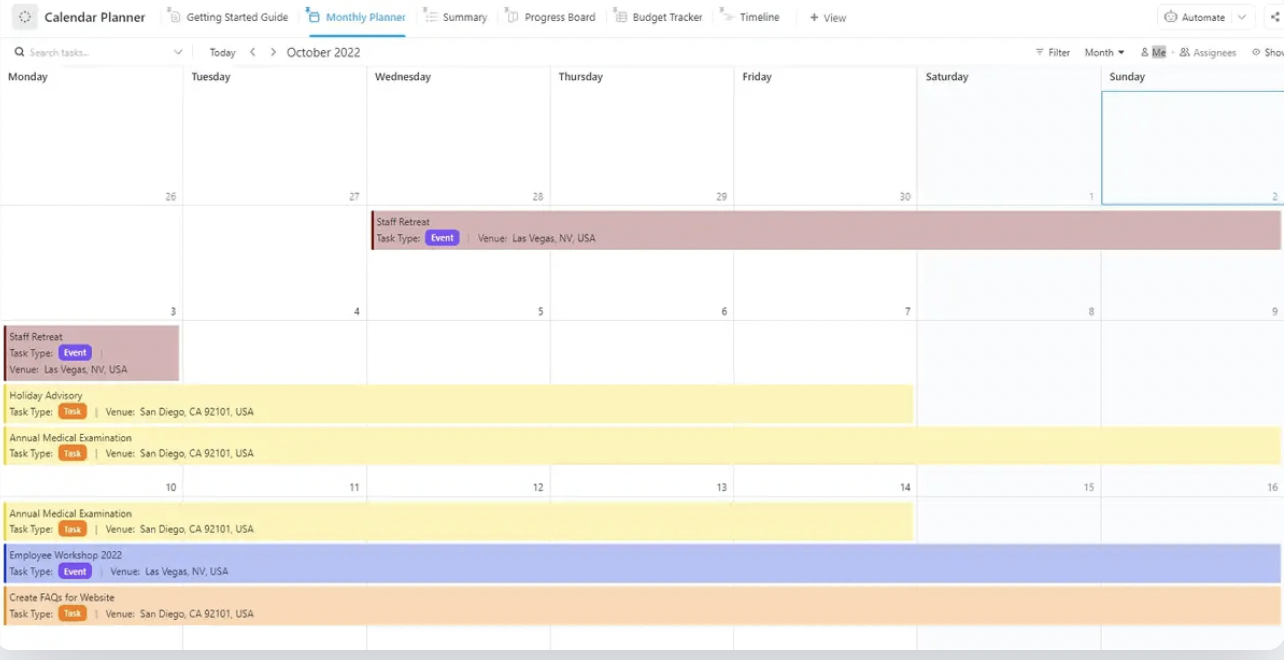
HR teams can visualize everything that matters – from interview schedules and onboarding timelines to company events and employee time-off requests – all in one place with ClickUp Calendar View. They can color-code different types of events, filter views by department or event type, and even drag and drop to reschedule things when plans change.
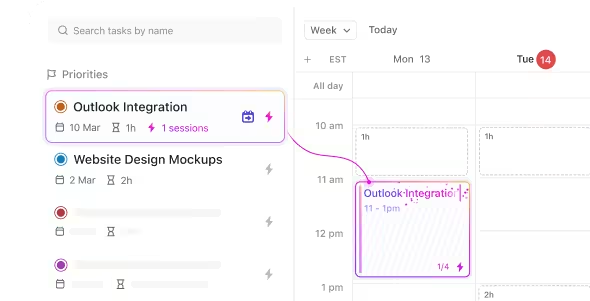
ClickUp’s Calendar is an AI scheduling tool designed to manage your workload intelligently. Imagine having an assistant that analyzes your backlog and prioritizes tasks, then automatically time-blocks them for optimal efficiency. ClickUp’s AI does just that. It intelligently determines the best times for you to tackle your most important work, ensuring your priorities are met.
The platform comes with ready-to-use templates that save tons of time:
What’s especially helpful is how ClickUp connects scheduling with other HR functions. Need to track how long orientation sessions take? The built-in Time Tracking has you covered. Want to automatically notify team leads when someone requests vacation time? ClickUp Automations can handle that.
Teams love how they can add comments directly to calendar events, assign tasks to specific people, and mention colleagues to keep everyone in the loop. This means way less back-and-forth in emails about schedule changes or event details.
For HR departments that are constantly coordinating across teams and managing competing priorities, having all their scheduling tools in the same place as their other HR workflows is a huge time-saver. It’s basically like having a super-powered HR calendar that talks to all your other HR systems.
📮 ClickUp Insight: About 41% of professionals prefer instant messaging for team communication. Although it offers quick and efficient exchanges, messages are often spread across multiple channels, threads, or direct messages, making it harder to retrieve information later. With an integrated solution like ClickUp Chat, your chat threads are mapped to specific projects and tasks, keeping your conversations in context and readily available.
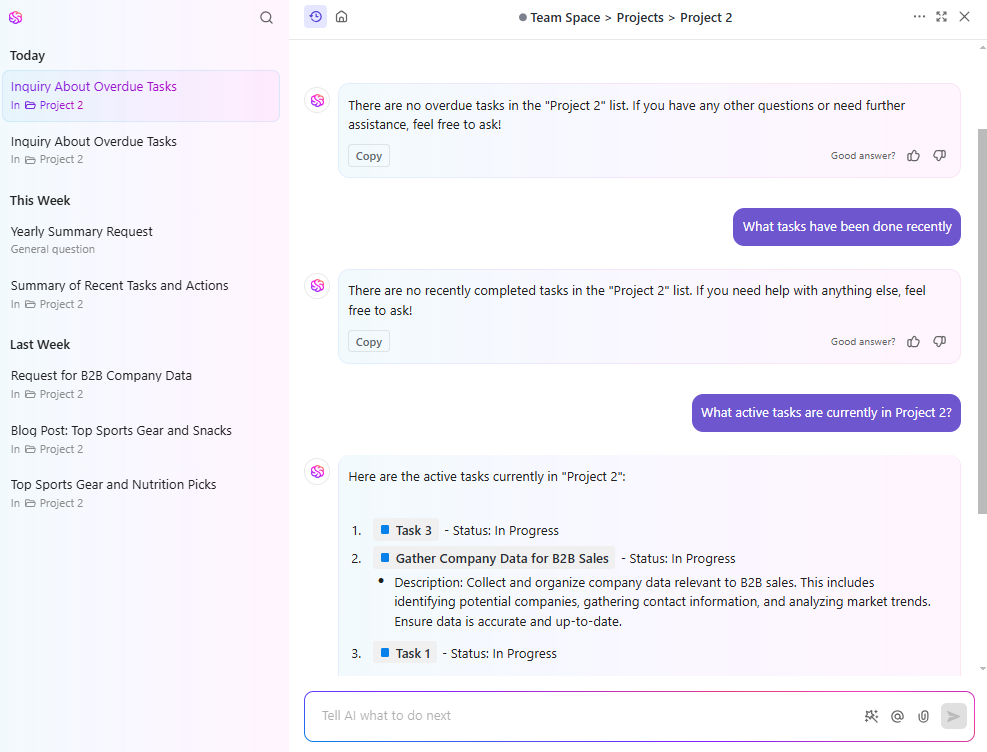
What if you had an instant assistant to answer all your HR questions about tasks, docs, and team members? That’s ClickUp Brain for you!
Need to know when an employee last had a performance review? Just ask ClickUp Brain, and it retrieves the information instantly—no searching required.
Here’s what Dayana Mileva, Account Director of Pontica Solutions, has to say about ClickUp:
With ClickUp, we went one step ahead of the game and created dashboards where our clients can access and monitor performance, occupancy, and projects in real-time. This allows clients to feel connected to their teams, especially given that they are located in different countries, and sometimes even on different continents.
💡 Pro Tip: AI HR tools go beyond time and labor cost savings. Explore the 10 best AI tools for HR that help manage schedules, make employee onboarding and offboarding easy, and track the hiring cycle.

Workday offers an employee scheduling app designed to optimize workforce management. It also includes comprehensive Human Capital Management (HCM) software solutions, streamlines HR processes, and adapts to your business’s unique needs.
This scheduling software allows you to easily create employee schedules, manage time off requests, and monitor employee attendance.
Its automated scheduling feature lets you generate recurring shifts based on employee availability, reducing manual errors and enhancing scheduling efficiency.
What are real-time users saying about Workday?
I use Workday on daily basis, and love a lot of its features. For example, I really like the Time management component, as it makes it really easy to mark my working time/time-offs and vacations, which provides visibility to my manager.
🔍 Did You Know? The “graveyard shift” isn’t just a spooky name! It refers to overnight work shifts, and some believe it originated from the historical practice of having someone watch over graveyards at night! 🌙
➡️ Read More: Free Attendance Sheet Templates
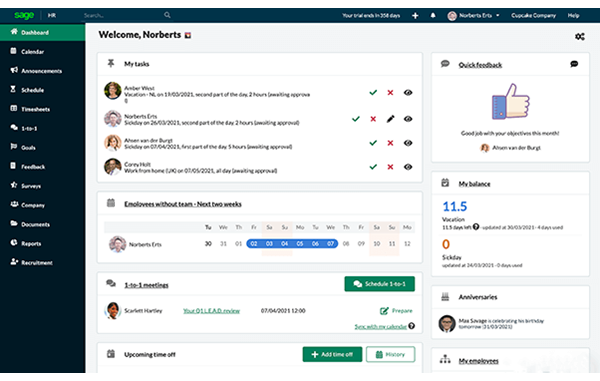
Sage HR is an excellent choice if you’re looking for an intuitive employee scheduling app to streamline your workforce management.
This tool, designed for businesses of all sizes, offers features such as employee attendance tracking, performance monitoring, and expense tracking. Its drag-and-drop interface allows you to create employee schedules, manage recurring shifts, and handle time off requests.
If an employee needs to swap employee shifts, Sage HR’s shift swap feature simplifies the process, ensuring seamless schedule management and enhanced employee satisfaction.
💡 Pro Tip: Feeling overwhelmed with resource allocation? You need to learn capacity planning strategies to maximize your resources and start with a solid layout!
Stay ahead of resource planning and optimize efficiency effortlessly!
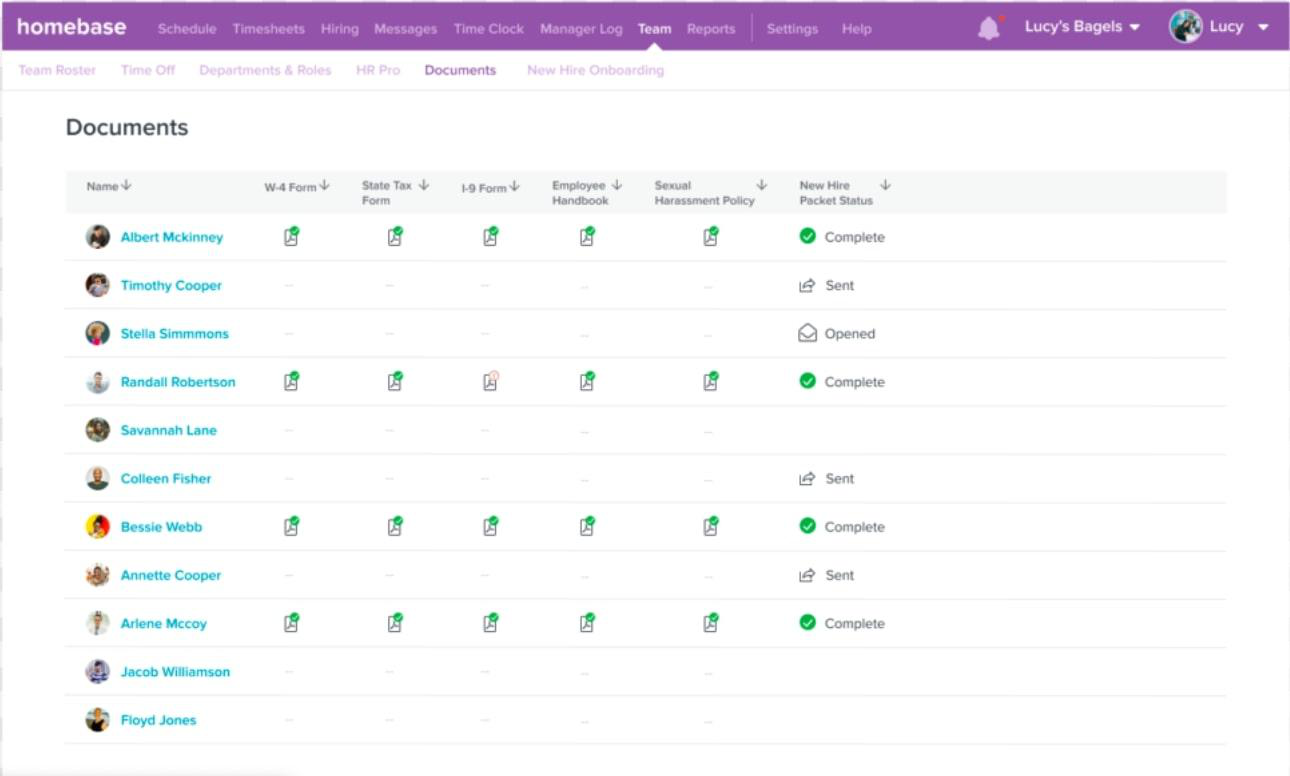
With Homebase, you can effortlessly create and share employee schedules, ensuring everyone is on the same page.
The platform offers a time clock feature that turns any device into a scheduling tool for tracking hours, breaks, and overtime, eliminating the need for paper timesheets.
Homebase allows you to build weekly schedule templates for your business, seamlessly handle time-off requests, and communicate updates instantly through its built-in messaging system. This streamlines the scheduling process for HR professionals and enhances team coordination.
What are real-time users saying about Homebase?
We really love this platform and use the free version… DAILY!! It’s a great way to manage our schedule (for our retail store). It’s easy to use for building schedules, as well a managing availability. Our Team can also swap shifts or request coverage fairly easily.
➡️ Read More: Free HR Templates & Forms to Improve HR Processes
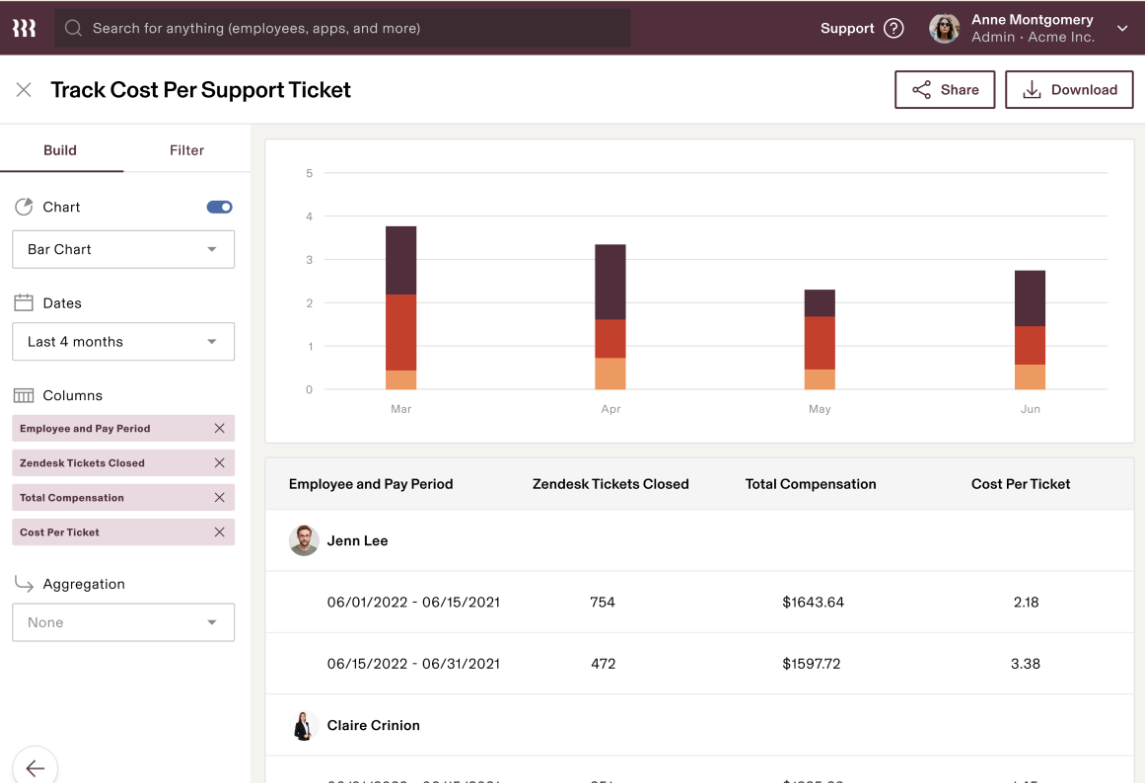
Try Rippling for seamless employee scheduling, compliance, and payroll integration capabilities. It is one of the best employee scheduling apps that automates the creation and management of employee schedules and ensures compliance with local labor laws.
Managers can assign shifts and adjust them in real time to meet operational needs, while employees can view their schedules, provide availability, and request changes.
If an employee requests time off, Rippling streamlines the approval process and automatically updates the schedule.
📜 Fun Fact: Scheduling existed before spreadsheets! Before computers, businesses used physical boards, ledgers, and even paper slips to manage employee shifts! Talk about dedication! 😅
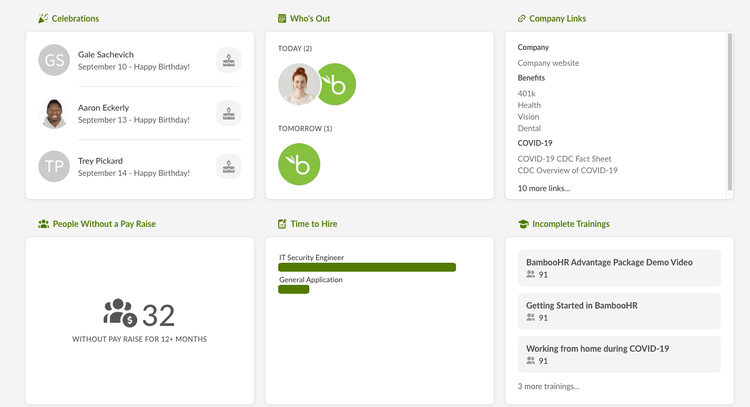
Bamboo HR offers a comprehensive suite of tools designed to streamline your human resource planning processes. While it excels in areas like time tracking and employee management, it’s important to note that BambooHR does not provide built-in employee scheduling features.
By integrating Bamboo HR with a third-party scheduling tool, you can synchronize employee data, ensuring that your schedules are always up-to-date and accurate.
This integration allows you to handle time-off requests efficiently and maintain accurate employee attendance records, contributing to improved workforce management.
⚡ Bonus: Struggling to keep your team on the same page? Stay organized and boost productivity with the 10 best shared team calendar apps to streamline scheduling and collaboration! 📅🚀
What are real-time users saying about Bamboo HR?
I really enjoy using Bamboo HR as our HRIS. It is very easy to use and implement. It is robust enough to help small/medium businesses operate and solve many challenges that these SMB’s face. Being able to keep all your employee repository in one place is super helpful for current and future tracking.
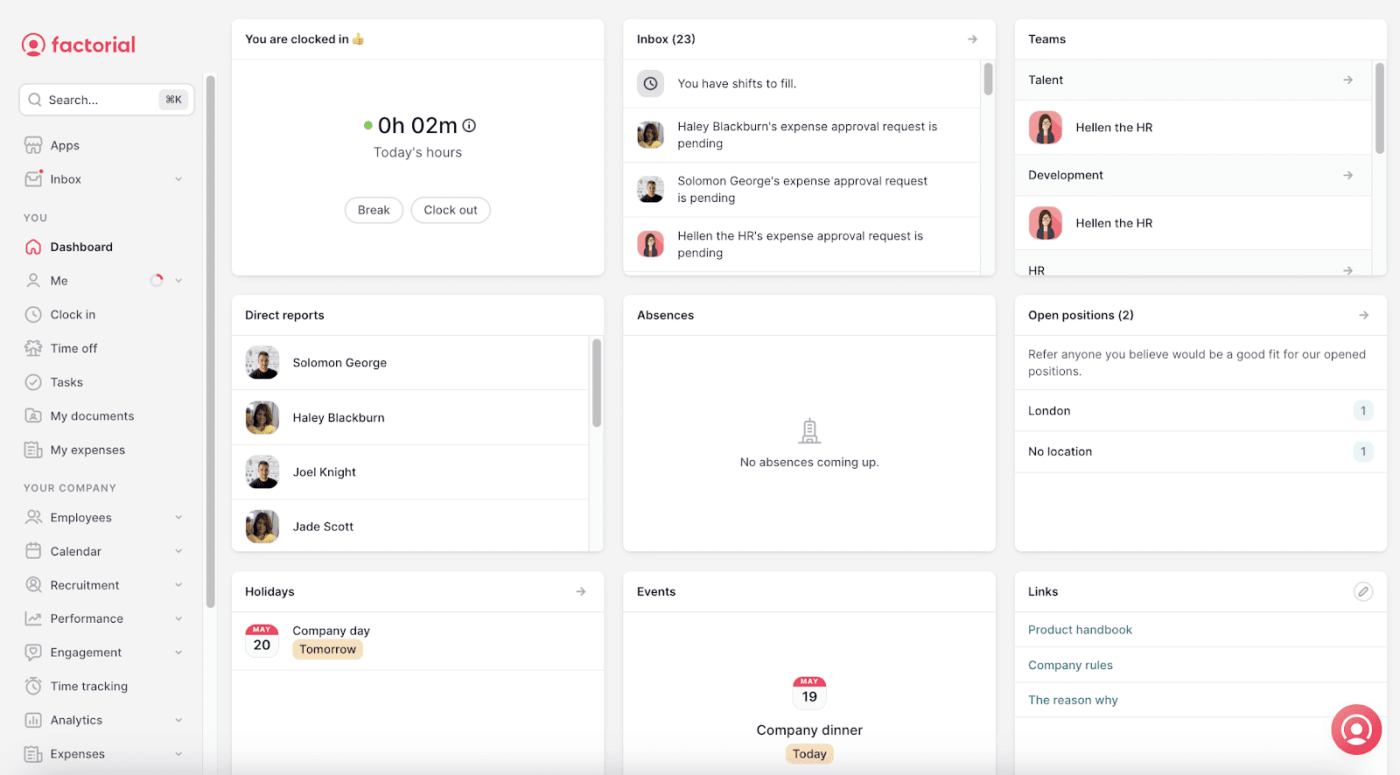
With Factorial HR’s intuitive interface, efficiently manage employee schedules, track attendance, and handle time-off requests.
The shift management feature allows you to assign shifts remotely, detect scheduling conflicts automatically, and replicate weekly shift templates, ensuring smooth operations.
If you need to coordinate shifts across multiple locations, this employee scheduling app enables you to view rotas split by roles and locations, making it easier to manage your workforce effectively.
⚡ Bonus: Worried about future hiring gaps? Stay ahead of talent needs by learning how workforce forecasting helps plan future talent needs and make data-driven staffing decisions! 🚀
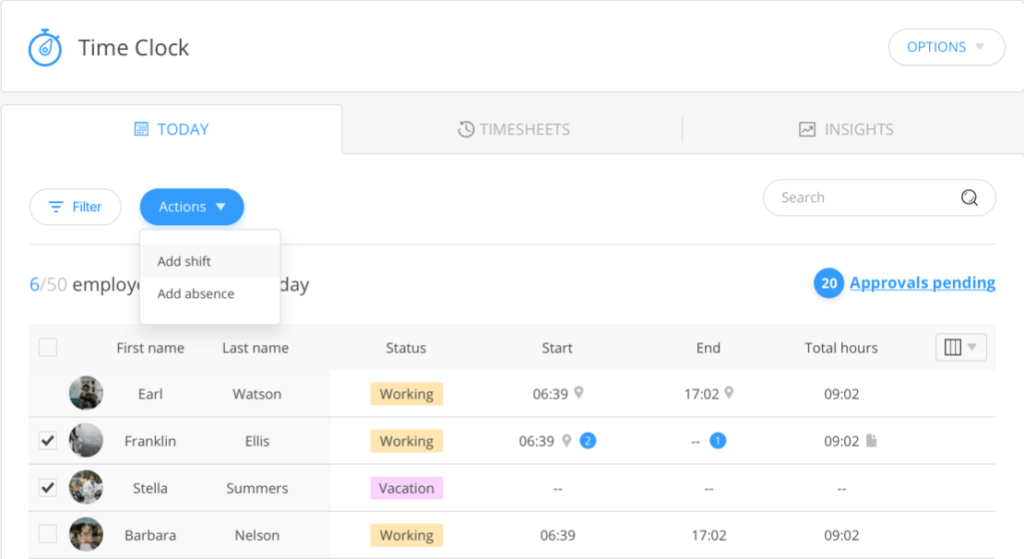
An employee scheduling app like Connecteam can revolutionize how you manage your workforce.
Designed to streamline operations, Connecteam offers features that simplify creating and managing employee schedules. Its intuitive drag-and-drop interface makes it easy to assign shifts, handle time off requests, and accommodate employee availability.
If an employee requests time off, you can quickly adjust the schedule and notify other team members so they can claim open shifts.
This efficiency reduces labor costs and enhances employee satisfaction by ensuring clear communication and balanced workloads.
What are real-time users saying about Connecteam?
My team uses Connecteam to manage shifts for an escape room, which results in variable schedules depending on customer bookings. Connecteam makes it easy to prepare shifts in advance and only release the shifts that are needed, making it much easier on the team in charge of posting available shifts.
💡 Pro Tip: Looking to boost team morale? Here are 10 morale-boosting employee engagement activities to try right now:
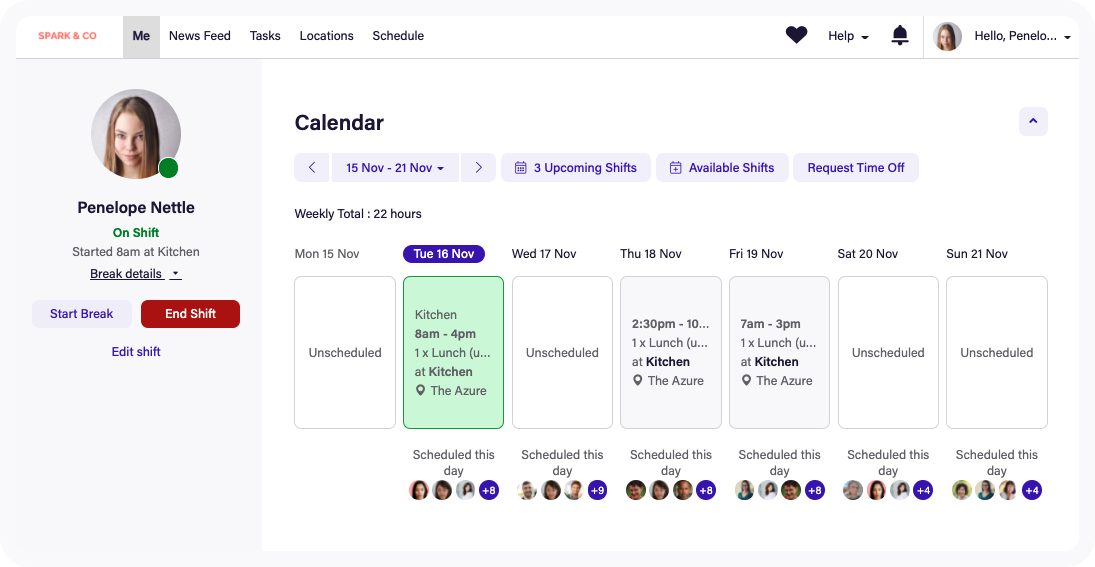
With Deputy, you can effortlessly create employee schedules, considering staff availability preferences and labor laws. Its auto-scheduling feature generates optimal rosters, reducing manual planning time. Employees can also swap shifts through the app, promoting flexibility and autonomy.
The employee time clock function allows staff to clock in/out via mobile devices, ensuring accurate attendance records. Integration with payroll systems streamlines payroll processing, minimizing errors.
⚡ Bonus: Scrambling through PTO requests and last-minute leave chaos? Get back in control by learning how to optimize your team’s leave management system and keep schedules running smoothly! 📅✅
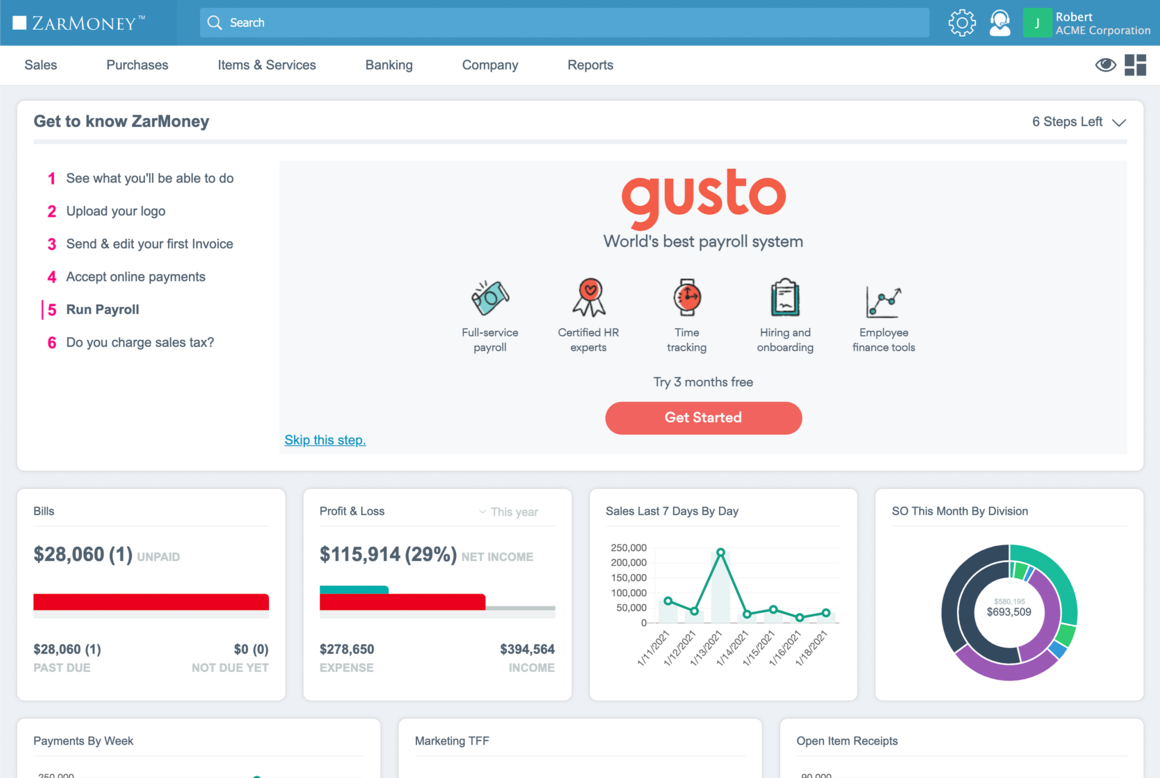
Gusto is a comprehensive platform for HR professionals designed to simplify payroll processing, benefits administration, and employee management.
Using it, you can track employee hours and automate payroll calculations, ensuring timely and accurate payments while seamlessly handling tax filings.
This employee scheduling app offers employee self-service portals, enabling your team to access pay stubs, request time off, and manage personal information independently. Gusto also integrates with various accounting software, facilitating synchronized financial data and reducing manual entry.
What are real-time users saying about Crunchbase?
My company uses Gusto to track hours and keep certain documents (tax, onboarding, signable forms from Jotform, etc). Its greatest asset lies in its integration of time clock and payroll services.
Additional HR calendar apps that deserve a special mention:
➡️ Read More: Free Time Off Request Templates
Managing HR workflows, including employee scheduling, hiring, onboarding, and workforce tracking, can be overwhelming without the right tools. A streamlined process means fewer errors, better productivity, and happier employees.
The 10 HR calendar tools we covered offer great scheduling and tracking features, helping you stay organized. But if you need a complete HR solution that goes beyond scheduling, ClickUp is the answer!
With customizable dashboards, automated workflows, task tracking, and built-in chat, ClickUp centralizes your entire HR process so you can focus on people, not paperwork.
So why wait? Sign up for ClickUp today and take HR management to the next level!
© 2025 ClickUp



