
Sorry, there were no results found for “”
Sorry, there were no results found for “”
Sorry, there were no results found for “”
AI is set to boost the global GDP by an astonishing 26%, adding around $15.7 trillion by 2030.
But what does this really mean for you, me, and businesses everywhere? Well, it means we’re living through one of the biggest shifts in history, where AI is quietly powering our phones’ recommendations, streamlining workdays, or making online shopping feel almost too personal.
Ready to explore what’s driving all this transformation?
Here’s a look at the top AI tools that are turning ambitious ideas into reality and reshaping the future of business.
For teams looking for ready to use AI agents built into their workflow, the ClickUp AI Agent Directory offers a curated hub of agents organized by department and use case.
Here’s a quick summary of the best AI tools for you:
| Tool | Best for | Key features | Pricing* |
| 1. ClickUp | AI-powered project and work management | AI Knowledge Manager, AI Project Manager, AI Writer for Work, Connected Search | Free Forever; Customizations available for enterprises |
| 2. ChatGPT | Brainstorming, writing, coding, answering queries | Memory for context, custom GPTs, conversational AI | Free Plus: $20/month Pro: $200/month Team: $30/user/month Enterprise: Custom |
| 3. Claude | Writing, research, structured problem solving | Constitutional AI, desktop automation, image interpretation, JavaScript analysis | Free Pro: $20/month Team: $30/user/month Enterprise: Custom pricing |
| 4. Google Gemini | Multimodal AI for text, code, and images | Android integration, 20+ programming languages, multimodal understanding | Custom pricing |
| 5. DeepSeek | Advanced coding, math, logic tasks | Solve equations, reasoning support, model fine-tuning, local deployment for privacy | Custom pricing |
| 6. Synthesia | AI-generated videos with avatars | Avatar and voice clone, brand customization, subtitle and voiceover editing | Free Starter: $18/month Creator: $64/month Enterprise: Custom pricing |
| 7. Runway | Advanced AI video editing and generation | Video creation from text/image/storyboard, 30+ magic editing tools, performance analytics | Basic: Free Standard: $12/user/month Pro: $28/user/month Unlimited: $76/user/month |
| 8. Filmora | Beginner-friendly AI video editing | Text-based editing, object tracking, noise reduction, thumbnail generation | Perpetual: $49.99 one-time Basic: $9.99/user/month Advanced: $34.99/user/month Team/Business: Custom pricing |
| 9. OpusClip | Clipping long-form videos into social content | Auto B-Roll, automatic reframing, scheduling clips to platforms, animated captions | Pro: $15/user/month Starter: From $29/user/month Business: Custom pricing |
| 10. Rytr | Content generation for marketing and writing | GPT-3 content generation, 30+ languages, tone selection, plagiarism checker, grammar correction | Free Unlimited: $9/user/month Premium: $29/user/month |
| 11. Sudowrite | Fiction and creative writing | Scene expansion, tone/style tools | Hobby&Student: $19/user/month Professional: $29/user/month Max: $59/month/user |
| 12. Grammarly | Grammar & clarity for everyday writing | Real-time tone and sentence improvements | Free Pro (For Individuals): $30/month Business (For Teams): $25/month/user Enterprise: Custom pricing |
| 13. Wordtune | Rephrasing, summarizing content | Upload and summarize content | Basic: $0/month Advanced: $13.99/month Unlimited: $19.99/month Teams: $15.99/month/user |
| 14. Perplexity | Real-time search with citations | Source-backed results and Discover feed | Self-serve: $40/month/user Custom: Custom pricing |
| 15. ChatGPT Search | Research and web summarization | GPT-4o-powered search with deep citation | Free Plus: $20/month Pro: $200/month Team: $30/month/user Enterprise: Custom pricing |
| 16. Vista Social | Full-suite social media management | AI captions, analytics, Canva integration | Standard: $39/month Professional: $79/month Advanced: $149/month Enterprise: Starts at $379/month/user |
| 17. FeedHive | Social automation and A/B testing | Smart scheduler with AI writing assistant | Creator: $19/month Brand: $29/month Business: $99/month Agency: $299/month |
| 18. Midjourney | Artistic image generation | Prompt-to-art via Discord | Basic: $10/month/user Standard: $30/month/user Pro: $60/month/user Mega: $120/month/user |
| 19. Dall•E 3 | Visuals with fine control (via inpainting) | Integrated with ChatGPT, detailed edits | Custom pricing |
| 20. Canva Magic Studio | Easy AI-powered graphic design | Magic Design, AI erase/edit tools | Free Forever Pro: $14.99 per month Teams: Custom pricing |
| 21. Looka | Logo creation and brand identity | Customizable logos, brand kits, social media templates, multiple file formats | Basic Logo Package: $20 (One-time purchase) Premium Logo Package: $65 (One-time purchase) Brand Kit Beginner: $5.99/month Brand Kit Package: $9.99/month Brand Kit Web (Basic): $19.99/month Brand Kit Web (E-commerce): $29.99/month |
| 22. Bubble | No-code web and mobile apps | Drag-and-drop builder, app generation from descriptions, built-in debugger | Free Starter:$32/month Growth: $134/month Team: $399/month Enterprise: Custom pricing |
| 23. Bolt | Browser-based full-stack development | Plain English prompts, backend + frontend support, instant deployment | Individuals: Pro: $20/month Pro 50: $50/month Pro 100: $100/month Pro 200: $200/month Teams: Teams 60: $60/month/user Teams 110: $110/month/user Teams 210: $210/month/user Enterprise: Custom pricing |
| 24. Lovable | Rapid web app generation | AI prompt-to-product builder, GitHub integration, instant deployment | Starter: $20/month Launch: $50/month Scale 1: $100/month Teams: Custom pricing |
| 25. Cursor | AI-powered code editor for developers | Chat-based coding, codebase search, GPT-4/Claude support, Apply button for suggestions | Hobby: Free Pro: $20/month Business: $40/month/user |
| 26. v0 | UI component generation | Chat-based interface, exportable production-ready code, Vercel integration | Free Premium: $20/month Team: $30/month Enterprise: Custom pricing |
| 27. Asana | Team collaboration and task tracking | AI Studio for workflows, subtask management, time tracking, smart notifications | Personal: Free Starter: $13.49/month/user Advanced: $30.49/month/user Enterprise: Custom pricing Enterprise+: Custom pricing Asana AI is included with all paid Asana plans |
| 28. ClickUp | All-in-one work management | Custom fields, Gantt charts, AI notetaker, calendar assistant, integrations | Free Forever Unlimited: $7/month per user Business: $12/month per user Enterprise: Contact for pricing ClickUp Brain: Add to any paid plan for $7 per member per month ClickUp AI Notetaker: Add to any paid plan for as low as $6/month per person |
| 29. Notion AI | Workspace productivity enhancement | AI writing tools, workspace search, file summarization, integration with apps | FreePlus: $12/month/user Business: $18/month/user Enterprise: Custom pricing Notion AI: Add to your Notion workspace for $10 per month/user |
| 30. Zapier | Automating repetitive workflows | AI chatbots, code generation, data tables, app integrations | Free Professional: Starts at $29.99/month Team: Starts at $103.5/month Enterprise: Custom pricing |
| 31. Otter. ai | Real-time meeting transcription | Auto-join Zoom/Meet/Teams, 30-sec summaries, action item assignment | Free Pro: $16.99/month Business: $30/month Enterprise: Custom pricing |
| 32. Descript | Podcast/audio editing with transcript-based interface | Overdub voice cloning, transcript-based editing, remove filler words | Free Hobbyist: $24/month Creator: $35/month Business: $50/month |
| 33. AIVA | AI music composition | Compose in 250+ styles, upload MIDI/audio for style training, edit/download tracks | Free Standard: $16.50/month Pro: $53.90/month Enterprise: Custom pricing |
| 34. Sonix | Multi-language transcription | Transcribe in 53+ languages, speaker ID, AI phrase/theme search, Confidence Score | Standard: Free Premium: $22/month Enterprise: Custom pricing |
| 35. Artbreeder | Creating unique AI-generated artworks | Blend/merge images, adjust traits (age, color, features), supports multiple styles | Starter: $8.99/month Advanced: $18.99/month Champion: $38.99/month |
| 36. DeepArt | Applying famous painting styles to photos | Mimic Van Gogh, Picasso styles, background removal, style intensity controls | 1-month subscription: $9.90/month 3-month subscription: $25 ($8.33/ month) 1 year subscription: $80 ($6.66 / month) One-time purchase: $129 |
| 37. Crystal Knows | Personality-driven communication for sales teams | DISC-based profiles, email templates, tone/style suggestions | Free Premium: $49/month Business: Custom pricing |
| 38. People.ai | Optimizing sales and marketing productivity | Auto-capture sales activity, real-time summaries and insights, team performance tracking | Custom pricing |
| 39. GitHub Copilot | AI coding assistant in IDEs | Code completion, inline suggestions, documentation support | Free Team: $4/month Enterprise: $21/mo |
| 40. TabNine | Personalized code prediction and coaching | GPT-3 based suggestions, integrates with IDEs, customizable coaching mode | Dev: Free Enterprise: $39/month/user (with 1-year commitment) |
| 41. Beautiful.ai | Easy, attractive presentation creation | AI-generated slides, smart design templates, infographics & charts | Pro: $12/month Team: $50/month/user Enterprise: Custom pricing Ad-hoc projects: $45 |
| 42. Tome | Fast multimedia presentations | AI outline generation, dynamic layout adjustment, viewer-level analytics | Basic: Free Professional: $20/month Enterprise: Custom pricing |
| 43. DataRobot | Building predictive ML models easily | Drag-and-drop AutoML, collaboration features | Custom pricing |
| 44. MonkeyLearn | Text classification & sentiment analysis | Sentiment detection, named entity recognition, keyword extraction | Custom pricing |
| 45. Jasper AI | On-brand, SEO-friendly content generation | Brand tone training, SurferSEO integration, rephrase/improve tools | Creator: $49/month/user Pro: $69/month/user Business: Custom pricing |
| 46. Writesonic | Marketing content at scale | GPT-4 content generation, article templates, rephrasing/summarization | FreeLite: $49/month/user Standard: $99/month/user Professional: $249/month/user Advanced: $499/month/user Human + AI SEO Service: Starts at $2,000/month |
| 47. Intercom | Real-time customer messaging and support | Live chat, AI agent Fin, behavioral messaging, multi-channel support | Essential: $29/month/user, billed annually Advanced: $85/month/user, billed annually Expert: $132/month/user, billed annually |
| 48. Drift | AI-powered lead conversion & customer chat | Conversational AI, lead qualification, meeting booking | Custom pricing |
| 49. Tesorio AI | Cash flow visibility & A/R automation | Real-time forecasting, branded dashboard, optimized payment routing | Custom pricing |
| 50. Bluevine | Smart financial tools for small U.S. businesses | Auto-transfers, invoice tracking, AI-based credit decisions | Standard: Free Plus: $30/month Premier: $95/month |
When exploring an AI automation tool, consider these key aspects:
🧠 Fun Fact: Remember Sophia, the AI robot that made headlines? In 2017, she became the world’s first robot citizen, officially recognized by Saudi Arabia. 😱
Here’s a quick look at the standout AI tools shaping businesses this year:
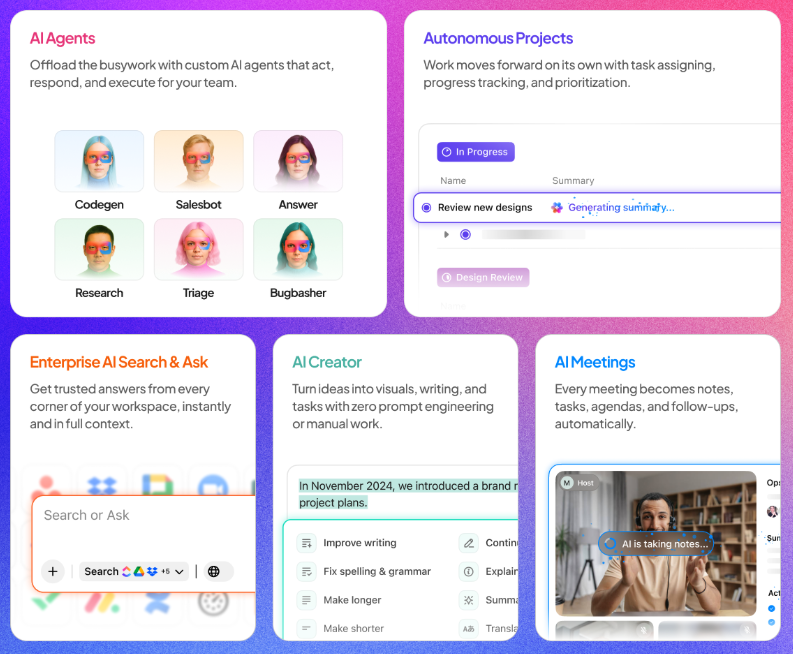
As the world’s first Converged AI Workspace, ClickUp brings your tasks, projects, documentation, and even chat together into one unified hub powered by Contextual AI.
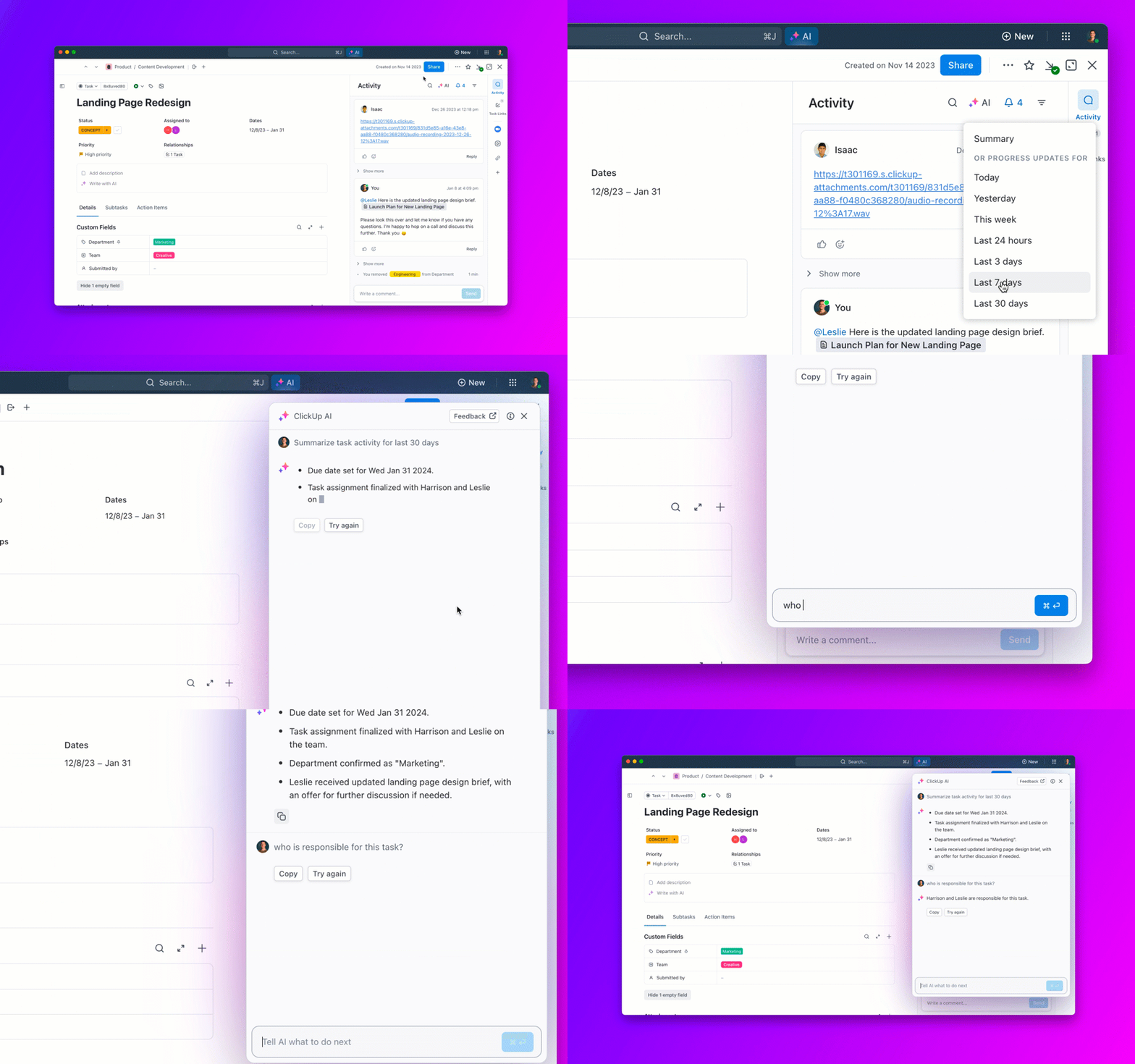
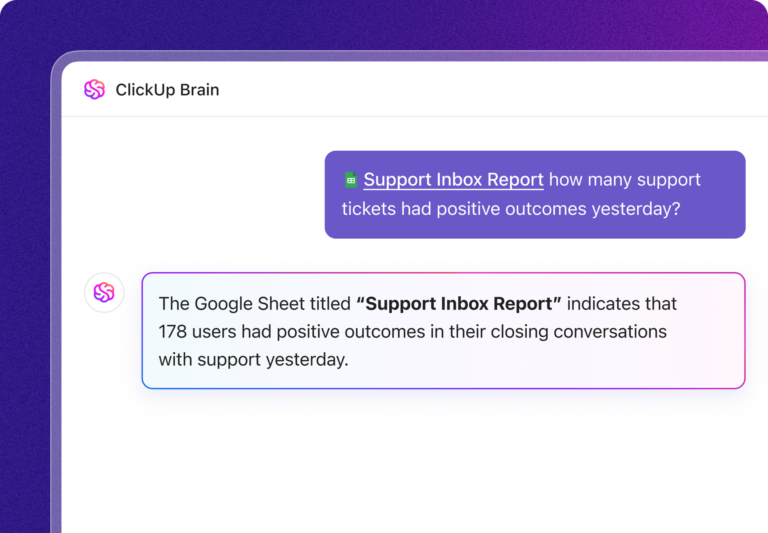
The built-in AI assistant, ClickUp Brain, is your most versatile copilot. It connects every piece of information in your workspace to bring you insights and help you complete work faster than ever. Instead of spending time digging through docs, updating projects manually, or writing repetitive content from scratch each time, teams can now get real-time assistance that does it all for them with just a few clicks.
Here’s a glance at how ClickUp’s context-aware AI improves productivity 👇
📮ClickUp Insight: 88% of our survey respondents use AI tools for personal tasks every day, and 55% use them several times a day.
What about AI at work? With a centralized AI powering all aspects of your project management, knowledge management, and collaboration, you can save up to 3+ hours each week, which you’d otherwise spend searching for information, just like 60.2% of ClickUp users!
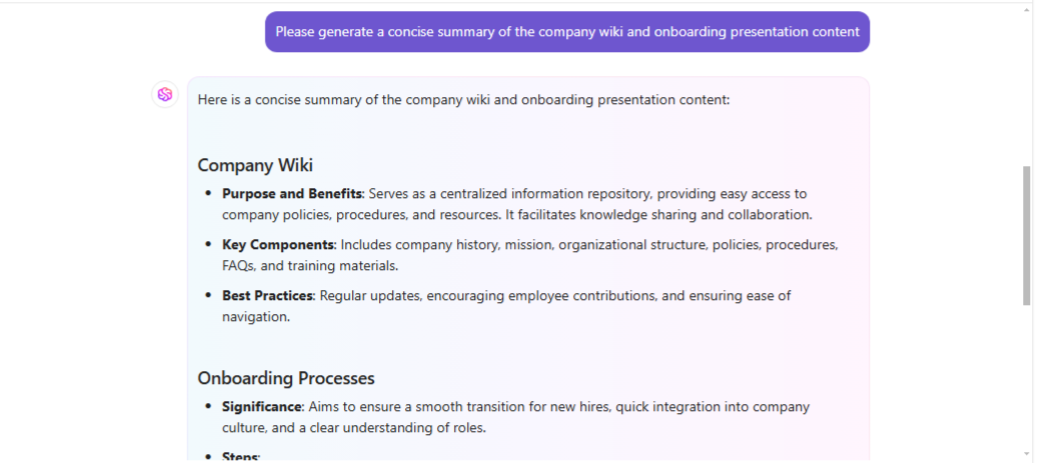
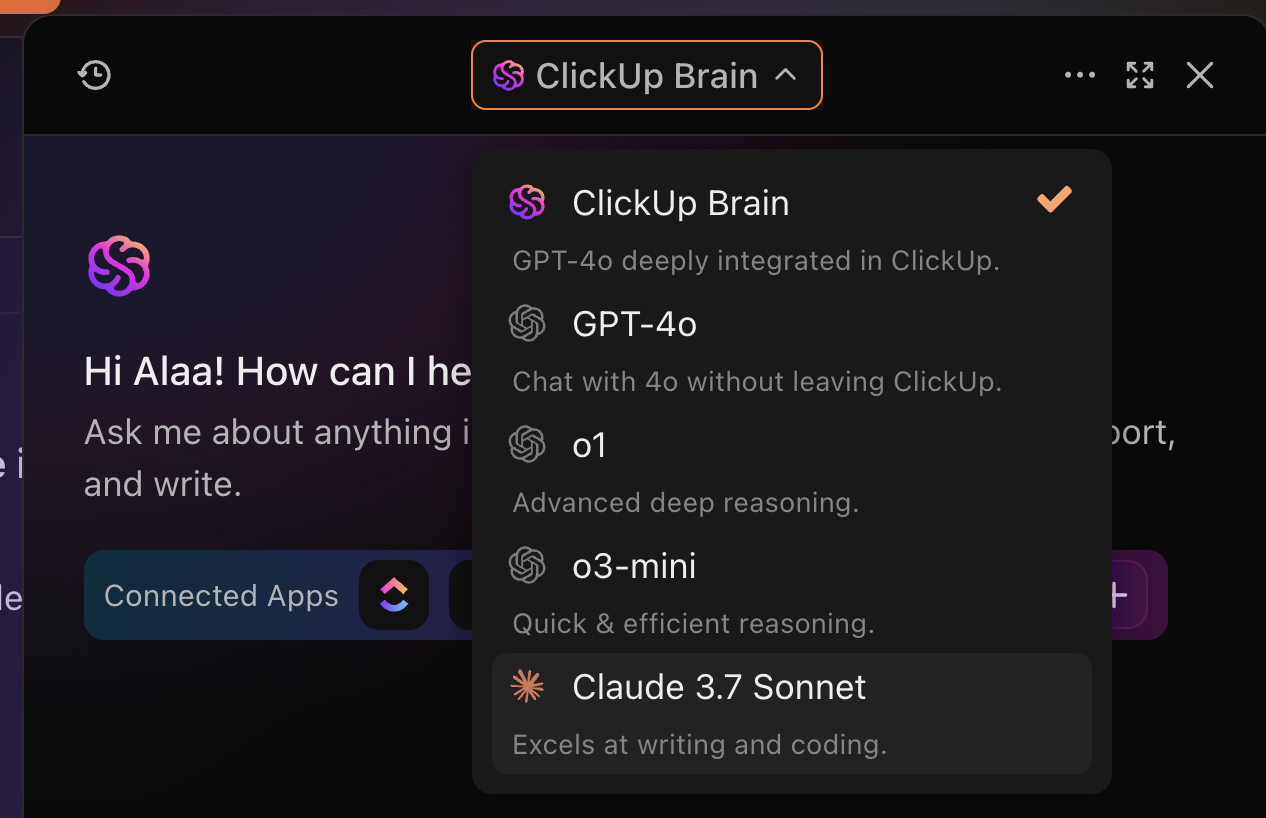
💡 Pro Tip: Why limit yourself to one LLM when you can access them all in ClickUp Brain? That’s right. Brain features GPT, Claude, Gemini, DeepSeek, and more to help you pick the best model for the job—Q&A, summarizing, writing, and more—at the click of a button!
Wait, it gets more interesting! Use ClickUp Connected Search to surface information faster from your company’s tools, both within and outside of ClickUp.
It enables teams to get the relevant answers and trigger actions from content in platforms like GitHub, Salesforce, Google Drive, and many others, centralizing knowledge and reducing the time spent switching between applications.
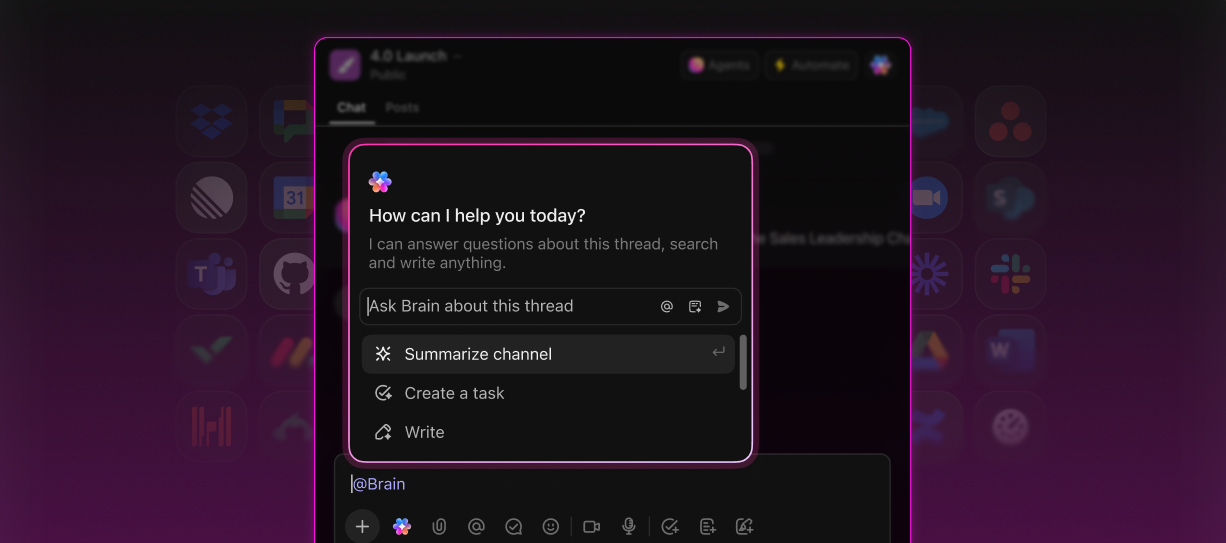
The best part? You don’t need to navigate to ClickUp or switch dozens of tabs each time you want to execute actions across connected apps. Brain MAX is ClickUp’s desktop “AI super app” (available on macOS and Windows) that lets you search, automate, create tasks, send messages, pull in files, and more, saving you over a day every week.
Plus, with Talk to Text in ClickUp Brain MAX, you can immediately capture ideas by dictating them—without breaking your workflow to type. When using Talk to Text, the AI will auto-recognize @mentions of tasks or team members and link to the right Docs and Tasks in ClickUp. etc. Like ClickUp Brain, Brain MAX is aware of all your work context.
Want to explore the full library of available agents? Browse the AI Agent Directory to find agents by category, from project management and marketing to sales and HR.
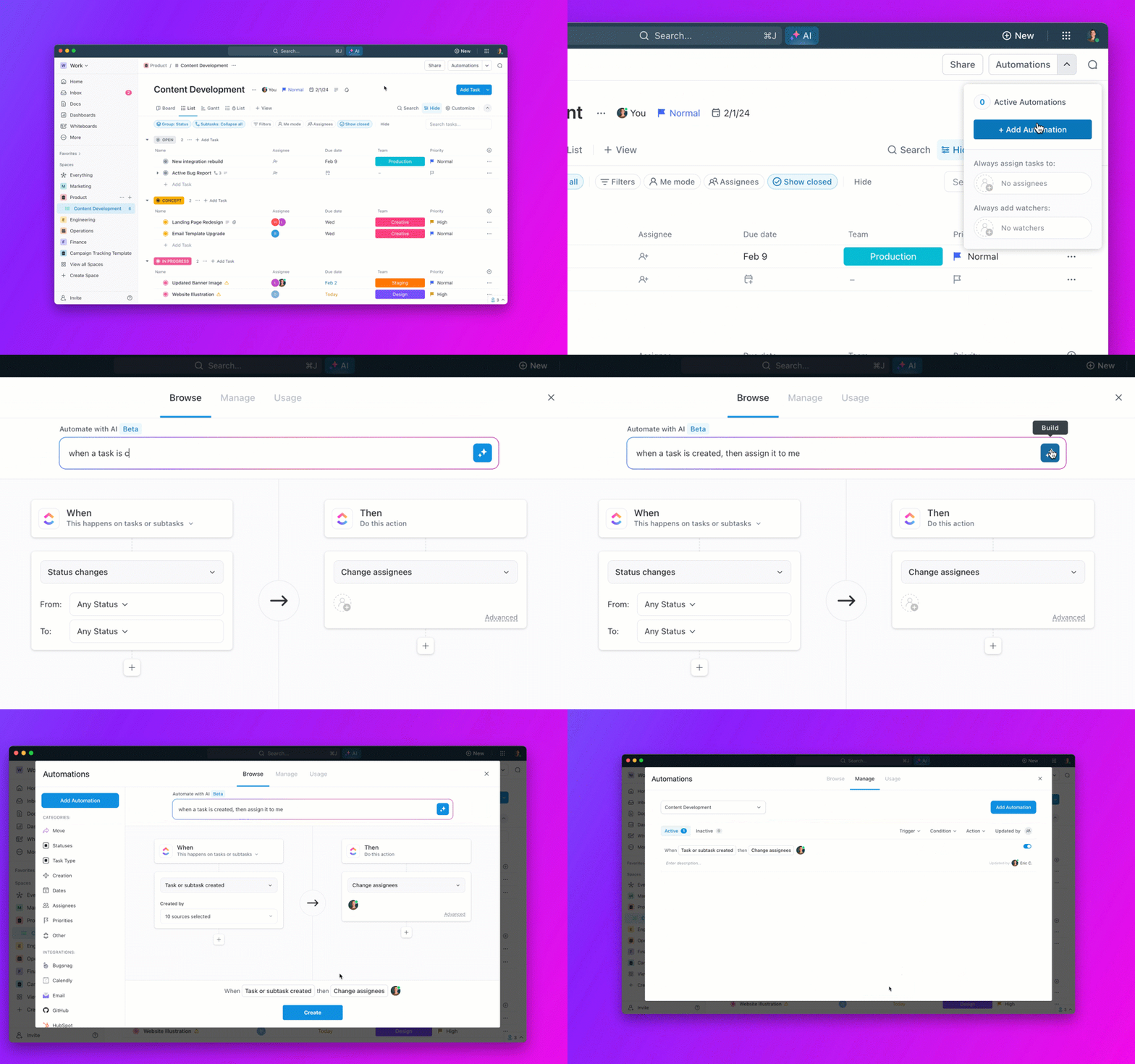
💡Pro Tip: By pairing ClickUp Automations with ClickUp Brain, you can automate repetitive tasks using natural language commands, such as: When the design status changes to review, assign the task to Clarissa.
ClickUp Brain saves me a ton of back and forth honestly. I know there are AI tools with a pretty efficient free tier, but the constant switching between tabs takes a toll. And honestly, when I’m in my deep work zone, this is the last thing I want to do.
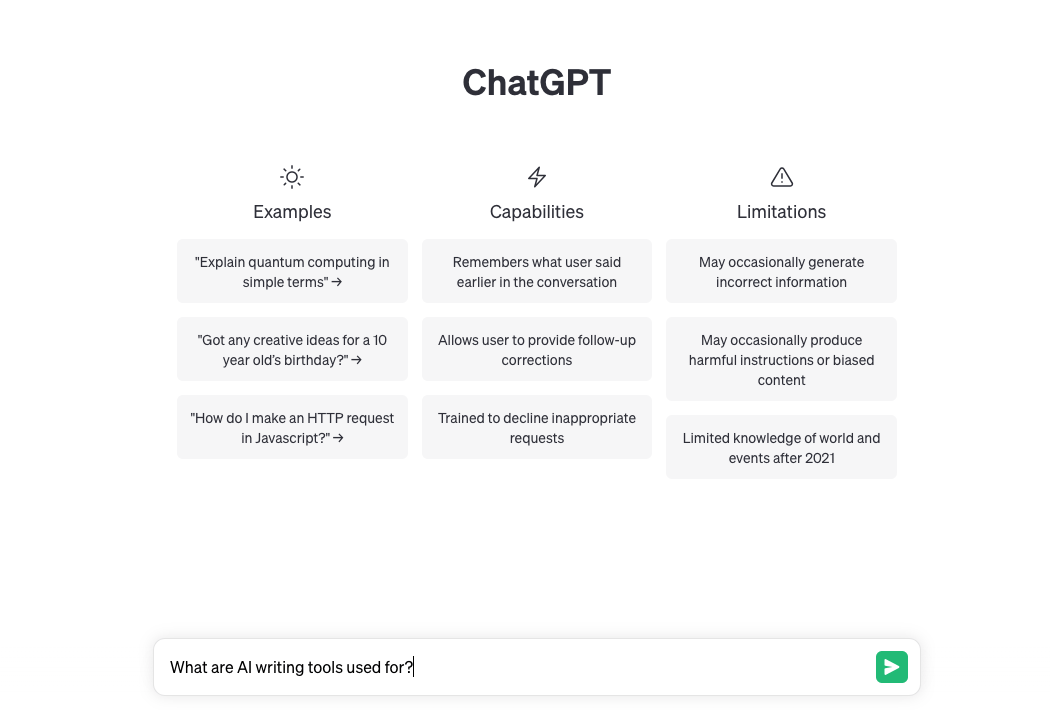
ChatGPT is an AI-powered productivity platform built by OpenAI to help you brainstorm, write code, and answer questions. It was trained on a massive amount of text from across the internet and fine-tuned using Reinforcement Learning from Human Feedback (RLHF).
At its core, ChatGPT uses an advanced language model that predicts the most likely next words in a sequence based on the input it receives. This allows it to respond contextually, answer questions, provide recommendations, and engage in creative storytelling.
📖 Bonus Read: Copy.ai vs. ChatGPT: Which AI Tool is Better?
Found the tools? Now see how small teams actually use them.
Most AI tool lists stop at features. This playbook shows 10 practical ways small business teams can use AI for meeting notes, project updates, follow-ups, and the day-to-day work that keeps slipping through the cracks.

Built by Anthropic, Claude helps users with everyday tasks such as writing, research, and problem-solving. It works on Constitutional AI, a framework that keeps its responses helpful, honest, and safe by following a set of guiding principles.
It’s designed to process large amounts of text efficiently, making it a valuable addition for businesses, professionals, and creators who need well-structured insights without the fluff.
Claude AI helps to write more human-like and more personalized that other AI applications. What I like most is its natural language understanding, that is why it offer more effective in providing texts

Google Gemini is a suite of free AI tools built on advanced machine learning models and deep neural networks trained on vast datasets. It’s great at image text, and code generation.
One of its core strengths lies in its multimodal understanding, an advanced AI feature that allows it to process and connect information from diverse sources, including text and images.
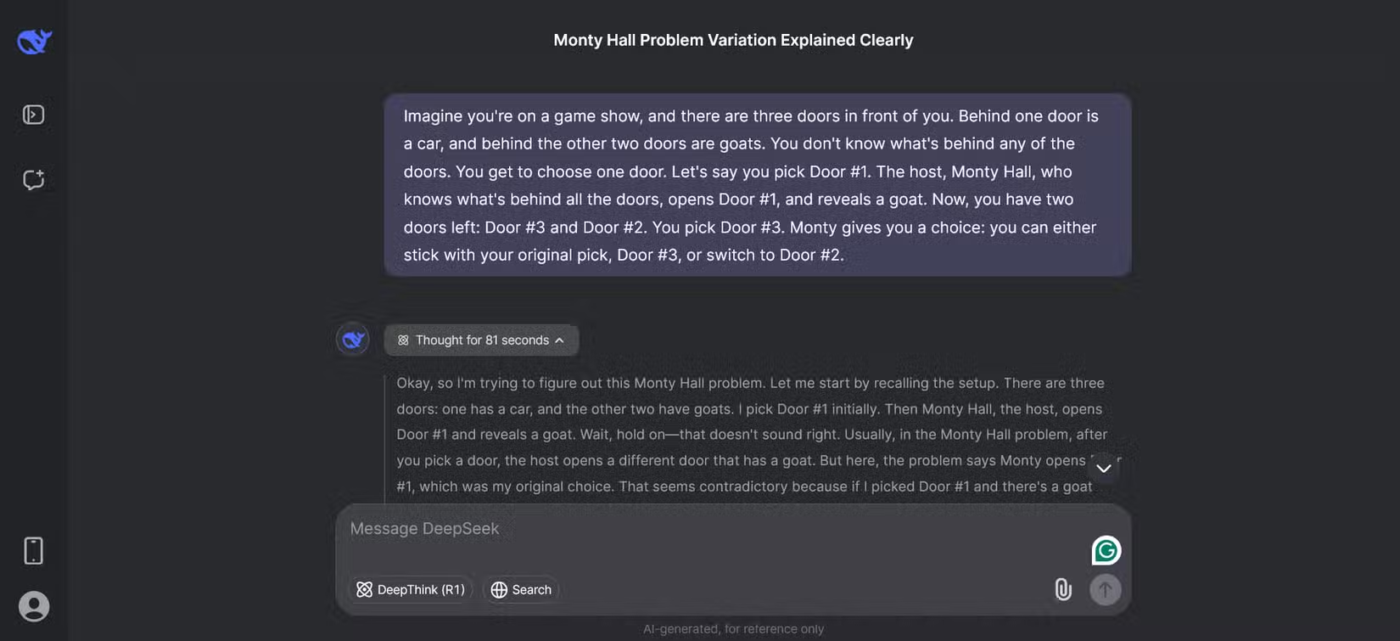
DeepSeek is an AI platform designed to provide advanced capabilities in technical tasks like coding, logical reasoning, and mathematical problem-solving.
The technology behind DeepSeek uses a mixture-of-experts (MoE) model to optimize performance and Multi-Head Latent Attention (MLA) for faster processing. It is a fully open-source tool, which means you can run it locally for greater privacy and control over data.
Bonus: Explore DeepSeek AI alternatives here!
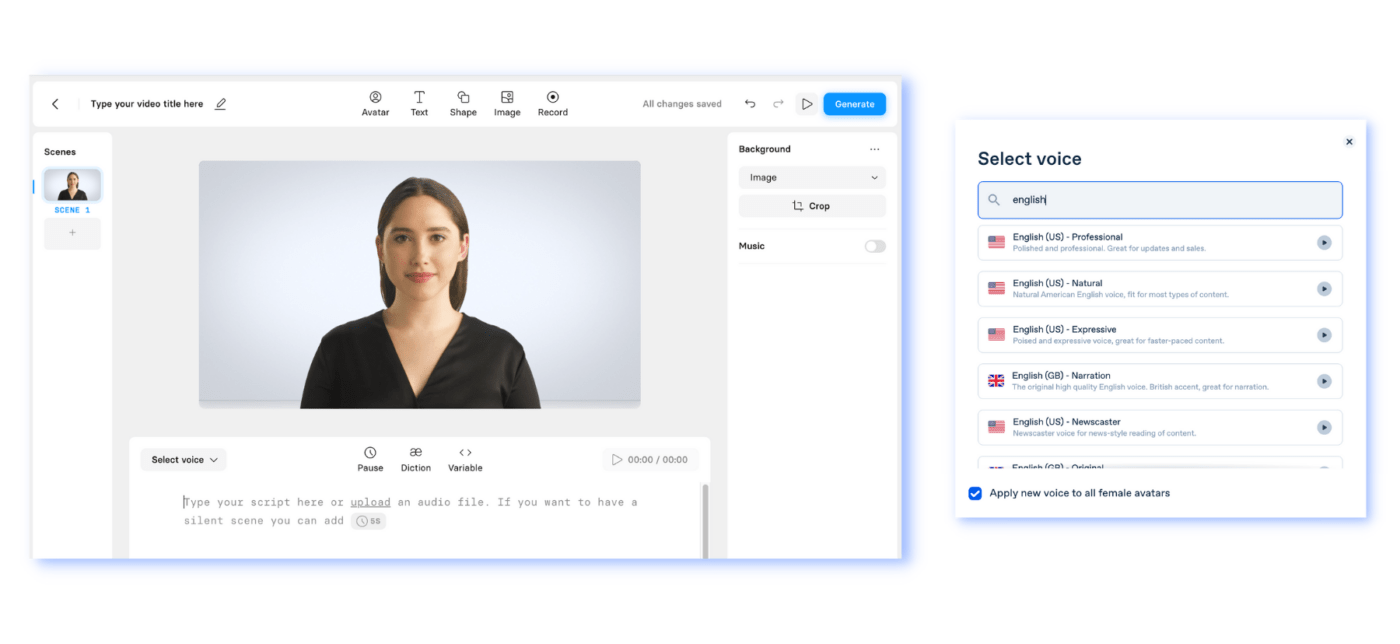
Synthesia is an AI-powered video creation tool that lets you generate videos with virtual presenters. You just need to type your script, and the AI brings it to life with lifelike avatars.
It’s a perfect tool for creating professional videos quickly without the need for actors or complex setups. Moreover, you can also edit videos, add subtitles, or adjust voiceovers.
With Synthesia I can create great-quality, professional videos at the fraction of the time that it used to take me before, although I am an experienced user of other video creation tools.
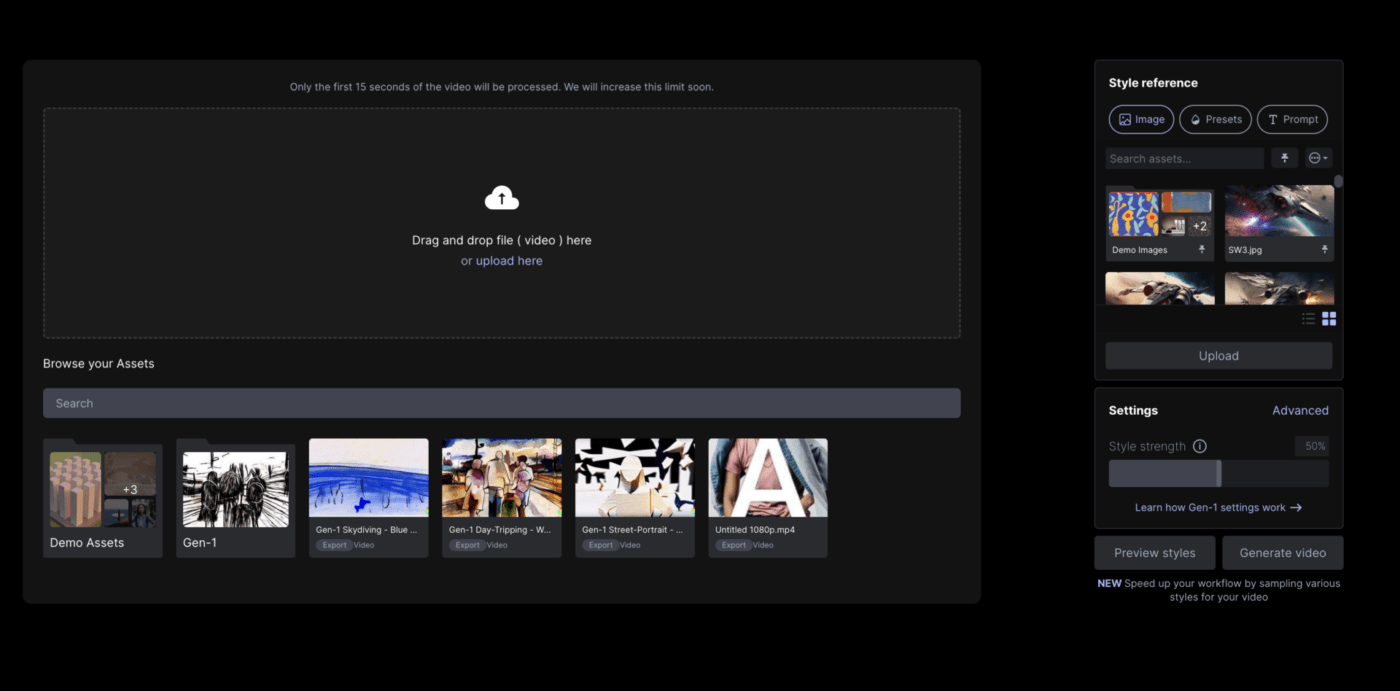
Based on Gen-2 technology, Runway.ml is a video generation tool that creates video clips from basic to advanced level prompts. You can create video clips from text descriptions, images accompanied by text prompts, reference videos, storyboards, and masks.
The platform also offers 30+ magic tools such as real-time trimming and subtitling, special effects, color grading, super slow motion, face blurring, automatic masking, and noise removal to help you speed up your editing workflows.
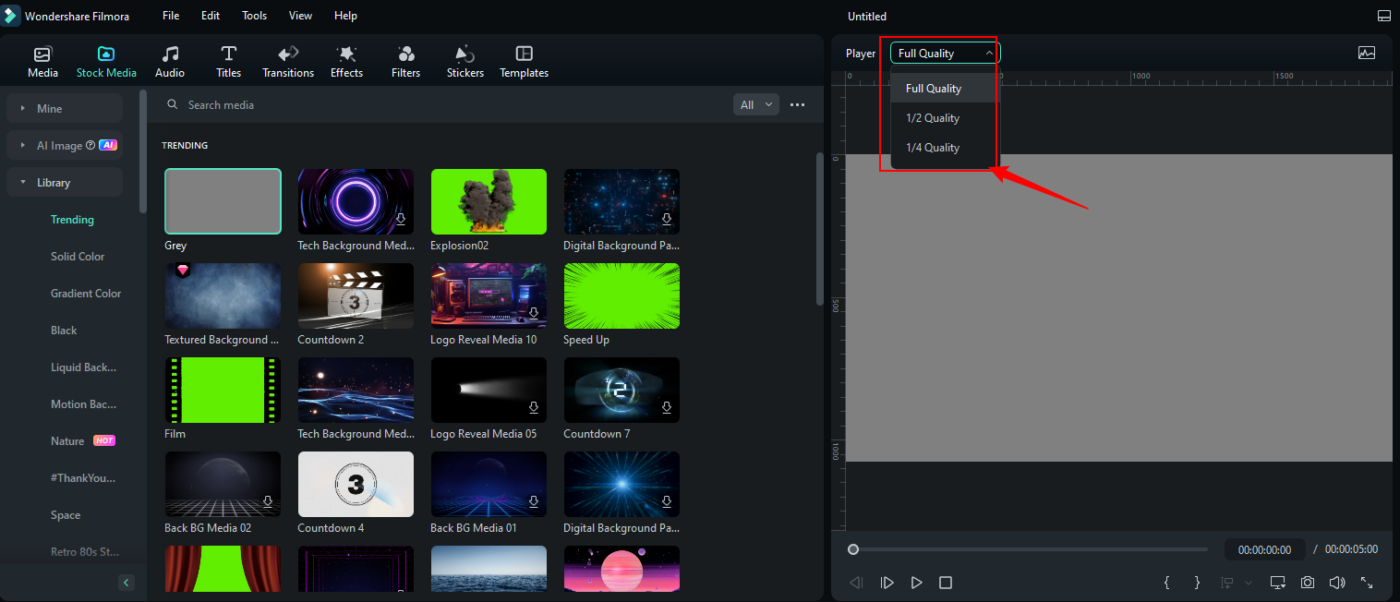
Developed by Wondershare, Filmora is a drag-and-drop video editing tool for beginners and intermediate creators.
The platform offers numerous AI editing features, such as automatically tracking and isolating objects in videos, removing unwanted elements from footage, and improving sound quality by reducing background noise.
Moreover, you can add music and sound effects according to your video themes, translate video content using AI video tools, and make your editing process more efficient.
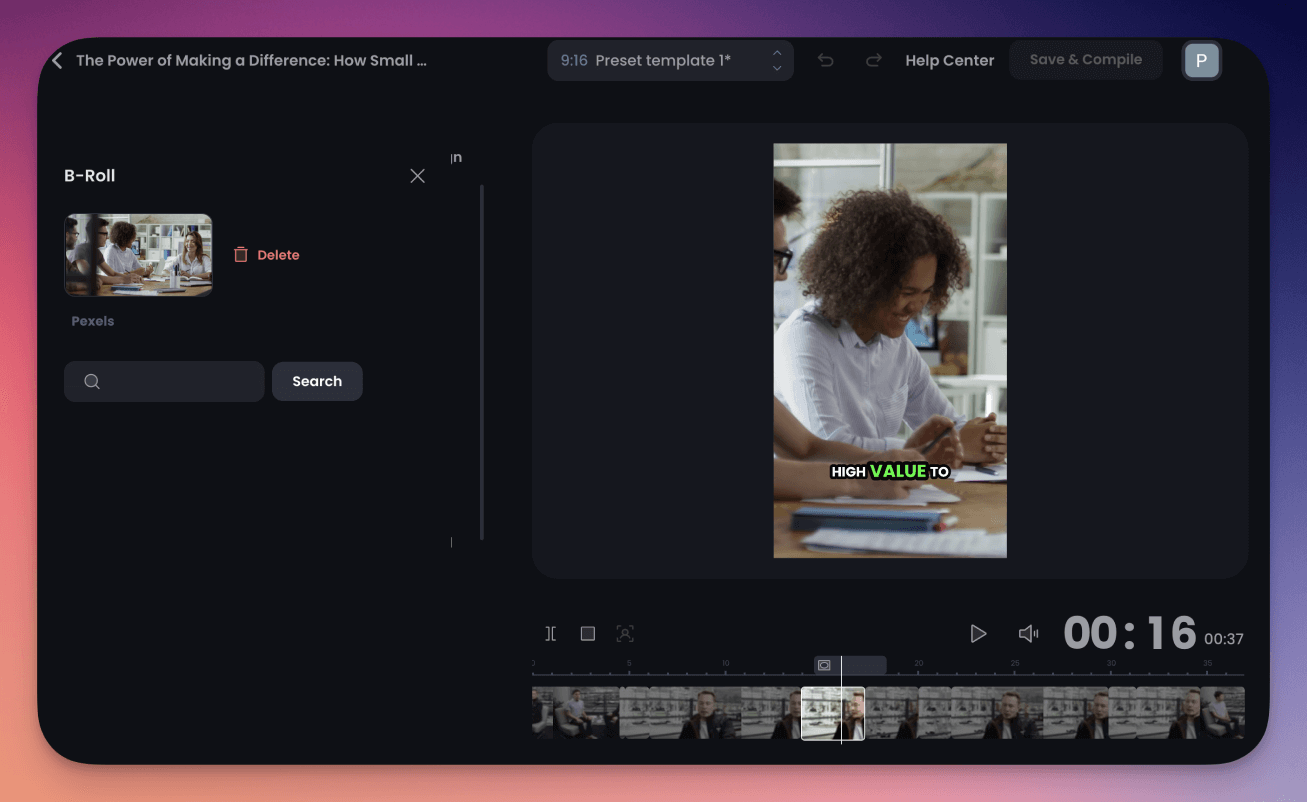
OpusClip is an AI-powered clipping tool designed for creators who need to turn long-form videos into bite-sized, shareable content without the hassle of manual editing.
You just need to upload your video file, and OpusClip AI will automatically identify compelling hooks in your footage to create viral, engaging clips perfect for social media platforms. It also optimizes pacing, adds animated captions, and removes filler words to ensure crisp clips.
I think it’s a game changer with all the tools it offers including AI, and it customizes videos like captions and formats very well.
Over 80% of AI initiatives fail—many because tools don’t share context. Check how ClickUp’s Contextual AI rebuilds the intelligence layer across tasks, docs, and chats—so AI actually supports your team.
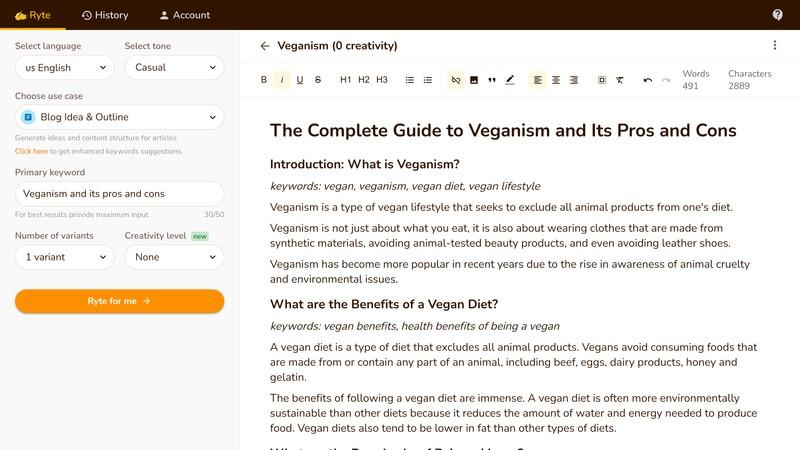
Rytr uses OpenAI’s GPT-3 technology to create high-quality content, such as short posts for social media, product descriptions, emails, SEO titles, full blog posts, and website copy.
You just need to input keywords into the tool, choose the number of variants you need, select the creativity level, and Rytr will handle the rest. This AI writing tool supports 30+ languages and automatically rephrases text, corrects grammar, and refines content for clarity.
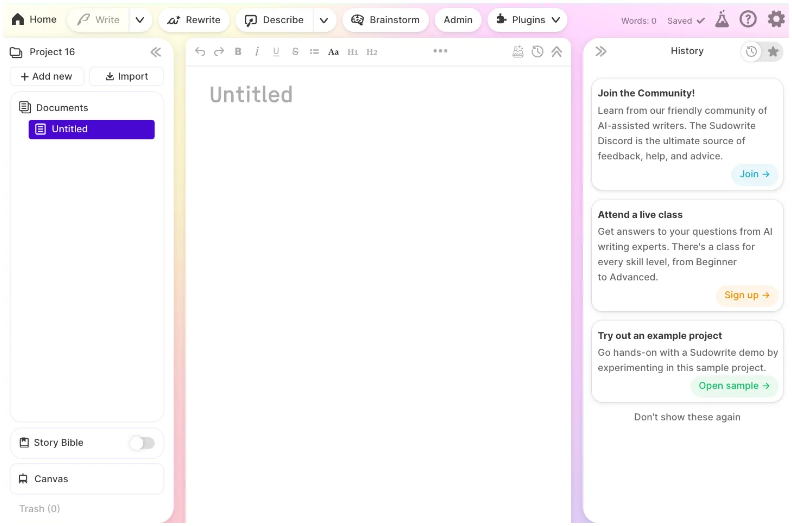
Sudowrite, a Rytr alternative, is an AI-powered creative writing platform designed primarily for novelists and screenwriters. It helps overcome writer’s block with tools like Brainstorm for plotting ideas and directions, Expand for fleshing out scenes, and Rewrite for refined dialogues and narrative.
Plus, the Emotion tool adjusts the tone, while Style ensures your unique voice remains intact.
Sudowrite can help you do a lot, but it helps if you know what all the features are and how to use them. It’s also very helpful to join their Discord and talk with other authors who use it to learn tips and tricks for different workflows!
🧠 Fun Fact: Back in 2010, a startup, Narrative Science, taught AI to write news articles! It started with sports recaps, turning raw game stats into readable stories, just like a human journalist would.
This was one of the first real examples of AI-generated content making it into everyday news. Pretty wild to think that AI has been writing for over a decade!
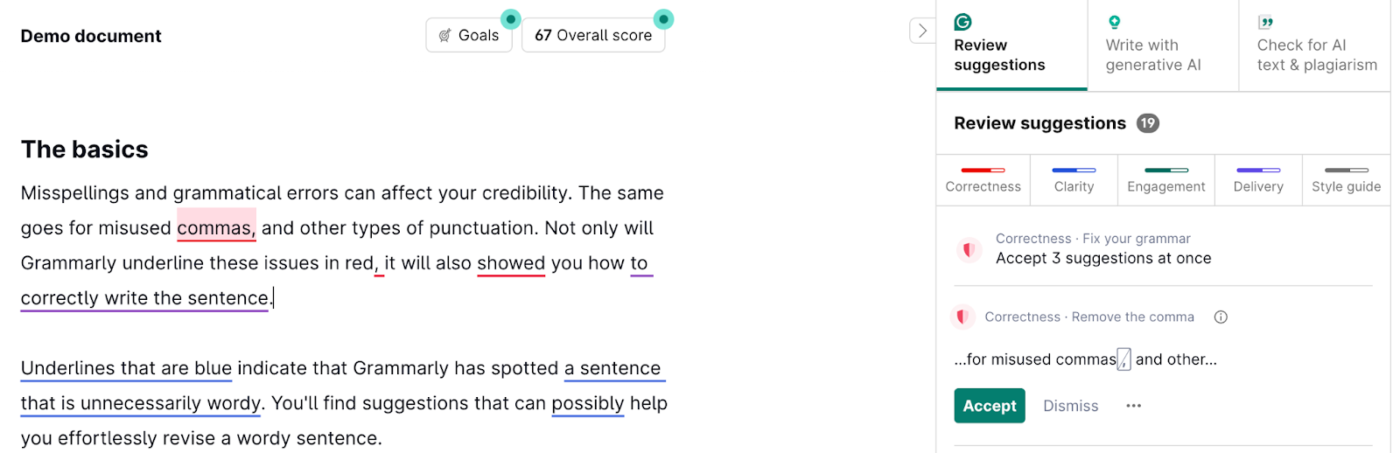
Grammarly is an AI writing assistant that ensures your writing is clear and error-free. This free AI writing tool improves sentence clarity, tone, and style by offering live recommendations.
A recent addition to its suite of tools, Grammarly GO uses advanced large language models (LLMs) trained on vast amounts of data to assist with content generation and rephrasing texts. Use it to brainstorm ideas, overcome writer’s block, and refine sentences that don’t sound right.
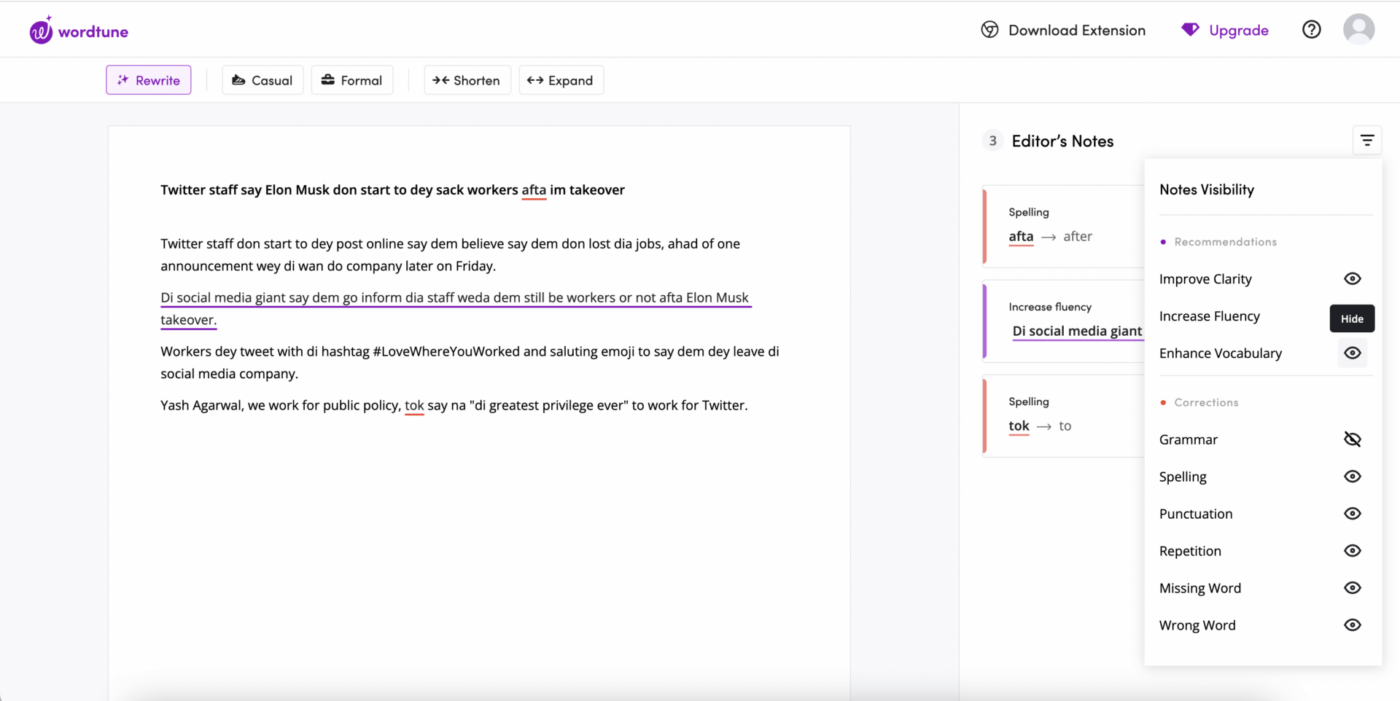
Wordtune is a smart writing tool that, with its Rewrite feature, rephrases sentences, paragraphs, or entire sections to fit your style.
Using the AI writing feature, you can also choose from various templates or write detailed prompts to produce content from scratch. Plus, Wordtune checks with at least five sources before suggesting a credible fact to make the content more reliable.
Each time I need to send an email to the entire organization, I refer to Wordtune to facilitate my grammar and professionalism.
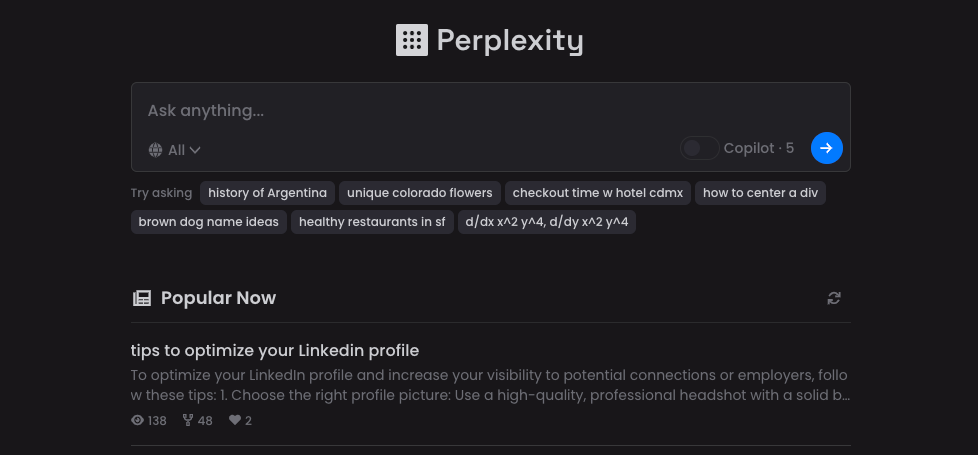
Perplexity is a free, intelligent search engine that provides real-time, accurate information for your queries. It uses LLMs trained on vast amounts of code and text datasets to process and respond to natural language questions.
Additionally, Perplexity cites exact sources and references to blog posts, academic papers, and news articles via links.
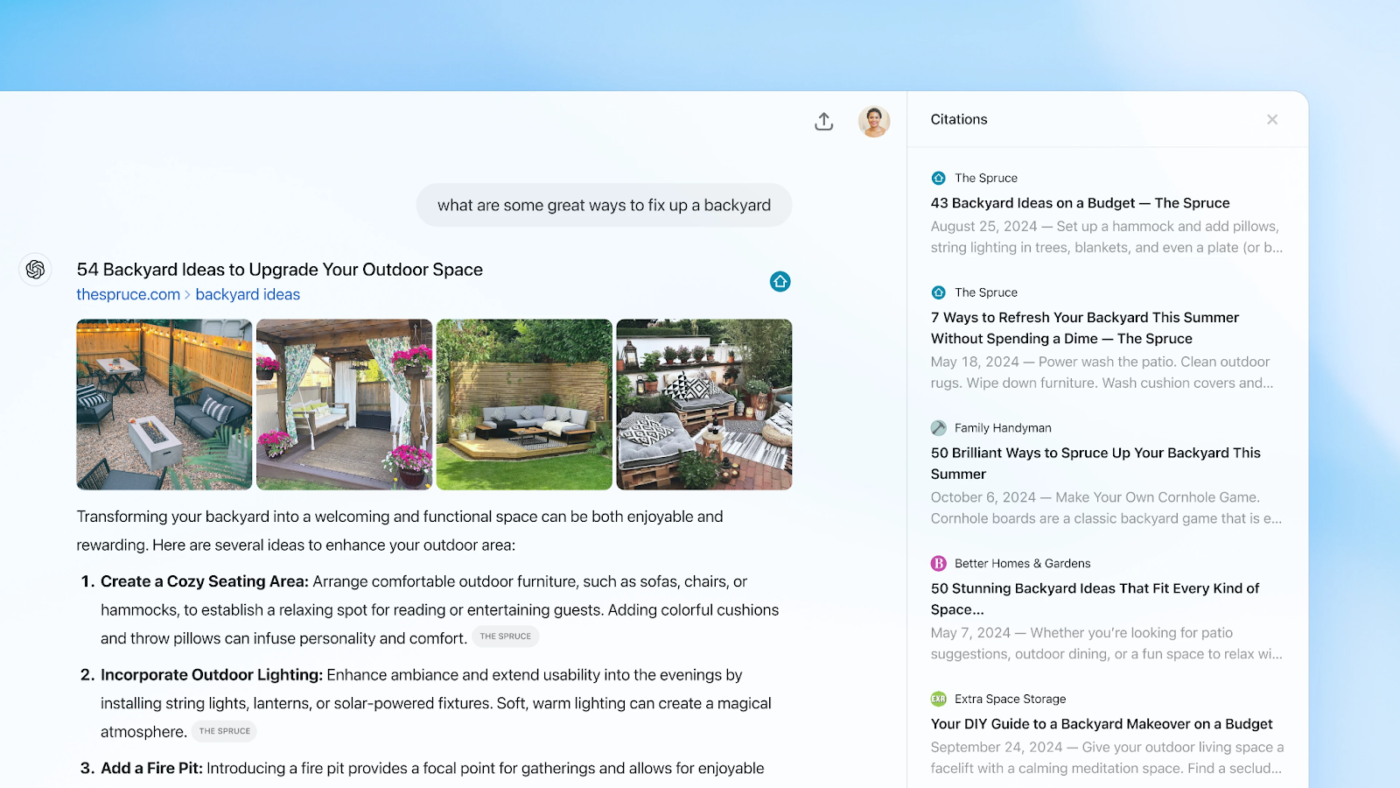
ChatGPT’s new web search feature uses GPT-4o and synthetic data to understand conversational queries and improve its search capabilities. Rolled out recently, ChatGPT’s Deep Research helps you dig even deeper into complex topics by searching the web and analyzing multiple sources to pull together well-cited reports.
This capability is convenient for tasks that require detailed information from various perspectives.
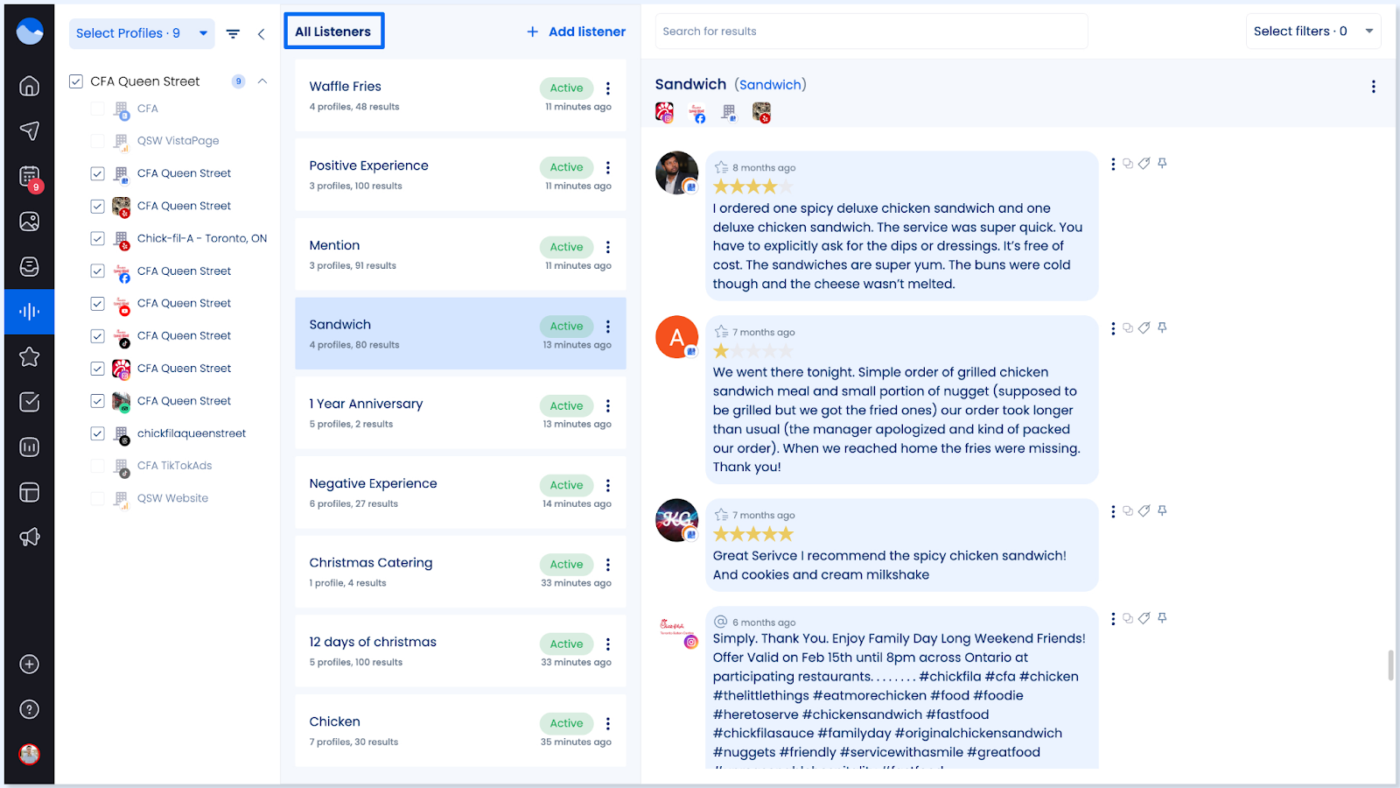
Vista Social is a powerful social media management tool that offers an intuitive social calendar. It allows you to organize and schedule posts seamlessly with previews. The tool’s AI assistant, powered by GPT-4, also generates creative captions and social media posts in just a few clicks. Plus, it lets you access in-depth analytics to measure performance and generate customizable reports for your content.
Vista Social is an excellent tool for managing all aspects of social media from one place. It’s one of the best platforms I’ve tried for managing posts, interactions, and analytics.
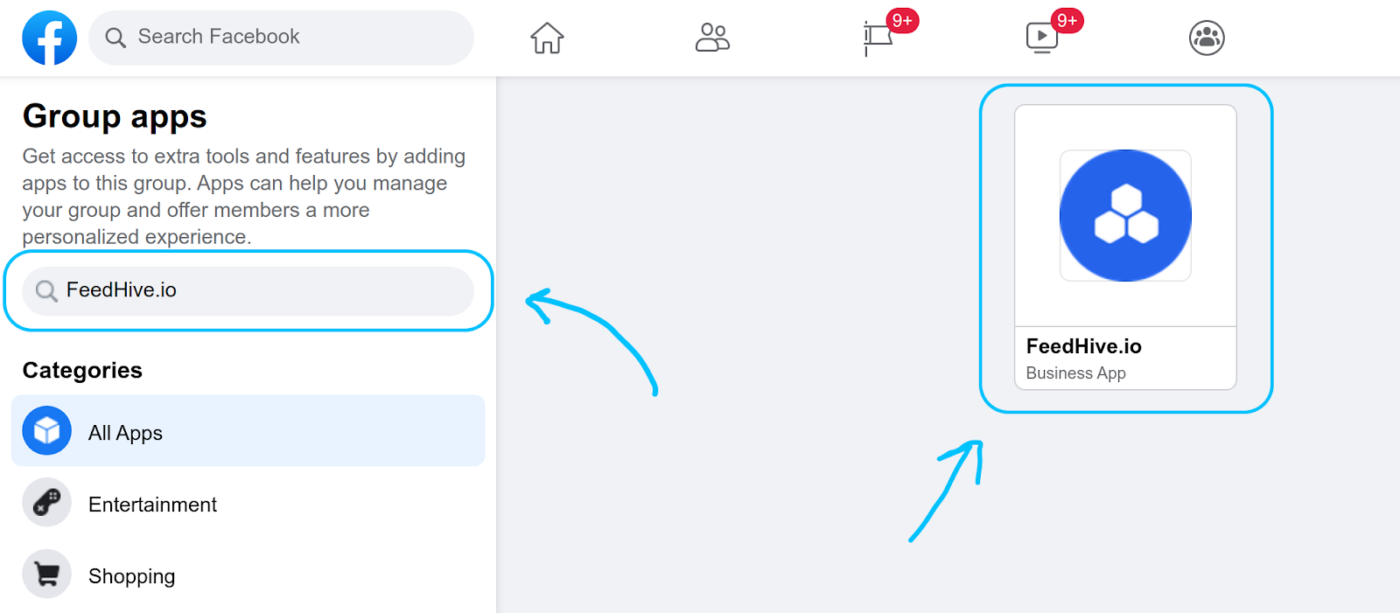
FeedHive is an AI-powered social media platform designed to help businesses and content creators streamline their social media management. One of its main features is scheduling, which allows you to plan and schedule posts visually using a simple, drag-and-drop interface.
It also offers an AI writing assistant that generates creative content ideas, improves posts, and makes them more engaging. FeedHive’s automation capabilities can further automate responses and content management, such as triggering follow-up comments on Instagram based on engagement metrics.
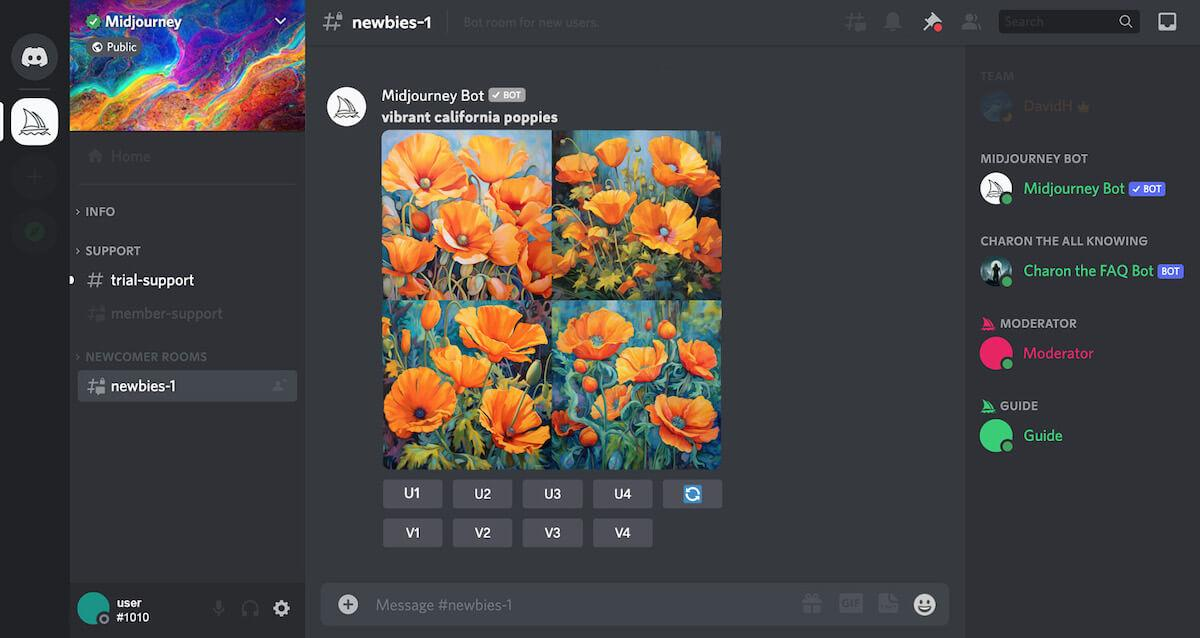
Midjourney is an AI-powered image generator that uses machine learning and diffusion models to create artistic images based on text prompts. It operates through a bot on the Discord platform.
There are two types of prompts: basic prompts, which can be words, phrases, or emojis, and advanced prompts, which may incorporate image URLs, multiple phrases, and parameters. When you input a prompt, the bot combines related images to generate a unique visual creation, offering various artistic possibilities.
I’ve been absolutely blown away by the quality of images coming out of Midjourney. I don’t have any particular use for it except just playing around and having fun with the tool
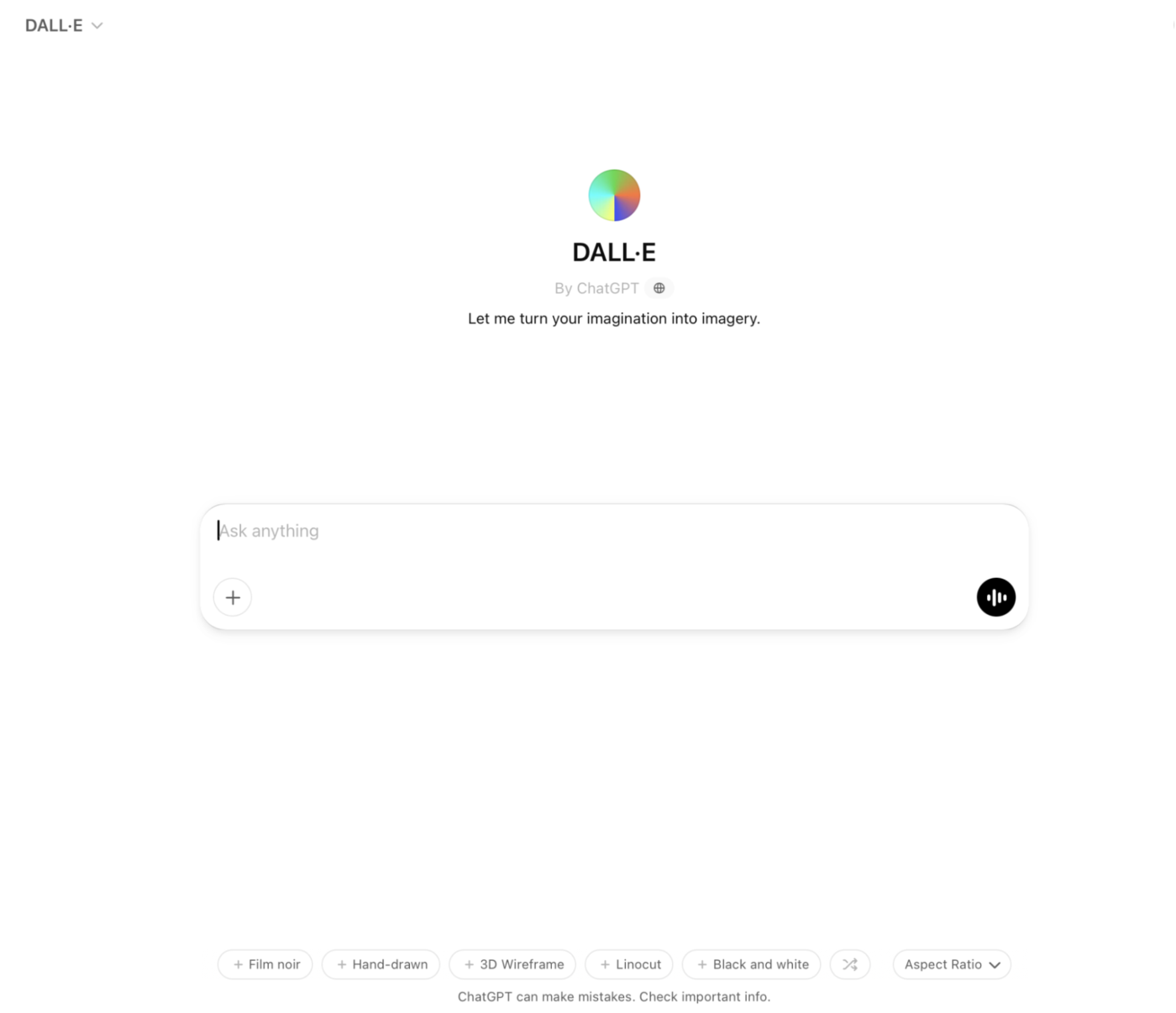
DALL-E 3, developed by OpenAI, is a generative AI model that produces advanced images based on text prompts. It is built on previous versions (DALL-E and DALLE-2) by using advanced deep learning techniques.
It also uses technologies such as Contrastive Language-Image Pre-Training (CLIP) for better image evaluation and is now integrated with ChatGPT for more seamless interactions.
🧠 Fun Fact: In 2022, an AI-generated artwork titled ‘Théâtre D’opéra Spatial’ won first place in a fine arts competition at the Colorado State Fair. Just imagine how far AI has come!
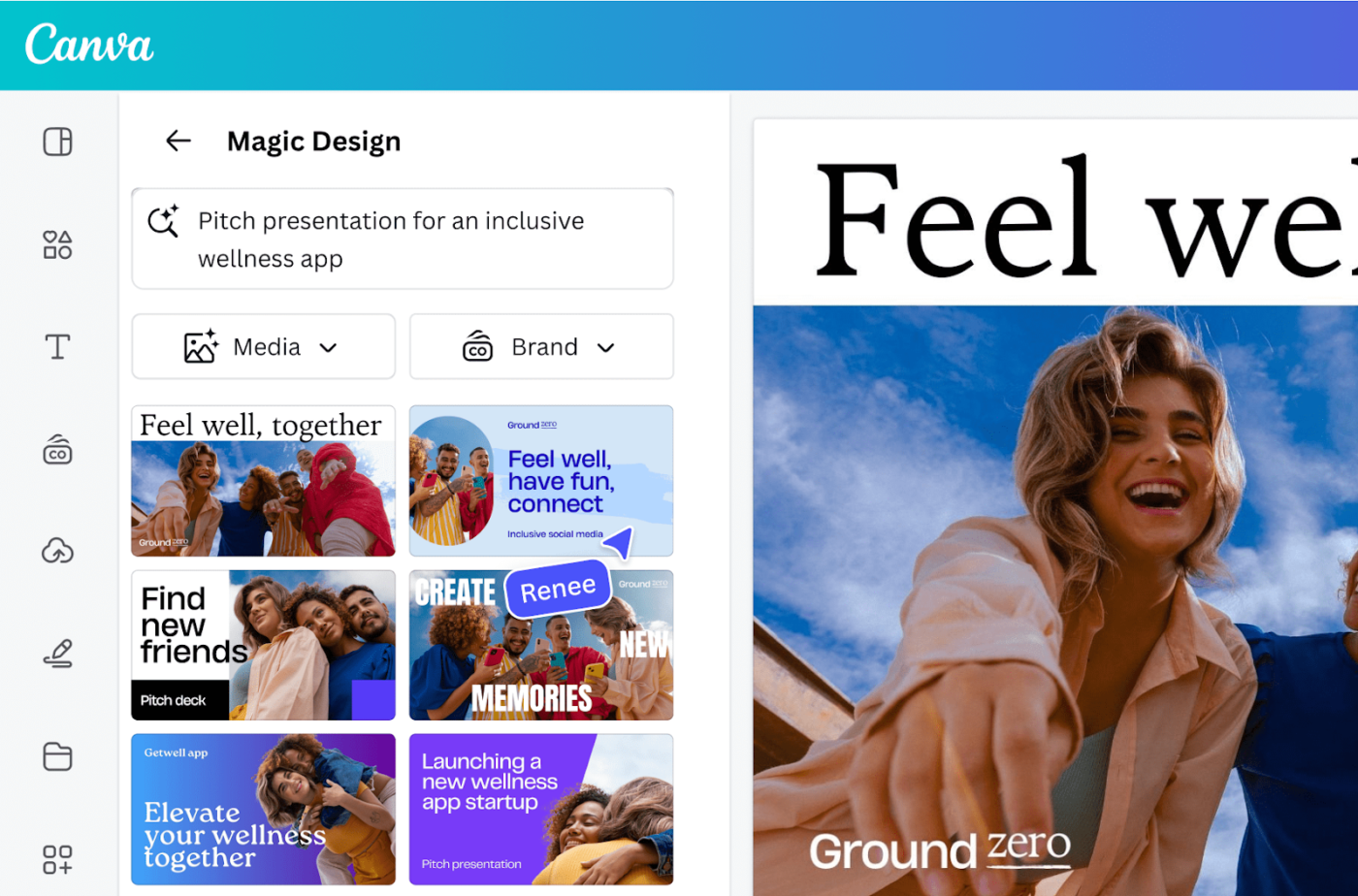
Canva Magic Studio streamlines graphic design with its AI-powered tools for creating high-quality visuals. Its Magic Design feature generates tailored designs based on the keywords you input—from flyers to business cards.
You can then refine these designs with Canva’s library of templates, stock images, and icons. It even lets you use the Magic Eraser feature to remove unwanted image elements.

Looka is an AI-powered design tool that helps you create professional logos and build brand identities without requiring graphic design expertise. Its user-friendly interface allows you to generate logo designs based on brand name and style preferences.
Beyond logos, Looka offers complete brand kits, including business card layouts, social media templates, letterheads, and brand color palettes to ensure consistency across all media types.
These monthly subscriptions can be purchased as an add-on with a logo package.
I liked the logo that the app made for me, but I didn’t love the colors, so asked for some help

Bubble is an AI-driven no-code platform that allows you to create web and mobile applications without writing code. It uses advanced programming languages such as JavaScript, CSS, and HTML to build fully functional applications.
Bubble’s AI-powered capabilities and developer tools help process data, personalize user interactions, predict user behavior, and enhance the app’s functionality. The platform also offers plugin capabilities, API integrations, and database management to accelerate your app development.
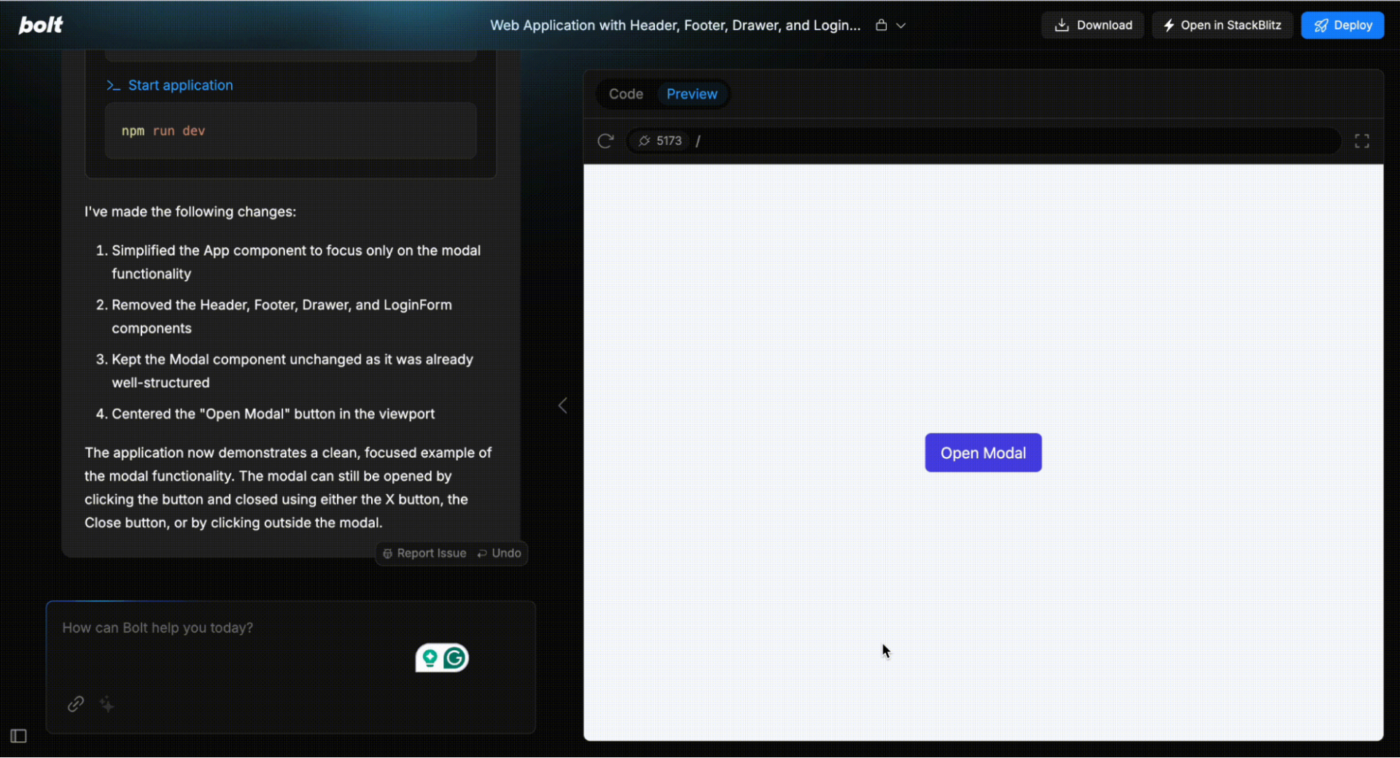
Bolt.new is an AI-powered, browser-based development platform by StackBlitz that enables you to instantly create, run, and deploy full-stack web and mobile applications.
Built on StackBlitz’s WebContainers technology, it allows you to install npm packages, execute Node.js servers, and interact with third-party APIs—all without local setup. Additionally, with built-in deployment options, you can easily share your projects via live URLs.
Individuals
Teams
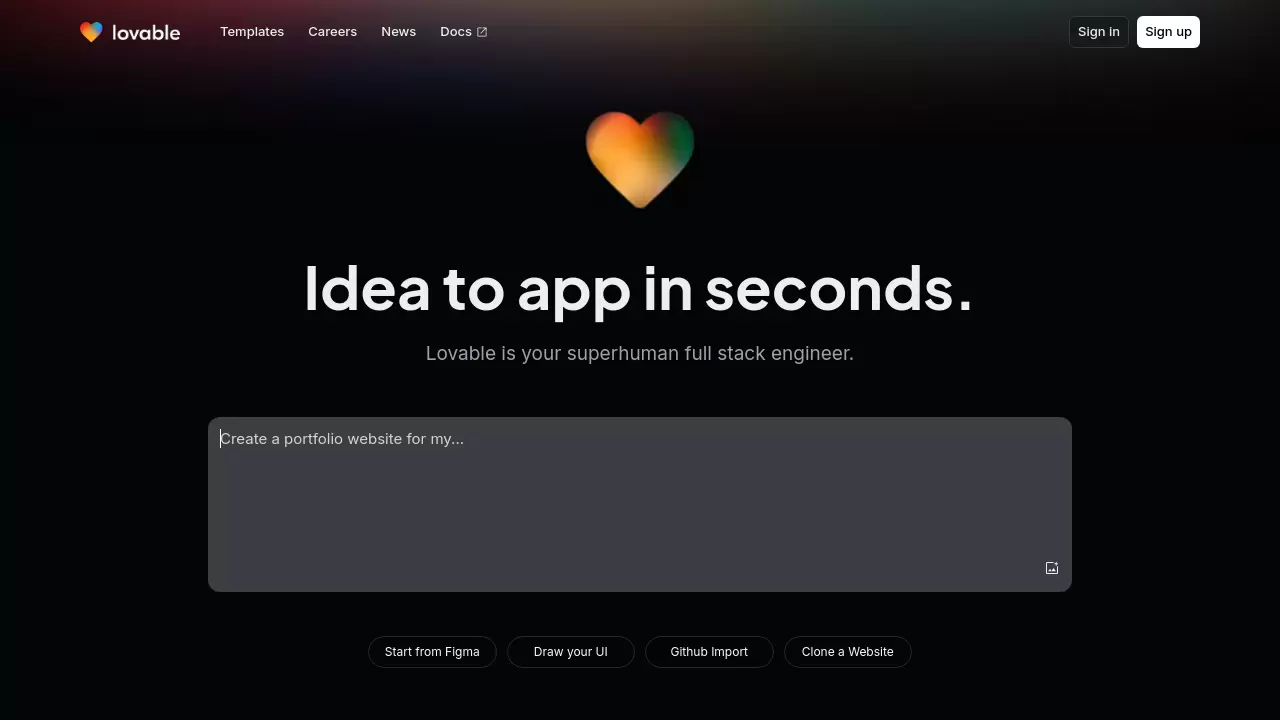
Lovable AI is a platform that turns ideas into fully functional web applications. It understands user input, structures applications, and refines them through a conversational interface.
Enter a project idea, and Lovable AI generates an initial version. You can then refine it using intuitive editing tools, add images, and integrate GitHub for code management. Once satisfied, deploy with a single click.
The best thing about Lovable.dev is its ease of use. If I have an idea, I just type a prompt, and it creates exactly what I need instantly
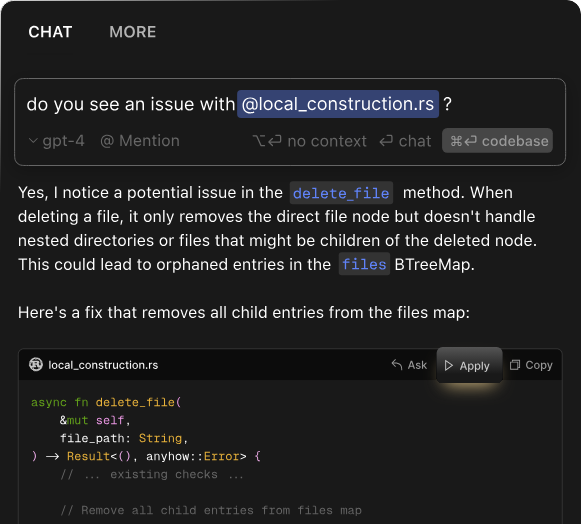
Cursor, an AI-powered code editor built on Visual Studio Code, boosts developer productivity with advanced AI models like GPT-4 and Claude. It offers intelligent code suggestions, smart rewrites, and seamless navigation to streamline app development.
With features like AI Chat, codebase search, and web access, Cursor allows you to query your projects naturally, get quick answers, and apply AI-generated changes instantly.
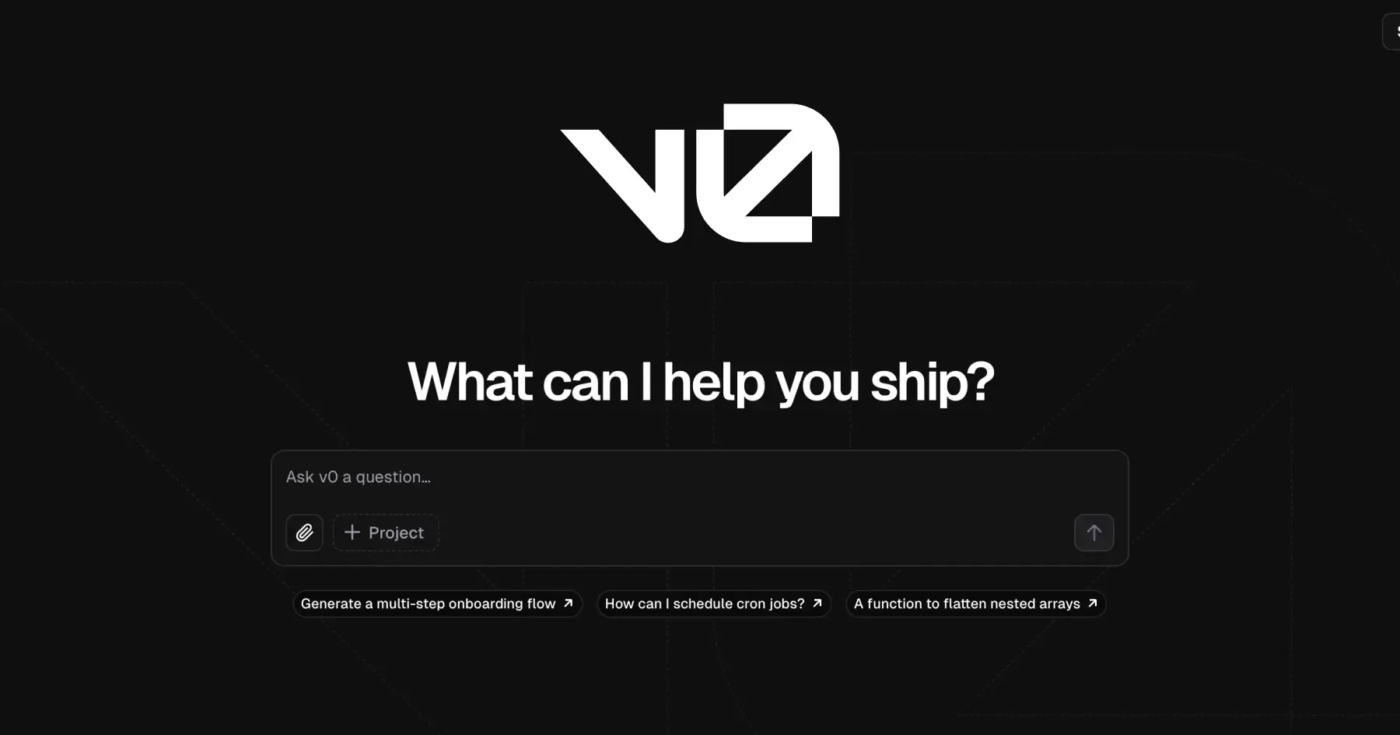
Vercel’s v0 is an AI-powered development that transforms natural language prompts into functional UI components and applications. Unlike traditional AI coding assistants that offer suggestions or snippets, v0 provides complete, ready-to-use components and applications.
You can interact with v0 via a chat-based interface to describe the UI or functionality you need. The AI algorithms will then interpret these prompts to generate production-ready code, which can be previewed, refined, and deployed directly through Vercel or exported for further customization.
Vercel really shines when it comes to security and performance. Their hosting infrastructure is very reliable, which gives me peace of mind for my projects

Asana standardizes goals across a company and keeps everyone updated on project statuses. A key feature is AI Studio, launched in October 2024.
This no-code tool lets teams build custom workflows and add AI agents. These AI agents handle tasks, manage projects, and automate repetitive work from start to finish, making work smoother and more efficient.
💡 Pro Tip: Stop multitasking and start task batching! Group similar tasks together instead of jumping between emails, reports, and meetings all day. Set dedicated time blocks for things like planning, reviewing, or deep work. It reduces distractions and makes your day way more productive
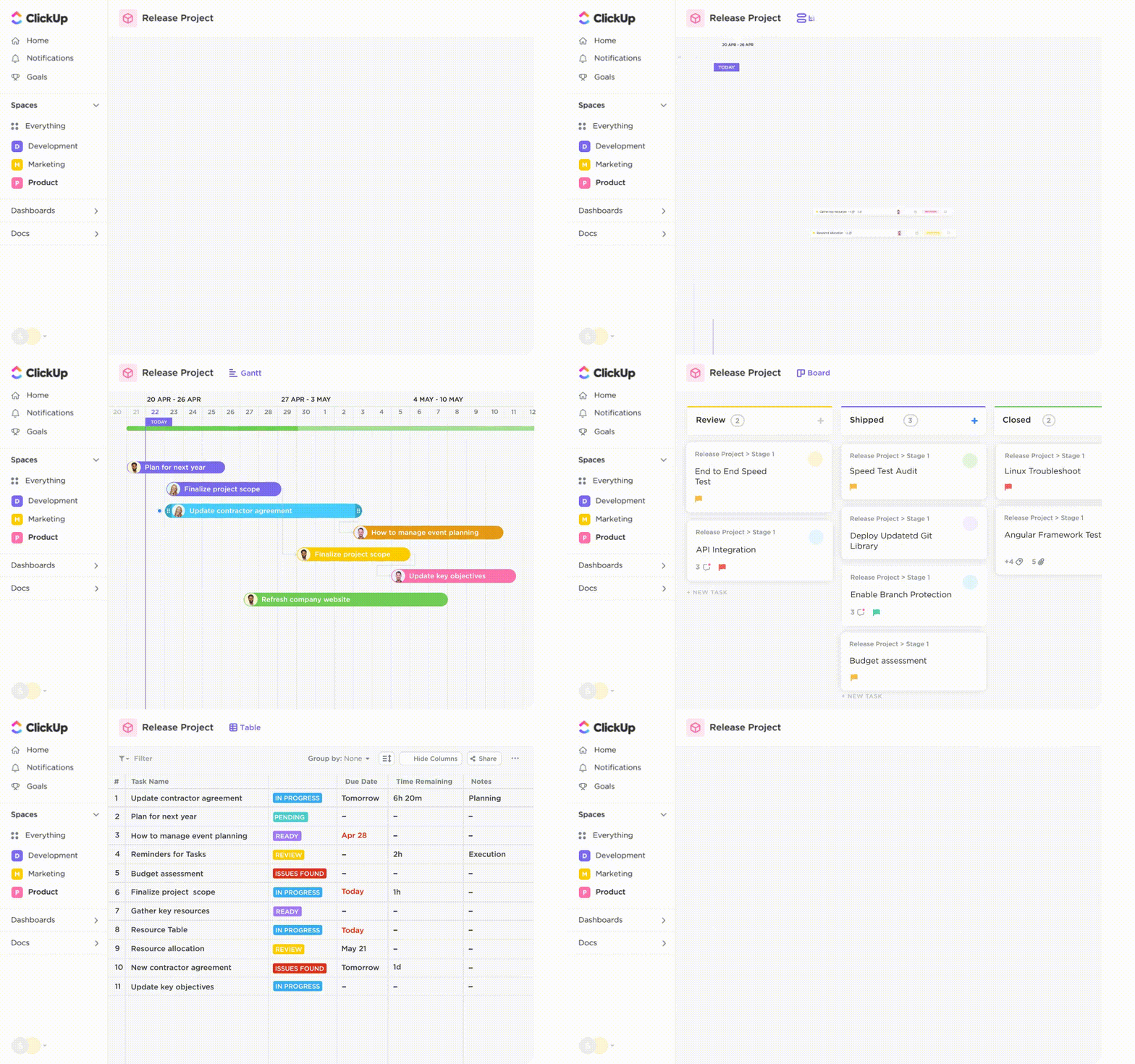
ClickUp, the everything app for work, is a powerful project management tool that helps teams stay organized, collaborate, and track progress—all in one place. With features like task automation, goal tracking, and real-time chat, it simplifies workflows and keeps everyone on the same page.
ClickUp also offers customizable views, including Kanban and workload management, so teams can plan and execute projects according to their preferences.
To further streamline project coordination, ClickUp AI Notetaker auto-joins meetings automatically, transcribes conversations in real time, and highlights key decisions. This means you can turn discussions into actionable tasks without switching between multiple tools.
📮ClickUp Insight: 37% of workers send follow-up notes or meeting minutes to track action items, but 36% still rely on other, fragmented methods. Without a unified system for capturing decisions, key insights you need may get buried in chats, emails, or spreadsheets.
With ClickUp, you can instantly turn conversations into actionable tasks across all your tasks, chats, and docs—ensuring nothing falls through the cracks.
Meanwhile, ClickUp Calendar uses AI to recommend the best time slots for meetings and task deadlines by analyzing team schedules, workload, and priority levels. The result? Make smarter, faster scheduling decisions and enhance every stage of your project management.

💡 Pro Tip: Use ClickUp’s 1000+ free templates to standardize processes across your team and ensure consistency and clarity in every project. From personal to-do lists to complex project management, there’s a template for everything! Plug in your data, customize your needs, and start immediately.

Notion AI is an AI assistant integrated with the Notion Workspace, powered by GPT and other large language models (LLMs). You can use the tool for various routine tasks and enhance productivity for your entire team.
For instance, you can ask Notion AI any question about your work (the status of your project), and it will instantly send you the latest information from connected apps like Slack, Google Slides, Sheets, and more.
Secondly, you can ask it to generate content for emails, blog meta titles, product descriptions, and more. Once it generates the text, you can choose options like Make longer, Continue writing, and Try again to refine the draft as you need.
I use it all the time. It’s been super useful for pulling information I need from my workspace while writing. I can ask it to cite sources I’ve imported while I’m writing and use the formatting I need
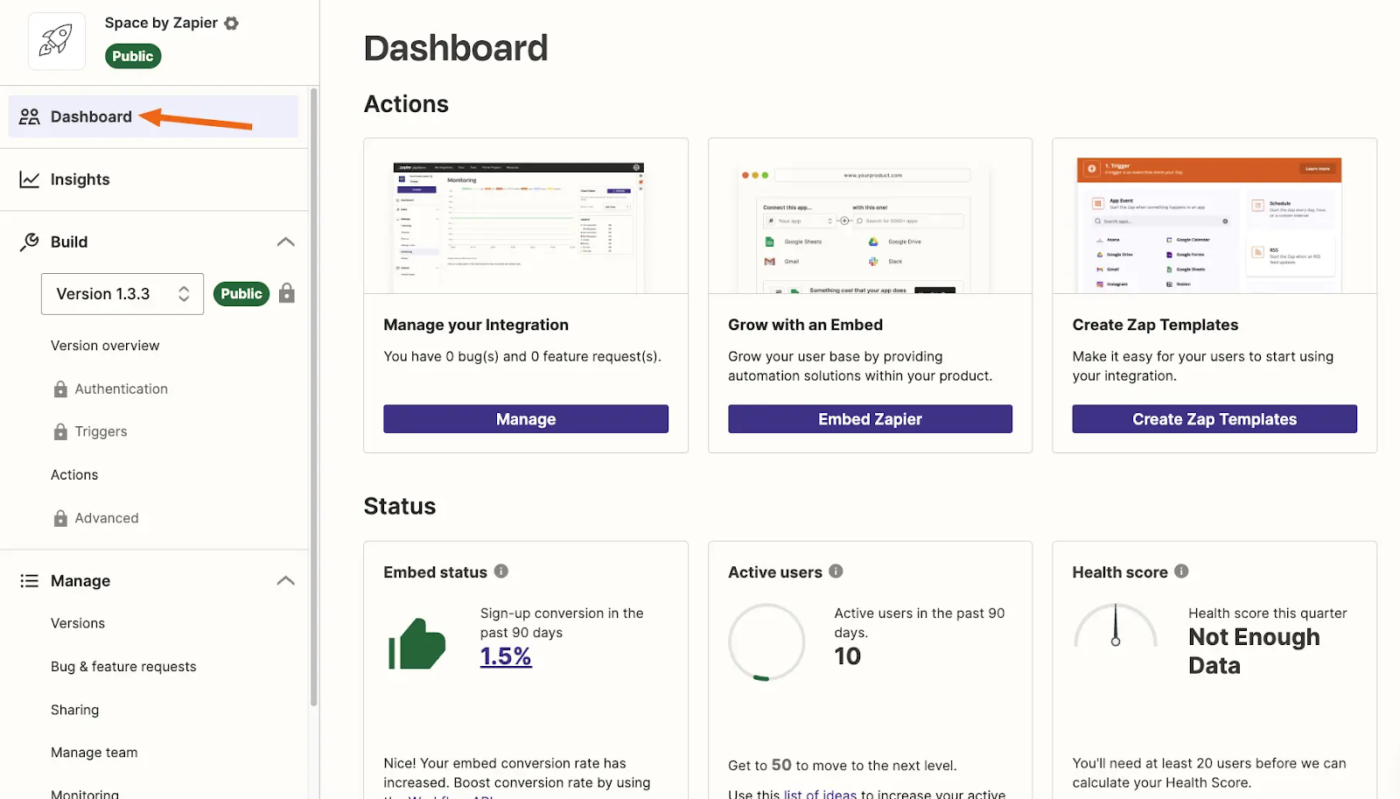
Zapier AI enhances productivity and streamlines workflows by automating repetitive tasks and integrating AI tools into your existing tech stack. To get started, you can create Notion tasks from Slack reactions, draft email replies, generate blog posts, and more.
Zapier AI also offers a feature called Tables, which lets you organize and automate data handling by storing, editing, and analyzing data from workflows in a structured format.

Otter.ai is an AI-powered personal notetaker tool that transcribes real-time meetings, lectures, or conversations, saving you from scrambling to jot down notes.
You can even ask the Otter AI chat tool for information about your recordings, and it will surface and summarize the answer in seconds. In addition, it can generate emails and other documents based on your transcriptions.
I love Otter.ai to quickly produce audio transcripts from voice recordings. It does take some “finessing” to turn the transcript into a readable blog post, but I appreciate the the bulk of the info is captured correctly
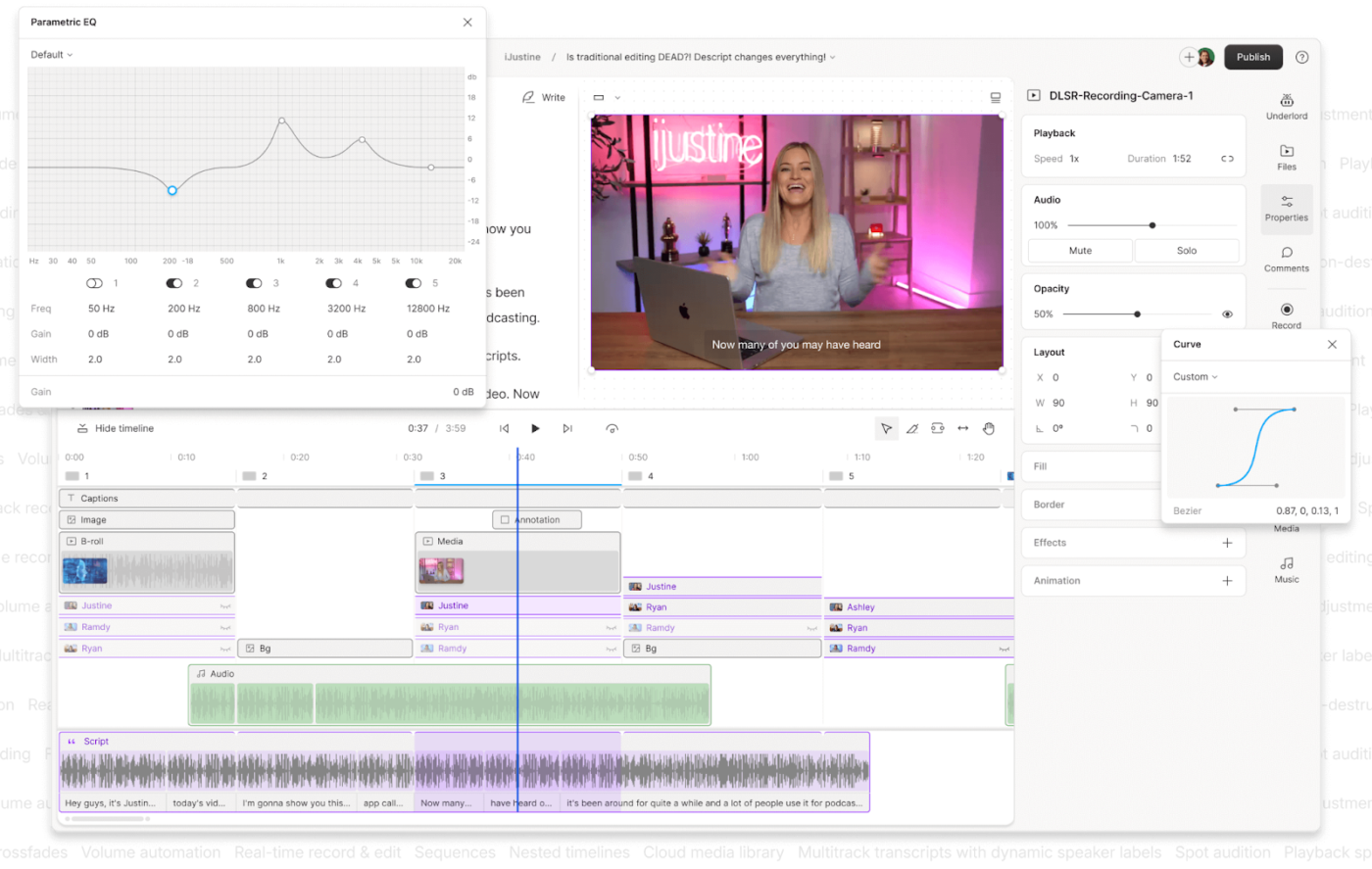
Descript is an AI audio editing tool that transcribes spoken words into text. You can edit audio recordings by editing the transcript in a text editor, making it feel like you’re working with a document.
Its standout feature, Overdub, allows you to create new audio from your own voice or stock AI voices by typing words in your transcript. Plus, it automatically removes unnecessary background noises and other distortions to improve sound quality.
📖 Bonus Read: AI Podcasts to Learn More About Artificial Intelligence
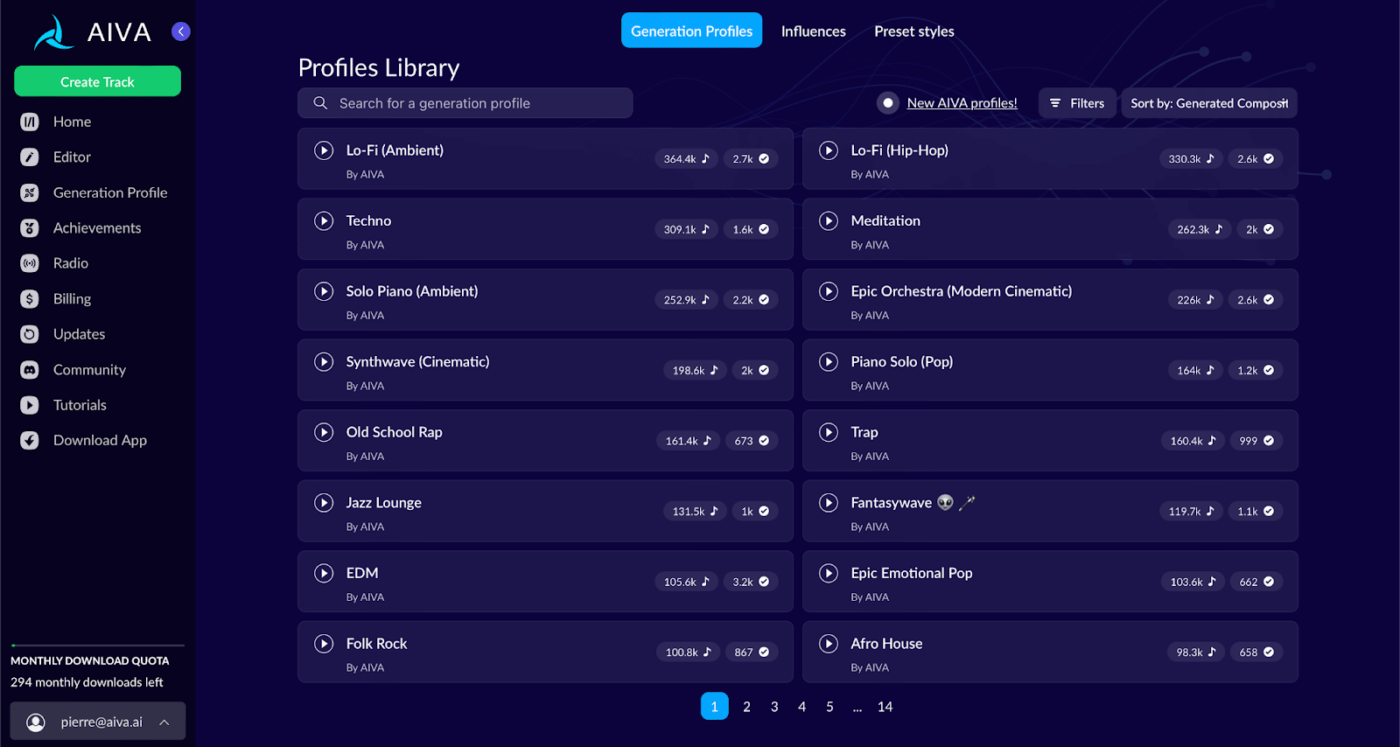
AIVA (Artificial Intelligence Virtual Artist) is an AI-powered music composition tool that uses deep learning models to analyze music databases and create original music files. It generates custom music based on various genres, styles, and moods, allowing you to adjust its tempo, instruments, and style.
You can easily start with predefined styles such as Modern Cinematic, Ambient, Rock, Fantasy, Electronic, Jazz, Pop, and more, and compose high-quality music in minutes.
Students and schools: 15% discount on monthly plans
For someone who loves listening to music and exploring new genres..this a really good software that helps you generate new songs in different styles within couple of seconds
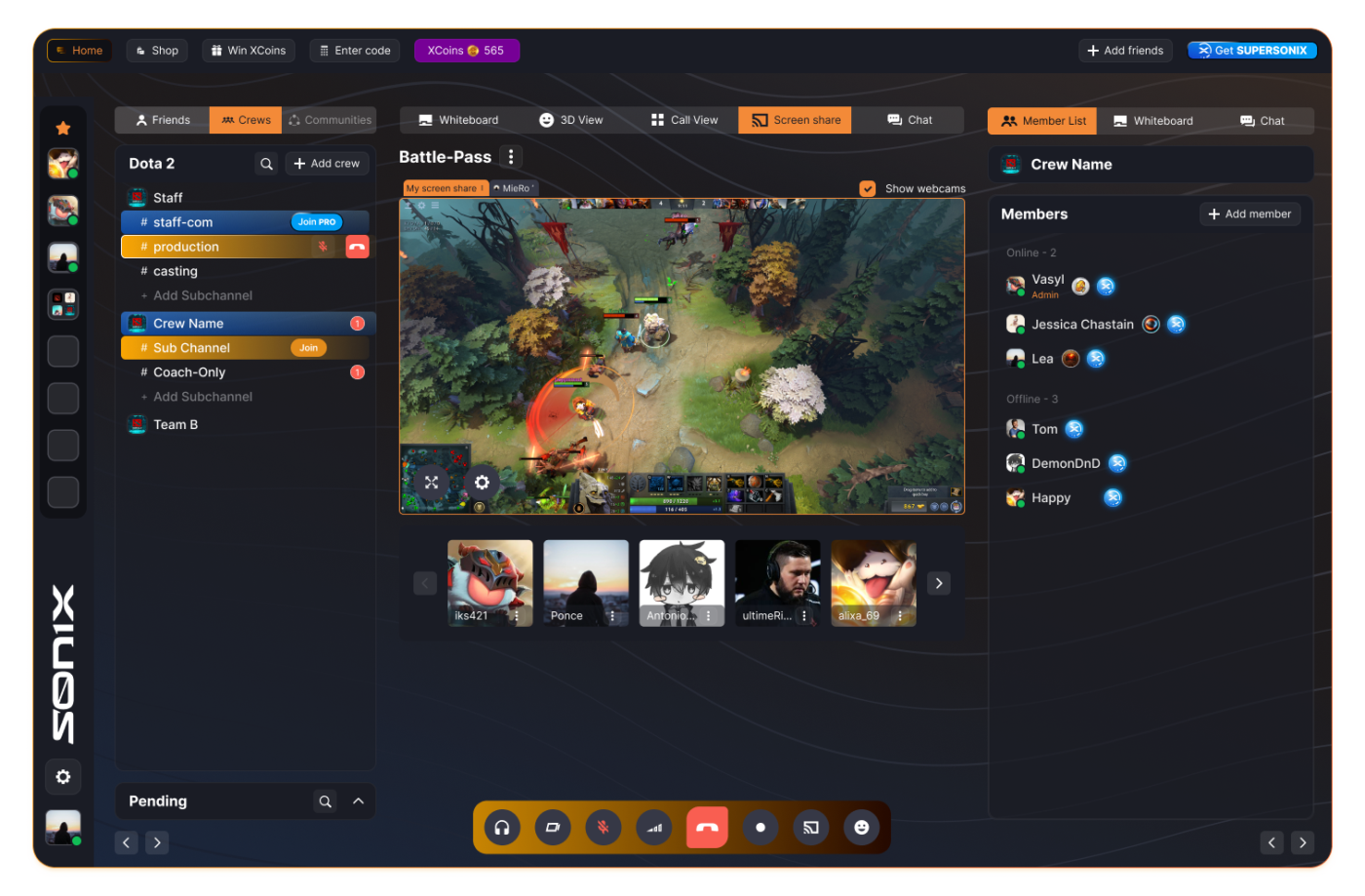
Sonix AI is a powerful transcription tool that automatically converts audio files into text. The platform supports multiple languages, understands various accents, and offers many features, such as Speaker Identification, a Custom Dictionary, and Highlights, to improve transcription accuracy.
Once the transcription is done, you can use the Confidence Score to determine its accuracy and check if any corrections are needed.
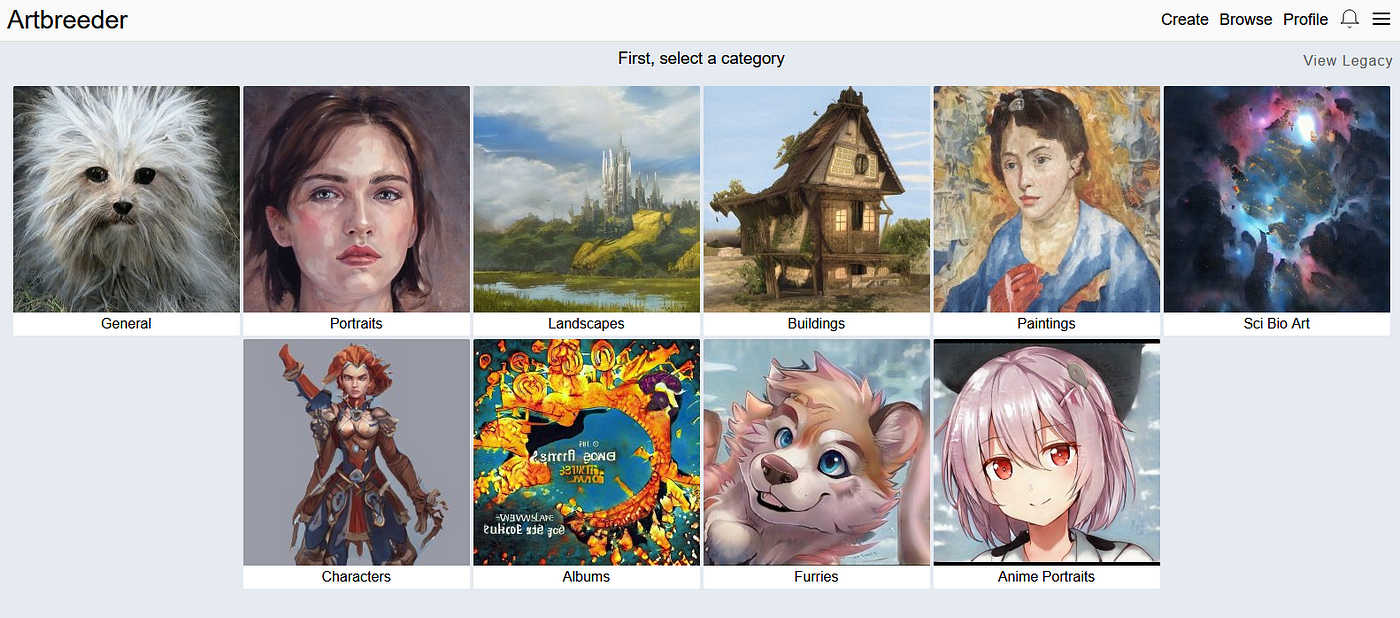
Artbreeder is a fascinating AI-powered art tool that lets users blend and manipulate images to create unique artworks. It uses advanced AI models like BigGAN and StyleGAN—two types of generative adversarial networks (GANs).
These models enable Artbreeder to blend and mutate existing images, allowing you to adjust traits like gender, age, and color balance through intuitive sliders.

DeepArt mimics famous artists’ styles, offering various artistic effects, from Van Gogh to Picasso.
All you need to do is upload photos or pictures into the platform, choose one from numerous artistic styles, and the tool will quickly generate new artwork. It works on both desktop and mobile, offering features like high-quality image scaling and automatic colorization.
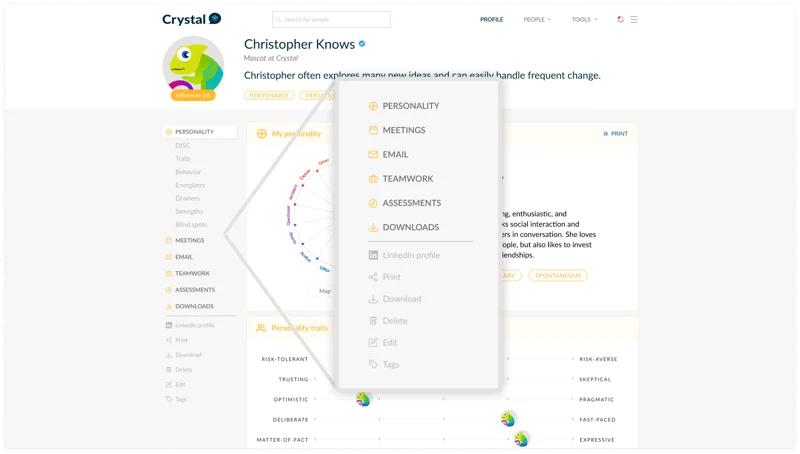
Crystal Knows is a powerful AI-driven business tool designed to help you better understand your prospects. It enhances communication by analyzing personality traits based on the DISC personality assessment model.
The platform’s AI algorithms analyze public profiles (like those on LinkedIn) to generate personality reports. These reports can then be used to customize your approach and communication, such as emails, meetings, or presentations.
The way Crystal identifies your personality and nuances is incredible to start, but the biggest thing is the accuracy. I have used this to look at different post holders in the companies I would like to apply for or for potential leads, and it blew my mind

People.ai helps businesses optimize their sales and marketing efforts by offering AI insights into sales activity, customer relationships, and team performance. It leverages machine learning models and NLP (Natural Language Processing) to analyze large volumes of data and identify interaction patterns.
The platform automates data entry, tracks communications, and provides actionable analytics to enhance decision-making, drive revenue growth, and ultimately improve productivity.
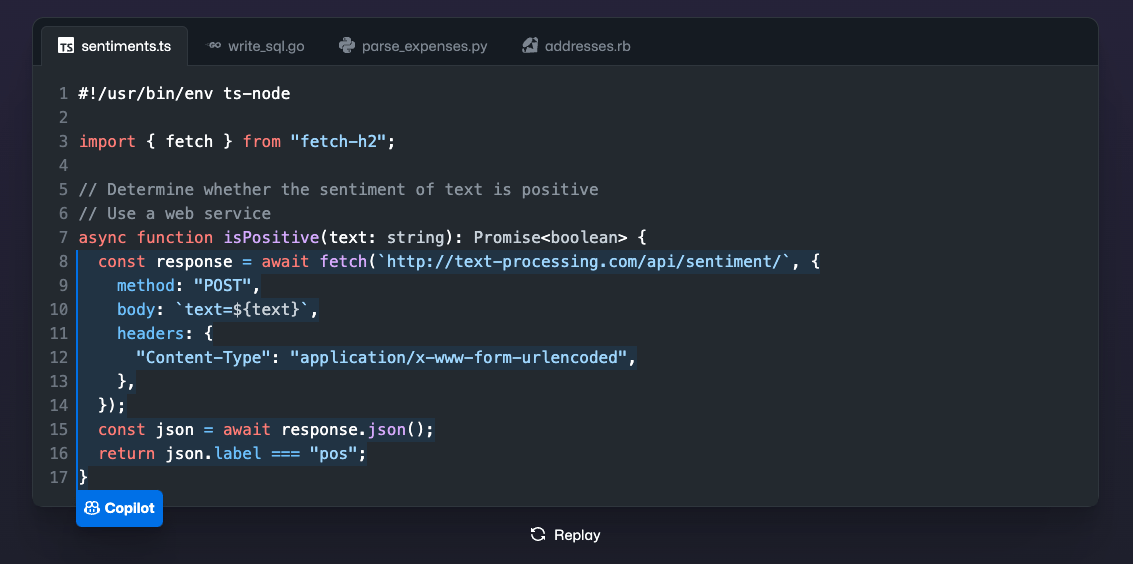
GitHub Copilot, powered by OpenAI’s Codex, assists developers by providing code suggestions, explanations, and automatic completions. The platform is built using machine learning models from OpenAI, such as GPT and Anthropic’s Claude, among others.
Copilot works inside popular IDEs like Visual Studio Code and XCode, offering real-time suggestions that save you from the hassle of Googling syntax or reinventing the wheel.
I can not live a day without the auto code completion. The way it learns my coding patterns and completes my code makes me 10 times more effective and productive
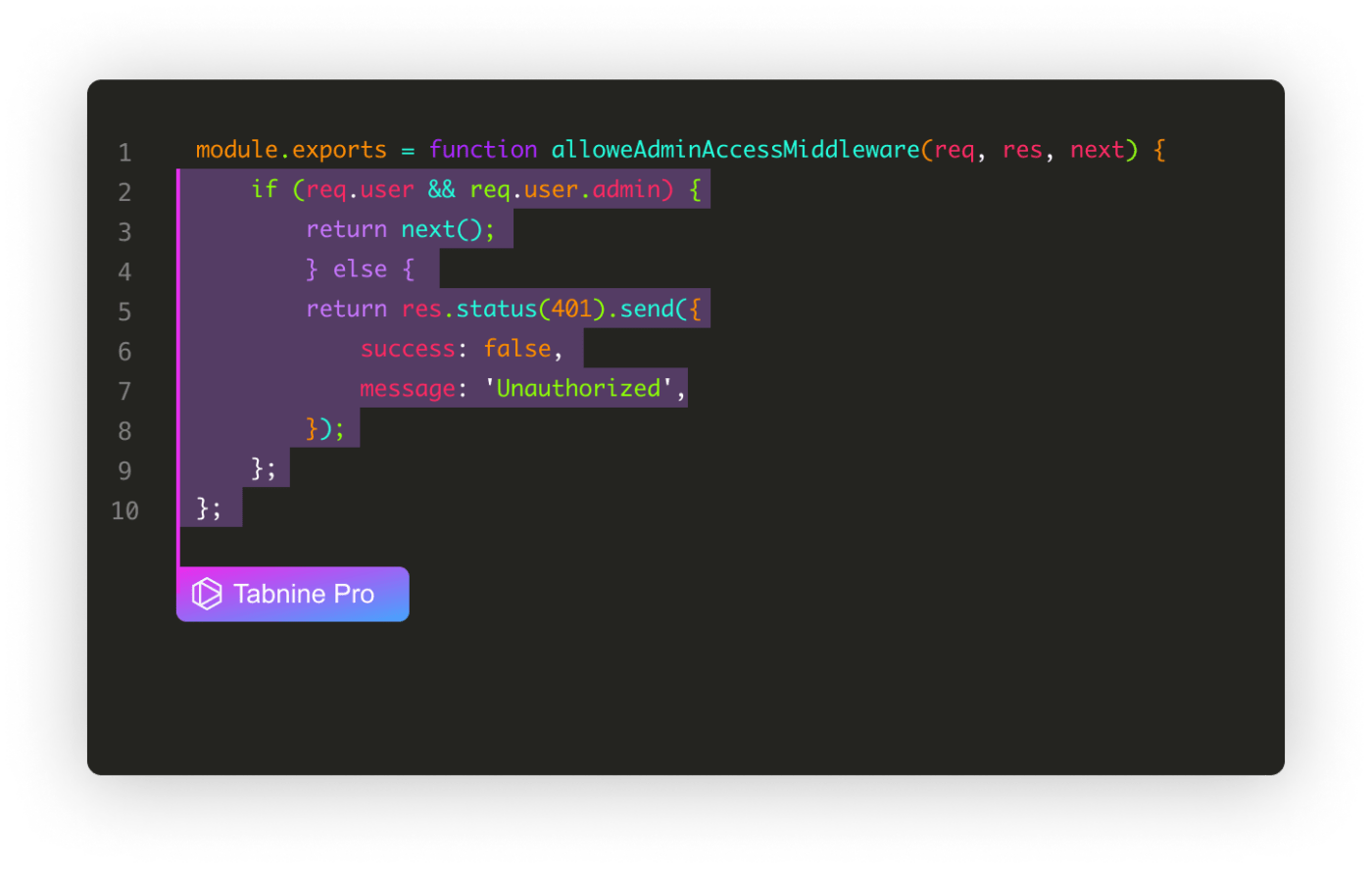
TabNine uses GPT-3 to predict your code as you type, making contextual and tailored suggestions for your project. TabNine’s personalization is built around three key principles: Context, Connection, and Customization.
Context ensures relevant suggestions based on information available in your local IDE workspace, while Connection integrates with your org’s code repository to access relevant code that’s not accessible in the local IDE. With Customization, you can train TabNine on your org’s private code, reflecting the specific languages and frameworks you use.
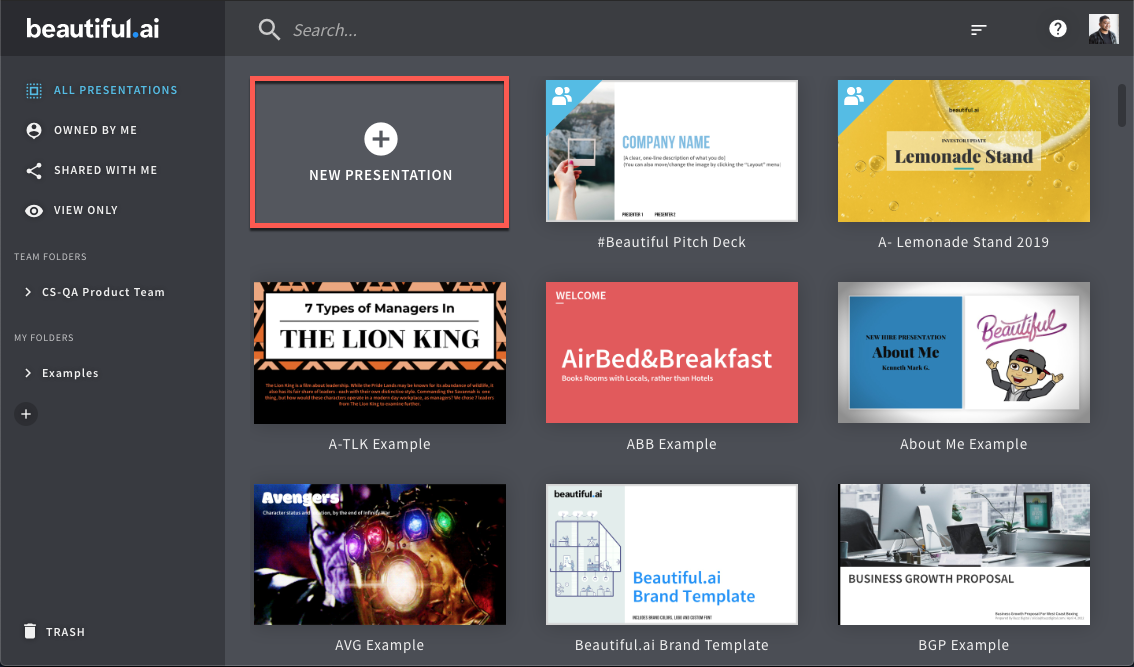
Beautiful.ai is an AI-powered presentation tool that uses smart templates and its AI assistant, DesignerBot, to generate complete presentations quickly from brief descriptions.
Plus, its Magic feature lets you focus on your message while the design takes care of itself. To top it off, the platform also has AI editing tools to fix grammar/spelling mistakes, generate content, and rewrite text accordingly.
How easy it is to make it look nice! I have never been a creative type so making presentations look slick is so easy in Beautiful!
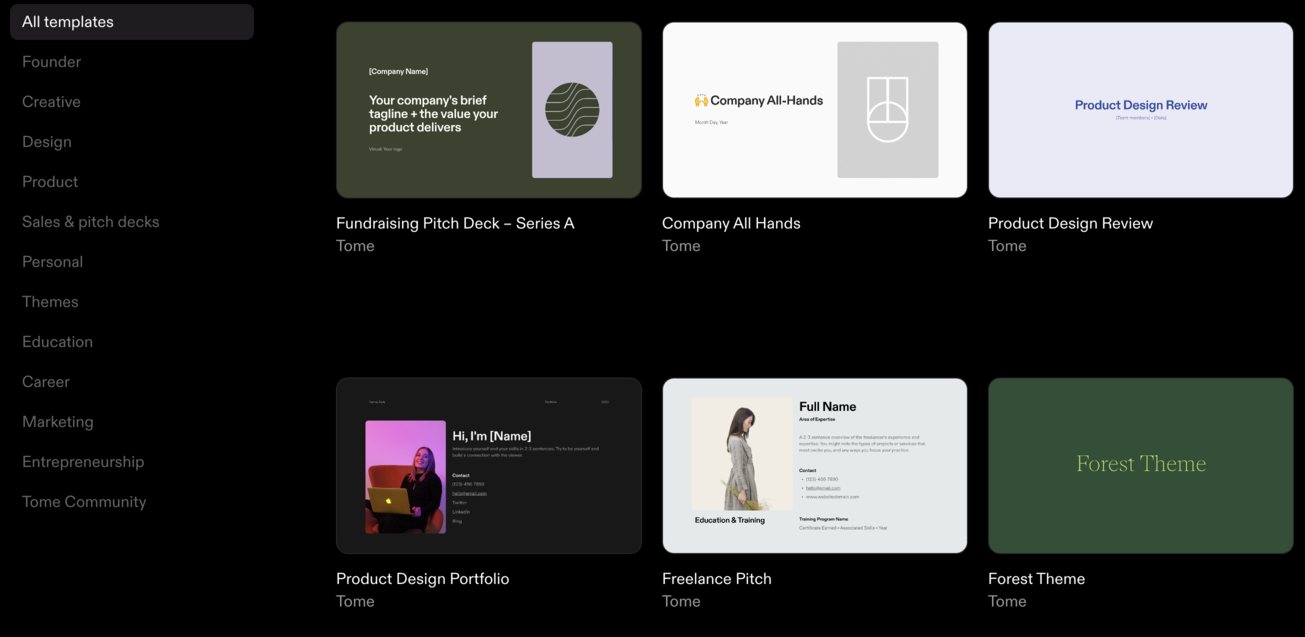
Tome accelerates presentation creation with AI-powered features designed for speed and creativity. You can start with their customizable templates and tweak designs to fit your needs.
While you add different elements such as text, images, or videos, the tool will automatically adjust layouts, structure, and aesthetics to ensure a polished look without the need for manual formatting. Its AI text generation feature can quickly write new text, edit it, or rewrite your presentation’s content.
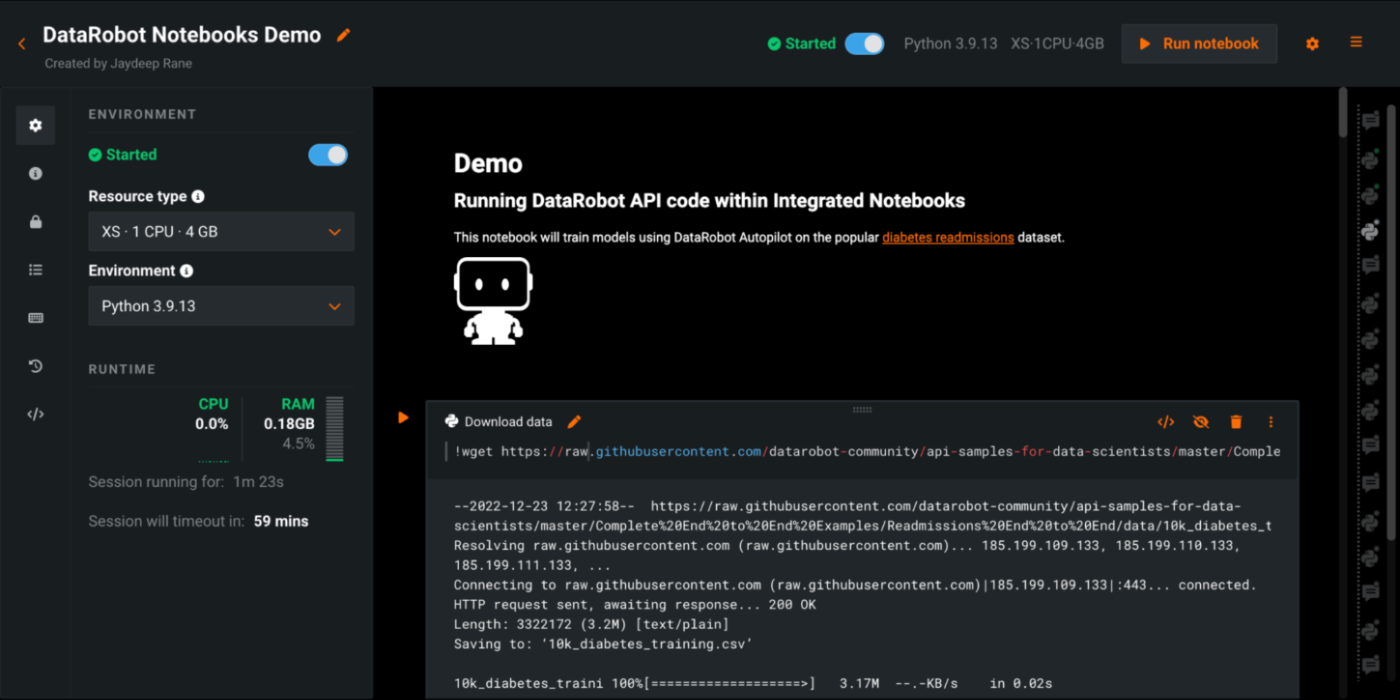
DataRobot is an AI platform designed to simplify the creation of predictive models. The platform uses various machine learning libraries like scikit-learn, TensorFlow, and XGBoost. Even with such vast libraries, it keeps things simple for users with a friendly, drag-and-drop interface.
It automates model creation and keeps track of performance, saving time and ensuring better decision-making.
The auto machine learning model training capability of this software is really powerful and shows a ton of metrics upon completion. Overall, it is also very easy to use
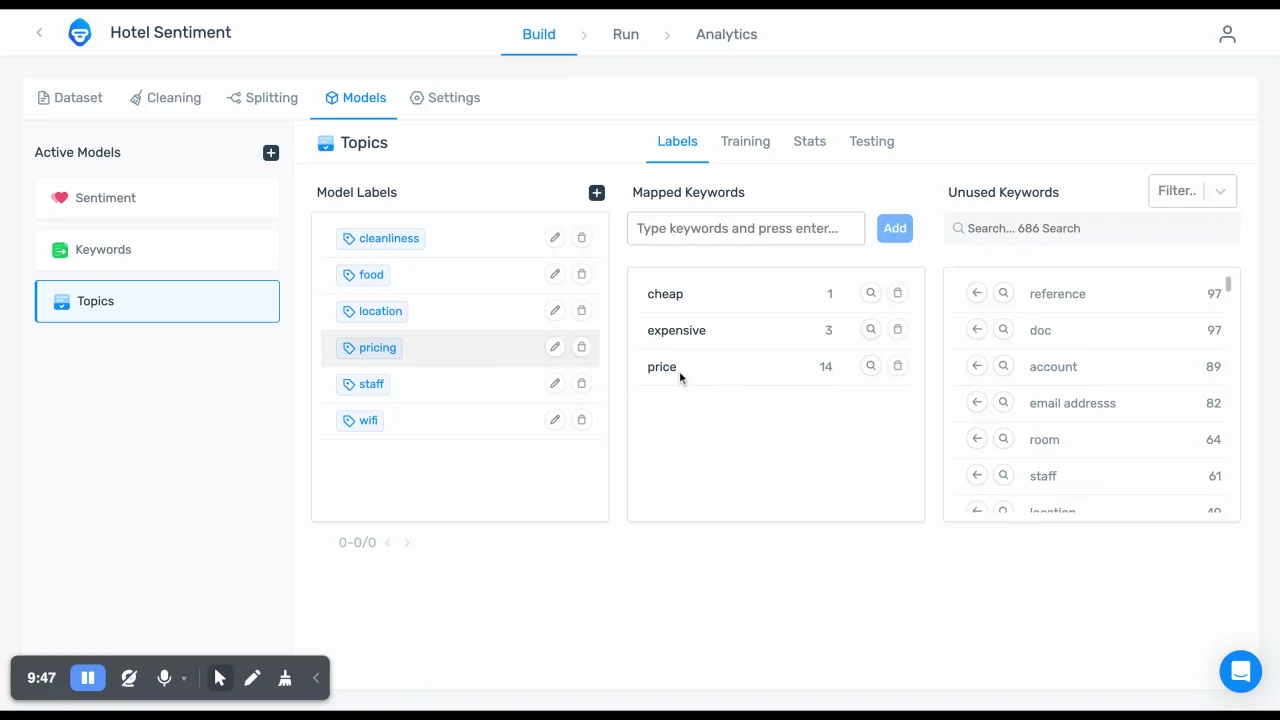
MonkeyLearn is a powerful text analysis platform that uses machine learning for text classification and data extraction.
The platform automatically categorizes text into predefined labels (e.g., for sentiment analysis and topic detection) and extracts specific information (e.g., keywords and entities) from raw text. It also uses NLP algorithms to automatically understand the text’s structure and meaning.
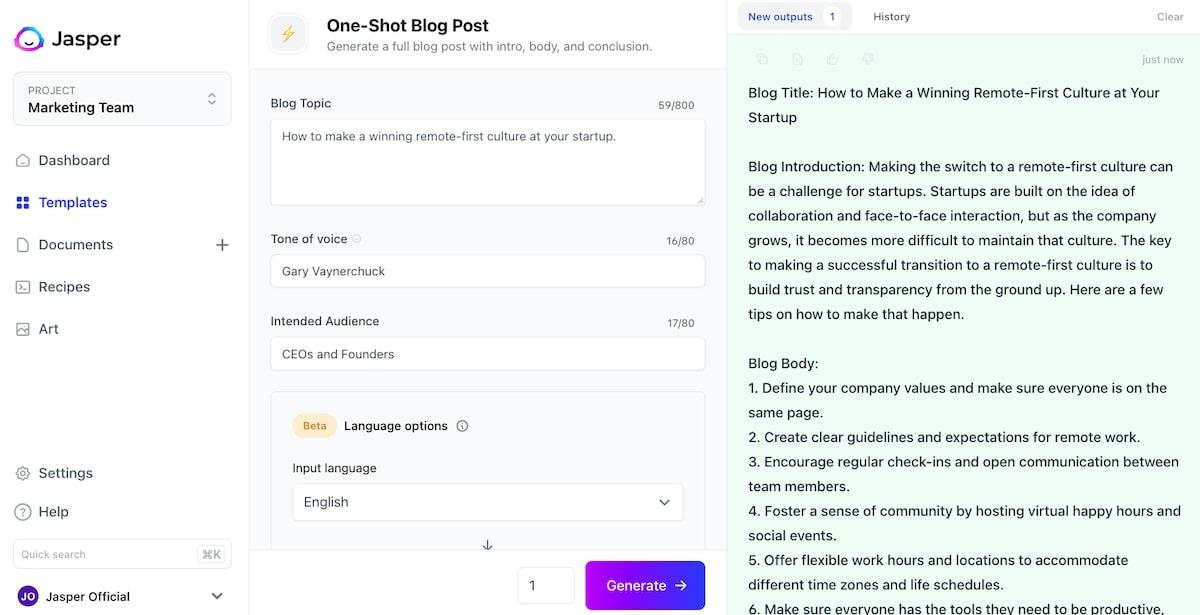
Jasper is an AI marketing tool that helps craft compelling copy in seconds, whether for blogs, social media, or ad campaigns. The platform uses NLP and ML algorithms to understand context and produce human-like text based on the prompts you give.
Even better, Jasper adapts its tone and style to your brand’s voice and performs SEO, ensuring your content gets seen and valued.
Excellent for first drafts and outline of content. Can easily be trained on brand voice and can parse documents
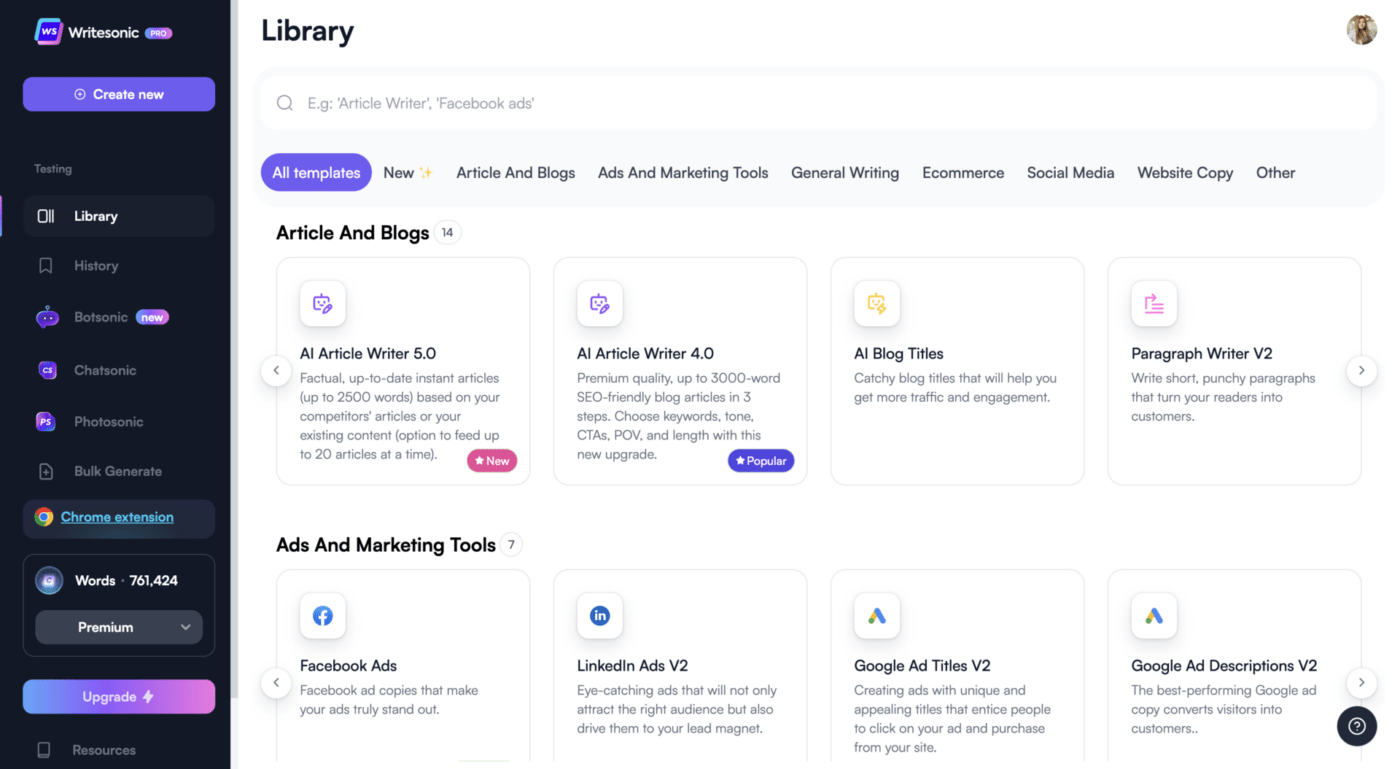
Writesonic is an AI-powered productivity tool that uses advanced LLMS, including GPT-3.5, and GPT-4, to generate high-quality content for marketing purposes. Built on cutting-edge technologies, it sifts through vast internet data to produce content for different needs, such as blog posts, ads, social media, eCommerce descriptions, and more.
With its easy-to-use templates, you can quickly produce content in different tones, languages, and formats. The platform also rephrases, summarizes, and expands text to streamline content creation.
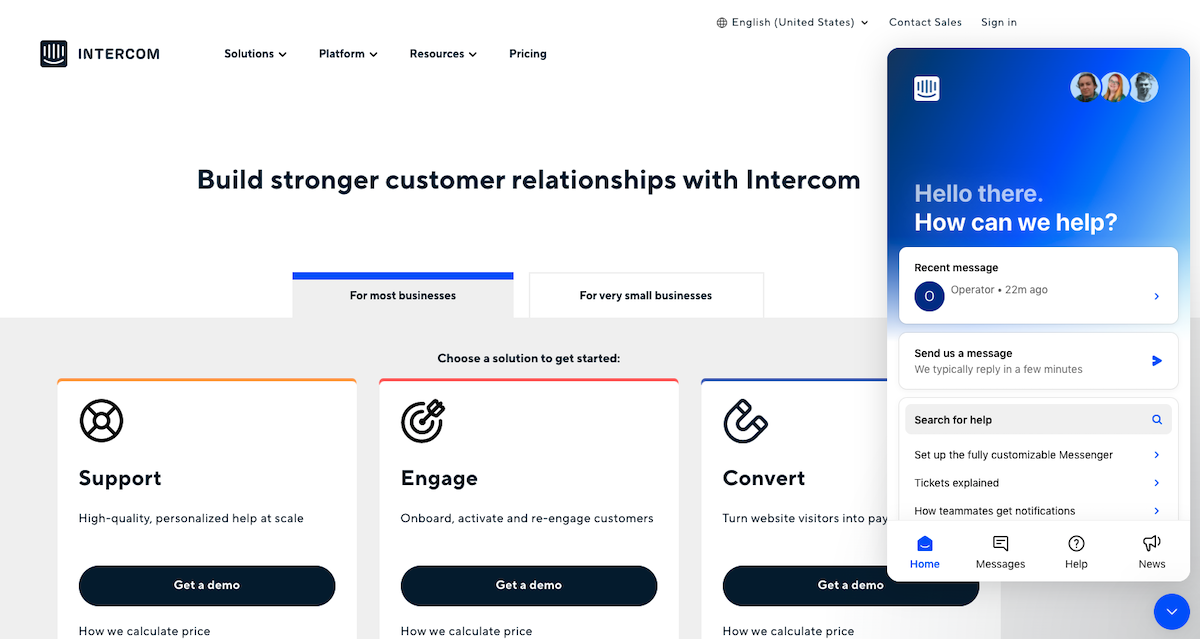
Intercom helps businesses deliver personalized, real-time support through a mix of automated messaging, live chat, and smart bots.
Founded in 2011, Intercom streamlines customer interaction with features like Resolution Bots and Custom Bots. It has also evolved to incorporate advanced AI capabilities, notably with its AI agent, Fin, which delivers human-quality customer service and integrates seamlessly with existing help desks.
If you want it for basic “out-of-the-box” functionality, its probably great, but if you are looking to use their mobile integrations and build them into your mobile app, I would probably look elsewhere
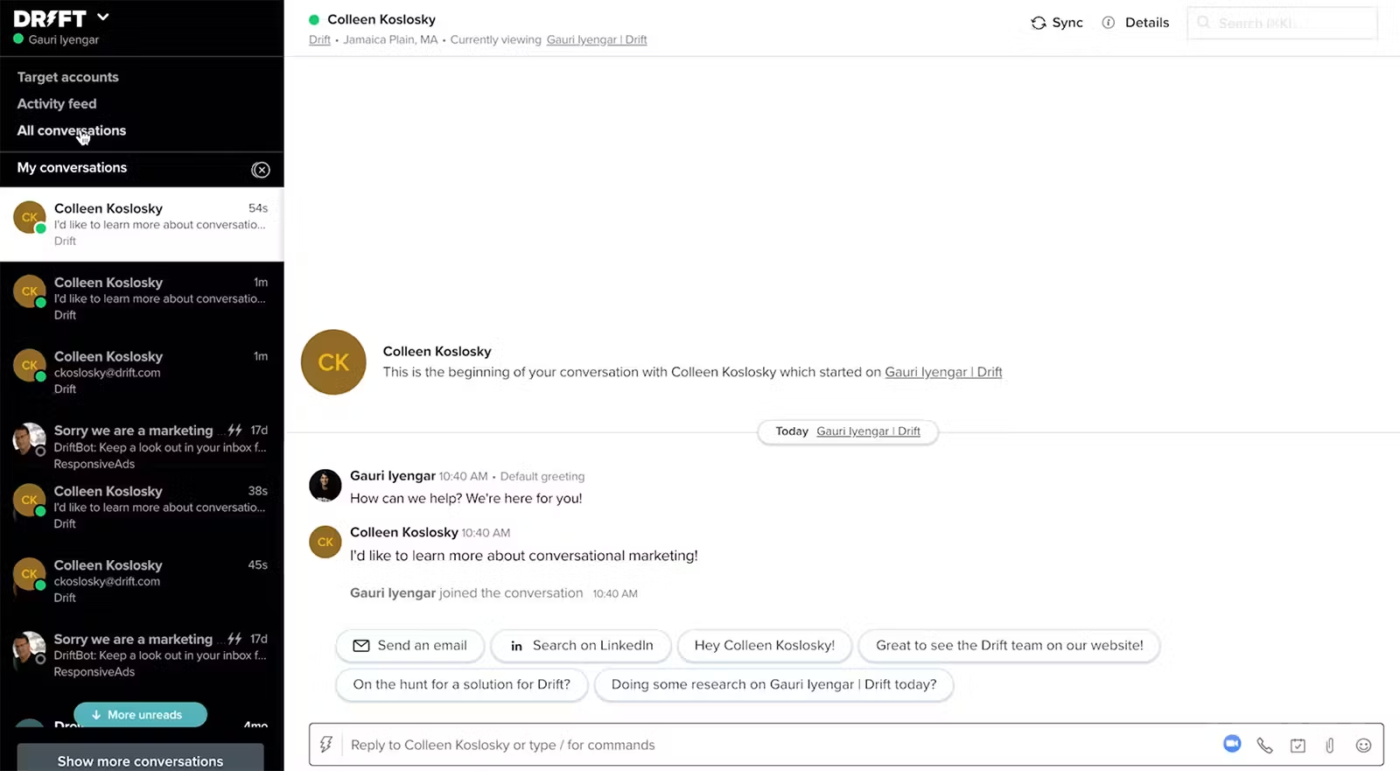
Drift is an AI-powered customer service tool that improves real-time communication between businesses and their customers. It uses conversational AI to automate chat interactions, instantly responding to customer queries on websites, email, or messaging platforms.
Drift can also qualify leads, schedule meetings, and answer common customer inquiries, reducing wait times and enhancing UX.
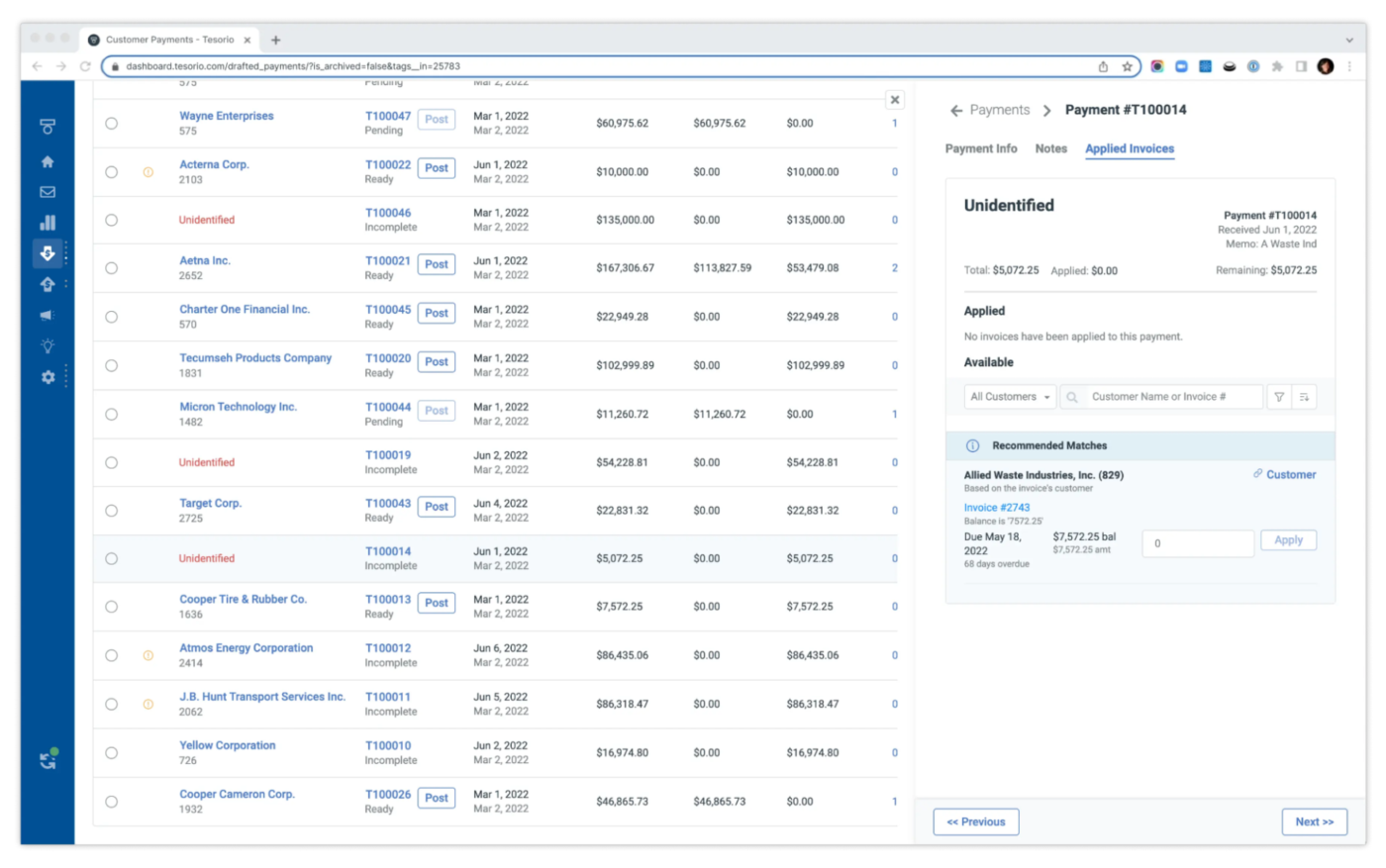
Tesorio helps businesses manage their cash flow, accounts receivable, and financial operations more efficiently. It uses AI and automation to provide insights into financial data, optimize collections, and improve forecast accuracy.
Plus, the AI can determine the most efficient and cost-effective way to route payments to optimize cash flow.
Using the tool has helped us establish a seamless process and increased our efficiency to being a customer centric organization
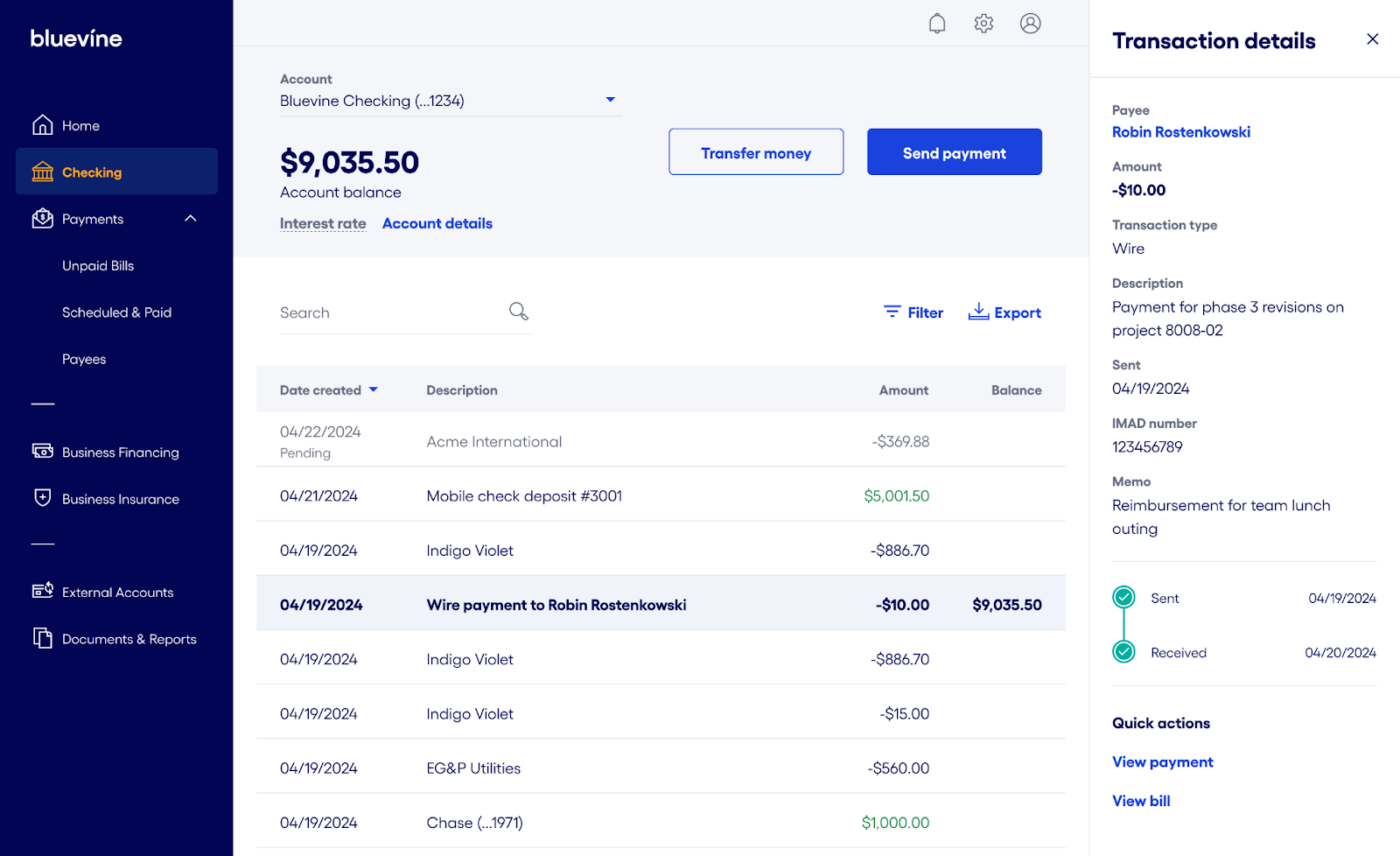
Bluevine uses AI to enhance financial products and services, particularly in credit decisions and cash flow management. AI algorithms streamline the evaluation of credit applications by analyzing spending patterns and quickly approving loans to deserving businesses.
The system also simplifies invoice financing, using AI to quickly evaluate the value and likelihood of repayment for invoices, ensuring faster access to funding.
AI tools are becoming indispensable in how we work, collaborate, and innovate.
But here’s the thing: as impressive as many of these tools are, the right one for you is about more than just fancy features. It’s about functionality, integration, and, ultimately, how it helps you get things done—and that’s where ClickUp really shines.
It allows you to manage projects, tasks, and goals effortlessly, and its AI capabilities make project organization and communication a breeze. With seamless platform integration, smart automations, and real-time insights, ClickUp is your ultimate productivity partner.
Try ClickUp for free today to work smarter and way faster!

Manasi Nair
Max 32min read
Manasi Nair
Max 14min read

Arya P Dinesh
Max 21min read

© 2026 ClickUp