


As a project manager, it’s your job to lead teams, manage deadlines, and keep a careful eye on your budget. The good news is that effective team communication can make your job a lot easier—and generate a better work product.
But most misunderstandings at work happen because of bad communication. Somewhere, somehow, wires get crossed, and it’s easy for your team to drop the ball.
Nobody wants that, which is why it’s so important for project managers to create a documented project communication plan at the start of any major project. It might sound like an extra step, but this strategy is a must-have to avoid confusion, increase team cohesion, and improve work quality.
If you’ve never put together an effective communication plan before, don’t sweat it. Check out this guide to learn what a project communication plan is, why it’s so important, and how to create one.
We’ll even throw in a few examples—plus project communication plan templates—to speed up your communication strategy.

How to Create a Project Communication Plan for Your Team

 Summarize this article for me please
What Is a Project Communication Plan?
A project communication plan is a document that explains how project stakeholders will share information with each other. Think of it as the GPS of your project journey.
This is a strategic document that acts as a blueprint for ensuring that the right information reaches the right people at the right time, keeping everyone informed, aligned, and engaged.
A structured communication plan enables effective collaboration, helping stakeholders make timely decisions, resolve issues quickly, and maintain transparency. Without such a plan, projects can suffer from confusion, delays, and misaligned expectations.
Communication might sound like common sense, but honestly? It isn’t.
No one teaches us how to communicate, and spelling things out in writing helps your team avoid silly, preventable mistakes.
For example, if one team member prefers to send messages over Slack, but another is all about sending rapid-fire emails, there’s a good chance one of them will miss an important update from the other. Creating a project communication plan before you work together puts everyone on the same page and creates agreed-upon norms for how you’ll collaborate going forward.
Summarize this article for me pleaseBenefits of an Effective Project Communication Plan
Sure, work quality and timelines matter, but project success often comes down to good communication. Poor communication, on the other hand, leads to rework, frustration, and busted budgets.
That doesn’t sound like fun, does it?
Project communication plans help your team avoid common communication issues, but they help you accomplish much more than that, too.
Streamline workflows and timelines
Communication plans provide clear directions and expectations so everyone knows what they need to do. That streamlines your workflow and keeps the project on time.
Enhance team collaboration
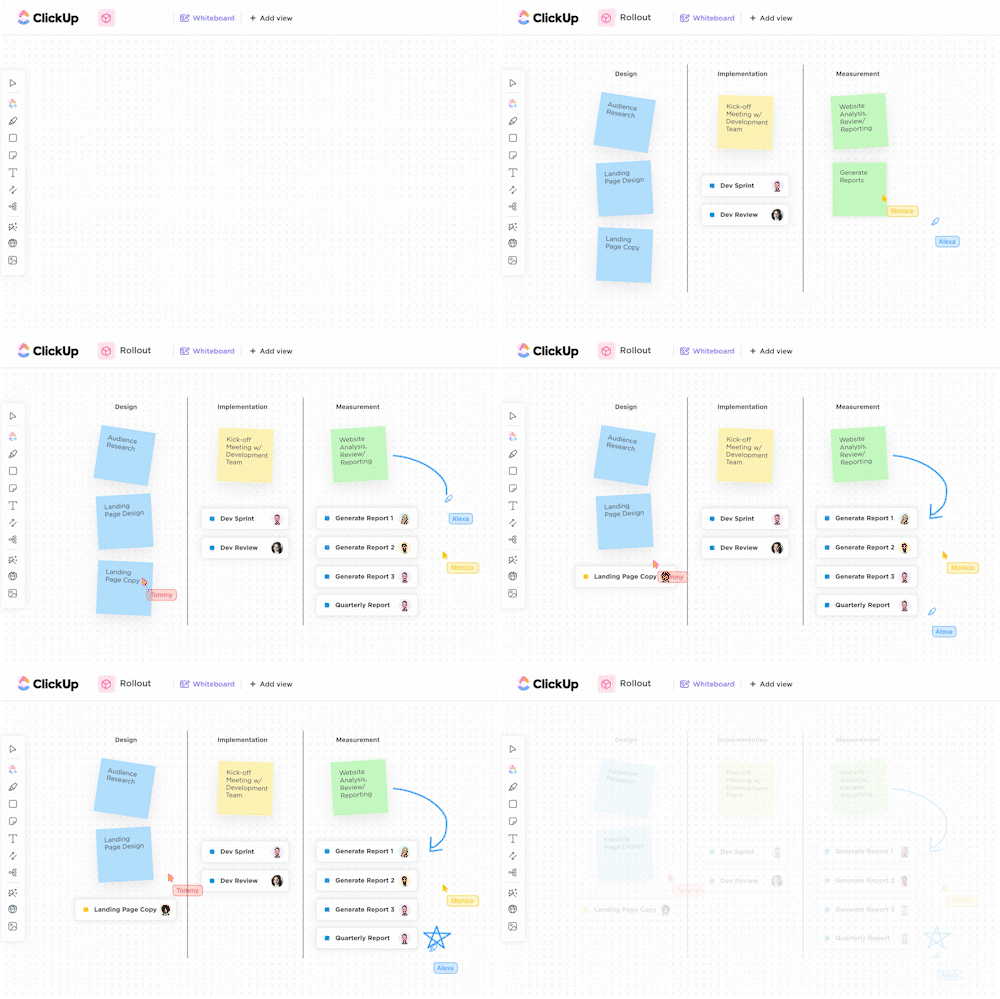
Facilitate better teamwork by giving everyone a clear understanding of their roles and responsibilities. Clarity also boosts engagement by keeping the team informed about project progress and changes.
Stop miscommunications
Miscommunications can turn a deceptively simple project into a Shakespearean dramedy. But a solid project communication plan significantly cuts down on misunderstandings and confusion, which prevents project delays and errors from sidelining your team.

Build trust
Communication is the foundation of trust. Project transparency and open communication make everyone feel like they’re part of the team. And when your team trusts each other, healthy communication happens more naturally.
Minimize conflicts
As a project manager, you know just how stressful projects can be. A communication plan includes a built-in framework for conflict resolution, so you have a playbook for resolving any issues that pop up during the project.
Manage risks
Legal and financial liabilities are always a concern. After all, nobody wants to receive a letter from the legal department. Fortunately, communication plans work hand-in-hand with risk management to identify and fix potential issues ASAP.

Ultimately, a well-executed project communication plan is a must-have for project success. If you want everyone rowing in the same direction, a communication plan aligns everyone so they work toward the same project goals.
Summarize this article for me pleaseComponents of an Effective Project Communication Plan
Before you actually start creating your communication plan, let’s take stock of everything you should include in it. Here are the essential components to include in a project communication plan:
- Project overview: The project objectives, the scope of the communication, and how it will support the project
- Stakeholder identification: A list of all key stakeholders (e.g., project team, sponsors, clients, vendors) and their communication needs and preferences
- Communication objectives: What the communication plan aims to achieve
- Roles and responsibilities: Identify the owners of different activities and responsibilities, such as the product owner, project manager, stakeholders, etc.
- Communication methods and channels: The channels to be used for different types of communication, such as meetings, email, presentations, and so on
- Communication frequency: How often communication will occur for each type, i.e., weekly, fortnightly, daily, etc.
- Message content: Outline of what each communication should include
- Escalation procedures: How to address communication breakdowns or project issues, whom to contact for specific issues and timeframes for resolution
- Feedback mechanisms: How feedback will be collected, reviewed, and acted upon
- Communication schedule: The key communication events and milestones, their deliverables, and deadlines
- Monitoring and adjustments: How you will track the effectiveness of the communication plan and make any changes that are needed
- Approval process: Names of people who will approve the plan and any changes or updates to it
- Document repository: Where all communication-related documents will be stored for easy access (e.g., Google Drive, ClickUp Docs)
Summarize this article for me pleaseHow to Create a Project Communication Plan
Are you new to project management communication plans? No worries. Follow this step-by-step guide to create a solid project communication plan for your team.
Decide on a general communication strategy first
First things first, decide on a general approach for your project communication plan. Make decisions about:
- The communication strategies the team will follow
- Which team members will work on the project
- How often the team will meet, and who will lead the meetings
- How you’ll schedule meetings
In this first step, you should decide on the type and frequency of communication. For example, do you want daily or weekly status updates? Will you provide project updates verbally, or does the team expect formal status reports?
As a project manager, you have the final say on the communication plan, but that doesn’t mean you should build it on your own. Hold a kickoff meeting with the team to gain everyone’s buy-in.
During the meeting, set communication goals and gather feedback from the team. For example, you might set a goal to meet with your project team every Monday morning to look at tasks for the week, plus a Friday follow-up to track your progress.
Plan for synchronous and asynchronous communication channels

Next, decide which forms of communication you’ll use for this project. Generally speaking, your plan should account for synchronous communication (which happens in real-time, like chat) and asynchronous communication (which is more delayed, like email).
Unless you work in a field where dire emergencies are happening 24/7, your team will use a mix of immediate and delayed communication methods.
Your project communication plan should specify all of the potential channels your team can use and when it’s appropriate to use each channel. Every team is different, but your plan might include:
- In-person meetings: This depends on whether your team works remotely or in the office. Specify when it’s appropriate to call an in-person meeting. This might only be for formal client calls for some teams or as a standard practice for others
- Phone calls: Sometimes, a phone call makes more sense than a chat message or email. If you find yourself writing America’s next great novel, just call someone on the phone to save time. If you need to log the conversation in writing, send everyone an email after the call as a recap of what you discussed
- Real-time chat: This communication method is ideal for quick messages or very time-sensitive issues. Since they work similarly to SMS texts, chat tools also help your team stay connected when they’re on the go
- Email: It seems like everyone has a love-hate relationship with email. It’s a great way to store message threads and keep a record of conversations, but it’s also a bottomless pit where messages go to die. If you want something email-esque without the headaches of email, consider email alternatives like project management software
Bonus: Contingency plan templates!
Specify norms for different communication types
There’s a big difference between the information shared in a team meeting and the information you share with the C-suite or your clients.
For example, maybe you don’t want to share the nuts and bolts of a project—or behind-the-scenes drama—with a client. In this case, you might reserve the nitpicky details for internal communications only.
A good communication plan details the type of communication you have with certain audiences. This should include:
- The name of the stakeholder
- Key messaging
- Communication channel
- Formatting of the deliverables (Excel, PDF, etc.)
Create separate sections in your communication plan for client communications, manager check-ins, and internal communication so everyone agrees on the information you’ll share—including where and how you’ll share it.
Pick your favorite tools and software
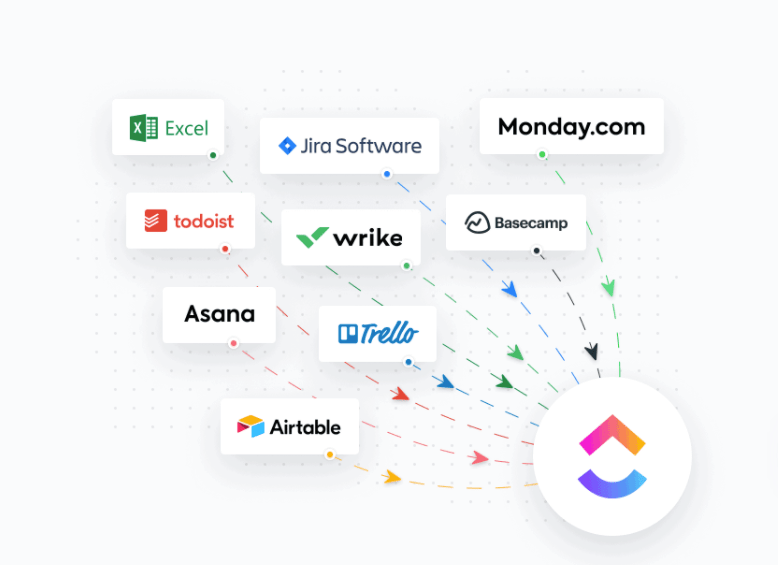
Once you specify which channels you’ll use and who will use them, it’s time to specify which communication tools your team will use. Some of the most common options include:
- In-person meetings: In-person meetings are fairly straightforward, but you still need software to find a time to meet. Use options like Google Workspace and Calendly to quickly find a time for everyone to meet
- Virtual meetings: Zoom is obviously a mainstay here, but Microsoft Teams is also a solid option for video chat. If you’re a ClickUp user, you can also create SyncUps in ClickUp Chat for video calls with your team
- Phone calls: There’s no need to share everyone’s personal cellphone number. Use tools like RingCentral to assign everyone a work number that they can use from their personal smartphone
- Chat: ClickUp Chat, Slack, Google Workspace, Pumble, and Troop Messenger are ideal for synchronous chats between teams
- Email: This depends on what kind of organization you work at. If you’re a Google person, go with Google Workspace. If you’re all-in on Microsoft, go with Microsoft Teams
But that’s just the tip of the iceberg. You also need solid workflow tools that log all of your tasks, projects, chats, and meeting notes in one place.
Not to brag, but ClickUp does all of that and then some. ClickUp’s project management software gives you an intuitive dashboard to track project progress, plus time-saving project templates, 1,000+ integrations with other apps, and a lot more.
Support cross-team collaboration
As tight as your team might be, you need to collaborate with other teams, both within and outside of your company. If your project has a large scope, you’re likely working with a cross-functional team that includes folks from IT, accounting, marketing, and more.

Your project communication plan needs to spell out, on no uncertain terms, how your team will interact with each other, as well as with other departments. For example, your team norms might be to communicate via Zoom call, but maybe the folks in accounting only accept written documentation.
This is why it’s so important to engage with all stakeholders early on in the communication plan writing process. When you understand the nuances—and, let’s be real, weird quirks—of all of the teams you’ll collaborate with, you can account for that in the communication plan.
The result? A cohesive team and fewer bottlenecks.
Assign key performance indicators (KPIs)
Like any plan, your project communication plan also needs to include metrics and KPIs for measuring success. Metrics are the only way to know for sure whether your communication plan is actually working.
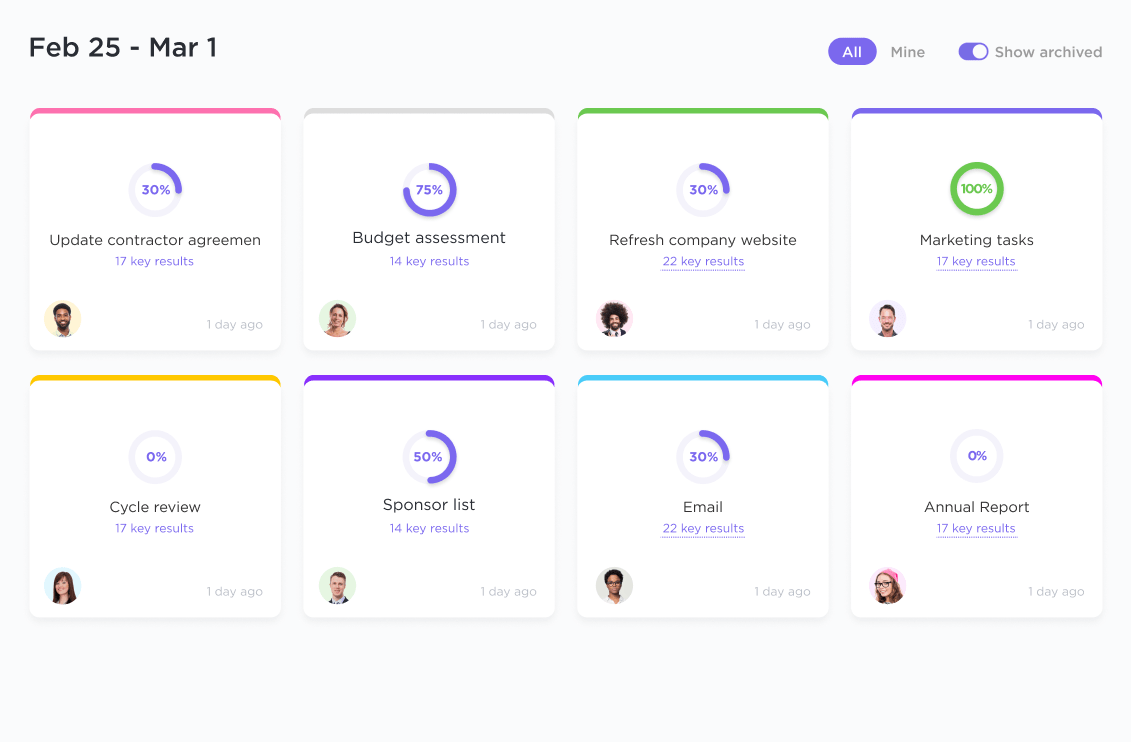
Before you finalize the plan, pick quantitative metrics to assess how well your team is communicating. That could include metrics like:
- Average response time
- Mobile usage rates
- Employee engagement rates
- Open rates
- Read receipts
We know it might seem like you have bigger fish to fry, but checking your communication plan KPIs every now and then will tell you a lot about how your team works together. It’s the best way to prove, in black and white, whether your project communication is a hit or a flop.
💡Pro Tip: Learn how to create a KPI dashboard
Summarize this article for me pleaseProject Communication Plan Examples
The great thing about project communication plans is that there’s no right or wrong way to write a plan for your team. Even so, we know it’s much easier to write a plan when you can look at an example for inspiration.
So we asked ClickUp Brain to provide two examples of project communication plans to help inspire your own. Here they are!
Project communication plan example: App development project
| Owner | Audience | Communication method | Frequency | Goal |
|---|---|---|---|---|
| Project Manager | Development Team | Daily Stand-up Meetings | Daily | Discuss progress, identify blockers |
| All Teams | Project Kick-off Meeting | Once | Introduce the gaming app project and objectives | |
| All Teams | Weekly Status Reports | Weekly | Update on project status and milestones | |
| Stakeholders | Monthly Review Meetings | Monthly | Present project updates and gather feedback | |
| Executives, Stakeholders | Final Evaluation Report | End of Project | Evaluate project success and lessons learned | |
| Lead Developer | Developers | Code Review Sessions | As needed | Ensure code quality and consistency |
| QA Lead | QA Team | Bug Triage Meetings | Twice a week | Prioritize and assign bug fixes |
| Testers, Select Users | Testing Feedback Survey | Bi-weekly | Gather feedback on game usability | |
| IT Support | Clients | Support Ticket System | As needed | Address and resolve technical issues |
| Marketing Team | Clients | Progress Emails | Bi-weekly | Inform about key developments and timelines |
| Project Manager | Stakeholders, Team Leads | Adoption Review Meeting | Quarterly | Assess game adoption and discuss improvements |
| IT Support | Clients | Technical Support Calls | As needed | Resolve technical issues promptly |
Here’s another example of a simple project communication plan for an organization’s CRM launch and adoption project.
Communication plan example: CRM adoption project
| Nature of Communication | Method | Frequency | Goal | Owner | Audience |
|---|---|---|---|---|---|
| Project Kick-off | Virtual Meeting | Once | Introduce the CRM project and objectives | Project Manager | All Teams |
| Progress Updates | Email Newsletter | Weekly | Keep teams informed about project milestones | Project Manager | All Teams |
| Testing Feedback | Survey | Bi-weekly | Gather feedback on CRM tool usability | QA Lead | Testers, Select Users |
| Training Sessions | Interactive Workshops | Monthly | Educate users on CRM functionalities | Training Team | All Employees |
| Issue Resolution | Support Ticket System | As needed | Address and resolve technical issues | IT Support | All Employees |
| Adoption Review | Virtual Meeting | Quarterly | Assess CRM adoption and discuss improvements | Project Manager | Stakeholders, Team Leads |
| Final Evaluation | Report | End of Project | Evaluate project success and lessons learned | Project Manager | Executives, Stakeholders |
Summarize this article for me pleaseProject Management Communication Plan Templates
To jumpstart your project plan, we’ve compiled a few project communication plan templates you can use for your own project. ClickUp’s project communication plan templates include helpful sections for:
- Project goals
- Milestones
- Project status
- Managing deliverables
- Meeting schedules
- Notification settings
1. ClickUp Communication Plan Template
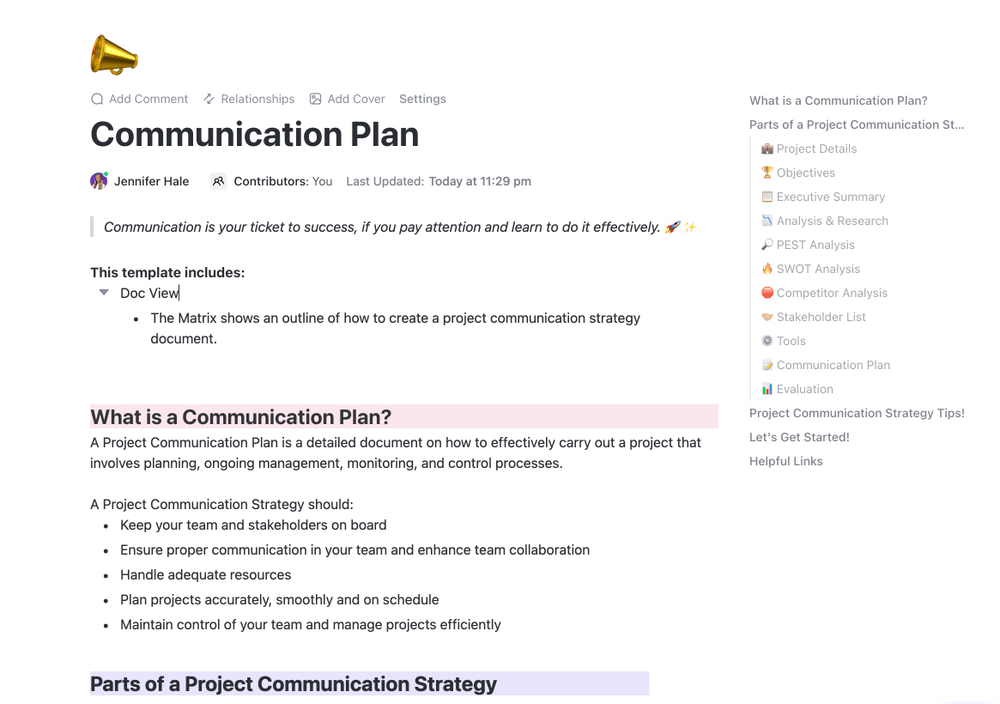
Use ClickUp’s free fill-in-the-blank Communication Plan template to jumpstart your project communication plan. Easily drop in your corporate hierarchy, conduct a PEST analysis and SWOT analysis, and list your team’s tools in this click-and-go template. It even includes an evaluation section to gather feedback from your team and improve your communication plan over time.
While the template gives you a good place to start, ClickUp gives you the freedom to adapt the template to fit your team’s communication channels, goals, and more. Think of it as a free tool to speed up the formatting so you can focus on the meat and potatoes of your project management communication plan.
2. ClickUp Communication Matrix Report Template

If you’re looking for an easy way to stay on the same page with your team, ClickUp’s Communication Matrix Report Template is a great communication plan to keep your key stakeholders informed.
This detailed report helps you map out who is responsible for communicating with which parties and ensures everyone knows their roles. The template includes sections to jot down communication activity, purpose, and context, which is helpful for virtual teams.
3. ClickUp Product Launch Checklist Plan Template
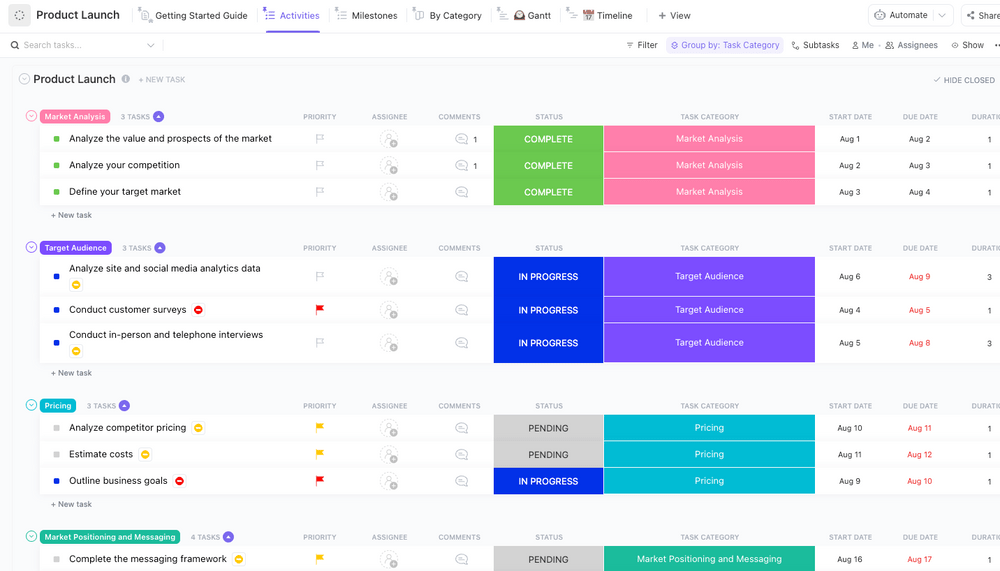
The ClickUp Product Launch Checklist Plan Template is crafted to ensure flawless communication planning, never missing a step. Given the complex nature of the product launch process, constant monitoring is crucial.
If your team operates asynchronously and doesn’t always collaborate in real-time, this checklist, which consolidates critical tasks in a single location, can eliminate any ambiguity for all team members.
Summarize this article for me pleaseBest Practices for a Project Management Communication Plan
Once you’ve created your project communication plan, keep a few tips in mind for the most efficient execution of the plan.
Be consistent and transparent
Stick to the agreed-upon communication schedule to maintain trust and transparency. Share both successes and challenges to foster trust and proactive problem-solving.
Ensure that communication is interactive and not just one-directional. Encourage stakeholders to voice concerns or suggestions and address their feedback promptly.
Resolve communication breakdowns or misunderstandings promptly to prevent escalation.
Focus on what matters
Focus on delivering critical information first, especially during tight timelines or high-pressure phases. Use dashboards, charts, and infographics to convey complex information quickly and effectively. Keep meetings focused, concise, and relevant to participants to avoid unnecessary disruptions.
Recognize achievements and milestones to keep morale high and project stakeholders motivated.
💡Pro Tip: ClickUp Dashboards help to convey essential project metrics and keep everyone on the same page
Standardize processes
As you start executing the communication plan, make sure you take time to set up standardized processes and SOPs. This will build consistency, reduce confusion, and make communication more efficient.
Using standardized templates, tools, and processes reduces time spent on repetitive tasks like drafting updates or creating reports. Record all major communications and decisions made to provide a clear audit trail. Use collaborative tools and environments to keep everyone engaged and aligned.
Standardized processes make it easier to replicate communication plans across projects or adapt them for larger teams. Clear standards reduce the risk of miscommunication and help newcomers onboard fast.
Keep it flexible
Be flexible to adjust the plan based on project developments, stakeholder feedback, or unforeseen challenges.
Regularly review communication KPIs to identify gaps and improve processes. At the end of the project, review the communication process to identify lessons learned and improve future plans.
Summarize this article for me pleaseWho Benefits from Using a Project Communication Plan?
- Agencies: Agencies are often tasked with managing multiple projects, and they need to ensure that everyone involved in the project is on the same page. A project communication plan allows agencies to coordinate their efforts and make sure that all stakeholders have access to the same information.
- Departments: Departments of any size can benefit from having a project communication plan in place. This allows team members to stay up-to-date on the latest changes and receive the relevant information they need on time.
Summarize this article for me pleaseShare Project Information in Less Time With Templates
Team communication has a direct impact on successful project management. Solid communication is a must whether you’re working within your own department, on a remote team, or as a cross-functional team.
Before you so much as send a project email, create a project communication plan first to get your team on the same page. Fortunately, you don’t need to spend hours creating the perfect communication plan.
ClickUp brings your communication plan, tasks, chats, and teams into a single, intuitive platform. Save time, speed up your workflows, and streamline team communication with a platform built for busy teams.
Try it for yourself: Sign up for ClickUp now for free.


Everything you need to stay organized and get work done.

Recent Articles
Jira Project Management: What It Does Well and Where It Taps Out 
Jira Project Management: What It Does Well and Where It Taps Out
8 Communication Strategies That Actually Fix Team Chaos
8 Communication Strategies That Actually Fix Team Chaos
