
Sorry, there were no results found for “”
Sorry, there were no results found for “”
Sorry, there were no results found for “”
Do you know that feeling when you’re in the middle of a virtual meeting, and everything is going super smoothly?
The connection is great, the video conference tool is intuitive (and records and transcribes the meeting), no one has to say, “Am I audible?” multiple times, and you can focus on the conversation instead of wrestling with tech issues or jotting down notes/minutes of the meeting.
After trying countless virtual meeting platforms, I’ve finally figured out which meeting tools can offer such an experience. My priorities are simple: my team and I need to be able to share ideas, manage tasks, and keep everyone on the same page without a hitch.
Based on our research, I’ve compiled a list of 10 best virtual meeting software. If you’re searching for the perfect platform to improve your virtual interactions, these recommendations will help you make an informed decision.
This video also has an overview of my top picks:
Here’s a list of the 10 best virtual meeting platforms to help you choose the right tool for your team’s needs:
When choosing a virtual meeting platform, I keep the following features in mind–and you should too!
Based on these criteria, here are the top virtual meeting platforms:
ClickUp is known for its powerful project management tools, but it does so much more. With the right integrations, it transforms into a seamless virtual meeting platform—helping you manage everything from agendas to follow-ups, all in one place.
As a part of a remote, cross-functional team, ClickUp is literally the everything app for work, combining project management, knowledge management, and team communication, all in one unified, AI-powered platform.
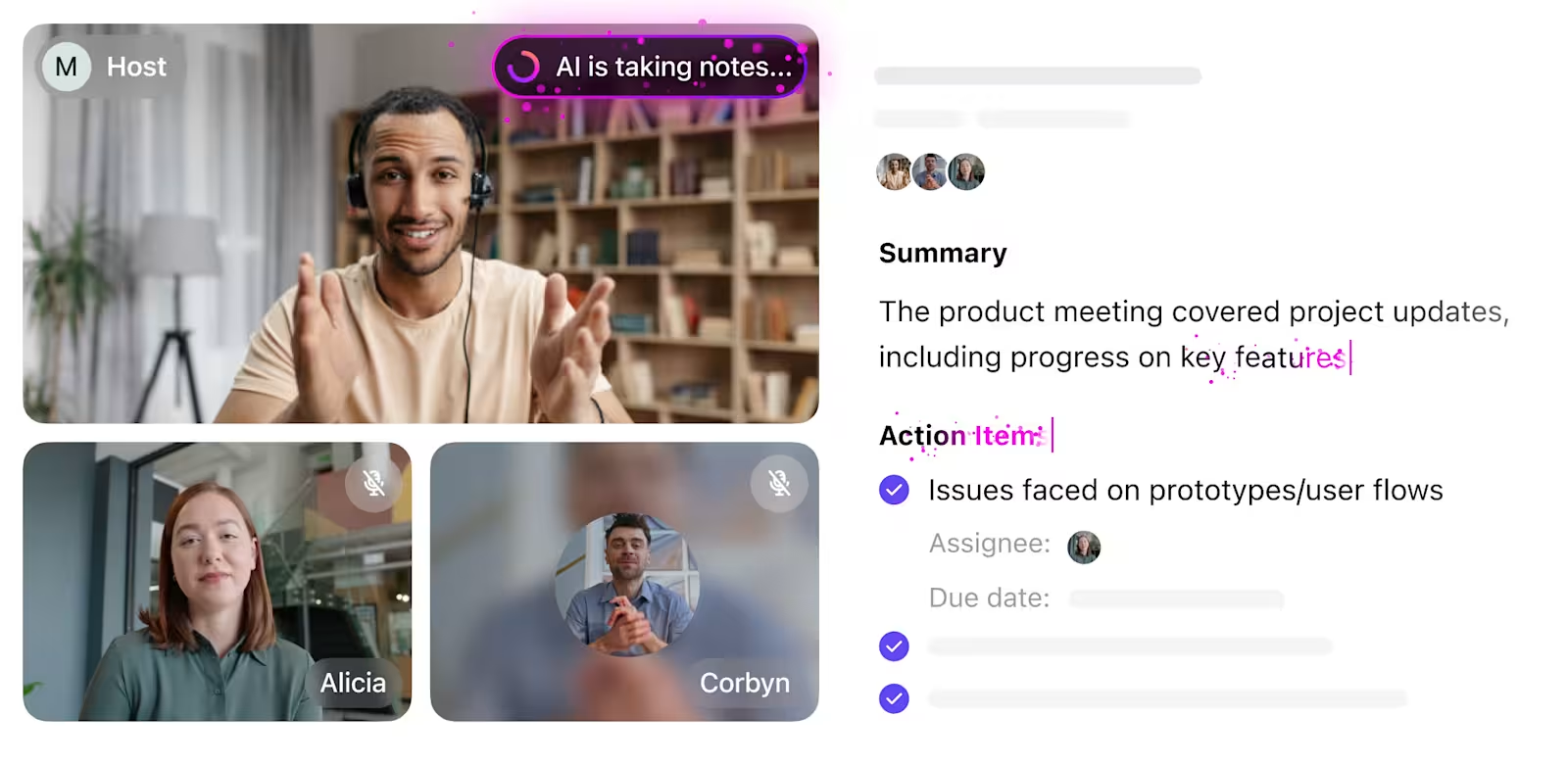
Meetings are not complete without my handy ClickUp AI Notetaker. It generates a perfect transcription (and audio recording) of my meeting, summarizes it into succinct points, and best of all, helps me convert action items discussed into tasks that I can assign, set deadlines for, and get done!
Here’s how it works:
By automating the transcription process, AI Notetaker helps teams stay aligned and ensures that meeting outcomes are clearly documented and actionable.
ClickUp Meetings is my go-to tool for organizing the multiple aspects related to a video conference. From brainstorming discussion points before a meeting to streamlining async communication and creating a hassle-free video meeting experience using Zoom—ClickUp helps me at every step.
Let me give you a glimpse of how my team and I use ClickUp for our virtual sessions:
Before every meeting, we use ClickUp Docs (a collaborative virtual document) to document our intentions and goals. We list down the action items we’ll discuss during the meeting, who’ll take part, the timing of the meeting, and any other relevant information.
ClickUp Docs helps us:
When we don’t have the time to outline a meeting agenda from scratch, ClickUp’s Agenda Template comes in handy.
Bonus: Ready to take your meetings to the next level? Check out these Meeting Agenda Examples & Free Templates to get started!
ClickUp’s Agenda Template
The template offers a structured framework to note down the key elements—type of meeting, scope, location, meeting link, date, time, names of participants and their roles, and list of attendees.
ClickUp’s Agenda Template enables us to:
The best part? The template is fully customizable. We can add Custom Fields and Statuses as needed, tailoring them for any kind of meeting, whether it’s internal, with clients, investors, or something else entirely.
Thanks to ClickUp’s native integration with Zoom, I can start a Zoom meeting directly from a ClickUp Task.
When a meeting starts, a link to join automatically gets posted in the comments of the specific Task (from where I started the meeting), informing team members to hop in. As the meeting ends, ClickUp adds another comment on the task. The comment includes meeting details such as date and time, duration, attendees, etc. and also provides an optional link to the recording.

ClickUp’s native integration with Google Calendar enables my team and I to manage our meeting schedules better.
I can see my upcoming meetings and deadlines in one place. Any changes in my Google Calendar are immediately reflected on my ClickUp Tasks (and vice versa) so I can avoid scheduling conflicts and stay organized.
If a team member has a doubt regarding a project and I need to clarify something, I no longer need to jump into quick calls or meetings (unless absolutely necessary).
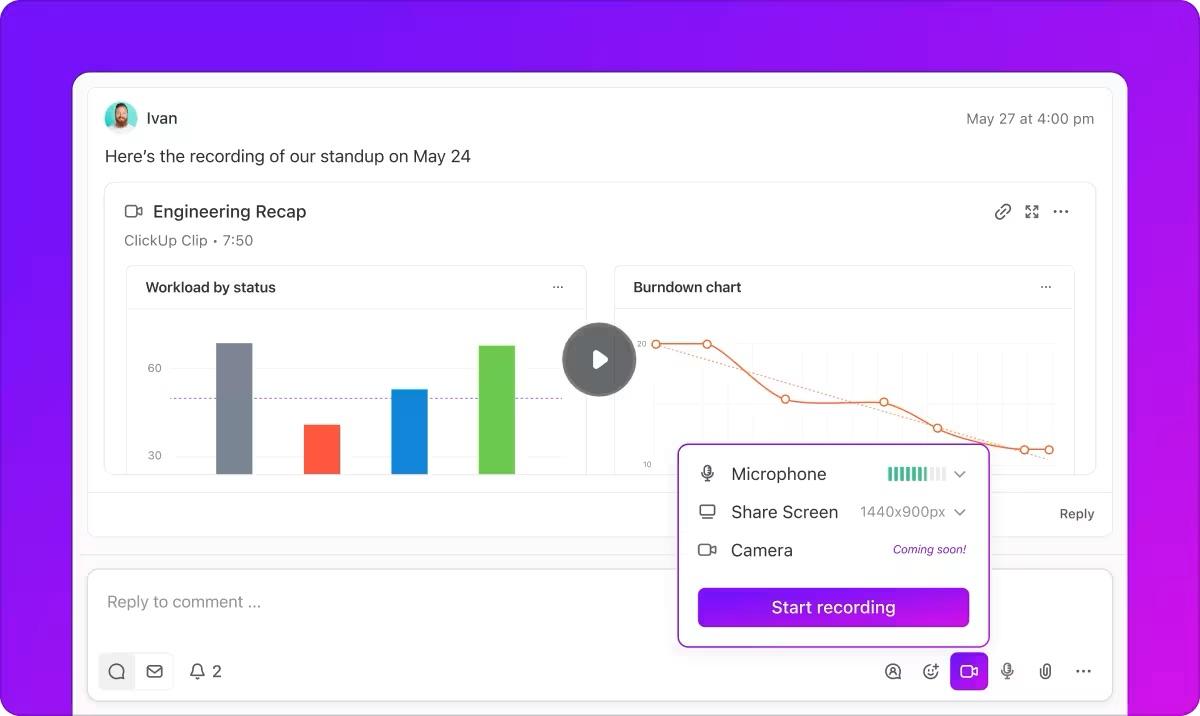
I use ClickUp Clips to record my screen along with an audio explaining or clarifying what I want to say. It’s fast, efficient, and eliminates short meetings that unnecessarily disrupt my schedule.

Also Read: Best AI Meeting Note Taker Tools

Using Google Meet as an online meeting platform has been a great experience. I love the in-meeting collaboration features, such as raising my hand virtually to speak or ask questions without interrupting the current speaker. It simulates a real-life boardroom experience.
While hosting meetings, I can present slides and assign a co-host to participate in the presentation with me.
For brainstorming sessions, the tool allowed me to start a jam with Google Jamboard right within the meeting and collaborate on a virtual whiteboard. As a moderator, I could create breakout rooms during the meeting, select participants, and facilitate focused discussions in smaller groups.
Access to Google Meet features depends on your Google Workspace edition.
(Sourced from Capterra)
💡Pro Tip: Want to boost teamwork in your organization? Discover 10 key benefits of workplace collaboration along with expert examples to inspire your team!

Microsoft Teams is a reliable virtual meeting tool, especially for those who are immersed into the Microsoft ecosystem.
While testing the tool, I enjoyed how it makes creative collaborations a breeze. This is thanks to Microsoft Whiteboards, which lets you visually brainstorm and develop ideas together as you host meetings.
Another useful feature is instant workbook editing during meetings with Excel Live. It helps collaborate on spreadsheets and analyze data in real time.
When a team member speaks or presents, others can send quick reactions, such as thumbs-up or hand-clapping emojis, helping the speaker gauge others’ sentiments.

Zoom has been an in-house favorite among online meeting platforms for years. I like the multi-speaker view, which allows me to focus on those actively participating in the conversation. The color options and AI-assisted custom virtual backgrounds add a fun, personal touch that makes our meetings more enjoyable.
One feature that really stands out is the centralized view. I can easily access meeting recordings and use the AI Companion to quickly locate important details in meeting notes.
To make things more convenient, Zoom integrates seamlessly with Microsoft, Google, ClickUp, Salesforce, and HubSpot. You can likely connect any tool in your daily tech stack to Zoom, ensuring smooth and efficient virtual collaborations.
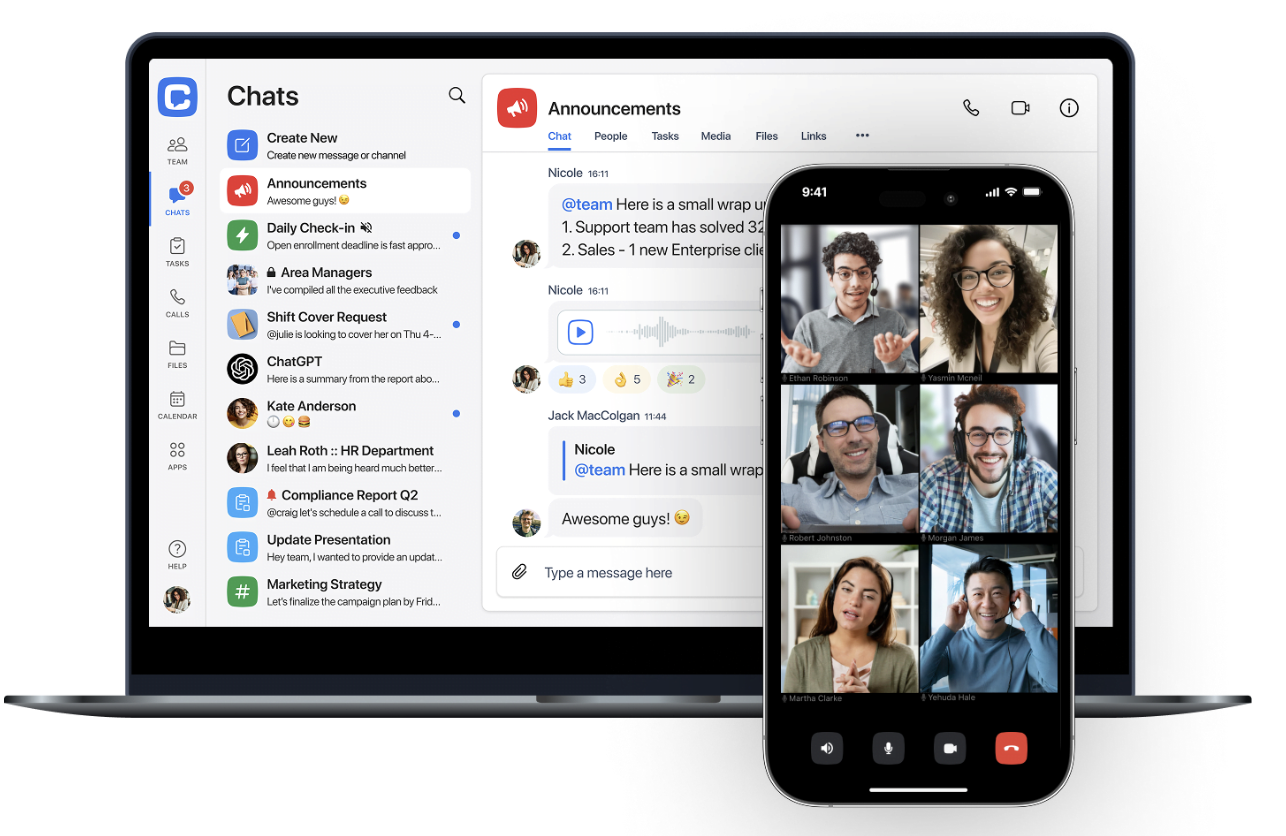
Chanty offers a virtual meeting tool built into a team collaboration platform. Apart from video calls, it combines chat, a task manager, and a built-in calendar.
Instead of using multiple tools, small teams can use a single workplace, such as Chanty, to plan virtual meetings, communicate, and manage tasks.
Chanty is great for remote and hybrid teams that seek seamless communication and virtual meeting features to keep everyone on the same page.
📮ClickUp Insight: 92% of workers use inconsistent methods to track action items, which results in missed decisions and delayed execution.
Whether you’re sending follow-up notes or using spreadsheets, the process is often scattered and inefficient. ClickUp’s Task Management Solution ensures seamless conversion of conversations into tasks—so your team can act fast and stay aligned.

Slack is great for async communication, but it also allows real-time video chat through its ‘Huddles’ feature. Huddles start as audio-only conversations, making it easy to jump into quick, informal discussions. If you need deeper collaboration, simply turn on the video and/or share your screen.
Slack’s Huddles are well-suited for impromptu, informal team interactions instead of formal meetings scheduled in advance on a calendar.
I also enjoyed the colorful backgrounds, which add a fun, cheerful vibe to meetings. Slack also streamlines document management. Any links, documents, and messages shared during a huddle are automatically saved once the session ends, so it’s simple to revisit and reference important details later.
Also Read: Top Asynchronous Communication Tools

Cisco Webex’s real-time translation feature, which supports 100+ languages, makes meetings much more inclusive for your multilingual team.
Another feature that stood out for me was the built-in noise removal technology. No matter how noisy the environment was, it didn’t interfere with the meeting. I could be at an airport or a bustling cafe, and my audio quality would remain clean and professional.

While trying GoTo Meeting, I was impressed by the tool’s ability to keep confidential meetings password-protected. The privacy controls are excellent—conversations remain private, and the Meeting Lock feature is particularly useful. It places guests in a waiting room until I’m ready to admit them, giving me full control over who joins the meeting.
I also loved the flexibility of using the fully functional mobile app to join and conduct team meetings on the go. Even better, you can easily join the meetings without downloading the GoTo app.
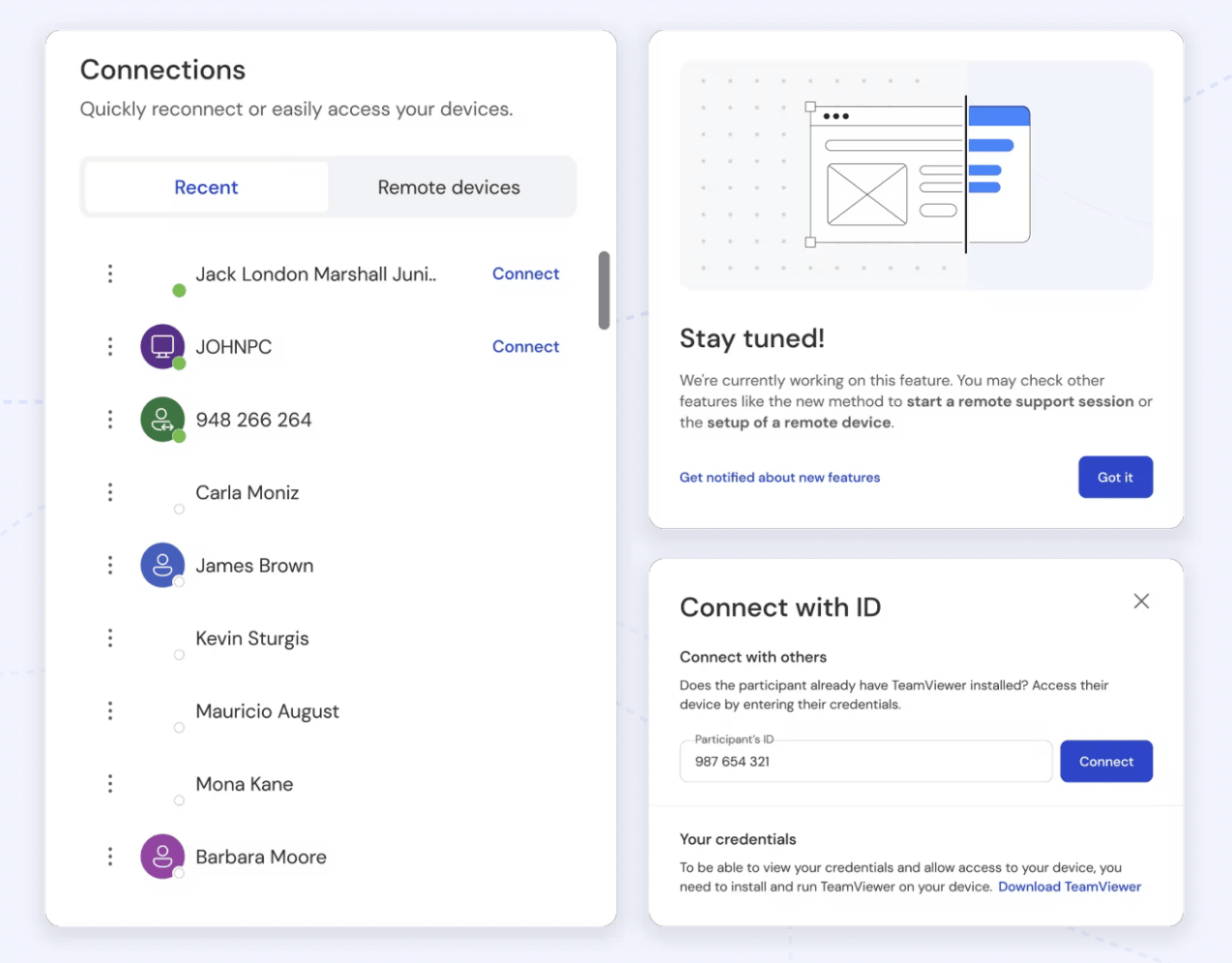
TeamViewer Remote is a virtual meeting platform that lets you troubleshoot technical glitches remotely. With secure remote access, your IT team or a trusted coworker can address and resolve system errors and software queries without being on-site. Thanks to the smooth experience it offers, you can minimize downtime and get back to work quickly.
TeamViewer also has a video conferencing tool under its radar: TeamViewer Meeting. While the remote access feature is a great addition to the workflow, I didn’t find the meeting feature to be as powerful.
(Sourced from G2)
Also Read: How to Improve Your Team Management Skills
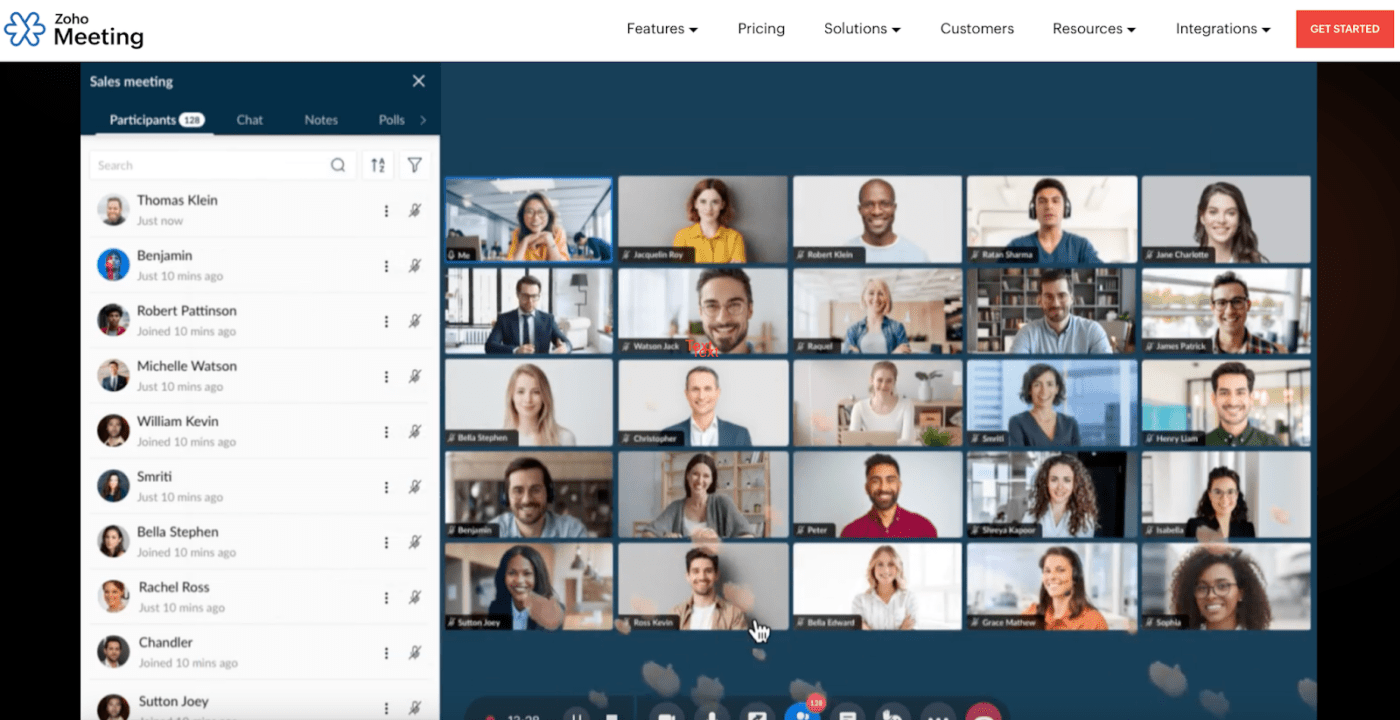
I’ve tried Zoho Meeting to manage multiple teams across different departments, and it was quite effective.
The tool allowed me to host secure web conferencing sessions easily. I could effortlessly add members to their respective departments, assign specific roles, and schedule meetings exclusive to each department.
Apart from capturing, replaying, and sharing virtual meeting recordings, I could download the meetings for offline use. I found this feature convenient for reviewing discussions later or sharing with team members who couldn’t attend the live session.
Virtual meeting software is a cornerstone of communication and collaboration for hybrid and remote teams like ours. We rely heavily on virtual meeting platforms for live meetings, file sharing, and project updates, keeping everyone aligned no matter where they’re working from.
I’ve tested plenty of these tools. While most help teams connect more smoothly, only a few offer a complete package. I’m not just talking about the meetings but everything in between—prep, follow-ups, and beyond.
That’s where ClickUp really shines. It simplifies the entire meeting process—helping me craft detailed agendas, integrate smoothly with my favorite video tool, and easily capture and summarize meeting minutes.
Plus, ClickUp automates recurring meetings and lets me turn notes into action items with just a click, keeping my workflow organized and our team productive.

Manasi Nair
Max 29min read
Manasi Nair
Max 14min read
Manasi Nair
Max 9min read

© 2026 ClickUp