Sorry, there were no results found for “”
Sorry, there were no results found for “”
Sorry, there were no results found for “”
Our lives are quite fast-paced nowadays, with multiple distractions. Staying focused on the important things has become a challenge, and productivity often suffers from procrastination.
A digital time management system is necessary in today’s world, as managing our schedule with manual lists involves a lot of effort and error margin. Even then, it is shocking that only 18% of people have a time management system.
This can be remedied by introducing AI for time management.
Artificial intelligence tools and platforms can help with effective time and task management through task automation, AI-augmented workflows, real-time analysis, personalized reminders, and integration with productivity tools. Let’s look at how.
Time management involves organizing your own time effectively for maximum productivity; AI tools can help you optimize your time better. To get the most out of your day, you need to align your goals and priorities with your working hours.
AI can automate repetitive steps and identify the most efficient order for tasks, significantly reducing completion time. Whether it is chatbots, facial recognition, automated scheduling, or predictive task sequencing—you can use all of these features to reduce the amount of time needed to accomplish work and maximize productivity.
Here are some of the broader benefits of AI for time management:
AI features offers extensive possibilities for time management, and can be overwhelming when you don’t know where to start. Let’s break it down with some of the key use cases where AI can help you with better time management.
The scheduling workflow can be complicated, with multiple time management apps and task management tools involved. AI time management tools can simplify this process by centralizing the entire scheduling process under one roof with features that can enable the following:
An automated time management platform with smart capabilities to handle complex scheduling can do all this and more. ClickUp Time Management is the perfect solution in this scenario, with capabilities such as time tracking and automated scheduling in multiple views like Calendar, Gantt, Timeline, and Workload.
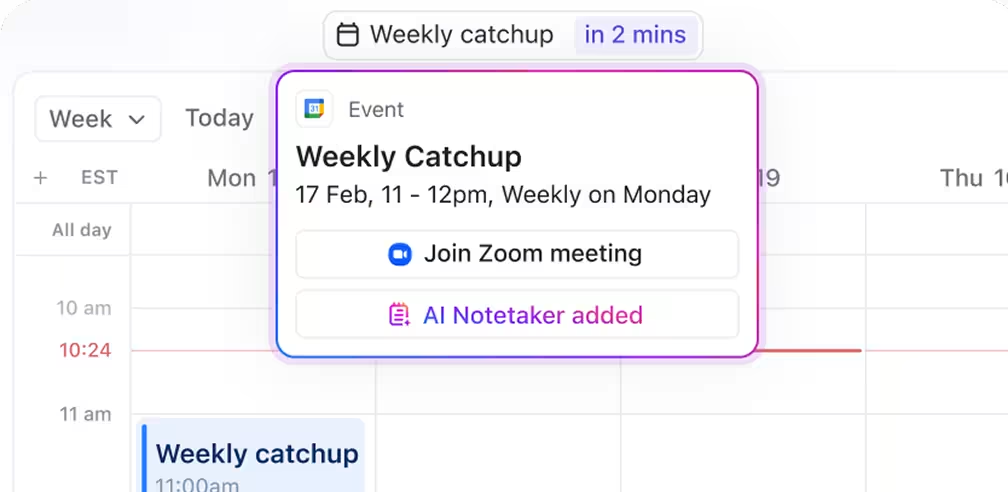
ClickUp Calendar uses AI to help you plan, schedule, and manage your time more efficiently. It can suggest optimal meeting times, automate scheduling, and provide smart reminders to keep you on track.
ClickUp AI Notetaker automatically captures, transcribes, and summarizes your meetings, so you can stay focused, never miss important details, and manage your time better.
An AI-powered platform can automatically categorize, tag, and prioritize emails to save manual effort. It also automates data entry from emails and sets reminders for tasks, thereby reducing errors. You can also use AI software to write emails based on prompts so you can communicate more effectively in less time.
The Email ClickApp enables the use of AI to compose and manage emails. It connects your email with ClickUp so that you can generate new emails, reply to existing emails, manage multiple email accounts, create email signatures, send emails from within ClickUp Tasks, and set custom email permissions.
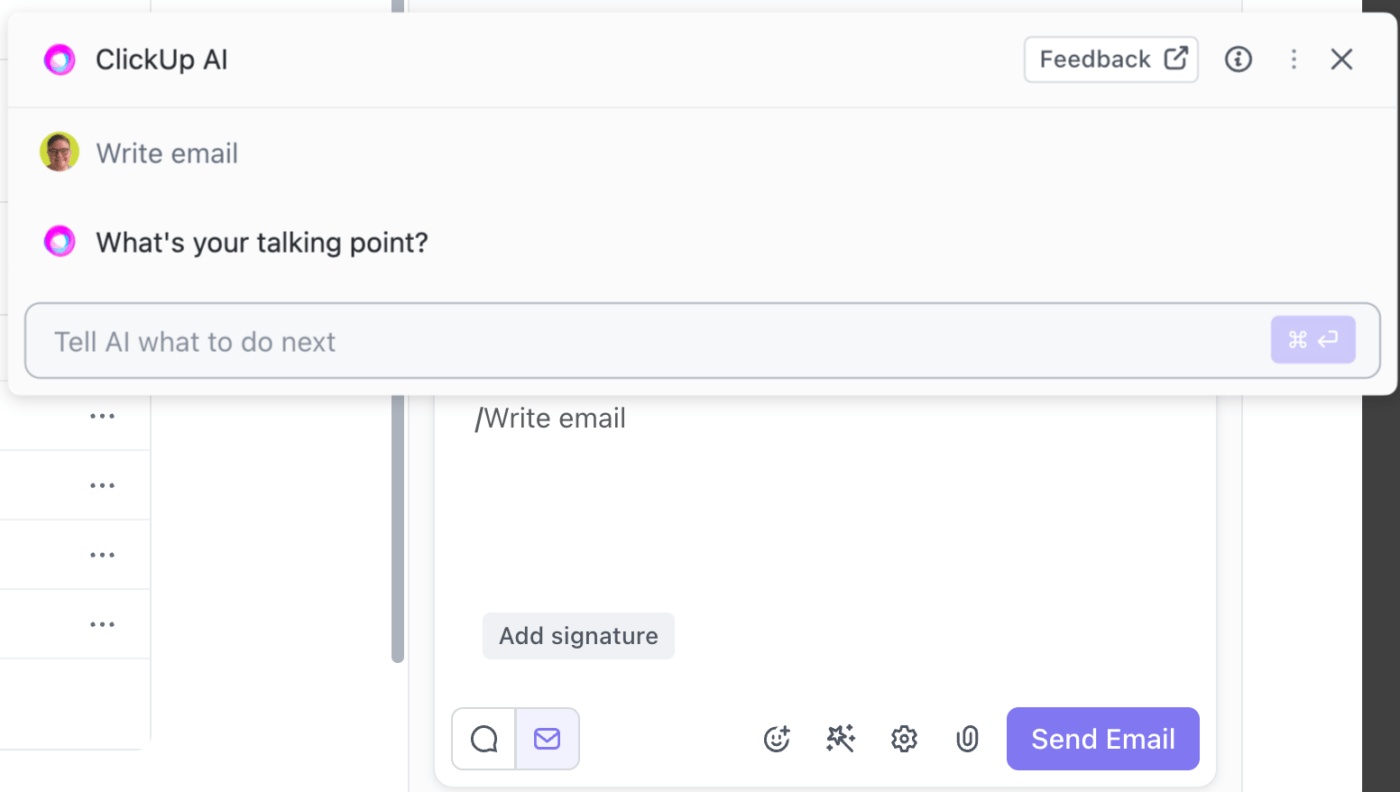
This optimizes email activities and reduces the time involved in related tasks, giving way to better time management.
Pro-Tip: Use ClickUp Brain, ClickUp’s AI feature, to write or polish emails in a few seconds!
Task management and planning generally involves long to-do lists with tasks, statuses, deadlines, and resources. Thankfully, you can now give your to-do list a makeover with AI productivity tools that can:
With ClickUp Tasks, you can assign specific start dates and deadlines to every task, including subtasks and entire task lists. You can attach time estimates to each task, which helps with realistic scheduling and identifying potential bottlenecks so you can get focus work done. You can use the time-tracking feature to log and compare the actual time spent on individual tasks.
ClickUp Brain MAX is more than just an AI assistant—it’s a powerful tool for mastering time management. By combining voice-powered input, intelligent search, and seamless task creation, Brain MAX helps you organize your day, prioritize work, and stay focused. Here’s how Brain MAX can help you manage your time more effectively:
From ensuring resource availability to for task prioritization via a time management matrix, AI software can better plan your task lists without the scope for miscommunication and missed deadlines.
More importantly, you can customize task planning tools to factor in your schedule’s specific needs. This can be done easily with ready-made time management templates that guide you on how to use the AI software to plan and schedule tasks.
Pro Tip: Use ClickUp’s Time Management Schedule Template to plan and visualize tasks in a few steps by adding achievable goals and deadlines.
You can also collaborate with your team for collective success and plan tasks, analyze activities, track progress and review goals, all in one screen.
If you still end up missing deadlines despite being organized, tracking time may be the issue. AI tools provide time-tracking benefits by providing customized insights into how you’re spending your time.
For instance, you can:
By identifying patterns in your work habits, you can pinpoint where your time is being wasted and change your work strategy to manage it better.
Access control is another area where AI can be used for better time management. Biometric systems like facial and voice recognition use AI to store and analyze an individual’s patterns and facial characteristics for granting or denying access to physical places or web pages.
Biometric AI is extensively being adopted by organizations to gate-keep confidential sites and areas. It cuts down the time spent on maintaining manual logs of people’s movements and accesses, and also eliminates the need for additional resources to guard an area.
AI systems can also raise alarms in case of access breaches so concerned people are notified of any anomalies. Employees can use this system to log their time credentials in the workplace without needing additional access cards or IDs. This saves time and also enforces tighter security in the work environment.
You can optimize calendars and create smart schedules with the help of artificial intelligence. An AI calendar works wonders in maintaining the work schedules of a person, team, or department. All you need to do is integrate them with your calendar!
AI calendars can help with:
All of this contributes toward ensuring higher productivity and more efficient time management.
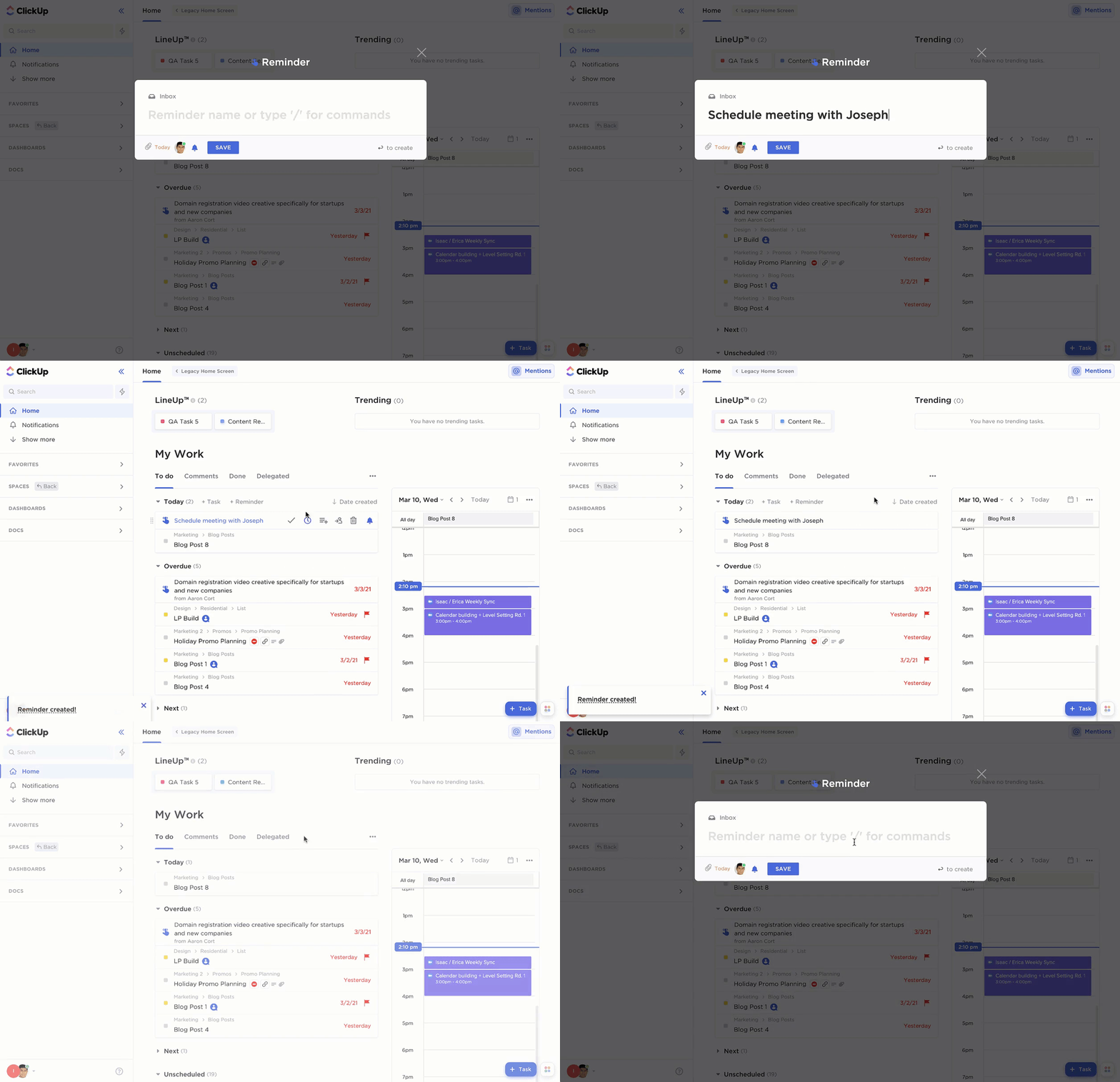
You can use AI tools to set up alerts and personalized reminders for tasks and due dates. This ensures you don’t procrastinate with an impending deadline and always remain on top of things at work and in life.
AI calendars also automate alerts based on your Google Calendar, email content, and chat history. For instance, an AI-powered calendar app sends you reminders for birthdays, due dates, or before a meeting is about to start. You can also set trigger events in your calendar apps to generate personalized alerts and save time by not having to set them manually.
Personalized alerts help organize your life better, so whether you need a reminder for an upcoming flight or a follow-up task, AI integration is the way to go. ClickUp Reminders can help you out here!
Your AI-powered time management assistant can recommend tasks based on your schedule, timeline, and context. For instance, if you’re at home, AI can recommend tasks focused on your personal goals, like meditation. Similarly, if the context is professional, AI can recommend tasks like creating a design outline for a new project.
Tasks are allocated based on your previous routines and goals. AI takes into account the time and the schedule for the day. It also considers how much time each task needs and plans them accordingly.
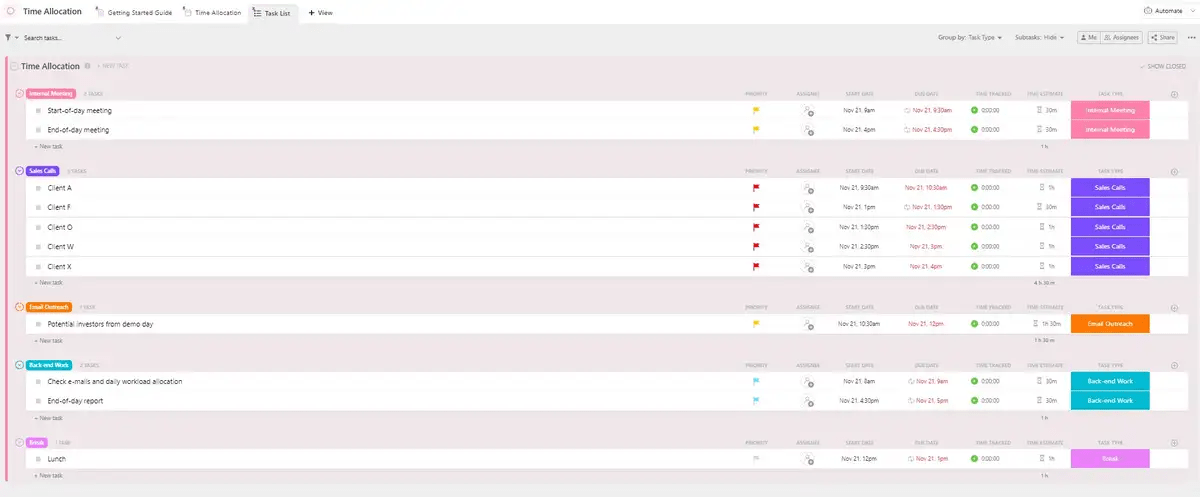
Time allocation is beneficial for effective scheduling, as contextual recommendations can streamline workflows and help you make the most of your day. By using predefined time allocation templates, you can ensure your task recommendations are customized to your schedule.
ClickUp Time Allocation is a ready-to-use template that helps you track and manage tasks based on timelines and resource availability. You can use this template to visualize and track each activity, meet deadlines without rushing, and reduce stress by preplanning the workflow. This can be done through custom fields, views, statuses, and other efficient project management features.
The power of AI is unparalleled in the field of predictive analytics. Time management is an area where this creates a huge advantage. Using historical data and predictive patterns, AI can forecast upcoming workloads and anticipate bottlenecks of scheduling conflicts.
It can analyze future time demands to organize your present schedule. For instance, if you have a history of high workload in the month of August, AI will ensure your June and July schedule take that factor into account and that no tasks overflow into your busy time.
This can be done by distributing tasks smartly and factoring in additional assistance when needed.
Time management works best when everyone can coordinate to benefit from it. Artificial intelligence can ensure this through collaborative time management. This covers:
Overall, there are several more AI use cases for time management, which are developing as you read this. With advancements in AI technology, you can upgrade your time management skills and goal-setting processes to create more space for deep work.
Let’s zoom out and look at the broader pros and cons of AI time management tools.
The advantages of using AI for time management are far greater than the drawbacks. Here are some of them:
The possible drawbacks of embracing AI in time management activities are:
With AI, you can work smarter, not harder. AI-powered productivity tools can streamline all your processes and workflows to sync with your daily plans. From content writing to project management, you can optimize every task to improve productivity and reduce time.
In fact, AI time management apps can improve all aspects of your personal and professional life using automation and integrating them with your existing business setup.
One of the best AI tools in the market is ClickUp Brain. It is an AI-powered project management feature from ClickUp that offers you full control over your timetable. You can complete tasks on your to-do list and automate project activities for instant results.
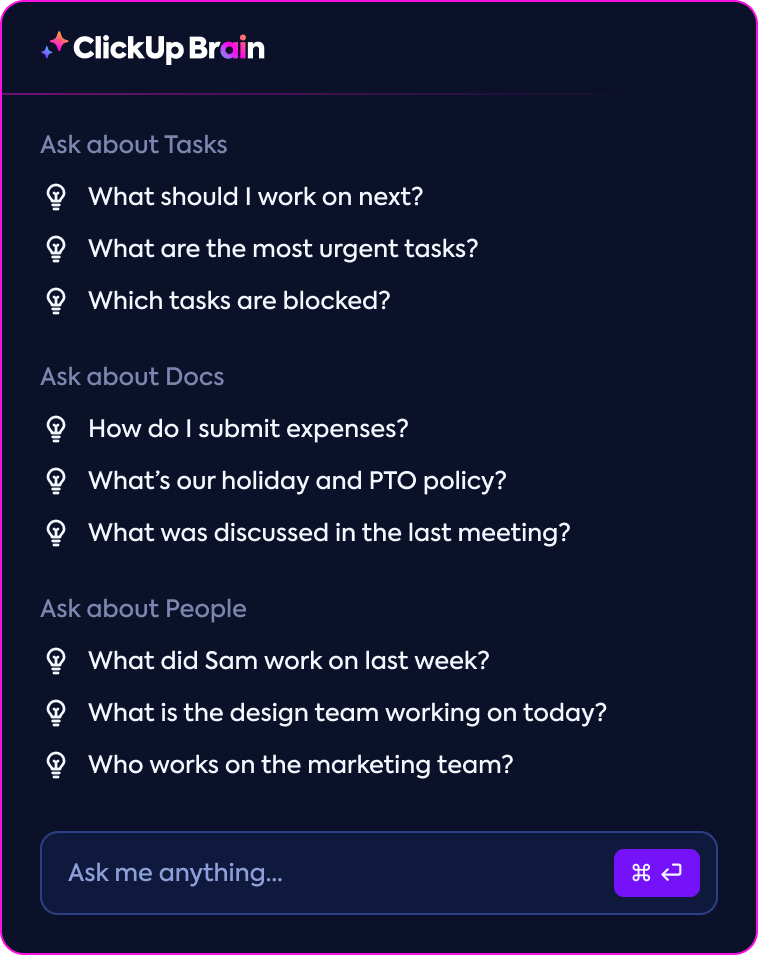
ClickUp’s AI capabilities enable you to:
And that’s not all. Beyond its AI capabilities, ClickUp has other features that can be used for effective time tracking and management, including 100+ prebuilt prompts and templates.
For instance, ClickUp’s Time Analysis Template enables smart time tracking by evaluating idle time during work hours, identifying its causes, and taking measures to reduce them. Use this template to track how your team spends time on business activities and plan resources based on insights for improved productivity.
AI and time management go hand in hand in ensuring you make the most of your available time by using data-driven insights, automated workflows, and personalized alerts. You can integrate several aspects of AI into your scheduling activities with a smart time management platform to help you out.
Choose ClickUp for the best AI support in all time management activities, no matter which field you are in. Be it time tracking for developers or design planning for artists, we have your back!
Sign up on ClickUp and transform your time management with our AI-driven brain power!

Praburam Srinivasan
Max 10min read

Manasi Nair
Max 22min read
Manasi Nair
Max 24min read

© 2026 ClickUp