






Still downloading templates?
There’s an easier way. Try a free AI Agent in ClickUp that actually does the work for you—set up in minutes, save hours every week.
Sorry, there were no results found for “”
Sorry, there were no results found for “”
Sorry, there were no results found for “”
Dev teams need more than a place to log bugs. As projects scale, the need for features such as automation rules, real-time collaboration, reporting, and visibility becomes increasingly important.
That’s why exploring Zoho BugTracker alternatives makes sense. Especially if your team is growing, juggling multiple releases, or adopting more mature engineering practices.
Research suggests that dev teams can keep change failure rates between 0% and 15%, a stability band tied to small, frequent releases and strong test automation.
So the right alternative doesn’t just replace where bugs are logged; it strengthens the entire development loop. In this guide, we give you a rundown of the best, tried-and-tested Zoho BugTracker alternatives.
Did you know? Analysts estimate that AI can increase software engineering productivity by 20–45% when it is integrated into daily workflows, from code generation to root-cause analysis.
Before we dive in, here’s a clean, side-by-side comparison so you can quickly scan the best use cases, key features, pricing, and ratings at a glance.
| Tool | Best for | Key features | Pricing* |
| ClickUp | Unified testing workflows with templates, automation, and 100% contextual AI Team size: Small startups to large enterprises | Bug & Issue Tracking Templates, Automations for routing/SLAs, Git Integrations for task-to-commit traceability, Dashboards for live defect metrics | Free forever plan; Custom plans for enterprises |
| Jira | Large agile teams that need deep workflows Team size: Small agile squads to large, multi-team enterprises | Scrum/Kanban boards, Custom issue types/fields, Automation rules, Links to GitHub/Bitbucket, Velocity, burndown, and cycle-time reports | Free; paid plans from $7.91/month per user |
| GitLab | Dev-first issue tracking with built-in CI/CD Team size: Mid-sized dev teams | Issues→MRs flow, CI/CD pipelines and environments, Code review rules/approvals, Security scanning, boards, and milestones | Custom pricing |
| Wrike | Cross-functional intake and stakeholder visibility Team size: Small project teams (2–15 users) | Request forms, Custom workflows/statuses, Automations for assignments/reminders, Dashboards for workload/blockers, Shareable views | Free; paid plans from $10 per month per user |
| monday dev | Visual planning and stakeholder-friendly roadmaps Team size: Mid-sized product and engineering teams | Boards for backlog/sprints/releases, Forms for cleaner intake, Automations for nudges/due dates, GitHub/Bitbucket integrations, Timelines and dashboards | Free; paid plans from $12/seat/month |
| GitHub Issues | Lightweight tracking inside your repo Team size: Large enterprises and global open-source communities | Issue templates/labels, Projects boards, Link issues to branches/PRs, GitHub Actions automation, Inline code discussions | Free; paid plans from $4/month per user |
| BugHerd | Visual website QA and client feedback Team size: Freelancers and mid-sized web or agency teams | On-page annotations with screenshots, Auto-captured browser/OS details, Kanban routing, Client-friendly widget, Export/sync to trackers | Paid plans from $50/month per user |
| MantisBT | Open-source teams wanting simple, reliable tracking Team size: Small in-house dev/QA teams that prefer open-source, self-hosted bug tracking | Simple issue forms, Custom fields, Role-based permissions, Email notifications/watchers, Plugin ecosystem, Self-hosted control | Free |
| Bugzilla | Enterprise-proven open-source control Team size: Medium to large engineering teams | Custom fields/components/flags, Powerful queries and saved searches, Detailed permissions, Dependency/duplicate tracking, Data export | Free |
| Roundup | Minimalist teams that want an email-friendly tracker Team size: Small internal teams and mid-sized technical teams | Email and web-form intake, Clear IDs and simple workflows, Roles/priorities, Change notifications, Python extensions, Self-host | Free |
Our editorial team follows a transparent, research-backed, and vendor-neutral process, so you can trust that our recommendations are based on real product value.
Here’s a detailed rundown of how we review software at ClickUp.
📚Also Read: How to use AI to automate tasks
The ideal Zoho BugTracker tool should make it easy to capture issues, keep context close to the code, and move work forward without constant copy-paste. Transparent pricing and security that fit your stack are especially non-negotiable.
Here’s a quick checklist that dev and QA teams actually use when picking their bug tracker tools. The ideal Zoho BugTracker alternative should do the following:
Here are the strongest options for cleaner triage, deeper Git links, and clearer pricing. We compare how each tool handles intake, security, and visibility so your team can track actions without extra clicks.
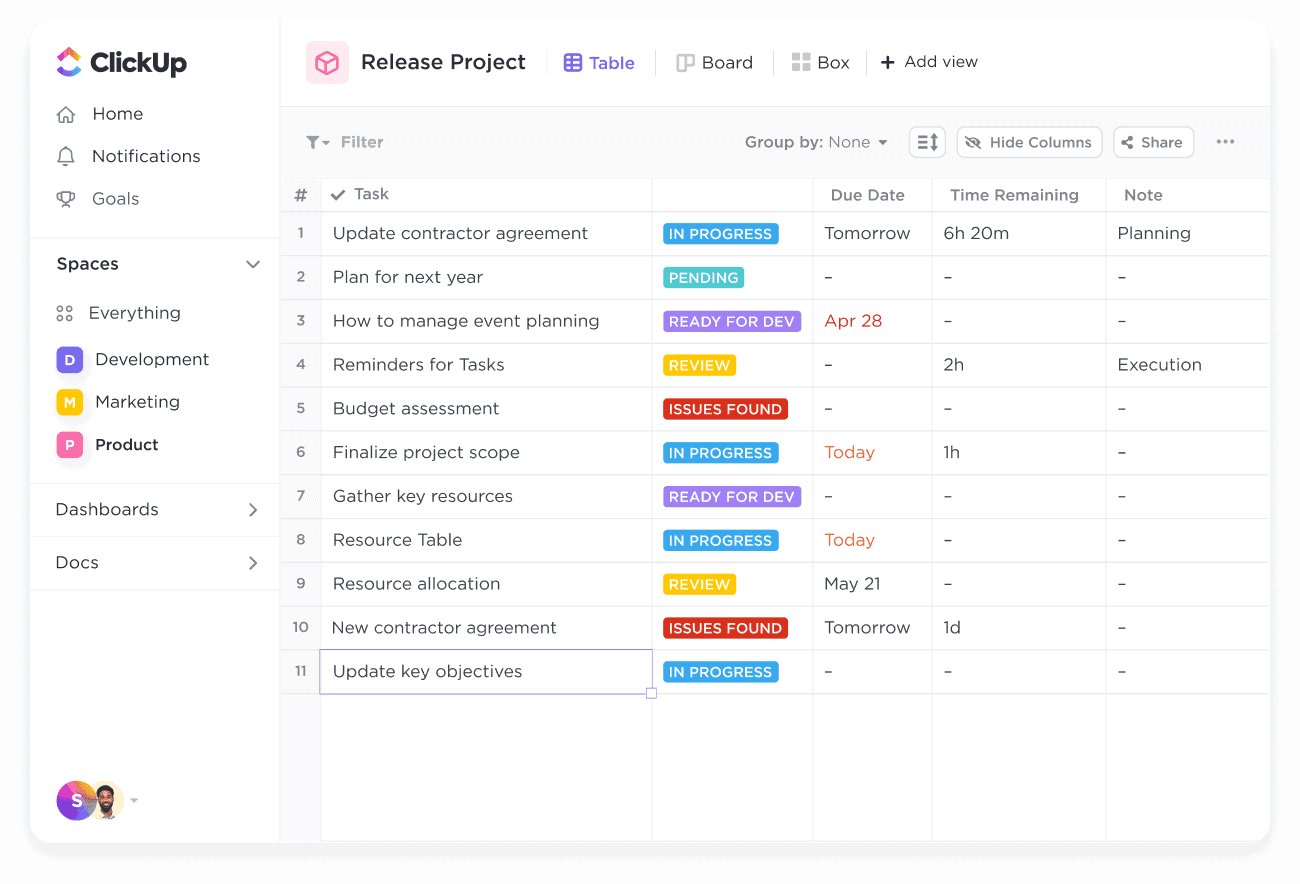
With Zoho BugTracker (or any basic tracker), work is often scattered: the bug starts in a web form, repro steps sit in a doc, logs arrive by email, PR links live in the repo, and someone tracks due dates in a separate spreadsheet. That’s work sprawl, and it slows every handoff.
Then comes AI sprawl. One bot drafts notes, another summarizes threads, and a third lives in chat. None of them know your status flows or SLAs (Service Level Agreements), so you end up with missed updates and a lot of retyping.
Security can add friction, too. A user submits a bug, gets blocked by a security service, and sees a “Cloudflare Ray ID” or similar missing context on the page. If that Ray ID never makes it into your tracker, the team has no context when they try to reproduce or tune false positives.
ClickUp for Software Teams solves this problem by bringing all your apps, data, and workflows into one workspace.
Customizable templates, docs, automations, Git integrations, dashboards, and ClickUp Brain sit next to each other, creating a workflow within a single system for your dev teams. You log the headers, request IDs, logs, user/session IDs, device/browser, release version etc. on the task, attach evidence once, and watch the issue move from report to release with fewer clicks and clearer ownership.
👀 Fun Fact: Elite engineering teams target a 0–15% change failure rate and fast recovery—key DORA metrics linked to stable, quick releases.
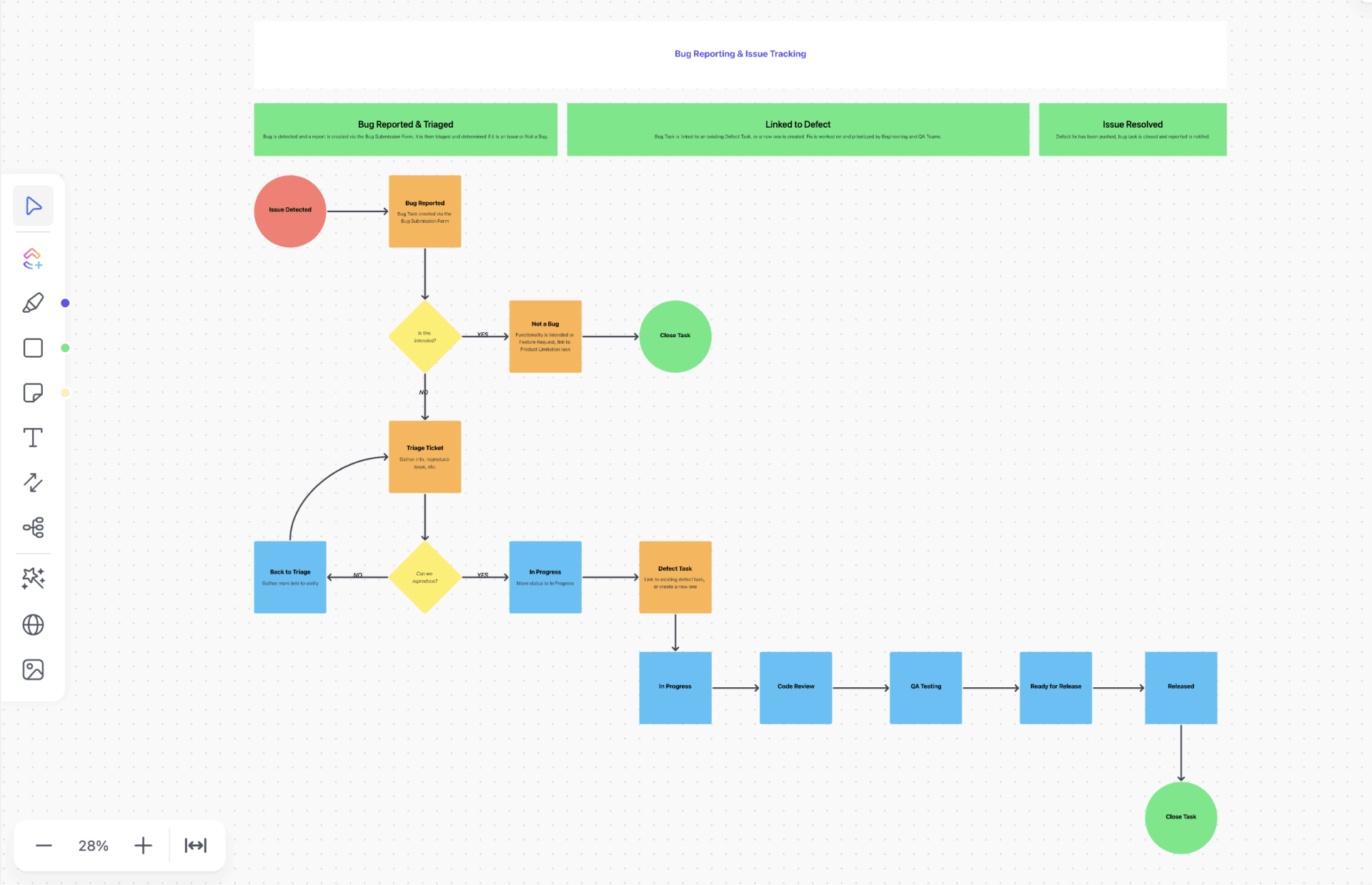
Standardize bug intake with the ClickUp Bug and Issue Tracking Template
Bug reports often come in from every direction: a blocked form on your website that shows a Cloudflare Ray ID, an email from support, a QA spreadsheet, or a DM with half-finished repro steps.
The ClickUp Bug and Issue Tracking Template gives you a single place to log and prioritize these bugs so support, engineering, and product teams can see who owns it and what needs to ship next.
Here’s a quick overview of how it can help:
💡 Pro Tip: Pair the ClickUp Bug Report Template with ClickUp Brain for cleaner repros.
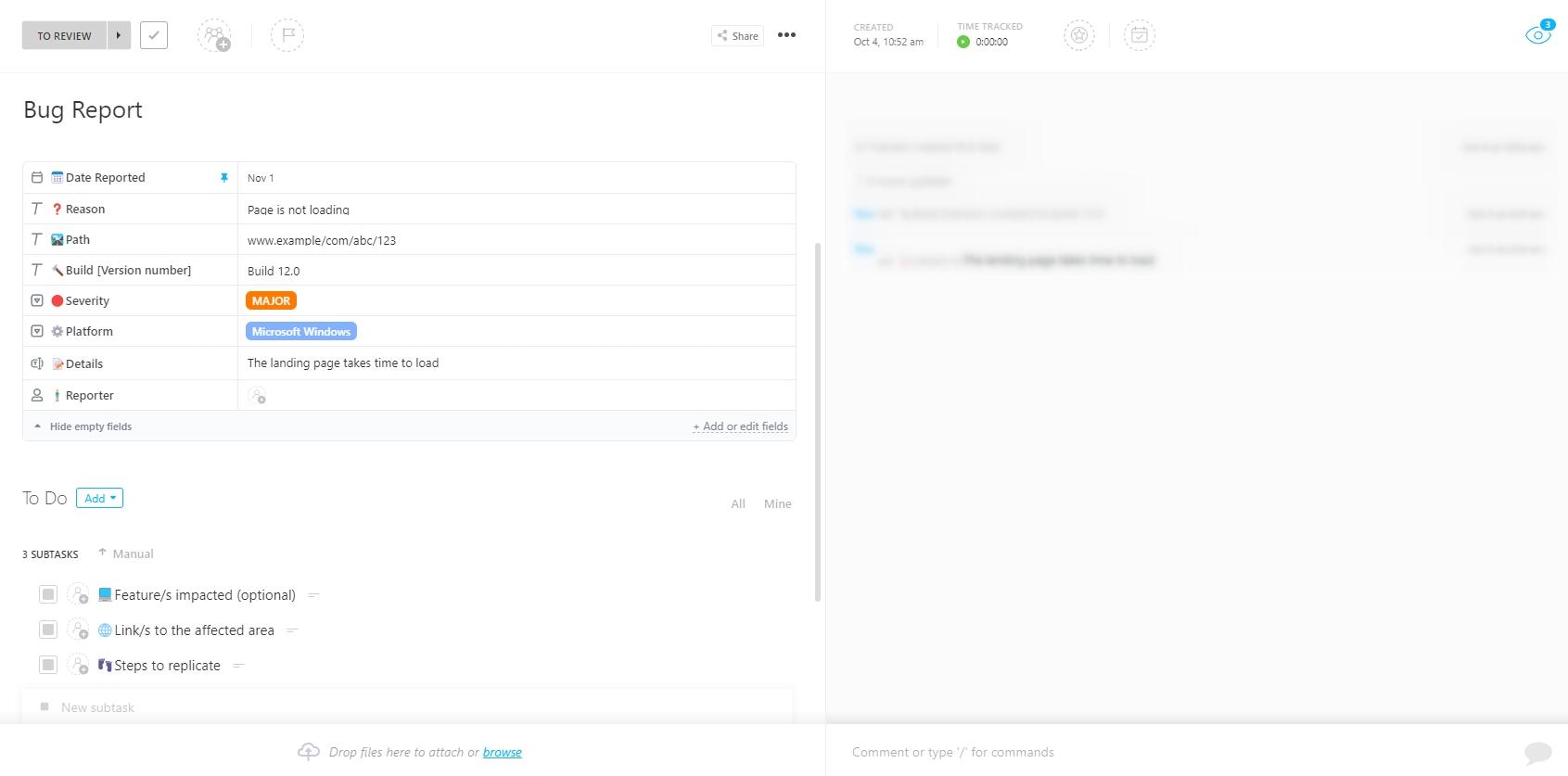
Once you’ve standardized intake with the Bug and Issue Tracking Template, you can use the ClickUp Bug Report Template to capture clean repro details in one task. It walks reporters through expected vs. actual behavior, environment, steps, logs, and attachments, and you can keep key fields required with quick checklists for browser and device.
From there, let ClickUp Brain handle the busywork.
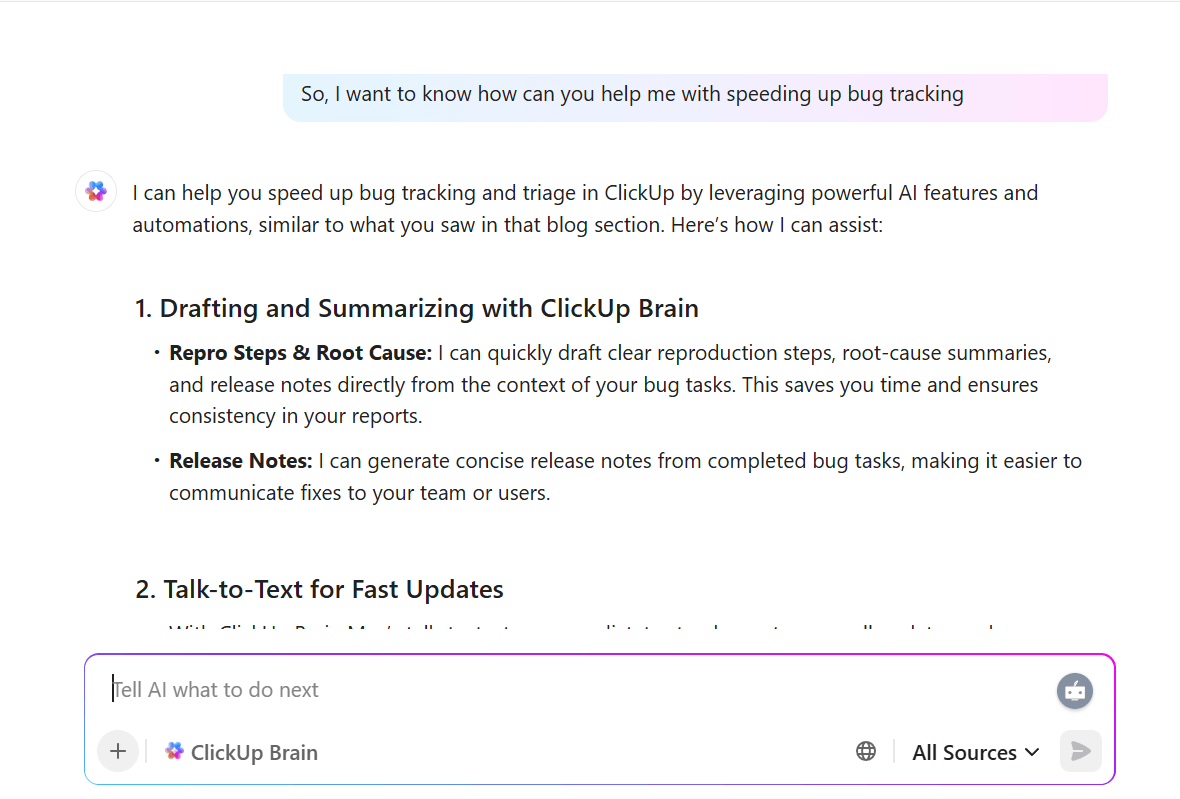
Paste rough notes or console snippets into the task and ask ClickUp Brain to write bug report drafts or turn a long comment into a follow-up task.
If a public report was blocked and includes a Cloudflare Ray ID on the page, you can log that ID in the task and use ClickUp Brain to pull in related tasks or docs that mention the same endpoint or business rules.
Automate routing and SLAs with ClickUp Automations
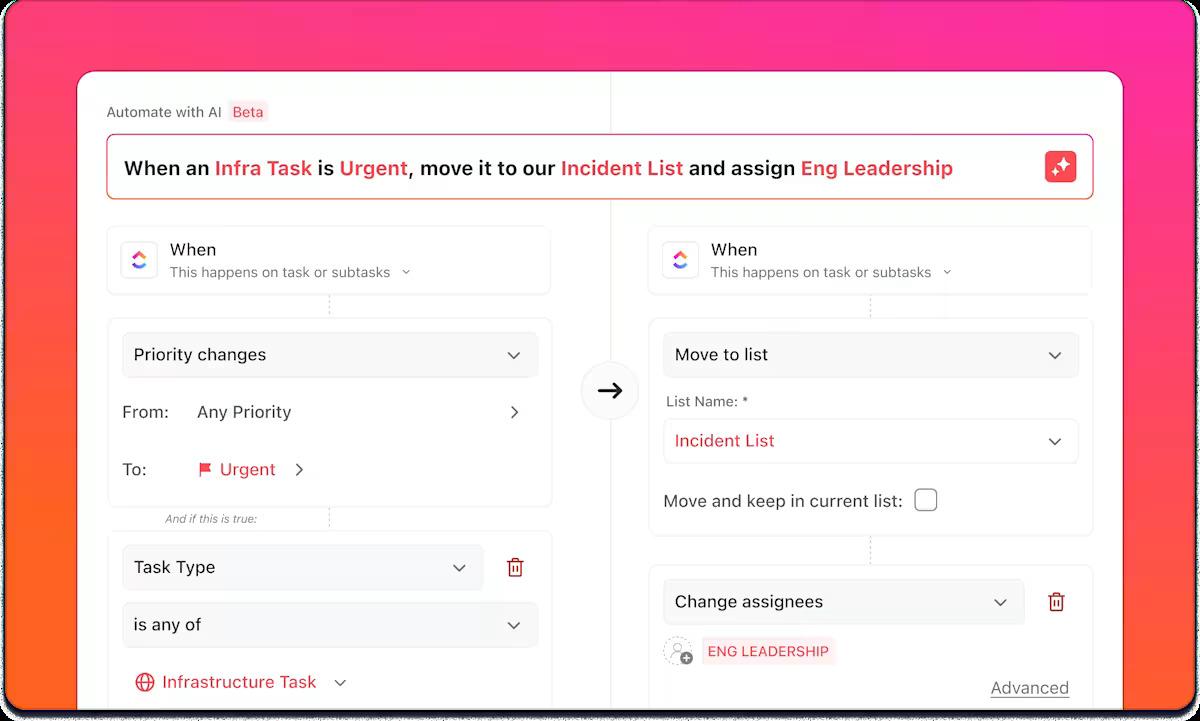
Once the report and evidence land in ClickUp, let ClickUp Automations carry the triage load. You can route new bugs based on severity, component, environment, or source; auto-assign owners; set due times; and add watchers so the right people see the issue without anyone playing traffic cop.
Build escalation rules that nudge assignees when tickets approach or breach SLA, notify leads for P0/P1 issues, or auto-promote a bug from “Needs Triage” to “In Progress” once required fields and attachments are present. When a PR opens, move the bug to In Review; when it merges, move it to Ready for Release.
Watch this quick walkthrough to see how ClickUp Automations turns triggers and conditions into hands-free triage, SLA nudges, and release alerts:
💡 Pro Tip: Set up ClickUp AI Agents to watch your bug lists so you don’t rely on manual checks.
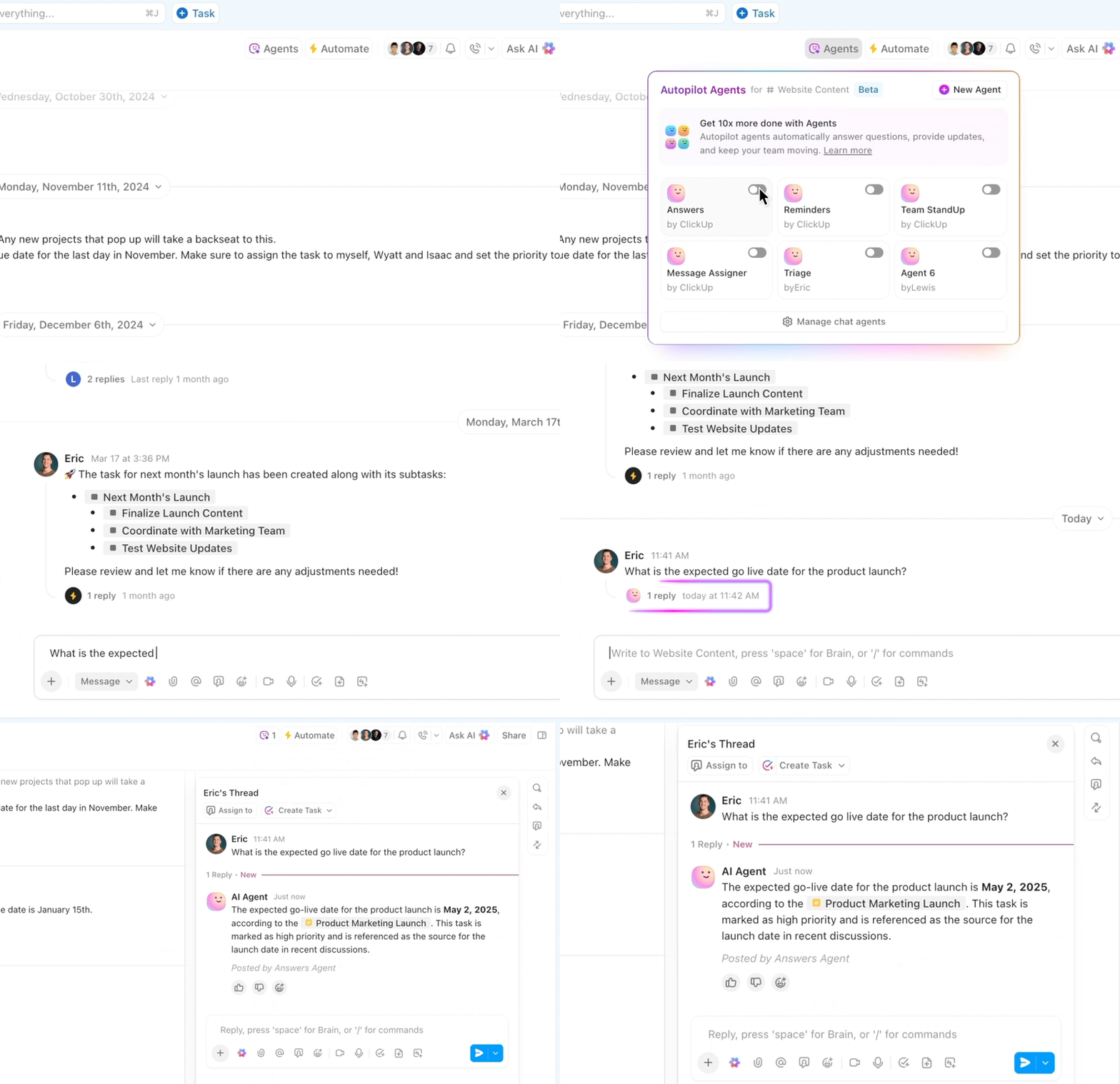
These AI Agents can react to triggers like “P0 bug created,” “status still In Progress after two hours,” or “PR merged,” then auto-assign owners, move statuses, or post updates into comments and chat.
You can start from the Engineer AI Agent pattern and tune it for triage, so routine follow-ups (asking for logs, confirming environment, and creating follow-up tasks) run in the background while humans focus on debugging and releases.
Trace code and releases with ClickUp Git Integrations (GitHub/Bitbucket)

Close the loop by attaching the code directly to the work. With ClickUp Git Integrations for GitHub and Bitbucket, adding a ClickUp task ID to a branch, commit, or pull request surfaces that activity right on the task.
As engineers open PRs, ClickUp can automatically move the bug to In Review; when the PR merges, it can shift to Ready for Release or Released.
You see the bug, the fix, and the ship status on a single screen instead of bouncing between your tracker and repo.
This feature also makes audits less painful. You can see who changed what, when, and why, along with checks that passed before deployment. If a public report was originally blocked by a security service, the Cloudflare Ray ID and associated notes stay attached to the same task, preserving the story from the first report to the final resolution.
From there, ClickUp Brain can generate release notes from the linked tasks, highlighting affected modules, root causes, and validation steps, so teams can avoid repeats and reopens.
💡 Pro Tip: Use ClickUp’s AI Cards to explain defect spikes at a glance.
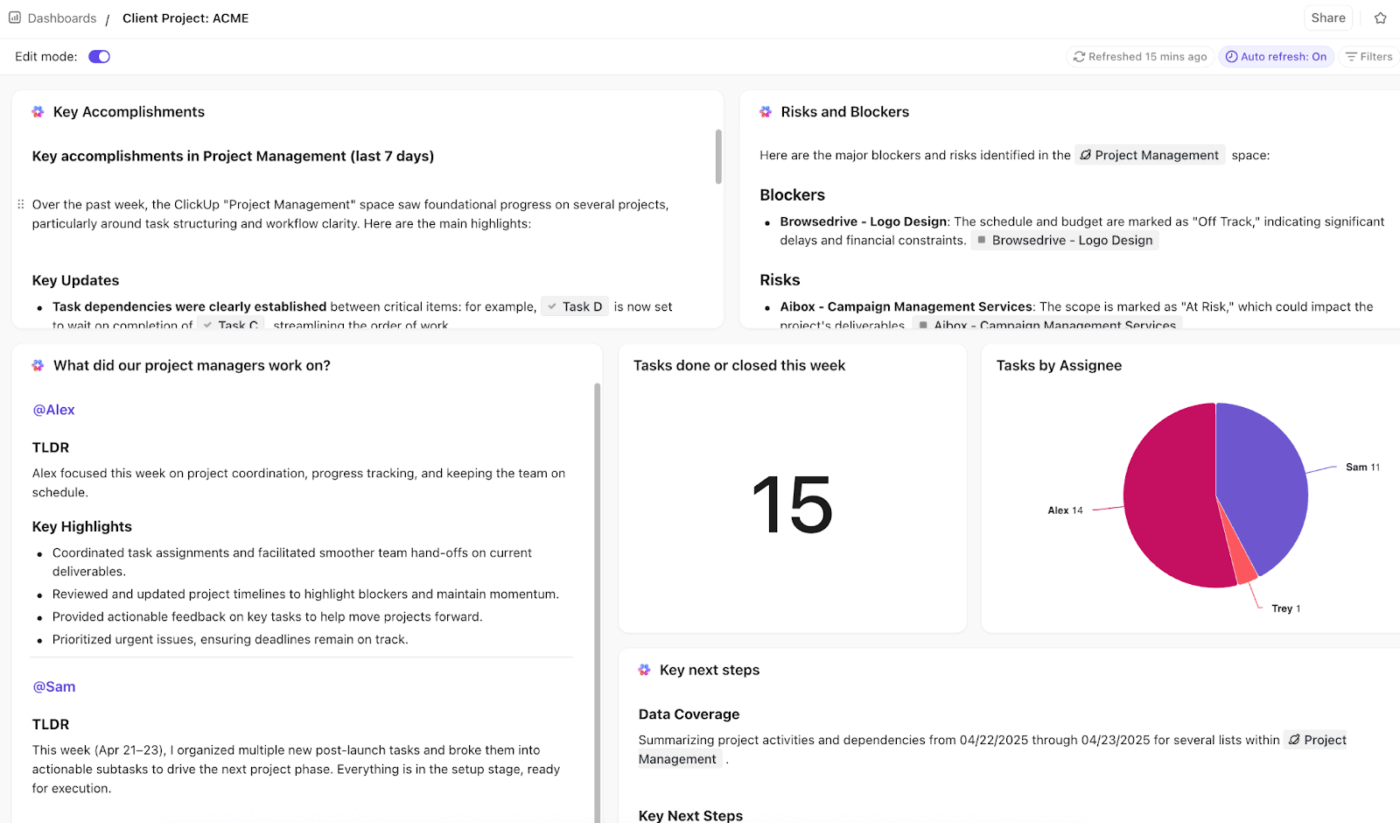
Add AI cards to your ClickUp Dashboards so ClickUp Brain can summarize what’s happening in your defect data instead of you slicing every chart. AI Cards can explain why open bugs climbed this week, which modules have rising reopen rates, or whether there’s a spike in blocked form submissions with a Cloudflare Ray ID attached.
The card sits above your widgets and gives a short narrative of what changed and where to look next. This can help your team convert raw bug metrics into a quick briefing for leads and QA managers.
A G2 review says:
This platform is extremely customizable, allowing me to handle tasks, documents, goals, and chat within a single workspace. The variety of views—such as list, board, calendar, and Gantt—adds flexibility to suit any workflow.
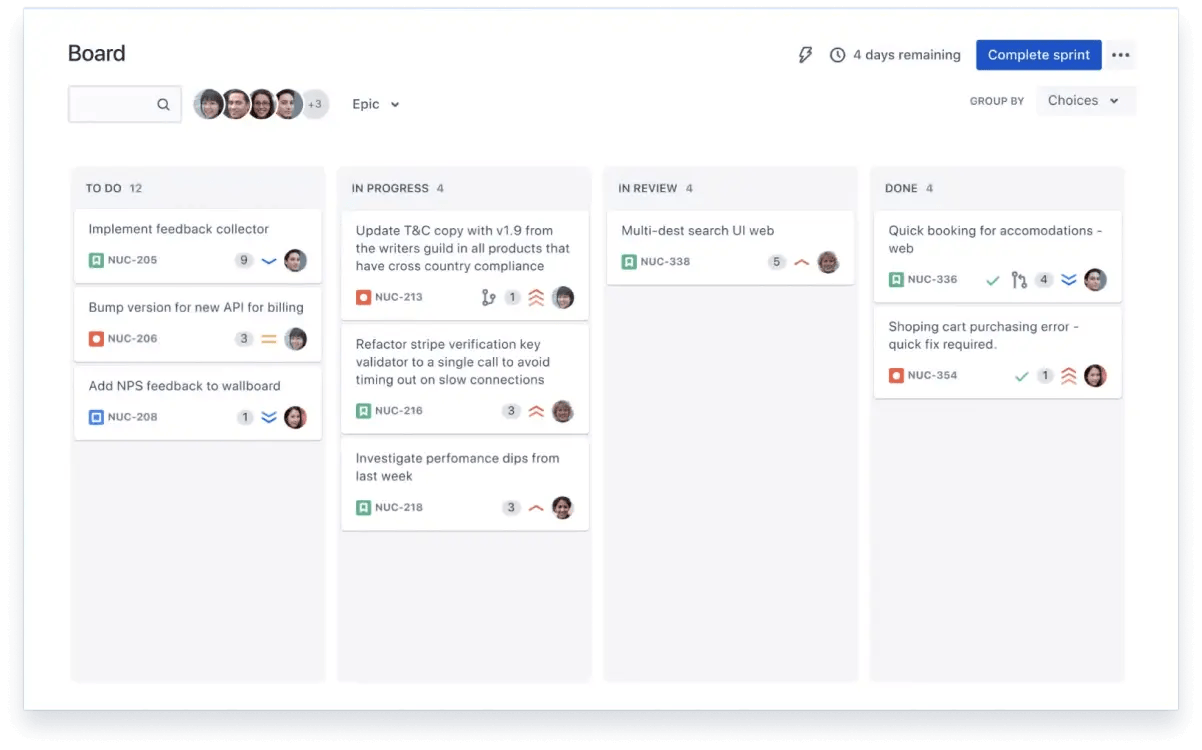
When squads scale across services and time zones, simple trackers start to bend. Jira gives software teams configurable workflows, Scrum and Kanban boards, and tight links to code so work stays visible from backlog to release.
Teams can standardize intake, map statuses to how they actually work, and automate the routine steps that slow a sprint. If your roadmap lives in epics and your delivery rhythm depends on boards and automation rules, Jira fits that model perfectly.
You can define custom issue types, set required fields, and guide handoffs with transitions that match your review gates.
Built-in automations reduce repetitive updates, and integrations span GitHub, Bitbucket, and CI/CD, so engineers don’t bounce between tools to track the next action.
A Capterra reviewer said:
The boards make it really easy to see what’s done and what still needs attention. Once you get used to it, it’s pretty satisfying to move tickets across the workflow
📮ClickUp Insight: Low-performing teams are 4 times more likely to juggle 15+ tools, while high-performing teams maintain efficiency by limiting their toolkit to 9 or fewer platforms. But how about using one platform?
As the world’s first Converged AI Workspace, ClickUp brings your tasks, projects, docs, wikis, chat, and calls under a single platform, complete with AI-powered workflows. Ready to work smarter? ClickUp works for every team, makes your work visible, and allows you to focus on what matters while AI handles the rest.
📚 Also Read: How to Use AI in DevOps
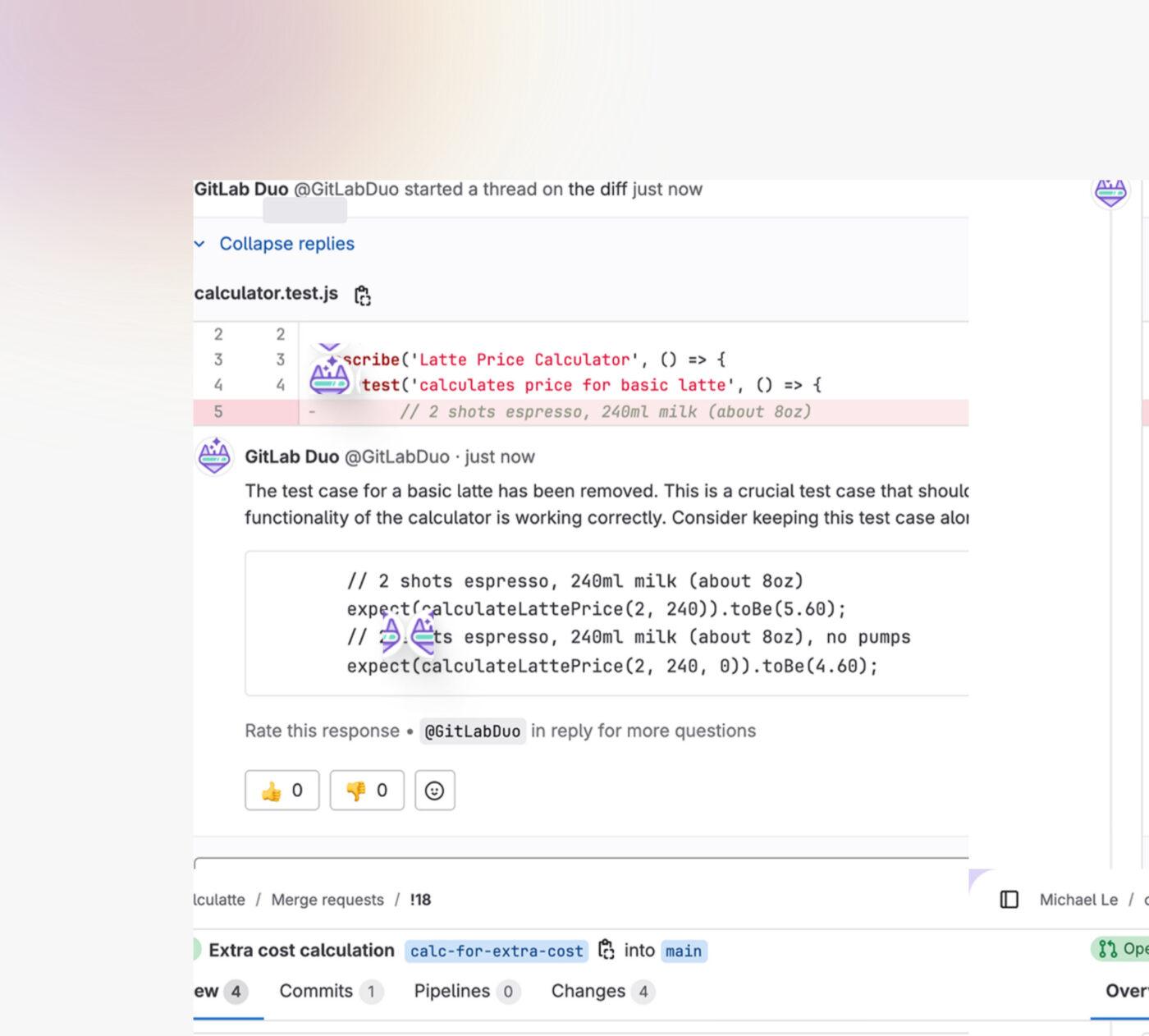
When codes and pipelines live together, handoffs feel lighter. GitLab gives you planning boards, issues, merge requests, and security scans in one platform.
You can plan the work, trace the fix, and ship from the same place. If you want a bug tracking tool that functions as a complete system where engineers spend most of their day, GitLab is a strong fit.
You can create an issue, open a branch, and link a merge request without leaving the project. Reviews stay close to context. Pipelines run with each commit, so test failures show up fast, and the next action is clear.
A G2 reviewer said:
GitLab is an all-in-one DevOps platform that brings everything—from code hosting and CI/CD pipelines to issue tracking and security—under one roof. The best part is its seamless CI/CD integration, which makes automating builds, tests, and deployments incredibly easy.
📚 Also Read: Best Developer productivity tools
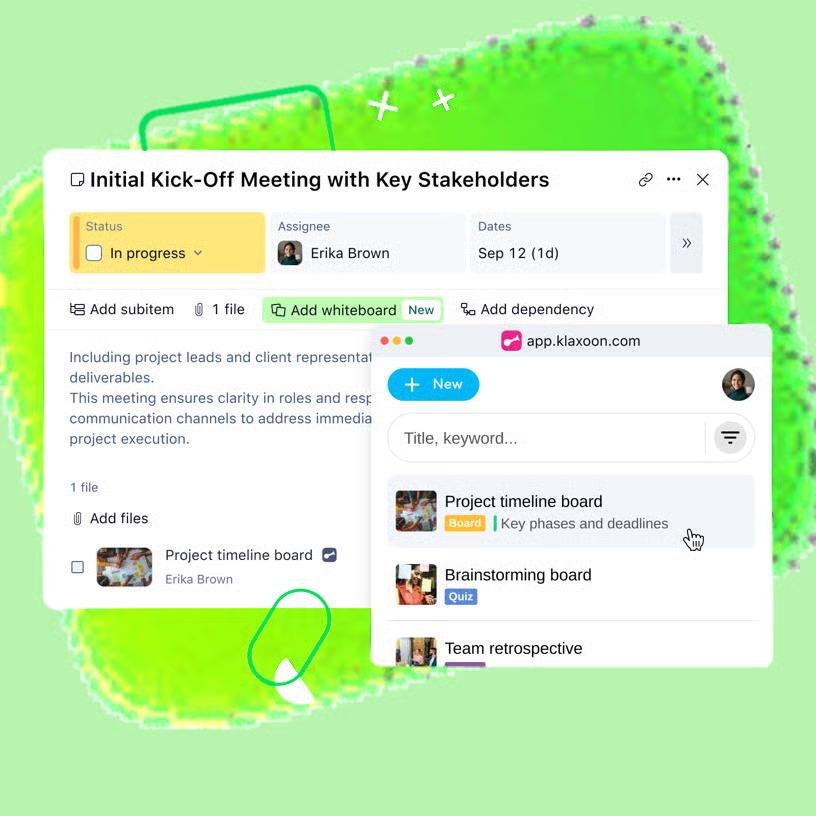
When bug intake comes from many places, customer forms, QA runs, and field notes, teams need a shared lane to keep priorities clear.
Wrike gives you request forms, custom workflows, and strong dashboards, so teams can stay aligned without endless status pings. You can route work by severity and surface owners and keep non-engineering stakeholders informed and on the same page. If you shift between multiple teams and external inputs, Wrike helps tame the noise.
Wrike’s forms capture the right details up front and kick off the next action automatically. Custom fields map to how your squads work, while automations keep handoffs moving. Finally, reports and dashboards make it obvious what’s blocked and what needs review.
A G2 reviewer said:
I appreciate Wrike because it allows us to customize our workflow and adjust it over time to create the ideal platform. Over time it feels like it we designed it ourselves.
📚 Also Read: We Tested the Best Wrike Alternatives & Competitors
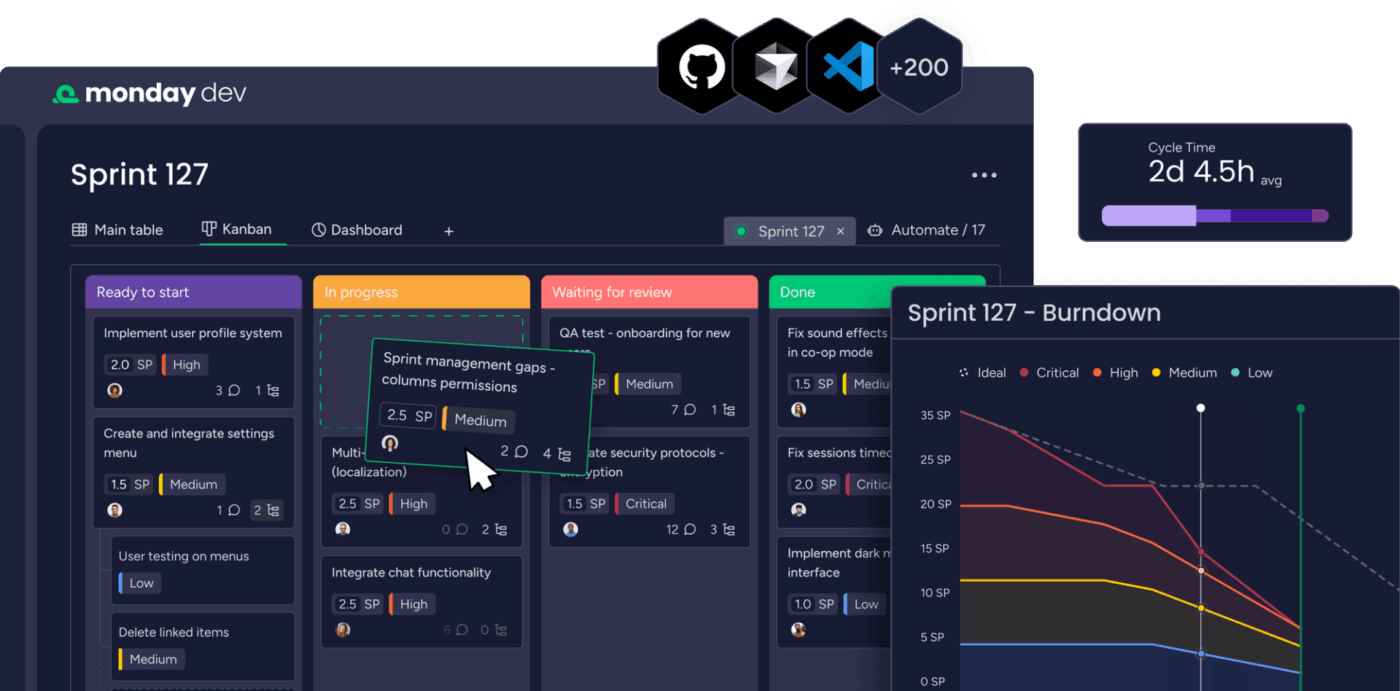
When product, design, and engineering need a shared picture, monday dev keeps the plan visual and simple. You map work on boards, switch views for each audience, and keep the status clear without heavy setup.
Stakeholders see what’s in progress, what’s blocked, and what ships next—no digging through tabs. If you want a clean, visual layer on top of your dev workflow, monday dev is an easy fit for cross-functional teams.
Where it helps most is alignment. Intake lands through forms, issues move across columns, and owners update status with a click. Automations handle routine nudges, so updates happen on time.
Integrations connect to GitHub or Bitbucket for code context, while dashboards show progress and workload in one place. It’s a calmer way to share the plan without long status emails.
A G2 reviewer said:
Before using monday we were using a kanban view and projects just never moved. Since switching to Monday – first the normal work management platform and then going to Dev workspace has increased productivity in leaps and bounds. Real time views of how projects are tracking and makes sprint planning so much easier.
📚 Also Read: Sprint Retrospective Examples for Agile Teams
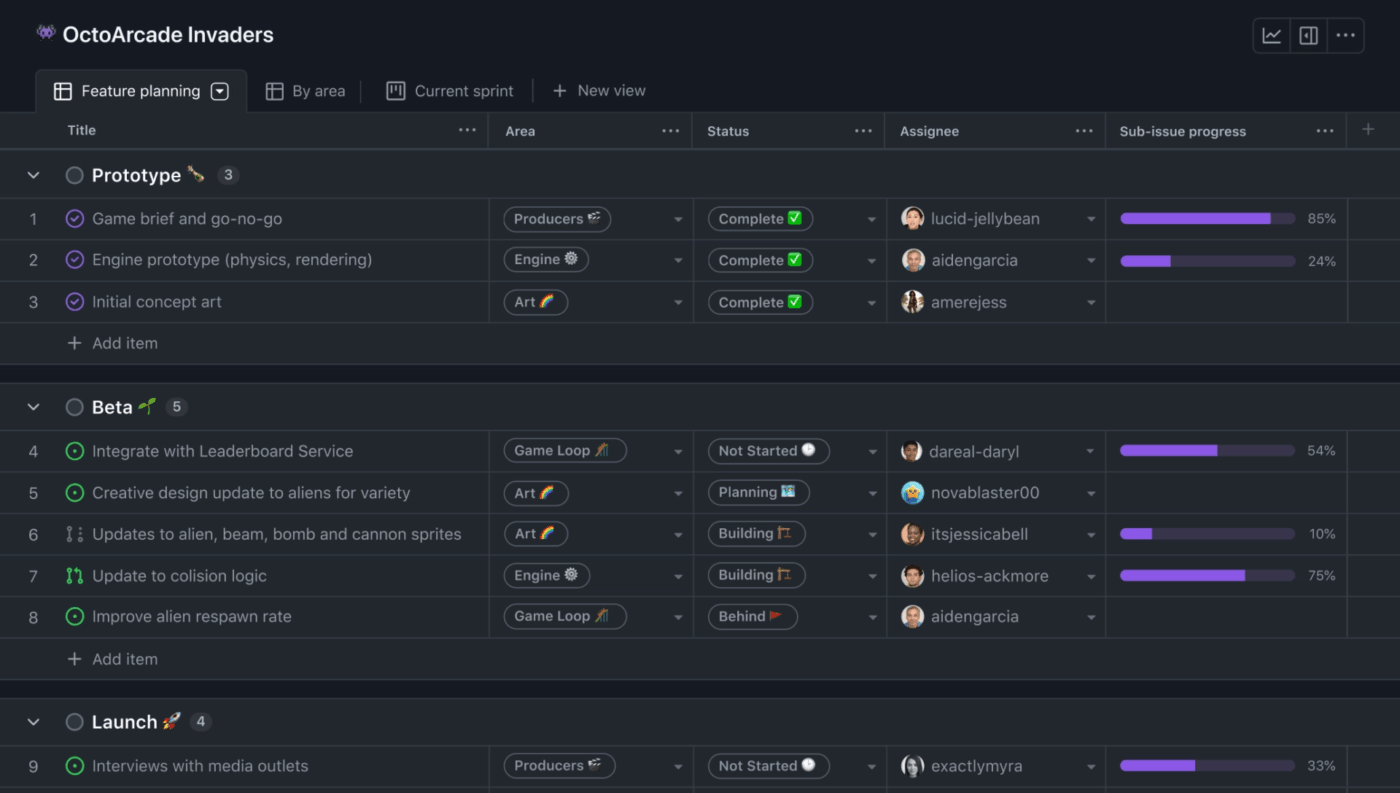
When your team already lives in GitHub, adding a separate tracker can feel like extra work. GitHub Issues keeps the flow simple. You log an issue, link a branch, open a pull request, and see everything in one place.
If you want fast, repo-first tracking without a heavy setup, this is a natural fit. Issues, projects, and PRs sit side by side, so the next action is obvious. Labels and templates keep reports consistent.
What especially helps teams are the automation functionalities via Actions, which handle repetitive chores, from assigning owners to posting release notes.
A G2 reviewer said:
GitHub delivers a user-friendly experience with an intuitive interface that makes version control and collaboration straightforward, even for newcomers. Its comprehensive feature set covers everything from pull requests and code reviews to CI/CD integrations and project boards, meeting nearly all the needs a developer could have.
📚 Also Read: Best AI Agents for Coding
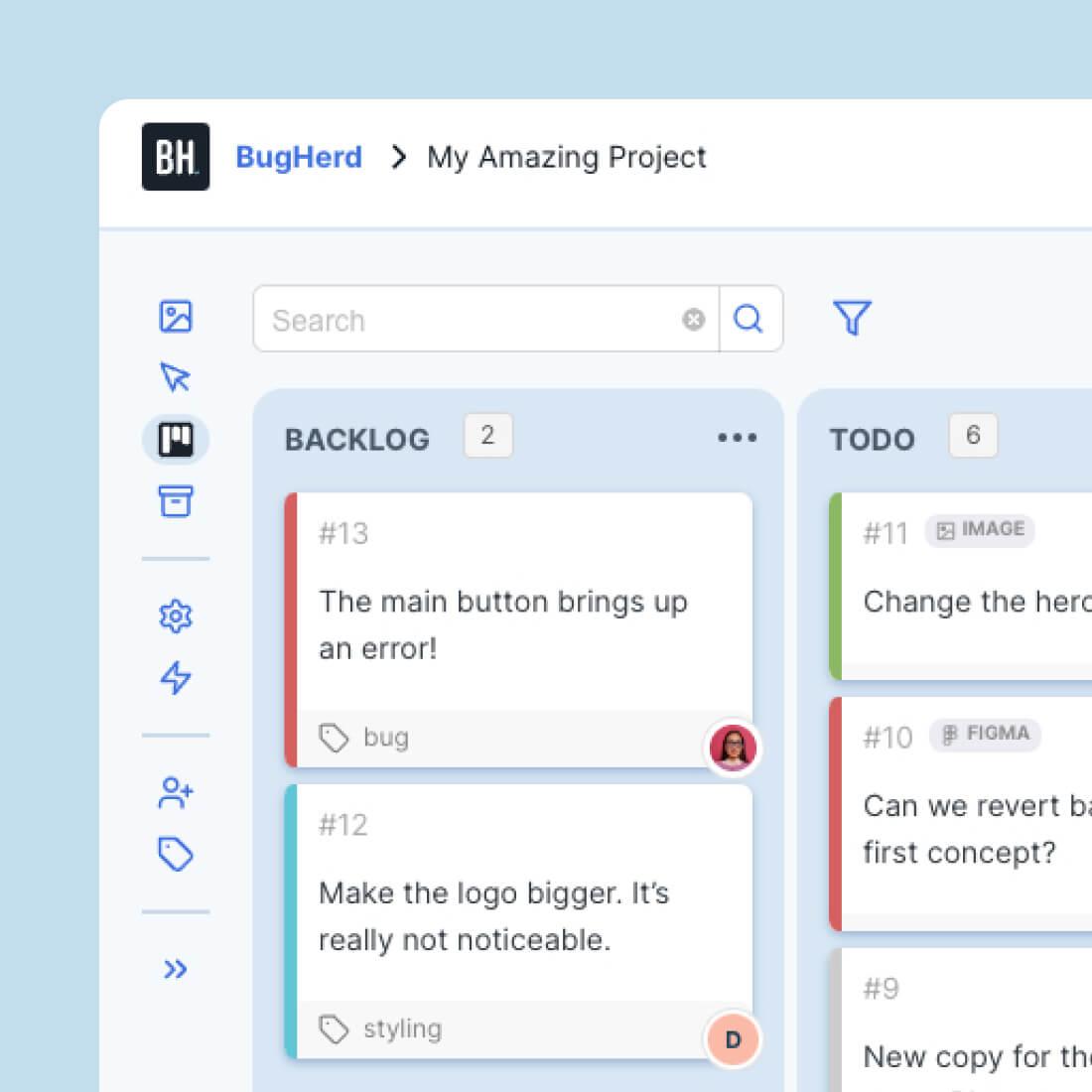
When QA happens on live pages, words alone aren’t enough. BugHerd lets testers and clients pin feedback directly on the website, so each note carries a screenshot, browser data, and exact location. You capture what to correct without long email threads or guesswork.
If your team works closely with non-technical stakeholders, the tool keeps feedback clear and fast.
Where it helps most is web QA and client sign-off. Testers click a widget, highlight an element, and submit a bug with context. Each item is assigned to a Kanban board with the repro details you’d typically track across multiple apps.
If a form submission is blocked by a security service, you can still log the report and tag the page so engineers see where to start. The result is fewer pings and cleaner handoffs.
A G2 reviewer said,
BugHerd makes collecting website feedback incredibly easy and organized. The visual pin system is intuitive—you can tag issues directly on the page without needing long explanations or screenshots in emails.
📚 Also Read: Issue tracking software
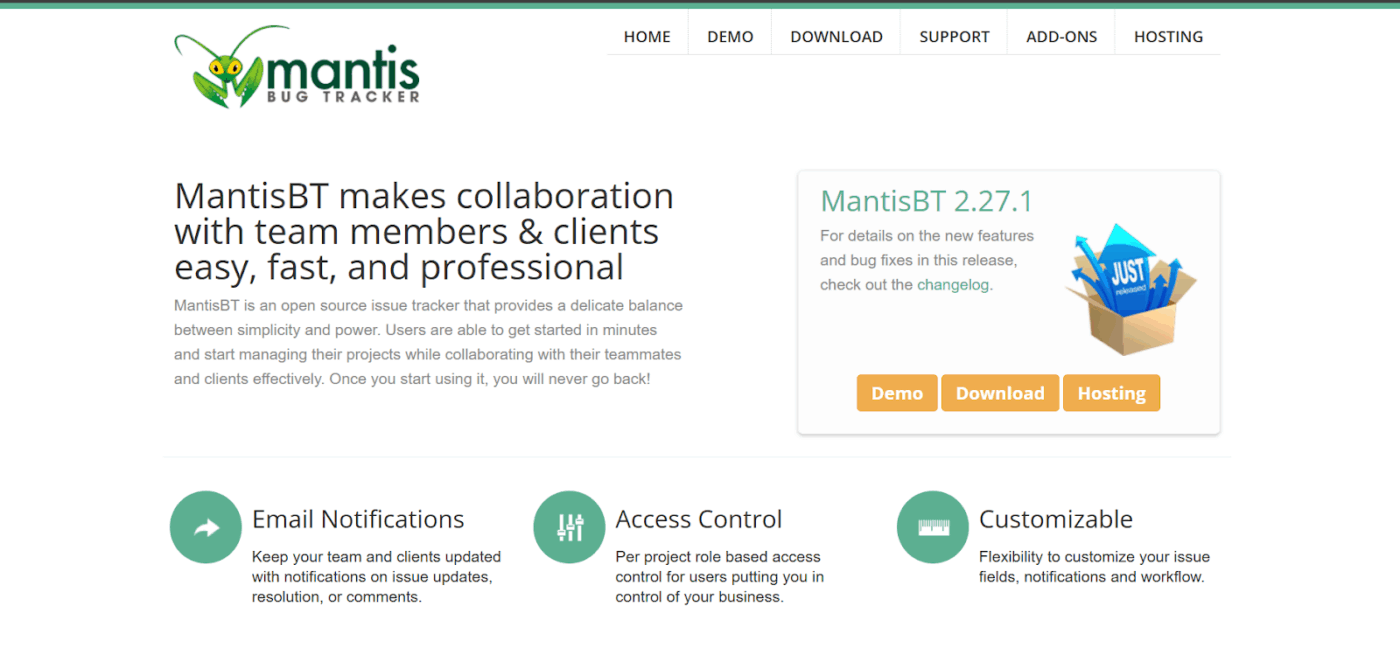
When you want a lightweight tracker without a subscription, MantisBT keeps things simple. It’s open source, easy to host, and flexible enough to model basic workflows without a long setup.
Teams log bugs and move work forward with clear ownership and task-related fields with straightforward navigation
Where it excels is predictability. Custom fields and categories keep intake tidy. Email notifications make ownership obvious. Role permissions are straightforward, allowing small teams to add structure without needing to learn a new playbook.
You won’t get flashy dashboards out of the box, but you will get a stable place to track issues and ship fixes on time.
A G2 user notes:
Mantis supports all types of document uploading that will give developers or QA to verify and identify any reported defect very quickly. The email notification function in Mantis is handy and makes things easier. Mantis is free and open-source. Using Mantis, I can track every stage in the software testing cycle.
📚 Also Read: Best Automation QA Testing Software Tools
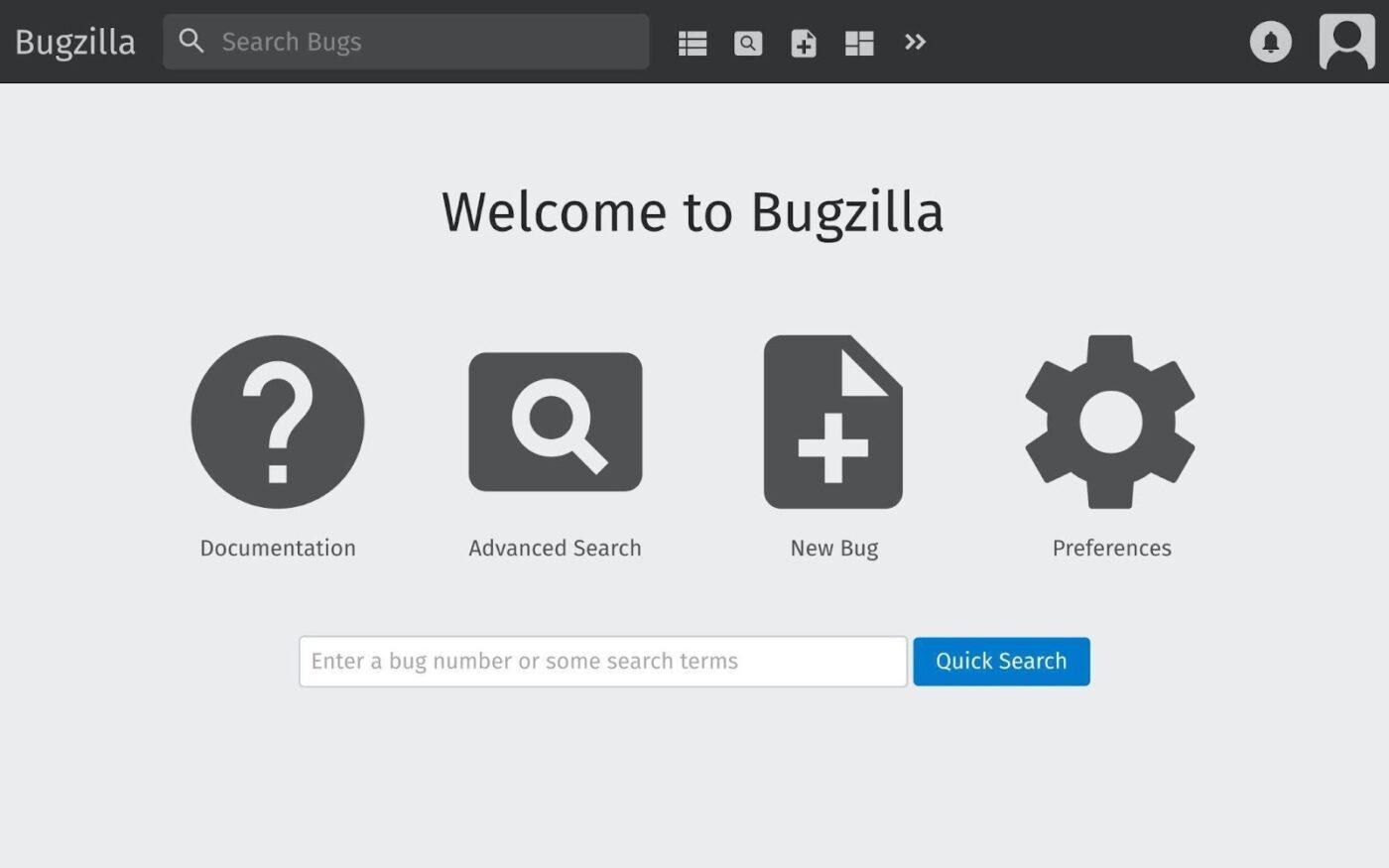
When you need a stable tracker with a long history and tight permissions, Bugzilla can help your team with its easy navigation. It offers structured fields, saved searches, and powerful queries that make large backlogs manageable.
Teams that value auditability can model reviews and component ownership without piling on extras with Bugzilla.
You can enforce required fields, tune custom workflows, and control access by product, component, or role. Advanced search and reports highlight critical issues across different modules and severity levels, allowing leads to identify trends early.
A G2 user said
The suggestion it gives to make sure the bug is not duplicated while filing a bug is excellent when compared to other defect management tools available in the market.
📚 Also Read: Best Bugzilla Alternatives for Bug Tracking
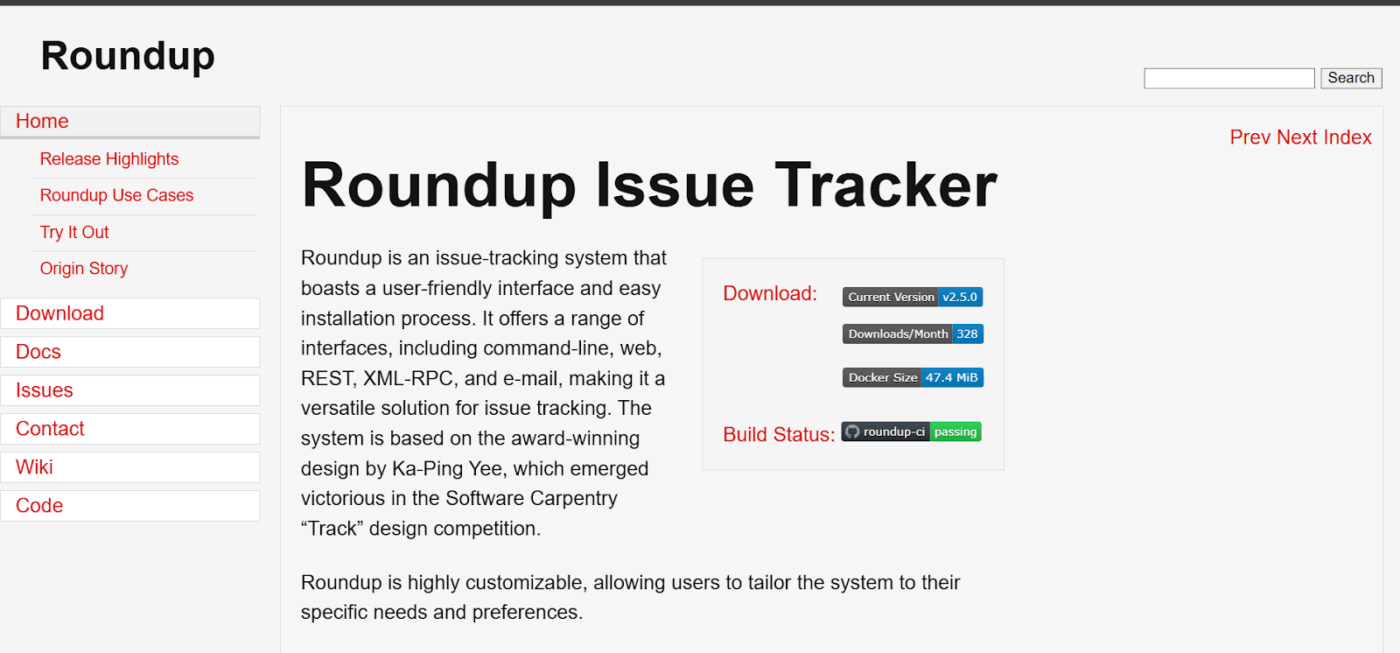
When you just need a simple place to file, assign, and move on, Roundup keeps it lean. It’s a lightweight, open-source tracker with email workflows and clean forms, so small teams can log bugs and route owners while keeping critical stuff moving.
Issues arrive via email or form, receive a clear ID, and follow a straightforward path to completion. You can add custom fields, define basic business rules, and trigger notifications so nothing sits idle. Admins keep control over permissions and lists without a long learning curve.
A review about Roundup says,
Love this as been wanting to create a website for amazon round ups for a while and this gave me the confidence to finally start it as it makes it sooooo easy. I have many tasks on my plate though, so I have to set a reminder every month for me to post these.
👀 Fun Fact: The average worker receives about 117 emails a day—most skimmed in under a minute—which is why email-friendly workflows (like Roundup’s) can keep fixes moving without extra tools.
📚 Also Read: How to Use AI for Quality Assurance
Sentry helps you catch errors in real time and see exactly where they happen in code. Stack traces, breadcrumbs, and release health show the path to failure, so you can reproduce fast without digging through logs. Teams group issues, set alerts, and track regressions after a fix ships.
📚 Also Read: Test Case Templates for Software Testing
Postman streamlines API testing and collaboration. Collections keep requests tidy, environments store keys and URLs, and monitors catch failures before users do. You can attach sample payloads to bug reports and share a prebuilt request that reproduces the issue in seconds.
BrowserStack lets you test web apps on real devices and browsers in the cloud. Reproduce visual and compatibility issues quickly, capture screenshots or videos, and attach them to your tracker item. This feature reduces guesswork when a bug appears only on specific OS–browser pairs.
TestRail organizes test cases, runs, and results in one place. Link a failing case to the defect in your tracker and keep a clean audit trail for releases. Dashboards show coverage, pass rates, and blockers so leads can decide what ships now and what waits.
📚 Also Read: Agile project management tools
Switching bug trackers can feel risky. It’s also your best chance to cut noise and give every bug a clean path from report to release.
Skip the feature, Bingo. Focus on how a tool aligns with your business rules, how it handles security, and whether it maintains context when a public report is blocked and displays a Cloudflare Ray ID. If your system can capture that ID, keep the trail, and help you resolve false positives without slowing the fix, you’re in excellent shape.
You’ll see different strengths across the options, some dev-first, some visual, and some delightfully minimal. Pick the one that shortens the time to fix and reduces how much you click, not the one with the longest checklist.
That’s where ClickUp fits. It brings bug intake, docs, Git links, and dashboards next to the work, so triage moves and updates stay visible. ✨
To centralize bug intake, docs, Git links, and dashboards in one place, sign up for ClickUp and give your team a calmer, faster path from report to release.
If you want a free starting point with room to grow, ClickUp’s Free Forever plan is a strong option. You can standardize intake with templates, keep repro steps in Docs, and route work with ClickUp Automations without paying to get started. For open-source needs, Bugzilla and MantisBT are good fits, but you’ll trade convenience for setup. If you prefer a hosted tool that scales smoothly, start with ClickUp and add advanced features as you need them.
Yes, but expect a few steps. Export issues from Zoho BugTracker, map fields to the new system, and test a small batch first. ClickUp supports CSV imports, custom fields, and templates, so you can preserve status, owners, dates, and core metadata. Keep the original export handy for audit trails, and use a temporary list in ClickUp to validate before you flip the switch.
ClickUp connects to both through ClickUp Git Integrations. Include the task ID in your branch or commit, and you’ll see commits and pull requests right on the task. Automations can move items to In Review on PR open and Ready for Release on merge. GitLab and GitHub Issues also integrate tightly with code, but ClickUp keeps your planning, docs, and reporting in the same place so non-dev teammates stay in the loop.
If you’re small and moving fast, keep it simple. ClickUp gives you issue templates, Docs, boards, and automations in one workspace, so you don’t juggle tools. GitHub Issues or Roundup work for minimal flows, but you’ll add extra pieces for intake, docs, and dashboards. Start with ClickUp’s Free Forever plan, then turn on advanced features only when you need them.
ClickUp includes both. ClickUp Brain drafts repro steps and summaries from task context, while ClickUp Automations assigns owners, sets SLAs, and flips statuses on events like PR merges. Jira and monday dev offer strong rule-based automations; GitLab adds CI-aware workflows. If you want AI plus rules in one place, ClickUp covers both without extra tabs.

© 2026 ClickUp

There’s an easier way. Try a free AI Agent in ClickUp that actually does the work for you—set up in minutes, save hours every week.