






Still downloading templates?
There’s an easier way. Try a free AI Agent in ClickUp that actually does the work for you—set up in minutes, save hours every week.
Sorry, there were no results found for “”
Sorry, there were no results found for “”
Sorry, there were no results found for “”

YouTube isn’t just where people go to watch videos. It’s where they research purchases, compare options, learn new skills, and kill time in between. That mix makes it one of the few platforms where attention and intent regularly overlap.
YouTube is the most widely used online platform among US teens and adults, according to Pew Research.
For marketers, reach matters, but the bigger advantage lies in format. YouTube supports both short-form and long-form storytelling, so you can earn attention with content that feels useful, then convert it with ads that feel native to the experience.
This guide walks you through setting up your first YouTube campaign or improving the ones you already run, with a focus on turning views into measurable results.
YouTube ads are paid placements that allow businesses to reach a highly diverse, segmented audience through precise targeting. It runs through Google Ads and is categorized into four main types—video ads, display ads, audio ads, and premium ads.
With an ad reach of over 2.53 billion users (nearly half of the 5.66 billion social media users worldwide), YouTube is one of the largest and most dominant video-sharing platforms.
Here’s why it matters:
🧠 Fun Fact: The first video on YouTube, titled “Me at the zoo,” was uploaded on April 23, 2005, by YouTube co-founder Jawed Karim, and features him standing in front of elephants at the San Diego Zoo.
📚 Read More: Steps to Scale Your Content Production Process
Let’s look at the different types of ads YouTube advertising allows you to run:

Also known as skippable in-stream ads, TrueView ads are one of the most popular ad formats on YouTube. They play before, during, or after other videos. On mobile devices, they can also appear as full-screen interstitial ads before a viewer can proceed.
Viewers can skip in-stream ads after 5 seconds. But you only pay for the ad when:
What makes it lucrative for brands is that you only pay when someone actively engages with your content or makes a conversion.
So what’s a conversion here?
A conversion can be a demo request, a signup, or a form submission, depending on what you track in Google Ads and Analytics.
Engagement with in-stream ads tends to be higher because a viewer voluntarily chose to watch past the 5-second mark.
🔔 Things to keep in mind:
They are short, non-skippable ads that pack a message into just 6 seconds. They play before, during, or after another video, and you pay per impression.
Since they’re short, a good practice is to pack a punch with a single clear idea or visual.
They work best when combined with a TrueView or Google Preferred campaign.
🤔 When to use bumper ads?
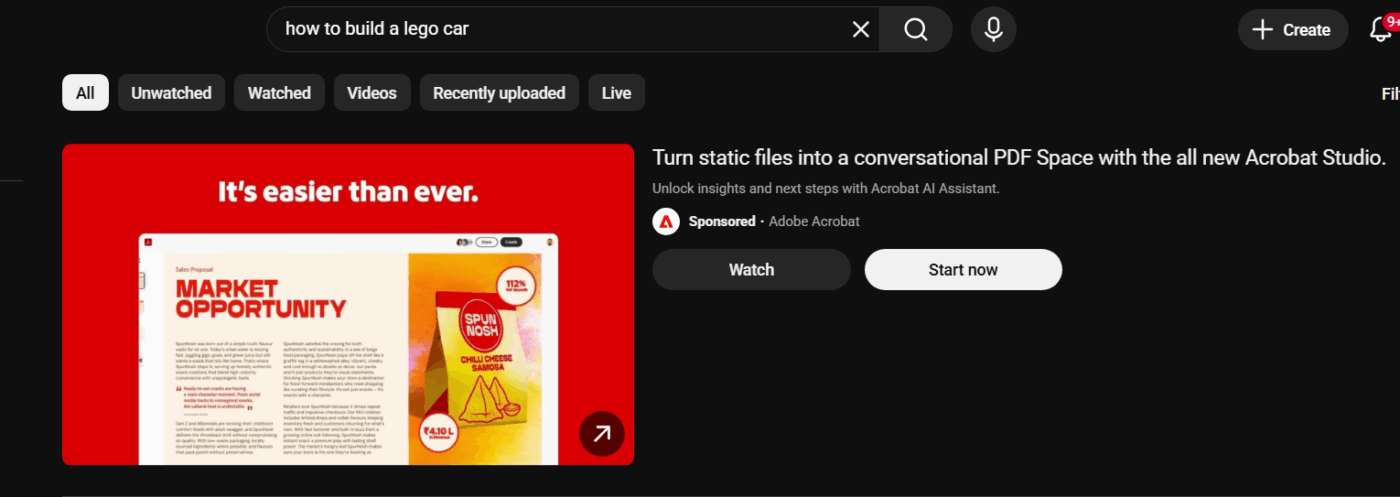
They’re displayed in multiple places, including:
These ads appear after performing a search. They usually include a thumbnail from your video, a headline, and an invitation to click to watch the video.
You pay for these ads only when someone clicks to watch or when they watch it on autoplay for at least 10 seconds.
💡 Here’s what you should know about in-feed video ads:
🧠 Fun Fact: Nearly 20 million videos are uploaded on YouTube every single day. YouTube ads let you break through the noise and place your message directly in front of your target audience.

These are 15-20-second video ads that appear before, during, or after another video. As viewers cannot skip these videos, consider pairing them with a CTA that encourages viewers to take action.
For non-skippable ads, you pay every time your ad is shown (CPM). Consider using them to deliver time-sensitive offers or announcements.
✏️ Note: For your non-skippable in-stream ads, you can use 3 distinct ad formats:

These are premium ads that appear at the top of your YouTube home feed for 24 hours. They autoplay without sound for up to 30 seconds on desktop and for the full video length on mobile devices and CTV.
These ads are designed to provide maximum visibility and are only available on a reservation basis through a Google sales representative.
They are ideal for driving massive reach or awareness, especially for new products, services, or sales events.
With Masthead ads, you can customize these assets:
⭐ There are two types of YouTube Mastheads that you can buy:
📚 Read More: A Guide to Building Your Personal Brand on LinkedIn
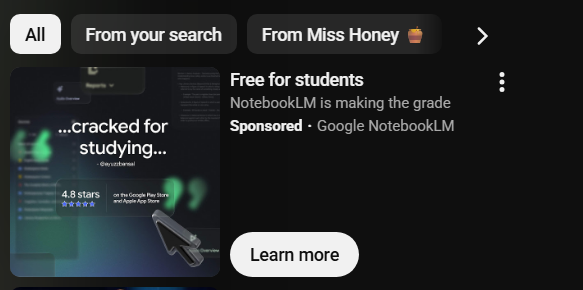
These are non-video banner ads that appear in the right sidebar of your video suggestions list. They usually include an image or animation and are accompanied by a headline, a description, and a CTA button. You pay for the YouTube display ad each time someone clicks it.
Note that display ads are only available on desktop devices.
Display ads work well when you want to:
These ads don’t interrupt the viewing experience as they are displayed in the sidebar. Although they’re less intrusive than in-stream formats, the tradeoff, however, is lower visibility. There is a high chance that viewers focus on the video itself rather than the surrounding elements.
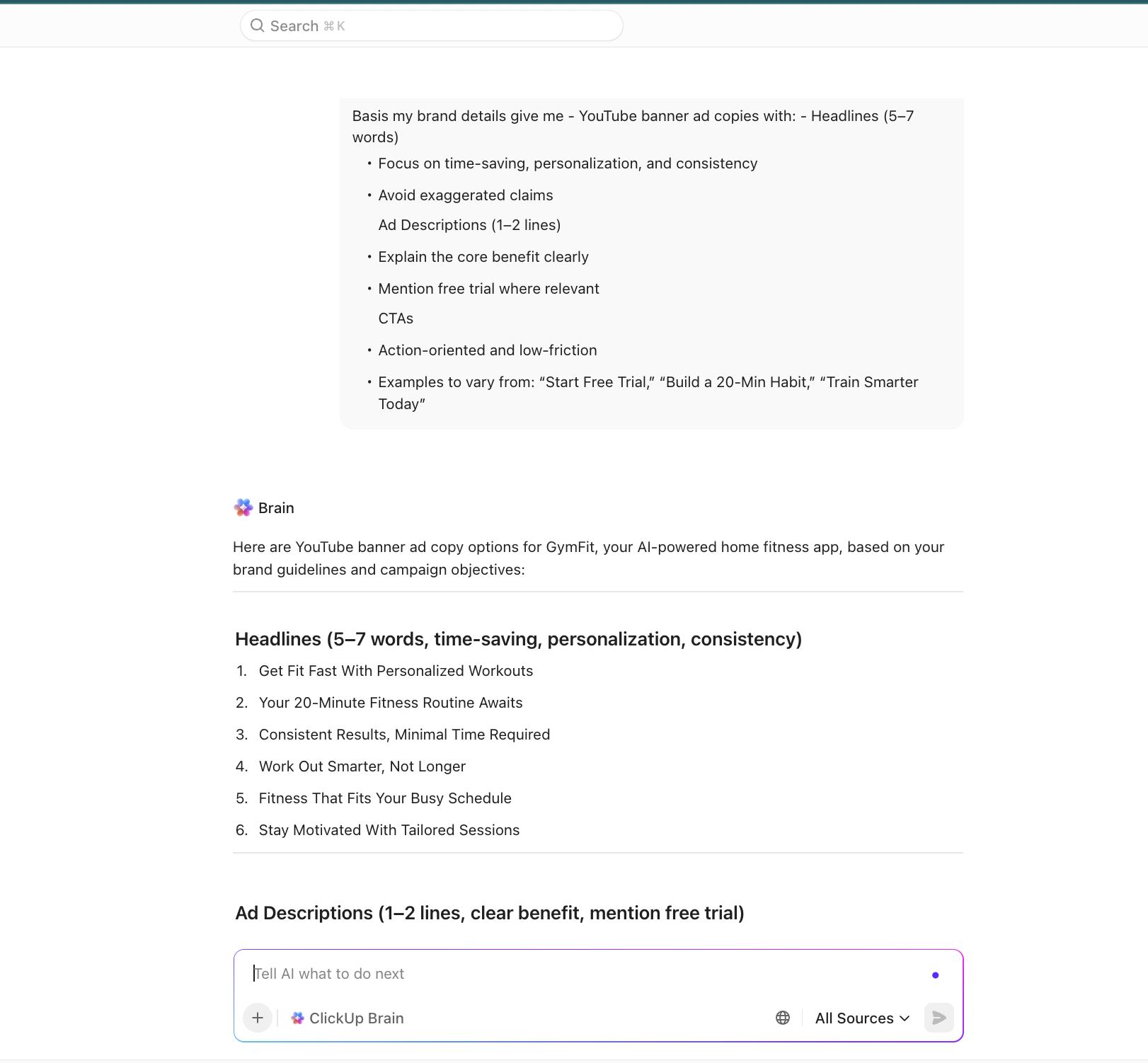
💡 Pro Tip: Use ClickUp Brain to create persuasive YouTube ad copies. The contextual AI analyzes successful ad patterns and your brand voice guidelines to generate multiple variations of CTAs, headlines, and ad descriptions.
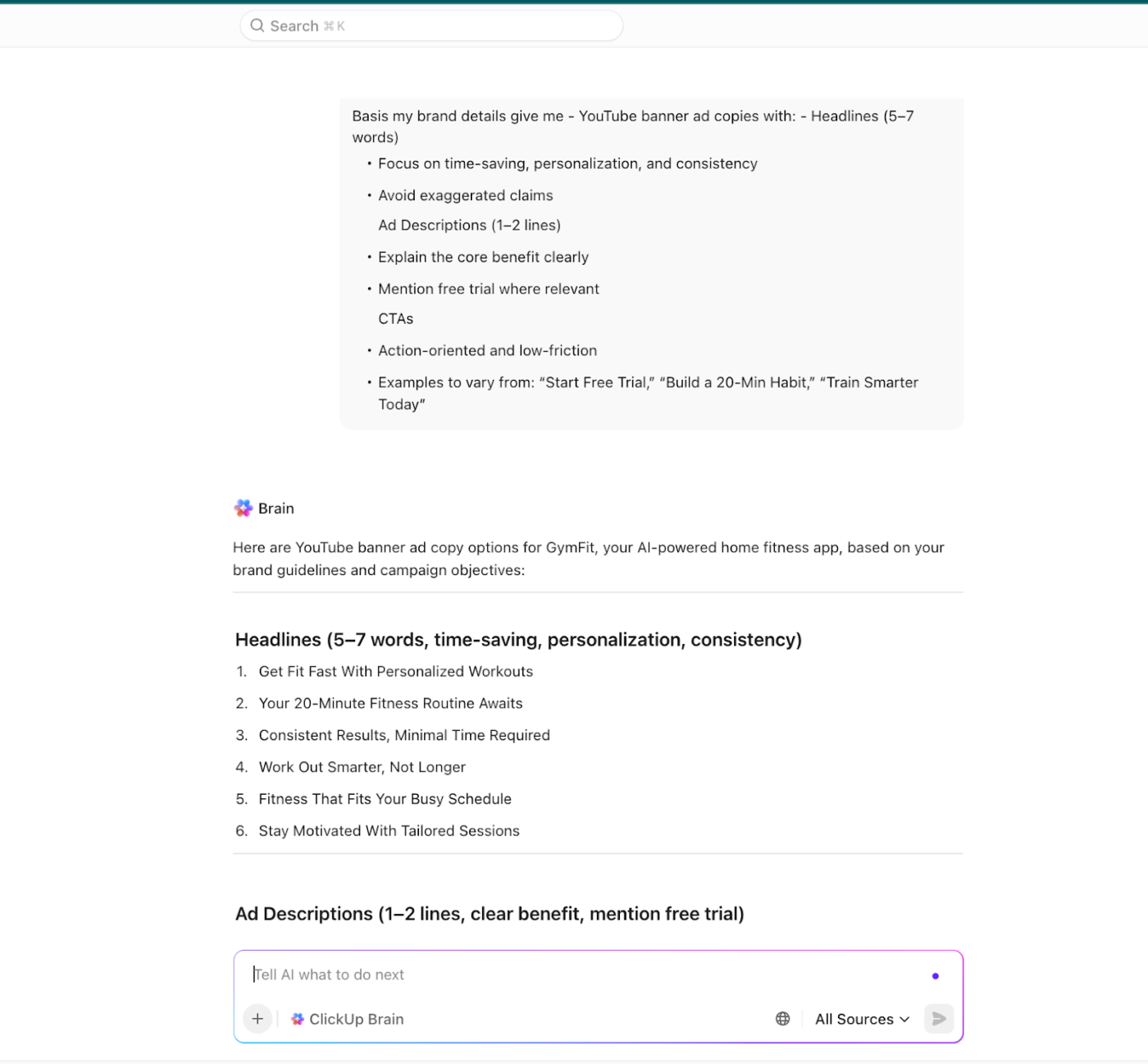
What’s more, you can even prompt ClickUp Brain to create custom images for your ads.
📌 Save these prompts to write your next YouTube ad:
Write a YouTube TrueView in-stream ad script where the first 5 seconds clearly state the core problem and value.
Assume the viewer is deciding whether to skip. Build curiosity without clickbait, explain the benefit by the 10th second, and end with a clear CTA aligned to a measurable conversion.
Create 5 bumper ad scripts (max 6 seconds) for YouTube advertising.
Each script should communicate one single idea or benefit, use simple spoken language, and be memorable without needing sound.
Write YouTube in-feed video ad copy that matches search intent. Generate a headline, a thumbnail text suggestion, and an opening video hook that feel organic and informational rather than promotional.
Write a non-skippable YouTube ad script that delivers one complete message in under 20 seconds.
Prioritize clarity over persuasion, introduce urgency when relevant, and include a CTA that aligns with a CPM-based awareness or announcement campaign.
Create headline, description, and CTA copy for a YouTube Masthead ad designed for maximum reach. Assume autoplay without sound, focus on brand positioning and a single campaign message, and keep the copy bold, simple, and instantly understandable.
Write YouTube display ad copy for a sidebar placement.
Generate a concise headline, a short description, and a CTA that reinforce brand recall or retarget viewers who have already seen a video ad.
YouTube Ad Creative Checklist
Use this checklist to make sure your ad creative is built to win attention and drive action, not just rack up views:
Here’s how to create and set up a successful YouTube ad campaign.
Sign in to your Google Ads Account with your personal or business Google Workspace account.
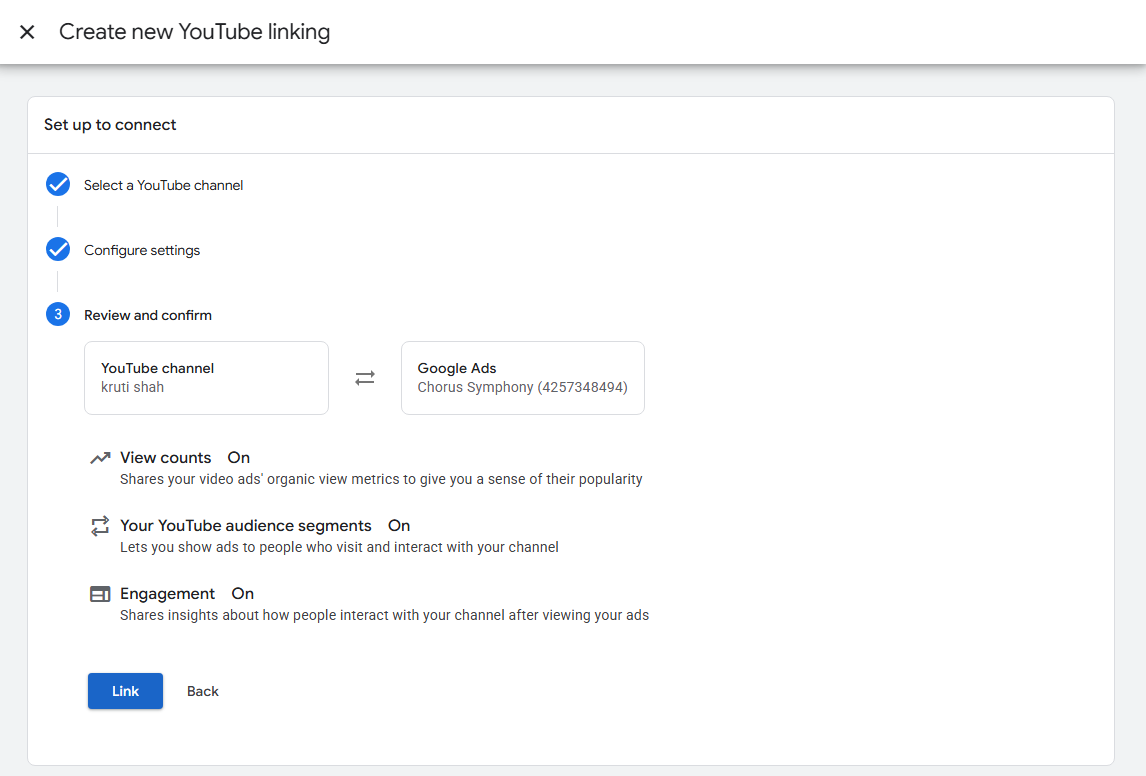
Once you’re in, link your YouTube channel to Google Ads so you can run video campaigns and track performance directly from your channel.
⚡ Template Archive: Top Content Writing Templates to Boost Your Creativity
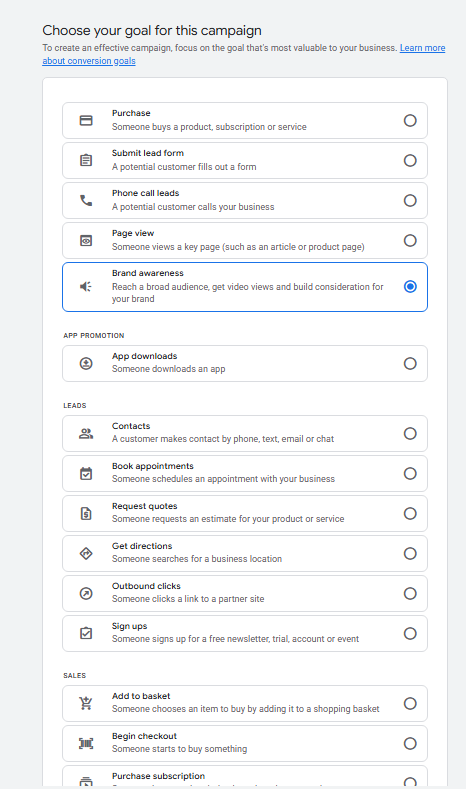
What is it you want to achieve with your YouTube ad campaign? Do you want to build brand awareness, capture leads, drive direct sales, or send traffic to specific landing pages?
Choose from the different campaign goals.
Remember that the goal you choose will significantly limit your available ad formats, networks (YouTube vs. Display Network), and campaign subtypes.
Use this table for assessment 👇
| When you want to… | Choose | Supporting ad formats |
| Drive direct purchases from your ads | Purchases | Skippable in-stream ads, YouTube Shorts ads |
| Capture leads | Submit lead forms, Phone call leads, and contacts | Skippable in-stream ads, YouTube Shorts ads |
| Send visitors to your landing or product pages | Page Views | Skippable in-stream ads, YouTube Shorts ads |
| Build reach and brand consideration | Brand Awareness | Non-skippable in-stream ads, In-feed video ads, Bumper ads, Masthead ads, YouTube Shorts ads |
If you’re not sure about the campaign goal, you can choose “Brand awareness and reach” or select “Create campaign without a goal’s guidance.”
⚡ Template Archive: Free Content Marketing Strategy Templates to Save You the Heavy-Lifting
Now align your campaign goal with the suitable campaign type and subtype. You get different campaign frameworks that determine:
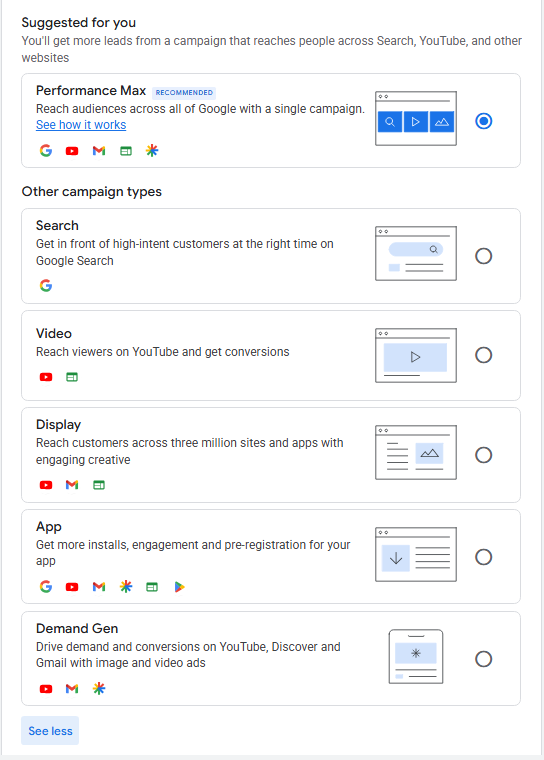
Here’s a detailed breakdown that helps you understand how choosing different campaigns influences the sub-campaign choice:
👀 Did You Know? 45% of Netflix US households now watch on the ad-supported tier, up from 34% in 2024. The audience is becoming increasingly receptive to ads when they’re culturally resonant and deliver value.
Time to set the YouTube advertising budget.
Set a daily budget or total campaign budget. Define your campaign’s run dates and choose your bidding strategy based on what you want to optimize.
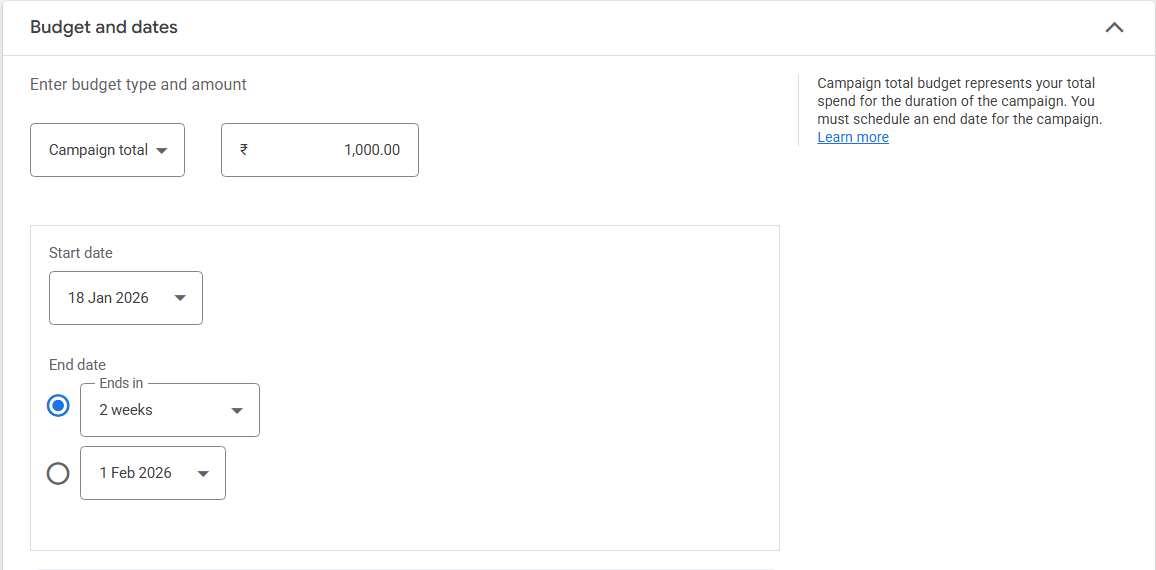
Here’s a breakdown of common bidding strategies and when to use them. You will only see options that align with your campaign goal and ad format.
| Bidding strategy | What it means | Use it when |
| Target CPM (Cost Per Thousand Impressions) | You pay for every one thousand times your ad is shown | You want maximum reach and visibility for your ToFu campaigns (brand awareness) |
| Target CPV (Cost Per View) | Let you optimize bids for views, i.e., you pay every time a viewer watches part of your ad or an entire ad | You want to control costs while getting video views |
| Target CPA (Cost Per Acquisition) | Google automatically optimizes bids to get conversions at your target cost per action | You want to drive sales, leads, and even website traffic |
| Target ROAS (Return on Ad Spend) | Google optimizes bids to achieve a specific return on ad spend percentage | You want as much conversion value as possible within a target return on ad spend goal |
| Maximize Conversions | Google automatically sets bids to get the most conversions within your budget | To get as much conversion value as possible within a fixed budget |
👀 Did You Know? Advertisers that switch from a Target CPA to a Target ROAS bid strategy can see 14% more conversion value at a similar return on ad spend.
YouTube allows hyper-specific audience segmentation, which means that the more targeted your ads are, the more likely your ad budget is to drive a higher ROI.
Here are a few targeting options available within YouTube ads:
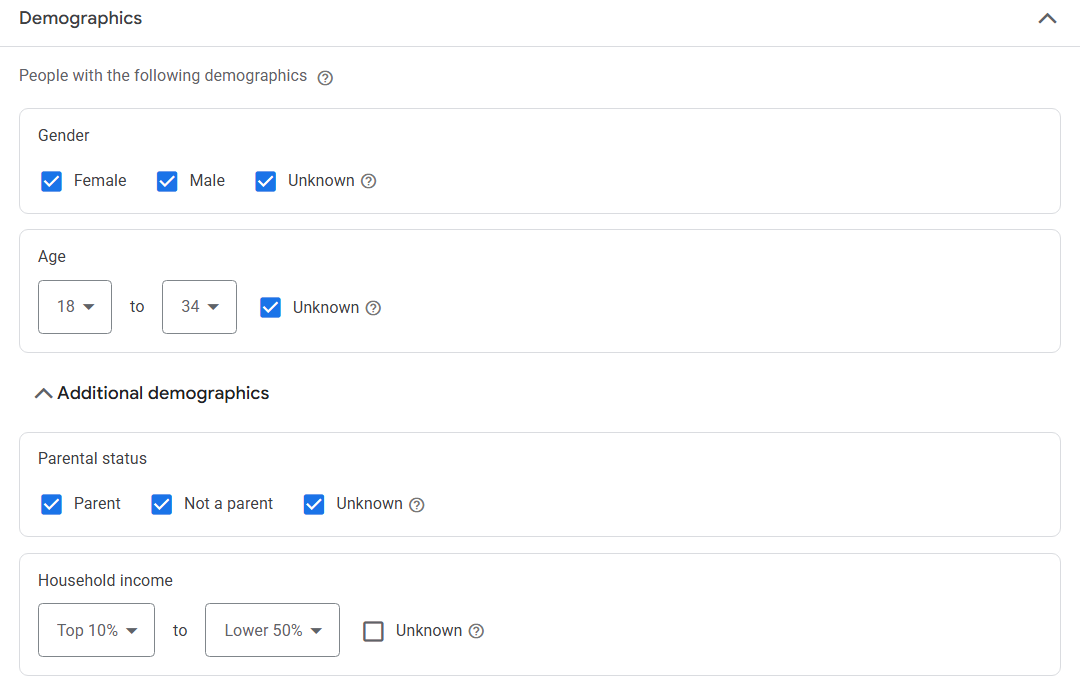
Reach your audience based on their gender, age, parental status, and household income. However, nuanced segmenting is necessary as one message won’t resonate with everyone, even if they belong to the same demographic bracket.
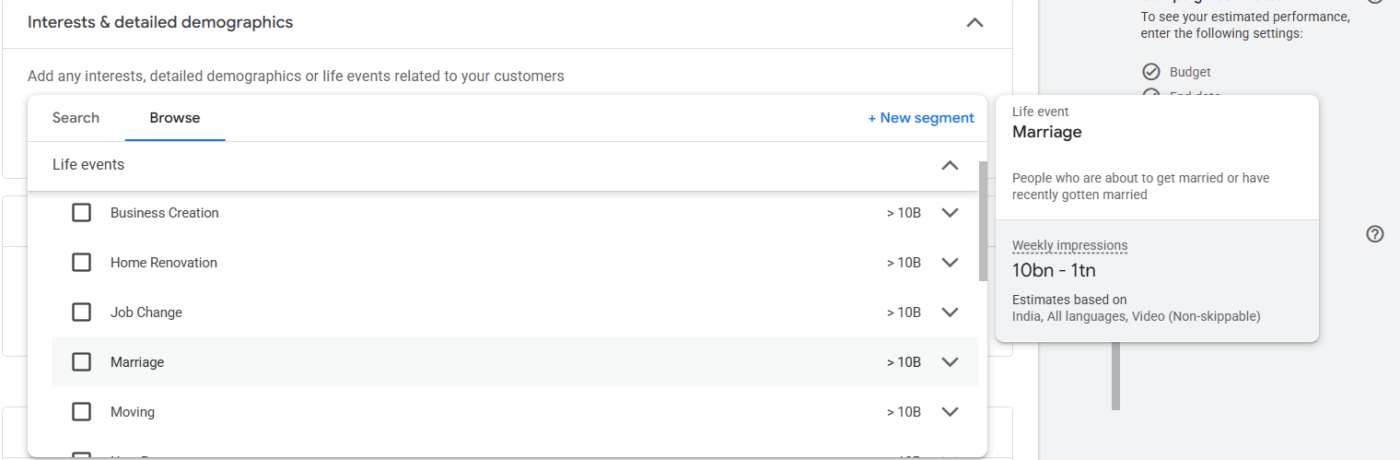
Target viewers based on specific yet distinct life events. For instance:
These moments shift purchase behavior, creating windows when people actively seek new products and services.
This is advanced segmenting. Here, you can select your audience by education, marital status, home ownership, employment, and parental status, with greater granularity.
For instance, if parents are your target audience, you can select them from the specific categories shown in the image.
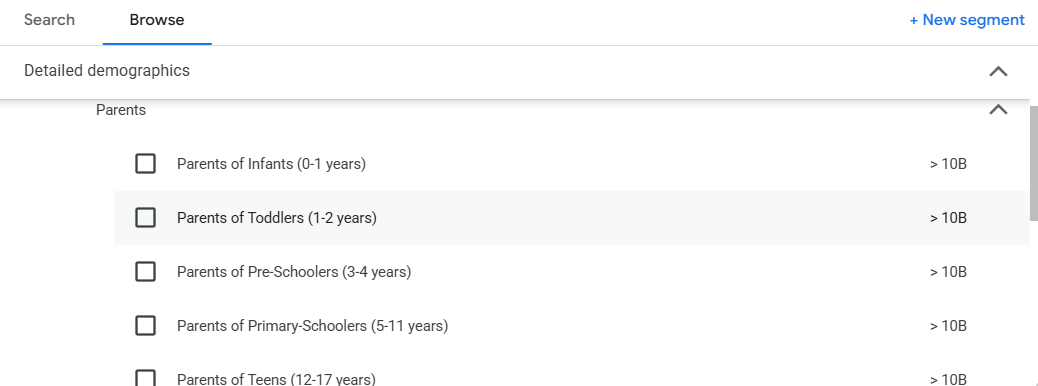
Even within a broad demographic profile, you’ll be able to reach the exact audience.
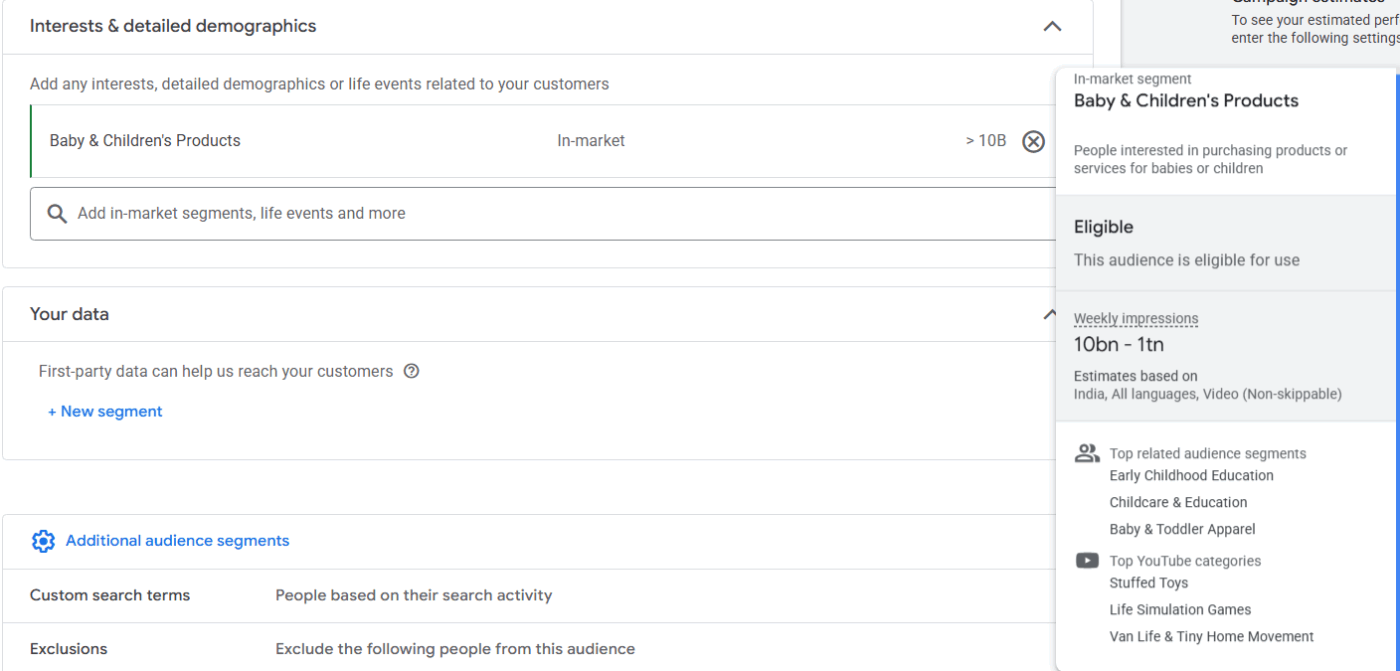
Target people actively researching or considering purchases in your category right now.
You can also check additional details for each in-market segment to pick a highly relevant audience:
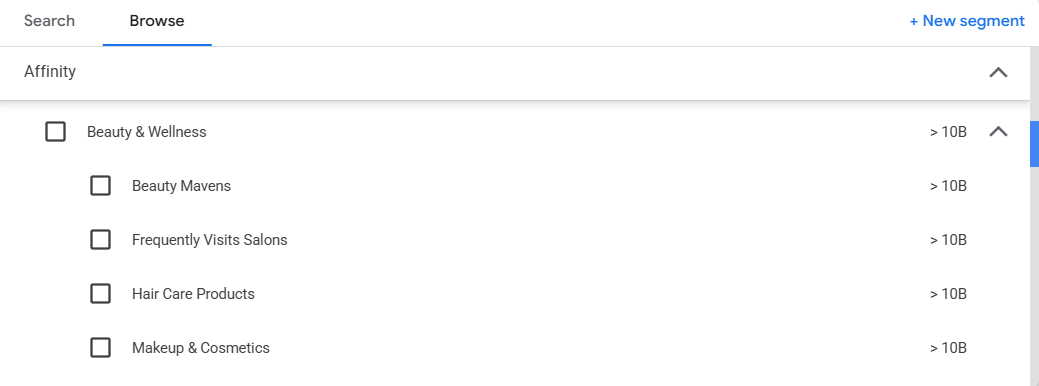
Target people with established, long-term interests based on their consistent browsing and viewing habits. These are audiences built around sustained passions—fitness enthusiasts, tech early adopters, travel buffs, or beauty mavens.
Google also organizes affinity audiences into broad categories with more specific sub-segments.
Want more specificity than Google’s preset categories? Build tailored audiences based on specific keywords, URLs, apps, or interests that signal relevance to your business.
💡 Pro Tip: Use ClickUp Docs to document your audience segmentation and marketing strategy before launching campaigns. Create detailed customer personas with demographic data, interests, pain points, and preferred content types.
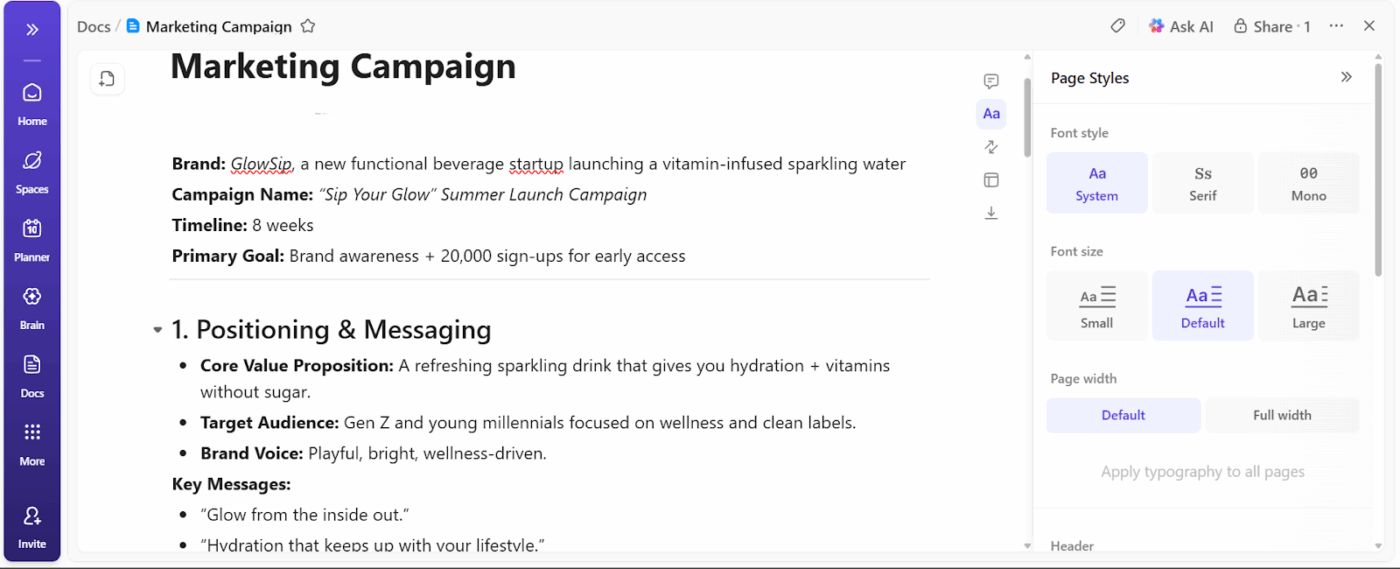
Document your brand guidelines and marketing strategies in ClickUp Docs—accessible by anyone in your organization/marketing team.
Have content where you don’t want your ad to show?
For instance, a luxury watch brand’s ad won’t be a good placement next to videos about budget shopping or financial struggles.
You can exclude specific content types to protect your brand reputation and avoid wasting budget on irrelevant placements. YouTube lets you filter out content based on:
Similarly, you can also control where your ads appear by selecting specific placements:
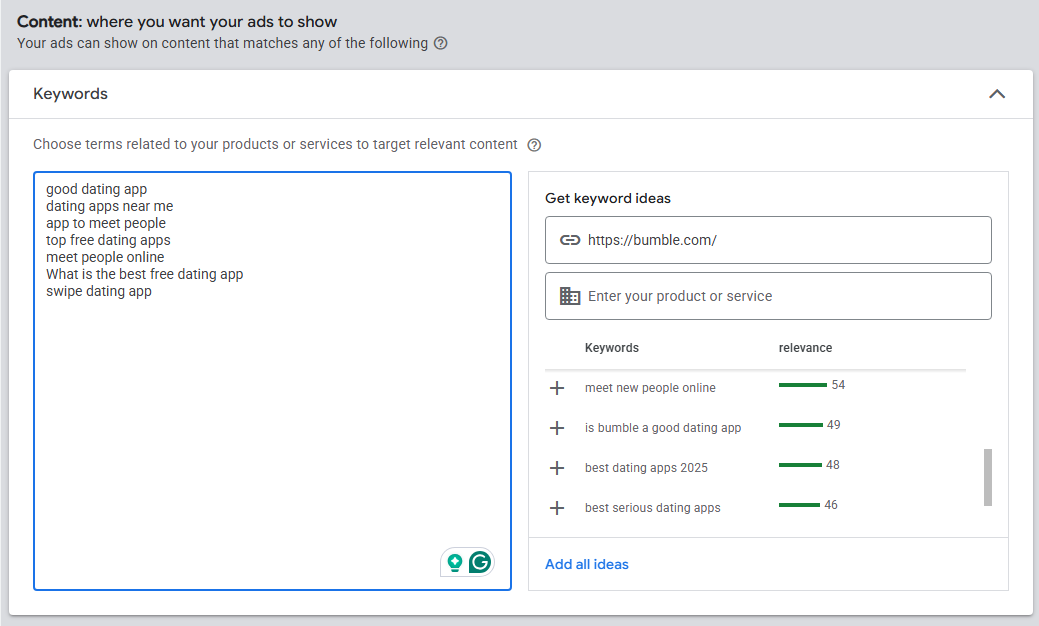
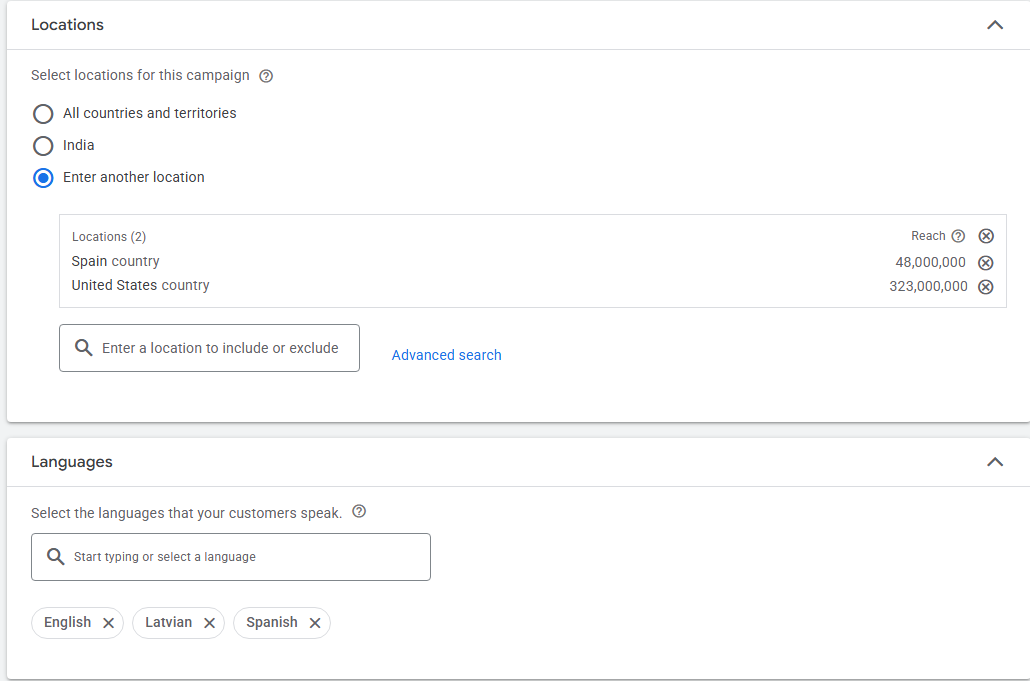
Select where you want your ads to appear geographically—target by country, region, city, or even a specific radius around a location. Configure your language preferences, and YouTube will show your ads to users who have those languages set in their account preferences.
⭐ Bonus: Increase engagement of your video ads by adding relevant videos. These videos appear below your video ad and offer an immersive video experience, reinforcing or extending the ad’s message.
Here are a few additional settings you should look into:
💡 Pro Tip: Create separate ad groups for different audience segments or ad formats within the same campaign to test performance independently. This way, your underperforming group won’t drag down your entire campaign.
Upload your video to YouTube or the Google Ads asset library. Make sure it’s set to “Public” or “Unlisted” to be eligible to serve as an ad. Private videos won’t work.
Paste the URL in the ad creation section of Google Ads. You can create multiple ads at this stage to test different creatives, CTAs, or messaging variations.
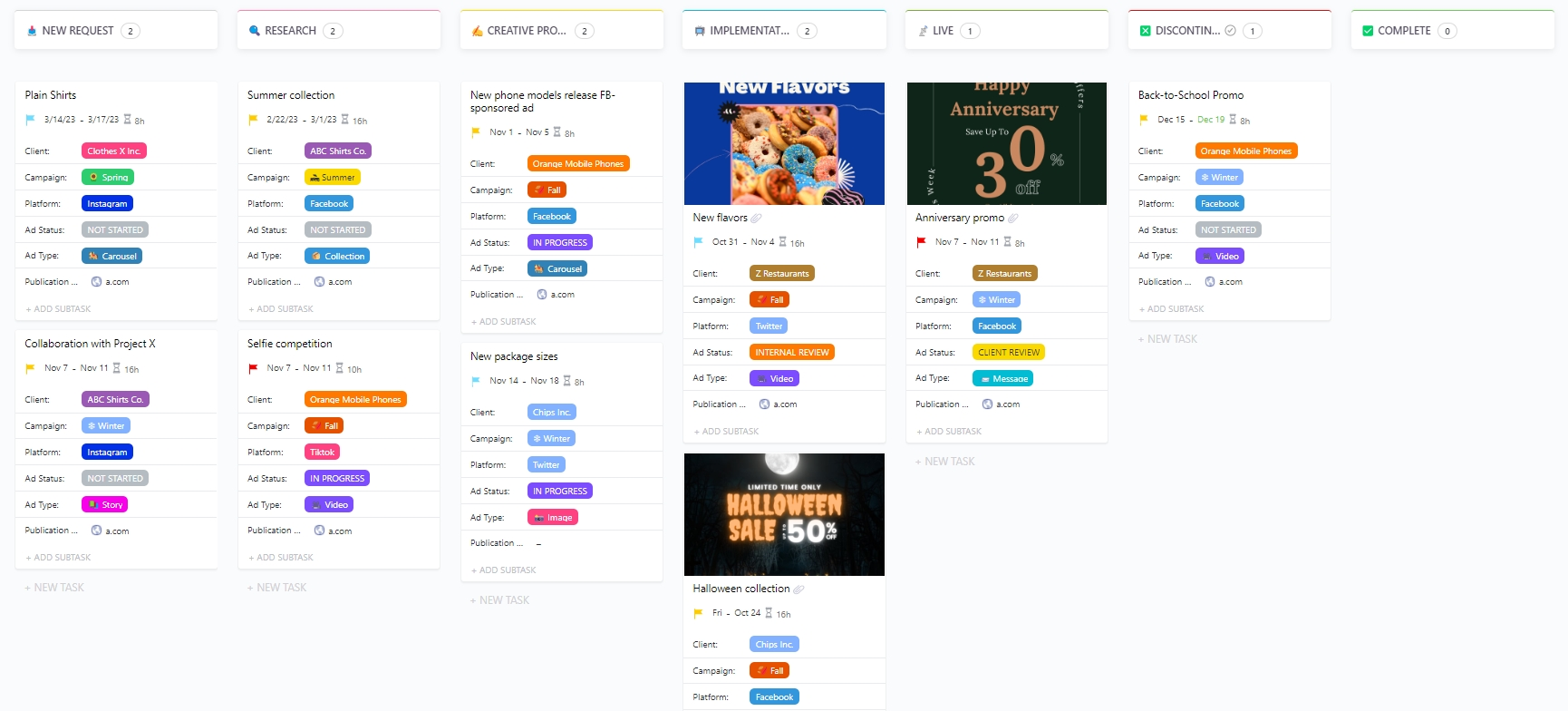
⚡ Template Archive: Use the ClickUp Advertisement Template to streamline your entire ad production process—from planning to execution.
With this template, you can:
Once you’ve configured everything, submit your campaign. YouTube will review your ads against Google Ads policies to ensure they comply with advertising guidelines. Most ads are reviewed within one business day, though more complex reviews can take longer.
📮 ClickUp Insight: More than half of employees struggle to find the information they need at work. While only 27% say it’s easy, the rest face some level of difficulty, with 23% finding it very difficult.
When knowledge is scattered across emails, chats, and tools, wasted time adds up fast. With ClickUp, you can turn emails into trackable tasks, link chats to tasks, get answers from AI, and more within a single workspace.
💫 Real Results: Teams are able to reclaim 5+ hours every week using ClickUp—that’s over 250 hours annually per person—by eliminating outdated knowledge management processes. Imagine what your team could create with an extra week of productivity every quarter!
These are the mistakes that quietly waste budget, even when your targeting and setup look correct:
Creating a YouTube ad campaign is just one part of the equation. The other part—equally important—is tracking performance and optimizing campaigns based on key metrics.
Once your campaign is live, you can access campaign data and asset performance from your Google Ads dashboard and YouTube Studio. Here’s a detailed overview of how you should track metrics and manage reporting.
You can’t gauge the effectiveness of campaigns by intuition. You need data, and this data comes in the form of views, completion rate, click-through rate, conversions, and cost per acquisition.
Before you start tracking data and making vague assumptions, gain clarity on these questions:
Here are the key metrics you should track based on your campaign objectives:
| Metrics | What it tracks | Analysis and interpretation |
| Impressions | View rate reveals the creative quality and audience relevance of your campaigns. Higher view rates mean your messaging and creatives resonate. Lower rates indicate issues with messaging, structure, format, and even creatives | High impressions with low views suggest weak thumbnails or poor targeting |
| Views | Number of times viewers view a larger portion or the entirety of your ad, beyond just the impression | Increased views on brand videos signal growing interest |
| View rate | Percentage of impressions that resulted in views | Strong affinity for your channel or brand, High-value customer indicator beyond direct conversions |
| Click Through Rate (CTR) | Percentage of viewers who clicked your CTA or ad | Low CTR in video campaigns is normal compared to Search ads—shouldn’t be a priority |
| Cost Per View | Average cost each time someone views your ad | High CPV suggests competitive bidding or narrow targeting, driving up costs |
| Cost Per Acquisition | Spending behind one conversion | If CPA is lower than the customer lifetime value, the campaign is profitable |
| Return on Ad Spend (ROAS) | Revenue generated for every dollar spent on ads | ROAS above 2 is considered to be profitable |
| Watch Time / Completion Rate | How long viewers watch before skipping or completing the entire ad | Higher completion rates indicate strong hooks and relevant content |
| Earned actions | Earned views, likes, subscribers, playlist additions, and shares on your linked YouTube channels within 7 days of watching an ad | If the earned actions are frequent, it demonstrates a strong affinity for your channel or brand. Often is a strong indicator of a high-value customer. |
| View through conversions | When viewers convert on your site within the conversion window | Strong affinity for your channel or brandHigh-value customer indicator beyond direct conversions |
| Engaged view conversions | When a viewer doesn’t click on your video ad but watches at least 10 seconds of the skippable ad, and then converts within the Engaged-view conversion window. | Ad exposure influences purchase decisions even without direct clicks. Measures upper-funnel impact |
📚 Also Read: Top Social Media AI Tools to Try
Google Ads provides a comprehensive overview of individual campaign performance.
But what happens when you have multiple YouTube advertising campaigns going on?
The campaign data is scattered across tabs, date ranges, and filters, making it difficult to spot trends or understand how one campaign influences another.
With ClickUp Dashboards, you can track the entirety of your YouTube campaigns in one consolidated view. Here you can compare performance across campaigns, time periods, and different ad formats without switching back and forth.
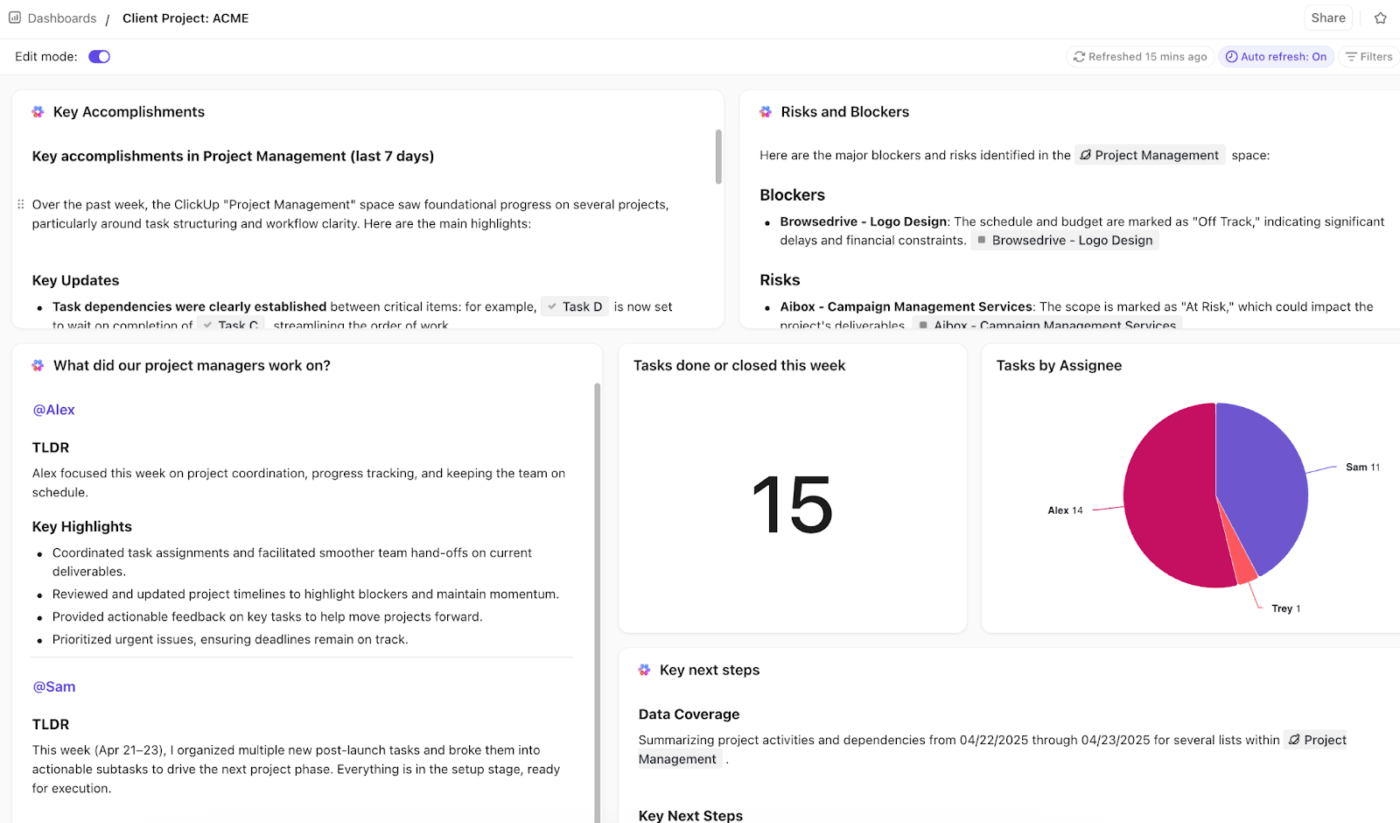
Paired with the following AI Cards, Dashboards become instantly powerful.
Watch this video to know more about the Dashboard + AI Card combo 👇
⚡ Template Archive: Best Free Social Media Campaign Templates for Campaigns and Content
You need timely reports that deliver actionable insights every week. By this, we mean insights about budgets, conversions, performance metrics, audience segments, and ROAS without having to sprawl between 10 tabs to make sense of scattered data.
What if we told you that it’s possible to automate the YouTube ad report in ClickUp?
First, create a standard reporting template in ClickUp Docs. Add metrics, date ranges, and comparison formats across all your YouTube ad reports.
Then create custom ClickUp Super Agents that can collect campaign data, analyze performance trends, and prepare reports in your pre-determined formats.
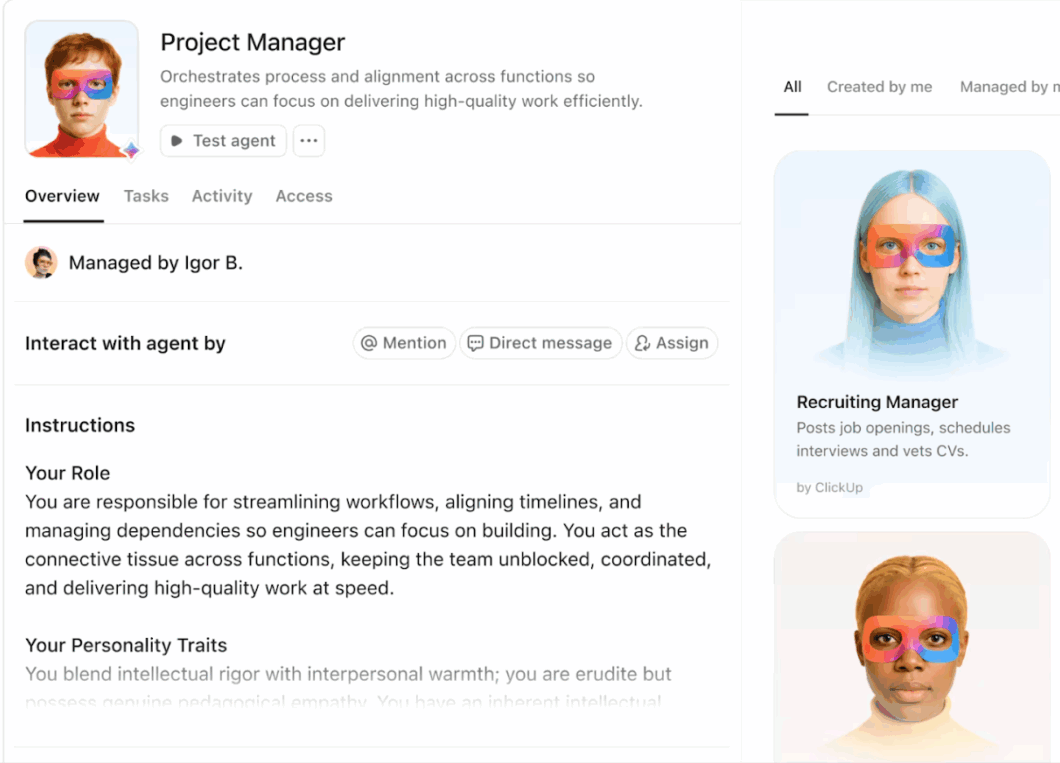
Super Agents don’t need step-by-step rules to make intelligent decisions. As your AI teammates, they can interpret context and act anonymously. These Agents, in addition to making reports, can also:
Build your first Super Agent with ClickUp 👇
👀 Did You Know? 23.6% of Gen Z actively use YouTube for product discovery. They’re often influenced by ads where they don’t feel like they’re being sold something—in fact, 98% of viewers say they trust YouTube creators more than creators on other social media platforms.
The immersive video formats and YouTube’s extensive ad reach make it a lucrative platform for marketers. However, there are certain limitations you shouldn’t ignore:
📚Read More: Best Social Media Management Tools for Agencies
If you are creating YouTube ads at scale, you need more than ad copy and creatives. You need a system to plan, test, review, and iterate—without losing context across teams.
Enter: ClickUp—the world’s first converged AI workspace that unifies workflows and tools in a centralized platform.
Here’s how ClickUp for Marketing Teams helps bring structure to the chaos
Before pushing YouTube ads for brand awareness, do you even have your own YouTube channel that backs up your ad spend?
In addition to YouTube ads, you should build an authentic presence on the platform.
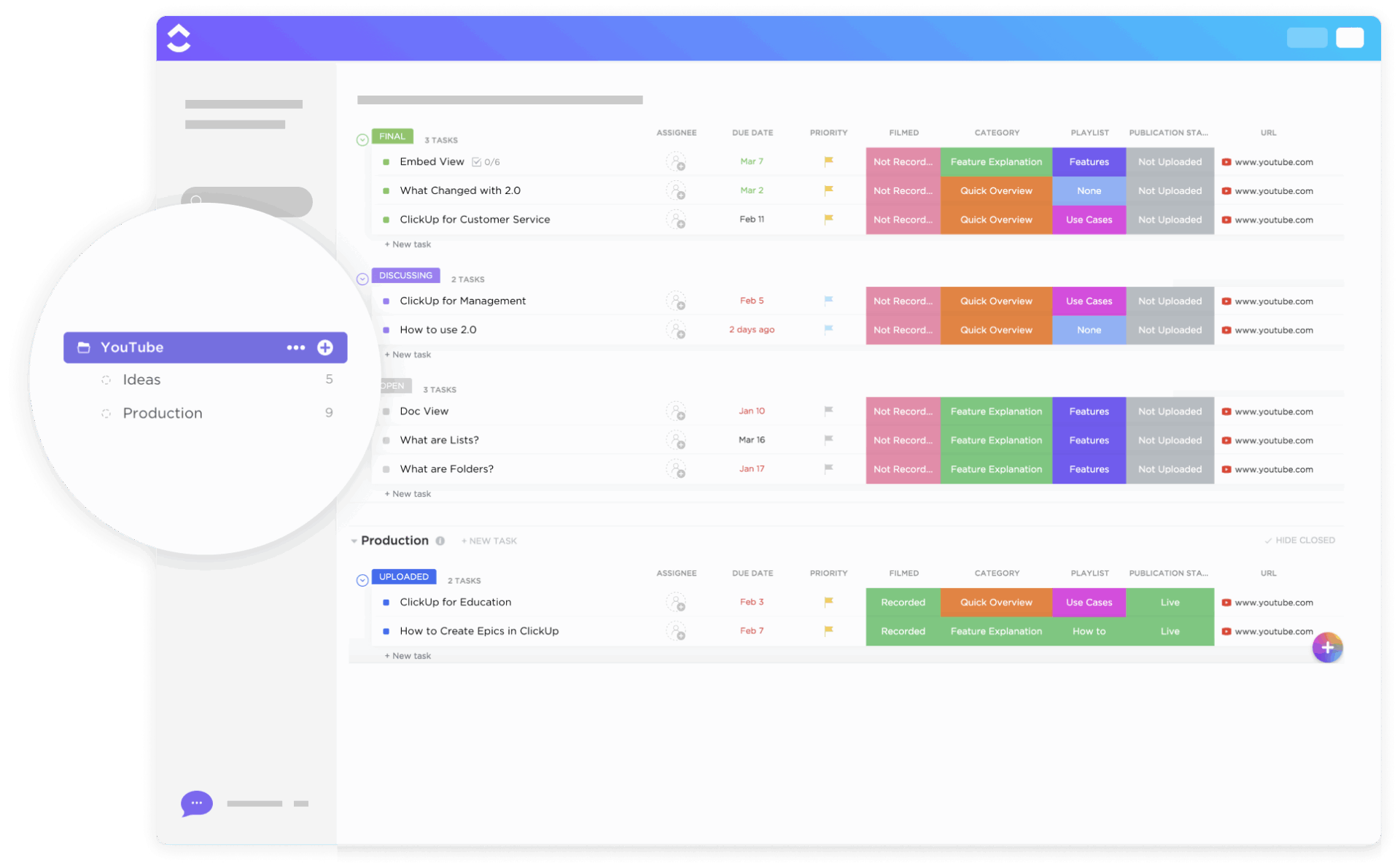
For this, use ClickUp’s YouTube Template to plan, conceptualize, and implement content strategies for your channel. From pre-production brainstorming to post-production publishing, this template gives form to your ideas.
With this template, you can:
⚡ Template Archive: Free Beginner-Friendly Social Media Calendar Templates
If you’re running multiple marketing campaigns at any given time, you need a single source of truth to keep track of budgets, timelines, and everything else.
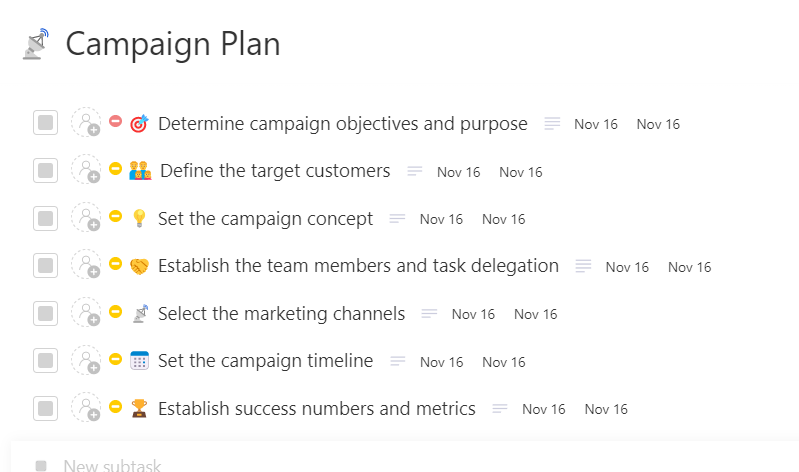
ClickUp’s Campaign Planning Template offers exactly that. With this template, you can set goals, track progress, and measure the success of multiple YouTube campaigns without losing sight of individual performance.
This template offers flexibility to choose from 7 different Custom Fields (Allocated Budget, Campaign Head, Remaining Budget, and Campaign Type) to align the team around shared objectives and prioritized tasks.
With this template, you can:
⚡ Template Archive: Plan and Schedule like a Pro with Free Content Calendar Templates
ClickUp Whiteboards give your team a visual canvas to structure and organize all your creative ideas, campaign directions, references, video concepts, and messaging angles in one place.
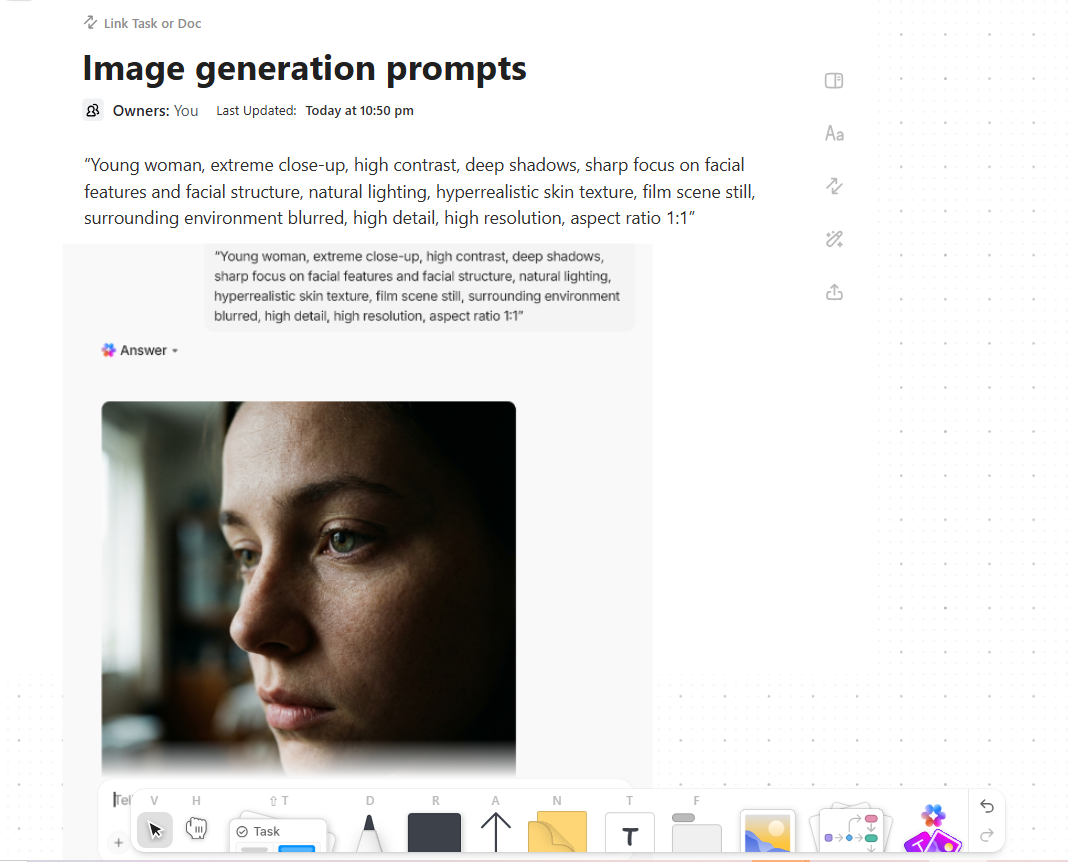
It integrates with your workspace and leverages AI to connect your ideas.
Here’s how Whiteboards streamline your creative process:
| Where does Whiteboard connect? | How does it help your YouTube ads? |
| Connect to Tasks | Turn brainstormed ad concepts directly into actionable tasks with assigned owners and deadlines |
| Connect to Docs | Link campaign briefs, scripts, and brand guidelines right inside your whiteboard for easy reference |
| Connect to Chat | Discuss creative directions in real time without leaving the whiteboard or switching tabs |
Once you’ve got a concept, use ClickUp Clips to record ad drafts, storyboard walk-throughs, or editor notes. Stakeholders can leave timestamped comments, assign feedback, and resolve issues without forcing a live review call.
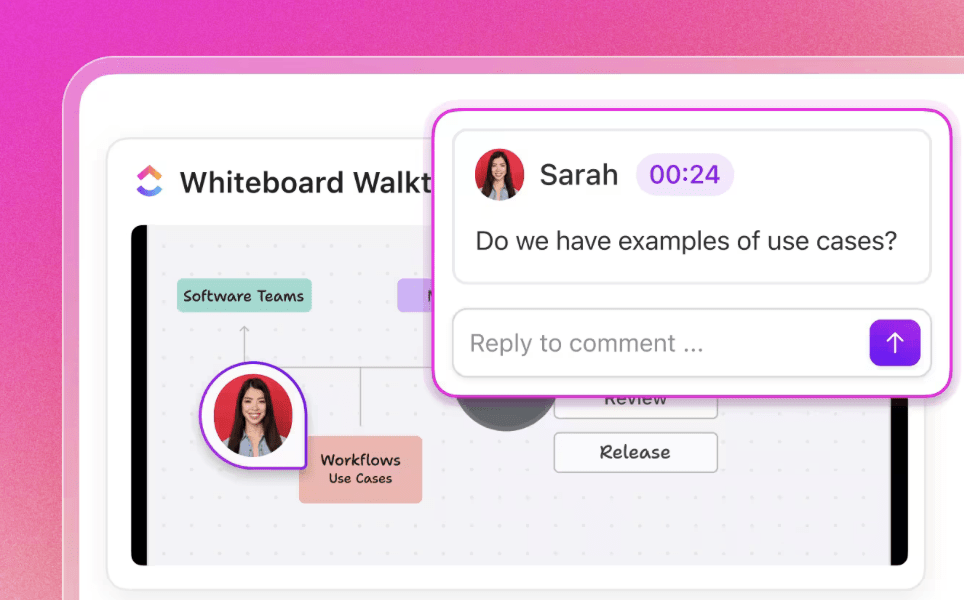
Planning and executing YouTube ads is not a one-person process. Not a single-step workflow.
Between pre-production and post-production, a series of approvals, task assignments, budget updates, and performance reviews—tasks whose manual updates won’t take much time but will definitely drain energy.
ClickUp Automations come to your rescue. They handle repetitive tasks so you can focus your creative energies on actual work.
Here are a few automation examples to try:
Use the ClickUp Ads Schedule Template to plan your ad rollout timelines and coordinate automation triggers with campaign launch dates.
Watch this video to see how Super Agents works alongside ClickUp Automations👇
📚 Read More: How to Automate Content Creation?
ClickUp BrainGPT is a converged AI workspace that brings multiple AI capabilities into one platform. Instead of switching between AI tools for writing, research, knowledge retrieval, and 10 other things, you get everything you need within this standalone desktop app.
With BrainGPT, you can:
Stop building your YouTube ad campaigns in isolation.
If your planning, team communication, execution, and tracking are happening on different platforms, tool sprawl is killing your productivity and limiting your ability to act decisively.
ClickUp’s AI-powered workspace brings tools for ideation, task tracking, planning, organizing, optimizing, and automating into one centralized platform. Everything you need to build, manage, and optimize effective YouTube ad campaigns lives in one place with ClickUp.
Sign up for free now and start streamlining your YouTube ads process.
YouTube ads typically cost between $0.10 to $0.30 per view (CPV), though costs vary based on targeting specificity, competition, and ad format. You can start with as little as $10 per day and scale based on performance.
Non-skippable in-stream ads and bumper ads work best for brand awareness since viewers must watch the entire message. Masthead ads deliver maximum visibility if you have the budget, while skippable in-stream ads can also build awareness when paired with other long-term campaigns.
Small businesses can start with modest daily budgets of $10-$20 and focus on running tightly targeted campaigns. They can then scale spending once they identify winning combinations of audience targeting, ad creative, and messaging that consistently drive conversions.
You track conversions through Google Ads by linking your YouTube channel to Google Analytics. YouTube Studio also provides view-through conversion data, showing when viewers convert after watching your ad without clicking.
ClickUp offers a structured workspace to plan, execute, and monitor multiple YouTube ad campaigns simultaneously. With AI-powered Dashboards, automated reporting through Super Agents, and templates for campaign planning and ad production, you can track budgets, deadlines, creative assets, and performance metrics in one place.

© 2026 ClickUp

There’s an easier way. Try a free AI Agent in ClickUp that actually does the work for you—set up in minutes, save hours every week.