






Still downloading templates?
There’s an easier way. Try a free AI Agent in ClickUp that actually does the work for you—set up in minutes, save hours every week.
Sorry, there were no results found for “”
Sorry, there were no results found for “”
Sorry, there were no results found for “”


Microsoft Word may be synonymous with document processing software, but it isn’t for everyone.
Maybe it’s too bulky. Maybe the subscription feels unnecessary. Or maybe you’re just looking for a tool that fits better into your Mac workflow.
Good news: you’ve got options.
Whether you’re writing reports, taking notes, drafting client proposals, or working on long-form content, there are Mac-friendly alternatives to MS Office that are fast, simple, and even free.
And you don’t have to give up features like collaboration, formatting, or file sharing. Many tools now offer the same (or better) functions for your word processing needs than MS Word, without the price tag or the clutter.
In this guide, we’ll show you what to look for in a Microsoft Word alternative for Mac—and why ClickUp Docs might be your new preferred, AI-powered sidekick (or…hero?) for writing, note-taking, and documentation on macOS.
Choosing a Mac Word equivalent isn’t just about finding something that looks like Microsoft Word. It’s about finding a tool that fits how you write, take notes, and collaborate—without slowing you down.
Whether you’re drafting blog posts, preparing business proposals, or organizing meeting notes, here’s what really matters.
👀 Did You Know? According to a Gartner report, 60% of software buyers regret a purchase they made in 12 to 18 months. Many even consider switching to something else. Want to make better choices? Start by aligning your tools with real needs, not just flashy features.
| Tool | Key features | Best for | Pricing* |
| ClickUp | ClickUp Docs for writing + task creation, AI writing assistant (ClickUp Brain), real-time collaboration, Notepad, templates, Docs Hub | Individuals to enterprise teams managing documents alongside projects and collaboration | Free plan available; Custom pricing for enterprises |
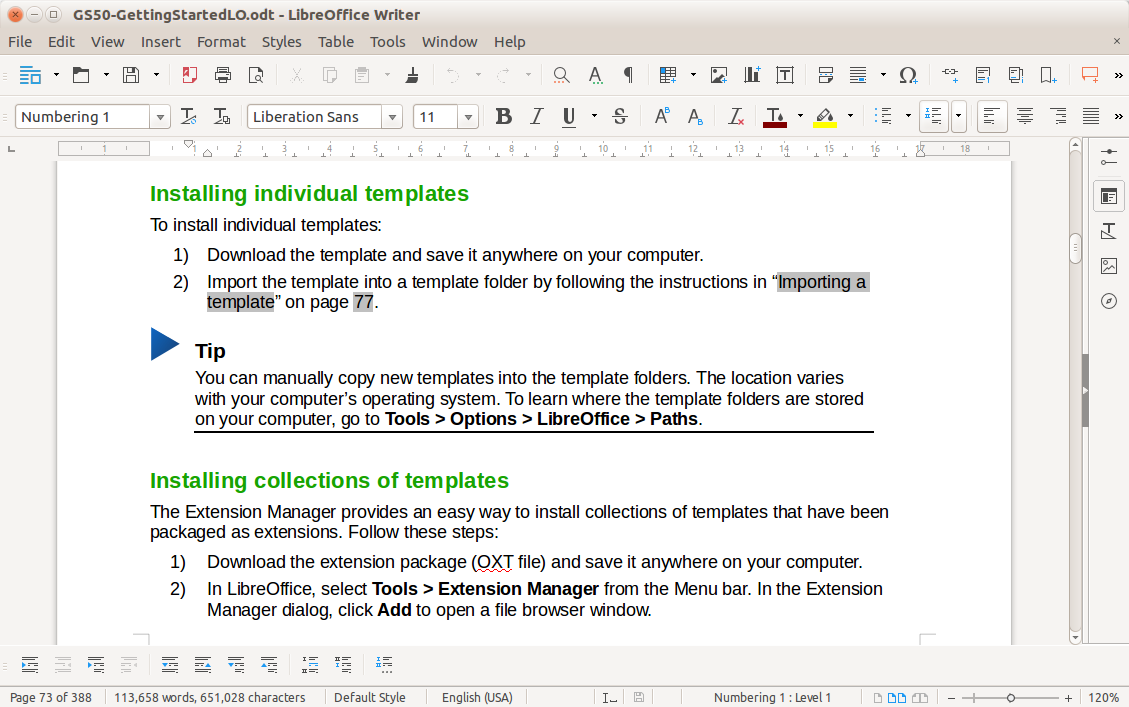
| LibreOffice Writer | Full file compatibility (.doc, .docx, .odt, etc.), advanced formatting, export to PDF/EPUB, built-in spellcheck, works offline | Individual professionals who need a powerful offline word processor with broad format support | Free and open source |
| Apple Pages | Real-time collaboration across Apple devices, 90+ design templates, media embedding, offline access, iCloud sync | Free and open-source | Free on Apple devices |
| Google Docs | Cloud-based editor, real-time editing and commenting, auto-save, unlimited version history, browser access | Remote teams and individuals who need flexible collaboration in the cloud | Free with Google account; Business plans available via Google Workspace |
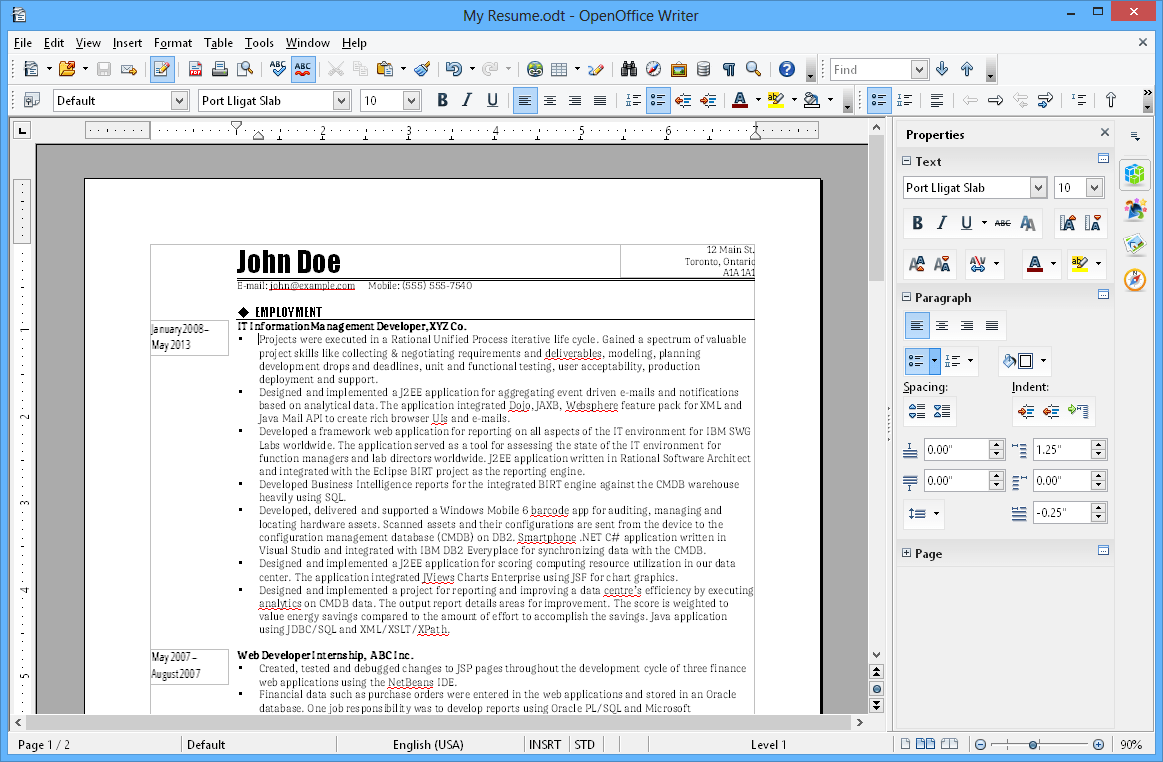
| Apache OpenOffice Writer | Open-source, offline access, file format support, PDF export, basic editing features | Nonprofits or cost-conscious users needing a simple free alternative to MS Word | Professional writers and power users on Mac need a customizable and fast offline editor |
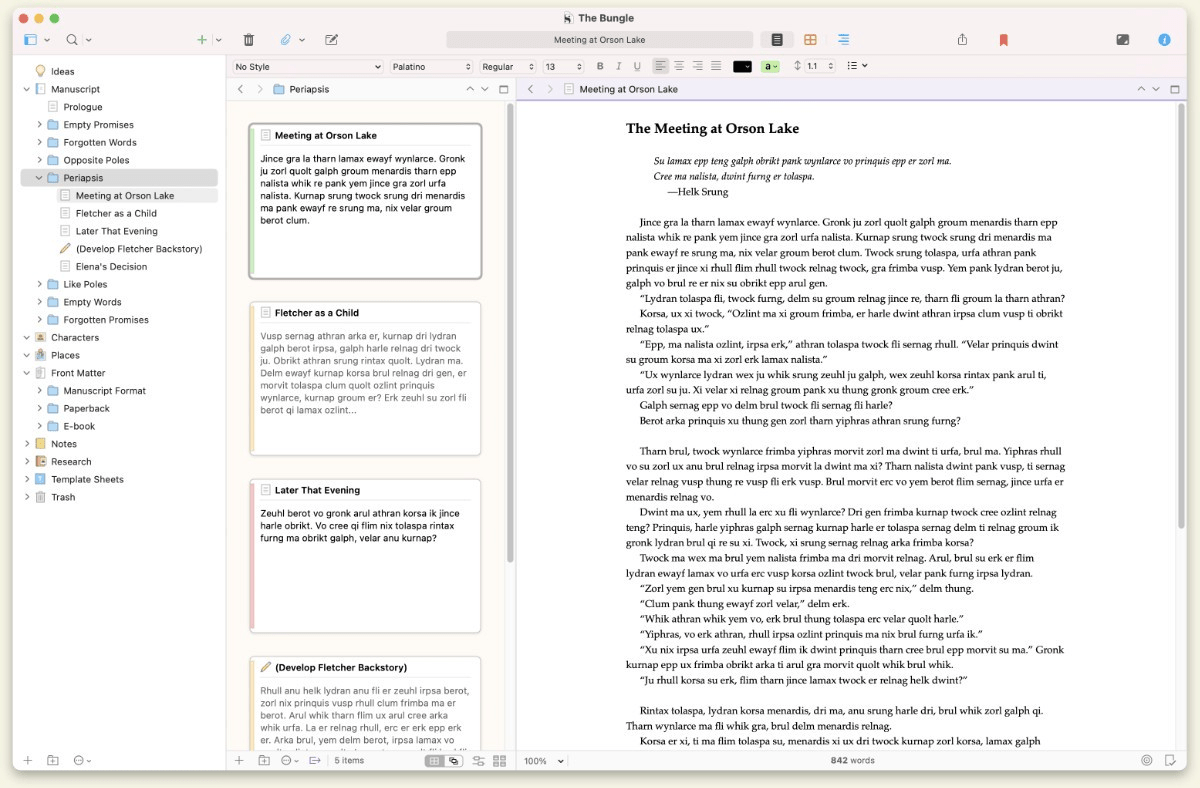
| Scrivener | Binder view for organization, corkboard/outliner for planning, templates for novels/scripts, composition mode | Writers and researchers handling complex, long-form content like books, theses, or screenplays | One-time license: $49 (Standard); $41.65 (Educational) |
| Mellel | Advanced citation, bibliography tools, multilingual typesetting, auto-titles, custom styles, footnote/endnote support | Academic writers, researchers, and technical authors working on structured documents | One-time license: $69 |
| Nisus Writer Pro | Deep customization (shortcuts, toolbars), PowerFind, right-to-left language support, Bookends integration | Professional writers and power users on Mac who need a customizable and fast offline editor | One-time license: $65 |
| ONLYOFFICE DocSpace | Real-time collaboration, 50+ format support, plugins (chat, thesaurus), advanced formatting tools | Teams managing shared documents with real-time editing and access controls | Paid plans start at $20/admin/month (Cloud); $6550/server (On-premises) |
| BBEdit 15 | Multi-file search with regex, syntax highlighting, Git integration, remote file editing, HTML preview | Developers, tech writers, and coders working with clean text, code, or markup | One-time license: $59.99; Upgrades from $29.99; Multi-user: Custom pricing |
Our editorial team follows a transparent, research-backed, and vendor-neutral process, so you can trust that our recommendations are based on real product value.
Here’s a detailed rundown of how we review software at ClickUp.
We’ve put together a list of ten strong Microsoft Word alternatives, each designed to help you write, collaborate, and stay organized, without relying on Microsoft.
ClickUp is more than a writing tool. It’s the everything app for work built for people who need their documents to be more and do more.
With ClickUp Docs, you can create, format, and edit documents just like you would in Microsoft Word. But here, Docs aren’t just passive repositories of information. They’re as interactive as you want them to be.
Want to convert select text from your doc into an action item? You can, with the ability to create ClickUp Tasks from Docs in one click.
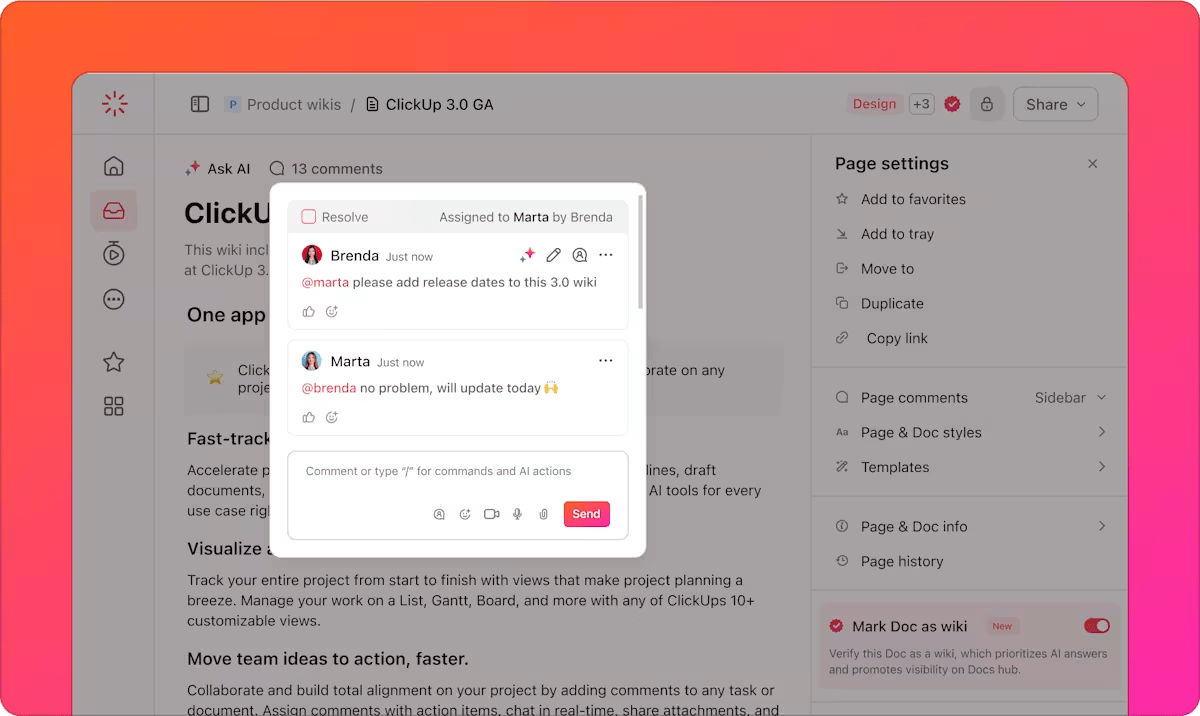
Wish to bring something to a teammate’s attention? Simply @mention them anywhere on the doc—or leave an Assigned Comment they can acknowledge and resolve.
What about embedding rich media or widgets such as product roadmaps or task lists? Possible! And of course, you can format each doc the way you want—with multiple options for fonts, colors, banners, styled lists, and more elements to choose from.
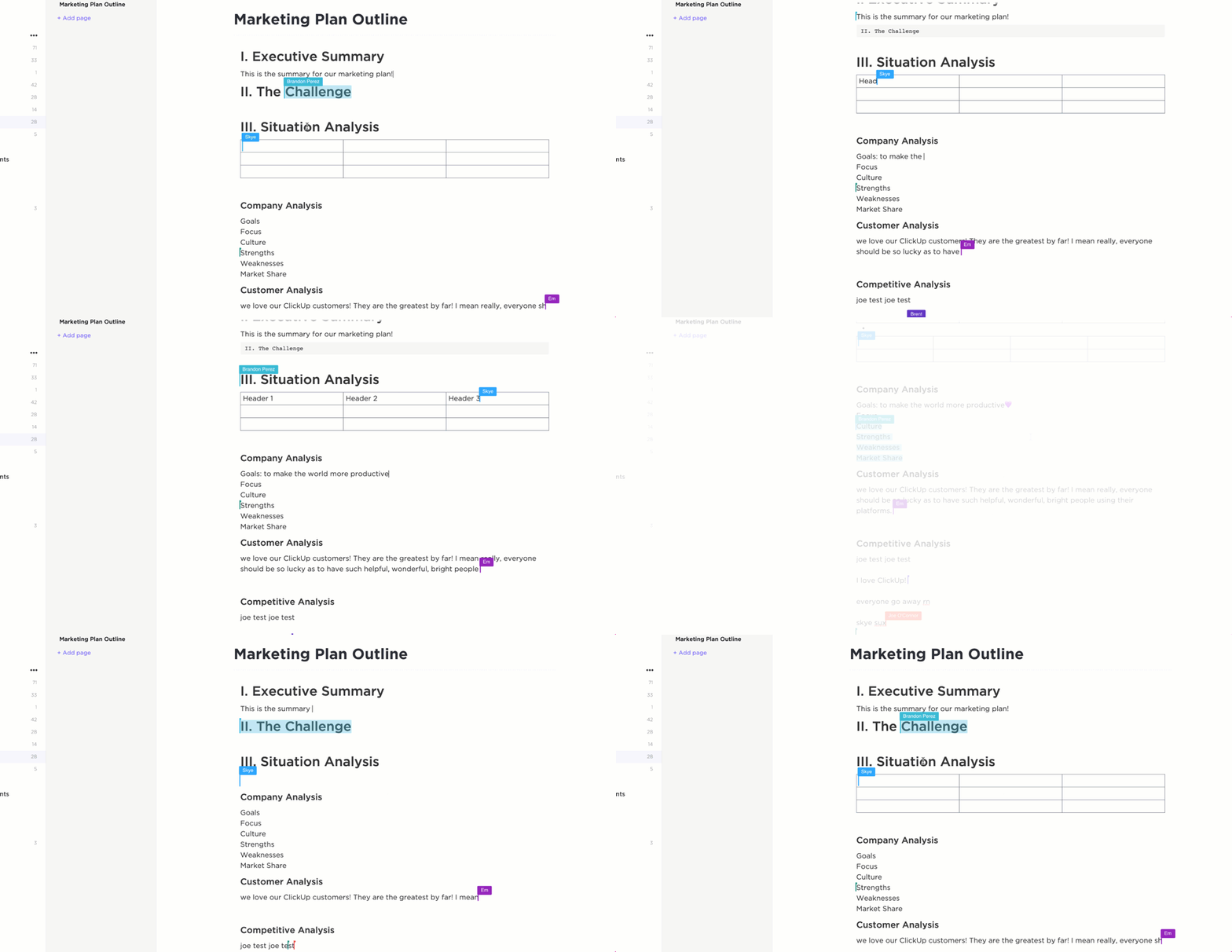
Docs in ClickUp are actionable and always stay connected to your work. You can link them to tasks, attach them to folders, and use them as part of your team’s workflow, not just as a standalone file. You can edit the same document with your team in real time, so everyone always sees the latest version and stays on the same page—quite literally.
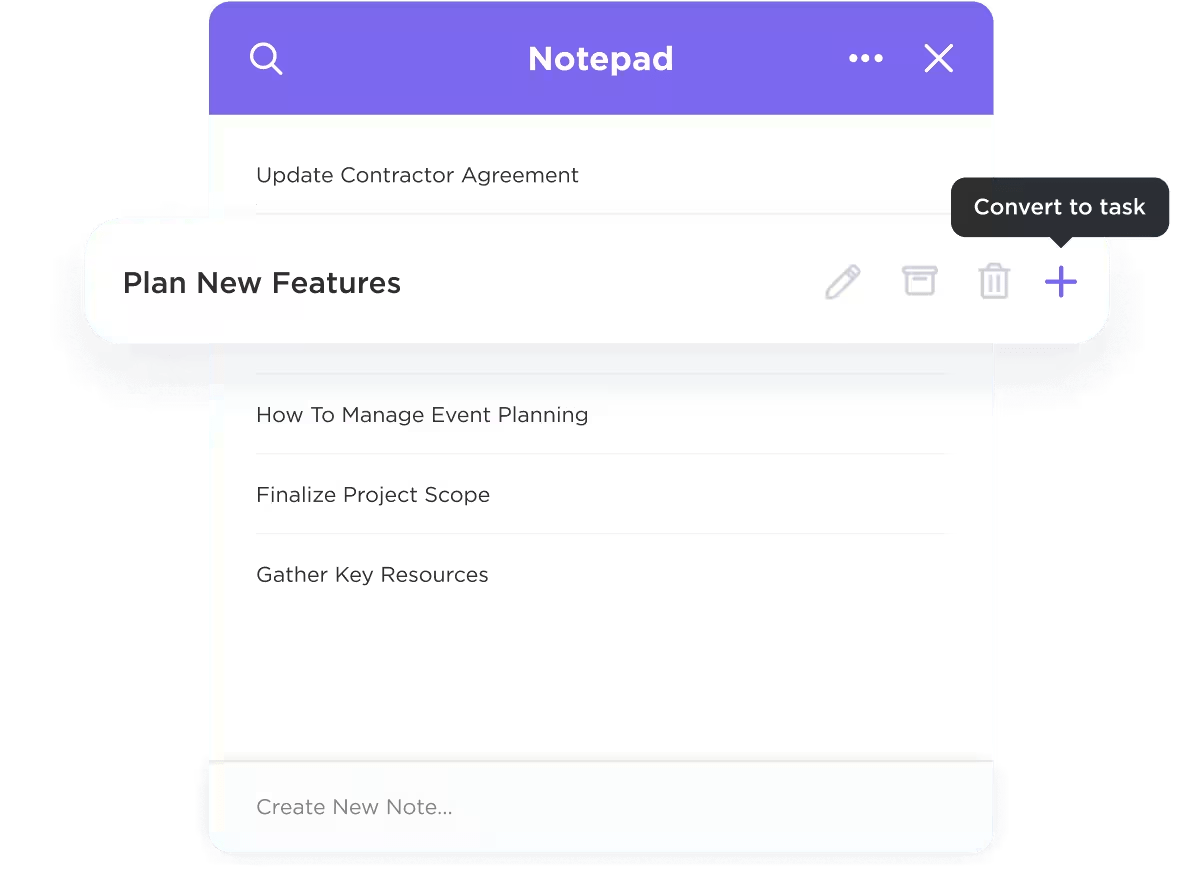
If Docs seem like overkill for jotting down those quick ideas, you won’t need to rely on a separate notes app either. With ClickUp Notepad, you get a simple space to capture quick thoughts, meeting notes, or to-dos. Notes don’t stay isolated either. You can convert them into Docs or tasks whenever you’re ready to take action.
If you’re short on time, ClickUp Brain steps in to help. It’s an AI assistant built into Docs that can summarize long content, rephrase clunky paragraphs into polished and professional pieces, or even help generate content when you’re stuck. Whether you’re outlining a blog post or cleaning up a rough draft for an executive report, it reduces time spent on busywork so you can focus on the message.
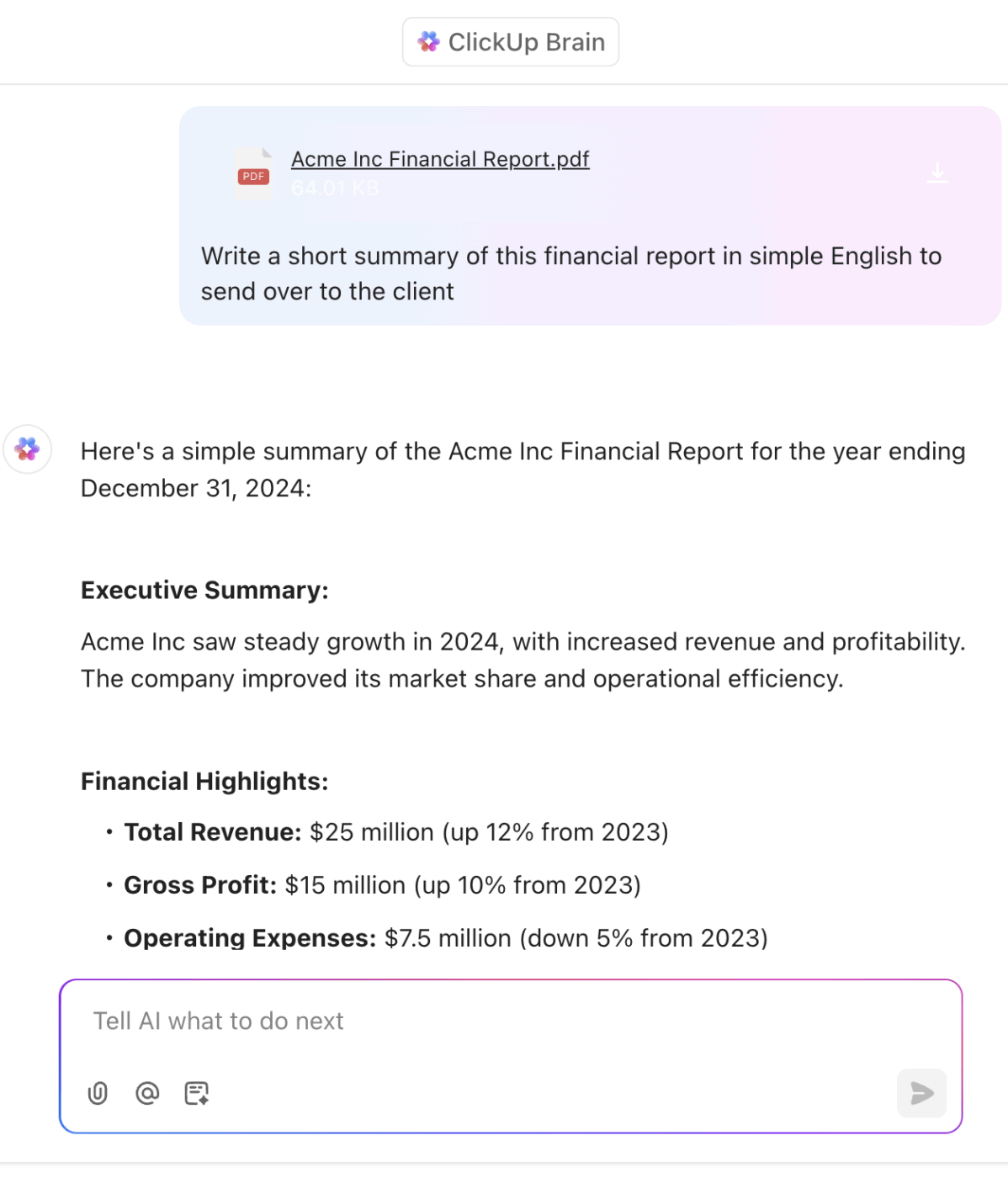
Learn how you can write with AI, without leaving your workspace, thanks to ClickUp Brain:
ClickUp works the way you think. Word documents don’t live in a messy folder system. They live inside ClickUp’s clean project hierarchy—Workspace, Space, Folder, List, Task. You can organize docs by client, project, or workflow. Everything is linked and easy to find. No more hunting through scattered files.
💡 Pro Tip: Want to stay organized as you scale? Use the Docs Hub in ClickUp to spot all your Docs—owned, created, shared—in one place. You can even Ask ClickUp AI to find them quickly using natural language commands or use ClickUp Connected Search if you remember the Doc’s keywords!
Everything syncs across all your devices. You can download ClickUp for Mac for a smooth desktop experience that runs fast, responds well to gestures, and fits neatly into your macOS environment.
💡 Pro Tip: If you want to create a knowledge base that’s easy to manage, start with a template. ClickUp’s knowledge base templates provide a solid structure for organizing internal guides, onboarding docs, and team FAQs.
A G2 review praises the tool’s versatility:
ClickUp centralizes all our work—tasks, docs, chats, and goals—in one place. The flexibility is unmatched: custom views, automations, and integrations make it easy to tailor workflows to each team’s needs. I especially appreciate how ClickUp balances depth (powerful features like dependencies and dashboards) with usability. It’s made project tracking, team collaboration, and communication smoother and far more transparent.
LibreOffice Writer gives Mac users everything they need to create professional Word documents—without a subscription.
The software supports a wide range of formats, including .doc, .docx, .odt, .rtf, and .html, making it a strong MS Word alternative for users who want broad compatibility. With advanced formatting tools, built-in templates, and export options, you can produce high-quality documents using LibreOffice Writer.
A Capterra user says:
I appreciate LibreOffice for being a powerful, open-source suite with a strong feature set and compatibility with various document formats. Its community-driven development ensures regular updates and improvements.
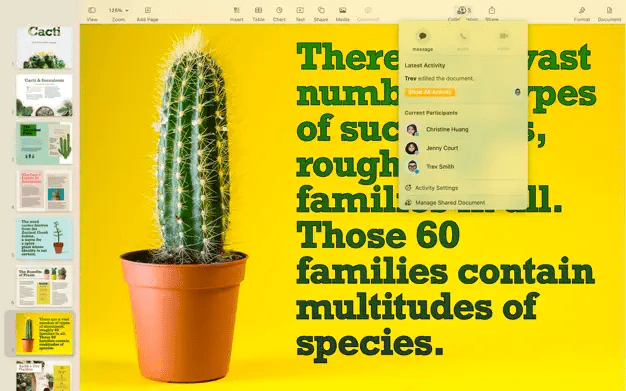
Apple Pages is built into most Apple devices. It’s made for Mac users who care about design, want real-time collaboration, and prefer a tool that fits naturally into the Apple ecosystem.
Everything feels native on Mac—from smooth transitions to deep integration with iCloud, Messages, and FaceTime. You can collaborate live with teammates on Mac, iPad, iPhone, or even a browser.
If you’re switching from Microsoft Word, Pages lets you open, edit, and export MS Word files without a hitch.
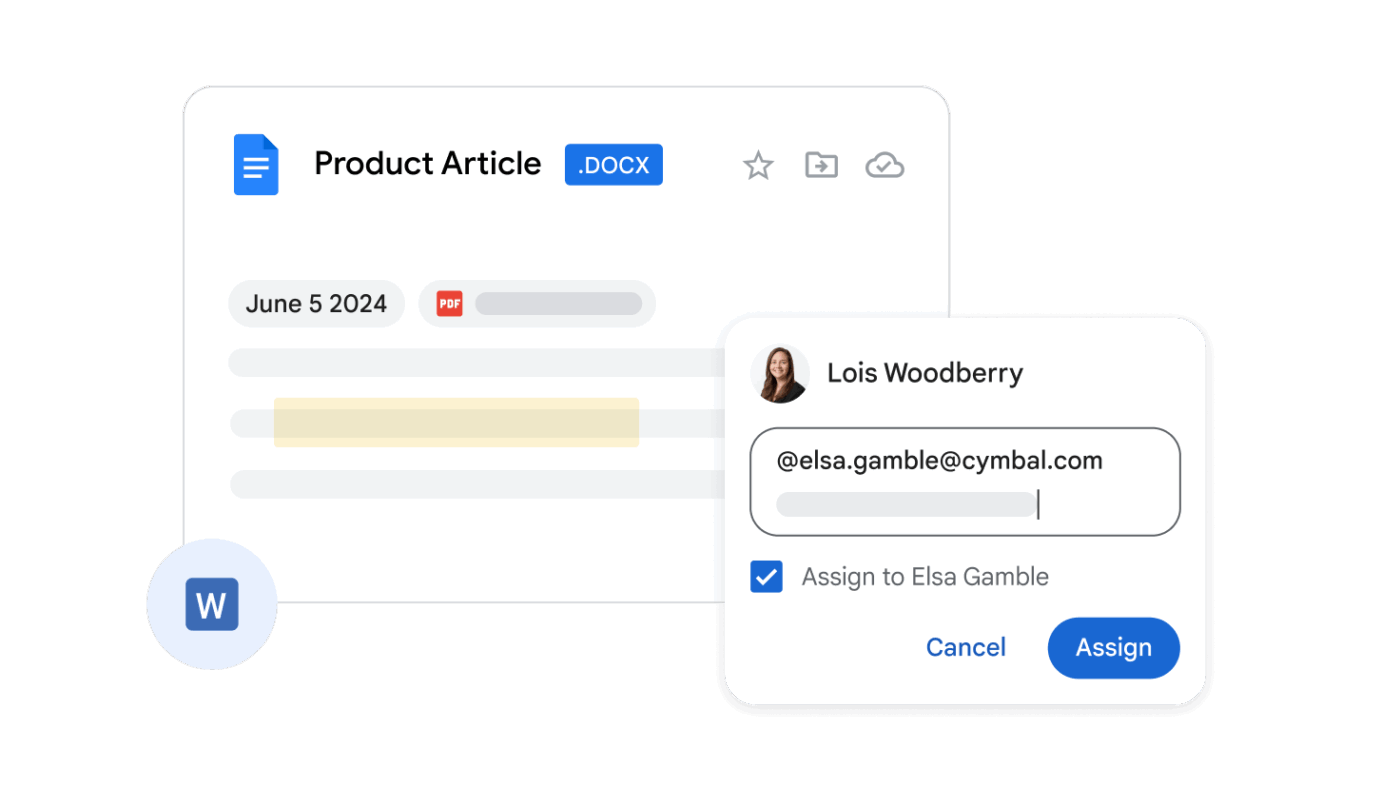
Google Docs is a browser-based word processor that makes it easy to write, edit, and share documents from anywhere. It’s built for teams, but just as useful for solo work. Mac users can access it without installing anything, and everything syncs to the cloud in real time.
Changes are saved automatically. You can see who’s editing, add comments, and roll back to any previous version—without ever clicking ‘Save.’ It’s one of the most accessible options for Mac users looking for a Microsoft Word alternative, especially for teams that prioritize speed and flexibility.
See what a Capterra user has to say about this tool:
I really love and use Google Docs pretty much everyday, whether I find the need to do quick perusals in the stories I wrote or editing some documents which I can possibly do both online and offline. I really appreciate how I can definitely edit my documents offline and just have the changes applied once I am back online.
Apache OpenOffice Writer is a solid choice if you want a basic, offline word processor that won’t cost a dime. It’s open-source, cross-platform, and built for users who prefer a no-frills Microsoft Word alternative.
It covers the essentials—writing, editing, and formatting—with support for all the common file format types. The interface feels dated, but the tool is dependable. It’s ideal for straightforward tasks like reports, letters, and forms when you don’t need cloud sync or collaboration.
Here’s a Capterra review:
I first started using OpenOffice when working for a cash strapped non-for-profit. I recommended this as an alternative to the licensed software. I have never looked back. The only time I use licensed software (The big M) is when the organization I’m working for has purchased an enterprise license. I have used OpenOffice professionally for over 10 years!
Scrivener is built for writers working on big, complex documents. If you’re writing a novel, thesis, or research paper, it gives you the tools to break your work down into smaller parts, organize it clearly, and keep everything in one place.
You can move between scenes, notes, outlines, and drafts without switching apps. The interface is built for focus, and the structure helps you manage large volumes of content without getting lost.
See what a Capterra user has to say about this tool:
Just buy it or at least trial it. I use it for long books, articles, and pretty much everything. I love it. Nothing I’ve found comes close. I’m using version 3.0 on a Mac btw but the Windows version also gets good reviews.
📖 Also Read: Best Document Automation Software to Use
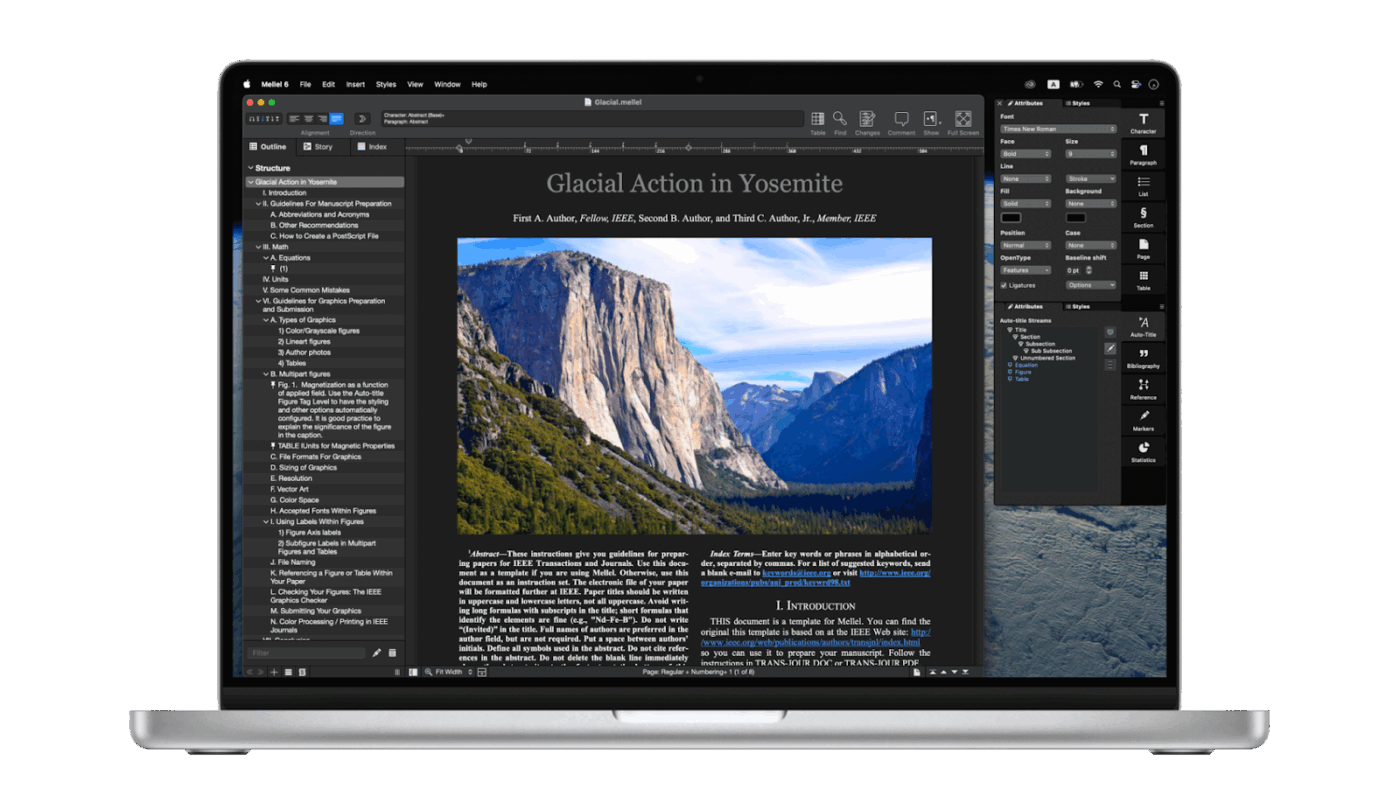
Mellel is built for writers who need structure and precision. It’s especially useful for academics, researchers, and technical writers who work with long, detailed documents and complex formatting.
With tools for auto-titles, live bibliographies, multilingual typesetting, and advanced note systems, Mellel gives you full control over how your pages are organized and presented. It’s made for serious writing, especially when citations, references, and formatting rules matter.
A user on G2 shares:
These are some areas where I recommend/ like Mellel :
1. The price is worth for the usage .
2. The auto titles and outlikes is a great feature.
3.The free to try option is also best although once who try will always use.
📮 ClickUp Insight: 37% of our respondents use AI for content creation, including writing, editing, and emails. However, this process usually involves switching between different tools, such as a content generation tool and your workspace.
With ClickUp, you get AI-powered writing assistance across the workspace, including emails, comments, chats, Docs, and more—all while maintaining context from your entire workspace.
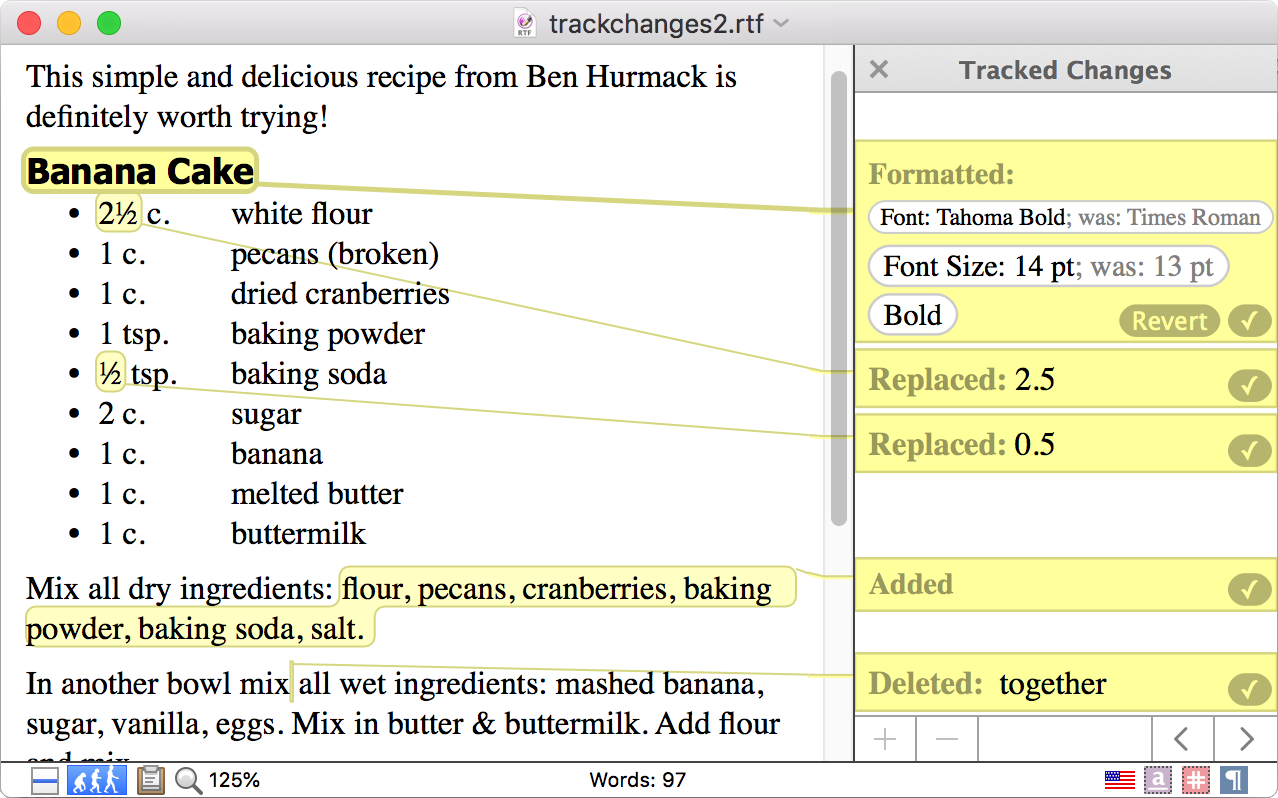
Nisus Writer Pro is built for writers who want full control over their tools. It’s fast, flexible, and designed specifically for macOS. From long-form content to technical writing, it offers the power of a pro editor with the simplicity of a Mac app.
You can customize nearly everything—toolbars, shortcuts, styles, and macros. Whether you write in one language or five, need advanced find-and-replace, or want to automate repetitive tasks, Nisus Writer Pro helps you work your way.
A G2 review says:
The tool has power packed features such as Table of contents generator, dark mode, split view, etc.
📖 Also Read: Best Document Collaboration Software Tools
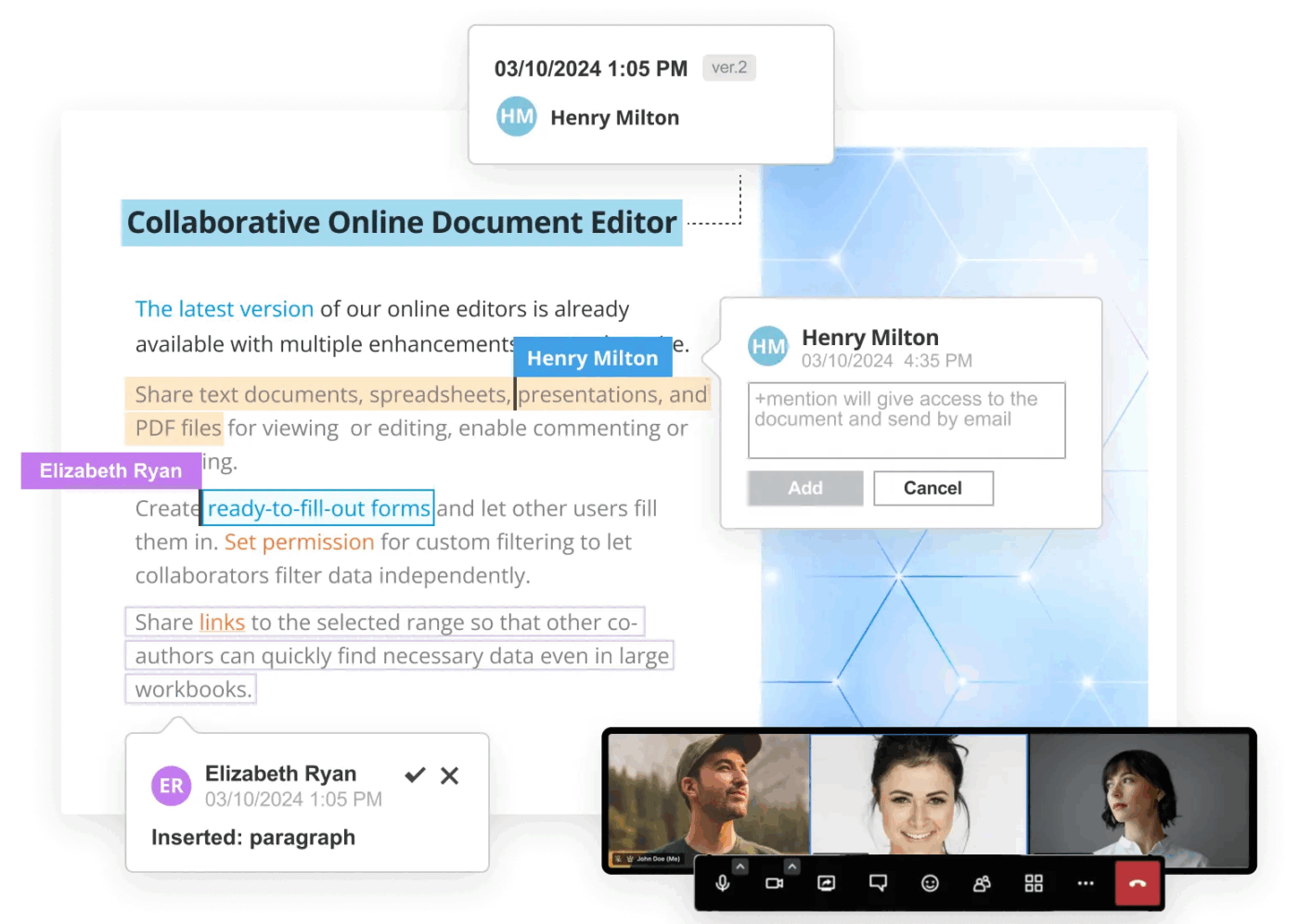
ONLYOFFICE Document Editor gives you the feel of Microsoft Word, but with stronger collaboration and wider format support. It’s designed for teams that need to work together on projects—without losing control of formatting or structure.
You can co-edit in real time, leave comments, and track changes across devices. It works well with .docx, .odt, .pdf, and dozens of other formats, making it easy to share files without conversions or compatibility issues.
Straight from a G2 review:
DocSpace within ONLYOFFICE shows its ability to connect collaboration tools as document editor, chat, and video calls in one platform. This makes it easy to share documents and files with my team hence easing the workflow of our different projects.
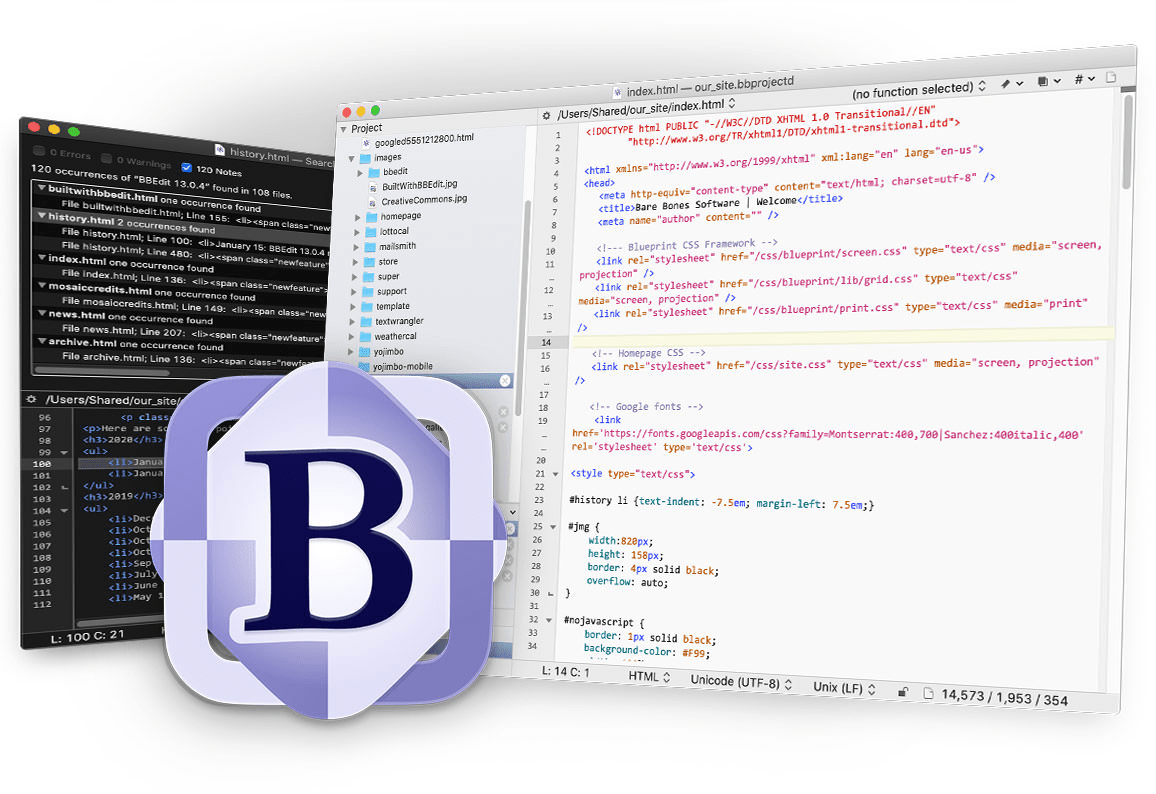
BBEdit 15 is built for people who work with raw text—developers, technical writers, and anyone who needs precision. It’s not a typical word processor. It’s a tool for clean, structured writing and editing at scale.
You can search across thousands of files, manipulate content with patterns, and write in dozens of programming or markup languages. It’s fast, focused, and designed for Mac users who need serious control over their text.
📖 Also Read: Best Writing Assistant Software With AI
ClickUp is a strong Microsoft Office Word alternative for users who need more than just a blank page. It’s a space for writing, planning, tracking, and sharing—all tied together. If you’re ready to move beyond basic word processors, ClickUp is worth a closer look—not just as a Word substitute but really as a replacement for your entire Office suite.
It’s built for teams who want to keep everything connected. Notes link to tasks. Docs live where the work happens. Comments turn into next steps. No switching tabs, no digging through folders.
Try ClickUp today and bring your documents and your workflow into one place.

© 2026 ClickUp

There’s an easier way. Try a free AI Agent in ClickUp that actually does the work for you—set up in minutes, save hours every week.