

Sorry, there were no results found for “”
Sorry, there were no results found for “”
Sorry, there were no results found for “”
Typing can’t always keep up with your thoughts. One moment you’re firing off voice notes, the next you’re jumping between docs, emails, and project tools trying to turn those ideas into something usable.
That’s where AI voice tools and real-time transcription step in, so you can speak naturally and keep work moving without fighting the keyboard.
Wispr Flow acts like an AI-powered keyboard for your desktop, turning dictation into clean text inside your favorite work apps. ClickUp, on the other hand, combines multiple features and tools into a single workspace that is powered by voice and AI.
In this article, we’ll explore Wispr Flow vs ClickUp, comparing how each handles voice-driven task management, contextual AI capabilities, and productivity features.
When you compare a focused dictation tool against a full productivity platform, it helps to see the differences side by side:
| Feature | ClickUp | Wispr Flow |
| Real-time transcription and note capture | ClickUp AI Notetaker records supported calls, generates transcripts and summaries, and turns follow-ups into tasks in ClickUp Tasks and Docs | Focuses on live dictation into any selected text field; does not join calls but lets you speak notes into any app |
| Project and task management | Full project hierarchy (Workspaces → Spaces → Folders → Lists → Tasks → Subtasks) with Docs, Dashboards, and reporting in one place | No built-in task or project management; relies on external tools like ClickUp, Jira, or CRMs to store and track work |
| Workflow automation and AI models | ClickUp Automations and ClickUp Brain handle status changes, assignments, notifications, summaries, and AI-generated drafts tied to workspace data | Uses AI models to clean up, rewrite, and format dictated text but does not trigger workflow changes or task actions |
| Collaboration and communication | Shared Docs, Assign Comments, Chat, and Clips keep conversations, files, and tasks together inside one collaborative workspace | Speeds up replies and documentation inside tools like email, Slack, Docs, or IDEs but offers no shared workspace |
| Pricing | Free Forever plan; paid plans from $7/month per user, with AI add-ons like Brain and BrainGPT available on paid tiers | Basic: Free; Pro: $15/month per user; Enterprise: Custom pricing |
| Best for | Teams that want voice, transcription, tasks, Docs, and AI automation in a single productivity and project management platform | Individuals and teams that want a fast, flexible dictation layer they can use across existing apps and workflows |
Our editorial team follows a transparent, research-backed, and vendor-neutral process, so you can trust that our recommendations are based on real product value.
Here’s a detailed rundown of how we review software at ClickUp.
Imagine you are leading a launch: voice notes in your phone, task reminders scattered across different apps, and feedback buried inside email threads. Every time you jump between tools, you lose speed and context. That’s classic work sprawl in action.
ClickUp is the world’s first Converged AI Workspace, built to reduce both work sprawl and AI sprawl by bringing all your work apps, data, and AI models into a single platform.
You can plan projects, create tasks, draft Docs, and add comments without switching tabs. All your ClickUp tools and features stay connected in a single platform, so your workflow feels like one continuous workspace, rather than a stack of disconnected tools.
ClickUp also includes a built-in AI assistant called ClickUp Brain. It acts as a contextual AI app that understands your tasks, Docs, and comments, and helps you draft content directly where work happens.
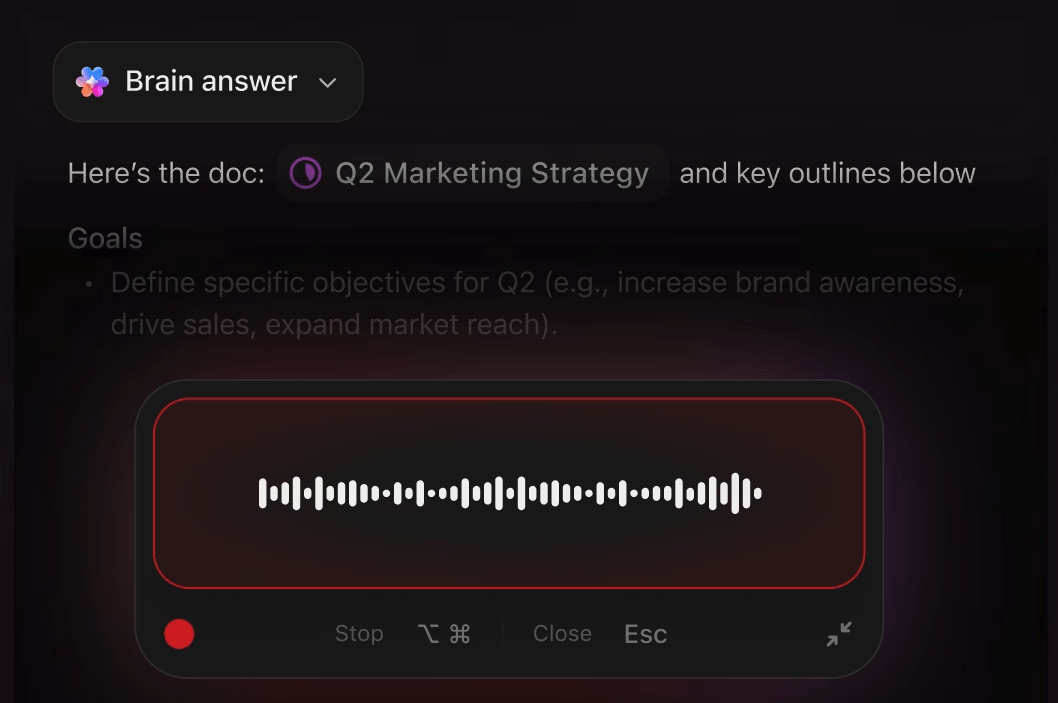
For teams that prefer dictating over typing, ClickUp BrainGPT adds Talk to Text on top of ClickUp Brain. With BrainGPT on desktop or through the Chrome extension, you press a simple shortcut, speak naturally, and your words appear as formatted text in tasks, Docs, comments, or other work apps you already use.
One user described it perfectly:
ClickUp replaced multiple tools we used to rely on—task managers, document tools, dashboards, and even AI note-taking apps. The ability to customize workflows, automate updates, and keep everyone aligned in real time has completely changed how we operate.
📖 Also Read: How to Transcribe Voice Memos to Texts
ClickUp brings tasks, docs, collaboration, and AI together in one platform. Here are the key features that matter most when you care about transcription, dictating ideas, and turning conversations into work.
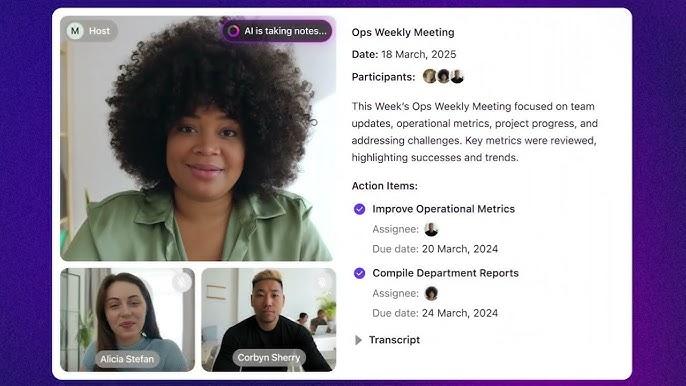
Instead of relying on handwritten notes or scattered recordings, ClickUp AI Notetaker can automatically join supported calls and generate searchable transcripts and summaries. From there, you can create tasks, assign owners, and add due dates directly from the recap, so nothing gets lost between a call and your task list
Because the notes and transcript live inside ClickUp Tasks and ClickUp Docs, your team can leave comments, add feedback, and track follow-up work without jumping into separate transcription software.
For example, a sales manager runs daily check-ins with the team. Instead of typing action items while people talk, they rely on ClickUp AI Notetaker. After the meeting, the summary highlights decisions, and follow-up tasks are created and assigned automatically, so the manager only has to review and adjust.
👀 Fun Fact: The world’s first audio recording was made in 1860 on a device called a phonautograph, which etched sound waves onto a soot-coated piece of paper. It wasn’t even intended for playback; it was purely a visual analysis of sound.
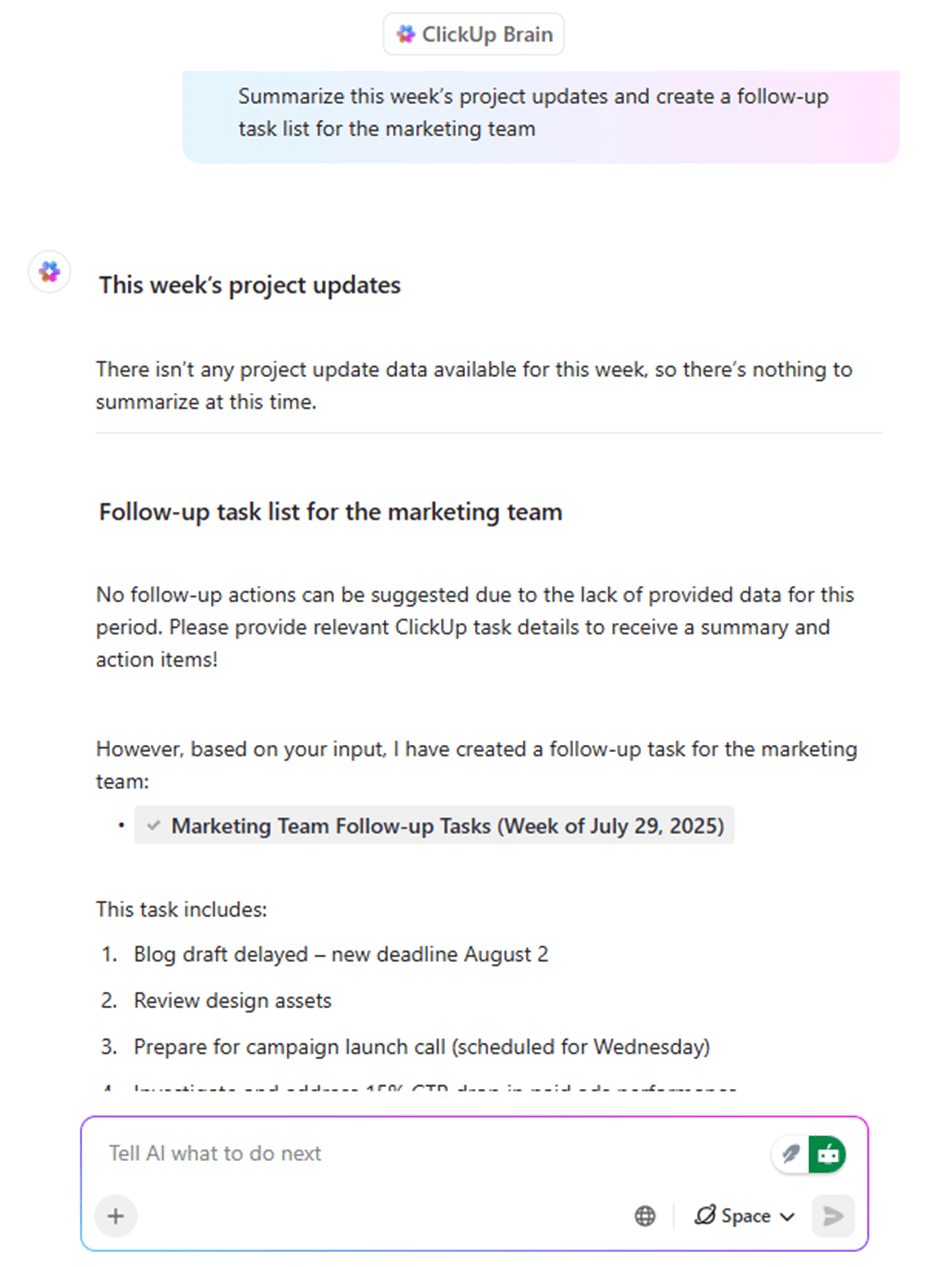
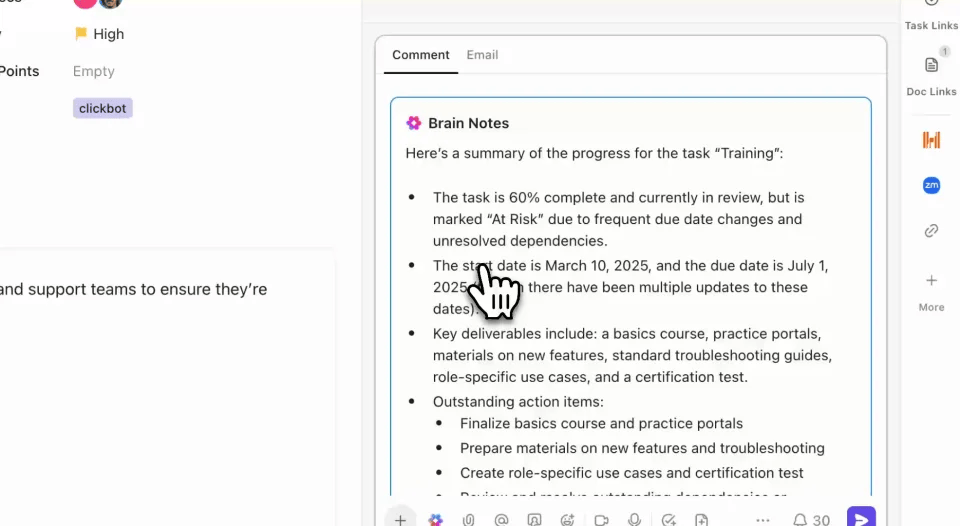
ClickUp Brain is your AI assistant inside ClickUp. It uses advanced AI models to answer questions about your tasks and Docs, create Tasks and Docs, summarize long notes, and help you structure feedback into a clear plan.
With BrainGPT on desktop and as a Google Chrome extension, you can use Talk to Text to capture ideas instantly and let AI handle the busywork.
BrainGPT converts your speech into text across desktop apps, Docs, sites, and forms, so you can dictate updates or outlines instead of typing them. On average, this helps users save up to 1.1 days per week and complete tasks 4x faster than typing, thanks to its AI-powered transcription.
Powered by premium AI models like ClickUp Brain, Gemini, OpenAI, DeepSeek, and Claude, ClickUp BrainGPT intelligently understands your context, edits as you speak, and delivers polished text across apps.
It can handle punctuation, structure, and formatting for you, so your dictated content comes out as clean paragraphs or checklists instead of raw transcripts. With up to 88% cost savings, this AI super app replaces multiple AI apps and transcription tools while giving you voice-driven speed and accuracy.
You can also use Talk to Text in classic transcription workflows. BrainGPT can:
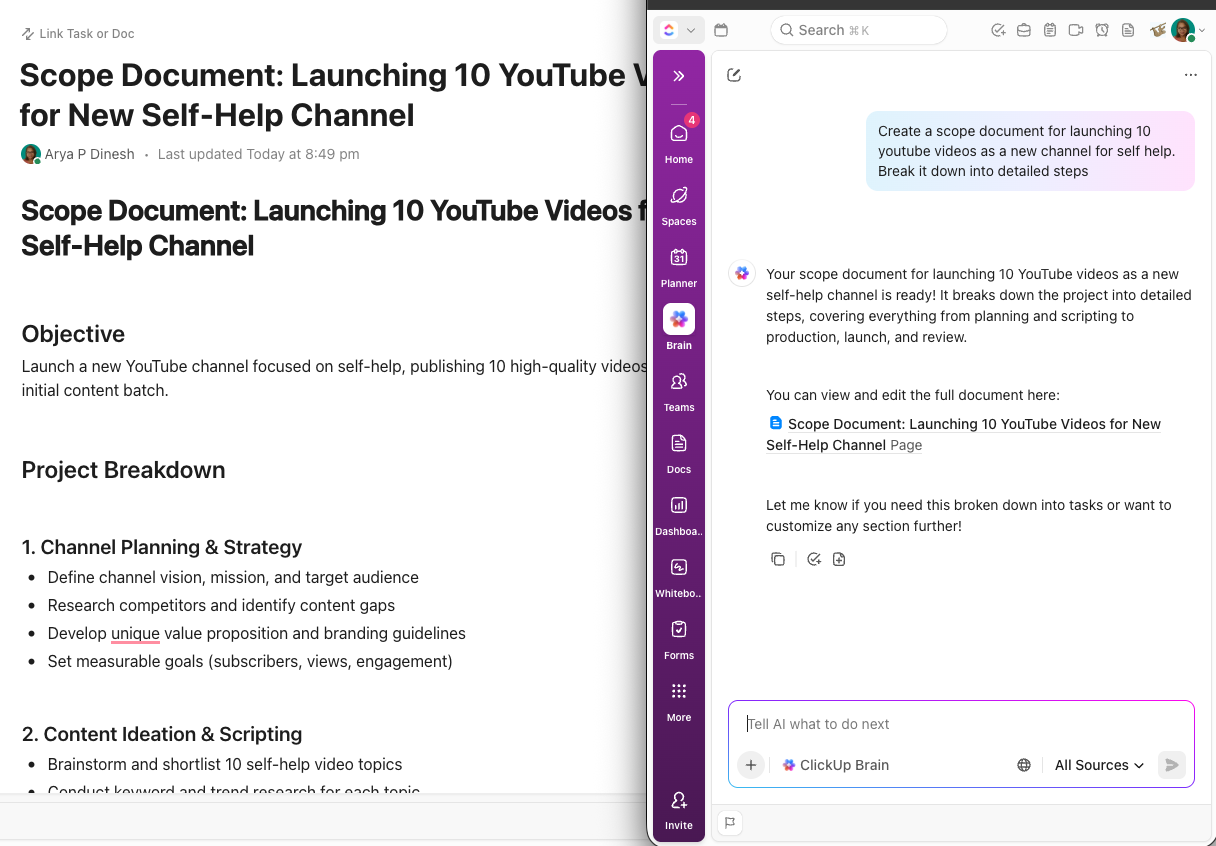
ClickUp Docs lets teams create documents, wikis, and knowledge hubs that connect directly to tasks and projects. You can leave comments, add comments for specific teammates, and convert those comments into action items, all without leaving the Doc. Docs and tasks live side by side, so you can track how a document turns into real work.
With Talk to Text, you can dictate sections of a Doc, meeting recap, or knowledge article instead of typing them. Speak your outline or full paragraphs, let Talk to Text write them out, and then use BrainGPT to tighten the copy or turn long feedback into a clear checklist.
Beyond Docs, ClickUp Tasks give you a flexible structure (tasks, subtasks, Custom Fields, dependencies) to track everything from simple checklists to complex projects. When you attach Docs and files to tasks, you get a “tasks docs” experience where context and execution live together.
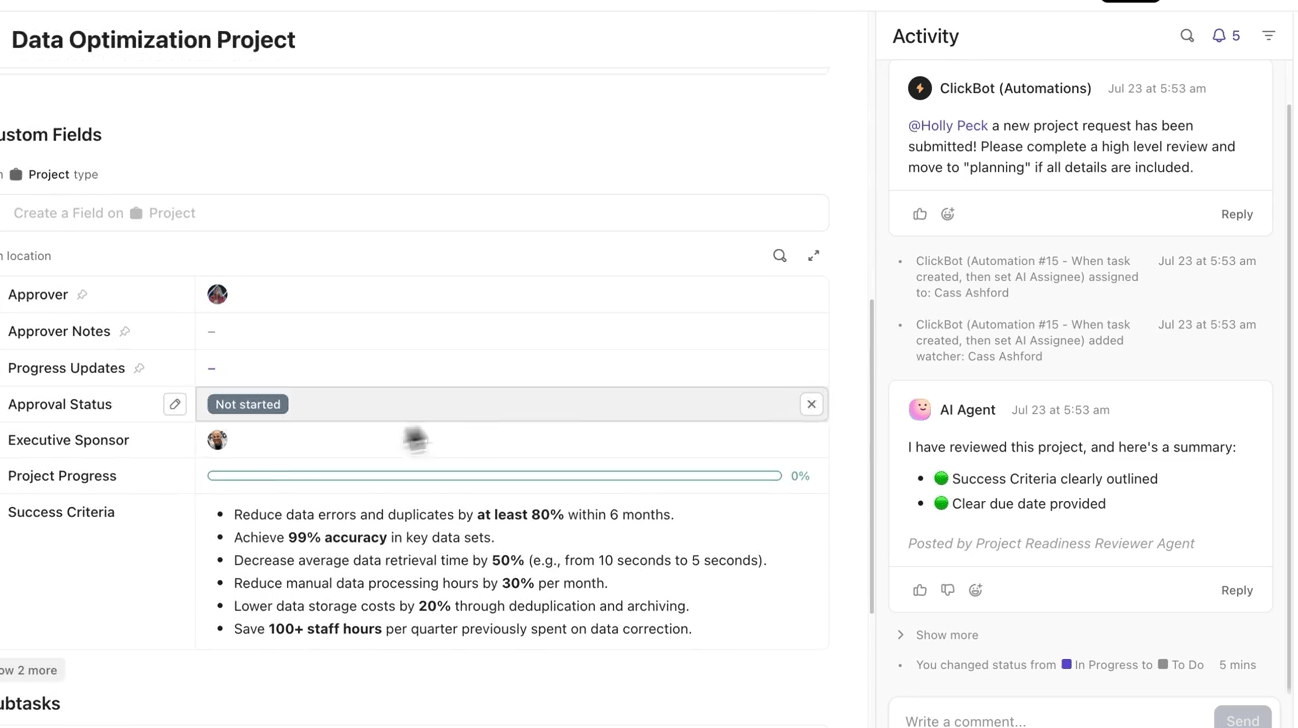
📌 Example: A marketing team writes a launch brief in ClickUp Docs. Reviewers leave comments, then convert key threads into tasks for copy, design, and QA. Those tasks stay linked to the original document, giving everyone one place to track changes, approvals, and launch dates.
To add to this synergy, ClickUp’s collaboration tools (ClickUp Chat, Assign Comments, and ClickUp Clips) let teams leave comments, share quick screen or voice clips, and work inside the same platform. This prevents switching between tools and helps teams focus their energies on completing tasks without context switching.
📮 ClickUp Insight: Almost 88% of people we surveyed already use AI tools to make everyday tasks easier and faster.
Want the same boost at work? BrainGPT, our built-in AI assistant, helps you get there with up to 30% higher productivity, fewer meetings, instant summaries, and smart task automation.
📖 Also Read: Free Screen Recorders With No Watermark
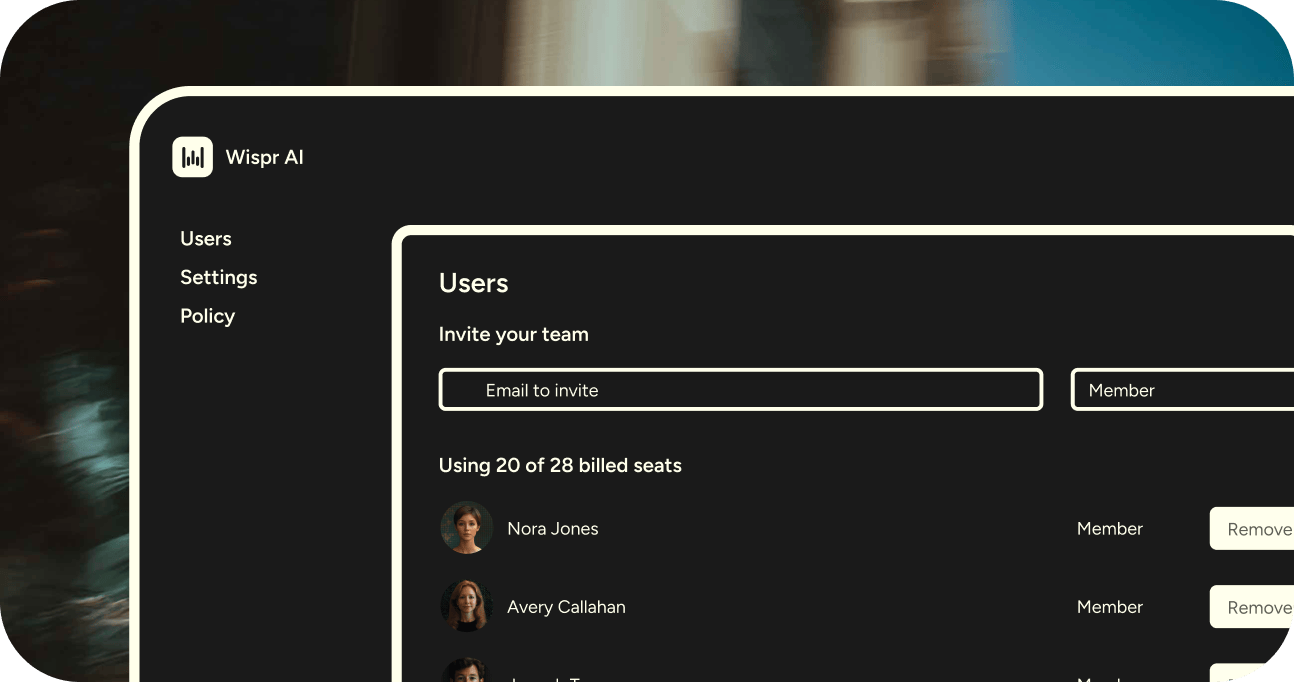
Wispr Flow is an AI-powered voice dictation tool designed to fix that bottleneck. It lets you speak naturally and instantly turns your voice into well-formatted text inside almost any app on Mac, Windows, or iPhone. You can dictate into Google Docs, your browser, email, Notion, your IDE, or a CRM, and Wispr Flow will type for you.
Unlike basic speech-to-text tools, Wispr Flow is presented as a contextual AI app. It automatically adds punctuation, removes filler words, and can adapt tone and formatting based on what you are writing, whether that is a project document, chat reply, or block of code. It supports over 100 languages, which makes it useful for global teams and multilingual workflows.
📖 Also Read: How to Share and Collaborate on Notes
Wispr Flow has one primary goal: to help you dictate ideas and complete written work faster than typing, across any app or device. Here are the key features to consider when comparing Wispr Flow and ClickUp.
With Wispr Flow, you can start dictating using a keyboard shortcut or the Flow bar. Once active, it types into whatever text field you have selected, whether that is an email, a Google Doc, a chat message, or your code editor.
The tool is designed to match how fast your brain generates ideas, not how fast your fingers can type. Wispr Flow claims that dictation can be 3–4x faster than typing, especially for long documents like reports or meeting notes.
📌 Example: A product manager joins a virtual standup while reviewing their board. Instead of pausing to type notes, they hold the hotkey, dictate updates loudly enough for their microphone, and Wispr Flow writes everything into the task or document they have open.
Wispr Flow uses AI models to clean up your speech. It removes filler words, adds punctuation, and turns spoken instructions like “new paragraph” or “turn this into bullet points” into real formatting changes.
You can also use simple voice commands such as “rewrite this more formally” or “shorten this paragraph,” and Wispr will rewrite the highlighted text. That makes it useful not just for raw dictation but also for revising drafts and adjusting structure without touching the keyboard.
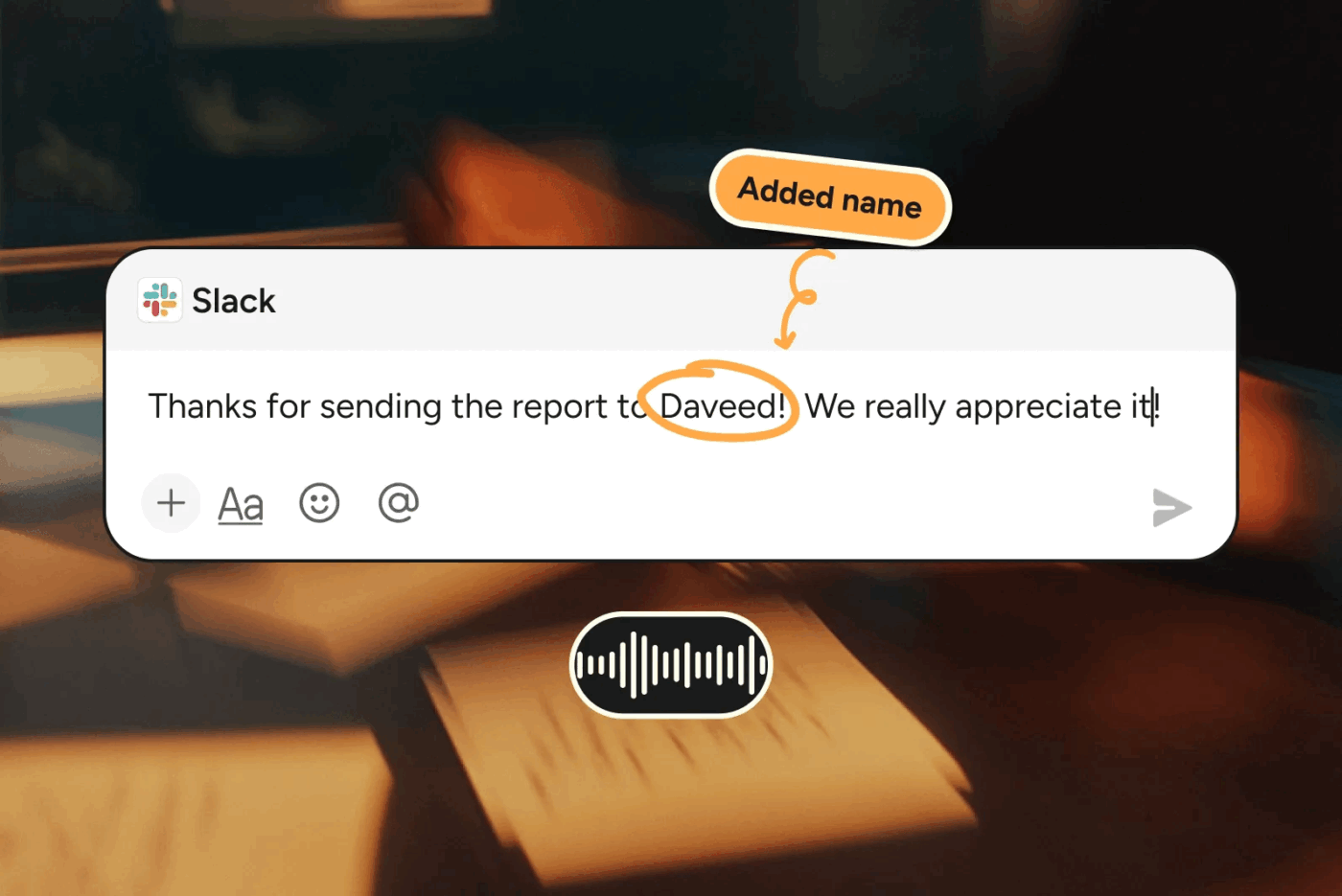
Wispr Flow includes a personal dictionary so you can teach it product names, acronyms, and domain-specific terms. You can create reusable snippets triggered by short phrases, which is handy for signatures or recurring blurbs.
Your vocabulary and preferences sync across devices, so you can switch between desktop and mobile without losing the way your dictation behaves. For teams, shared dictionaries help keep spelling and terminology consistent when multiple people rely on the same tool.
📌 Example: A technical writer adds “SaaS”, “SDK”, and specific customer names to the dictionary. Later, when dictating a long document, those terms appear correctly every time, reducing the need for manual corrections.
📖 Also Read: How to Use AI for Meeting Notes?
📖 Also Read: How to Take Notes from a Video Like a Pro
Both Wispr Flow and ClickUp help you use your voice more and your keyboard less, but they fit into your workflow in very different ways. Wispr Flow behaves like an AI transcription tool and keyboard you can bring into any app, while ClickUp is a full productivity platform with AI built into your tasks, Docs, and meetings.
Let us compare Wispr Flow vs ClickUp across real-time transcription, task management, AI automation, collaboration, and pricing.
📖 Also Read: Best AI Meeting Summarizers
ClickUp
ClickUp combines AI Notetaker, Docs, and tasks so your meeting conversations turn directly into structured notes and action items. ClickUp AI Notetaker captures the audio, creates a transcript, summarizes the conversation, and lets you pull out follow-up tasks with a few clicks.
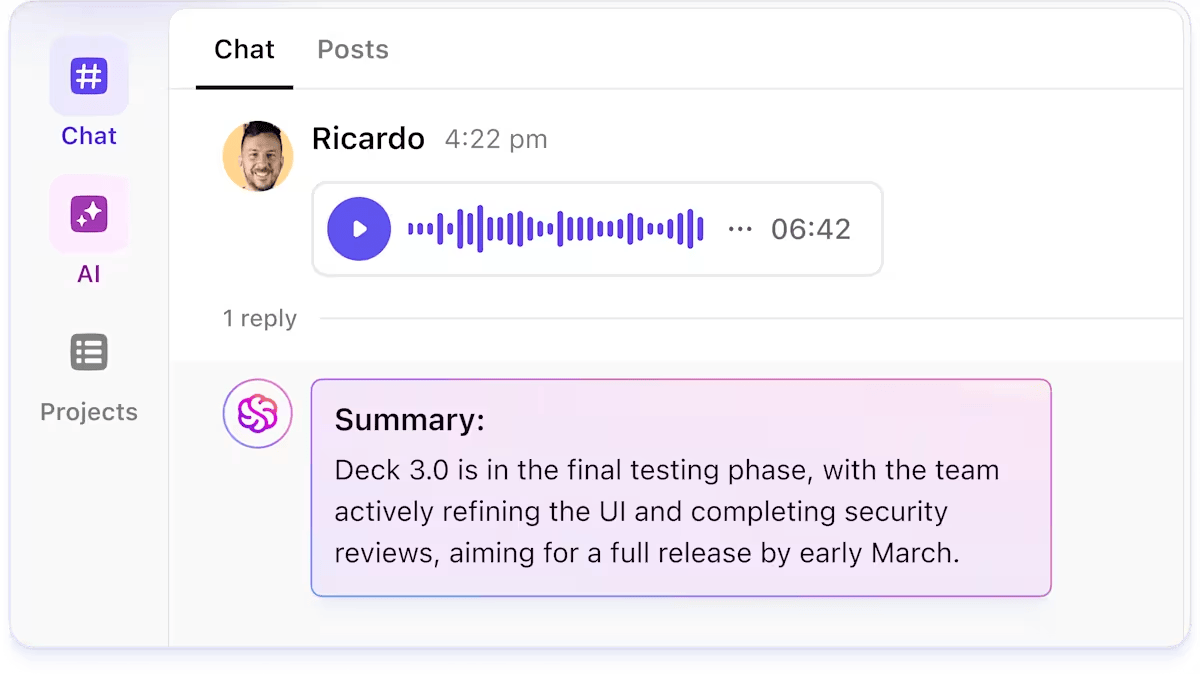
Because everything lives in ClickUp, you can review transcripts inside tasks, add comments, and track status changes over time. If you prefer to add your own thoughts after the call, ClickUp’s Talk to Text lets you dictate voice notes straight into Docs or tasks. You can then use ClickUp Brain to summarize them or turn them into checklists, with no manual typing required.
Wispr Flow
Wispr Flow focuses on dictation rather than meeting capture. It does not join calls, but it lets you transcribe your speech into whatever app you are using. If you are listening to a recording or thinking aloud after a meeting, you can dictate your recap into a Google Doc, a ClickUp task, or your CRM.
🏆 Winner: ClickUp wins if you want full meeting transcription tied to tasks and Docs. Wispr Flow wins if you want a flexible dictation layer you can bring into any app you already use.
📖 Also Read: Best Speech-to-Text Software
ClickUp
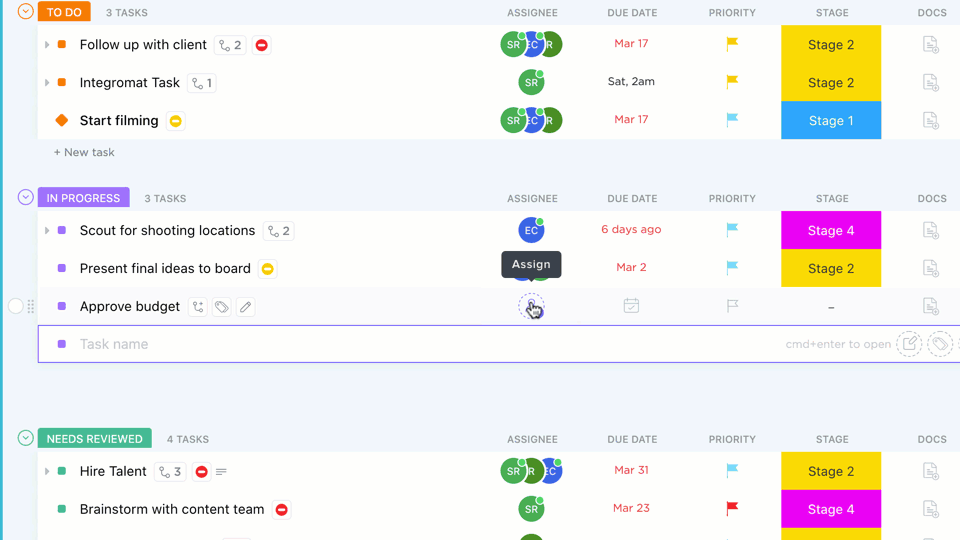
ClickUp is built as a project and task management platform first. Its Project Hierarchy (Workspaces → Spaces → Folders → Lists → Tasks → Subtasks) makes it easier to organize big projects and daily to-dos in one structure. Tasks can include Custom Fields, priorities, checklists, and dependencies, along with links to ClickUp Docs and ClickUp Dashboards.
You can create tasks from meeting summaries, from within Docs, or by converting comments, so your dictation and transcripts always have a clear destination.
Wispr Flow
Wispr Flow does not manage tasks on its own. It helps you fill in task descriptions, write updates, and draft documentation faster through voice dictation, but you still rely on other tools (like ClickUp, Jira, or a CRM) to actually store and track those tasks.
🏆 Winner: ClickUp clearly wins for task and project management, since it combines planning, tracking, and reporting in one platform rather than sitting as a layer on top.
ClickUp
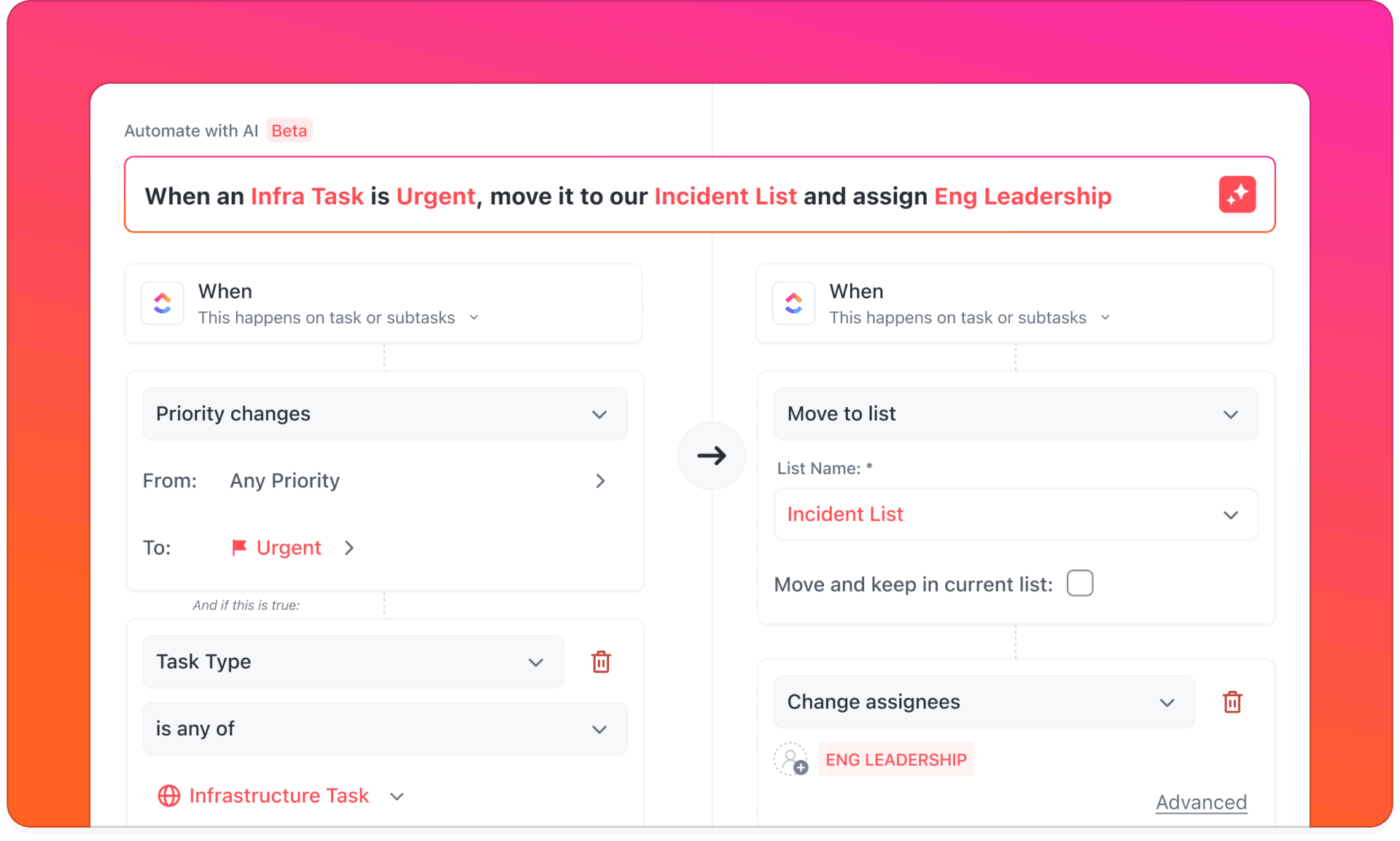
ClickUp includes built-in automations through ClickUp Automations and ClickUp Brain so you can automate status changes, assignments, notifications, and even AI actions like summarizing a Doc or generating a draft from a prompt.
With ClickUp BrainGPT, you can dictate into tasks and Docs and then ask the AI to summarize information or update fields. You can use the same AI models that assist with text generation to “read” your workspace and provide answers about the status of your work.
Wispr Flow
Wispr Flow uses AI models mainly to process voice input. It cleans up dictated text, rewrites content when you ask it to, and formats output into lists, paragraphs, or summaries.
However, it does not know your projects, tasks, or boards. Automation is limited to rewriting and formatting; it does not trigger workflow actions like changing status or assigning work.
🏆 Winner: ClickUp wins for workflow automation and depth of AI models tied to your tasks and Docs. Wispr Flow wins if your main priority is turning speech into clean text in any app.
📖 Also Read: Free Task List Templates in Excel & ClickUp
ClickUp
ClickUp is built for team collaboration. You can:
Because everything happens inside ClickUp, your team can work inside one platform and keep conversations, Tasks, and Docs connected.
Wispr Flow
Wispr Flow does not have its own shared workspace. Collaboration happens in the tools where you use it: Slack, email, Docs, or task managers. It does speed up collaboration by helping people who struggle with typing or focus issues reply faster and more consistently, and many users with ADHD call out how much time it gives back.
🏆 Winner: ClickUp wins for structured collaboration because it gives teams one environment to track tasks, Docs, comments, and notifications. Wispr Flow is a strong companion tool for faster writing inside those apps.
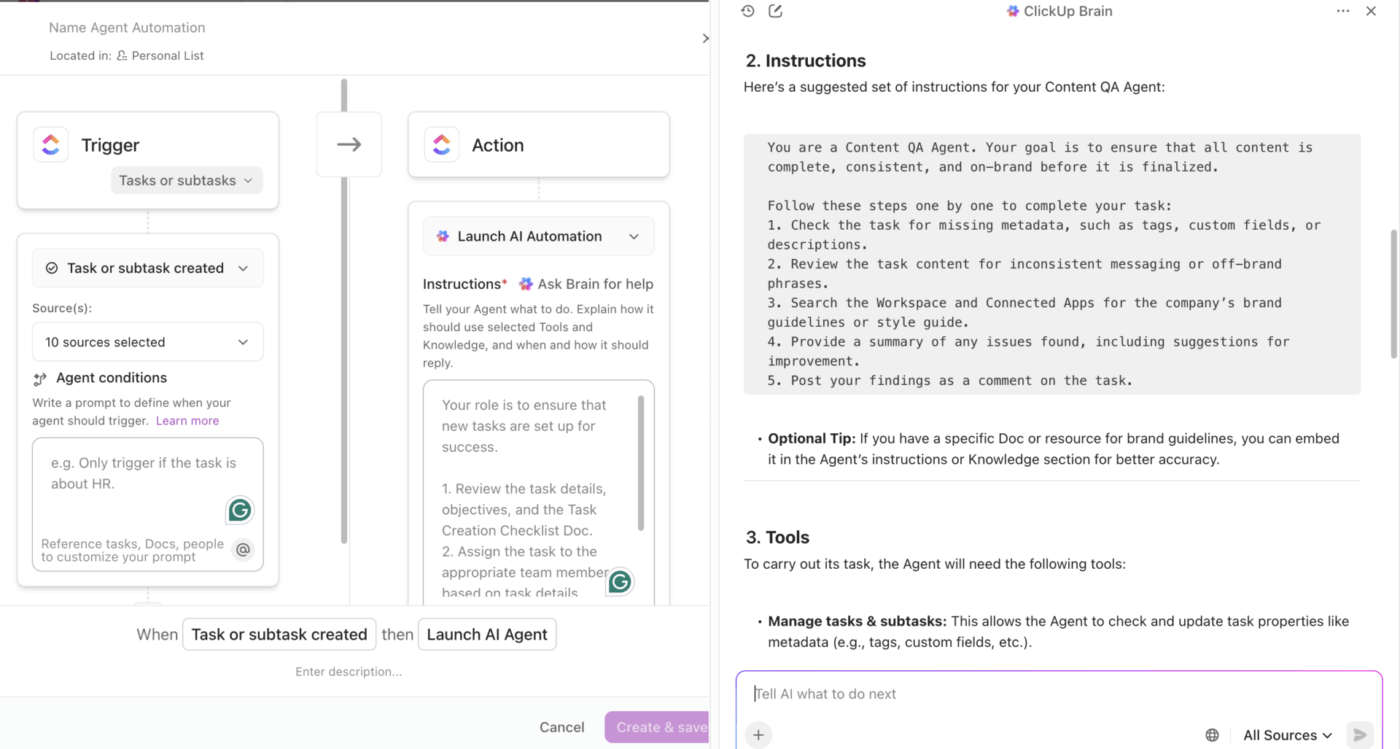
💟 Bonus: BrainGPT lets you create custom agents in ClickUp just by speaking your instructions using its talk-to-text feature. You simply describe, in your own words, what you want the agent to do—like answering questions in a channel or automating updates—and it transcribes your speech and guides you through setting up the agent’s triggers, conditions, actions, and knowledge sources. You can use the “Ask Brain” option for AI-powered suggestions to refine your agent’s instructions, making the process even easier.
Reddit users discussing ClickUp and Wispr Flow highlight how these tools cater to different productivity needs.
For ClickUp, many users appreciate its ability to consolidate multiple workflows into one interface:
I’m kinda really impressed by this in that I don’t need another tool to do all this. It’s all within the ClickUp interface. Connects to my Google Calendar and is just super seamless.
However, some users have encountered challenges with its language recognition in certain scenarios:
Sometimes there are Language Recognition Issues. ClickUp NoteTaker often misidentifies Arabic as Farsi, leading to notes being transcribed incorrectly.
When it comes to Wispr Flow, Redditors love how it transforms productivity for users who struggle with typing speed or focus:
I absolutely love Wispr Flow. I have ADHD, and it gives me back hours of my day and allows me to work at breakneck speed without typing constraints.
But others point out technical issues that can disrupt their workflow:
The app for some reason ruins my right-click context menu in Firefox. Extension options in right-click context menus disappear on hover. I spent hours troubleshooting, even ended up nuking my Firefox setup, only to find out Flow was the culprit.
📖 Also Read: Best Wispr Flow Alternatives
Wispr Flow is ideal if you want to just focus on dictation instead of typing. It shines when you spend your day writing emails, documenting ideas, or updating cards across different tools and simply want a faster way to get words on the screen.
ClickUp is the better fit when you also need to organize, track, and deliver work. With ClickUp AI Notetaker for real-time transcription, ClickUp Brain and BrainGPT for AI-driven summaries and dictation, and ClickUp Tasks and Docs to hold everything together, you get one platform where conversations, notes, and execution stay connected.
If you are choosing between Wispr Flow vs ClickUp and want a workspace where AI tools, tasks, Docs, and projects live together, ClickUp is the stronger long-term home for your team.
✅ Start using ClickUp for free and experience the ClickUp advantage.
© 2026 ClickUp



