






Still downloading templates?
There’s an easier way. Try a free AI Agent in ClickUp that actually does the work for you—set up in minutes, save hours every week.
Sorry, there were no results found for “”
Sorry, there were no results found for “”
Sorry, there were no results found for “”

Lights…⚡
Camera… 🎥
Chaos? 👻
Not with the right shooting schedule template.
Whether you’re filming a student short or managing a feature-length production, staying on top of your film production schedule is key to avoiding missed shots, late crew calls, or lost shoot days.
A great template helps you break down every scene, track cast members, manage shooting locations, and keep your daily schedule on point. It turns pre-production mayhem into a smooth, coordinated effort, so your set runs like a well-oiled camera dolly.
In this blog, we’ve rounded up the best free templates to help you organize your shoot from the first scene to the final wrap and leave the drama for the scene.
A shooting schedule template is a structured plan that maps each film production scene across specific days and times.
Unlike a basic calendar, it covers key production details—scene numbers, shot descriptions, cast and crew call times, locations, setup requirements, equipment notes, and estimated shoot durations.
It gives producers, assistant directors, and line managers a way to:
Basically, it replaces scattered notes and manual updates with a single, structured view—so your team knows exactly what’s happening, where, and when.
Not every film production schedule keeps a shoot on track. The best templates go beyond basic time blocks—they give your team breathing room, flexibility, and clarity when something shifts mid-shoot.
Here’s what separates a reliable shooting template from the rest:
Templates that offer this level of clarity keep production teams focused on execution, not fixing avoidable mistakes.
👀 Did you know? In Ontario, Canada, 138 domestic TV series were produced in 2023, bringing in over $639 million in revenue. That kind of volume doesn’t happen without tight planning!
If you’re looking for ways to stay sane during a shooting schedule, try ClickUp, the everything app for work, to manage it.
Its features, free use of AI model like ChatGPT, Claude, and others + a ton of customizable templates prevent last-minute shooting script changes, missing props, and delayed setups from derailing your day.
Here are the top film shooting schedule templates from ClickUp and other sources:
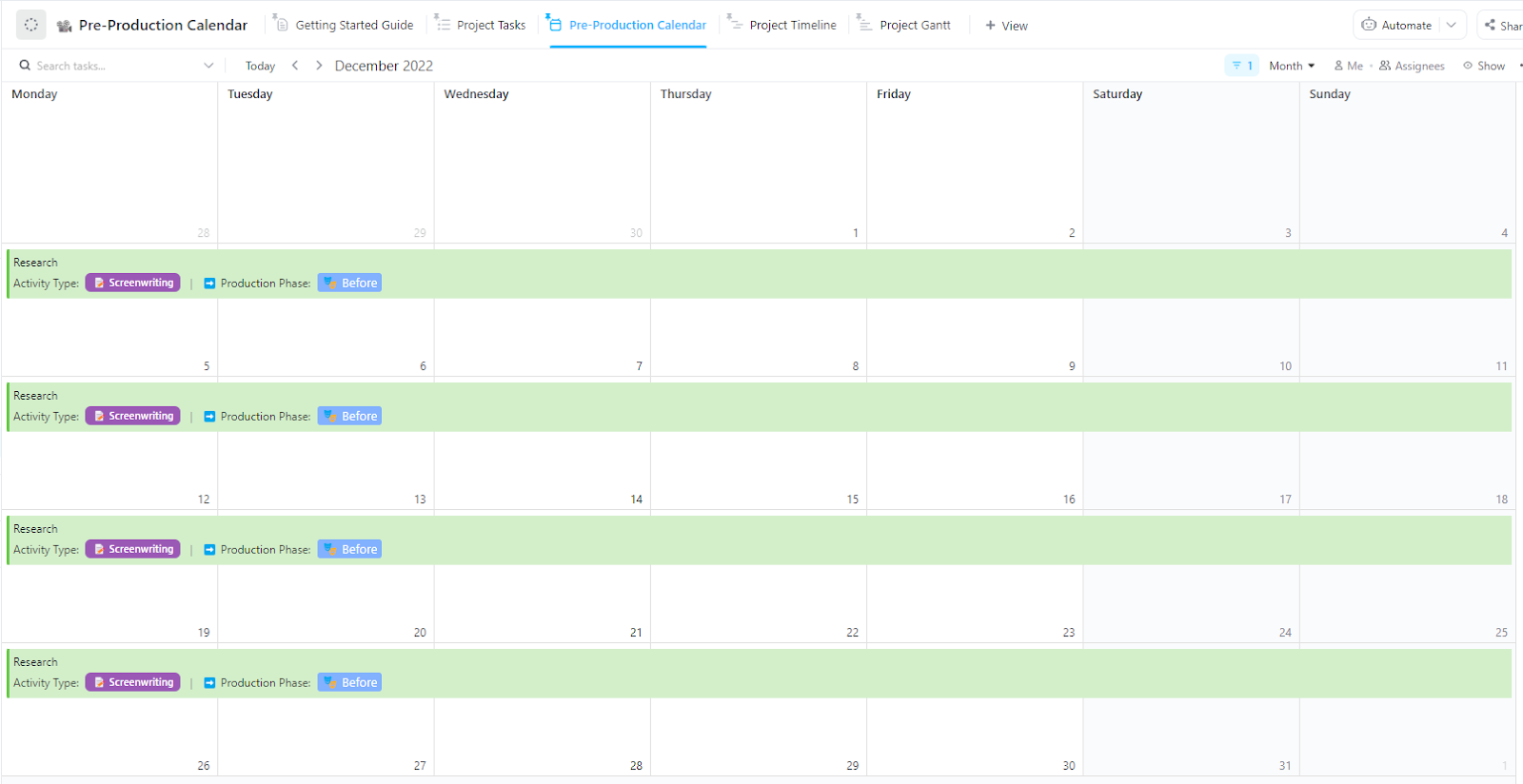
The ClickUp Pre-Production Calendar Template gives filmmakers a clear structure to plan every moving piece before shoot day. It’s designed to keep tasks, deadlines, and creative input organized in one place so production teams can focus on execution instead of chasing updates.
With this template, you can:
🔑 Ideal for: Production teams who want to manage tight pre-shoot timelines using practical time management techniques.
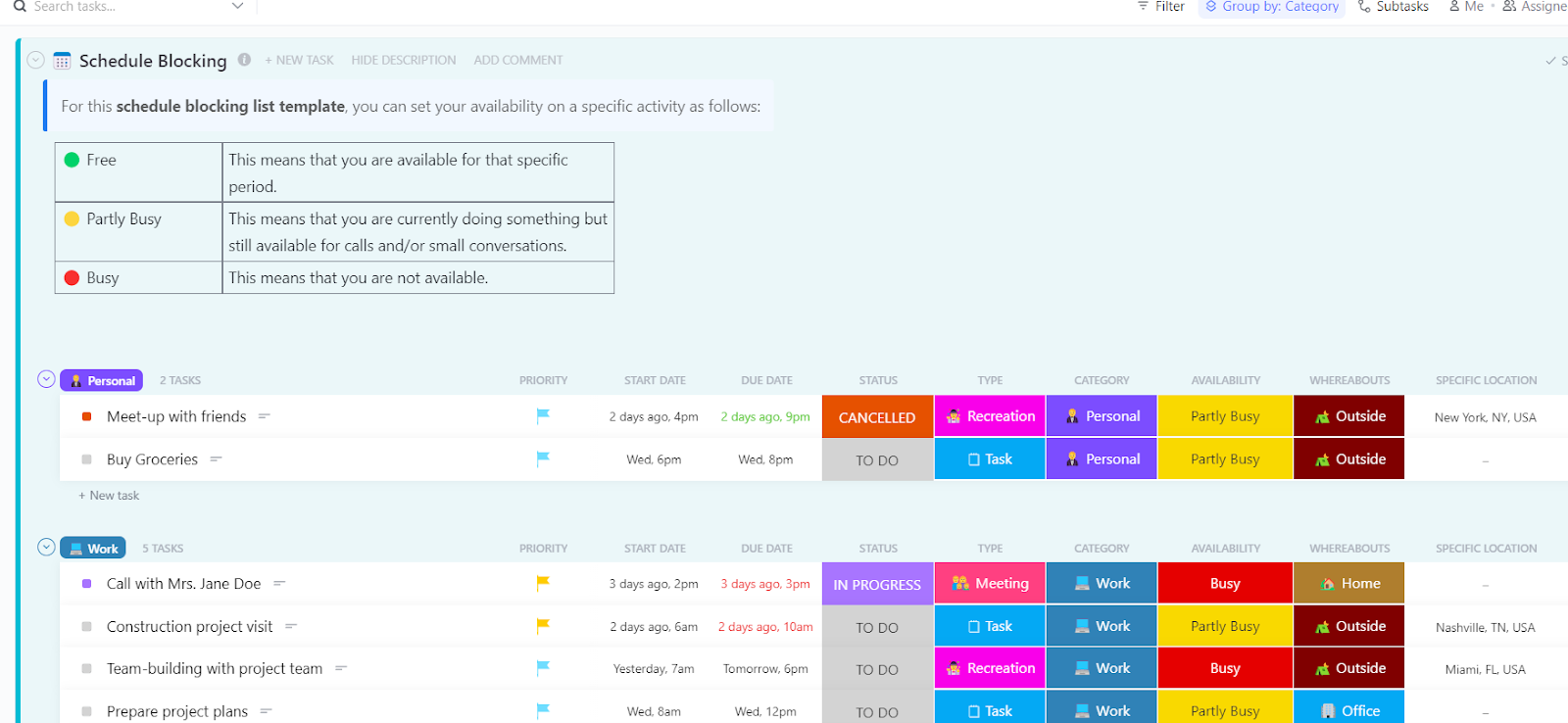
Blocking your day into focused segments is a proven way to stay on track during pre-production or shoot prep. The ClickUp Schedule Blocking Template helps filmmakers organize time around key tasks—like scenes, planning, or prep—while factoring in personal bandwidth and location needs.
With this template, you can:
🔑 Ideal for: Filmmakers and creative teams who prefer structured time blocks over daily planner apps to map shoot prep, writing, and production activities.
🎥 Plan your shooting schedule and your pre-and post-production schedule with ease using ClickUp’s AI-powered Calendar.
💡 Bonus: As a film assistant, if you want to:
Try ClickUp Brain MAX—the AI Super App that truly understands you, because it knows your work. This isn’t another AI tool to add to your collection. This is the first Contextual AI app that replaces them all.

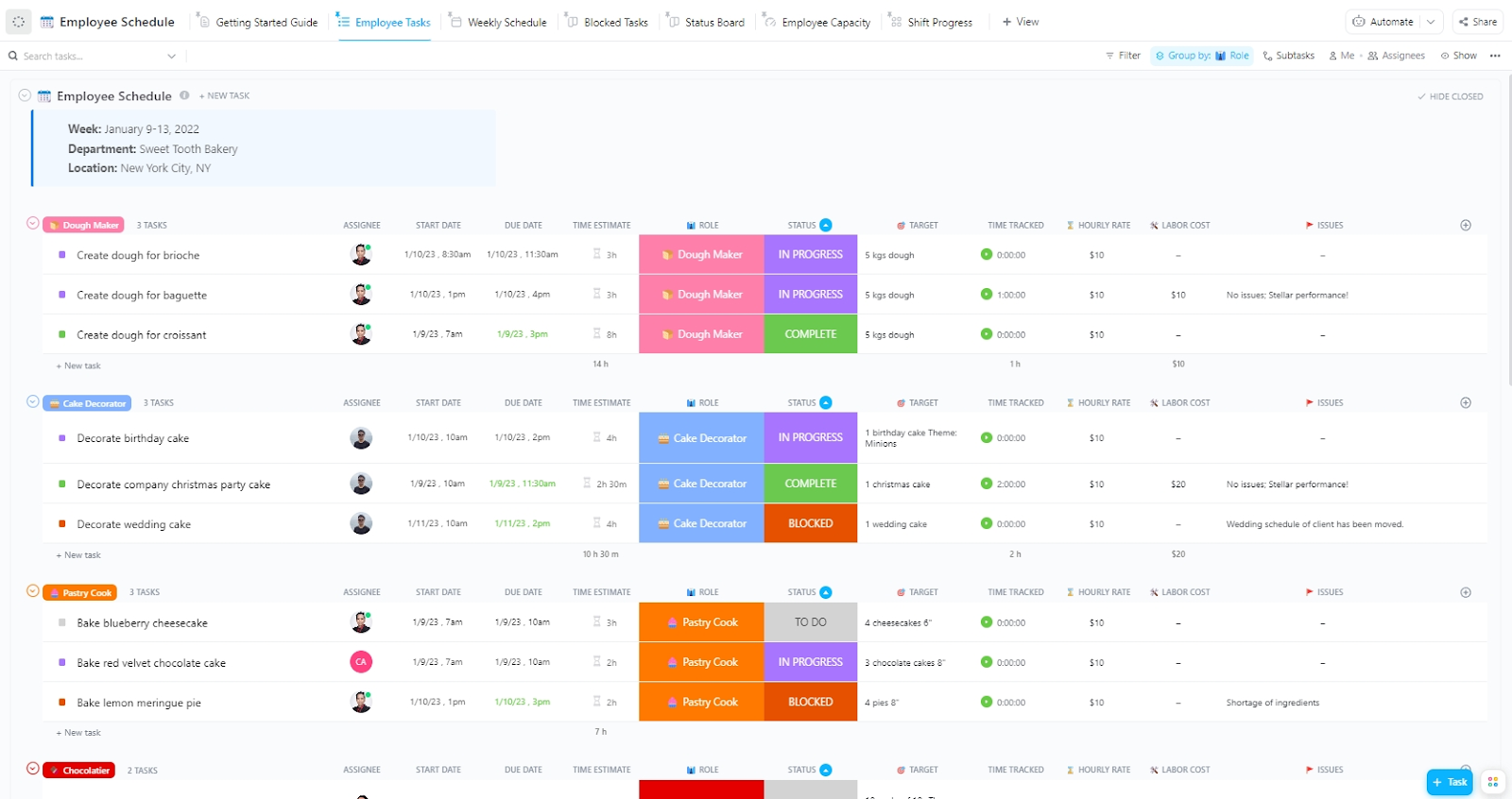
Planning shifts for editors, assistants, and on-set crew can get messy quickly, especially across emails and spreadsheets. The ClickUp Employee Work Schedule Template simplifies this by giving you a structured way to align availability, manage overlapping call times, and track key responsibilities in one place.
With this template, you can:
🔑 Ideal for: Feature film coordinators and production managers who want better visibility across teams using practical task scheduling software to assign, track, and balance workloads.
📮 ClickUp insight: 92% of workers use inconsistent methods to track action items, which results in missed decisions and delayed execution. Whether you’re sending follow-up notes or using spreadsheets, the process is often scattered and inefficient.
ClickUp’s Task Management Solution ensures seamless conversion of conversations into tasks, so your team can act fast and stay aligned.
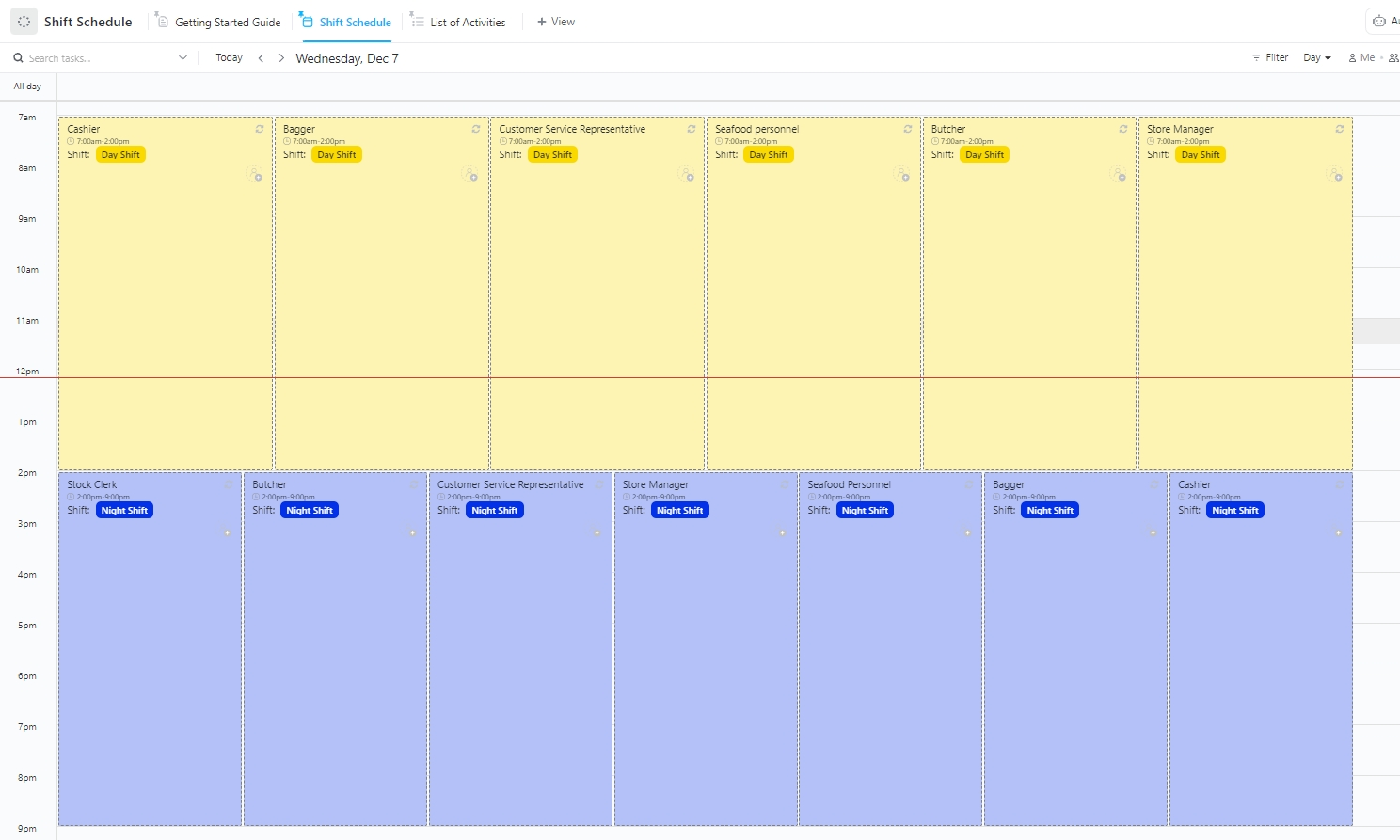
Coordinating call times, location crews, and support staff across different days can eat up hours without a clear system. The ClickUp Work Shift Schedule Template brings structure to your crew calendar with flexible views, real-time updates, and shift tracking.
It helps make daily planning more efficient without overbooking anyone or missing key roles.
With this template, you can:
🔑 Ideal for: Assistant directors and crew leads managing multiple shoot-day schedules who need a reliable way to visualize and adjust shifts across departments.
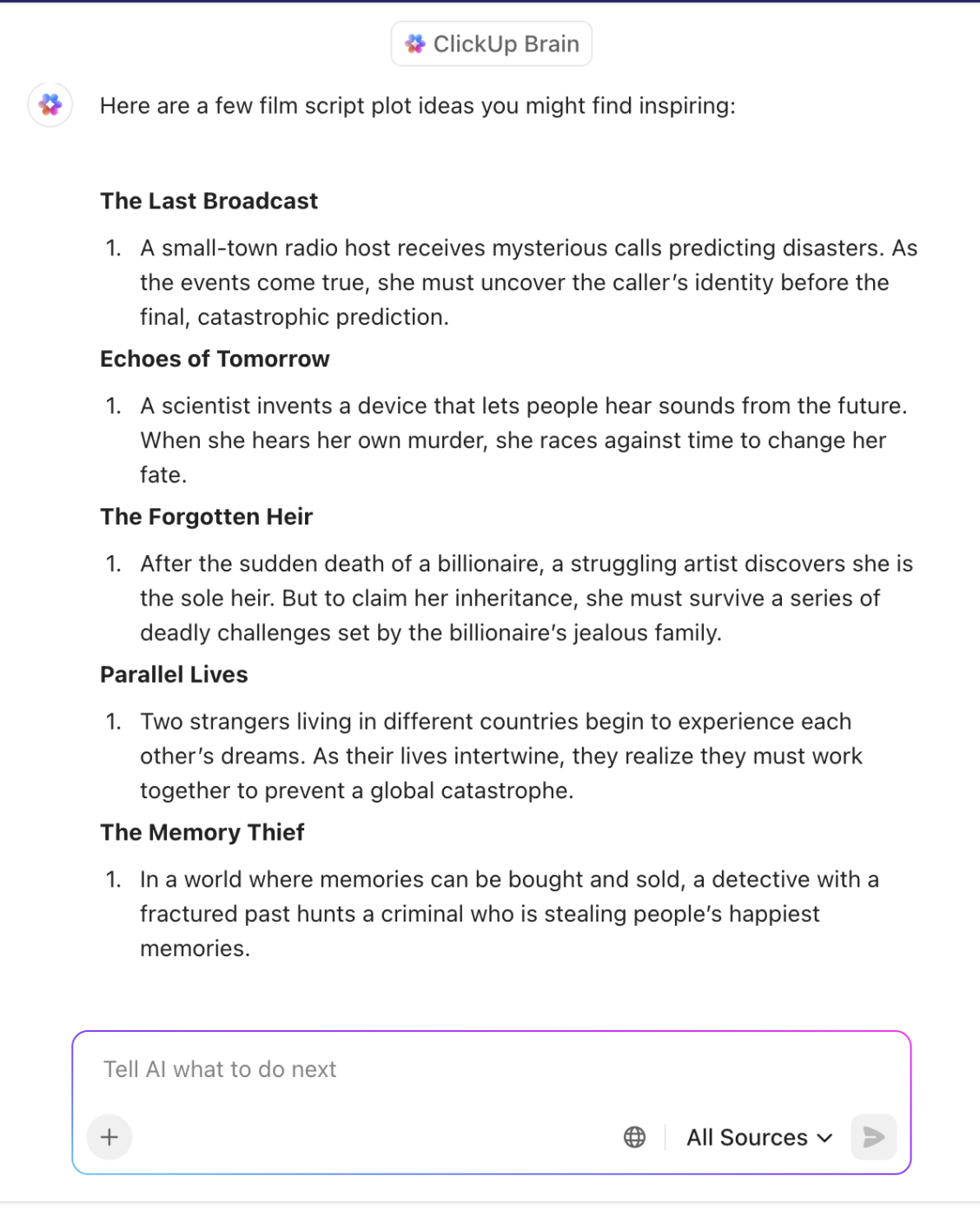
💡 Pro tip: Need help generating ideas, writing, or editing dialogue at the last minute? ClickUp Brain can help you quickly generate, edit, and organize film scripts by providing AI-powered writing suggestions and formatting assistance directly within your workspace.
Even an hour can make or break momentum when production days are tightly packed. The ClickUp Hourly Schedule Template helps filmmakers and crew plan their day in granular blocks—from location setups and prop checks to scene rehearsals and breaks.
With this template, you can:
🔑 Ideal for: Line producers and shoot coordinators managing crew schedules by the hour, especially in high-effort setups like 2-2-3 schedule rotations or multi-scene shoot days.
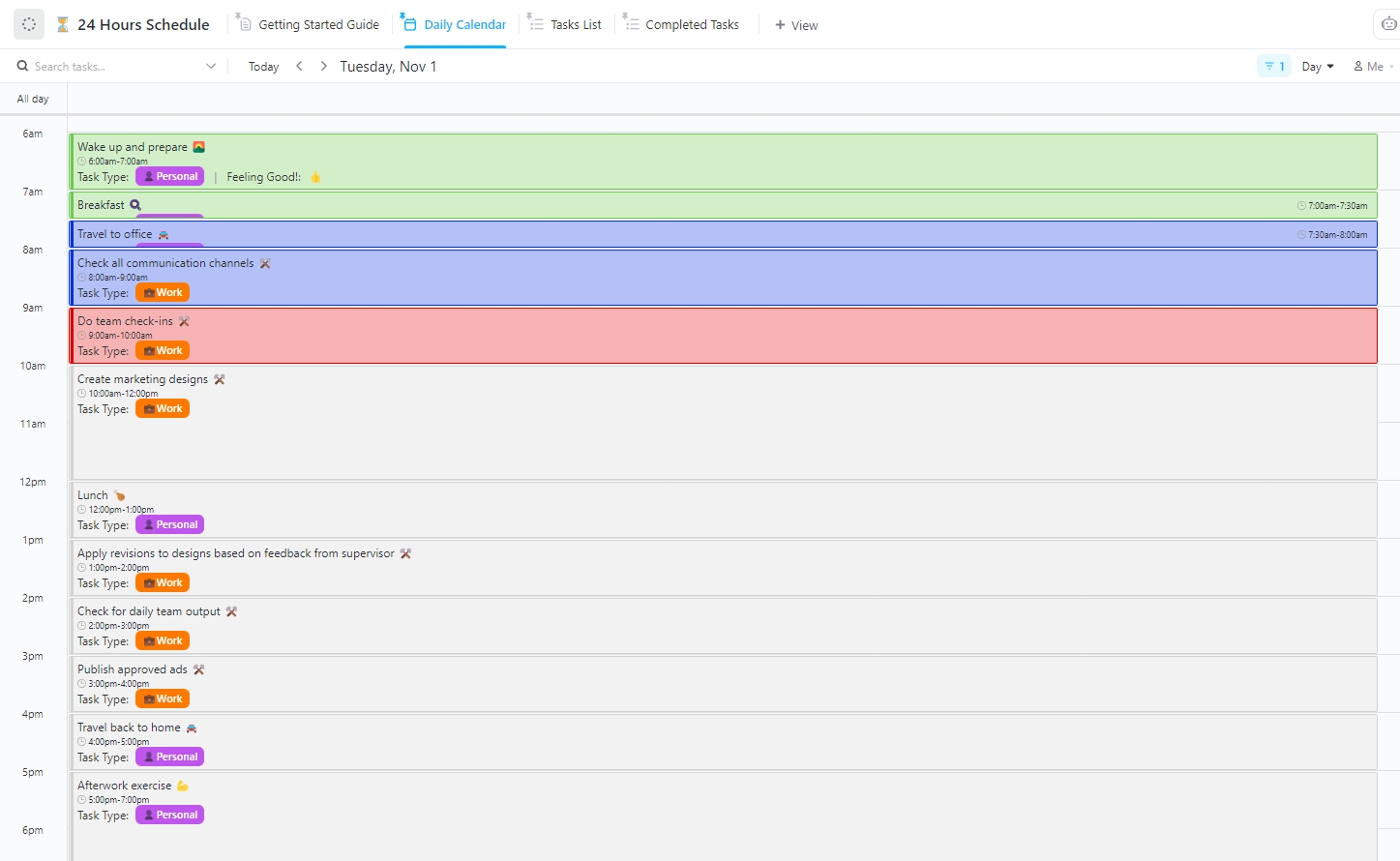
When you’re managing back-to-back shoots or juggling edits, even a slight delay can throw off the entire day. The ClickUp 24-Hour Schedule Template gives filmmakers and production teams a single view to map every task, scene, or prep session, hour by hour.
It’s flexible enough to work around changing call sheets and deadlines, while structured enough to keep your day tight and efficient.
With this template, you can:
🔑 Ideal for: Filmmakers and production leads who need a clear, hour-by-hour plan to balance shoot blocks, crew calls, and post schedules—especially when working with a compressed or 9/80 work schedule.
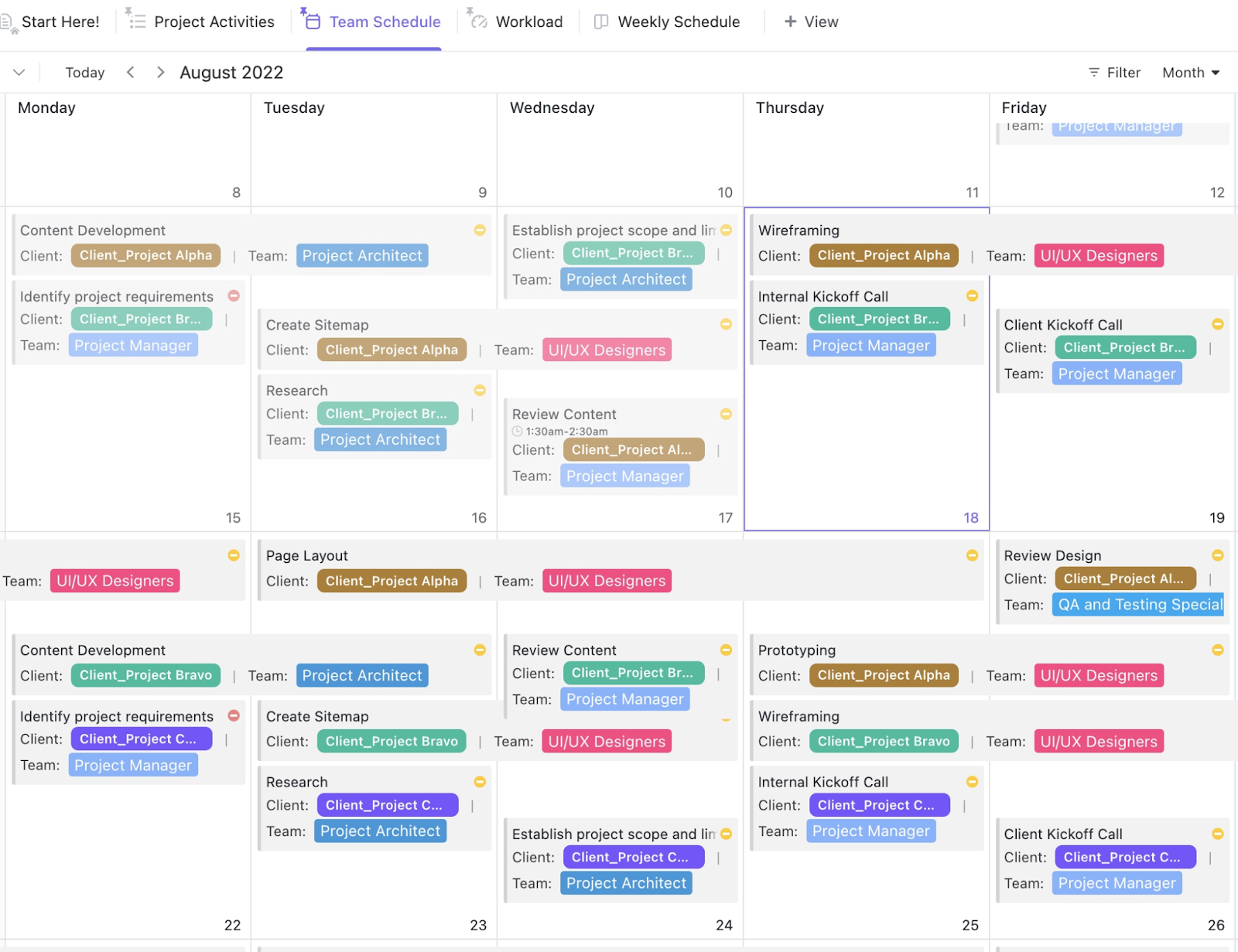
Coordinating a film crew, cast, or post-production team across multiple timelines can be overwhelming without a central plan. The ClickUp Team Schedule Template gives you a clear view of assignments, task ownership, and weekly priorities. It’s designed to help creative teams plan smarter without overloading anyone or missing critical deliverables.
With this template, you can:
🔑 Ideal for: Production managers and assistant directors who need full clarity on who’s doing what—and when—across crew, cast, and post teams.
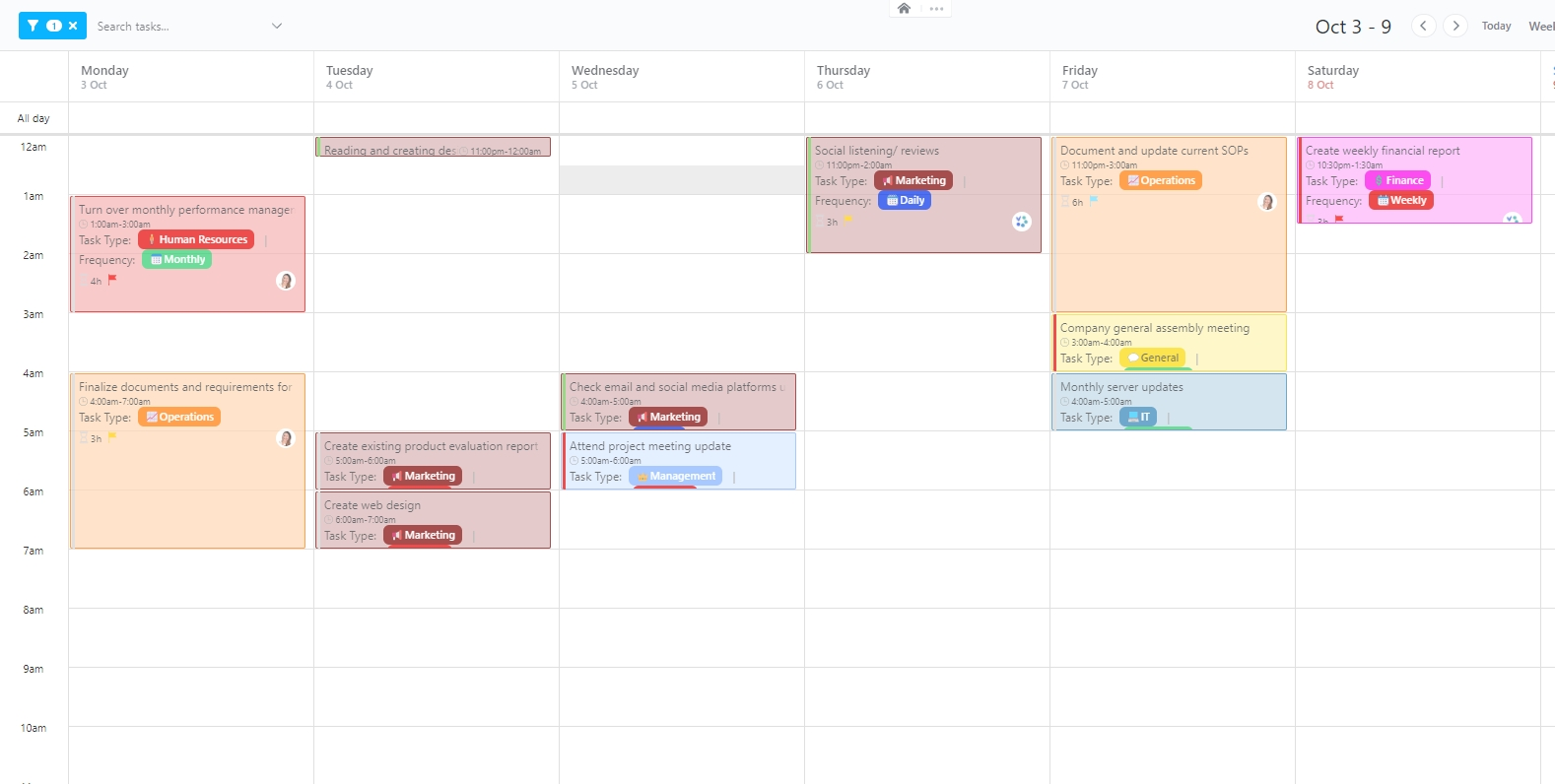
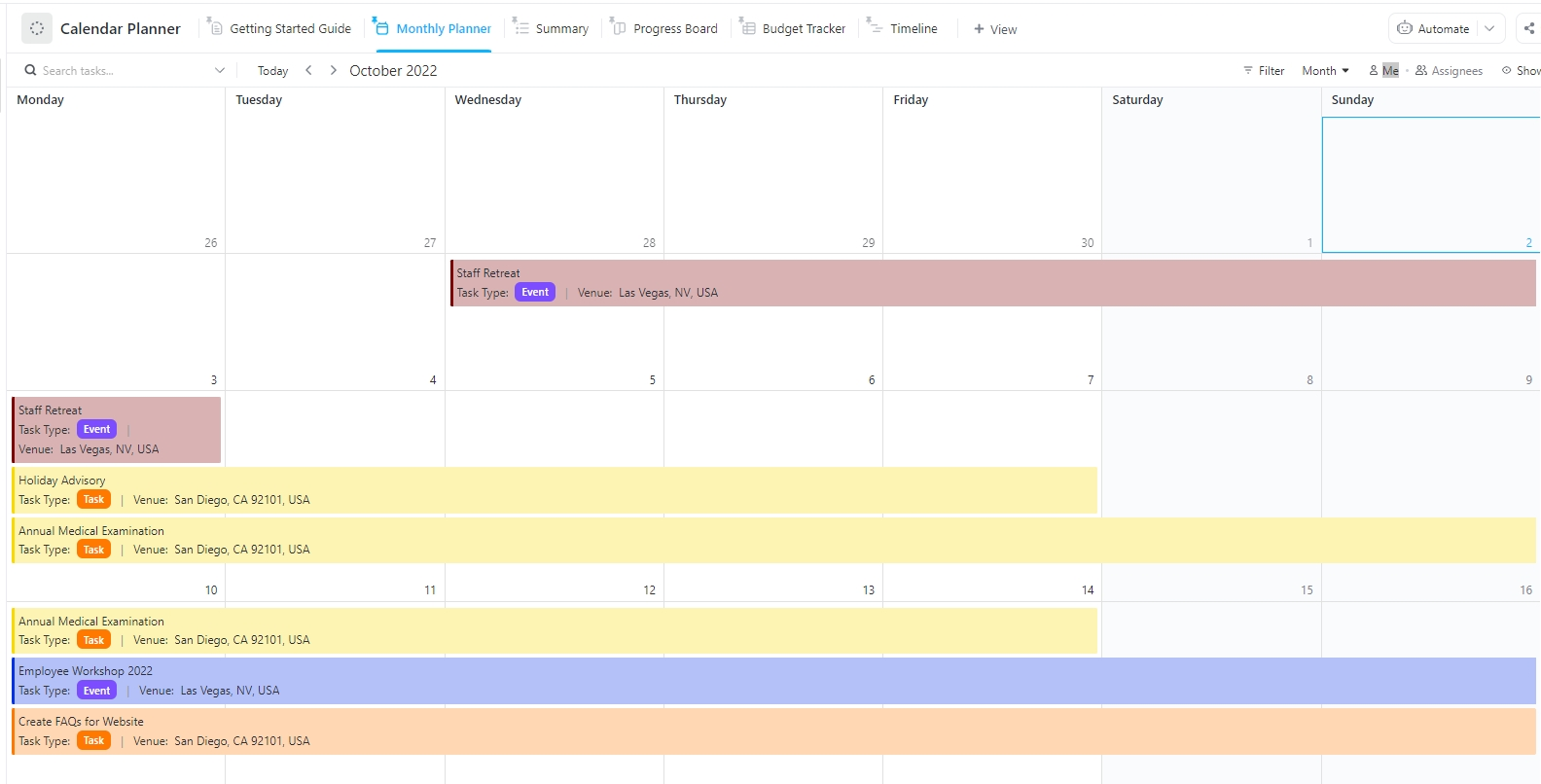
Production timelines shift fast, and key milestones can slip without a central visual plan. The ClickUp Calendar Planner Template helps map out scenes, prep days, and post-production milestones on a single, editable calendar. From tracking upcoming shoot blocks to managing deadlines for deliverables, this template keeps every step in focus.
With this template, you can:
🔑 Ideal for: Video producers, coordinators, or students mapping out detailed production calendars—whether juggling multiple timelines or managing rolling post-production workflows.
💡 Pro Tip: Always buffer 15–30 minutes between scenes. Even with the best planning, unexpected delays happen—whether it’s a wardrobe issue or an unplanned retake.
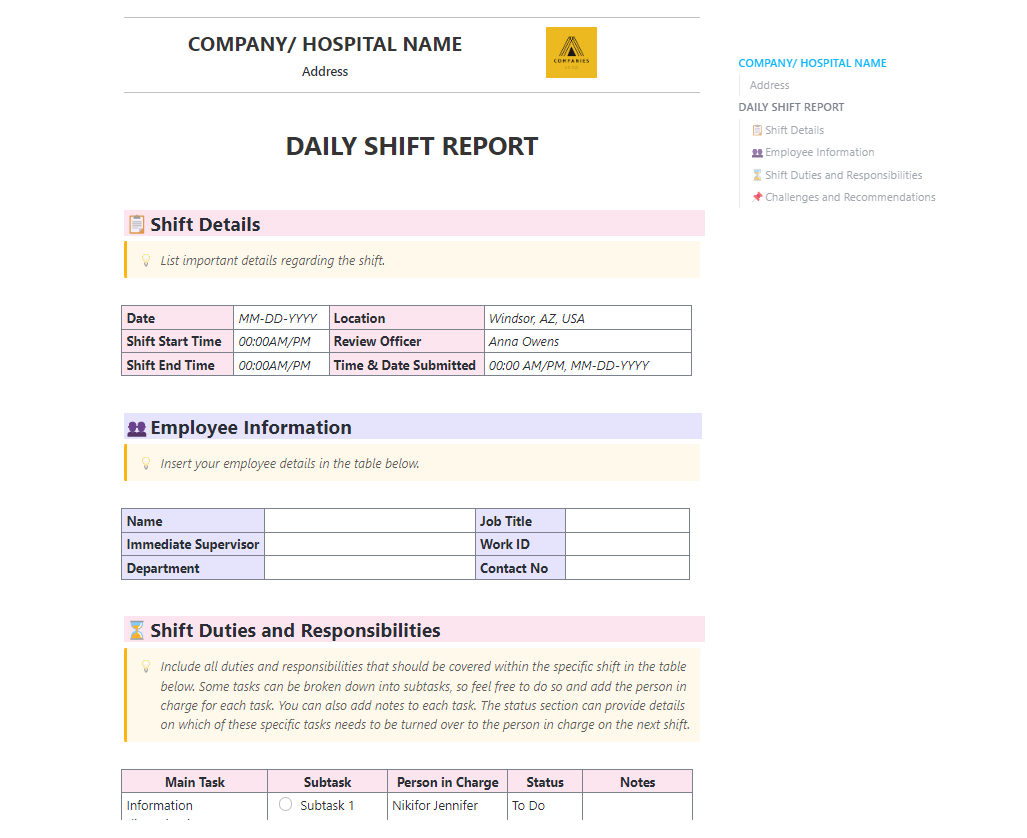
Smooth handovers are a must when you’re juggling back-to-back shoots, rotating crews, or wrapping up a long shoot day. The ClickUp Change of Shift Report Template makes it easy to keep everyone in the loop. You can log key updates, track any loose ends, and hand off context so each team picks up right where the last one left off.
With this template, you can:
🔑 Ideal for: Assistant directors and production managers working across rotating teams where structured shift reporting (with shift management software) practices help keep everyone aligned.
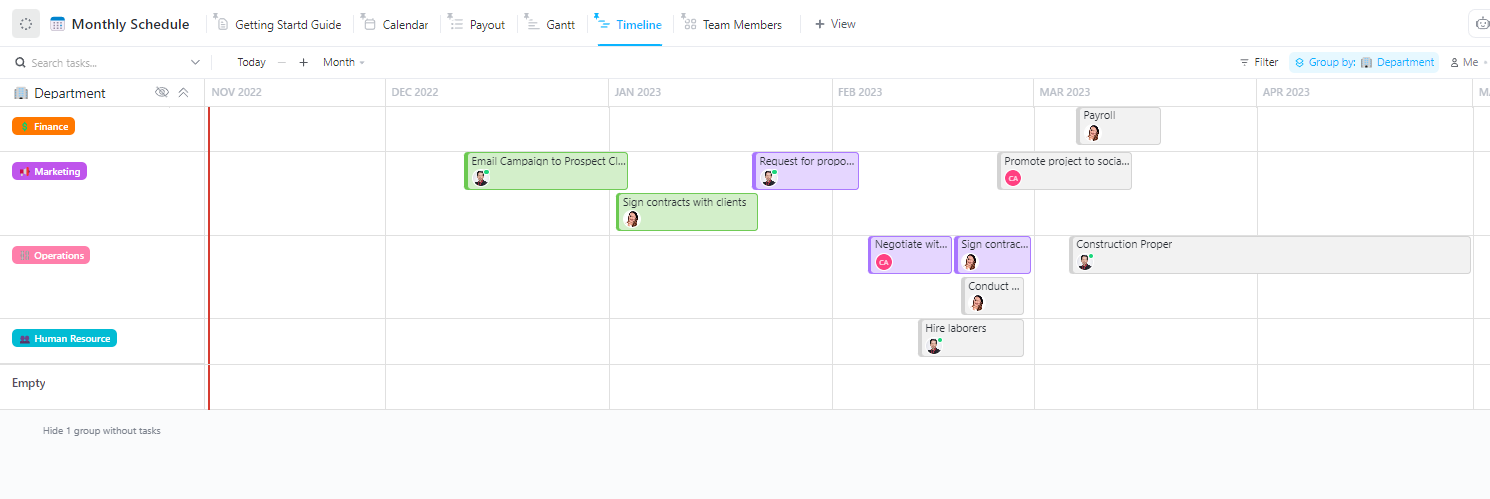
The ClickUp Monthly Work Schedule Template gives production teams a reliable system for mapping their month from prep to wrap. Whether you’re coordinating timelines for different departments or tracking shoot deadlines, this template helps keep monthly deliverables clear and on track without endless manual updates.
With this template for production planning, you can:
🔑 Ideal for: Film leads or production planners coordinating large teams, locations, and scenes across a busy month using structured timelines and flexible work schedule apps.
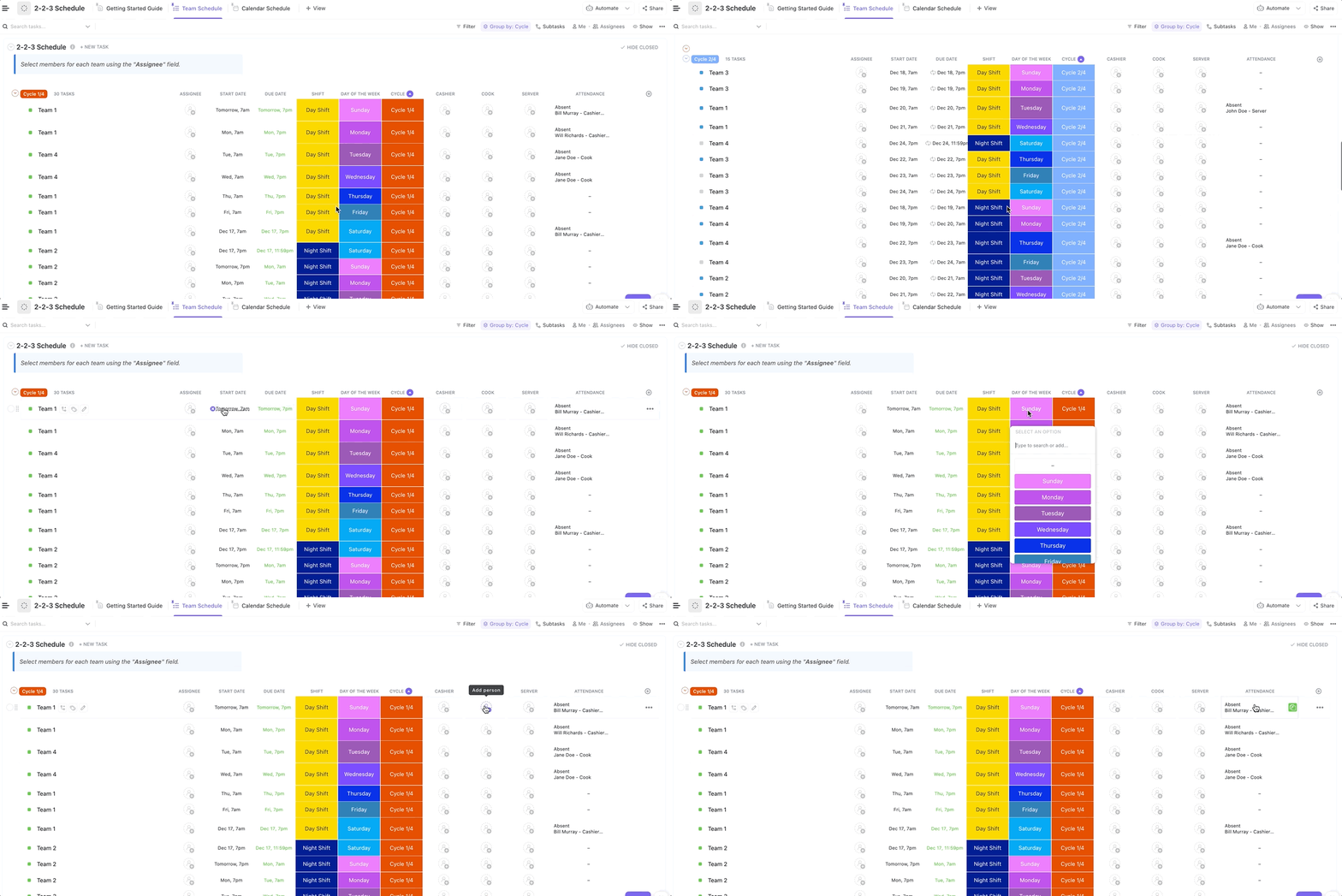
The ClickUp 2-2-3 Schedule Template helps production teams and crew managers easily plan weekly shifts, even on complex shoot schedules. Whether you’re juggling long shoots, switching between day and night coverage, or managing back-to-back studio days, this template keeps things running smoothly.
With time management templates like this one, you can:
🔑 Ideal for: Film and TV production teams running alternating shifts or multi-day shoots who want to structure staff rotations for better visibility.
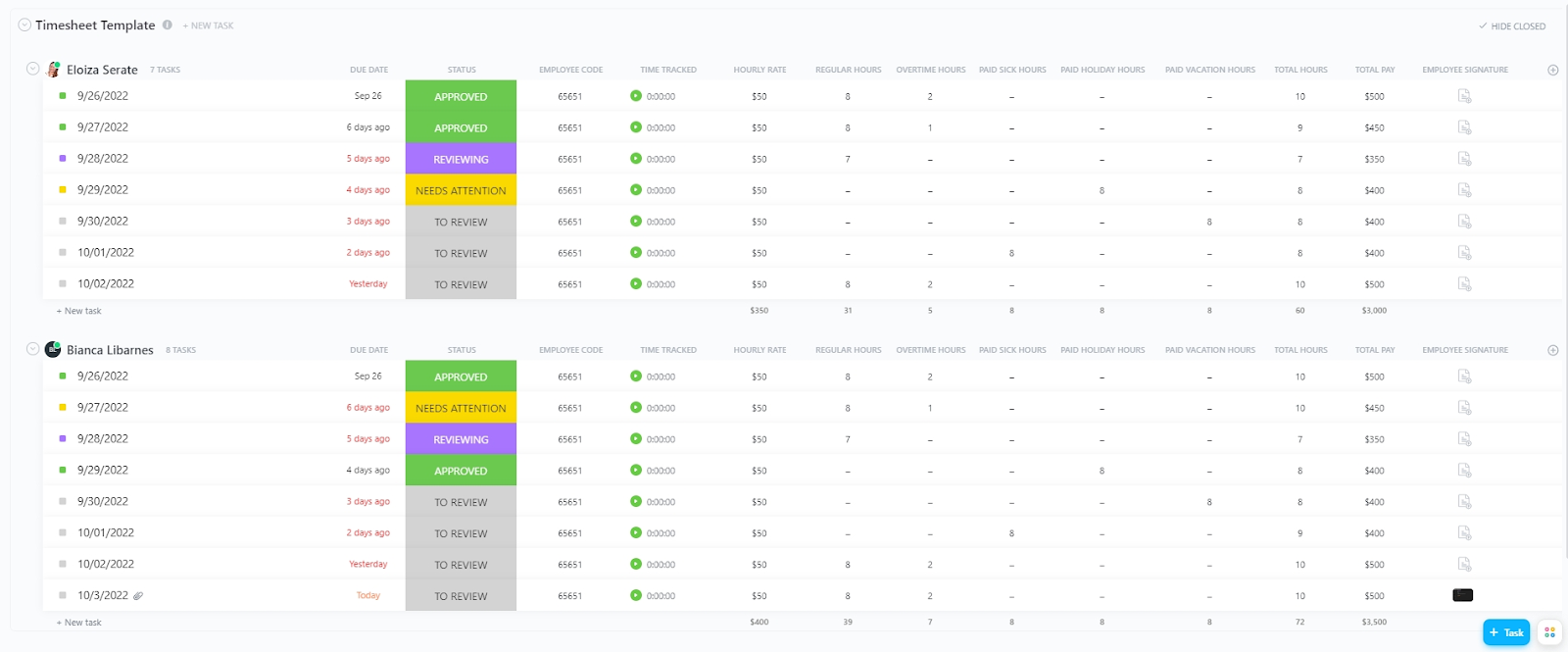
Time is money. Tracking every crew hour or service task shouldn’t cost you. The ClickUp Daily Timesheet Template helps log time spent across tasks, scenes, or entire deliverables. It makes it easy to track footage review hours, budget crew time per location, and calculate and report work hours all in one place.
With this template, you can:
🔑 Ideal for: Creative teams and production managers managing crew schedules, time logs, and automated timesheets across projects.
👀 Did You Know? The Tin Man in The Wizard of Oz was originally played by Buddy Ebsen, who got aluminum poisoning from the pure aluminum makeup and had to be hospitalized!
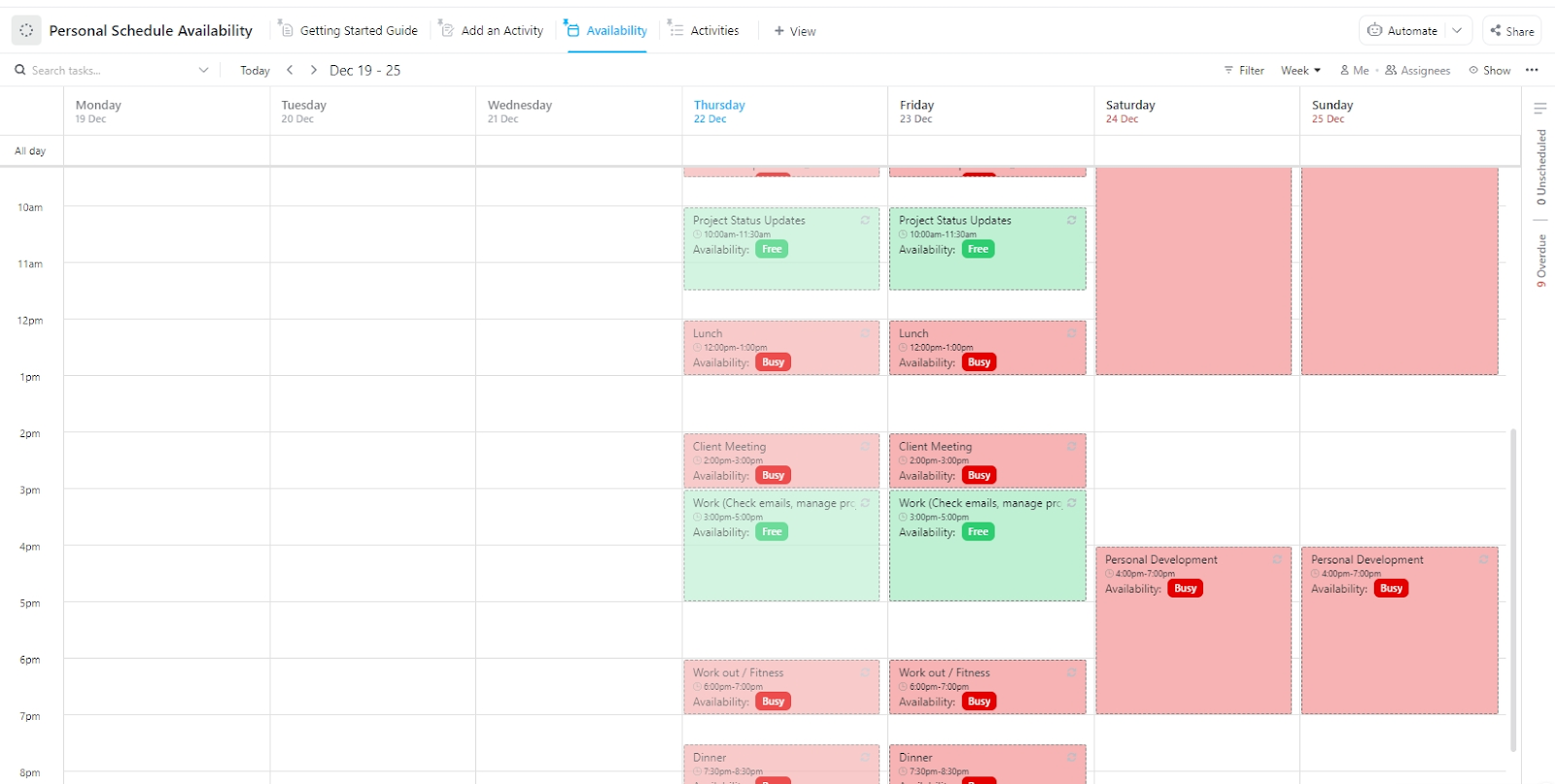
Coordinating your week between shoots, edits, team check-ins, and personal priorities can quickly spiral without a structured view of your time. The ClickUp Personal Schedule Availability Template maps out your availability with zero guesswork, so you can make room for the work that matters and confidently say no to what doesn’t.
With this template, you can:
🔑 Ideal for: Creators managing fragmented schedules across productions, personal projects, and freelance gigs—especially those who need better resource scheduling to balance team and solo time.
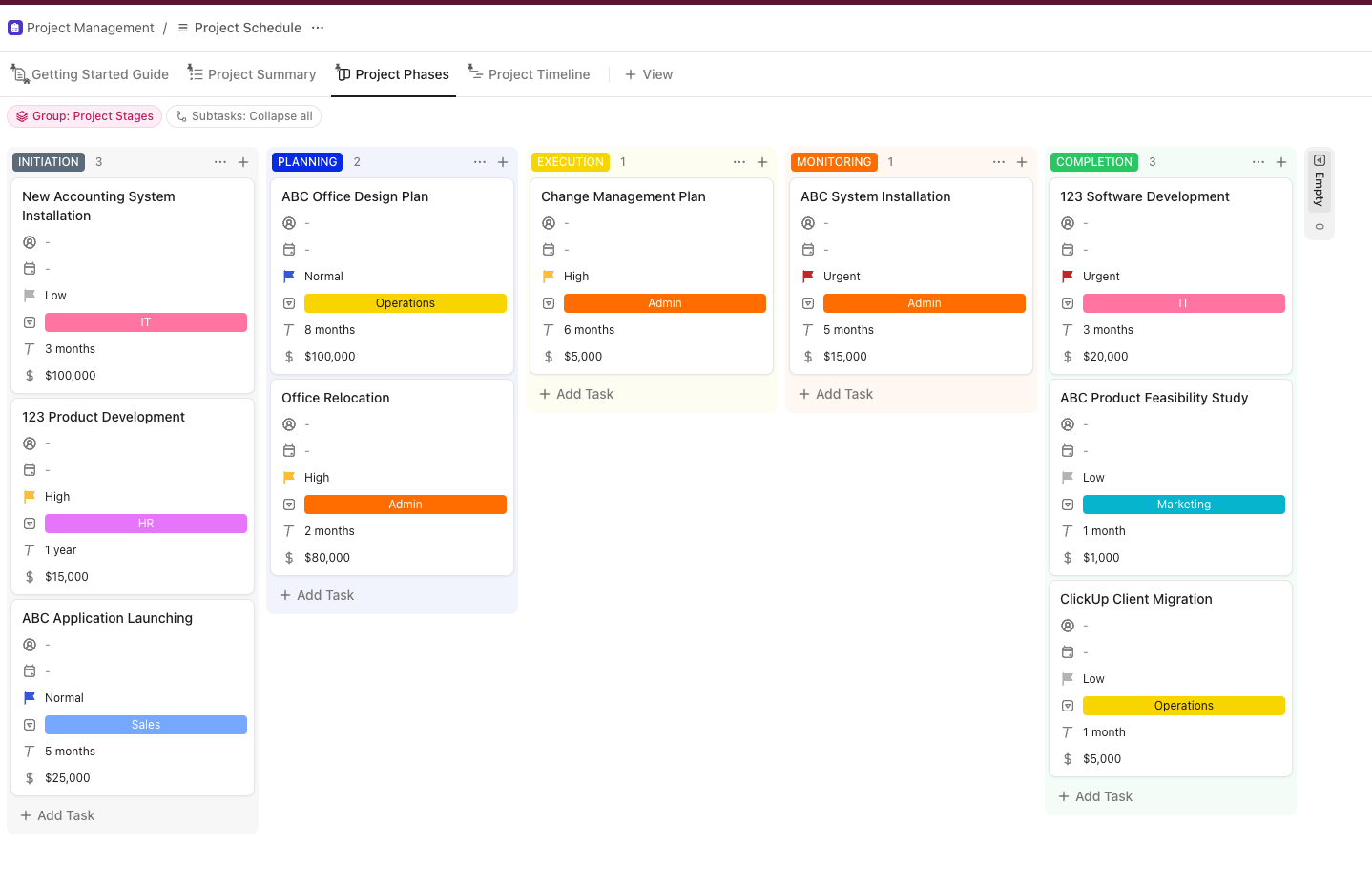
The ClickUp Project Schedule Template keeps all your timelines in sync. It gives you a clear visual of every task, deadline, and dependency, so you can manage scene schedules, handoffs, and crew workloads without missing a beat.
With this project timeline template, you can:
🔑 Ideal for: Production managers or filmmakers managing multi-phase shoots who need to streamline team coordination and timeline tracking from start to finish.
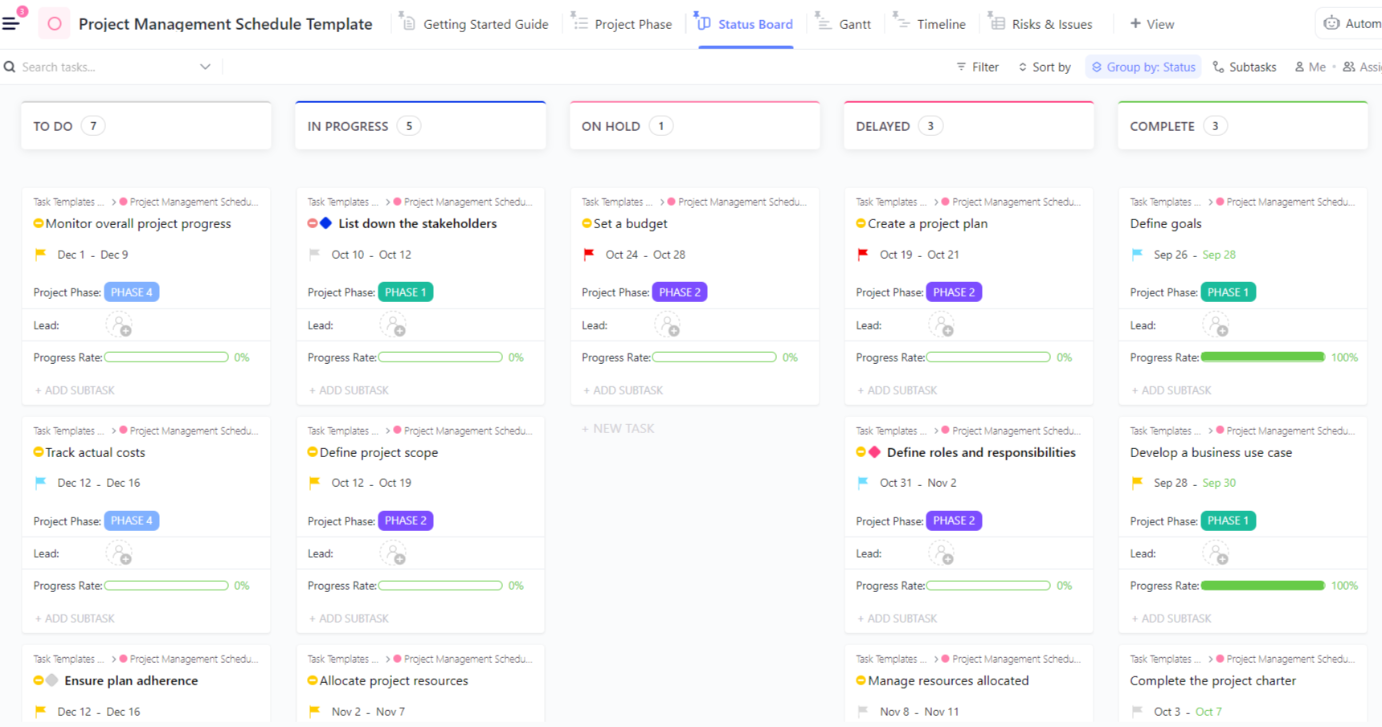
Coordinating multiple departments, deadlines, and dependencies is no small feat. The ClickUp Project Management Schedule Template gives a structured way to manage big-picture deliverables without losing track of daily execution. From pre-production prep to post-production tasks, you’ll have a clear view of what’s on schedule and what needs your attention.
With this template, you can:
🔑 Ideal for: Producers or production coordinators managing complex shoot timelines and looking to centralize progress tracking, updates, and deliverables across teams.
📖 Also read: Project Management for Video Production
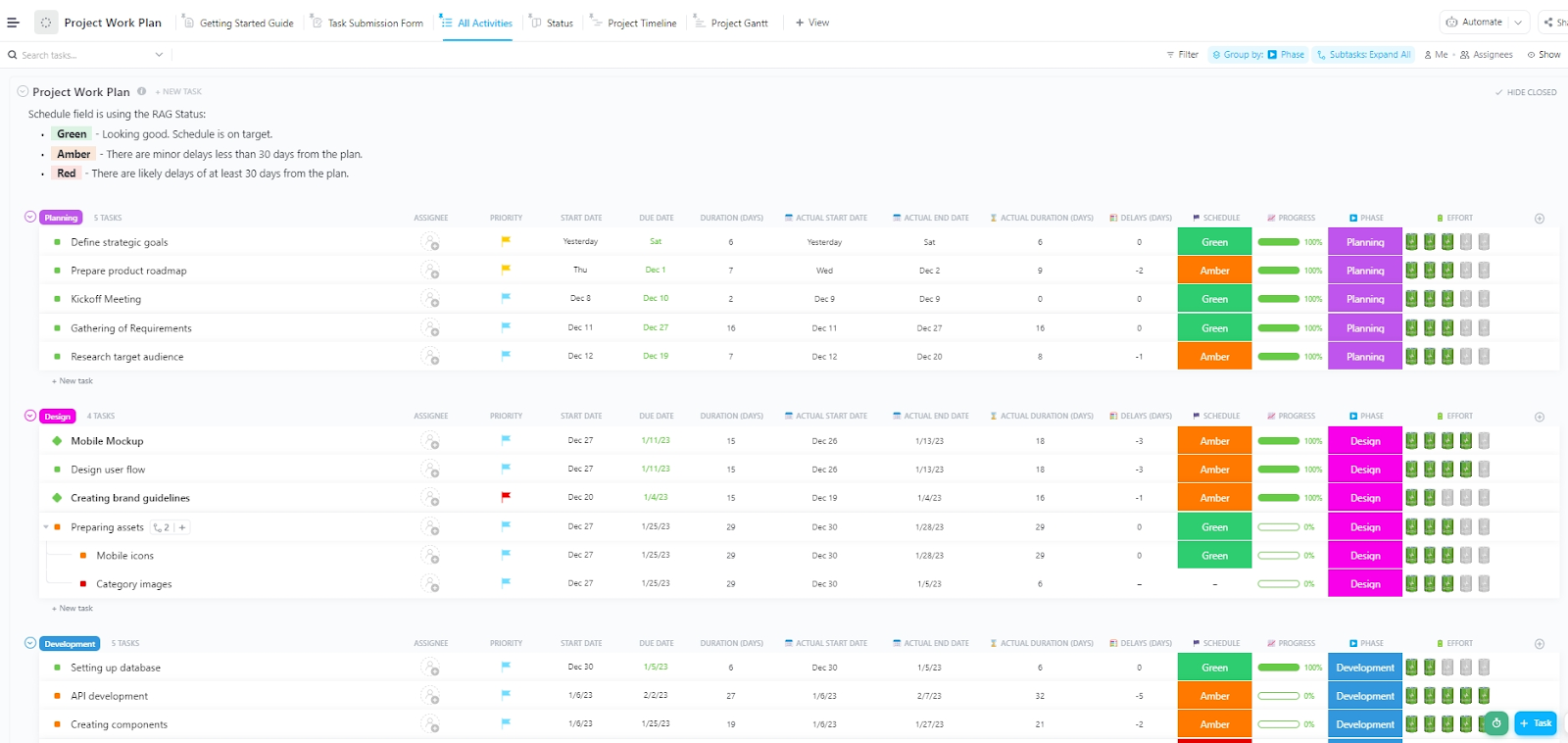
From lining up scene sequences to scheduling VFX reviews and team deadlines, a scattered plan won’t cut it. The ClickUp Project Work Plan Template gives you a centralized way to map out project tasks, track timelines, and adjust in real-time, so nothing slips through the cracks and every moving part stays in sync.
With this template, you can:
🔑 Ideal for: Production managers, assistant directors, and student filmmakers planning scene workflows, reviewing edits, and tracking team availability with workforce analytics.
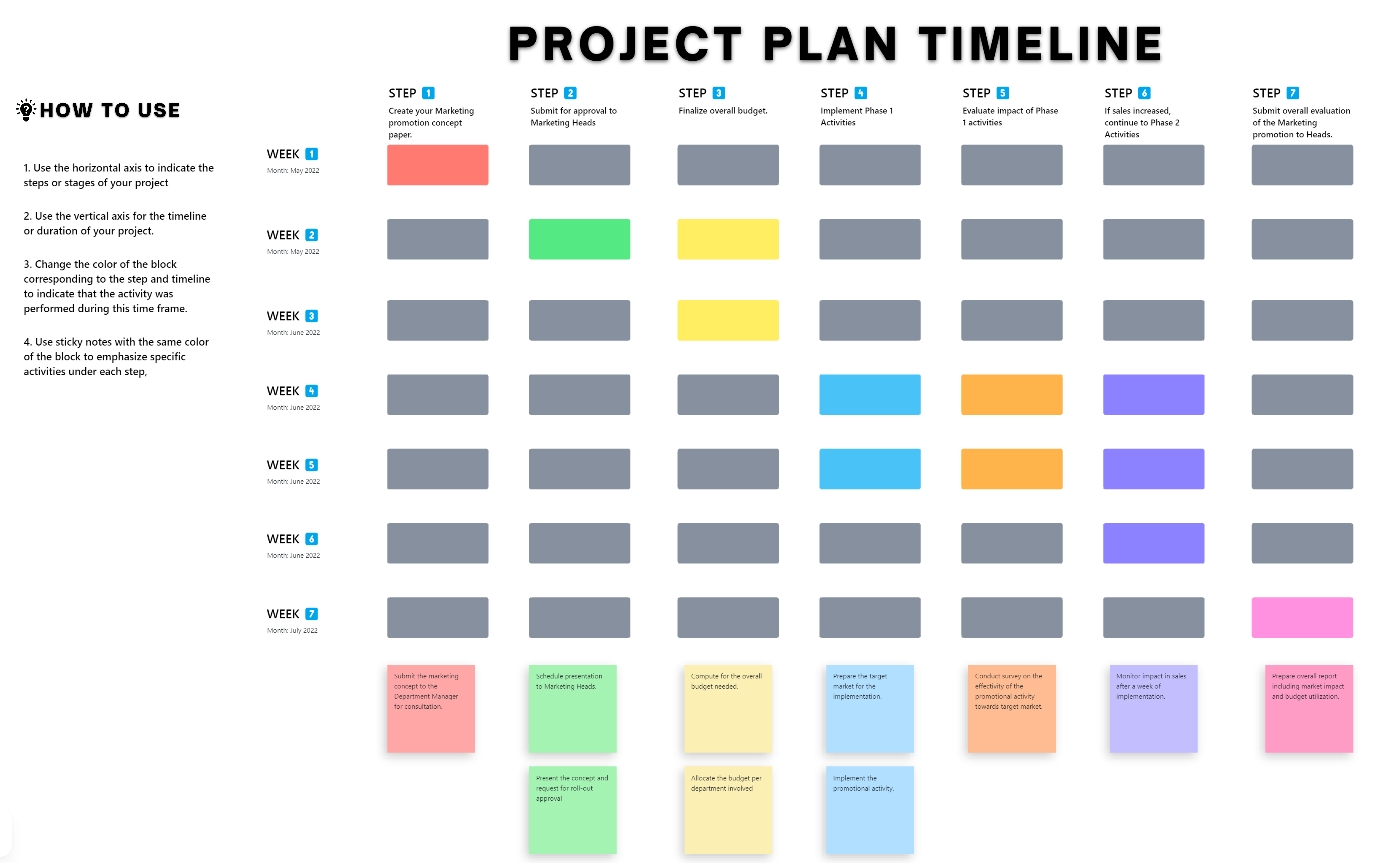
The ClickUp Project Timeline Whiteboard Template gives you a drag-and-drop canvas to map out tasks, mark big moments, and keep everyone in the loop. Planning an indie film or juggling commercial deadlines? This flexible template lets you shift gears fast, without losing track of the big picture (or your sanity).
With this template, you can:
🔑 Ideal for: Production teams and filmmakers that need a flexible, visual way to create and manage their project plan from concept to final cut.
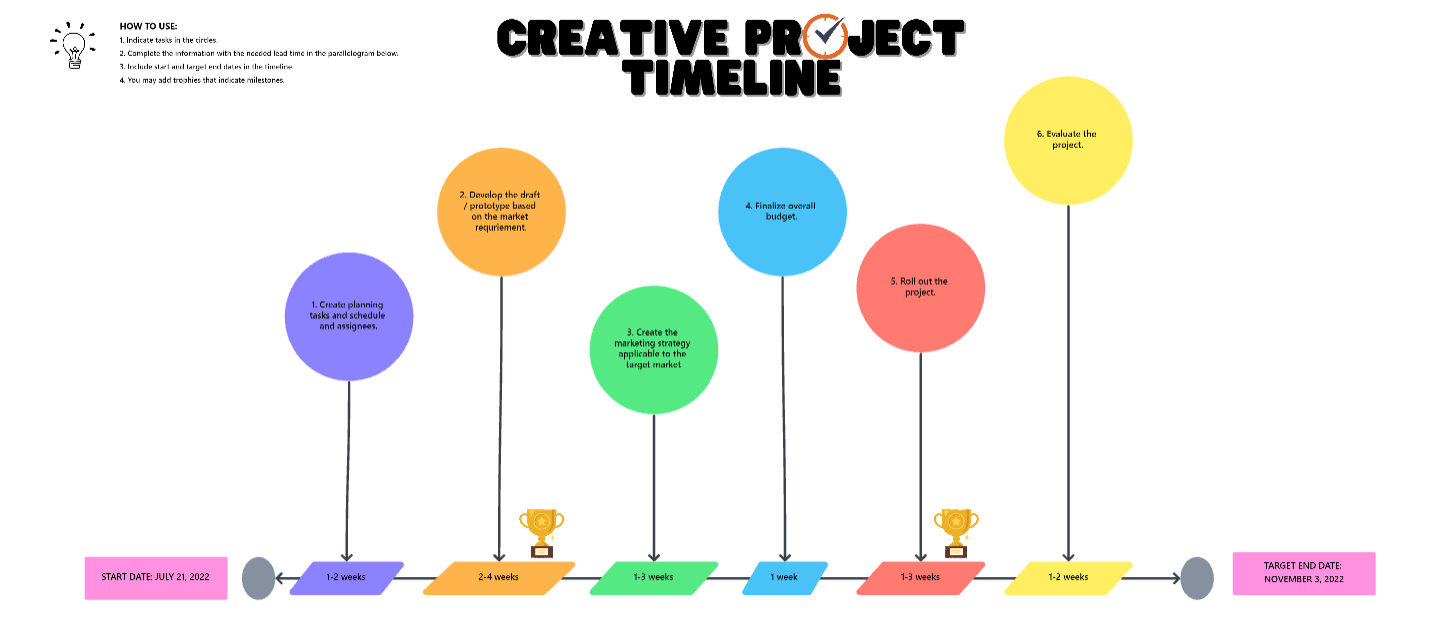
Creative projects move fast—and in all directions. The ClickUp Creative Project Timeline Template helps you chalk out every step of the production process on a flexible whiteboard. From pre-production to post-launch, you can track approvals, sync schedules, and stay on top of every moving piece without missing a beat.
With storyboard templates like this one, you can:
🔑 Ideal for: Creative leads, producers, or students managing multi-phase projects where leave management overlaps with deadline-driven workflows and requires clear timeline visibility across teams.
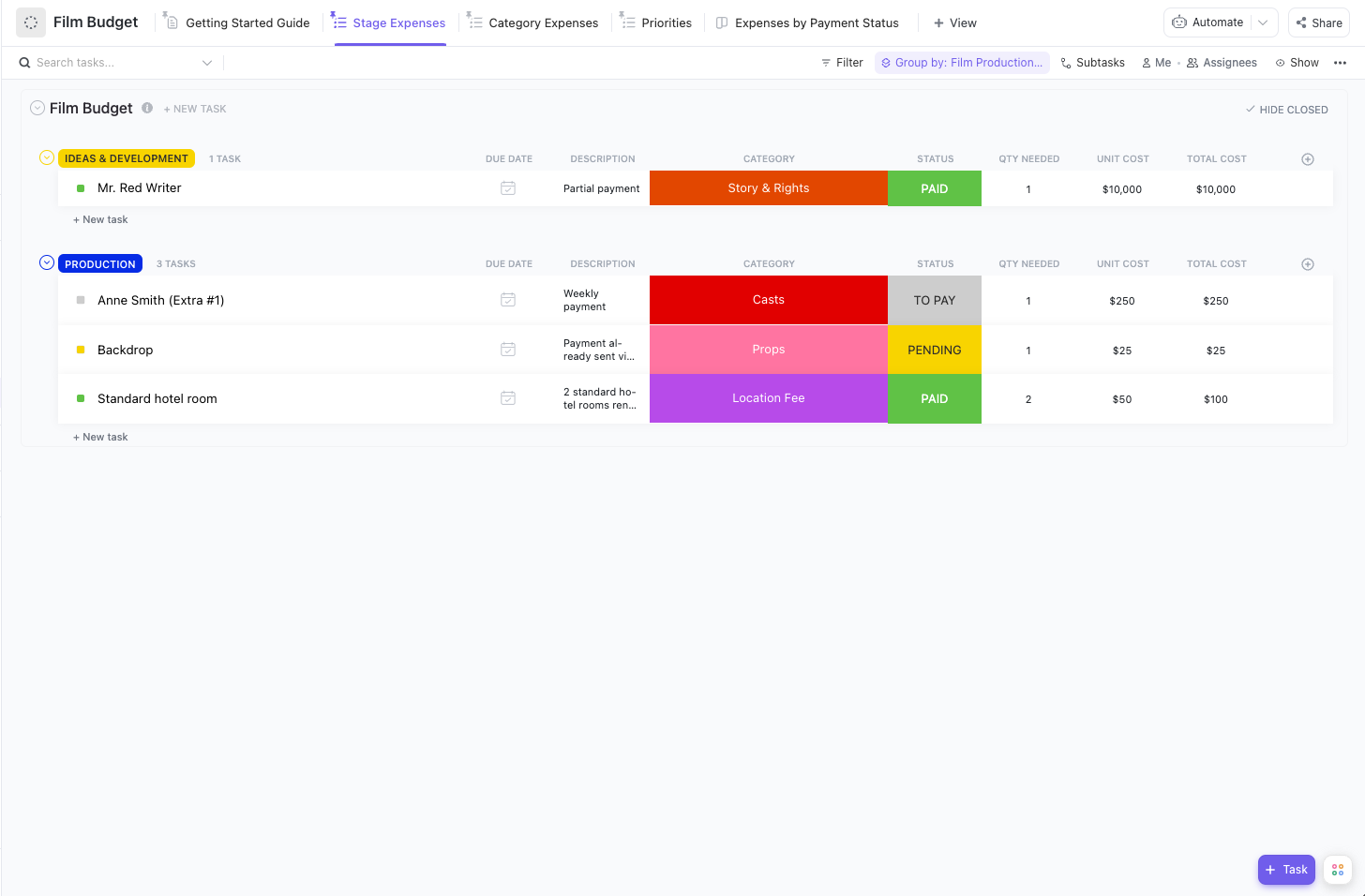
From pre-production estimates to wrap-day reconciliations, every film crew needs a rock-solid budget to keep projects financially sound. The ClickUp Film Budget Template gives filmmakers a centralized way to break down expenses, monitor payment statuses, and shift resources as production demands change.
With this template, you can:
🔑 Ideal for: Filmmakers, indie producers, and production managers who need a reliable, no-fuss way to manage spending, especially those tracking costs across departments and roles without relying solely on Google Sheets.
🧠 Fun fact: Before The Devil Wears Prada was even published, Fox 2000 snapped up the film rights in a preemptive deal after reading 100 pages and an outline.
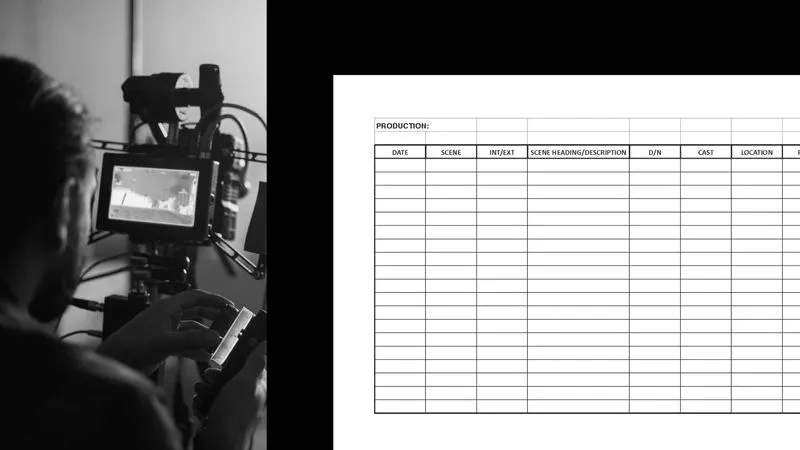
Wrapbook’s Shooting Schedule Template provides filmmakers with a no-frills framework for organizing daily scenes, cast, locations, and shoot logistics. It includes structured fields for scene numbers, descriptions, shoot timings (day/night), cast requirements, and production notes, making coordinating shoots easier and minimizing confusion on set.
Plus, its clean design makes it perfect for printing or quick digital edits.
With this template, you can:
🔑 Ideal for: First-time filmmakers or indie producers looking for a simple way to manage daily shoots without getting lost in complex tools.
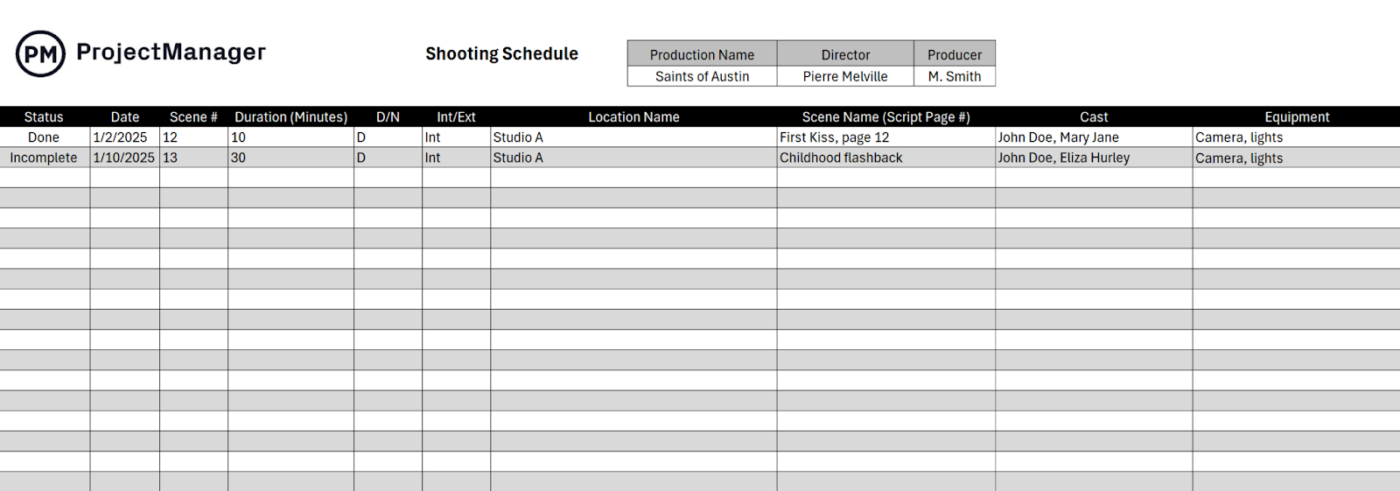
This Excel-based template from ProjectManager lays out your shoot day details in a straightforward grid, making it easy to log each scene’s status, timing, and production specifics. With columns for scene duration, location, cast, equipment, and notes, it’s a handy option for small crews that need to track their shoot logistics at a glance without dealing with complex scheduling software.
With this template, you can:
🔑 Ideal for: Indie filmmakers, film students, or assistant directors looking for a simple spreadsheet-style format to capture shoot day essentials.
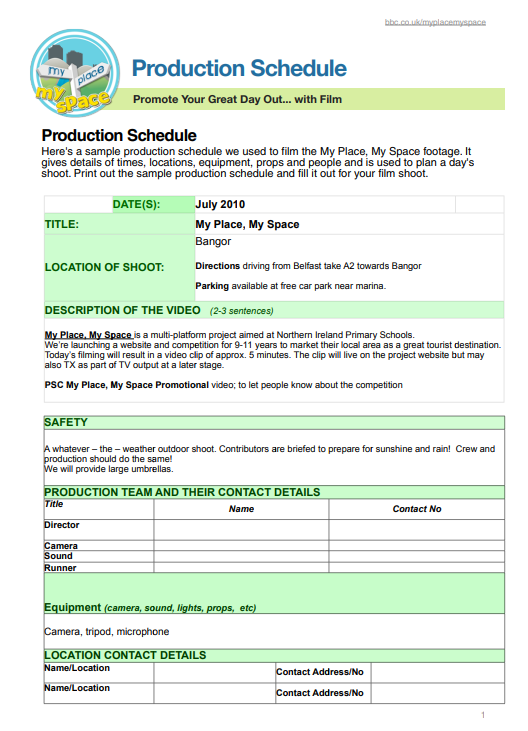
The BBC Production Schedule Template is a printable, day-of-shoot planning document for smaller shoots and educational productions. It includes key fields for crew roles, shoot locations, directions, equipment checklists, and a line-by-line professional shooting schedule broken into time blocks.
The layout is simple, straightforward, and built for clarity—helpful for those who prefer pen-and-paper logistics on set days.
With this template, you can:
🔑 Ideal for: Filmmakers, film students, or school media programs needing a printable schedule for small-scale productions with clear time-slot planning.
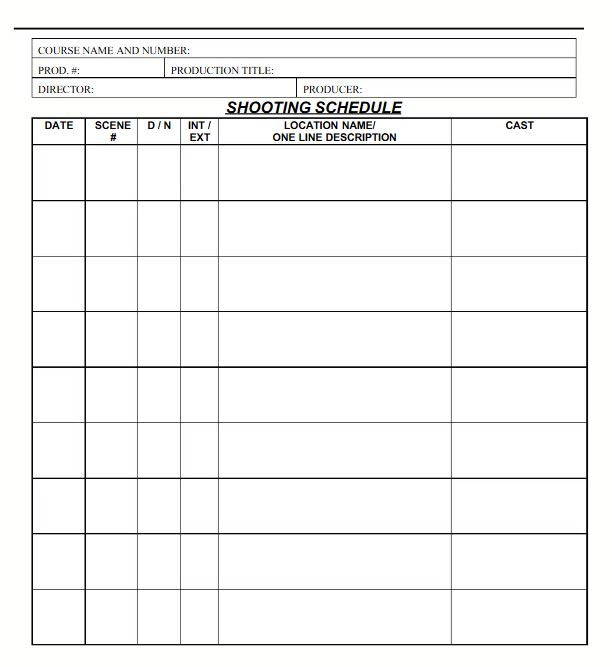
The Scribd Shooting Schedule Template offers a clean, spreadsheet-style layout that maps out each shoot day by scene number, time of day (day/night), location type (interior/exterior), and cast required.
It’s built for quick reference on set and works well as a snapshot of production needs across multiple days. There are no frills—just the core details that help crews stay aligned.
With this template, you can:
🔑 Ideal for: Assistant directors or production managers looking for a straightforward document to map multi-day film shoots with minimal formatting fuss.
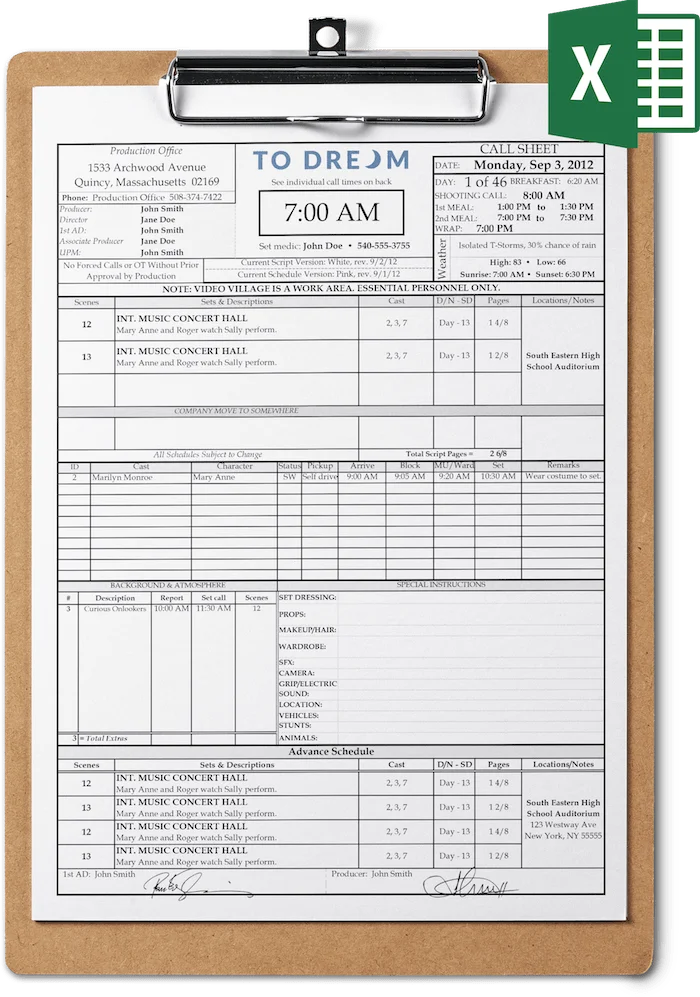
Run your shoot like clockwork with Set Hero’s Professional Call Sheet Template. With clear fields for call times, shoot locations, weather, and cast breakdowns, it keeps everyone in the loop. Its clipboard-style layout is easy to update and share—so every department head knows exactly where to be and when.
With this template, you can:
🔑 Ideal for: Production teams coordinating complex shoot days, especially those working with larger cast and crew setups requiring strict time and location management.
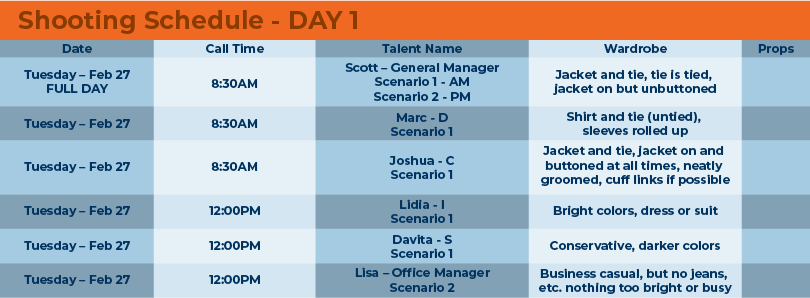
The Video Shooting Schedule Template by Reflection Software is a color-coded template that simplifies your day-of-shoot logistics with columns for call times, talent names, wardrobe instructions, and scenario details. It’s built for clarity, so your cast and crew know exactly when to show up, what to wear, and what they’re filming.
With this template, you can:
🔑 Ideal for: Production crews filming training videos, interviews, or corporate shoots that need wardrobe consistency and cast clarity on tight timelines.
Filmmaking rarely runs on autopilot. Things can derail fast between shifting shoot days, changing scripts, and scattered crew updates. That’s where ClickUp steps in—not as another tool to manage, but as the one place to manage it all.
Whether you’re planning a multi-day shoot, tracking budgets, or coordinating post-production edits, ClickUp’s templates offer more than just basic scheduling.
They combine advanced project management features with flexible formats—like lists, boards, calendars, and whiteboards—that adapt to your production workflow. And with ClickUp’s AI Calendar, you can streamline planning, stay on top of deadlines, and keep your film on track from pre-production to post.
Sign up for ClickUp to keep your next production clear, controlled, and creatively on point.

© 2026 ClickUp

There’s an easier way. Try a free AI Agent in ClickUp that actually does the work for you—set up in minutes, save hours every week.