






Still downloading templates?
There’s an easier way. Try a free AI Agent in ClickUp that actually does the work for you—set up in minutes, save hours every week.
Sorry, there were no results found for “”
Sorry, there were no results found for “”
Sorry, there were no results found for “”

Half your arguments could be avoided with one simple thing: a shared calendar that works.
If you constantly double-book, forget important dates, or text “Wait, we had plans today?” That’s the work of a broken household management system.
In this blog post, we’ve rounded up the 10 best shared calendar apps for couples to stay organized, skip the scheduling drama, and focus on what matters most.
Let’s dive in! 🗓️
Here are the top 10 shared calendars for couples:
| Tool | Best features | Best for | Pricing* |
| ClickUp | Smart shared calendar, AI task automation, drag-and-drop scheduling, customizable reminders | Couples, families, individuals | Free forever; customizations available for enterprises |
| Cupla | Shared calendar view, in-app chat, sync with Google/Apple/Outlook, auto reminders | Couples | Free plan available |
| TimeTree | Multiple shared calendars, event priorities, image attachments, public calendar sharing | Couples, families, social groups | Free plan available; premium plan for added features |
| Between | Shared calendar, private chat, anniversary tracker, voice calls | Couples | Free plan available |
| Cozi | Color-coded family calendar, task lists, recipe planner, daily agenda view | Couples, families | Free plan available; ad-free upgrade with premium version |
| Raft | Visual calendar with GIFs/emojis, countdowns, selective sharing, multilingual support | Couples, close friends | Free plan available |
| Fantastical | Calendar Sets for toggling plans, time zone support, collaborative invites | Couples and families with five members | Free plan available |
| FamCal | Task assignments, birthday/anniversary trackers, trip expense charts, shared account login | Couples, extended families | Free plan available; premium version available |
| Howbout | Partner activity feed, in-event chat, private posts, shareable event invites | Couples, social friend groups | Free plan available |
| Apple Calendar | Seamless sync across Apple devices, shared iCloud calendars, Siri reminders | Apple-only couples | Free with Apple devices |
Our editorial team follows a transparent, research-backed, and vendor-neutral process, so you can trust that our recommendations are based on real product value.
Here’s a detailed rundown of how we review software at ClickUp.
When selecting a shared calendar app tailored for couples, it’s essential to prioritize features that enhance communication, foster intimacy, and streamline daily coordination. Here’s what to consider:
🧠 Fun Fact: Mental load is real, and usually one person carries more of it. That includes remembering birthdays, booking vet visits, or following up on school events. Studies show women often carry most of this planning burden, even in equal partnerships. When couples use a shared calendar to plan date nights and more, that invisible work becomes visible and easier to share.
Finding the right shared calendar app can make a huge difference in how you and your partner manage daily life together. Whether you’re coordinating date nights, work schedules, or family responsibilities, the right tool helps you stay connected, avoid conflicts, and make time for each other.
Below are 10 standout calendar apps that offer features tailored for couples. 💑
Your relationship deserves better than a ‘Did you add that to the calendar?’ argument at 11 p.m. If your idea of couple goals includes remembering date nights and who’s walking the dog tomorrow without needing 10 different apps, let us introduce your new favorite third wheel: ClickUp.
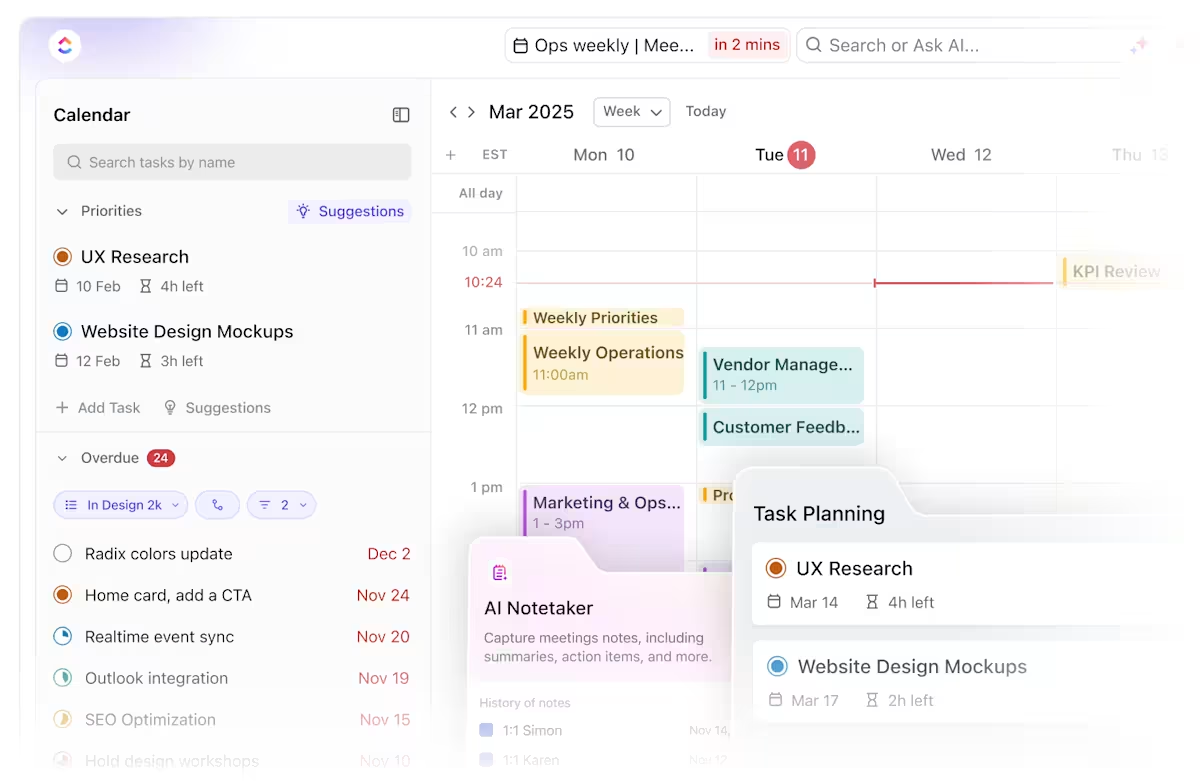
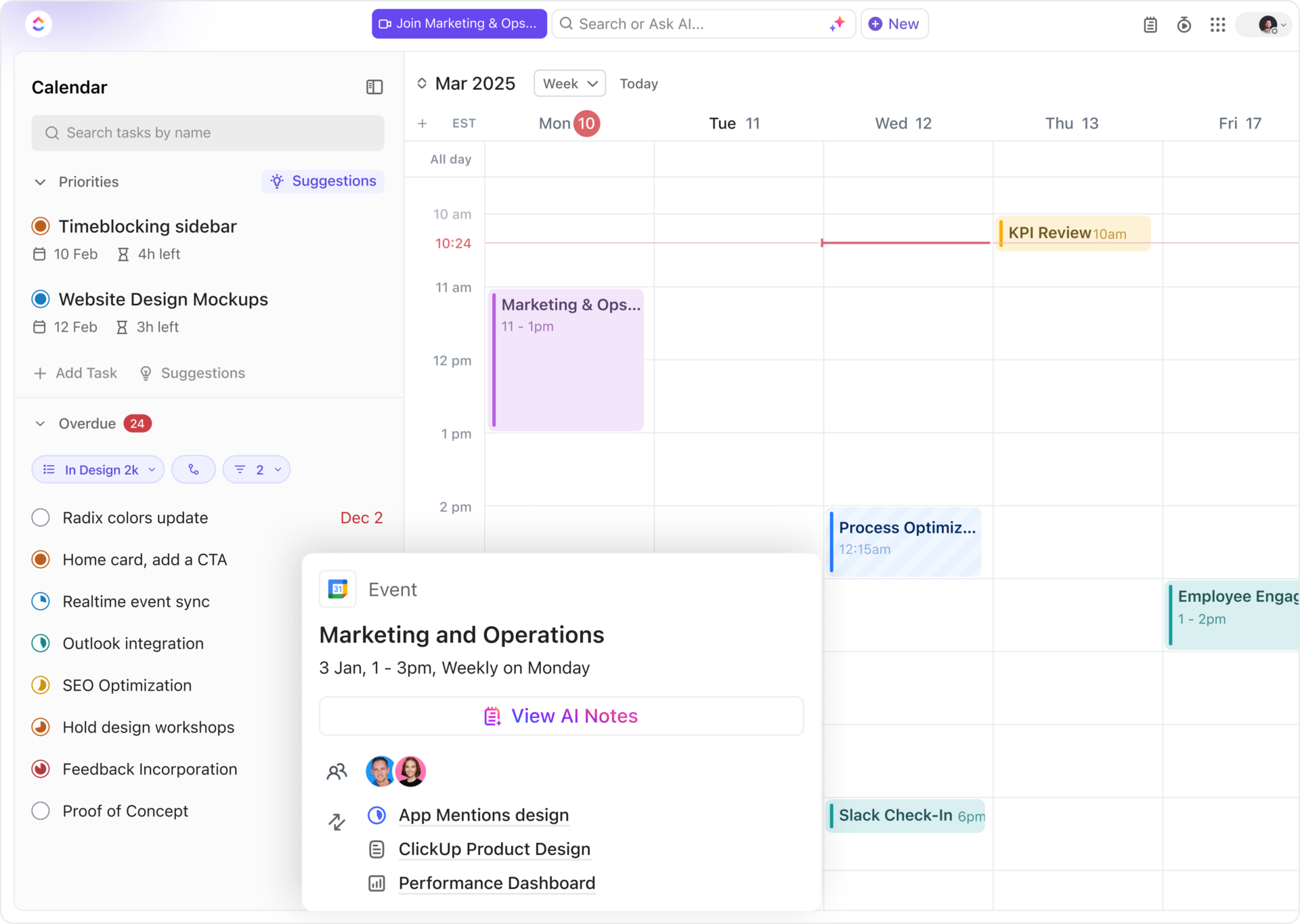
Let’s start with ClickUp Calendar, the smart scheduling tool that adapts to your lives. At the heart of it is the ability to auto-schedule tasks and events based on shared goals, personal commitments, and real-time availability.
Imagine waking up to a day that’s already planned around your personal errands, work meetings, and even your partner’s last-minute ‘we need groceries’ reminders.
Being the best calendar app, it ensures you don’t have to manually block off time for appointments or coordinate logistics over text. You both get a custom-built calendar that balances your individual priorities with collective plans. It even protects things important to you, like evening walks, weekend getaways, or downtime, by automatically rescheduling lower-priority tasks to make space for connection.
And with secure permissions, privacy settings, and a Google Calendar extension, you have complete control over what’s shared and what stays personal.
Working behind the scenes is ClickUp Brain, your AI-powered assistant that turns your chats and plans into real tasks, complete with deadlines, reminders, and progress tracking. Planning a vacation or date? It’ll generate Tasks in ClickUp, assign owners, and even summarize your chats or meeting notes into actionable steps.👇🏼
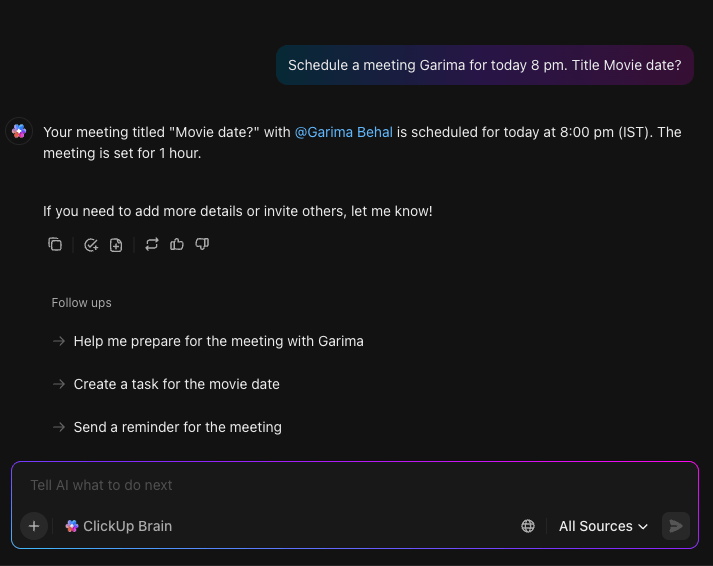
You’ll never have to re-discuss who’s booking the hotel.
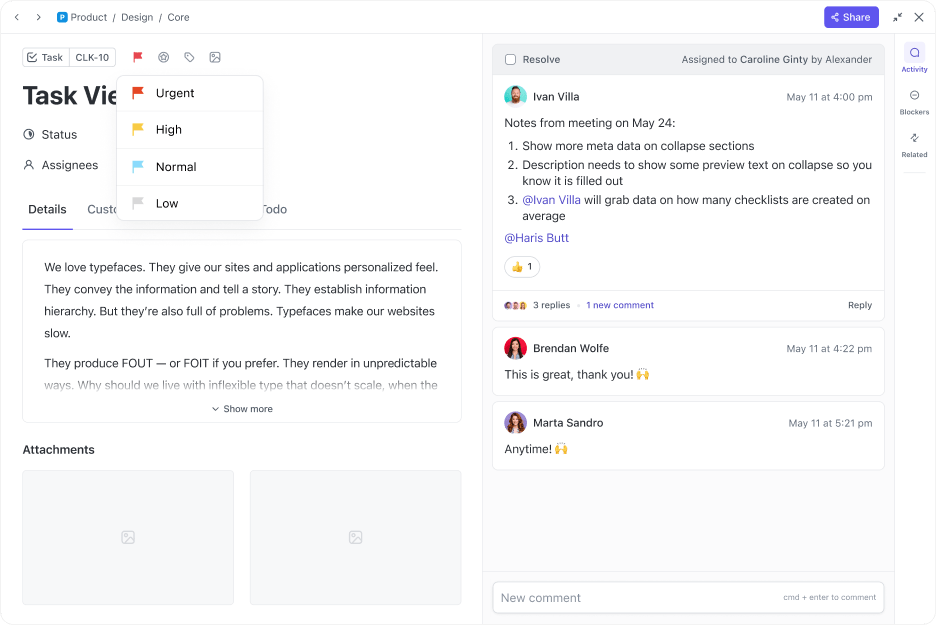
Set priority levels within ClickUp Tasks to stay aligned on what matters most
You can even automate recurring chores (yes, someone has to take the trash out every Wednesday), so you don’t have to keep reminding each other. ClickUp Automations ensure tasks are assigned, updated, or completed without anyone having to chase them.
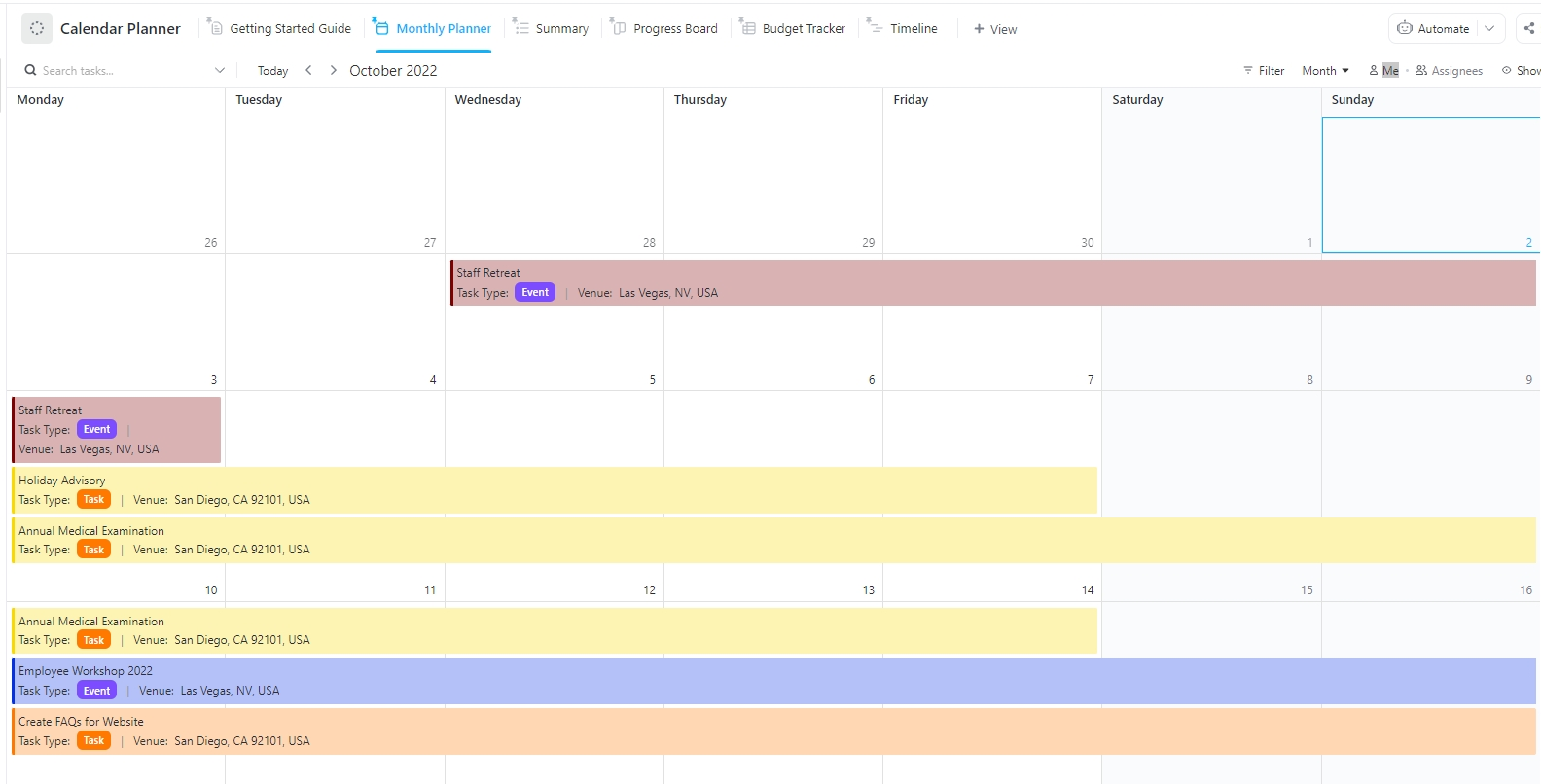
For a more instant solution, try the ClickUp Calendar Planner Template. You can schedule tasks by category, color-code them for clarity, and map out daily, weekly, or monthly plans with just a few clicks.
Plus, it’s completely customizable. So whether you’re the Type A planner or the ‘go-with-the-flow’ partner, it works with you.
This G2 review caught our eye:
ClickUp’s versatility cannot be beat. If I’m just working on a straightforward to-do list or some intricate multi-team project, ClickUp accommodates flawlessly. I appreciate the Calendar view when time-blocking, the drag-and-drop functionality in rescheduling, and the effortless integration with the likes of Slack, Google Drive, and Zapier. Being able to tailor dashboards, automate workflows, and monitor tasks in real time has incredibly heightened my productivity.
📮 ClickUp Insight: 18% of users in our survey said they want AI to help them organize life through calendars, tasks, and reminders. Meanwhile, 15% are looking for AI to handle routine admin work.
ClickUp’s AI-powered calendar is built for both. It automatically prioritizes your day, schedules tasks based on urgency, and keeps everything in sync as plans change.
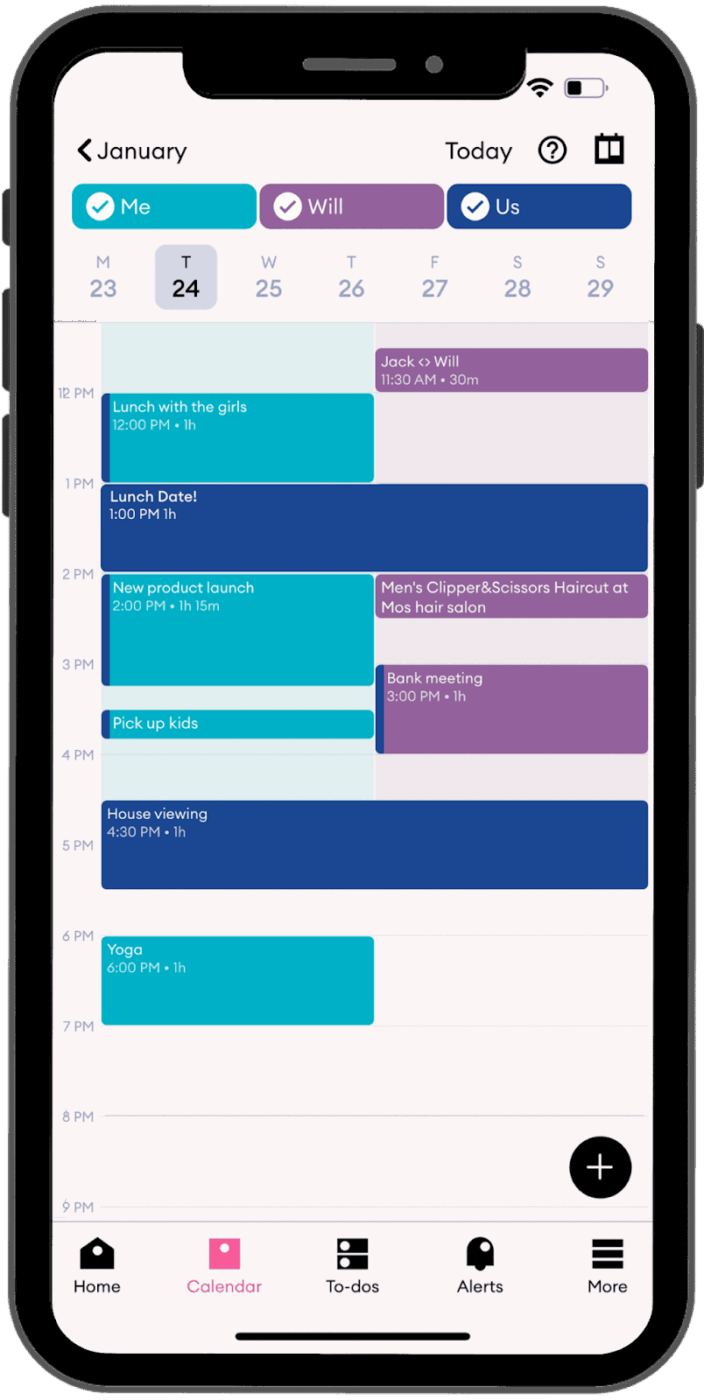
via Cupla
Cupla is a relationship-focused calendar and productivity app designed specifically for couples to manage their shared lives more seamlessly. It merges both partners’ calendars into a single view, so syncing schedules becomes a habit, not a hassle.
The tool helps you spot mutual availability, schedule quality time, and avoid everyday miscommunications that pile on stress. Whether you’re booking appointments, planning vacations, or setting up date nights, Cupla puts you and your partner on the same page.
Straight from a Reddit review:
We use Cupla and can confirm it works really well for couples. It shares existing calendars so you don’t have to go through complicated admin processes/workarounds that you need to if you are trying to share an existing google calendar.
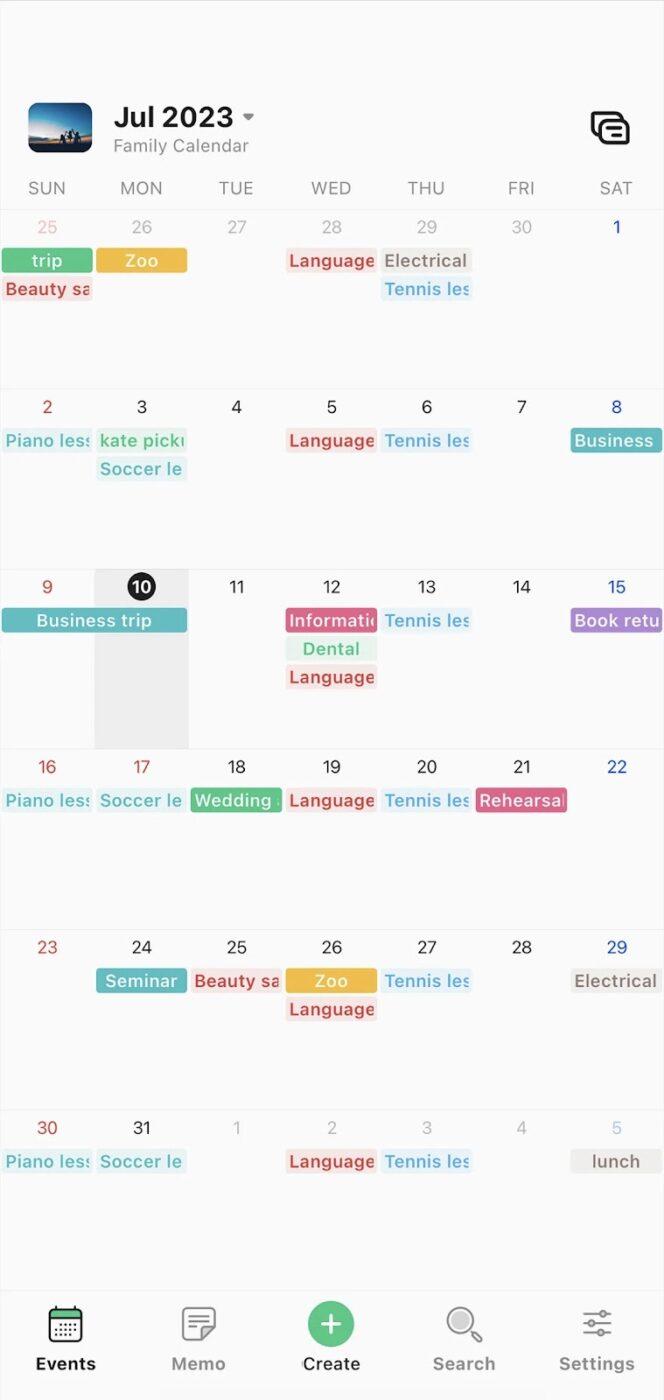
via TimeTree
TimeTree is a shared calendar app designed to help couples manage their day-to-day plans without missing a beat. It offers a centralized space where both partners can track each other’s schedules, coordinate events, and have real-time conversations around upcoming plans.
Switch to a vertical timeline view for a scrollable, intuitive way to glance through your upcoming days, helping you manage personal tasks. Plus, you can access TimeTree Public Calendars to create and share custom calendars as mini event pages from your phone.
According to one Capterra reviewer:
I use the free version of TimeTree which means I do get ADS, however they are not unbareable… I do occasionally click on them by mistake which is super annoying!!
💡 Pro Tip: Stop overfilling weekends. When everything’s marked as a ‘quick errand,’ you forget how tiring five ‘quick’ things can be. Try blocking off recovery time before you say yes to another friend hangout or house project.
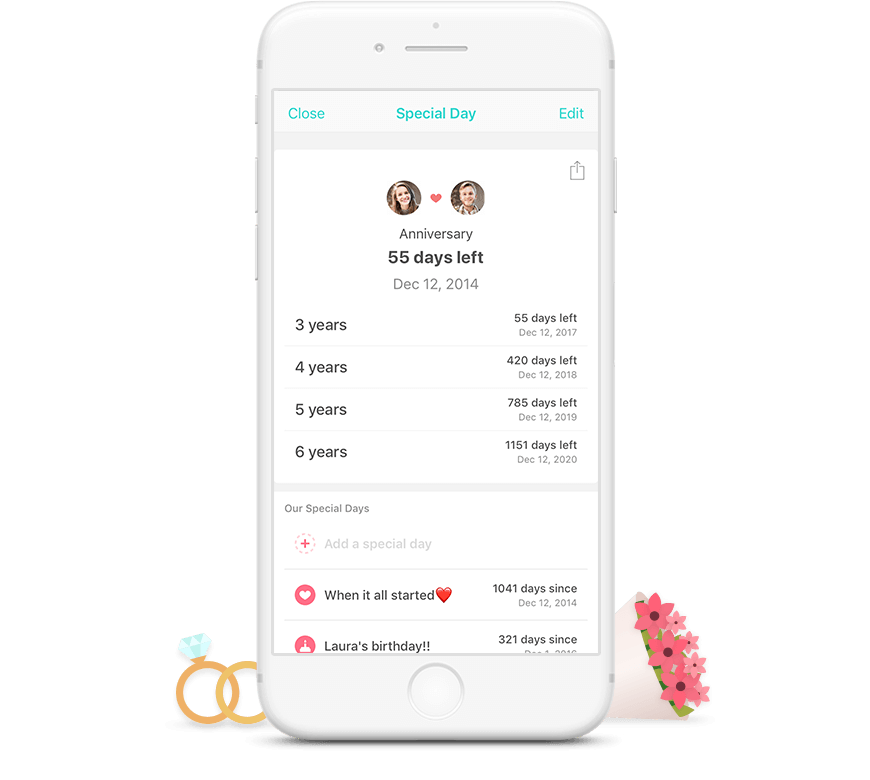
via Between
Between is a relationship space made exclusively for couples. It combines scheduling, private messaging, memory sharing, and anniversary tracking into one seamless experience that helps partners stay close and connected.
Every plan, reminder, and message stays between you, helping you stay in sync in a practical way. ThumbKiss is a unique feature where both partners touch the same spot on their screens, causing both devices to vibrate simultaneously, fostering a sense of closeness.
A user review says:
I understand how the “notes” feature works but a “Lists” section would be really great. Also, the calendar feature is a little clunky and not very customizable, which would be helpful. It would also be cool to have the option to import iCal or Google Calender events/shared calendars into the app or even have the option to “share event to Between” from the above calendar apps themselves. Overall we use the photos features the most (not the stories, but it’s a cute idea) and I very much like the way it’s done. We upgraded to the lifetime premium account and it definitely makes the app worth it!
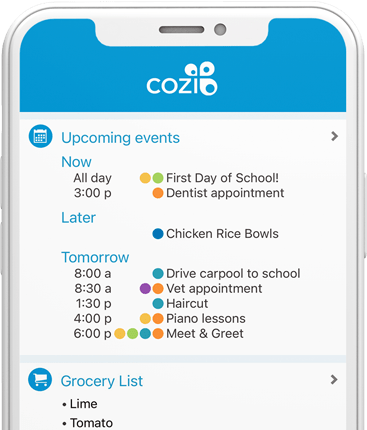
via Cozi
Cozi is a digital organizer built to help busy couples stay coordinated without the mental load of constantly checking in. It offers a shared, color-coded calendar that’s accessible on any device, so you and your partner can manage everything, from appointments to weekend plans.
You can merge Google Calendar, Apple Calendar, and Outlook to consolidate all events in one place. While its design may prioritize functionality over aesthetics, its effectiveness in enhancing coordination makes it a valuable tool for couples seeking to stay organized and connected.
A user review says:
For the most part, this app is exactly what we needed to help keep our family’s schedule straight. The only thing I would love to see changed is having the ability to search items in a shopping lists. I have so many multiples of different items because multiple people are just adding them to the list rather than checking to see if it’s already on the list and unchecking it.
🧠 Fun Fact: Using a shared calendar app for couples helps reduce what’s called cognitive offloading. That’s when you stop trying to remember everything in your head and let the app do the remembering for you. Less mental clutter means fewer mood swings over missed appointments or double-booked weekends.
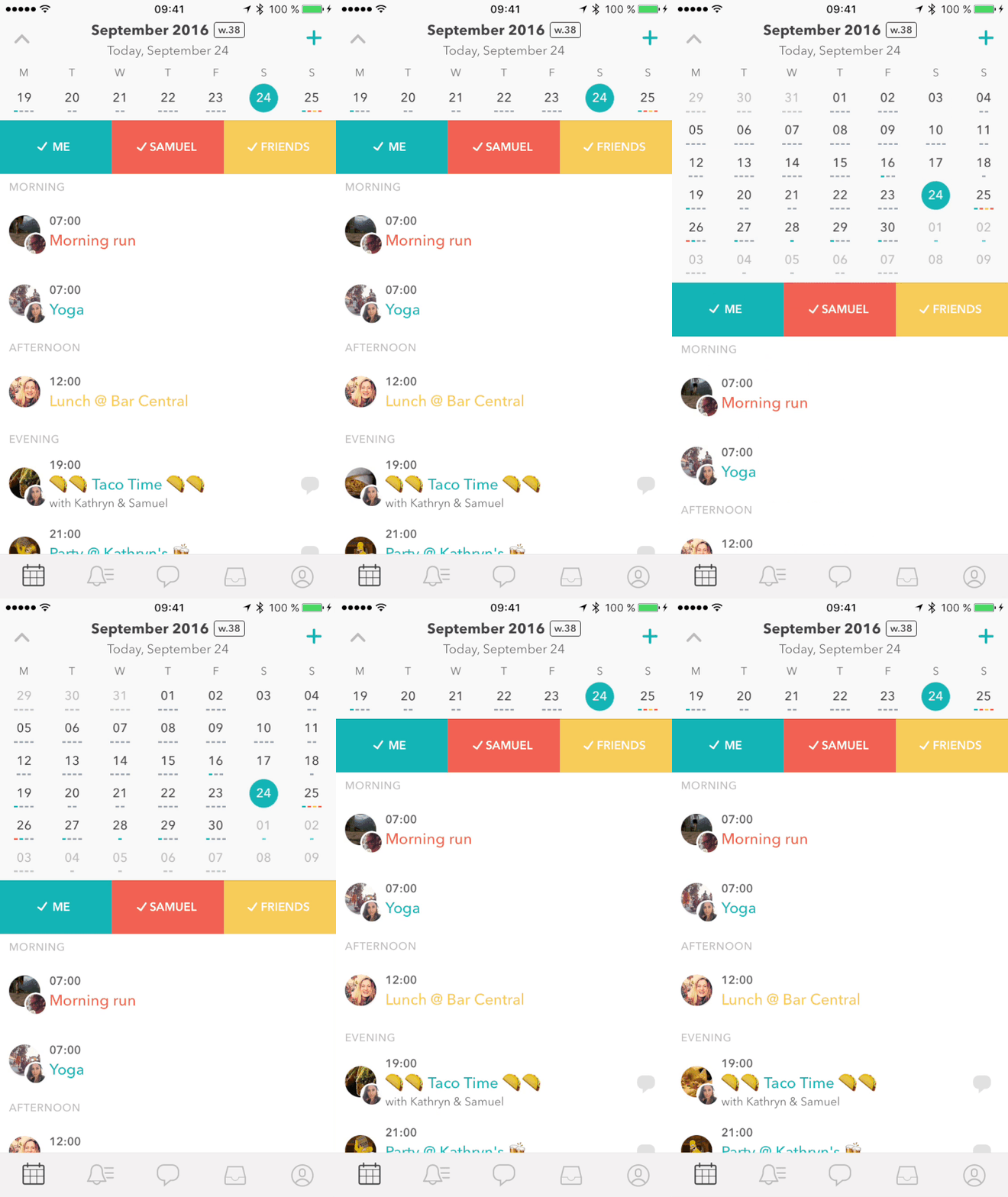
via Raft
Raft makes planning feel more like bonding and less like a chore. You can sync events from your iPhone and selectively share what matters most, so your partner sees what’s relevant without the clutter.
It also turns simple events into something more meaningful with the ability to add photos, emojis, or GIFs, turning your schedule into a shared story rather than a task list. The app blends the functionality of a calendar with the intimacy of social interaction, making it ideal for partners who value both organization and connection.
A user review says:
My partner and I both have crazy work schedules and having a shared calendar app helps us keep things straight, plus the GIFs are cute – the app has a lot of issues though. When I try to edit an existing event, the app just glitches and quits. Sometimes my partner and I can’t see ANYTHING the other person has put in, even when we have it set to show the other person. Then we have to go back in and update or recreate the event in order for it to show up on the other’s calendar. Having a calendar together doesn’t really help if we have to constantly ask “can you see my work dates on the calendar this week?”.
🔍 Did You Know? Same-gender couples often divide planning tasks based on what each person prefers or is good at, not based on old gender roles. It leads to more fairness and fewer assumptions. That flexible mindset works well for using a shared calendar app for couples since the focus is on finding balance.
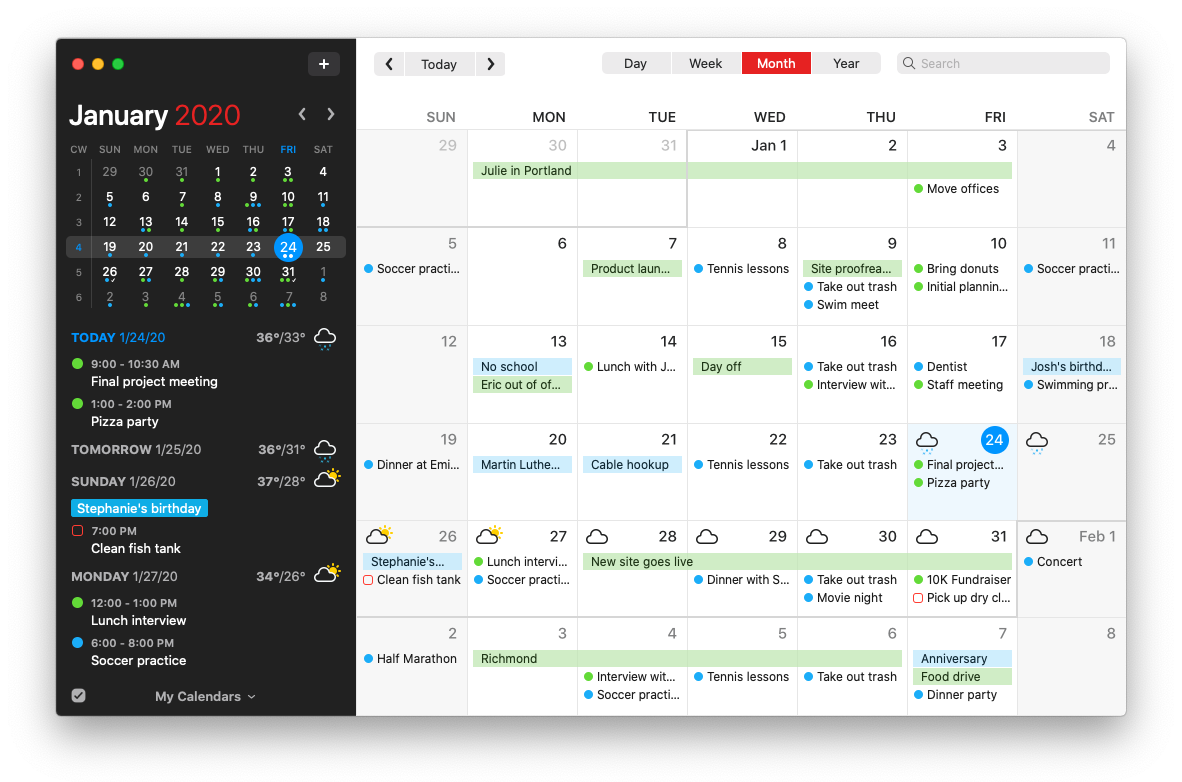
via Fantastical
Fantastical offers shared calendars, letting you and your partner keep track of date nights, appointments, and family events in one place.
With natural language input, you can quickly create events by typing phrases like ‘Dinner with Alex at 7 p.m.’ The app also syncs across devices, so whether you use an iPhone, iPad, or Mac, your schedules stay updated. If you opt for Flexibits Premium for Families, you get advanced features while maintaining separate accounts, making it easy to balance shared and personal plans.
Here’s a Capterra review about this shared calendar app for couples:
Very easy to use. Perfect integration with Microsoft Exchange/Outlook. All sync, calendar viewing, Zoom integration functions work well. Ability to copy/paste a calendar item saves a suprising amount of time compared to re-creating three or four instances of an identical or similar event for which a repeating meeting is not appropriate.
💡 Pro Tip: Don’t be afraid to leave empty spaces on your calendar. You don’t need to fill every single minute of the day. Put a little ‘nothing planned’ block so you both know you have a cushion. It’s your chance to chill, have some downtime, or go with the flow.
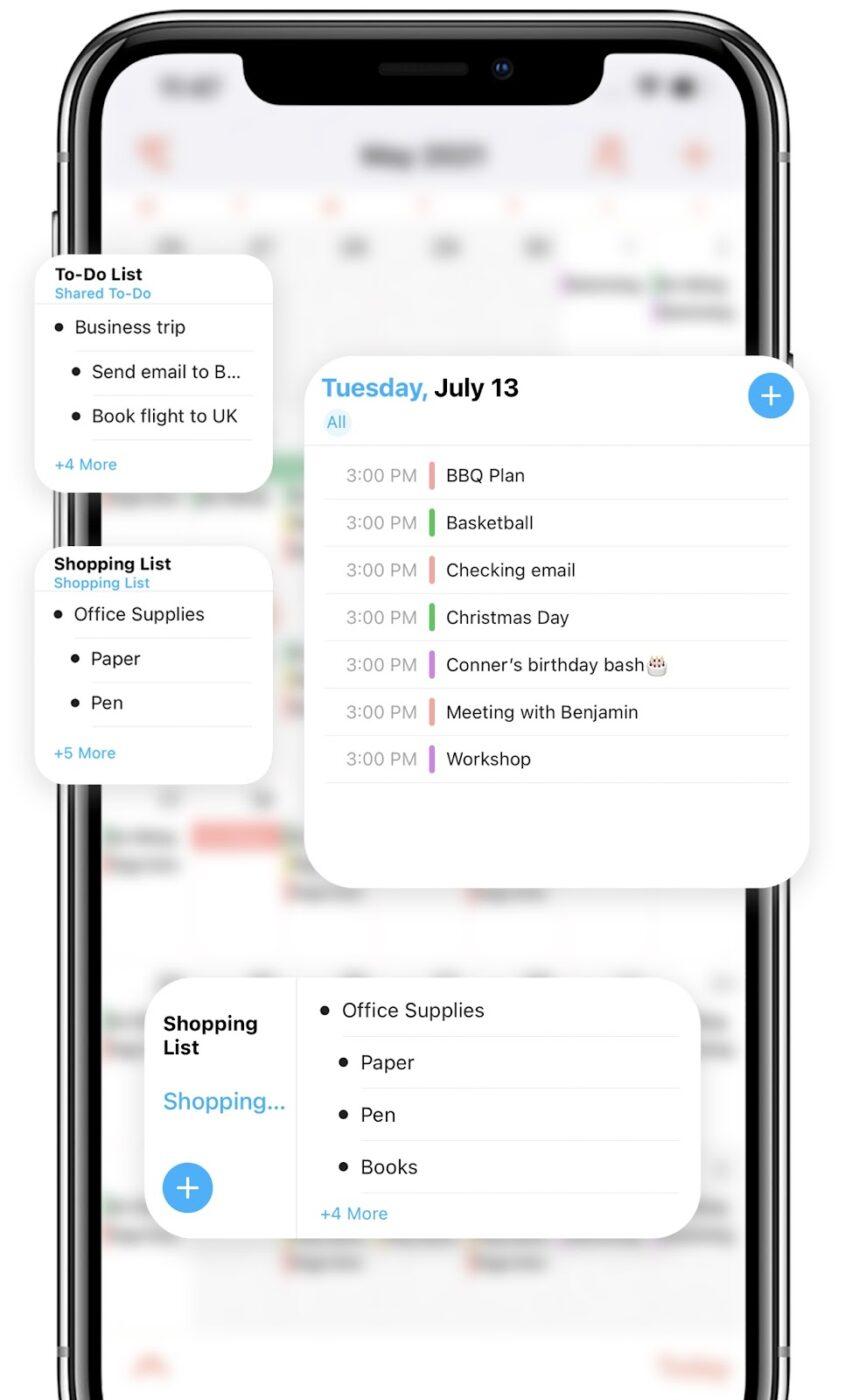
via FamCal
FamCal is built for couples who live busy lives but want to stay closely connected. It brings your entire daily schedule into one clean space. So no more forgotten dinners, double-booked weekends, or last-minute surprises.
This family calendar app offers both calendar and agenda views, providing flexibility in how schedules are displayed and reviewed. Each partner logs in using their own email under a shared account, making it seamless to keep things organized from any device, anytime.
This is why users think FamCal is such a great app:
I love this app. I use it to plan my schedule and that of my family. We all have very complex schedules. I love the color coding, the integrated goal and shopping lists and the numerous calendar viewing styles. Plus the customer support is amazing. I had a problem with the app and they contacted me and resolved everything the same day. Love it!
via Howbout
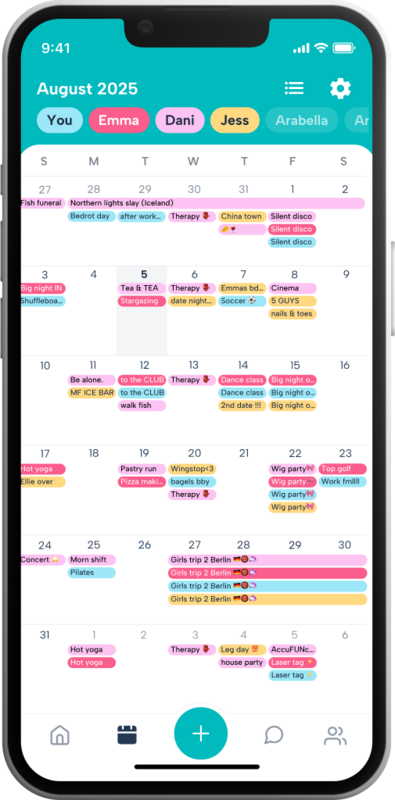
Howbout is like your relationship’s private home feed. It keeps both of you in sync without formal invites, long texts, or calendar chaos. You open the app, and instantly know what your partner’s up to, what plans are floating around, and what’s already booked.
From catching a friend in town to noticing your partner’s free Saturday, it gives you that ‘hey, let’s do something’ moment without needing a whole conversation. It merges calendar functionality with a social touch, making even the smallest plans feel more intentional and fun.
Straight from a Product Hunt review about this shared calendar app for couples:
I can’t believe this app didn’t already exist, it’s a no brainer for social planning! Howbout makes it so easy to plan events with friends and family.
via Apple Calendar
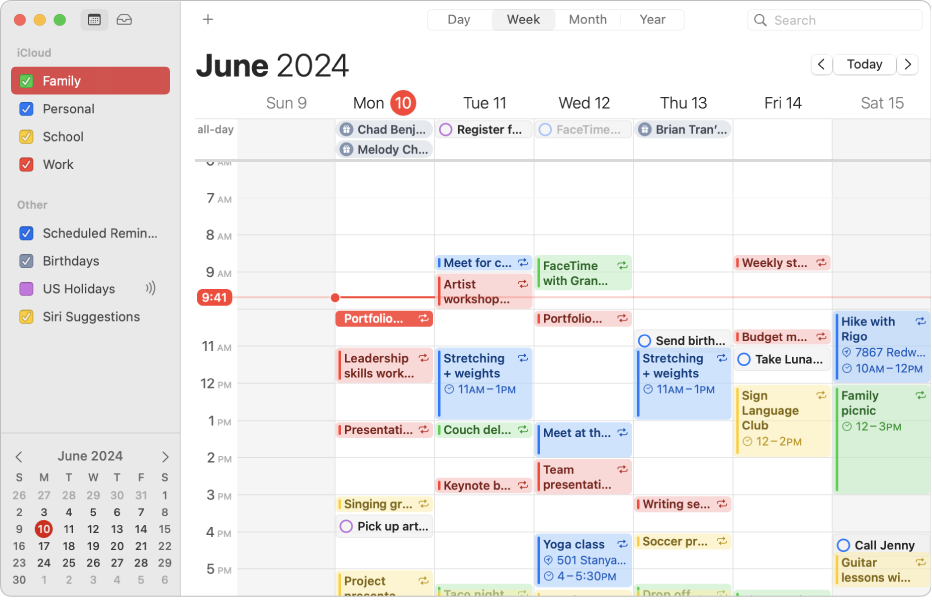
Apple Calendar offers a seamless Mac calendar app for couples aiming to coordinate their schedules efficiently. Leveraging iCloud, this solution ensures real-time synchronization, making shared planning straightforward and intuitive.
Couples can create a dedicated iCloud calendar and share it privately. This allows both partners to view and, if granted permission, edit events. When sharing a calendar, one can decide whether the invitee has viewing rights only or can make changes. This flexibility ensures that both partners can contribute to the calendar as desired.
A user review says:
I NEVER write reviews but I’ve been using this app for years and I’m very disappointed to see what’s happening with it. First of all, this app used to be free. One day they decided to show advertisements, causing you to almost feel forced into paying for the subscription in order to keep everything stored in it. I recently paid for the monthly subscription, it went a few days without showing advertisements and now showing them again today. You open the app and have to wait for the advertisement to finish before it displays the calendar. When I’m in the middle of booking an appointment for something over the phone, this is a huge inconvenience.
📖 Also Read: Google Calendar Hacks You Need To Know
Shared calendar apps can greatly improve couples’ time management, reduce miscommunication, and create more space for meaningful moments.
While each app on this list offers something unique, ClickUp stands out as the most complete solution for couples who want more than just a calendar.
With ClickUp Calendar, you can view shared events, color-code important dates, and manage everything from date nights to daily chores in one place. Add in ClickUp Brain, your AI-powered assistant, and suddenly you’re auto-generating helpful reminders, organizing your week, and even summarizing tasks with zero effort.
Ready to plan better as a team? Try ClickUp for free and start organizing your life together!
Cozi is a top choice for families, offering a color-coded calendar, shared to-do lists, and meal planning. ClickUp is also excellent for families who want more advanced features, including task management and automation. FamCal and TimeTree are other strong options for syncing with extended family.
Cupla is a relationship-focused calendar app for couples. It merges both partners’ schedules into a single view, making it easy to spot mutual availability, plan quality time, and avoid miscommunications. Cupla integrates with Google, Apple, and Outlook calendars, and offers features like in-app chat and automatic reminders. It’s free to use, though some features may be limited on Android or unavailable on the web.

© 2026 ClickUp

There’s an easier way. Try a free AI Agent in ClickUp that actually does the work for you—set up in minutes, save hours every week.