
Sorry, there were no results found for “”
Sorry, there were no results found for “”
Sorry, there were no results found for “”
Before you read this blog post, take a moment and think about how you collaborate with your team.
You edit docs. Someone replies to your thread in Slack. Another teammate has thoughts—but they’re buried in your email. By the time you align, you’ve lost both time and those Eureka! moments.
That’s the real cost of poor collaboration. Not confusion, but lost momentum.
In fact, six in every ten employees feel so bothered by poor communication and a lack of collaboration that they would likely quit their jobs over it. 🤯
Real-time collaboration is no longer about co-editing text or reducing communication lag by putting people in the same room. Today’s collaboration tools can help you with so much more. They’re focused on creating shared presence: live cursors, synced canvases, instant annotations, AI-powered suggestions, and seamless handoffs.
As hybrid work, global teams, and faster innovation cycles become the new normal, real-time collaboration has transformed from a convenience into a core capability.
In this blog post, we’ll explore what real-time collaboration truly means today, how it’s evolved far beyond its origins, and what it takes to enable it meaningfully in your team or organization.
Real-time collaboration allows multiple people to work together on a project, document, or task simultaneously, without waiting for others to finish or send updates. Instead of emailing files back and forth or managing countless versions (as we did for traditional online collaboration), teams see changes as they happen, whether they’re editing text, brainstorming ideas, or reviewing a design.
🎯 Examples: To see how cross-functional teams collaborate, let’s look at some of the real-time collaboration tools that they use to foster seamless communication:
At the core of real-time collaboration is the idea that every user sees and edits the same data at the same time.
To make this happen without a glitch, platforms rely on three key principles 👇
📖 Also Read: Top Unified Communication Software Platforms
If you’re looking for the best collaboration tools available for remote and hybrid teams, we’ve done the groundwork for you 👇
Real-time collaboration changes how teams connect, create, and solve problems, primarily when working on the same project from different places. This is what makes it vital:
📍 Real-World Example: Stanley Security’s global marketing team struggled with delays caused by scattered tools and long email threads. After switching to ClickUp, they centralized tasks, timelines, and feedback in one place.
This change saved them over 8 hours per week on meetings, cut report-building time by 50%, and improved teamwork by 80%. It’s a clear case of how the right real-time collaboration tools can enhance team communication and unlock significant efficiency gains.
Real-time collaboration is a massive productivity unlock. But how do you choose the tools that make it happen?
Let’s explore the essential features of a real-time workplace collaboration tool:
📮ClickUp Insight: 83% of knowledge workers rely primarily on email and chat for team communication. However, nearly 60% of their workday is lost switching between these tools and searching for information. With an everything app for work like ClickUp, your project management, messaging, emails, and chats all converge in one place! It’s time to centralize and energize!
Here’s where real-time collaboration delivers the biggest impact:
Real-time collaboration is perfect for capturing ideas as they flow. Teams can co-create mind maps, draft campaign concepts, or design user flows without waiting for email chains or feedback loops.
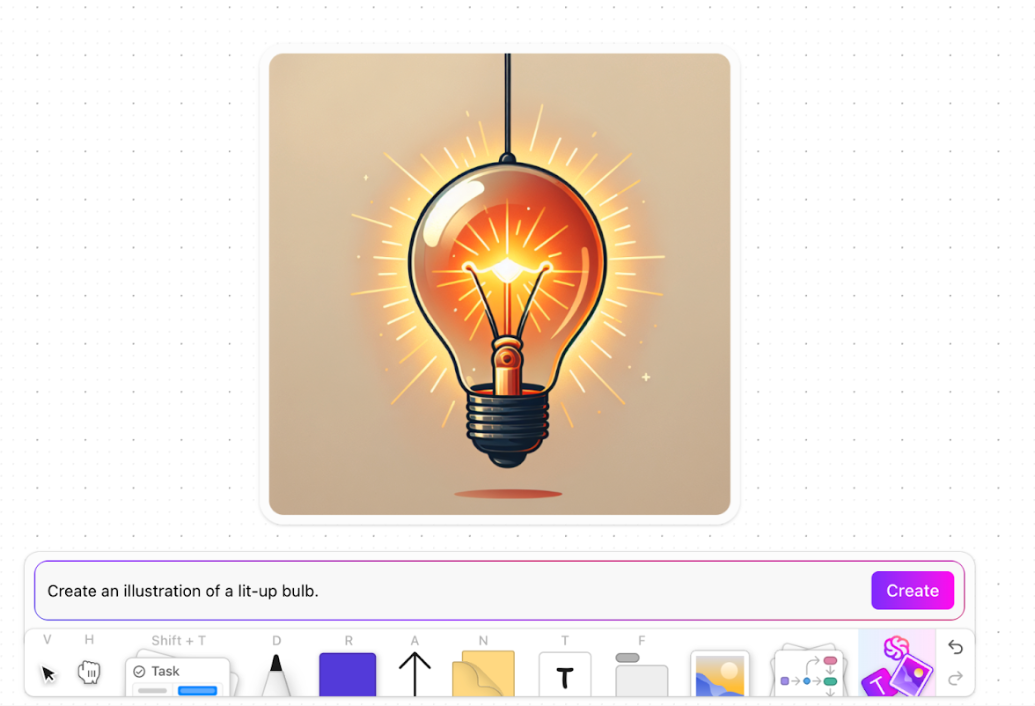
🧠 Fun Fact: What if your whiteboarding tool could capture the image in your head—before it fades?
With ClickUp Whiteboards, you can turn a half-formed idea into a visual instantly using AI image generation—directly inside the space where you’re already collaborating with your team. Sketch ideas, connect concepts with arrows, shapes, and diagrams, and drop in sticky notes on a shared canvas. Then prompt ClickUp’s native AI to support it all with the right image!
⚡ Template Archive: Free Whiteboard Templates to Share on Zoom & ClickUp
When teams work across time zones, planning sessions can stretch into days. Real-time collaboration helps compress this timeline. Product managers, developers, and designers can align on sprint goals, assign tasks, and update timelines in one session.
Real-time document collaboration software allows multiple stakeholders to work on the same file together. Comments, tracked changes, and instant updates prevent version conflicts and endless file-sharing threads.
⚡ Template Archive: Want to keep your team aligned while co-authoring content? These communication plan templates can help ensure everyone stays on the same page, literally and figuratively.
👀 Did You Know? Launched in November 2008 and acquired by Google shortly after, Etherpad was one of the first web apps to offer truly live collaborative editing, complete with colored cursors and a time slider to see changes over time.
Real-time collaboration simplifies client-facing workflows by allowing internal teams and clients to give feedback, suggest edits, and sign off in the same space. Instead of scattered email chains and version confusion, clients can comment directly on deliverables, speeding up approval cycles.
🚀 ClickUp Advantage: While real-time collaboration helps teams work together in the moment, ClickUp Super Agents ensure that work keeps moving after the session ends.
Super Agents are ambient AI assistants that operate continuously inside your workspace.
They observe activity across your ClickUp Docs, Tasks, Chat, timelines, and dependencies, then take action automatically as collaboration unfolds. No manual instructions required at every step.
Instead of letting brainstorming sessions, reviews, or client feedback live in comments or meetings, Super Agents turn those signals into structured next steps—updating tasks, surfacing blockers, and keeping execution on track as conditions change.
✨ If you want to see this in action, this video walks through how Super Agents power our content system.
Let’s break down the key steps you need to take to enable real-time collaboration across your workflows.
The foundation of real-time collaboration is a tool that matches how your team works. A small, close-knit startup doesn’t need the same level of functionality as an enterprise with hundreds of employees spread across time zones.
📌 Start here:
If you’re looking for a platform flexible enough to adapt to your team’s size, workflow, and speed, ClickUp is built for precisely that.
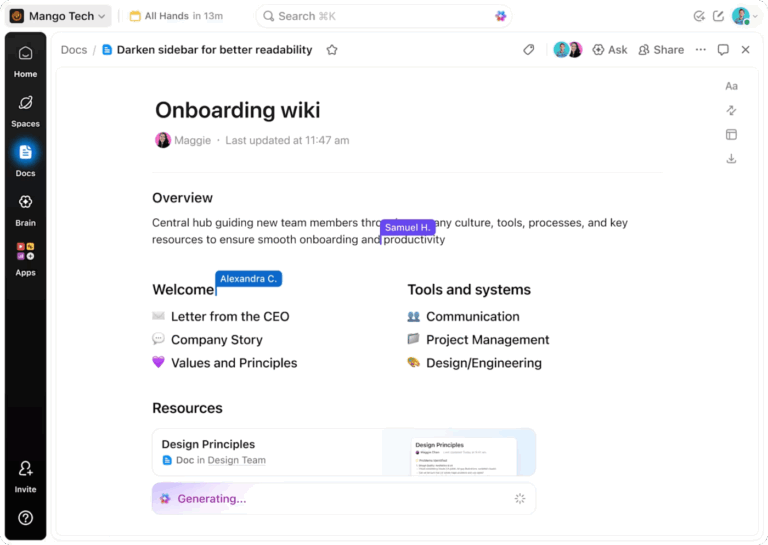
It’s the everything app for work: a single platform that combines all real-time collaboration features in one place. For instance, ClickUp Docs, is a document editor that powers live collaboration, where ideas effortlessly move from planning to execution.
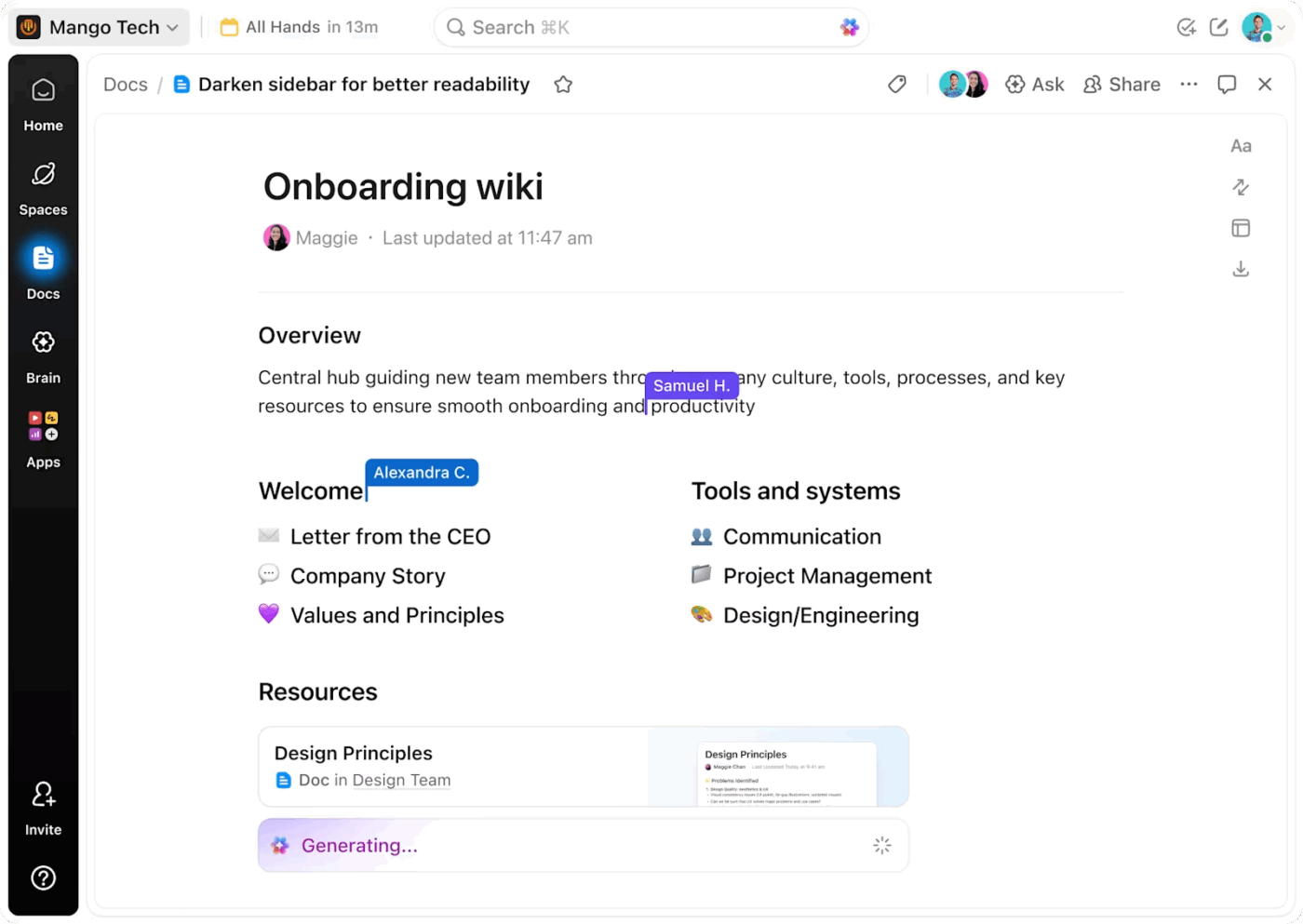
Here’s how ClickUp Docs enable seamless real-time collaboration:
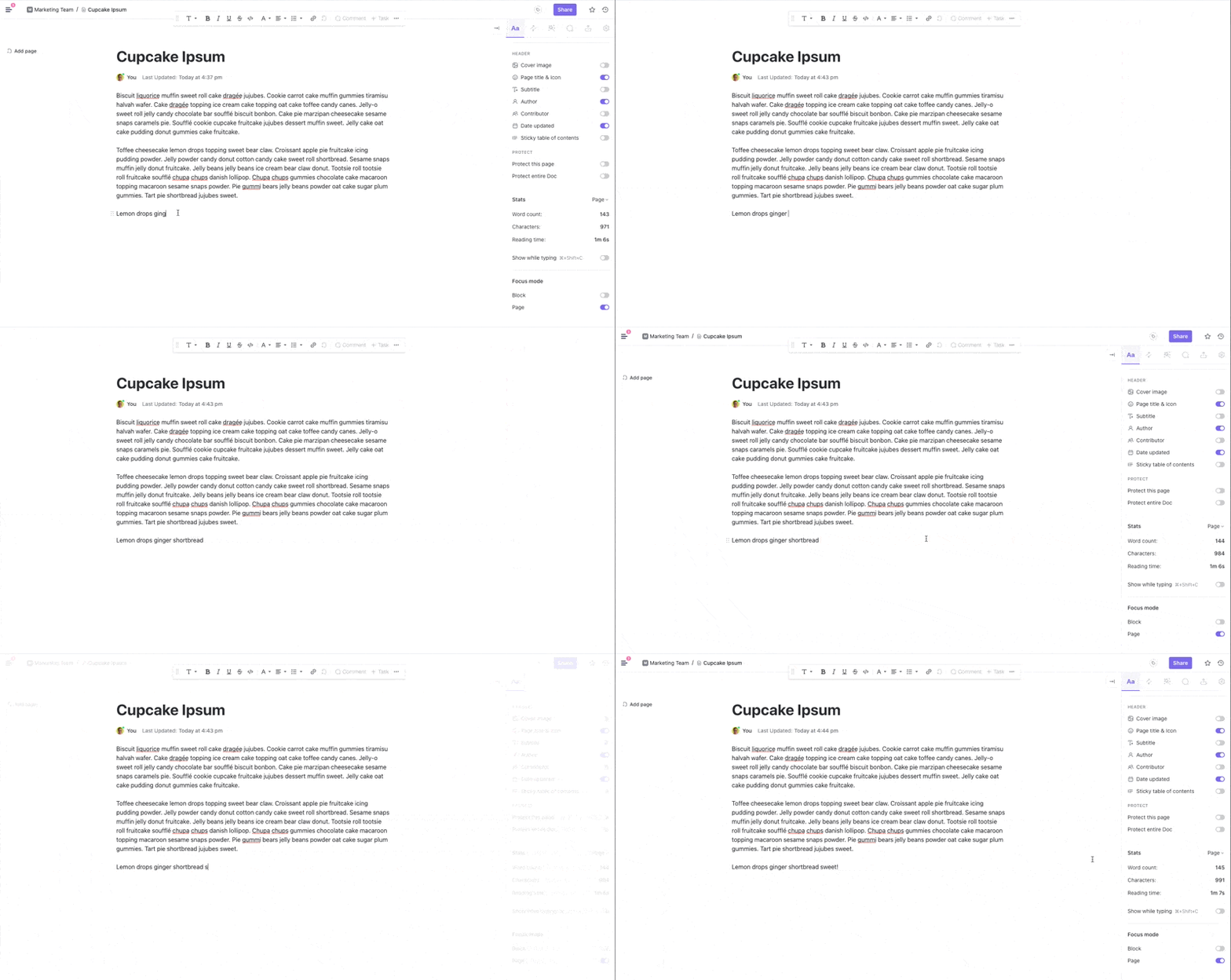
💡 Pro Tip: Sometimes you need collaboartion, sometimes individual focus sessions.
Activate Focus Mode in ClickUp Docs to write without distractions. It’s perfect for deep work sessions.
Not everything needs to happen in real time. Teams that try to collaborate live on every minor update often end up distracted and burned out. The key is to define when real-time collaboration makes sense and when asynchronous communication is more productive.
📌 When to use which:
| Scenario | Use real-time collaboration when.. | Use async collaboration when.. |
| Brainstorming and ideation | Ideas need to build on each other quickly in a live, creative session | Team members can submit ideas individually over time |
| Project planning and sprint kickoffs | Teams are aligning on scope, roles, and priorities in the same session | Roles and tasks are already defined, and updates can be logged independently |
| Task and progress updates | Some blockers or dependencies need immediate resolution | Updates are informational and can be viewed on a shared tracker |
| Incident or crisis response | Time is critical, and alignment must happen instantly | Post-incident analysis, summaries, and documentation can be shared afterwards |
| Knowledge sharing and documentation | You’re building shared understanding during a live working session | You’re creating lasting resources others can access anytime |
The real power of collaboration is having both real-time and async side by side, in the same workspace.
And that power comes with ClickUp Chat. It’s your team’s communication hub, built right into your workspace. You can use it to send direct messages, create topic-specific channels, spin off tasks from any message, or drop a quick update while reviewing a doc.
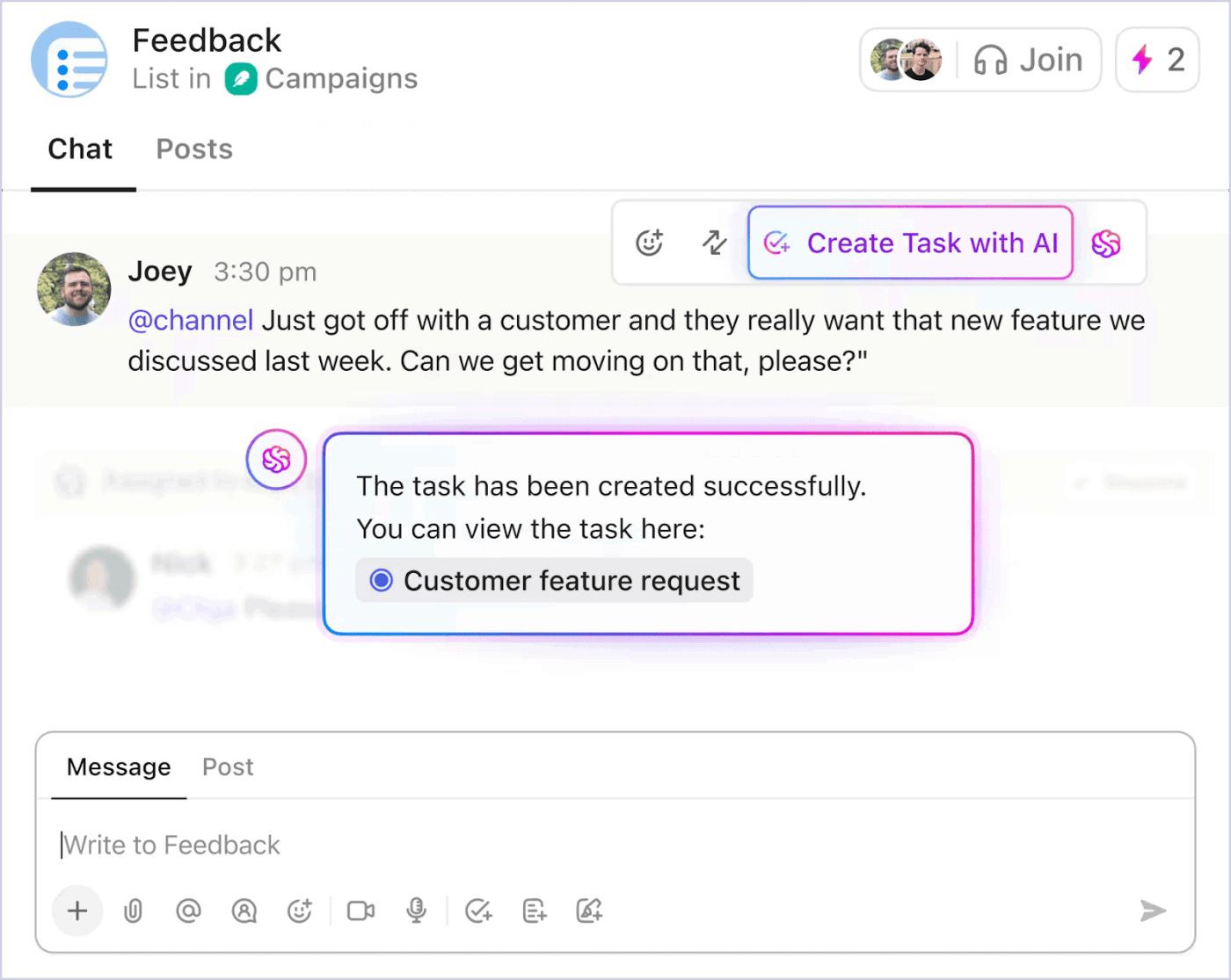
And if the conversation calls for more than messages, start a SyncUp directly from Chat. SyncUps let you connect face-to-face with your team in seconds using audio-visual calls within ClickUp. Host one-on-one discussions or group sessions, share your screen, connect tasks, and keep the focus on your work (without ever toggling to other tools).
Chat also works for you even when you’re not in the room. With Chat Automations, you can set triggers and actions to keep important updates flowing automatically. Schedule reminders, post recurring status checks, or ensure key information is shared with the right channel at the right time.
Another quick tip? Turn to ClickUp Brain to summarize long discussion threads so everyone can catch up fast. As the world’s most context-aware work AI, Brain understands your work deeply. It draws from your Tasks, Docs, and Chats in ClickUp to get you the right answers at the right time.

Before ClickUp, meetings, and back-and-forth email communications led to a black hole where items were left unseen and unattended. Due to this, tasks were not being reviewed on time, and no one knew how the creative development was going. Now, everyone on the team can clearly see when action items are due, chat and collaborate within the tasks.
📚 Read More: How to Improve Your Video Conferencing Setup
Real-time collaboration only works when the right people are looped in. Start by customizing notifications so they actually serve your workflow. People should be alerted when:
ClickUp’s Collaboration Detection features show you, in real time, who else is viewing or editing a task, doc, or comment thread. So if you’re about to jump into a conversation or update a file, you’ll know who’s already there. This helps you avoid duplicate effort.
Plus, with ClickUp Permissions, you can set exactly who can view, comment, or edit a particular task, doc, chat, or whiteboard.
👀 Did You Know? Just by collaborating, employees can work 15% faster, produce 73% better work, become 60% more innovative, and feel 56% more satisfied—all without changing a single tool or process. Collaboration alone is that powerful.
Disjointed tools can slow down even the most collaborative teams. When conversations, files, and decisions are scattered across too many tools, it creates Work Sprawl. And it costs your team more than frustration.
💰 Research shows we could be spending as much as 60% of our time switching between apps to find the right information.
Put numbers to it. If a knowledge worker costs a company $50 an hour and loses even 2–3 hours a day to context switching and searching, that’s $25,000+ per employee per year spent reconnecting dots that should already be connected. Multiply that across a team, and work sprawl quietly becomes one of your biggest productivity leaks.
Integrating your stack keeps updates, files, and conversations connected so work flows without friction. And as the world’s first Converged AI Workspace, ClickUp tackles this by bringing your tasks, docs, chat, and whiteboards into one connected app. Instead of bouncing between apps to figure out what’s happening and who owns what, the context lives with the work itself.
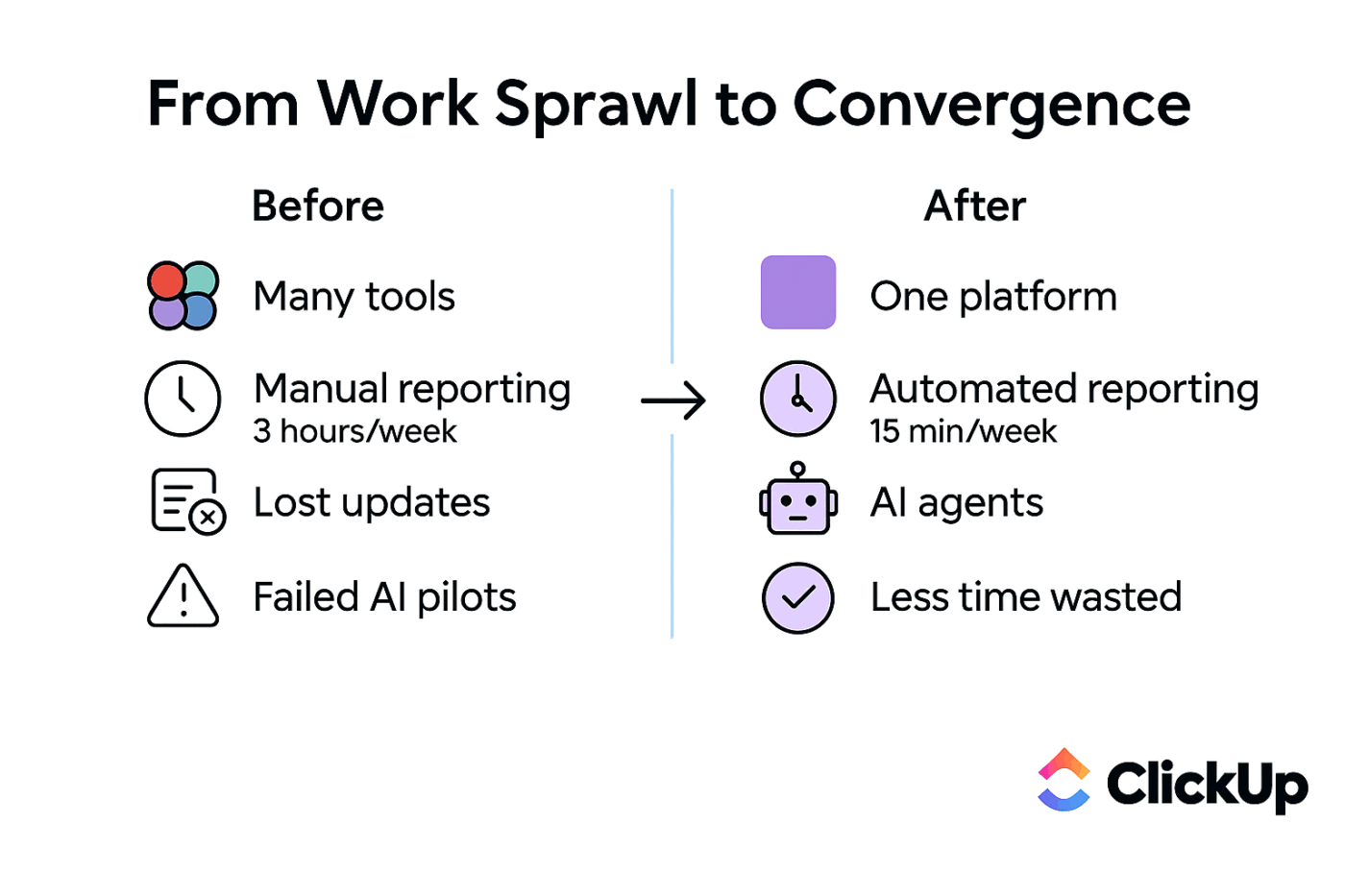
When your tools talk to each other, your team moves faster.
✅ Quick integration checklist:
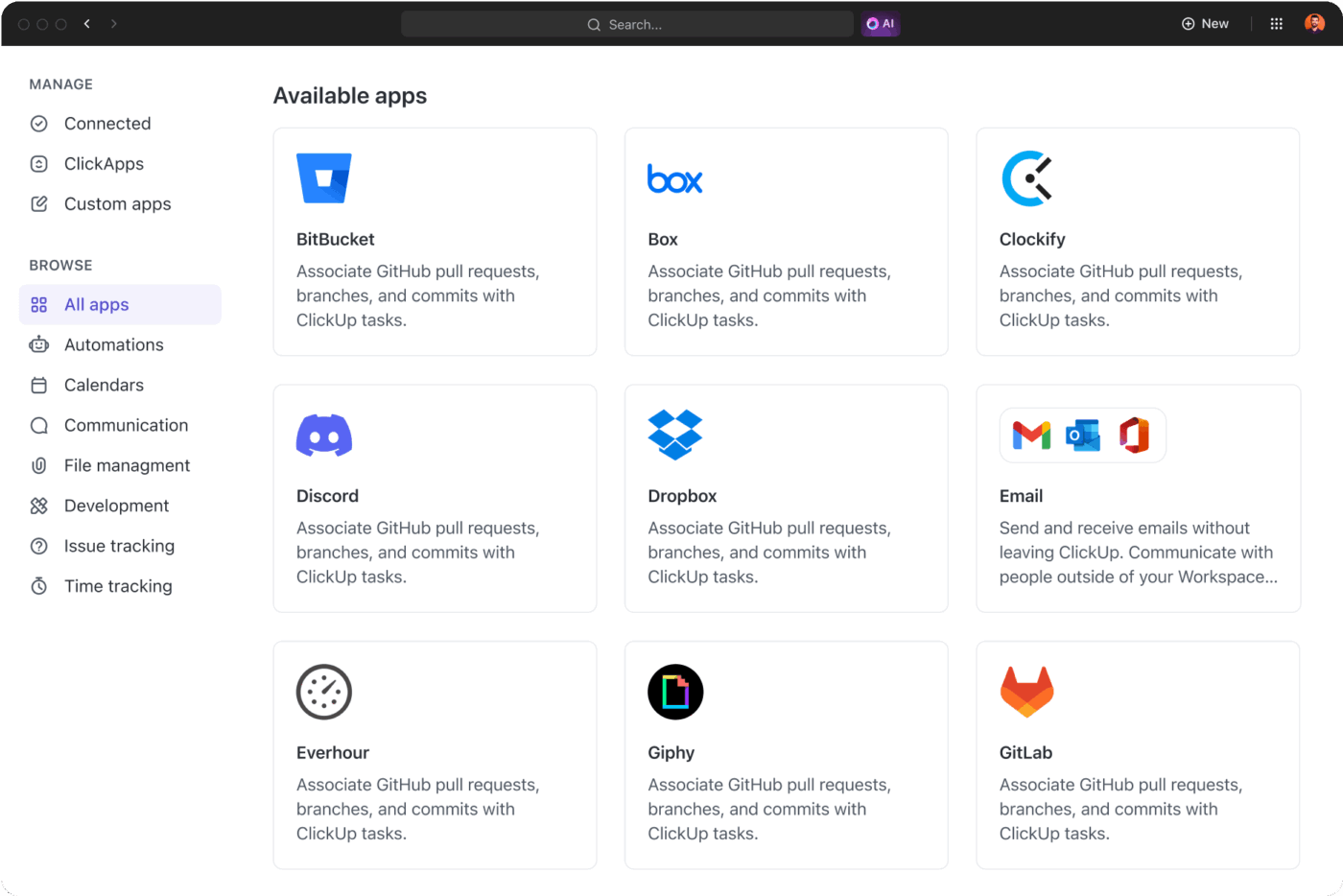
ClickUp also seamlessly integrates 1,000+ tools like Slack, GitHub, and Figma, and you get a workspace where every update, file, and conversation stays in sync.
📮 ClickUp Insight: Low-performing teams are 4 times more likely to juggle 15+ tools, while high-performing teams maintain efficiency by limiting their toolkit to 9 or fewer platforms. But how about using one platform?
As the everything app for work, ClickUp brings your tasks, projects, docs, wikis, chat, and calls under a single platform, complete with AI-powered workflows. Ready to work smarter? ClickUp works for every team, makes work visible, and allows you to focus on what matters while AI handles the rest.
🧠 Fun Fact: ~88% of ClickUp customers report better collaboration since they switched to ClickUp, while ~97% report better efficiency.
Live training sessions often eat up hours and slow down fast-moving teams, while outdated process docs leave people second-guessing what to do next.
For remote and distributed teams, the challenge multiplies; onboarding new hires or reinforcing best practices becomes harder when face-to-face interactions aren’t an option.
ClickUp solves this with an async video communication feature designed for fast, scalable knowledge sharing.
With ClickUp Clips, you can record short, visual walkthroughs to explain workflows or demonstrate processes, perfect for onboarding or reinforcing best practices.
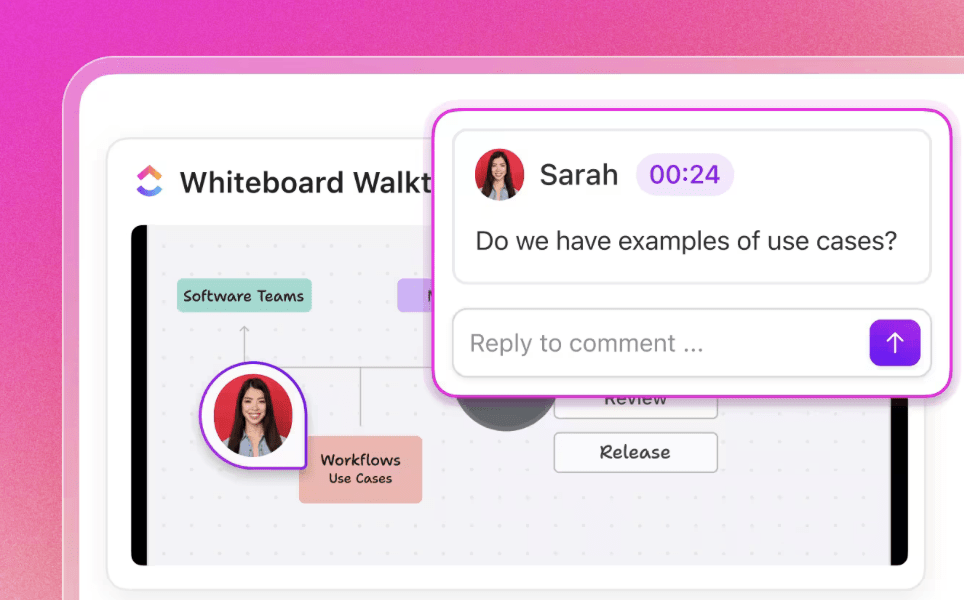
Pair that with ClickUp Brain, and you have a contextual AI assistant that writes onboarding guides, summarizes SOPs, and answers team questions instantly, all within your workspace.
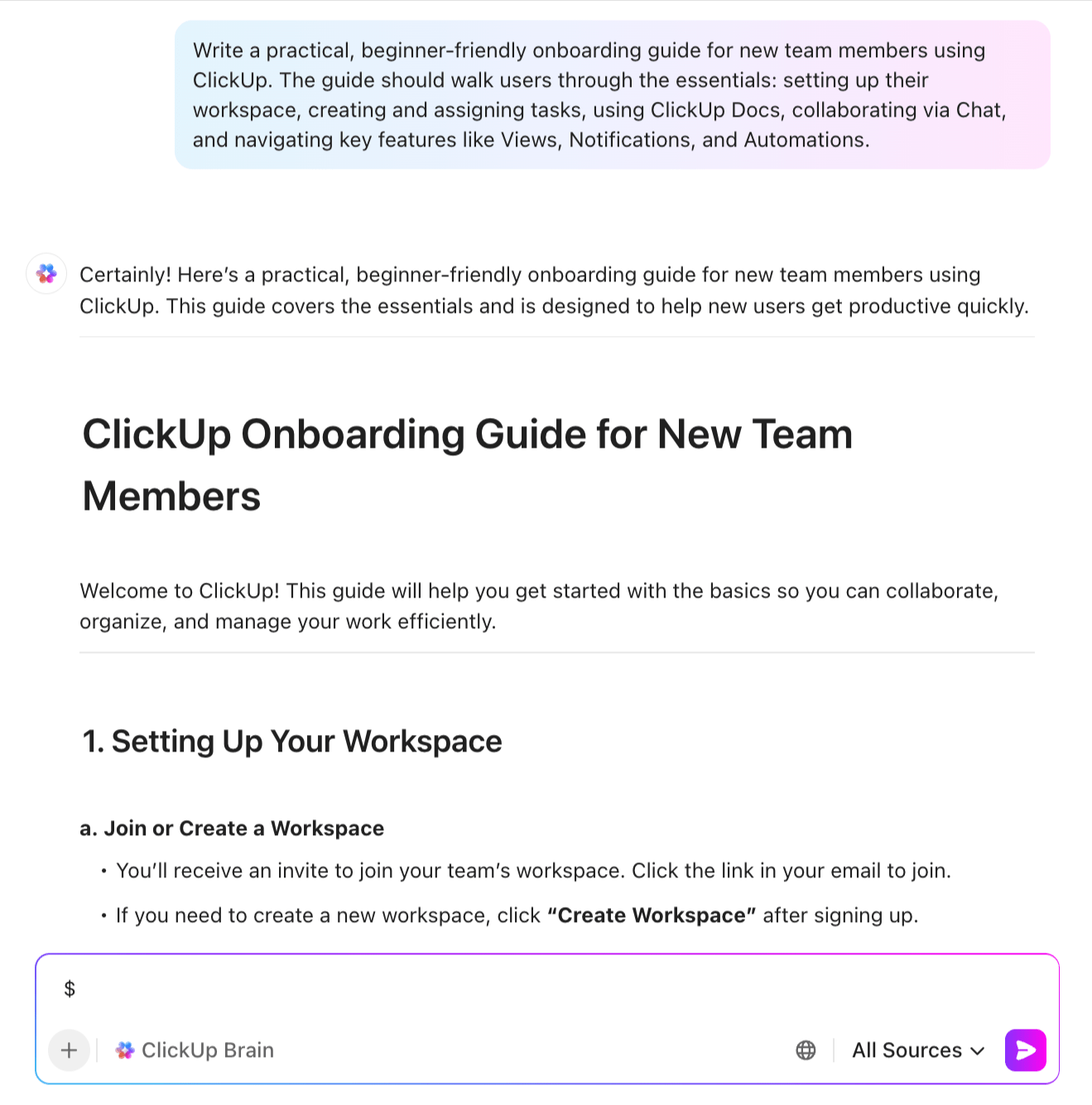
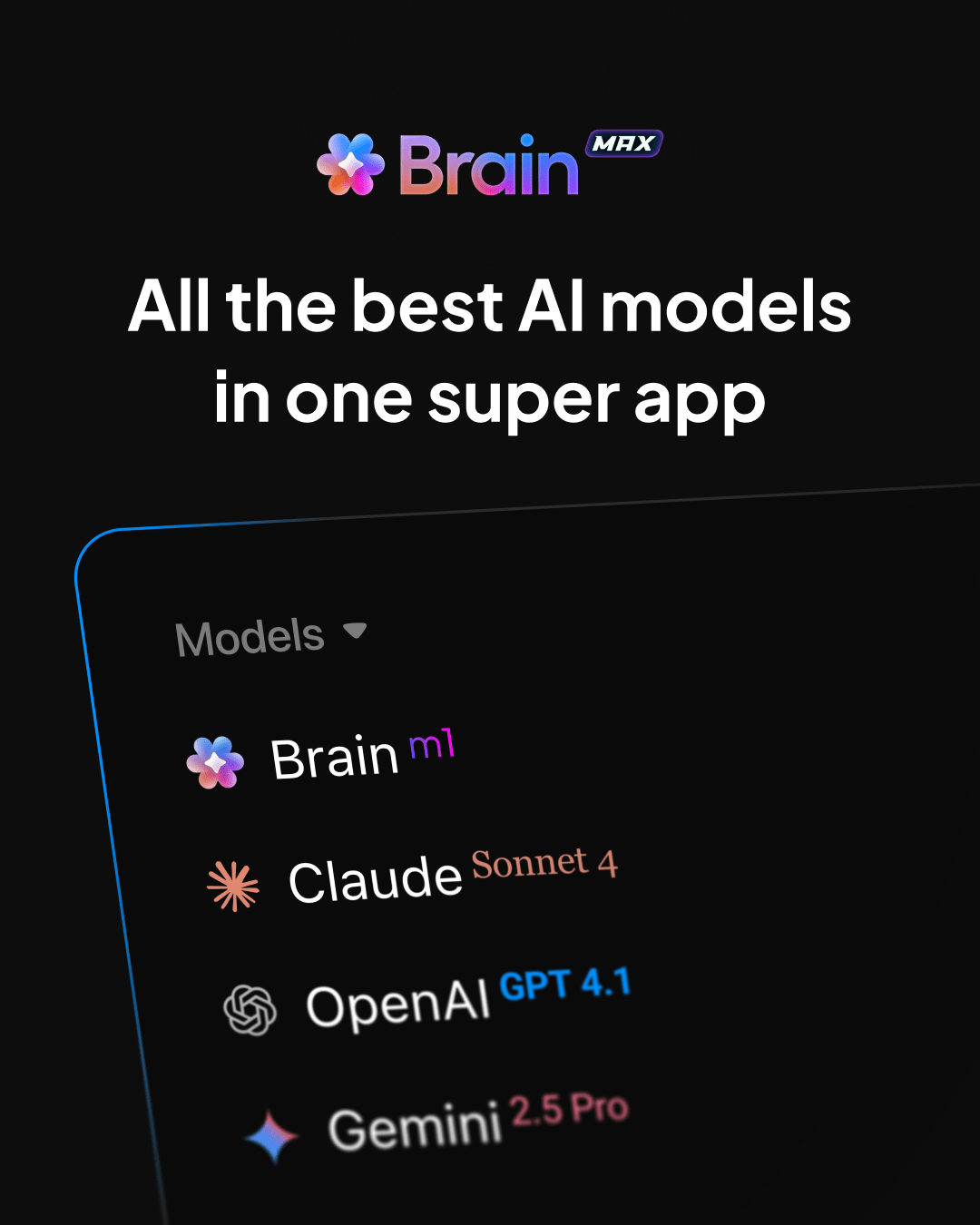
⭐ Bonus: ClickUp Brain MAX is a desktop AI super app that extends real-time collaboration beyond co-editing and chat. It addresses many of the limits teams hit when using standalone AI tools by grounding AI directly in live work. This includes:
Real-time collaboration keeps teams aligned, but it comes with its own set of challenges. This is how you can tackle them, one by one:
When collaboration happens in real time, updates and alerts often come in abundance. It starts with a few pings about task edits but quickly snowballs into a constant barrage of messages, comments, and reminders.
✅ How to fix it: Establish notification guidelines for your team. Define what truly needs an instant alert versus what can wait for async check-ins. Most platforms allow users to customize their notification preferences.
📍 Real-World Example: Many teams struggle with scattered messages, pings, and updates across email, chat, and tools—leading to overload and lost context.
ClickUp expert Uriel rebuilt a client’s communication by moving key conversations into ClickUp Chat tied directly to tasks, projects, and docs. They no longer needed to hunt for info in multiple apps.
Using AI Super Agents, the team automated daily updates, surfaced answers from internal docs, and turned chats into structured work.
🌟 The results:
Working across time zones can make collaboration tricky. Someone’s morning might be another person’s midnight, and syncing up isn’t always easy.
✅ How to fix it: Try to lean into asynchronous workflows where possible. Use tools that let people contribute on their own schedule, and rotate meeting times so no one’s always stuck with the late-night slot. Scheduling apps can also be lifesavers here.
Opening up workflows for real-time editing comes with its own set of risks, especially if sensitive information is shared too broadly. Without proper access controls, critical data can be exposed or accidentally modified.
✅ How to fix it: Set up role-based permissions and restrict access to sensitive projects. Most collaboration platforms offer granular controls. Use them to ensure only the right people can view, comment, or edit. As a best practice, audit access permissions regularly to prevent security gaps as teams grow.
🔖 Bonus: Best All-in-One Messenger Apps
As teams become more distributed and work grows increasingly digital, the need for seamless, connected collaboration is only accelerating. The market only reflects this shift, rising from $20.64 billion to a predicted $62.99 billion.
At the center of this evolution is ClickUp. Built to fix broken workflows, ClickUp brings everything teams need into one place. From creating together in ClickUp Docs, to whiteboarding ideas in real time, chatting without switching tabs, and tapping into AI-powered support with ClickUp Brain—it just turns scattered work into streamlined collaboration.
The future of teamwork is here, and with ClickUp, it’s faster, smarter, and simpler.
Sign up on ClickUp for free to experience it for yourself.

Sudarshan Somanathan
Max 17min read
Sudarshan Somanathan
Max 20min read
Sudarshan Somanathan
Max 12min read

© 2026 ClickUp




