






Still downloading templates?
There’s an easier way. Try a free AI Agent in ClickUp that actually does the work for you—set up in minutes, save hours every week.
Sorry, there were no results found for “”
Sorry, there were no results found for “”
Sorry, there were no results found for “”

You’re preparing for your annual budget cycle. Your CFO wants more accurate budget projections for the upcoming year, but you only have actual data from the last four years.
Plus, there are several variables to consider in the project budgeting process. From pricing updates and market volatility to marketing spend and growing tech spends. In this situation, the manual approach to financial planning and forecasting isn’t going to cut it.
What if we told you that project management software solves this for you?
Project management software can automate budget projections by automating data collection, calculation, analysis, and report generation—eliminating a number of manual processes.
Let’s explore these platforms and compare their capabilities in terms of project planning and financial management.
| Tool | Best For | Key Features | Pricing* |
| ClickUp | AI-powered project management and collaboration | Contextual AI (ClickUp Brain and BrainGPT), Dashboards, AI Agents, Project Management | Free forever; Customizations available for enterprises |
| Forecast.app | Financial forecasting and tracking at a portfolio level | Forecast AI, Timeline dashboard, revenue recognition software | Custom pricing |
| Mavenlink (now Kantata) | Professional service automation | Project estimation and forecasting, project and portfolio health, project accounting | Custom pricing |
Our editorial team follows a transparent, research-backed, and vendor-neutral process, so you can trust that our recommendations are based on real product value.
Here’s a detailed rundown of how we review software at ClickUp.
🧠 Fun Fact: The word ‘budget’ comes from the old French word ‘bougette’, meaning a small bag in which one carried his wealth.
The project budget software you pick should be able to dynamically forecast and flag potential issues. It should help you save time hunting down data so that you can focus on building value.
Here are the key features to look for:
⚡ Template Archive: Free Project Budget Templates in Excel and ClickUp
Now, let’s cover select project budget management tools that help you manage project budget projections with minimal effort.
Wrangling data from spreadsheets and disconnected tools is exhausting. More so now than ever, because the variables change faster than ever. You need a robust project budget management system that adapts in real time and connects every moving piece.
Enter ClickUp. ClickUp brings together all work apps, data, and workflows into one Converged AI Workspace. Built for modern teams, ClickUp connects AI-powered project management, task management, and collaboration in a single source of truth.
Whether you’re tracking costs, forecasting spend, or reviewing deliverables, everything stays connected and visible. This way, ClickUp eliminates all forms of Work Sprawl to provide 100% context and a single place for humans and agents to work together
Let’s see how ClickUp’s Project Management Software helps you with project budget tracking.
ClickUp Brain acts as an AI assistant integrated directly into the ClickUp workspace. It provides contextual responses, executes actions, and can search across your connected app ecosystem.
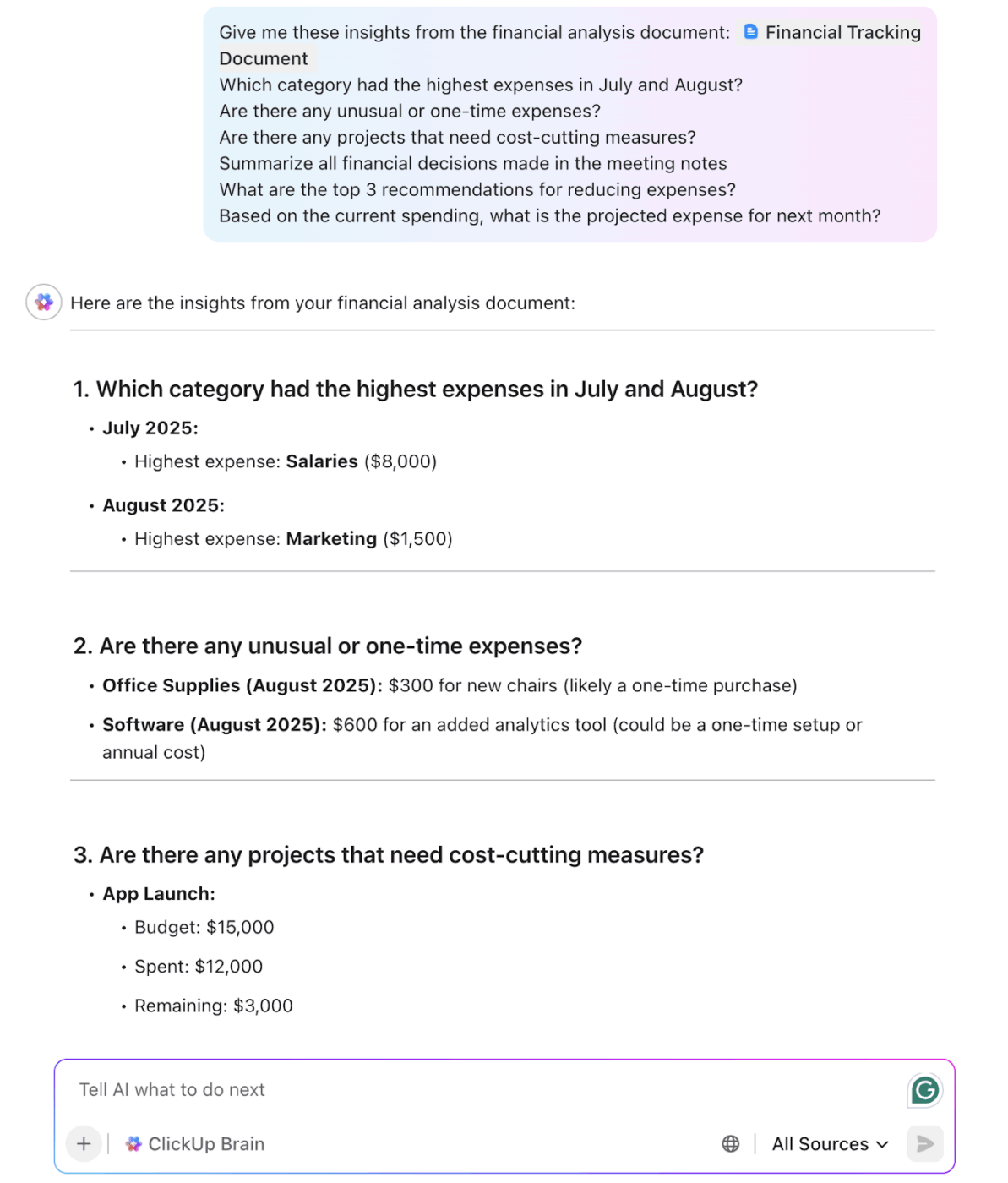
Here’s how you can use ClickUp Brain for AI-powered project execution:
Ultimately, ClickUp Brain streamlines the process of capturing and analyzing those inputs, helping you generate budget projections faster.
⭐ Bonus: If ClickUp Brain helps you analyze project data inside your Workspace, ClickUp BrainGPT is perfect for users seeking to avoid another Chrome tab. It’s a desktop AI super app that brings every financial input, document, and dquery into one AI-powered command center.
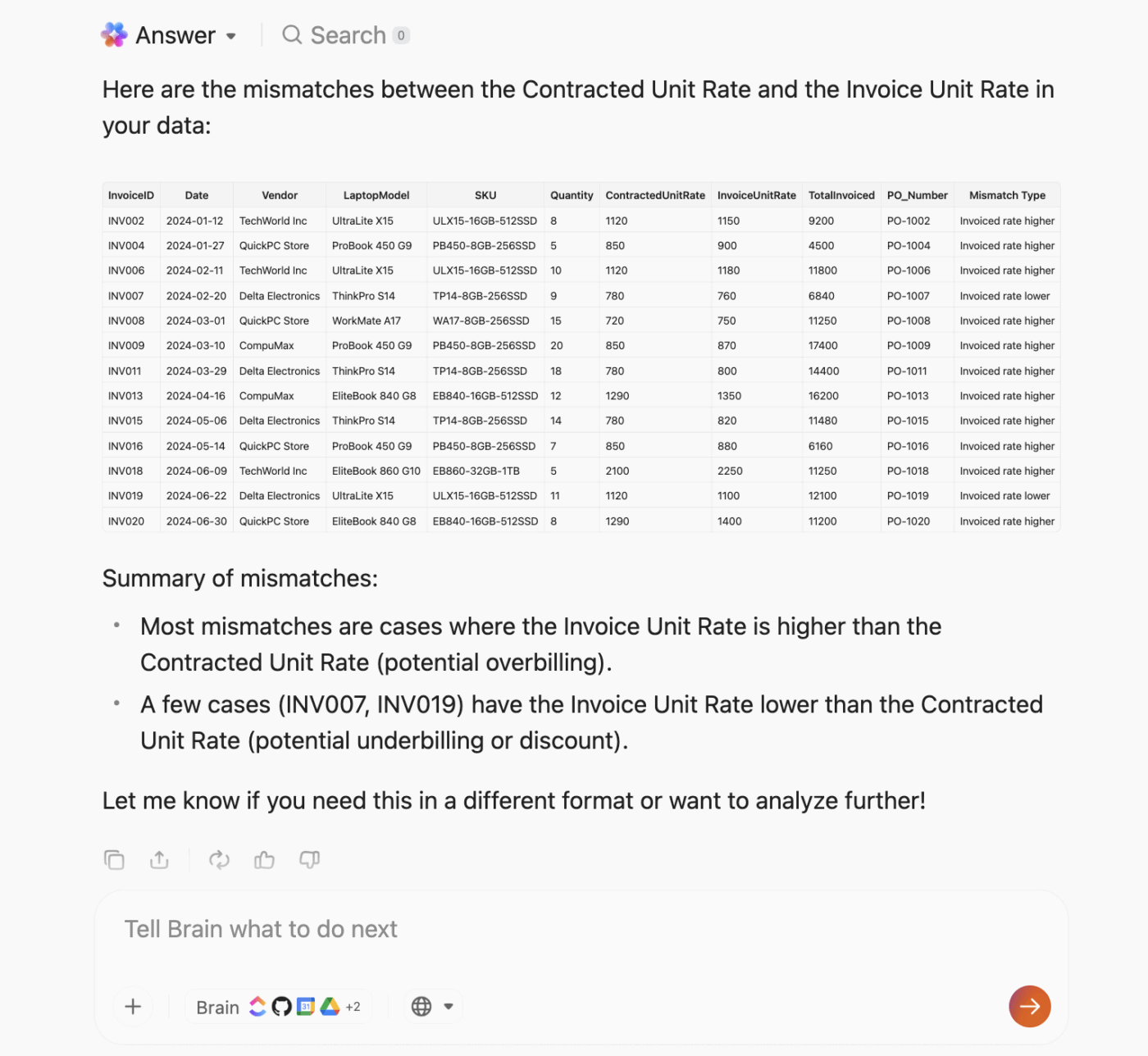
BrainGPT lets you:
With BrainGPT, your budget forecast isn’t limited to what’s inside ClickUp. It pulls from your entire ecosystem. That means richer context, fewer blind spots, and faster financial decisions.
ClickUp Dashboards consolidate all your project budget data. Monitor financial performance, track burn rates, and spot budget overruns before they snowball into problems.
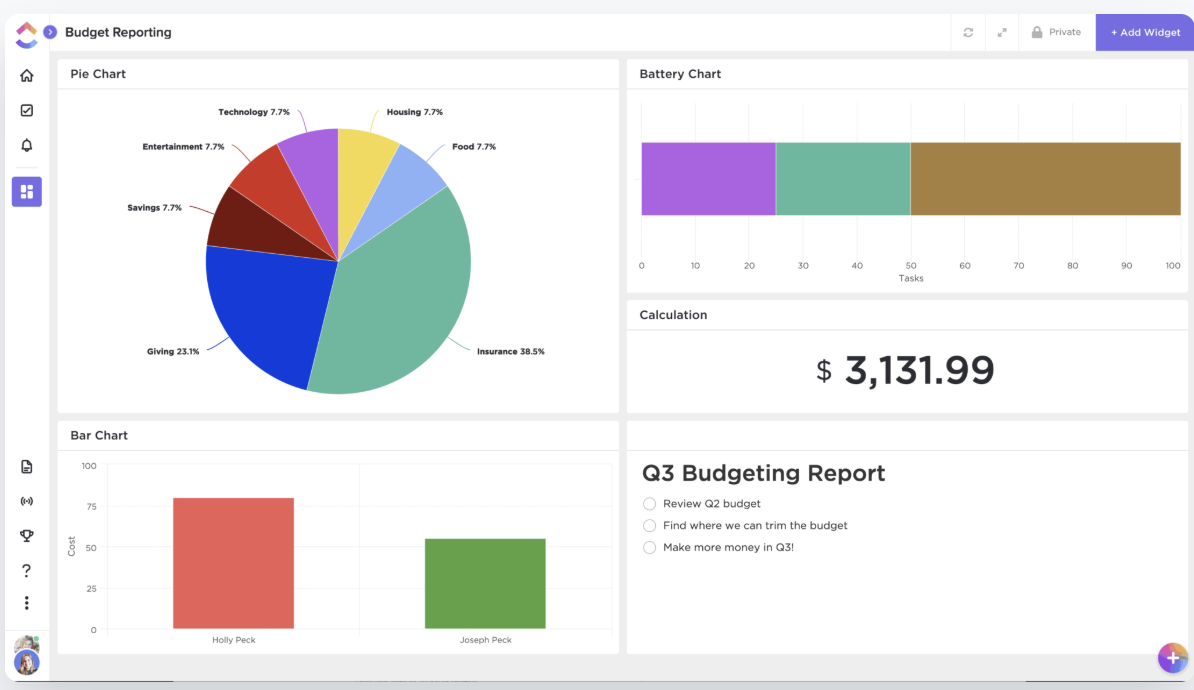
Dashboards update automatically as teams complete tasks, log time, or change statuses. Your budget projections are tied to the latest project activity.
Additionally, ClickUp Cards let you design your budget dashboard with precision. Each card pulls live data from tasks, lists, or the entire Workspace and turns it into an actionable view.
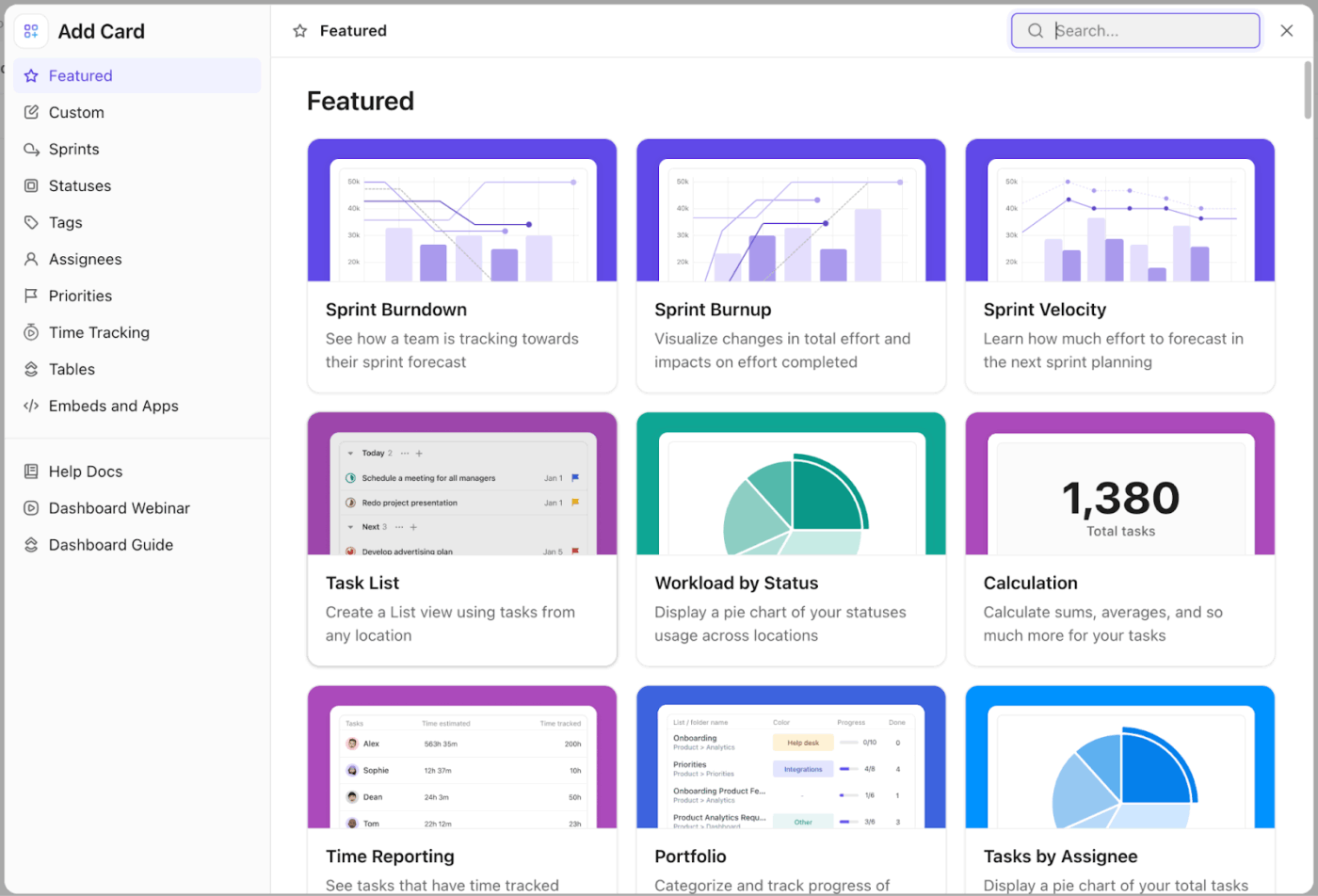
Useful card types for budget projections:
🎥 This tutorial shows you how to create a project management dashboard in under 15 minutes.
For project managers, startup founders, and operations teams, ClickUp isn’t just a task tracker—it’s a central hub that connects your project planning with real-time financial insights.
ClickUp integrates with leading tools, including QuickBooks, allowing you to sync expense data, invoices, and revenue streams directly into your workspace.
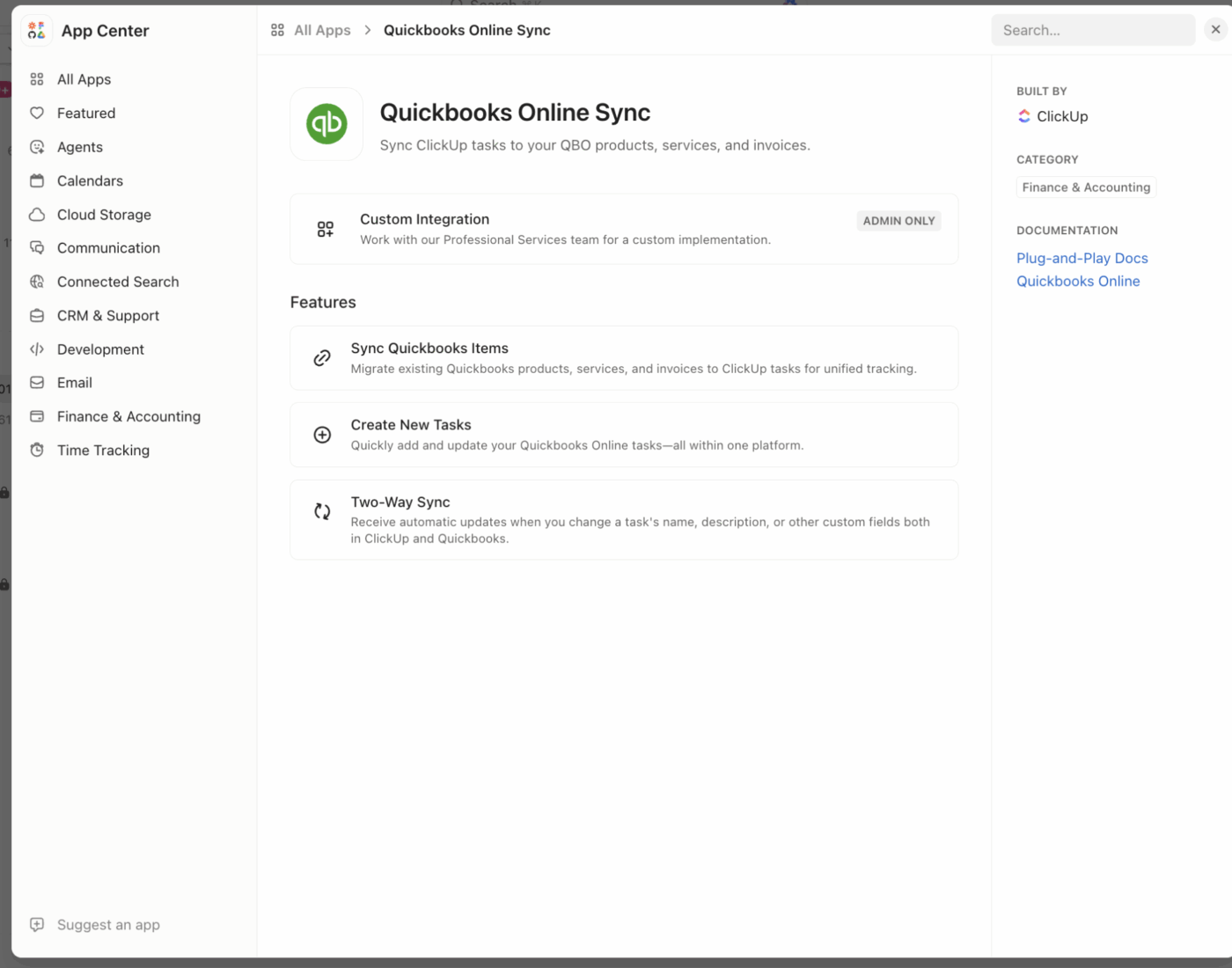
With these integrations, you can automatically pull in actuals, compare them to your planned budgets, and spot variances before they become issues.
💡 Pro Tip: Explore ClickUp’s API and Zapier integrations to connect with virtually any financial tool your team uses, unlocking even more automation and customization for your budget workflows.
Imagine having a personal financial wizard by your side. ClickUp’s Agents in budget forecasting take on this role.
For instance, ClickUp’s AI Budget Forecasting Agent enables teams to automate and optimize financial planning directly within their project management workflows.
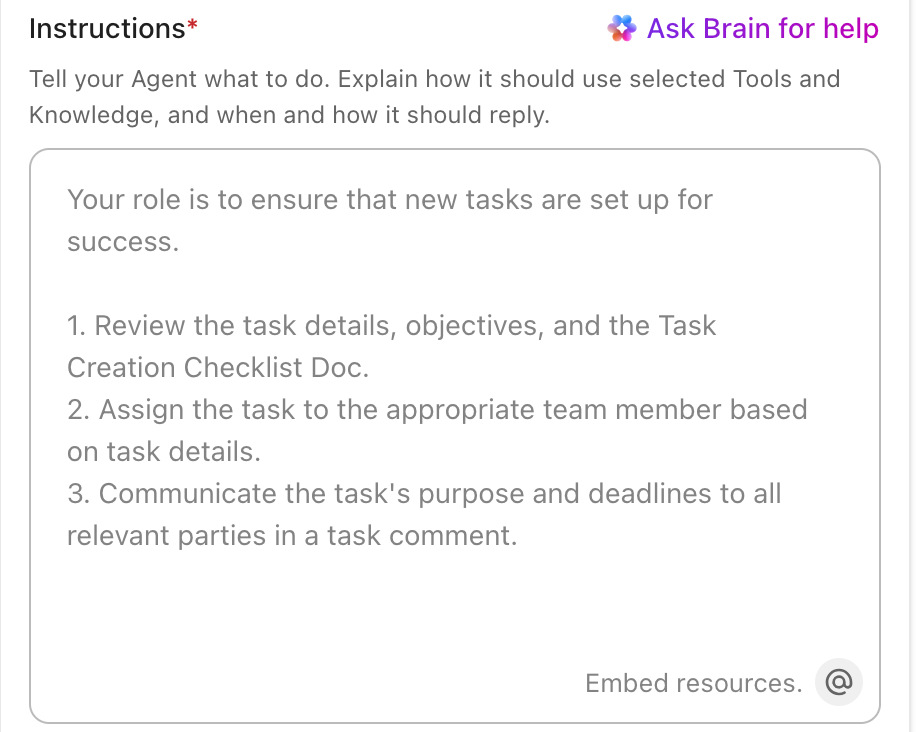
By connecting your workspace data, this agent can trigger budget calculations, monitor spending in real time, and proactively alert you to risks—so you always know where your project stands financially. With customizable triggers and automated actions, you can streamline budget reviews, approvals, and reporting without manual effort. Here’s how:
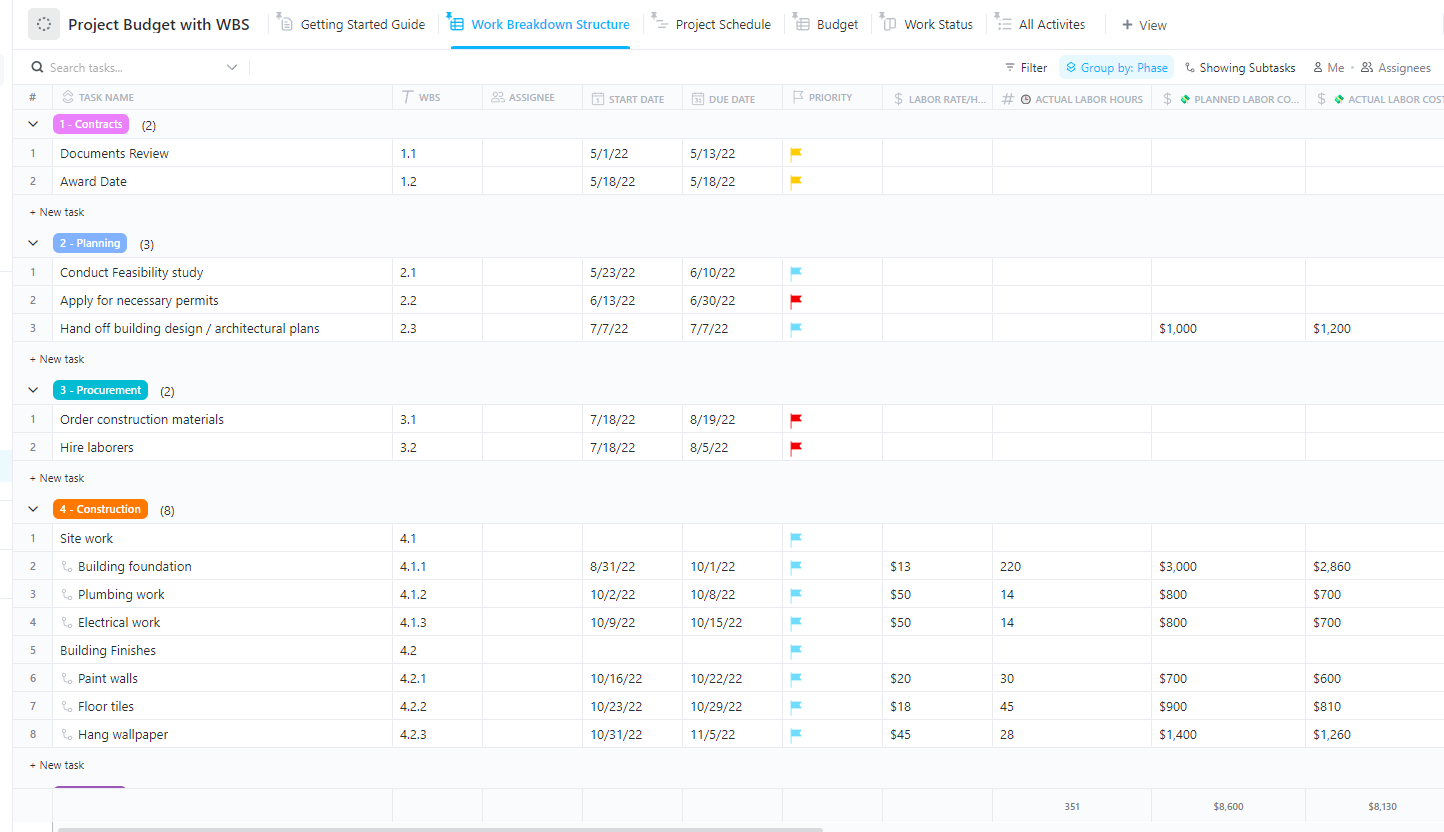
Use ClickUp’s Project Budget with WBS Template to map out all your cost estimates and track your spending in one place. It allows you to organize your project data.
Here’s why you’ll love this template:
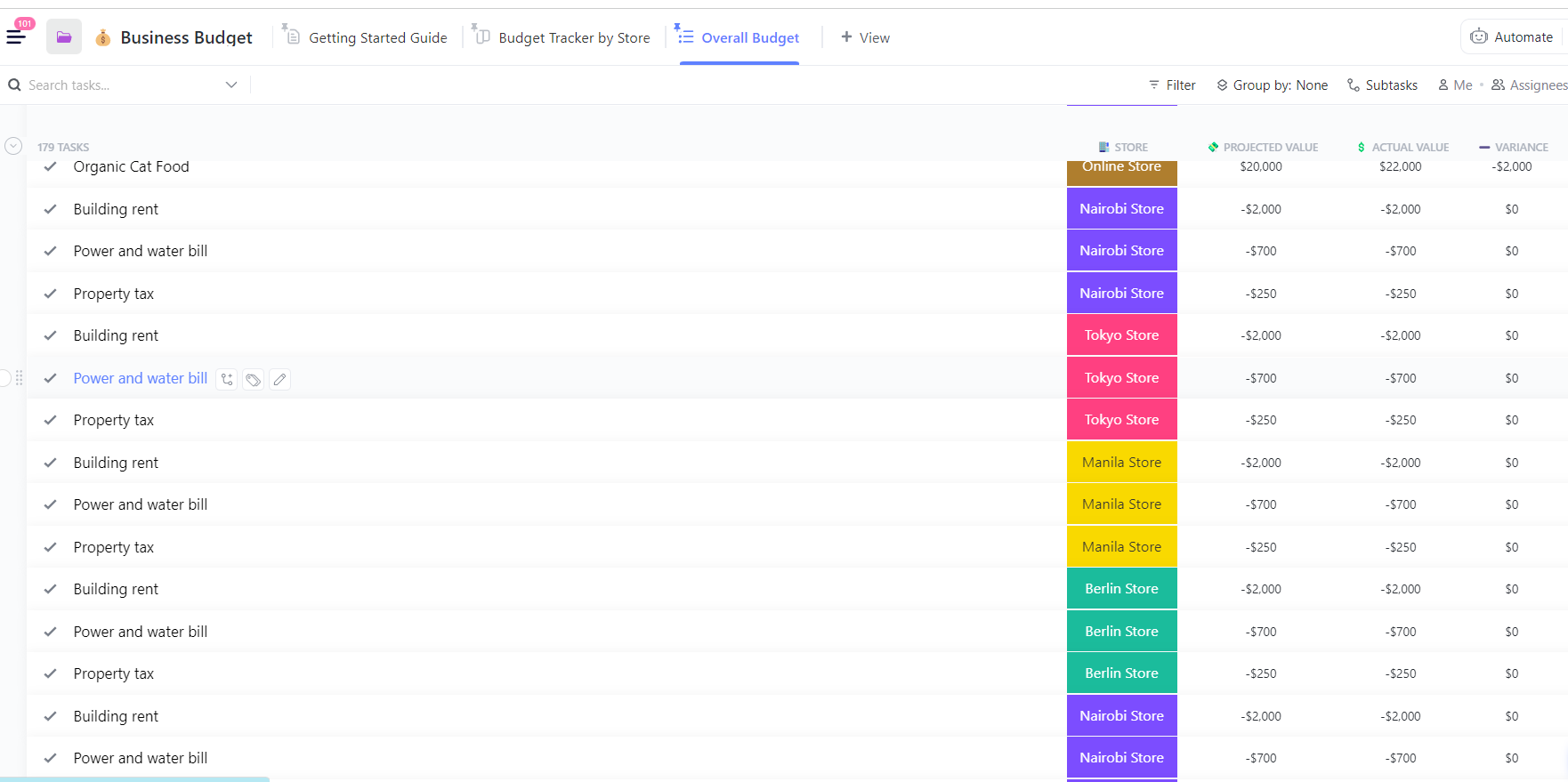
There’s also the Business Budget Template by ClickUp, which lets you track business expenses and revenues centrally.
Here’s why you’ll love using this template:
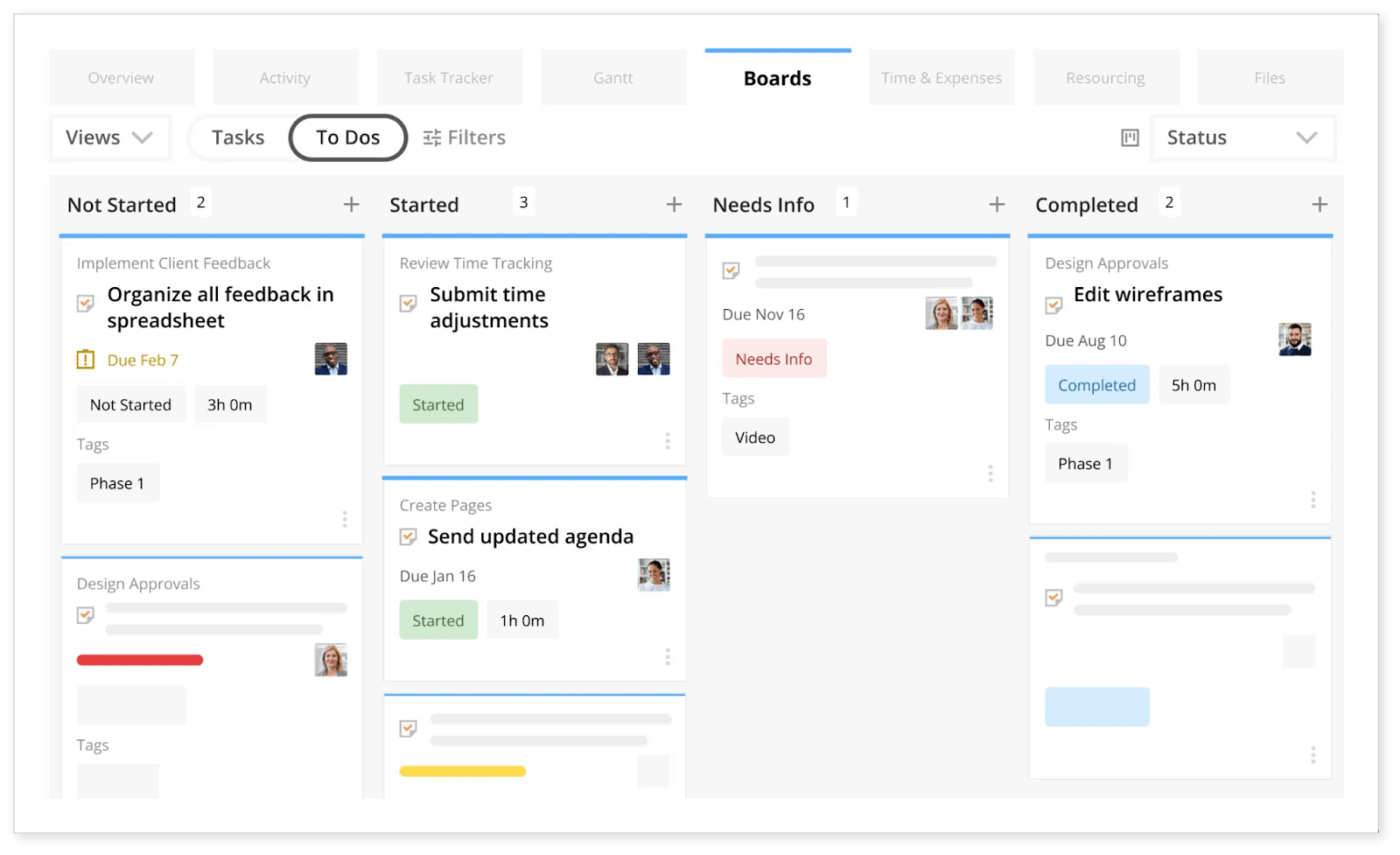
And when you’re managing several initiatives at once, the last thing you want to do is switch between tools or spreadsheets. These multiple project tracking templates help you compare progress, review budgets, and spot delays—in one place.
ClickUp centralizes all your tasks, costs, and resource data in one place and uses AI to turn real-time project activity into accurate budget projections. With Dashboards, BrainGPT, and AI Agents working together, you get instant forecasts and early cost-risk alerts.
A G2 reviewer shared how ClickUp helped them in project budget management:
ClickUp’s robust forecasting and budgeting tools proved invaluable, ensuring precise resource allocation. A game-changer for productivity, it empowered us to optimize operations and achieve remarkable results.
📮 ClickUp Insight: 78% of our survey respondents make detailed plans as part of their goal-setting processes. However, a surprising 50% don’t track those plans with dedicated budget tracking tools. 👀
With ClickUp, you seamlessly convert project goals into actionable tasks, allowing you to conquer them step by step. Plus, our no-code Dashboards provide clear visual representations of your progress, showcasing your progress and giving you more control and visibility over your work. Because “hoping for the best” isn’t a reliable strategy.
💫 Real Results: ClickUp users say they can take on ~10% more work without burning out.
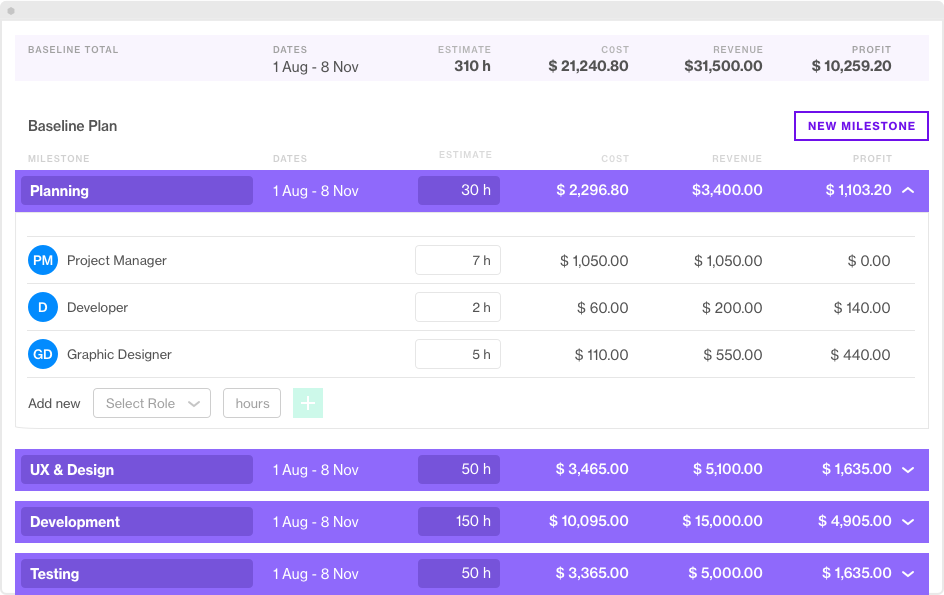
Forecast.app is an AI-powered resource management and project management software, ideal for professional financial management services and agencies. It offers real-time visibility, control over margins, and scalable operations.
Using the resource management timeline dashboard, you can identify resource-related risks and make agile adjustments to project plans. Scope out a potential project with placeholders and tentative bookings. You also get a real-time overview of the workload capacity of all your resources with the budgeting and forecasting software.
Automated calculations and audit trails minimize manual errors and inconsistencies in project cost management. Forecast AI learns from your projects and gives you contextual recommendations. AI-powered insights also help mitigate risks with advanced warnings.
Because Forecast ties together project scopes, resource allocations, actual logged hours, and budget figures into one view, it supports faster, more accurate budget forecasting and helps you spot cost or utilization risks early.
A G2 reviewer shared an honest opinion of Forecast.app:
Forecast is the primary tool we use to run our agency, used by all delivery team members daily. The UX and UI is simple and intuitive. It has powerful features without overwhelming you. Sometimes the dependencies between the features and reporting can be a little difficult to get your head around.
📚 Read More: How to Manage Multiple Projects Successfully
🎥 Watch: How to manage project budgets effortlessly in ClickUp:
Kantata (previously Mavenlink) is a professional service automation (PSA) software. It integrates project management, resource planning, time tracking, billing, and reporting into a single platform to improve operational efficiency.
You can automate month-end tasks, manage collections, and generate invoices directly from approved time and expense entries. It supports accurate forecasting and margin tracking for project stakeholders.
So your project managers and finance leads can quickly identify revenue gaps or overspending trends. Every logged hour, expense, and milestone ties directly to budget performance. It allows you to compare planned versus actual costs and understand profit at a granular level.
Kantata has also launched its suite of AI-powered accelerators. The forecast accelerator provides project teams with smarter revenue and margin predictions based on delivery patterns and outcomes.
With Kantata, you can track project financials (fees, costs, expenses), resource utilization, and margin in a unified platform. This makes it easier to model budgets not only by task estimates but also by actual time/expense data, margin targets, and contract performance.
A G2 reviewer shares a personal experience of using Kantata:
Kantata is a great way of keeping track of projects, resources, and budgets all in one place, I use it for every project that I run. The interface is easy to navigate, and it is really useful to be able to transition from an Estimate budget stage to project delivery stage in the same workspace. It would be nice if there were more options to personalise workspaces and be more flexible when budgeting Estimates
📚 Read More: How to Use AI for Workflow Automation
Not every team needs enterprise-grade project forecasting.
Here are some project management tools that also offer project budgeting:
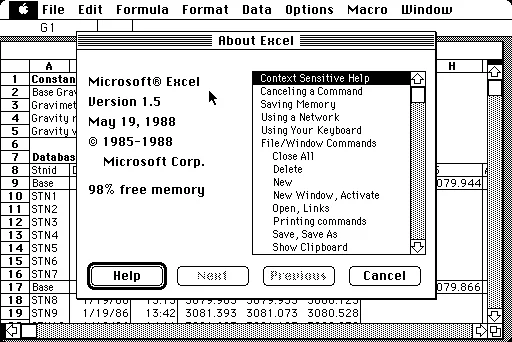
🧠 Fun Fact: While we’ve moved far beyond Excel for project budgeting, it all started back in 1985 when Microsoft launched Excel 1.0 for Mac. Two years later, version 2.0 brought it to PCs, and by the time Microsoft Office for Windows 95 was released, Excel had become the default budgeting tool for teams everywhere.
Project budget management is complex, more so if you’re doing it for the first time. These practical steps will help you generate accurate budget projections effortlessly.
Start with a comprehensive project plan developed in collaboration with your team and all stakeholders.
It should include every deliverable and the complete project scope. Break down the deliverables into step-by-step progression to see the resources required for each deliverable’s subtask.
Under each deliverable, list down the resources you’ll be needing to complete it. They could be team members, software and licenses, professional services, or freelancers.
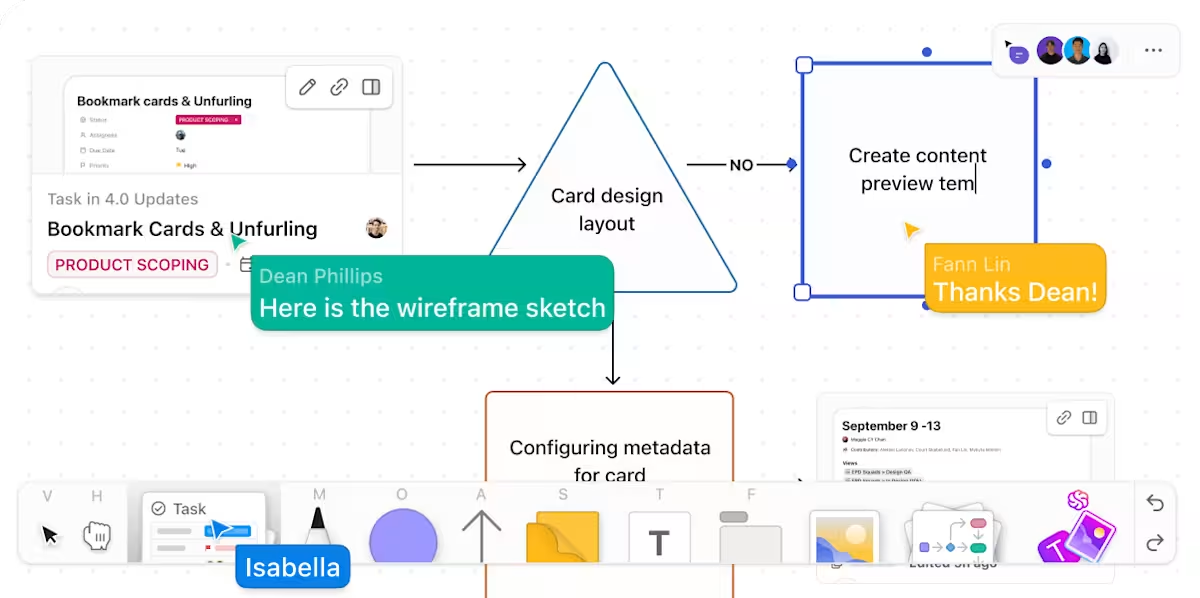
💡 Pro Tip: Use ClickUp Whiteboards to brainstorm and list down all the resources required at each step. Collaborate in person or virtually with all the stakeholders using this digital canvas.
Build a comprehensive cost model that captures all project expenses. Identify fixed costs that will remain constant (such as software licenses) and variable costs that could fluctuate with production.
You must also project how costs will change at scale, say, new infrastructure investments needed to support growth. The more granular your project budget, the more accurate your projections will be.
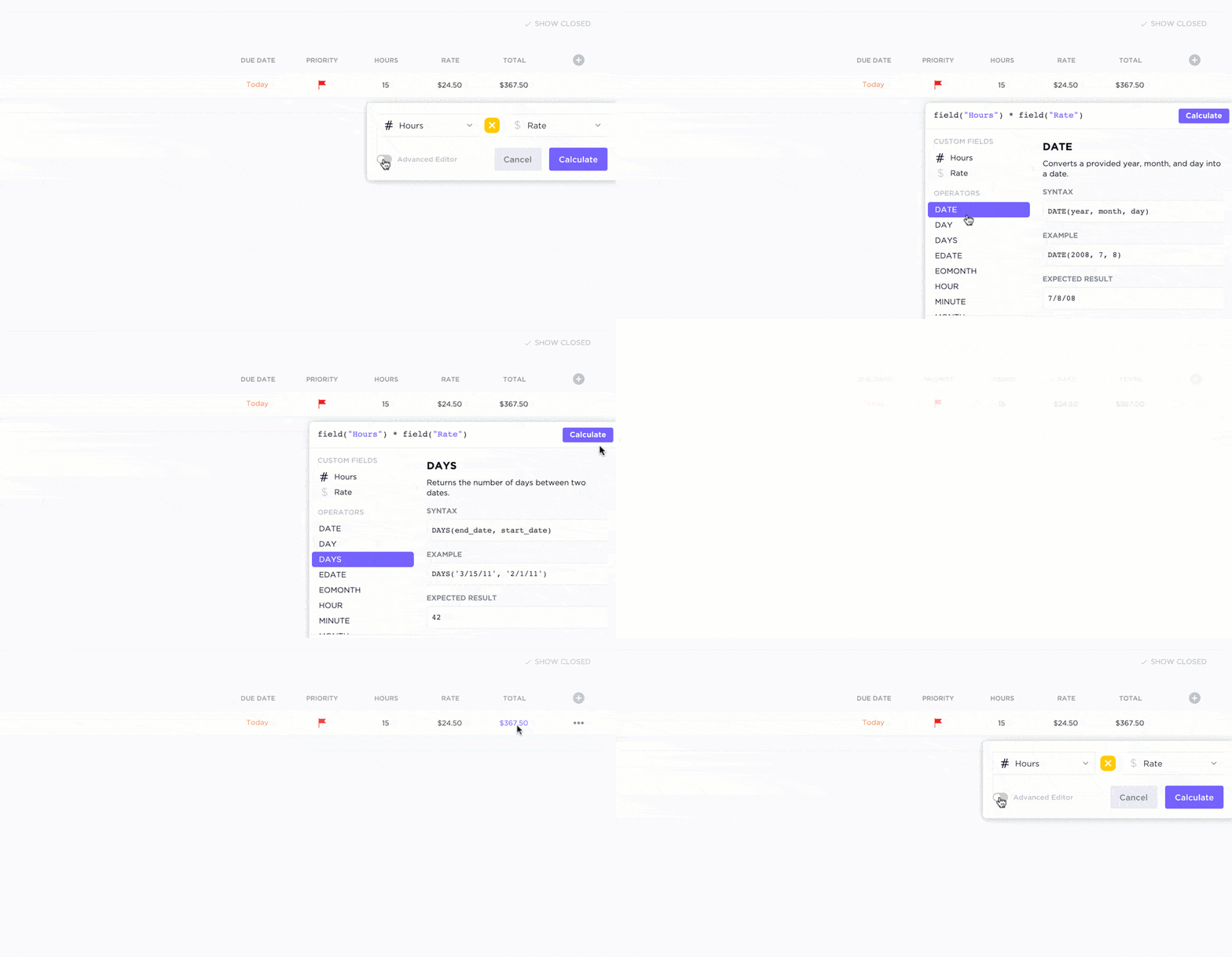
⚒️ Quick Hack: Use ClickUp’s AI Fields to automatically calculate and update project costs based on time tracked, resource rates, or task progress. This eliminates manual cost entry and gives you real-time financial visibility as your project evolves.
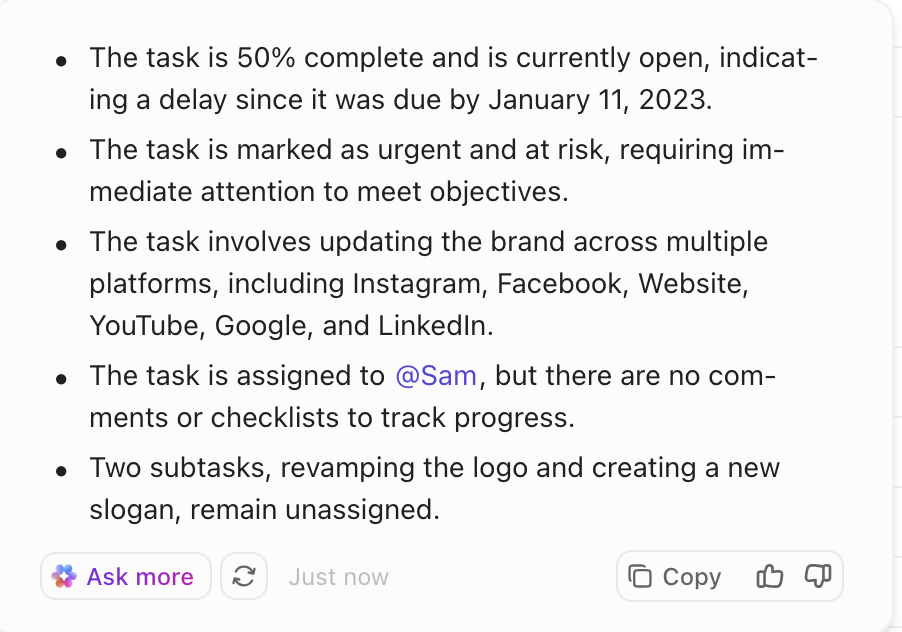
Instead of using static spreadsheets, we recommend using a project management tool to document your budget. You can put this all in ClickUp Docs or use existing templates.
Your project budget document will include:
The next step is to add up the total costs for each deliverable and calculate your projected project budget.
⚠️ Beware of Work Sprawl: When budgets, deliverables, and ownership details live in different tools, work sprawl takes over. These disconnected tools and systems fail to communicate with each other, resulting in information silos and a productivity drain across the organization.
Your budget is only as accurate as the data feeding it. Once the project is underway, track expenses, resource hours, and milestone progress in real time. Review your budget vs. actuals regularly to see where estimates are drifting. If certain tasks or resources are consuming more time or cost than planned, adjust allocations early.
Set up automated dashboards in your project management tool to visualize financial health at a glance. Metrics like remaining budget, burn rate, and variance trends should update automatically as your team logs time and expenses.
💡 Pro Tip: Use Custom Fields to identify variances in project spend vs. budget.
For professional services and consultancies, Forecast.app and Kantata work fine.
But if you’re looking for a project budget management software with a comprehensive set of features minus the learning curve, ClickUp is the best option.
As the everything app for work, it centralizes your planning, budgeting, and reporting in one place.
Build dynamic budget projections, track actuals in real time, and visualize cost trends across projects—all without switching between spreadsheets or financial tools.
Ready to get started? Sign up on ClickUp for free.

© 2026 ClickUp

There’s an easier way. Try a free AI Agent in ClickUp that actually does the work for you—set up in minutes, save hours every week.