






Still downloading templates?
There’s an easier way. Try a free AI Agent in ClickUp that actually does the work for you—set up in minutes, save hours every week.
Sorry, there were no results found for “”
Sorry, there were no results found for “”
Sorry, there were no results found for “”
You might think assignments end after school or college, but they do not. Deadlines follow us into PhDs, work, and passion projects in our lives.
So when tasks, coursework, and projects pile up, you need one place to see what is due and when. An assignment tracker brings order to this chaos.
Instead of keeping dates and details in scattered notes, you have a single space to organize assignments and track progress.
In this article, we will explore how a Notion assignment tracker template can help you build a calm and clear system for your coursework, projects, and beyond. As a bonus, we will also explore free ClickUp templates.
A Notion assignment tracker template offers one reliable space to manage tasks, deadlines, and resources without confusion.
A good one should be easy to understand, show what’s due and how far along you are, and allow for personal changes.
Here’s what to watch out for:
📖 Also Read: Best Notion Alternatives & Competitors
Here’s a summary table for all the Notion and ClickUp assignment tracker templates:
| Template Name | Download Template | Ideal For | Best Features | Visual Format |
| Simple Assignment Tracker by Notion | Download this template | Students wanting a clear system for coursework | Eisenhower Matrix, daily/weekly/monthly views, customizable dashboard | Notion Table, Calendar, Board |
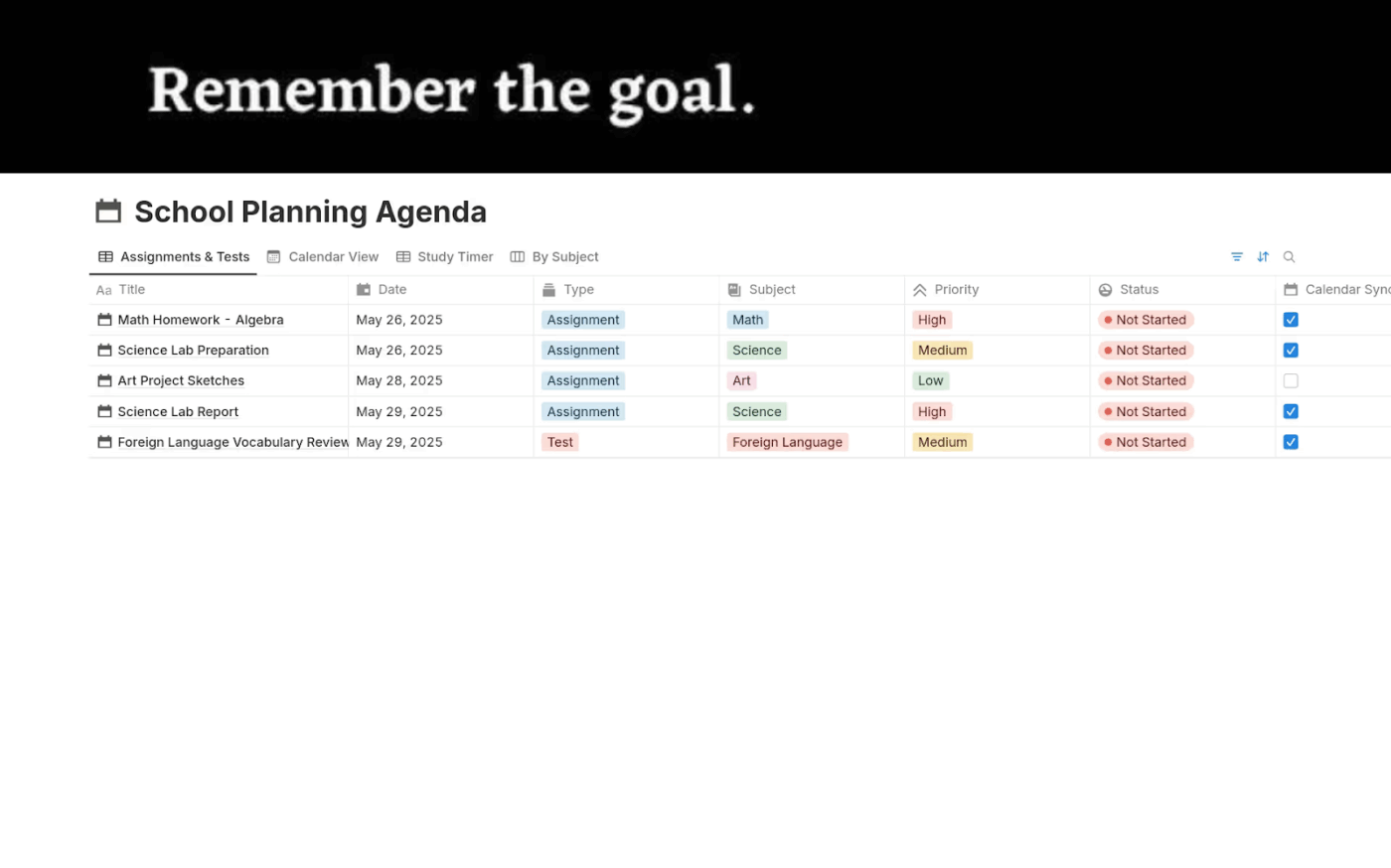
| Study Agenda by Notion | Download this template | Students tracking homework, exams, and projects | Calendar sync, central dashboard, simplified planning | Notion Calendar, Table, Board |
| Scholarship Tracker by Notion | Download this template | Students applying for scholarships | Deadlines, statuses, award amounts, reminders | Notion Table, Calendar |
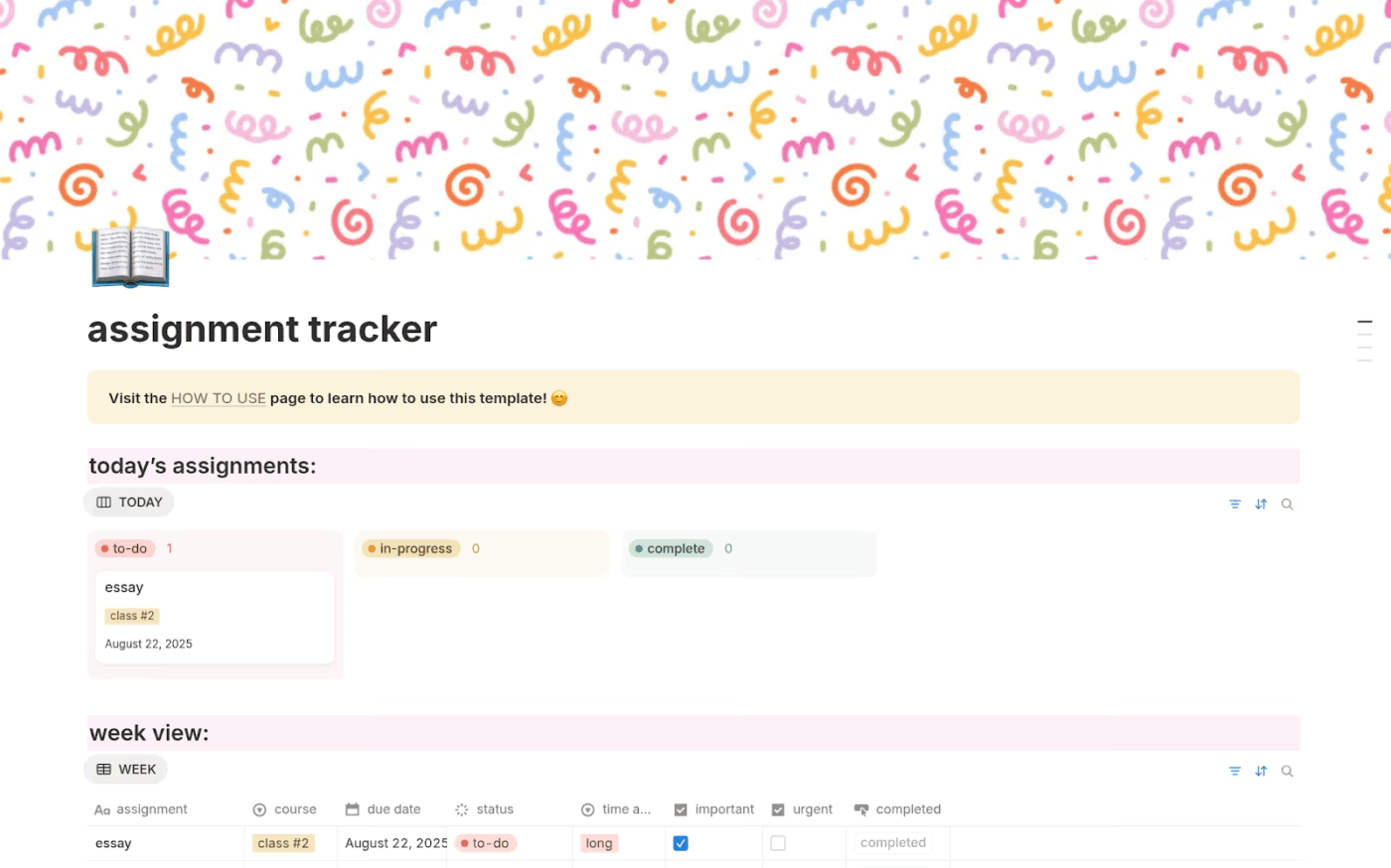
| Assignment Tracker by Notion | Download this template | Students needing a simple assignment log | Days-left formula, status updates, clean layout | Notion Table, Calendar |
| Academic Dashboard by Notion | Download this template | Students balancing essays, projects, and exams | Weekly planning, Everything view, calendar tracking | Notion Table, Calendar, Board |
| Simple Task Management System by Notion | Download this template | Students wanting a minimal tracker | Task logging, flexible status tags, optional due dates | Notion Board, Table |
| Bachelor US Study Dashboard by Notion | Download this template | First-year students managing modules and exams | Module tracking, study plans, document storage | Notion Table, Calendar, Board |
| Academic Planner by Notion | Download this template | Students organizing class schedules and tasks | Pomodoro timer, weekly planning, assignment tracking | Notion Calendar, Table, Board |
| Exam Preparation & Organisation by Notion | Download this template | Students revising for multiple subjects | Progress trackers, revision calendar, subject placeholders | Notion Calendar, Table, Board |
| Masters Thesis by Notion | Download this template | Graduate students writing dissertations | Word counts, chapter planning, references and citations | Notion Timeline, Table, Calendar |
| Assignment Deadline Tracker by Notion | Download this template | Students prioritizing assignments by due date | Sorting by class or marks, simple dashboard | Notion Calendar, Table |
| Basic Assignment Tracker by Notion | Download this template | Students needing a lightweight tracker | Subject-based logging, due dates, priorities | Notion Table, Calendar |
| Uni Dashboard by Notion | Download this template | University students balancing courses and social life | Class schedule, Notes Library, Assignment Tracker | Notion Table, Calendar |
| Homework Tracker by Notion | Download this template | Students logging daily homework | Status updates, detailed table, calendar view | Notion Table, Calendar, Board |
| Final Grade Calculator by Notion | Download this template | Students tracking GPA and academic standing | Weighted credits, GPA calculation, progress charts | Notion Table, Charts |
| ClickUp Class Assignments Template | Get free template | Teachers organizing assignments and grading | Custom Fields, multiple views, automation | ClickUp List, Board, Calendar |
| ClickUp Student Project Planning Template | Get free template | Students managing semester-long group projects | Gantt charts, Docs, Goals, automation | ClickUp Gantt, List, Docs |
| ClickUp Student Template | Get free template | Students balancing coursework and personal life | Course projects, reminders, progress updates | ClickUp List, Board, Calendar |
| ClickUp Student Progress Template | Get free template | Teachers monitoring student growth | Custom fields, dashboards, progress reports | ClickUp Dashboard, List |
| ClickUp Student Education Template | Get free template | Students and educators organizing multiple courses | Grades, credits, prerequisites, milestones | ClickUp List, Board, Timeline |
| ClickUp College Spreadsheet Template | Get free template | Students needing a bird’s-eye view of semester | List/calendar views, task organization, reminders | ClickUp List (table-style), Calendar |
| ClickUp Project Tracker Template | Get free template | Students handling multiple projects | Gantt charts, custom fields, assignee tracking | ClickUp List, Board, Gantt |
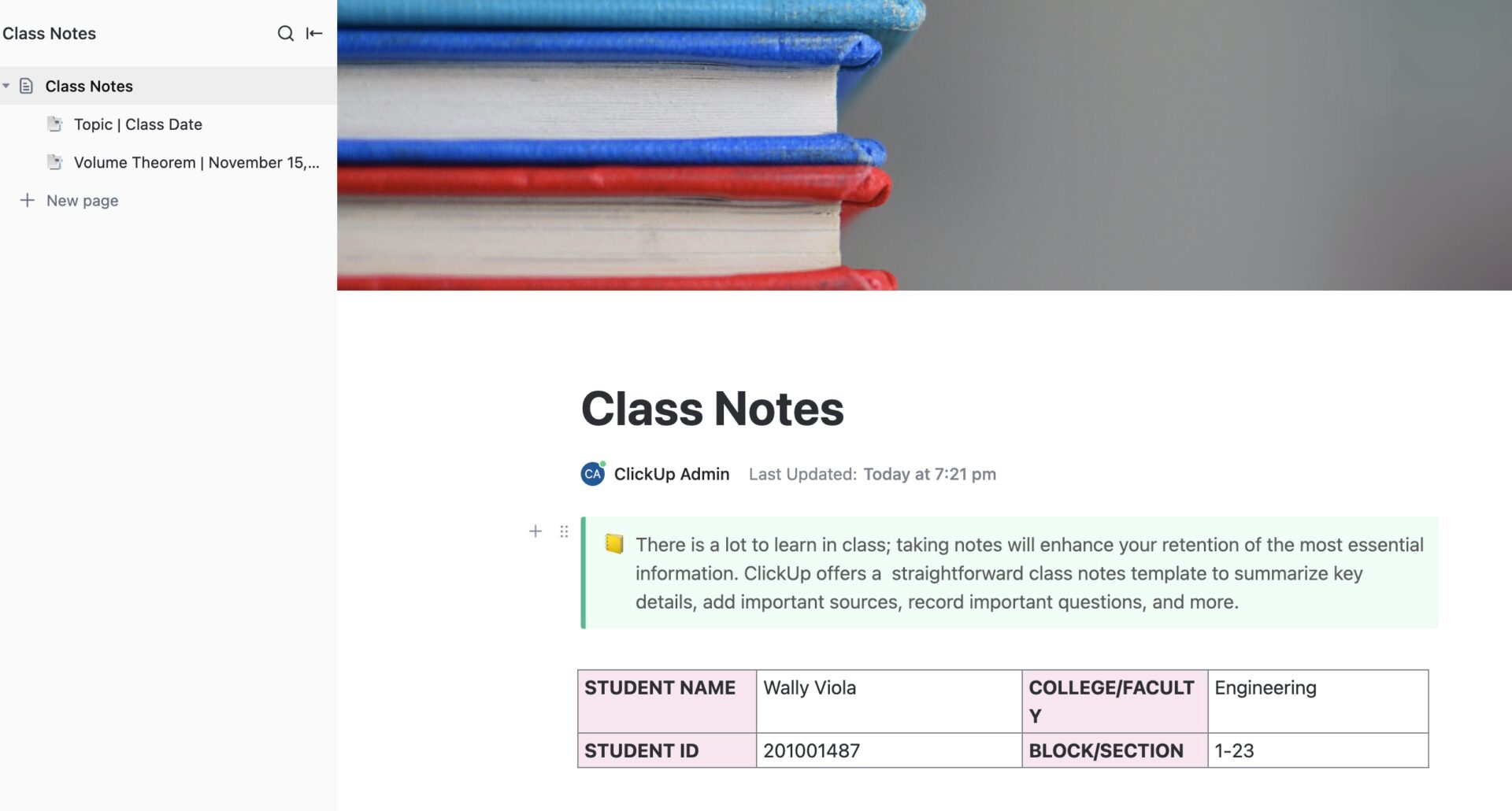
| ClickUp Class Notes for College Students Template | Get free template | Students organizing lecture notes | Docs, checklists, searchable notes, collaboration | ClickUp Docs, Checklist |
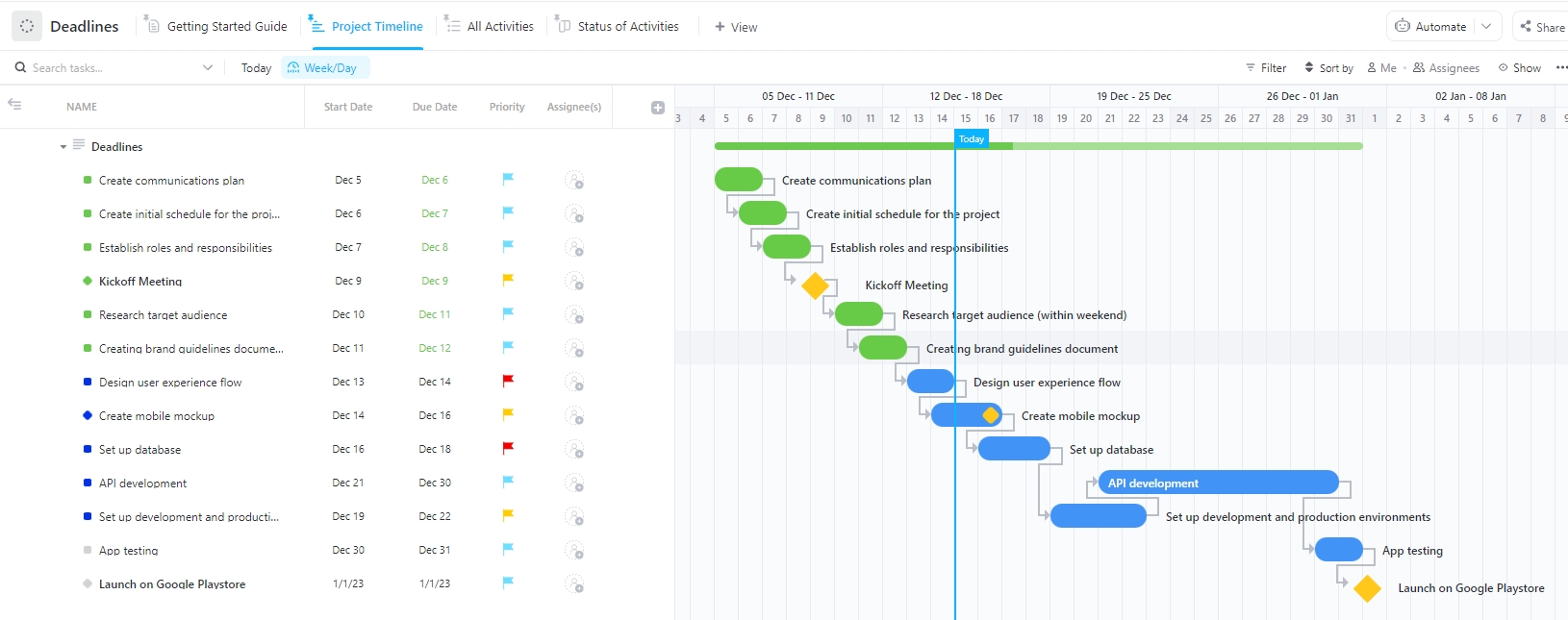
| ClickUp Deadlines Template | Get free template | Students managing due dates and group projects | Timeline view, reminders, real-time updates | ClickUp Timeline, Calendar, List |
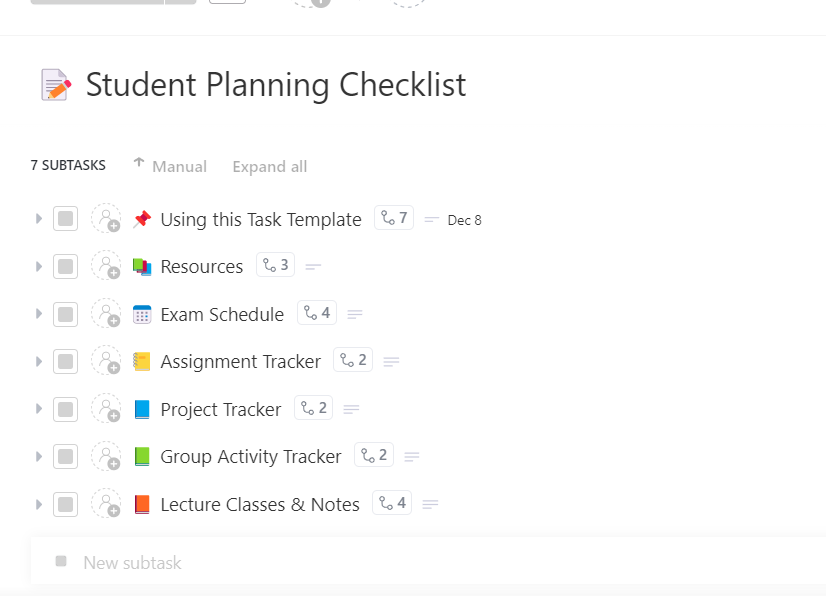
| ClickUp Student Planning Checklist Template | Get free template | Students breaking big goals into steps | Checklists, reminders, shared accountability | ClickUp List, Checklist |
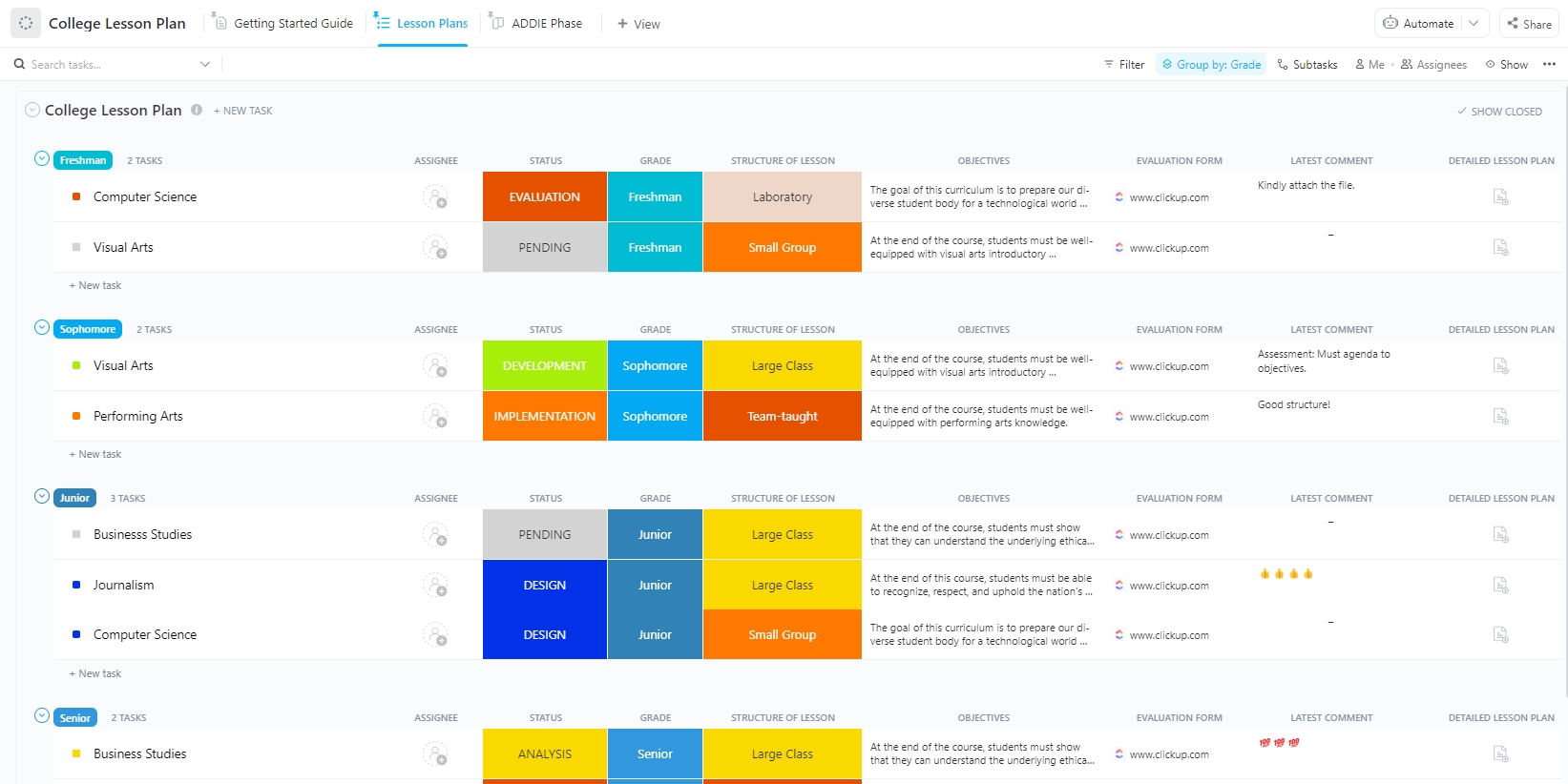
| ClickUp College Lesson Plan Template | Get free template | Professors planning lectures and coursework | ADDIE framework, custom statuses, organized views | ClickUp List, Board, Calendar |
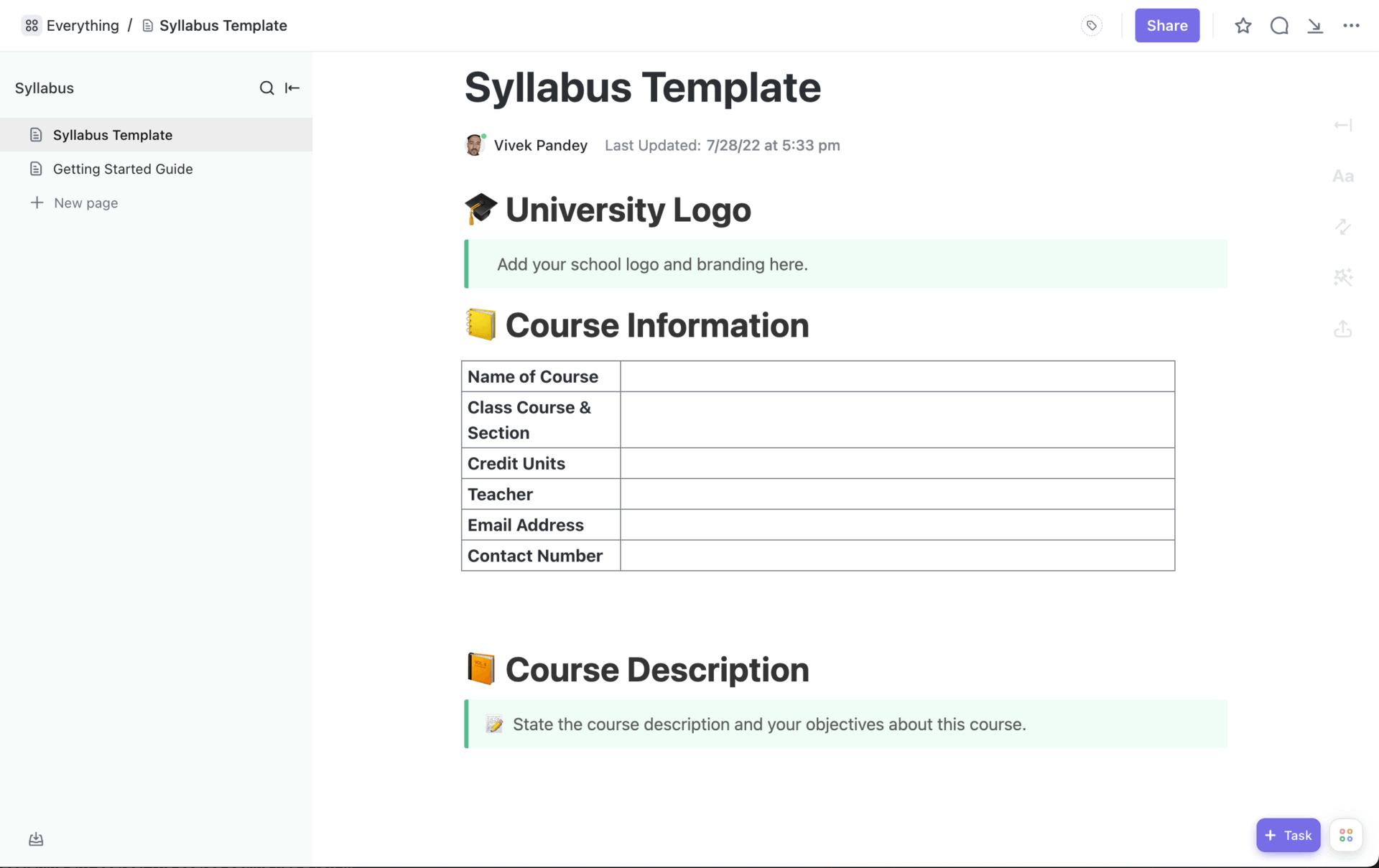
| ClickUp Syllabus Template | Get free template | Professors centralizing course objectives and policies | Docs integration, deadlines, reusable structure | ClickUp Docs, List, Calendar |
Finding the right Notion assignment tracker template can feel like trial and error. These 15 free Notion templates cover a variety of student needs, from simple due date checklists to full dashboards.
Remember the scene in The Queen’s Gambit when Beth Harmon visualizes the chessboard on her ceiling, every piece in its place? Notion’s Simple Assignment Tracker gives students and professionals that same sense of clarity by breaking assignments into daily, weekly, and monthly views.
The built-in Eisenhower Matrix is where it really shines. Instead of staring at a long to-do list, you can sort assignments into urgent, important, or low priority, making it easier to plan your study time. You also get enough room to look ahead at deadlines for the next week or month, which means fewer last-minute surprises.
✨ Ideal for: Students who want a lightweight tracker that keeps deadlines visible without overcomplicating their study routine.
🧠 Did You Know: The “dog ate my homework” excuse is older than most think. It was first recorded in print around 1905, connected with a Welsh minister’s story, and has since become a staple excuse in English-speaking culture. Now it’s so embedded that people often use it humorously rather than literally.
If you have ever watched Stranger Things, you know how quickly the kids’ world fills with overlapping mysteries, codes, and urgent missions. Without their wall covered in notes and strings, they would lose track of what mattered most.
The Study Agenda Template plays a similar role in student life, providing a clear overview of tests, assignments, and deadlines. Instead of flipping between apps or sticky notes, you can log homework, exams, and projects in one dashboard and even sync it with your main calendar.
✨ Ideal for: Learners who prefer one central agenda to manage homework, exams, and projects without juggling multiple apps.
📖 Also Read: Digital Journal Apps for Bullet Journaling
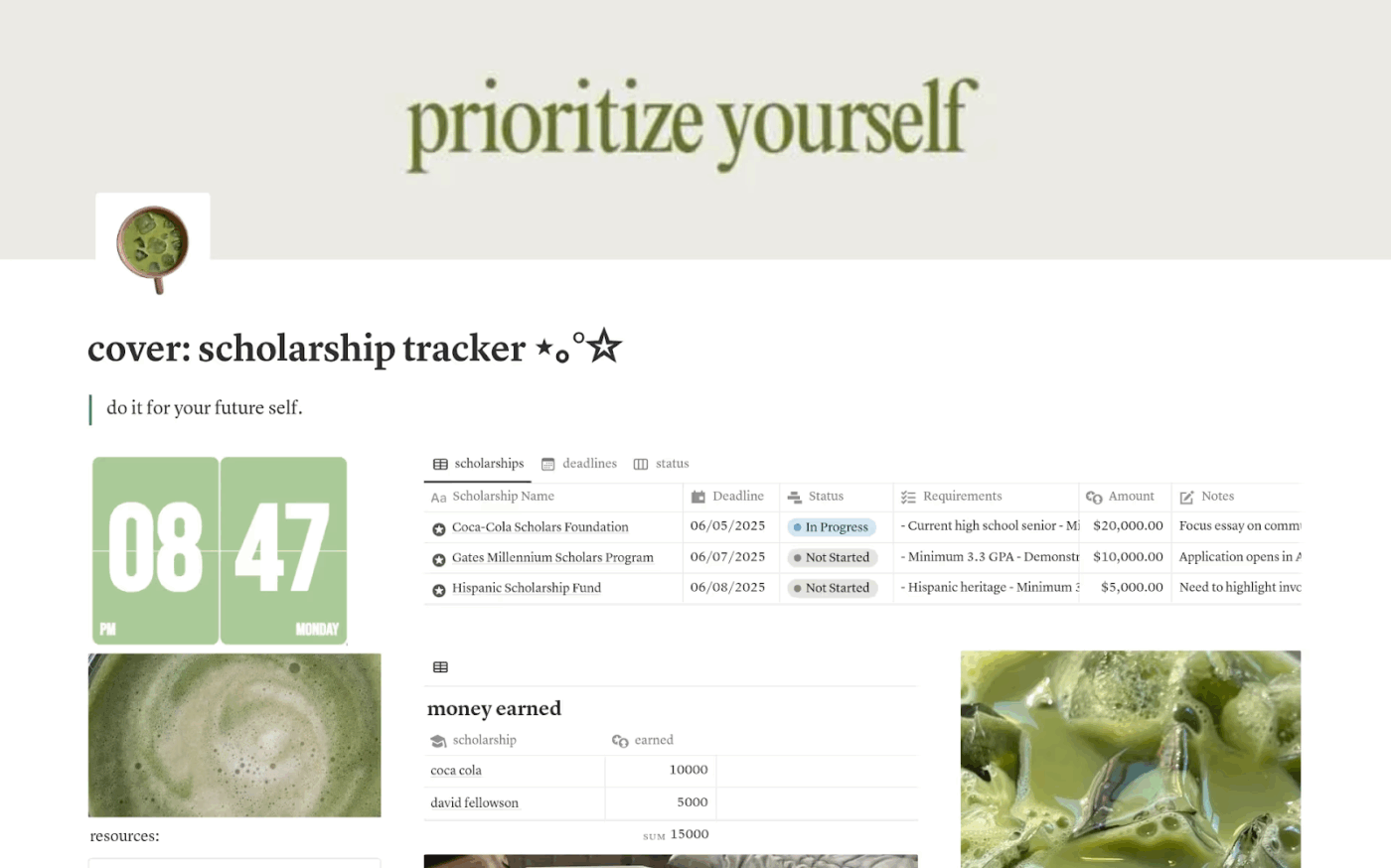
According to a report by Forbes Advisor, over $100 million in scholarships go unclaimed every year because students miss deadlines or fail to keep track of opportunities. The Scholarship Tracker template is built to make sure none of those chances slip away.
This template gathers every important detail into one space, from deadlines and application statuses to essay drafts and award amounts. You can set reminders, sort scholarships by type or priority, and attach supporting documents so everything is ready when you need it.
✨ Ideal for: Students applying to multiple scholarships who need a single hub to track deadlines, requirements, and submissions.
📮 ClickUp Insight: 43% of people say repetitive tasks provide helpful structure to their workday, but 48% find them draining and a distraction from meaningful work.
While routine can offer a sense of productivity, it often limits creativity and holds you back from making meaningful progress.
ClickUp helps you break free from this cycle by automating routine tasks via intelligent AI Agents, so you can focus on deep work. Automate reminders, updates, and task assignments, and let features like Automated Time Blocking and Task Priorities protect your power hours.
💫 Real Results: Lulu Press saves 1 hour per day, per employee using ClickUp Automations—leading to a 12% increase in work efficiency.
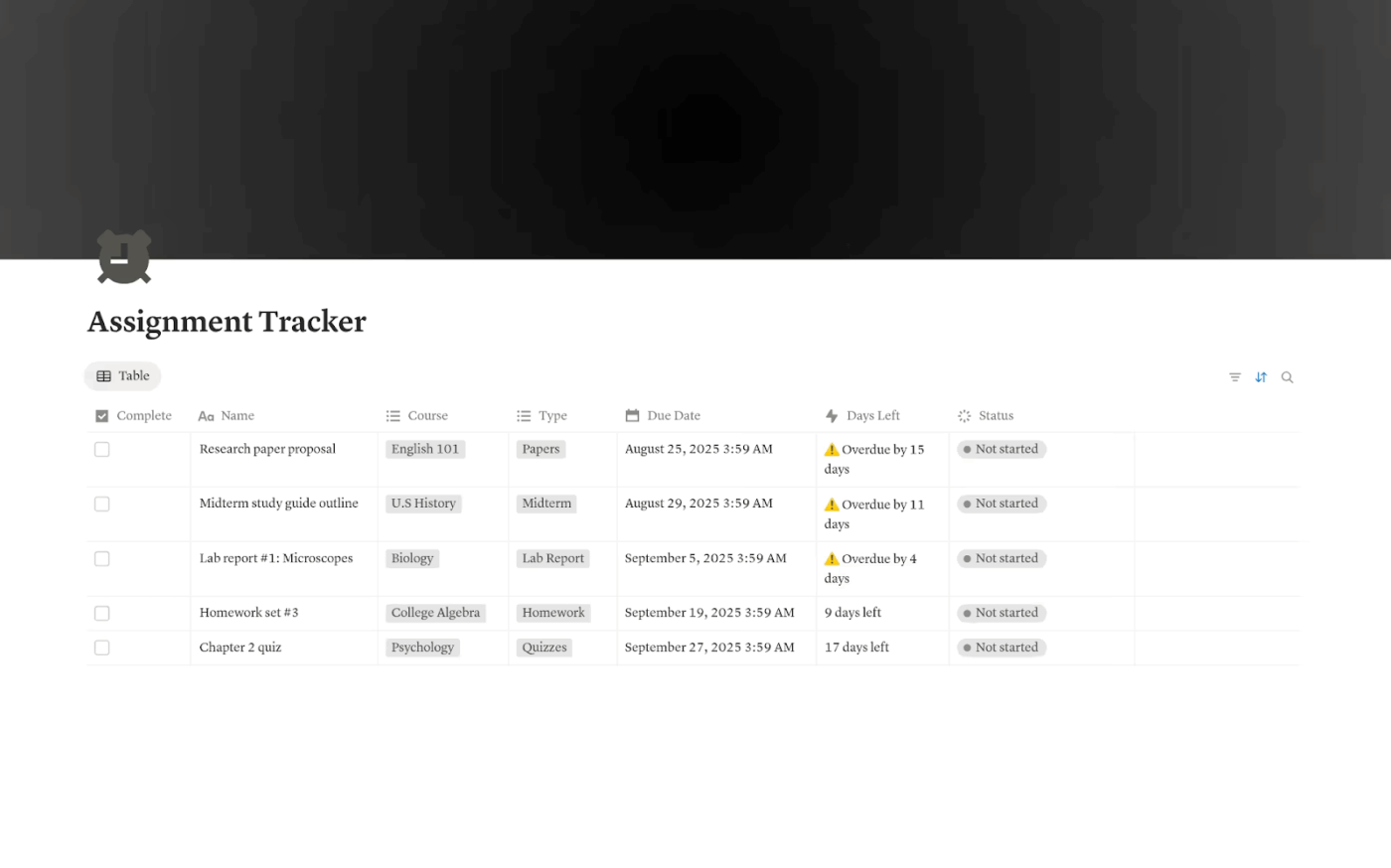
Nearly 70% of college students admit to missing at least one deadline due to poor organization or time management. It is not a question of ability but of having a clear system in place. The Assignment Tracker template is designed to give students that system in the simplest form possible.
With this template, you can track assignments, due dates, and progress across all your classes in a clean and aesthetic layout. A built-in days-left formula shows exactly how much time remains before each deadline, while status tracking makes it easy to see what is pending, in progress, or completed.
✨ Ideal for: College students who want to avoid missed deadlines with a straightforward, clean assignment log.
💡 Pro Tip: If you’ve ever felt frustrated searching through endless folders, documents, and drives, this is the solution you’ve been waiting for.
With ClickUp Brain MAX, you can:
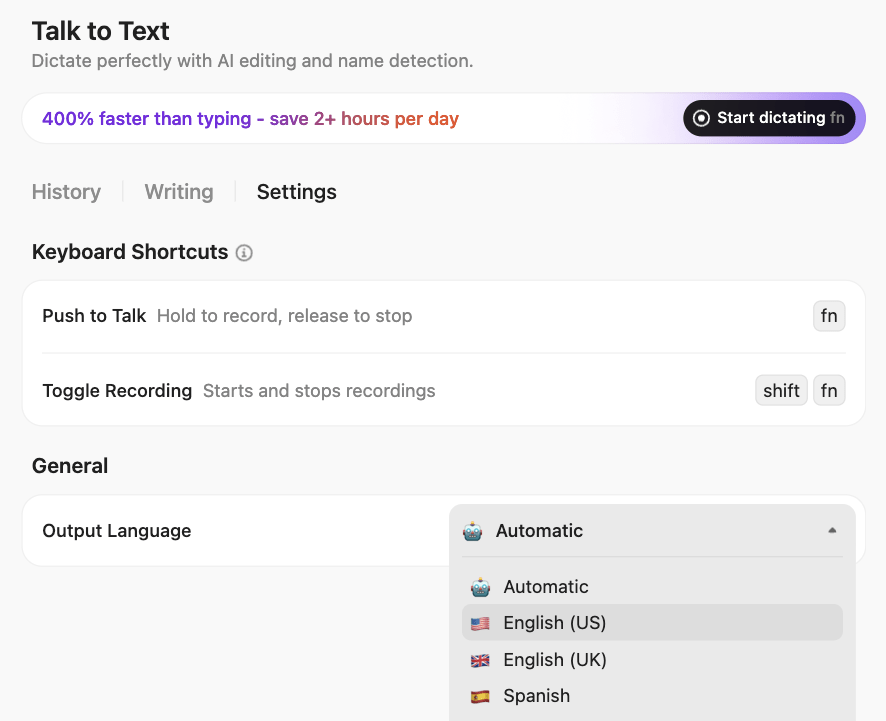
So while your Notion assignment tracker keeps your studies structured, ClickUp Brain MAX helps you focus on what really matters: learning, creating, and growing—without getting lost in digital clutter.
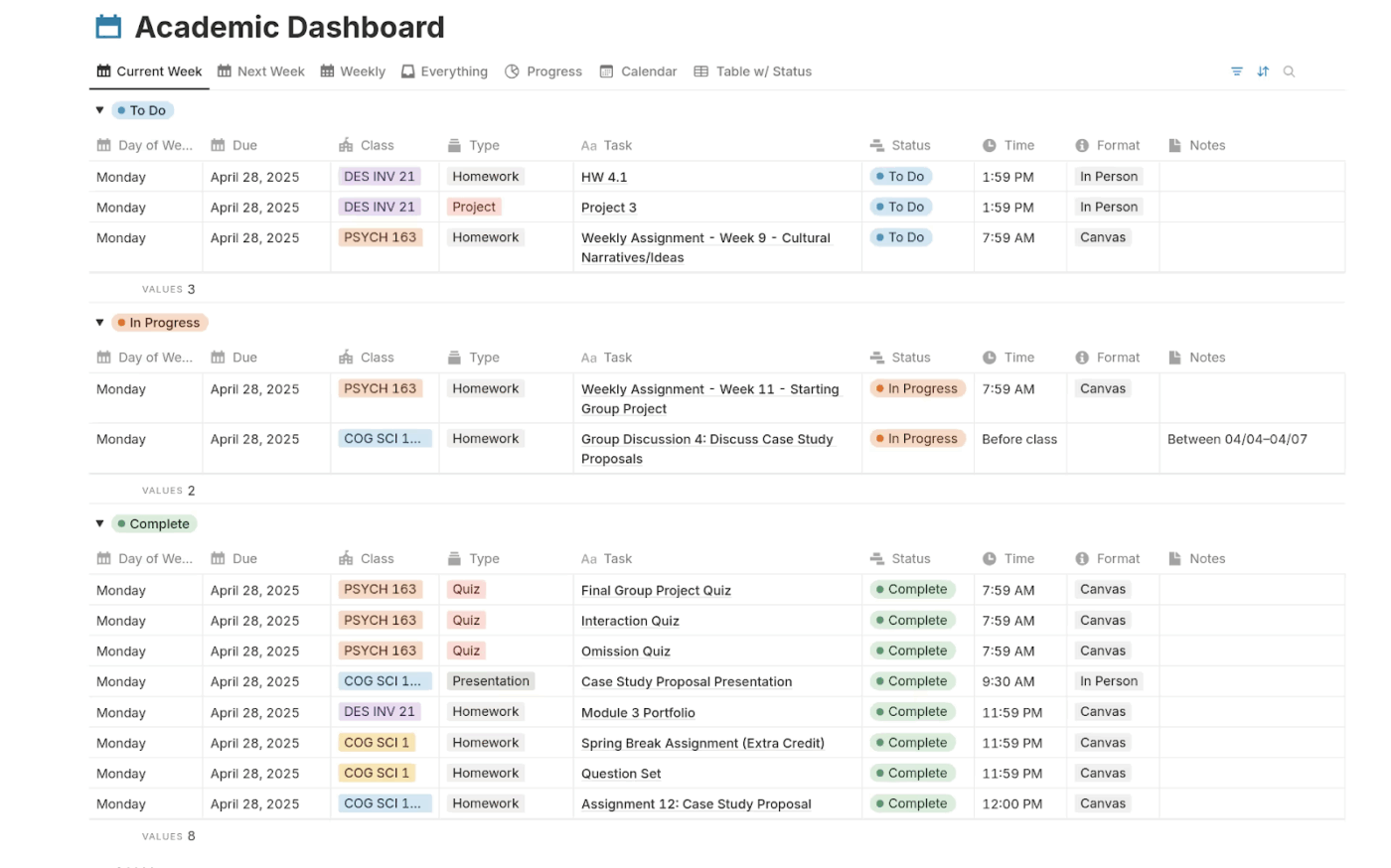
University life often feels like running through levels in a video game. Each week introduces a new challenge: an essay here, a project there, and exams waiting at the final stage. What you need is a proper map…or you can try Notion’s Academic Dashboard Template.
The template provides weekly planning so you can split your workload into manageable parts. Adding to that, the template’s master view collects all tasks in one place, while calendar and progress tracking features help you see both short-term and long-term responsibilities clearly.
✨ Ideal for: University students balancing essays, group projects, and exams who need a big-picture dashboard.
🧠 Did You Know: During the Cold War, American educators revived strong support for homework. The motivation was geopolitical: schools were pushed to prepare young people to compete with Soviet educational achievements. Homework was seen not just as a learning tool but as part of an urgent national project.
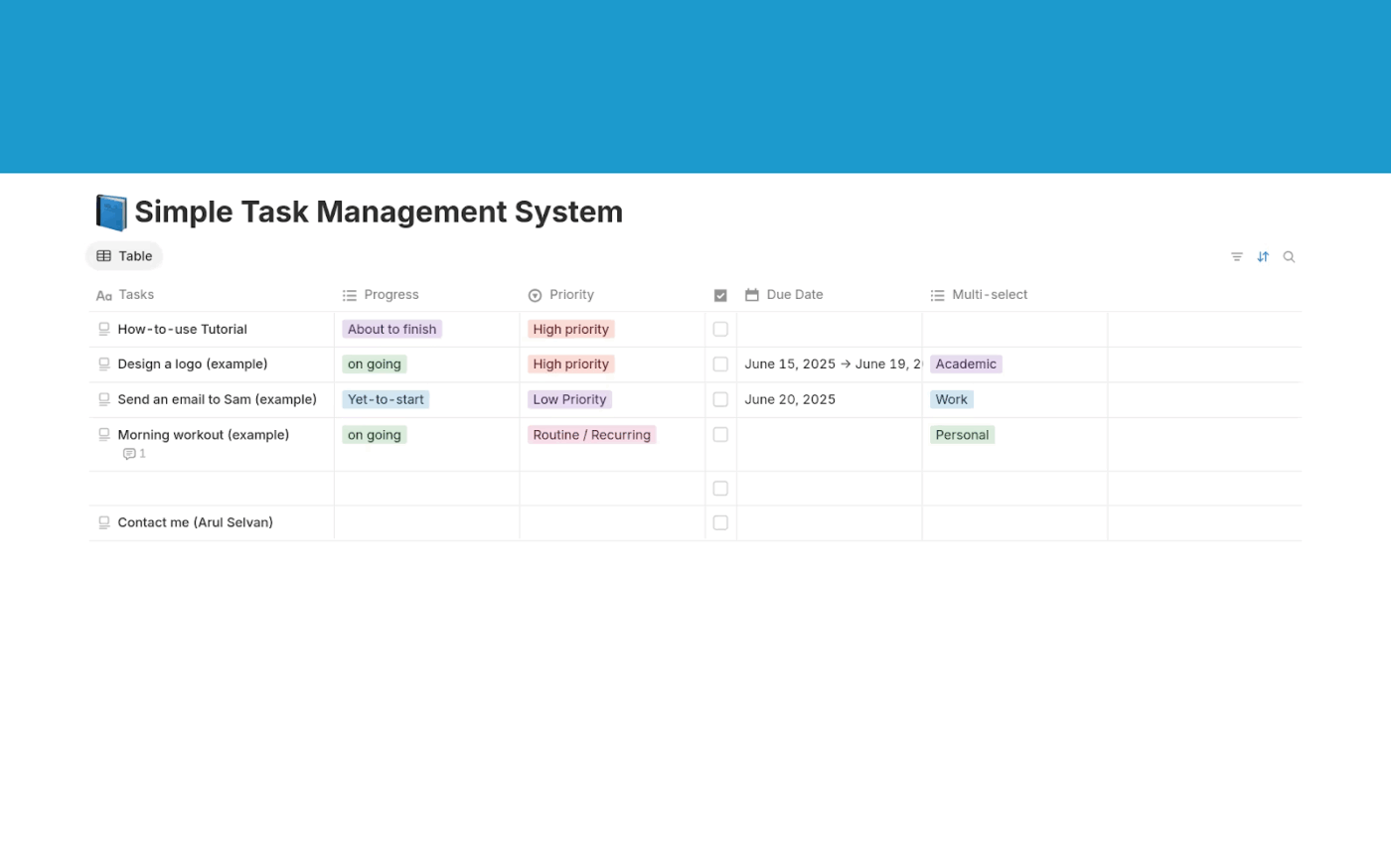
The Simple Task Management System template offers a clean space to log tasks, set priorities, and follow progress without the clutter of more complicated planners. Tags such as “ongoing,” “paused,” or “yet to start” let you see where each task stands, and optional due dates ensure important deadlines stay visible.
The template’s strength lies in being both minimal and flexible, making it easy to adopt while still powerful enough to support varied coursework or personal projects.
✨ Ideal for: Students handling both personal and academic tasks who need a clutter-free and flexible system.
📖 Also Read: Best To-Do List Apps
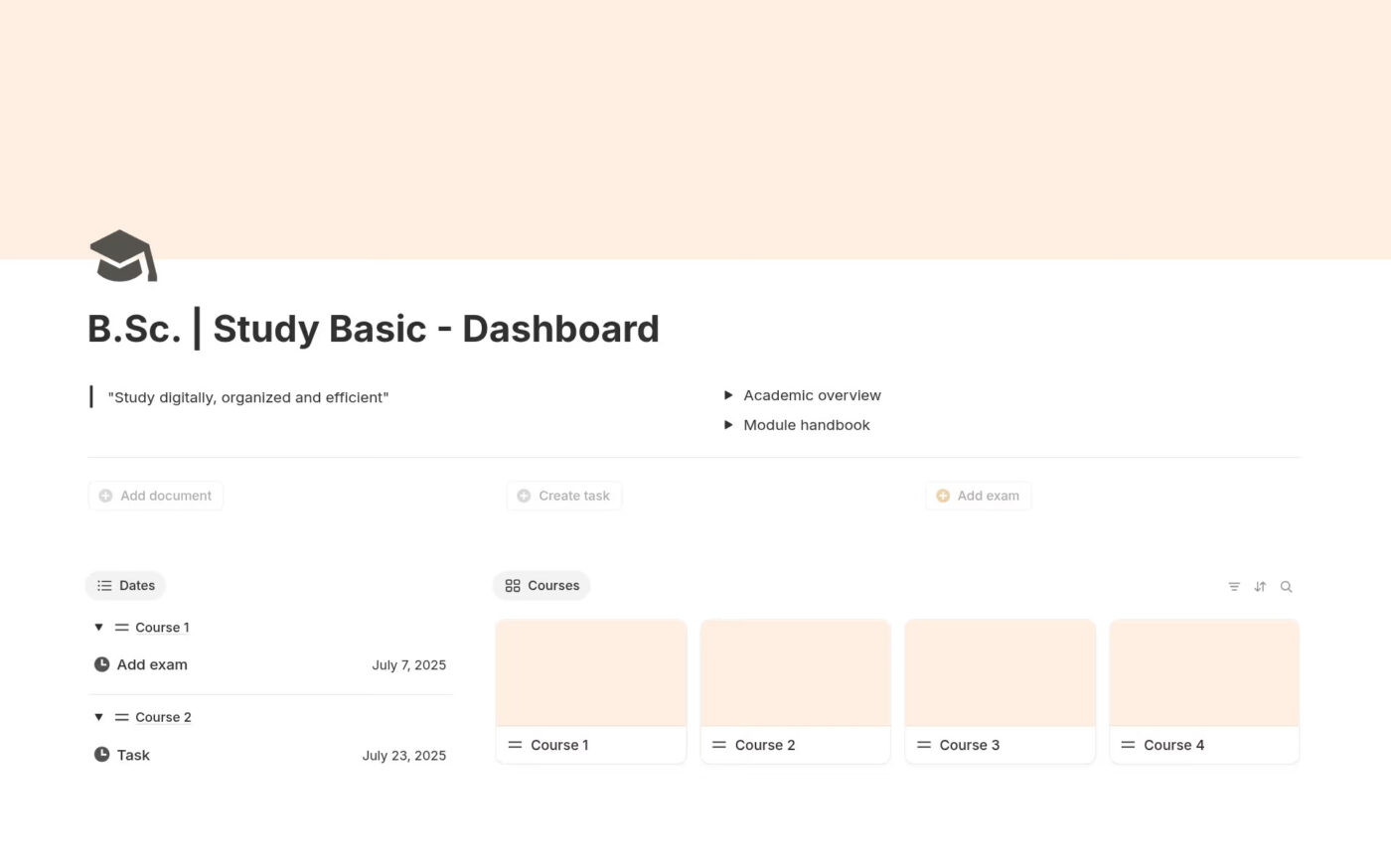
Doing a B.Sc. program can get hectic at times. There are just so many classes, assignments, exams, and deadlines. The US Study Dashboard template brings those pieces together into one structured, digital space and acts as your academic command center.
It helps you track modules, assignments, and exams while also keeping important dates and documents at hand.. You can customize it for your specific program, add notes, and organize coursework in a way that makes sense for you.
✨ Ideal for: First-year college students who want a structured view of modules, exams, and assignments in one space.
📣 Watch how to keep track of your tasks in 7 simple steps:

Anyone who has watched Legally Blonde will recall Elle Woods’ strict adherence to deadlines, a level of organization that is crucial for students during a hectic semester. The Academic Planner template allows you a space to do the same.
This planner is built as an all-in-one hub where you can track assessments, organize tasks, and plan your weekly class schedule. It even includes a study session planner and a Pomodoro timer, helping you stay focused during long stretches of coursework.
✨ Ideal for: Learners who want to manage their weekly classes, assignments, and study sessions in one organized hub.
📖 Also Read: How to Use Notion for Project Management
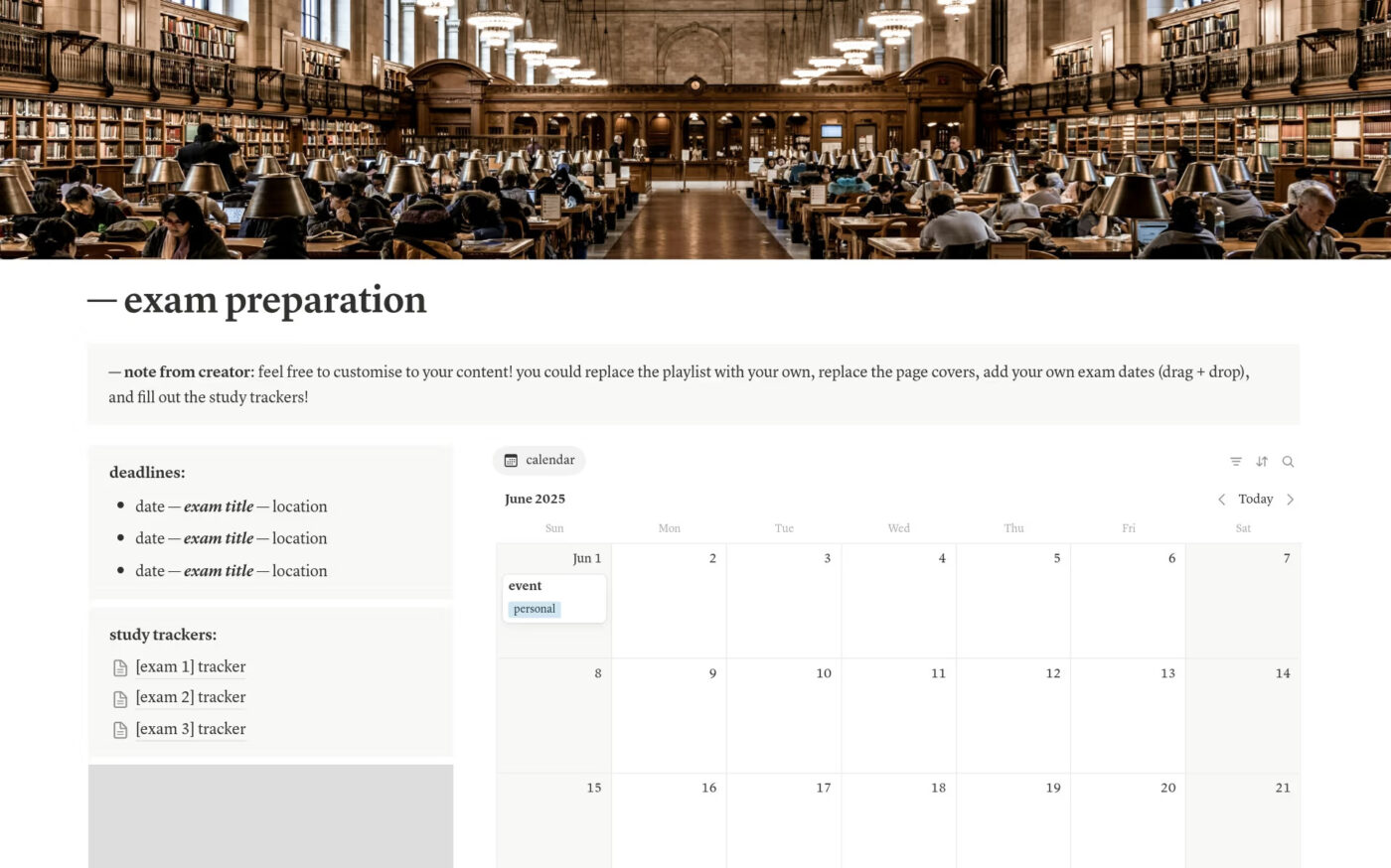
The Notion Exam Preparation & Organisation template helps you manage your time and productivity levels better during exam seasons.
Using this template, you can create a main portal for everything related to exams, combining a calendar, subject trackers, and even Spotify embeds to keep study sessions focused. You can map out multiple exams, plan what to revise week by week, and use progress trackers to see how prepared you are across different topics.
✨ Ideal for: Students revising for multiple exams who need a structured study routine and calendar-based prep system.
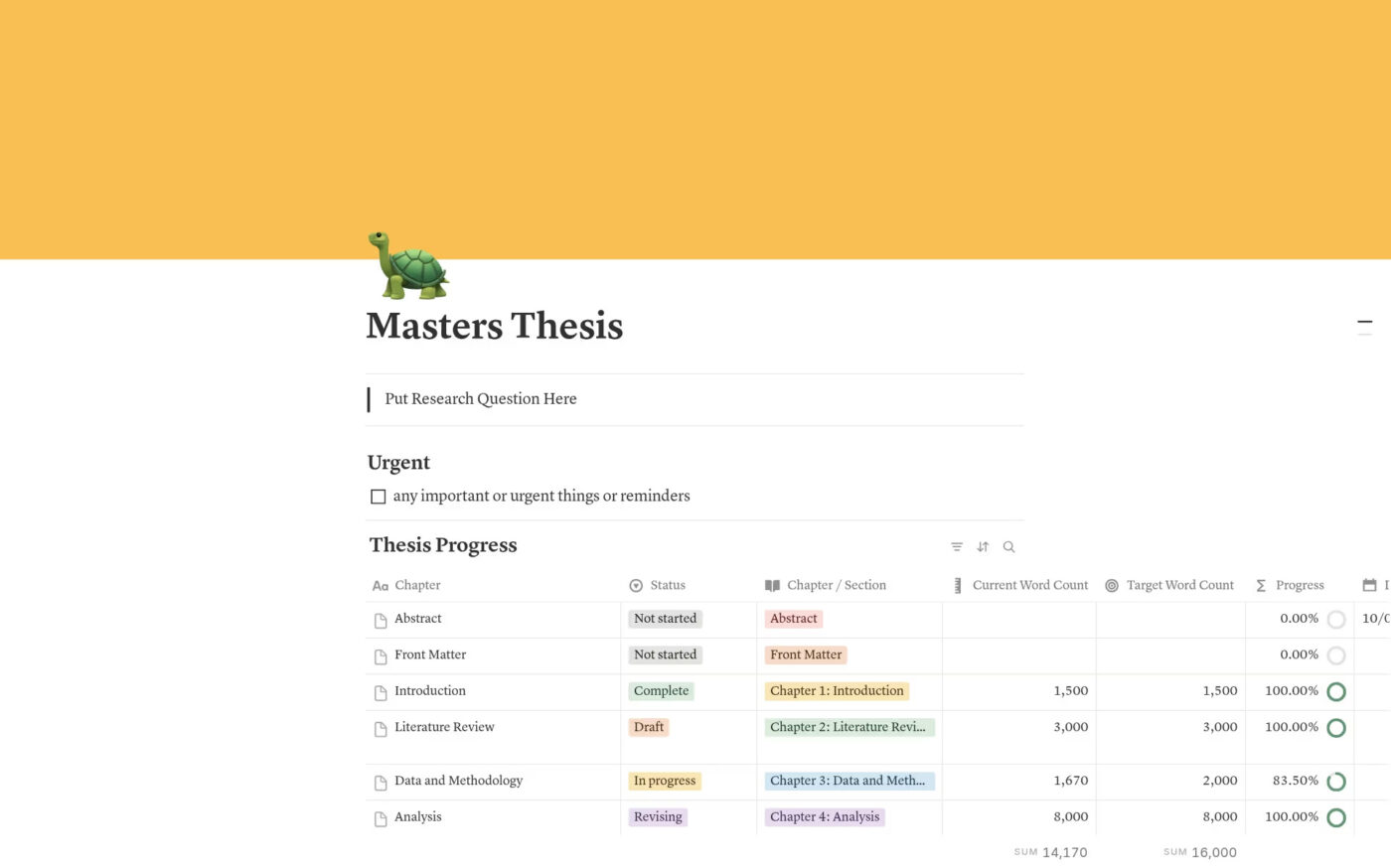
The Master’s Thesis template is a big help amidst a never-ending thesis research. This Notion template helps you track word counts, log references, and organize supervisor feedback without needing separate files and sticky notes.
You can break down the work into smaller steps using chapter planning pages, making each completed section feel like a significant milestone on your journey to completion.
✨ Ideal for: Graduate students writing extended research papers who want to track chapters, references, and supervisor feedback.
📚 Also Read: 50+ Free Notion Templates for Notes, Tasks, & More
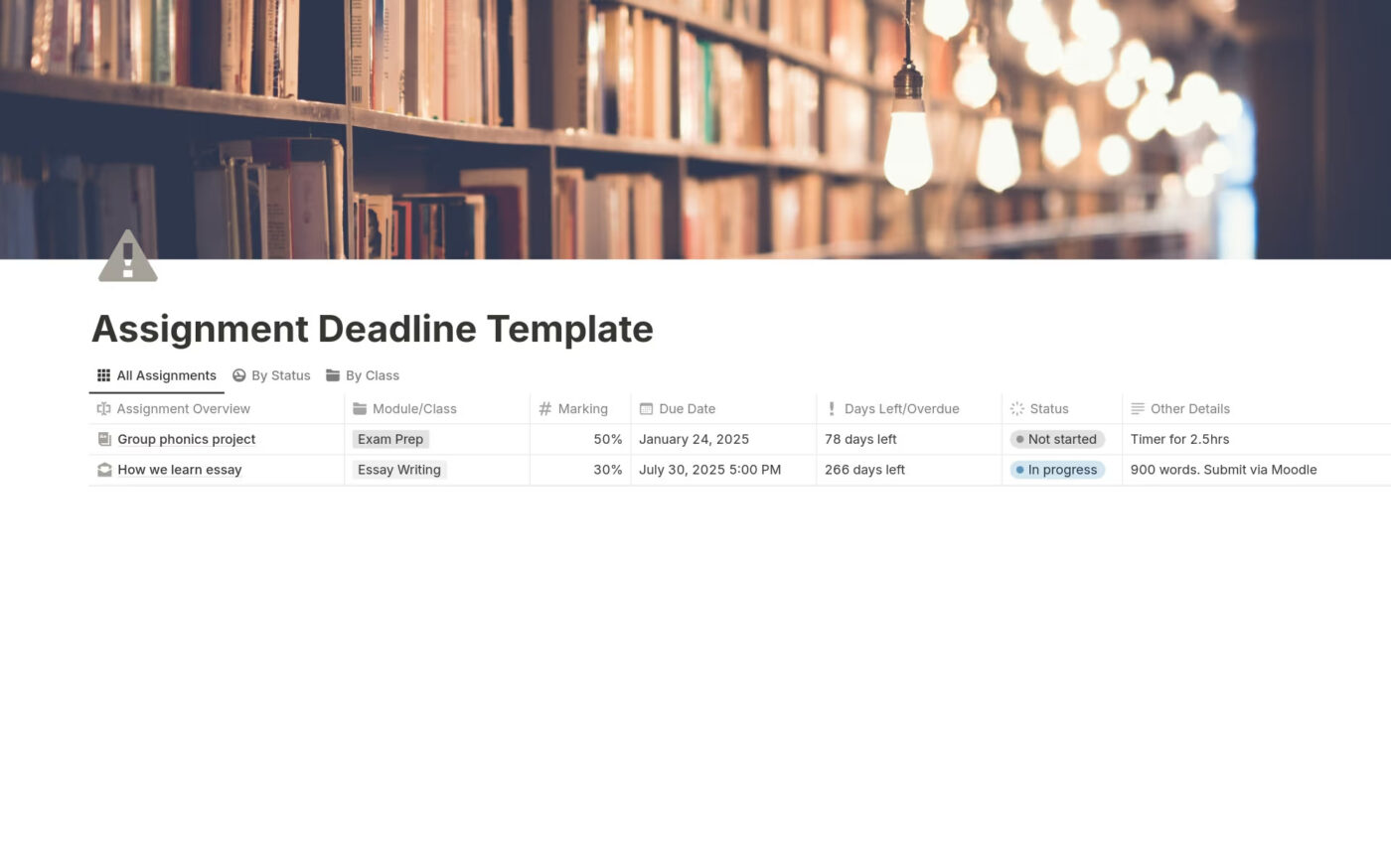
The Assignment Deadline Tracker template makes you feel like a superhero who can do it all. You can sort assignments by class, due date, or marks and set priorities to know which tasks deserve your focus first. Instead of bouncing between syllabi, reminders, and sticky notes, you work from one clear dashboard that keeps everything in place.
✨ Ideal for: Students juggling multiple assignments who want to sort by class, due date, and importance.
📖 Also Read: How to Optimize Your Life with Habit Stacking
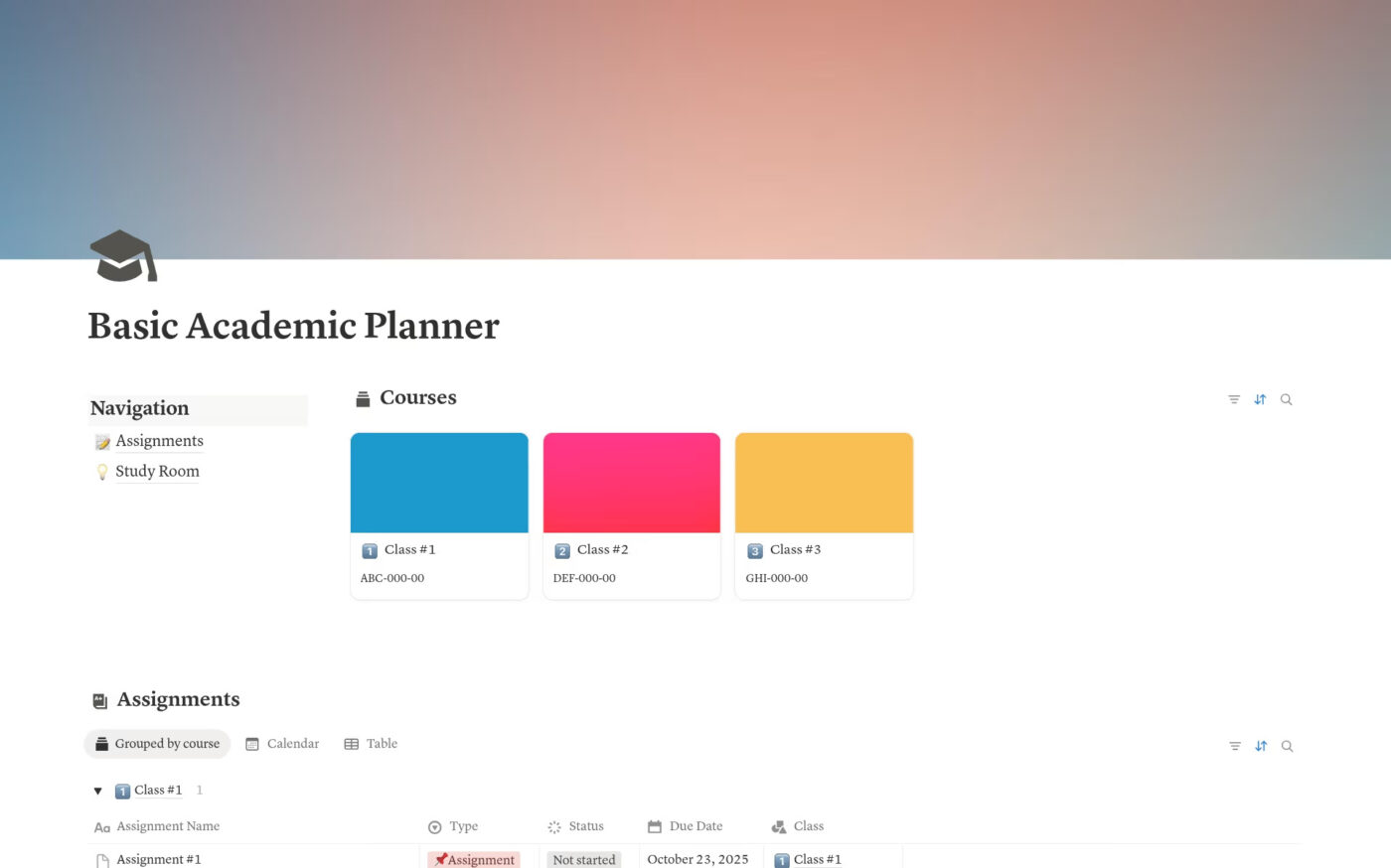
One of the worst things in school is when a teacher asks for an assignment you didn’t know was due. Those moments can be avoided with the right system in place. Notion’s Basic Assignment Tracker gives you that safety net.
This template helps you log assignments by subject or project, note due dates, and track your progress step-by-step. With priority levels and simple status markers, you can see at a glance what needs attention and what is already done.
✨ Ideal for: Learners who want a simple yet reliable tracker to avoid last-minute surprises.
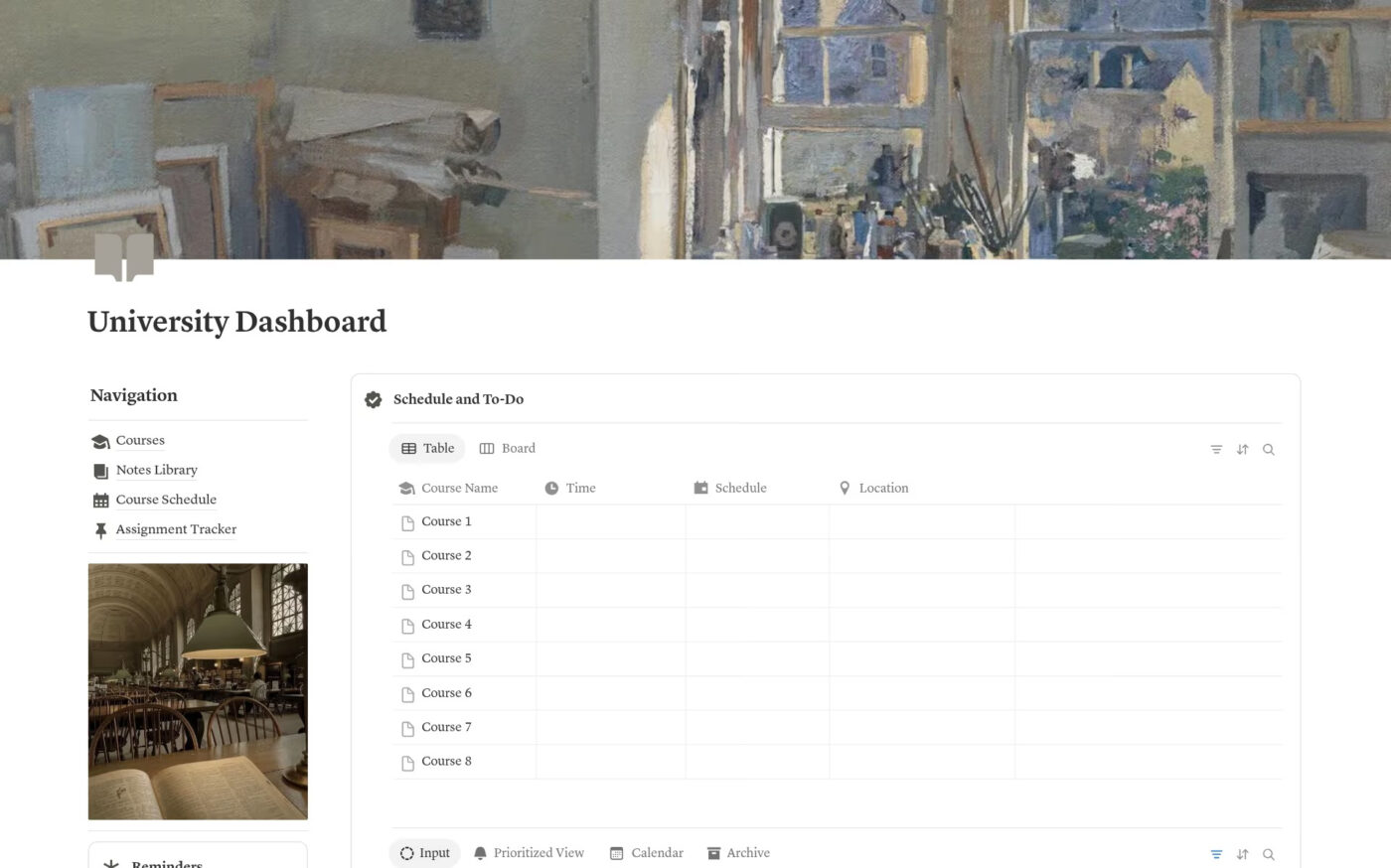
College often presents a multitude of challenges at once. It is exciting, but it is also overwhelming, and this is where the Uni Dashboard template becomes essential. The dashboard pulls everything into one place, so you do not feel like you are spinning in circles.
You can check your daily, weekly, or monthly schedule at a glance and see which assignments, events, or classes need your attention.
✨ Ideal for: University students navigating new schedules, courses, and deadlines who need a one-stop academic hub.
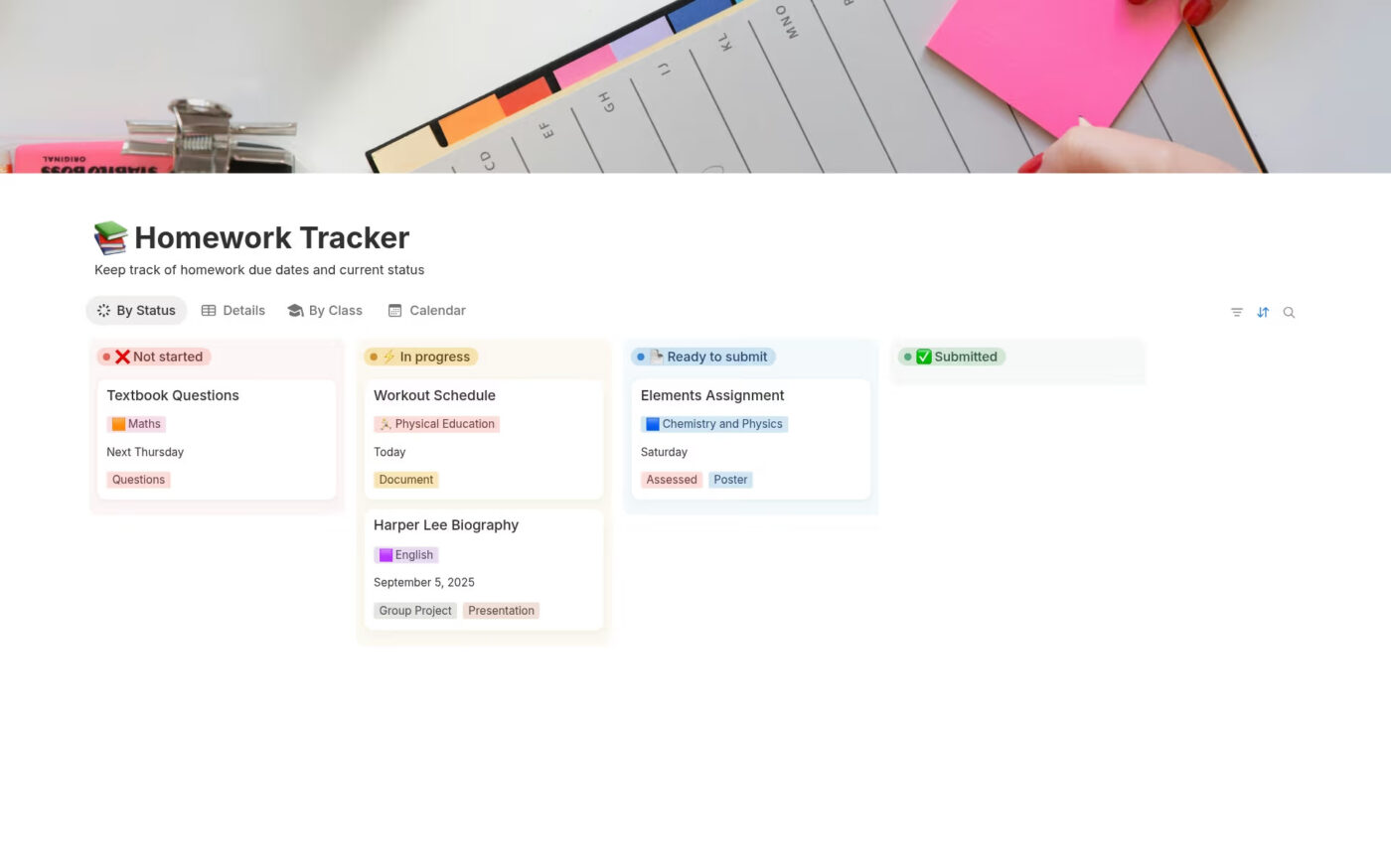
The Homework Tracker template gives you a simple way to take that mental load of remembering homework off your shoulders. With this template, you can log every homework task and filter them by class, due date, or status.
It offers clear categories like Not started, In progress, Ready to submit, and Submitted, so you always know where you stand. A calendar view highlights upcoming deadlines, while a detailed table keeps class instructions and notes in one easy-to-access place.
✨ Ideal for: Students who want to log homework by class and status while keeping notes and instructions handy.
📖 Also Read: How to Prioritize Tasks at Work
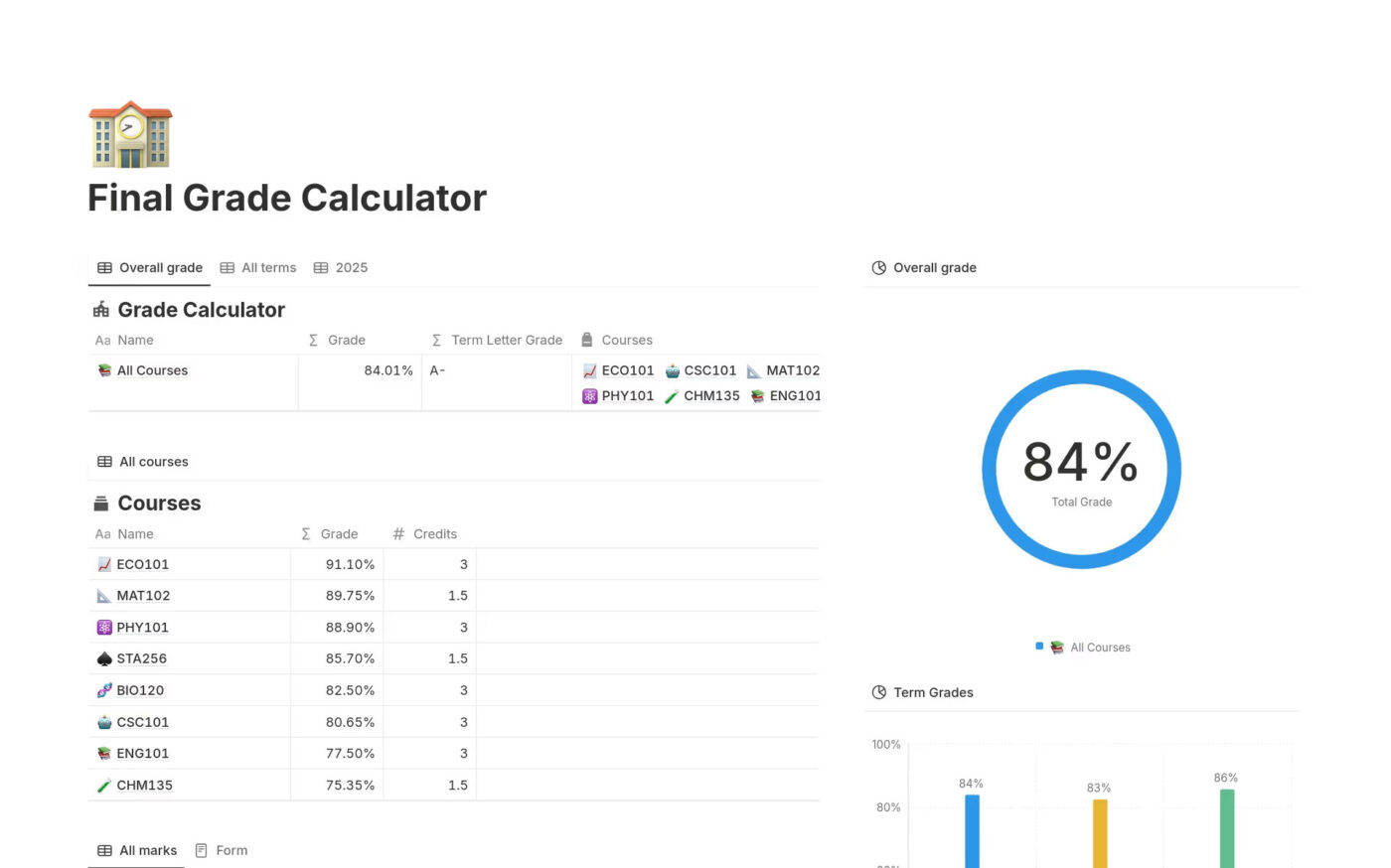
Few moments in student life are as nerve-racking as sitting with your calculator the night before finals, trying to figure out what grade you need to pass the course or secure that scholarship.
The Notion Final Grade Calculator template links your terms, courses, and marks into one system that updates in real time. You can log assignments and exams, weight them by credits, and see your GPA automatically calculated. Progress charts and term comparisons make it easy to understand whether you are improving, holding steady, or need to adjust your effort.
✨ Ideal for: Students who want to calculate grades and track academic standing across semesters.
📖 Also Read: How to Create a Morning Routine Checklist for Adults
Performance can lag, especially with large databases or on mobile. Offline access is still unreliable.
G2 reviews about Notion often highlight what many students and educators feel after trying a few templates: When pages grow, small points of friction emerge, and over time, they add up. If you rely on a Notion assignment tracker template every day, these issues will start to disrupt your work.
Let’s discuss the primary Notion limitations so you can plan accordingly:
Assignments and group projects often suffer from Work Sprawl. For a student, this is the fragmentation of assignments, syllabi, and notes that occurs across multiple, disconnected tools and systems that don’t communicate with each other.
If you love Notion assignment tracker templates but need snappier performance for large lists or stricter permissions for group work, ClickUp templates are worth considering.
ClickUp offers the world’s first Converged AI Workspace, bringing together all work apps, data, and workflows. This means you can study, take notes, record progress, do assignments, and track deadlines all in one place.
Below are twelve ClickUp options that feel familiar yet handle heavy coursework and team projects with less friction.
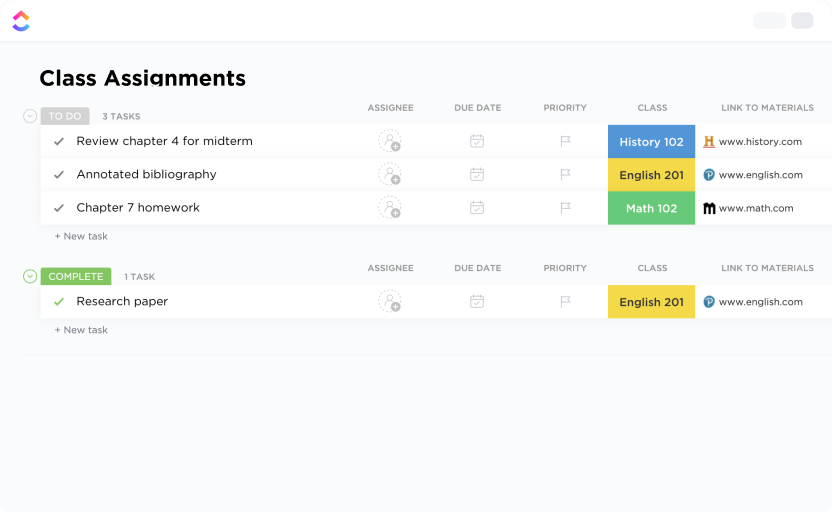
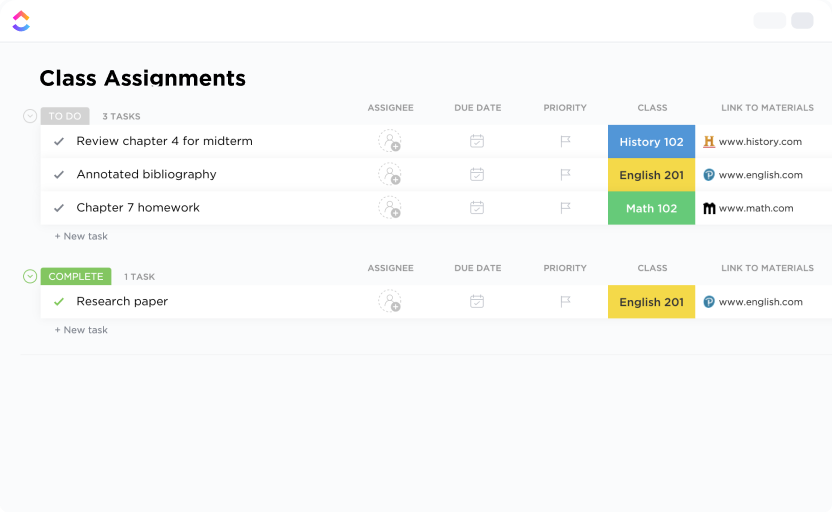
The ClickUp Class Assignments Template helps teachers to centralize assignment tracking, deadlines, and grading in one place. Teachers can create tasks for each assignment, set due dates, and update statuses with just a few clicks.
ClickUp’s Custom Fields allow you to tag assignments by type, subject, or priority. Multiple views, like Exams, Papers, and List by Due Date, let teachers switch between big-picture planning and detailed task tracking.
✨ Ideal for: Teachers managing multiple classes who want to streamline assigning, tracking, and grading.
📖 Also Read: Brainstorming Templates & Techniques
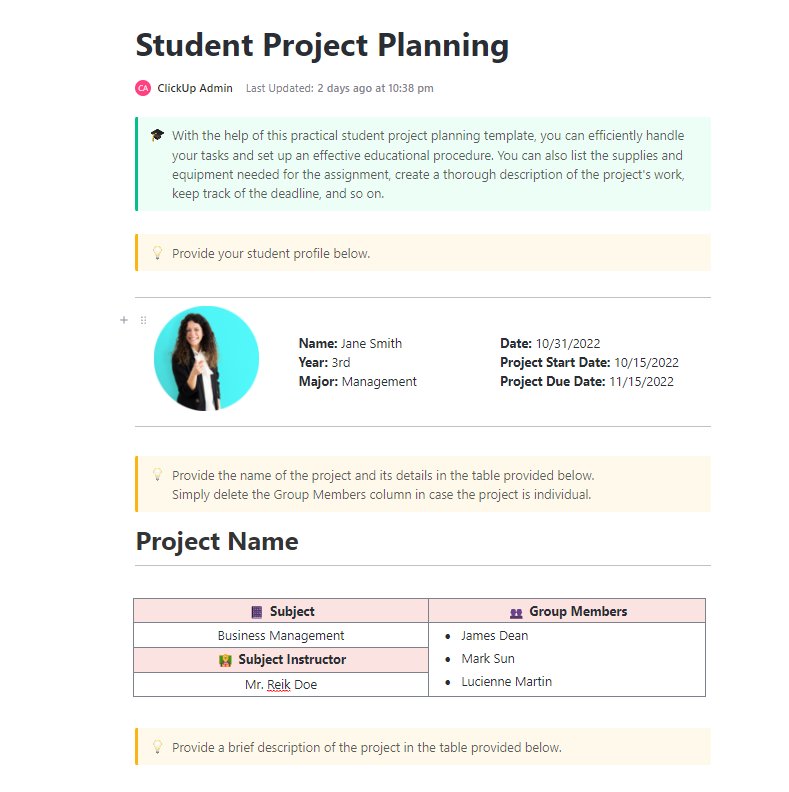
Imagine this: you’ve just been assigned a semester-long group project. At first, it seems manageable, but soon everyone is working at different paces, deadlines start creeping up, and no one is sure who’s responsible for what. The ClickUp Student Project Planning Template helps avoid that spiral. 😌
This template breaks projects into manageable tasks, sets clear timelines, and makes collaboration seamless. Students can use ClickUp Docs to brainstorm, and ClickUp Gantt Charts to map timelines.
Professors and mentors can also provide feedback, promoting accountability throughout the team. Unlike traditional tools or static Notion layouts, ClickUp provides automation, workload balancing, and real-time visibility that keeps every member on the same page from start to finish.
✨ Ideal for: Students working on group projects who need structured task breakdowns and clear accountability.
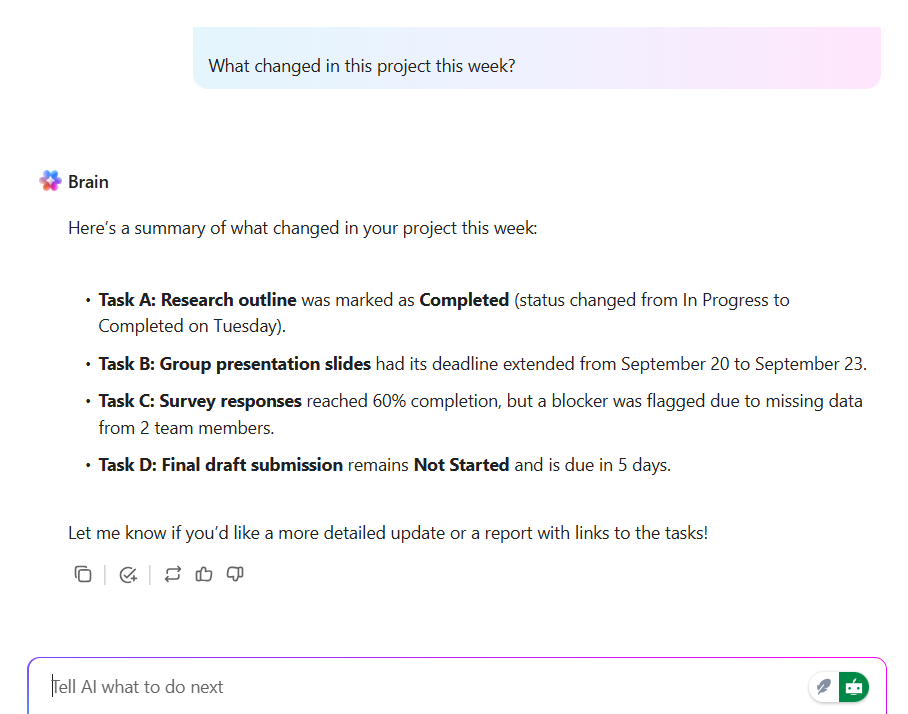
💡 Pro Tip: Ask “What changed in this project this week?” to get a crisp rundown of new tasks, slips, and blockers. Turn that summary into tasks, set due dates, and assign without leaving the page. ClickUp Brain pulls context from Docs, comments, and statuses, so you don’t have to chase updates. Use it before weekly check-ins to cut context sprawl and start with a clear plan.
One minute you are watching Hannah Montana live two lives, and the next you are a college student realizing you are doing the same thing. Half of you is out making new friends. The other half of you is stressing about projects, deadlines, and exams.
The ClickUp Student Template helps you keep that balance. It pulls all your scattered notes, tasks, and deadlines into one space so you can stay on top of school without missing out on the fun side of student life.
In the template, you can set up courses as projects, break assignments into smaller tasks, and track deadlines across a calendar or list view. Progress updates keep you focused, while reminders prevent last-minute scrambles.
✨ Ideal for: Students balancing academics and campus life who want a central hub for tasks, notes, and deadlines.
📖 Also Read: Best Goal Tracking Apps
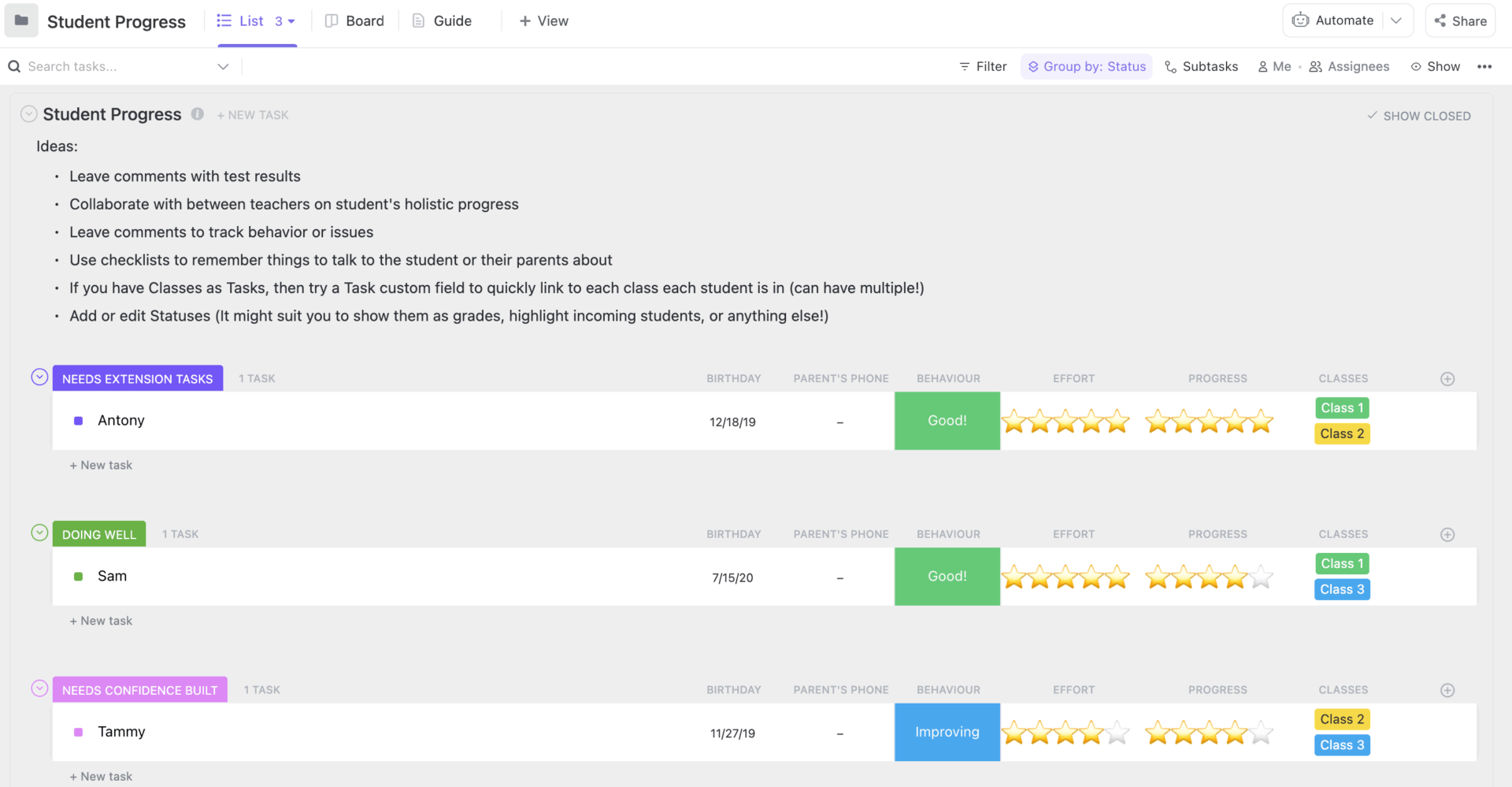
Teachers everywhere are tasked with spotting gaps early so no student gets left behind, yet managing that at scale without proper systems can feel impossible. The ClickUp Student Progress Template was built to solve that. Instead of juggling paper notes, spreadsheets, and half-updated tools, teachers get one clear hub to track every student’s growth.
You can log performance, monitor attendance, and even document behavioral insights in real time. This daily log template makes data visual and actionable. With multiple views, educators can flip between overall class performance and an individual student’s journey.
✨ Ideal for: Teachers and administrators who want real-time tracking of individual student performance.
📖 Also Read: Best Free Digital Planner Apps
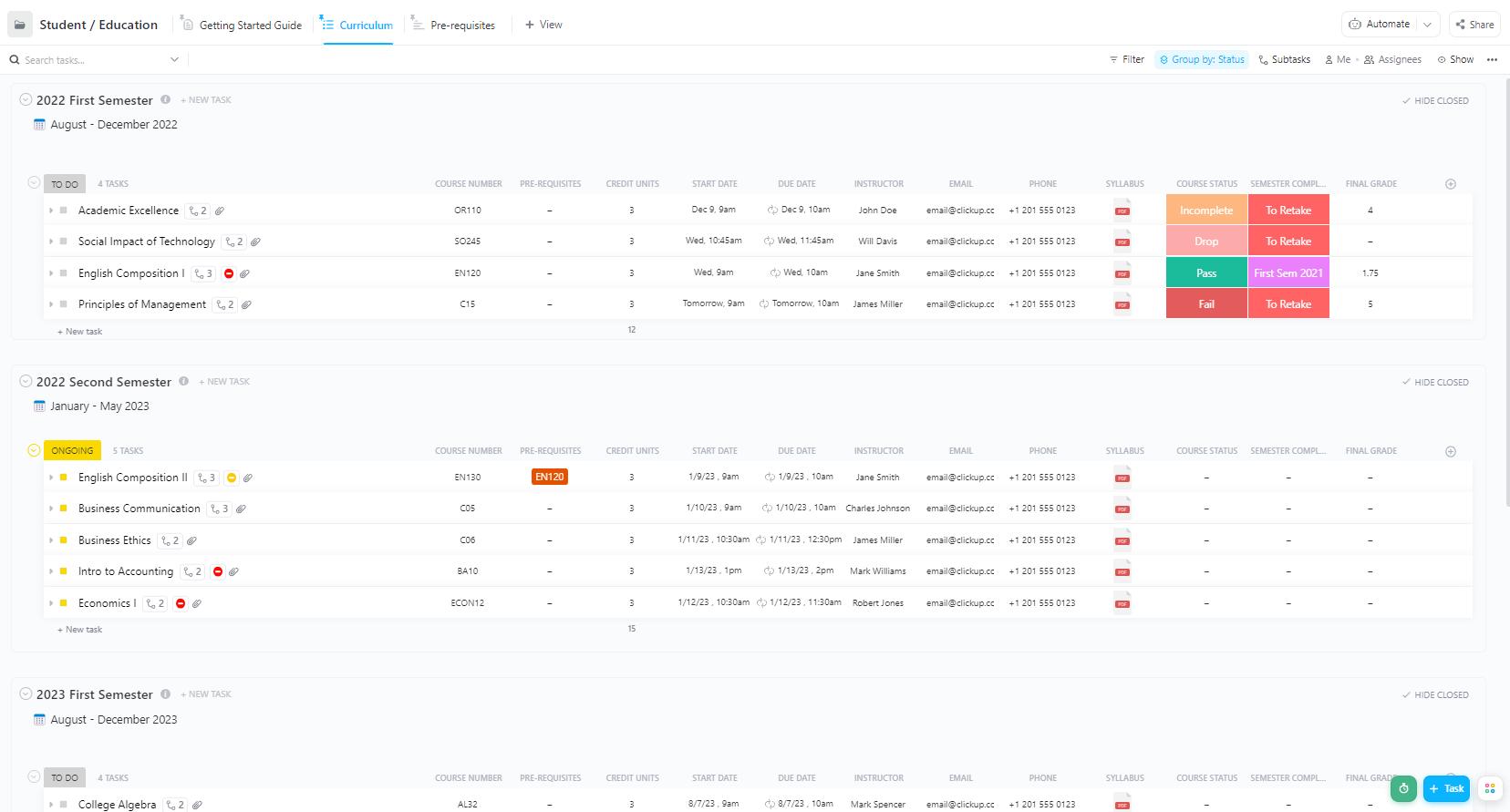
The ClickUp Student Education Template is designed for both students and educators who want everything in one place.
It covers course material, assignments, deadlines, prerequisites, and even milestones, so progress feels tracked and manageable instead of overwhelming. With Custom Fields for grades, credit units, and course numbers, you don’t just see what needs to be done—you understand where you stand.
✨ Ideal for: Students and educators who need a consistent framework to track curriculum, assignments, and milestones.
👀 Fun Fact: In some countries, like China, recent policy reforms called “Double Reduction” aim to limit homework for young students to reduce stress and allow more balanced lives. For example, children in 1st-2nd grade were told they should have little or no written homework under that policy.
Most college students lean on digital calendars to keep life in check. They are fine for sending a reminder that something is due today, but that is also the catch. You only find out when it is already crunch time.
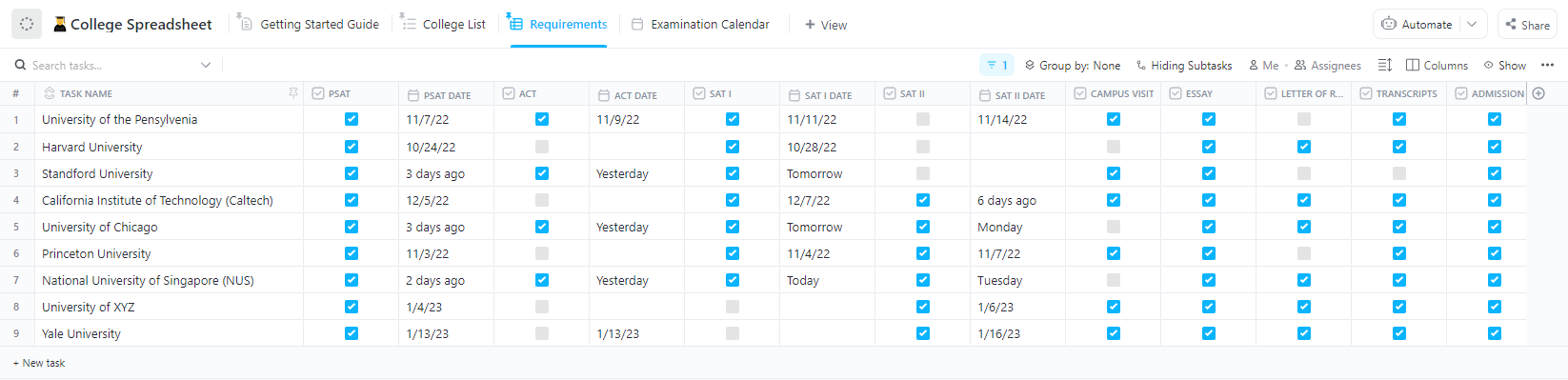
The College Spreadsheet Template in ClickUp gives you a bird’s-eye view of your semester. Instead of scattered alerts, you can map out applications, exams, and projects in one place. It is flexible, customizable, and much more helpful for long-term planning than a plain calendar app.
✨ Ideal for: College students looking beyond calendars to plan applications, exams, and projects with a big picture view.
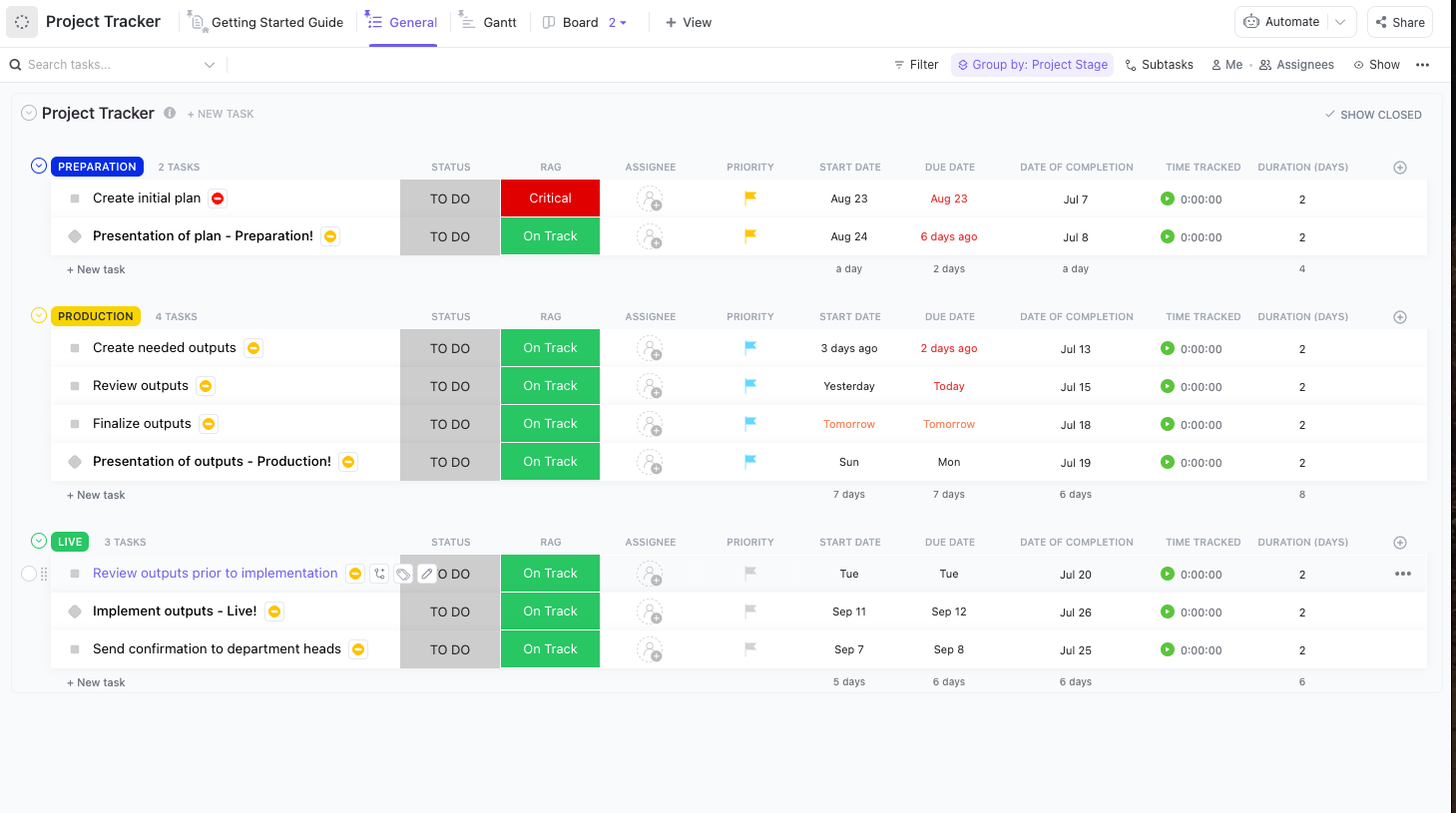
The ClickUp Project Tracker Template pulls your projects into one place where you can actually see what needs doing and when.
You can flip between Gantt charts for timelines, lists for details, and dashboards for the big picture. Even better, you can assign tasks, add Custom Fields for things like project stage or risk, and keep everyone in the loop.
✨ Ideal for: Students managing multiple projects who want to see deadlines and progress clearly.
📖 Also Read: Free Self-Care Plan Templates
You know that moment when the professor says, “This will be on the exam,” and your brain instantly panics because your notes are a mix of half-scribbled sentences, doodles, and a coffee stain? Yeah, we’ve all been there!
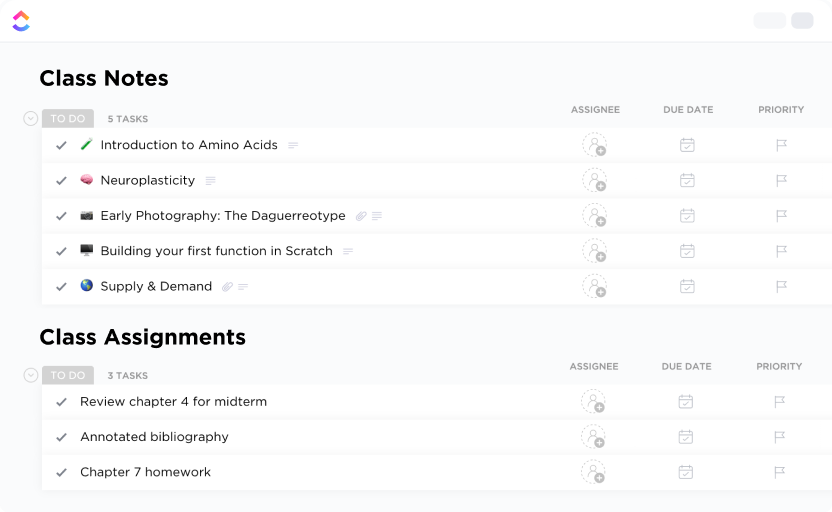
With the Class Notes Template in ClickUp, you get one organized space for every class. You can set up a Doc for each subject, add sections for lectures, readings, or assignments, and even make quick checklists.
Plus, everything is searchable, so no more “Ctrl+F” panic at 2 a.m. before finals. You can also share your notes with classmates, brainstorm on a whiteboard, and keep track of key takeaways in one place.
✨ Ideal for: Students who want searchable, organized lecture notes that sync with tasks and reminders.
The ClickUp Deadlines Template helps you stay one step ahead of the deadline chaos. You get a clear view of what’s coming up, what’s already in progress, and what’s safely out of the way.
Plus, you can attach files, set reminders, and even see a visual timeline so you know if your week is about to crash and burn or run smoothly. Another bonus is real-time collaboration. If you’re working on a group project, everyone sees the same deadlines and updates in real time.
✨ Ideal for: Students who need all deadlines in one timeline to avoid last-minute stress.
📖 Also Read: Best Free Online Sticky Notes Apps
The ClickUp Student Planning Checklist Template brings the concept of adaptive planning into student life. Instead of working off scattered notes or rigid schedules, this checklist gives you a structured yet flexible framework.
You can map out goals, anticipate hurdles, and build in backup steps so deadlines don’t sneak up on you. The template also helps students break down large goals into smaller, actionable steps. Rather than treating “apply to college” or “ace midterms” as a single overwhelming line item, it guides you to create subtasks, set reminders, and track progress visually.
✨ Ideal for: Students who want to break goals into manageable steps and stay accountable with clear checklists.
📖 Also Read: Productive Things to Do in Your Free Time
The ClickUp College Lesson Plan Template provides professors with a straightforward way to introduce structure into their teaching process, eliminating extra administrative burdens.
What sets this template apart is its flexibility. You can map lessons across the ADDIE (Analysis, Design, Development, Implementation, and Evaluation) framework, build timelines in Gantt view, or quickly pivot if a topic requires more time.
This template also creates consistency across multiple courses or sections, which is particularly valuable for professors balancing heavy teaching loads.
✨ Ideal for: Professors creating structured, repeatable lesson plans with flexibility to adjust for class needs.
There’s always that one moment in college when someone asks, “Wait, when’s the midterm?” and half the class stares blankly because nobody remembers what the syllabus said. That’s where the ClickUp Syllabus Template steps in.
Instead of living in a forgotten PDF or a half-read email, your syllabus becomes an interactive, dynamic workspace that evolves alongside the course. Plus, the template also makes scaling easier. Instructors can lay out objectives, deadlines, and grading policies while linking directly to readings, assignments, or collaborative docs.
✨ Ideal for: Instructors who want to keep syllabi dynamic and accessible while clearly communicating expectations.
If you’ve made it this far, you already know one truth about student life: assignments never slow down; they only stack up. What matters is how you choose to handle them.
That’s where ClickUp quietly edges out the others. It doesn’t just hold your notes or store your tasks; it connects the whole picture. You can see your deadlines, track your progress, and actually feel in control instead of just reacting.
For students aiming for academic excellence and teachers focused on class management, it becomes the perfect digital workspace that stays user-friendly even as your workload grows.
You can use it to enhance focus, streamline routines, and stay productive, so your systems actually enhance productivity rather than add friction. Over time, the way you plan, learn, and collaborate will transform from scattered efforts into a clear, confident rhythm.
At the end of the day, it’s less about adding another tool to your routine and more about finally having one place where your academic world makes sense.
Want to start feeling prepared? Sign up for free on ClickUp!

© 2026 ClickUp

There’s an easier way. Try a free AI Agent in ClickUp that actually does the work for you—set up in minutes, save hours every week.