






Still downloading templates?
There’s an easier way. Try a free AI Agent in ClickUp that actually does the work for you—set up in minutes, save hours every week.
Sorry, there were no results found for “”
Sorry, there were no results found for “”
Sorry, there were no results found for “”

Creating a good presentation becomes frustrating when you don’t have a template to start with.
You open a blank board. You try to place shapes. You try different fonts. Nothing looks consistent. And the entire process takes far more time than it should.
This article fixes that problem. You’ll get free Miro presentation templates that make your slides clear, engaging, and easy to build. And if you need more structure or advanced customization, we’ve also included powerful ClickUp templates that take your presentations even further.
Here’s a quick summary for you:
| Template Name | Download Template | Best Features | Ideal For | Visual Format |
| Product Roadmap Presentation Template (Miro) | Download this template | Timeline flow, phase visualization, milestone mapping | PMs, startup teams, project leads | Miro Board |
| Sales Presentation Template (Miro) | Download this template | Value structure, objection-handling, CTA framing | Sales teams, SDRs, founders | Miro Board |
| UX Presentation Template (Miro) | Download this template | Persona slides, journey mapping, user flow diagrams | UX designers, researchers, product teams | Miro Board |
| Financial Presentation Template (Miro) | Download this template | Charts, projections, KPI screens, summary slide | Finance teams, analysts, founders | Miro Board |
| Portfolio Presentation Template (Miro) | Download this template | Project gallery, case-study layout, visual highlights | Designers, agencies, creatives | Miro Board |
| ClickUp Presentation Template | Get free template | Editable slides, agenda, reusable blocks | Teams creating structured decks | ClickUp Doc, List |
| ClickUp Project Outline Template | Get free template | Section breakdowns, narrative mapping, outline blocks | Teams outlining content before slides | ClickUp Doc, List |
| ClickUp Campaign Outline Template | Get free template | Goal mapping, channel breakdowns, milestones | Marketing teams planning campaigns | ClickUp List, Board |
| ClickUp Creative Project Plan Template | Get free template | Asset lists, revision workflow, deliverables timeline | Creatives, agencies, content teams | ClickUp List, Board, Timeline |
| ClickUp PPT Project Plan Template | Get free template | Phases, timelines, responsibility mapping, summary | PMOs, consultants, client presenters | ClickUp List, Board, Timeline |
| ClickUp Project Proposal Whiteboard Template | Get free template | Sticky notes, diagrams, collaboration, idea mapping | Teams brainstorming project ideas visually | ClickUp Whiteboard |
| ClickUp Business Requirements Template | Get free template | Requirements list, scope, stakeholder mapping | PMs, BAs, tech teams | ClickUp Doc, List |
| ClickUp Project Roadmap Template | Get free template | Phases, connectors, visual sequencing | PMs, product teams, long-term plans | ClickUp Whiteboard |
| ClickUp Project Implementation Plan Template | Get free template | Action steps, dependencies, milestones | Teams presenting execution strategy | ClickUp List, Board, Timeline |
| ClickUp Professional Report Template | Get free template | Executive summary, data sections, formatting | Teams presenting detailed reports | ClickUp Doc |
| ClickUp Elevator Pitch Template | Get free template | Hooks, value prop, CTA suggestions | Sales reps, founders, short pitches | ClickUp Doc, Table |
| ClickUp Sales Pitch Template | Get free template | Ready formats, personalization, message structure | Sales teams, founders, SDRs | ClickUp Doc |
Miro presentation templates are pre-built slide-style layouts designed to help you create structured, collaborative presentations directly inside Miro. They eliminate the need to design every element manually and provide a ready framework to present ideas more efficiently.
These ready-to-use templates help you:
A good Miro presentation template gives you and your team clarity and a shared structure. And it makes your presentation look polished without extra effort.
Here’s what the right Miro presentation template should do 👇
📌 Did You Know? More than 50% of large product teams say their biggest challenge is simply keeping the product roadmap consistent, yet over 54% of all roadmaps are still built around outputs instead of outcomes.
This means teams aren’t just struggling to maintain their roadmaps. They’re often prioritizing what to build instead of why it matters, leading to misalignment and strategy drift.
Below, you’ll find free Miro templates that you can plug into your workflow immediately.
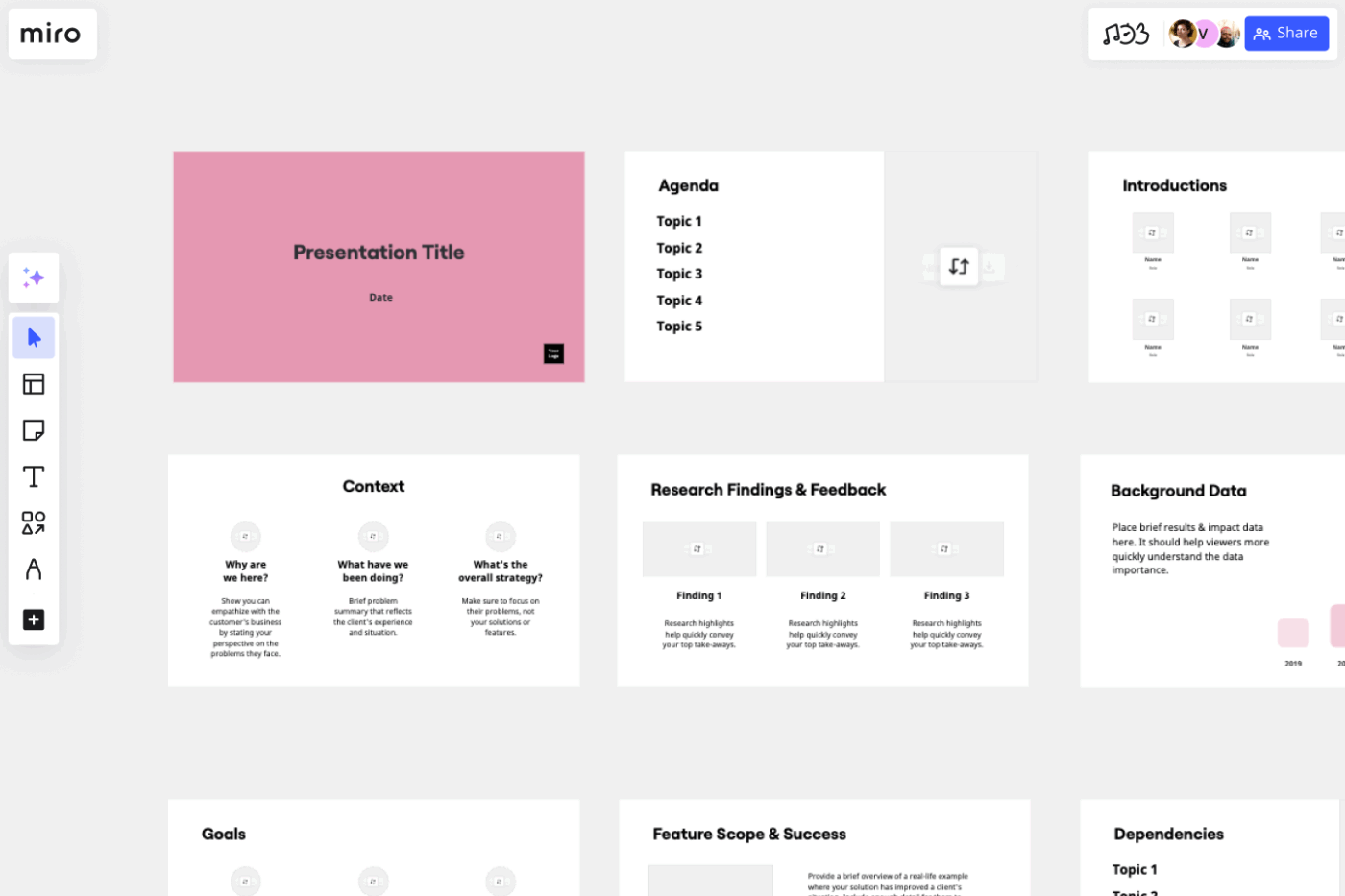
The Product Roadmap Presentation Template helps you explain your product’s journey in a way that feels clear and intentional. You get a guided flow that walks your audience from the big vision to key milestones and the next steps. It keeps teams aligned and provides stakeholders with a transparent view of your product direction, without losing them in the details.
Its core strength is simplicity. Each frame is purpose-built to highlight the why, the what, and where the product is headed, making your message easy to follow from start to finish.
✅ Ideal for: Product managers and cross-functional teams who need a clean, structured way to present what they’re building
Want to create a presentation for clients? Watch this video ⬇️
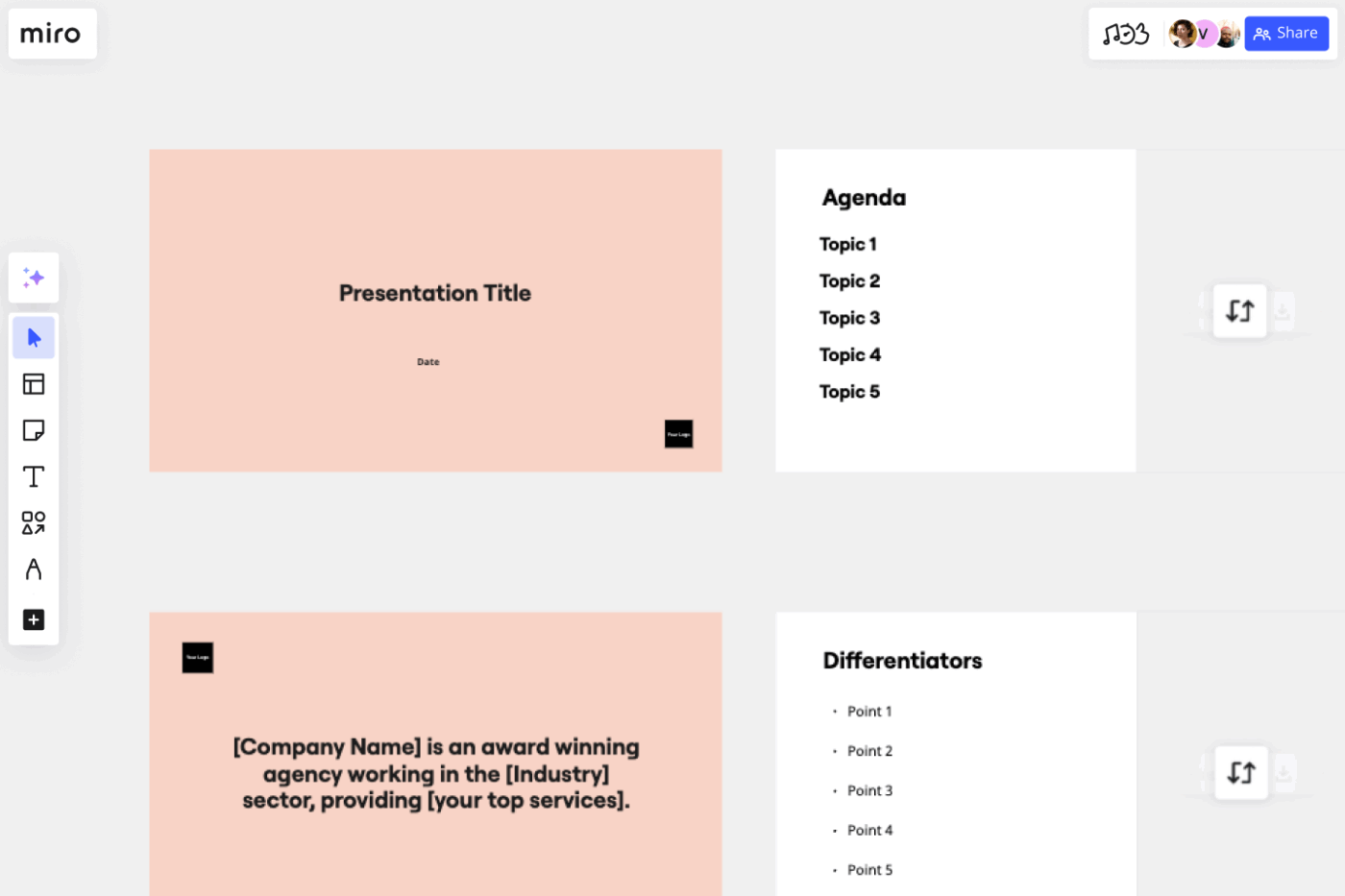
The Sales Presentation Template provides a clean flow for presenting your product or service, eliminating the need to worry about slide design. It walks your audience through the problem, the solution, and the value you bring in a visual structure that feels clear and conversation-friendly.
What makes this template useful is how effortlessly it adapts to different prospects. It also gives you the freedom to customize while still keeping your pitch polished and easy to follow.
✅ Ideal for: Sales teams, or anyone who needs a customizable deck to pitch ideas, services, or products to potential clients
🎁 ClickUp Bonus: A study found that 92% of business leaders who use generative AI on a weekly basis report significant benefits, including faster workflows, clearer communication, higher productivity, and even measurable cost savings.
And because presentations are one of the most communication-heavy tasks inside any company, the best AI tools for presentations are becoming a competitive edge.
That’s exactly where ClickUp Brain, the built-in AI assistant inside ClickUp, changes the game. Since it understands all your tasks, documents, chats, and integrated tools, it provides you with real project context and information, instantly transforming it into slide ideas, project briefs, outlines, talking points, or even full presentation drafts.
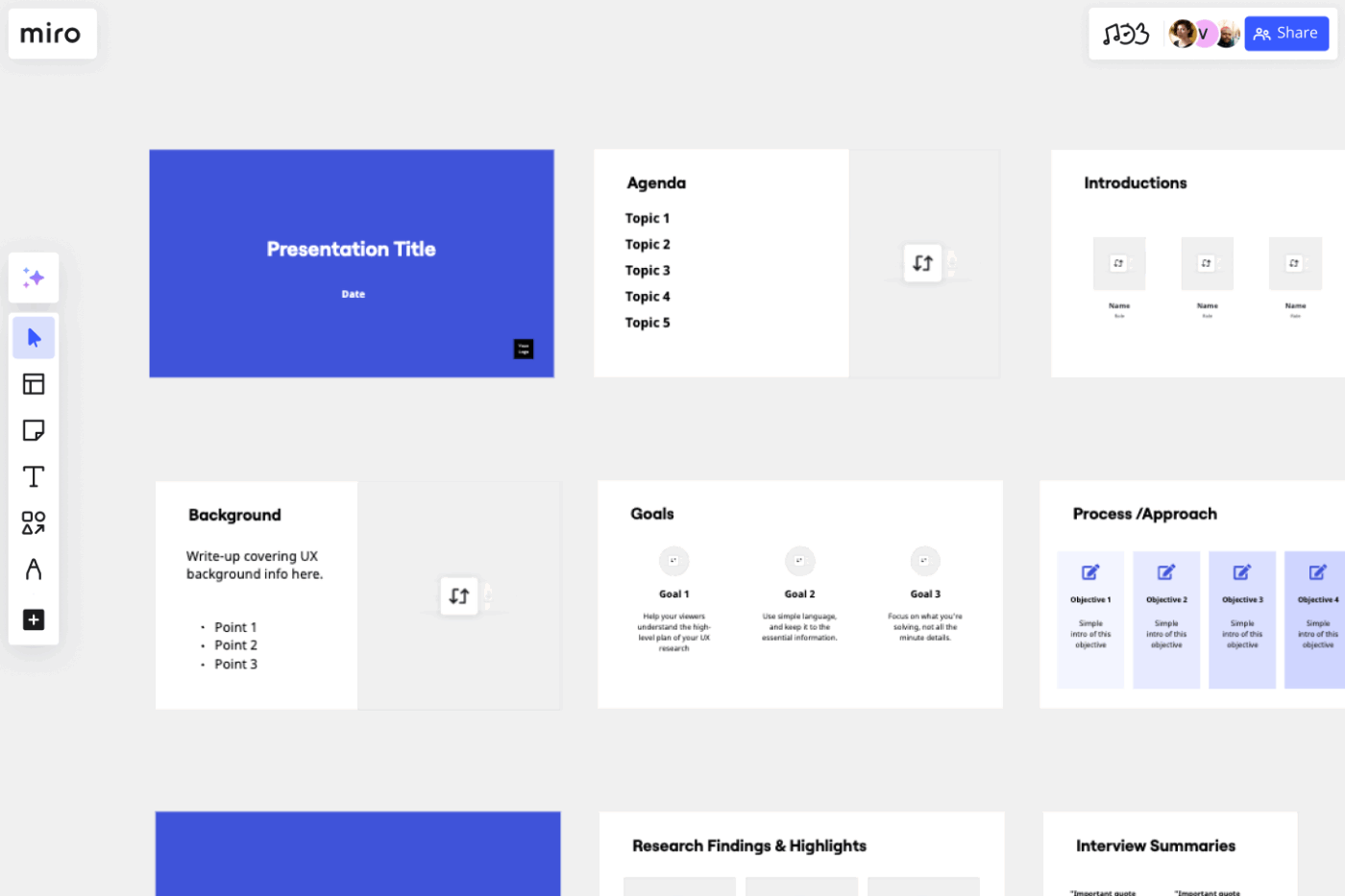
The Miro UX Presentation Template helps you turn user research into a story people actually want to listen to. It gives you a clear flow to present who your users are, what they struggle with, and why your design decisions make sense.
The template blends insight and action. You can add screenshots, user quotes, journey steps, and recommendations to make your presentation feel like a guided walkthrough.
✅ Ideal for: UX designers and product teams who need to present their user findings and design direction
📮 ClickUp Insight: Low-performing teams are 4 times more likely to juggle 15+ tools, while high-performing teams maintain efficiency by limiting their toolkit to 9 or fewer platforms. But how about using one platform?
As the world’s first converged AI workspace, ClickUp brings your tasks, projects, docs, wikis, chat, and calls under a single platform, complete with AI-powered workflows.
Ready to work smarter? ClickUp works for every team, makes work visible, and allows you to focus on what matters while AI handles the rest.
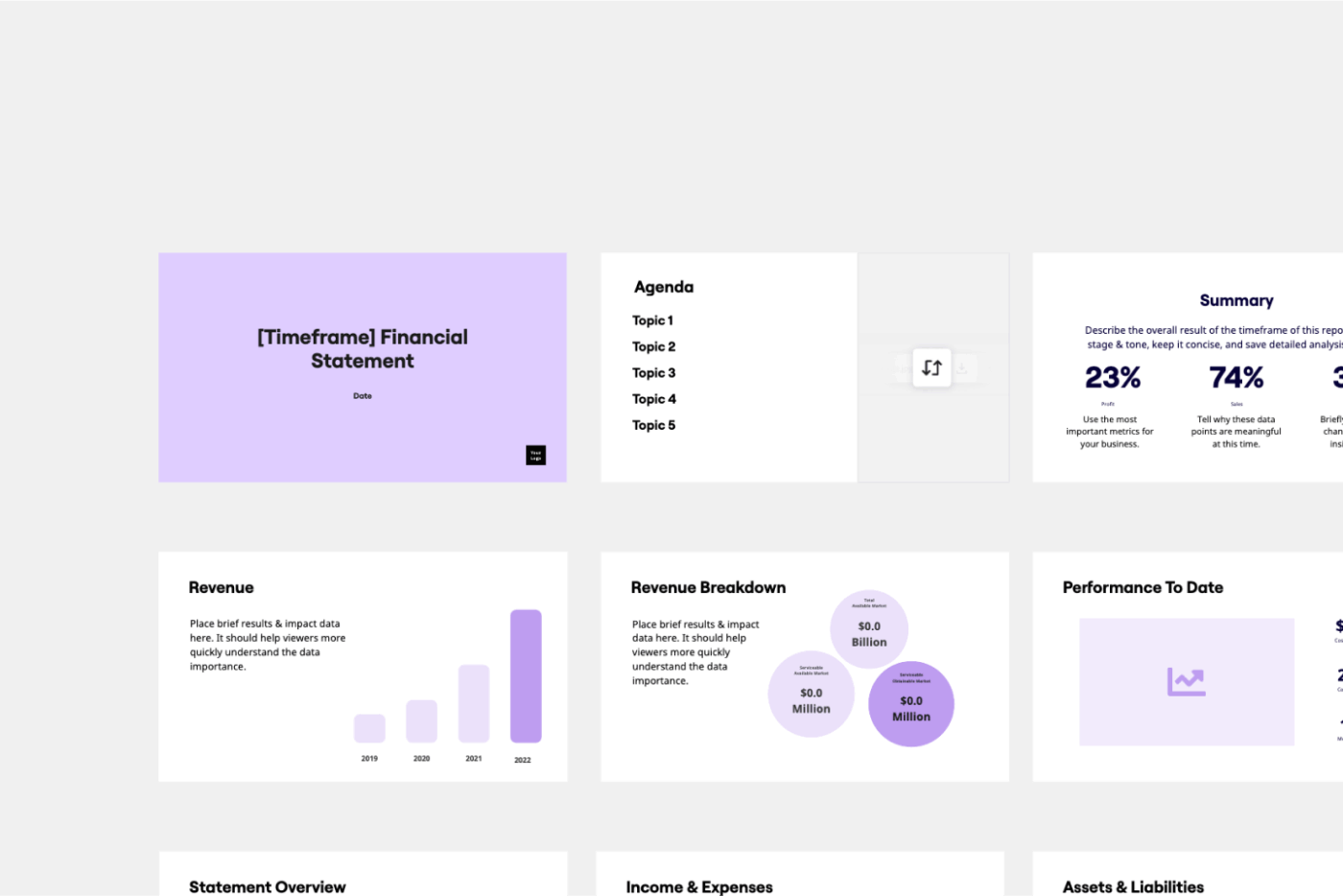
The Miro Financial Statement Presentation Template provides a structured framework to guide stakeholders through revenue patterns, expenses, assets, liabilities, and overall financial health.
You can add balance-sheet items, highlight profit-and-loss shifts, visualize cash-flow movements, and close with a crisp summary.
✅ Ideal for: Finance teams, founders, and managers preparing quarterly reports and financial updates for investors
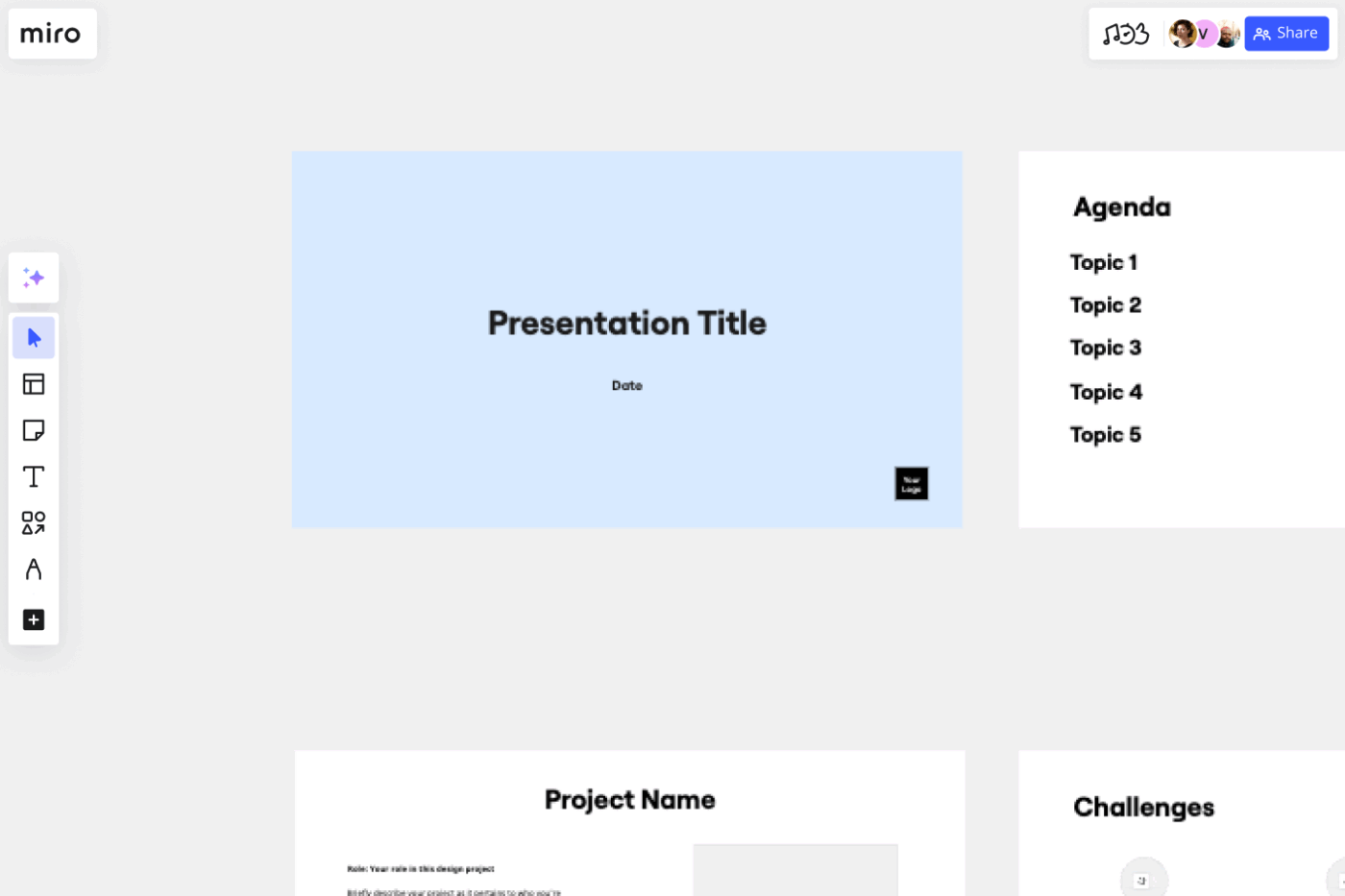
With the Miro Portfolio Presentation Template, you can present each project as a clear story with who you are, what challenge you tackled, how you approached it, and what came out of it.
The work stays front and center, while the template gives you just enough guidance to explain it in a way that feels thoughtful and relevant to hiring managers or decision-makers evaluating your capabilities.
✅ Ideal for: Designers, UX professionals, students, and creative teams who want a polished, storytelling-driven way to present their portfolio work
👀 Did You Know? Hiring managers no longer read portfolios, not really. They scan them. If each slide tells one clear idea, your portfolio feels sharper and instantly more memorable.
Miro is built for visual collaboration. You get a canvas for whiteboarding and brainstorming, but there is no way to connect your presentations to tasks and processes.
These are some of the limitations:
📚 Read More: Best Miro Alternatives & Competitors
If you want to create visually appealing, collaborative presentations but with more flexibility, structure, and control that Miro can offer, ClickUp is a strong alternative.
Its collection of presentation-ready templates is built within a fully featured Converged AI workspace, so you can plan and present without switching tools. Your presentations aren’t isolated files. They connect directly to your planning and feed smoothly into your reporting and execution processes.
One of the biggest advantages of building presentations inside ClickUp is that you’re not jumping between disconnected tools. With ClickUp Whiteboards, you can visually sketch your entire presentation structure before you start building the slides.
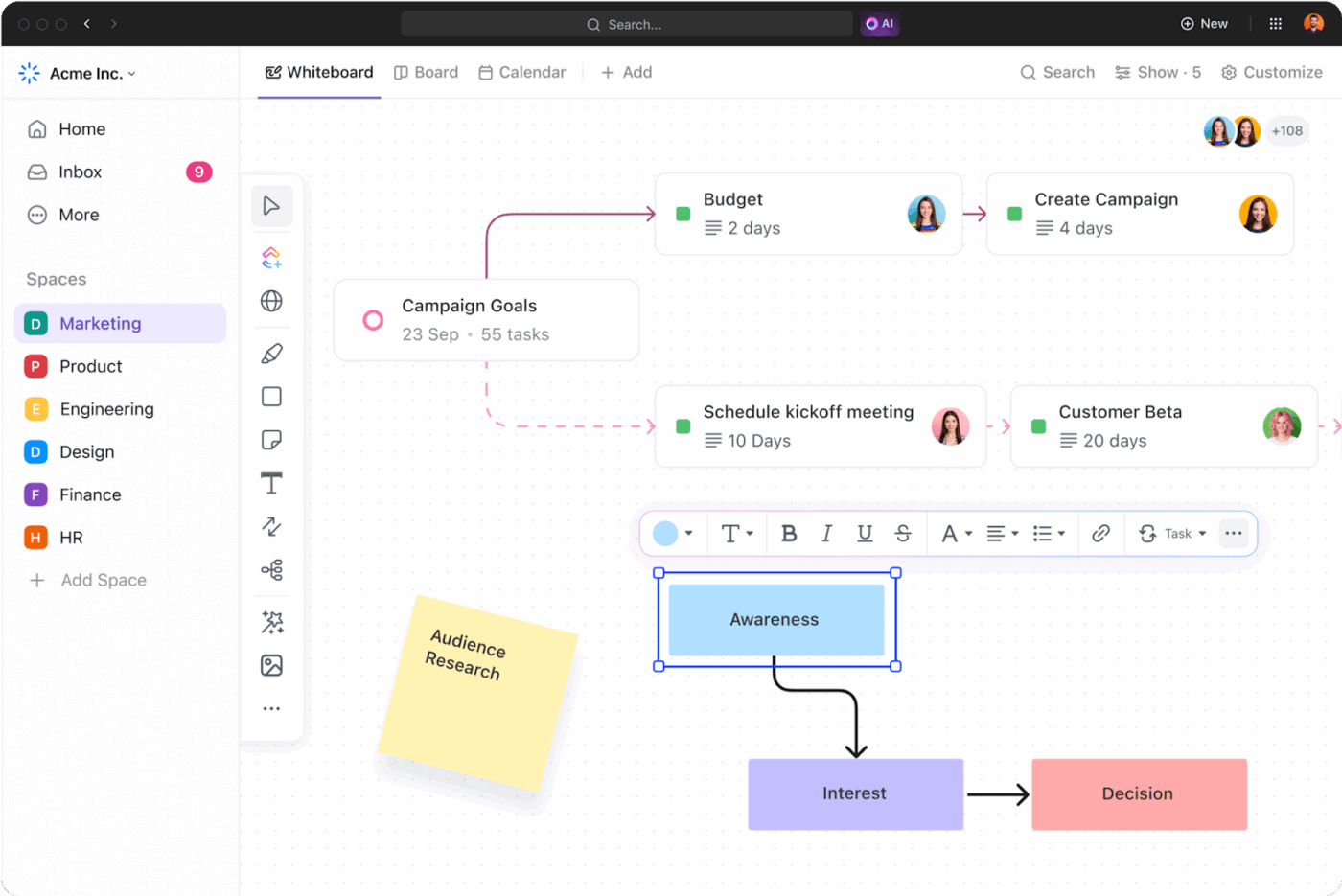
Drop sticky notes for each section: Introduction, Objectives, Key Insights, Roadmap, Budget, Action Plan, and Q&A. Then, drag these notes around until the flow makes sense. Once the sequence feels right, you can convert every sticky note directly into a slide task or outline item inside your workspace.
Here are the best ClickUp presentation templates that work as strong alternatives to Miro’s designs.
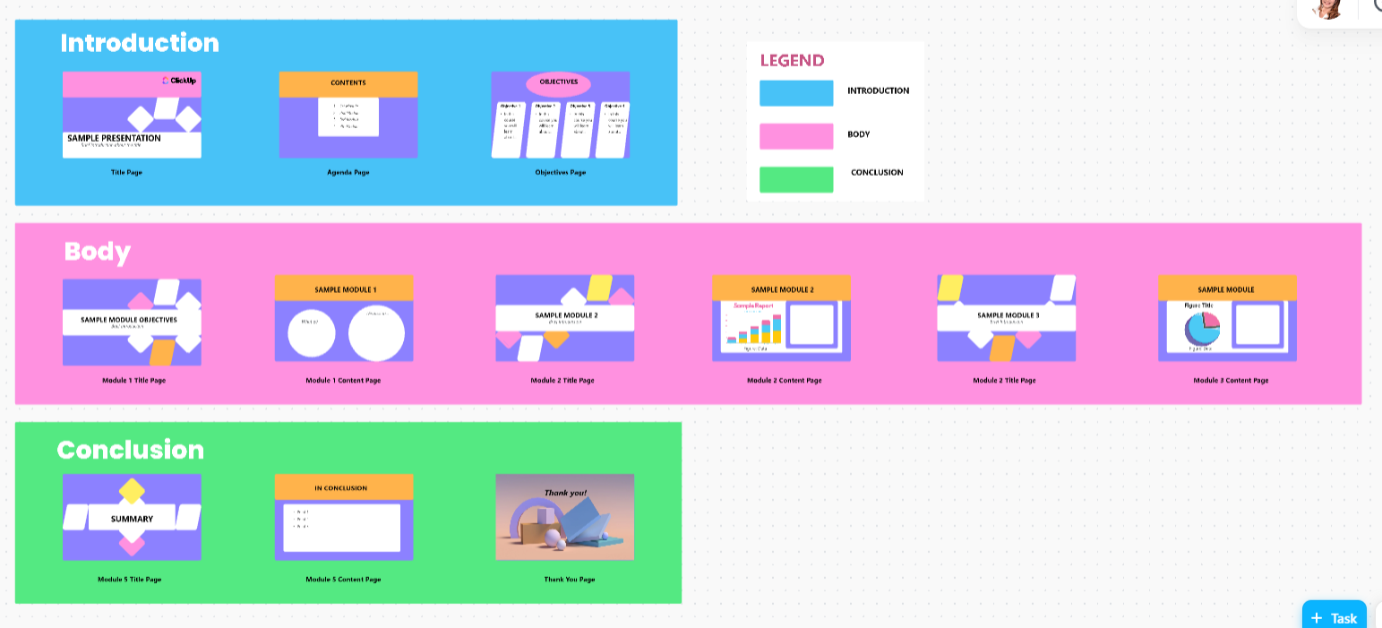
The ClickUp Presentation Template is like working in a workspace that already understands what a good presentation needs. It begins with a bold opening slide that highlights your topic, your name, and your message. From there, the structure gently guides you into framing your narrative.
As you move deeper, the template shifts into goal-setting mode. You can lay out your objectives clearly, not as cluttered text blocks but as sharp, easy-to-scan statements that establish why your presentation exists and what you want people to take away.
Once those fundamentals are set, the template lets you break your content into well-defined chapters. Each section gets its own striking title page, making your transitions smoother and helping your audience follow easily.
✅ Ideal for: Teams and professionals who want a structured, visually engaging way to present their ideas
🧠 Quick Insight: A great presentation is a bridge between your ideas and how clearly others understand them. Modern presentation tools make this possible by giving you:
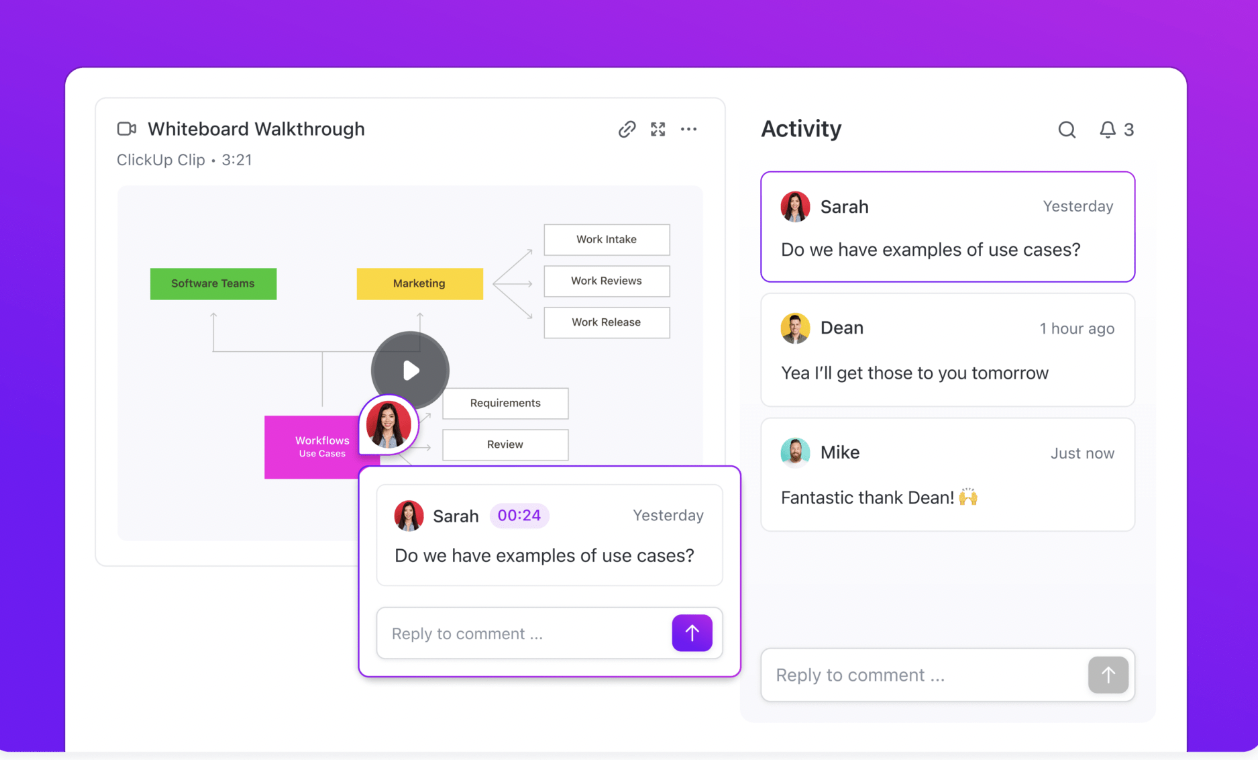
But the real magic happens when you layer these tools with features that add context and voice. ClickUp Clips is really helpful here. You can record a short walkthrough using your screen and your voice, giving your audience the full picture even when you’re not in the room.
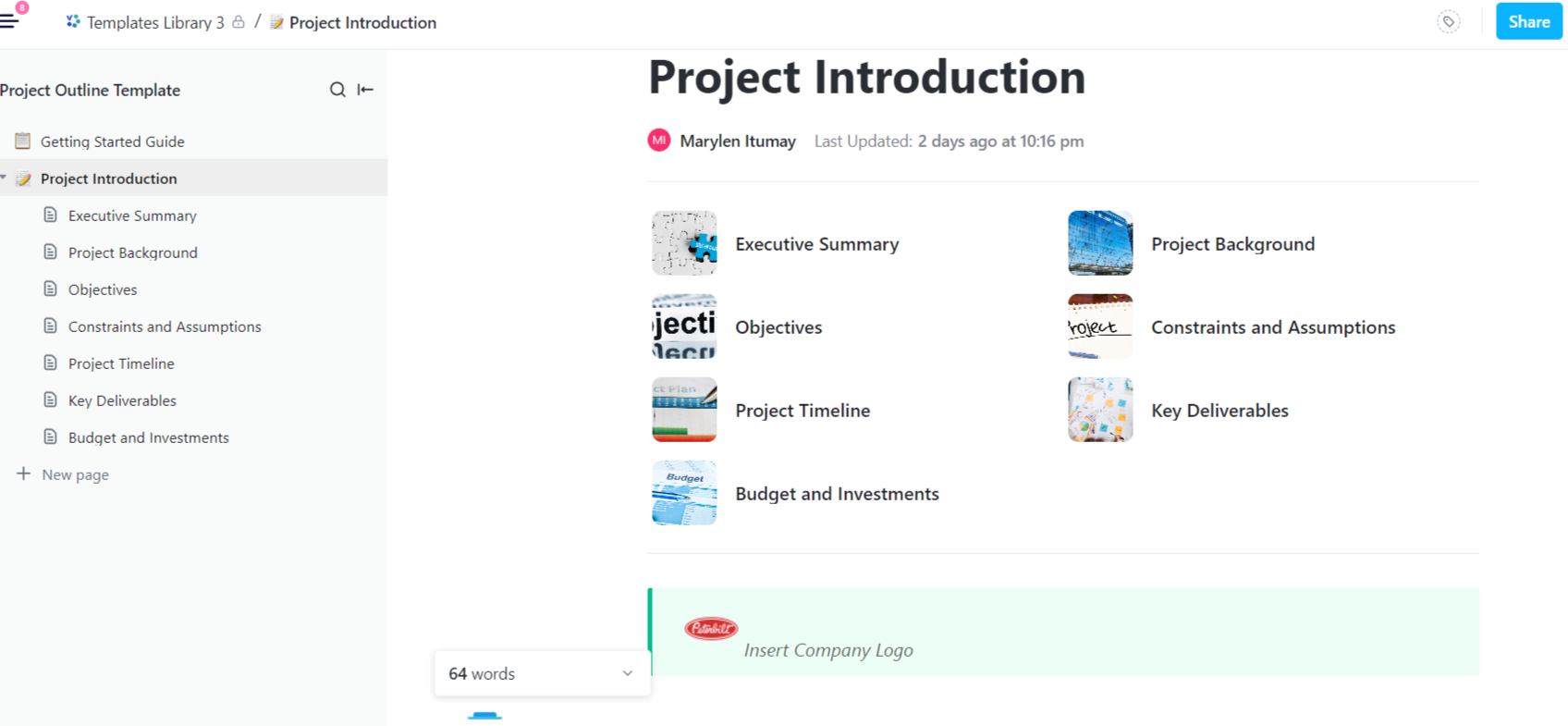
Every great project begins when ideas finally start forming into something real. The ClickUp Project Outline Template is built for that exact moment. You get a guided space to anchor the project with all the essentials, including its purpose, name, the people involved, and more.
When it’s time for execution, you can map out each phase on a timeline. And once the flow is clear, you can spell out the key project deliverables so every contributor knows exactly what they’re responsible for. It turns alignment from a challenge into something built into the plan from day one.
✅ Ideal for: Project managers and team leads who want a structured yet flexible document to outline projects with clarity and direction
💡 Pro Tip: To get even more out of this template, build your entire workflow inside ClickUp Docs. Docs let you tag teammates right inside a section. For example, if you’re drafting the Project Background, you can @mention your research lead to add missing inputs or clarify data.
You can also turn any bullet point into an actionable task with a single click. So if your timeline includes ‘Finalize wireframes by Week 3,’ convert that line into a task and assign it without leaving the Doc.
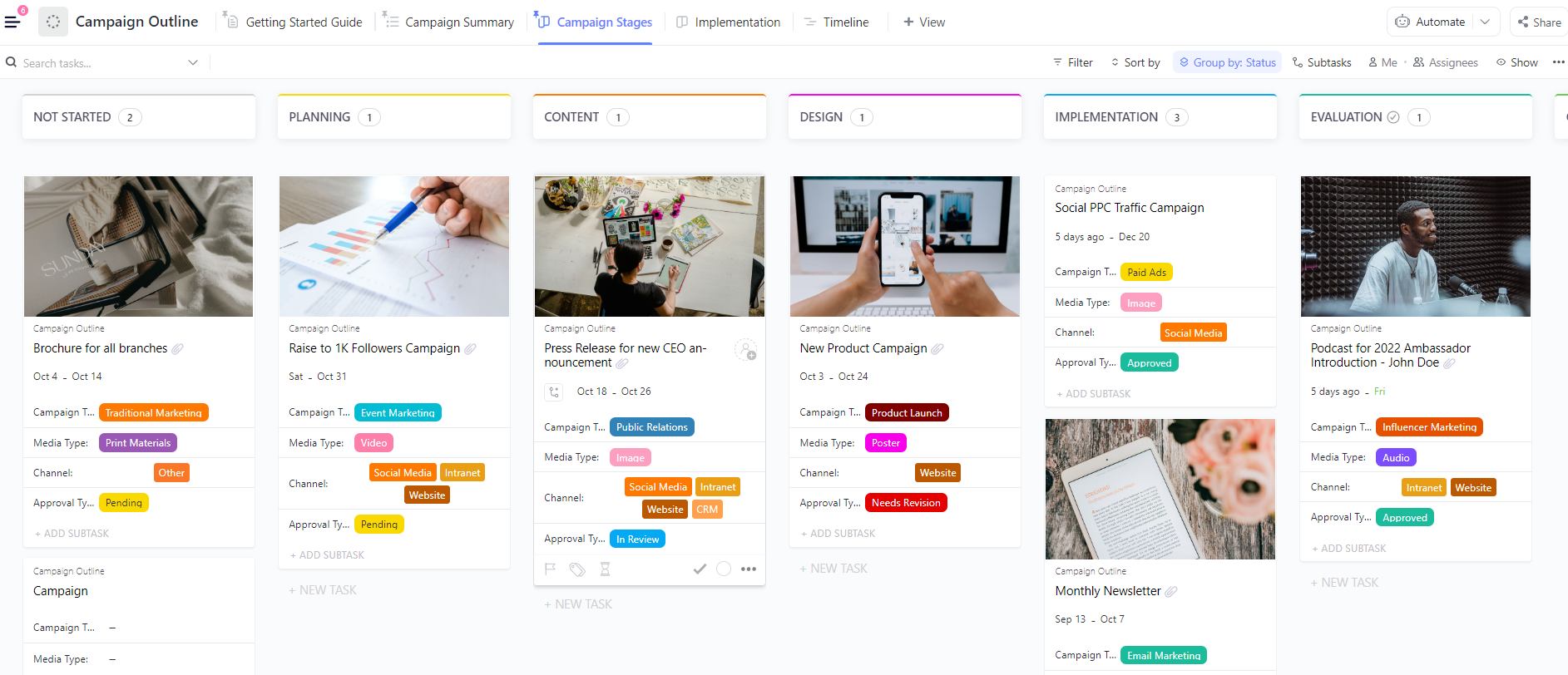
The ClickUp Campaign Outline Template lets you organize every campaign into presentation-ready narratives. You can log every campaign in a clean List View, add all the important details, such as goals, deliverables, timelines, and instantly tag the right teams.
There’s also a Kanban-style board view where campaign tasks can be dragged across stages, such as planning, design, implementation, and evaluation. Every card neatly displays the campaign type, required assets, assigned teams, and approval status, all the info you’d normally need before a presentation.
✅ Ideal for: Marketing teams and agencies that need to plan and track campaigns while showcasing progress across different channels
🎁 Bonus: Want to simplify your project planning visually? Watch this quick tutorial to see how ClickUp Whiteboards help you brainstorm ideas and map your timelines in a way that supports stronger presentations.
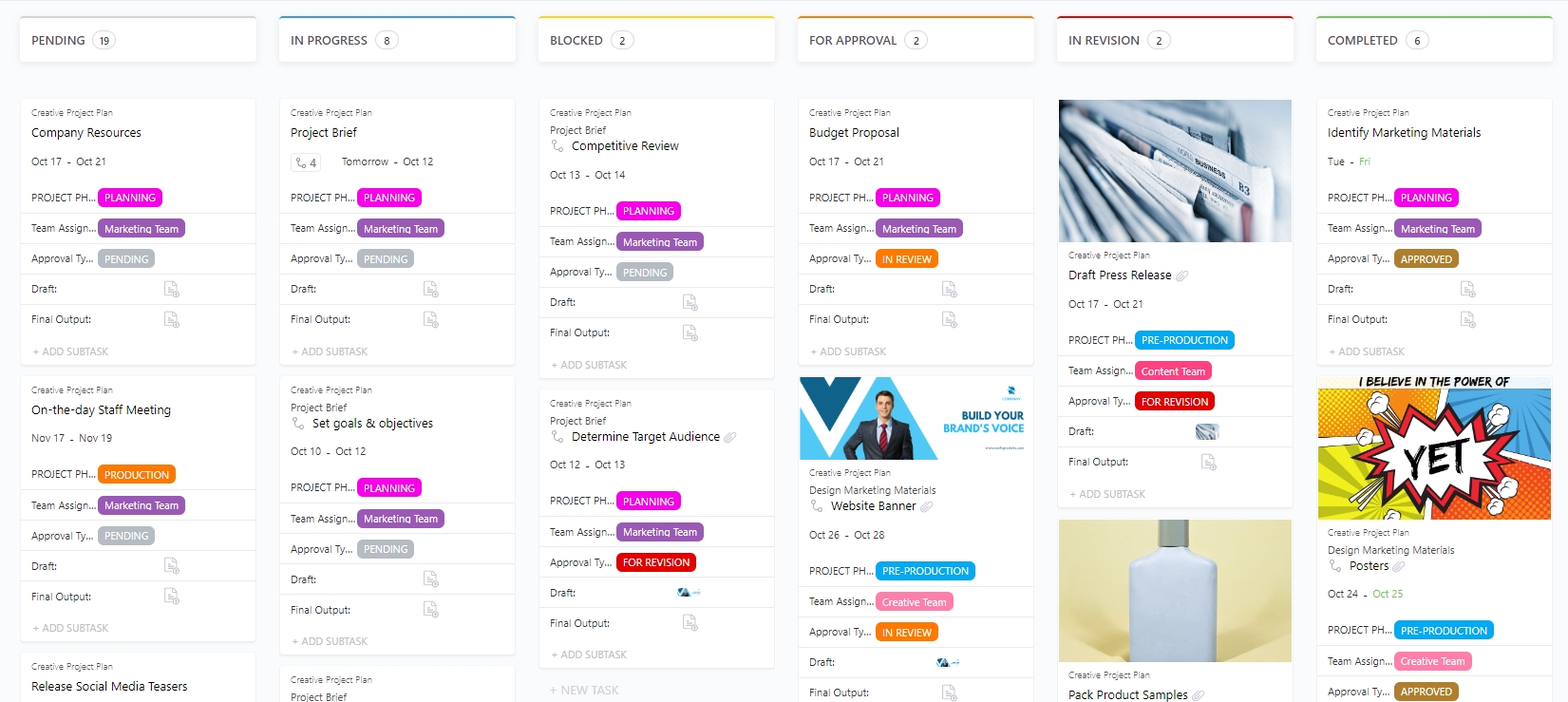
If you want a presentation template that doesn’t just show your creative process but also keeps it organized in the background, the ClickUp Creative Project Plan Template strikes the perfect balance. The project is divided into phases and tasks, so it is easy to clarify the next steps and who is responsible.
Every task card displays details such as ownership, deadlines, priorities, approval stages, drafts, and final assets. When you need to go deeper, each card opens into its own mini workspace with notes, attachments, feedback, and version history. It’s perfect for walking stakeholders through how the work has evolved, without having to jump through folders or switch between multiple slides.
✅ Ideal for: Creative teams and agencies who need to present production workflows and timelines in a clean, storytelling-first format
⚡ Template Archive: Creative projects often look smooth on the outside, but behind every polished presentation are hours of planning, versioning, revisions, and coordination.
Project kickoff templates help set expectations early, define roles, outline creative goals, document constraints, and ensure every contributor knows how their work contributes to business goals.
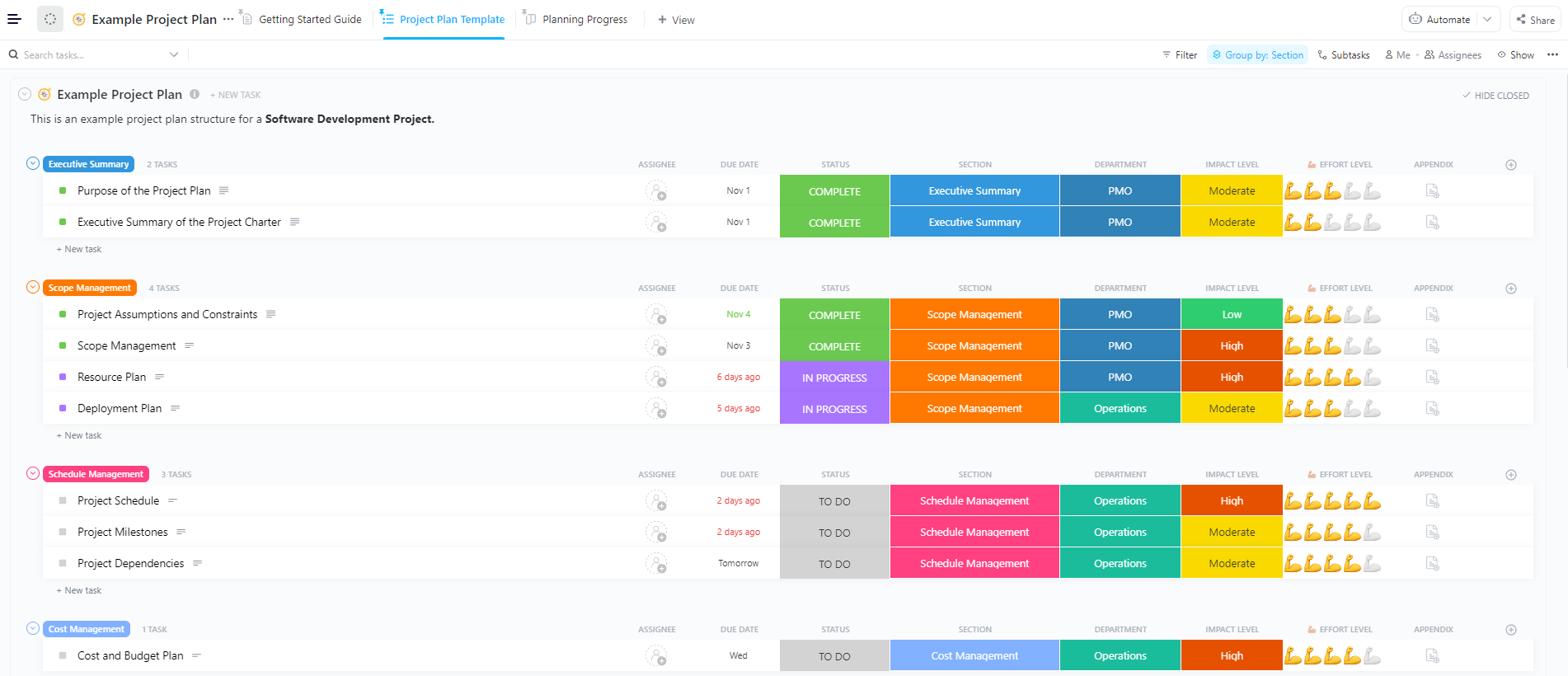
If you want a structured way to break down a project from the first idea to final delivery, the ClickUp PPT Project Plan Template gives you the foundation to get started quickly.
You get predefined lists for managing your project’s schedule, costs, resources, quality, and other aspects. Custom Fields let you label each piece of work by effort level, impact, department, required assets, or any other detail your team needs.
✅ Ideal for: Teams and project leads who need to create a project plan they can review internally and share with stakeholders
⚡ Template Archive: Best Free Project Plan PowerPoint Templates
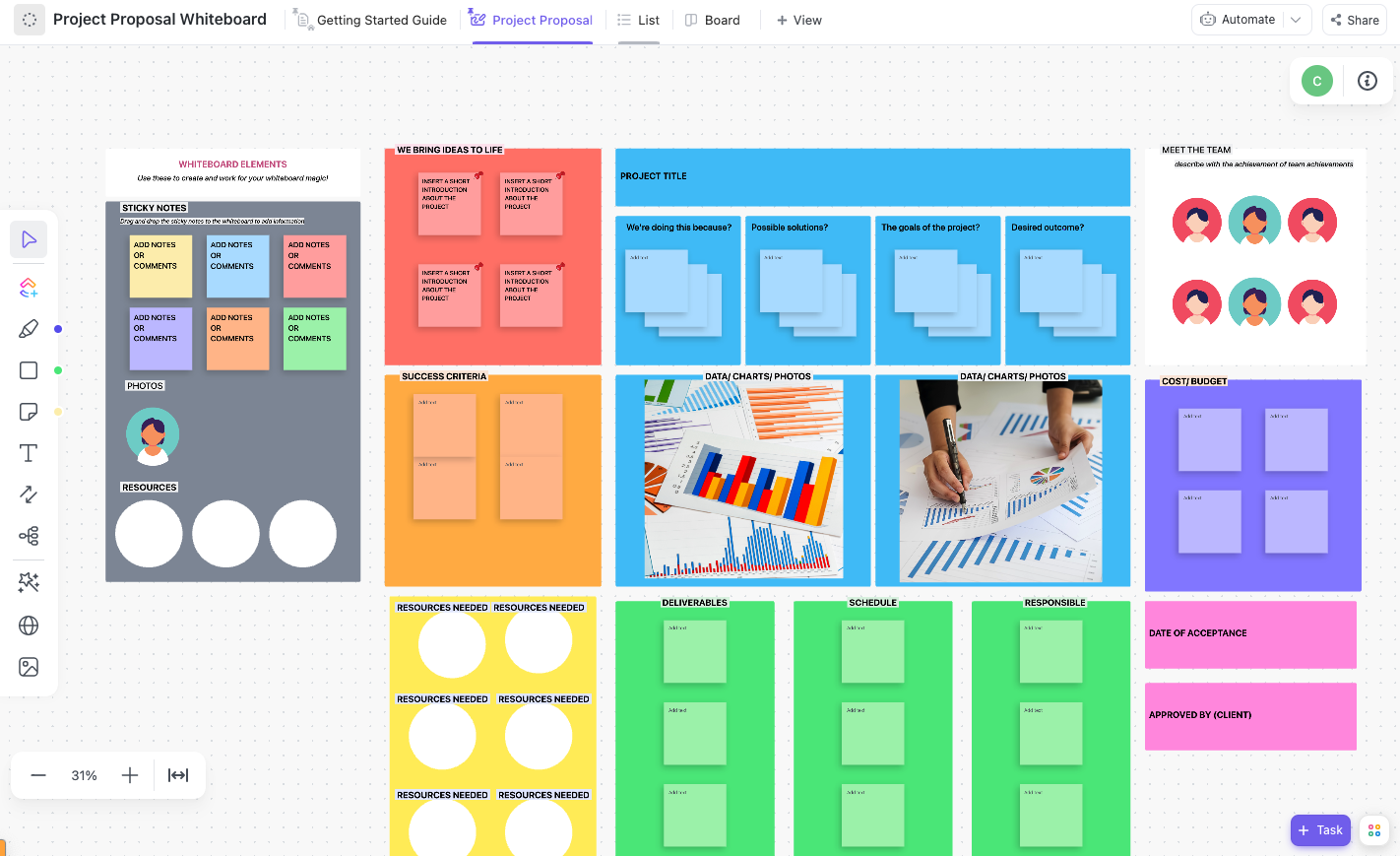
When you’re pitching a new idea or project, clarity is everything. This ClickUp Project Proposal Whiteboard Template provides a collaborative, visual space to consolidate all key elements in one place, including your goals, risks, timelines, resources, success metrics, and key stakeholders.
Everything on the canvas can be shaped to match your thinking. You can move your sticky notes around as ideas evolve and replace the placeholders with your own structure. You can also rebuild entire sections from scratch using the tools on the side.
✅ Ideal for: Teams who want to visually map out project proposals and align stakeholders quickly
⚡ Template Archive: Free Project Proposal Templates in Word, Excel, & ClickUp
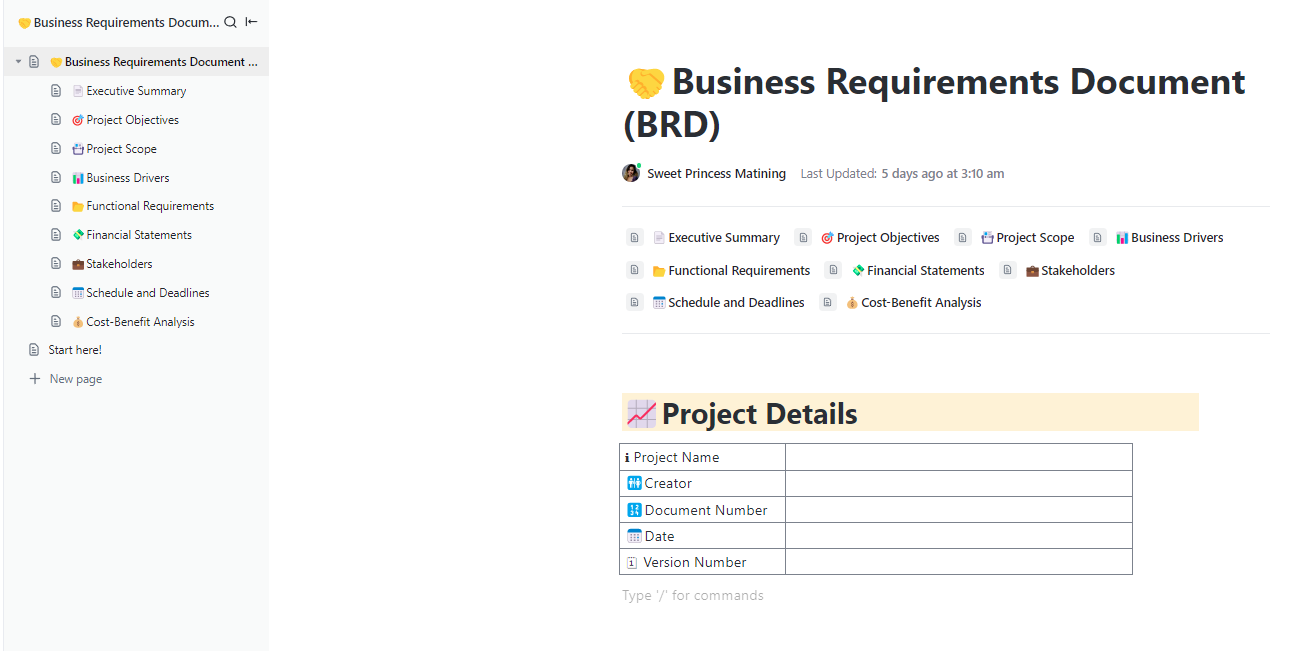
Want to define the project scope in a way that keeps misunderstandings and scope creep out of the picture? The ClickUp Business Requirements Template allows you to lay out the essentials upfront.
There are pre-defined sub-pages to define everything from an executive summary to the cost-benefit analysis. Since the template is built on ClickUp Docs, you get real-time collaboration features and version control. You can also tag people, tasks, other Docs, and whiteboards to pull in additional context from across your workspace.
✅ Ideal for: Product managers and business analysts looking for a BRD to align stakeholders and define project requirements without confusion
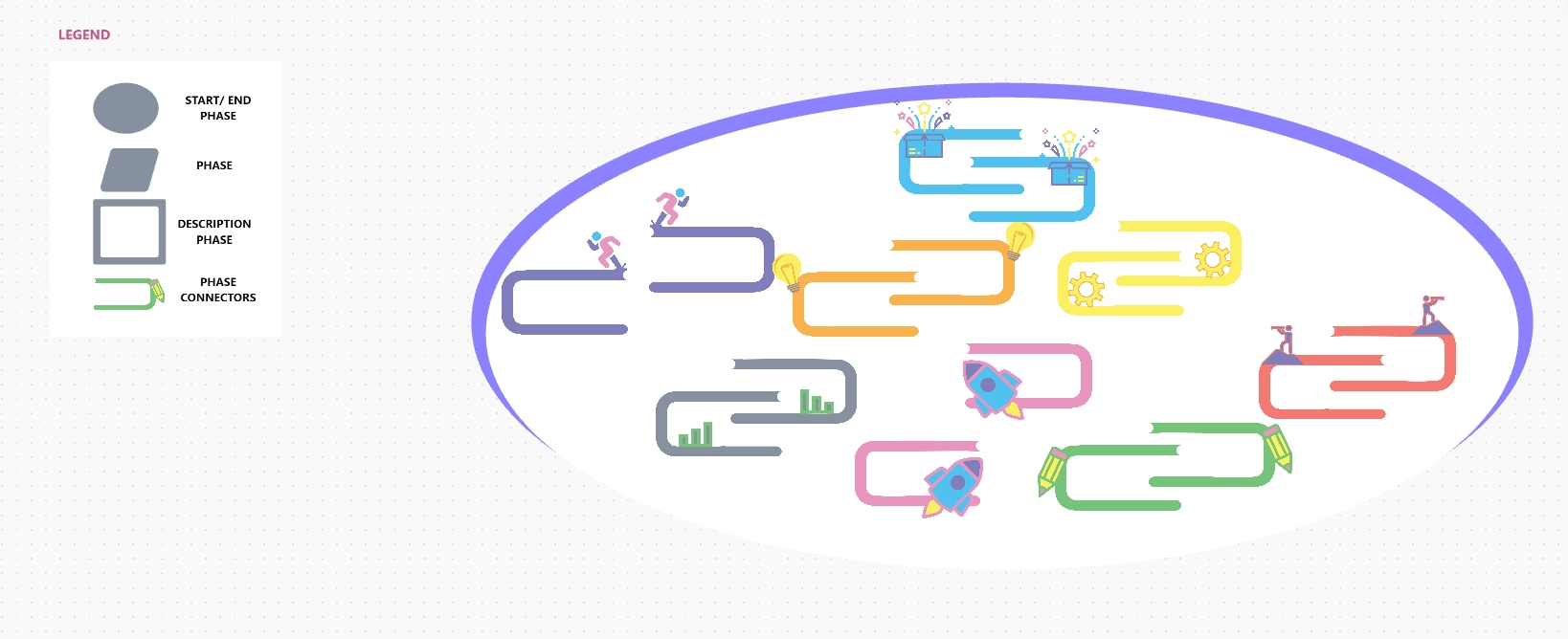
The ClickUp Project Roadmap Template feels like a visual storyboard for your entire project. You get a creative canvas where every milestone becomes a bright, easy-to-spot landmark. Shapes and simple paths naturally guide the eye. You are free to arrange the building blocks however your project flows, using phase markers, progress paths, callout boxes, and connecting arrows.
Sticky notes are perfect for jotting down early thoughts or breaking a phase into smaller steps before polishing it. The format adapts to practically any scenario, whether planning a product release or mapping out long-term strategic initiatives that require team-wide alignment.
✅ Ideal for: Teams and project leads who want a visually engaging, easy-to-follow roadmap they can plan and present in one collaborative space
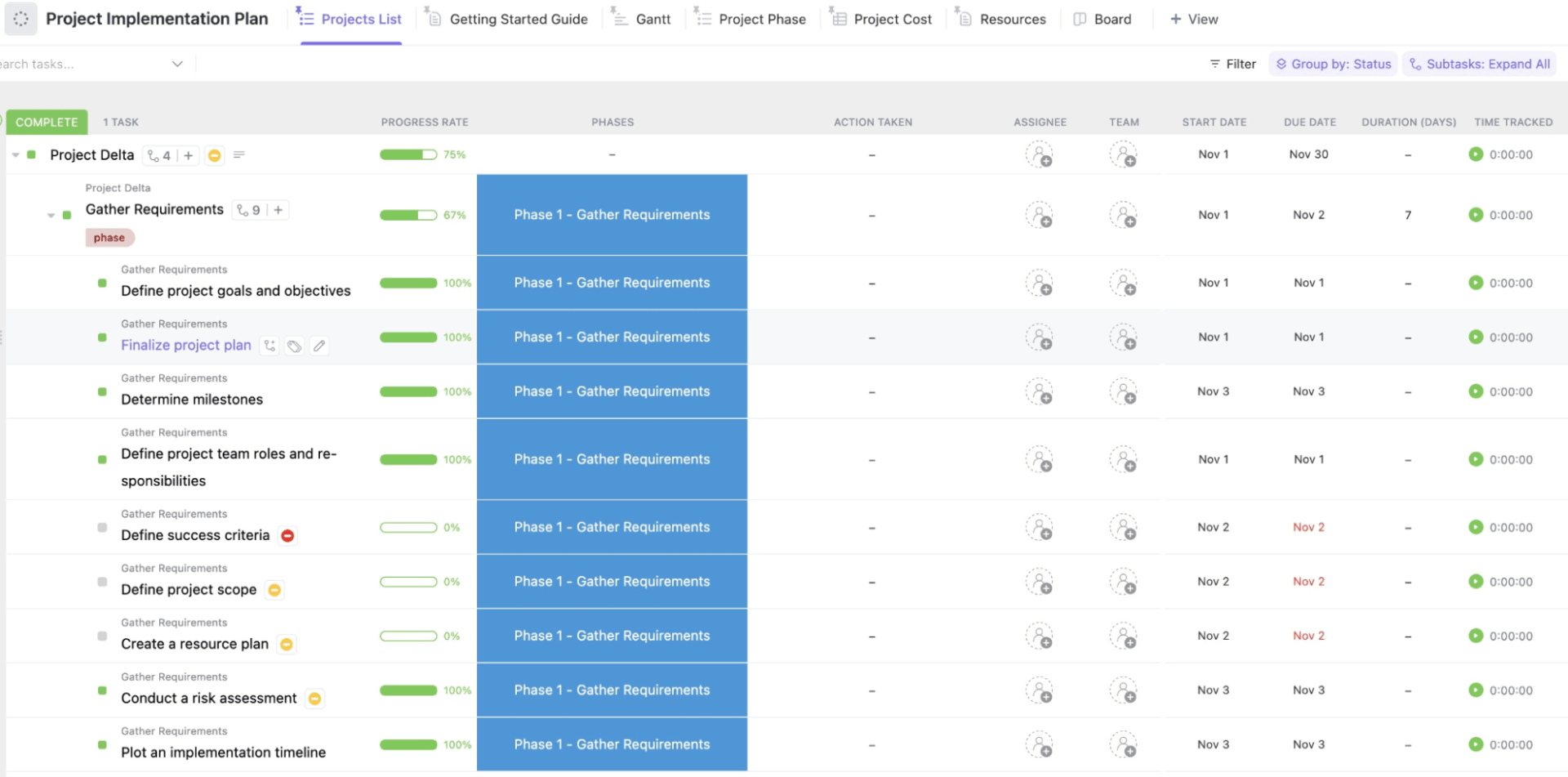
The ClickUp Project Implementation Plan Template is the perfect tool to make the execution phase smoother and prevent tasks from getting stuck. Powered by ClickUp Automations, progress percentages adjust, budgets calculate automatically, workloads stay balanced, and approvals show up like checkpoints along your journey.
The risk level is a built-in Custom Field, allowing you to track and plan for potential project risks. ClickUp’s 15+ Custom Views let you monitor progress and make sure things stay on schedule.
✅ Ideal for: Leaders and teams who want a reliable project planning framework that turns complex execution into a trackable workflow
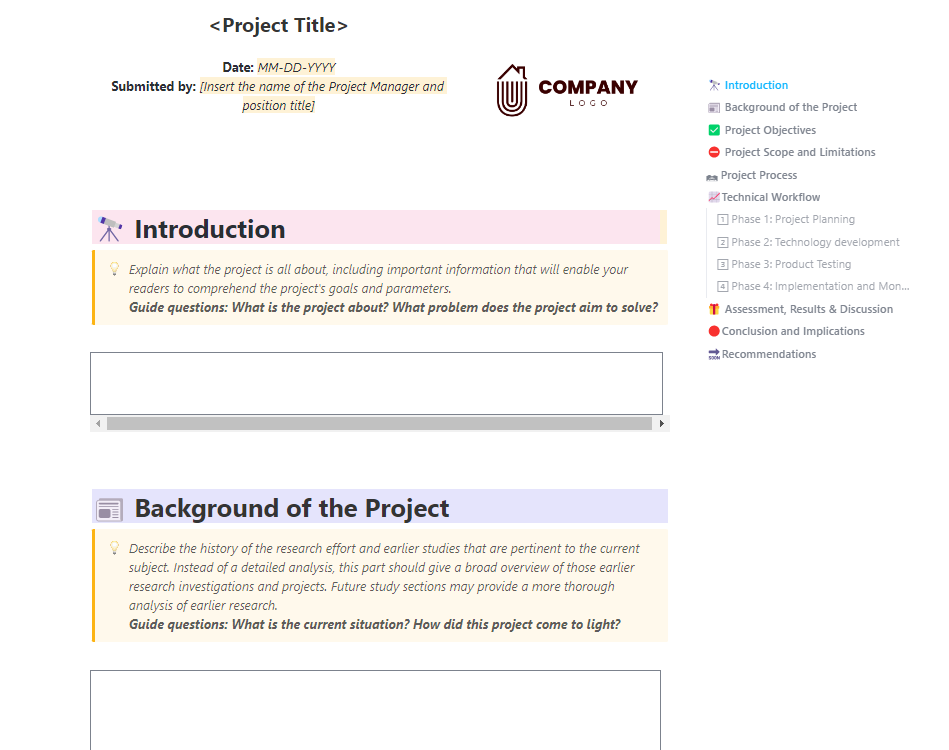
The ClickUp Professional Report Template helps you turn detailed project information into a presentation-ready report. You can quickly add a project title, date, owner details, and your company logo, providing stakeholders with instant context and a strong first impression.
Objectives and expected outcomes are defined at the top. If there are dependencies or constraints that could impact the results, there’s space to outline those as well. For teams that need to explain their methodology, the template breaks down your process into simple, logical steps, allowing you to describe each phase, its approach, and the associated budget and resource requirements.
✅ Ideal for: Team and project leads who need a guided structure to turn complex project work into professional reports
⭐ Bonus: With ClickUp’s Brain Max Talk to Text, you don’t have to stare at a blank slide ever again. Simply speak your ideas out loud, and Brain MAX will transcribe and summarize them into structured notes that live right inside your Docs, tasks, and project spaces.
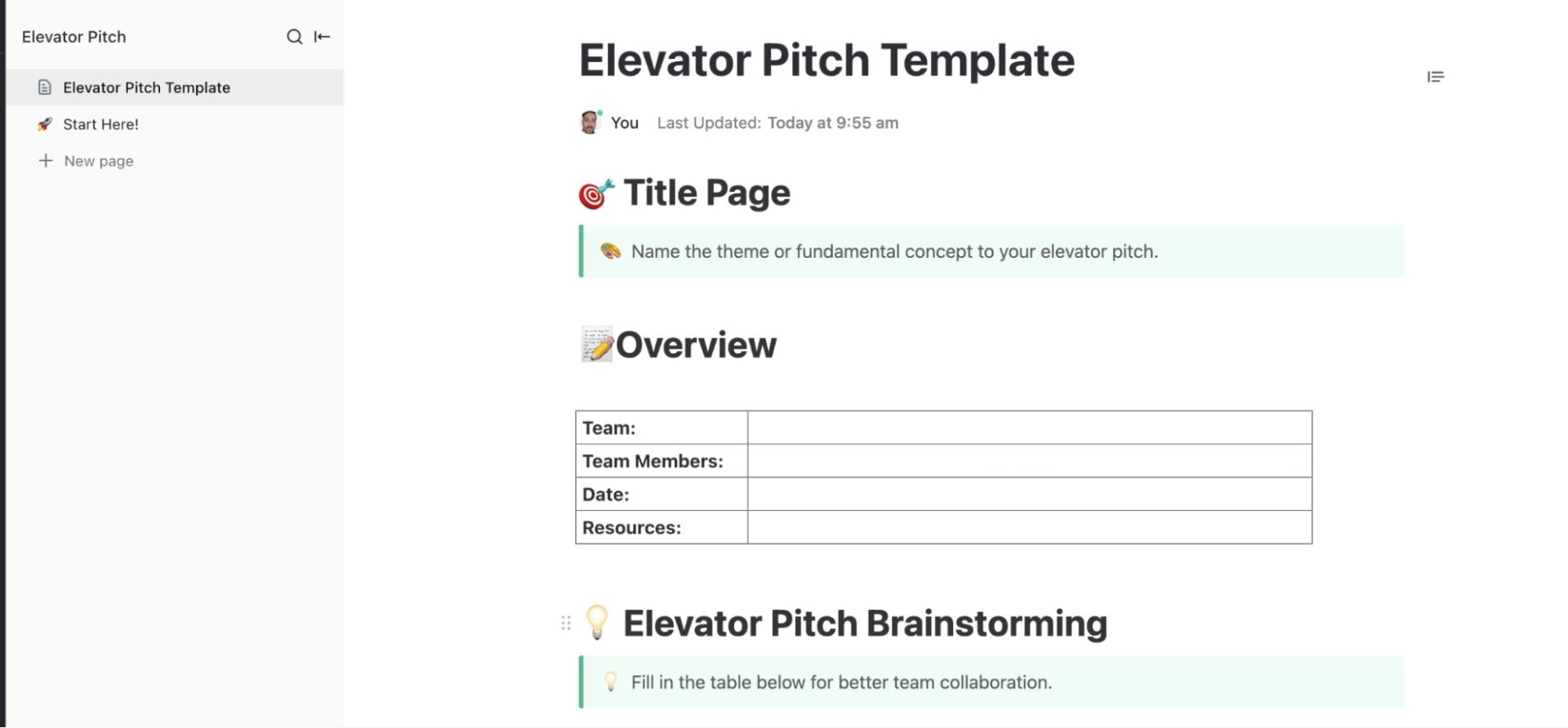
The ClickUp Elevator Pitch Template gives you a simple space to create a presentation pitch that’s sharp and easy to deliver, whether you’re preparing for an investor meeting or aligning your team around a concept.
The template offers a collaborative table where you can map customer types, their needs, the solution you’re offering, the market you operate in, and the key benefit you want people to remember. Once those building blocks are in place, the final pitch section helps you turn everything into a tight, compelling statement, something you can deliver in under 30 seconds, just like a true elevator pitch.
✅ Ideal for: Professionals looking for a tool that helps them deliver a powerful 20–30-second elevator pitch
⚡ Template Archive: Elevator Pitch Templates for Job Seekers & Students
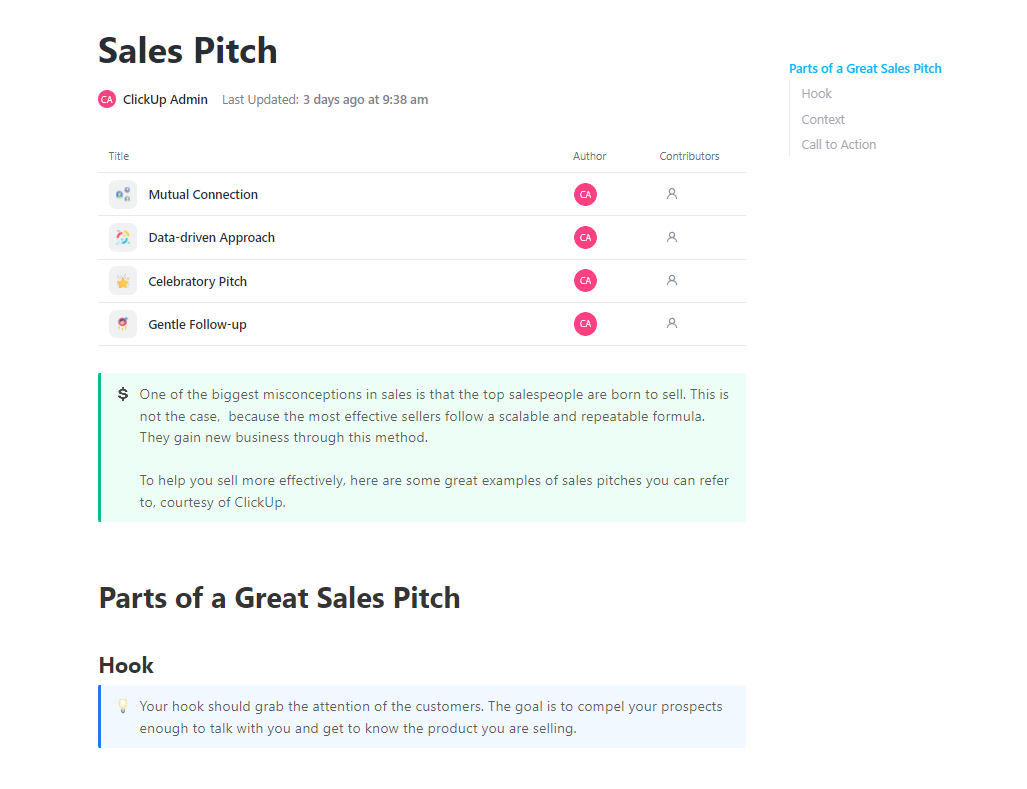
All sales pitches start with a compelling hook. The ClickUp Sales Pitch Template enables you to transform that hook into a compelling narrative by connecting the customer’s challenges with your product’s strengths, outlining your key features, and highlighting benefits in a way that feels personalized to each prospect.
And what sets this template apart is a bank of complete, ready-to-use pitch samples. If you want to lean on shared connections, data-backed persuasion, milestone-based outreach, or gentle follow-ups, you’ll find scripts that feel warm, human, and easy to tailor.
✅ Ideal for: Sales teams, solopreneurs, SDRs, and founders who want ready-to-use pitch scripts that make outreach faster and more effective
⚡ Template Archive: Pitching is about grabbing attention fast. According to Papermark’s pitch deck benchmark (based on 3,000+ decks), investors spend only 3.2 minutes on a deck and just 23 seconds on the first slide before deciding whether to continue. With pressure like that, building a strong pitch deck from scratch becomes a race against time.
Explore these pitch deck templates to shape your narrative faster and present with confidence.
Miro templates are great for quick visuals and collaboration, but they often fall short when you need structure or a place where ideas can turn into real, trackable work.
That’s where ClickUp templates stand out. They don’t just help you present your ideas. They help you organize them and move them directly into your workflow without losing momentum.
Whether you’re pitching, planning, brainstorming, or presenting, ClickUp offers ready-made templates that integrate seamlessly into your Tasks, Docs, Whiteboards, and Dashboards. Everything stays connected, so you can build and execute your ideas in the same space.
If you want presentations that look good and support actual progress, explore ClickUp’s full library of templates. Sign up for free today.

© 2026 ClickUp

There’s an easier way. Try a free AI Agent in ClickUp that actually does the work for you—set up in minutes, save hours every week.