
Sorry, there were no results found for “”
Sorry, there were no results found for “”
Sorry, there were no results found for “”
Modern projects have a lot going on. You’re juggling multiple stakeholders, shifting priorities, and nonstop updates—and somehow everyone still wants real-time visibility. (Fair.) The problem is, spreadsheets and email threads were never built for that kind of coordination, so things get messy fast.
A tool like Meegle offers structured workflows, visual project mapping, and greater control over execution. However, it might not be a good fit for everyone.
If you are looking for Meegle alternatives with more advanced features, we’re here to help. In this article, we’ll explore the top project management alternatives to Meegle that are surely worth trying.
Meegle is a reliable visual project management software app, particularly for teams that value structured execution. However, as product teams scale and workflows become more dynamic, several limitations begin to surface.
Here’s why you might want to explore a Meegle alternative:
❌ Meegle’s node-based visual workflows aren’t everyone’s cup of tea. While they can be powerful, some teams find them a bit rigid—especially if they’re used to more familiar setups like boards, lists, or simple task views. And if you’re working with multiple stakeholder groups, it can take a while to build workflows that feel intuitive for everyone.
❌ Although Meegle offers integration hooks, other project management tools often have larger plug-and-play ecosystems and app marketplaces. That usually means faster setup and smoother connectivity—especially if you rely on BI tools or a wide stack of apps
❌ Lastly, Meegle’s AI capabilities remain fairly basic. For instance, if your team prioritizes embedded AI insights and extensible ecosystems, exploring alternatives can offer better long-term value
👀 Did You Know? Neuroscience research indicates that the brain encodes visual information much faster than dense text. For example, creative visual content can trigger memory encoding up to 74% faster than plain text. This is a key reason visual project management works so well.
Let’s take a quick look at the top Meegle alternatives.
| Tool | Key features | Best for | Pricing* |
| ClickUp | AI-powered task and project management with 15+ custom views, workflow automation, real-time collaboration | Teams of all sizes that want unified and collaborative project management with AI and automation | Free Forever; Customization available for enterprises |
| Jira | Scrum & Kanban boards, sprint planning, issue tracking, visual task management, dashboards | Mid-sized to large software development teams | Free plan available; Paid plans start at $9.05 per user/month |
| Asana | Task dependencies, timelines, workload view, rules-based automation, reporting dashboards | Cross-functional teams focused on clarity and coordination | Free plan available; Paid plans start at $13.49 per user/month |
| Wrike | Custom workflows, multiple views, resource management, AI risk prediction, real-time analytics | Enterprise teams needing structured project execution | Free plan available; Paid plans start at $10 per user/month |
| Smartsheet | Grid-based planning, automations, portfolio dashboards, resource planning | Teams using spreadsheet-style planning | Free plan available; Paid plans start at $12 per user/month |
| Airtable | Relational databases, multiple views, automations, templates | Teams looking to build custom apps and workflows | Free plan available; Paid plans start at $24 per seat/month |
| Notion | Docs + databases, linked views, templates, collaboration, Notion AI | Knowledge-centric teams | Free plan available; Paid plans start at $12 per seat/month |
| Monday.com | Visual boards, automations, dashboards, integrations, multiple views | Growing teams that require highly visual and customizable workflows | Free plan available; Paid plans start at $14 per seat/month |
| Linear | Issue tracking, sprint planning, keyboard-first UX | Fast-moving product and engineering teams | Free plan available; Paid plans start at $12 per user/month |
| Teamwork.com | Time tracking, workload planning, client access, dependencies | Client-facing teams, agencies, professional services | Free plan available; Paid plans start at $13.99 per user/month |
Our editorial team follows a transparent, research-backed, and vendor-neutral process, so you can trust that our recommendations are based on real product value.
Here’s a detailed rundown of how we review software at ClickUp.
Now, let’s explore each of these project management software in depth.
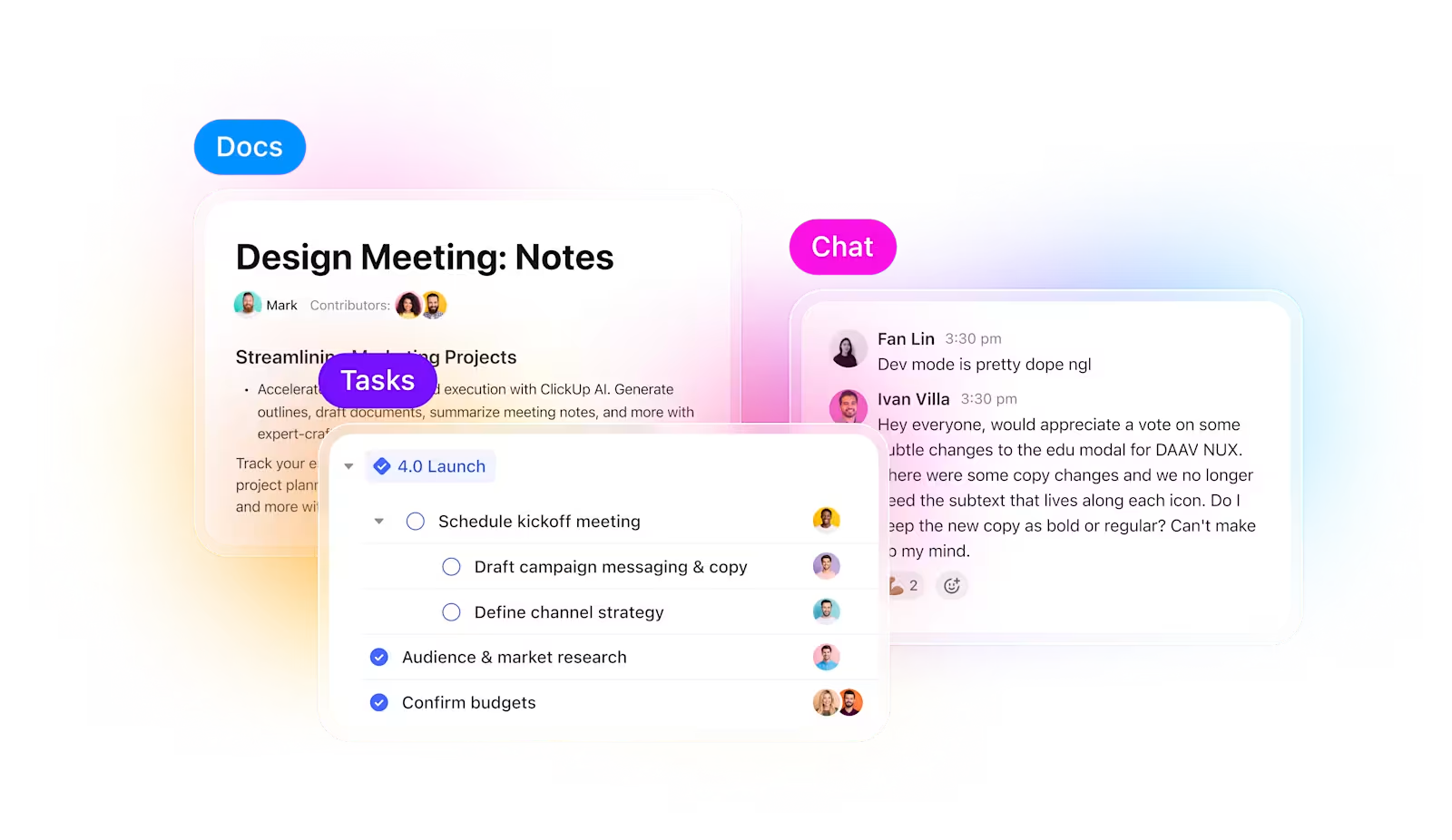
ClickUp is the world’s first converged AI workspace. Instead of treating AI as a separate add-on, the platform embeds it directly into your tasks, docs, chats, and workflows, so AI can act with full context.
You don’t have to rely on different tools for different work needs. Inside ClickUp’s Project Management Software, you can schedule meetings, generate work dashboards that update in real time, see how related tasks impact deliveries, create knowledge bases, and use 15+ Custom Views to visualize work from the angle that suits you best.
To further eliminate tool sprawl, ClickUp integrates with 1000+ apps, including Slack, Zoom, Google Workspace, GitHub, Outlook, Figma, Notion, and many more. So, instead of spending hours switching between tools and reconstructing context, ClickUp Integrations lets you work from one unified workspace.
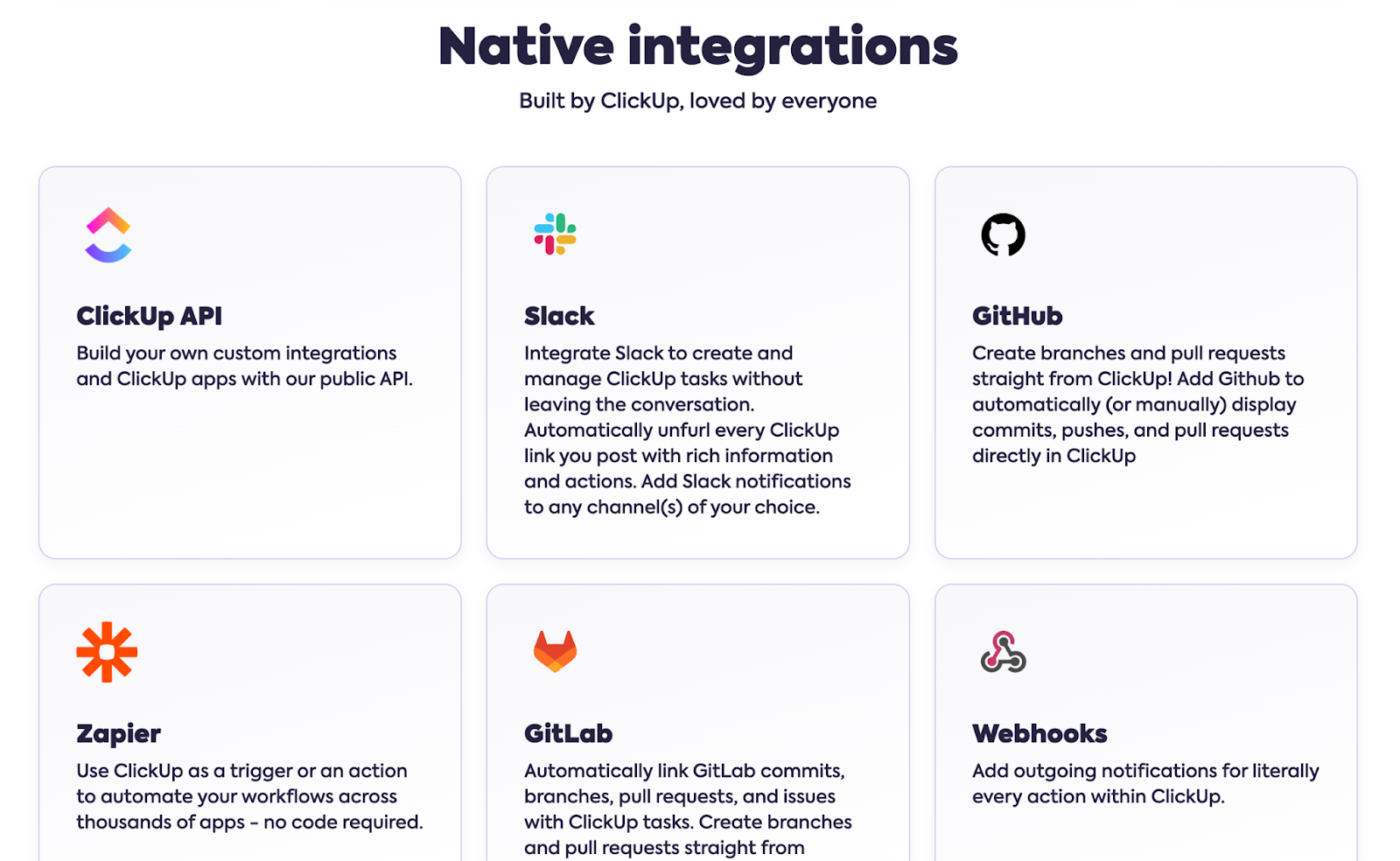
Here’s what makes ClickUp the perfect Meegle alternative:
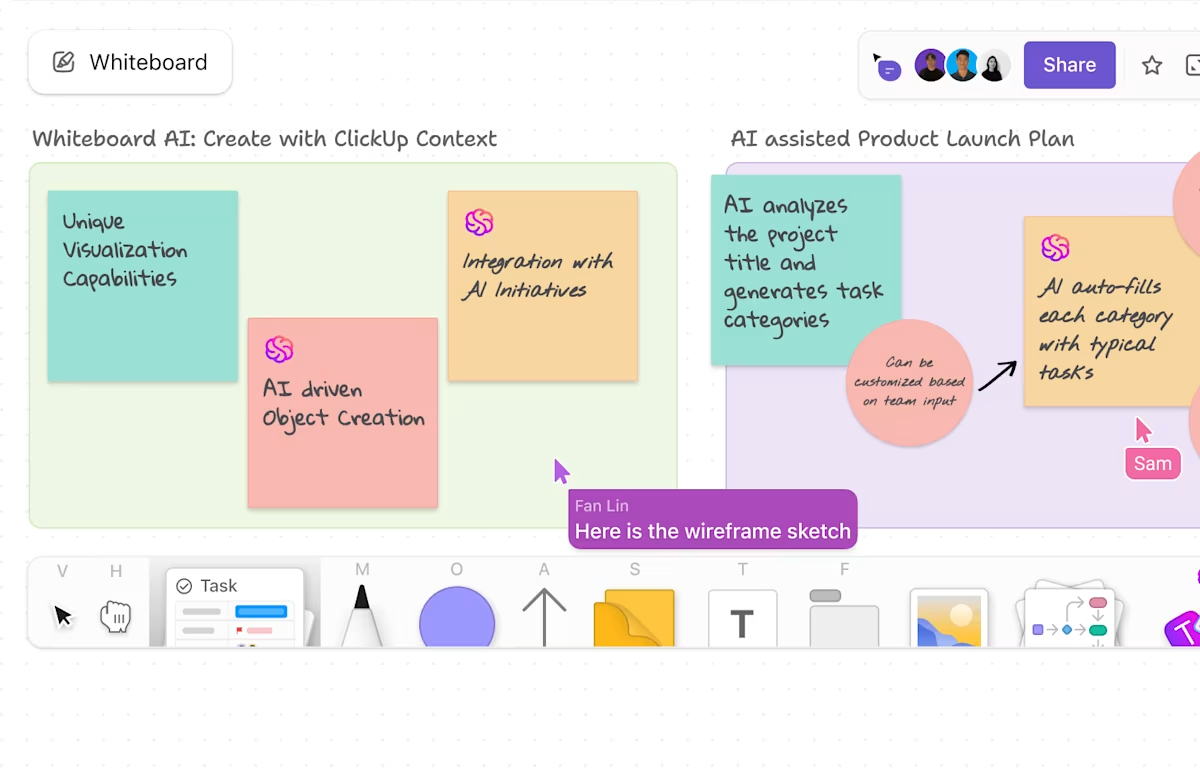
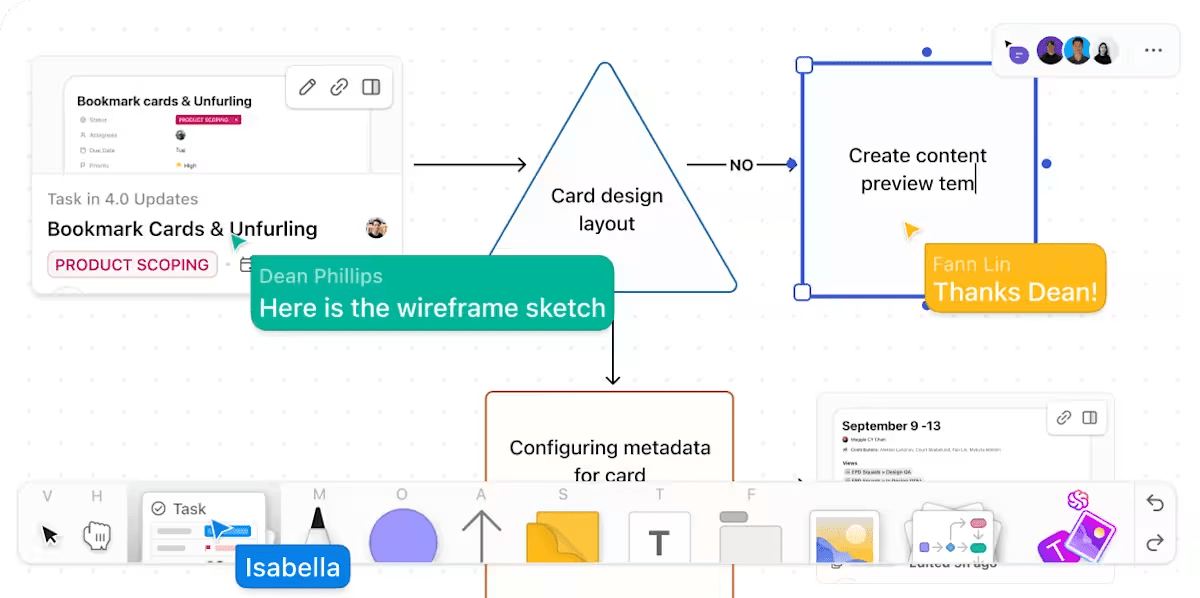
ClickUp Whiteboards connect visual thinking directly to project execution. They function as a real-time, interactive brainstorming space that’s tightly integrated with your ClickUp workspace.
With shapes, sticky notes, text, images, and other media elements, it’s easy to capture thoughts and organize them into meaningful diagrams or flows. Teams can collaborate live on the same board, with everyone’s edits and cursor activity visible in real time.
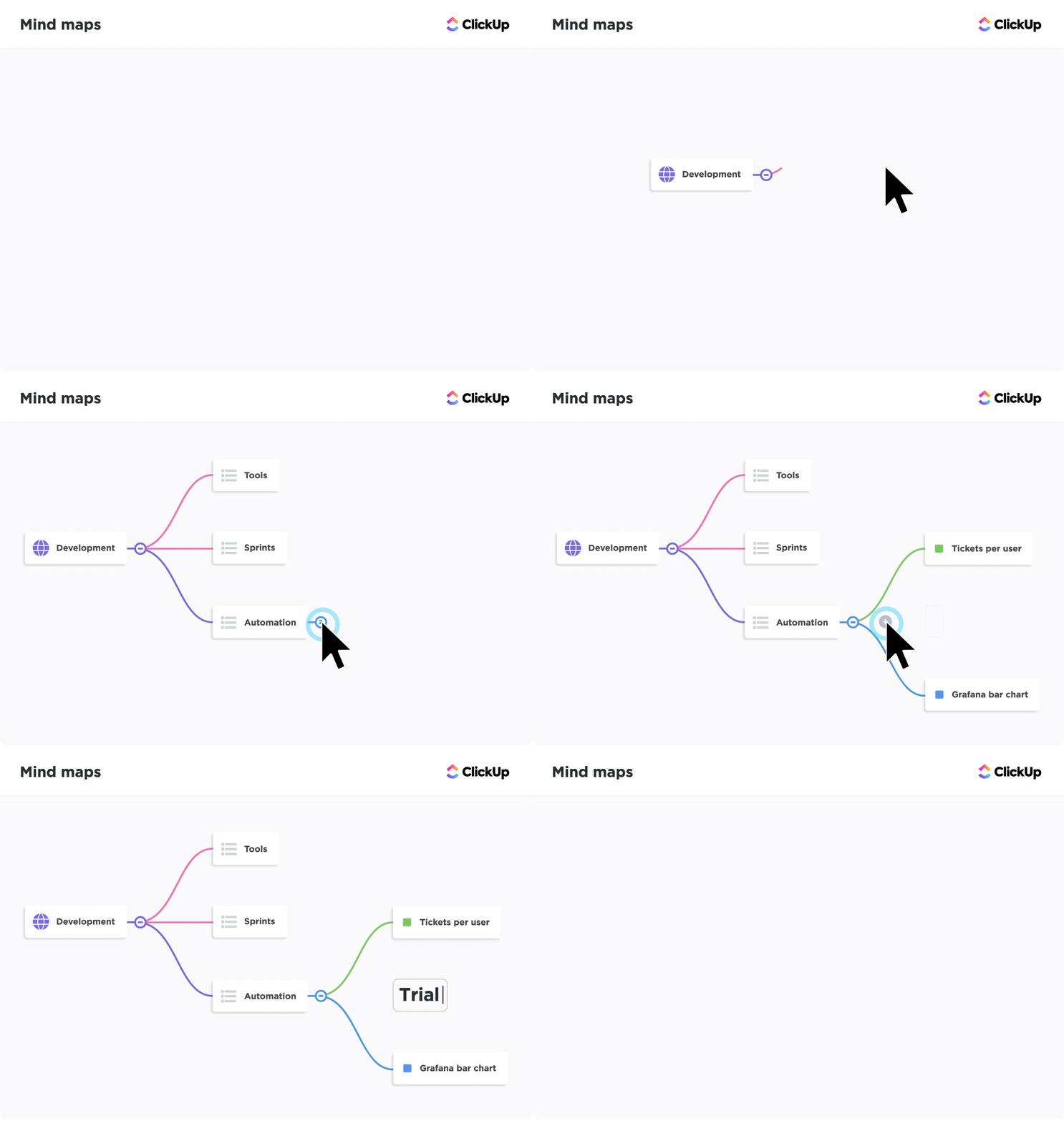
Unlike static diagrams, ClickUp’s Mind Maps are directly connected to real tasks, so ideas can be turned into actionable work without redoing anything. Nodes become Tasks in ClickUp, with child nodes for subtopics branching off main ideas and sibling nodes for parallel ideas on the same level.
You can fully customize the mind maps. Drag-and-drop rearrangement to visually refine structure, color-code nodes, apply visual cues like colors and status indicators, and shape the map to fit your workflows.
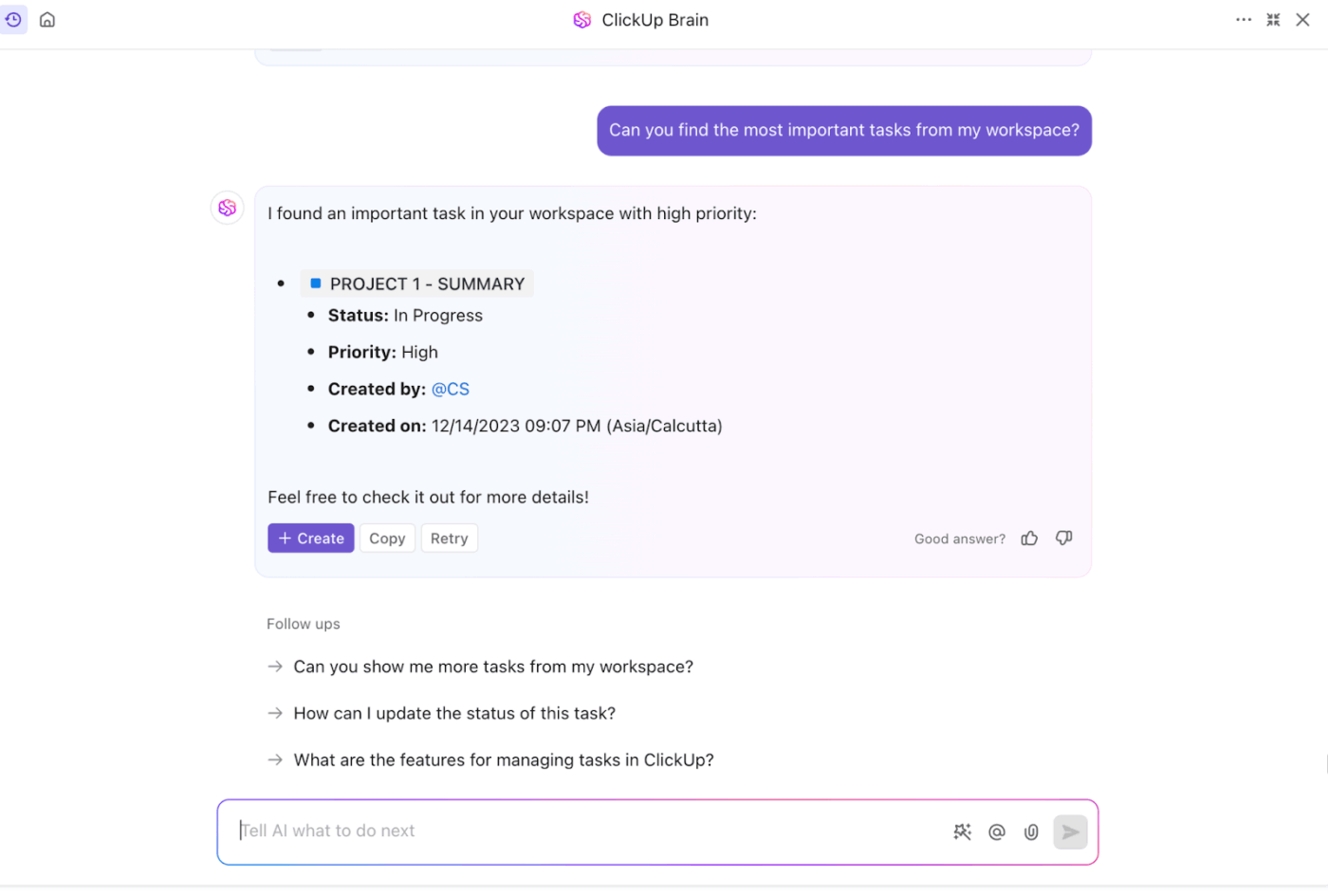
ClickUp Brain isn’t a single feature. It’s an AI control layer sitting on top of your entire workspace and connected tools. Working as a context-aware assistant, it can summarize your brainstorming session on Whiteboards, convert it into a structured process doc, and create Tasks and subtasks with owners, priorities, and due dates.
Moreover, ClickUp Brain understands that the real project knowledge lives in your tasks, comments, chats, status changes, and timelines. So, instead of relying only on documents, it scans your task activity and discussions to surface the most recent updates. This makes it an ideal solution for teams managing complex projects with dynamic information.
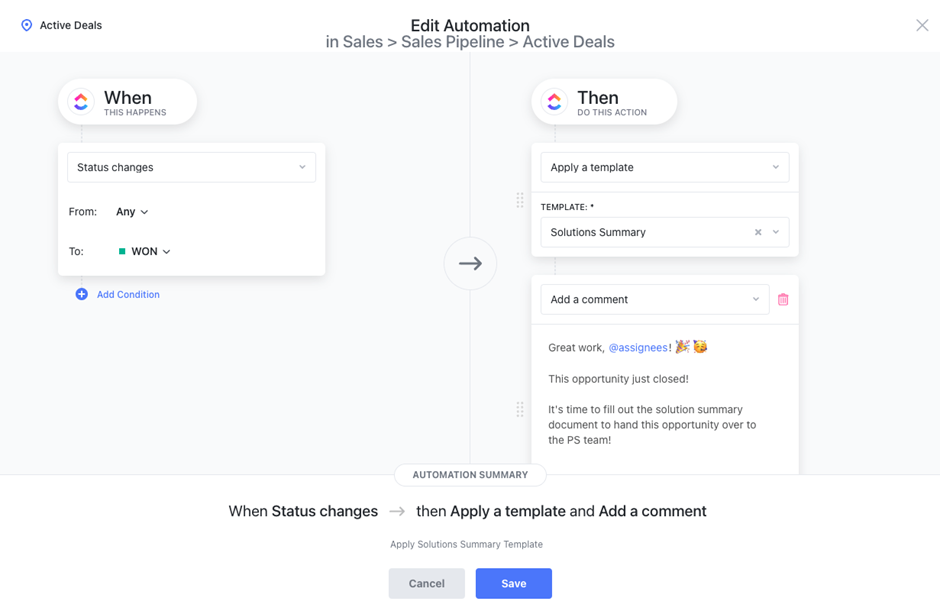
With ClickUp Automations, you can set triggers and conditions to keep processes running smoothly without manual effort. There are 100+ prebuilt automation templates for typical team needs, such as auto-assigning tasks, changing statuses, adding watchers, moving tasks across lists, and many more.
Alternatively, you can build custom automations as well. Describe what you want in plain language, and ClickUp’s AI will generate a working automation rule for you. You can then tweak triggers and actions before publishing.
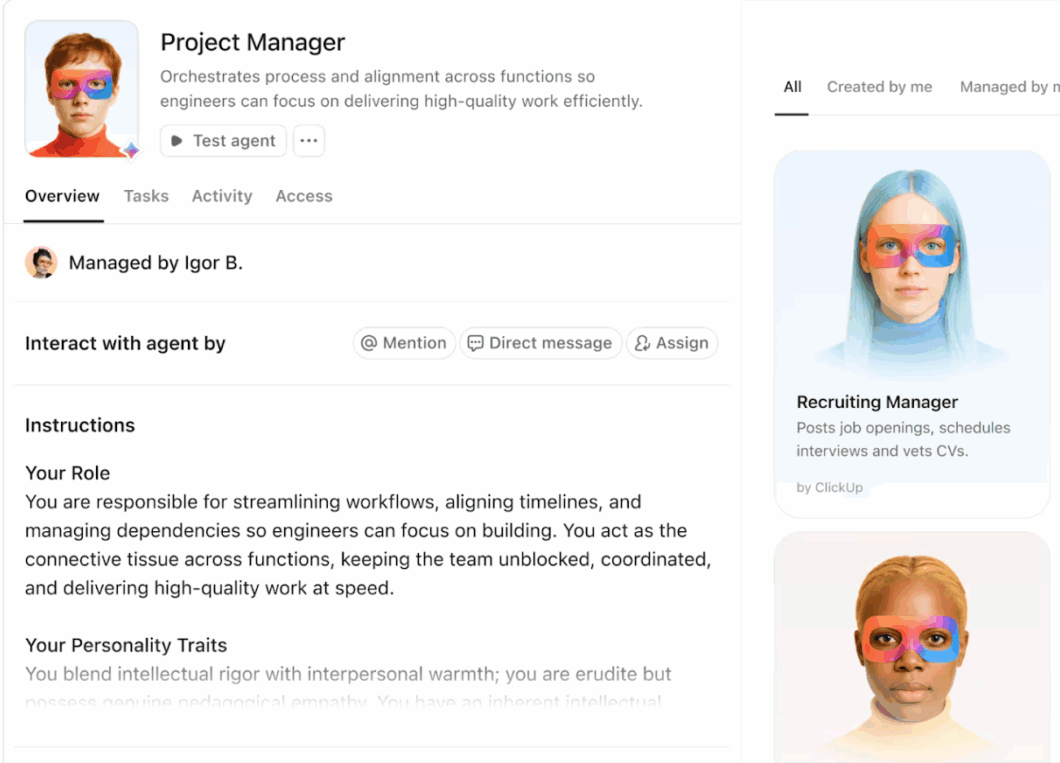
🚀 ClickUp Advantage: ClickUp Super Agents are AI-powered teammates that go far beyond simple suggestions or task creation. They’re designed to act autonomously inside your workspace, carrying out complex, multi-step work with context, memory, and real-time awareness of your projects, tasks, docs, chats, and schedules.
Here’s feedback from a G2 user:
ClickUp’s flexibility is the biggest advantage for us. We’ve customised the entire workspace around our business workflows instead of adjusting our processes to the tool. Custom statuses, fields, automations, and dashboards help us run onboarding, compliance, integrations, and internal tracking smoothly, with far less dependency on emails and follow-ups.
🎥 Setting up your project dashboard can be daunting. Let’s simplify it for you. Watch this video for a step-by-step setup guide:
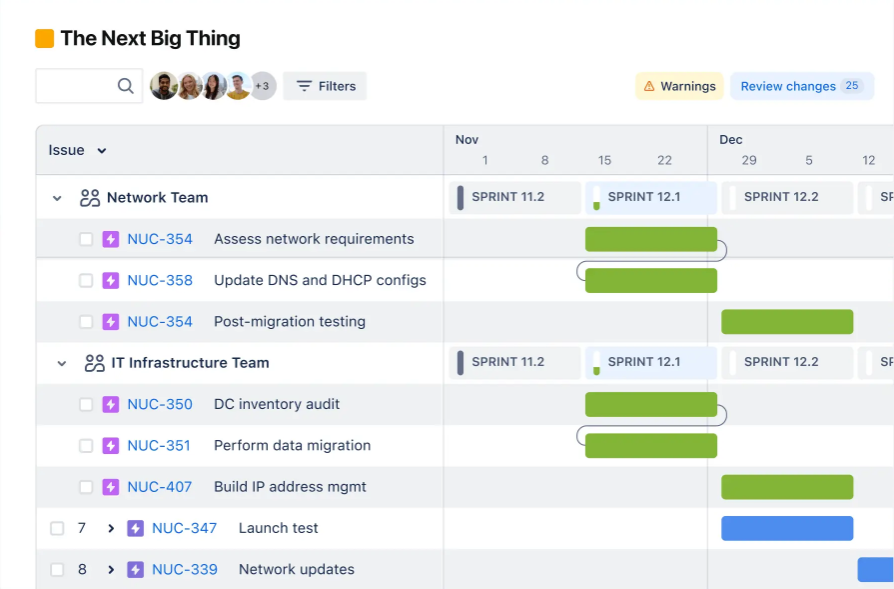
Jira is extensively used in software development projects where Agile processes are deeply ingrained. For Scrum or Kanban frameworks, the system can handle complex workflows without breaking.
With the tool, teams can easily manage backlogs, plan sprints, and track work-in-progress. Every task, bug, or feature can be broken down with clear ownership, priorities, dependencies, and status updates that help with clear traceability.
The platform allows teams to customize workflows so they reflect how work actually moves through development, such as adding review stages, QA checks, or release approvals. Additionally, Agile reports help teams identify bottlenecks and quickly understand delivery trends.
One Jira user on Capterra says:
It provides excellent visibility into project status, dependencies, and priorities, making collaboration and planning much more effective across teams.
📮ClickUp Insight: 63% of our survey respondents say they don’t consistently end the day with a clear plan for tomorrow. Without visibility into what moved, what stalled, or what was added, planning ahead quickly turns into a guessing game.
Translation? Planning is easier when it happens directly alongside active tasks and conversations. In a converged AI workspace like ClickUp, your priorities are actually tied to the tasks.
For example, ClickUp Brain, the built-in AI assistant, can review what moved, what’s overdue, and what came out of meetings, then surface a short list of what needs attention next.
Looking for Kanban tools similar to Jira for your team? Check out our recommendations with this video:
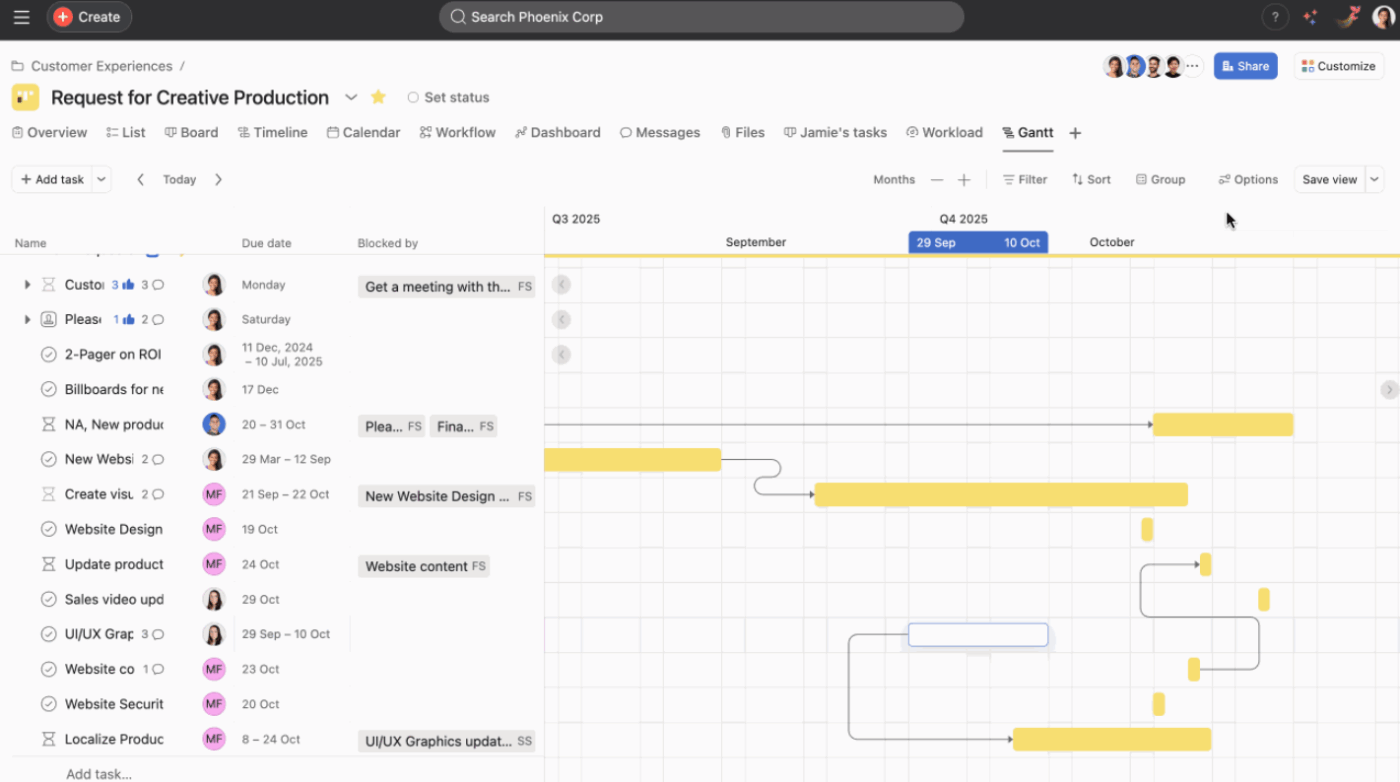
In Asana, teams can switch between list, board, timeline, calendar, and dashboard views, allowing them to see work in the format that suits them best. This flexibility makes it easier to track progress without duplicating work across tools.
For effective collaboration, you can make use of features such as comments, mentions, task-level conversations, file attachments, and real-time notifications. They all keep discussions tied directly to work items.
The platform also lets you create AI Teammates for shared use. Multiple team members can assign them tasks, ask questions, and review outputs together. The AI uses context from the Asana Work Graph to get insights on your projects, tasks, goals, and connected resources.
A user on G2 shares:
Asana makes it easy to organize tasks, projects, and deadlines in one place. It improves team visibility so everyone knows who is responsible for what. Progress tracking and due dates help teams stay aligned and on schedule.
🧠 Fun Fact: In 1968, a 3M scientist accidentally invented a weak, reusable adhesive while trying to make a super-strong one—a product no one knew what to do with. Years later, that idea evolved into sticky notes that became the backbone of visual planning.
Think about it, doesn’t every modern visual planning tool still look a little bit like a wall of sticky notes?
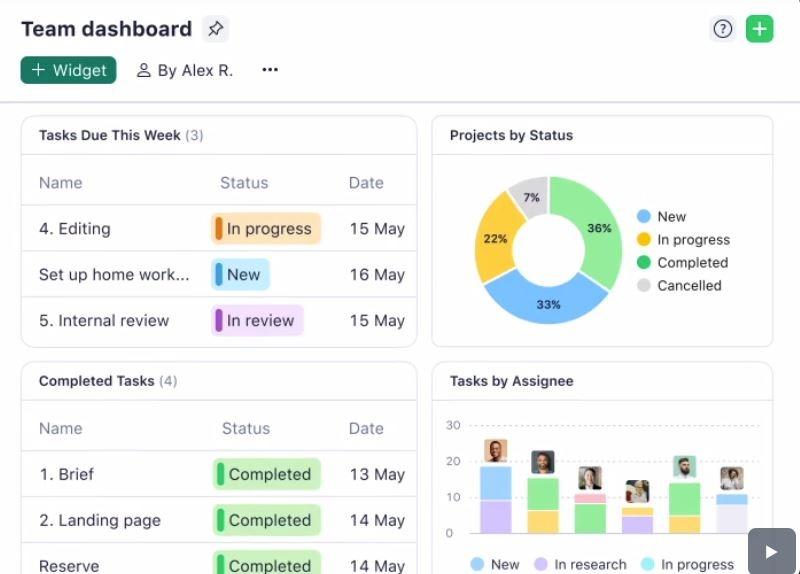
Wrike is a comprehensive platform built for project managers who need visibility and governance across projects. It brings structure to even the most complex project plans. Tasks, subtasks, dependencies, approvals, and timelines are tightly connected, which makes it very easy to manage long-running initiatives with multiple stakeholders.
With advanced AI capabilities and workflow automation, the tool helps save time and resources by predicting project risks, generating comprehensive reports, and prioritizing tasks automatically.
For real-time collaboration and brainstorming, you get Wrike Whiteboards with diagrams, mind maps, and flowcharts, etc. External users can join these sessions via secure links with customizable permissions.
A positive G2 review reads:
With Wrike, I can easily organize my time and keep track of the activities I have completed and those that are still pending. It provides clear visibility on deadlines and the days left until the next delivery, which is invaluable for maintaining a structured schedule.
⚡ Template Archive: Free Interactive Whiteboard Templates for Zoom & ClickUp
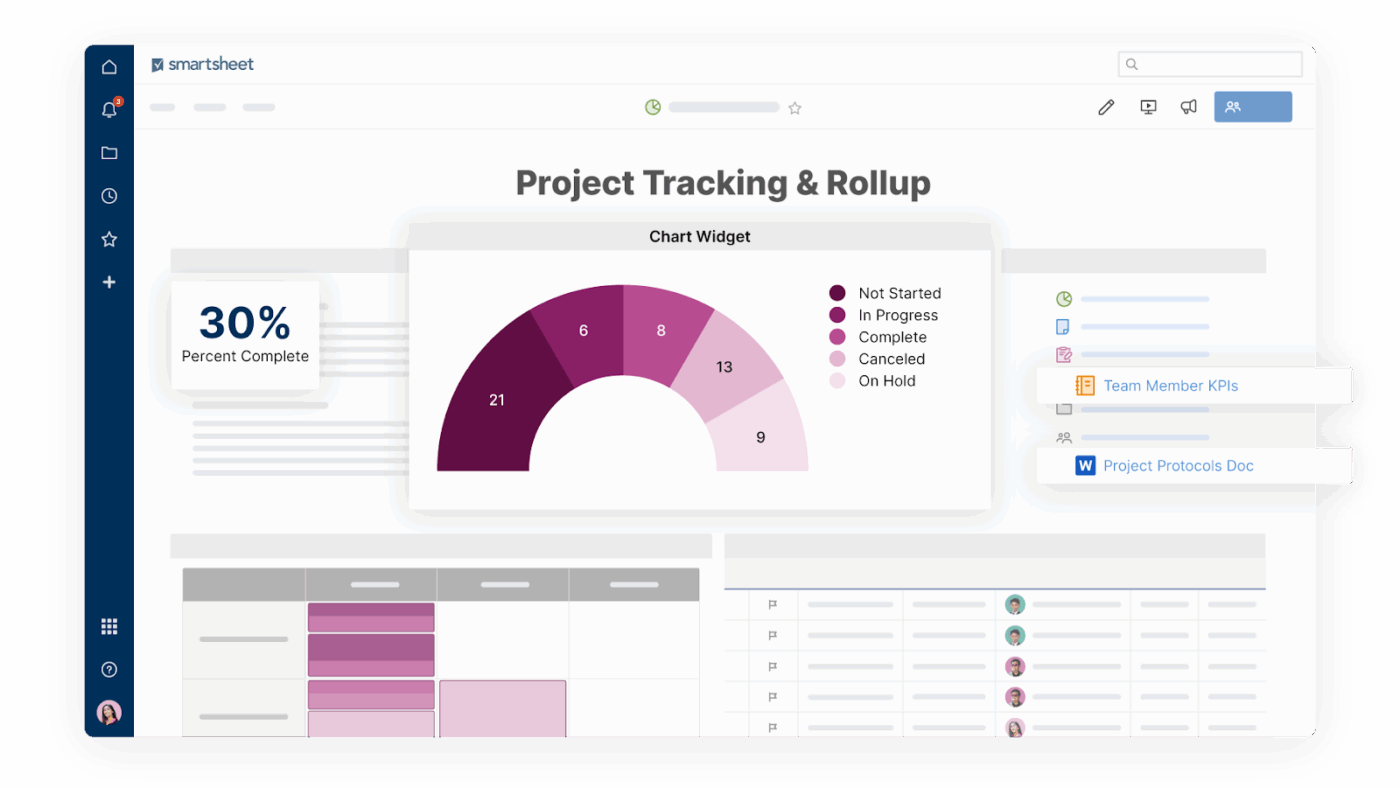
Smartsheet is a cloud-based task management software well-suited for teams accustomed to working with spreadsheets. All tasks are logged as rows, and each row supports dependencies, comments, file attachments, and roll-up views.
You can also write complex formulas (e.g., INDEX/MATCH, SUMIF) directly in cells, just like Excel. Cell values can become inputs to Smartsheet’s automation workflows, like triggering alerts, approval requests, reminders, updates, or other automated actions when conditions change.
The tool also has a robust built-in form builder. When someone fills out a form, the data populates as a new row in the sheet, instantly triggering any automations you’ve set up.
A review on Capterra goes:
One of the most powerful features of Smartsheet is its critical path highlighting feature. It makes it much easier for you to notice any issues early and try to sort them out.
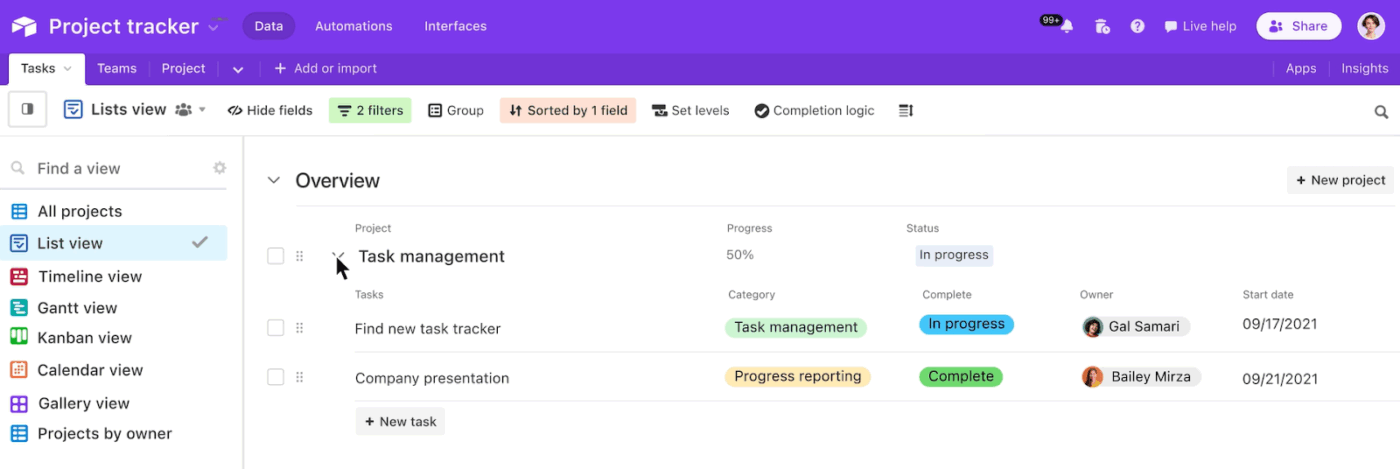
Work in Airtable is organized into bases, which contain all tables, records, and linked fields. This makes it easy to map out real-world relationships between data. For example, you can link customer feedback to product features, features to deadlines, deadlines to milestones, etc., to keep everything together in one connected system.
Additionally, updates in one place are automatically reflected everywhere the data is linked. So the teams don’t duplicate information or reconcile multiple spreadsheets, which reduces errors and saves time.
Airtable supports multiple views, like grid, Kanban, and Timeline, so different teams can visualize the same data in the way that suits their workflow best. You can also enrich records with attachments like images, videos, and files to make documentation easily accessible.
One G2 user says:
Airtable is a platform that brings the power of a database and the ease-of-use of a spreadsheet into one. It is highly configurable and easy to customize, so you can easily create workflows, views and automations without requiring a huge amount of technical knowledge.
⚡ Template Archive: Free Project Management Templates for All Types of Projects
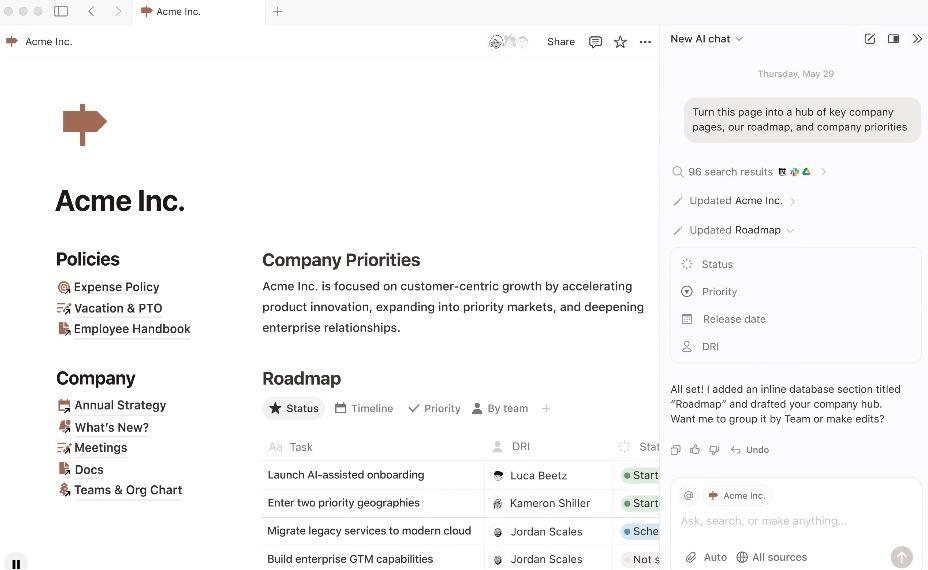
Notion works best for teams that struggle with fragmented knowledge. You can easily build a single source of truth for product specs, design systems, sprint docs, and team playbooks with relevant context always linked.
For projects and tasks, you get multiple views that are simply different lenses on the same data. Timelines help with planning and milestones, while boards and calendars support execution and scheduling.
The tool also comes with a built-in AI assistant. You can use it to summarize long docs, clean up messy notes, draft content, or quickly pull answers from your existing pages, so information is always available for your use.
One G2 user says:
What I like most about Notion for project management is how naturally it brings everything together. Tasks, timelines, and documentation live in one place, making it easy to stay organized, keep people on task, and move projects forward without unnecessary friction.
Agile teams are designed to move fast, adapt quickly, and work autonomously, but without strong visibility and alignment, that flexibility can easily turn into Work Sprawl.
Watch this video to know how you can reduce tool-hopping and consolidate work into a single visual system inside ClickUp.
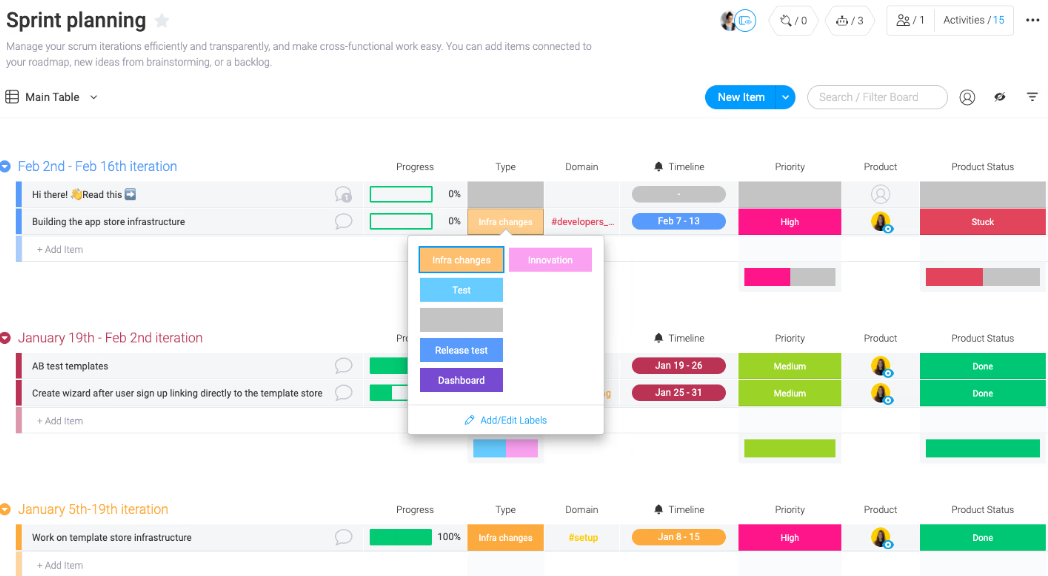
Monday.com is a solid Meegle alternative for teams that need a clear, shared view of their entire project management lifecycle. It is especially useful when multiple teams are involved, and updates tend to get lost in chats or spreadsheets.
The platform’s structure is deliberately simple (boards > groups > items > subitems), which makes even complex workflows easy to follow. For example, teams can track project stages as groups, individual tasks as items, and handoffs or dependencies as subitems, with owners, timelines, and status visible at all times.
You get built-in Gantt and timeline views for handling multiple teams and dependencies. Also, workload and portfolio-level views help coordinate across boards for complex reporting needs.
One Capterra user says:
I love the ability to create multiple boards for multiple things. I was able to organize different aspects of my work through just one app. It was also great being able to plan my days and help prioritize tasks.
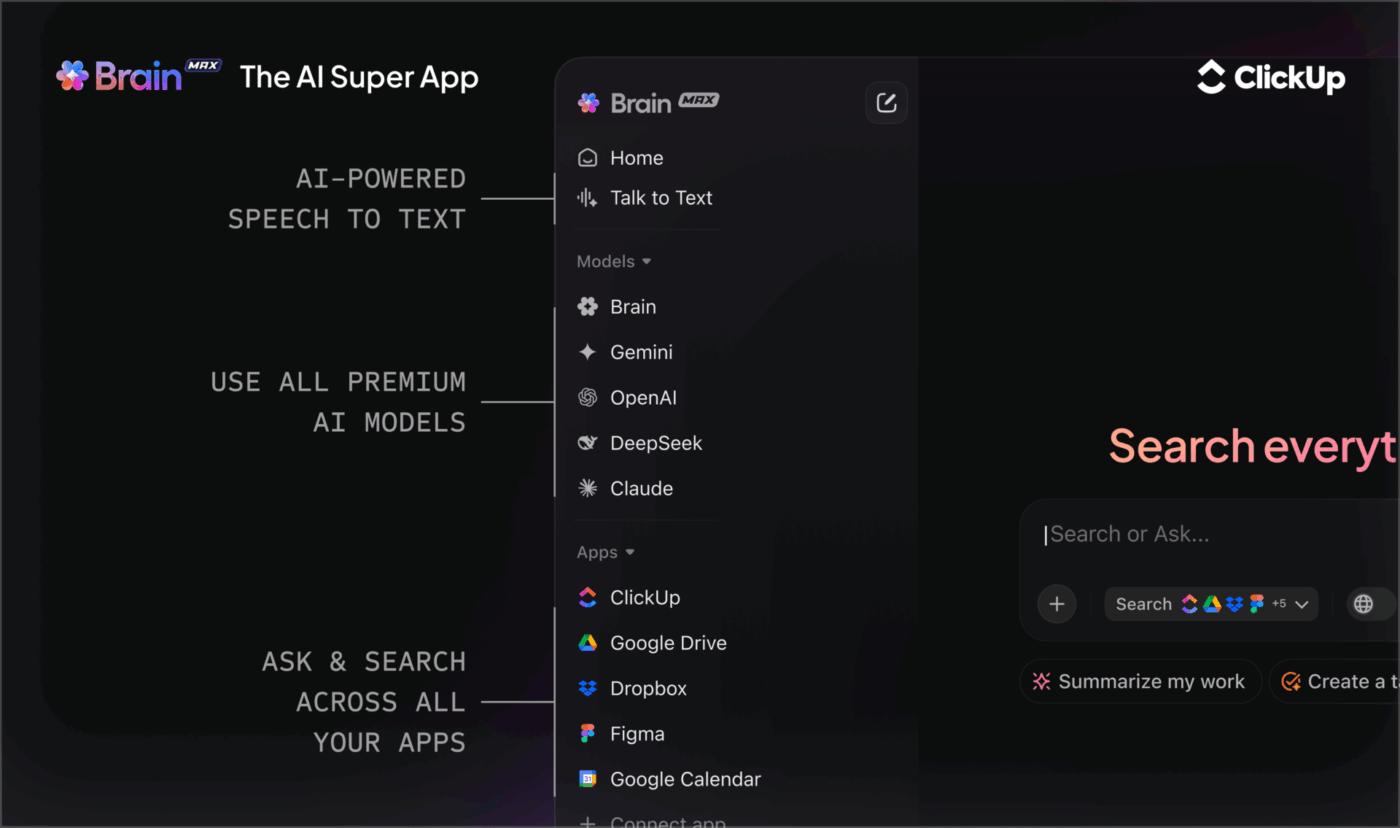
🚀 ClickUp Advantage: Ask questions and get insights from across your workspace and even connected apps with ClickUp Brain MAX. It generates standup summaries, auto-updates your visual dashboards and sprint boards, and gives you a complete picture of dependencies and artifacts.
This means Agile teams spend less time digging through discussion history and more time focusing on what matters in boards or backlogs.
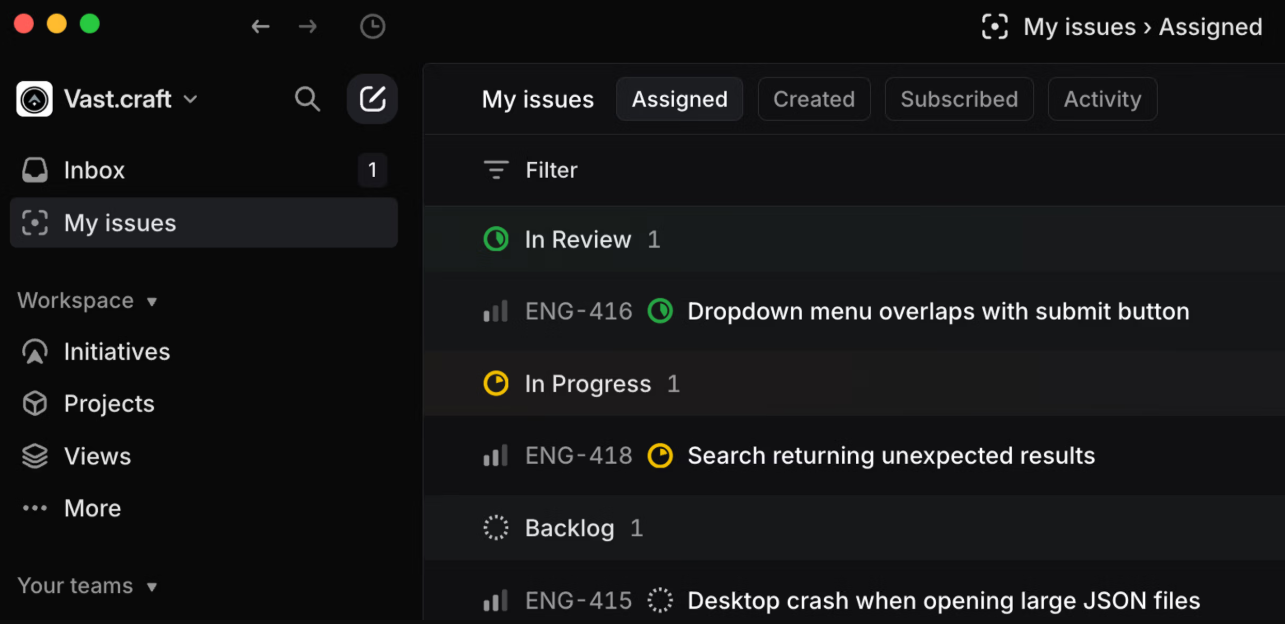
Linear is an Agile project management and issue tracking tool designed with a developer-first mindset.
Work is organized into issues, cycles, and projects, so teams can plan sprints, track active work, and see what’s next without maintaining separate boards or documents.
Additionally, the tool’s AI-assisted teammates feature lets you create multiple AI agents to help with different tasks. You can collaborate with these agents on complex problems or delegate entire issues end-to-end, drastically reducing manual effort.
Straight from a G2 user:
I appreciate how Linear enables easy structuring of initiatives, projects, and tasks. It’s great how simple it is to link dependencies and organize sprints.
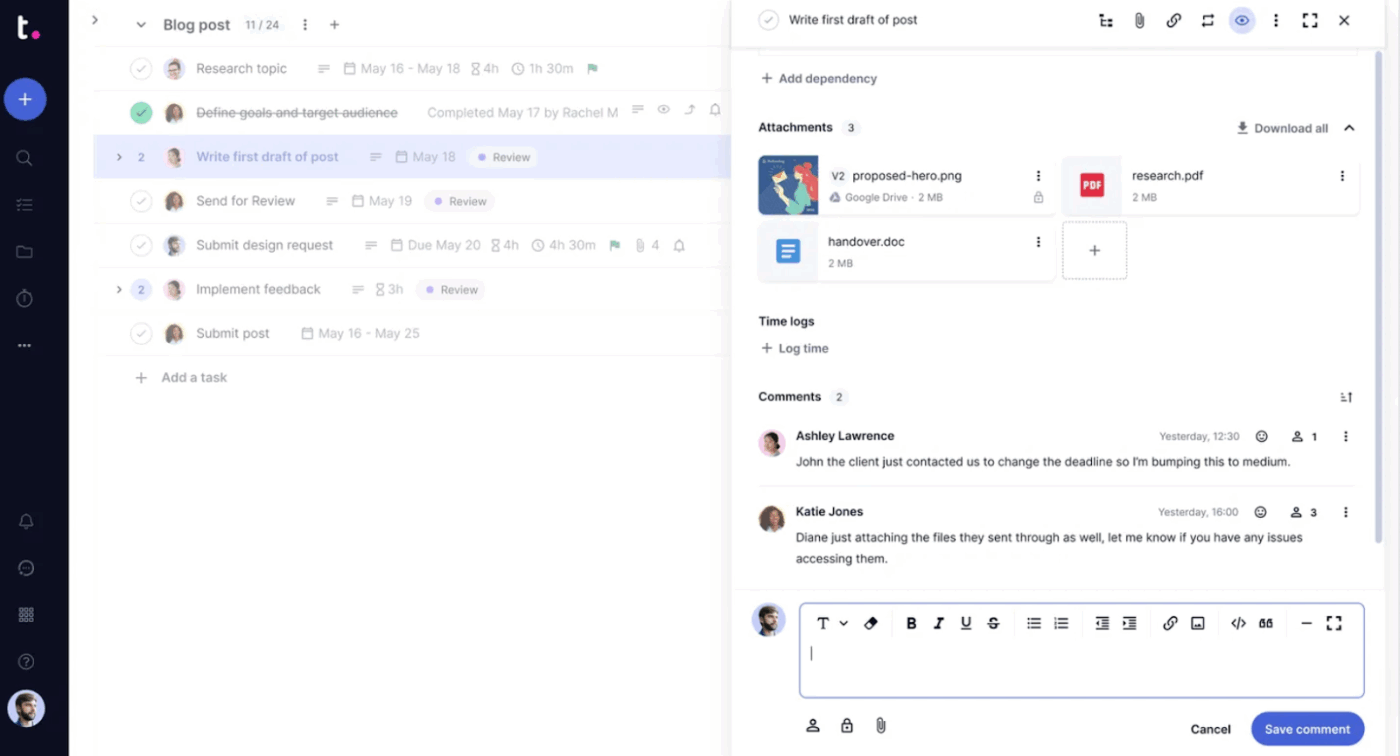
Teamwork.com is built for projects where tracking time, managing scope, and meeting committed deadlines are part of everyday operations.
It is commonly used by agencies and professional services teams to plan projects and keep billable delivery under full control. Teams can track tasks alongside time spent, forecast workloads to avoid over-allocation, and monitor whether projects are staying within the agreed timelines and budgets.
The tool also lets you give clients controlled access to projects to view progress, without exposing internal notes, discussions, or unfinished work.
One G2 user says:
Teamwork is a good place to handle client communications and to save relevant documentation without involving the internal team. The task dependencies, time tracking, and workload management features are especially helpful for resource planning.
Although there is no single best project management platform, there is always one tool that best aligns with your specific way of working.
Some teams prioritize flexibility, others value structure, and many are now looking for ways to bring AI-assisted workflows into everyday planning and execution.
When you consider this, ClickUp emerges as the perfect choice because it brings tasks, documentation, automation, and AI support into a single workspace.
Teams that switch to ClickUp become more efficient (96.7% of customers) and report improved collaboration (87.9% of customers)—even as they replace 3 or more tools with ClickUp!
Want similar gains for your projects?

© 2026 ClickUp