Sorry, there were no results found for “”
Sorry, there were no results found for “”
Sorry, there were no results found for “”
🚀 Great campaigns don’t start in ad managers or design tools—they begin with clarity. That clarity comes from a marketing brief.
A brief is more than a checklist. It’s your campaign’s GPS—laying out the destination (goals), the route (strategy), and the passengers (target audience). Without it, teams often drift off course. In fact, over 80% of marketers say writing a solid brief is one of their hardest tasks—and it shows in vague deliverables, wasted budget, and last-minute pivots.
That’s why a marketing brief template is such a game-changer. It removes the guesswork, prompts the right questions, and gives your team a shared playbook before execution begins.
✨ In this guide, you’ll find free templates designed to take the friction out of briefing—so you can move from idea to launch with focus, speed, and confidence.
🧠 Fun Fact: The word marketing comes from mercatus, Latin for marketplace. Long before briefs existed, merchants in ancient China and medieval Europe crafted tailored messages to reach the right audience.
Tools evolve, but the intent stays the same: connect, persuade, convert. ✨
A marketing brief template is a pre-built, reusable document that brings structure to your planning process fast. It holds all essential elements: your campaign goal, budget, target audience, core message, brand voice, team roles, and the creative work to bring it all to life.
The result? You get a head start, no blank page panic, just a sharp first turn on the marketing roadmap.
Here’s how:
📌 Example: Coca-Cola’s creative briefs are often cited as a masterclass in turning insight into impact. Instead of stopping at surface-level audience personas, they map how perceptions shift and emotions build at every touchpoint.
That level of clarity doesn’t just happen—it’s engineered. And the right marketing brief template gives any team a framework to reach that same level of precision.
A solid template can kick things off—but the best templates don’t just start your campaign, they keep it on track when deadlines tighten and ideas get messy. So what makes a great marketing brief template stand out? Let’s break it down 👇
➡️ Also Read: Free Product Management Templates
A great marketing brief template is crisp, focused, and built for action. It covers what counts, skips the fluff, and helps your creative team move fast. Here’s what to look for:
💡 Pro Tip: Make creative guardrails part of the brief, not an afterthought. Your template should include space for tone cues, dos and don’ts, brand kits, research docs, legal guidelines, and past wins. Why? This is for even first-time contributors to create consistent work.
| Template Name | Download Template | Ideal For | Best Features | Visual Format |
|---|---|---|---|---|
| ClickUp Marketing Project Brief Template | Get free template | Project managers, marketing leads, account execs | Project overview, milestones, timelines, stakeholder roles, polished presentation | ClickUp Doc, List |
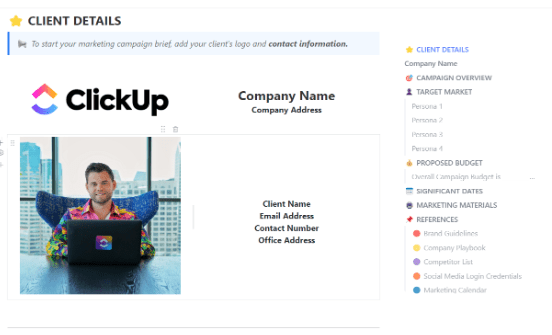
| ClickUp Marketing Campaign Brief Template | Get free template | Marketing managers, content strategists | Campaign vision, messaging, KPIs, task owners, version tracking | ClickUp Doc |
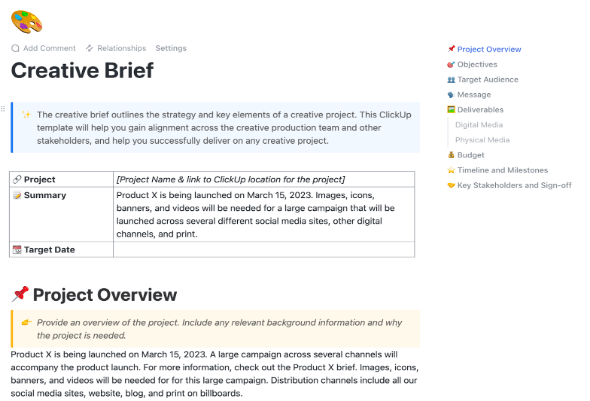
| ClickUp Creative Brief Document Template | Get free template | Creative leads, freelancers, marketing managers | Creative direction, tone, deliverables by content type, platform specs | ClickUp Doc |
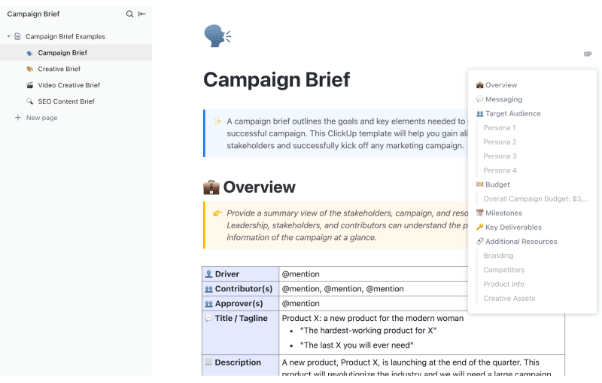
| ClickUp Campaign Brief Template | Get free template | Fast-moving marketing teams | Objectives, audience, budget, tactical outputs, post-launch insights | ClickUp Doc |
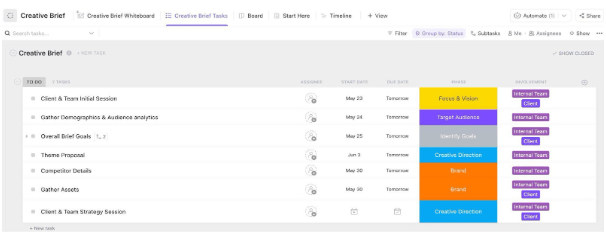
| ClickUp Creative Brief Whiteboard Template | Get free template | Designers, content creators, campaign managers | Visual planning, sticky notes, shapes, color codes, live collaboration | ClickUp Whiteboard |
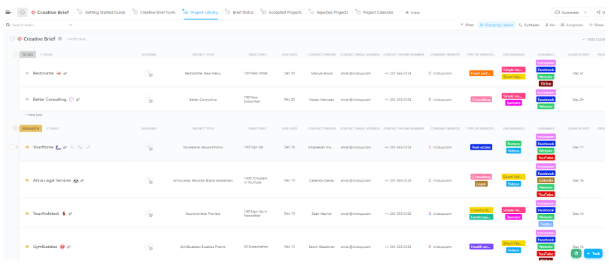
| ClickUp Creative Brief Demand Planning Template | Get free template | Marketing squads, startups, small teams | Creative request intake, workload forecasting, resource assignment | ClickUp List, Doc |
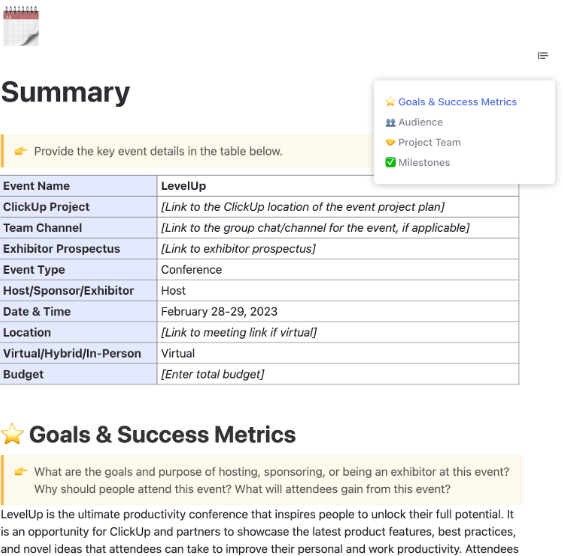
| ClickUp Event Brief Template | Get free template | Event planners, HR, marketing leads | Objectives, task assignment, stakeholder collaboration, logistics | ClickUp Doc, List |
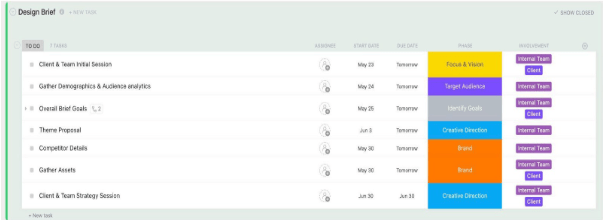
| ClickUp Design Brief Template | Get free template | Graphic designers, UI/UX, marketing leads | Design parameters, inspiration, feedback loops, file specs | ClickUp Doc |
| ClickUp SEO Content Brief Template | Get free template | SEO leads, content marketers, writers | Keyword mapping, SERP analysis, on-page checklist, role assignment | ClickUp Doc |
| ClickUp Creative & Design Template | Get free template | Creative leads, designers, marketers | Creative request form, ideation, review cycles, asset library | ClickUp List, Board |
| ClickUp Graphic Design Template | Get free template | Freelance designers, agency teams | Task prioritization, Gantt chart, file links, revision tracking | ClickUp List, Gantt |
| ClickUp Web Design Template | Get free template | Web designers, agencies, freelancers | Deliverable stages, custom fields, timeline, workload views | ClickUp List, Board |
| ClickUp Design Ideation Template | Get free template | UX designers, product teams, innovation leads | Idea buckets, sticky notes, voting, task conversion | ClickUp Whiteboard, List |
| ClickUp Design Board Template | Get free template | Freelancers, in-house creatives, squads | Visual mapping, revision tracking, custom fields, campaign links | ClickUp Board, List |
| ClickUp AI Prompt & Guide for Blog Posts Template | Get free template | Content marketers, SEO writers, blog editors | Content goals, keyword mapping, AI prompts, task assignment | ClickUp Doc |
In marketing, every move matters, from crafting a sharp creative brief to locking in your promotion strategy and proving ROI across channels. That’s where ClickUp comes in—the everything app for work, where your ideas, deliverables, and timelines live in one place.
And the results speak for themselves. Just ask Cartoon Network, whose team saw a dramatic productivity boost after switching to ClickUp. 🎯
We can act really, really fast because there’s one source of truth that has all the details we need. We can also be super accurate with what we’re putting out on social media because we have task statuses that prevent errors.
🚀 Here’s how ClickUp powered its creative momentum:
If you’re ready to create better marketing campaigns, ClickUp’s free creative brief templates are the perfect place to start. Let’s dive in.
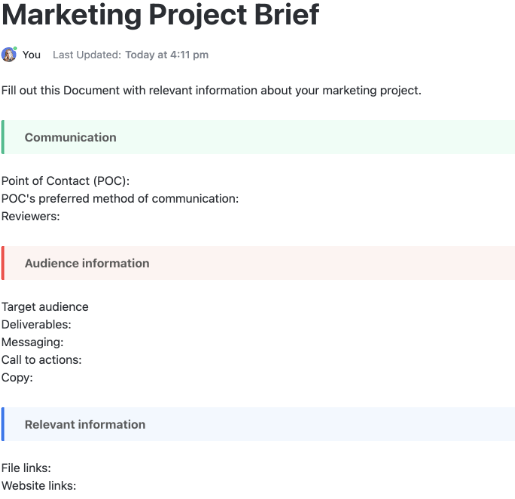
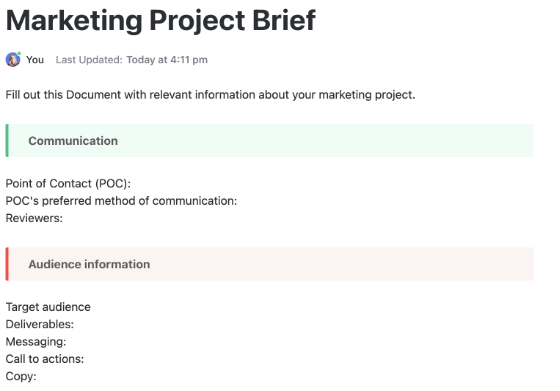
Projects don’t happen in a vacuum. There’s strategy, budget approvals, dependencies, what-if scenarios, and then, there’s actual execution. The ClickUp Marketing Project Brief Template helps you align all these moving parts (and more) before kickoff.
Use it to draft your project overview, key milestones, timelines, and stakeholder roles, all in one space. Whether you’re managing internal teams or client-facing deliverables, this template ensures fewer surprises down the line and faster green lights from leadership.
🔑 Ideal for: Project managers, marketing leads, account executives, or client services teams managing multi-phase initiatives with multiple stakeholders.
📮ClickUp Insight: 70% of managers use detailed project briefs to set expectations, 11% rely on team kickoffs, and 6% tailor their project kickoffs based on tasks and complexity.
That means most kickoffs are documentation-heavy, not context-driven. The plan might be clear, but is it clear to everyone, the way they need to hear it?
ClickUp Brain can help you tailor communication from the very start. Use it to summarize kickoff docs into role-specific task briefs, generate action plans by function, and surface who needs more detail vs. who needs less.
💫 Real Results: Hawke Media cut project delays by 70% with ClickUp’s advanced project tracking features and automation.
🎥 Want to level up your marketing game with AI? In this video, you’ll see how tools, workflows, and intelligent automation can reduce busy work, increase campaign speed, and help you make smarter decisions—so your marketing does more with less.
When campaigns miss the mark, it’s usually not execution—it’s miscommunication.
The ClickUp Marketing Campaign Brief Template solves that fast. It gives you a flexible canvas to define campaign vision, refine your value prop, sharpen messaging, and clarify who’s doing what, all before production begins.
Because it runs on ClickUp Docs, your brief becomes a living, collaborative workspace. Drop in visuals, co-edit in real-time, and link every section to actionable tasks.
🔑 Ideal for: Marketing managers, small organizations, and content strategists launching cross-platform campaigns with tight timelines and big goals.
➡️ Also Read: Best Campaign Management Software Tools
Why do you need a separate creative brief template? That’s because generic briefs stop at the what and why, such as goals, target audience, and messaging. Creative briefs dig into the how. They shape the tone, visuals, mood, and narrative, turning ideas into captivating storytelling.
That’s exactly what the ClickUp Creative Brief Document Template is built for. It offers your marketing team a single source of truth, including housing campaign voice, messaging dos and don’ts, target personas, and platform-specific specs, in one flexible space.
🔑 Ideal for: Creative leads, marketing managers, and freelancers delivering multi-format campaigns with a bold creative vision.
A high-stakes launch is all about coordination—when you’re managing 10+ touchpoints, even a small misstep can throw the whole campaign off track.
The ClickUp Campaign Brief Template keeps things simple and sharp. Start with your goals, audience, budget, and deliverables—then follow guided prompts that ensure every action is clear, from day one to launch day.
🔑 Ideal for: Fast-moving marketing teams looking for free creative brief templates to manage product launches, rebrands, or high-stakes campaigns.
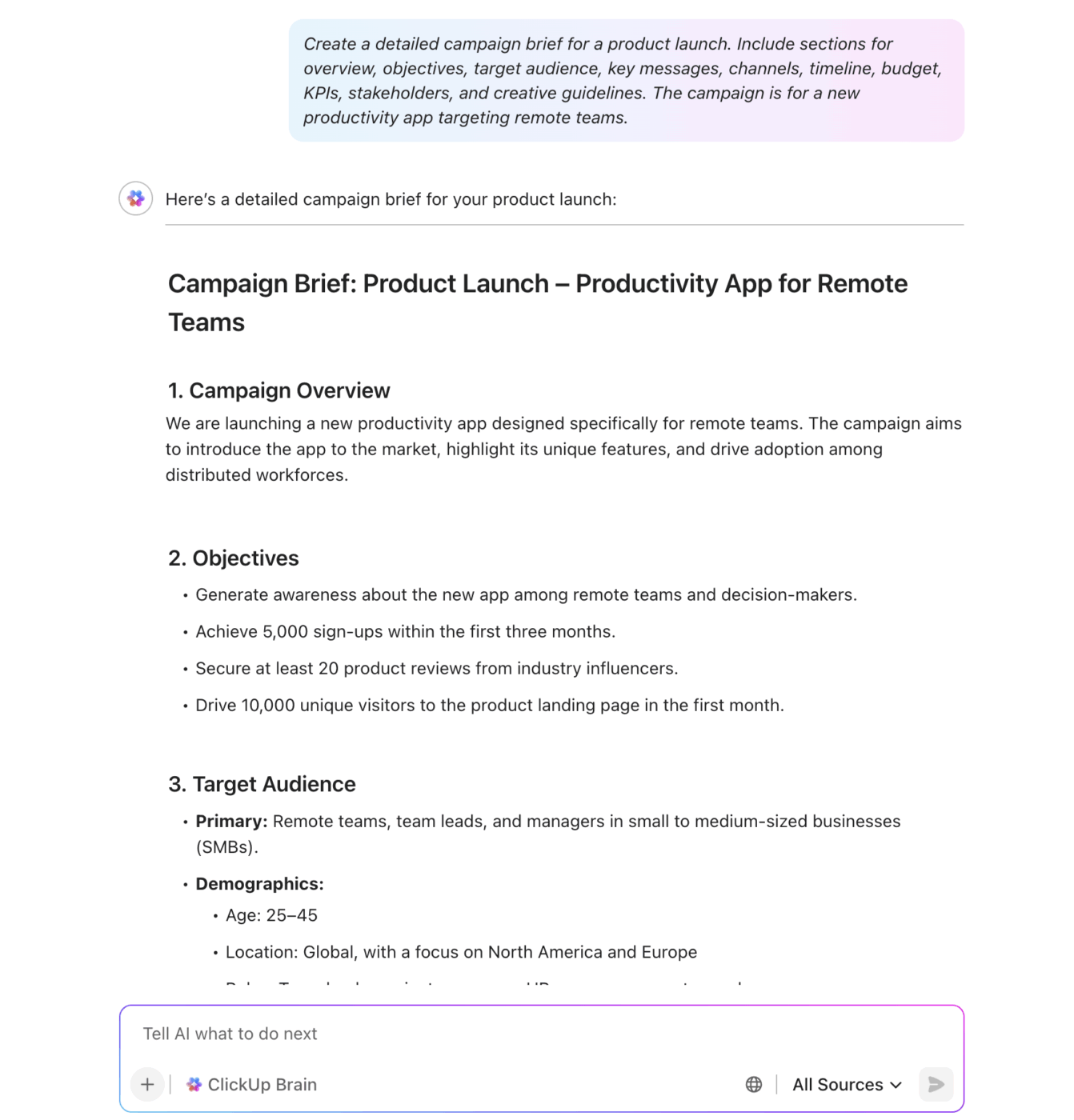
💡 Pro Tip: 74% of marketers use AI to speed up their workflows, so why not hop on the bandwagon? See how ClickUp Brain helps you draft a structured, ready-to-share campaign brief in seconds; no overthinking, no manual formatting.
Did you know that 65% of people are visual learners? If your team falls into that majority, a text-heavy creative brief can feel more like a roadblock than a spark. ✨
🎨 Enter the ClickUp Creative Brief Whiteboard Template. It transforms static briefs into living visuals—so your team can sketch ideas, map concepts, and link goals in a way that’s quicker to understand and easier to act on than walls of text.
Built on ClickUp Whiteboard, this template lets you sketch, map, and turn ideas into tasks without switching tools or losing meaning. Plan campaign flows, mood boards, customer journeys, or competitor insights in one visual, interactive space.
🔑 Ideal for: Designers, content creators, and campaign managers starting new projects with big ideas and multiple collaborators.
🧠 ClickUp Hack: Turn your whiteboard into a campaign control center. Map deliverables by funnel stage, assign design owners, and link draft assets so that every brainstorm flows into a launch-ready content pipeline.
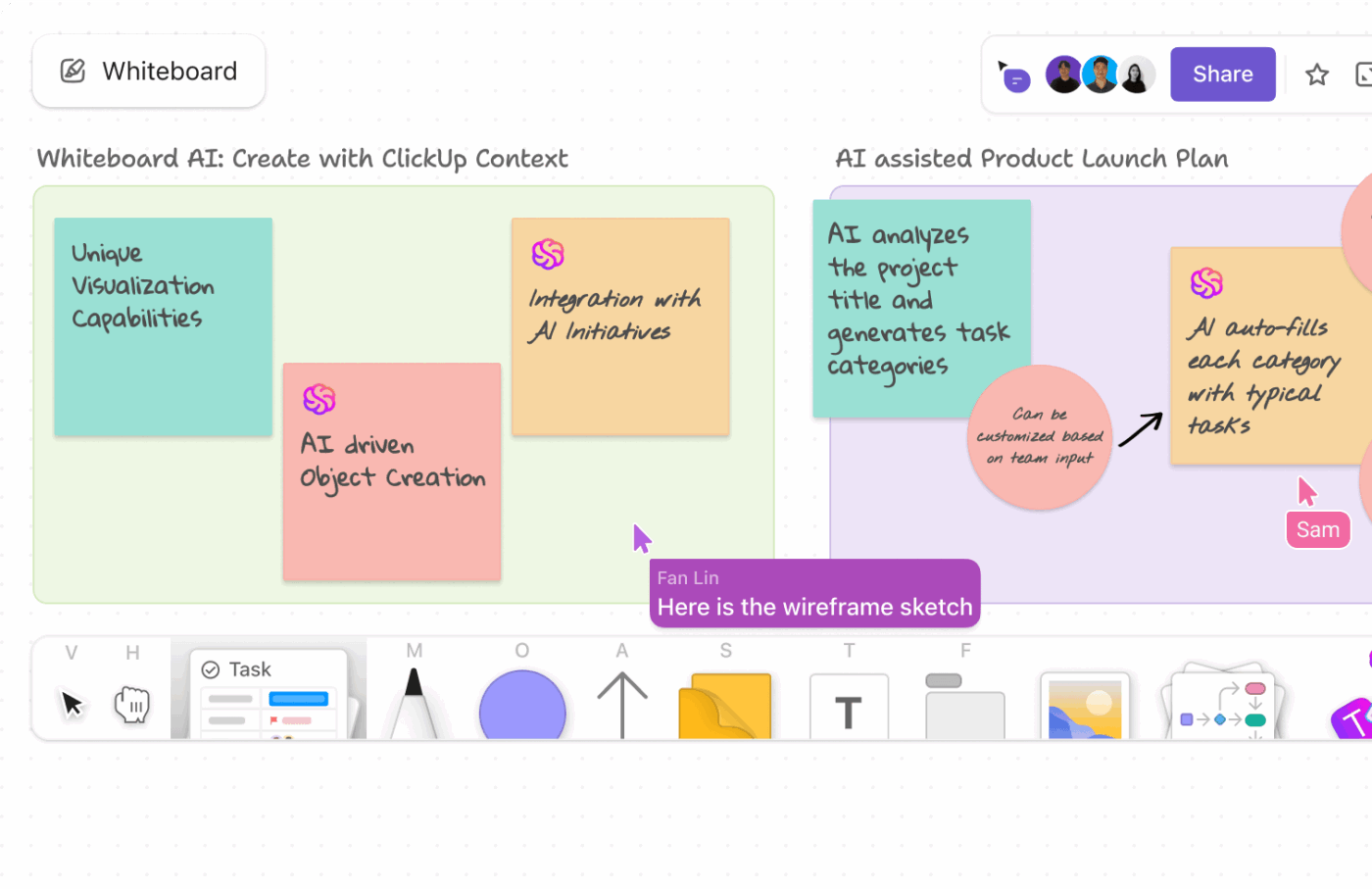
🎥 See how a rough campaign idea becomes a clear marketing brief in ClickUp Whiteboards—then turns into tasks your team can execute in just a few clicks.
Managing client requests, email campaigns, ads, design needs, and a full content calendar at once? With deadlines piling up and a small team, it’s easy for priorities to slip. The ClickUp Creative Brief Demand Planning Template puts you back in control.
Capture every ask, log scope, deadlines, and effort estimates in a clean, structured format. Then match it against real team capacity to forecast workload, assign resources, and make smart trade-offs when demand spikes.
🔑 Ideal for: Marketing squads, startups, or small companies looking for a free creative brief template to manage demand spikes and balance bandwidth.
➡️ Also Read: Best Creative Project Management Software
The events industry is set to hit $2.5 trillion by 2035. This is proof that live experiences still drive engagement.
But event project management? It’s a whirlwind of guest lists, schedules, payments, invites, vendors, and promos, often spread across disconnected tools.
`The ClickUp Event Brief Template keeps your team aligned from start to finish. It captures objectives, assigns tasks, and outlines key stakeholders in one central hub, so every detail is tracked, shared, and delivered on time.
🔑 Ideal for: Event planners, HR managers, and marketing leads managing recruitment drives, internal summits, virtual events, or promotional stunts.
🧠 Fun Fact: In 2021, Google reimagined its I/O developer conference with a fully virtual format, capturing keynotes using 360° cameras and streaming them on YouTube. Behind every seamless experience like this? A clear event brief and airtight project management.
🎥 From kickoff to delivery: this is how you run big events using ClickUp.
Design is where vision meets execution, but only if everyone’s speaking the same language. Miss the mark on clarity, and your collaborators end up chasing feedback, stuck in revision loops, or decoding vague directions.
The ClickUp Design Brief Template sets the tone from the start. Define your design intent, link visual references, and lock specifications before a single pixel moves. Whether it’s a logo, UI mockup, or ad content, this template keeps direction clear and the process efficient.
🔑 Ideal for: Graphic designers, UI/UX teams, and marketing leads producing high-volume or high-impact visual assets on tight turnarounds.
➡️ Also Read: How to Write a Design Brief in 8 Steps
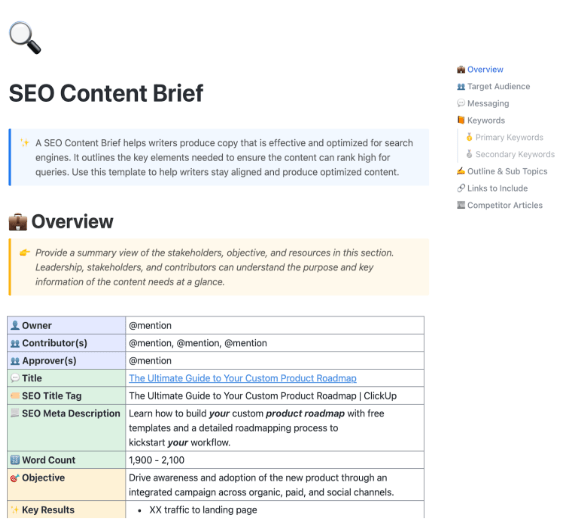
SEO isn’t just about keywords. It’s more about precision, topical depth, on-page/off-page optimization, and flawless coordination across writers, editors, and strategists. The ClickUp SEO Content Brief Template brings structure to every part of your pipeline.
Define search intent, outline headings, assign keywords, map internal links, and flag technical elements. Whether you’re scaling a niche blog or fueling a high-volume content engine, this template is built for smarter SEO project management.
🔑 Ideal for: SEO leads, content marketers, freelance writers, and editorial teams managing blogs, pillar clusters, or long-form organic content across multiple domains.
👀 Did You Know? ClickUp Brain blends the power of GPT, Claude, and Gemini to auto-generate SEO content briefs, outline blogs, summarize threads, and answer workspace questions. With Autopilot Agents, it even moves docs through reviews and assigns next steps so your team members stay focused on strategy, not status updates.
As one Redditor put it:
I use it all the time to get work started. Need to write a blog? Start with Brain. Need to create a skills matrix for leveling up your knowledge? Start with Brain. Need to create an email template for outreach to clients? Start with Brain! It is really good at helping you get the ball rolling on projects or just getting started with a rough draft of content.
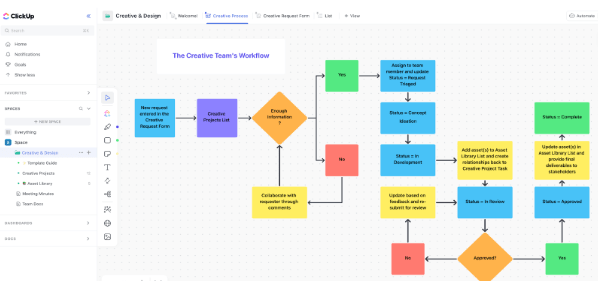
Designing a campaign asset? Launching a brand refresh? Or juggling ad visuals across five platforms at once? Creative and design work moves fast, but only if your process does too.
The ClickUp Creative & Design Template provides a visual-first workflow for managing projects from intake to final delivery. It’s not just a task tracker; it mirrors real-world design ops and keeps in-house teams, freelancers, and stakeholders on the same page.
🔑 Ideal for: Creative leads, designers, marketers, and freelancers managing high-volume creative work across campaigns, channels, and clients.
👀 Did You Know? Dove’s Real Beauty campaign became iconic for its message, and its creative strategy stayed consistent across channels. From print and TV to digital platforms, the campaign echoed its core truth—challenging narrow beauty standards—through a clear strategy and strong brand identity. That kind of discipline starts with a focused, creative brief.
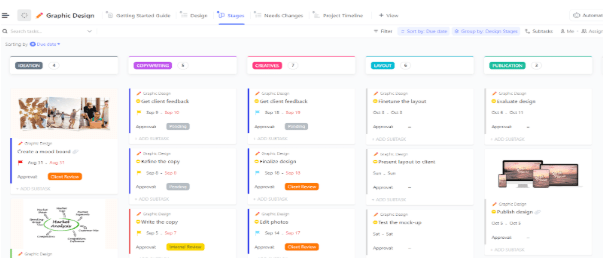
Design chaos is real, lost mockups, shifting timelines, and endless versions of final_final_v3.jpg. But with the ClickUp Graphic Design Template, you can keep every stage sharp, like copywriting, layout, visuals, and handoff, without tool-hopping or version confusion.
Built for scale, it’s agile enough for freelancers and robust enough for agencies handling dozens of assets across digital and print. Dive straight into the flow: locate files fast, lock timelines, and keep track of the entire pipeline in one unified workspace.
🔑 Ideal for: Freelance designers, agency teams, and in-house creatives managing high-volume design projects across digital, print, or branding.
➡️ Also Read: How to Build a Content Creation Workflow (+Templates)
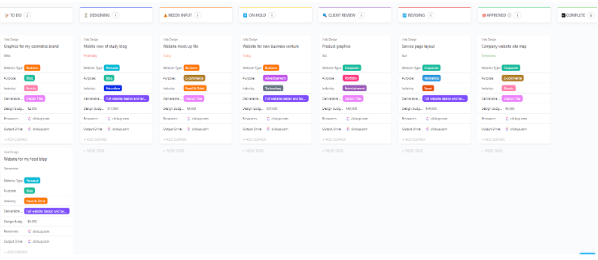
Content is king, but let’s be real: visitors won’t stick around to engage if your site feels clunky or outdated. When 94% of first impressions are based on design, the ClickUp Web Design Template helps you make that moment count.
From wireframes to final delivery, this template simplifies every web design process step. Map out tasks, set expectations, and centralize creative feedback so that your team builds stunning, functional websites that meet project objectives and user needs.
🔑 Ideal for: Web designers, creative teams, agencies, and freelancers managing end-to-end website builds across multiple clients or departments.
As Michael Holt, CEO of EdgeTech, puts it:
ClickUp has been an all-in-one solution, true to its goal, where we could manage just about every aspect of our business activities. This includes things such as web design projects, search engine optimization clients, social media management, and business management for two other associated companies.
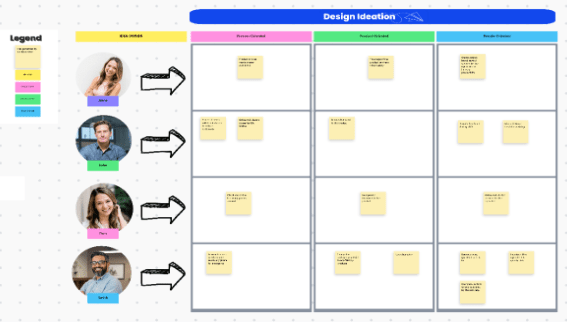
Great design isn’t just about clean lines and sleek interfaces; it’s about solving real user problems in ways no one’s tried before. But brainstorming alone won’t get you there. You need the ClickUp Design Ideation Template to guide free-flowing creativity into a purposeful direction.
Built for early-stage exploration, this template helps you and your team diverge intentionally, exploring ideas without constraint or judgment. Use it during Design Thinking workshops, product discovery sessions, or creative brainstorms where quantity fuels quality.
🔑 Ideal for: UX designers, marketing managers, product teams, and innovation leads looking for a free creative brief template to drive structured ideation and fast delivery.
➡️ Also Read: Effective Ideation Techniques & Methods for Your Team
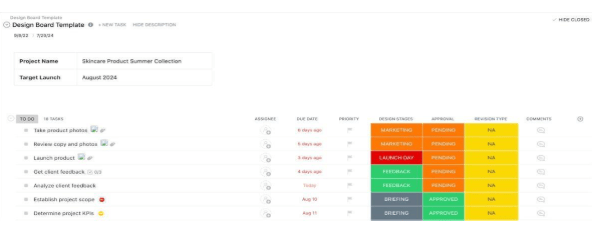
Standing out from the competition starts with a clear vision. The ClickUp Design Board Template helps your team shape product ideas, define the problem they’re solving, and identify the target audience.
It works like a visual-first marketing brief, guiding your team from initial sketches to execution-ready tasks. Once your foundation is clear, you can focus on the bigger questions: What are we building? Why does it matter? And what resources do we need to achieve it?
🔑 Ideal for: Freelancers, in-house creatives, and cross-functional squads looking for a free creative brief template to align product ideas with design execution in one workspace.
➡️ Also Read: Free Content Calendar Templates for Social Media
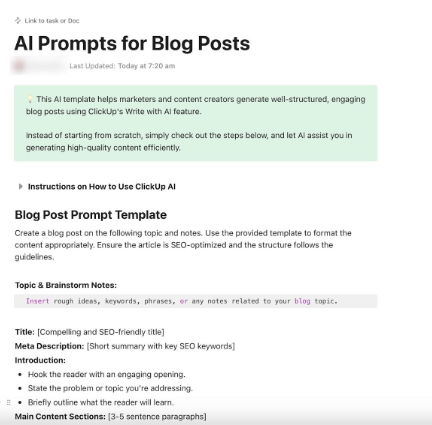
Content marketers face a dual challenge: creating content that ranks in search engines while engaging human readers. Here’s the good news—writer’s block has finally met its match, the ClickUp AI Prompt & Guide for Blog Posts Template.
This free creative brief template is a perfect launchpad for structured, SEO-optimized, and compelling writing from start to finish. The AI-assisted approach generates data-driven content recommendations, leaving room for creative interpretation and personalization.
🔑 Ideal for: Content marketers, SEO writers, and blog editors who want to simplify content creation, improve consistency, and publish faster.
📮 ClickUp Insight: 37% of our respondents use AI for content creation, including writing, editing, and emails. However, this process usually involves switching between different tools, such as a content generation tool and your workspace. With ClickUp, you get AI-powered writing assistance across the workspace, including emails, comments, chats, Docs, and more—all while maintaining context from your entire workspace.
A great marketing brief isn’t just a planning tool; it’s the foundation for a high-impact workflow. With the right structure, your objectives remain sharp, your team aligned, and your strategy laser-focused on the target audience.
But that’s just the beginning. ClickUp transforms static docs into living workflows, linking every idea to timelines, tasks, assets, and real-time collaboration. No guesswork, no disconnect; just fast, focused execution that delivers.
Get started with ClickUp and write briefs that go beyond alignment and drive results.
A marketing brief defines the overall strategy, including goals, KPIs, audience, message, and distribution. A creative brief translates that strategy into executional guidance, such as tone, visuals, storytelling angle, and design direction.
Most briefs are 1–2 pages, depending on complexity. Focus on clarity and relevance, not length.
It depends. In large orgs, marketing managers or strategists write them. In smaller teams, founders or campaign leads often take the lead. Agencies may co-create them with clients.
Absolutely. Tools like ClickUp Brain can generate campaign overviews, summarize background docs, and even auto-draft role-specific briefs to speed up team alignment.
Nope. Use them for internal initiatives like rebrands, internal events, or HR campaigns. Anytime you need clarity, alignment, and execution in sync, a brief helps.

© 2026 ClickUp