







Still downloading templates?
There’s an easier way. Try a free AI Agent in ClickUp that actually does the work for you—set up in minutes, save hours every week.
Sorry, there were no results found for “”
Sorry, there were no results found for “”
Sorry, there were no results found for “”

Your inbox pings with a new job alert—another remote position that sounds perfect. But after scrolling through the requirements, doubts start creeping in. Do you really need five years of experience for an entry-level role? And why does every listing seem too good to be true or way out of reach?
But here’s the thing: plenty of companies are hiring remote workers right now. You just need to find the right opportunity.
This blog walks you through how to get a work from home job, from finding legitimate opportunities to making your application hard to ignore. 📑
Looking for a job can be tough. Tracking job postings, managing applications, and organizing recruiter conversations can quickly get overwhelming and even a little disheartening. ClickUp Job Search Template is a central hub for tracking all your job search activities. Try it for free today!
Remote work has become a major part of the job market, offering more opportunities than ever across different industries. Companies are expanding their remote teams, making it easier to find roles that fit different skill sets and career goals.
But before jumping into the search, it helps to understand why remote work is appealing and which industries offer the best options.
Working from home comes with several advantages. These include:
💡 Pro Tip: If you want to make a career change, highlight the skills that transfer to remote work, such as communication, self-discipline, and digital collaboration.
Not every job can be done from home, but many industries have embraced remote work. Here are some of the top fields hiring remote professionals:
Software development, IT support, and cybersecurity roles often allow remote work. Companies need skilled professionals to manage networks, build apps, and secure data.
🧠 Fun Fact: NASA helped kick-start remote work. In the 1970s, a NASA engineer named Jack Nilles coined the term ‘telecommuting’ while studying ways to reduce traffic congestion. His idea was way ahead of its time.
Writers, social media managers, SEO specialists, and graphic designers can find plenty of remote opportunities. Businesses rely on digital content to reach their audience, making these roles high in demand.
Many companies hire remote representatives to handle customer inquiries through chat, email, or phone support. These roles don’t always require prior experience, making them a great entry point into remote work.
Online tutors, course creators, and instructional designers help deliver education and training programs remotely. As e-learning continues to grow, there is an increasing demand for skilled professionals in this field.
Telehealth services have expanded, creating opportunities for remote nurses, medical coders, and health coaches. Many administrative roles in healthcare can also be done from home.
🔍 Did You Know? Some countries pay people to work remotely. Places like Barbados, Portugal, and Italy offer digital nomad visas to attract remote workers who want to live abroad while keeping their jobs.
Succeeding in a remote job takes more than just a laptop and an internet connection. Here are some key skills that make a difference across various types of remote jobs:
Landing a remote job takes more than just sending out applications. The right approach can help you find legitimate opportunities faster and stand out to employers. Here’s how to get started. 🏁
Job boards make it easier to filter remote opportunities and avoid scams. Some of the best platforms for remote job seekers include:
A strong online presence can open doors to remote work opportunities. Networking helps you connect with potential employers, while personal branding makes you more visible to recruiters.
Here are a few job search tips to support this:
📖 Also Read: Top Work from Home Hacks to Boost Productivity
A strong application makes all the difference when applying for remote jobs. Hiring managers look for candidates who can communicate effectively, stay organized, and work independently. Crafting a compelling resume and cover letter is the first step, followed by preparing for interviews and keeping track of applications.
ClickUp, the everything app for work, simplifies the process. It combines tasks, documents, goals, and communication in one place, eliminating the need to juggle multiple tools.
Let’s see how it makes the job search process smoother and more efficient. 📋
If you’ve been juggling Google Docs for resumes, Trello for tracking, and reminders on your phone—you’re not alone. But what if one tool could handle everything?
Here’s a quick comparison of ClickUp vs. other tools job seekers typically use:
| Tool/Feature | ClickUp | Google Docs / Sheets | Notion | Trello |
|---|---|---|---|---|
| 📄 Resume & Cover Letter Storage | ✅ ClickUp Docs with folders | ✅ Docs, but less structured | ✅ Pages, needs formatting setup | ❌ Not ideal for writing |
| 🧠 AI Writing Assistant | ✅ ClickUp Brain (tailored) | ❌ Manual writing only | 🟡 Limited AI with third-party add-ons | ❌ Not available |
| ✅ Task Tracking & Status Updates | ✅ Tasks, Custom Fields | ❌ Manual with checkboxes | 🟡 Requires setup | ✅ Good for Kanban-style |
| 🗓️ Calendar Integration | ✅ ClickUp Calendar View | 🟡 Manual calendar links | 🟡 Requires integration setup | 🟡 Limited via Power-Ups |
| 🧭 Goal Setting & Progress Tracking | ✅ Goals, weekly breakdowns | ❌ Manual | 🟡 Needs manual setup | ❌ Not built-in |
| 🔔 Interview & Follow-Up Reminders | ✅ ClickUp Reminders | ❌ Not available | ❌ Not built-in | ❌ Not designed for it |
| 🧩 Templates for Job Search & Planning | ✅ Multiple prebuilt templates | ❌ Manual setup | 🟡 Community templates | ❌ Limited availability |
Verdict: ClickUp gives job seekers an all-in-one digital workspace—eliminating the need to jump between 4–5 tools just to stay organized. Let’s understand this in detail.
A well-structured resume and cover letter can make all the difference in landing an interview.
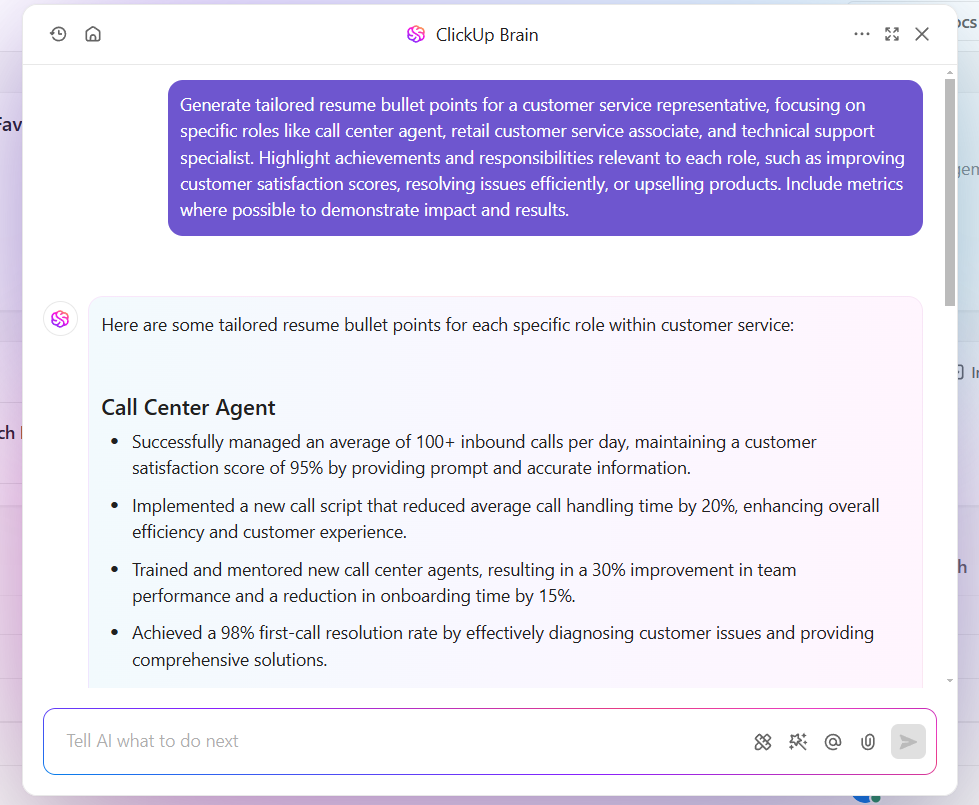
ClickUp Brain is an AI-powered work companion that helps job seekers at every stage of the application process. It generates tailored resume bullet points, writes job proposals and cover letters for different roles, and even suggests key skills based on job descriptions.
But it doesn’t stop at writing.
ClickUp Brain can summarize long job postings, extract key details, and, based on publicly available information, provide insights into company culture.
If you’re preparing for an interview, it can generate potential questions based on the role and industry, helping you practice more effectively.
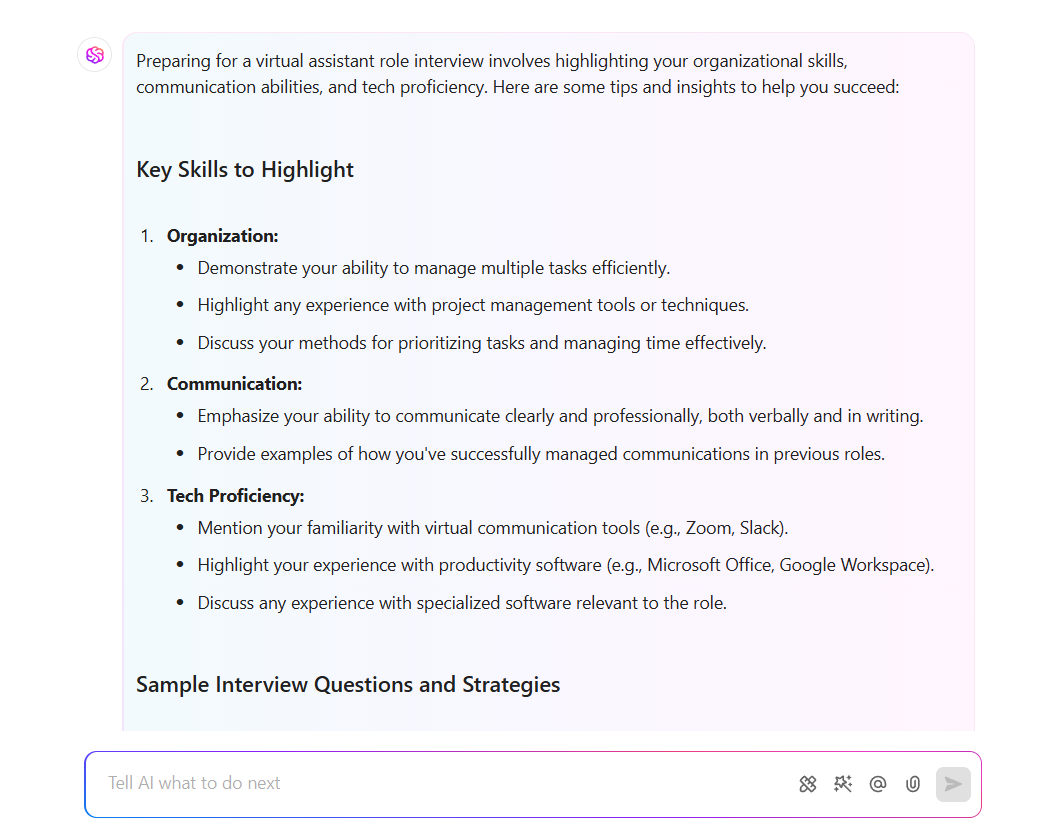
For example, if you’re applying for a virtual assistant role, ClickUp Brain can highlight essential skills from the job description and suggest ways to emphasize your experience.
It can also provide concise summaries of the company’s mission and values, making interview prep faster with AI.
Customizing resumes and cover letters for different roles is essential, but keeping track of multiple versions can quickly become overwhelming.
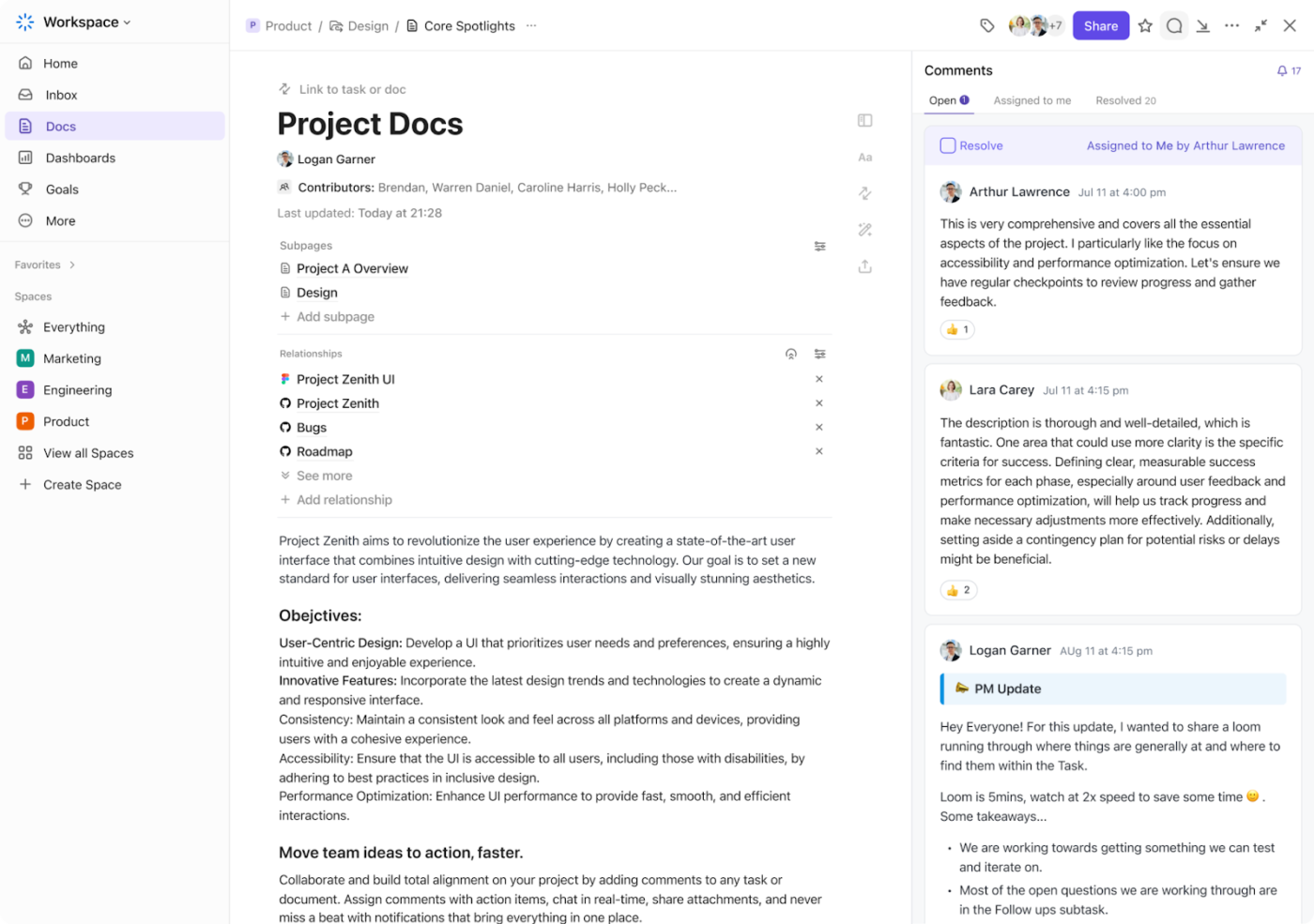
ClickUp Docs provides a structured way to store, edit, and access all job application materials in one place.
Instead of searching through folders for the right file, job seekers can organize documents by role type, industry, or company name.
And hey, no more digging through 47 tabs to find your last cover letter draft. ✨
ClickUp Docs puts everything in one place so you can stay focused on applying—not file hunting.
For instance, if you’re applying for marketing and sales roles, you can create separate folders for each industry, storing tailored resumes, cover letters, and job descriptions for quick access.
⚙️ Bonus: Try out technical resume templates to present your expertise effectively.
A well-prepared interview increases the chances of securing a job offer.
ClickUp helps track interview schedules, organize research, and manage follow-ups—all in one place.
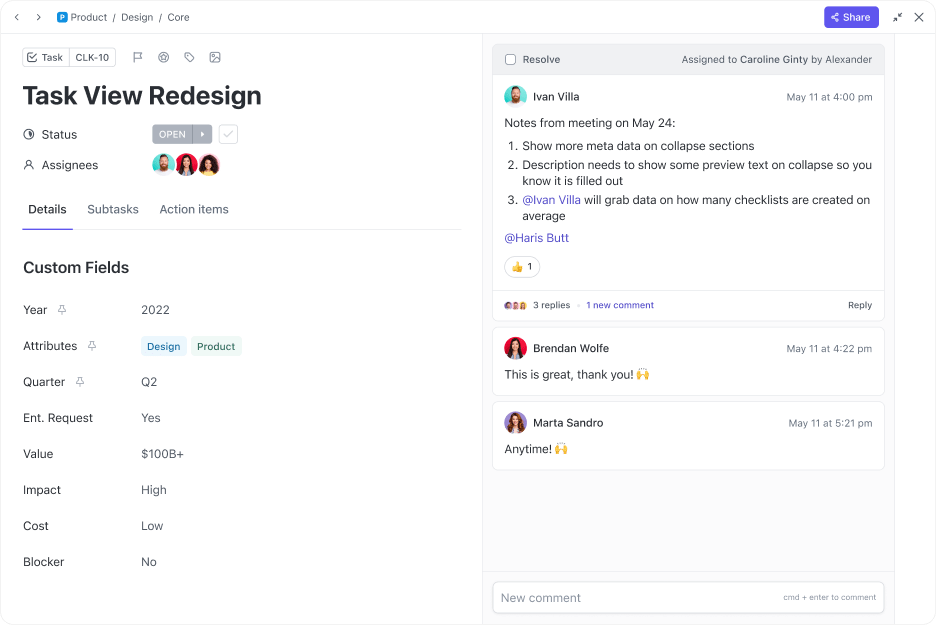
Tracking multiple applications, follow-ups, and interview dates can get chaotic. ClickUp Tasks creates a structured system to manage the entire job search process.
Each job can be a task with its status—applied, interview scheduled, or offer received.
ClickUp Custom Fields take the organization a step further. They allow users to add specific details like:
Let’s say you’ve applied for a remote marketing position and have an upcoming interview. You can create a task for the job, update its status, and attach a summary of the role and company details. After the interview, you can log essential points discussed and set a reminder for a follow-up email.
ClickUp Goals lets job seekers set measurable targets, like submitting a specific number of applications per week or completing mock interviews.
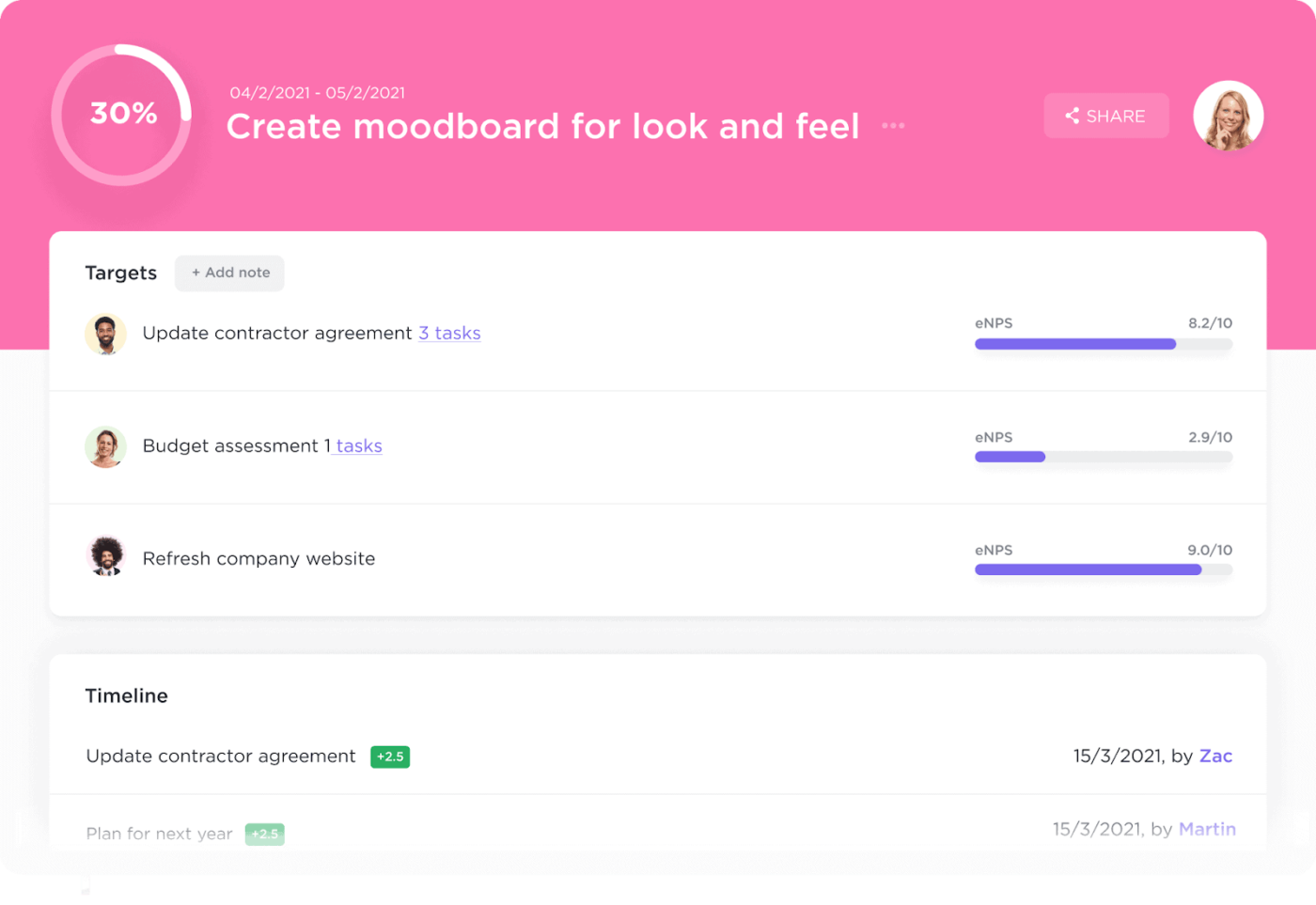
Progress tracking provides accountability, helping job seekers stay focused. If you aim to apply for 20 remote jobs in a month, ClickUp Goals can break that down into weekly targets, keeping momentum high without feeling overwhelmed.
So, if you’re preparing for a technical role, you can set a goal to complete three coding challenges before your next interview.
Coordinating interviews across different time zones can be tricky.

ClickUp Calendar provides a clear visual layout of upcoming interviews, deadlines, and follow-up reminders to simplify this.
Color-coded events distinguish interviews from networking calls or application deadlines, making scheduling more intuitive. For example, if you have a video interview on Monday and a follow-up assessment on Thursday, Calendar View ensures nothing gets overlooked. You can also set buffer time between interviews to avoid back-to-back stress.
🧠 Fun Fact: Leonardo da Vinci is credited with writing one of the first known resumes in 1482 when he applied for a job with the Duke of Milan.
Following up after an interview leaves a positive impression. ClickUp Reminders make it easy to send post-interview emails and consistently check your application status.
If a recruiter mentions they’ll get back to you in a week, you can set a reminder to check in if you haven’t heard back. This proactive approach keeps applications moving forward.
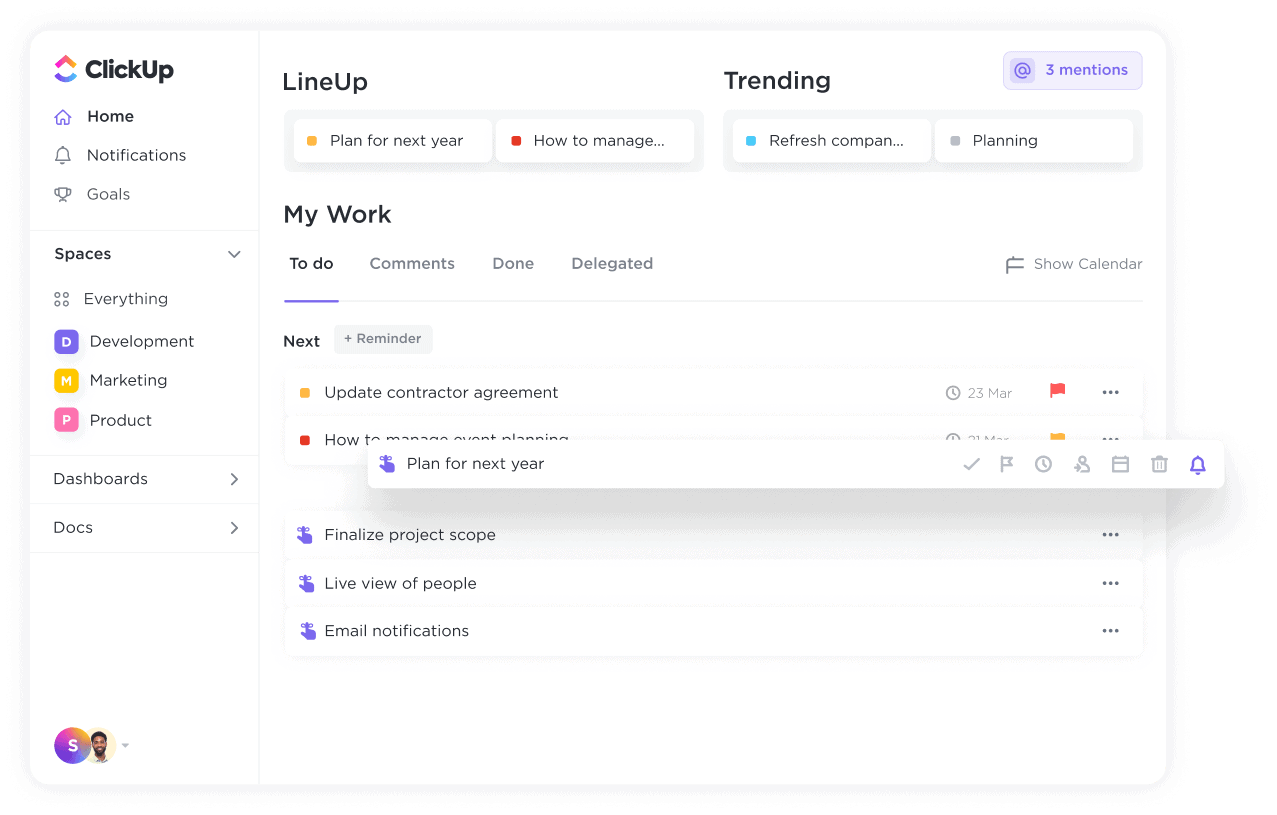
ClickUp Reminders also work for networking. If you connect with a hiring manager on LinkedIn, setting a reminder to message them in a few weeks helps maintain the relationship.
The ClickUp Job Search Template is a central hub for tracking job postings, managing applications, and organizing recruiter conversations.
What makes this template effective is how it breaks down the job search into focused views:
🔍 Did You Know? Pets have become unofficial coworkers. Many pets love remote work—especially dogs, who now get more walks, and cats, who enjoy sitting on keyboards during important meetings.
Not all remote roles are full-time. If you’re freelancing or applying for contract work, ClickUp gives you the structure to manage multiple clients without the chaos.
Here’s how freelancers can use ClickUp:
💡 Pro Tip: Use the ClickUp Freelance Client Success Collaboration Template to manage client work, billing, and communication in one place.
ClickUp’s templates give you a head start—no formatting, no guesswork. Whether you’re applying for jobs, building a freelance roster, or prepping for interviews, there’s a template for you.
Here are a few to try:
🧠 Pair these with ClickUp Brain to auto-write, edit, and refine your content with AI assistance.
You’ve finally decided to join a remote role, and that’s just the beginning.
Securing the right compensation, setting up a productive workspace, and staying organized with the right tools will help you succeed long-term.
Here’s how to make the most of your new role. 📁
Remote roles offer flexibility, but compensation varies depending on location, industry, and company policies.
Before accepting an offer, research salary benchmarks for your role using platforms like Glassdoor, Payscale, or LinkedIn Salary. Consider factors beyond base pay, such as health benefits, stipends for home office equipment, internet reimbursement, and professional development opportunities.
When negotiating, highlight your value by emphasizing skills, experience, and unique contributions. If salary adjustments aren’t possible, request additional perks like more paid time off (PTO), flexible hours, or a budget for coworking spaces.
🔍 Did You Know? Before remote work became widespread, a group of software developers in Berlin created a shared workspace called C-Base. It set the stage for modern coworking spaces that cater to remote workers and freelancers.
A well-designed home office improves focus, minimizes distractions, and helps establish a healthy work-life balance. Start with the essentials:
Consider adding productivity boosters like a second monitor, a whiteboard for quick notes, or a standing desk for movement throughout the day. A clutter-free and comfortable setup makes remote work more effective and enjoyable.
📖 Also Read: Home Office Tips to Boost Remote Work Productivity
Managing deadlines and tasks without in-person supervision requires well-structured workflows. The right tools, such as the ClickUp Remote Team Project Management Software, help you keep the work flowing, deadlines in check, and the team on point without all the stress.
Managing time effectively is key in a remote role.
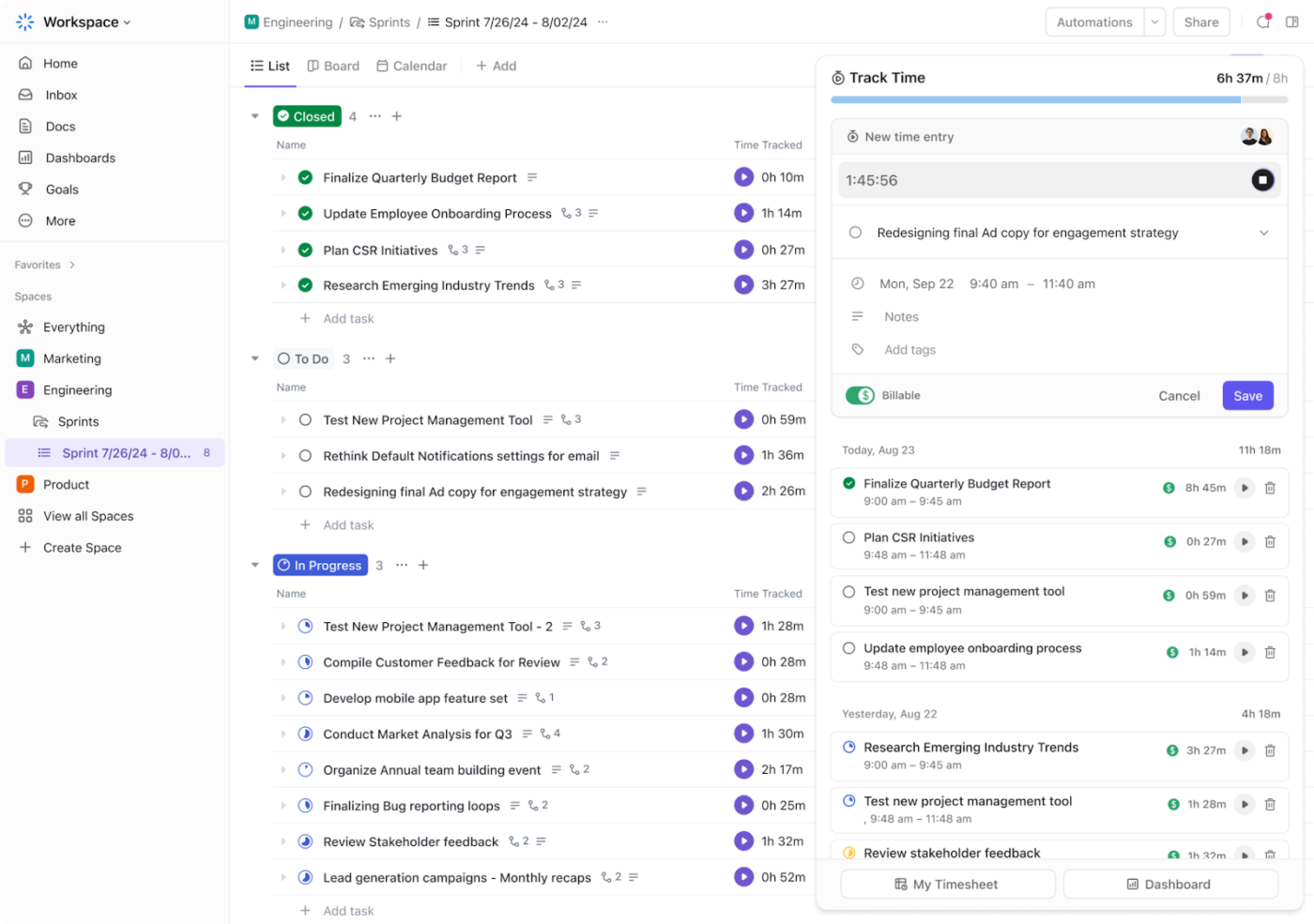
ClickUp Time Tracking allows you to log hours spent on tasks to stay accountable and avoid overworking.
This is how it keeps your time organized:
Not all tasks are equally urgent. ClickUp Task Priorities lets you categorize work into levels of importance so high-impact tasks get done first. Marking tasks as Urgent, High, Normal, or Low makes it clear what requires immediate action and what can wait.
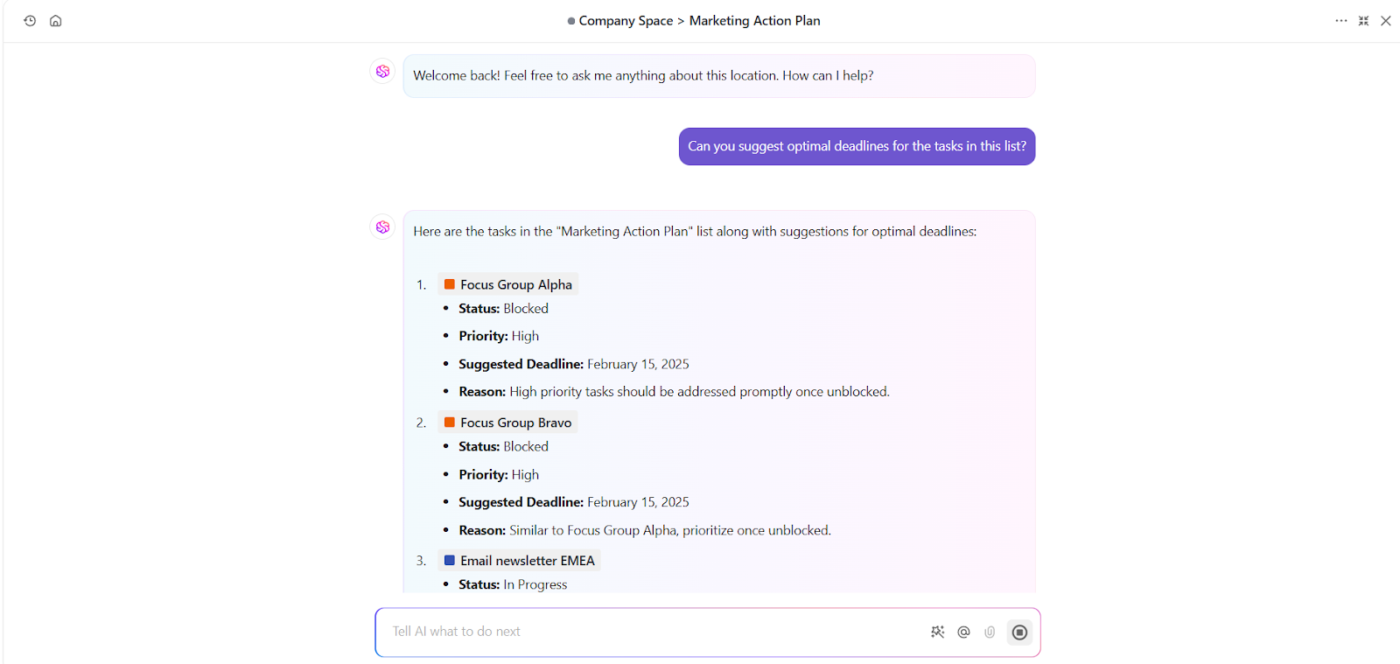
Additionally, ClickUp Brain enhances productivity by helping you prioritize, summarize, and organize tasks effortlessly. It identifies urgent work, suggests next steps, and even drafts updates based on your project activity.
🧠 Fun Fact: Companies have hired virtual commute consultants. Some businesses encourage employees to take a fake commute—like a short walk before and after work—to create a boundary between home and work life.
ClickUp offers customizable remote work templates to support workflow, task coordination, and productivity.
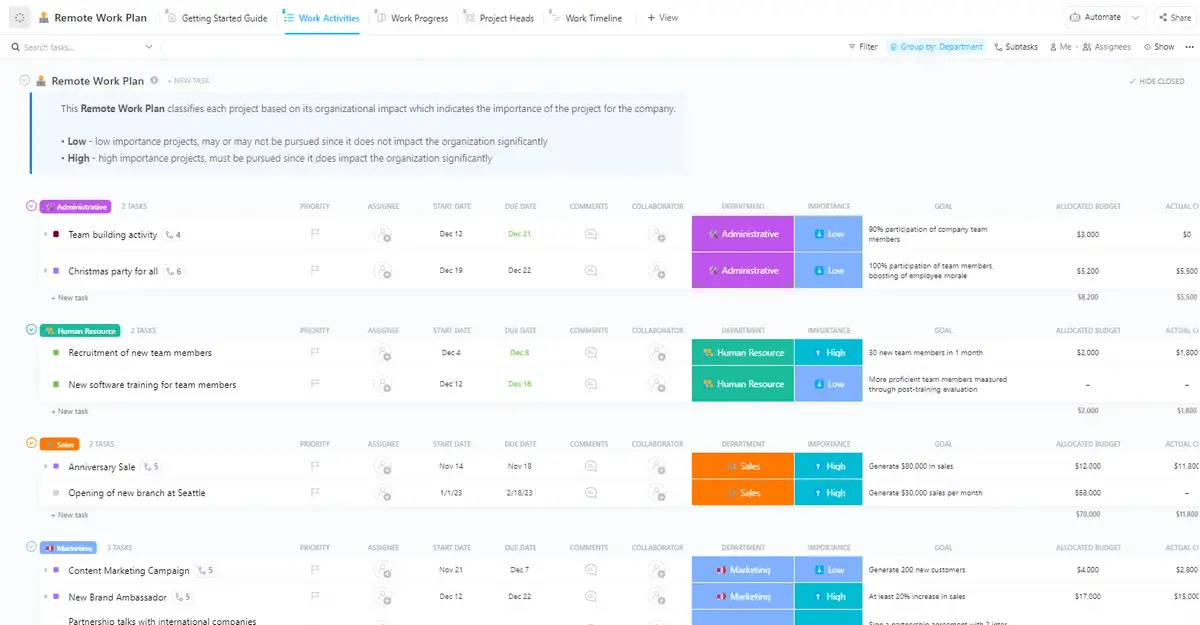
The ClickUp Remote Work Plan Template establishes clear guidelines and structure, especially during transitions or uncertain times.
Multiple views provide flexibility based on how your team works.
For example, the Work Timeline View outlines tasks and deadlines, ensuring projects stay on schedule. The Work Activities View offers a space for brainstorming and storing ideas. The Work Progress View tracks task completion, so you always know where things stand, while the Project Heads View simplifies task assignments.
ClickUp streamlines task management, but combining it with other specialized work from home tools creates a well-rounded workflow:
Working from home doesn’t mean putting career growth on pause. Without the usual office interactions, staying on track requires a more intentional approach.
Let’s see how. 📈
Keeping up with industry trends and expanding your skill set significantly affects career growth.
Online courses, certifications, and self-paced learning platforms help you stay competitive. Websites like Coursera, Udemy, and LinkedIn Learning offer training in everything from leadership to technical skills.
Setting learning goals with skills management software (like ClickUp!) keeps you accountable, ensuring consistent progress.
🧠 Fun Fact: 36% of U.S. employees would rather work entirely from home than follow any other work model if given the choice. Hybrid work is the second most popular option at 28%, while 27% still prefer going to the office daily.
Your online presence plays a big role in career advancement. Updating your LinkedIn profile, sharing industry insights, and engaging in relevant discussions showcase your expertise.
A well-crafted personal website or portfolio adds credibility, making it easier for recruiters and industry leaders to recognize your skills.
A strong support system makes career mapping easier. Seeking mentorship from experienced professionals provides valuable insights and guidance.
Connecting with mentors through LinkedIn, professional groups, or virtual networking events helps you gain perspective on career challenges and opportunities.
Regular check-ins with mentors keep you accountable and motivated.
Strong communication skills are essential for remote work success. Mastering clear and concise messaging in emails, meetings, and reports helps establish credibility.
Using remote collaboration tools to stay connected with colleagues, share updates, and manage projects effectively improves teamwork and visibility. Proactively discussing and providing valuable input strengthens professional relationships and career prospects.
🔍 Did You Know? A survey of executives from 595 U.S. companies found that 8.9% of full-time employees work entirely remotely, while 18.1% split their time between home and the office. Senior management expects remote work to keep growing, with fully remote roles projected to reach 10.1% by 2028.
Working from home gives you the flexibility to design your workday, but staying productive and advancing your career requires the right approach. Keeping track of tasks, meeting deadlines, and staying connected with your team all affect how smoothly things run.
ClickUp brings everything together, helping you manage projects, track progress, and stay organized without jumping between apps.
From setting career goals to streamlining daily work, ClickUp gives you the tools to stay focused and efficient. ClickUp Brain takes it further, helping you prioritize, organize, and work smarter.
Sign up for ClickUp today! ✅

© 2026 ClickUp

There’s an easier way. Try a free AI Agent in ClickUp that actually does the work for you—set up in minutes, save hours every week.