






Still downloading templates?
There’s an easier way. Try a free AI Agent in ClickUp that actually does the work for you—set up in minutes, save hours every week.
Sorry, there were no results found for “”
Sorry, there were no results found for “”
Sorry, there were no results found for “”
Virtual events have become a default format for reaching global audiences.
Businesses rely on them for product launches, webinars, internal town halls, and large-scale conferences. As virtual events become increasingly important, the choice of platform matters far more than it did a few years ago.
On the surface, most tools promise the same thing: quick setup, low cost, and an easy way to go live.
But in reality, a DIY virtual event software may handle the broadcast, but struggle with everything around it. Technical issues, low engagement, and limited reporting can reduce an event’s impact long after it ends.
Below, we show you how to choose a virtual event platform that goes beyond just delivering technical support. It transforms a virtual event into a compelling, secure, and measurable experience.
A virtual event platform is software that enables organizations to host, manage, and measure events online.
At a basic level, a virtual event platform acts as a virtual venue. It allows attendees to register, join live or pre-recorded sessions, interact through chat, polls, or Q&A, and seamlessly transition between sessions, much like they would at an in-person event.
More advanced platforms go beyond streaming. They offer features for audience engagement, event moderation, analytics, integrations with marketing or CRM tools, and post-event reporting, helping teams understand what worked and where to improve.
📌 Example of a virtual event platform in action
Imagine a marketing team hosting a global virtual conference to launch a new product. A modern virtual event platform enables them to:
The result: Attendees stay engaged, sessions run smoothly, and you get insight into how to improve future virtual and in-person events.
The key question when evaluating a virtual event platform is straightforward: Does it enhance the experience for both attendees and organizers?
Here’s why choosing the right virtual event platform matters.
A strong virtual event platform does more than stream video. It actively keeps attendees involved.
📌 Example: During a product launch webinar, the platform enables live polls, moderated Q&A, and chat prompts that encourage participation instead of passive viewing.
Attendees can move between sessions, interact with speakers, and stay engaged throughout the event.
⚡ Template Archive: Free Event Planning Templates on Excel and ClickUp
As attendance grows, small technical limitations become big problems.
The right virtual event platform handles a handful of attendees as well as hundreds of them without lag, audio issues, or session crashes. It supports multiple concurrent sessions, speaker transitions, and real-time moderation without disrupting the experience.
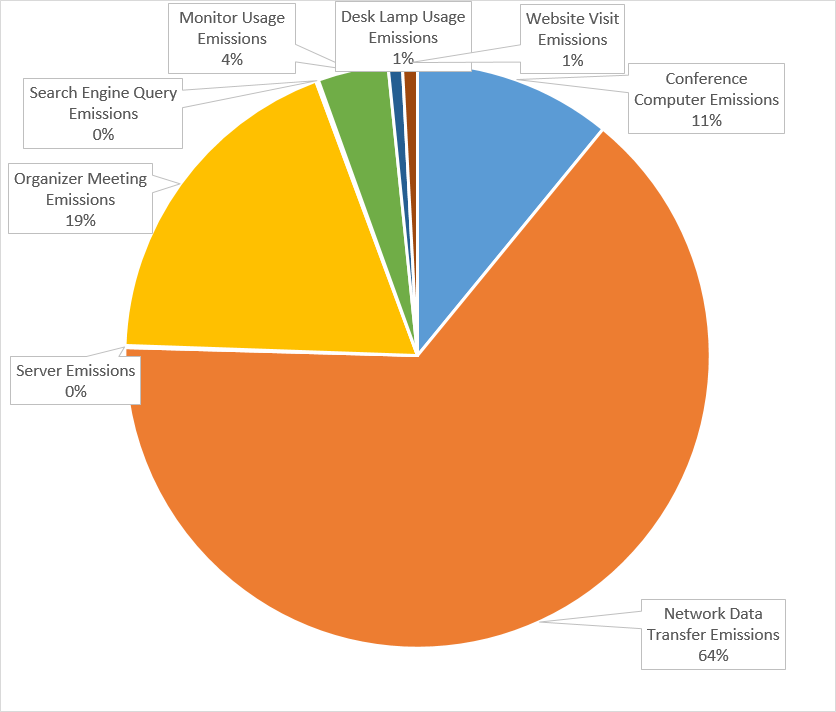
🌍 Bigger Picture: Beyond cost and reach, virtual events also reduce environmental impact. A University of Michigan study found that virtual conferences emit 66% less CO2 than in-person events.
✅ Fact Check: Nearly one-third of webinar attendees return to watch on-demand content even after attending live. Your audience may use on-demand replays to revisit key takeaways, catch missed segments, and share valuable moments with others—extending the impact of virtual events well beyond the live session.
Virtual events don’t end when the session closes. Their value comes from what you learn afterward.
Advanced platforms track attendance, session engagement, drop-off points, and interaction levels across your event. You might discover that breakout sessions retain attendees longer than keynote talks, or that Q&A-heavy sessions lead to more follow-up requests.
These insights help teams refine future events, improve content formats, and justify event spend backed by data.
⚡ Template Archive: Free Itinerary Templates for Your Next Conference
The virtual event environment reflects your brand. A smooth registration flow, branded virtual venue, reliable streaming, and well-managed sessions signal professionalism and attention to detail.
On the other hand, login issues, poor moderation, or technical glitches can quickly undermine trust.
For external events, this perception directly impacts how prospects view your product or company. For internal events, it affects employee confidence and participation.
⭐ Bonus: Here are some AI tools for event management worth exploring if you want to automate planning, improve coordination, and reduce manual effort.
A quick look at G2 tells you there are 210 virtual event platforms! Overwhelming right?
How will you narrow down your search for the right platform? 👇
⚡ Template Archive: Conference Agenda Templates in Word and ClickUp
Your investment will be based on event size, frequency, engagement needs, and reporting depth.
Useful for small teams running occasional webinars or internal events.
This tier typically includes:
✅ Best for: Internal meetings, small webinars, or early-stage event programs. They lack advanced engagement and post-event insights.
Designed for growing organizations running regular virtual events.
This tier usually adds:
✅ Best for: Product launches, customer webinars, or training programs fall into this pricing range.
Built for large-scale conferences, multi-track events, and enterprise marketing programs.
Enterprise pricing includes:
✅ Best for: Global virtual conferences, event-led growth programs, and organizations where virtual corporate events are a core channel for pipeline, brand, or employee engagement.
💡 Pro Tip: When comparing virtual event platforms, create an evaluation scorecard in ClickUp using AI Fields to automatically surface insights.
AI Fields can generate summaries, categorize requirements, or flag platform strengths and weaknesses based on your criteria (e.g., engagement features, analytics depth, integrations).
📚 Read More: Your Guide to Virtual Conference Event Planning
Wondering where to begin? Start here.👇
Before comparing tools, align on why you’re running the event and who it’s for. Ask questions such as:
💡 Pro Tip: Write down 3–5 measurable success criteria at this stage. Examples of event objectives:
Evaluate the virtual event platforms based on the type of event you’re actually running. Break it further into must-have and nice-to-have features.
📌 Example: Your primary goal is to generate more qualified leads for your brand. Your platform should make it easy to capture, enrich, and act on attendee data.
Must-have features:
Nice-to-have features:
📌 Example: Your event is focused on networking and community-building. Here, interaction quality matters more than broadcast quality.
Must-have features:
Nice-to-have features:
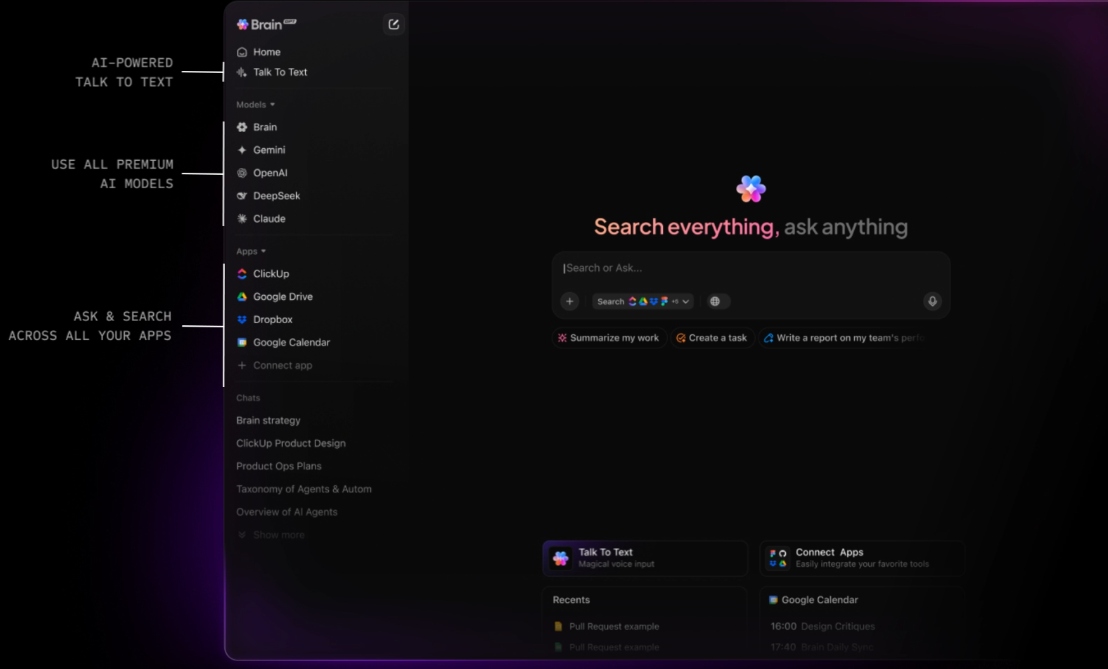
📮 ClickUp Insight: More than half of respondents type into three or more tools daily, battling “app sprawl” and scattered workflows.
While it may feel productive and busy, your context is simply getting lost across apps, not to mention the energy drain from typing.
BrainGPT brings it all together: speak once, and your updates, tasks, and notes land exactly where they belong in ClickUp. No more toggling, no more chaos—just seamless, centralized productivity.
Virtual events don’t exist in isolation. They connect to marketing, sales, HR, and operations workflows before and after the event.
Evaluate:
What makes integrations a critical part of event management software features? It ensures event data flows into follow-ups, reporting, and future planning.
🚀 ClickUp’s One-Up: While your virtual event platform handles the live experience, ClickUp for Marketing Teams acts as the operational backbone around it.
Teams use ClickUp to:
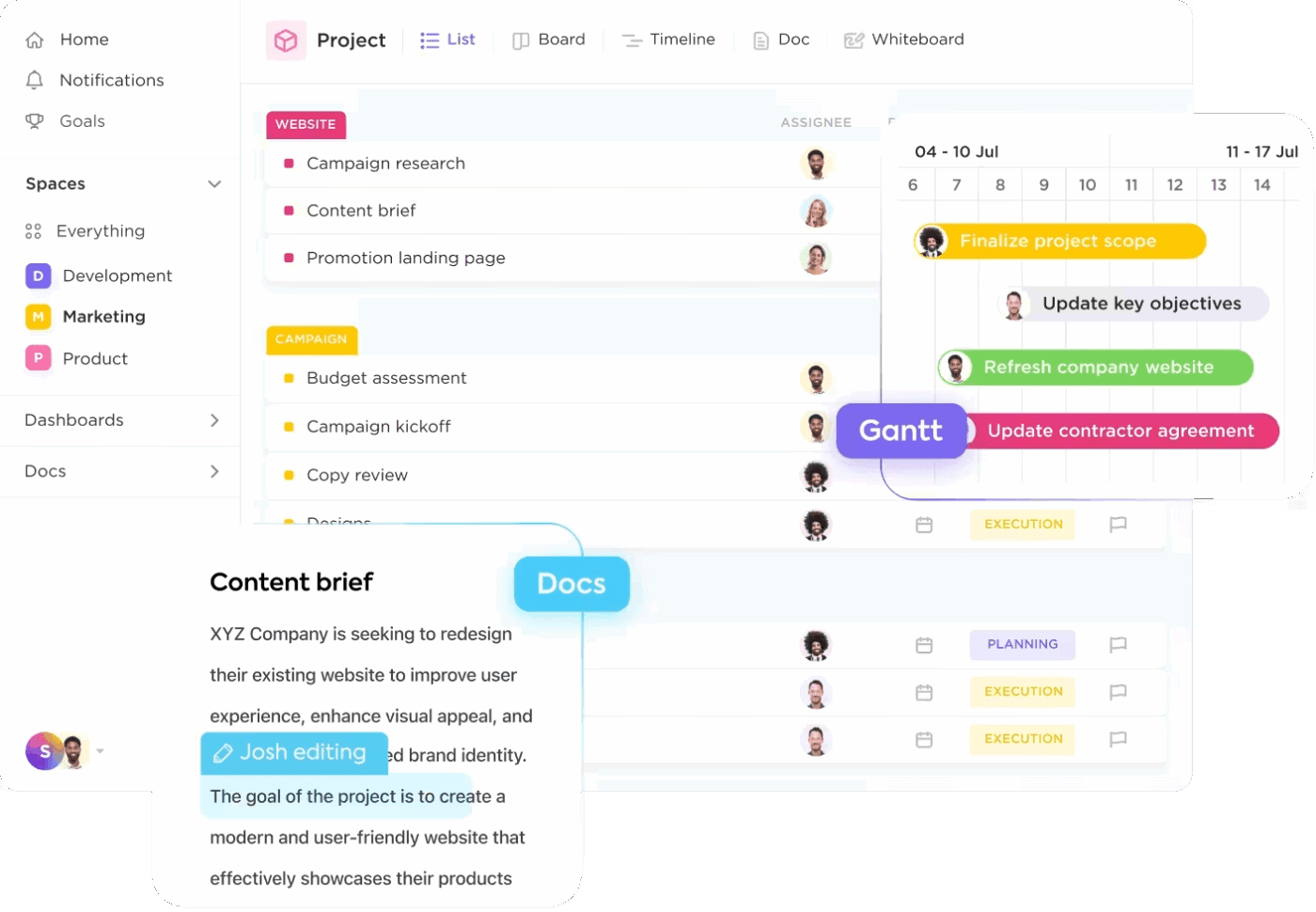
Instead of stitching together spreadsheets, email threads, and task tools, ClickUp keeps all event work—and the actions driven by event data—in one connected workspace.
Beyond features and functionality, you would want it to be user-friendly.
Run a pilot and see if it’s easy for attendees to join without friction. The platform should have an intuitive interface for hosts and moderators alike.
📌 Recommended Test: Before committing, run a live pilot with real speakers and a small audience. Test joining flow, moderator controls, and how the platform handles unexpected issues during the session.
Finally, weigh cost against long-term value.
Look beyond monthly pricing and ask:
💰 ROI your leadership cares about when you’re hosting virtual events:
Here’s the list of popular virtual event platforms.👇
Compared to other tools in this list that help you conduct the virtual event, ClickUp is the operations backbone. The world’s first converged AI workspace is the place where you plan, coordinate, track, automate, and measure the work that makes those live experiences successful.
Here’s how you can use ClickUp’s Event Management Software 👇
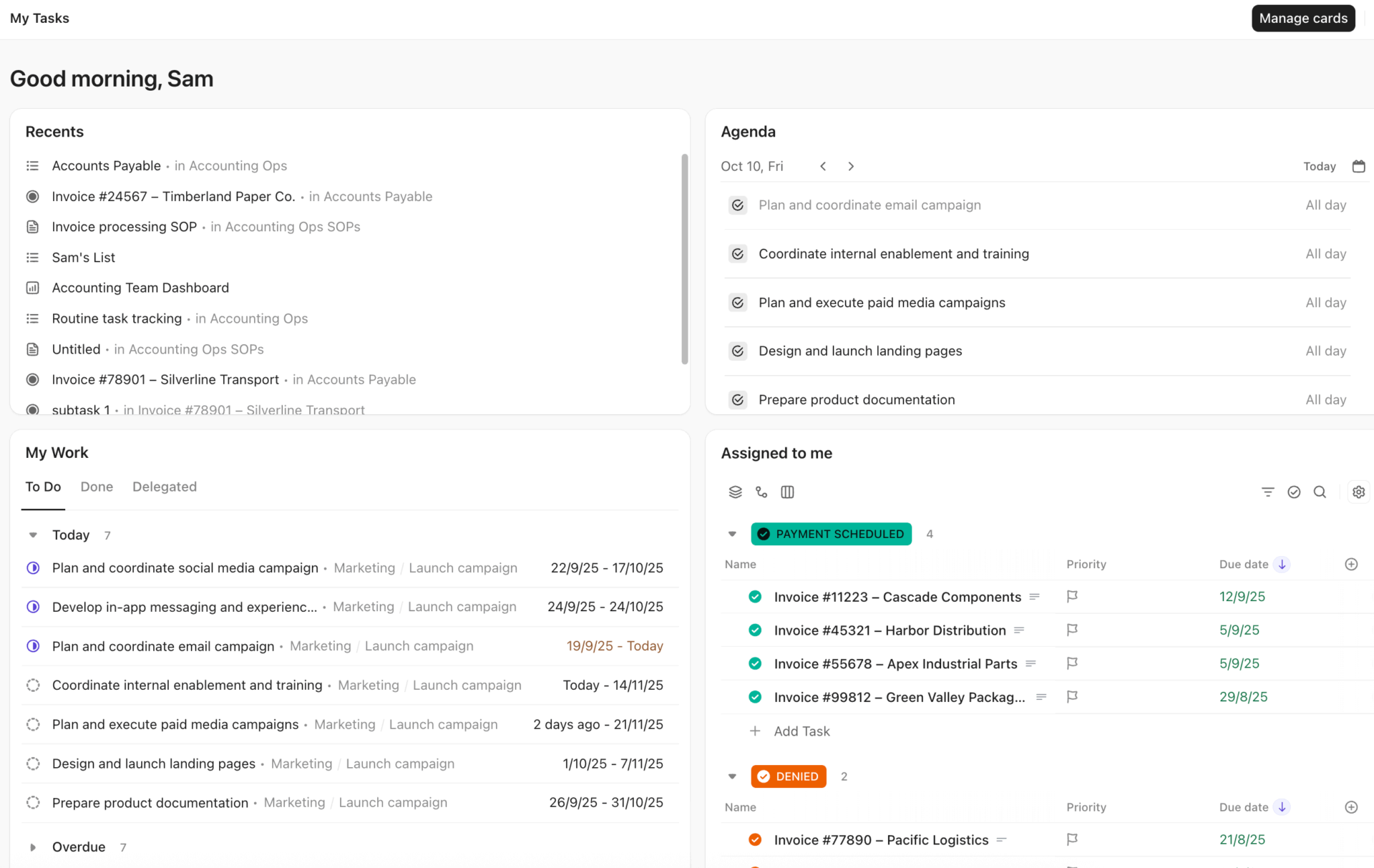
Start by creating a dedicated ClickUp Space for virtual events or event campaigns. This Space becomes the command center for everything related to planning and execution.
Each event is managed as a List inside the Space. Add individual tasks covering activities like speaker outreach, agenda finalization, promotional content, rehearsals, and follow-ups.
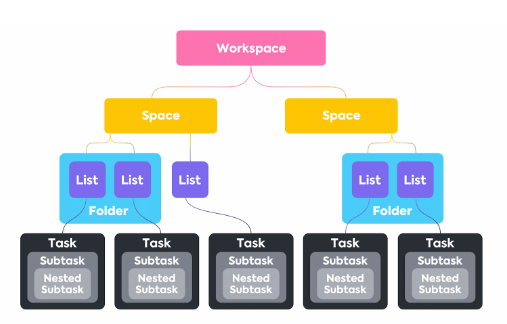
Custom Fields track critical details such as event type, audience, owner, region, and event date. Custom Statuses represent stages like Intake, Planning, Promotion, Event Day, and Post-Event.
This hierarchy makes it easy to manage one-off events or repeatable programs at scale.
Standardize how events enter the system using ClickUp Forms. Marketing, HR, or internal teams submit requests with clear goals, audience details, timelines, and success metrics.
Each form submission automatically creates a structured event task with predefined fields, owners, and statuses. This ensures every event starts with clarity and eliminates back-and-forth before work begins.
Forms are also used post-event to collect attendee feedback, internal retrospectives, or speaker reviews, feeding insights directly back into the workspace.
ClickUp’s Super Agents and BrainGPT add contextual intelligence across the event lifecycle.
During planning, teams use Brain to summarize requirements, draft run-of-show documents, or surface risks based on task dependencies.
Super Agents can then handle workflows end-to-end, from generating promotional copy and summarizing feedback to analyzing post-event performance data directly inside tasks and Docs.
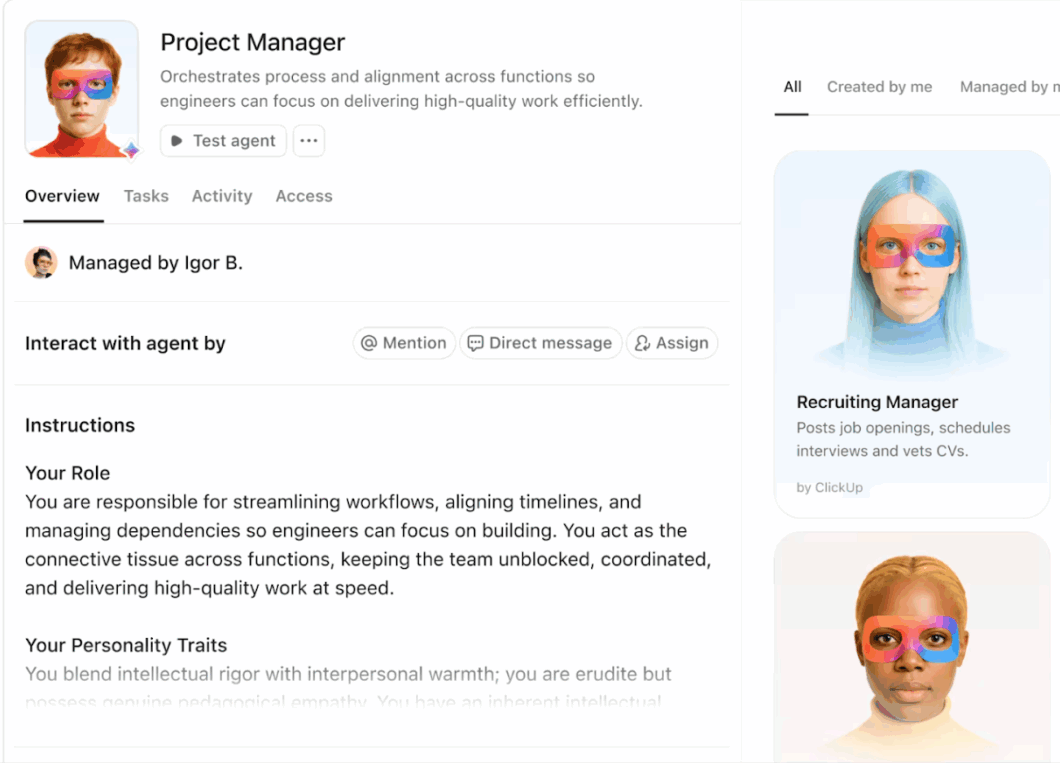
Because Brain is context-aware, it answers questions like “Which events are at risk this month?” or “What were the top engagement drivers in our last webinar?” using real workspace data.
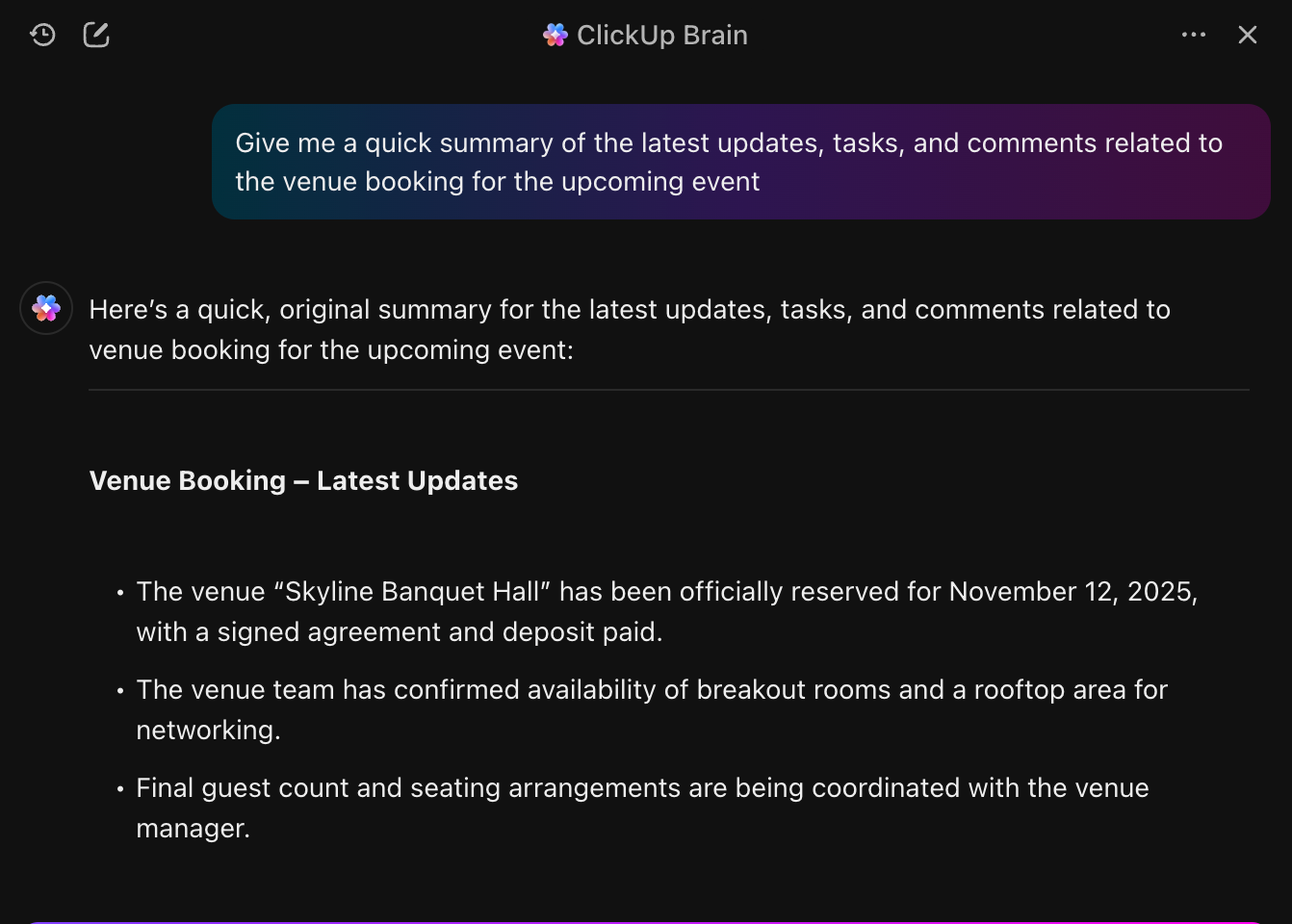
At the heart of ClickUp’s event management system are its no-code Automations. Together, they handle repetitive coordination work, allowing your team to focus on high-impact planning and execution.
Once your event funnel is defined, ClickUp Automations move work forward automatically based on real triggers, rather than manual updates.
📌 Example: When an event idea form is submitted, ClickUp automatically creates a new event task and sets its status to Intake.
When all pre-event subtasks are marked complete, the parent task moves to Promotion Ongoing without anyone nudging it.
After the event date passes, ClickUp updates the status to Post-Event Follow-Up and assigns feedback collection and internal debrief tasks.
ClickUp’s AI also helps with intelligent task assignment and scheduling.
If your team manages events across regions, tasks for US events can be routed to one owner while UK events go to another. AI can even auto-set due dates for tasks and subtasks so every deadline stays aligned with the event timeline.
Watch this video to learn how ClickUp helps with intelligent task assignment 👇
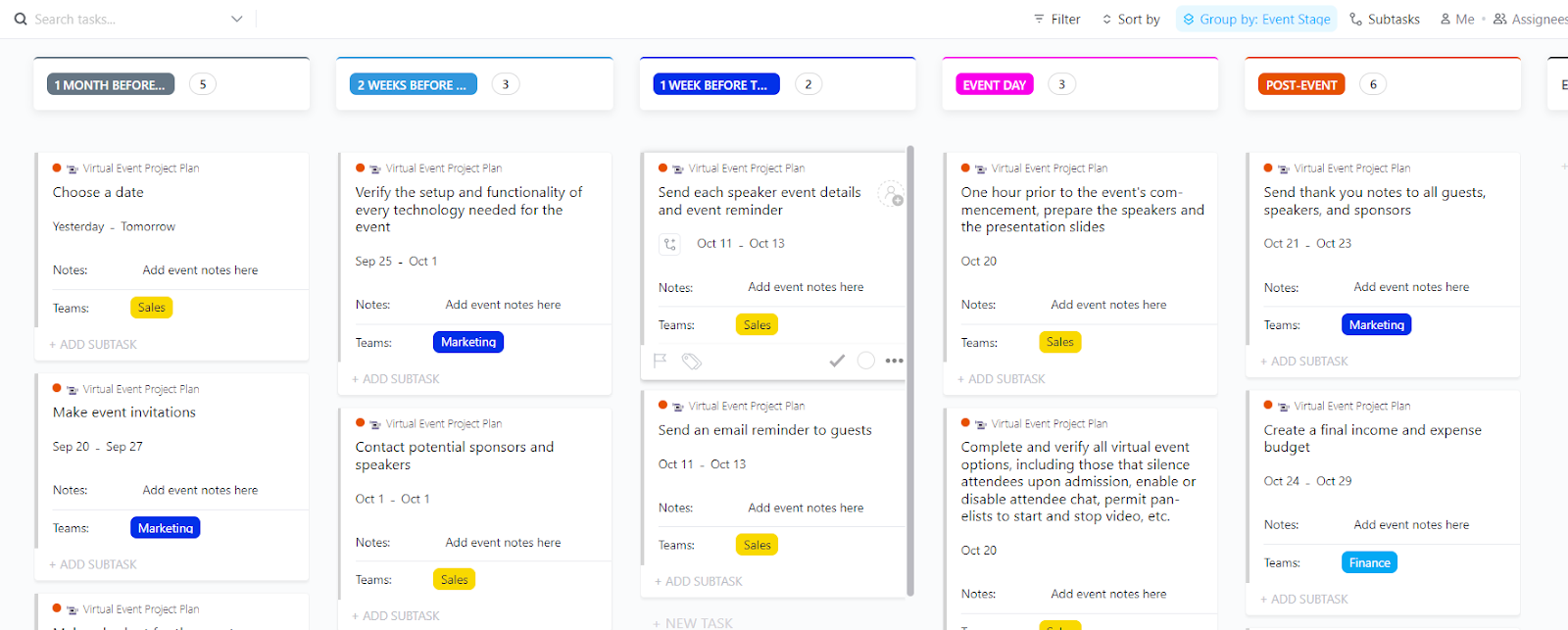
When you’ve chosen your best virtual event platform, the next challenge is turning your plans into action without chaos. Enter: ClickUp’s Virtual Event Project Plan Template.
This template serves as a structured playbook for your entire event lifecycle, consolidating all tasks, timelines, owners, and deliverables into a single workspace.
With this template, you can:
Hear it from a ClickUp customer:
ClickUp is so useful just as a to-list alone! Initially, I was sure that I would prefer written notes but it’s so nice having everything laid out however you prefer and being able to change due dates and attach files to tasks etc. It ensures that nothing is ever forgotten because it’s all in one place.
The whole system is very user friendly and works very well for sharing tasks with colleagues.
📚 Read More: Best Project Management Software to Handle Everything, From Task Tracking to Stakeholder Communication
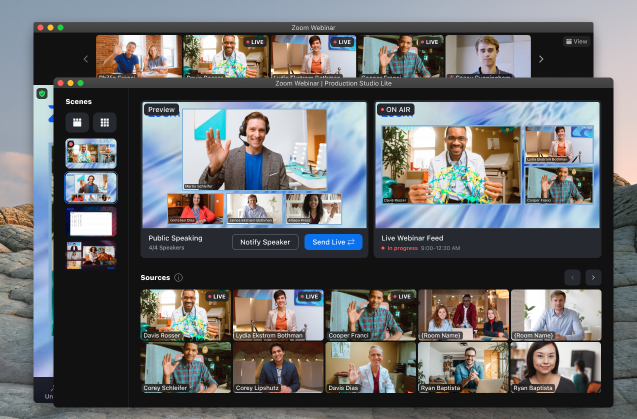
Zoom Events is an all-in-one virtual event platform. It helps you deliver immersive online events, from small sessions to large-scale virtual events such as multi-day conferences and corporate summits.
It combines registration, ticketing, networking, and session management in a single virtual event environment.
Zoom’s tools make it simple for attendees to join and interact, and advanced features support engagement and analytics that help organizers understand audience behavior and outcomes.
*Note: This is Zoom Workplace pricing.
Hear it from a G2 user:
The best part about zoom is how it integrates with other platforms to transcribe meetings. We use Fellow to record our company calls and we have had 0 issues getting this set up. I also enjoy all the filter options and setting options, others platforms just don’t compare.
🧩 ClickUp Advantage: ClickUp’s integrations ecosystem connects your core work stack, so planning, execution, and follow-ups flow without friction.
Sync calendar events, CRM data, marketing automation triggers, file libraries, communication apps, and analytics systems directly into ClickUp.
With ClickUp’s Zoom integration, you can start or join Zoom meetings directly from ClickUp tasks, Docs, or Chat.
Meeting links, recordings, and details stay attached to the relevant work. It helps you manage speaker rehearsals, internal run-throughs, and post-event debriefs in context.
Instead of hunting for links or notes across tools, teams keep Zoom-related activity tied directly to event tasks and timelines—reducing coordination gaps before and after the event.
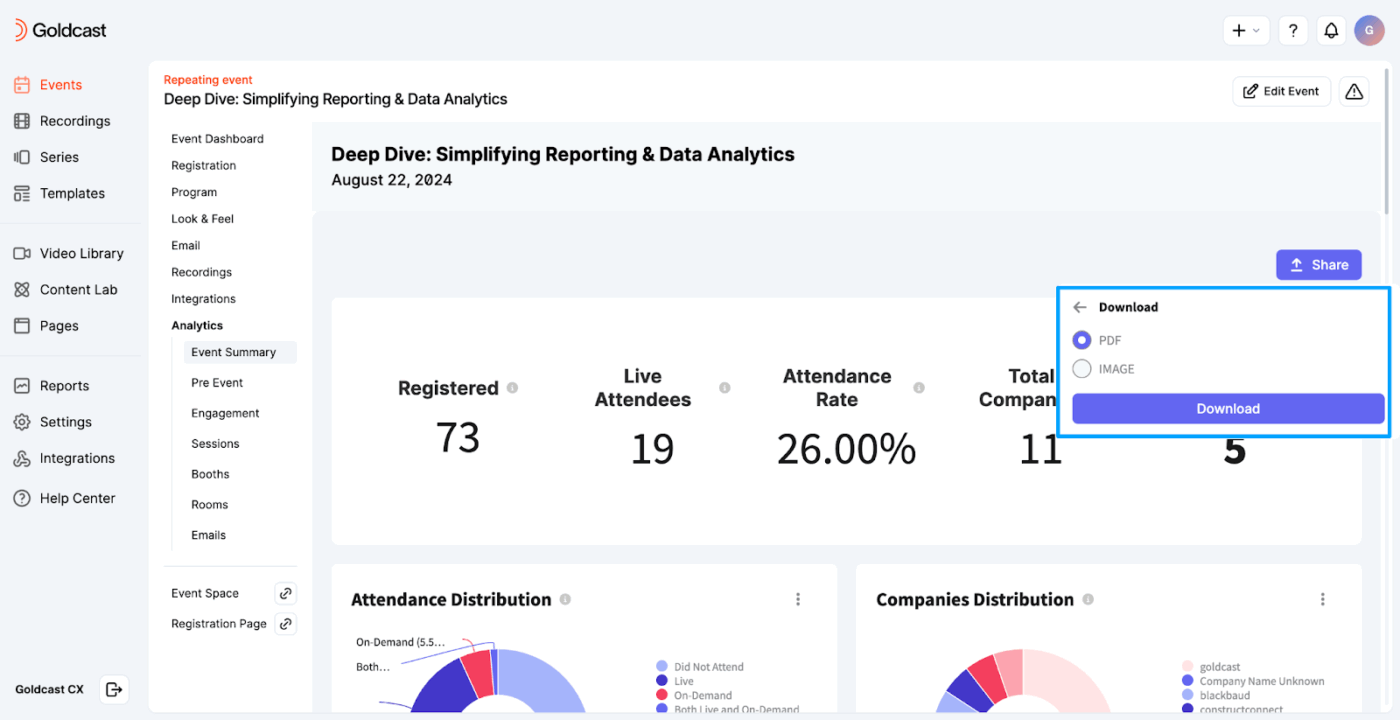
You can use Goldcast.io to host webinars, multi-session virtual summits, hybrid events, and ongoing series. The platform goes beyond live sessions by helping teams repurpose event content and extend audience reach.
With tools that let you capture behavioral intent and integrate with your tech stack, Goldcast helps turn event engagement into measurable pipeline impact.
Goldcast allows you to foster engagement with polls, video Q&As, GIFs, and more.
As an event planner, you can utilize the Goldcast dashboard to gain insights into the event’s performance. You gain access to advanced analytics, including attendance distribution and company distribution, among others.
Hear it from a G2 user:
It can host a large number of concurrent events. The temporization of events simplify timing workflow in production cost.
📚 Read More: Best Project Management Software for Events
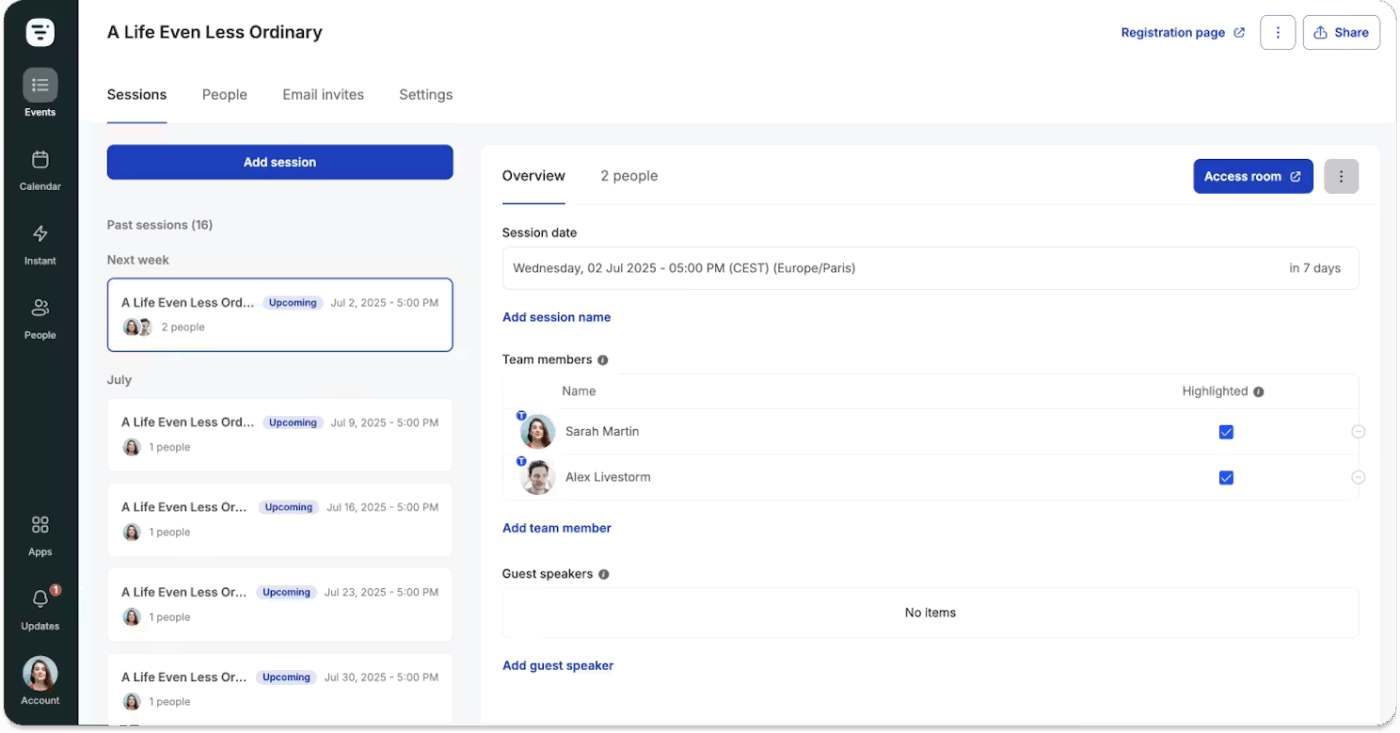
Livestorm is a browser-based virtual event platform designed for seamless hosting of webinars, online meetings, and large-scale virtual events. Attendees and event organizers do not require additional downloads or a complex setup.
It provides flexible engagement tools, clean analytics, and robust integrations that help teams deliver polished events and gather actionable insights.
Livestorm combines interactive features with strong marketing and CRM connections, making it suited for recurring webinars, product demos, and customer education programs.
Its AI and live streaming capabilities support efficient content creation and distribution, helping teams extend the value of each event.
Hear it from a G2 user:
I use Livestorm for running online meetings, webinars, and virtual events because it’s our go-to platform for live presentations and interactive training sessions. I like how the best virtual event platform balances simplicity with the right level of functionality. The initial setup of Livestorm was pretty smooth and straightforward. Additionally, using Livestorm alongside other tools, the integrations help streamline our workflow.
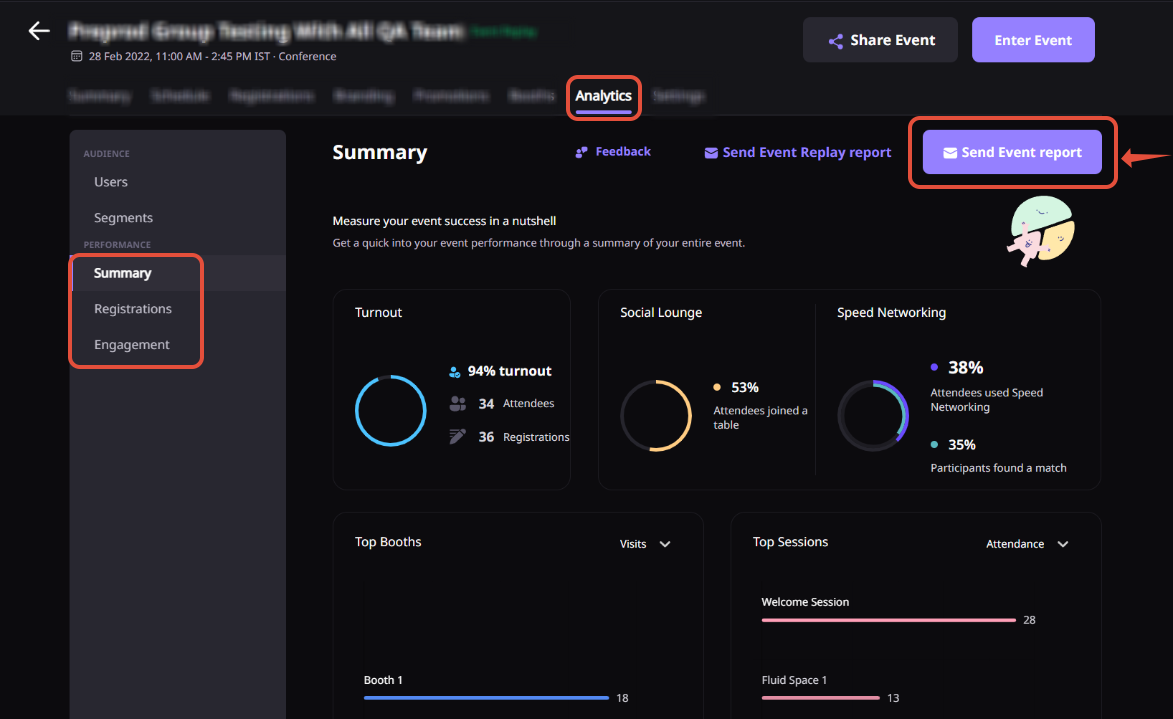
Airmeet is a virtual event platform designed for teams running interactive webinars, conferences, and hybrid events that require engagement and operational control.
It helps organizers understand what’s working through AirIntel, which surfaces engagement trends, attendee behavior, and performance metrics. This data informs future planning and follow-ups.
Live sessions are produced through AirStudio, a production-grade interface that gives hosts precise control over layouts, media, and streaming elements.
Behind the scenes, AirControl centralizes event configuration, access management, scheduling, and real-time moderation.
Hear it from a G2 user:
What I like most is the networking feature—being able to move between virtual tables and have real-time video chats gives it a unique, conference-like feel. It replicates the in-person experience better than most other platforms.
Here are some common pitfalls to watch out for:
Many platforms look impressive in demos because they showcase every possible feature. In practice, you rely on a small subset that directly supports their event goals.
Buying a platform because it does everything often leads to complexity, low adoption, and confusion during live events. Features that don’t map to your success metrics from Step 1 should not influence the decision.
Teams often focus heavily on the live experience and forget that the real value of virtual events often lies beyond the session itself.
If a platform makes it hard to access engagement data, segment attendees, trigger follow-ups, or reuse recordings, you’re limiting ROI.
Some platforms claim integrations but rely heavily on manual exports or partial data syncs.
These gaps slow down follow-ups, distort reporting, and create extra work for marketing, sales, or HR teams. Over time, this fragmentation reduces confidence in event data and weakens decision-making.
A significant portion of attendees join virtual events from mobile devices. If the platform’s mobile experience is clunky or hard to navigate, engagement drops quickly.
📚 Read More: The Design Thinking Process, With Examples and Steps
🧠 Fun Fact: World Economic Forum’s annual meeting is one of the most expensive events worldwide, with standard access to tickets costing around $40,000 per person. This event attracts world leaders, billionaires, and top executives, making it one of the most exclusive business gatherings.
Based on our experience, here are some bonus tips that you can use:
A smooth attendee experience can make or break your event. Here is what to check:
Remember, if the journey takes more than 2–3 clicks, drop-offs increase significantly.
📊 Strategic Insight: Virtual booths change how buyers evaluate vendors.
In physical events, booth visits are driven by location, foot traffic, and social dynamics. In virtual events, booth visits are driven by intent.
Attendees click into booths when something aligns with a session they just watched, a problem they’re researching, or a follow-up they want to explore. This results in fewer virtual booth interactions—but significantly more qualified ones.
Run a stress test with your own team. Check streaming performance during peak hours, low bandwidth scenarios, mobile hotspots, browser changes, etc. Carefully evaluate:
💡 Pro Tip: Ask for the platform’s CDN distribution map. If they don’t use CDN nodes globally, international attendees may face buffering issues.
Your chosen platform may list 50 integrations, when 80% of them are one-directional. For instance, you must check:
📚 Read More: Best AI Marketing Tools to Streamline Your Efforts
| ✅ Do this | ❌ Don’t do this |
| Define clear event goals before shortlisting tools | Start demos without knowing what success looks like |
| Match virtual platforms to your event type (webinar, conference, hybrid) | Assume one platform works equally well for all event formats |
| Prioritize engagement features tied to your goals | Choose tools based on flashy features you won’t use |
| Run a realistic pilot with real speakers and workflows | Rely only on polished sales demos |
| Test attendee join flow and moderator controls | Ignore event organizer experience under live pressure |
| Evaluate analytics beyond attendance numbers | Treat registration and attendance as sufficient metrics |
| Validate CRM and marketing integrations during trials | Assume “integrates” means seamless data flow |
| Assess scalability for future events, not just today’s | Optimize only for current audience size |
| Factor in operational effort and hidden costs | Compare platforms on price alone |
| Plan for post-event workflows and follow-ups | Treat events as one-off executions |
📚 Read More: Best Project Scheduling Software
Figuring out how to choose virtual event platforms ultimately comes down to one thing: finding a tool that makes your team’s work easier.
You need a platform that supports all the work that happens before, during, and after the event.
ClickUp does that the best.
While your virtual event software handles the live experience, ClickUp brings planning, coordination, automation, and measurement into one place.
With AI, Automations, and Agents built into a single workspace, ClickUp becomes the operational backbone for virtual events of any size. Sign up on ClickUp for free.
The must-have virtual event platform features include: reliable live streaming, built-in audience engagement like chat, polls, and Q&A, flexible registration and access controls, session recording with on-demand viewing, and advanced analytics.
Virtual event platforms integrate with marketing and CRM tools. This is via native integrations, APIs, or webhooks. These integrations allow registration, attendance, and engagement data to sync automatically. This matters because it is easier to segment attendees, trigger follow-ups, and track outcomes without manual exports.
Some critical metrics you should be tracking include engagement levels, session retention, follow-up actions such as demo requests or content downloads, and on-demand viewing. You can also calculate cost per engaged attendee and evaluate how event insights improve future formats, messaging, and overall performance.
Webinar platforms are designed for simpler, single-session networking events. They broadcast content with basic interaction.
Virtual conference platforms support multiple sessions, complex agendas, speaker management, and richer engagement across tracks. If your event includes parallel sessions or spans multiple days, a conference platform is usually the better fit.
ClickUp helps teams manage everything surrounding the virtual event. While the event platform handles hosting and engagement, ClickUp supports planning timelines, speaker coordination, approvals, collaboration, and post-event follow-ups in one workspace, making event execution more consistent and easier to scale.

© 2026 ClickUp

There’s an easier way. Try a free AI Agent in ClickUp that actually does the work for you—set up in minutes, save hours every week.