






Still downloading templates?
There’s an easier way. Try a free AI Agent in ClickUp that actually does the work for you—set up in minutes, save hours every week.
Sorry, there were no results found for “”
Sorry, there were no results found for “”
Sorry, there were no results found for “”

Teams rely on Glue AI to move work forward, but growing teams bring new demands.
Engineers want richer control, automation leads push for cleaner orchestration, and leadership needs a platform that scales without creating friction.
At some point, the limitations feel close, and the search for Glue AI alternatives becomes a practical next step.
If your workflows feel constrained or your agents need flexibility that matches your technical goals, exploring other options makes sense. A better fit can strengthen collaboration, streamline decision-making, and support the pace your team expects.
In this blog post, we break down the 10 best Glue AI alternatives. Let’s get started! 💪🏼
Here’s a glimpse of the top Glue AI alternatives and what they bring to the table. 👇
| Tool | Best for | Best features | Pricing* |
| ClickUp | AI-powered project automation and chat-to-task orchestration for product, ops, and enterprise PMO teams | ClickUp Brain for Contextual AI answers, Automation for trigger-based workflows and repetitive task handling, Agents for AI task execution across projects and docs | Free forever; Customization available for enterprises |
| Coworker.ai | No-code agent building for fast workflow automation across multiple departments | Visual drag-and-drop agent builder, webhook triggers, sandbox testing with version rollback, performance monitoring dashboards, role-based permissions | Custom pricing |
| Slack | Chat-native process automation and message intelligence for real-time collaboration and growing teams | Emoji and keyword triggers, AI summaries, canvases for project context, CLI support for custom app deployment, channel pinning | Free; Paid plans start at $8.75/month per user |
| Microsoft Teams | Enterprise collaboration and AI automation for Microsoft 365 organizations | Copilot AI for recaps and drafting, Power Automate integration, eDiscovery retention controls, channel moderation, SharePoint + Outlook syncing | Free; Paid plans start at $7.20/month per user |
| Google Chat | Lightweight AI messaging and Chrome-native communication for Google Workspace teams | Gemini message summaries, message-to-task conversion, space pinning, keyword filtering, Apps Script bots | Free trial; Plans start at $8.40/month per user |
| Mattermost | Secure self-hosted team messaging for regulated or compliance-driven industries | On-prem deployment, SSO/SAML controls, incident playbooks, full export logging, plugin marketplace for deep integrations | Free trial; Paid plans start at $10/month per user (billed annually) |
| Rocket.Chat | Omnichannel messaging across internal teams and public chat channels for support and field ops | Real-time translation, role-based permissions, chatbot automations, analytics dashboards, message retention policies | Free; Paid plans start at $8/month per user (billed annually) |
| Twist | Async, thread-first communication for distributed teams and focus-driven + complex workflows | Dedicated threaded spaces, thread reminders, long-form updates with rich formatting, PDF thread exports, selective notifications | Free; Paid plans start at $8/month per user |
| CrewAI | Multi-agent orchestration for technical teams building AI systems in Python | Role-defined agent behaviors, sequential/parallel/hierarchical routines, multi-LLM selection, execution logs, memory systems | Custom pricing |
| AutoGen | Conversational agent problem-solving for research and engineering groups | Dialogue-based agent reasoning, code execution sandboxes, replayable conversations, response caching, termination conditions | Free (open-source) |
Our editorial team follows a transparent, research-backed, and vendor-neutral process, so you can trust that our recommendations are based on real product value.
Here’s a detailed rundown of how we review software at ClickUp.
When searching for Glue AI alternatives, you want a tool that understands context, connects deeply with your systems, and uses AI to automate tasks without constant babysitting. That sets up a clear set of criteria:
Here are our picks for the best Glue AI alternatives. 📝
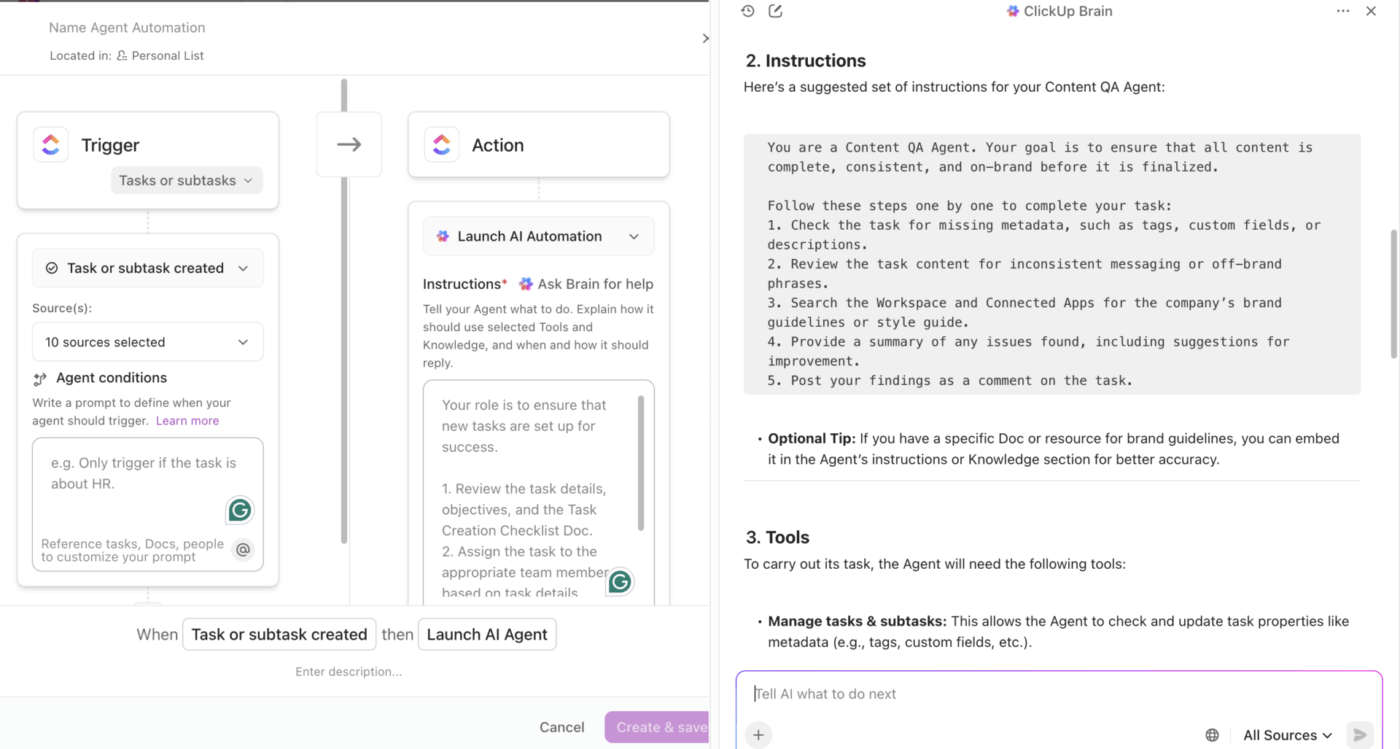
ClickUp is the world’s first Converged AI Workspace. Your tasks, projects, documentation, automations, and AI stay connected in one system, so your team avoids Work Sprawl and moves through planning and execution in a single flow.
Glue AI enhances automation, but it doesn’t run next to your real project data. ClickUp gives you AI, workflows, and project visibility under one roof, which means you make changes once and keep every team aligned without rebuilding context.
Here’s a closer look! 👀
ClickUp Brain strengthens your operational decisions because it understands your workload, dependencies, task history, and cross-team activity. You ask for clarity and get answers that reflect the work your team has already completed.
Suppose you manage operations for a company running several parallel initiatives.
You ask Brain to scan activity across a new implementation project. It reads tasks, comments, and linked docs, then gives you a clear status narrative: what’s on track, which owners need support, and upcoming risks you should review before your next standup.
You move faster because you skip the detective work.
📌 Try this prompt: Review this implementation project. Show current progress, call out risks, and list the next steps I should assign before tomorrow’s review.
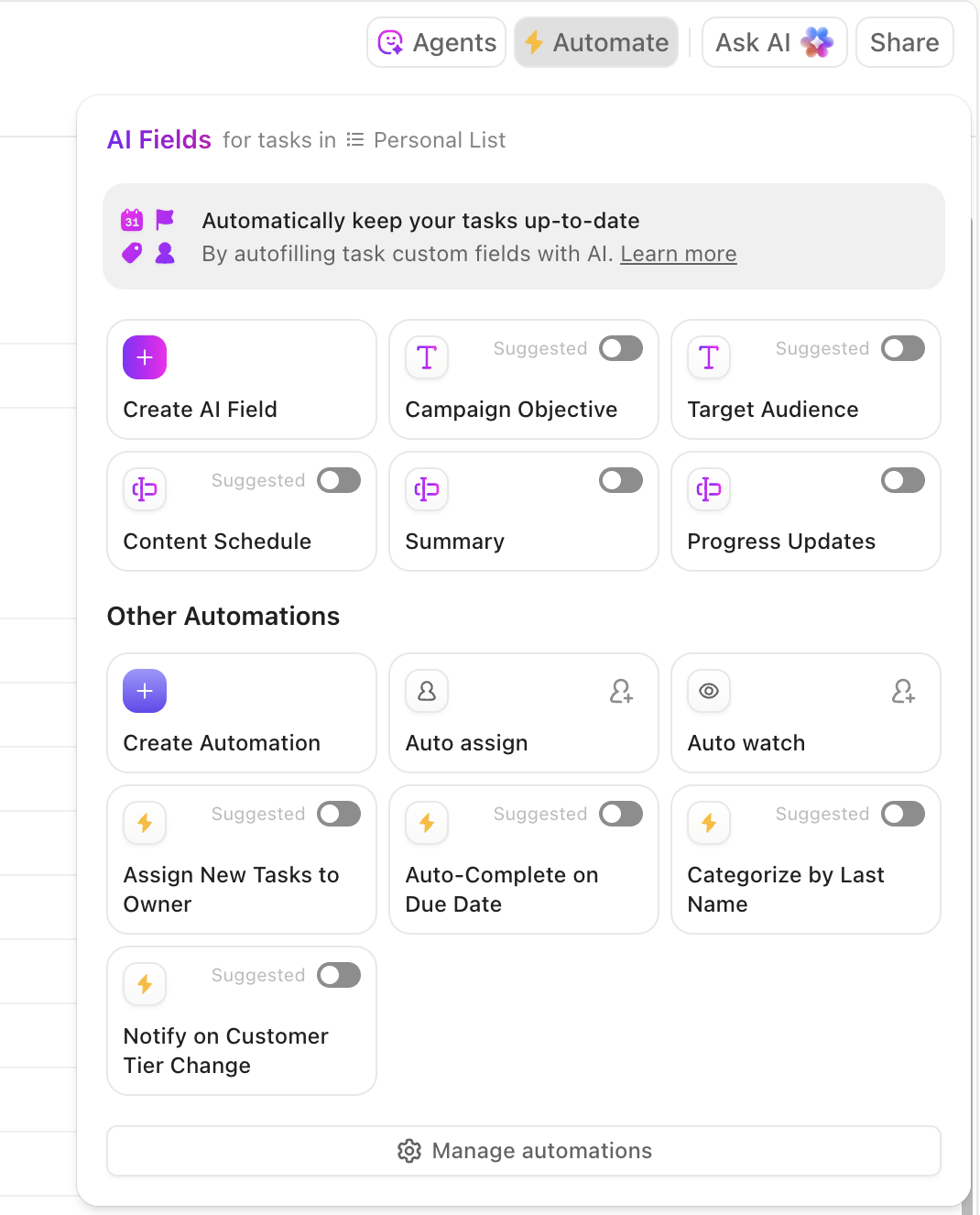
Operations teams lose time when routine actions slip through gaps. ClickUp Automation handles those moments so your workflows move forward without manual effort.
For instance, suppose your PMO team manages project intake.
A new request arrives through a ClickUp Form. Automation creates the project task, assigns an owner, sets a due date, and adds a checklist based on project type.
Another automation updates your portfolio dashboard when the intake task reaches approval. You enforce consistency without extra oversight.
ClickUp Agents help you manage large, repetitive workloads without spreading your tools thin. Agents take on routine actions, scan your workspace, and support oversight tasks that normally slow PMO and operations teams.
For example, suppose you oversee a portfolio of 40+ active projects.
You create an Agent that reviews your project dashboards each morning, checks for slipped timelines, and posts a short update inside your weekly review task. Another Agent reads status changes across engineering tasks and prepares a summary you share in your leadership sync.
You gain a support layer that watches your workspace, so you spend your time making decisions instead of hunting for information. Here’s how to build your own:
A happy user put it like this:
I find ClickUp incredibly valuable as it consolidates functions into a single platform, which ensures that all work and communication are gathered into one place, providing me with 100% context. This integration simplifies project management for me, enhancing efficiency and clarity. I particularly like the Brain AI feature, as it functions as an AI agent that executes my commands, effectively performing tasks on my behalf. This automation aspect is very helpful because it streamlines my workflow and reduces manual effort. Additionally, the initial setup of ClickUp was very easy to navigate, which made transitioning from other tools seamless. I also appreciate that ClickUp integrates with other tools I use, such as Slack, Open AI, and GitHub, creating a cohesive work environment. Overall, for these reasons, I would highly recommend ClickUp to others.
🔍 Did You Know? One of the first real neural-network-style models was proposed in 1943 by Warren McCulloch and Walter Pitts: a tiny ‘artificial neuron’ that laid the mathematical groundwork for what much later became deep learning.
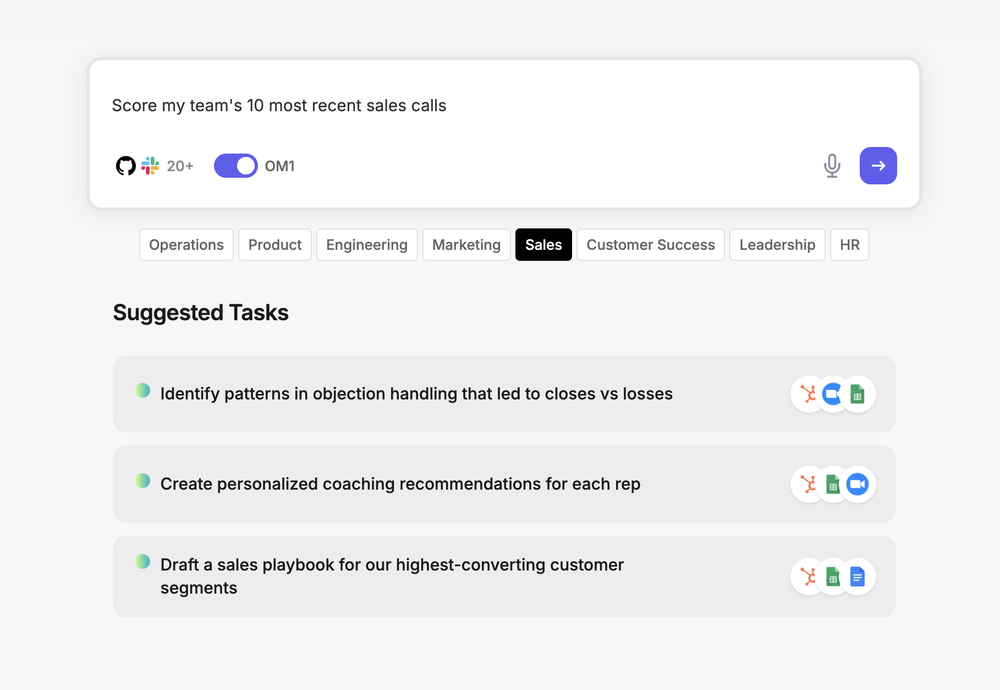
Coworker.ai lets you build AI agents without touching a line of code. The visual workflow builder connects your existing tools so agents can pull customer data from your CRM, check inventory in your database, and send updates to Slack in one automated sequence.
You’re essentially teaching agents to handle the repetitive stuff your team does manually: processing support tickets, updating spreadsheets, and qualifying leads. The Glue AI alternative tracks what each agent does through monitoring dashboards, so you can see which tasks got completed and where things went sideways.
🧠 Fun Fact: The concept of Swarm Intelligence, where many simple agents working locally can create complex collective behavior, draws directly from biological observations (ants, termites, bees, bird flocks). In AI, this idea was first formalized in 1989 by Gerardo Beni and Jing Wang in the context of cellular-robotic systems.
📖 Also Read: How to Prioritize Your Work Tasks
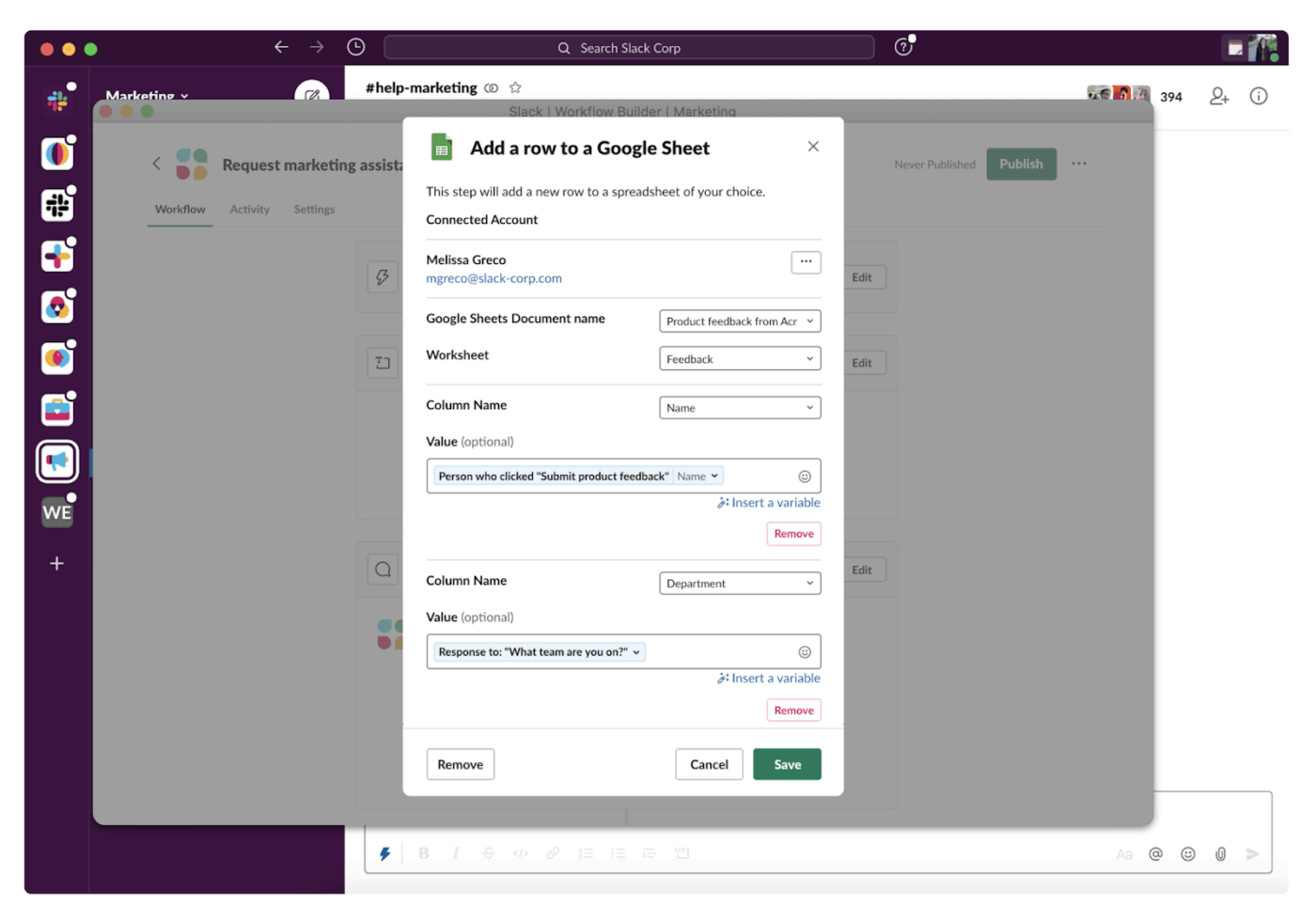
With Slack, you can trigger automations when someone drops a specific emoji on a message, mentions a keyword, or posts in a particular channel. A developer on your team can push a commit to GitHub, and Slack automatically creates a thread in your engineering channel, tags relevant people, and adds it to your sprint board.
Plus, Slack’s AI summarizes long threads, so you’re not scrolling through 200 messages to figure out what decision got made. What makes this interesting for technical teams is the API ecosystem. You can pipe data from your internal tools into channels and build custom automations that respond to events across your entire stack.
Per a G2 review:
I use Slack primarily for work and find it incredibly valuable for organization-wide communication. Its ability to set up group chats, direct messages, and automate tasks is impressive. I really appreciate the automation flows that Slack enables, allowing me to automatically capture critical data, which streamlines many of my tasks. […] The initial setup was extremely easy, and the settings are intuitive, enhancing the user experience remarkably.
Find the best Slack alternatives:
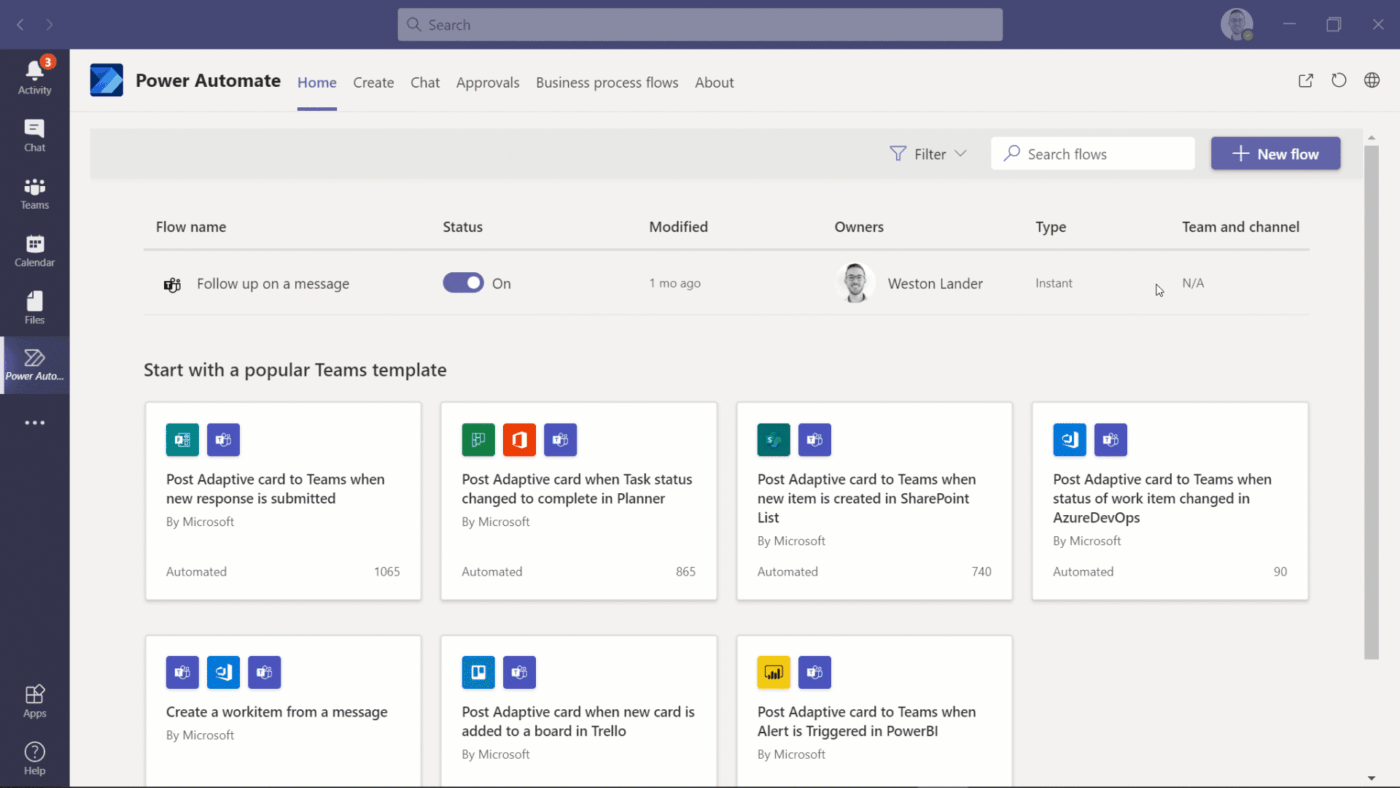
Teams makes sense when your organization already lives in Microsoft 365. Copilot sits inside the interface and can draft messages, generate meeting recaps, or answer questions by searching across your SharePoint documents and Outlook emails. The Power Automate connection means you can build flows that react to Teams activity; someone mentions a deadline in chat, and a task automatically appears in Planner.
Engineering teams can embed custom apps directly into Teams using the Toolkit, which keeps proprietary tools accessible without context switching. Compliance controls are particularly helpful for enterprises navigating regulations; you can establish retention policies, track user activity, and enforce data governance across all channels.
A G2 review shares:
The best thing about Microsoft Teams is how well it integrates with the rest of the Microsoft 365 suite. Jumping between Teams, Outlook, SharePoint, and OneDrive is seamless, which really boosts productivity…
🔍 Did You Know? Even in high-stress or high-stakes environments (like hospitals), better communication practices directly improve teamwork and outcomes.
📖 Also Read: Best Time Management Techniques Proven To Work
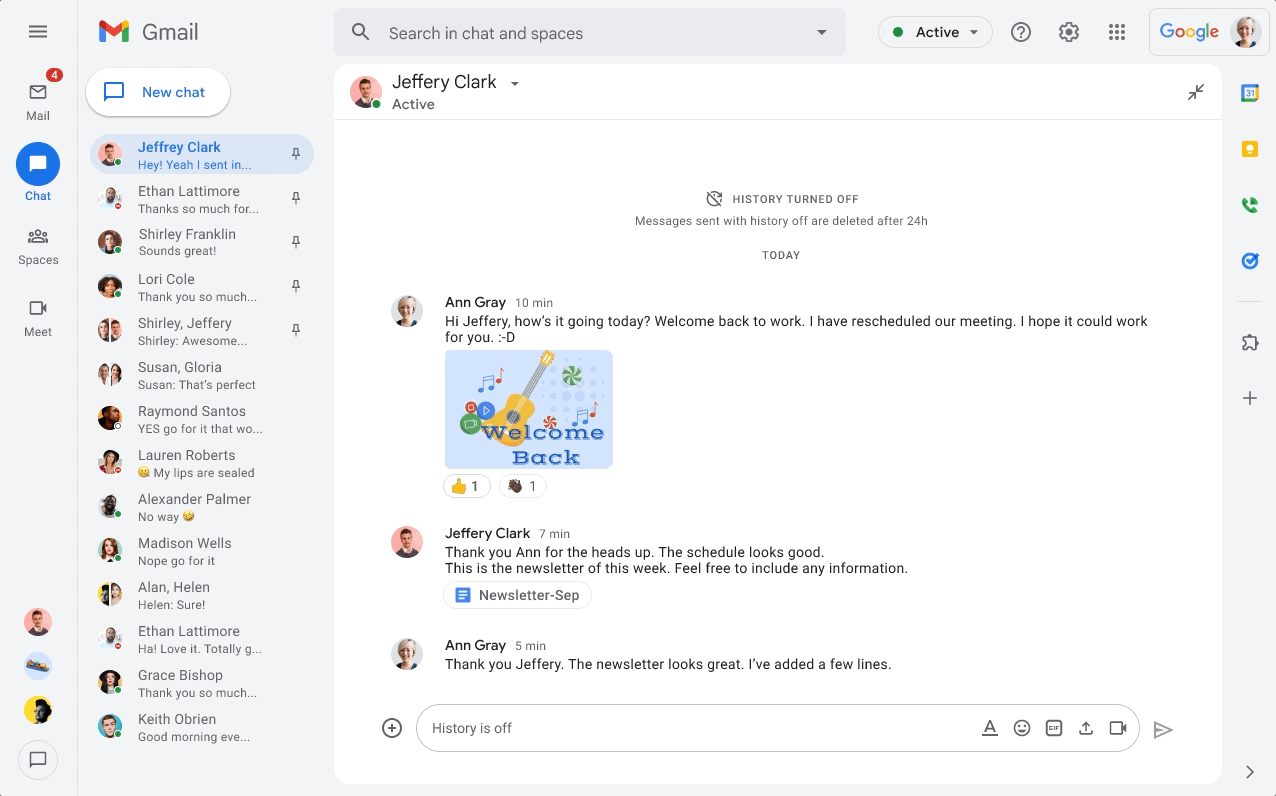
Inside Google Chat, you get spaces for team discussions, direct messages, and basic threading. Gemini AI handles message drafting and conversation summaries, but the real utility shows up in how Chat connects to the rest of Google’s apps. You’re reviewing a spreadsheet and realize you need input from your team. So, you can start a chat directly from that Sheet, and everyone has instant context.
Apps Script lets developers build custom bots that watch for specific keywords and respond automatically, though you’ll need some coding knowledge to set that up. Guest access works well for temporary project collaboration, particularly when you need to bring in external contractors or clients for a defined period.
One Capterra reviewer notes:
Google chat has been a great software to communicate with client, colleagues and testers for us. I have been using it for almost more than a year and found it to be incredibly helpful, especially how it’s connected with our gmail account.
📮 ClickUp Insight: When a task gets lost in chat, 41% of workers dig through threads to find it, 22% say it never gets done, and 19% try to recreate it later from memory.
You’re basically working with a system where 40% of discussions are lost to the void. Teams start screenshotting messages, DM’ing reminders, or creating shadow docs to compensate for chat’s fragility.
ClickUp AI, working within ClickUp Chat, changes that dynamic. It automatically surfaces commitments, flags unassigned action items, and connects them to relevant projects. No more lost details. Just a record that keeps pace with the conversation.
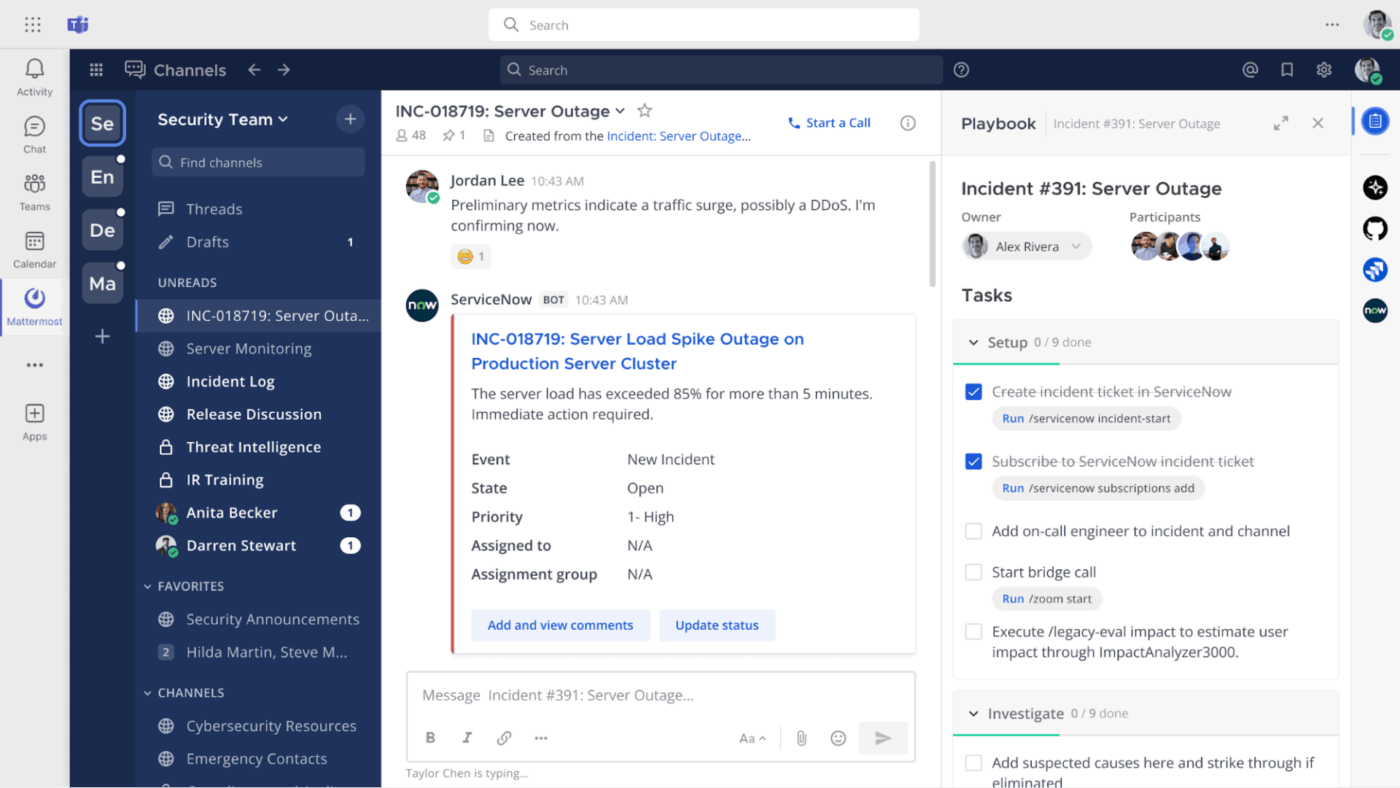
Mattermost runs on your own infrastructure, which matters when you can’t let communication data touch external servers. Healthcare companies, defense contractors, and financial institutions use it because they control where messages live and who can access them.
Playbooks guide teams through standardized processes; when your on-call engineer is paged about an outage, Mattermost walks them through your incident response checklist while logging every action. You can plug in AI tools through webhooks and build custom bots that interact in channels.
From a Reddit post:
We use mattermost for our primary communications tool. It’s been pretty damn solid. Their project management (they call it boards) is pretty limited and stripped down though.
📖 Also Read: We Tested the Best MatterMost Alternatives
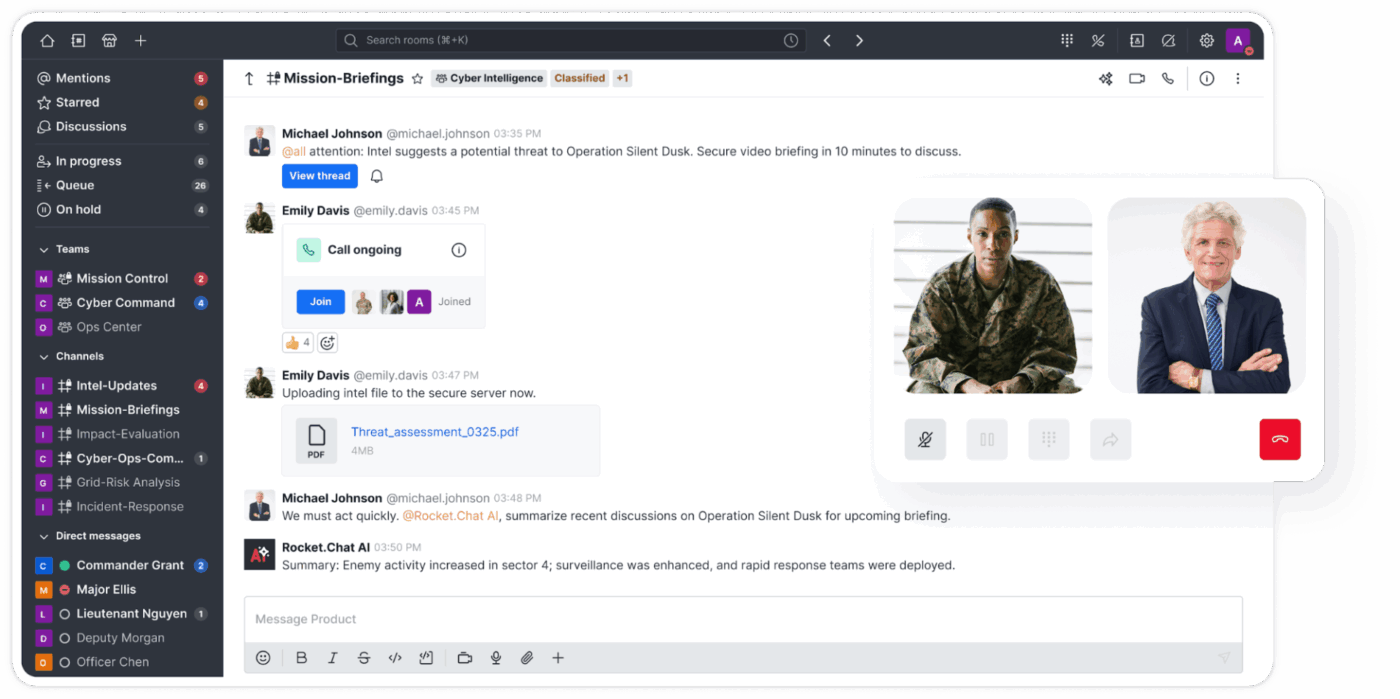
Rocket.Chat combines team messaging with customer-facing communication channels in one platform. You can handle internal team chats while simultaneously managing customer inquiries from WhatsApp, Facebook Messenger, Instagram, and live chat widgets. The Glue AI alternative offers both cloud-hosted and self-hosted deployment options, giving you flexibility based on your infrastructure needs.
Real-time translation breaks down language barriers across global teams, automatically converting messages between dozens of languages during conversations. Additionally, the team communication app’s marketplace hosts hundreds of apps and integrations, from CRM systems to help desk tools.
Based on a G2 review:
I appreciate Rocket.Chat for its flexibility and ability to support our workflow effectively. It allows us to create an almost unlimited number of channels and integrate various bots, which significantly enhances our communication capabilities. The platform provides real-time notifications from different business systems, which is crucial for staying updated.
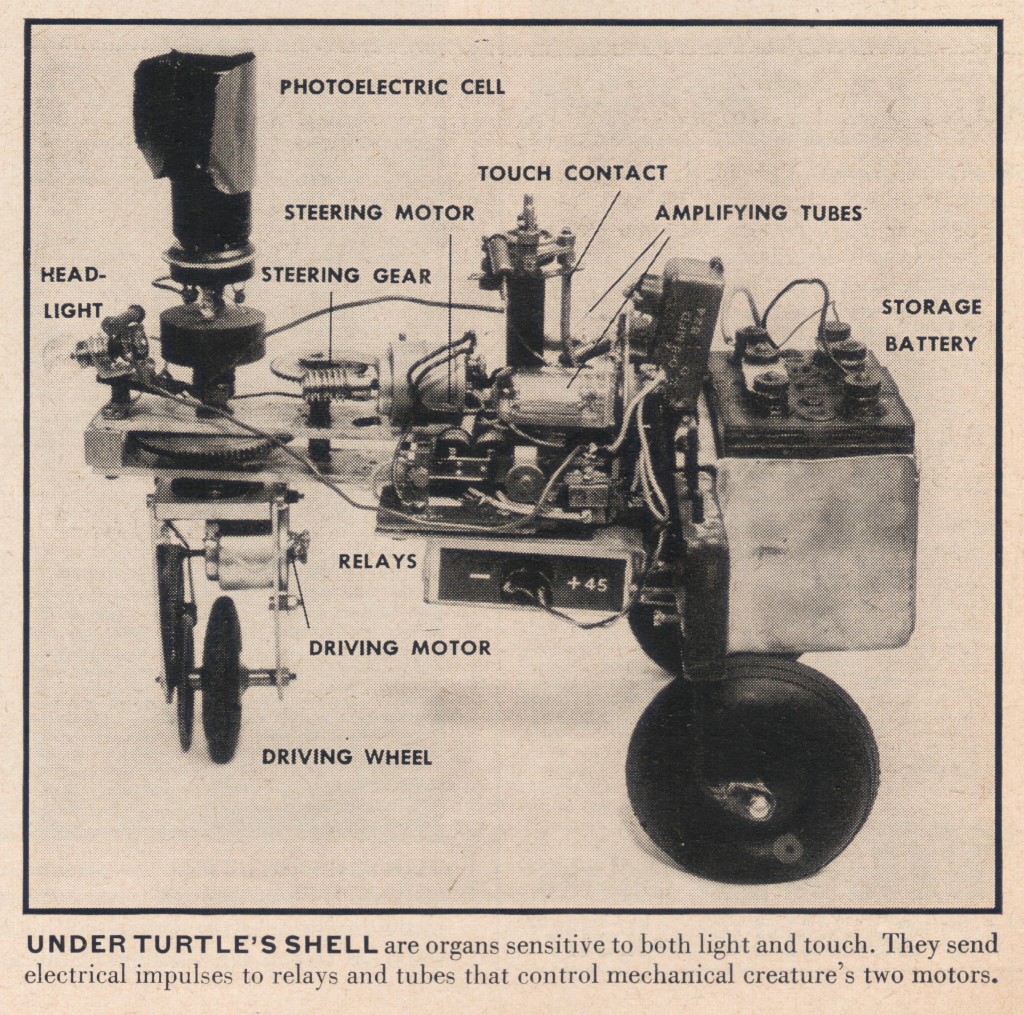
🧠 Fun Fact: One of the earliest autonomous robots, Elmer and Elsie, was built in 1948–49 by neurophysiologist William Grey Walter. These little ‘tortoise’ robots used simple light-sensors and bump-switches (wired to vacuum-tube circuits) to navigate toward light and avoid obstacles.
Here’s a glimpse:
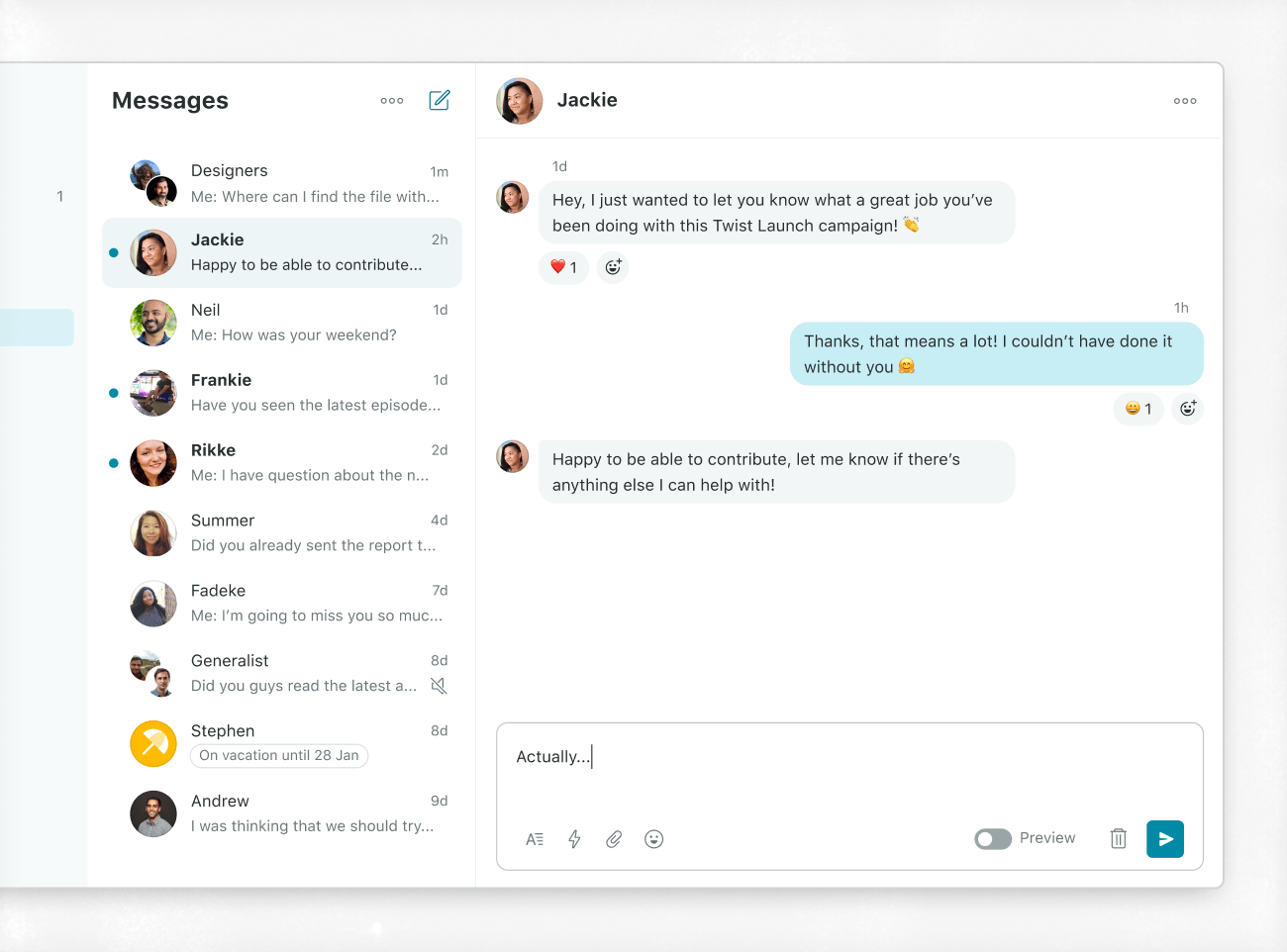
Twist organizes everything into threads instead of real-time channels. Every conversation lives in its own dedicated space, so you’re not watching messages fly by in chronological chaos. This structure cuts down notification fatigue because you respond to threads when it makes sense for your schedule, not immediately when someone posts.
This Glue AI alternative separates urgent DMs from threaded discussions, helping you distinguish between ‘answer this now’ and ‘respond when you can’. Any message converts into a task that shows up in your to-do list, bridging the gap between conversation and action.
According to a G2 review:
I appreciate how Twist organizes team communication into threads, which makes it much easier to keep track of conversations without getting overwhelmed by the usual chat clutter.
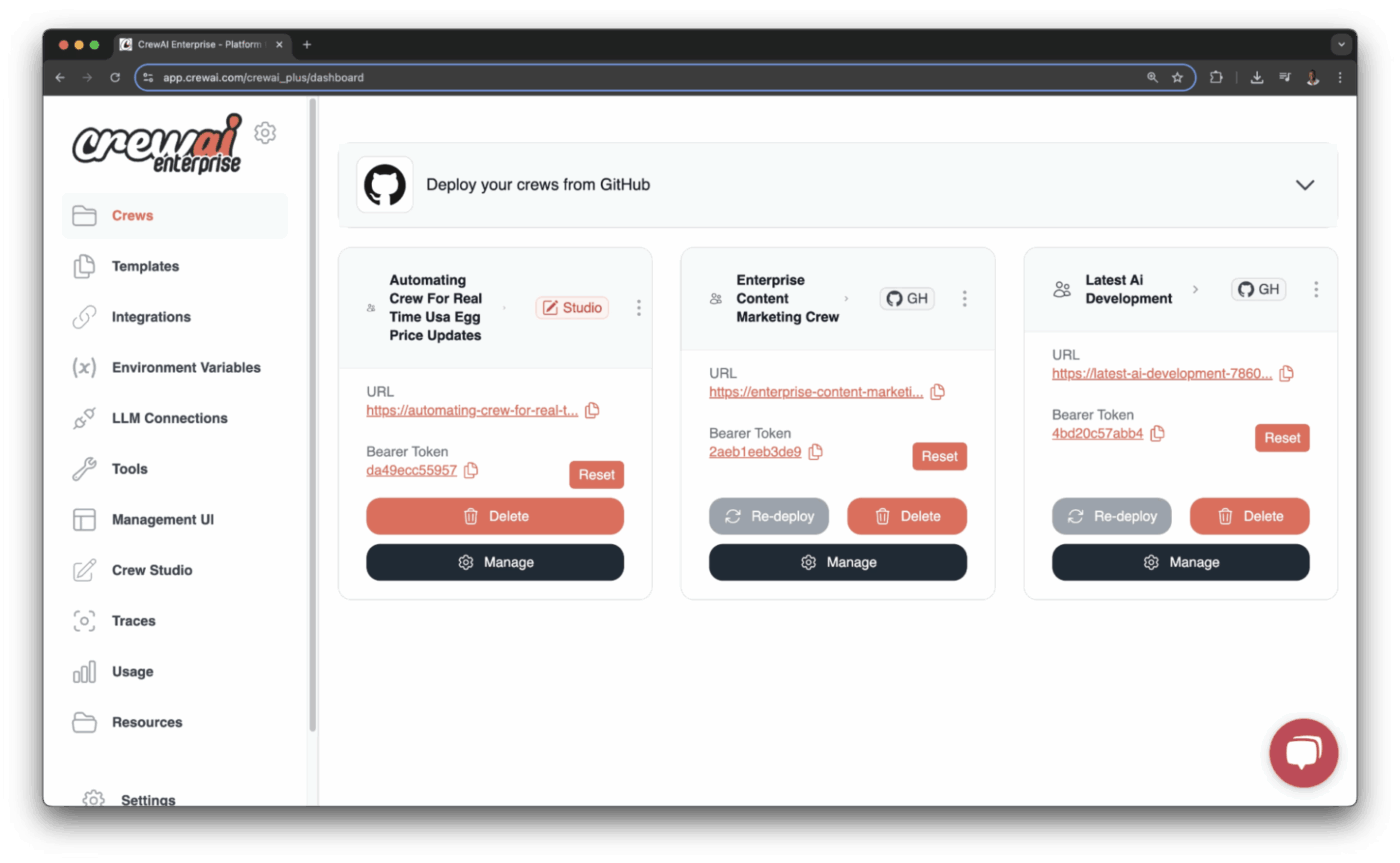
CrewAI gives you a Python framework for building teams of AI agents that actually work together. You define agents with specific roles: one researches competitive pricing, another drafts marketing copy, and a third reviews for brand compliance.
The framework supports different workflow patterns: sequential (agents work in order), parallel (agents work simultaneously), or hierarchical (a manager agent coordinates worker agents). You can point different agents at different LLM providers, mixing ChatGPT for complex reasoning with faster, cheaper models for routine tasks.
Memory systems let agents learn from previous work, so they improve at their specific roles over time rather than starting fresh with each task.
According to feedback shared on G2:
The best part about crewAI is that while building an agent we can provide the role, goal and backstory for the agent which increases the performance of that agent very much. Its supports all the LLM providers like OpenAI, Groq, Nvidia Nemo etc. The documentation is very clean and easy to understand. It supports many tools and MCP servers which we can use to build the Multi-Agent systems.
🔍 Did You Know? The quality of communication matters far more than frequency. Teams got more done when they spent time sharing ideas clearly and thoughtfully, rather than just talking often.
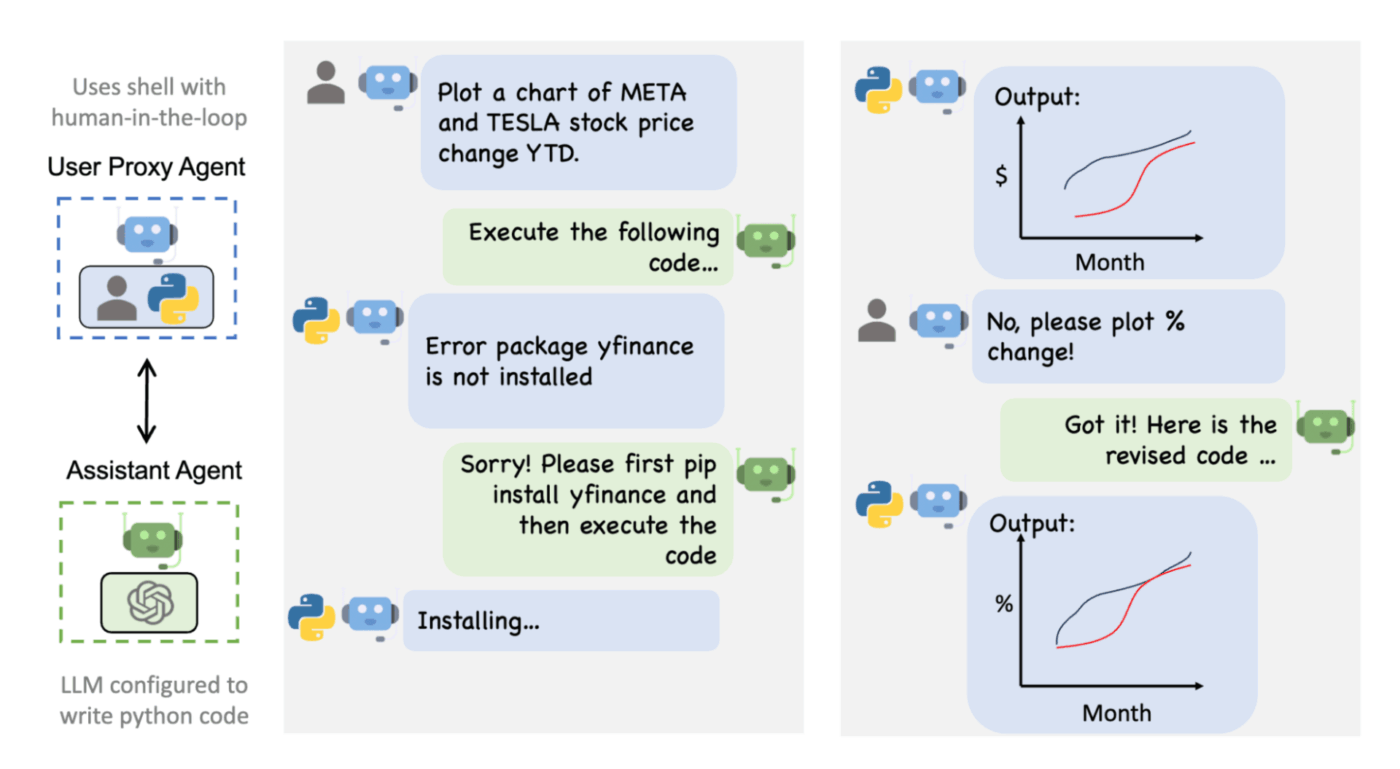
AutoGen, developed by Microsoft Research, focuses on agents that solve problems through dialogue rather than rigid workflows.
Agents debate approaches, challenge each other’s reasoning, and negotiate solutions through back-and-forth conversation. This matters for complex tasks where the solution path isn’t clear upfront; agents can explore different approaches and critique each other’s logic until they reach consensus.
The AI agent tool executes Python code during conversations, so they can run calculations, analyze data, or test hypotheses without leaving the discussion. You can jump into agent conversations at any point to provide guidance or make judgment calls, keeping humans in control when needed.
A Reddit user writes:
For simple tasks like code generation with LLM (e.g., script generation using ChatGPT4), it’s quite efficient. The UserProxyAgent layer streamlines code verification, evaluation, and execution (even in Docker). This eliminates the tedious cycle of copying and pasting code to an IDE, running it, checking the output, pinpointing issues, sending them back to the LLM for correction, and redoing this process multiple times. The UserProxyAgent takes care of this automation.
📖 Also Read: Productivity Hacks and Tips for You
Teams evolve fast, and the tools that once worked smoothly start feeling tight when the work gets heavier, the stakes get higher, and everyone wants cleaner ways to communicate and automate.
Exploring Glue AI alternatives becomes more about finding something that fits the way your team moves.
ClickUp gives you that flexibility. You get AI that understands real project context, automation that follows your processes, and agents that handle repetitive oversight without adding another layer of complexity. Everything stays connected, so your team works with clarity.
Sign up for ClickUp today and build a workspace that grows with you. ✅

© 2026 ClickUp

There’s an easier way. Try a free AI Agent in ClickUp that actually does the work for you—set up in minutes, save hours every week.