






Still downloading templates?
There’s an easier way. Try a free AI Agent in ClickUp that actually does the work for you—set up in minutes, save hours every week.
Sorry, there were no results found for “”
Sorry, there were no results found for “”
Sorry, there were no results found for “”
With a well-structured Excel timesheet template, you can easily record employee attendance, monitor billable hours, and ensure accurate payments without investing in expensive software. Whether managing a small business, a remote team, or a personal work schedule, the right Excel template can streamline your time-tracking process.
However, with so many options available, the important question is: Which Excel timesheet templates are ideal for your specific needs? In this blog, we will answer this question and also explore better alternatives to Excel employee timesheets to help you improve efficiency and automate the process further.
🔎 Did You Know? Timesheets have a surprisingly ancient origin! One of the earliest recorded labor tracking systems dates back to 1772 BC in the Code of Hammurabi, a Babylonian text that outlined rules on wages and work! 📜
With so many Excel-based time tracking templates available, choosing the right one can be overwhelming. That’s why we’ve curated a list of the best options, each offering unique features for tracking employee work hours.
Whether you need a weekly, biweekly, or monthly timesheet template, we have an option that suits your needs.
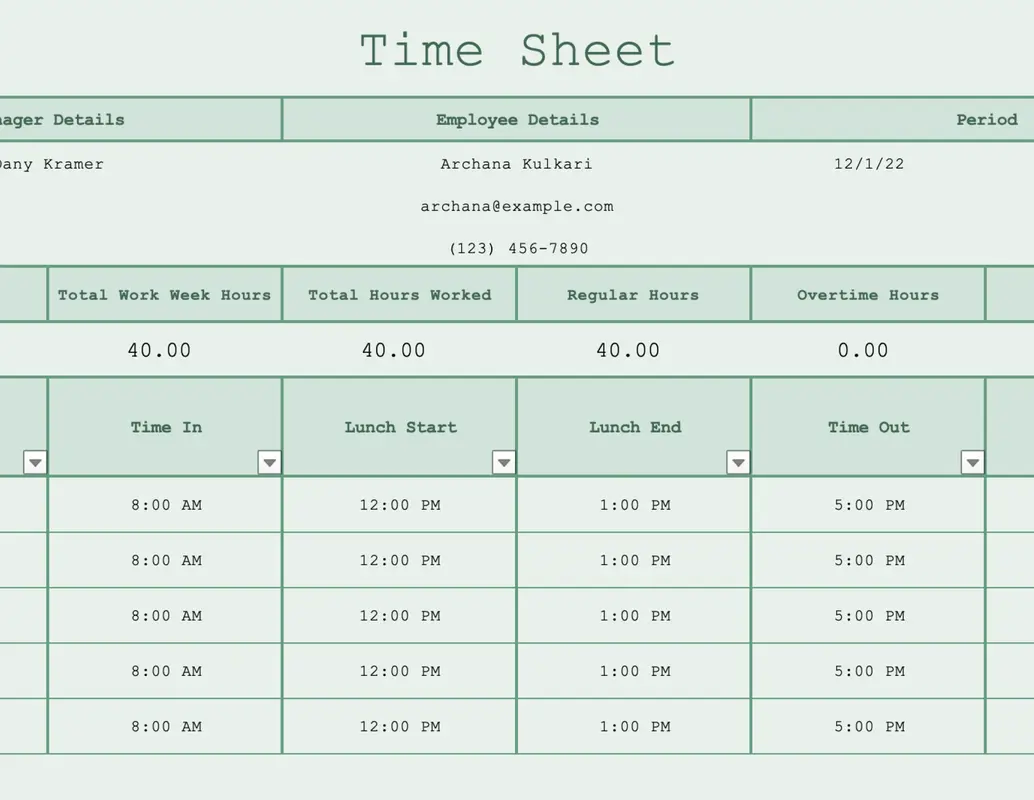
Microsoft 365 provides a basic yet effective and simple Excel Timesheet Template suitable for individuals and small teams.
Doubled down as an employee timesheet template, it offers a straightforward layout for daily time entries. Users can record start and end times, as well as breaks. They can quickly input their daily hours and calculate the total hours worked on a weekly or monthly basis.
Ideal for: Individuals and small teams needing a basic, easy-to-use timesheet for daily hour tracking.
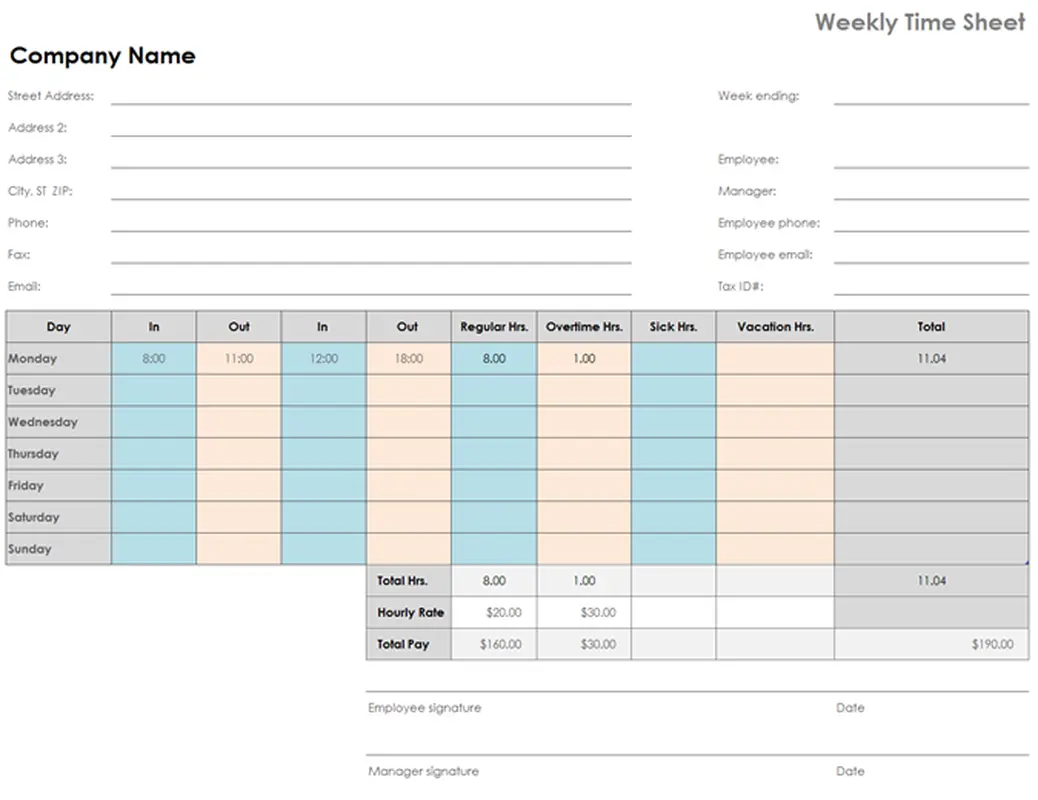
If you need a simple way to track work hours, the Excel Weekly Timesheet Template by Microsoft 365 is the solution. This structured spreadsheet makes it easy to enter start times, end times and breaks while calculating the total hours worked at the end of the week.
With dedicated fields for clock-in and clock-out times, lunch breaks, sick days, and overtime hours, this template ensures accuracy in tracking regular hours. It also has built-in formulas to automatically calculate total hours worked at the end of each week, eliminating manual calculations and reducing payroll errors.
Ideal for: Individuals and teams who need to track time spent on different projects or tasks throughout the week, including overtime hours.
💡 Pro Tip: If you are struggling to track time manually, try using a timesheet app to help you log actual time spent on each task and gain deeper insights to improve your overall productivity.
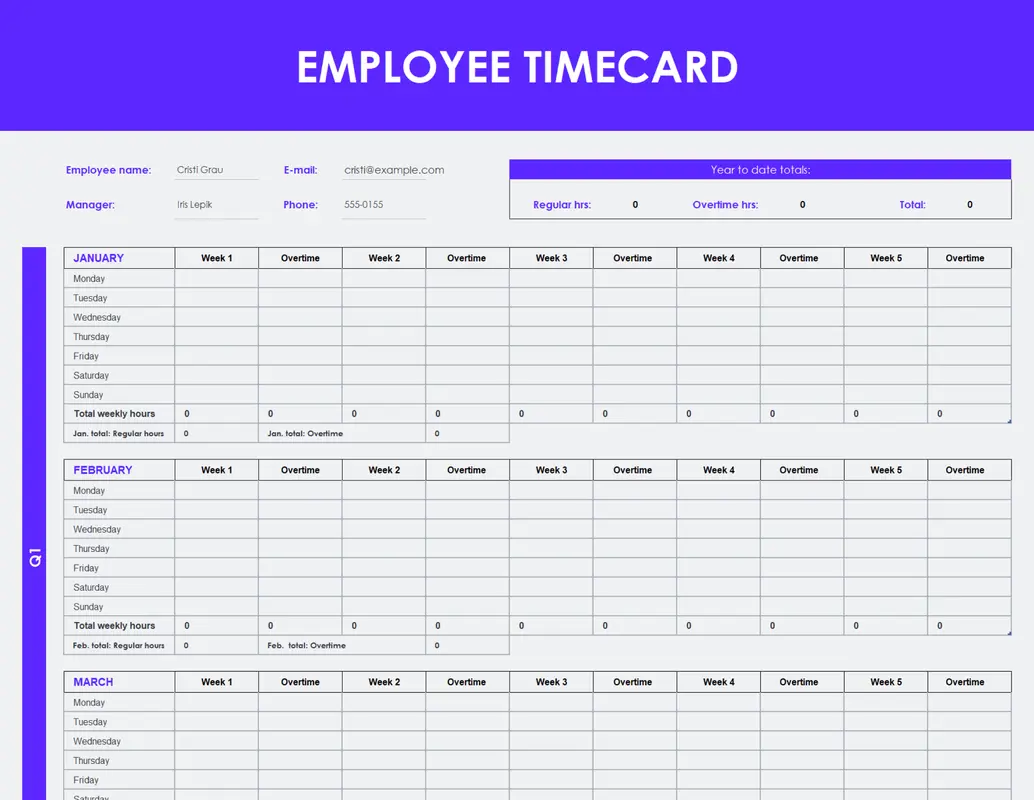
Designed for businesses that need a structured time-tracking approach, the Employee Timecard Template by Microsoft 365 offers a clear format for logging work hours, breaks, and overtime.
The template’s detailed layout allows for accurate tracking of employee work hours and includes fields for task information. As a result, you get detailed inputs for time spent on each activity. Employees easily enter their shifts, ensuring accurate payroll calculations.
Ideal for: Businesses that must maintain detailed and accurate records of employee work hours for payroll and compliance.
📚 Also Read: How to Calculate Hours Worked
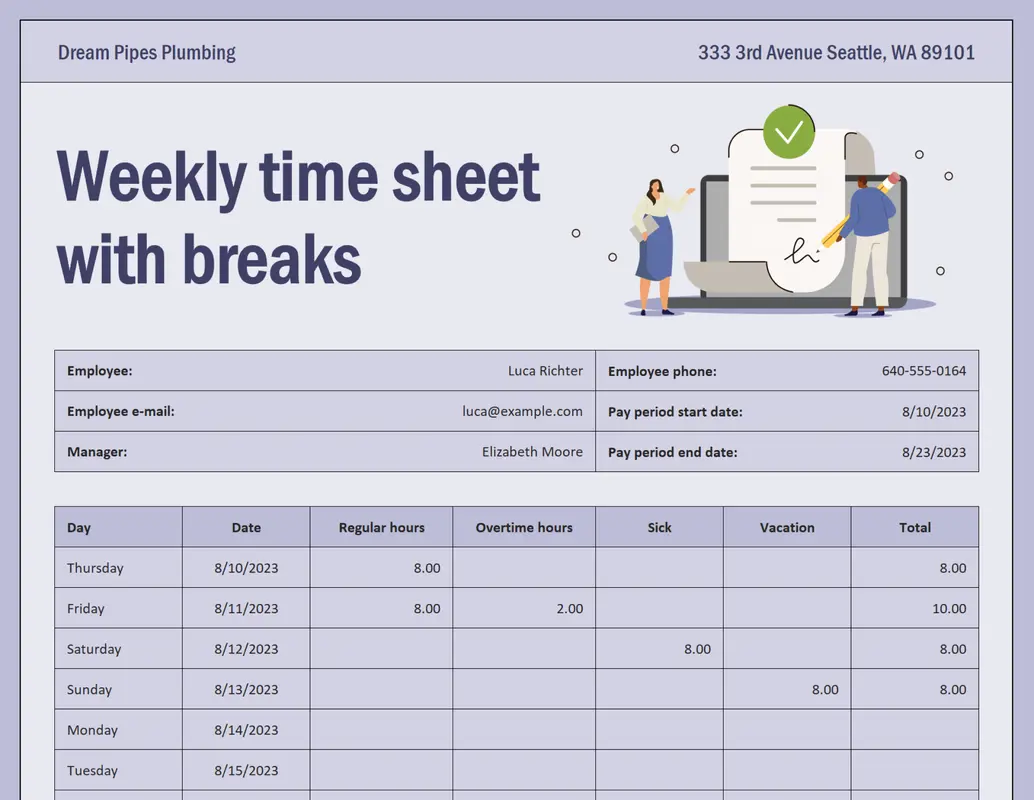
Tracking breaks is just as important as tracking work hours, and the Excel Weekly Timesheet Template by Microsoft 36 ensures that both are recorded accurately. This template is perfect for businesses that need detailed time logs, allowing employees to enter start and end times while factoring in breaks.
This template also focuses on accurately recording break times, which is essential for complying with labor laws and ensuring fair pay.
Ideal for: Businesses in industries with strict break regulations that need accurate break time documentation for compliance and payroll.
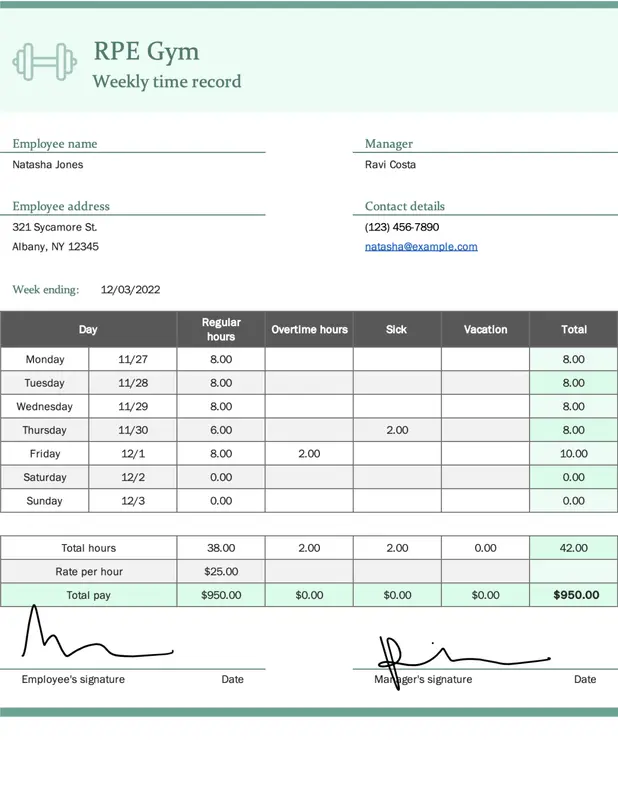
Small business owners looking for an easy-to-use time tracking tool will find value in the Excel Small Business Weekly Time Record Template by Microsoft 365. Designed for teams that don’t rely on complex payroll systems, this template offers a balance of simplicity and functionality to track hours worked each week.
Ideal for: Small businesses needing a simple and effective way to track employee time records every week.
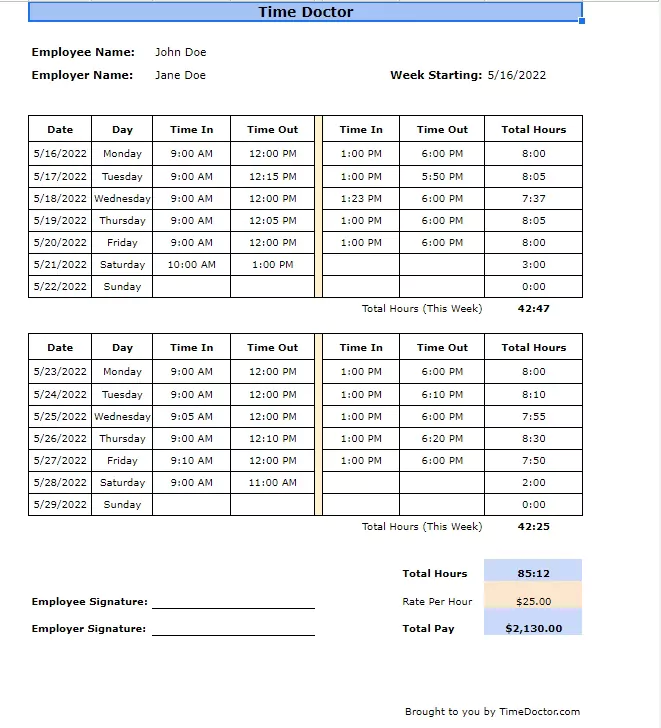
For businesses and freelancers who process payroll every two weeks, the Excel Biweekly Timesheet Template by TimeDoctor offers a structured way to record work hours over 14 days.
This biweekly timesheet template comes with pre-built formulas that calculate work hours for both weeks automatically. The clean layout allows easy data entry and review, making it a go-to choice for businesses that want a straightforward yet effective way to track work time.
Ideal for: Businesses operating on a biweekly payroll cycle need a template specifically designed for this frequency.
➡️ Read More: Tips to Improve Time Management Skills at Work
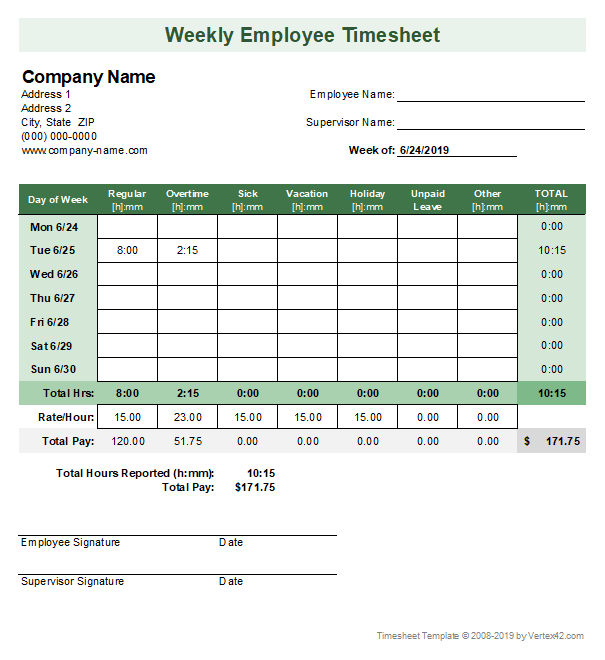
Vertex42’s weekly timesheet template offers a clean and professional design focusing on ease of use. It allows for detailed time entries, including project codes, task descriptions, and notes.
Moreover, it provides ample space for detailed time entries, allowing users to track their time precisely. Perfect for individuals and businesses, this template offers a practical way to keep track of weekly work schedules in a structured, printable format.
Ideal for: Individuals and businesses that prefer a visually appealing and well-organized timesheet for detailed weekly time tracking.
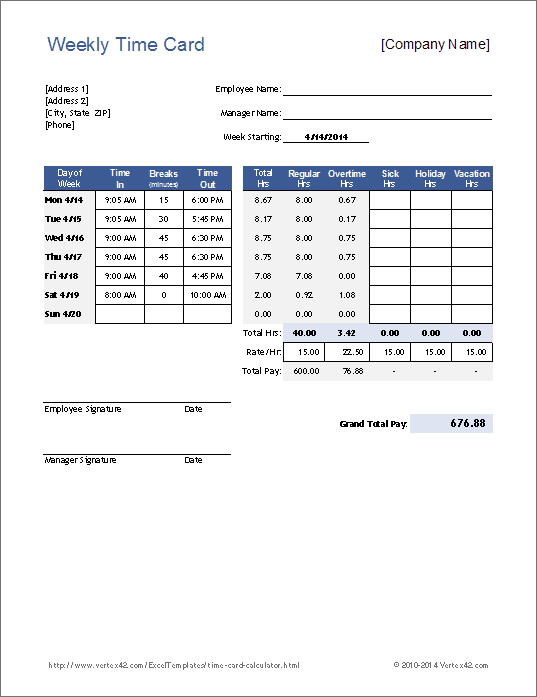
The Excel Timecard Calculator Template by Vertex42 is an excellent tool for businesses and individuals who need to calculate total work hours, overtime, and pay automatically. Unlike basic timesheets, this template has built-in formulas that do the math for you, reducing errors and saving time.
Users enter their clock-in and clock-out times, and the weekly timesheet template instantly calculates total hours worked, overtime, and even gross pay if an hourly rate is included.
Ideal for: Businesses that need to ensure accurate payroll calculations and minimize the risk of errors.
➡️ Read More: Free Work Schedule Templates in Excel & ClickUp
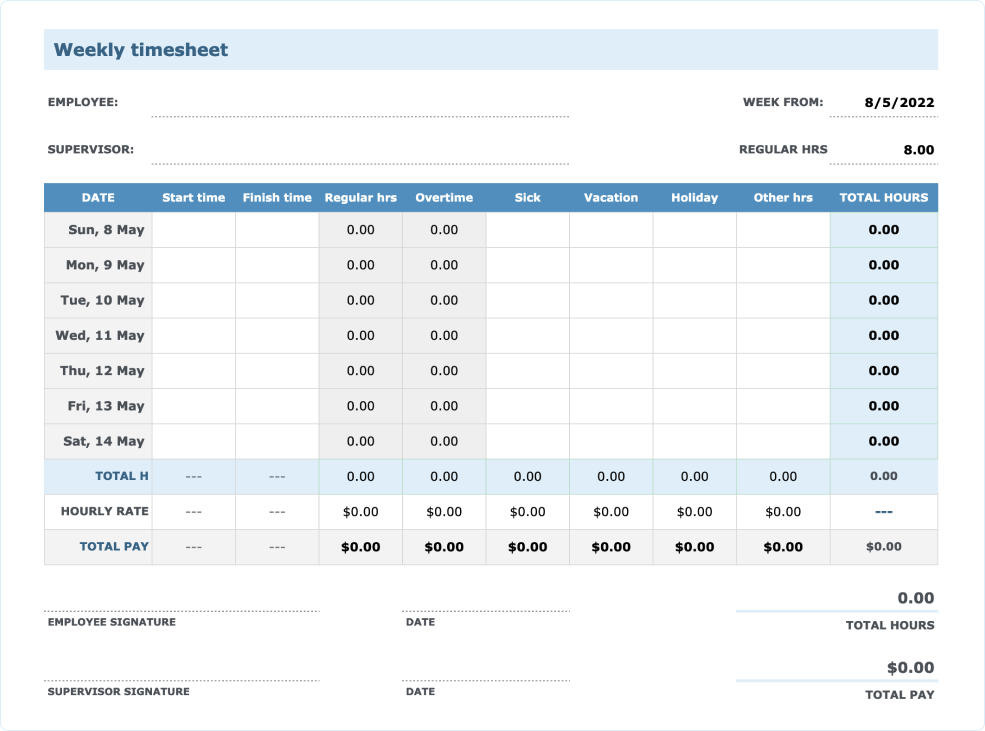
The Excel Timesheet Templates by Myhours come in multiple formats, allowing you to download the option you need. Whether it is a monthly, weekly, biweekly, or even daily timesheet template, you get the option designed to simplify time tracking and provide accurate records of employee hours.
Designed with simplicity and efficiency, these templates allow users to input work hours, breaks, and overtime seamlessly.
Ideal for: Freelancers and businesses that need a variety of timesheet templates to choose from and want to simplify time tracking.
💡 Pro Tip: Use workforce analytics software to quickly identify shifting trends, uncover root causes, and take proactive steps to retain top talent before issues escalate.
While free Excel timesheets offer a convenient and accessible solution for tracking employee work hours, they also come with certain limitations. These limitations can hinder efficiency, accuracy, and scalability, especially for larger teams or businesses with complex time tracking needs.
Some of these limitations include:
ClickUp has a template for everything—project planning, meeting notes, campaign tracking, sales pipelines, you name it. These ready-to-use templates help you skip setup and jump straight into action. Customize them to match your team’s workflow and save hours every week.
If you’re looking for a more efficient, automated, and collaborative time-tracking approach, switching to ClickUp’s time-tracking templates is a game changer. Unlike Microsoft Excel, ClickUp’s templates and time-tracking cards offer real-time monitoring, automatic calculations, and seamless integrations with payroll and project management tools for everyday work.
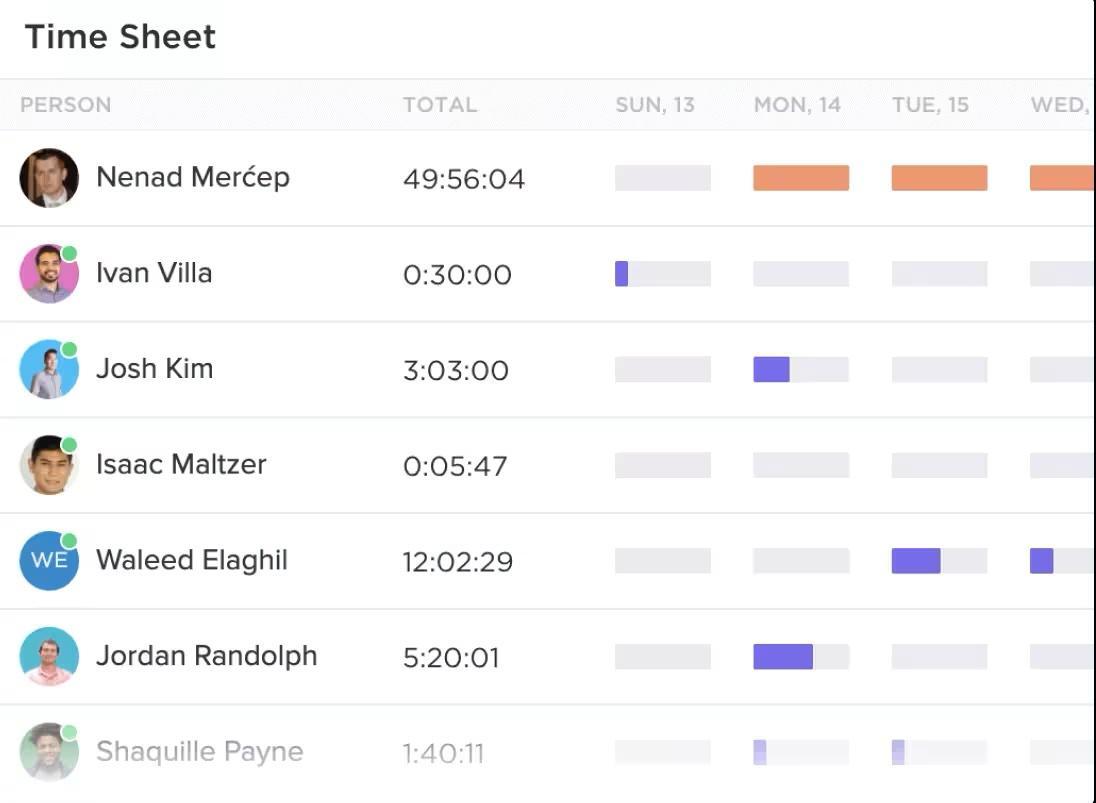
If you spend too much time manually entering data, switching between spreadsheets, or dealing with version control issues, you might want to consider the ClickUp Project Time Tracking feature.
By using this automated function, you eliminate the need for manual spreadsheets and gain advanced features like:
What are ClickUp users saying about it? Here’s what Gemma Kuenzi, Art Director at Kredo Inc, had to say:
ClickUp is the best thing to ever happen to me. I am the Art Director at Kredo Inc, the parent company of 3 subsidiaries. I manage a team of designers so ClickUp helps me project manage, time manage, delegate work, and much more!
Below, we’ve listed some of the best ClickUp templates to replace traditional spreadsheet templates and take the features of ClickUp Project Management to the next level. Each timesheet template is built for a specific purpose, helping you track hours effortlessly, improve productivity, and streamline payroll processes.
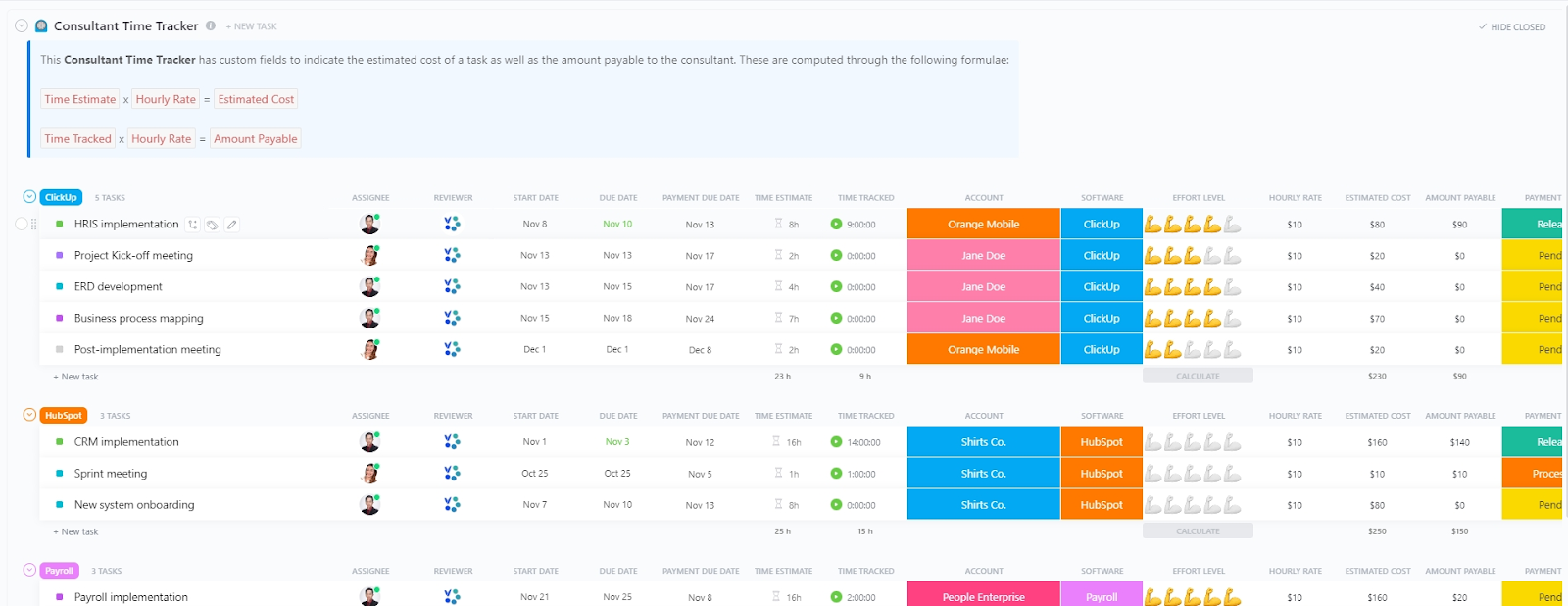
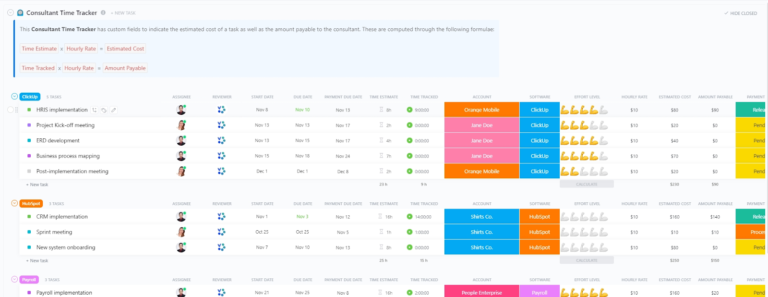
Consultants juggle multiple clients, projects, and billable hours—making time tracking a crucial part of their workflow. The ClickUp Consultant Time Tracking Template helps you log hours seamlessly, track billable vs. non-billable time, and generate precise reports without the hassle of spreadsheets.
Unlike static Excel templates, this dynamic tool provides real-time insights, helping consultants optimize their schedules and maximize revenue. With easy-to-use tracking fields and automated calculations, you can focus on delivering value instead of worrying about time logs.
Ideal for: Independent consultants, business coaches, and freelancers handling multiple client projects.
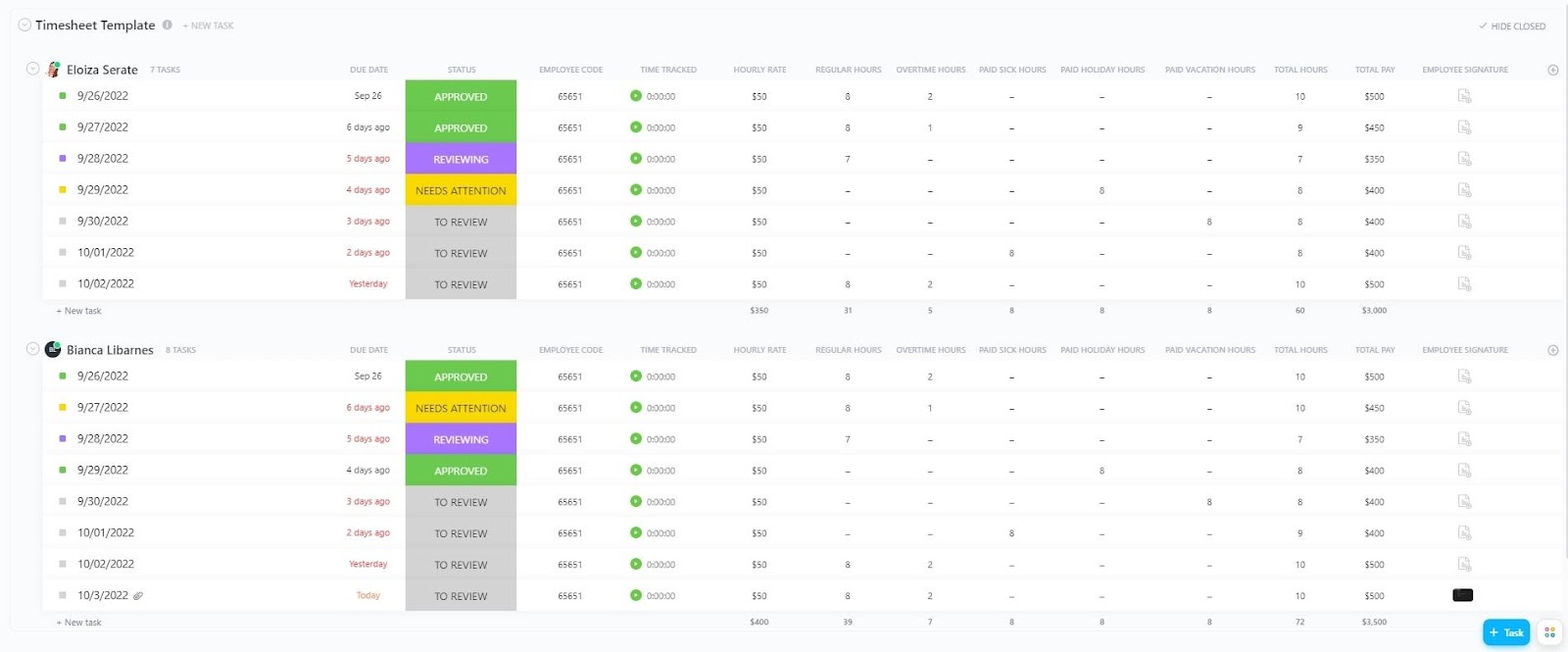
Managing work hours for a service-based business is tricky. The ClickUp Services Timesheet Template helps you accurately record employee hours, breaks, and overtime in one centralized place.
This template’s best feature is that it simplifies the process of tracking employee time for service-based businesses. Moreover, the template’s integration with ClickUp features, such as task management and communication, enhances team collaboration and project visibility.
Ideal for: Service-based businesses, HR managers, and operations teams tracking employee work hours.
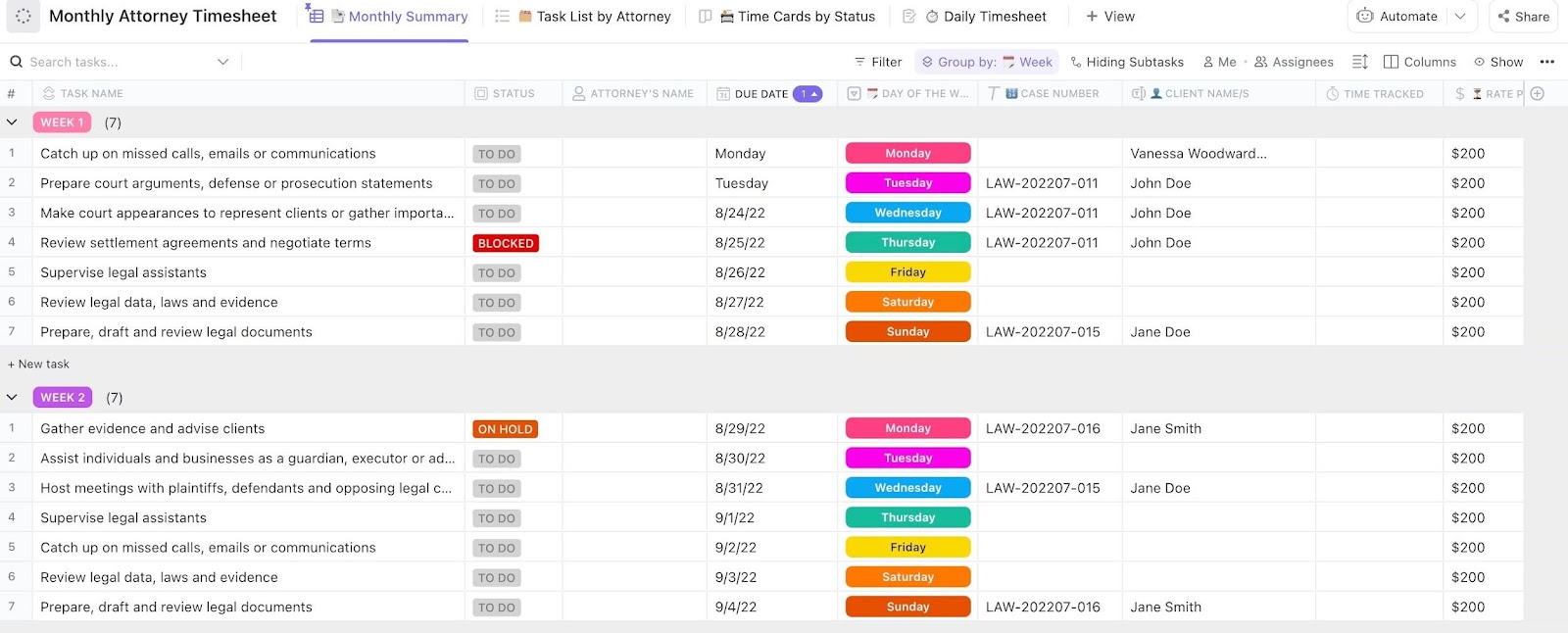
Legal professionals know that every billable minute counts. The ClickUp Attorney Time Tracking Template helps law firms, solo attorneys, and legal teams capture every hour worked—ensuring accurate billing and time management without spreadsheets slowing them down.
This template from ClickUp lets attorneys track time against specific cases, create a timesheet to link billable hours to tasks, and generate reports for clients in just a few clicks.
Ideal for: Attorneys, law firms, and legal professionals managing multiple clients
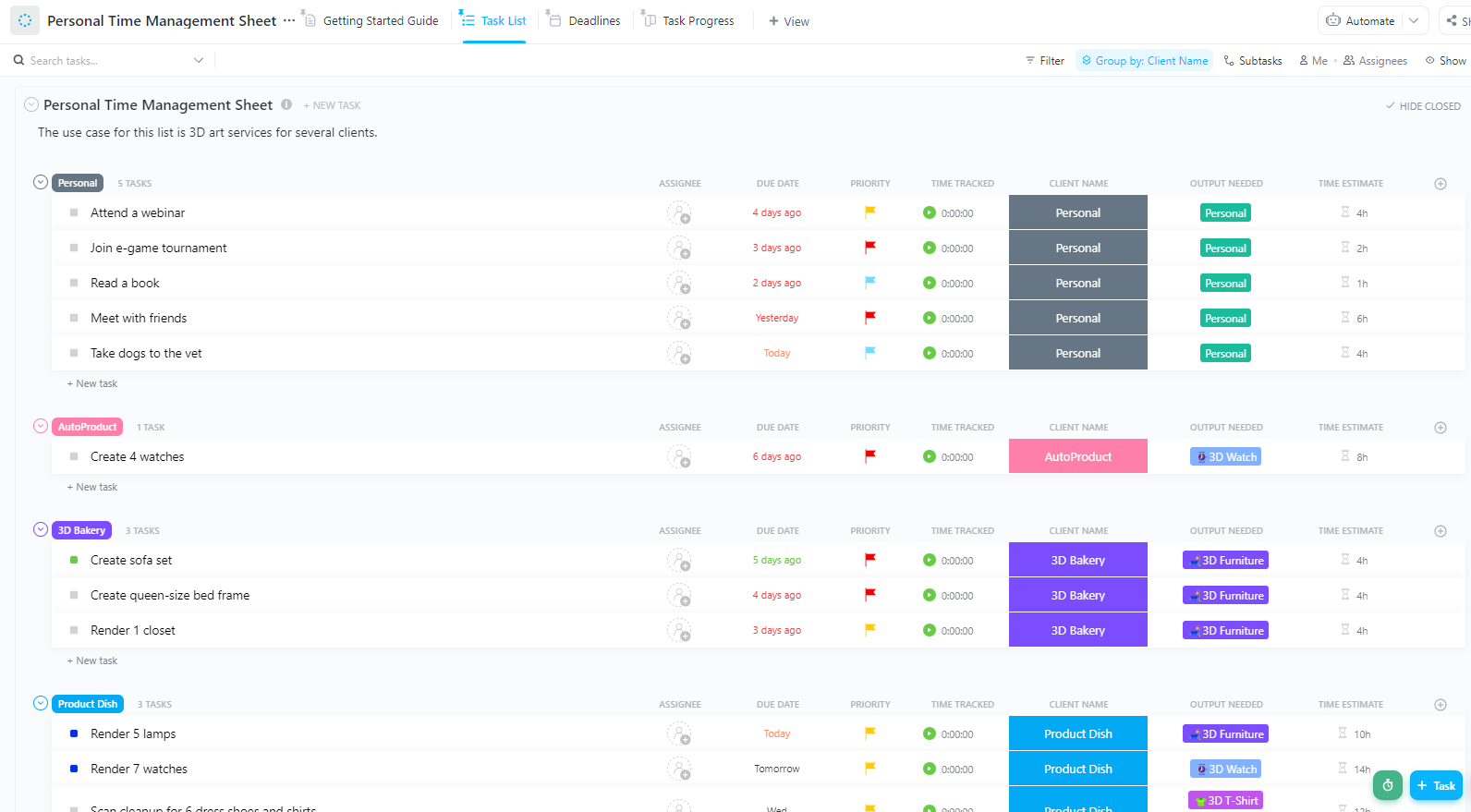
Need help managing your time for personal and professional goals? The ClickUp Personal Time Management Sheet Template helps you break your day into manageable blocks, prioritize important tasks, and identify time-wasters. Whether you’re a freelancer, entrepreneur, or just someone looking to optimize your schedule, this template has you covered!
It allows for easy task planning, time logging, and analysis of time usage, helping you identify areas for improvement. The best part about this template is that it is easy to adopt and configure to calculate weekly or monthly timesheets and provide actionable inputs automatically.
What you’ll love about it:
Ideal for: Freelancers, remote workers, students, and professionals looking to improve time management.
🧠 Fun Fact: A recent survey revealed that almost half of the surveyed people used a to-do list for time management!
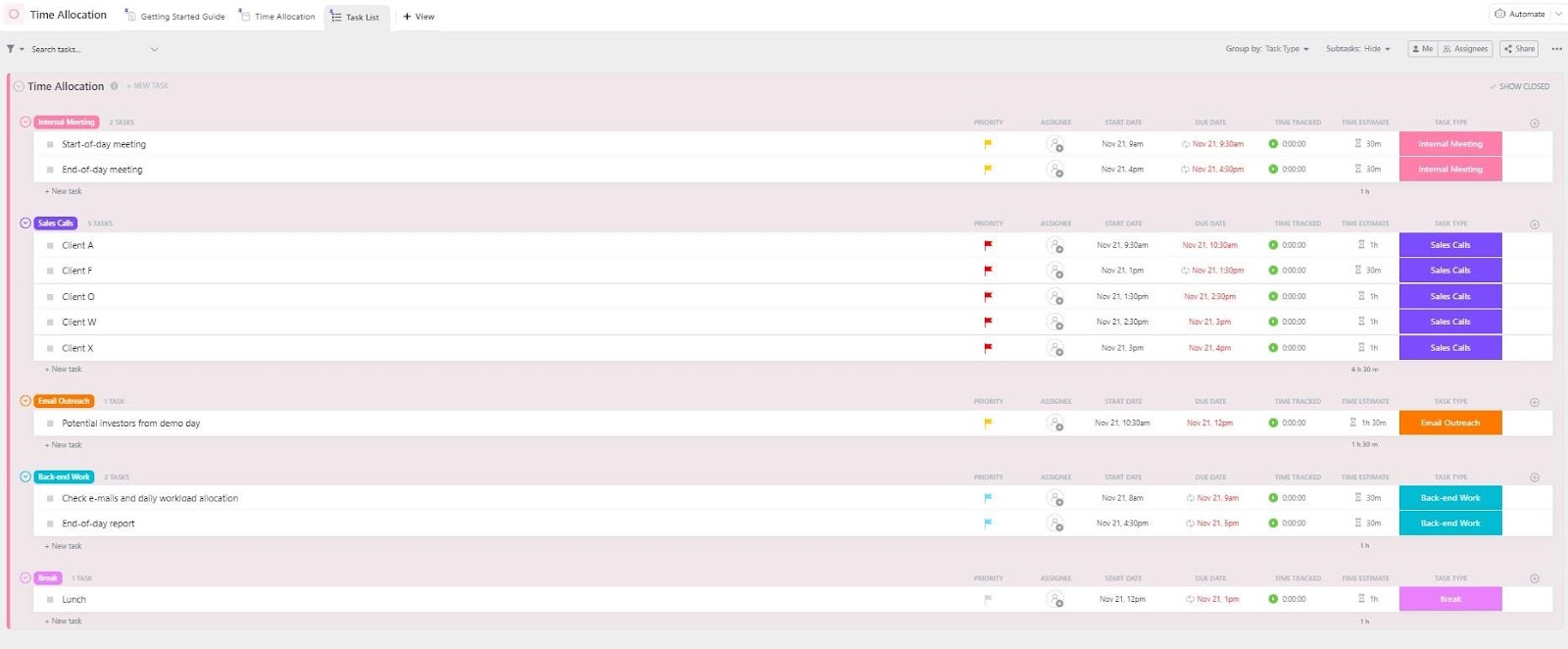
Suppose you ever wonder where all your time goes. In that case, the ClickUp Time Allocation Template helps teams and individuals break down time spent on different projects, clients, or tasks—giving you a data-driven approach to productivity.
Free from the hassle of Excel spreadsheets with endless rows, this template provides clear, visual insights into how your time is distributed, helping you allocate resources more effectively.
Ideal for: Business owners, project managers, freelancers, and anyone looking to optimize time usage.
➡️ Read More: Free Attendance Sheet Templates
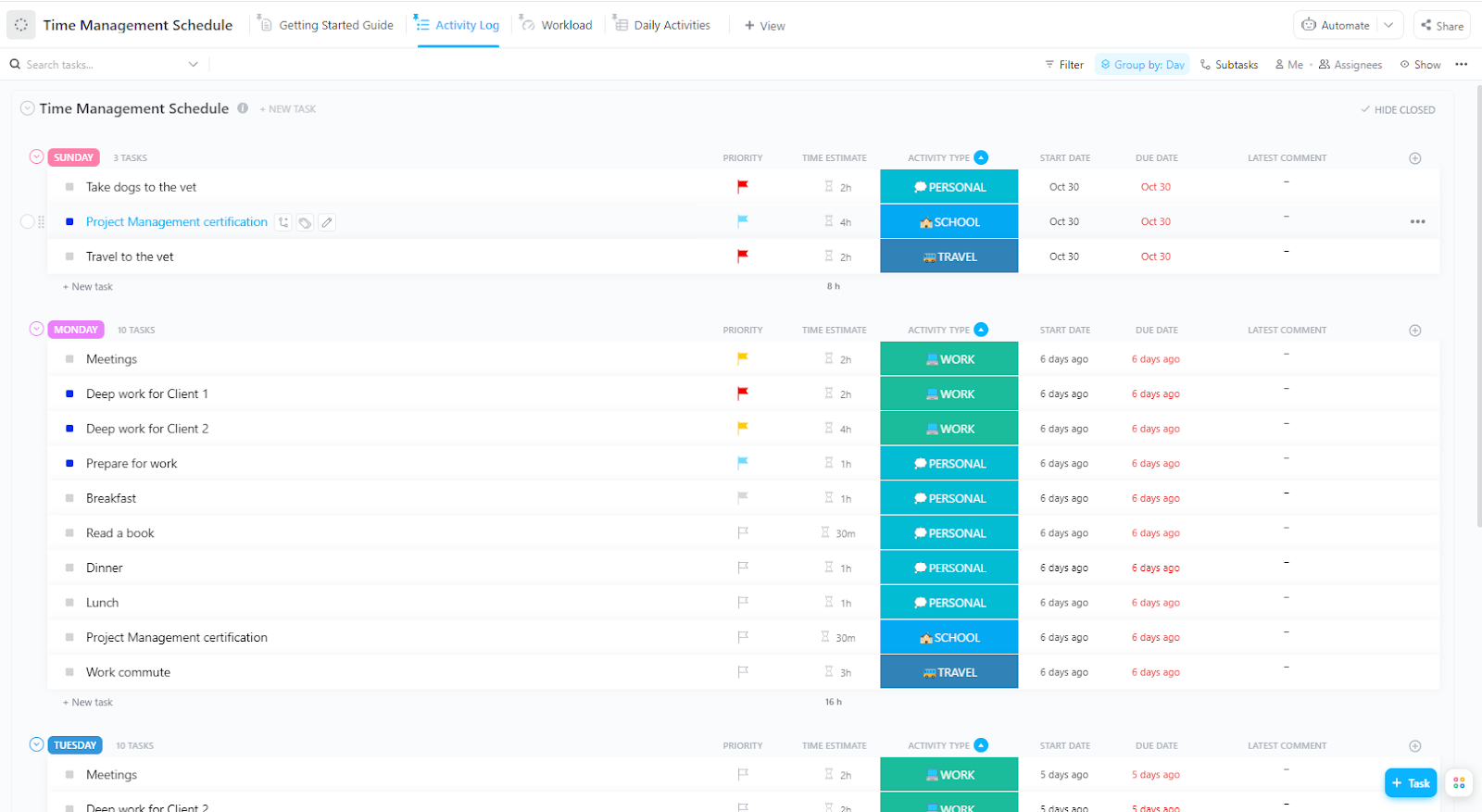
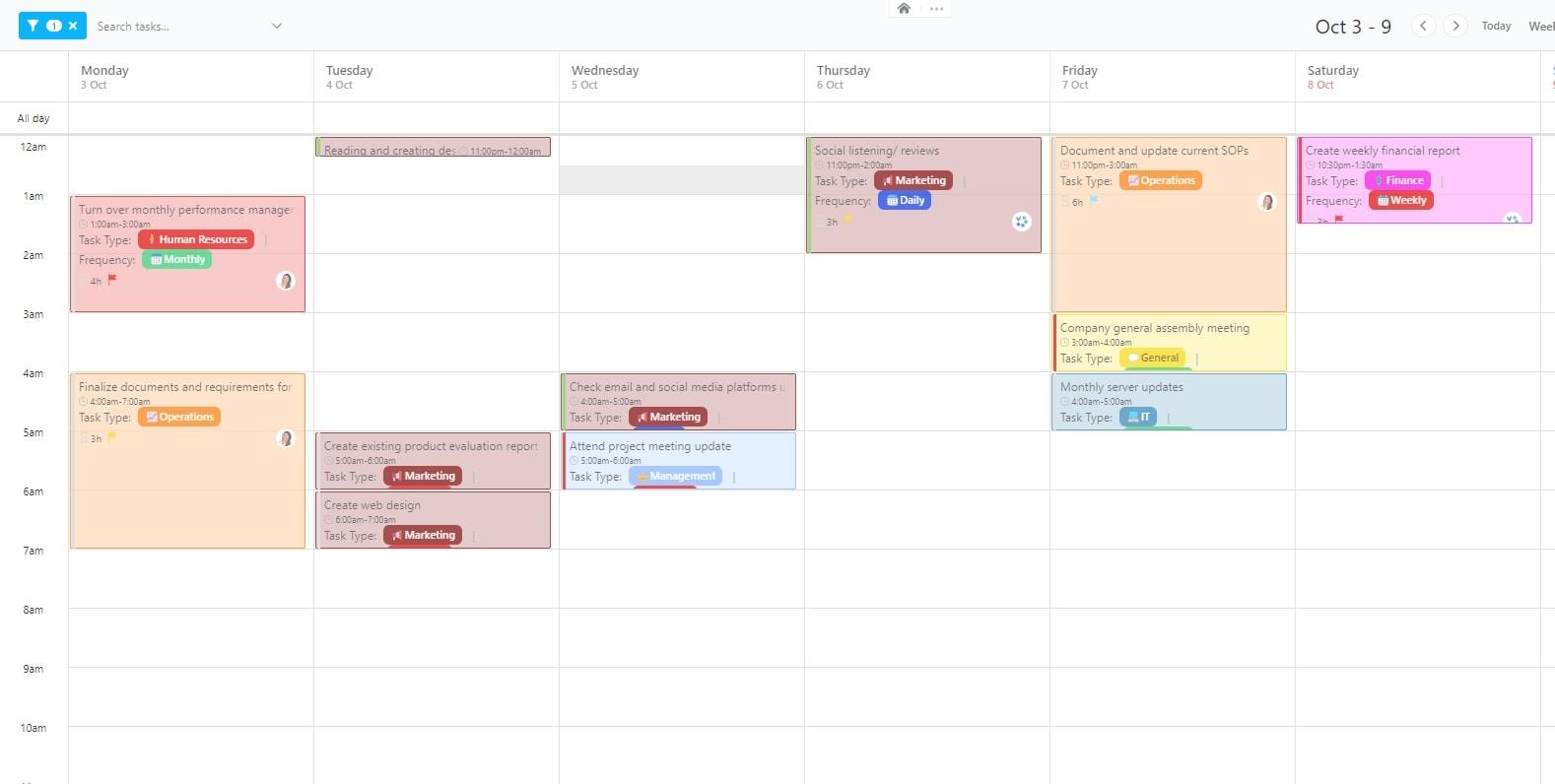
The ClickUp Time Management Schedule Template is designed to help users create and manage their daily or weekly schedules. It provides a structured framework for planning tasks, setting deadlines, and tracking progress, promoting better time management and productivity.
This template enables users to create detailed schedules, assign tasks to specific time slots, and monitor their progress. It further helps to ensure that tasks are completed on time and that time is used effectively.
Ideal for: Busy professionals, team leaders, students, and anyone looking to structure their day effectively.
Learn how to track time with ClickUp 👇
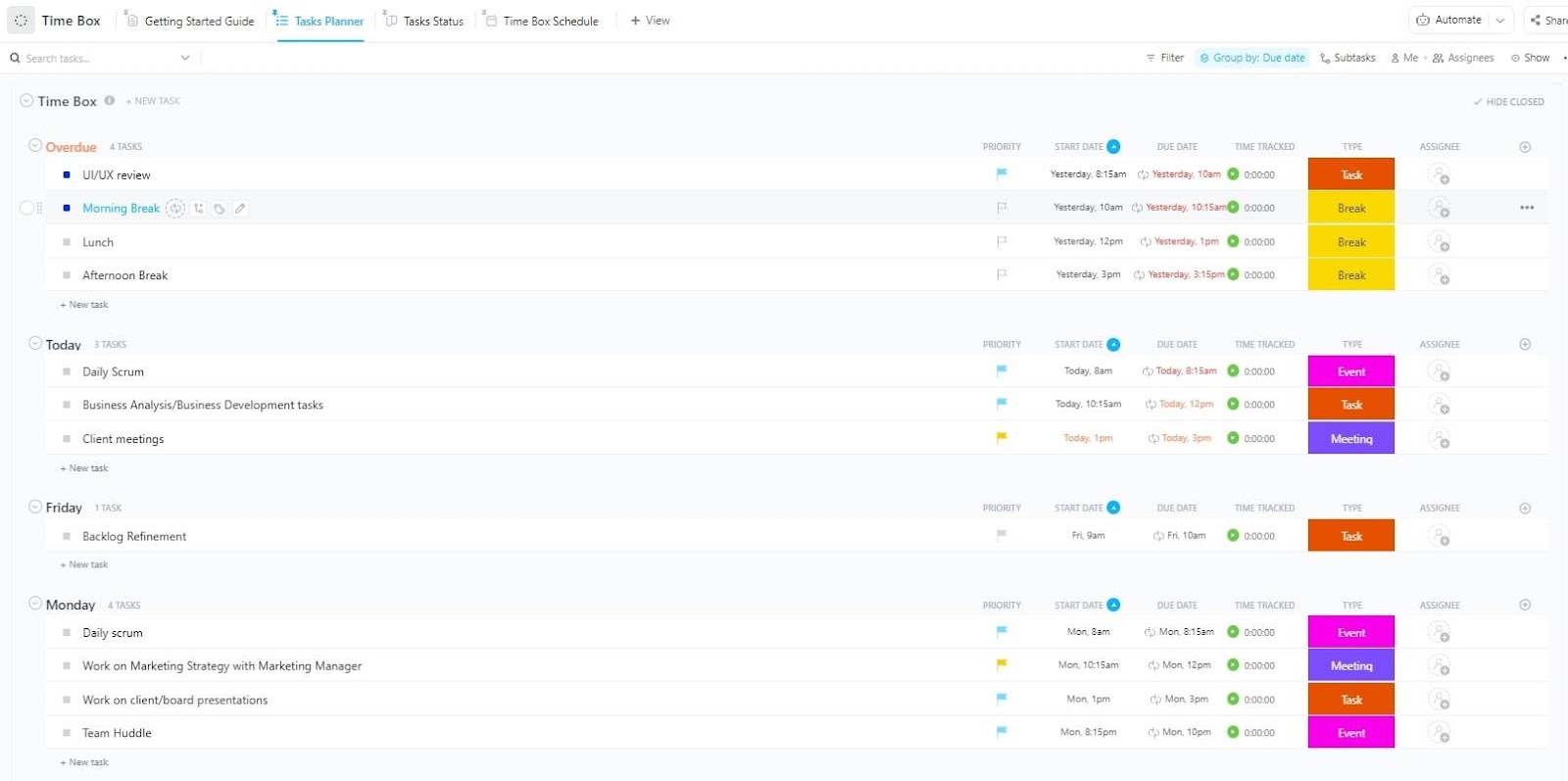
Time-boxing is a proven technique for boosting productivity, and the ClickUp Time Box Template makes it easy to implement. Plan focused work sessions, set time limits for tasks, and track progress—all within a structured ClickUp workflow.
Unlike Excel, which requires manual input, this template integrates with ClickUp’s automation to help you stick to time limits and optimize efficiency.
Ideal for: Remote workers, freelancers, productivity enthusiasts, and professionals managing tight deadlines.
📮 ClickUp Insight: Think your to-do list is working? Think again. Our survey shows that 76% of professionals use their prioritization system for task management. However, recent research confirms that 65% of workers prioritize easy wins over high-value tasks without effective prioritization.
ClickUp’s Task Priorities transform how you visualize and tackle complex projects, easily highlighting critical tasks. With ClickUp’s AI-powered workflows and custom priority flags, you’ll always know what to tackle first.
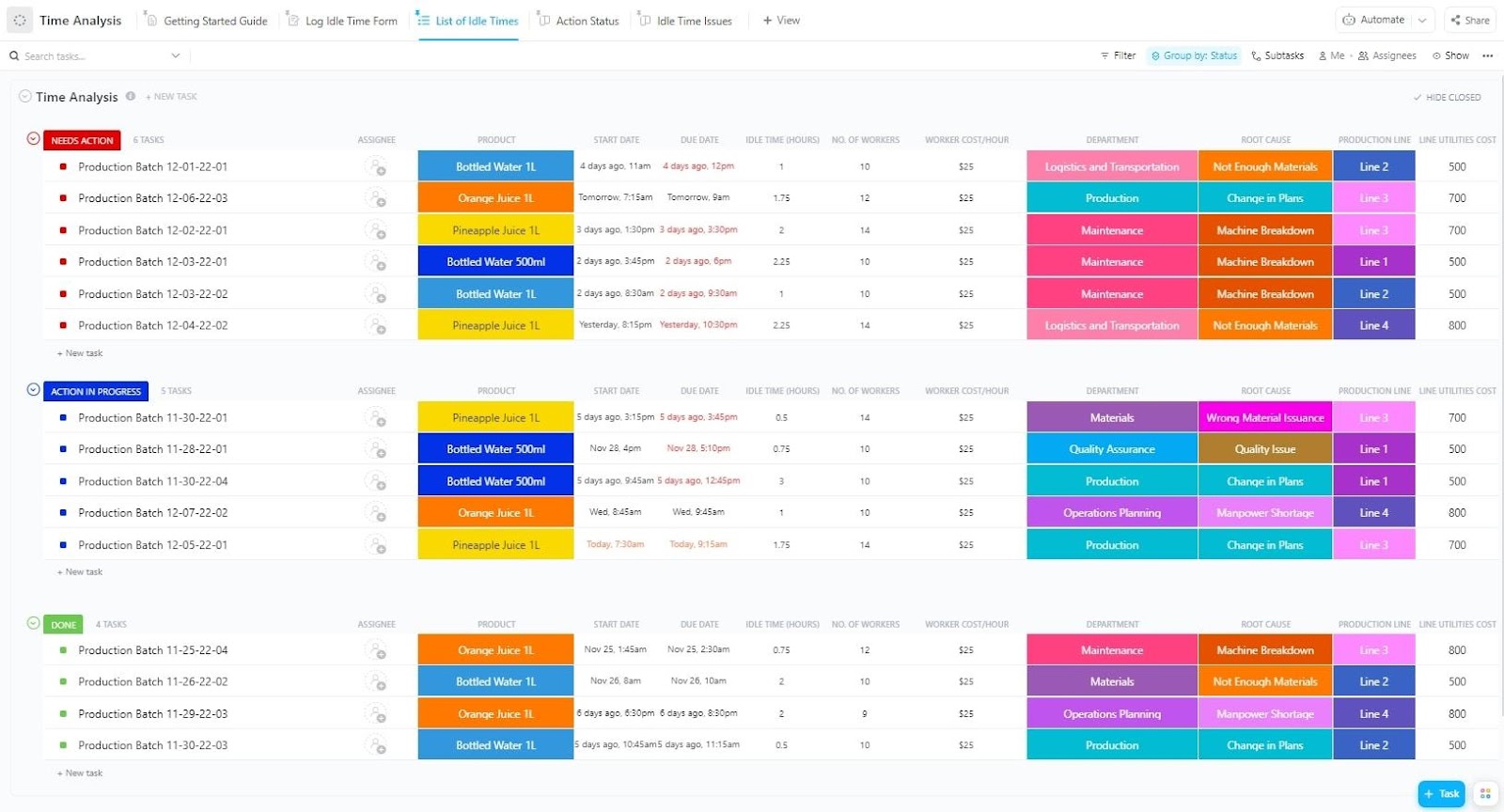
The ClickUp Time Analysis Template helps you track, categorize, and analyze your daily activities to optimize productivity. By understanding time usage patterns, you eliminate inefficiencies and make data-driven improvements to your workflow.
It also provides detailed reports and visualizations of time spent on tasks and projects. This allows you to understand how you spend your monthly or weekly hours and make amends accordingly.
Ideal for: Consultants, business owners, productivity enthusiasts, and anyone looking to improve time efficiency.
➡️ Read More: How to Optimize Your Team’s Leave Management System
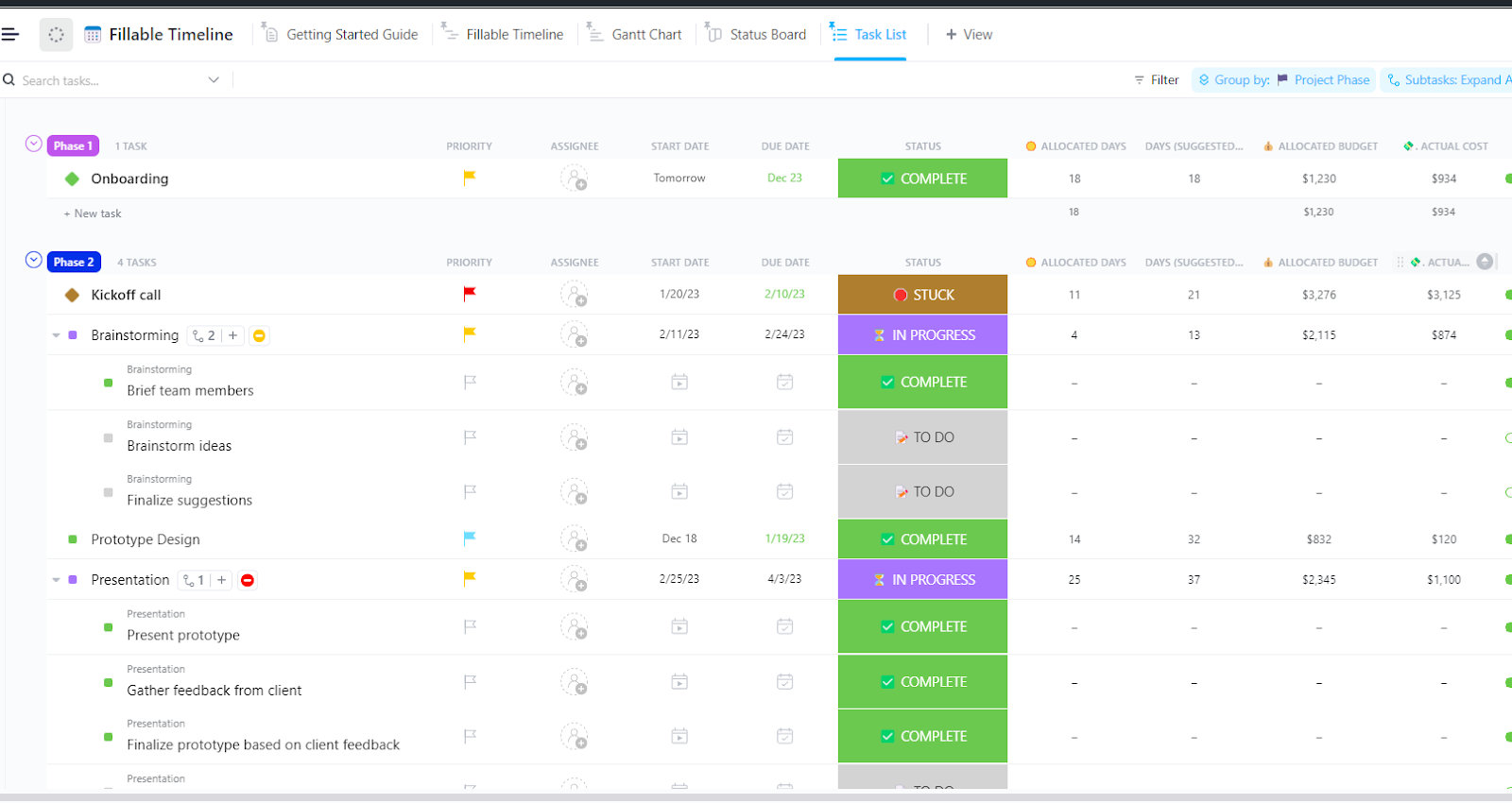
Timelines are essential for visualizing project progress and deadlines, but manually creating them is almost always a hassle. The ClickUp Fillable Timeline Template makes it easy to design structured timelines for projects, events, and goals—all within an interactive ClickUp view.
This template allows you to adjust deadlines dynamically, track dependencies, and easily manage shifting timelines.
Ideal for: Project managers, event planners, business strategists, and teams handling deadline-driven projects.
When managing hourly work, accuracy is everything. Whether you’re a freelancer billing clients or a manager tracking employee hours, the ClickUp Hourly Time Tracking Template simplifies the process.
Log hours, categorize tasks, and generate reports effortlessly—all in one place. With a clear, visual layout, teams and individuals better understand workflows, avoid scheduling conflicts, and keep everyone aligned on project timelines.
Ideal for: Freelancers, consultants, remote teams, and businesses that need precise hourly tracking.
A good Excel timesheet template is a game-changer, whether you are a freelancer tracking your billable hours or an HR managing regular and overtime hours. Here are some factors that will help you pick the best one:
🧠 Fun Fact: The average human spends around 650 hours per year managing their email inboxes, which comes down to around 13 hours per week spent on emails alone.
Excel timesheet templates are a great starting point for tracking work hours, but they only take you so far. Some cons that slow you down and reduce efficiency are manually entering data, dealing with formula errors, and struggling with limited automation.
If you’re looking for a smarter, faster, and more collaborative way to track time, it’s time to switch to ClickUp, the everyday app for work! ClickUp’s time tracking tools, automated reports, and real-time insights make managing work hours effortless. Whether you’re a freelancer, HR professional, or business owner, ClickUp ensures seamless time tracking, accurate payroll management, and enhanced productivity!
Try ClickUp for free today and say goodbye to manual spreadsheets and hello to a smarter way to track time! 🚀

© 2026 ClickUp

There’s an easier way. Try a free AI Agent in ClickUp that actually does the work for you—set up in minutes, save hours every week.