
Sorry, there were no results found for “”
Sorry, there were no results found for “”
Sorry, there were no results found for “”
You’re on a deadline, and your team is scrambling to finalize a document. Someone edits the wrong version, and another person leaves feedback on an outdated draft. Now, you’re stuck fixing a mess that shouldn’t exist.
This nightmare is too real if you work within a large team.
Messy collaboration slows teams down, leads to costly mistakes, and makes simple tasks tedious. A good document collaboration tool makes creating, editing, and managing files easier. But with so many options out there, finding the right one can be a challenge.
To save you time, we’ve rounded up the best document collaboration tools for teams to work together smoothly.
Here are the top tools to create, edit, and refine documents together with your team:
| Tool | Key features | Best for | Pricing* |
|---|---|---|---|
| ClickUp | – Real-time editing with nested pages and rich formatting – AI-powered document generation with ClickUp Brain – Customizable templates and automations – Converting docs into tasks and workflows | Best for individuals, small teams, mid-market companies, and enterprises for end-to-end project-integrated documentation and workflow management | Free plan available; customizations available for enterprises |
| Google Docs | – Real-time co-editing – Smart canvas with chips and templates – AI help with Gemini for summaries and revisions | Best for individuals and small to mid-sized teams that need fast, browser-based document collaboration | Free plan available; paid plans start at $8.40/user/month; customizations available for enterprises |
| Notion | – Block-based workspace for docs, wikis, and databases – Real-time editing and sharing – AI-driven workflow tools and third-party integrations | Best for small to mid-sized companies and power users of flexible documentation, wikis, and lightweight databases | Free plan available; paid plans start at $12/user/month; customizations available for enterprises |
| Dropbox Paper | – Multimedia embeds from tools like Figma, SoundCloud, and Pinterest – Inline task assignment – Full-screen doc presentation mode | Best for creative teams that need a lightweight, media-rich space to collaborate and brainstorm | Free with Dropbox account; paid Dropbox plans start at $11.99/month; customizations available for enterprises |
| Confluence | – Nested page structures and dedicated spaces – Inline comments, tasks, and Jira integration – Dynamic macros and templates | Best for large organizations for structured documentation and knowledge management tied to development workflows | Free plan available; paid plans start at $6.40/user/month; customizations available for enterprises |
| Microsoft OneDrive & Word | – Real-time Office editing and version control – Deep integration with Microsoft 365 suite – Secure cloud storage with Personal Vault | Best for teams already in the Microsoft ecosystem for seamless collaboration within Word and OneDrive | Paid plans start at $5/user/month (billed annually) |
| Evernote | – Web clipping and embedded elements – Smart search and PDF annotation – Nested notebooks for organization | Best for individuals and freelancers who need structured personal note-taking and light collaboration | Free plan available; paid plans start at $14.99/month |
| Slack | – Threaded document discussions – Real-time file sharing and integrations with Google Docs, OneDrive, etc. – Workflow automations and advanced search | Best for communication-focused teams that need quick document feedback and approvals | Free plan available; paid plans start at $8.75/user/month; customizations available for enterprises |
| Zoho Writer | – AI assistant for grammar/tone refinement – Live CRM data merging – Fillable forms and section-level editing permissions | Best for cloud-first teams already using the Zoho Suite | Paid plans start at $2.50/month |
| Coda | – Combine text, tables, and databases – Interactive automation with buttons and formulas – AI content generation and data analysis | Best for mid-sized teams and data-heavy departments that need docs + apps in one workspace | Free plan available; paid plans start at $12/user/month; customizations available for enterprises |
| Slite | – AI-powered knowledge search and documentation prompts – Decision logs and discussion threads – Clean structure for organized remote collaboration | Best for remote and hybrid teams building a centralized, intuitive knowledge base | Paid plans start at $10/user/month; customizations available for enterprises |
No one likes to work in silos. Disconnected systems slow teams down. Ineffective collaboration results in 60% of people’s time wasted on finding the relevant context and deliverables. The right document collaboration software can streamline workflows, improve version control, and boost productivity.
Here’s what to consider when choosing the best tool for seamless, real-time collaboration across multiple users and projects.
Our editorial team follows a transparent, research-backed, and vendor-neutral process, so you can trust that our recommendations are based on real product value.
Here’s a detailed rundown of how we review software at ClickUp.
Now that we understand document collaboration software and key selection factors, here are some of the best options available today:
As teams grow, managing documents, approvals, and workflows becomes more complex. A document collaboration tool should do more than store files—it should simplify teamwork, keep content organized, and eliminate version control chaos. That’s everything that a tool like ClickUp does.
ClickUp is the everything app for work that combines project management, knowledge management, and chat—all powered by AI that helps you work faster and smarter. It infuses the power of AI into document creation, workflow automation, and real-time team collaboration within one platform.
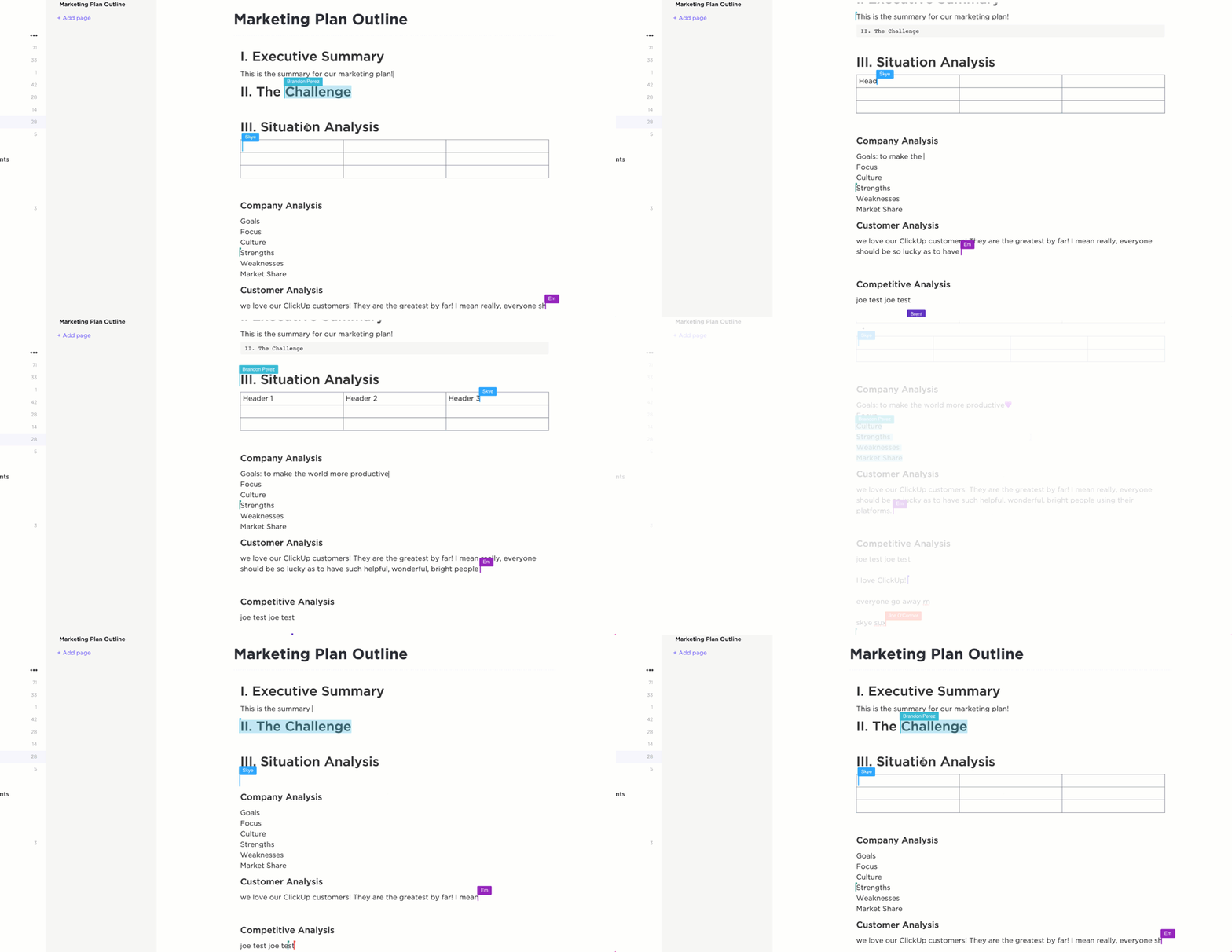
Thanks to ClickUp Docs, teams can draft documents, edit them simultaneously with others, and leave actionable feedback without handling multiple versions of the same document or searching through scattered comments. Your documents are neatly categorized with folders, tags, and permission controls, ensuring the right people have access at the right time.
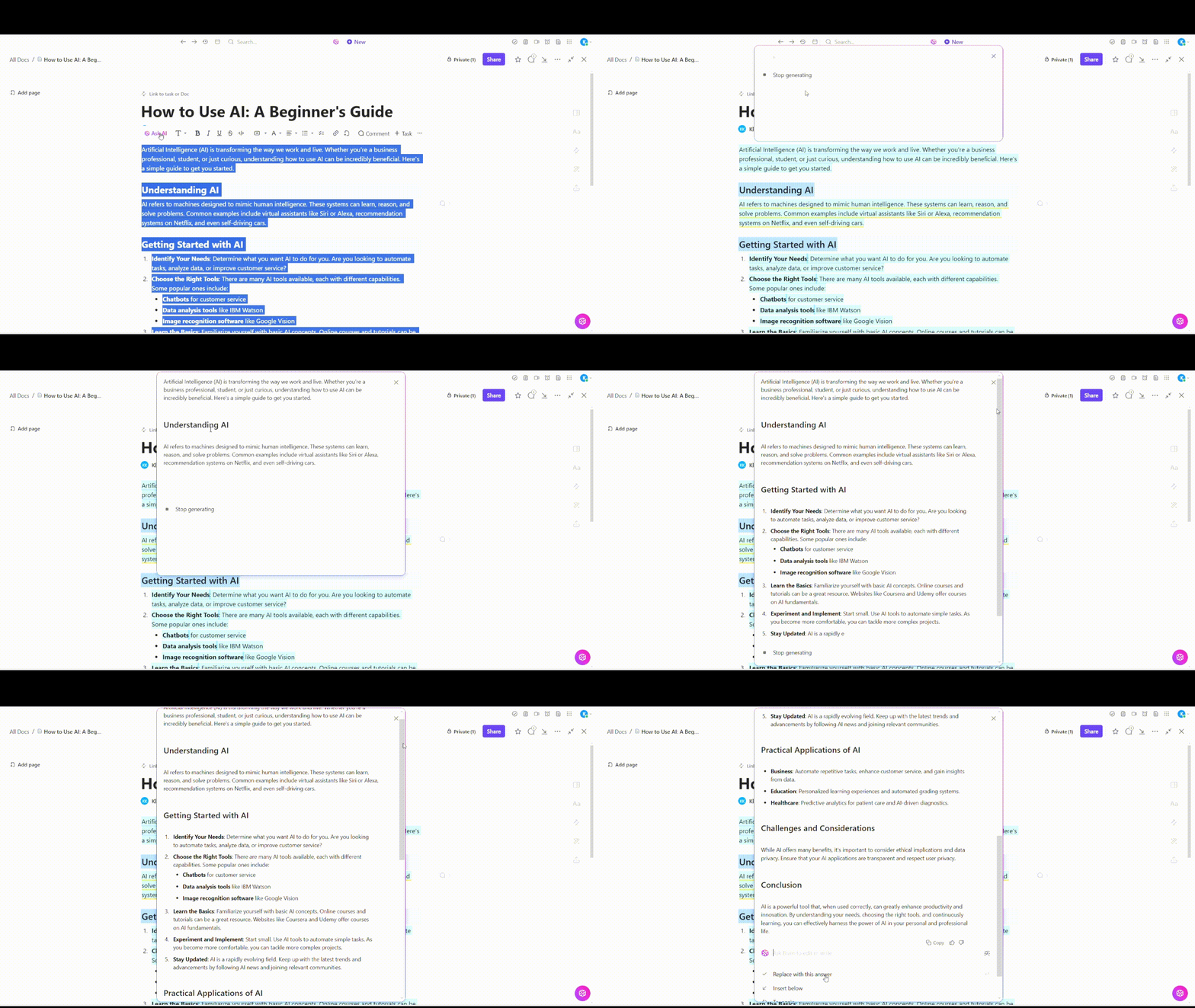
But why stop just there? ClickUp takes document collaboration further with its built-in AI engine, ClickUp Brain. It connects your notes, tasks, and conversations, giving you a structured and efficient way to create and manage documents.
Plus, it automatically generates summaries for long, complex documents and pulls key insights from your wikis in seconds. Teams can draft detailed reports and edit generated content with an AI writing assistant that adapts to their needs.
With the ability to adapt the content to your brand style guide, every document stays consistent with your company’s voice and tone!
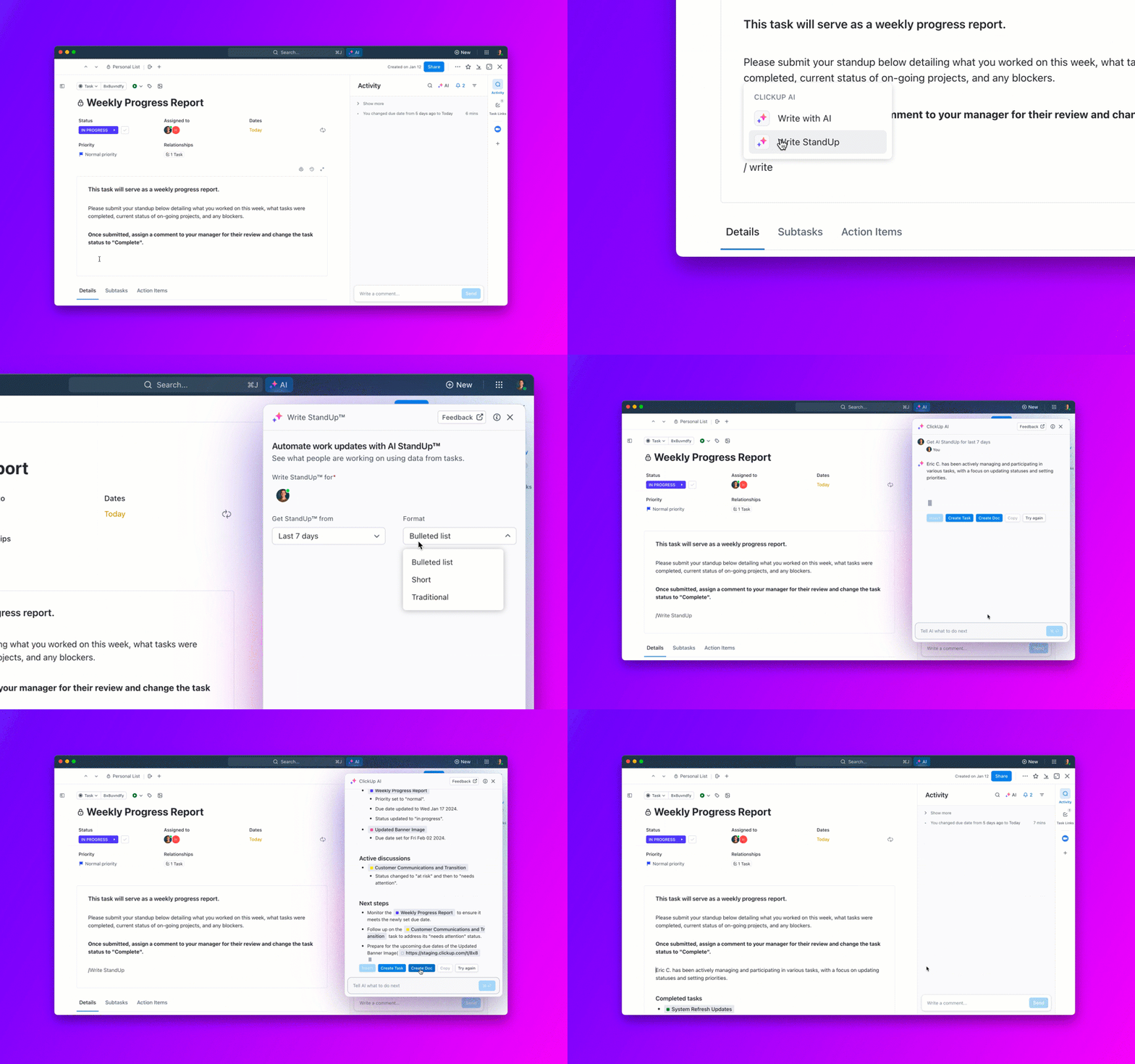
Need progress reports on your team’s tasks? ClickUp Brain generates daily and weekly updates, helping teams track projects and identify bottlenecks. It transforms how teams handle documentation.
Still manually tracking approvals, updates, and deadlines? ClickUp Automations can handle it for you, triggering tasks based on document updates, setting up automated approvals, and keeping projects moving with AI-powered insights.
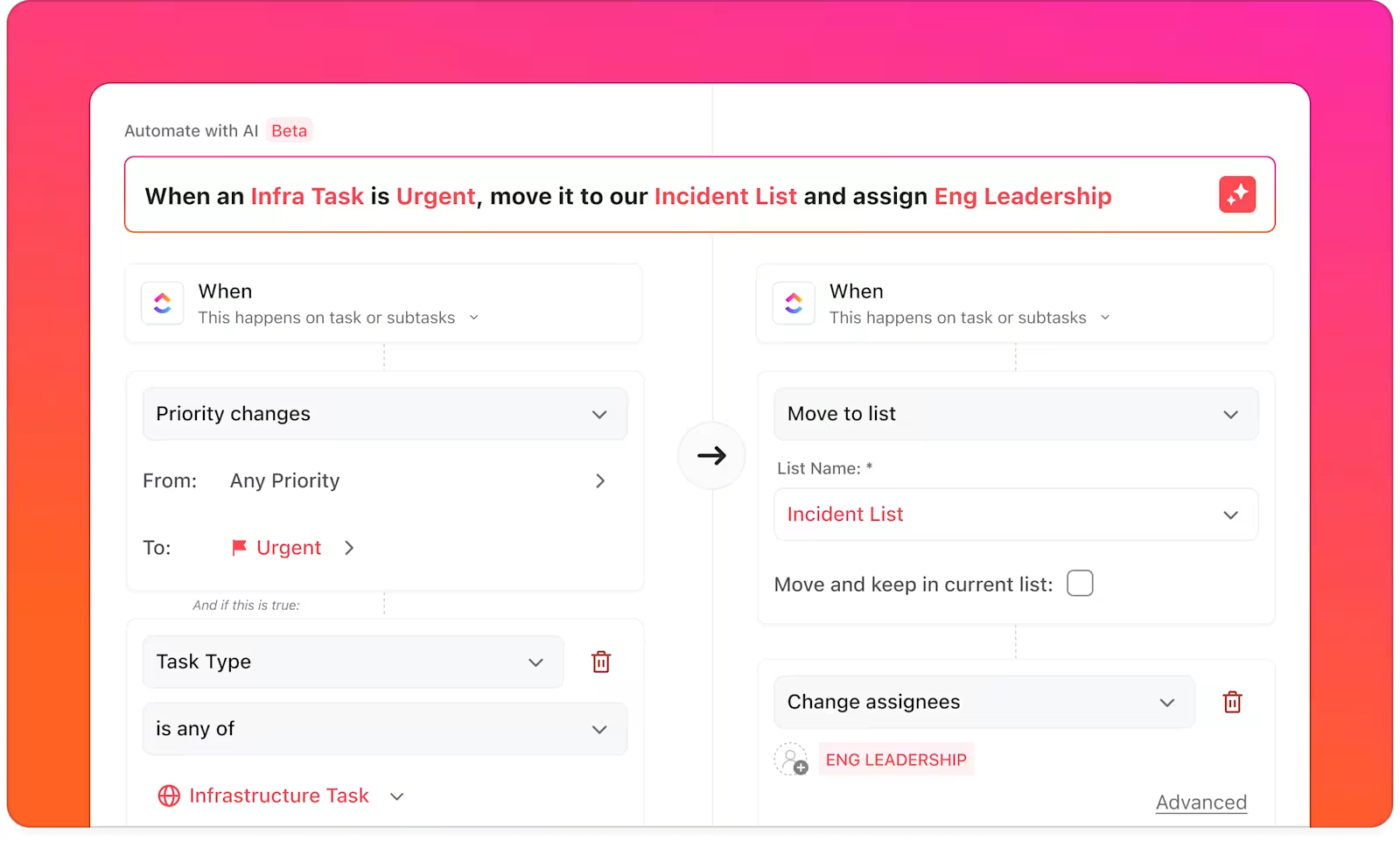
No more manually checking updates. Set up an automation to notify you when changes are made, keeping your team aligned. The platform’s your playground while automating document workflows with ClickUp’s 100+ automations.
With ClickUp’s Connected Search, you can locate any document, task, or resource in seconds. Use a simple command to instantly pull up what you need, reducing the time spent searching through files.

Want to get started with project documentation quickly? Tap into ClickUp’s rich library of customizable templates. Choose from multiple tailor-made documents for your use case, including process documentation and wiki templates. Ensure consistency across all your reports, SOPs, and knowledge bases—skip the setup and focus on the execution.
👀 Did You Know? A study found that teams using AI-powered document collaboration tools like ClickUp cut content creation time by 40%, reducing errors and improving efficiency.
📮 ClickUp Insight: 37% of our respondents use AI for content creation, including writing, editing, and emails. However, this process usually involves switching between different tools, such as a content generation tool and your workspace. With ClickUp, you get AI-powered writing assistance across the workspace, including emails, comments, chats, Docs, and more—all while maintaining context from your entire workspace.
A TrustRadius review says:
This is the special advantage of ClickUp: offering most of the tools needed for organizing the projects in one place. It doesn’t only allow the managing and assignment but also offers other tools in the same environment such as Documents, where one can take notes and make reports, and integration with calendar and e-mails, all in one place. No need to use external programs or different apps for every function.
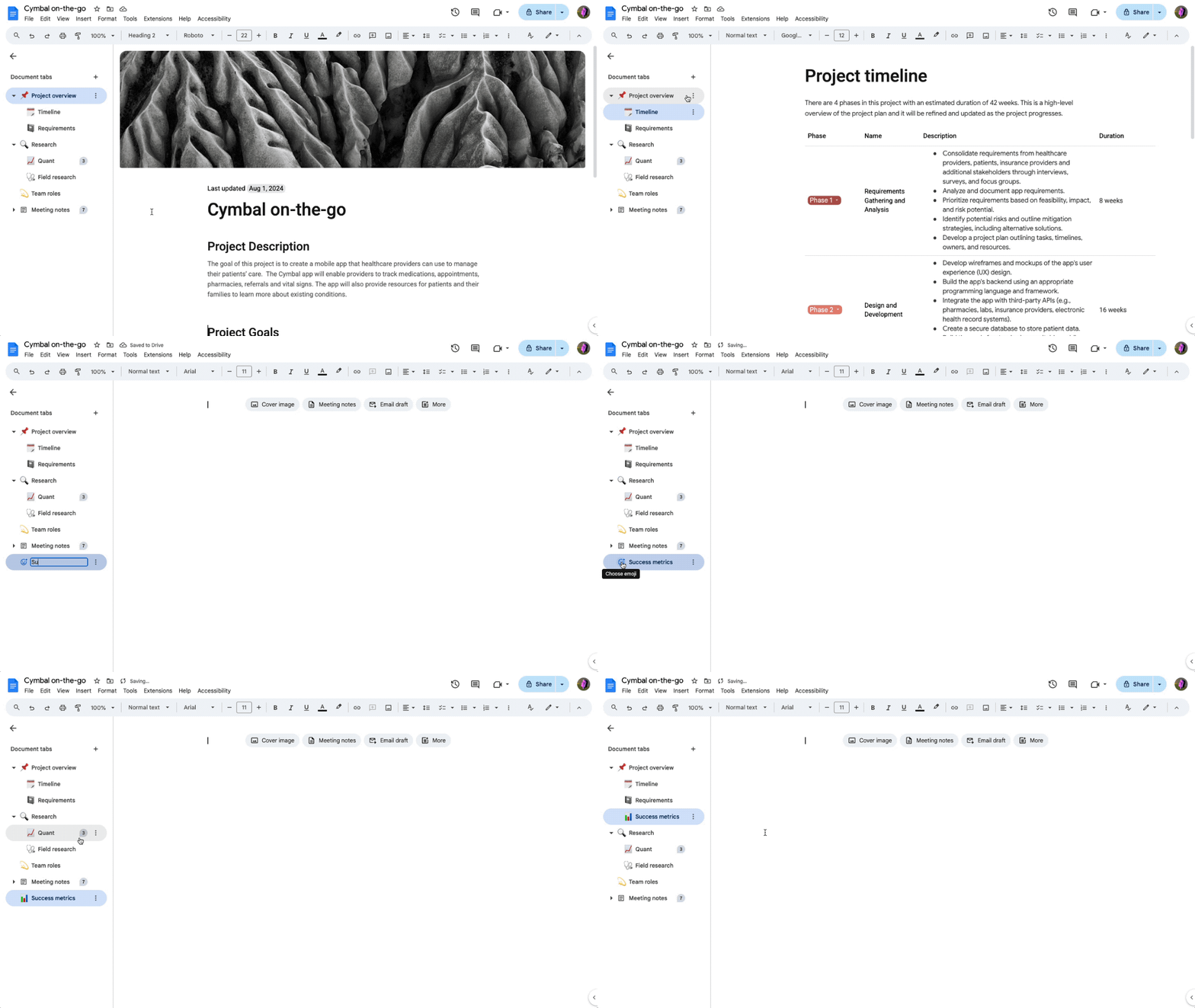
For many, the journey to better document management usually begins with Google Docs. Whether you’re co-editing content with your team or adding last-minute changes before sending the doc over, it keeps everyone on the same page (literally).
Docs’ Pageless mode ditches annoying page breaks for an uninterrupted flow, while smart chips let you tag people, link files, and even add events to your docs.
And if you’re stuck, Gemini’s AI assistance can help organize your thoughts, tweak wording, or summarize key points.
A Capterra review says:
I often use Google Docs more these days as it allows you to share your files with multiple people at the same time, allowing a greater amount of people to simultaneously work on the file, which in turn, facilitates team efforts and increases our productivity exponentially.
💡 Pro Tip: Type ‘@’ in Google Docs to instantly insert formatted emails, calendar invites, review trackers, meeting notes, and more. No manual formatting is needed!
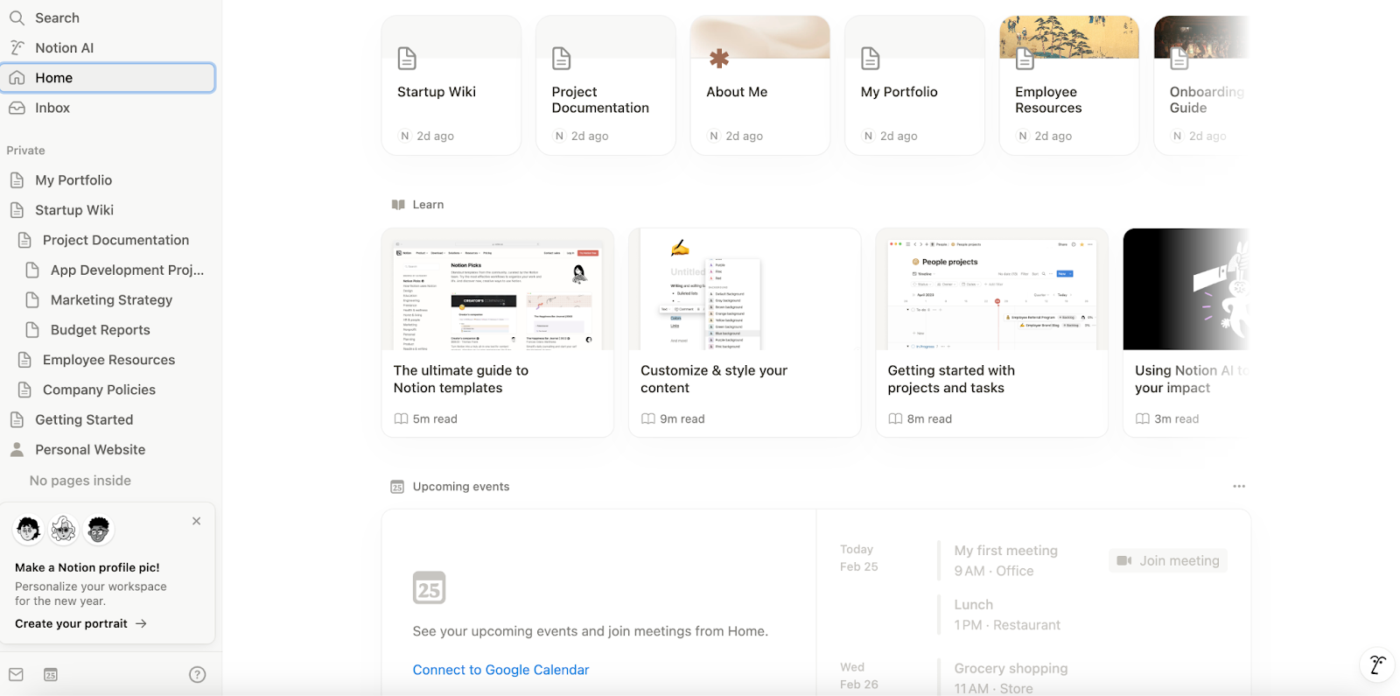
Need a flexible workspace for managing your documents? Notion’s block-based setup gives you better control over your content, letting you mix and match the placement for text, images, databases, and embeds like a digital Lego set.
Every element in a Notion doc is a movable block, so you can rearrange, restructure, and refine your content without breaking a sweat. Everything stays adjustable, whether you’re building a knowledge hub, tracking projects, or brainstorming ideas.
With Notion, you can also interlink pages, transforming disconnected notes into a dynamic system that grows with your workflow.
A Reddit user shares:
I find Notion to be best when used as a wiki / info management system for storing long-term structured information – specifically for the Architect note taking archetype. Example use-cases being daily/weekly reviews, life wiki (hobbies, goals etc.), project planning/overview (not task management) and so on.
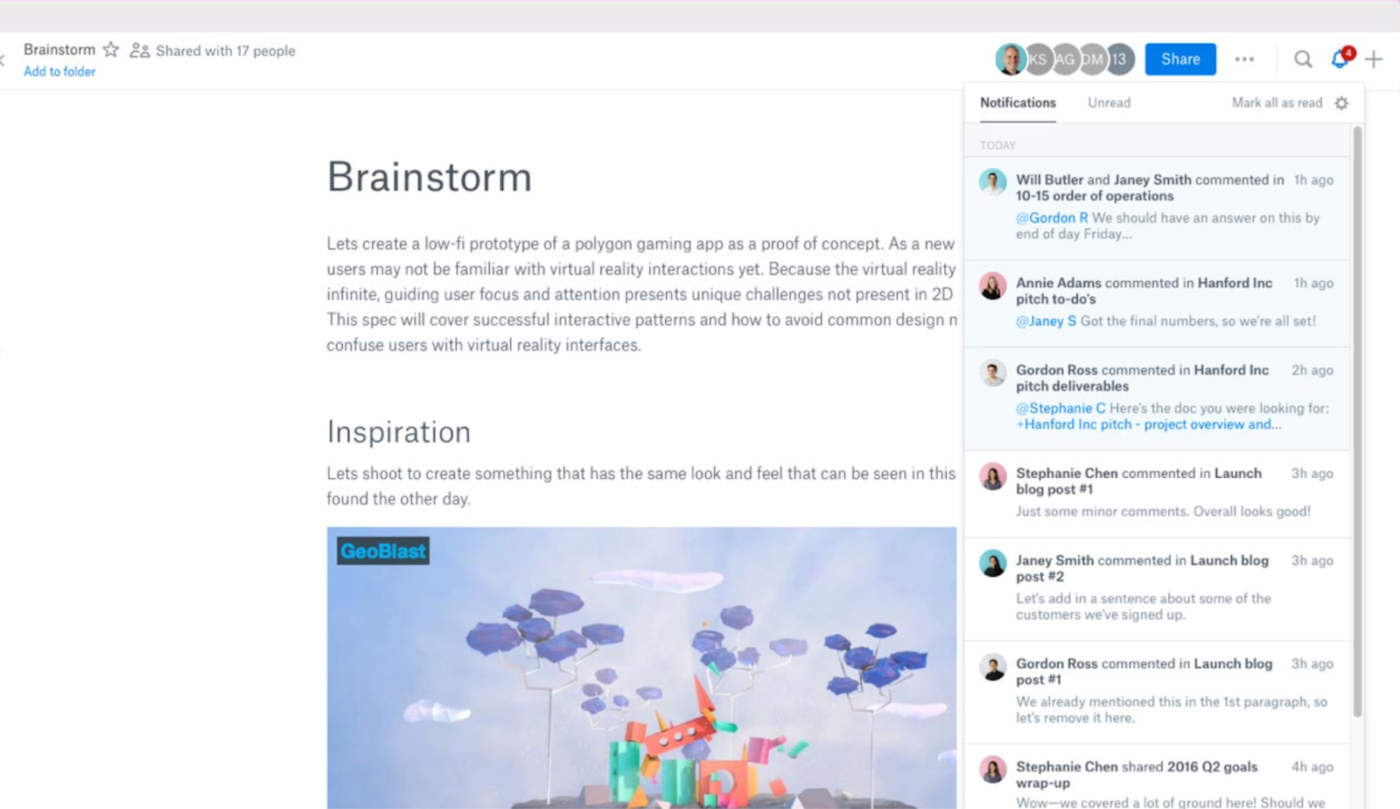
Dropbox Paper is like when a digital whiteboard meets a notebook—designed for teams that want to create, review, and organize ideas in one place. It keeps everything—text, media, and files—tidy and accessible, with real-time collaboration so no one’s left out of the loop.
Plus, it’s backed by Dropbox’s cloud storage, which means your work is accessible on the go. Whether you’re brainstorming ideas, planning sprints, or drafting social media content, it provides a flexible space for collaboration without cluttering multiple tools.
Dropbox Paper is included for free with every Dropbox account. Here are Dropbox’s pricing plans:
A G2 review quotes:
Dropbox Paper’s real-time collaborative editing and integration with other tools make it a efficient platform. It’s easy to implement with Slack and other services. We have been using it for all of our PRDs and for making tech docs.
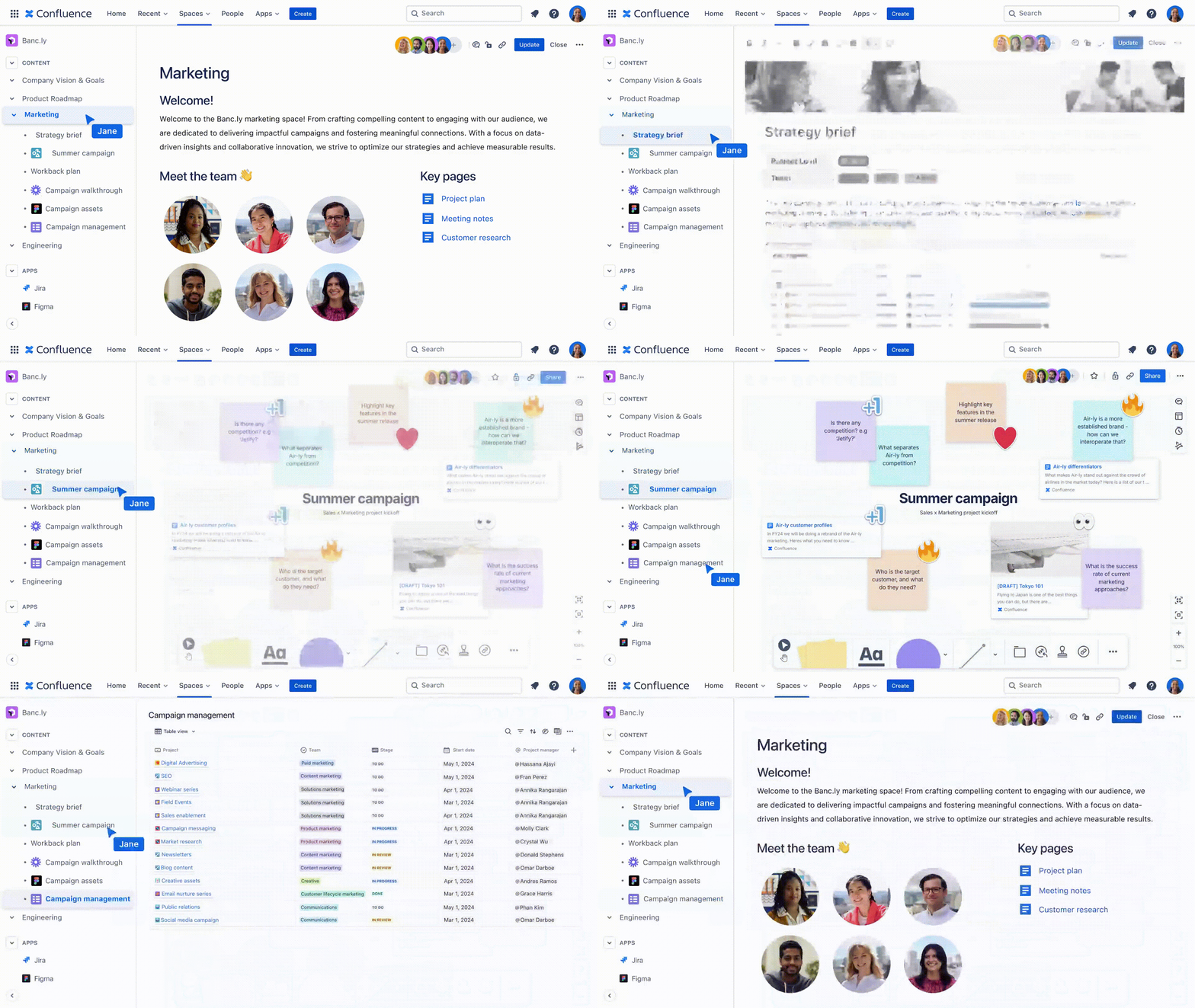
Want a workspace where project notes, meeting summaries, and documents aren’t scattered? While we personally recommend ClickUp, for some teams, Confluence may be the answer.
It organizes everything with a nested page system, keeping information structured and easy to find. Confluence’s offering, Blueprints, offers templates for tasks like meeting notes and retrospectives, reducing repetitive work.
With real-time editing, commenting, and integrations, teams can collaborate without losing track of updates. It’s a central place for capturing ideas, documenting work, and keeping projects on course.
A Capterra user shares:
I have been using Confluence for 5+ years now and I find it useful in documentation and collaboration.
📚 Also Read: Best Intranet Software to Securely Connect Teams
Microsoft OneDrive and Word work together as a powerful document collaboration suite by combining cloud storage with real-time editing and version control.
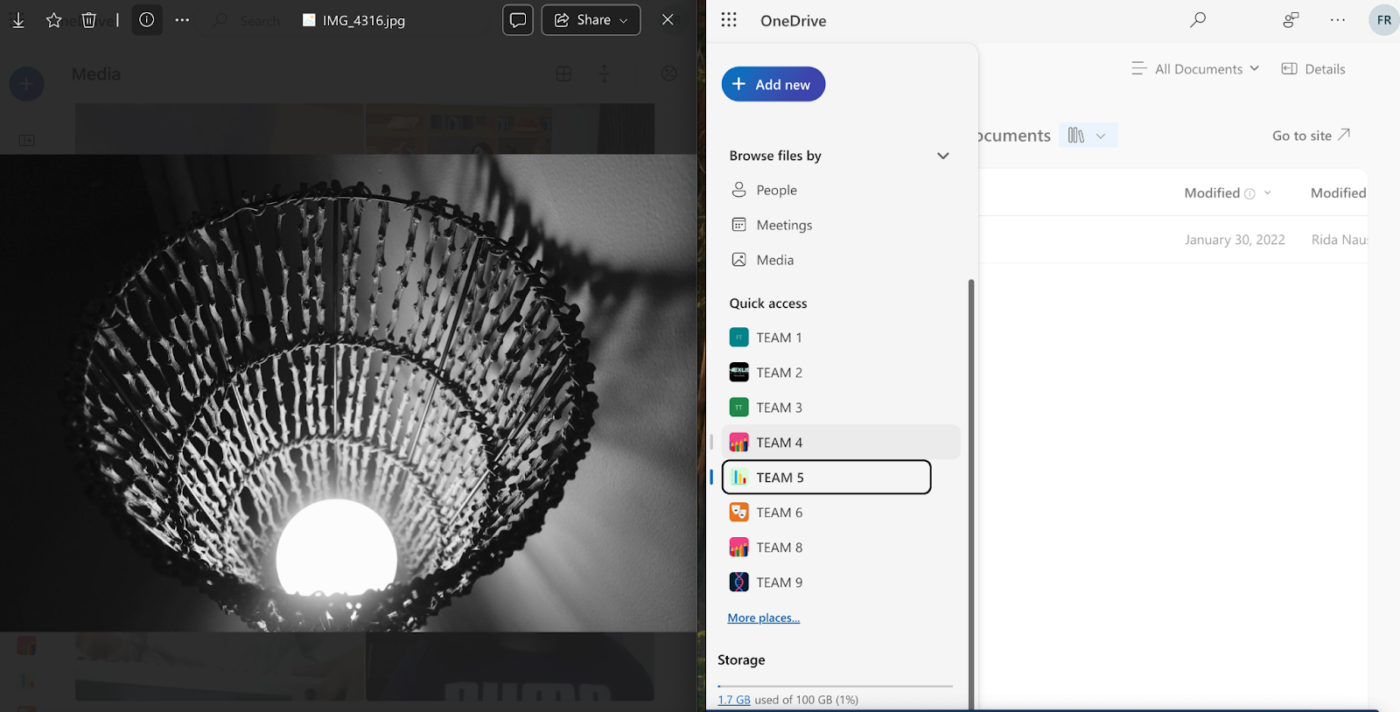
Documents are stored in OneDrive, so they can be accessed from anywhere on any device. You can share Word docs with specific people or generate a link with view/edit access. OneDrive tracks changes, allowing you to view and restore previous versions of a document.
Work on a document from Word on the web, desktop, or mobile—everything stays in sync. Microsoft OneDrive also integrates with Office apps like Word, Excel, and PowerPoint.
🧠 Fun Fact: Microsoft Word’s Track Changes feature debuted in Word 97, revolutionizing how teams reviewed and edited documents digitally. Before that, people often manually marked up printouts with red pens!
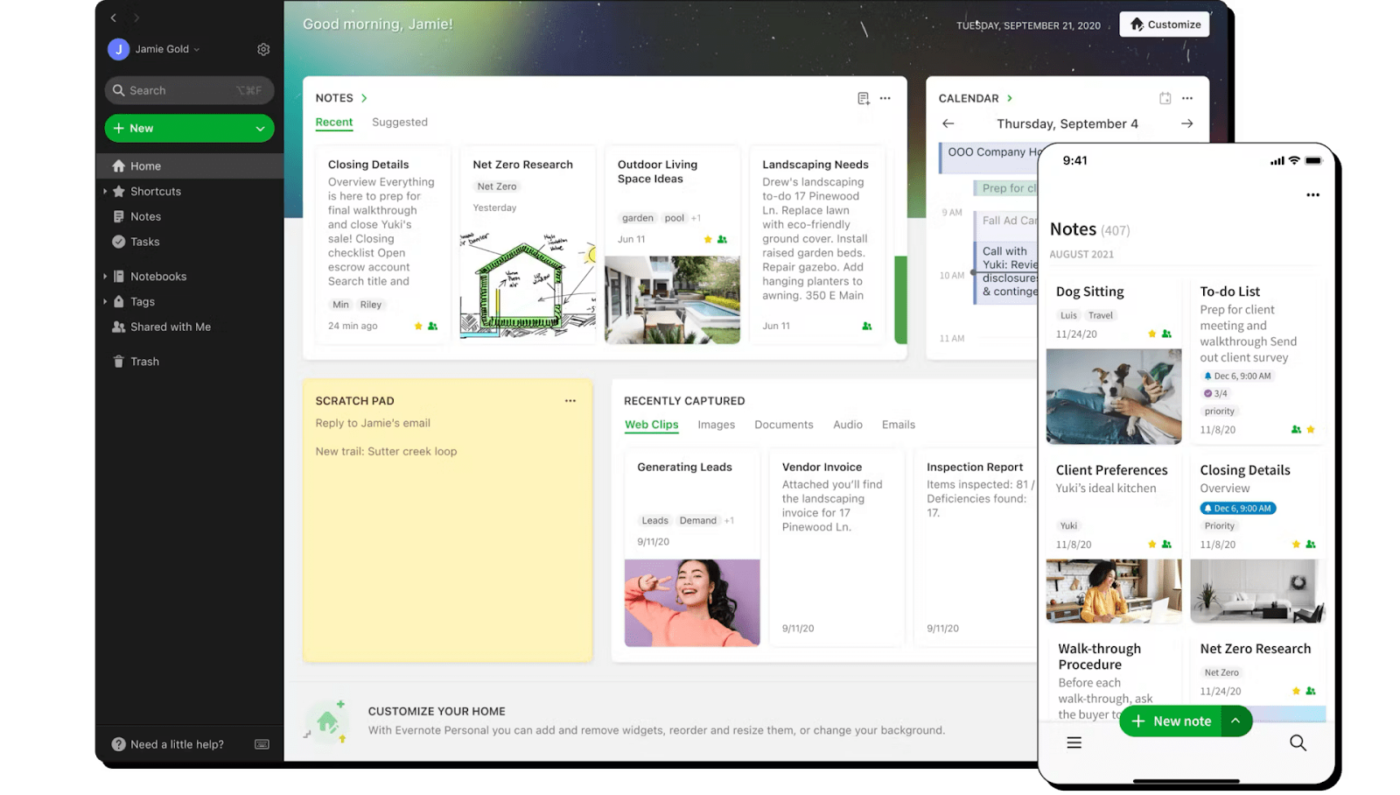
Looking for a tool that streamlines note-taking and project organization? Evernote does more than just store your notes—it helps you structure ideas, collaborate, and stay on top of tasks.
Evernote’s note-linking feature lets you connect related notes, building a personal knowledge hub. With handwriting recognition, the tool extracts text from scribbled notes and images, making even scanned documents searchable.
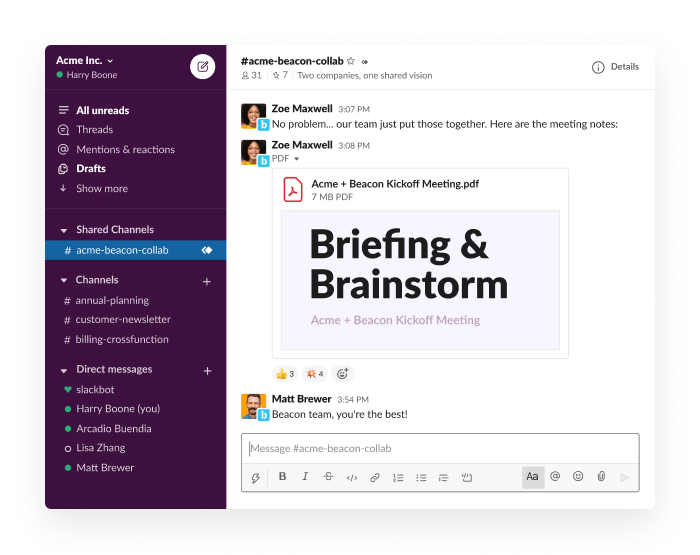
Keeping your team aligned can be tricky—Slack aims to make it easier. A team collaboration hub designed for fast, organized communication, the tool boasts dedicated channels for streamlining conversations by project, department, or topic.
Slack supports document collaboration by allowing users to share files directly in channels or DMs, where teammates can discuss and provide feedback in context. It integrates with tools like Google Drive, OneDrive, and Notion, enabling users to preview, comment on, and update documents without leaving Slack.
Threaded conversations and emoji reactions make it easy to track feedback and decisions related to specific documents.
📮ClickUp Insight: Low-performing teams are 4 times more likely to juggle 15+ tools, while high-performing teams maintain efficiency by limiting their toolkit to 9 or fewer platforms. But how about using one platform?
As the everything app for work, ClickUp brings your tasks, projects, docs, wikis, chat, and calls under a single platform, complete with AI-powered workflows. Ready to work smarter? ClickUp works for every team, makes work visible, and allows you to focus on what matters while AI handles the rest.
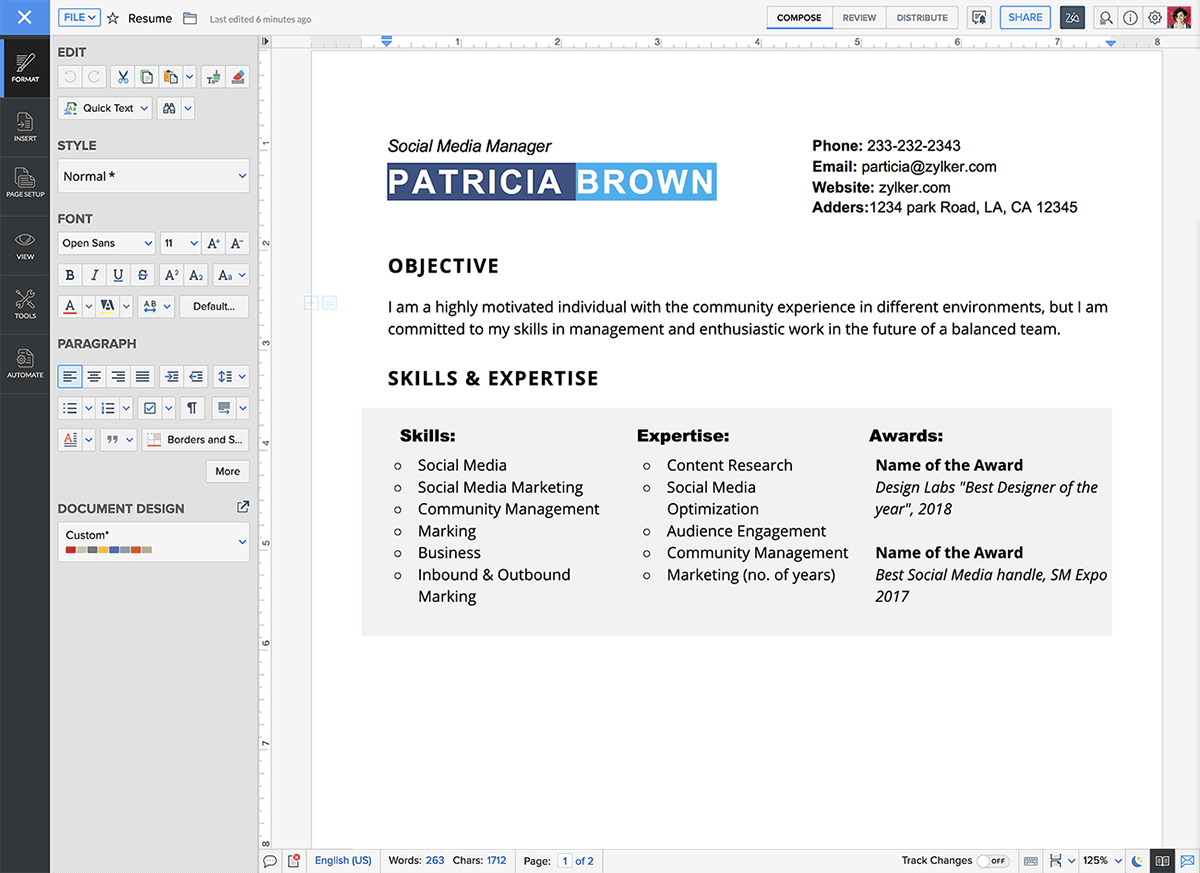
Great ideas need room to grow, and Zoho Writer provides that. This cloud-based word processor offers a clean interface while supporting real-time collaboration.
Teams can edit documents together, leave comments, and track version history without clutter. It integrates with other Zoho apps, making it useful for those already using the Zoho suite.
With offline editing, document templates, and customizable permissions, Zoho Writer balances simplicity with functionality, giving teams the collaboration tools they need to work together efficiently.
A Reddit user praises the Zoho Suite over Google Workspace:
I’ve used Zoho Writer, which has fillable document templates, and signable templates baked into it, there’s a smooth integration with Zoho Sign (which works perfectly) and also DocuSign or Adobe Sign.
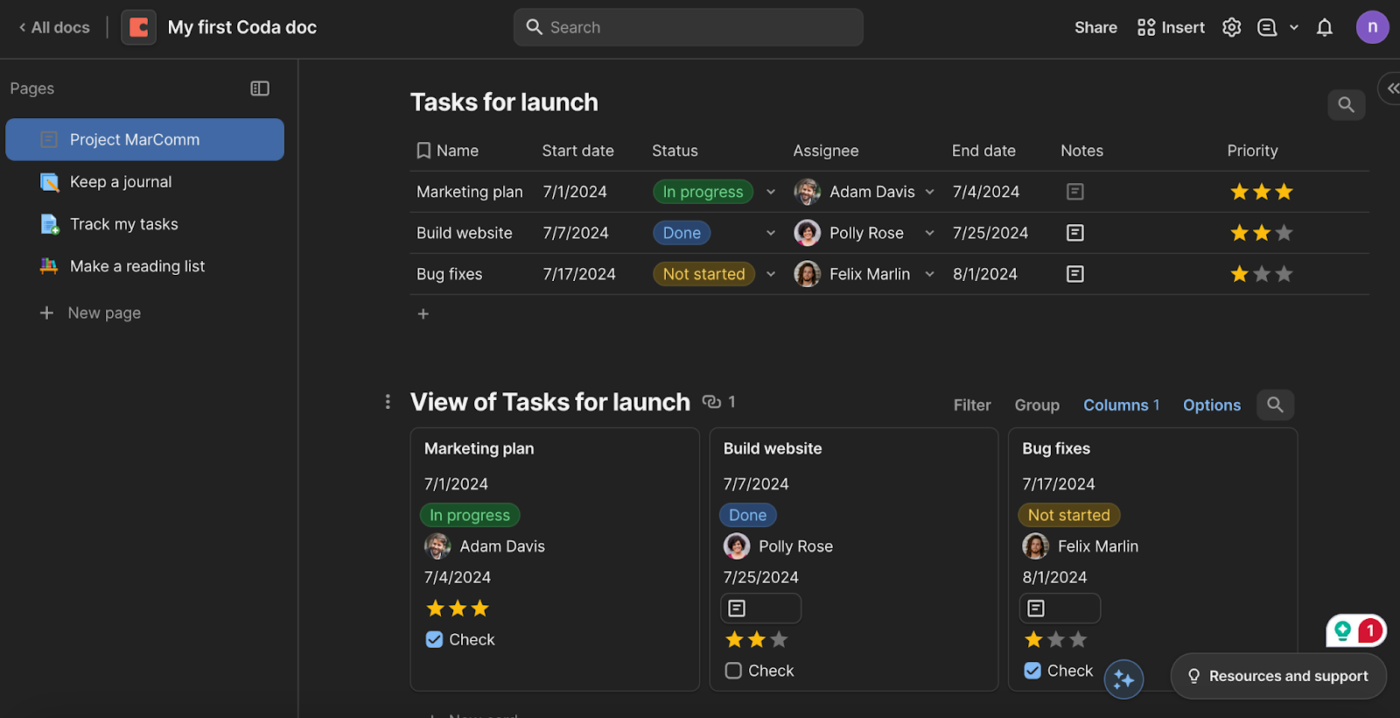
Coda merges a document, spreadsheet, and database into one software. It’s a flexible workspace where teams can write, track tasks, and manage data without juggling multiple tools. From simple docs to buttons, formulas, and interactive tables on your page, Coda handles it all.
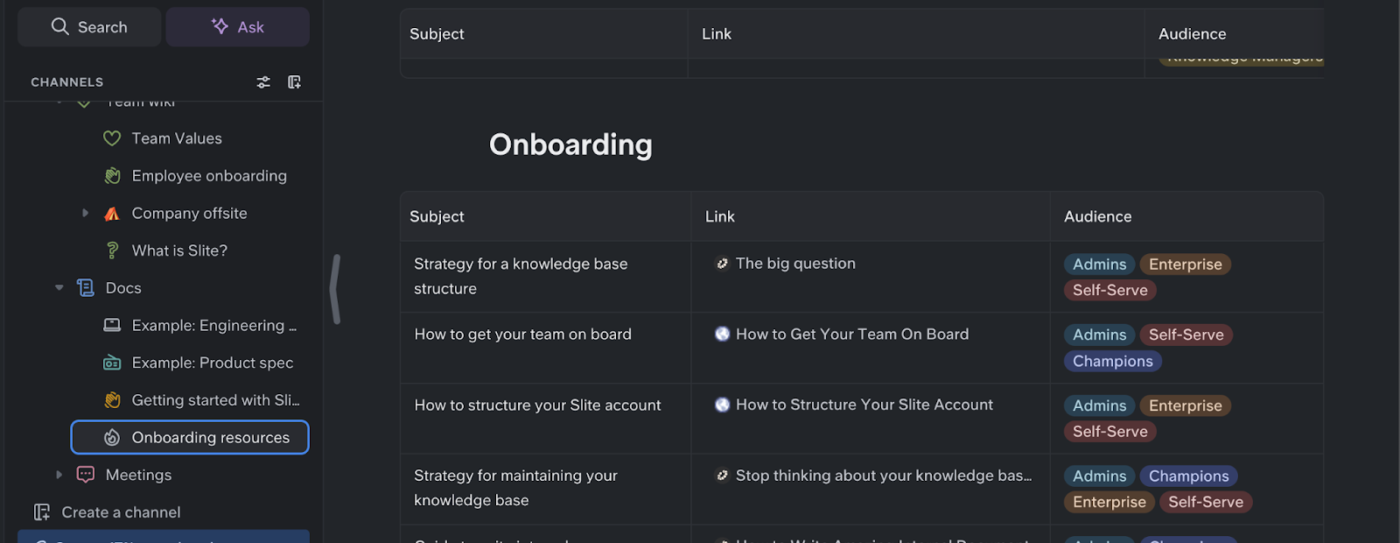
A knowledge base should simplify your workflows, not complicate the way you manage information. Slite helps teams document, find, and share information without adding to the clutter. Built for remote and hybrid work, it provides a structured yet flexible space to keep everything organized.
Team members can easily create, edit, and search documents, ensuring important knowledge is always accessible. With collaborative tools and intuitive navigation, Slite makes staying aligned simple.
A Capterra user says:
It’s a good tool for teams to create a knowledge base, as well as a one place to keep all notes & planning docs.
When juggling a high-stakes project, the last thing you need is a communication gap that throws things off track. The right document collaboration tool keeps everything aligned, making teamwork smoother and more connected.
ClickUp shines with its project-integrated workflow management and real-time collaboration features within ClickUp Docs. It covers a wide range of business needs, from automation and cloud storage to structured, AI-powered documentation.
Ready to improve your team’s productivity with the best document collaboration software? Sign up for a free ClickUp account now!
© 2025 ClickUp