






Still downloading templates?
There’s an easier way. Try a free AI Agent in ClickUp that actually does the work for you—set up in minutes, save hours every week.
Sorry, there were no results found for “”
Sorry, there were no results found for “”
Sorry, there were no results found for “”
Your support team spends 10 minutes digging for a single answer. Your marketers can’t find the latest asset. Internal search is live—but no one wants to use it (because it’s not particularly useful?). 🔎
So you brought in Coveo expecting smart, fast, intuitive search. But it’s not exactly what you expected. It’s a heavy platform made for large enterprises. But it also comes with workflows, features, and costs that your business may not need.
Coveo is built for large-scale, complex environments with advanced personalization and enterprise-grade requirements. But if you just need a reliable, easy-to-use search across content, tools, or support docs, it might be more trouble than it’s worth.
That’s why some companies are considering the switch to leaner, faster Coveo Relevance Cloud alternatives. These tools offer relevance, usability, and value, without the enterprise overhead.
In this guide, we break down the 10 best Coveo alternatives to help your team spend less time searching and more time working. ✅
Coveo is an AI-powered enterprise search platform for websites, e-commerce sites, service portals, and internal tools. It helps business teams deliver personalized, relevant experiences through natural language processing and advanced analytics.
But if your team includes employees, contractors, and clients who need fast access to work content, a complex tool like Coveo might hurt more than help—especially when you’re trying to increase conversion rates or deliver more intuitive, results-based experiences. 💡
Here’s why you might consider top alternatives:
🧐 Did You Know? Your brain can store 1 million gigabytes of memory—but it still can’t remember which folder the Q4 roadmap lives in. (Probably you’d need a tool like ClickUp 👀)
Let’s take a quick look at how the tools stack against each other in terms of features and pricing:
| Tool | Best for | Key features | Pricing* |
|---|---|---|---|
| ClickUp | Best for integrating search within project management workflows Team size: Ideal for teams needing search within tasks, docs, and comments | Connected search across tasks, docs, comments; AI-powered answers; Knowledge management | Free forever; Customization available for enterprises |
| Elastic Enterprise Search | Best for powering customizable search in e-commerce and customer-facing applications Team size: Ideal for mid-sized teams and enterprises | Customizable product search, typo tolerance, ranking controls, dashboards, enterprise security | Custom pricing |
| Algolia | Best for delivering fast, user-friendly, and typo-tolerant on-site search experiences Team size: Ideal for small to mid-sized teams and enterprises | Instant search UI, typo tolerance, AI recommendations, A/B testing | Free version available; Paid plans start at pay-as-you-go |
| Google Cloud Search | Best for searching across Google Workspace tools Team size: Ideal for small businesses and mid-sized teams | Google Workspace integration, proactive assist cards, natural language queries | Free trial; Custom pricing |
| IBM Watson Discovery | Best for extracting insights from unstructured enterprise documents Team size: Ideal for large enterprises | AI-powered passage retrieval, federated search, visual document understanding, flexible deployment | Pricing starts at $500/month |
| Lucidworks Fusion | Best for building large-scale, intelligent enterprise search apps with behavioral relevance Team size: Ideal for mid-sized teams and enterprises | Real-time ingestion, semantic vector search, signal processing, low-code app builder | Custom pricing |
| Azure AI Search | Best for blending traditional and semantic search in Microsoft-integrated environments Team size: Ideal for small to mid-sized teams | Semantic/vector search, Azure Cognitive Services enrichment, multimodal search | Free version available; Paid plans start at $73.73/month |
| Sinequa | Best for enterprise-wide knowledge discovery with advanced NLP and expert search Team size: Ideal for enterprises | AI-powered search assistants, compliance with SOC 2/ISO/HIPAA, expert discovery | Custom pricing |
| Yext | Best for managing and optimizing branded search experiences across digital channels Team size: Ideal for small to mid-sized teams and enterprises | Knowledge Graph, AI chat automation, review management, SEO optimization | Starts at $4/week |
| Luigi’s Box | Best for enhancing product discovery and conversion in e-commerce platforms Team size: Ideal for small and mid-sized teams | Voice & visual search, advanced analytics, multilingual/currency support, product recommendations | Custom pricing |
| Apache Lucene | Best for developers who need full control to build custom search functionality from scratch Team size: Ideal for developers and enterprises needing control | Full-text indexing, ranked retrieval, wildcard/phrase/proximity queries, multi-index querying | Free, open-source |
Now let’s dive deeper into each tool and see what makes them a better fit than Coveo. 🛠️
ClickUp, the everything app for work, combines your tasks, docs, and knowledge into a single system—so search isn’t just fast. It’s native, structured, and deeply contextual. Unlike other cloud services, ClickUp ties everything back to how your team works.
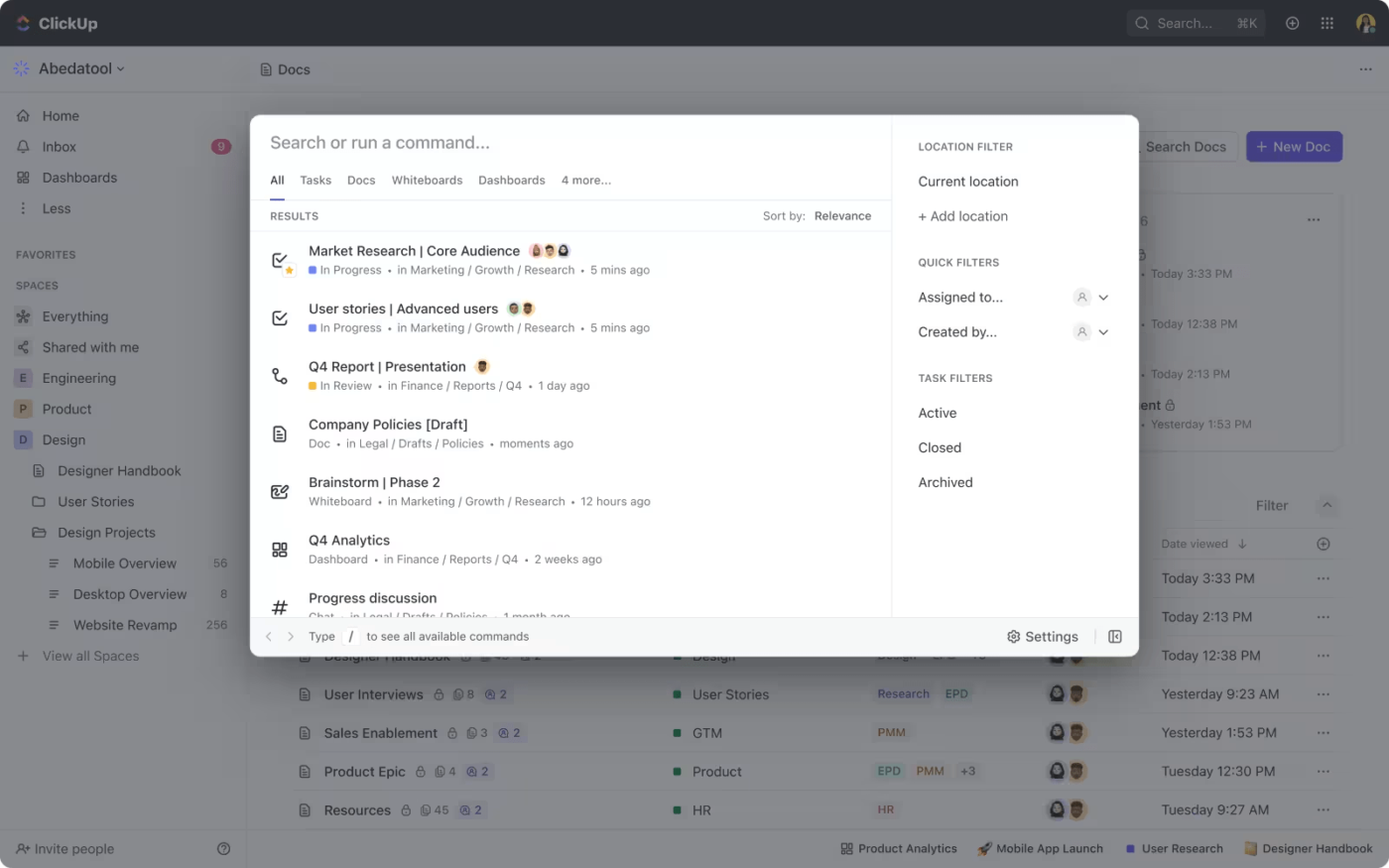
With ClickUp’s Connected Search, you can instantly search across your entire workspace, including tasks, lists, folders, spaces, and even comments, all from one powerful search bar. Advanced filters like assignees, due dates, tags, priorities, or status help you quickly narrow down search results and find exactly what matters.
🧐 Did You Know? You can save your most-used search filters as Favorites in ClickUp. For example: “@me AND overdue AND priority: high” becomes a one-click power tool for daily triage.
What makes it stand out? Unlike standalone search platforms, ClickUp goes beyond your internal workspace.
You can integrate Google Drive, Slack, Figma, GitHub, and more to unify results from all your connected tools. This makes it a powerful contender for the best alternative to Coveo for teams that want search embedded in their workflows, not bolted on.
And because search results always respect user permissions, sensitive information is always secure. You can even search inside attachments like PDFs, ensuring no critical detail gets missed. Whether you’re searching from your desktop or mobile device, everything is synced and accessible.
Plus, this connected AI offers autosuggestions to speed up your queries and improve accuracy, so you spend less time hunting and more time doing. Beyond simple keywords, you can search inside comments, specific files, or entire documents—without losing time or context.
With this intelligent search, you can instantly find any task, comment, or file across your workspace.
When you want to create and organize the information your team needs, ClickUp Docs lets you build detailed, structured documents directly inside ClickUp. This centralizes all your knowledge and streamlines your document management workflows.
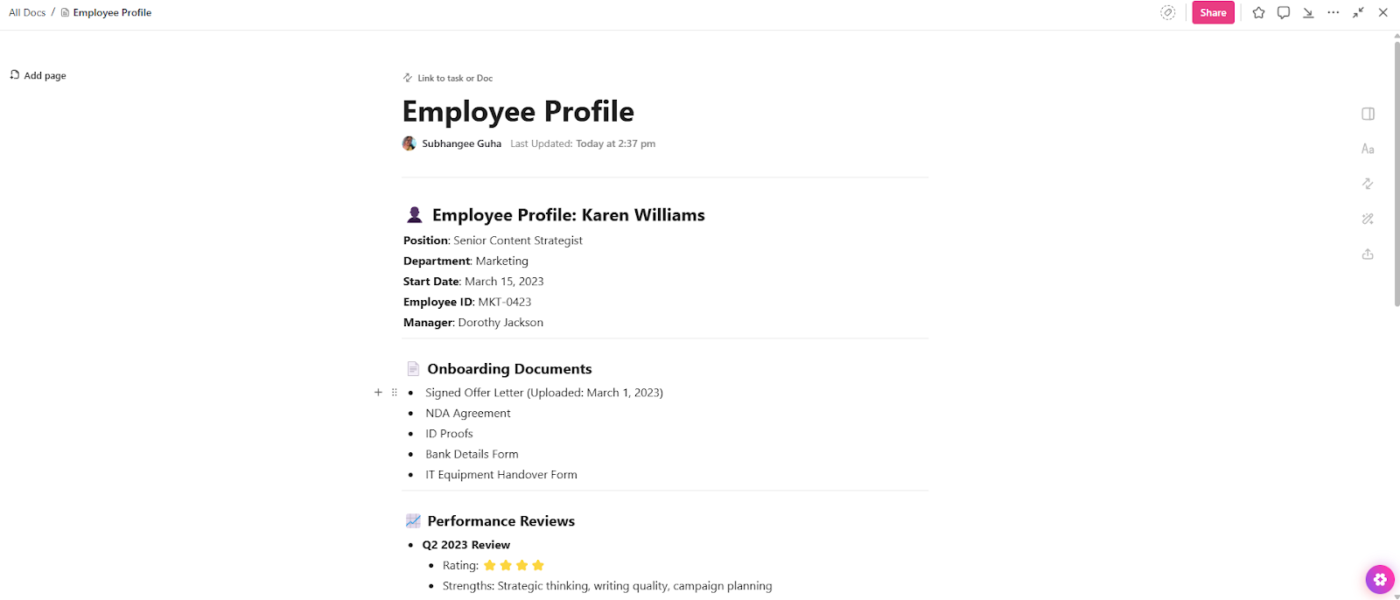
Create nested pages, embed tasks or views, and collaborate with your teammates in real time with comments and mentions. Every company Wiki document is automatically linked to your projects. Each doc acts like a live workspace—instantly searchable, interlinked, and always up to date.
With support for backlinks, references, and version history, ClickUp makes documentation dynamic and discoverable—ideal for organizing content into knowledge categories your team can easily browse and update.
But it doesn’t stop at docs. You also get real-time ClickUp Chat, threaded comments, and visual ClickUp Whiteboards, all fully searchable. Whether you’re planning, discussing, or brainstorming, ClickUp ensures you never lose track of conversations or ideas.
Once your team’s knowledge is built, ClickUp Knowledge Management gives you powerful tools to keep it organized. Assign owners and watchers, define clear Spaces and Folders, and manage granular permissions so the right employees can access the right information, and your clients only see what they need.
💡 Pro Tip: ClickUp’s search supports fuzzy logic—even partial matches will surface relevant results. This means your team doesn’t have to remember exact task names or file titles to find what they need.
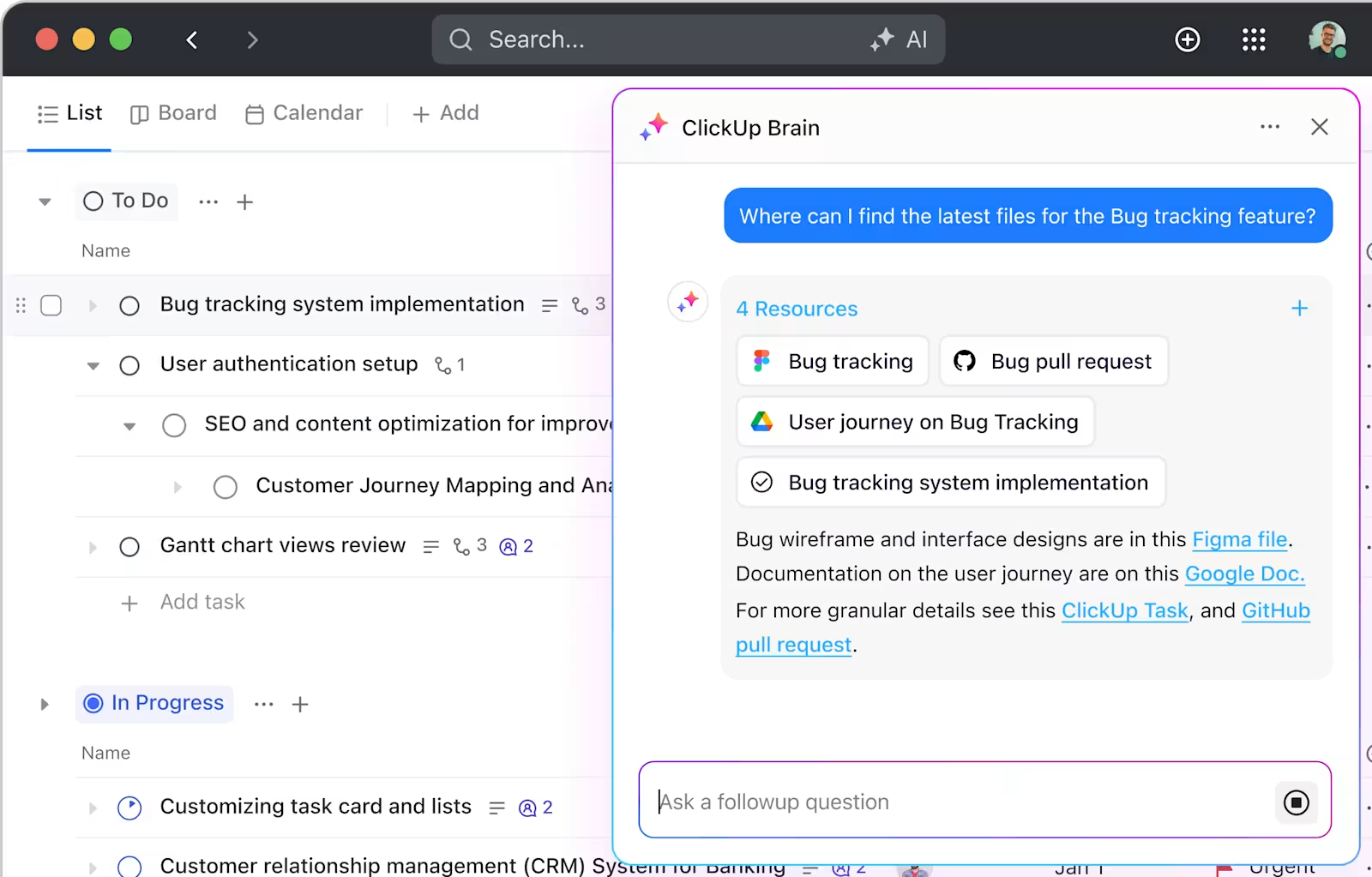
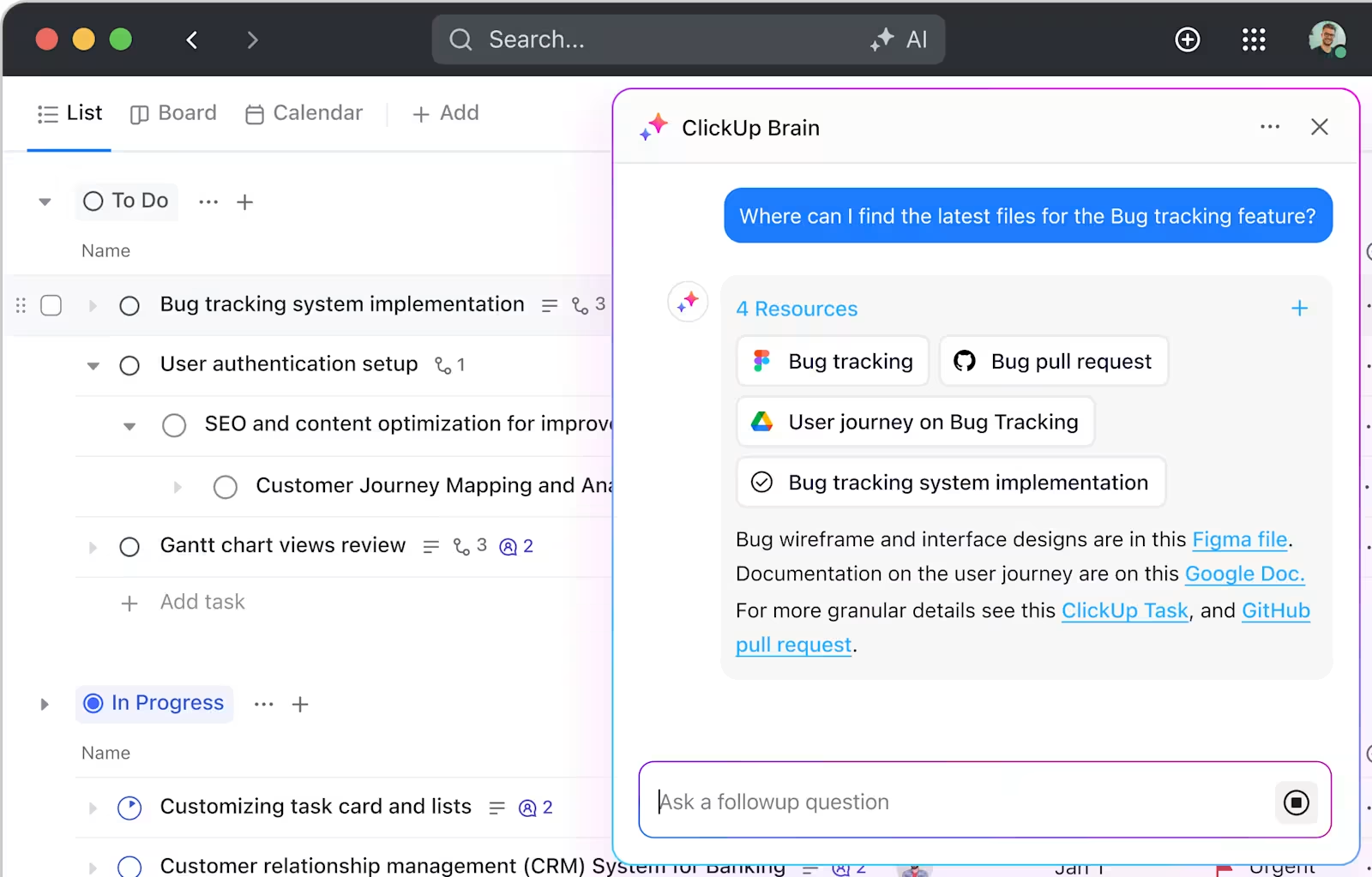
Need quick answers from your workspace? ClickUp Brain uses AI to instantly surface specific information from tasks, docs, and projects—no manual digging required. You can also import your existing team knowledge into ClickUp, so nothing gets lost during transitions. Plus, customizable knowledge base templates make it easy to build consistent onboarding guides, process manuals, and project documentation.
ClickUp Brain helps you work even smarter once your knowledge is organized and accessible. You can quickly generate drafts for reports, emails, or meeting notes right inside ClickUp, saving you time on routine writing.
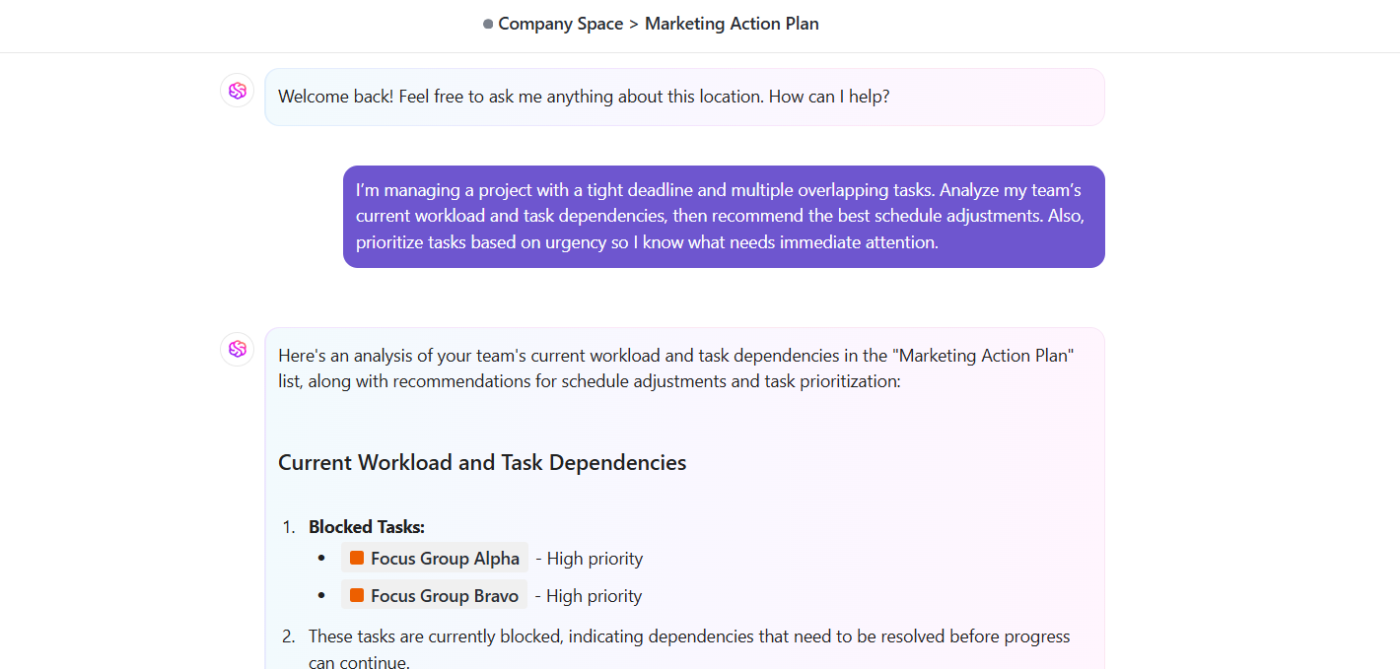
The AI capabilities also extend to the ClickUp AI Notetaker, which can join your meetings, take notes, and automatically generate transcripts and action items.
ClickUp blends artificial intelligence and knowledge management in ways that tools like Coveo simply can’t match. AI Agents can even answer workspace questions or take actions on your behalf, keeping your workflows moving while you focus on what matters.
💡 Pro Tip: Need a better way to manage client documents and internal resources? You can use ClickUp Forms to let visitors or team members request access, submit input, or contact your team directly—keeping everything in one centralized place.
A Capterra review says:
I really like ClickUp’s versatility. It has a wide range of features and could potentially replace many other software solutions. For small and growing teams, it provides a great way to organize and visualize work. Lastly, ClickUp’s AI is a great tool to help my team search for items.
🎉 Fun Fact: In the early 2000s, enterprise search was modeled after web search (think Google), but today’s search is trending toward “workspace-native,” where you don’t just find info—you act on it instantly (assign a task, start a doc, reply to a comment). ClickUp exemplifies this evolution.
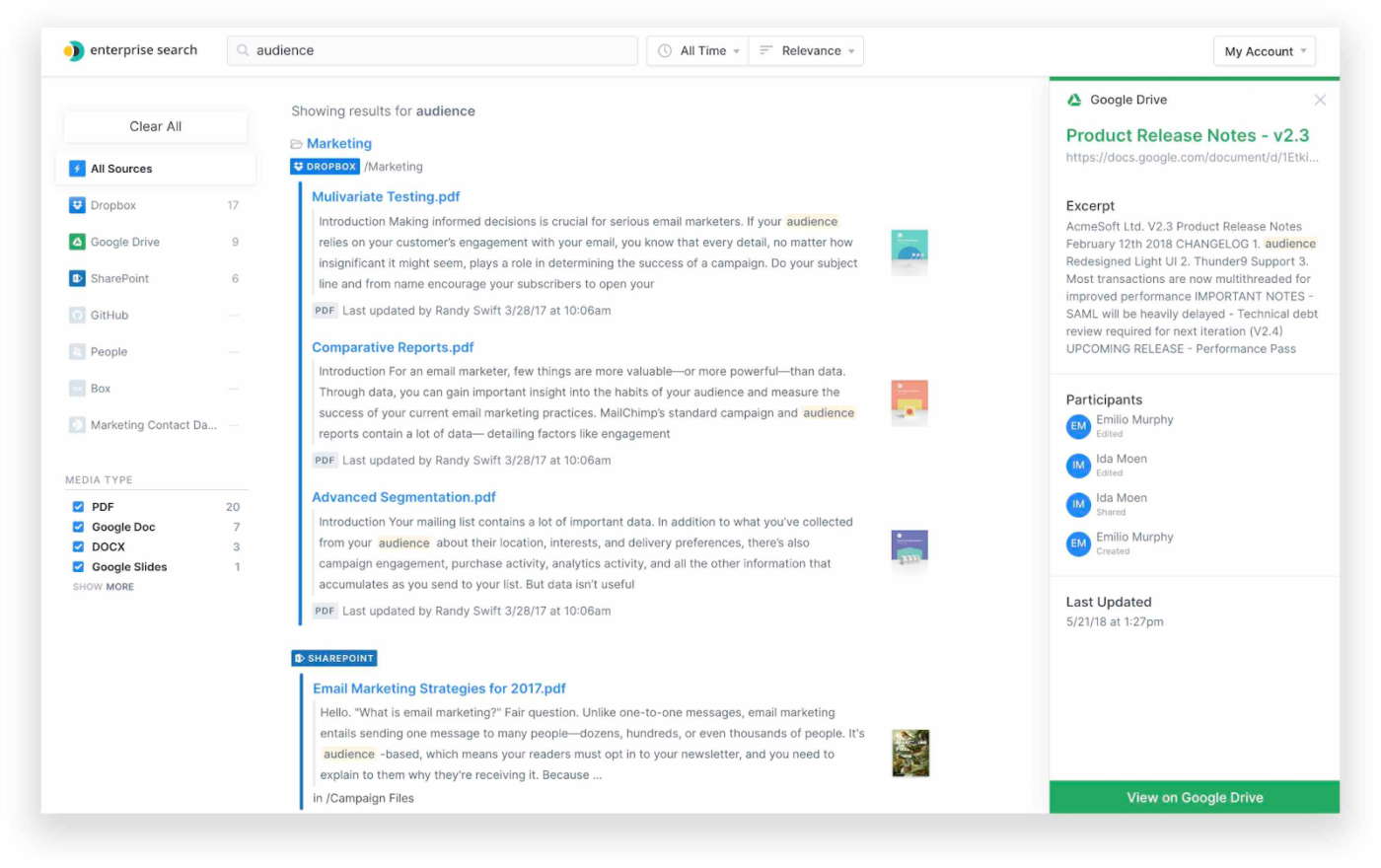
Elastic Enterprise Search offers two solutions—App Search and Workplace Search—both built on the power of Elasticsearch.
Elastic Enterprise Search helps your e-commerce store deliver fast, relevant product searches that keep customers engaged and drive sales. You can build a fully customizable search experience with filters, typo tolerance, and relevance controls tailored to your catalog.
Configuration is handled through Kibana, Elastic’s management UI, which also supports custom visualizations for user behavior and performance metrics. The intuitive precision tuning slider lets you promote best-sellers, prioritize in-stock items, or easily refine results.
A Capterra review says:
As a backend developer, I know for a fact that I can rely upon Elastic Search for all the times when I have to support search based on string across the database. You throw some set of documents to Elastic Search, and you are good to go to search anything amongst the provided documents.
📚 Also Read: Best Elasticsearch Alternatives
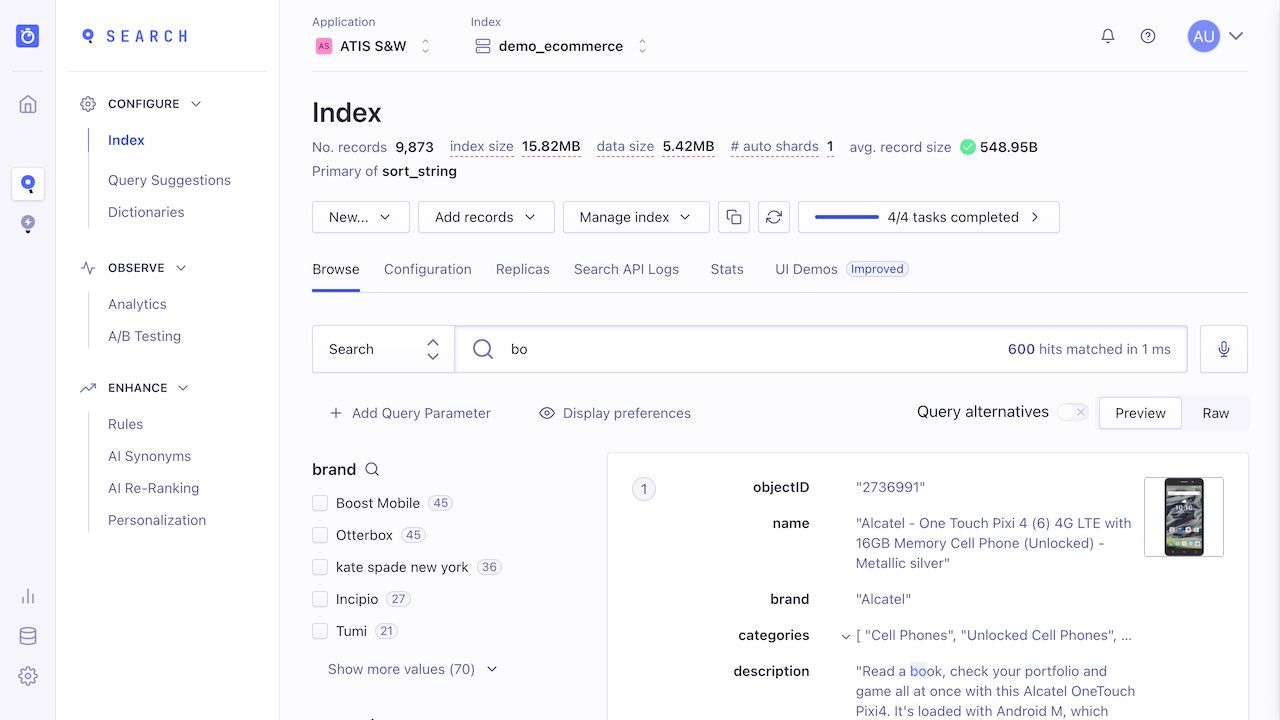
Algolia’s AI Search is a front-end library that helps you create responsive and flexible search interfaces. It includes features like Optimistic UI, which updates the interface immediately after a user action, even before the data is returned. Insights Events allow you to track user interactions, such as clicks and conversions, with minimal configuration.
Built-in ‘AI Recommendations’ help you suggest related content or products based on user behavior, and ‘Dynamic Widgets’ let your filters adjust automatically based on the data you receive, making your interface more flexible.
A G2 review says:
I love the visual editor in Algolia, it is very easy to use. The analytics also provide very valuable insights that can be used to then create or edit rules or synonyms. As a daily user it is a very easy platform to navigate and was able to be learned very quickly.
📮 ClickUp Insight: The average professional spends 30+ minutes a day searching for work-related information—that’s over 120 hours a year lost to digging through emails, Slack threads, and scattered files. An intelligent AI assistant embedded in your workspace can change that. Enter ClickUp Brain. It delivers instant insights and answers by surfacing the right documents, conversations, and task details in seconds—so you can stop searching and start working.
💫 Real Results: By eliminating outdated knowledge management processes, teams like QubicaAMF reclaimed 5+ hours weekly using ClickUp—that’s over 250 hours annually per person. Imagine what your team could create with an extra week of productivity every quarter!
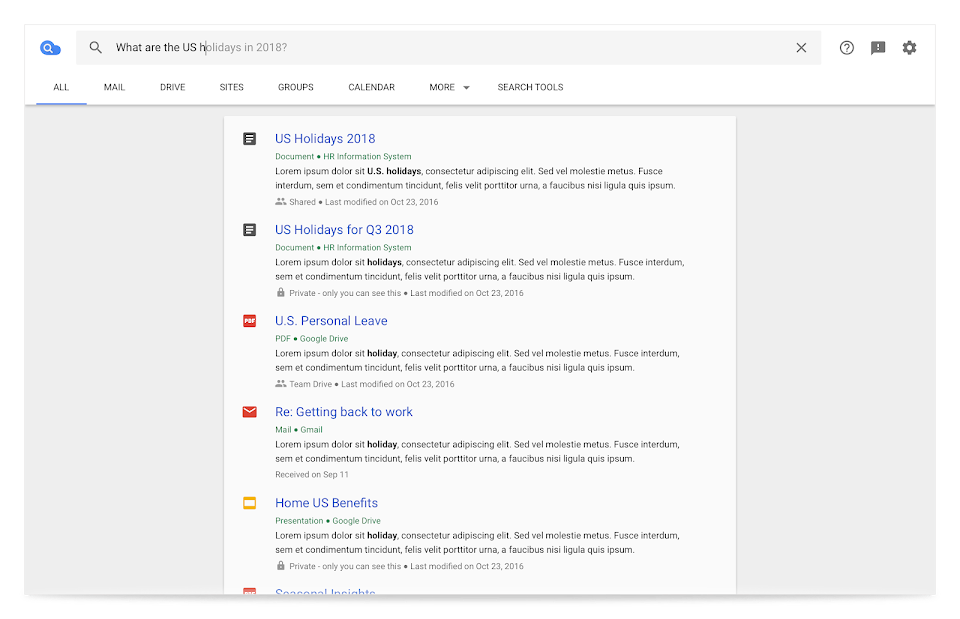
Google Cloud Search lets you quickly and securely find information across Gmail, Drive, Calendar, and other Google Workspace services. It retrieves data based on your queries and offers proactive recommendations through assist cards.
These cards surface relevant information like upcoming meetings, recent documents, and project updates, helping you stay organized and productive without manual searching. The system understands natural language, so you can ask questions like, “What files did John share with me last week?” and get accurate, context-aware answers.
A G2 review says:
Google Cloud Search provides a one-stop-shop for accessing any information, documents, calendar events, email conversations, etc…across your entire Google Workspace account. It is much easier than going to the various apps (i.e., Gmail, Drive, Calendar, etc.) and running a search query individually.
💡 Pro Tip: If your team’s intranet feels more like a cluttered archive than a productivity tool, it might be time for an upgrade. Use this guide to design a smarter, more intuitive search experience that helps your team surface the right information when needed.
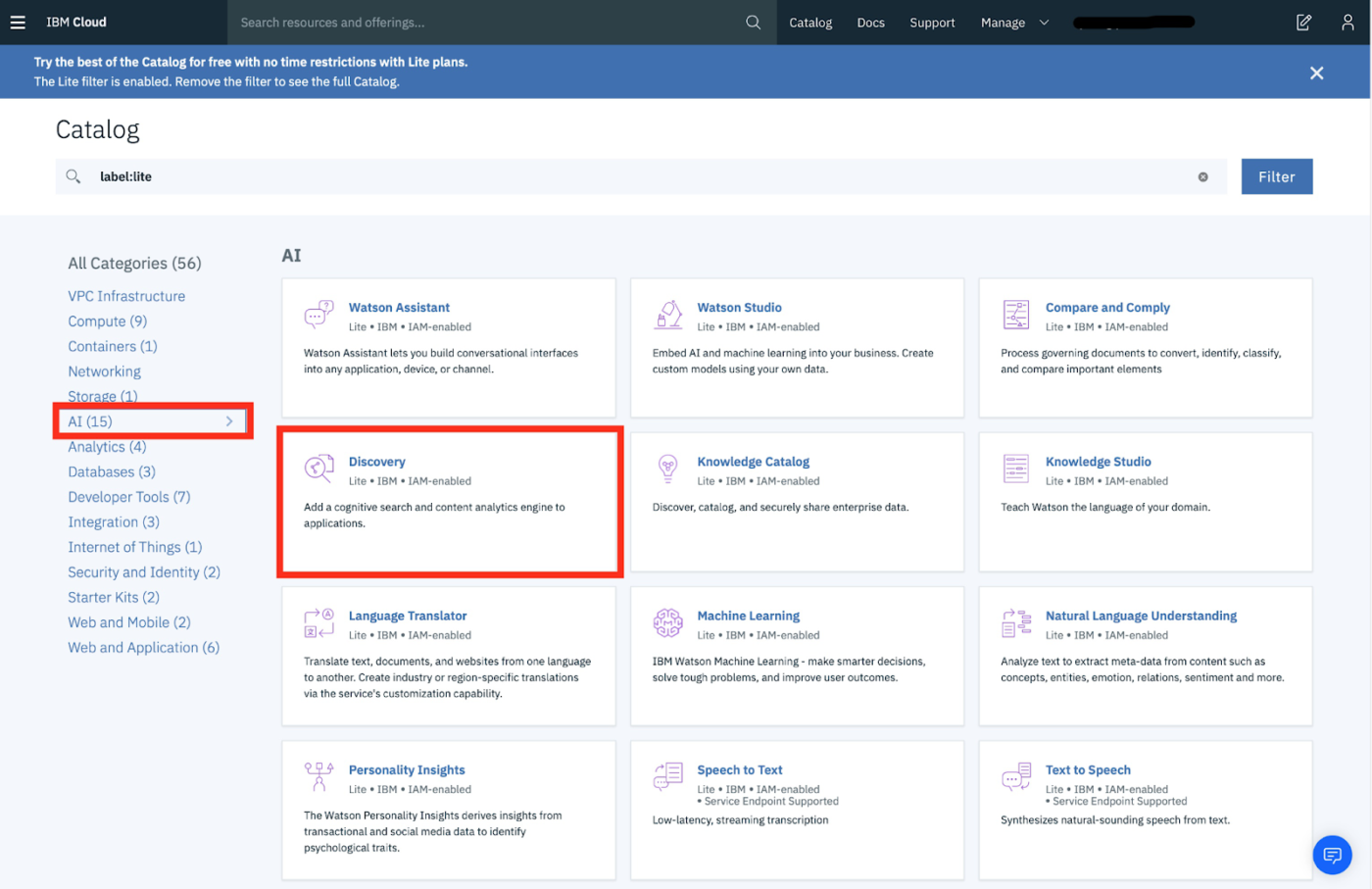
IBM Watson Discovery is an AI-powered search engine and content analysis tool that can be trained to recognize and extract domain-specific insights from complex, semi-structured documents like contracts or manuals.
Watson’s AI-powered Passage Retrieval identifies and returns the most relevant paragraphs or sentences within documents.
A G2 review says:
IBM Watson Discovery has the most advanced technology to search and get the analytical insights from large databases within a splash of the time. The capability of processing the natural language to extract the analytics from unstructured documents and data is the best feature of the tool.
🧐 Did You Know? Frequent task switching, often due to searching for information, can disrupt workflow. It takes time to regain focus, which cumulatively affects overall efficiency.
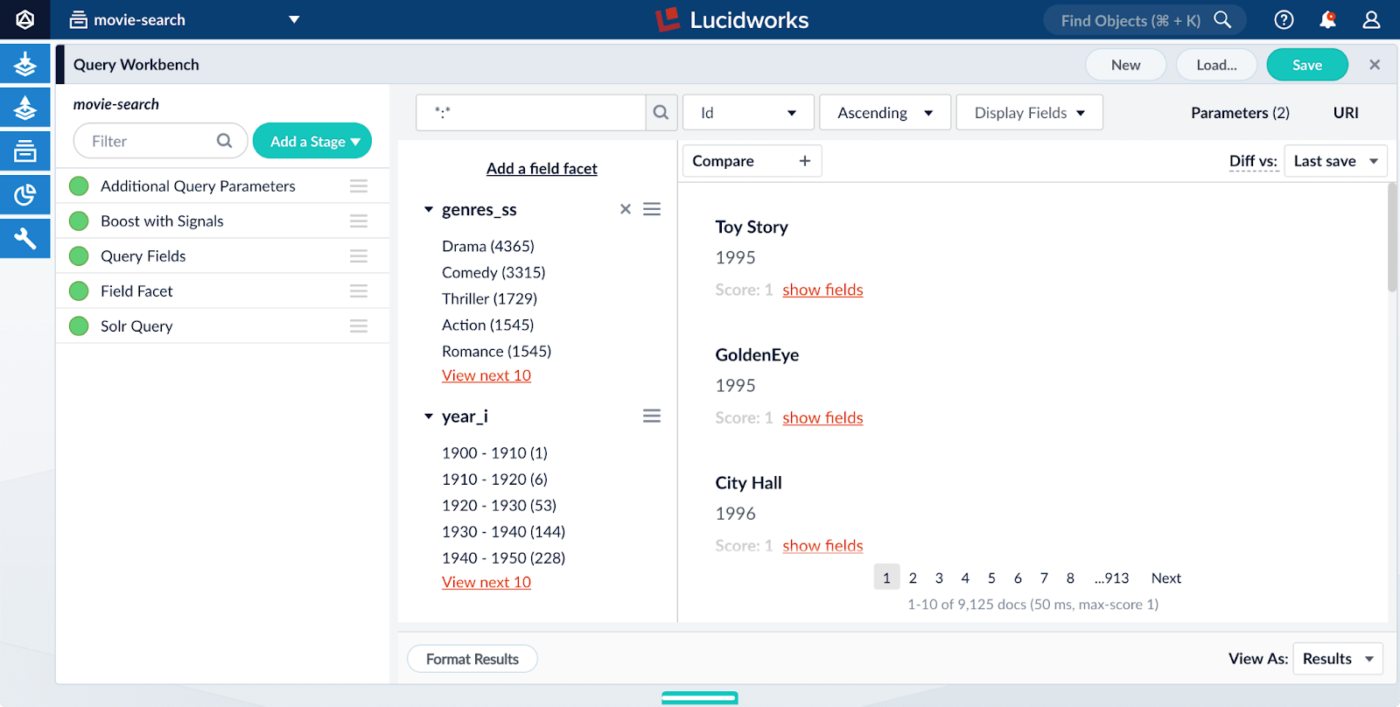
Lucidworks Fusion gives you the tools to deliver fast, intelligent search across complex datasets with behavior-based relevance tuning and powerful developer controls. Its Signal Processing Framework learns from user behavior such as clicks, queries, and interactions to improve relevance continuously.
Fusion handles everything from EHRs to e-commerce catalogs with real-time ingestion and flexible deployment options. Fusion’s modular architecture includes customizable Query Pipelines for pre- and post-query processing, enabling teams to build sophisticated retrieval logic. Use Faceted Navigation and Dynamic Filtering to zero in on specific attributes like treatment, product type, or source.
A G2 review says:
The product Fusion + App Studio are fantastic search tools with near infinite capabilities. Not only is it easy to maintain, but the search customization options are insane. You can build your own entire screen using App studio to make it however you need.
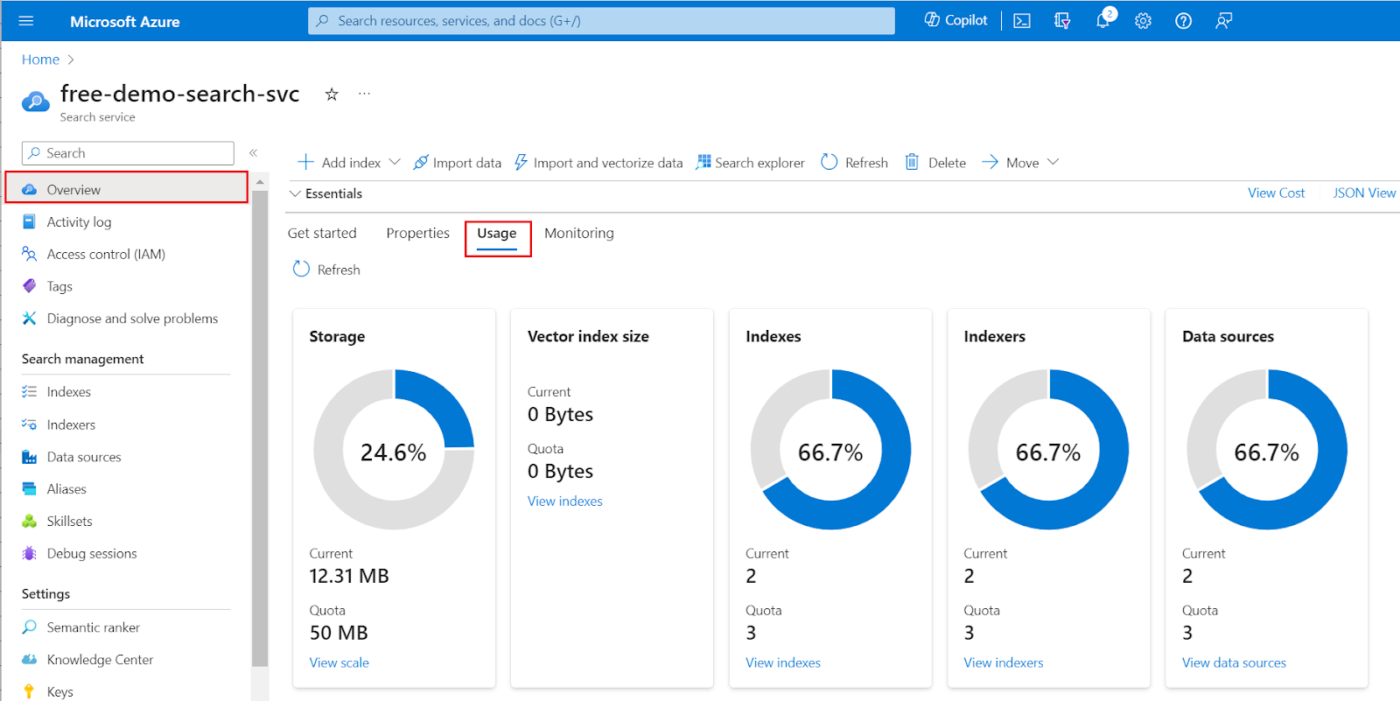
Azure AI Search is enterprise search software that delivers relevant results using traditional keyword and semantic search, plus full vector search support for similarity-based queries. It enriches your content during indexing using Azure Cognitive Services, applying entity recognition, sentiment analysis, and language detection to provide deeper insights and improve search accuracy.
For your work in media, manufacturing, or insurance, Azure AI Search’s multimodal capabilities let you search and analyze both images and text together.
Price per SU (Search unit)
A G2 review says:
AI search is easy to integrate, provides an enhanced search experience, semantic search, language support, and most importantly, is easily customizable for your application.
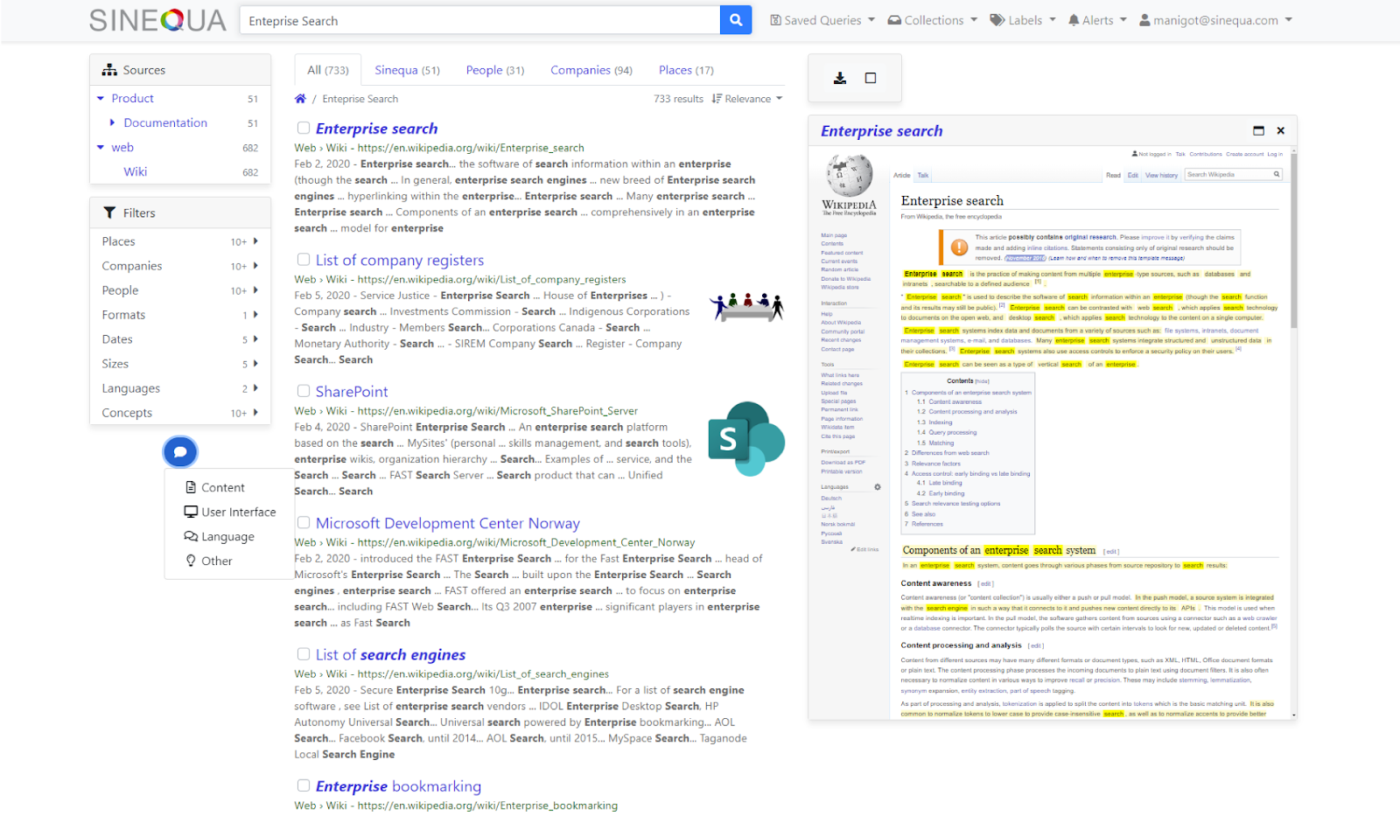
If you’re an enterprise looking to unlock the full value of your internal knowledge, Sinequa offers a knowledge management software powered by advanced AI and natural language processing.
When navigating complex documents, Sinequa lets you pinpoint specific slides or passages with tools like Document Navigator and Presentation Builder. It also supports Expert Discovery and Collaboration, identifying key subject matter experts within your organization to facilitate knowledge sharing through integrated chat and sharing features.
A G2 review says:
It’s a cost-effective and budget-friendly analytics tool that matches the requirements of each and every scale firm.
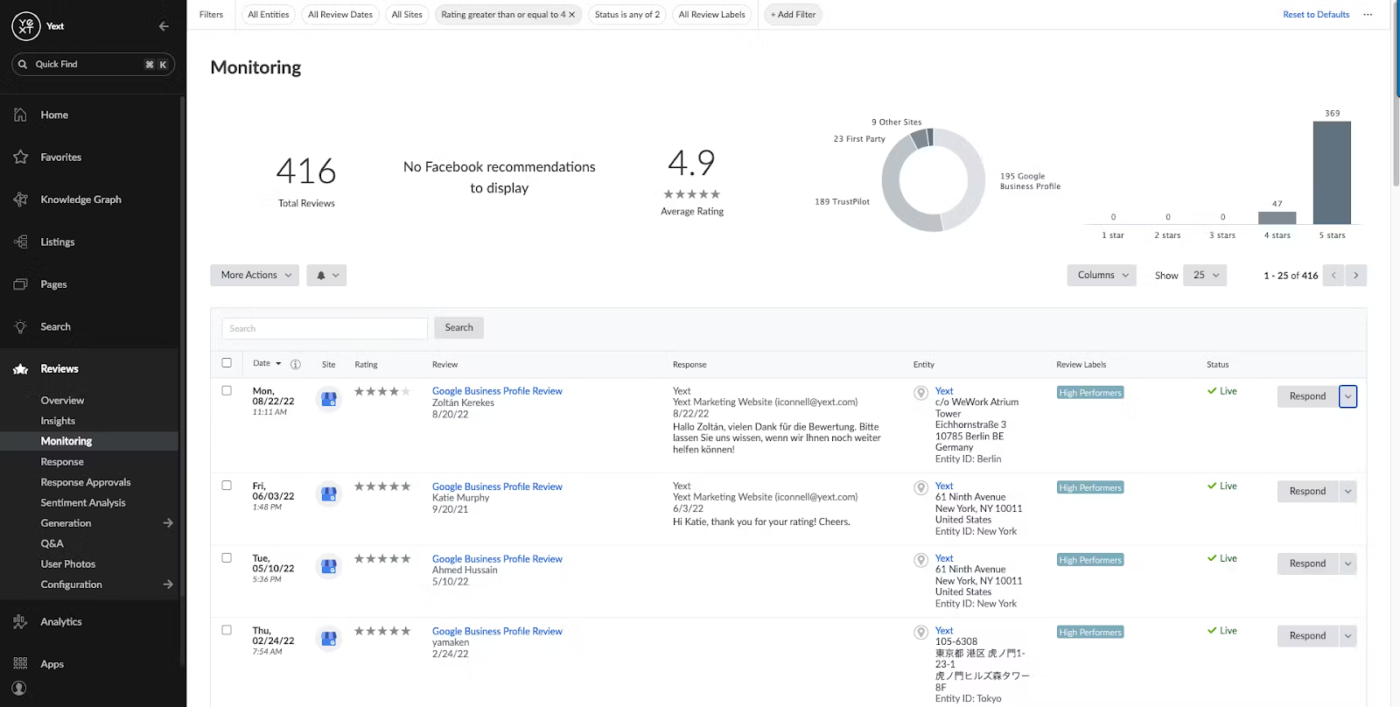
Yext is a digital experience platform that connects brand content across websites, search engines, and apps. Yext’s Federated Search unifies content across CMS, help desks, and internal knowledge bases, making it easy to deliver cohesive answers across touchpoints.
At its core is the Knowledge Graph, which structures your business data to ensure accuracy, improve search engine optimization, and power AI-driven experiences across digital touchpoints. Yext also offers intelligent Search capabilities for your website, delivering direct, accurate answers to user queries and improving overall user experience.
A Capterra review says:
Set it and Forget it. With Yext, you input your listing and confirm via authenticating factors and in just days you see the direct impact. Organic results improve, SEO improves, Adwords quality improves…you name it!
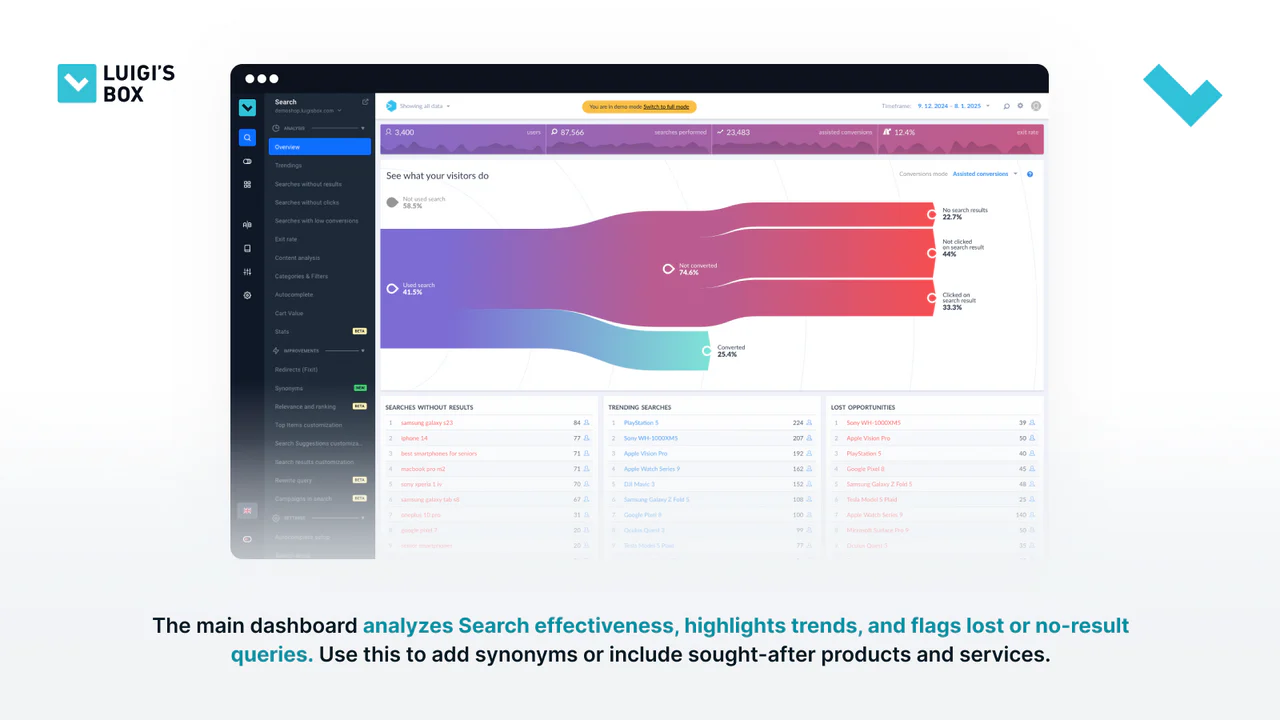
Luigi’s Box is purpose-built for e-commerce businesses that want to transform on-site search and product discovery into a competitive advantage. Voice and Visual Search adds a layer of convenience, letting your customers search by speaking or uploading an image instead of typing.
Advanced Analytics gives you a clear read on how users interact with your store so that you can fine-tune performance with data-backed decisions. And with multilingual and multicurrency support, you’re equipped to offer a seamless shopping experience to customers worldwide, no matter the language or currency.
A G2 review says:
The search functionality on my website has improved dramatically—results are super accurate, fast, and personalized. It’s made it so much easier for users to find exactly what they’re looking for.
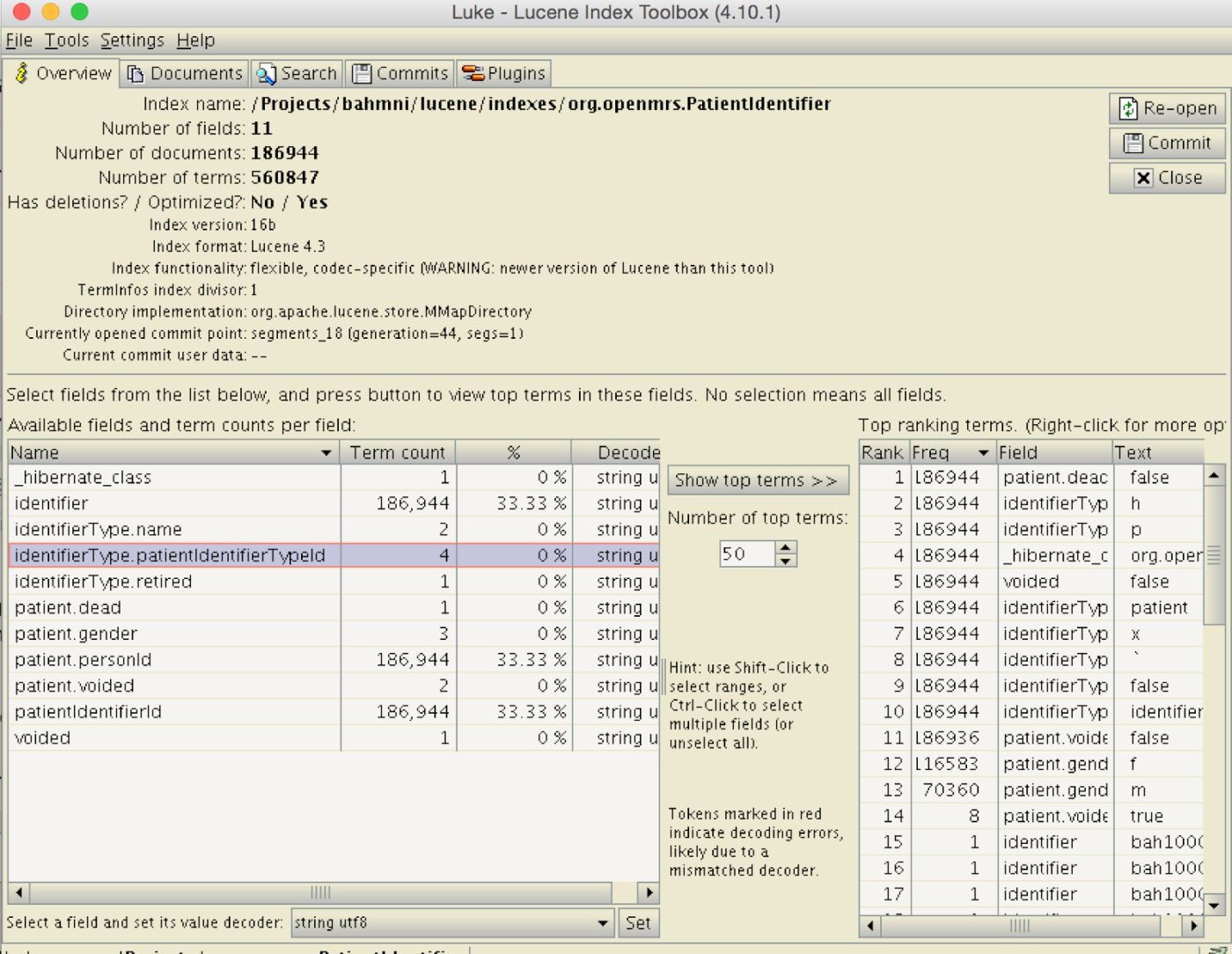
Lucene is a Java-based, high-performance open-source library for full-text search and the core engine behind Elasticsearch and Solr.
It supports near real-time indexing, custom tokenizers, and vector search for semantic similarity. Developers can create their analyzers, build ranking algorithms, and manage multiple index shards.
A G2 review says:
Full text indexing and faceting controls are Lucene’s true strength. You can easily index data based on a schema and immediately search across the whole index with blazing speeds.
Coveo offers strong search and knowledge management, but doesn’t fully integrate them with your daily work. 🧩
ClickUp combines tasks, documents, and knowledge into one platform. With Connected Search, you can instantly find anything across your workspace using smart filters and autosuggestions.
ClickUp Docs lets you create detailed, project-linked content, while Knowledge Management tools ensure accuracy and control access. AI-powered features like ClickUp Brain help you pull relevant info and generate drafts, saving time and boosting collaboration.
Unlike Coveo, ClickUp unifies search, knowledge, and workflows into one intelligent system. Whether you’re managing client docs, building onboarding guides, or improving internal access, ClickUp keeps your team aligned and agile.
Try ClickUp today and move faster, smarter, and more confidently. 🚀

© 2026 ClickUp

There’s an easier way. Try a free AI Agent in ClickUp that actually does the work for you—set up in minutes, save hours every week.