Sorry, there were no results found for “”
Sorry, there were no results found for “”
Sorry, there were no results found for “”
Enterprise search software is now an architecture choice before it is a feature choice. The fastest way to narrow the field is to decide whether you need an index-heavy platform, federated retrieval, or search that can also trigger work. That choice determines your bill, your compliance exposure, and how much upkeep the tool demands.
This guide reviews the 12 best enterprise search software and provides an honest assessment of each. Shortlist the two or three worth a trial.
| Tool | Best for | Standout feature | Pricing* | Where it taps out |
|---|---|---|---|---|
| ClickUp | Teams looking to search where work already happens | Pulls answers from native workspace content and connected apps, then writes a cited answer you can turn into a task, doc, or message without leaving the bar | Free; paid plans start at $7/user/mo | More surface area than teams that only need a simple search bar |
| Glean | Large multi-app enterprises that need deep search | Searches 100+ work apps at once and learns who you work with and which files your department relies on, so the relevant result ranks first | Custom pricing | Copies and indexes data instead of pulling live, so results can lag |
| Coveo | E-commerce and customer support teams tying search to ticket deflection | Runs query pipelines that push the products most likely to sell to the top and resolves help-site issues before a ticket is filed | Custom pricing | Tuned for public-facing content out of the box |
| Elastic | Engineering and DevOps teams that want infrastructure control | Blends BM25 keyword search with native vector search and offers a RAG Retriever API so teams build hybrid systems down to the millisecond | Serverless: Custom; Cloud Hosted from $99/mo (Standard) to $184/mo (Enterprise); Self-managed: Custom | Developer toolkit with no ready-made interface or plug-in connectors |
| Microsoft Copilot | Enterprises heavily standardized on Microsoft | Reads the Microsoft Graph directly with no data to copy or custom APIs to maintain, pulling files, chats, and calendar details into one pane | $30/user/mo (annual commitment + qualifying M365 license required) | Thins out when you leave the Microsoft ecosystem |
| Google Gemini Enterprise | Enterprises using Google Workspace that want native search | Sorts connected data into separate stores and covers internal docs and outside apps at once, with an Agent Designer for multi-step actions | Business: $21/user/mo; Standard/Plus: $30/user/mo; Workspace Apps: Custom | Works best inside Google’s own apps and does less everywhere else |
| Guru | Teams looking for verified organizational knowledge and support | Every piece of knowledge has a real owner and expiry date, so what you see has been checked by a person, not just ranked by intent | Custom pricing | Federated search across uncurated repositories is lighter than index-heavy rivals |
| Lucidworks | Enterprise teams with complex document estates needing semantic search | Parses B2B part numbers, handles partial strings, and fixes typos while letting merchandisers drag-and-drop promote products without engineering | Custom pricing | Requires serious in-house engineering, constant tuning |
| GoSearch | Scaling companies that want federated, low-duplication AI search | Queries apps at search time instead of copying data, so answers are always current, and data never moves | Free; Pro: $20/mo; Enterprise: Custom | Very large, complex legacy setups may find it short on deep enterprise references |
| Dust | Multi-department teams wanting search plus AI agents that act | AI agents read files, draft replies, and handle repetitive parts instead of handing you a list of links | Business Free; Pro: $30/user/mo; Max: $150/user/mo; Enterprise: Custom | Initial setup demands effort if you just want a quick search bar |
| Onyx | Self-hosted and regulated teams | Host it yourself so files stay on your own servers (even fully offline), choose your own AI model, and the open-source code is fully auditable | Business: $25/user/mo; Enterprise: Custom | Hosting yourself means patches, security monitoring, and scaling are your responsibility |
| Sinequa | Large teams managing complex, multi-decade legacy repositories | Reaches into the oldest databases and newest apps, tracks every result back to its source for audit, and maps who knows what by real data contributions | Custom pricing | If you just want a search bar across a few modern apps, all that weight buys little |
Our editorial team follows a transparent, research-backed, and vendor-neutral process, so you can trust that our recommendations are based on real product value.
Here’s a detailed rundown of how we review software at ClickUp.
Enterprise search software is a tool that lets employees find information across all of a company’s connected apps, documents, and systems from one place, while respecting each user’s permissions. The software links sources like Google Drive, Slack, Jira, and email. It reads a plain-language query and returns the relevant results, or a direct answer.
Think of it as the counterpart to knowledge management software.
Knowledge management governs content: creating, organizing, verifying, and retiring it. Enterprise search retrieves that content across systems at query time. The two are complementary: strong knowledge management gives search cleaner, more trustworthy sources to pull from, which is why tools like Guru pair verification with retrieval.
Watch a quick walkthrough of how enterprise search software works and what to look for:
Seven features decide the winner: connector breadth, semantic search, RAG answers, permission-aware results, fresh indexing, analytics, and the ability to act on results.
Here’s what each one buys you:
Before you weigh any feature, settle one thing: how the tool stores and retrieves your data. That single choice decides your speed, your freshness, your compliance exposure, and your bill. Three architectures cover the market, and each fits a different kind of team.
| Architecture | Ideal fit | Main trade-off | Example tools |
|---|---|---|---|
| Index-heavy | Large orgs needing fast, complete search across huge data | Copies data, so results can go stale and raise data-residency questions | Glean, Coveo, Elastic |
| Federated / real-time | Regulated teams that can’t copy sensitive records into a second index | Fresh results, but slower and reliant on source uptime | GoSearch, Sinequa |
| Search + action | Teams that want answers turned straight into work | Less raw indexing depth than specialists | ClickUp, Dust |
Twelve tools made this list: ClickUp, Glean, Coveo, Elastic, Microsoft Copilot, Google Gemini Enterprise, Guru, Lucidworks, GoSearch, Dust, Onyx, and Sinequa.
Each one wins for a different setup and falls short somewhere else. Every pick below gets the same treatment: who it suits, what it does best, where it doesn’t fit the bill, and what it costs.

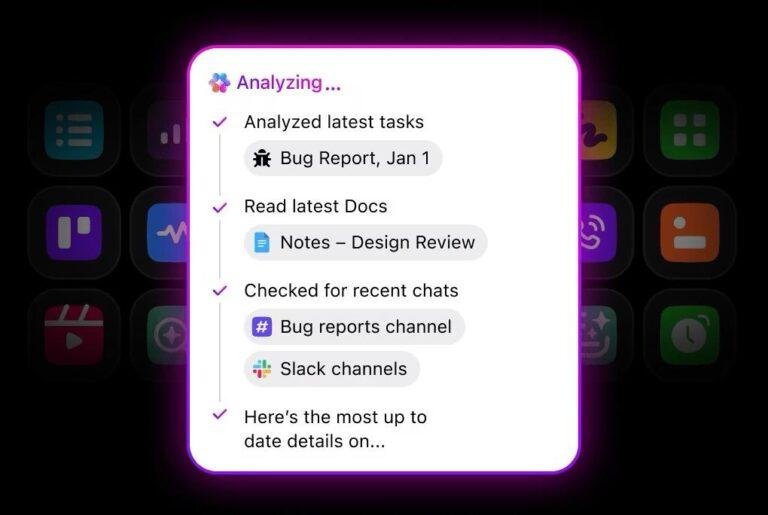
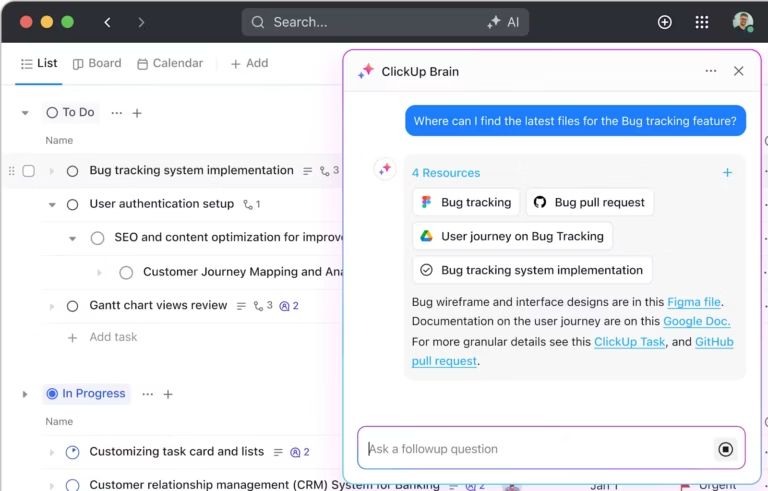
ClickUp’s search lives inside the AI Command Bar (Cmd/Ctrl+K), the same place teams already open tasks and jump between projects. It pulls answers from native workspace content and connected apps like Google Drive, Slack, Salesforce, and more through Connected Search.
What separates it from a pure retrieval tool: ClickUp Brain. It reads the results, writes a cited answer, and lets you turn that answer into a task, a doc, or a chat message without leaving the bar. A product manager searching “Q3 launch blockers” gets a summary from three Slack threads and a Jira board, then assigns follow-ups on the spot.
It also respects source-level permissions for both admin-managed company connections and individual ones, such as personal Gmail. Take it further with Super Agents, which run multi-step workflows autonomously, triaging inbound requests or updating project statuses across tools.
Where ClickUp taps out: ClickUp is a full work platform with built-in search, not a standalone retrieval tool. Teams that only need a basic search bar across a handful of apps may find more surface area than they need. It also isn’t built for public-facing commerce or support-site search the way Coveo is.
Skip ClickUp if: You already have a work management platform locked in and only want a bolt-on search layer with no workflow changes.
See why this G2 reviewer likes Connected Search in ClickUp:
Task searching is excellent, and the integration with OneDrive is really helpful. I can search all the files and data stored inside OneDrive as well. The Brain (AI) is awesome.
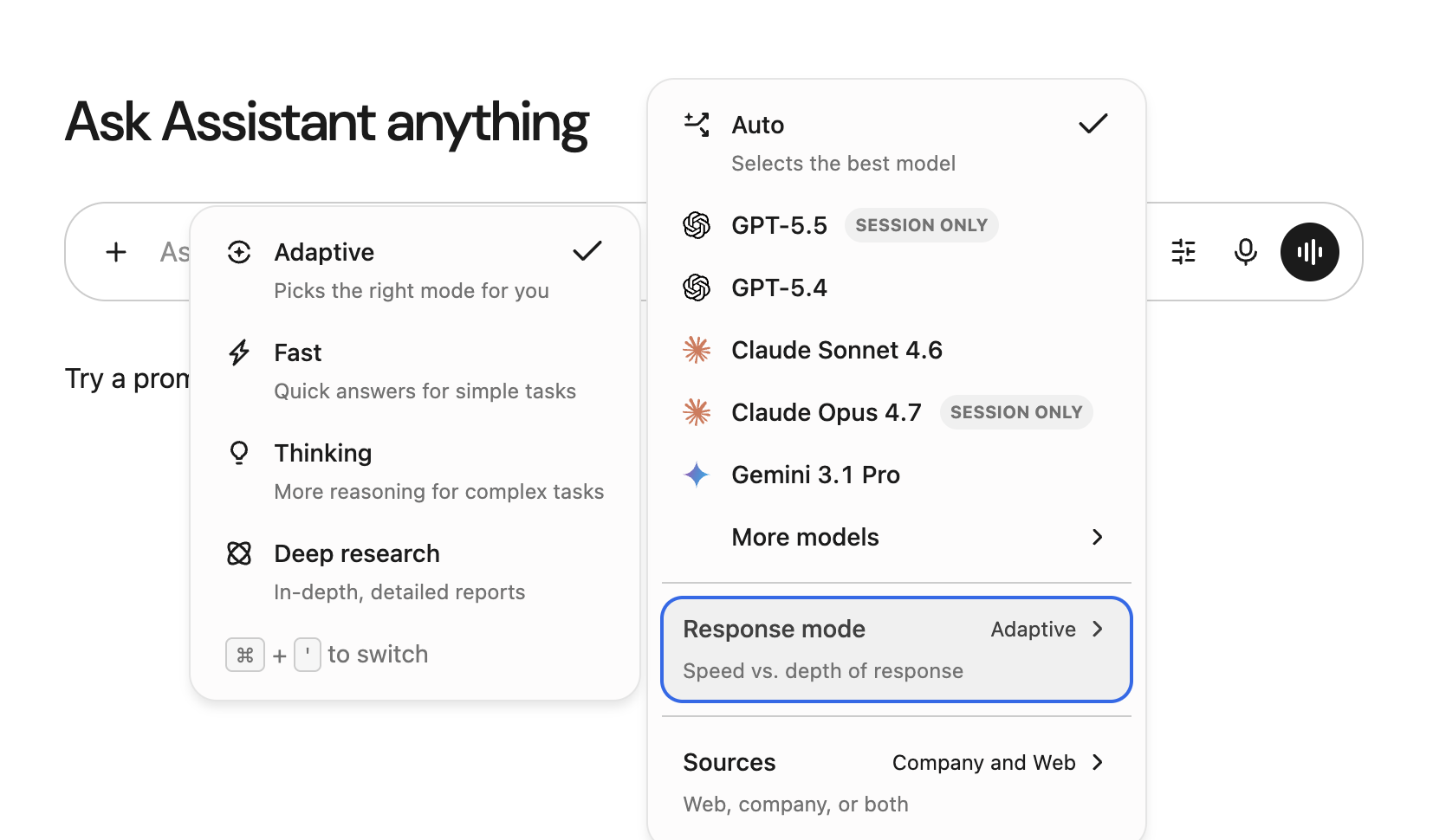
If your team loses hours looking for a document across Slack, Jira, and Google Drive, Glean is the reset. It searches more than 100 work apps at once, so you look in one place instead of five separate tabs.
Glean learns who you work with and which files your department relies on. So a search for a sales deck surfaces the version your team opened last week, not an outdated copy. The same holds for a budget sheet or a project brief: the relevant result comes up first, because Glean understands the context.
It also handles security well. Glean only shows files you can open. Which means sensitive work never leaks to the wrong person. And when you ask a question, the built-in assistant writes a short answer and links back to the exact source. You get the answer and the evidence linked together.
Where Glean taps out: It copies and indexes your data instead of pulling it live, so results can lag when a source changes. It’s also search-first by design. Good for personalized search, but it can’t close tickets, update records, or run tasks inside your connected apps.
Skip Glean if: Your team needs real-time accuracy on fast-moving data, such as live support tickets or developer commits.
See what this G2 reviewer has to say about Glean:
The user interface of Glean is very easy to use, and the integrations that can be made to it, like connecting all the enterprise apps like Slack, Google Sheets, etc., are really easy. Also, if a complete prompt is added, the performance of the agent is really good. It has helped us with support for onboarding of new employees and supporting the team on tooling access as well.
Looking beyond Glean? Here’s a breakdown of the top alternatives:
Tune relevance to increase conversions and deflect support tickets with Coveo. It understands the intent behind what shoppers search on your store and what customers ask on your help site. On a storefront, it pushes the products most likely to sell to the top. On a help site, it reduces the number of support tickets filed.
Under the hood, Coveo runs query pipelines that split the work: one track handles searches, the other handles product recommendations.
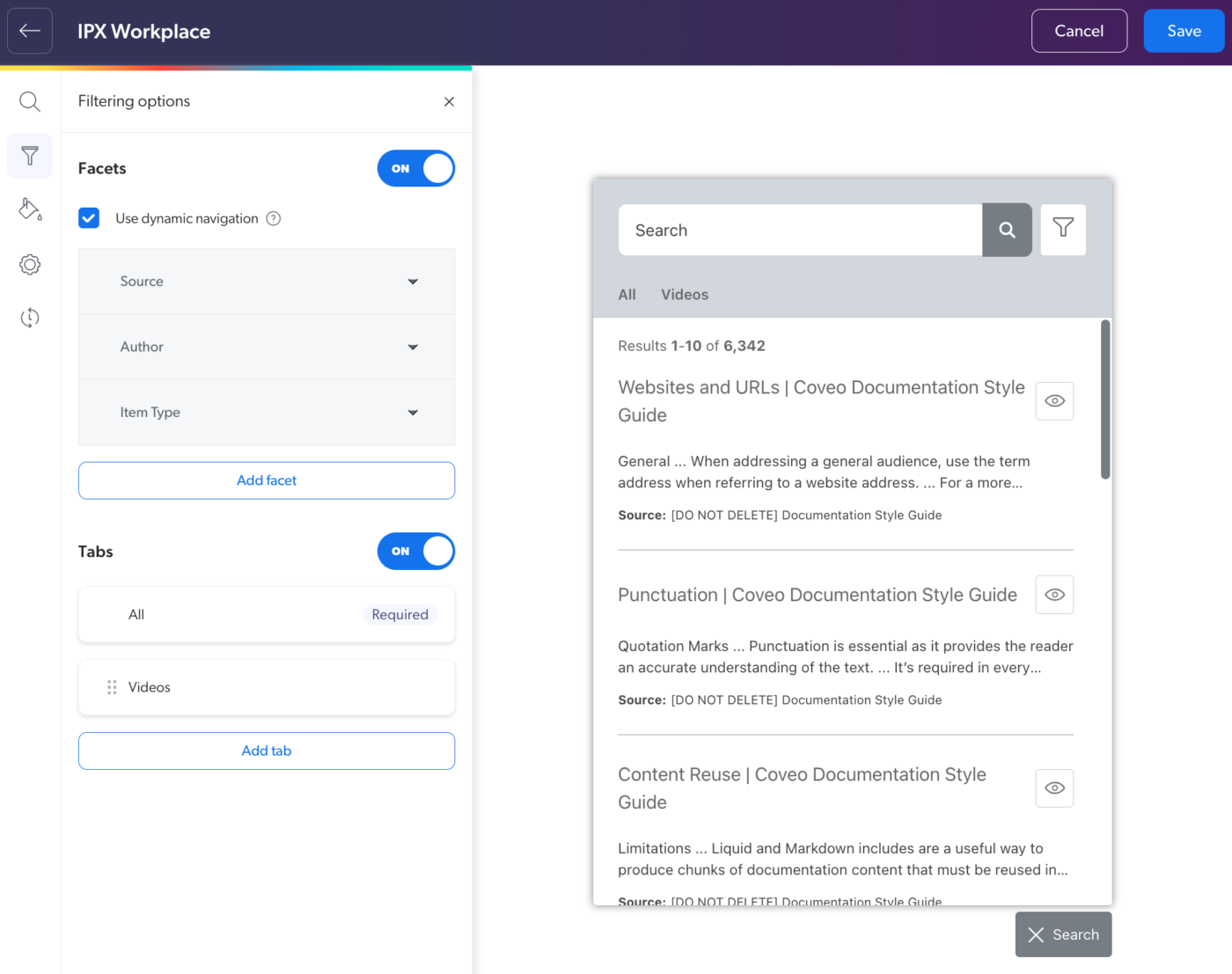
For web and app use, it ships a light widget called the In-Product Experience (IPX). The widget tracks what users click and search on its own. With this, product and dev teams get the data to test ranking models, add smart snippets, or turn on AI answers directly on a live page.
Where Coveo taps out: The platform is tuned for public-facing content out of the box. Aiming it at locked internal repositories leads to admin work. Its default setup leans on generic search tokens; securing internal files requires engineers to build custom login logic for every user.
Skip Coveo if: You want an internal workplace search engine that works on day one, with no long build or model-tuning phase.
Hear about this G2 reviewer talk about Salesforce integration in Coveo:
The way coveo makes it easier for article search and document search is impressive. I have used Coveo with salesforce integration and ot has made my life quite simple while working in Technical support. Coveo has this thing of recommending articles or documents on the basis of case description which is one of the best thing about it.
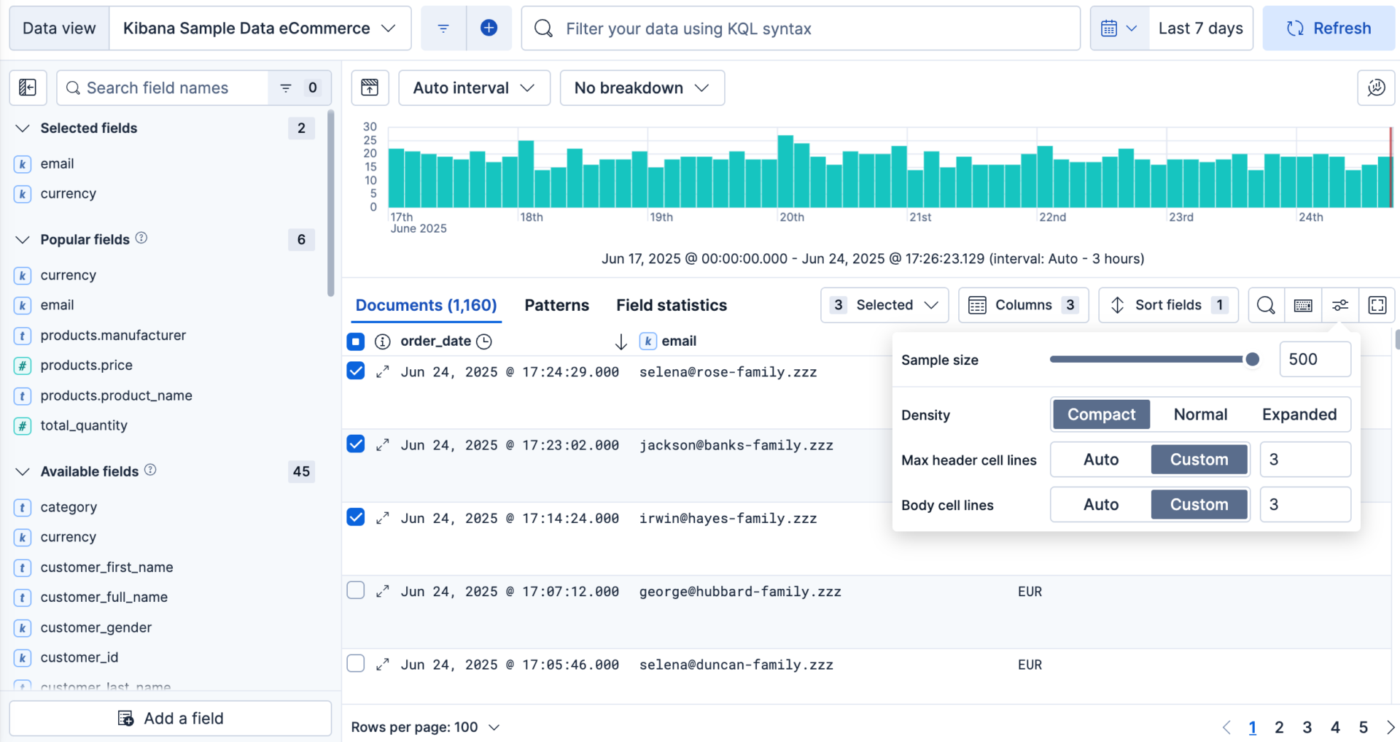
Search tools can box teams in when working with unusual data sets or tight speed targets. But not Elastic, which gives you a scalable search tool kit. Run your own clusters, so engineers control how data is indexed, text is parsed, and results are ranked, down to the millisecond.
It also blends classic keyword search (using BM25 scoring) with native vector search. Teams can build hybrid systems that find documents that match the idea of your search, even if they use completely different words.
On the AI side, it offers a RAG Retriever API and a built-in Agent Builder. This grounds LLM answers in your own data.
Where Elastic taps out: It is a developer toolkit, lacking a ready-made interface and plug-in connectors for tools like Slack or Jira. Core needs like single sign-on, role-based access, and field-level compliance all sit behind the paid tiers.
Skip Elastic if: You need a non-technical answer system your business team can roll out on its own, with no engineering project attached.
See what this G2 reviewer likes about Elastic:
I like the UI and UX, its design look simple so the new person also can operate the Elasticsearch. The integration feature built in is compatible with many products. I am using at least 4 years and I think the performance is more better than any product for data analysis.
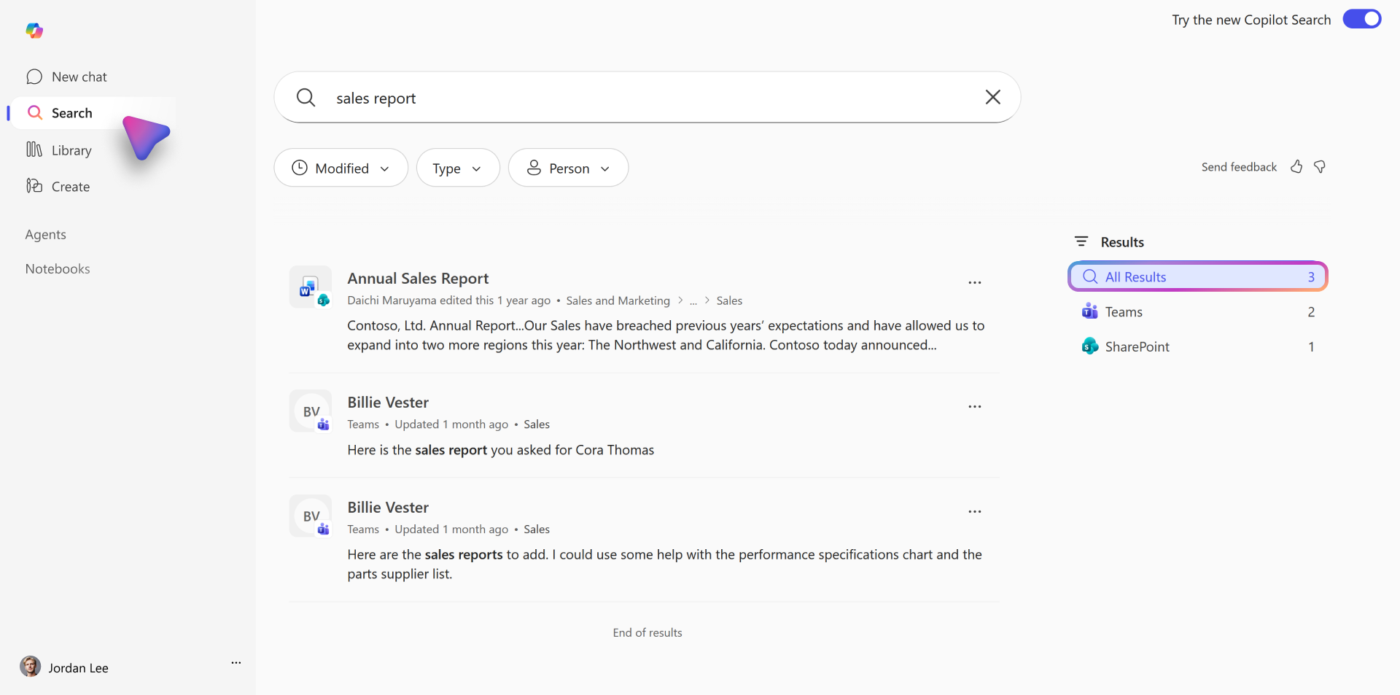
An external tool will add overhead if your team works with Outlook, Teams, SharePoint, and OneDrive. Unlike Microsoft 365 Copilot, which reads the Microsoft Graph directly. Since it accesses your existing Microsoft 365 tenant directly, there’s no data to copy or custom APIs to maintain.
Ask a question in simple language, and it pulls the right files, chats, and calendar details into one pane. It maps what you mean alongside exact keyword matches. Then it draws comparisons or writes a quick summary at the top of those results. It also tracks information across active Teams meeting transcripts and shared whiteboard logs.
Admins can feed in company acronyms, bookmarks, and org charts, so that answers reflect how stakeholders and the brand speak.
Where Microsoft Copilot taps out: Copilot Search starts to thin out when you leave the Microsoft ecosystem. In mixed setups like Google Workspace or niche engineering tools, it does less.
Skip Microsoft Copilot if: Your main docs live in Notion, Confluence, or Google Drive, or you want search that treats every app equally.
See how Copilot search works within Microsoft as per this G2 reviewer:
Copilot is one of the most useful tools I use at work today. Because it’s integrated into most Microsoft products, I can quickly draft emails, messages, and documents; schedule calendar invites; search for documents in Outlook; and summarize email threads, documents, and Teams meetings. All of this saves me multiple hours a day, so I can focus on more crucial tasks.
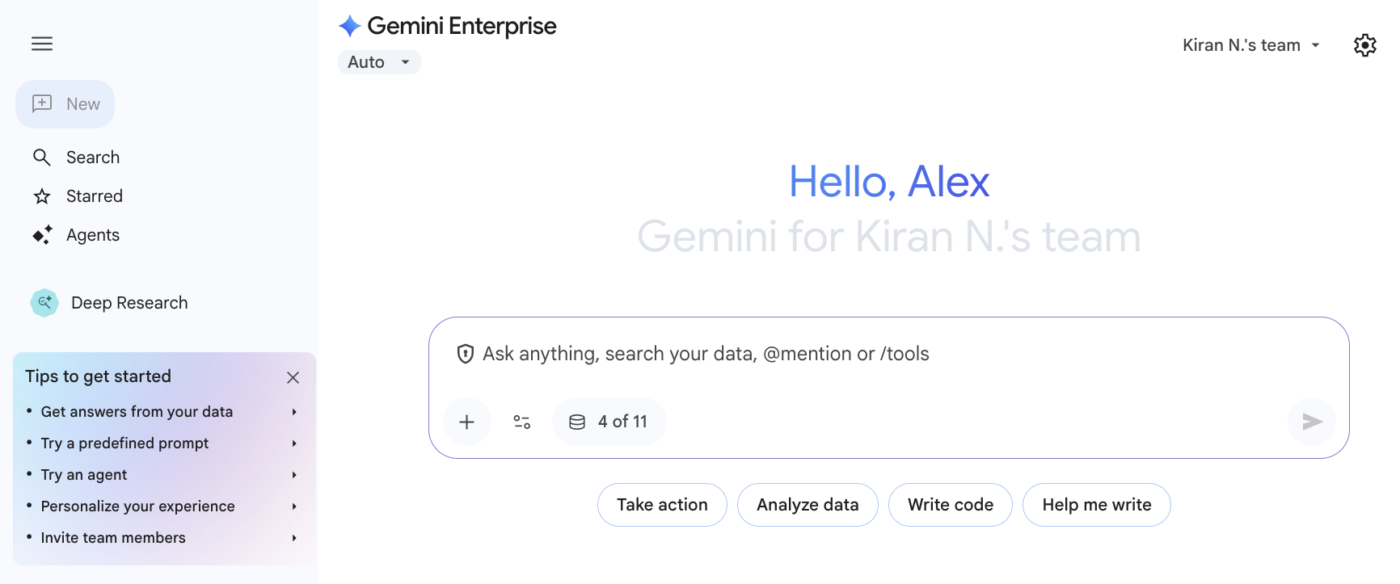
Google Gemini Enterprise handles search, chat, and agent workflows within the Google ecosystem. It saves you from context switching if your team already runs on Google Docs, Sheets, Drive, and Gmail. The built-in single sign-on feature ensures people see only the files they can already open.
It goes past plain text matching by sorting connected data into separate stores. Link an external system, and it keeps issues, worklogs, and files separate rather than mixing them. A team member can ask a simple question, and the search will cover internal docs and outside apps at once.
There’s more than search here, too. Configure RAG agents or trigger multi-step actions using the built-in Agent Designer and a ready-made Agent Gallery. For example, chat commands can move a calendar slot or update an outside task.
Where Google Gemini Enterprise taps out: Gemini links to tools like SharePoint and ServiceNow. Even so, it works best in Google’s own apps and less well everywhere else. And to build your own advanced agents, your team has to learn Google’s Agent Development Kit.
Skip Google Gemini Enterprise if: Your core stack runs on Microsoft 365, or you want a fully out-of-the-box search tool that needs no setup of cloud data stores.
Hear about Google Gemini Enterprise from this G2 reviewer:
Honestly, completing a few tasks at work couldn’t be faster. By capitalizing on my area of expertise, I added it to Gemini. From there, I can assign a prompt that saves me so much time.
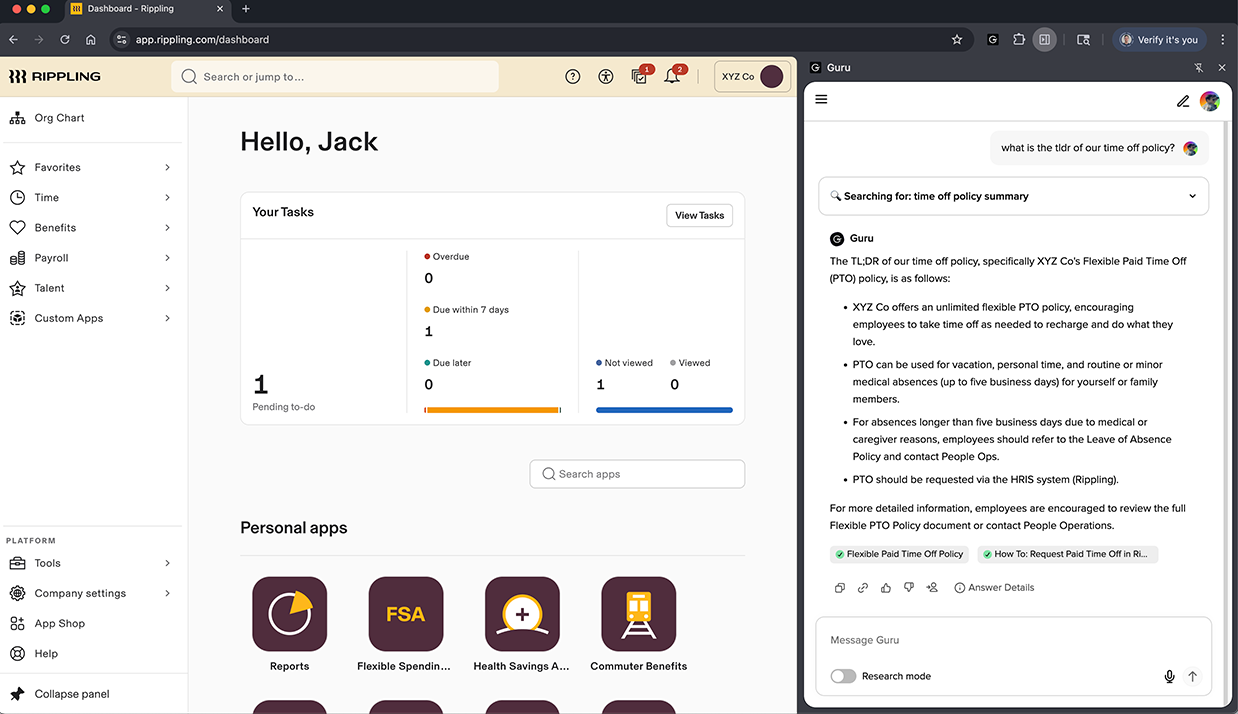
An old, wrong answer is worse than no answer—a belief embedded deep within Guru. Every piece of knowledge in it has a real owner and an expiry date. So, what you see has been checked by a person instead of being ranked high because it matched your search intent.
Guru also meets your team where they already work. Get the right answer on the screen you’re looking at through a browser extension and Slack integration. Nobody has to break their flow to go dig for it.
And if you use external AI tools, Guru can feed them your verified answers through a shared connection. This means those tools stay accurate without you building anything new.
Where Guru taps out: Guru’s governed knowledge layer makes its federated search across uncurated repositories lighter than index-heavy rivals. If your stack is full of huge data dumps with no one managing them, the verification model bogs down fast under a flood of alerts.
Skip Guru if: What you really need is hands-off, cross-system search that indexes heavy, unverified raw files with no human curation.
See why this G2 reviewer thinks using Guru is hassle free:
Guru is its clean, modern interface and smooth user experience everything feel well organized and easy to navigate, so you don’t waste time to figuring things out. its fast, responsive and gives a premium feel to user. overall style simplicity and performance perfectly – which makes using Guru enjoyable and hassle free.
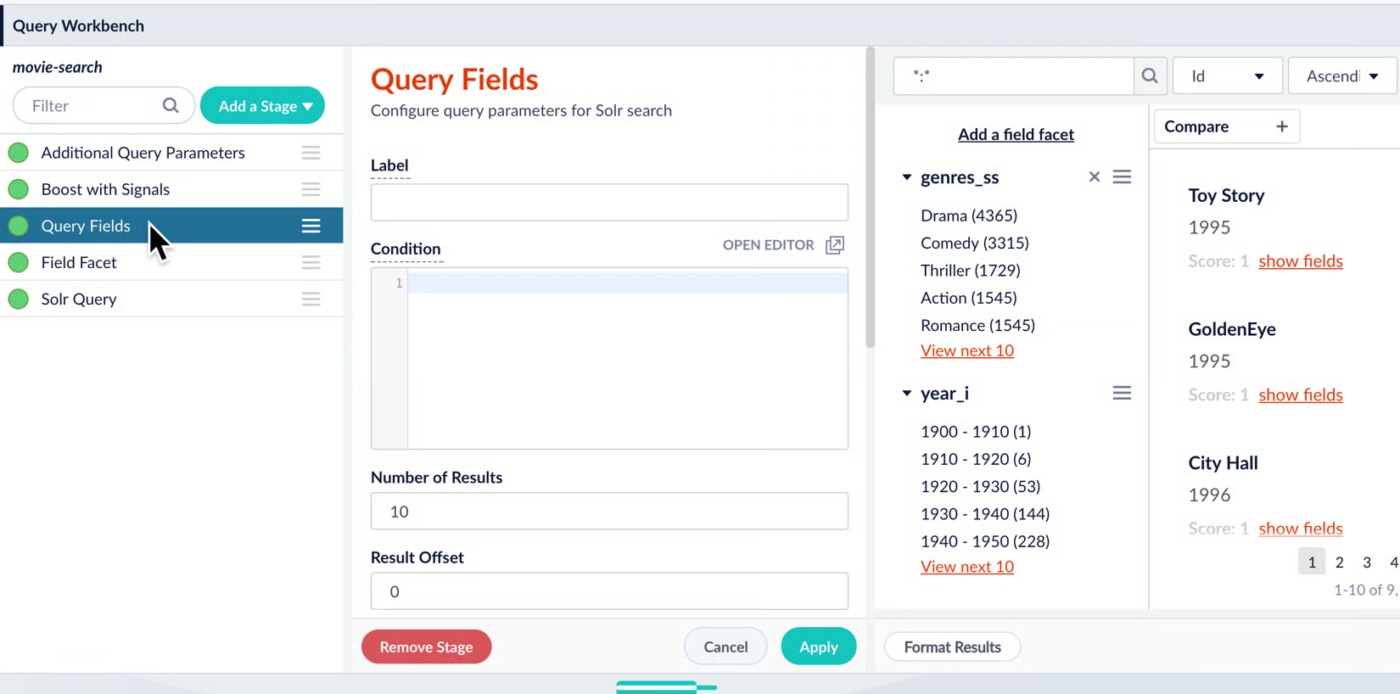
Lucidworks uses its Fusion platform to tune neural search. Rather than lock you into a rigid framework, it lets your tech team shape how queries run, design custom data pipelines, and build precise ranking rules.
Fusion is good at reading tricky intent as well. It parses B2B part numbers, handles partial strings, and fixes typos. So customers hit far fewer dead-end pages.
And you don’t need an engineer for every change. Merchandisers get a drag-and-drop workspace to promote products, adjust filters, or launch a new search page on their own. Meanwhile, developers handle the deeper setup underneath.
Where Lucidworks taps out: All that power leans on serious in-house engineering. Expect a big setup, constant tuning, and a high enterprise price tag. This is an infrastructure project, not a tool you switch on in an afternoon.
Skip Lucidworks if: You want a low-config, fast rollout wired to a handful of standard apps, with no dedicated tech team behind it.
This G2 reviewer has good things to say about Lucidworks:
Large data processing search platform that assis IT teams with document query , NoSQL indexing and data base creation, the best feature I liked is the contextual search feature.
The data visualization is top notch and is easy to use
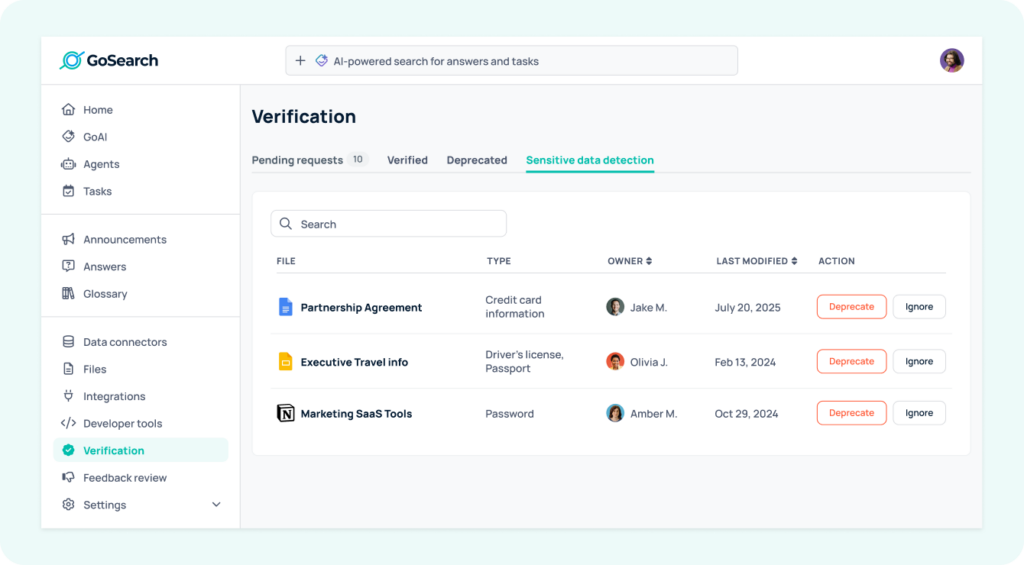
Enterprise search tools usually copy all your data into a second database before they can search it. That means bigger bills, longer setup, and results that can become irrelevant fast. GoSearch skips the copy entirely. It queries your applications right when you search, so answers are always current, and your data never moves. For mid-size teams watching cost and compliance, this is ideal.
It runs on existing logins, so people see only what they have access to. There is no extra permission setup.
Switch between AI models whenever you want, since GoSearch’s assistant, GoAI, connects to several providers. Non-technical teams can also build their own agents in a drag-and-drop workspace to handle multi-step tasks across your connected tools.
Where GoSearch taps out: GoSearch is comparatively new compared to the decades-old names in this space. Very large, complex legacy setups may find it short on the deep list of enterprise references they expect before they sign.
Skip GoSearch if: You need a seasoned legacy tool for large government bodies or heavily regulated global firms.
What this G2 reviewer likes best about GoSearch:
What I like best is how it helps me stay organized and quickly find the client information I need without searching through multiple systems. It makes it easier to pull relevant client data, review past notes or updates, and generate clear weekly summaries. Overall, it helps save time, keeps information easier to access, and supports better follow-up with clients.
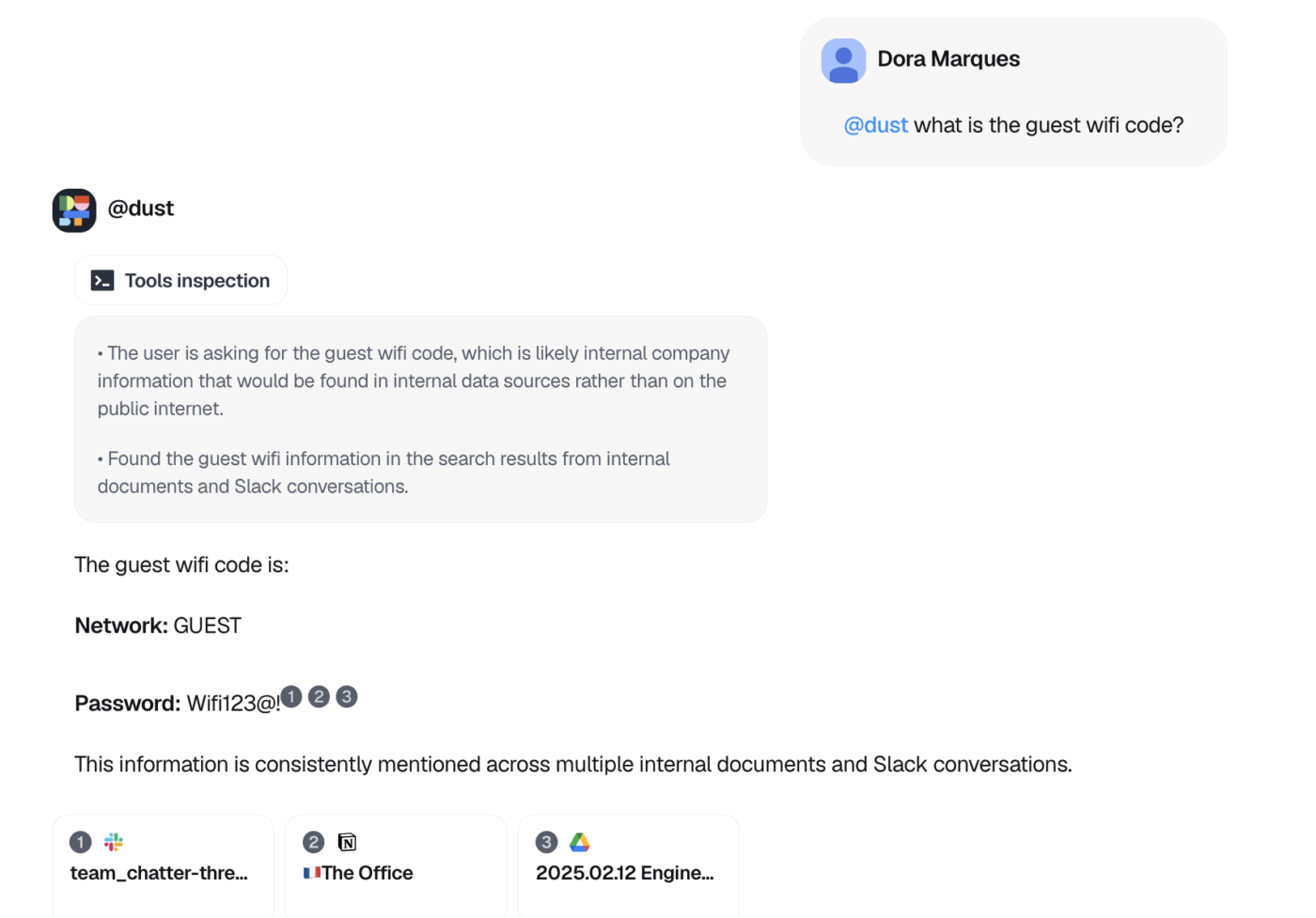
Finding a document is only half the job. Someone still has to read it, pull out what matters, and act on it. Or, they can simply use Dust.
It’s an open-source workspace where your people and AI agents work side by side. Instead of handing you a list of links, it can read the files, draft the reply, and handle the repetitive parts.
It also connects your engineering, sales, and productivity tools into one shared context. For example, a developer can set up an agent to review code or triage support tickets. Dust will pull the history it needs from across your stack.
Where Dust taps out: Dust feels like agent-led work, not a fast company-wide file search. If you just want a quick search bar to skim unstructured data and skip building agents, the initial setup will demand a lot of effort for little payoff.
Skip Dust if: You mainly need a plug-and-play internal search engine that returns basic text matches across your stack with zero setup.
Why Dust is this G2 reviewer‘s everyday companion:
Dust is simply my everyday companion as a solopreneur. Easy to use. And I share my agents with my team of freelancers to save us time and ensure a steady quality of work. I use it everyday and I love it.
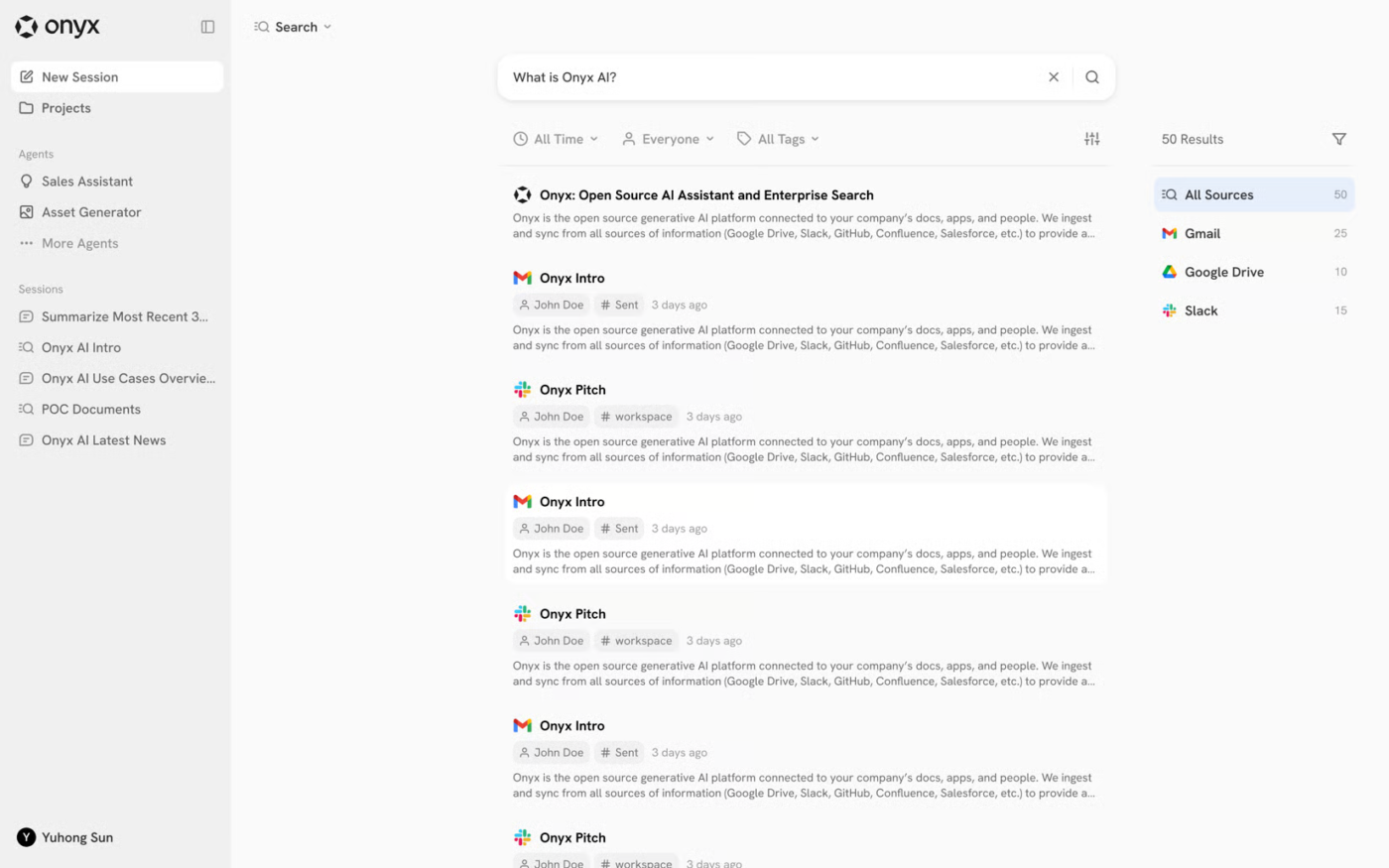
Onyx (formerly Danswer) is a search and AI assistant you host yourself, so your files stay on your own servers, even fully offline if you need. The code is open, so your engineers can read every line and see how their data gets handled.
You also choose the AI behind it. Plug in a big cloud model like GPT when your policy allows it. Or run a local model that never touches the internet. Either way, your data stays on your own terms.
Whichever setup you pick, the search itself stays solid. Ask Onyx a question, and it does more than match keywords. It understands context and pulls a real answer from your own documents, whether you want a quick lookup or a longer conversation.
Where Onyx taps out: Hosting Onyx yourself is time-consuming. Software patches, security monitoring, and scaling become your responsibility. And moving to their managed cloud to avoid that upkeep means losing the on-site data control.
Skip Onyx if: You want a hands-off, fully managed SaaS search tool out of the box and don’t have the DevOps muscle to host and maintain open-source clusters over time.
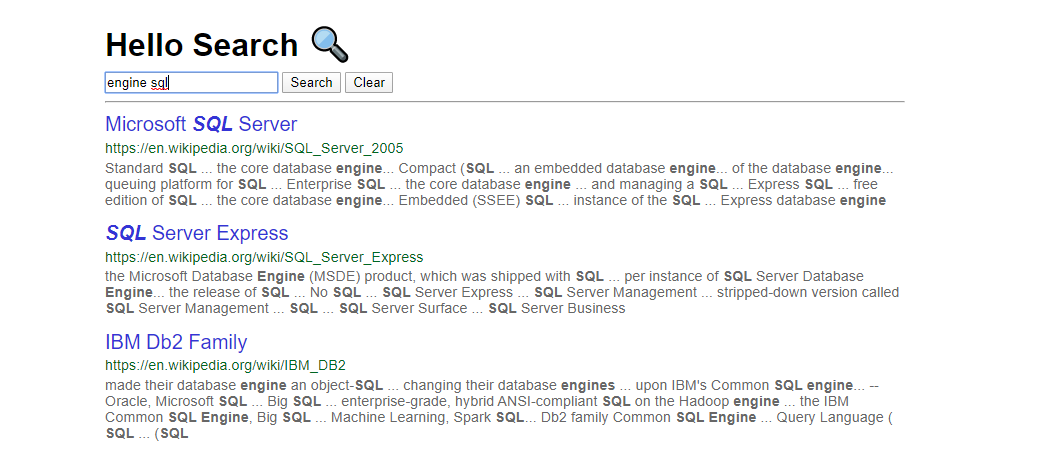
Sinequa reaches into both your oldest databases and your newest apps, then turns that jumble of technical files into one clean, searchable view.
For example, say a 40-year-old aerospace or pharma firm has data everywhere. A basic search tool can trip over that sprawl and miss things. But Sinequa pulls it all into one place.
It’s also careful about where answers come from. Sinequa tracks every result back to its source, ensuring anyone can cite the source of the numbers. With it, you also get a map of who knows what, showing who worked on which files and pointing you to the right expert.
Where Sinequa taps out: Sinequa is engineered for massive data environments. That means a big setup, heavy deployment work, and enterprise pricing to match. If you just want basic search across a few modern apps, all that weight buys you very little.
Skip Sinequa if: You run a mid-market team with a simple software footprint and want a quick-to-install search engine.
Hear about Sinequa from this G2 reviewer:
Sinequa’s AI Driven search engine forge meaning full connections, easy and quick search solutions helps customer to work fast and better.
Seven buyer profiles cover almost every team: the all-in-one workspace team, the large multi-app enterprise, the Microsoft or Google shop, the customer-facing search team, the engineering-led team, the cost-conscious mid-size team, and the regulated or self-hosted team.
Find yourself below, then shortlist from there.
Pro Tip: Still torn between two profiles? Default to the one that matches your architecture and data rules, not the one with the simpler demo. The tool is easy to swap. The architecture decision decides your workflow and outputs.
Most enterprise search rollouts fail for four reasons, and the search engine is not one of them. They stall on messy content, weak permissions, no clear owner, and a nonexistent adoption plan. Address these before you sign the contract.
Cross-tool search finds results in every app you connect. On the other hand, cross-tool understanding links those results to the context that produced them. These are two different problems, and most tools solve only the first.
Here’s the gap in practice. Search for why the team delayed the Q3 release. A retrieval-first tool hands you ten hits: a Jira ticket, a few Slack messages, a doc, a calendar invite. All relevant, but disconnected. You still assemble the story yourself.
However, a tool that understands context does that work for you. It ties the hits into one answer: the blocker, the decision, who made it, and the thread where it happened.
Practitioners hit this wall constantly. As one engineering lead put it on r/projectmanagement:
A lot of products technically connect to Slack, Jira, Drive, Notion, etc but still return disconnected results because they don’t preserve workflow context between systems. You end up with search results that are individually relevant but collectively useless. We had better outcomes once we stopped evaluating tools purely on retrieval accuracy and started looking at whether they could reconstruct operational context around decisions, incidents, tickets, and discussions.
So the sharper buying question isn’t “how accurate is retrieval?” It’s whether the tool can rebuild the context around a decision, an incident, or a ticket.
Tools that reconstruct context, not just retrieve it:
Elastic, Lucidworks, Coveo, and Sinequa return strong, tunable results, but they leave the cross-system synthesis to you or your engineers. If you only need to find the right document fast, that is plenty. If you need to understand what scattered documents mean together, weigh this distinction heavily.
Studies show that over 22% of workers spend nearly half a day each week searching for relevant information, while another 10% report dedicating up to a day and a half to such tasks.
Enterprise search use cases fall into five main areas: internal knowledge access, customer support, sales enablement, engineering and doc lookup, and regulated retrieval.
The job is the same in each one. You run one query, get results from everywhere, and each result links back to its source. What changes is the stakes.
Here is where it earns its keep.
Look at the pattern across all five. The value is never a single file. It is the link between the file and the work it came from, including the people who touched it. That is why fragmentation hurts. Work and knowledge scatter across a dozen apps, creating work sprawl. Each scattered copy becomes one more place an answer can hide.
When assessing enterprise search tools, compare architectures first, feature checklists second. Whether a tool copies your data into an index, queries it, or acts on what it finds matters far more than how many connectors it has. That one decision sets your compliance exposure and maintenance bill.
Settle the architecture question against your own data rules and budget. Then score the finalists on three metrics: search-to-action conversion, reduction of duplicate work, and adoption rate. Set that baseline before rollout so you catch a relevance slip in a week instead of a quarter. This way, search stops being a dashboard nobody opens.
The bottom line: No single tool wins outright. Glean and Coveo go deepest, Onyx gives you open-source control, and Microsoft and Google are hard to beat inside their own ecosystems. But if your work and knowledge are scattered across every app, the fix is to put search where the work happens. Precisely why you should try ClickUp’s Connected Search for free.
Federated search queries source systems in real time. Enterprise search is the broader category that uses a central index, federated retrieval, or a hybrid approach. A centralized index usually improves speed and completeness. Federated retrieval reduces duplication and can help with data residency constraints. In practice, federated search is one architecture inside the larger enterprise search market.
Most enterprise search tools sync permission rules from each connected source at index time. When someone runs a query, the system checks their identity against those synced rules and hides anything they can’t open in the original app. Some tools (like Glean and ClickUp) refresh permissions on a schedule, while federated tools (like GoSearch) inherit live permissions because they query the source directly. The gap to watch: if a permission sync lags, a recently restricted file can still appear in results until the next refresh cycle.
Enterprise search software usually costs more than the visible seat price because teams also pay for deployment, connectors, governance, and ongoing tuning. The full cost is closer to a search program budget than a simple SaaS subscription. Microsoft lists Copilot for Microsoft 365 at $30 per user per month on an annual plan. Other vendors, including Glean, Coveo, and Sinequa, often use quote-based pricing. Buyers need to compare the total cost of ownership rather than the public list price alone.
The most important security features are permission-aware results, audit logs, connector governance, data residency controls, and clear rules for how AI models handle company data. If those controls are weak, fast answers become a risk. This is why regulated teams often choose self-hosted or tightly governed deployments. For example, ClickUp and Microsoft Copilot emphasize enterprise-grade security, privacy, and compliance. And, self-hosted options like Onyx appeal to teams that need tighter control over where data and models run.
Yes, open-source enterprise search is feasible for teams with engineering support. They get more control over hosting, models, or data flow. It is usually a better fit for regulated, security-conscious, or infrastructure-heavy organizations than for lean teams that want turnkey deployment. Onyx and Elastic are the clearest examples. Onyx emphasizes self-hosting and privacy control, while Elastic offers search infrastructure that teams can customize heavily. The trade-off is that lower license costs often turn into higher implementation and maintenance work.
It ranges from under a week to a multi-month rollout. SaaS tools that run on existing logins and prebuilt connectors (like ClickUp, Glean, or GoSearch) can go live in days. Developer platforms like Elastic and Lucidworks, or heavy legacy connectors like Sinequa, often require a paid proof of concept and dedicated engineering time.
A regular search engine like Google indexes the public web and shows everyone the same results. Enterprise search indexes a company’s internal apps, documents, and systems and enforces each user’s permissions. People see only what they’re authorized to access. It also adds AI summaries with citations and, increasingly, the ability to act on the results.

Manasi Nair
Max 14min read
Manasi Nair
Max 9min read

Arya P Dinesh
Max 17min read

© 2026 ClickUp