Sorry, there were no results found for “”
Sorry, there were no results found for “”
Sorry, there were no results found for “”
Think of your business’s biggest patron—someone who pays for your products or services. Are they a client or customer?
What’s the difference, you ask? We’ll answer precisely that in this blog post.
A client is a long-term customer who consistently buys products, services, or advice for important aspects of their business. Client relationships are typically:
Here are some examples of client-based services.
Consulting and advisory businesses that offer niche professional services have clients. They work closely with their clients, offering recurring consultations on business strategy. In short, clients buy advice.
Advertising and digital marketing agencies have decade-long relationships with their clients, understanding the intangibles of the brand and creating personalized and differentiated campaigns.
Litigation takes time. So, a law firm often has life-long relationships with their clients, having access to confidential/personal information. It’s not called ‘customer confidentiality’ for good reason!
A customer is an individual or a company purchasing goods or services from a business once or from time to time. Customer-vendor relationships are typically:
Examples of customer-based services would be as follows.
Supermarkets, apparel stores, or drug stores—retail establishments offer customers products with little to no customization.
Customers generally prefer specific restaurants or cafes and visit them often. Even if a customer has a relationship with the staff, they will be served from the menu with minimal customization.
Long-term customers don’t make clients. This goes for spas and salons as well. Each visit is considered a transaction. The best customer-based service businesses can do is increase the number of transactions in a month/year.
The main difference between a client and a customer is the nature of their engagement. A customer is a patron of a business, buying one-off products and engaging in a transactional relationship with a vendor.
Clients are long-term loyal customers with a collaborative relationship with a vendor who solves complex and important problems.
In essence, every client is a customer, but not every customer is a client.
Client vs Customer: Key differences
| Client | Customer | |
| Term | Long-term | Short-term |
| Offerings | Customized services (plus advice) | Standardized products or services |
| Engagement | Relationship-based with ongoing collaboration | Transactional with possible after-sales service |
| Interactions | Have dedicated managers for each individual client | Don’t have dedicated managers. Customer support staff handle all interactions |
| Volume of businesses | Low with high revenue potential from each client | High with a lower transaction value |
| Revenue model | Retainers with monthly billing cycle | Payment for products bought |
| Example | PR consultants, therapists, accounting firms | Bakeries, petrol pumps, wedding planners |
While the nature of engagement varies between client-based and service-based businesses, neither is better or more profitable. It does not imply that transactional customers are not loyal either. The difference is just the business model.
For example, just because a customer engagement is transactional does not mean no relationship. A retail organization makes efforts to build relationships through loyalty programs and communities to increase the number of transactions and share of wallet.
Whether you have a client- or a customer-based business, you can build relationships to increase the customer’s lifetime value. A simple and robust way to do this is using a customer relationship management (CRM) process.
Also called customer success, it’s about investing in your customers’ success and offering high-quality customer service. Professional service or similar premium support is also becoming commonplace. All to drive a long-term client relationship. This is particularly common with SaaS customers.
You need a robust system to attract, engage, and retain clients or customers. A CRM tool like ClickUp can help with this. Here’s how.
Every interaction with a prospect is a way to convert them into paying customers. Track every interaction using the ClickUp CRM. Record all customer details, such as:
Unsure where to get started? Choose from ClickUp’s top client management templates and customize them as you see fit!
Record all customer orders and activities using ClickUp tasks.
Use ClickUp Docs to collect client requirements. Take notes during discovery sessions with the client right on ClickUp. You can also gather requirements in the right format for your business.
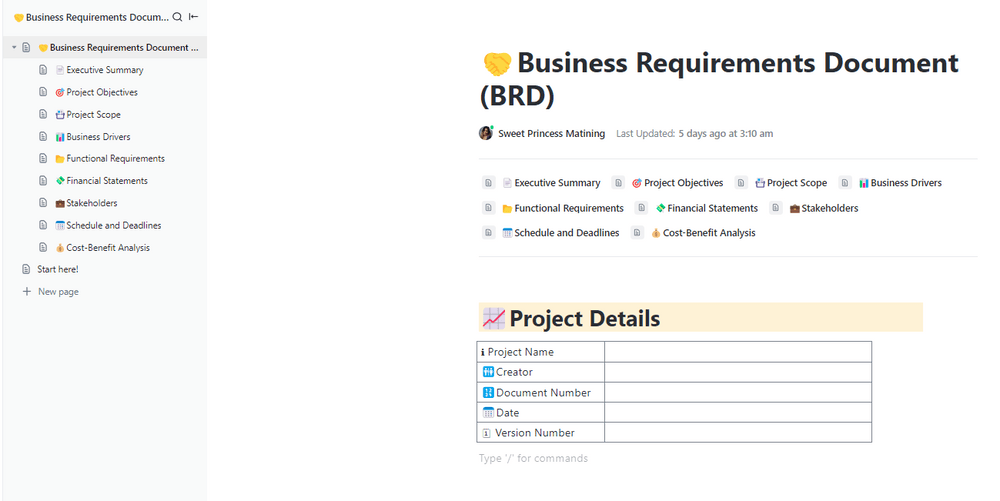
ClickUp business requirements document template is a great starting point. It lets you capture project scope, business drivers, financial details, schedules, deadlines, and more.
You can also customize this to add or remove fields you need.
Email, text messaging, phone calls, and video conferencing can get overwhelming when managing multiple projects simultaneously. Manage all client communication in one place, effortlessly, with ClickUp’s collaboration software.
Securely share any document or task with clients. Invite them to collaborate on the activities by leaving comments or responding to questions within the task. Strengthen your client communications by getting all stakeholders on the same page with ClickUp.

What’s more? Give each customer a personalized client portal where they can access all the data they need about their engagement with you.
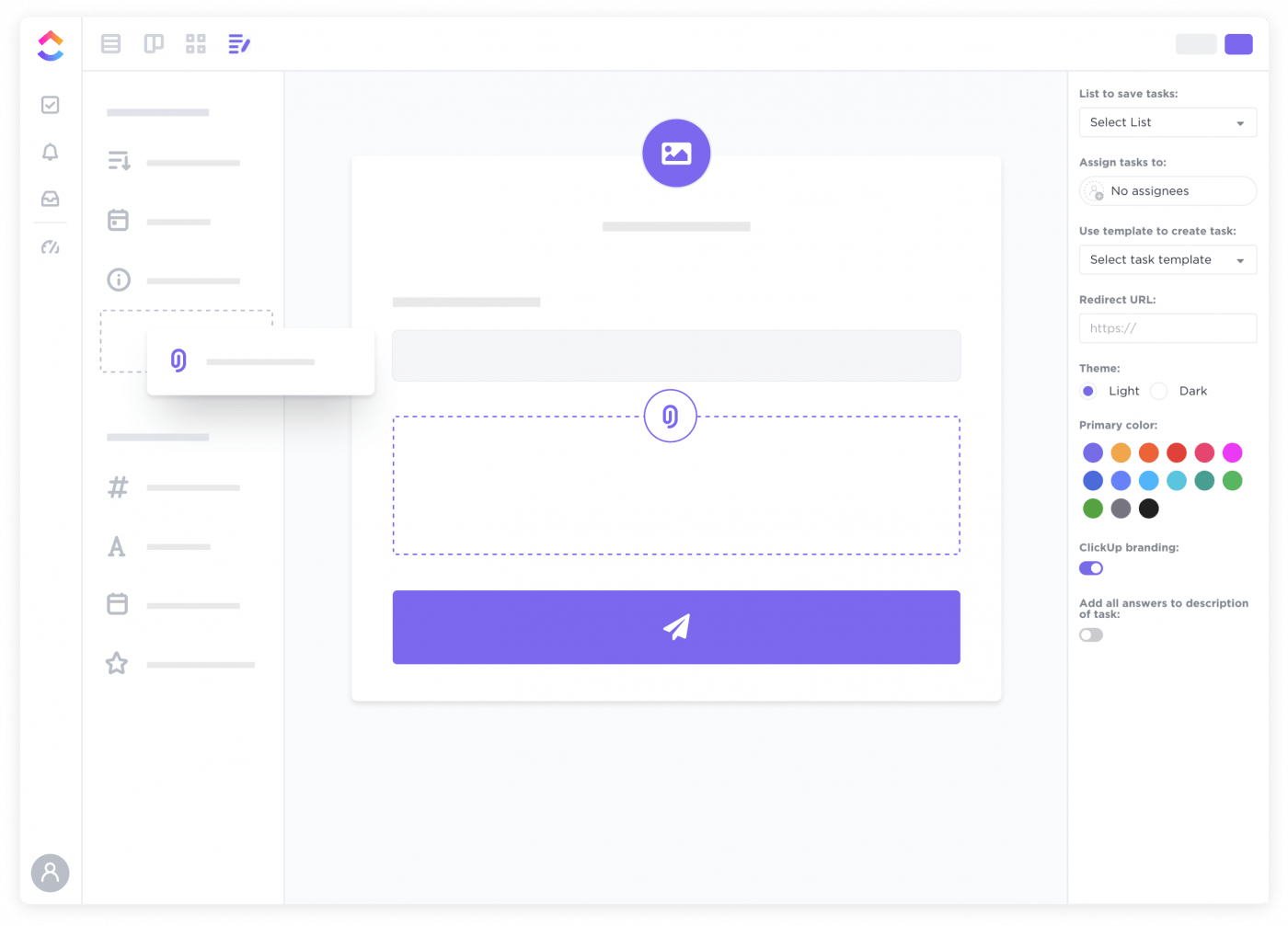
Allow customers to raise complaints or queries online and manage them within your CRM. Use ClickUp Forms to build intake fields such as name, email ID, product used, issue faced, priority, etc.
It’s common for retail clients to have a customer dispute a transaction or want to return one of their casual purchases.
When a customer fills out a form, it automatically creates a task on ClickUp for you to address them. You will be notified via the app or email to take action, assign to users, leave comments, or contact the customer.

There are dozens of repeatable workflows that can be effortlessly automated with ClickUp. Use ClickUp Automations to trigger actions every time an event occurs. Below are some examples of automation that ClickUp customers regularly use.
End users like immediate exchange of value and like personal attention and resources dedicated to them. While we’ve looked at the key difference between clients and customers—focus on what’s common.
The bottom line is to deliver immediate value and build professional relationships, whether it’s clients or customers. Loyal clients drive your long-term success. Strive to build long-term relationships.
Any tool, including spreadsheets, might help track client tasks. But you need a purpose-designed client reporting tool to have a bird’s eye view of your customer relationships. Use the ClickUp Dashboard to stay on top of your sales performance always.
Whether it is customer satisfaction (CSAT) scores or pipeline for the next quarter, you can customize your CRM reporting to give you the needed data. You can also manage the sales team workload from right here.
If you’re new to this, start with ClickUp’s CRM templates and build your own as you progress.

Whether your patrons are clients or customers, having a robust way to acquire, manage, track, communicate, and engage with them is fundamental to growing your business.
ClickUp is designed to be the one app to do all this and more. From prospecting to customer support, manage all your customer data and activities from one place.

Sudarshan Somanathan
Max 22min read

Praburam Srinivasan
Max 23min read
Praburam Srinivasan
Max 21min read

© 2026 ClickUp