Sorry, there were no results found for “”
Sorry, there were no results found for “”
Sorry, there were no results found for “”
🔎 Did You Know? 85% of people are happy to share feedback after a positive experience, but 81% are just as likely to do it when things go sideways. That means every touchpoint is a chance to learn something valuable.
Still digging through emails or juggling messy spreadsheets to find a client’s phone number?
That’s why a systematic client information form can make onboarding smoother and more professional. When you create custom forms, they help you collect client information swiftly and keep everything exactly where you need it.
Bonus? You look way more professional while doing it.
To help you standardize your client onboarding process for business purposes, we’ve rounded up the best free client information form templates to use immediately! 🚀
A client information sheet template is a ready-made layout that helps you gather all the specific details about your clients in one place. Think of it as a go-to form you reuse easily, so you don’t need to build a new one from scratch each time.
With ClickUp, you can save your form as a template and reuse it for every new client, ensuring consistency and saving time.
💡 Pro Tip: With ClickUp Brain, you can instantly summarize client form submissions, auto-tag urgent requests, and even generate follow-up tasks—no manual review needed!
🧠 Fun Fact: The need for organized client record-keeping dates back to the 19th century, when expanding factories and businesses started using client information sheets to manage transactions more efficiently.
Client information sheet templates typically include contact information, business details, and service-related fields. Tweak all the details based on what matters to your workflow to stay organized and ensure no critical client information is missed.
A good client information form template should be practical and adaptable to your business needs. Here’s what makes a great one:
💡 Pro Tip: Don’t let messy client records sabotage your success. Beyond the inconvenience, disorganization breeds missed opportunities and potential risks. Invest in an exhaustive customer data management system equipped with built-in recording and review processes to store client data information efficiently.
Check out the following ready-to-use client information sheet templates from ClickUp, the everything app for work, and other platforms that are packed with features and completely free to use:
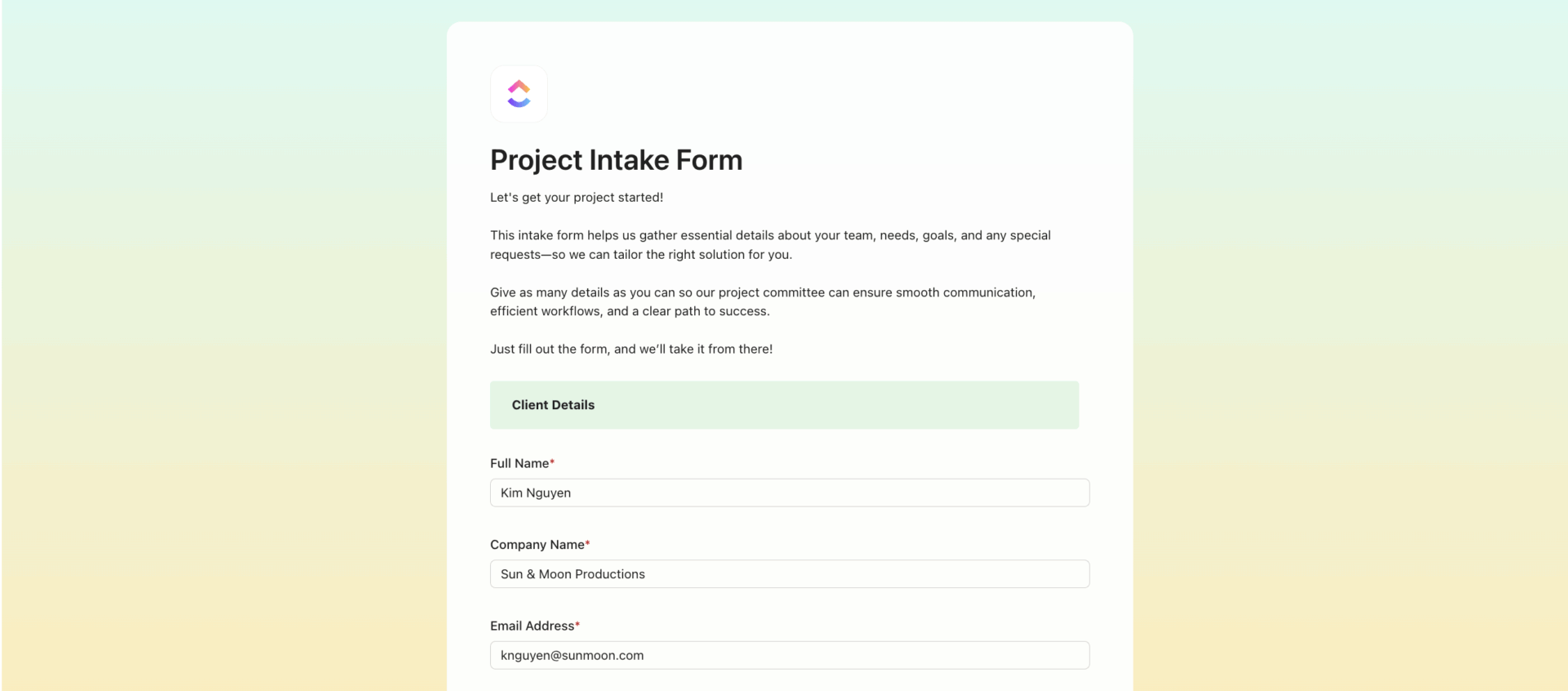
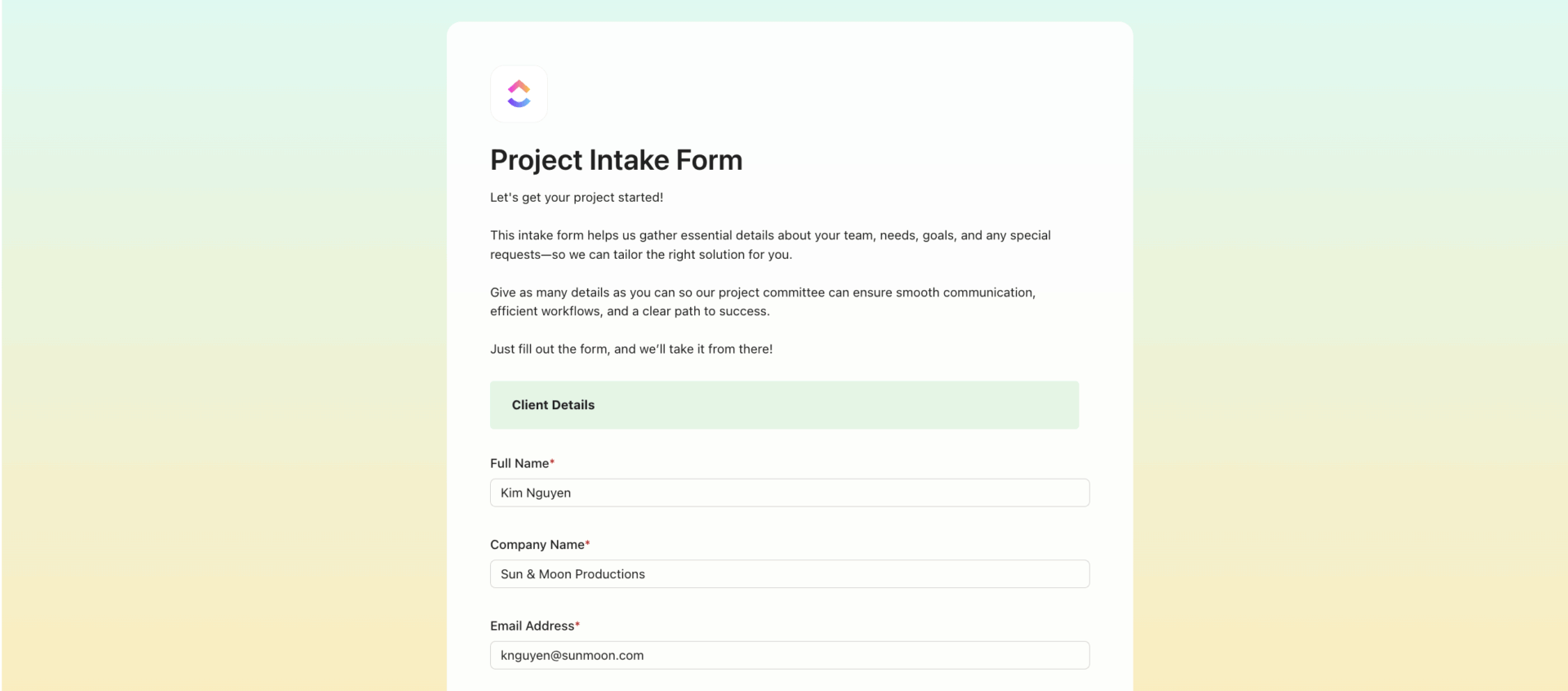
When juggling back-to-back client calls, the last thing you need is an inconsistent onboarding process. The ClickUp Intake Form Template gives you a clean and customizable setup ready to roll. You stop piecing together client info from scattered emails and start every project on solid ground.
Designed for versatility, it allows you to create forms for various industries, whether onboarding a new client or screening applicants. With customizable fields and automated task creation, this intake form template instantly transforms raw data into actionable workflows, ensuring no critical detail gets overlooked.
Ideal for: Professionals, service providers, and project managers who want a more customizable way to manage client intake without starting from scratch.
➡️ Read More: Client Brief: What is it and How to Write One?
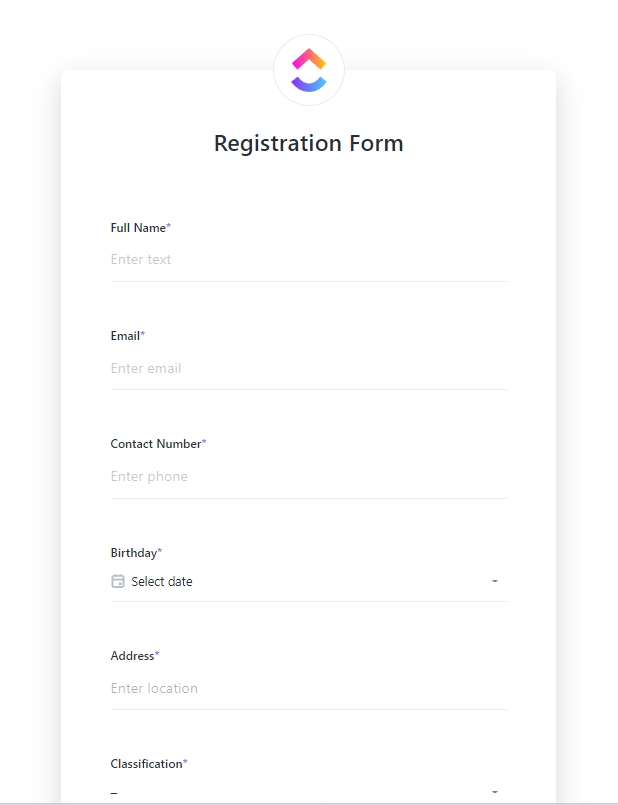
Getting started with registrations doesn’t need to be complicated. The ClickUp Registration Form Template is a beginner-friendly template that makes it simple to collect and manage important information about members.
ClickUp Forms can be embedded on your website or shared via link, and every registration is automatically tracked as a task or record in your workspace.
It streamlines the registration process for general programs, memberships, or internal sign-ups, and reduces manual errors. Unlike event-specific templates, this one offers greater flexibility for ongoing or recurring registration needs.
Custom views guide you through everything, including list tracking and form submissions. Plus, the seamless integration into project workflows allows you to assign follow-up actions automatically, helping teams stay organized as registrations flow in.
Ideal for: Event organizers, program coordinators, and teams looking to manage live or virtual registrations without complexity.
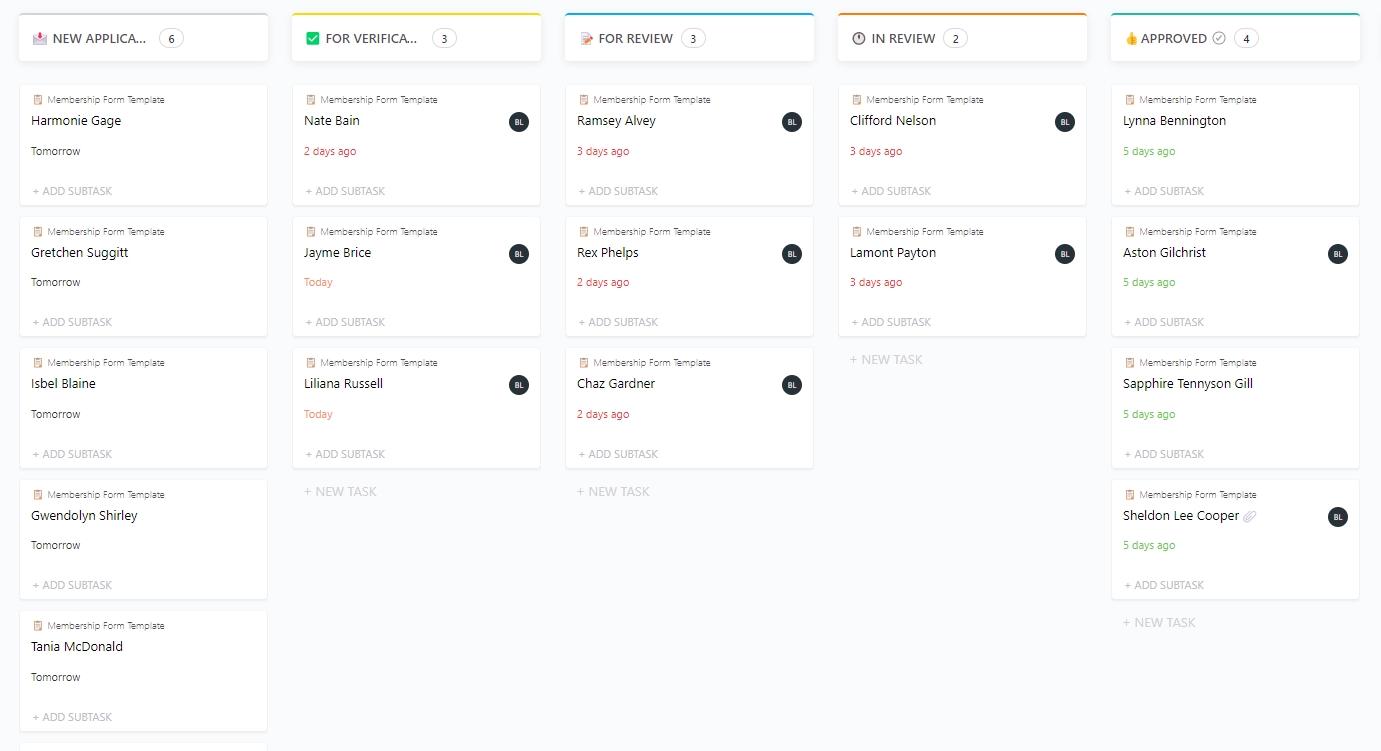
Designed for clubs, gyms, loyalty programs, and associations, the ClickUp Membership Form Template makes onboarding new members easy. It gathers contact information, membership tier preferences, payment details, and consent forms in a professional format.
Thanks to this template, you don’t have to build a new form whenever someone signs up. With embedded automation, categorize members, set renewal reminders, or assign onboarding tasks directly within ClickUp.
Ideal for: Organizations and businesses offering subscription or membership-based services.
➡️ Read More: Best Member Management Software for Organizations
Ever find yourself digging through emails trying to remember what info a client shared last week? Or worse, realizing you forgot to ask something important in the first place? The ClickUp Form Template fixes that by serving as a blank canvas to build any form you need—customer feedback, intake, service requests, or internal surveys. The template offers full flexibility regarding field types, design, and automations. It’s ideal if you want complete control over structure and fields instead of using a prebuilt template.
ClickUp Forms supports conditional logic, so you can show or hide fields based on previous answers, making your forms smarter and more relevant to every client.
The template offers complete flexibility regarding field types, design, and automations. Instant task creation based on form submissions enhances workflow efficiency and keeps teams aligned with incoming requests or data.
Ideal for: Teams requiring fully customizable, multipurpose forms to streamline data collection and action.
➡️ Read More: Free Client Intake Form Templates in Word & ClickUp
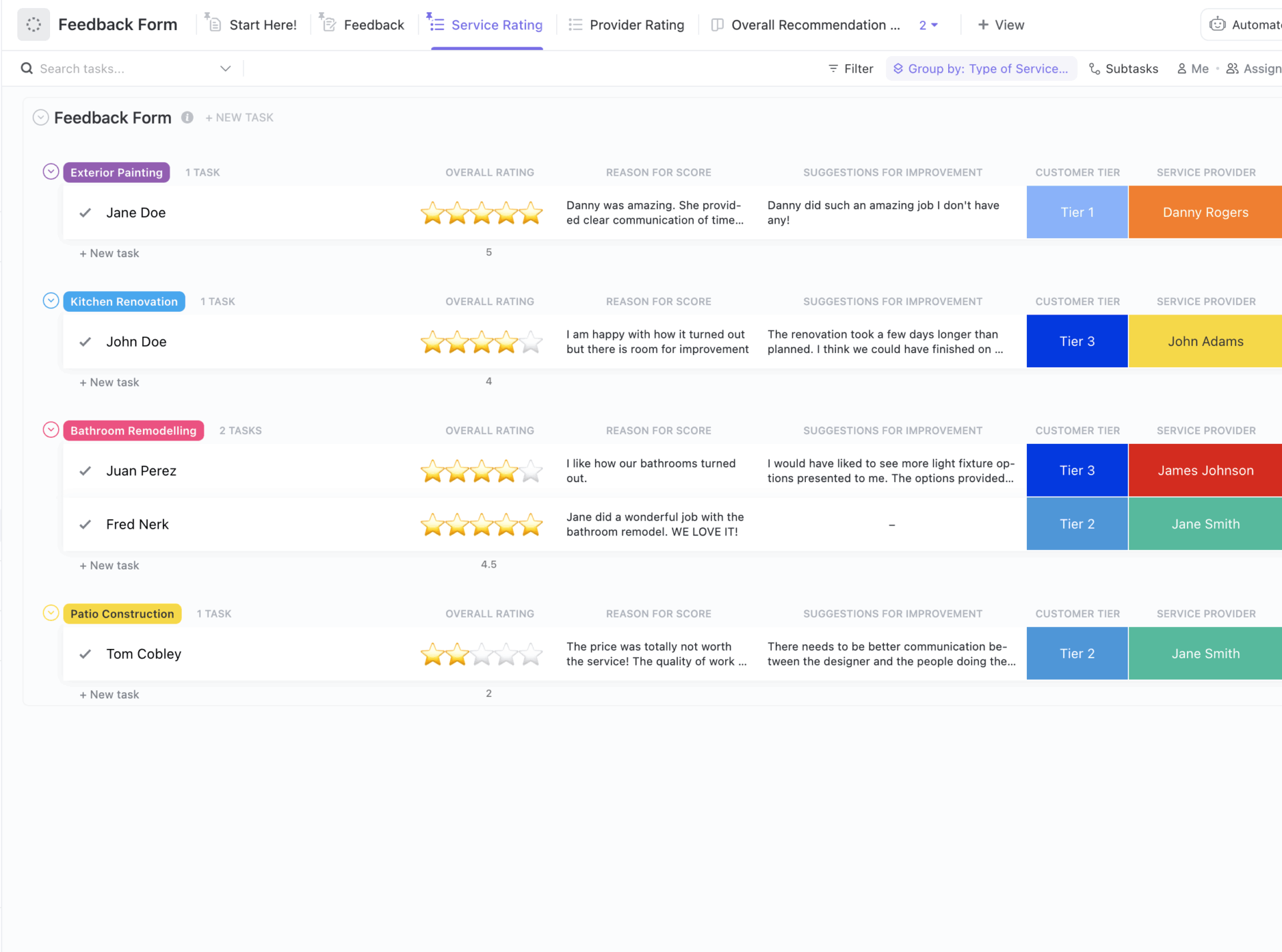
The ClickUp Client Feedback Form Template is built to collect structured insights from clients, team members, or event participants. It helps you design feedback forms that get filled out, and organizes everything neatly so you’re not digging through vague responses or scattered notes.
With ClickUp, feedback is automatically routed to the right team or project, and you can use ClickUp Brain (AI) to summarize and analyze response trends.
The template features fields for ratings, open-ended comments, and suggestions for improvement. Collected feedback feeds directly into a centralized workspace, making it easy to analyze trends and prioritize enhancements.
Ideal For: Product teams, service providers, or early-stage startups looking for a no-fuss way to capture customer insights without reinventing the wheel.
Here’s what Matus Mosney, Head of Hardware Development at Panza Robotics, had to say about using ClickUp:
ClickUp allowed us to break down complex development into a more manageable list of tasks. The interface is customizable and easy to work with, allowing for quick updates, changes, or setup of new tasks based on feedback.
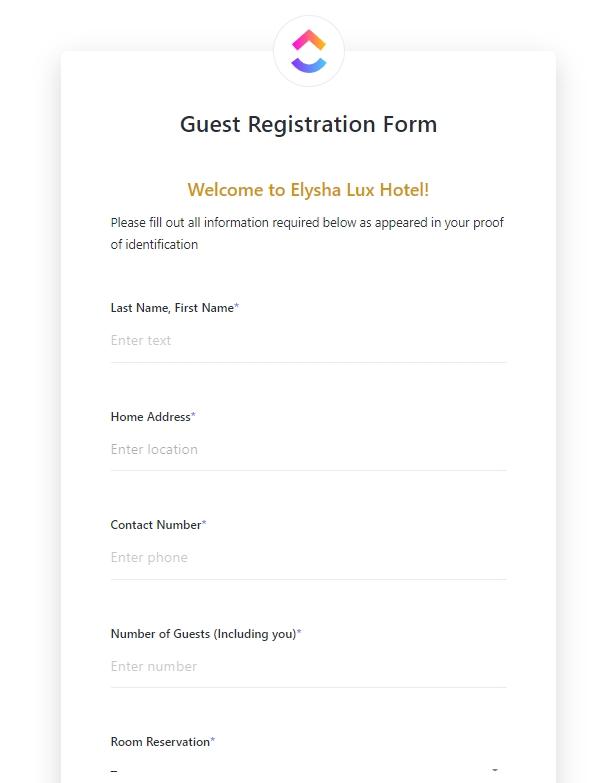
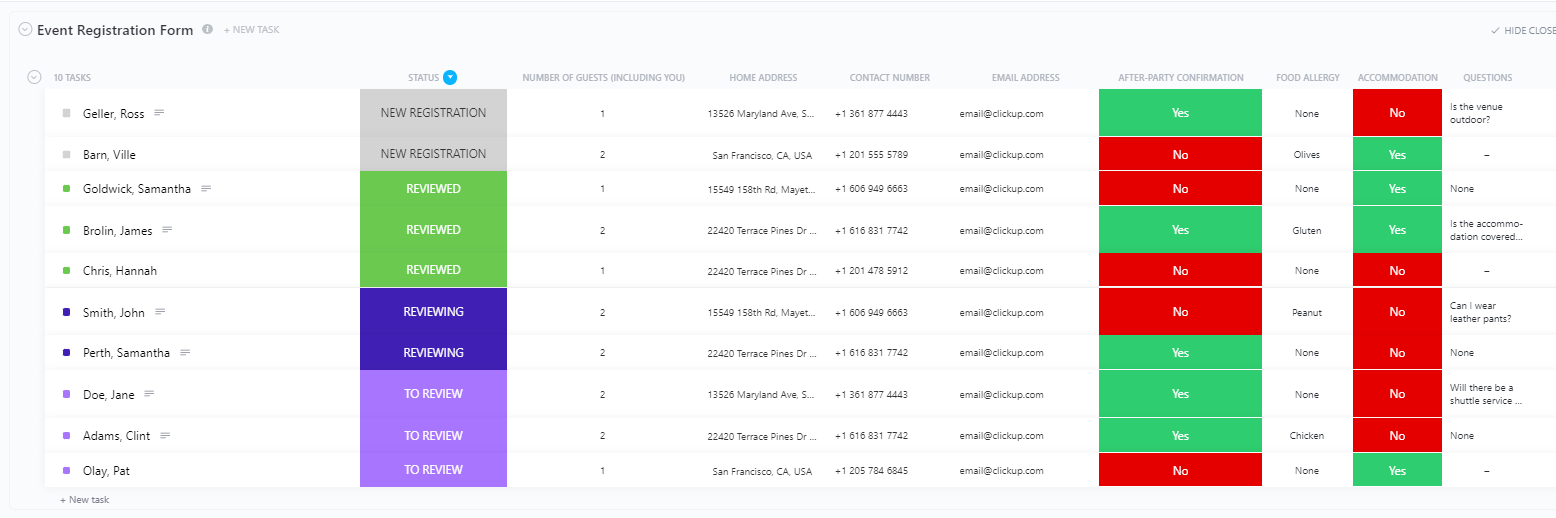
Let’s say you’re hosting an important event like a company workshop, a virtual webinar, or a large-scale product launch. The last thing you want is to get tangled in messy registration forms or scrambled emails. The ClickUp Event Registration Form Template simplifies your life by giving you a hassle-free way to gather all the essential details upfront.
ClickUp’s event forms can trigger automated reminders, assign tasks for event prep, and segment attendees for breakout sessions—all from a single submission.
Manage sign-ups for conferences, workshops, training sessions, and networking events. The template also captures attendee details, session preferences, dietary restrictions, and payment statuses.
Ideal for: Event planners, marketing teams, and community managers who must manage registrations for various events.
📮 ClickUp Insight: 74% of employees use two or more tools to find the necessary information while jumping between emails, chat, notes, project management tools, and documentation. This constant context-switching wastes time and slows down productivity. As the everything app for work, ClickUp unifies all your work—email, chat, docs, tasks, and notes—into a single, searchable workspace, so everything is exactly where you need it.
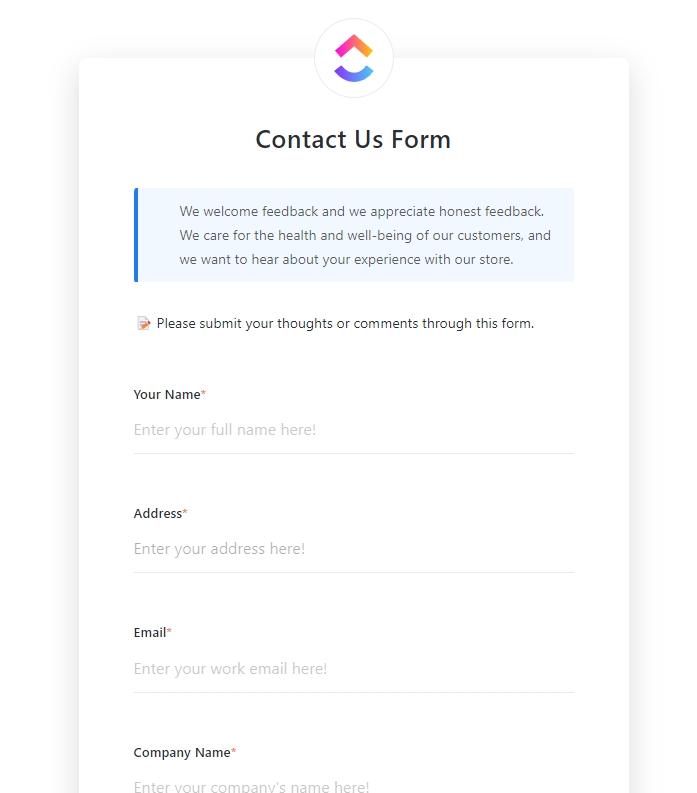
The ClickUp Contact Form Template is a foundational tool for capturing inbound inquiries from your website, app, or marketing campaigns. It collects basic information such as name, email, message, and reason for contacting.
You can use this template in multiple ways, such as collecting information about clients, gathering their feedback, or handling service requests. Use this for general inquiries, marketing campaigns, or support tickets where simplicity matters. For detailed customer histories and CRM-linked fields, try the Customer Contact Form Template instead. Each submission can automatically trigger CRM workflows, task assignments, or lead-nurturing sequences.
Ideal for: Customer support teams or small businesses that want a beginner-friendly, no-fuss way to manage incoming contact requests and feedback.
🎥 Discover how ClickUp Whiteboards elevate your client collaboration. From brainstorming to execution, see how to impress clients every time:
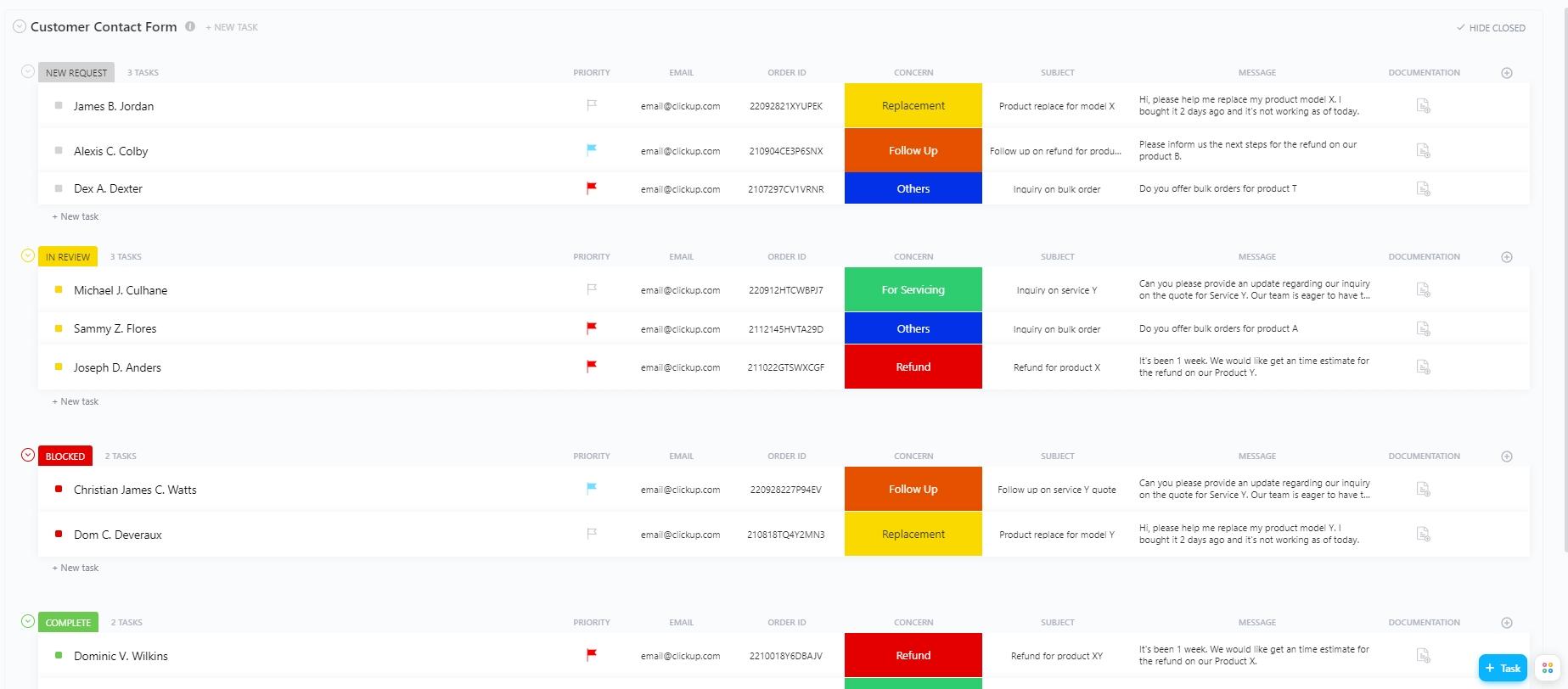
Staying in touch with customers doesn’t have to be messy. The ClickUp Customer Contact Form Template makes it easier to hear directly from the people who matter most when they want to share feedback, ask a quick question, or flag an issue.
With ClickUp Brain, you can analyze trends in customer feedback and even generate summaries or action items automatically.
This template enhances the standard contact form by adding fields tailored to customer support or sales follow-ups, such as urgency level, product or service interest, and preferred communication methods. It helps sales and service teams triage inquiries faster and respond with better context, improving customer satisfaction and lead conversion.
Unlike the basic Contact Form, this template is built for existing or high-potential customers, helping teams prioritize responses based on urgency, product interest, or relationship history.
Ideal for: Customer support and sales teams optimizing inquiry management processes.
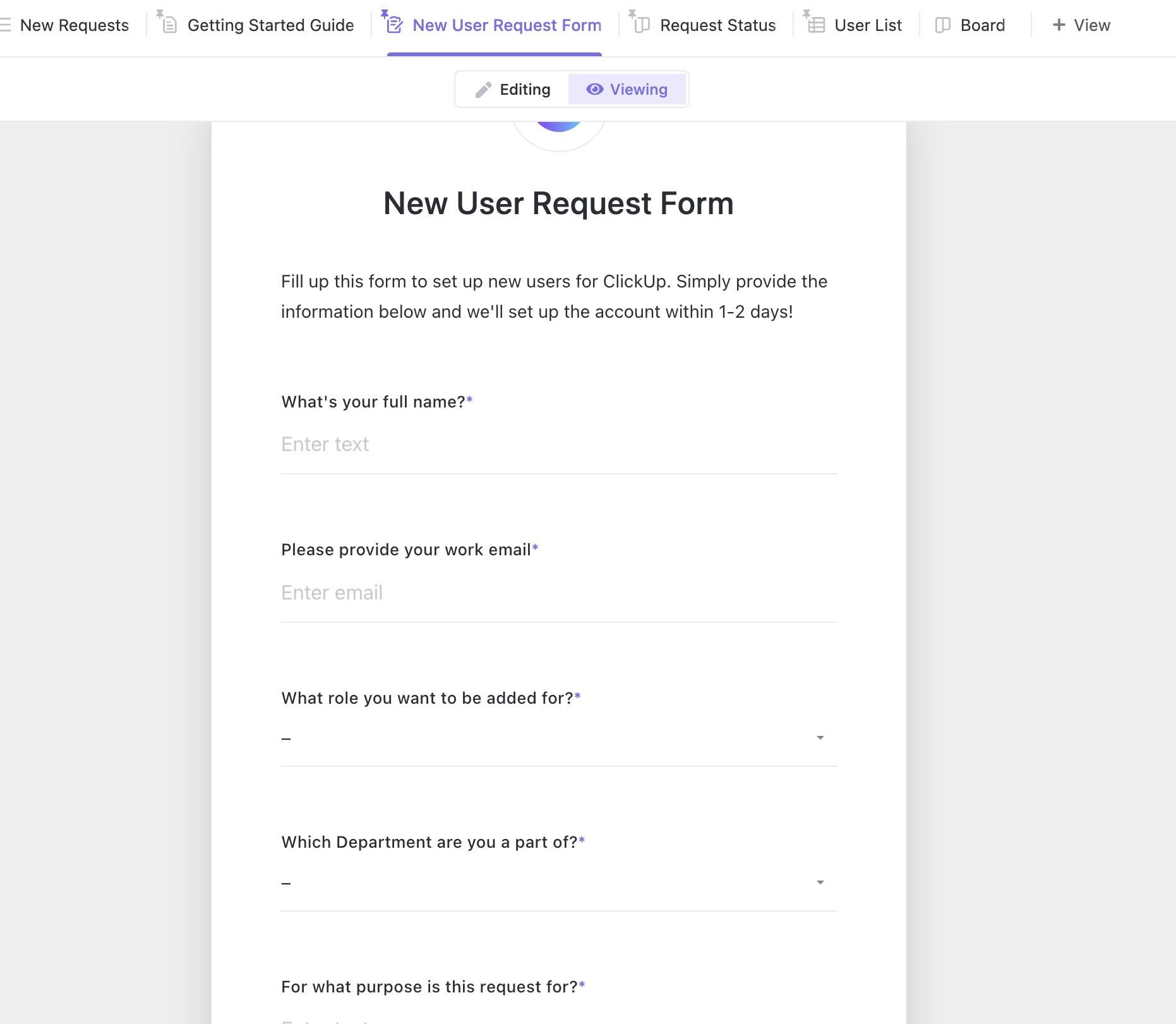
The ClickUp Request Form Template helps teams efficiently process service, maintenance, resource, or product requests. It provides structured fields for request type, priority, description, and necessary approvals.
Collect IT help desk tickets, content or design requests, onboarding checklists, or equipment needs – whatever your team is asked for regularly. This isn’t just about getting contact info—it’s about automatically capturing and routing actionable service, IT, or resource requests to the right team.
Plus, ClickUp Automations routes tasks to the right departments while ensuring nothing is overlooked.
Ideal for: Operations, IT, or facilities teams managing incoming service or support requests.
💡 Pro Tip: HR teams should use Applicant Tracking Systems (ATS) to seamlessly onboard talent, filter top candidates, and simplify the hiring journey.
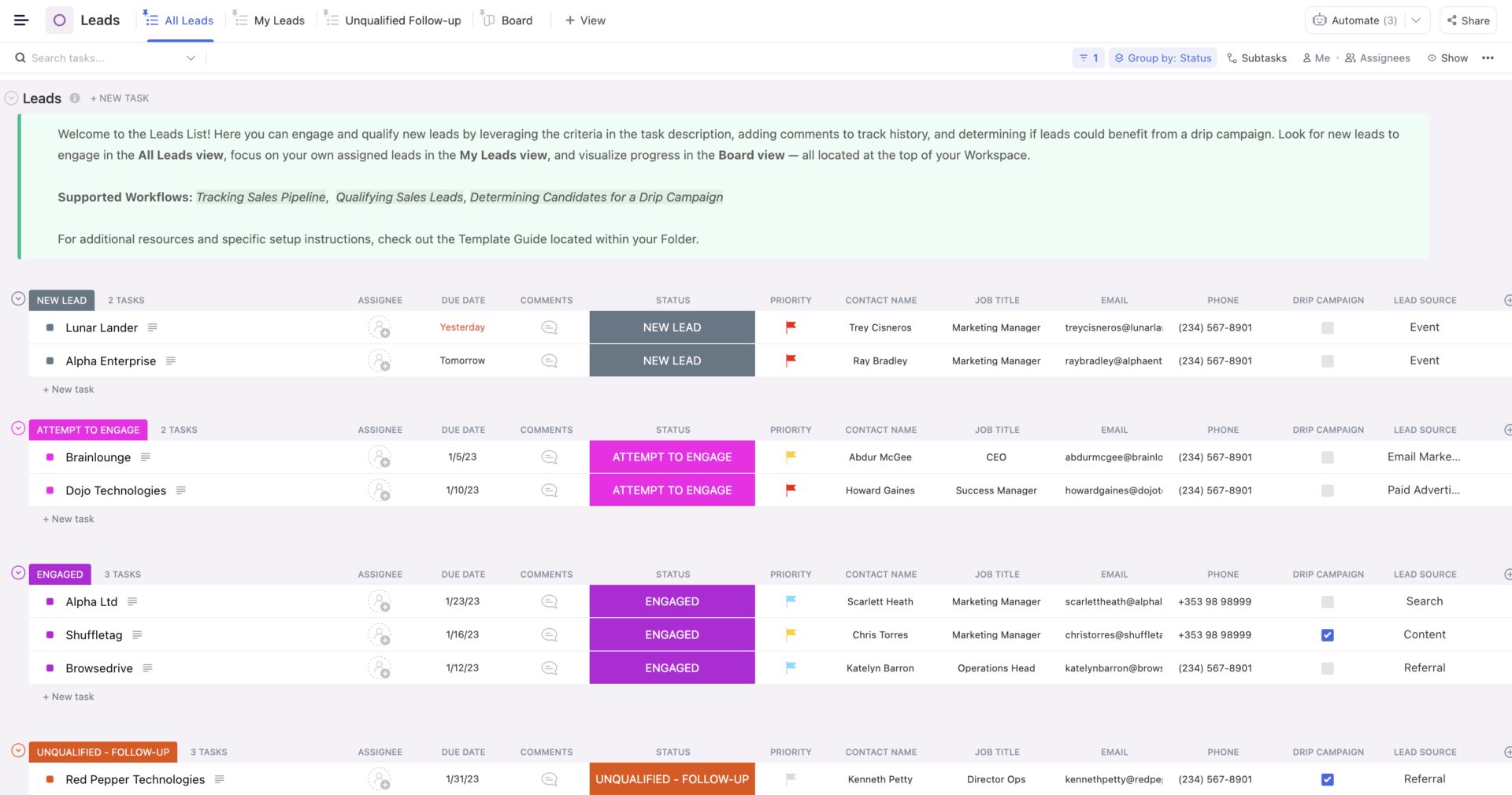
The ClickUp CRM Template is a ready-to-use workspace designed to help teams manage the entire customer lifecycle, from lead generation to post-sale follow-up. It integrates form submissions into CRM pipelines, creating a seamless journey from inquiry to closure.
Instead of scattering customer info across tools and emails, this template centralizes all your contacts, deals, tasks, and interactions in one organized place. Moreover, customizable fields, automation triggers, and reporting tools make it easy to tailor the CRM to any business model.
Ideal for: Sales and marketing teams managing client relationships through every stage of the funnel.
💡 Pro Tip: Use ClickUp Brain to supercharge your CRM!
Try this prompt:
“Analyze all client notes, emails, and feedback to assess sentiment. Flag any clients showing signs of dissatisfaction for immediate attention, and identify those with positive sentiment who may be ready for upsell opportunities.”
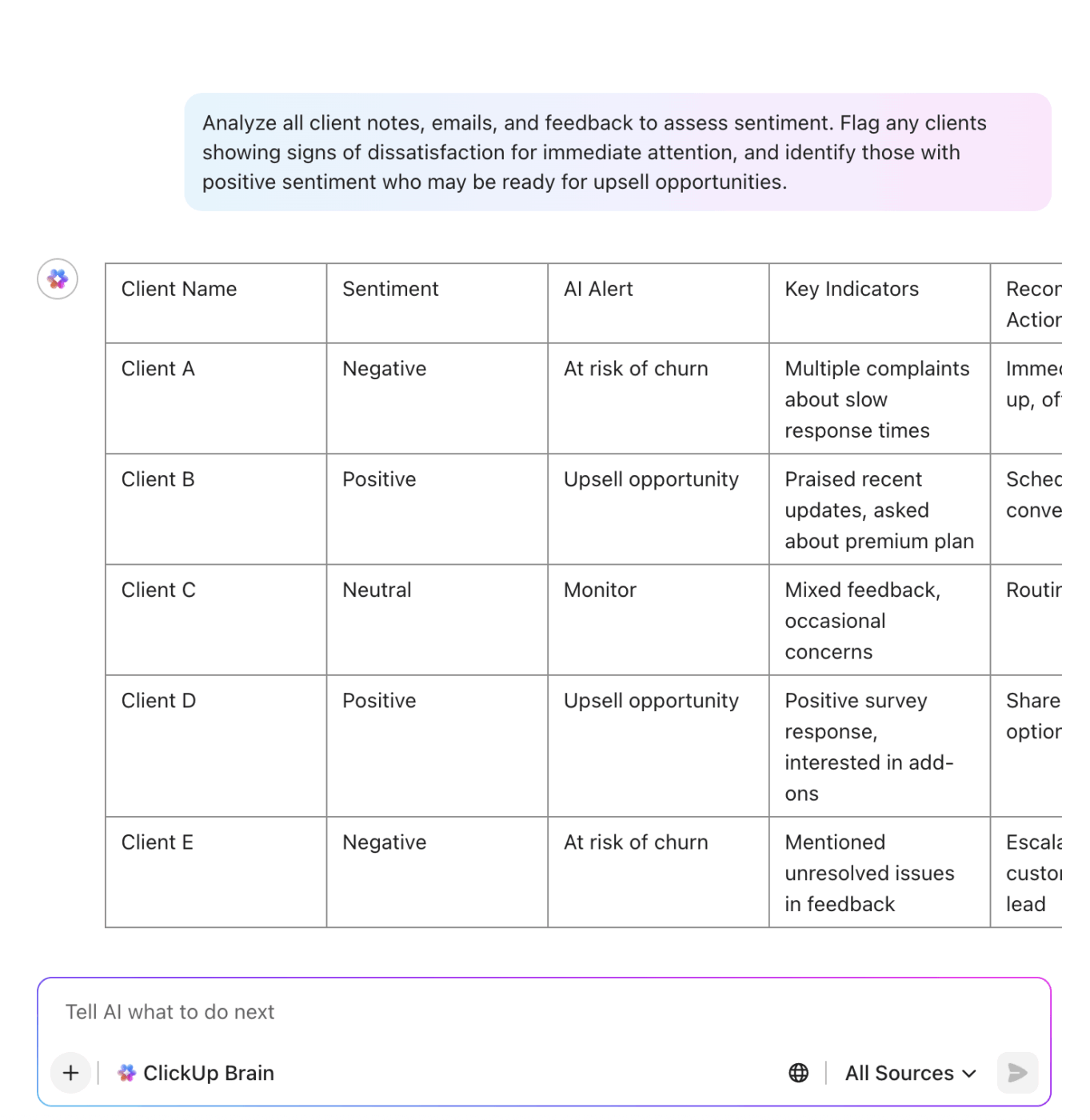
Let AI help you prioritize client relationships and spot new growth opportunities—automatically.
Read more: How to create your own CRM in ClickUp
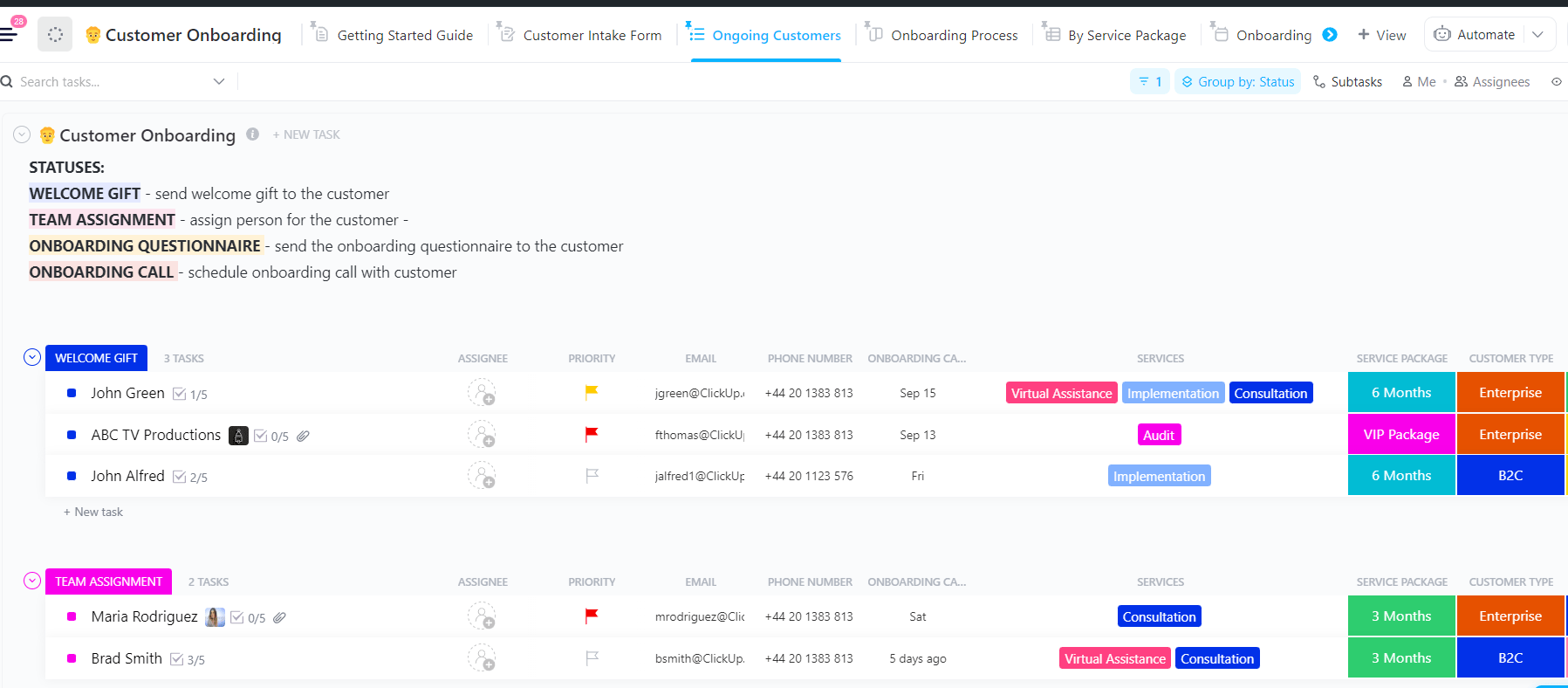
A strong onboarding process sets the tone for your entire customer relationship. The ClickUp Customer Onboarding Template helps you create a smooth and consistent experience when welcoming a new client or transitioning an existing one to a new service.
This template has built-in steps and task templates to help your team stay organized and track onboarding progress effectively. It automates steps like sending welcome emails, creating product tutorials, scheduling setup meetings, and tracking milestones to help accelerate time to value and deepen client relationships from day one.
🔎 Did You Know? Nearly 63% of customers say the onboarding experience heavily influences their decision to subscribe to a service or complete a purchase.
Ideal for: Customer success and service teams aiming to streamline and enhance onboarding experiences.
➡️ Read More: How to Create a Client Onboarding Checklist
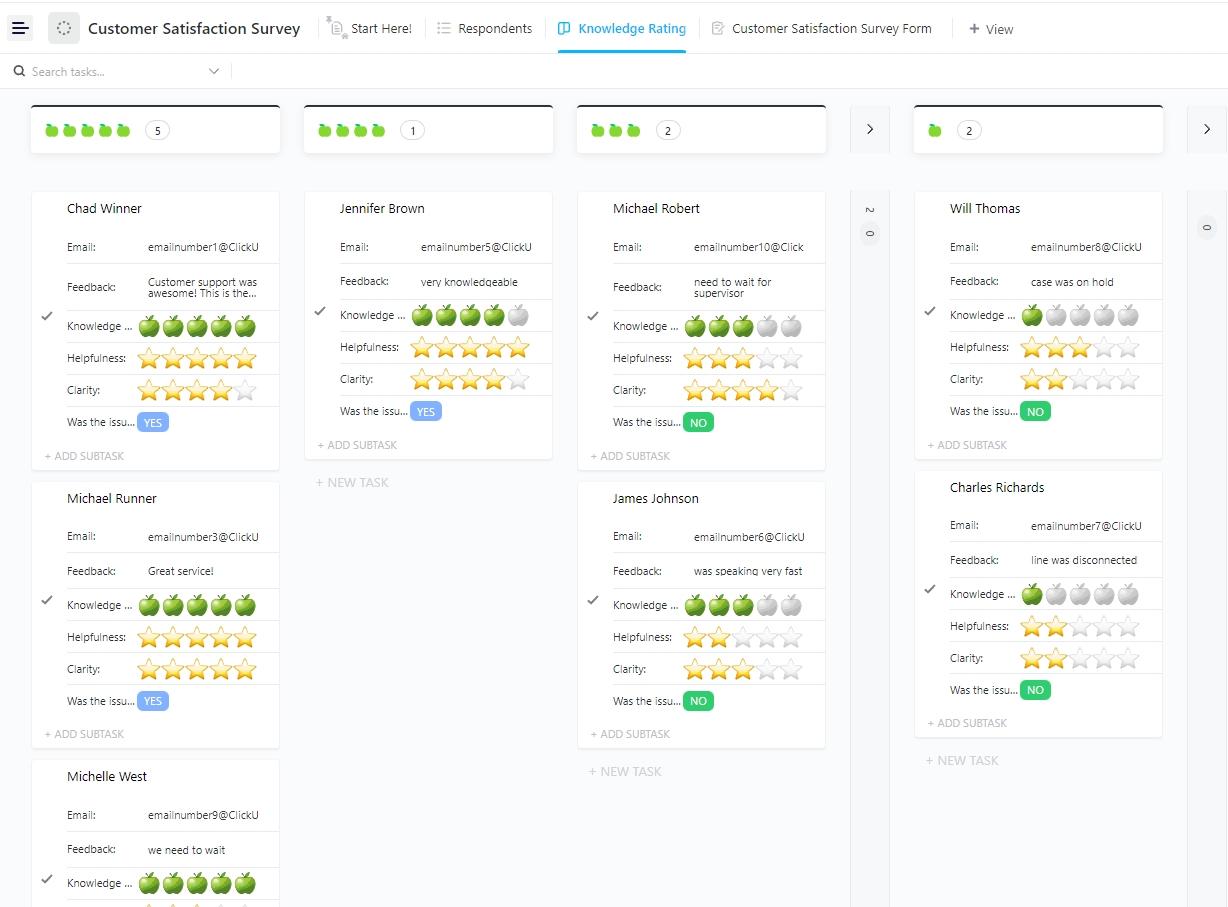
Customer satisfaction is a must for any business that wants to grow. The ClickUp Customer Satisfaction Survey Template makes it easy to measure client happiness after service or project completion.
It collects ratings, open comments, and improvement suggestions in a systematic format. This template stands out with its visually striking design and fun interactive features like star ratings.
Ideal for: Customer success teams, product managers, support leads, and businesses committed to improving customer experience based on direct feedback.
🧠 Fun Fact: The first recorded customer complaint was on a clay tablet in 1750 BC, expressing dissatisfaction with the quality of goods and services received.
💡 Pro Tip: ClickUp Automations can assign tasks, send notifications, or update statuses automatically when a new form is submitted, making onboarding hands-free and error-free.
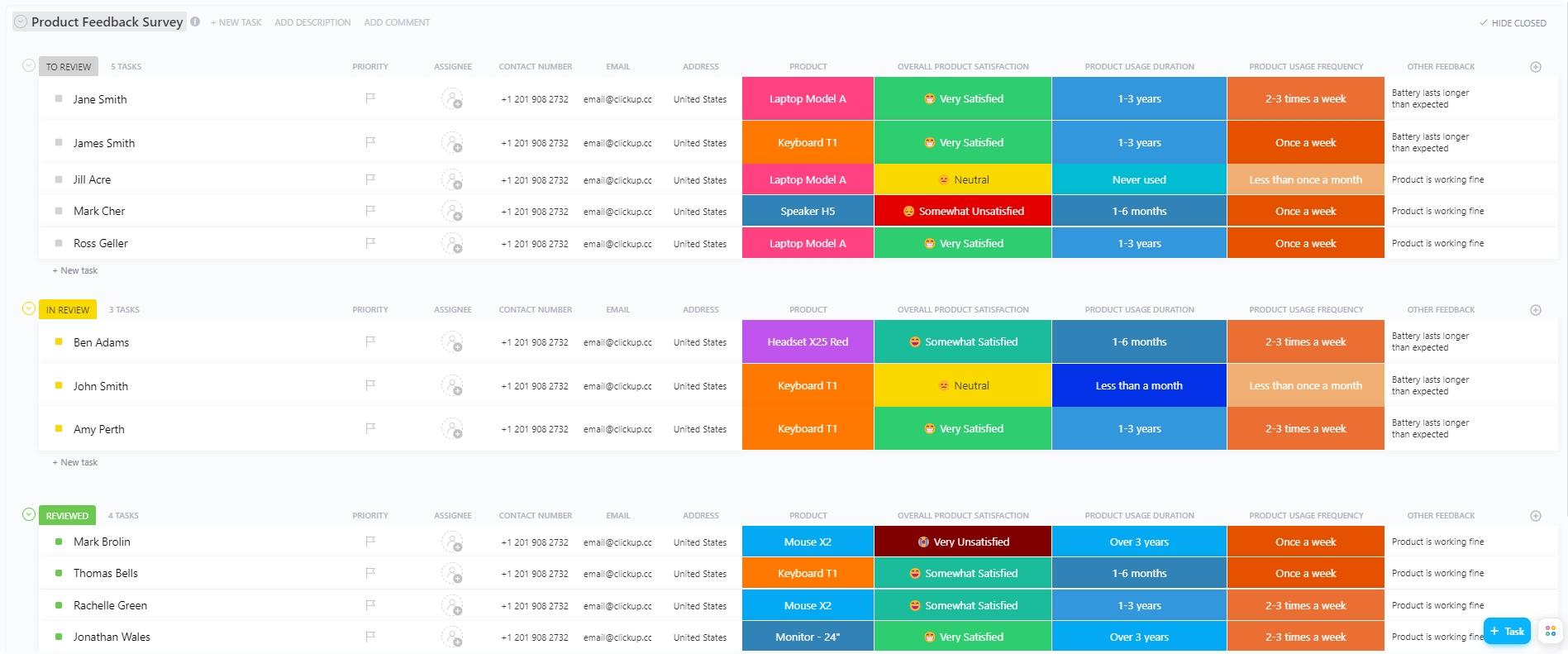
If you’re a product-based company, the ClickUp Product Feedback Survey Template makes it easy to gather meaningful customer insights, which can be used to improve features, address pain points, and enhance the overall user experience.
This template’s customizable fields and built-in analytics help you turn feedback into action quickly. It’s efficient, easy to use, and built to keep your product team focused on continuous improvement and customer satisfaction.
Ideal for: Product managers and development teams focused on customer-driven innovation.
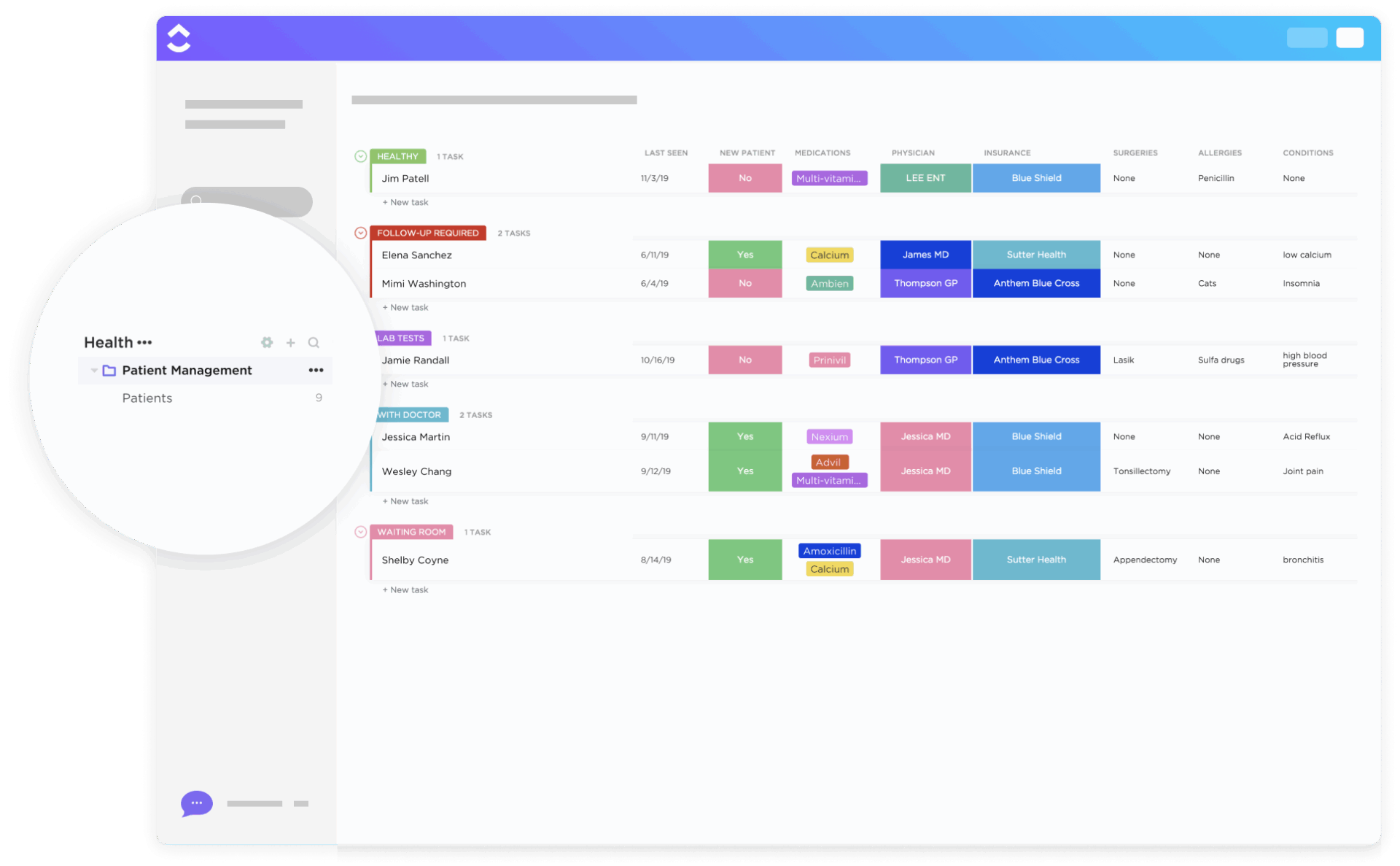
The ClickUp Patient Management Template is a game-changer for healthcare providers and medical facilities. This template helps practices track patient records, appointments, communications, and follow-ups.
Furthermore, HIPAA-friendly structures ensure sensitive information is handled appropriately. Use built-in views for patient tracking, customizable forms for intake, and a central space to manage medical histories and treatment plans
Ideal for: Healthcare providers, clinics, hospitals, wellness centers, and administrative teams looking for a digital solution to manage patient records.
🎥 Get a quick rundown on how ClickUp improves your productivity at work:
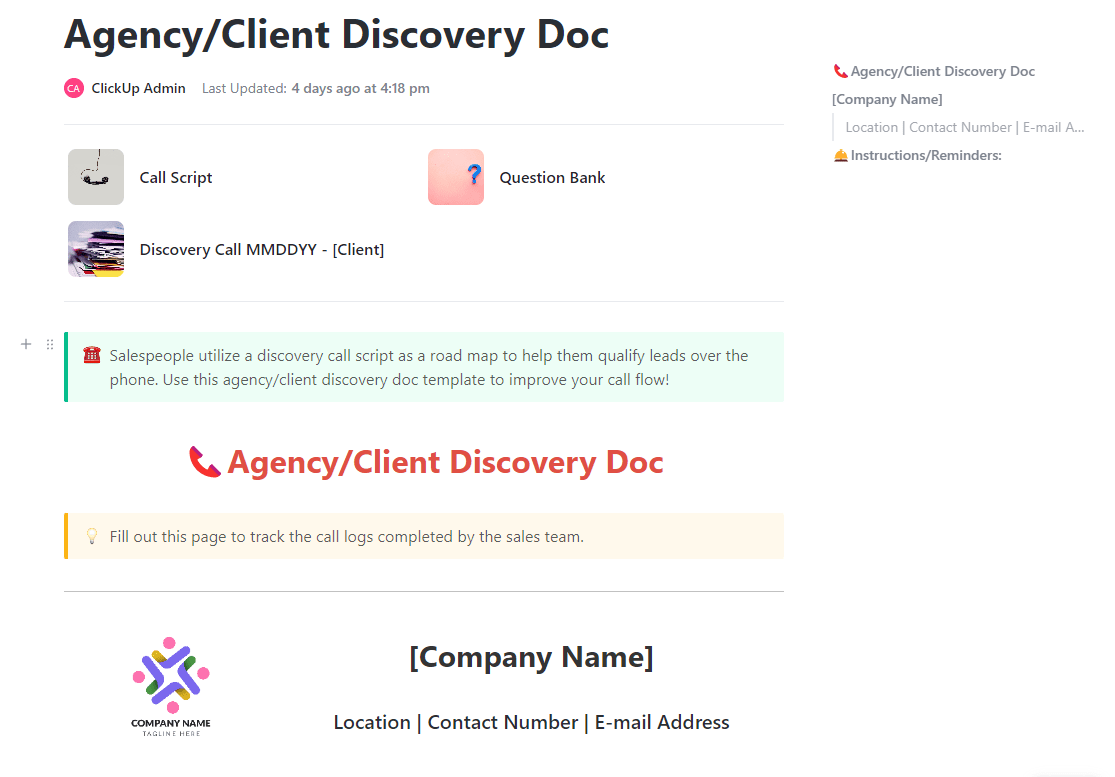
The ClickUp Agency/Client Discovery Doc Template captures essential project requirements, goals, expectations, and timelines at the start of new engagements. It ensures mutual understanding between clients and service providers before work begins.
Use this template to gather everything you need: client goals, target audiences, deliverables, timelines, you name it. It even streamlines scope setting and project planning by aligning both sides early.
Ideal for: Creative agencies, freelance consultants, marketing teams, and anyone who starts projects with clients and wants to do it right the first time.
➡️ Read More: Best Free Database Software
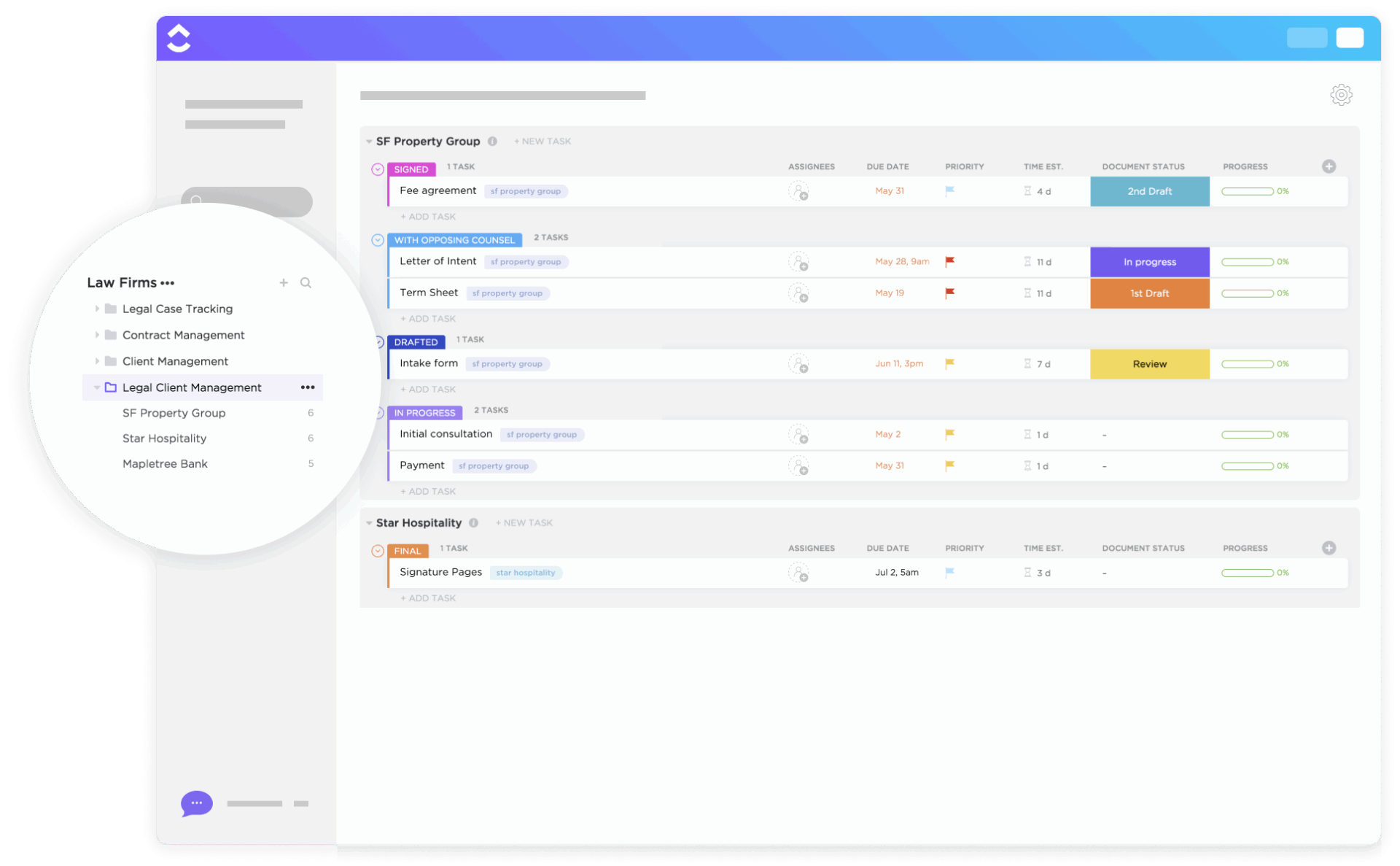
The ClickUp Legal Client Management Template is a purpose-built template for legal professionals needing more clarity and control than regular spreadsheets. It gives you a centralized space to manage every client, case detail, deadline, and document without stress.
The template keeps your entire caseload organized and moving. It’s everything you need to keep cases under control and clients in the loop. It also helps law offices efficiently manage intake forms, discovery documents, and case notes.
Ideal for: Law firms, solo attorneys, and in-house legal teams that manage ongoing client relationships and caseloads.
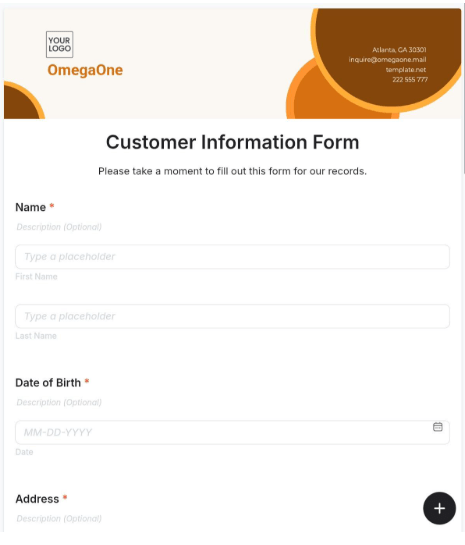
This simple yet effective Customer Information Form from Template.Net covers all the essential contact fields you need to stay connected with your customers. It also helps you track how clients find you, identify which marketing channels drive the most leads, and double down on what’s working.
It also offers a printable, editable layout for collecting basic customer information, such as names, addresses, phone numbers, and service preferences.
Ideal for: Small businesses, freelancers, or anyone who needs a quick and organized way to collect and store client information.
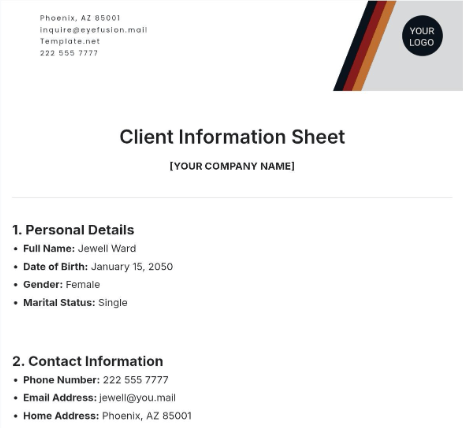
Client Information Sheet Template by Template.Net is another solid alternative to a standard client information form.
This user-friendly template captures detailed client information for ongoing relationships, including contact data, service history, preferences, and notes. It supports easy updates over time, making it ideal for businesses needing ongoing client interaction records.
Ideal for: Agencies, consultancies, and businesses managing recurring client engagements.
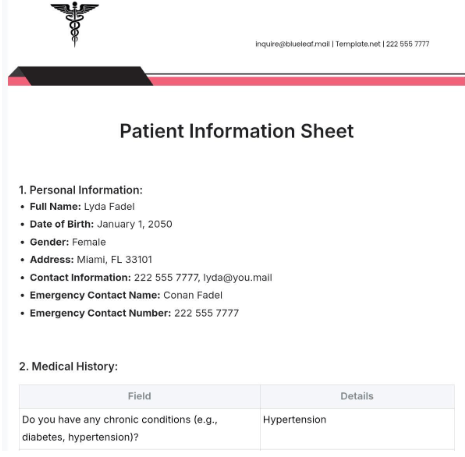
Designed for medical, dental, and wellness practices, the Patient Information Sheet Template by Template.Net is an effective tool for collecting detailed patient demographics, insurance information, emergency contacts, and medical history.
It’s a great pick for clinics that want a free, printable option for quick, no-fuss patient onboarding and accurate recordkeeping.
Ideal for: Clinics, solo practitioners, and small healthcare facilities that need a simple, printable way to gather patient information quickly.
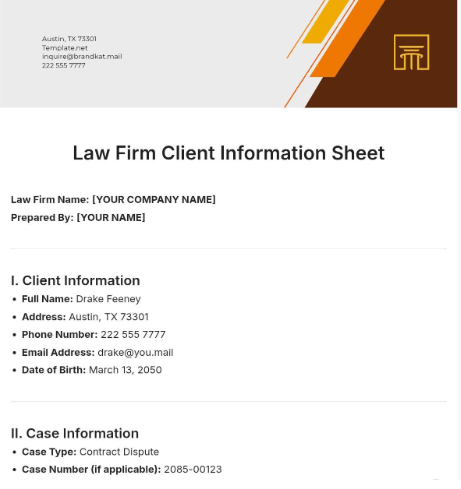
The Law Firm Client Information Sheet Template by Template.Net is developed to gather detailed client profiles for legal practices. It includes sections for case type, contact history, retainer agreements, and conflict checks.
A vital tool for maintaining compliance, tracking conflicts of interest, and managing client relationships, it’s ideal for onboarding clients and documenting their legal concerns.
Ideal for: Legal firms and solo practitioners, formalizing client intake and record management.
➡️ Read More: Free Directory Templates To Stay Organized
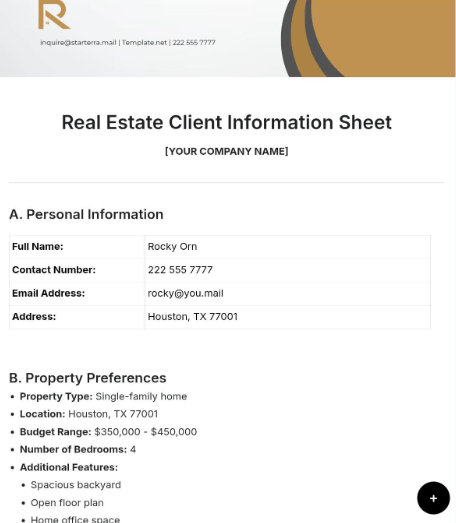
The Real Estate Client Information Sheet Template by Template.Net helps realtors gather essential client data for property searches, financing needs, and transaction histories. It includes fields for budget, preferences, property types, and loan pre-approval status.
The template captures client needs and collects information about their budget and property preferences. This refines the entire home-buying process for estate agents and their clients, from inquiry to closing.
Ideal for: Real estate agents, brokers, and property consultants who want a ready-to-use template for client onboarding and property matchmaking.
No matter your industry, having the right client information system in place can save time, reduce errors, and improve client satisfaction.
The templates we’ve covered offer a solid starting point, but if you want to level up your client information intake, ClickUp, the everything app for work, is your ultimate solution. ClickUp’s Forms, Automations, and AI (ClickUp Brain) work together to streamline intake, automate follow-ups, and keep your client database organized—all in one place.
For even more flexibility, ClickUp offers integrations with popular CRM, email, and analytics tools, so your client data flows wherever you need it. Sign up for ClickUp today and transform the way you intake client information! 🚀

© 2026 ClickUp