Sorry, there were no results found for “”
Sorry, there were no results found for “”
Sorry, there were no results found for “”
Whether you’re a freelancer, a small business owner, or managing a larger team, keeping track of hours worked over a pay period ensures that everyone is compensated fairly and on time.
Bi-weekly timesheet templates serve as practical tools to streamline this process, making it easier to monitor work hours, calculate payroll, and maintain productivity. ⌛️
This blog will explore different biweekly timesheet templates and how to make your work life easier, and turn payroll days into simple tasks.
A biweekly timesheet template tracks work schedules, including clock-in/out times, breaks, hours worked, overtime, sick leave, or vacation hours over a two-week period.
Biweekly timesheet apps or templates help simplify tracking time, process payroll smoothly, and monitor how productive everyone is.
Depending on specific needs, these templates might include fields like:
These timesheet templates help employers and employees automatically calculate hours worked, ensuring transparency and accuracy in pay.
➡️ Read More: Free Work Schedule Templates in Excel & ClickUp
A well-designed biweekly timesheet template ticks all the right boxes, streamlining your process, reducing errors, and preventing payroll headaches.
Here are the key aspects you need to look for in biweekly timesheet templates:
➡️ Read More: Best Time Management Software and Tools Available
Tracking workforce analytics on a biweekly basis doesn’t have to be complicated. These 10 biweekly timesheet templates make it easy to monitor employee work hours, manage payroll, and stay organized.
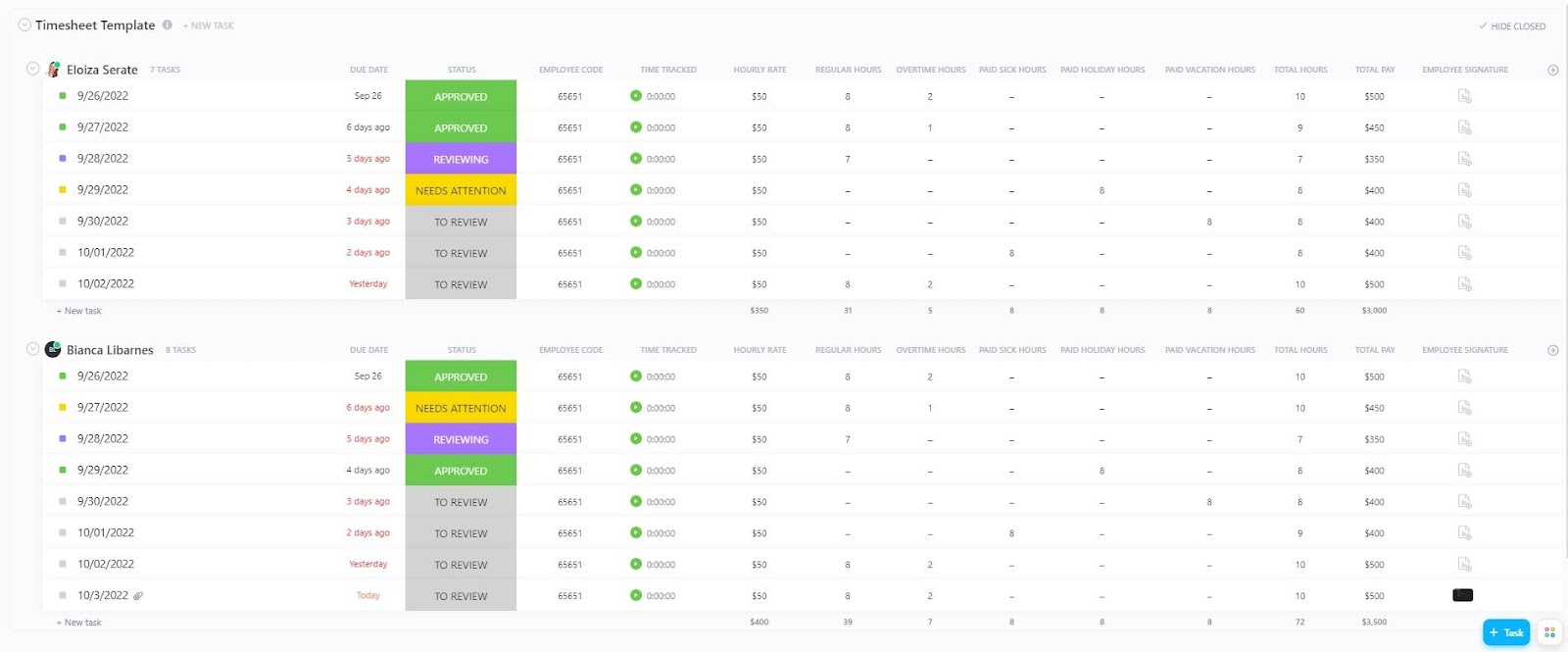
Tracking service hours and managing billable hours is now easy with the ClickUp Services Timesheet Template. This template combines work hours, pay rates, and overtime in one location to simplify time tracking for service-based teams.
Plus, with built-in data columns for service hours, total compensation, and overtime calculations, you can easily track employee work hours and maximize billables. It is perfect for service teams who want to optimize payroll and boost efficiency.
📌 Ideal for: Service teams, agencies, and freelancers needing accurate time tracking and billing management.
💡 Pro Tip: Use ClickUp’s Time Tracking Cards to monitor team productivity easily, distinguish between billable and non-billable hours, and seamlessly export time data for accurate invoicing. These customizable cards integrate perfectly with ClickUp Dashboards, making time tracking and reporting easy.
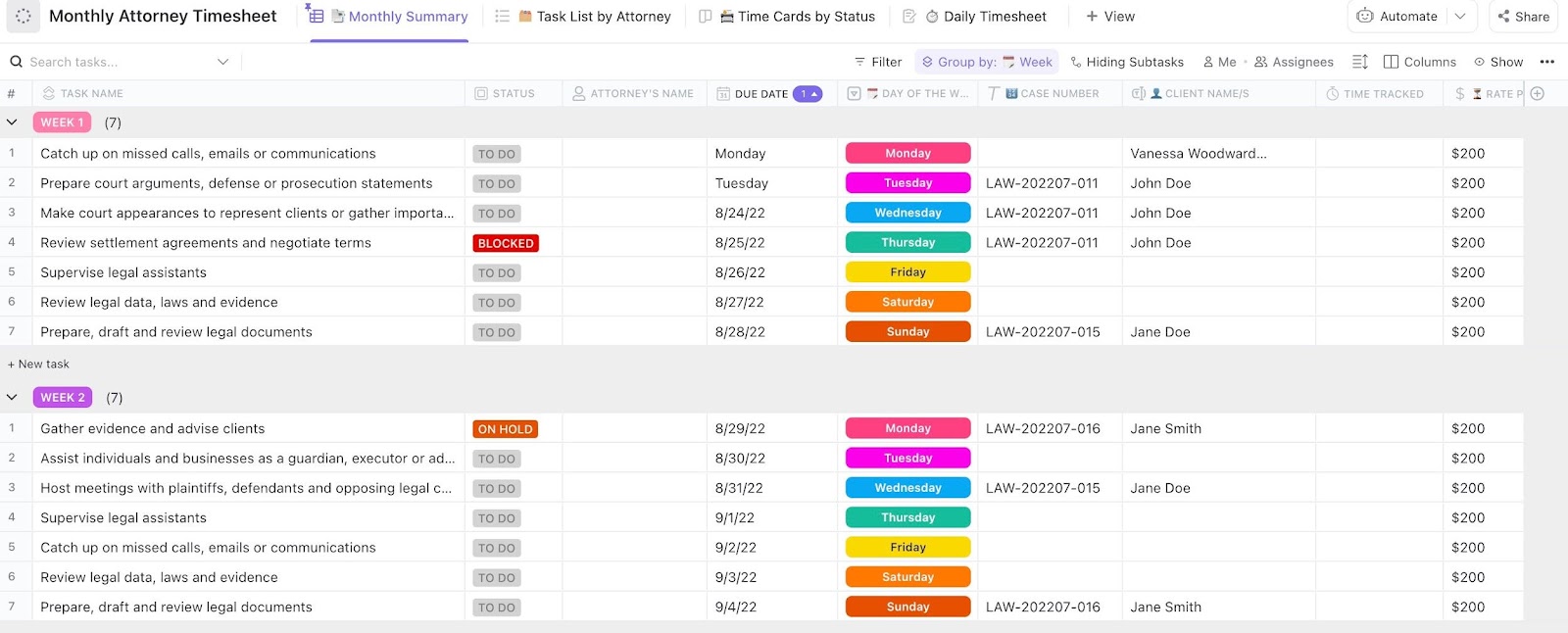
The ClickUp Attorney Timesheet Template simplifies time tracking, billing, and case management for legal professionals. It enables attorneys to quickly enter the chargeable hours, track case progress, and categorize duties by client, case number, and service type.
This template helps legal teams stay organized, manage workloads, and ensure accurate invoicing. Its built-in reporting features give a clear view of the time spent on each case, helping businesses optimize resources and boost profitability.
📌 Ideal for: Law firms and attorneys needing accurate time tracking and case management.
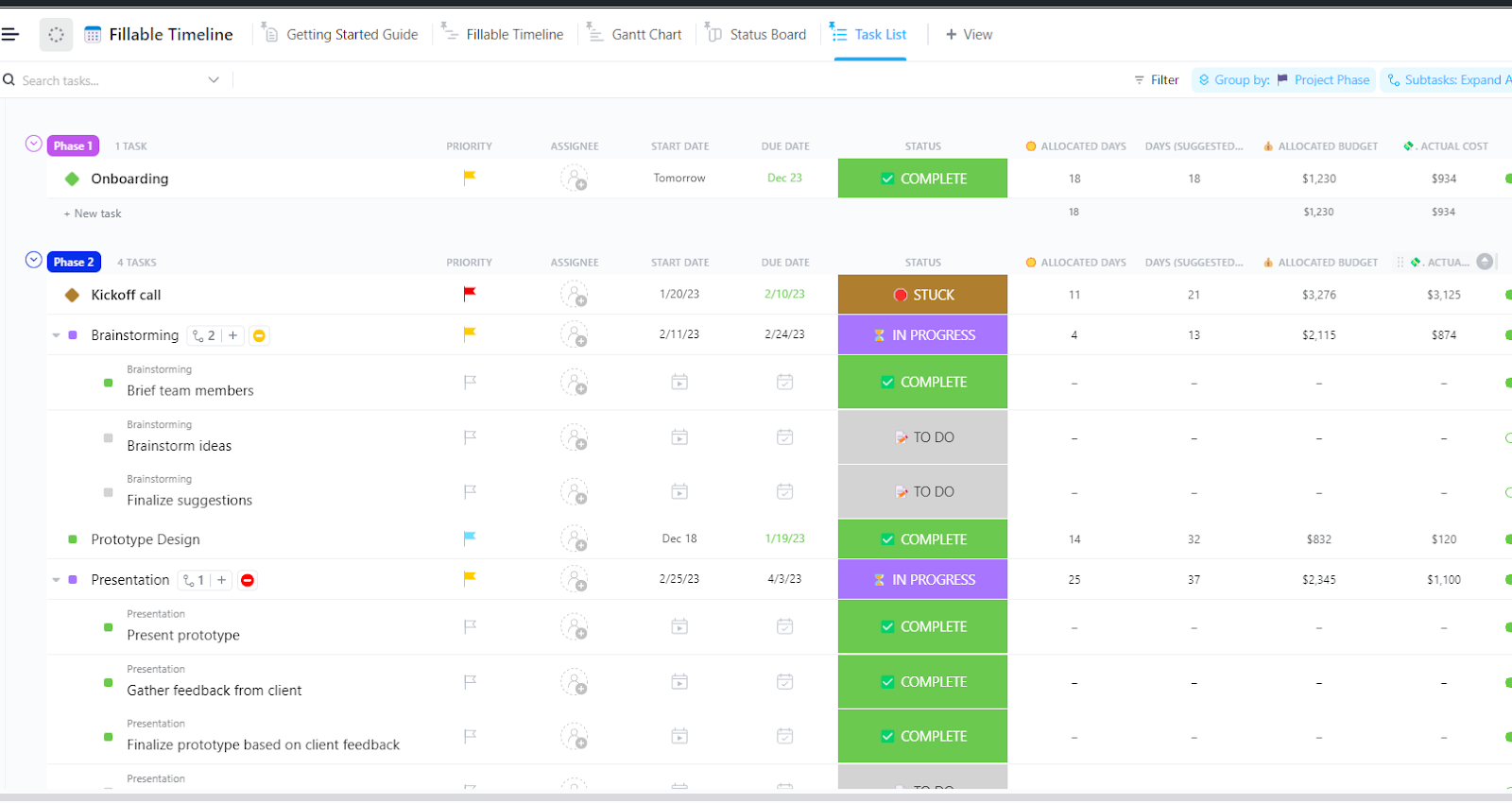
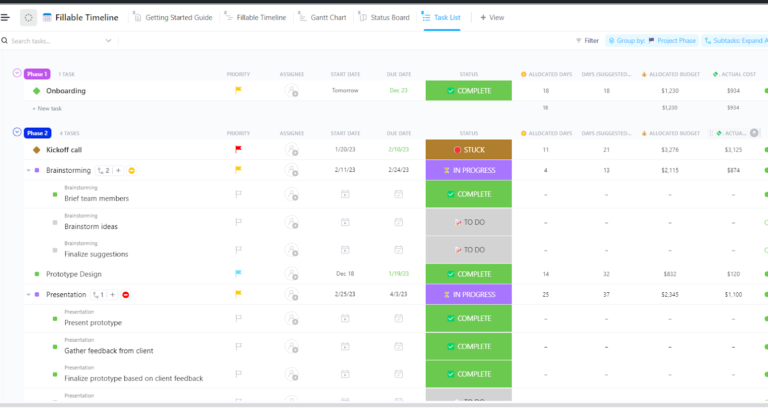
The ClickUp Fillable Timeline Template allows you to build and manage project timetables easily. It enables you to visually represent complex timelines, manage progress, and keep your team on the same page.
This template lets you organize projects, set milestones, and allocate resources efficiently. It also simplifies sharing and collaboration, keeping everyone on the same page with timelines and deadlines.
📌 Ideal for: Project managers, event planners, and teams requiring clear and organized timeline tracking.
Friendly Hack: Want complete control over billable and non-billable employees’ working hours? Try ClickUp’s Project Time Tracking and integrate seamlessly with popular time-tracking tools like Toggl and Harvest. You can also use it to:
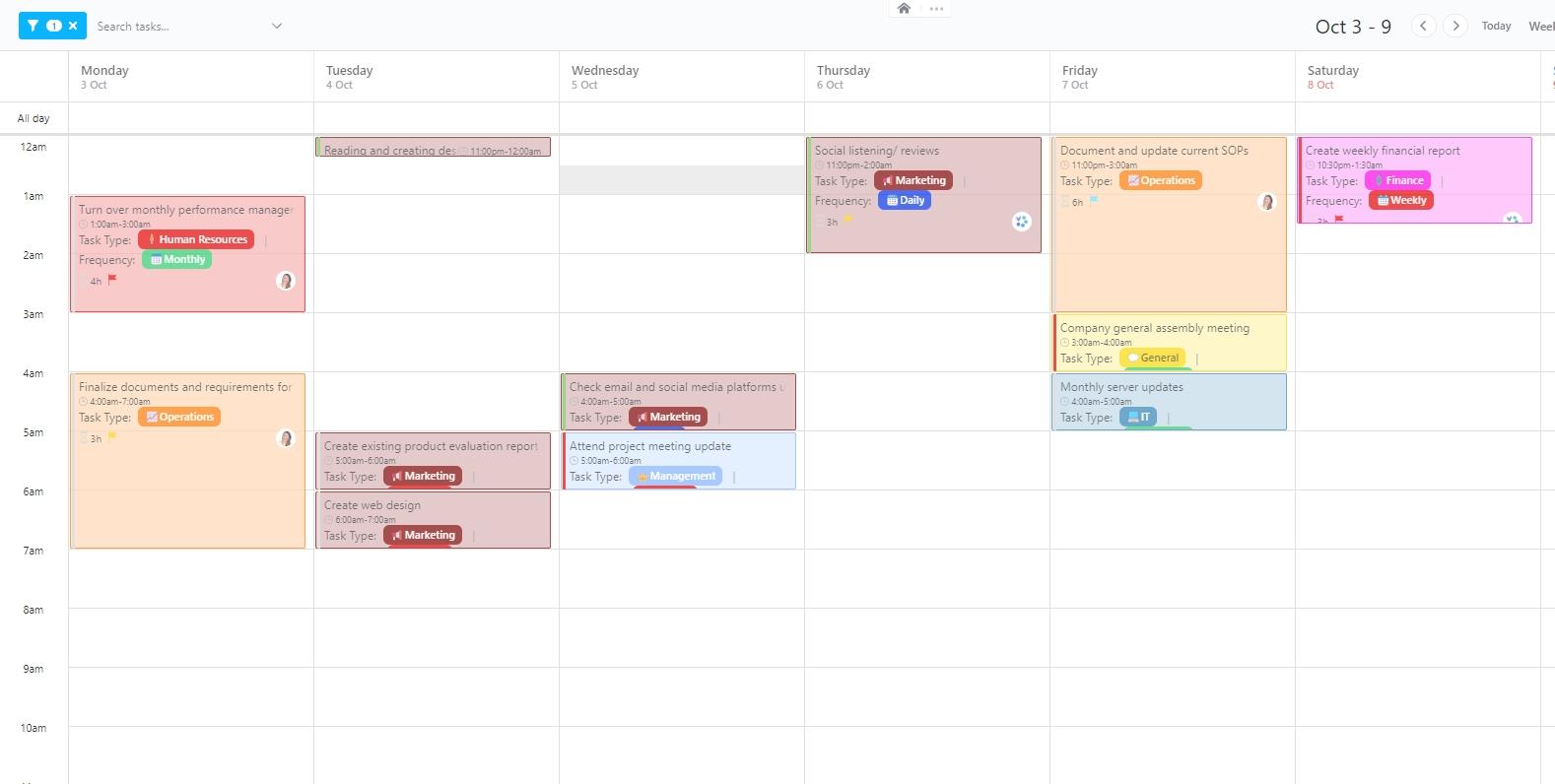
The ClickUp Hourly Time Tracking Template helps you precisely organize and manage daily tasks. It allows you to define specific goals, prioritize tasks, and track progress toward daily objectives.
This template also provides a weekly calendar app view to help you remain on schedule and increase productivity. It is perfect for balancing multiple priorities throughout the day.
📌 Ideal for: Busy professionals, teams, and individuals looking to maximize productivity through efficient hourly scheduling.
🔍 Did You Know? As of February 2023, biweekly pay periods were the most common in the U.S., with 43% of private establishments paying employees every two weeks.
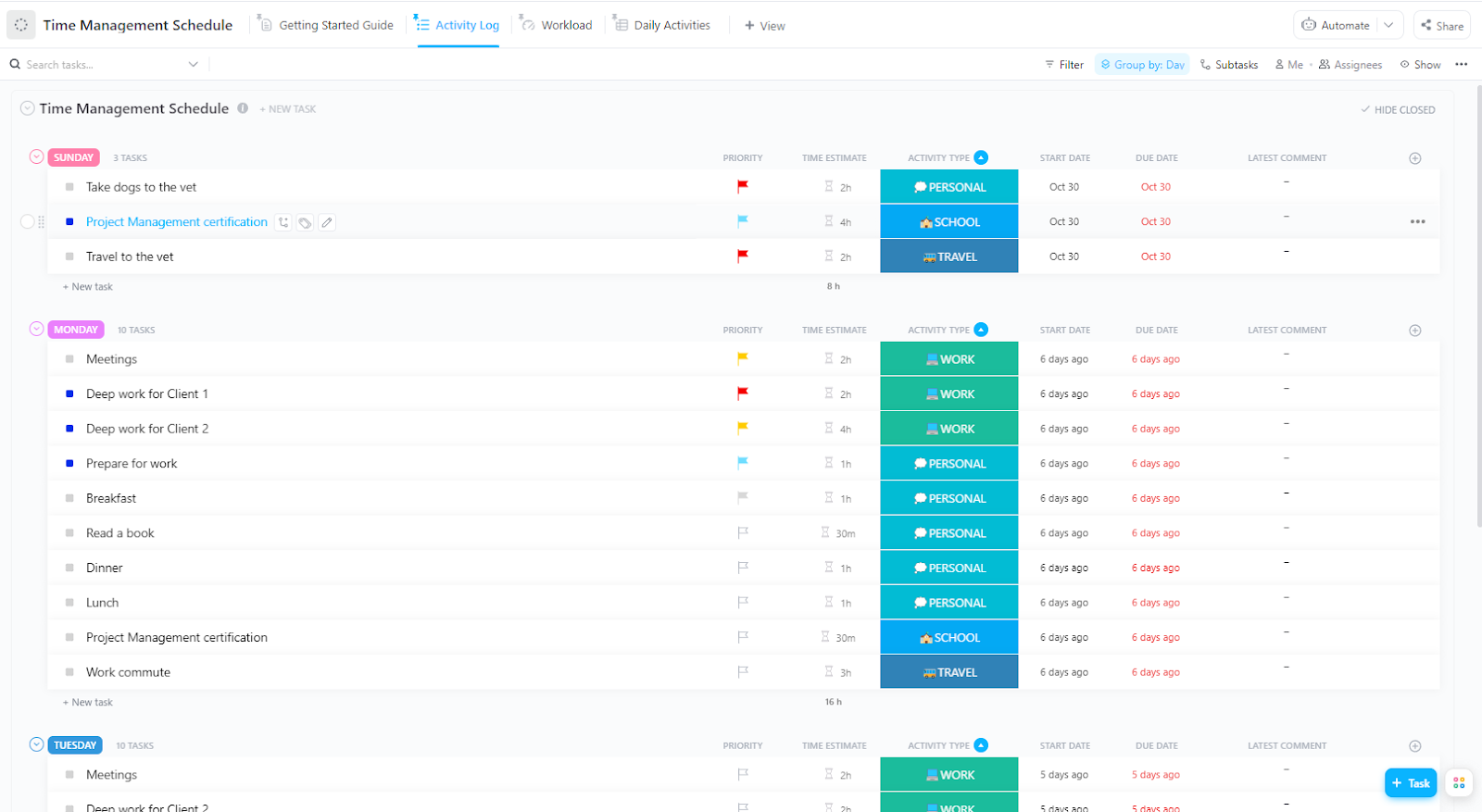
With ClickUp’s Time Management Schedule Template, you can manage tasks, create realistic goals, and optimize your daily routine effortlessly. The best part? It helps you organize projects, prioritize tasks, and track deadlines, boosting time management and productivity with custom statuses, fields, and views.
The template also gives a clear overview of your tasks, helping you stay focused and organized while balancing work, personal commitments, and self-care to make the most of each day.
📌 Ideal for: Professionals, teams, and individuals looking to enhance productivity through effective time management.
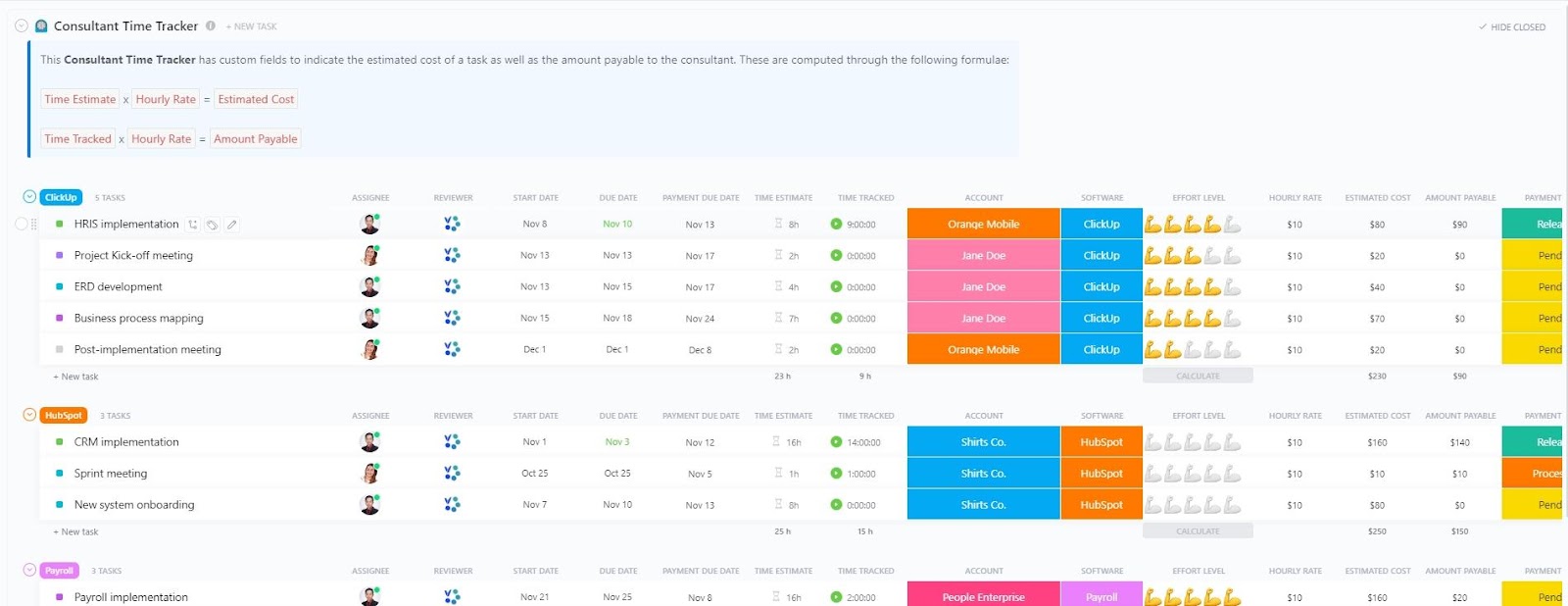
The ClickUp Consultant Time Tracking Template simplifies tracking billable hours, project management, and logging consultant productivity. It ensures accurate billing and effective time management with customizable sections for tracking client data, hourly rates, and project schedules.
This template has built-in reporting tools to help consultants maximize chargeable hours and optimize workflows. It also provides valuable insights into time logging and project profitability, assisting consultants to improve productivity and grow their businesses.
📌 Ideal for: Freelancers and consulting teams looking to track billable hours and manage client projects efficiently.
📮ClickUp Insight: About 43% of workers send 0-10 messages daily. While this suggests more focused or deliberate conversations, it could also indicate a lack of seamless collaboration, with important discussions happening elsewhere (like email). To prevent unnecessary platform hopping and context switching, you need an everything app for work, like ClickUp, that combines projects, knowledge, and chat in one place—all powered by AI that helps you work more efficiently.
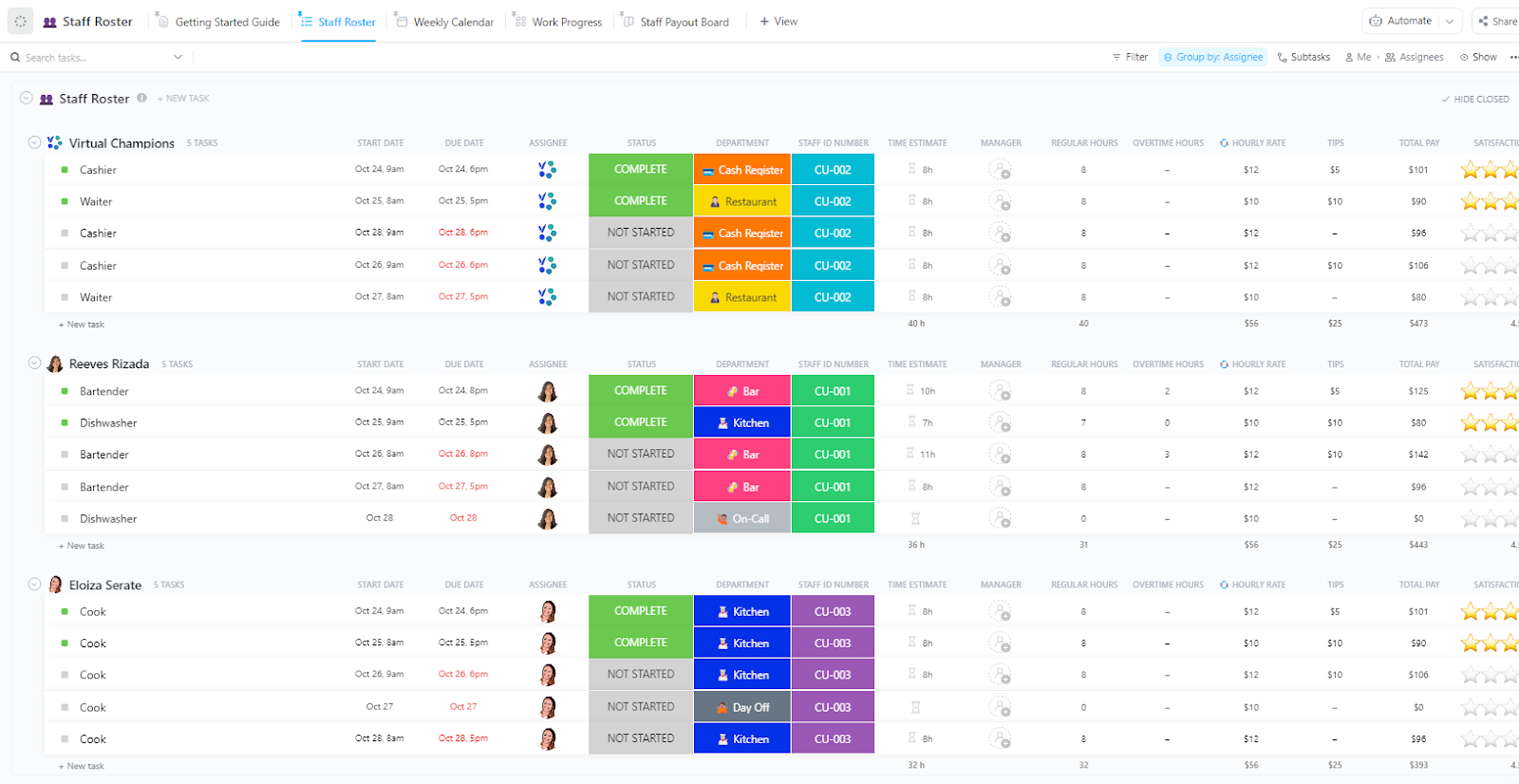
Need an easier way to manage employees? Try the ClickUp Staff Roster Template for free. It helps you monitor work hours, schedule shifts, and organize employee info. With custom statuses, fields, and views, you can manage availability, time-off requests, and balance workloads—all in one place.
There is no need for fancy rostering software—this template’s calendar view lets you easily plan and tweak staff schedules. Say goodbye to scheduling conflicts and hello to smooth shift rotations, keeping your team in line and ready to rock.
📌 Ideal for: HR managers, team leads, and businesses looking for efficient staff scheduling and roster management.
➡️ Read More: How to Optimize Your Team’s Leave Management System
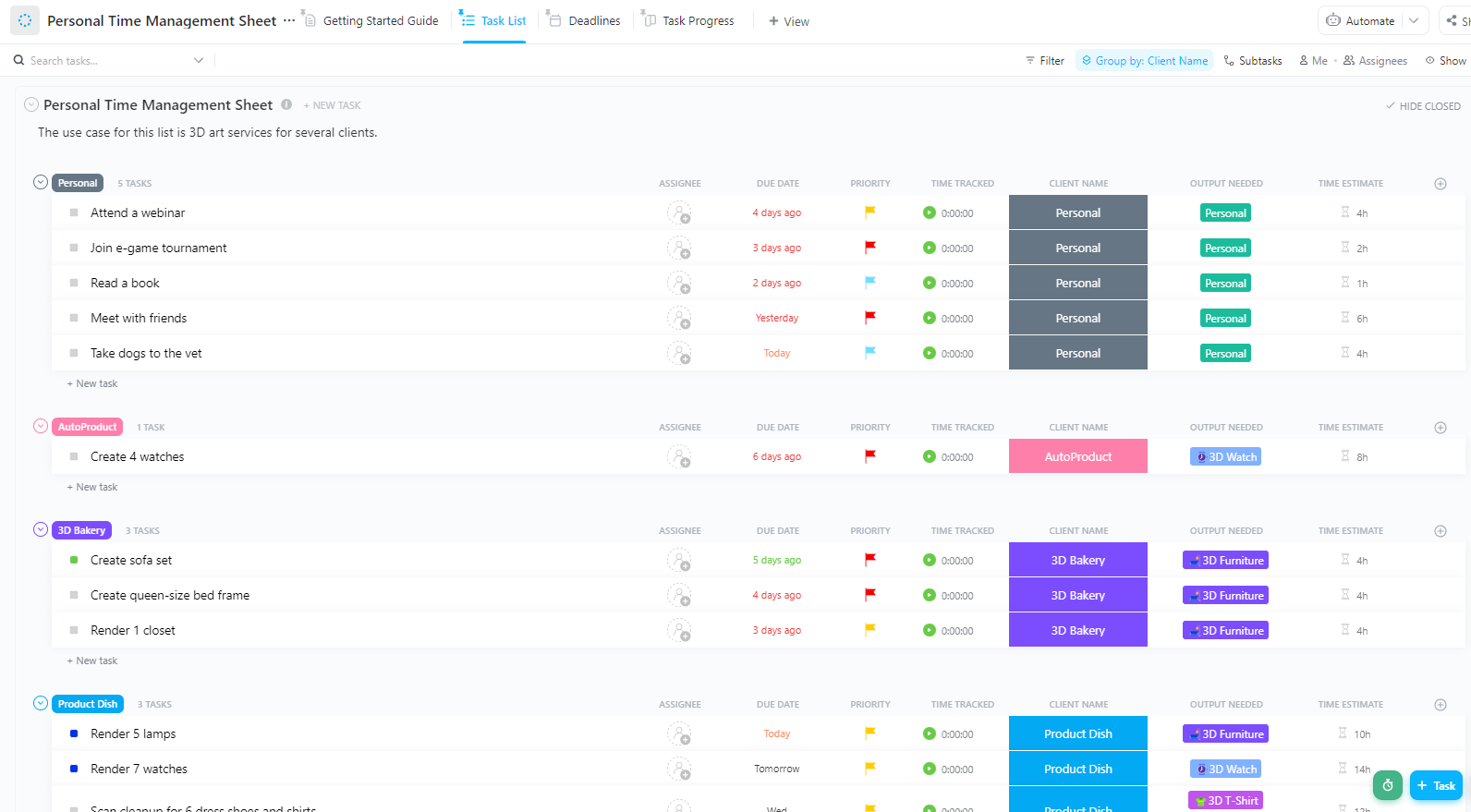
Whether for work or individual goals, ClickUp Personal Time Management Sheet Template.keeps you on top, helping you build routines that lead to long-term success and balance.
It allows you to prioritize and organize projects and track progress toward your goals. Moreover, with custom statuses, fields, and views, you can manage your schedule, set realistic deadlines, and track your output seamlessly.
📌 Ideal for: Individuals looking to enhance productivity and manage their time efficiently.
💡 Pro Tip: Are you scrambling to finish a project or get through a never-ending to-do list without losing your cool? Transform your work and life with these effective time management strategies to crush deadlines and still have time to breathe.
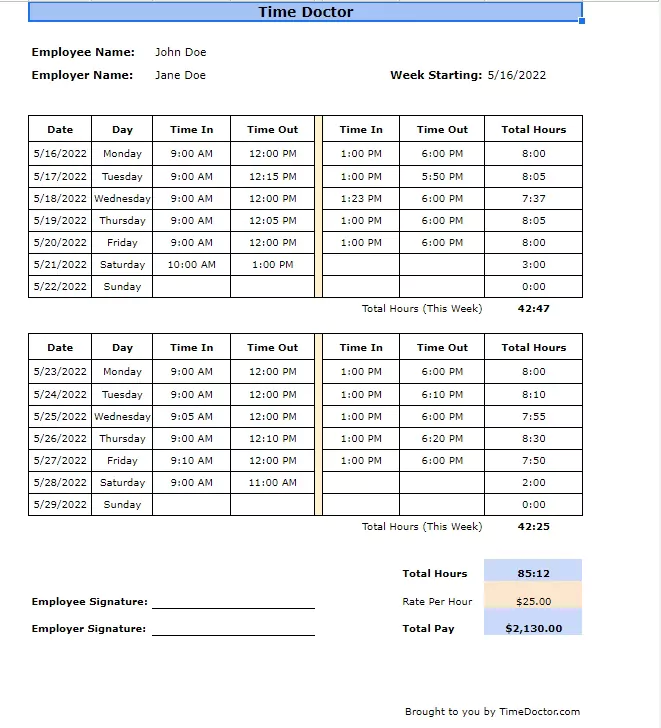
The Biweekly Timesheet Template by TimeDoctor simplifies tracking employee hours, attendance, and payroll on a two-week cycle. It allows you to record clock-in/out times, lunch breaks, and overtime while maintaining an organized overview of total hours worked.
Available in Google Sheets, Excel, Word, and PDF formats, this free template is easily customizable to fit different needs. It provides a straightforward solution for accurate time tracking and helps eliminate payroll errors.
📌 Ideal for: Small businesses, freelancers, and teams looking for a simple yet effective way to track work hours and manage a payroll department.
➡️ Read More: Best Google Sheets Alternatives & Competitors
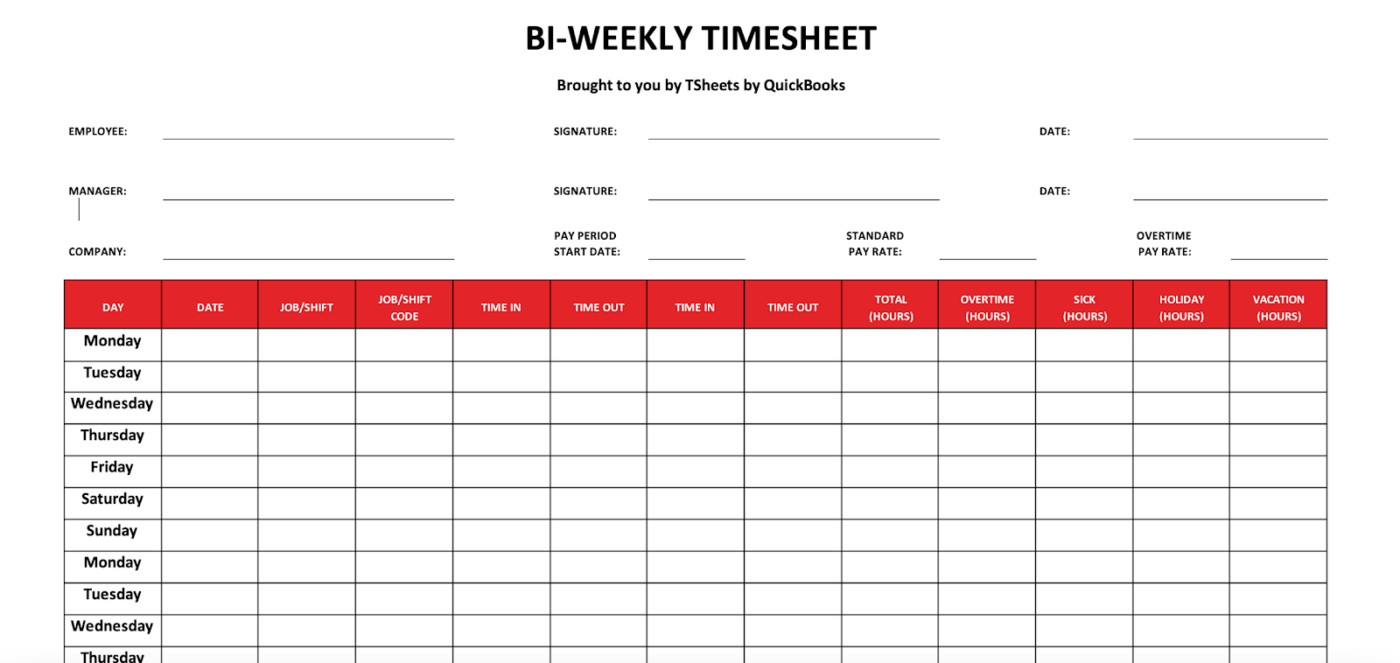
The Biweekly Timesheet Template by Quickbooks makes tracking employee hours, overtime, and vacation days easy and efficient. It ensures accurate payroll calculations thanks to its timesheet data, such as clock-in/out times, job codes, and total hours.
This free employee timesheet template is available in multiple formats—Excel, Microsoft Word, PDF, and Google Sheets, offering flexibility and ease of use for any business size. Plus, it enhances payroll accuracy while saving time on administrative tasks.
📌 Ideal for: Businesses, accountants, and payroll administrators looking for accurate time tracking and streamlined payroll management.
🔍 Did You Know: Historically, employees were often paid daily as a standard practice; however, with the Fair Labor Standards Act in 1938 and the introduction of minimum wage and standardized payroll practices, pay cycles began to extend.
Using biweekly automated timesheets simplifies the process of logging hours and handling payroll. They make tracking easier, reduce mistakes, and boost productivity.
Picking the right timesheet templates helps you stay organized with projects, ensures payroll is spot on, and boosts team efficiency.
This is where ClickUp, the everything app for work, shines. With over 1,000+ templates available, it takes it up a notch with its automation, real-time reporting, and customizable views.
Sign up for free today to see how ClickUp simplifies time tracking and supercharges your team’s productivity!

PMO Team
Max 9min read

Praburam Srinivasan
Max 16min read
Praburam Srinivasan
Max 21min read

© 2026 ClickUp