






Still downloading templates?
There’s an easier way. Try a free AI Agent in ClickUp that actually does the work for you—set up in minutes, save hours every week.
Sorry, there were no results found for “”
Sorry, there were no results found for “”
Sorry, there were no results found for “”

You know the importance of product descriptions. They’re more than a summary of what you’re selling.
A well-written product description can boost your store’s conversion rate and increase the perceived value of your products.
Yet, writing them is easier said than done, more so when you’re managing sales, growth, customer queries, inventory updates, and all the other tasks that keep your store running every day.
AI helps you create product descriptions in seconds. You can then fine-tune it, optimize it for SEO, and more.
Read on to learn how to automate the product descriptions with AI.
Struggling to write product descriptions for each SKU and formatting them across Amazon, Shopify, Instagram, and all the other marketplaces?
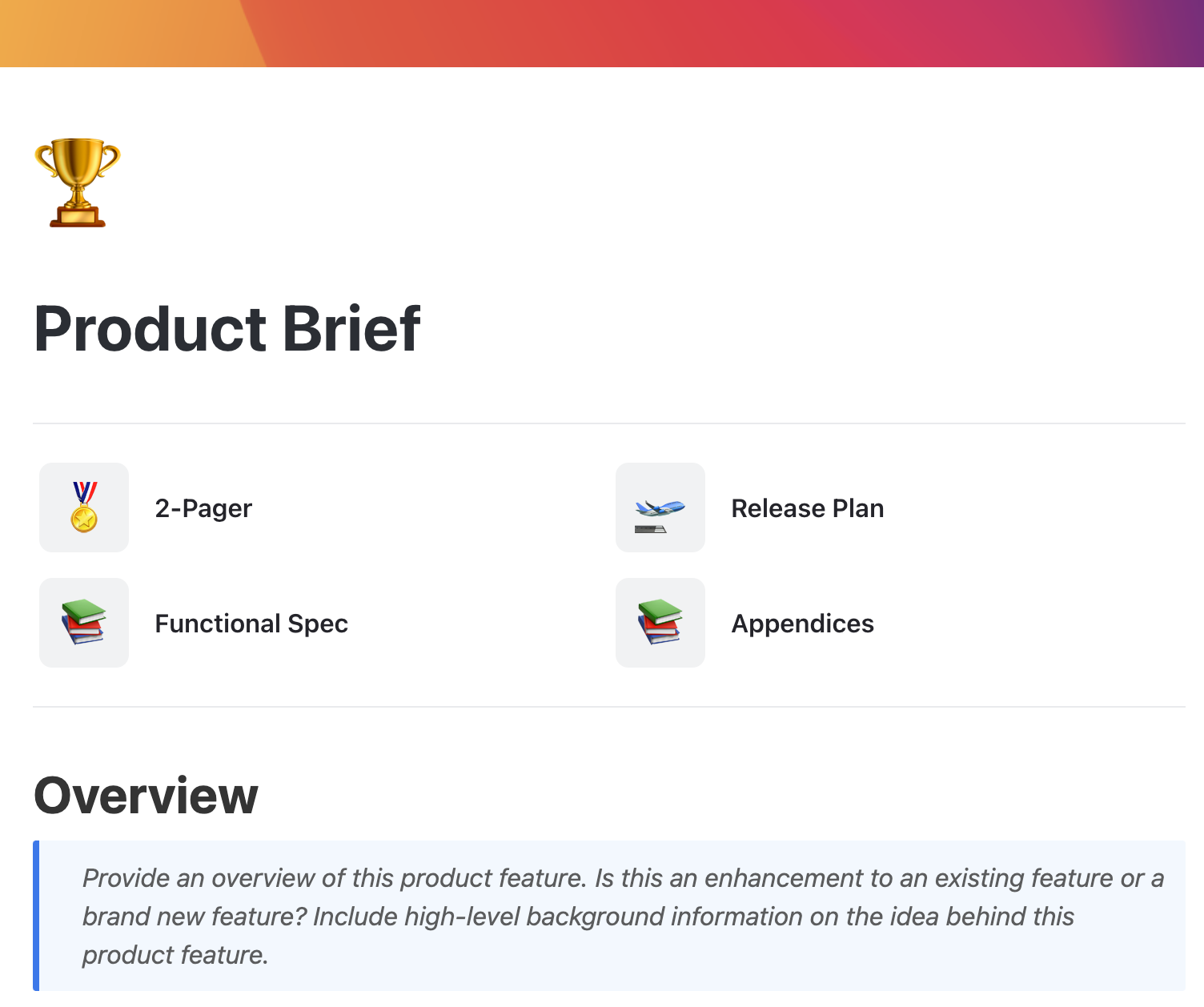
Use ClickUp’s Product Brief Document Template to centralize all your product knowledge in one place. Organize product specs, feedback, release plans, and more in one place.
The creative in you loves writing product descriptions.
However, when launching or scaling your online store, creativity alone won’t keep up with the pace. Automation helps you maintain quality while moving faster.
Here’s why it matters:
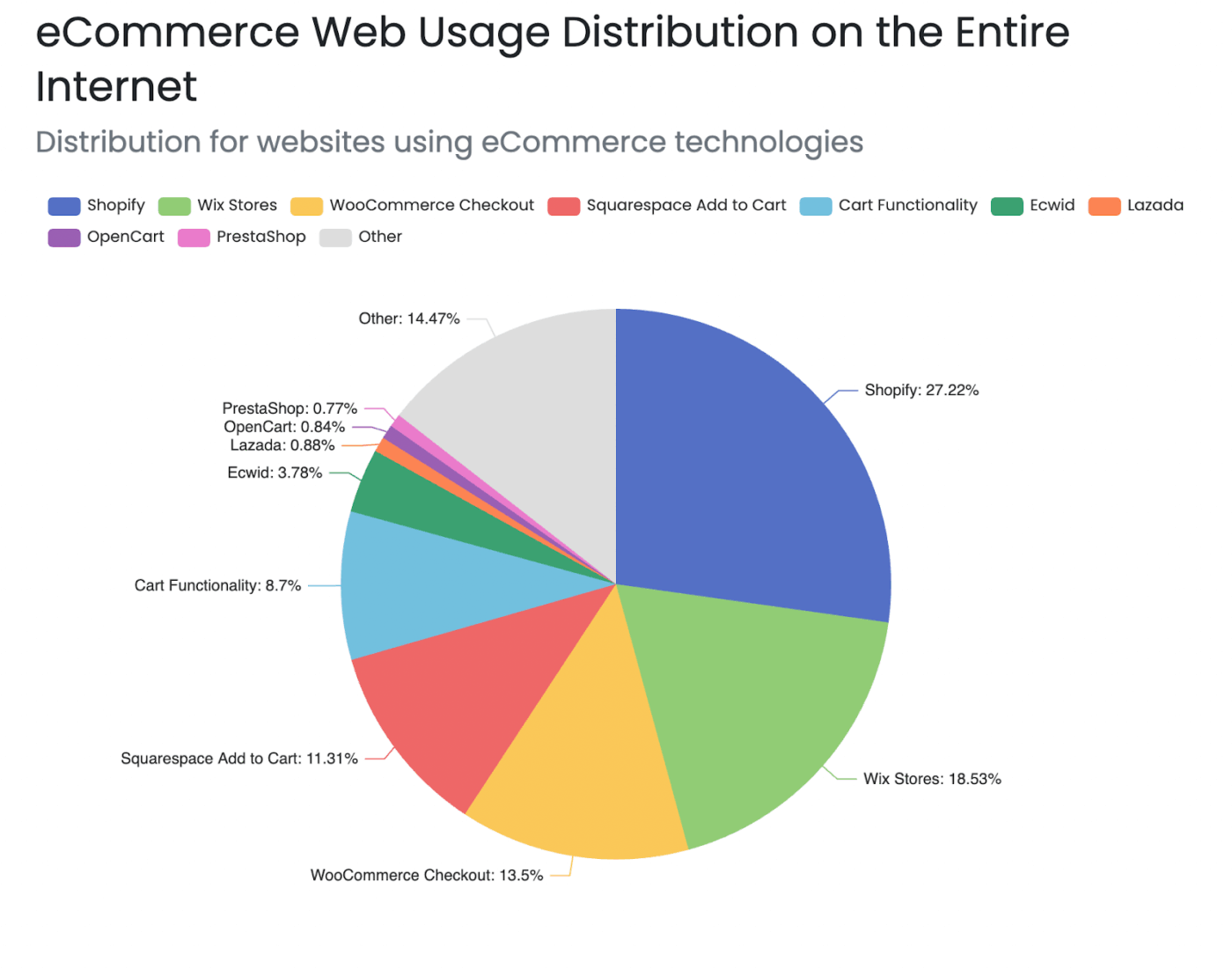
👀 Did You Know? According to BuiltWith, there are over 26 million e-commerce stores on the web. Shopify powers the largest share at around 27%, followed by Wix with roughly 18%.
The path to automating product descriptions starts with taking a look at your content operations.
Most eCommerce teams rely on a patchwork of tools, spreadsheets, and text files.
IBM’s research shows that 50% of CEOs say their organizations still operate with disconnected technology. Before AI can scale your catalog, you need to understand where your content workflow is strong and where it’s slowing you down.
| Step | What happens | How AI works here |
| Input collection | You give AI the product details | AI needs structured inputs like features, materials, specs, dimensions, target audience, and tone |
| Building contextual understanding | The model analyzes your inputs | Using natural language processing (NLP), the AI interprets your details to understand what the product is and what matters most to customers |
| Pattern matching | AI connects your product to patterns from millions of examples | Language models are trained on vast datasets. They recognize how product descriptions are typically written across industries and mimic those patterns |
| Draft generation | AI produces your product description | It generates human-like text based on your instructions of tone, length, keywords, benefits-first or features-first, etc |
| SEO integration | Keywords and formatting are added | AI can automatically weave in SEO keywords, structure benefit bullets, and ensure readability for both users and search engines |
| Brand voice alignment | The description matches your writing style | When tone is specified, the model adjusts the writing to be playful, technical, etc |
| Accuracy and fact-checking | You review and refine | AI gets you 80–90% there. Humans check product facts, remove hallucinations, and add brand nuances |
| Final variations | It generates multiple versions quickly | Ideal for A/B testing, marketplace formatting (Shopify vs Amazon), or multichannel distribution |
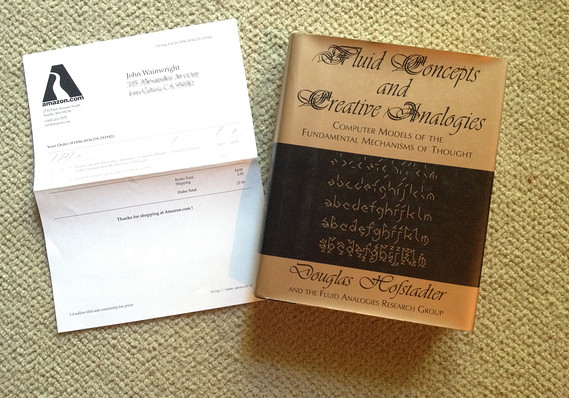
🧠 Fun Fact: On April 3rd, 1997, John Wainwright, an Australian software engineer, became Amazon’s first non-company customer when he purchased “Fluid Concepts And Creative Analogies: Computer Models Of The Fundamental Mechanisms Of Thought” by Douglas Hofstadter.
You might spend hours listing features and technical details. But that alone doesn’t sell.
Your customers want to know how the product fits into their lives and why it’s worth choosing over alternatives.
Here’s the practical workflow for automating product descriptions with AI.
Begin by gathering all your product-related material in one place. Think product specifications, images, technical details, pricing information, and maybe use-case scenarios.
You may already have this information scattered across spreadsheets, media galleries, technical documents, and testimonial folders.
Instead of going back and forth to feed AI that information, have it organized in one place. This will help AI understand your product scope comprehensively.
*In each step, we show you how ClickUp, the world’s first converged AI workspace, simplifies this process for you by bringing all the workflows under one unified platform.
Download ClickUp’s Product Brief Document Template. Quintessentially, it’s just a pre-structured ClickUp Doc that centralizes all your product information in one collaborative workspace.
Use this template to organize your product specifications, problem statements, technical requirements, and supplementary product information. For additional details, you can also add nested pages within the document.
Since it’s a collaborative document, other departments can contribute to putting together the details.
The product team adds specs and user insights while the design team uploads images and packaging files. The marketing team adds brand voice, and the ops team updates pricing, SKUs, or stock-related details.
You can Assign Comments and Tasks to team members (right from the Docs), mention a team member to clarify doubts, and even connect related tasks and timelines to keep everyone aligned.
This template becomes the central source of truth for when your team member needs product-related information.
⚡ Template Archive: Free Product Development Templates to Illustrate and Standardize Processes
You want your AI-generated product descriptions to reflect your unique voice and positioning and do it at scale.
You achieve this consistency by giving AI a repeatable structure that every description should follow.
Start by defining a simple, reusable template that your AI can refer to each time. This approach solves the blank-page problem for AI by providing it with a predictable structure to follow. Your template will include:
Brand voice is another critical aspect that will be a part of your template. You will need to specify the language preferences (technical terms to include and power words to use), the level of formality, and any tone guardrails.
The clearer your voice guidelines, the closer the AI gets to sounding like you.
A pro tip here is to add examples. AI learns well from examples. Include some perfect descriptions, your dos and don’ts, and preferred sentence lengths and styles.
Use ClickUp Docs + ClickUp BrainGPT to build and store all your brand guidelines and voice requirements. Here you can format your documents with different styling options.
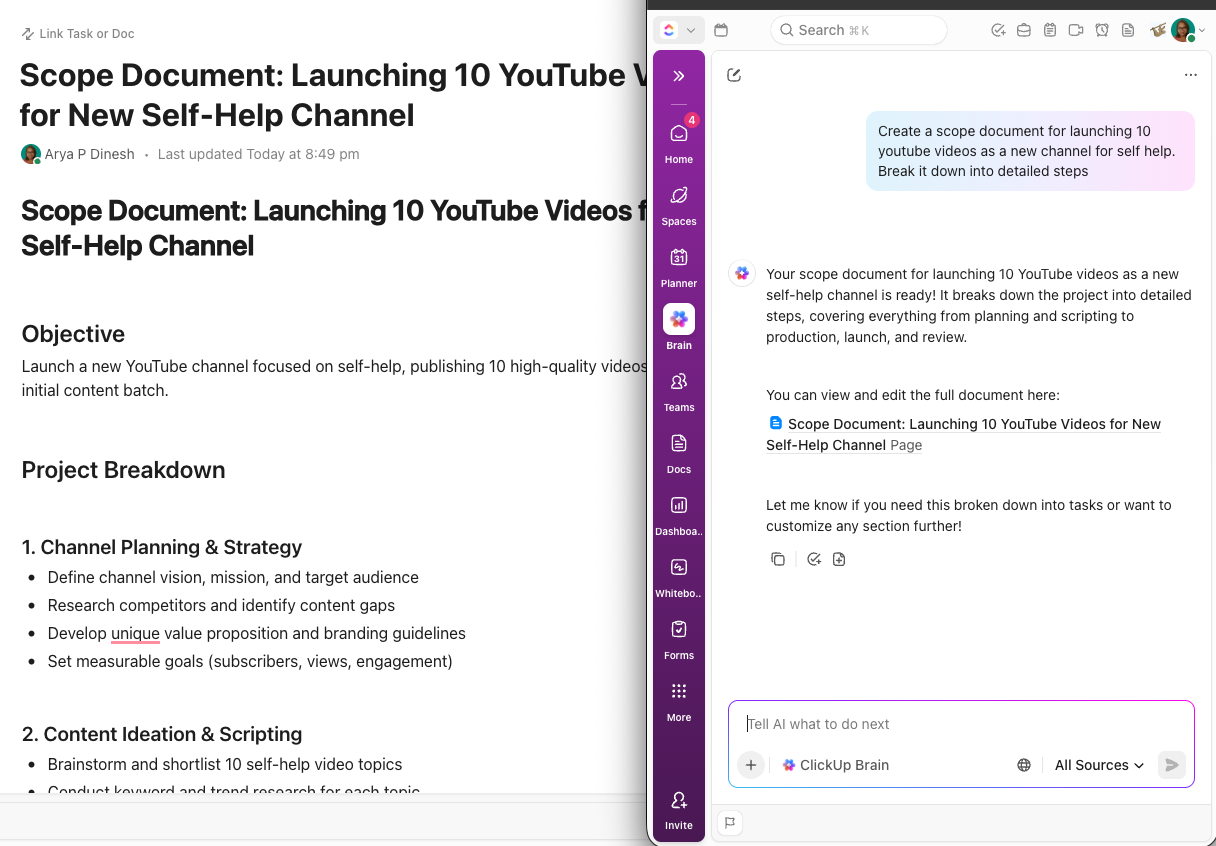
Docs allows you to add tables, embed YouTube links and PDFs, interlink documents, embed websites, and incorporate your brand color palette for consistency.
You also know that each platform you sell on requires a different description style. Instead of keeping these rules in separate files, you can consolidate them into a single ClickUp Doc. Simply access the Ask AI button in your doc for that additional support and you get a writer/editor working right with you!
For example, add platform-specific guideline sections like:
Below is an example template you can use to craft compelling product descriptions 👇
Brief description explaining what the product is, who it’s for, and the main problem it solves. Focus on benefits over features and use language that resonates with your target audience.
Product details: [Link to product brief document]
⚒️ Quick Hack: Use the anchoring bias when framing your pricing.
The anchoring bias means your template should include fields for the original price, discounted price, and value comparison so shoppers instinctively perceive the offer as more attractive.
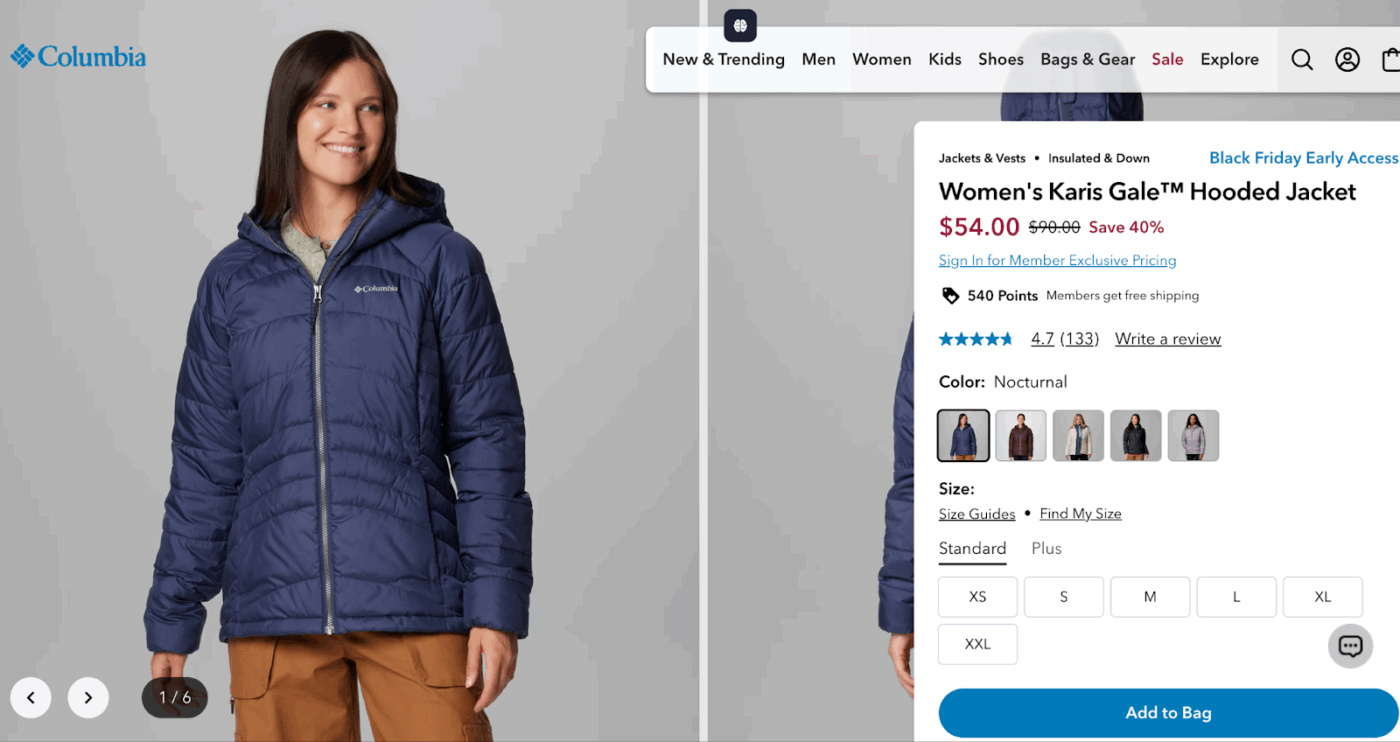
There’s no shortage of AI tools for writing product descriptions.
But the real question is: which AI fits the way you work? Because if the AI sits outside your workflow, you’ll constantly switch tabs, manually paste data, and correct inconsistencies, defeating the entire purpose of automation.
You need an AI that understands your products, your brand, your catalog structure, and the tasks surrounding each new SKU.
ClickUp BrainGPT is the contextual AI that understands your work.
It pulls context from your product documents, brand voice guidelines, customer insights, marketing calendar, and more to generate high-converting product descriptions. See this workflow where BrainGPT automatically generates copy!
Compared to other standalone apps that don’t know your catalog, ClickUp BrainGPT draws information from product pages, lists, tasks, knowledge base, comments, and Docs.
What makes BrainGPT so powerful?
Ask the AI to write a product description for SKU-147. It pulls the specs, materials, dimensions, customer FAQs, and even design assets from your workspace.
Since your brand voice guidelines are stored in ClickUp Docs, this contextual AI tool continuously learns how you write and applies that tone across every new description.
Here’s how it works step by step:
📮 ClickUp Insight: Half of our respondents struggle with AI adoption!
23% just don’t know where to start, while 27% need more training to do anything advanced. ClickUp AI solves this problem with a familiar chat interface and highly contextual assistance.
Teams can jump right in with simple questions and requests, then naturally discover more powerful automation features and workflows as they go, without the intimidating learning curve that holds so many people back.
⚡ Template Archive: 7 Free Content Writing Templates for Faster Content Creation
Create a collection of proven prompts that can consistently generate quality product descriptions.
Your team can use these tested prompts that already incorporate your brand voice and platform requirements. We’ve created some AI prompts for product descriptions that you can save:
Product overview prompt
Write a 50-80 word overview for [Product Name] targeting [audience]. Start with the main problem it solves, explain what makes it different, and end with who benefits most. Use the second-person “you” perspective. Avoid feature lists – focus on outcomes and experiences.
Feature to benefit conversion prompt
Take these technical features: [list features] and rewrite each as a customer benefit. Format: “Feature Name: Benefit explanation in 15-20 words.” Focus on what the customer gains, not what the product has. Use emotional language and connect to daily life improvements.
Emotional hook prompt
Create a 15-word opening line for [Product Name] that makes [target audience] feel understood. Address their frustration first, then hint at the solution. Use a conversational tone. Avoid superlatives. Start with “Finally,” “Stop,” or “Imagine” for impact.
SEO optimization prompt
Rewrite this description to include [primary keyword] 2-3 times and [secondary keywords] naturally. Maintain readability above 70. Keep the primary keyword in the first 50 characters. Add long-tail keywords: [list]. Don’t compromise natural flow for keyword stuffing.
Call to Action prompt
Write a compelling closing statement for [Product Name] that creates urgency without being pushy. Include one benefit reminder, address the final objection, and use action words. Keep under 25 words. Avoid “Buy now” – use phrases like “Start enjoying” or “Experience the difference.
Remember, your next step isn’t dependent on this. Take your time, experiment with these prompts, and keep updating this repository.
👀 Did You Know? Using sensory language in your product descriptions can help buyers imagine what it’s like to own your product.
The finding is based on two studies. One study showed that social media influencer posts with sensory words like juicy and crumble generated higher engagement.
Another study found that tactile verbs, such as ‘touch,’ can prime your brain to respond as if it’s already touching an object.
The product description below, from The Oodie, uses phrases like ‘you’ll feel like you’re hugging puppies.

Using AI for copywriting gives you great product descriptions.
You have everything: Product documentation compiling every necessary information + brand and voice guidelines + platform-specific templates + tested prompts.
You need to humanize the AI content. And despite clear instructions, AI might ignore writing instructions and give you a robotic-sounding copy.
Use this checklist to edit your AI-generated product descriptions:
ClickUp’s Marketing Project Management Software provides a comprehensive review system, so your AI-generated descriptions undergo the same rigor as any professionally written copy.
Here’s how it centralizes your workflow:
🎷 For Inspiration: You don’t need to stuff all the keywords in a short description. You could also expand on the product details, as North Brewer has for the craft beer kit.
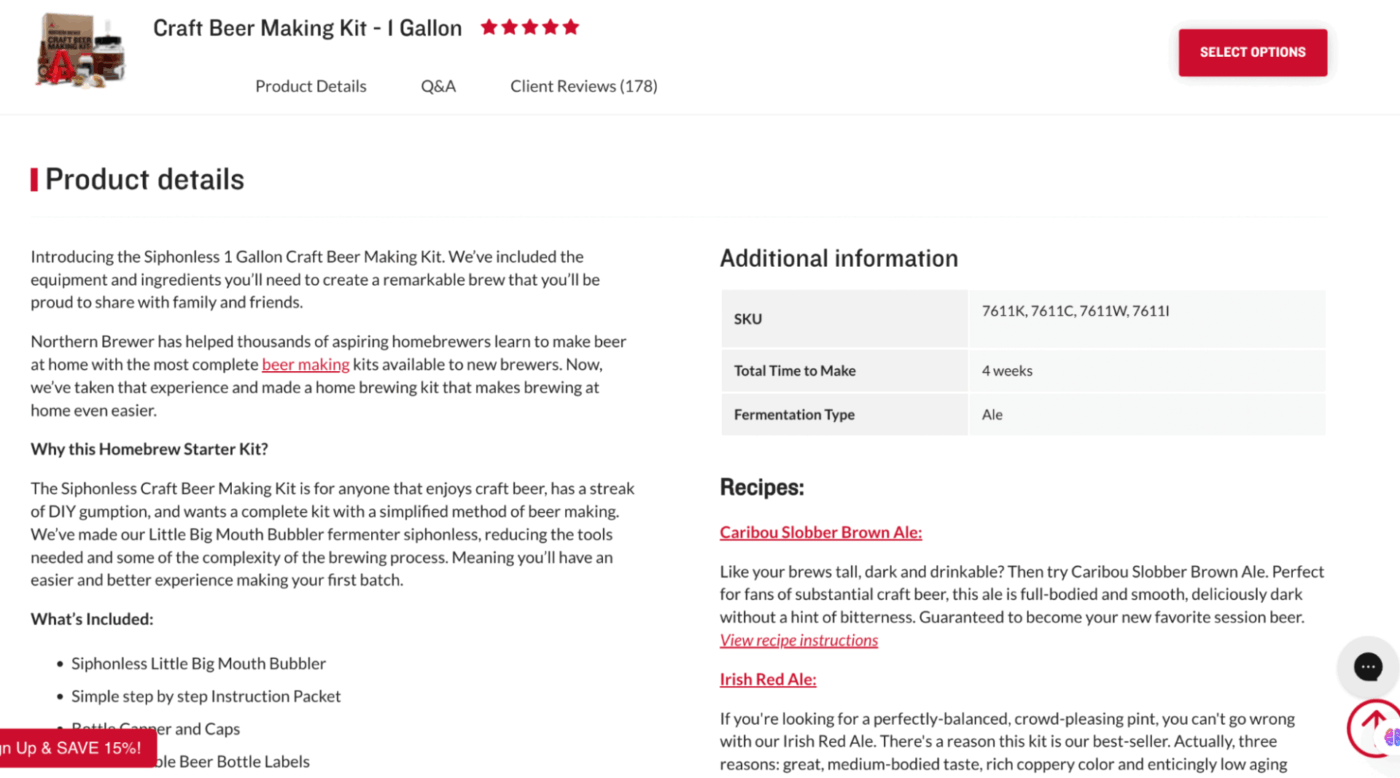
The truth is, no one will buy your products if they can’t find them.
Even if your website is optimized for everything—site speed, top-notch images, and more, it still needs to be optimized for search engines.
How do you do so?
Add long-tail keywords to your product descriptions. Write for buyers, not bots.
Your content should answer one question: Does it educate and help the buyer make the purchase decision? Your description should not just mention features. It should tell you how you will benefit from them.
❌ Feature-heavy product description
Aanya the Elephant is made from 100% cotton yarn. She measures 9 inches tall. The plush has hand-stitched details, soft fiber filling, and reinforced seams. It is machine washable and safe for kids aged 6 months+.
✅ Benefit-driven product description
Aanya the Elephant is designed to be your baby’s first comfort buddy. Her 100% cotton yarn gives her a gentle, snuggly texture little hands love to hold, while the hand-stitched details make her feel warm and personal, like a toy made just for your child. At 9 inches tall, she’s the perfect size for bedtime cuddles or stroller rides. And because she’s machine-washable with reinforced seams, Aanya stays safe, clean, and ready for years of memories.
Remember to place the keywords strategically—in the URL, page title, image alt text, H2 headers, and sparingly in the body copy.
If your business is constantly launching new products, you would always have product description tasks in the pipeline.
You need a content creation tool that automates description generation without requiring manual data entry. They’ll be a part of your product launch workflow rather than a separate task.
With ClickUp, you can trigger rule-based ClickUp Automations and AI Agents to generate descriptions in autopilot mode.
For basic automation workflows, set triggers such as ‘when a new product task is created’ or when a product status changes to Ready for Description.’ Then, add actions like ‘generate product description using ClickUp AI’ or ‘assign the task to a content writer.’
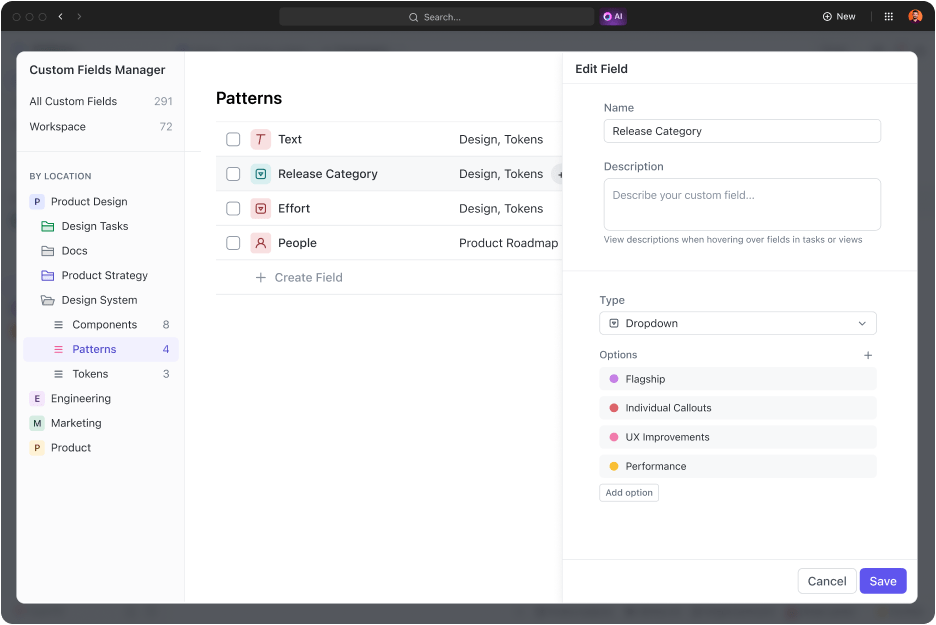
You can also use ClickUp’s built-in AI to help create Agents that will automatically populate product details, assign reviewers, and move tasks through your workflow—no manual intervention needed.
For example, when a new product is added to your launch list, an automation can instantly create a description draft, notify your team, and update the task status. This ensures every product gets a high-quality description on time, every time.
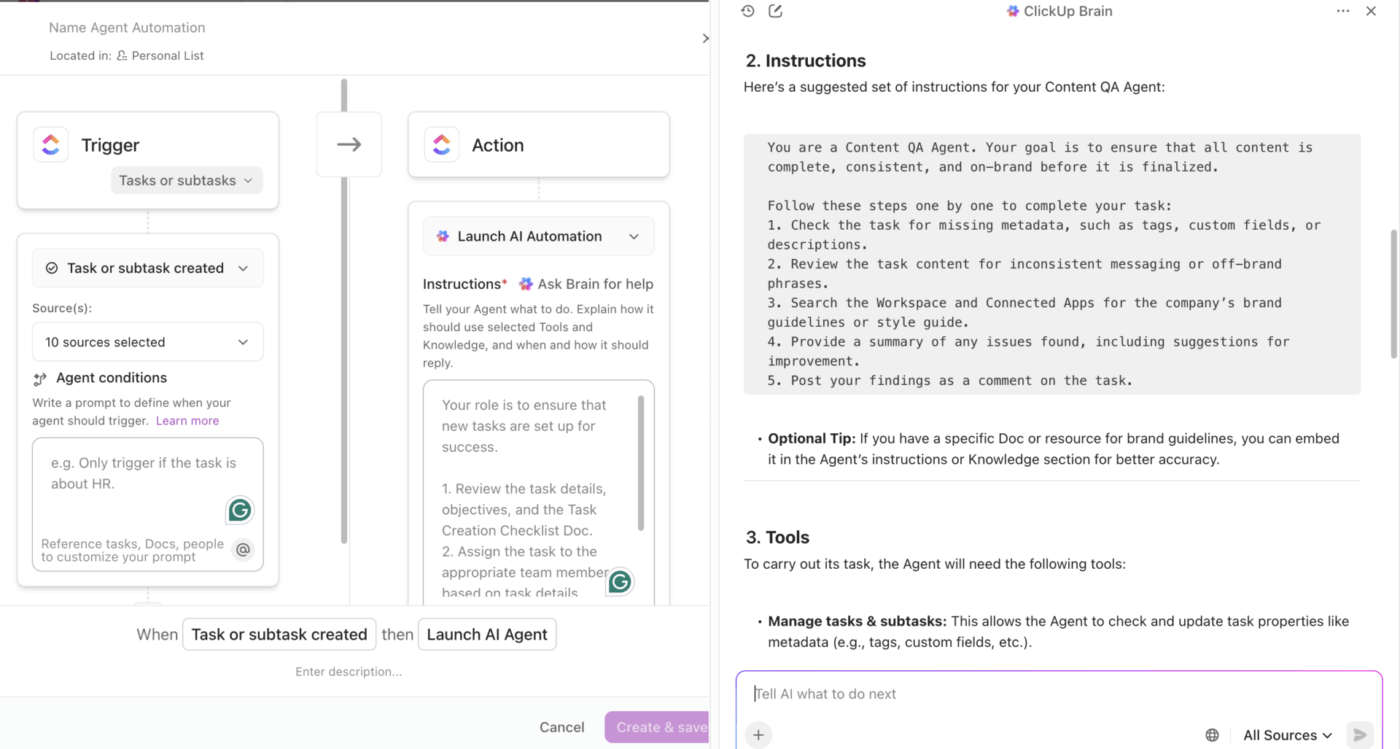
Here are some automations you can set to streamline product description workflows:
The last step in AI workflow automation is to track the performance of your AI-generated descriptions.
See how many visitors convert to customers and which products get the most clicks.
Run A/B tests. Pay attention to which emotional hooks, feature presentations, and call-to-action styles drive customer engagement.
Update your prompt repository based on performance insights. If descriptions with specific formatting consistently outperform others, refine your prompts to replicate that structure.
If certain product categories are underperforming, adjust your brand voice guidelines or add more detailed specifications to your prompts.
Gather key metrics such as conversion and click-through rates, and visualize product success in ClickUp Dashboards. Create customizable widgets to identify trends across your entire product catalog.
Set up AI Cards that show conversion rates for different product categories, monitor which descriptions drive organic traffic, and track completion rates for your automated workflows.
You also get an executive summary showing the health and status of your department, team, or projects.
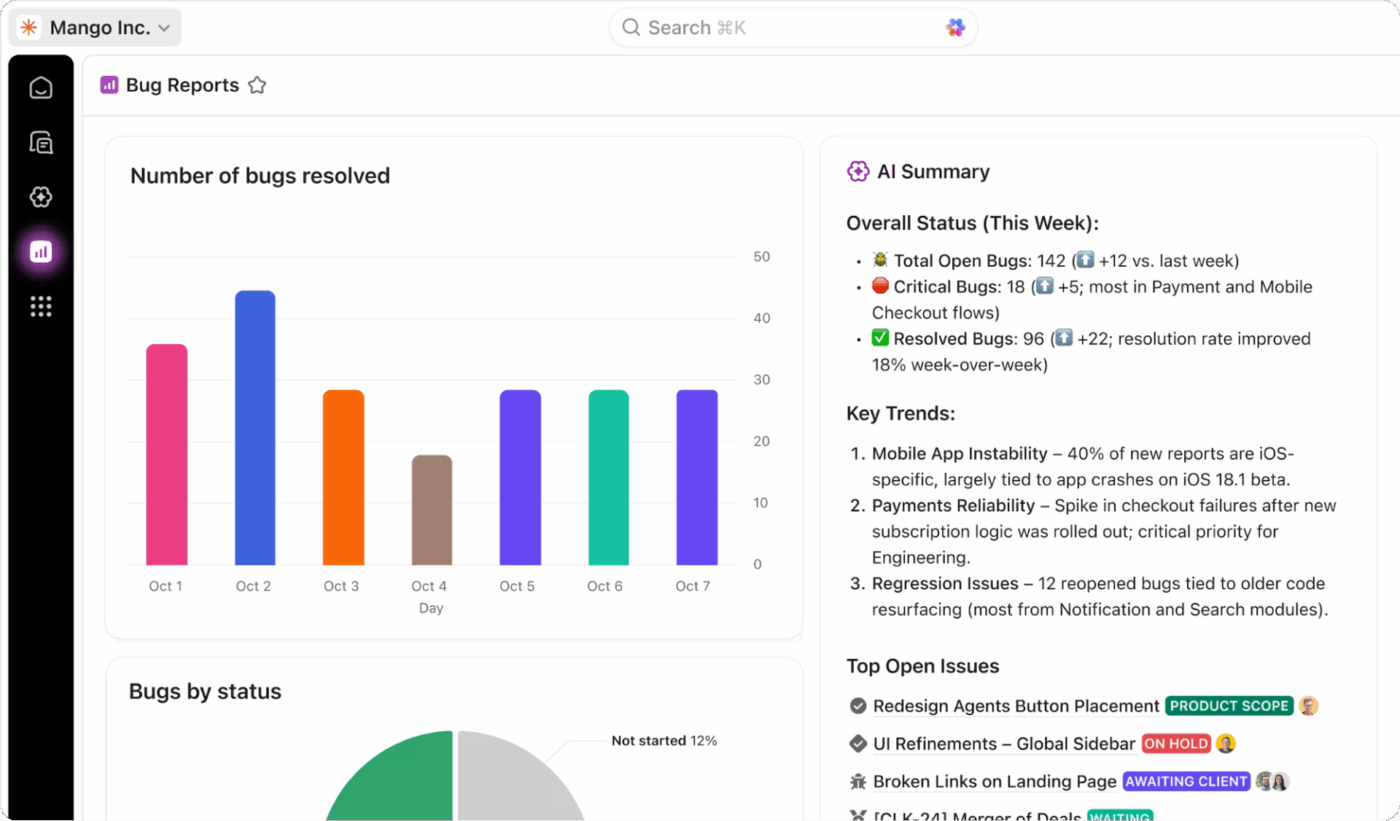
Here’s the list of popular AI tools for generating product descriptions. Each one has different key features and use cases.
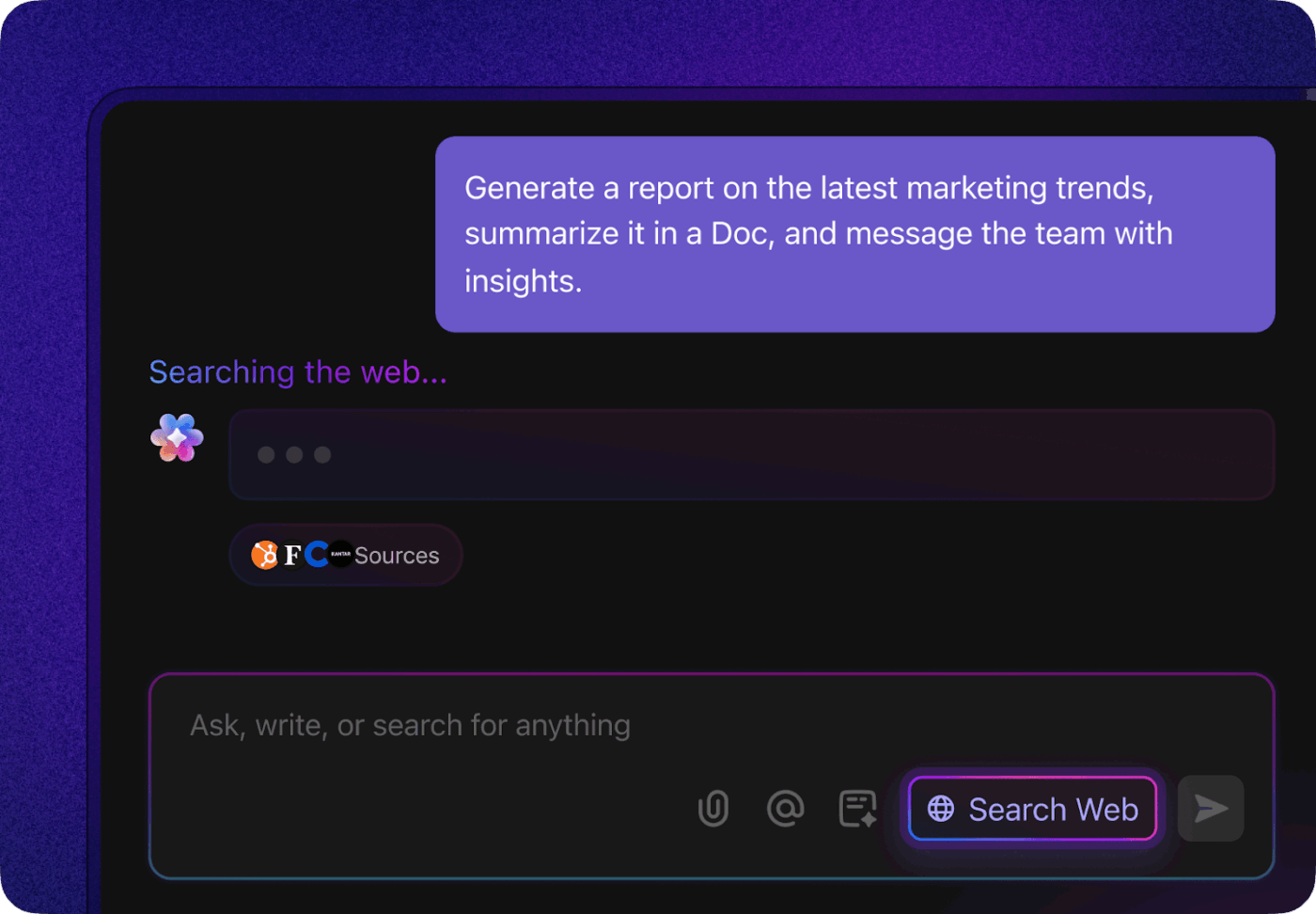
ClickUp is the world’s first Converged AI Workspace that understands you and your work.
It streamlines the entire content creation process by embedding AI directly into your workflow.
You can kick off projects by brainstorming ideas and summarizing research or briefs with ClickUp BrainGPT, pulling key information from across your workspace and integrated apps. When it’s time to create content, Brain generates on-brand blog posts, product descriptions, or social copy right within your docs—eliminating the need to switch tools or re-enter information.
Visual content is just as easy, with instant AI-powered image generation based on your briefs or task details. Throughout the process, you can collaborate with your team in ClickUp Chat to refine messaging or request rewrites, while feedback and assignments are tracked in real time.
For repetitive or complex workflows, you can build custom AI agents to automate tasks such as keyword research, SEO optimization, or content scheduling, ensuring that nothing falls through the cracks. Even meetings are covered, ClickUp AI Notetaker captures decisions and turns them into actionable tasks or content drafts. With Brain’s deep contextual awareness and automation, every step from ideation to publishing becomes faster, smarter, and always on-brand.
A ClickUp user also shares their experience on G2:
ClickUp Brain MAX has been an incredible addition to my workflow. The way it combines multiple LLMs in one platform makes responses faster and more reliable, and the speech-to-text across the platform is a huge time-saver. I also really appreciate the enterprise-grade security, which gives peace of mind when handling sensitive information. […] What stands out most is how it helps me cut through the noise and think clearer — whether I’m summarizing meetings, drafting content, or brainstorming new ideas. It feels like having an all-in-one AI assistant that adapts to whatever I need.
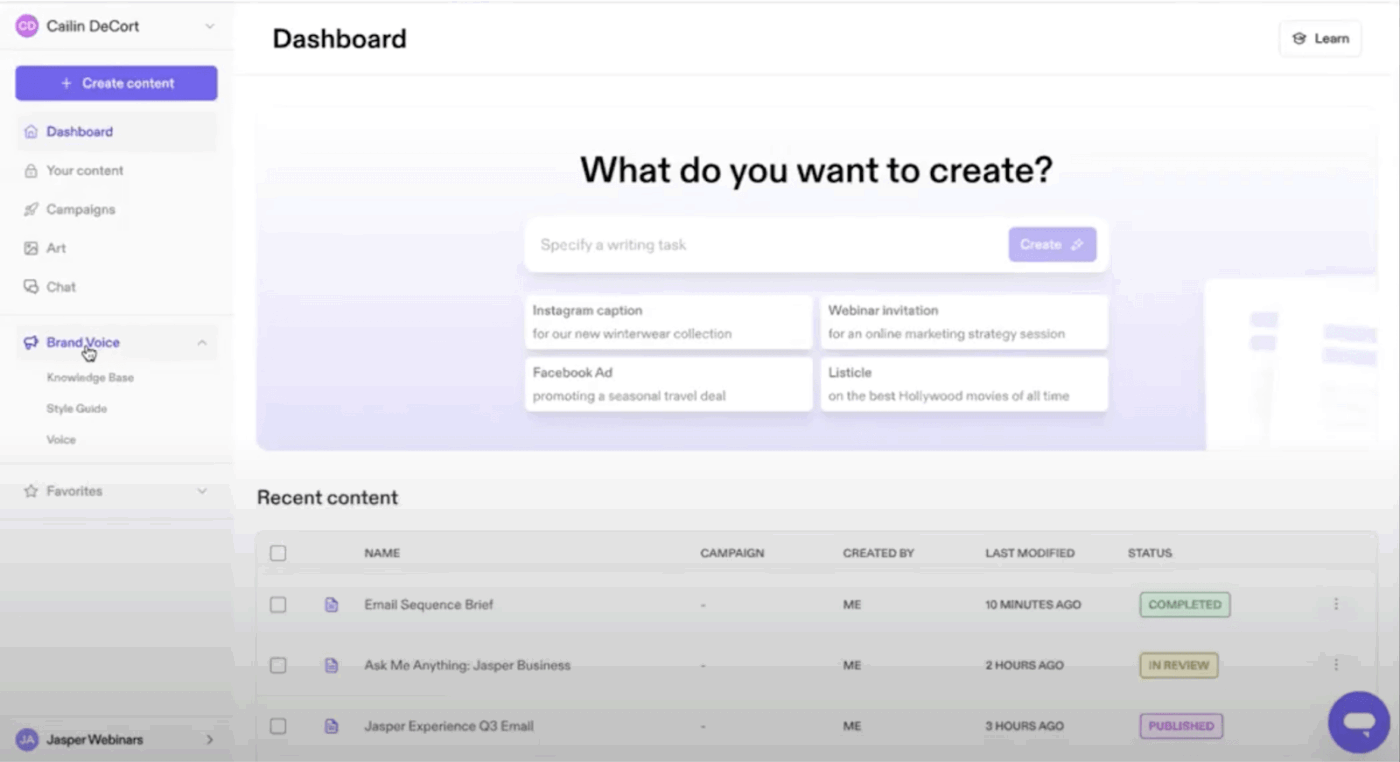
The AI content automation platform helps you create consistent, on-brand copy across multiple channels. It centralizes your brand voice, content guidelines, and assets in one workspace.
From generating product descriptions to long-form content, social posts, and campaign messaging—you can use it across your content pipeline. Jasper IQ keeps your brand voice consistent everywhere by bringing your tone, messaging, and style rules into every asset.
A user review says:
The user interface is very clean and easy to navigate, even for someone new to AI writing tools. The learning curve was surprisingly low.
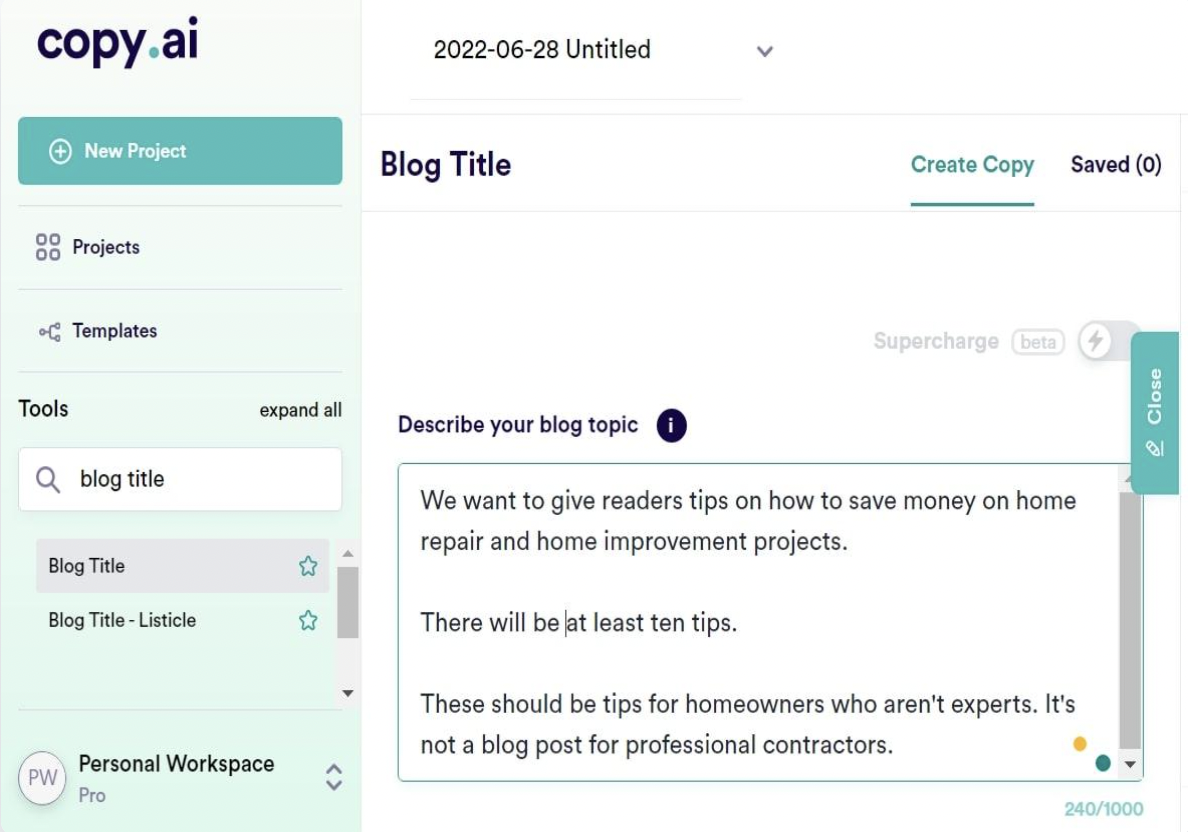
Copy.ai is an AI-native Go-to-Market (GTM) platform designed to help marketing, sales, and content teams streamline content creation and scale their go-to-market motion.
It consolidates workflow automation, content generation, and brand guidelines in one place. You can quickly produce product descriptions, ad copy, social posts, emails, blogs, and more.
Copy.ai’s GTM-centric tools let you codify marketing playbooks, unify your data and content output, and maintain brand consistency across channels.
Hear it from a Reddit review:
Copy ai is fine for speed but don’t expect it to win seo wars out of the box. raw ai text = generic, detectable, and usually won’t rank long term without heavy human editing.
One super app for all your work
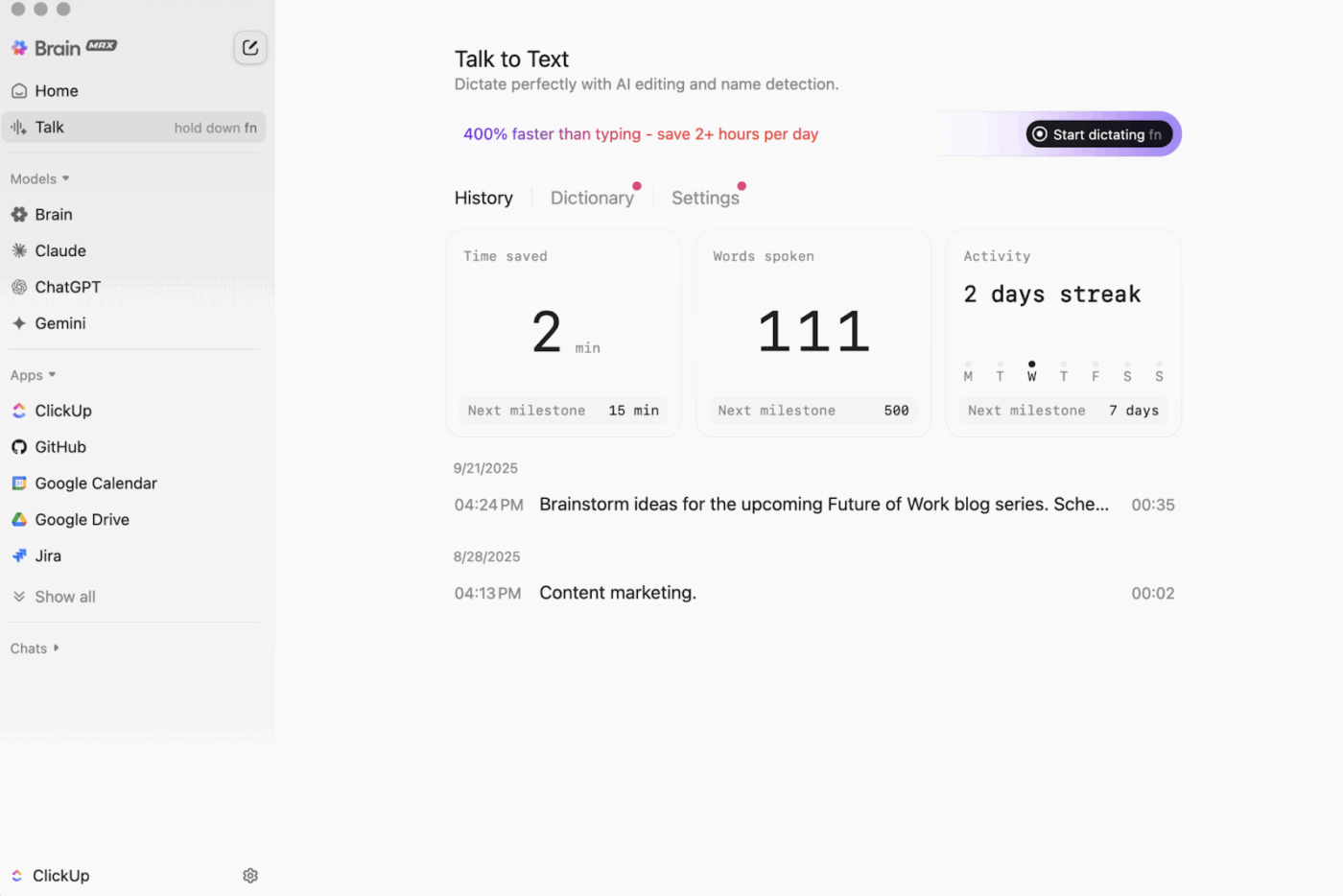
Brain MAX connects to your files, tools, and knowledge base. It becomes the single AI hub that writes, summarizes, analyzes, and retrieves everything you need during product description creation.
Use Brain MAX to:
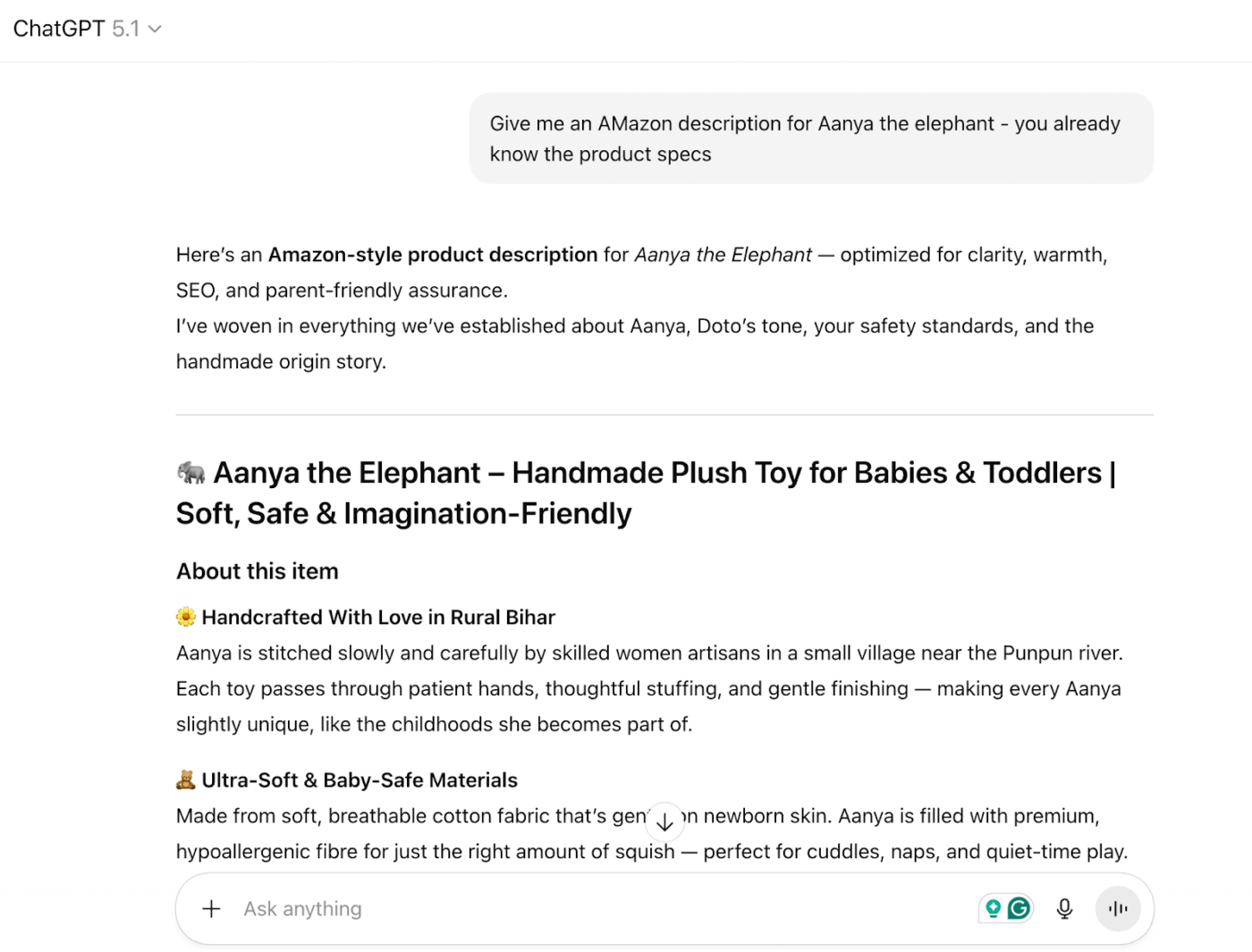
OpenAI’s ChatGPT is one of the simplest AI writing assistants for product descriptions. It adapts quickly to different tones, formats, and platforms, making it useful for sellers who manage multiple SKUs.
You can upload files, share examples, and iterate in real time to shape the final copy. ChatGPT also supports advanced reasoning, allowing it to analyze details and generate accurate, benefit-focused descriptions.
If you want a standalone tool for handling the research and writing, ChatGPT is a suitable option.
A user review says:
At times, it loses context, which disrupts the overall flow. Previous versions were prone to hallucinations and often fabricated information. For example, when I requested book recommendations, it occasionally suggested titles that don’t actually exist. Additionally, when I use it to generate code, it often assures me that the code will work, but in practice, it doesn’t function as promised.
While automation indeed saves hours and days, there are potential downsides you need to be aware of.
AI hallucinates and often invents product features that don’t exist, such as claiming 50 hours of battery life for wireless headphones when they actually provide only 8 hours. The AI simply creates plausible-sounding features to fill content gaps.
✅ Solution: Feed the AI with structured, verified product data from your official database. Avoid letting the AI guess or fill in gaps with assumptions.
Integrate automated checks or validation steps that compare generated descriptions against your product specs before publishing. You’re notified instantly in case of discrepancies.
⚠️ LLM Bias: Even when a language model seems fluent, it can mirror ingrained group biases. This study finds that many large language models display strong ingroup optimism and out-group negativity—highlighting that ‘hallucination’ isn’t just made-up facts, but also socially biased output.
Challenge: Each platform (eBay, Amazon, Shopify) has different description guidelines. While Amazon ranks bulleted feature lists higher in search results, Shopify works better with short paragraph formats.
✅ Solution: Build platform-specific templates with clear formatting rules and character constraints.
AI can struggle to infuse storytelling, emotional resonance, or lifestyle context, elements that drive conversions.
✅ Solution: Using story-driven prompts, guide the AI to include customer scenarios, benefits, or use cases (Perfect for bedtime snuggles or travel comfort).
Challenge: AI either stuffs keywords unnaturally throughout descriptions or completely misses important search terms customers use. Both hurt your search engine rankings and product discoverability.
Solution: Research target keywords before generating descriptions and provide ranked lists of must-include terms in your prompts. Create keyword integration rules that specify placement frequency and natural incorporation methods within your content.
Contrary to the myth that automating product descriptions with AI makes them generic, you can create high-quality, brand-aligned product descriptions at scale with the right workflows.
ClickUp, of course, offers an advantage with its contextual AI that doesn’t need constant feeding of information. Everything happens in one workspace—your product briefs, brand guidelines, AI generation, team collaboration, and performance tracking.
Why choose the hassle of switching through 10 tools when you can sign up for free now and automate descriptions?

© 2026 ClickUp

There’s an easier way. Try a free AI Agent in ClickUp that actually does the work for you—set up in minutes, save hours every week.