






Still downloading templates?
There’s an easier way. Try a free AI Agent in ClickUp that actually does the work for you—set up in minutes, save hours every week.
Sorry, there were no results found for “”
Sorry, there were no results found for “”
Sorry, there were no results found for “”

The early days of building a business are messy enough without your CRM adding to the chaos. You upload your leads, set up a few fields, loop in your team…and then something breaks. A column won’t sync, a field won’t rename, or half your data disappears into a folder you swear you didn’t create.
If you’ve tried Attio during this phase, this might be relatable.
When your customer data becomes harder to manage inside your CRM than it was inside your spreadsheet, it’s a sign to start looking at Attio alternatives.
In this blog post, we’ve compiled a list of Attio alternatives with their strengths, weaknesses, and pricing, and who they’re best suited for. Let’s start the hunt! 🔭
Many Attio users report encountering hurdles during CRM implementation, including slower onboarding, disrupted workflows, and limitations on customization.
Let’s look at some common reasons teams look for Attio alternatives:
🧠 Fun Fact: Modern CRM has two pioneers: Robert and Kate Kestnbaum, who introduced ‘database marketing’ in the 1980s. This was the first time customer info was stored digitally for targeted outreach.
Here’s how these CRM software stack up against each other:
| Tool | Best for | Best features | Pricing |
| ClickUp | Teams of all sizes that need unified work management, customizable pipelines, and connected collaboration across projects | Built-in CRM with customizable pipelines, Custom Fields, Goals, AI-powered insights with ClickUp Brain, Automations for stage updates and reminders, real-time Chat, Docs collaboration, Enterprise Search, and visual Dashboards | Free forever; customization available for enterprises |
| HubSpot CRM | Sales and marketing teams that need shared data, inbound automation, and customer lifecycle tracking | Multi-channel communication with Live Chat & chatbots, AI lead scoring, Activity Timeline with automatic email/call/log sync, email templates, sequences, CMS, and marketing automation via add-on Hubs, AI Content Writer | Free; paid plans starting at $50/user/month |
| Folk | Relationship-focused teams managing people pipelines, warm outreach, and lightweight CRM workflows | Smart & Magic Fields for personalized engagement, automated Campaigns and Sequences, shared contact lists and notes, one-click capture from LinkedIn/Gmail/browser | Paid plans starting at $25/user/month |
| Pipedrive | Sales teams using visual pipelines, deal management, and activity-driven workflows | AI Sales Assistant, customizable pipelines, web forms and chatbots, calendar scheduling, mobile app, activity tracking, email & calendar sync | Paid plans starting at $19/user/month |
| Affinity | Network-driven teams like VCs and investment firms that rely on intros and relationship intelligence | AI Notetaker, relationship mapping, Inferred Connections, enriched contact/company data, Formula Fields for custom calculations, Collaborator Seats | Paid plans starting at $2,000/user/year |
| Bigin by Zoho CRM | Small businesses and freelancers needing simple, streamlined pipelines | Built-in telephony, WhatsApp/SMS/social channels, customizable pipelines, mobile apps, stage-based automations, visual dashboards, role-based access controls and audit logs | Free; Paid plans starting at $9/month per user |
| Capsule CRM | Solo users and small teams wanting a simple contact and sales manager | People & Organization profiles, Tracks for automated task sequences, Kanban pipeline, sales & activity reporting, contact organization via Magical extension | Free; Paid plans starting at $21/user/month |
| Salesflare | Teams that want automated data capture and minimal manual entry | Automatic data enrichment from emails/calendars/social profiles, drag-and-drop pipeline, engagement tracking, Email Sequences, AI lead scoring, and Hotness alerts | Paid plans starting at $39/user/month |
| EngageBay | Budget-conscious teams that want CRM + marketing automation + service tools in one system | Appointment scheduling, landing pages & pop-ups, segmentation & scoring, Power Dialer & call recording, drag-and-drop pipelines, multi-module reporting, ticketing & live chat | Free; Paid plans starting at $14.99/user/month |
| Keap | Service-based businesses that rely on automation-heavy follow-ups and client workflows | Tag-based segmentation, automated journeys, built-in invoicing & payments, checkout forms, activity timelines, and AI Content Assistant | Custom pricing |
| monday.com | Individuals and teams needing customizable workflows on a flexible work OS | Visual boards, pipeline tracking, shared inboxes, seamless integration with Google workspace and Outlook, AI timeline summaries, automation triggers, forecasting dashboards | Free; Paid plans starting at $12/user/month |
Our editorial team follows a transparent, research-backed, and vendor-neutral process, so you can trust that our recommendations are based on real product value.
Here’s a detailed rundown of how we review software at ClickUp.
👀 Friendly Tip: Not all sales pipelines are the same. Tailor your pipeline stages to fit your sales process—for example, typical stages include Lead Qualification → Discovery Call → Proposal Sent → Negotiation → Closed-Won/Lost. Check out these free sales pipeline templates to start building yours quickly.
Each of the tools on this list offers its own approach to managing customer data, onboarding clients, tracking pipelines, and supporting sales or CS teams:
Modern customer relationship management means tracking deals through complex sales pipelines and automating follow-up workflows. It requires coordinating across marketing and sales teams, documenting customer interactions, and maintaining a single source of truth about every relationship.
When your CRM exists separately from where your team manages projects, stores customer documentation, and coordinates work, you’re constantly switching between tools to get the full picture.
Enter ClickUp!
ClickUp is the world’s first Converged AI Workspace, bringing together all work apps, data, and workflows.
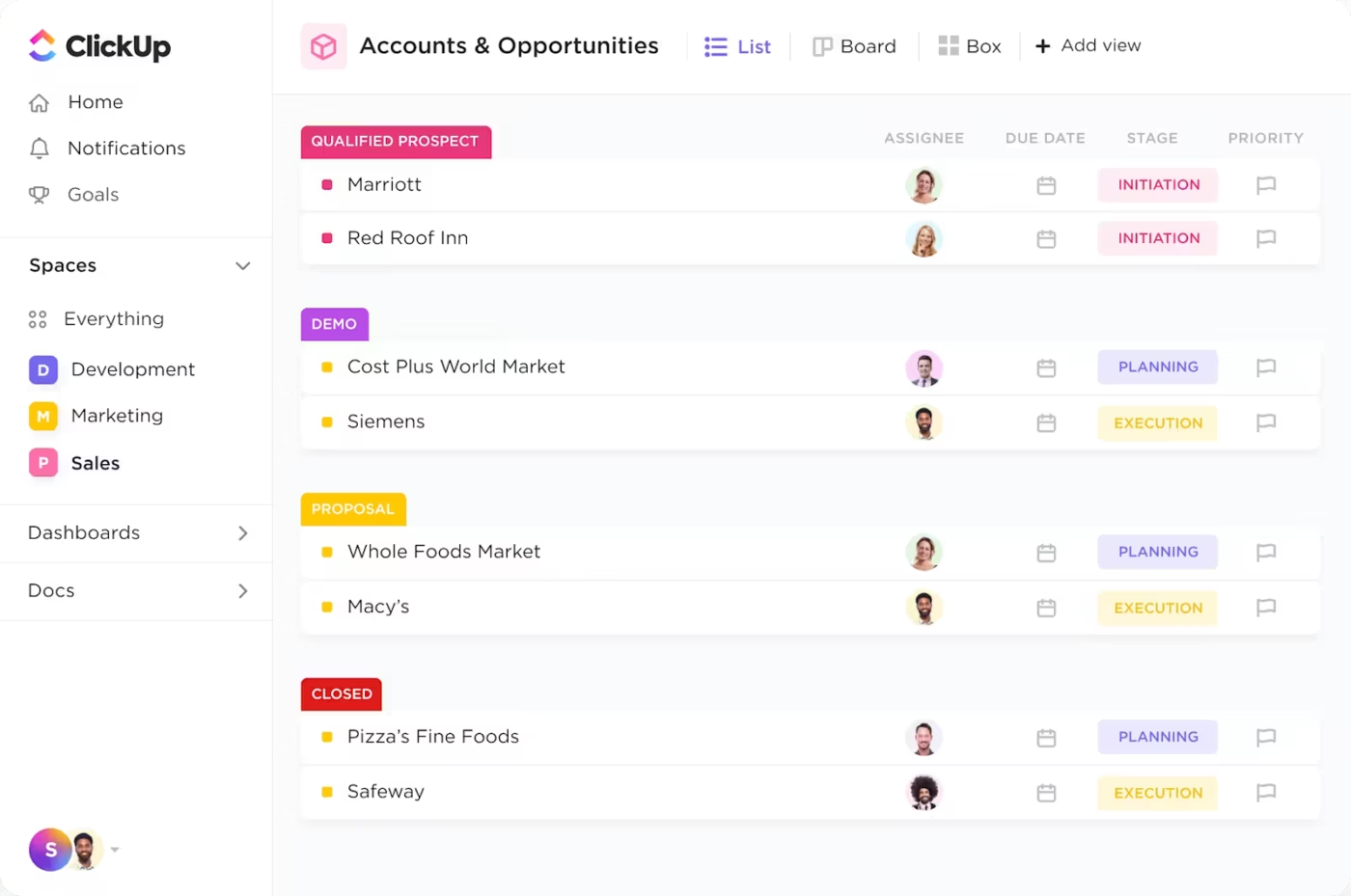
It functions as both a powerful sales CRM and a complete work management platform. Your sales pipeline, customer data, marketing automation, and sales operations live alongside the actual work your team does to serve those customers.
ClickUp eliminates all forms of Work Sprawl to provide 100% context, no matter where you are. Pipeline management connects directly to project delivery. Customer conversations link to support tickets and product requests. Sales automation triggers workflows across your entire organization, not just within a standalone CRM tool.
CRM in ClickUp packs a lot more under the hood, so let’s dig deeper:
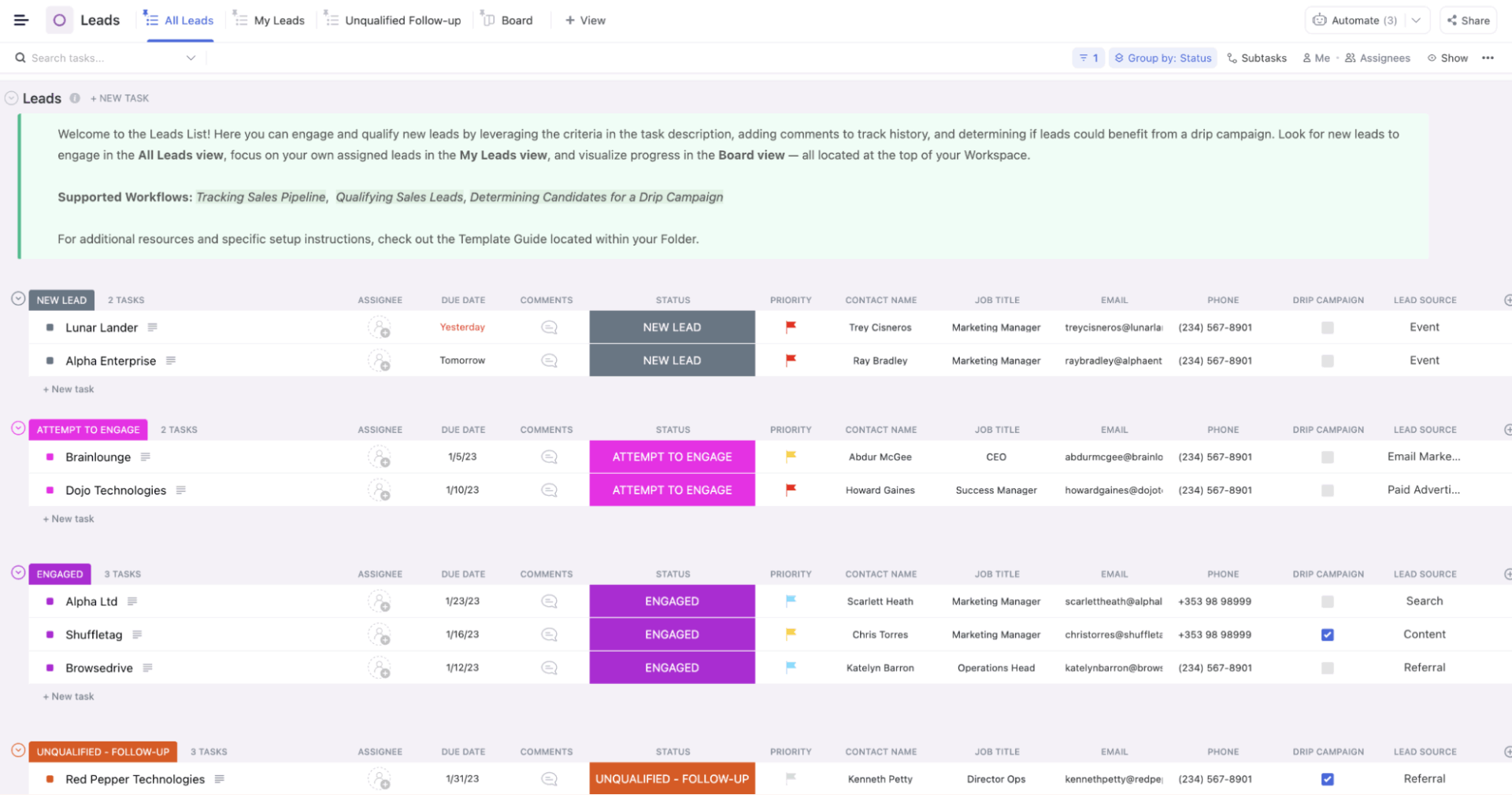
ClickUp Tasks sit at the center of your workspace, giving you a flexible structure to centralize context. Each Task can represent a lead, deal, activity, follow-up, or support request, giving you visibility into what needs attention and who’s responsible.
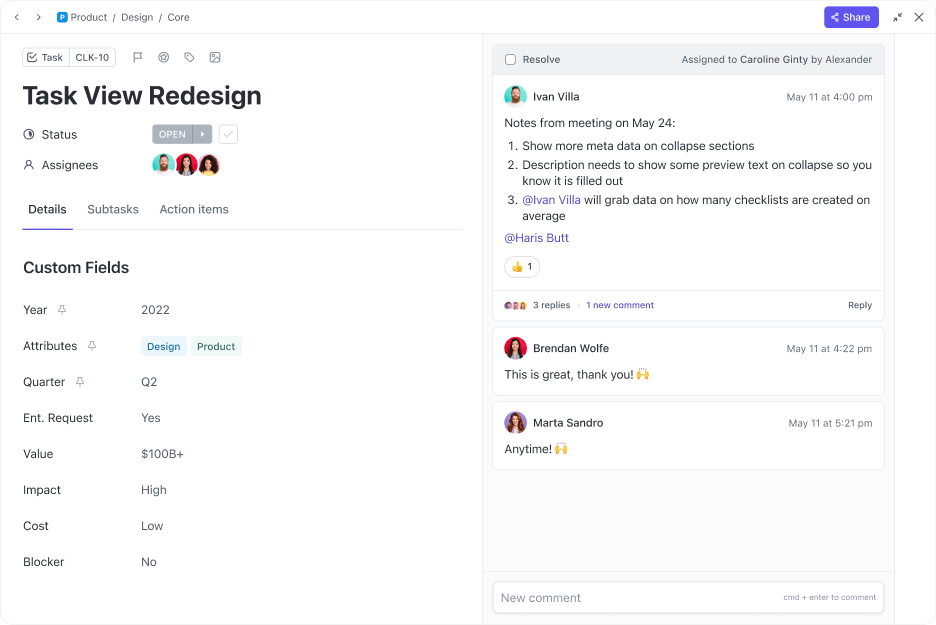
With ClickUp Custom Statuses, assignees, due dates, checklists, and sales automations, your team can turn every interaction into clear next steps.
Layer in ClickUp Custom Fields to transform Tasks into rich, dynamic CRM records. For instance, you can create:
💡 Pro Tip: Automate lead nurturing and campaign tracking by integrating platforms like Gmail, HubSpot, or MailChimp with ClickUp. Trigger automated email sequences when a lead enters a specific stage (e.g., when a lead moves to “Interested,” send a case study). Store email interactions within ClickUp tasks for easy reference.
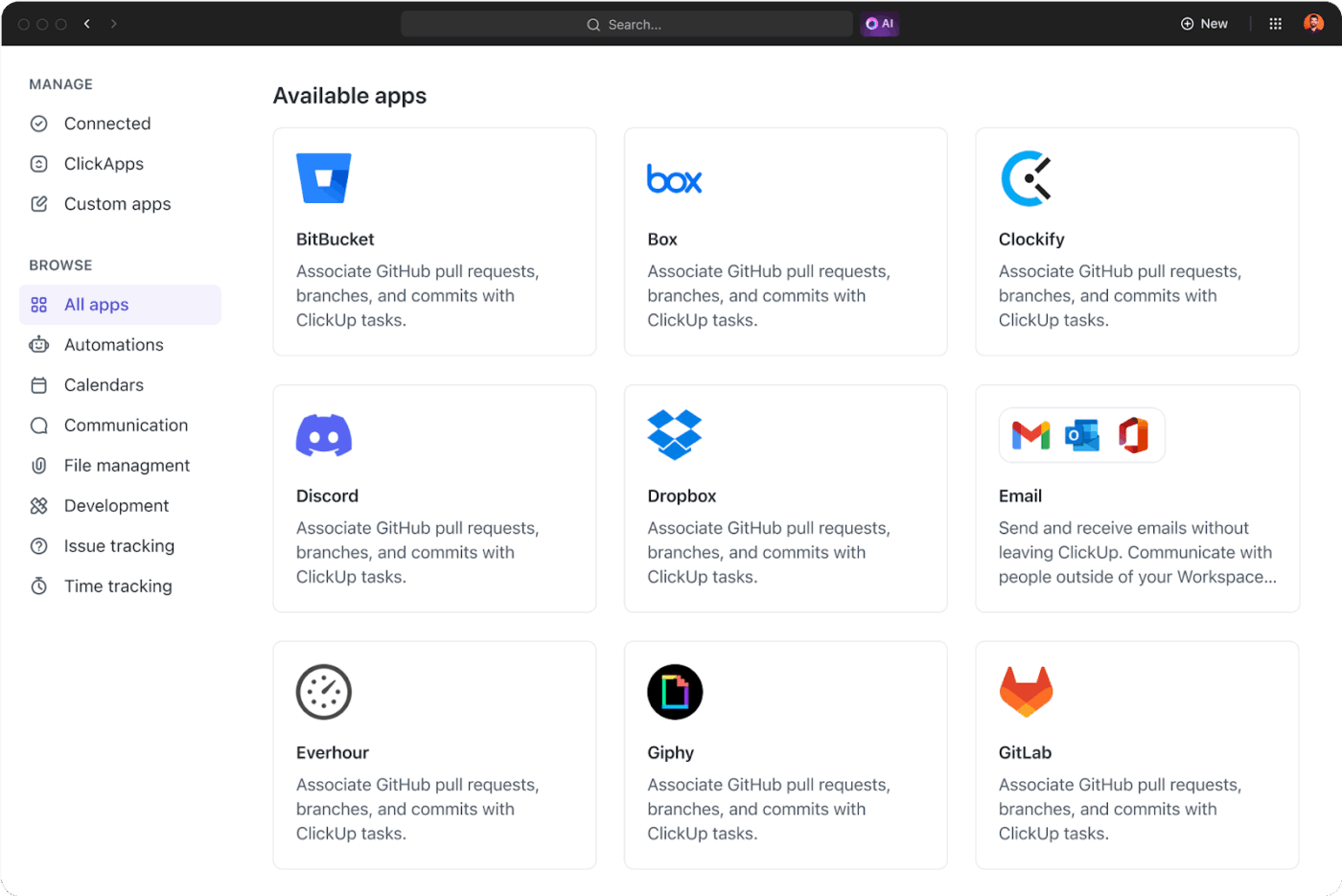
ClickUp Brain, the platform’s AI-powered assistant, actively lightens your workload. It’s fully contextual, meaning it understands your Tasks, Docs, past conversations, and team activity to give you answers.
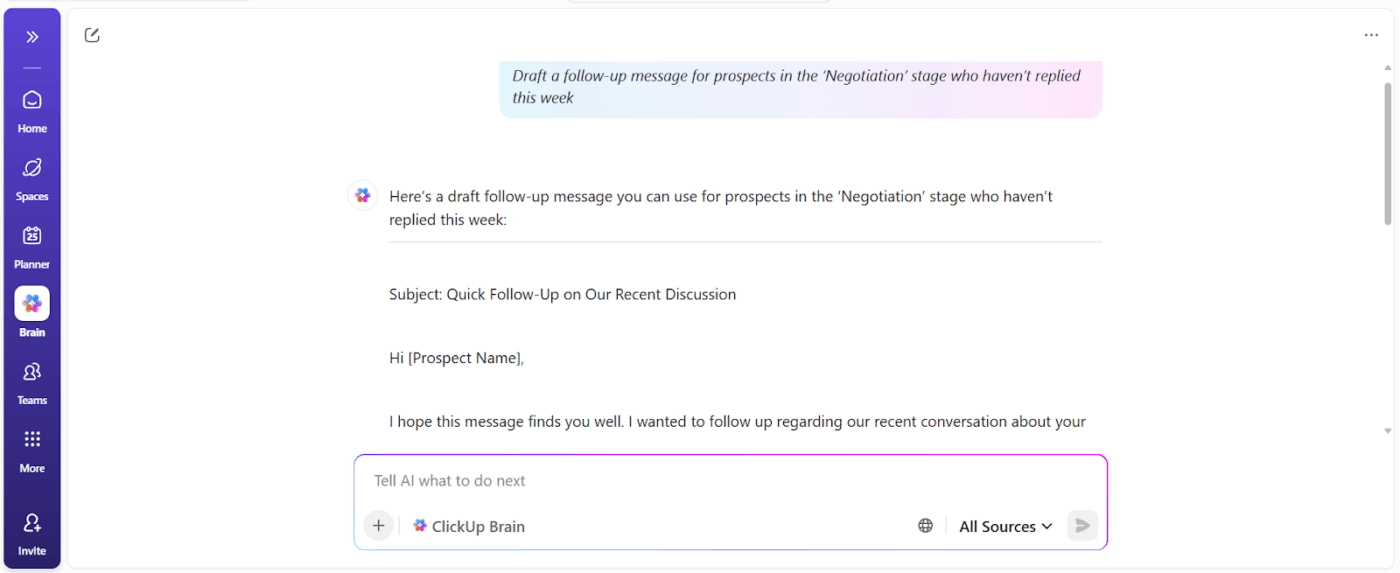
Its project management capabilities can review your pipeline, surface bottlenecks, write updates, and even suggest next steps for deals or campaigns.
For instance, if a deal hasn’t moved in a week, ClickUp Brain flags it, drafts a follow-up, and updates your pipeline summary. You can also prompt it to prepare a quick rundown before the next sales standup.
Here are some example prompts:
And if you’re new to AI in sales or feel like most AI advice is hype—this is your go-to video. Let’s break down how to use AI for sales with clarity: specific tools, prompts, and templates that work for sales teams like yours.
ClickUp Automations handle the predictable, repetitive parts of your workflow with simple custom triggers you set. For instance, when a new lead is marked as ‘Qualified,’ it automatically assigns the task to a rep, adds a ‘High Priority’ tag, and moves it to the next stage.
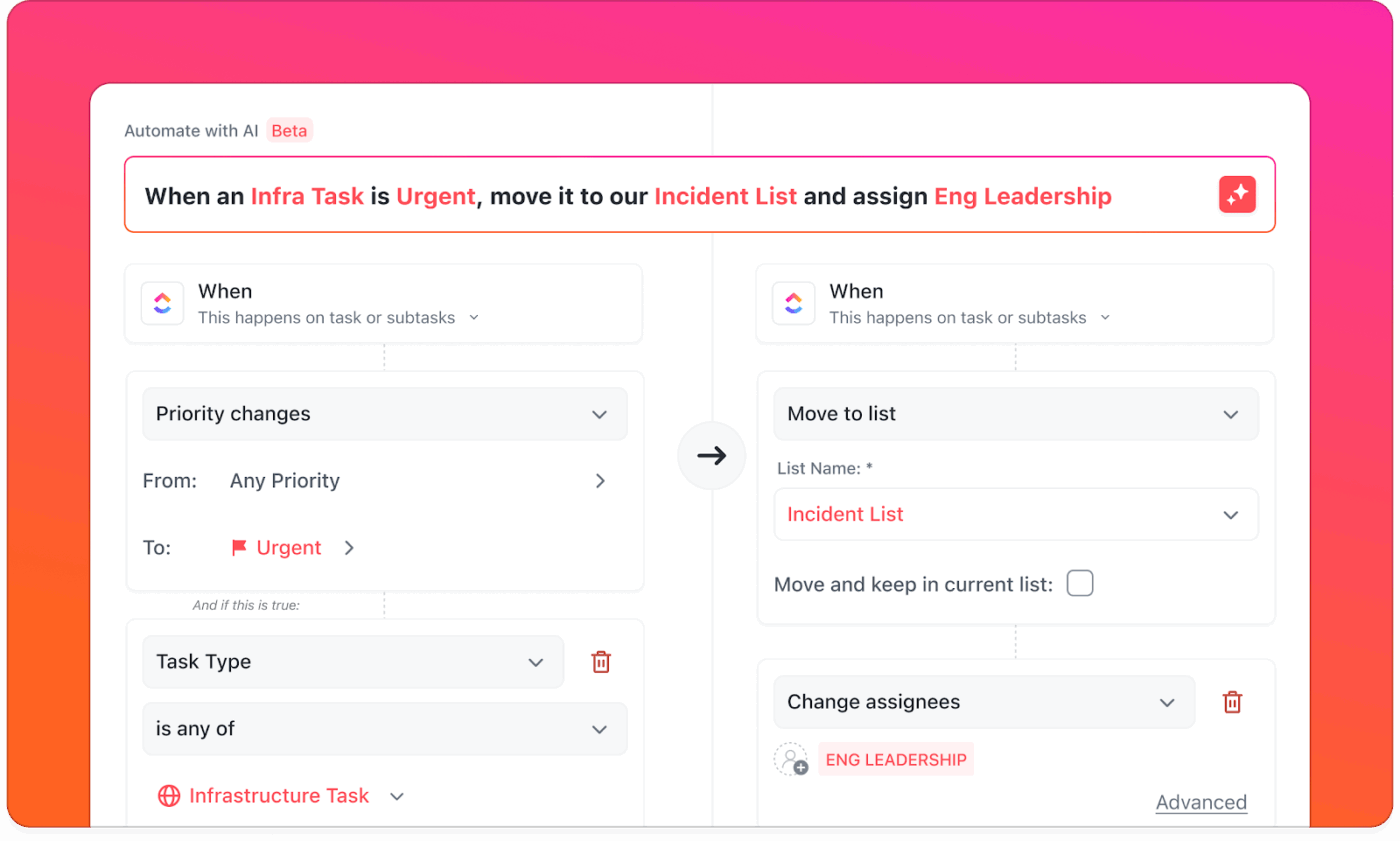
Here are some example automations you can set:
AI Agents for sales are like a secret weapon in your toolkit, so your team can focus on building relationships and strategy.
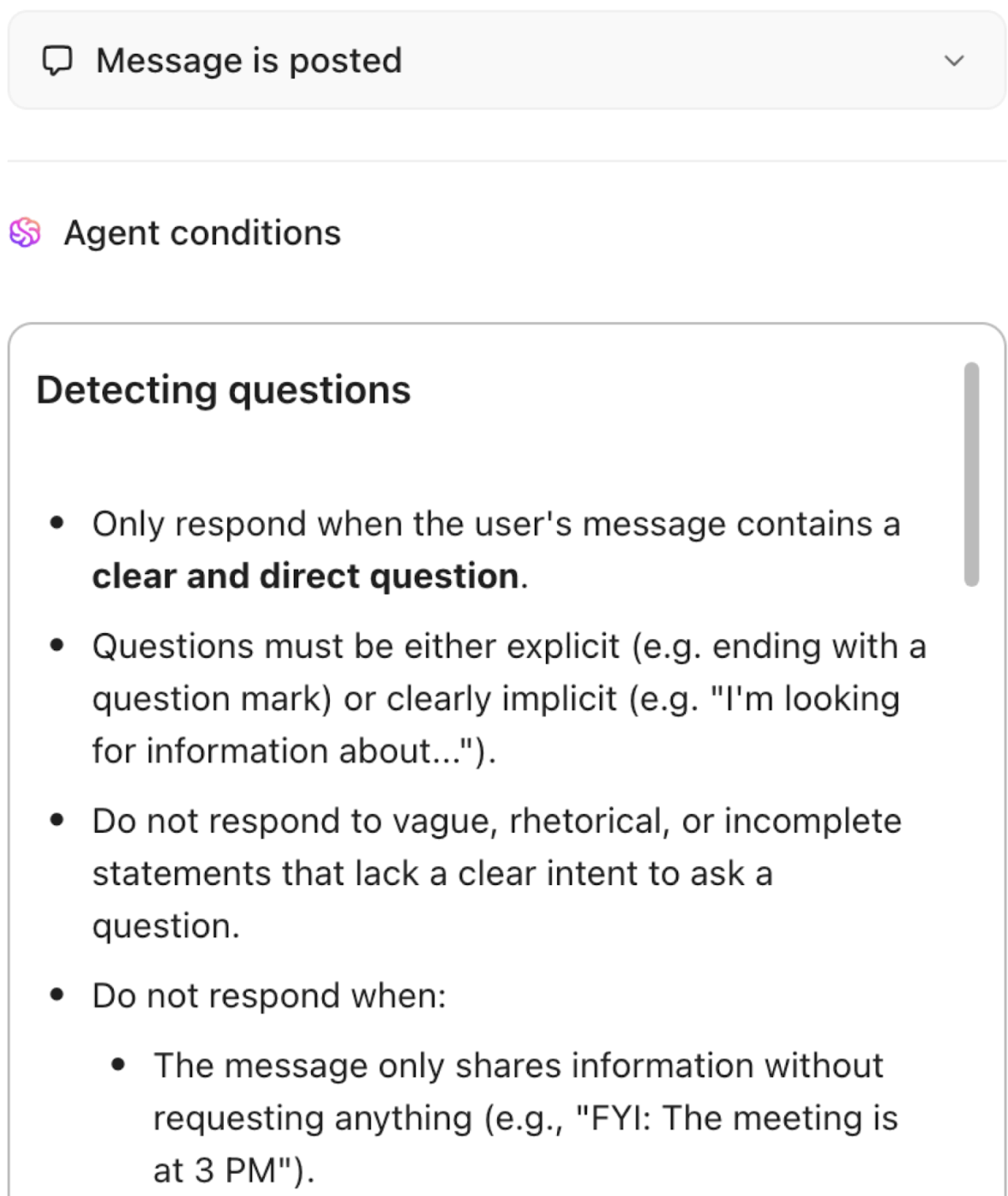
Here are the types of agents you can set up:
Real-time dashboards provide a clear view of sales performance, deal progress, and customer engagement. Use reporting widgets to track key metrics and identify bottlenecks before they impact business outcomes
ClickUp Dashboards provide a real-time snapshot of your sales pipeline’s performance.
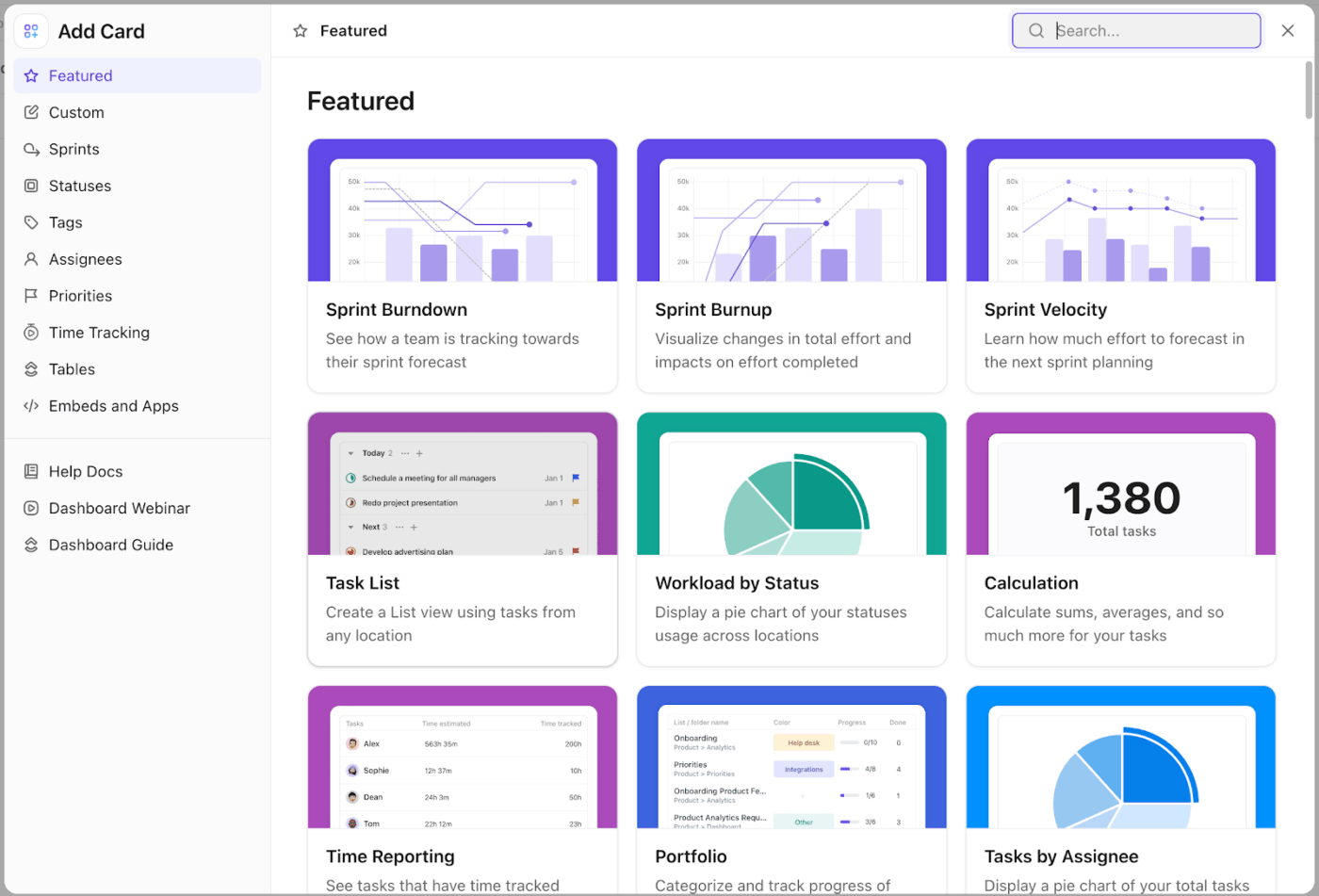
You can create a custom Dashboard that becomes your team’s living, breathing command center with these cards:
You can also monitor the sales cycle duration, customer sentiment, resource allocation, at-risk deals, and marketing attribution.
💡 Pro Tip: Take advantage of List, Board, Table, and Whiteboard views to visualize your CRM data in the way that works best for your team. Use Relationship columns to link contacts to accounts and deals, making navigation and updates seamless.
Turn to the ClickUp CRM Template for a starting point to manage contacts, deals, and tasks across your sales pipeline. It offers 22 Custom Statuses like Need Approval, Qualified, and Scheduled, allowing you to finely track deal and customer progress.
Plus, its eight Custom Fields, such as CRM Item Type, Contact Name, and Job Title, help you capture detailed contact and deal data.
This G2 review really says it all:
What I like most is how much I can centralise in a single place: tasks, documents, discussions, deadlines and dashboards for different projects and teams. The hierarchy (Workspaces → Spaces → Folders → Lists → Tasks), custom fields and views (List, Board, Gantt, etc.) let me adapt ClickUp to very different workflows without needing separate tools. It’s also great for collaborative work: comments, assigned comments, checklists and automations make it much easier to follow who is doing what and keep complex projects under control.
💡 Pro Tip: Sales managers shouldn’t need to manually compile reports or dig through CRM records to understand deal health or team performance. ClickUp BrainGPT provides instant answers about pipeline status, customer interactions, and sales trends based on your entire CRM data.
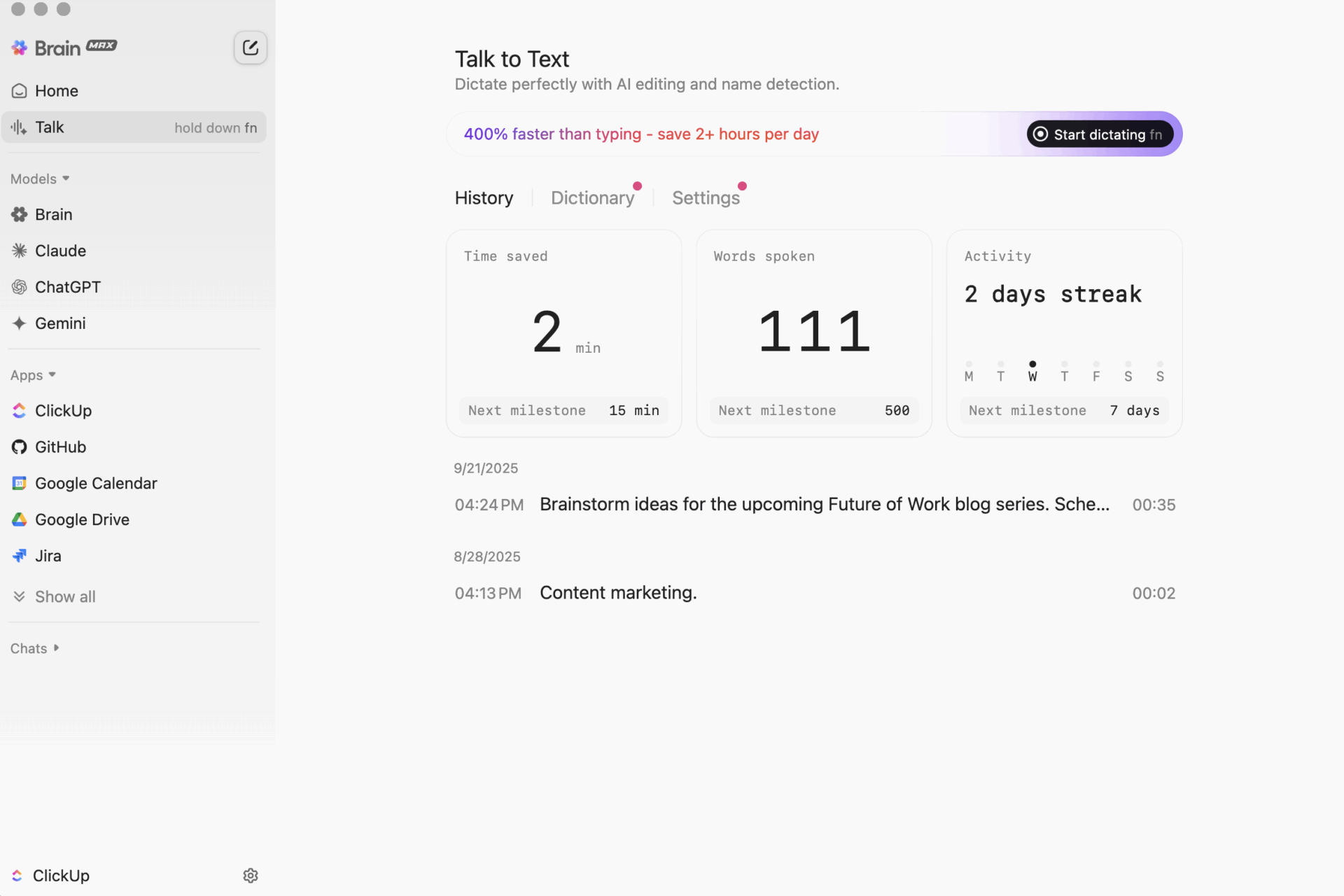
Here’s how:
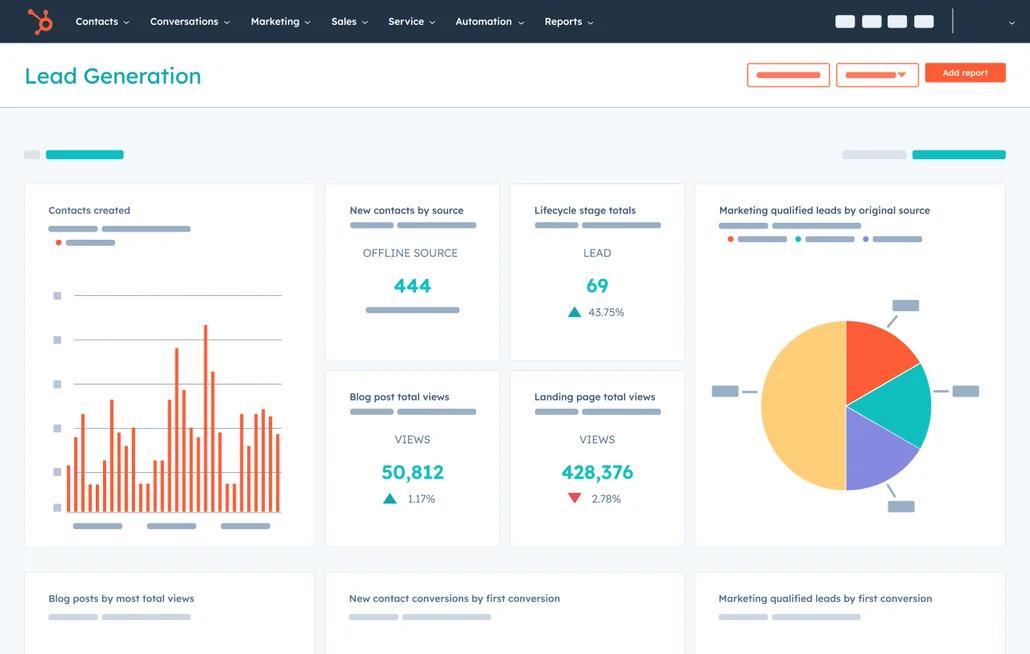
HubSpot is a good fit for teams that want their marketing, sales, and service work. Start with a free CRM that covers the basics: contacts, deals, emails, and forms, and then add more capabilities only if you need them. Plus, you can build a shared CRM database that ensures everyone works from the same customer information.
The platform is built around an inbound approach, so it naturally supports content-driven lead nurturing, simple automation, and organized follow-ups. And if your needs change, you can add Hubs for marketing automation, sales sequences, ticketing, knowledge bases, data sync, or even CMS features.
Here’s what a G2 reviewer had to say:
I love how the HubSpot Marketing Hub serves as our single source of truth, integrating seamlessly as both our CRM and marketing platform. It allows me to manage marketing campaigns, segments, reports, and emails efficiently, making it indispensable in daily operations…Some of the limitations only become clear as you grow. For example, scaling dynamic content or building deeply multi-branch workflows can get unwieldy fast…
📮 ClickUp Insight: 16% want to run a small business as part of their portfolio, but only 7% currently do.
Fear of having to do it all on your own is one of the many reasons that often holds people back.
If you’re a solo founder, ClickUp Brain GPT acts as your business partner. Ask it to prioritize sales leads, draft outreach emails, or track inventory—while your AI agents handle the busywork.
Every task, from marketing your services to order fulfillment, can be managed via AI-powered workflows—freeing you to focus on growing your business, not just running it.
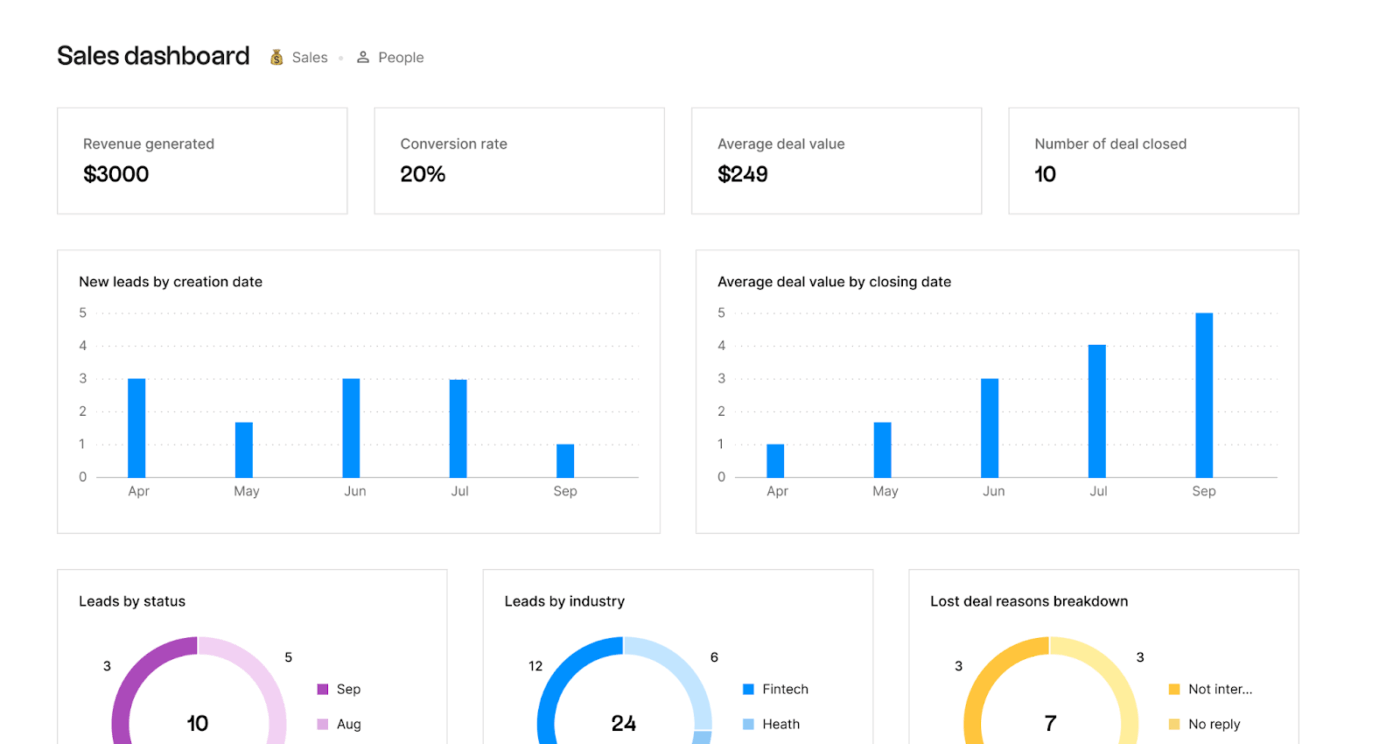
Folk is a lightweight, relationship-centric collaborative CRM built for individuals and small teams who want an easy, flexible way to manage people. It takes a spreadsheet-style approach that feels familiar from tools like Airtable or Notion, making it simple to organize contacts, pipelines, and projects.
The platform centralizes all types of relationships: customers, candidates, partners, investors, and collaborators. This way, it works just as well for recruiting and fundraising as it does for sales. With one-click contact capture from LinkedIn, Gmail, and the browser, Folk reduces the friction of building and enriching your network.
Straight from a review:
I like Folk CRM is not complicated. It’s seamless, provides integrations and custom features that make day-to-day operations easy…Integration with linkedin can be flaky sometimes – but that’s to be expected with how hard Linkedin is trying to block third-party players, especially smaller ones like Folk…
🔍 Did You Know? An interesting precursor to CRM (at least for history buffs) was the Farley File, kept by U.S. President Franklin D. Roosevelt’s campaign manager, James Farley. It was a detailed file of personal and political data about people FDR met, including birthdays, family details, and more. This helped FDR come off as very ‘in touch’ with people.
💡 Pro Tip: Before you customize stages in a new CRM, validate your lead qualification logic with the BANT framework (Budget, Authority, Need, Timeline). This prevents overcrowded pipelines and ensures your CRM tracks what truly matters.
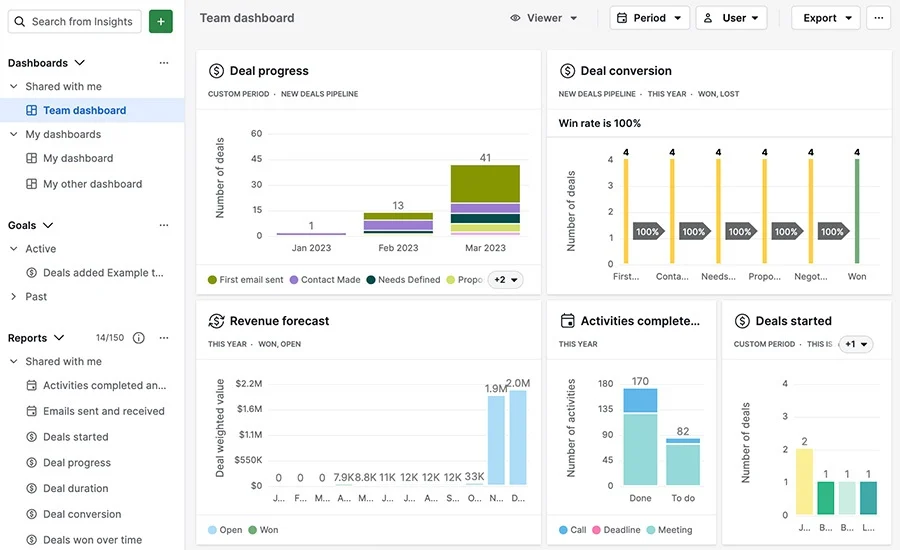
Pipedrive is a sales-driven CRM built around visual pipelines that help reps keep deals moving with momentum. It doesn’t try to be an all-in-one platform; instead, it focuses on what sales representatives need, including clean deal boards, clear next steps, and lightweight automation that removes admin work.
Its kanban-style pipeline makes it easy to drag deals across stages, spot bottlenecks, and maintain a healthy funnel at a glance—an approach shaped by its ‘built by salespeople’ philosophy. The platform includes essential features such as customizable pipelines, contact management, activity tracking, email and calendar synchronization, and a robust mobile app for on-the-go selling.
A reviewer said:
I appreciate Pipedrive for its excellent user interface, which greatly enhances usability and makes interaction smooth and intuitive. The ease of access from various devices like phones and computers, coupled with its cloud-based nature, facilitates seamless operations irrespective of location.I dislike the way Pipedrive handles multiple deals for the same project. It is challenging to segregate these deals easily to avoid duplicates
📖 Also Read: Employee Onboarding Templates
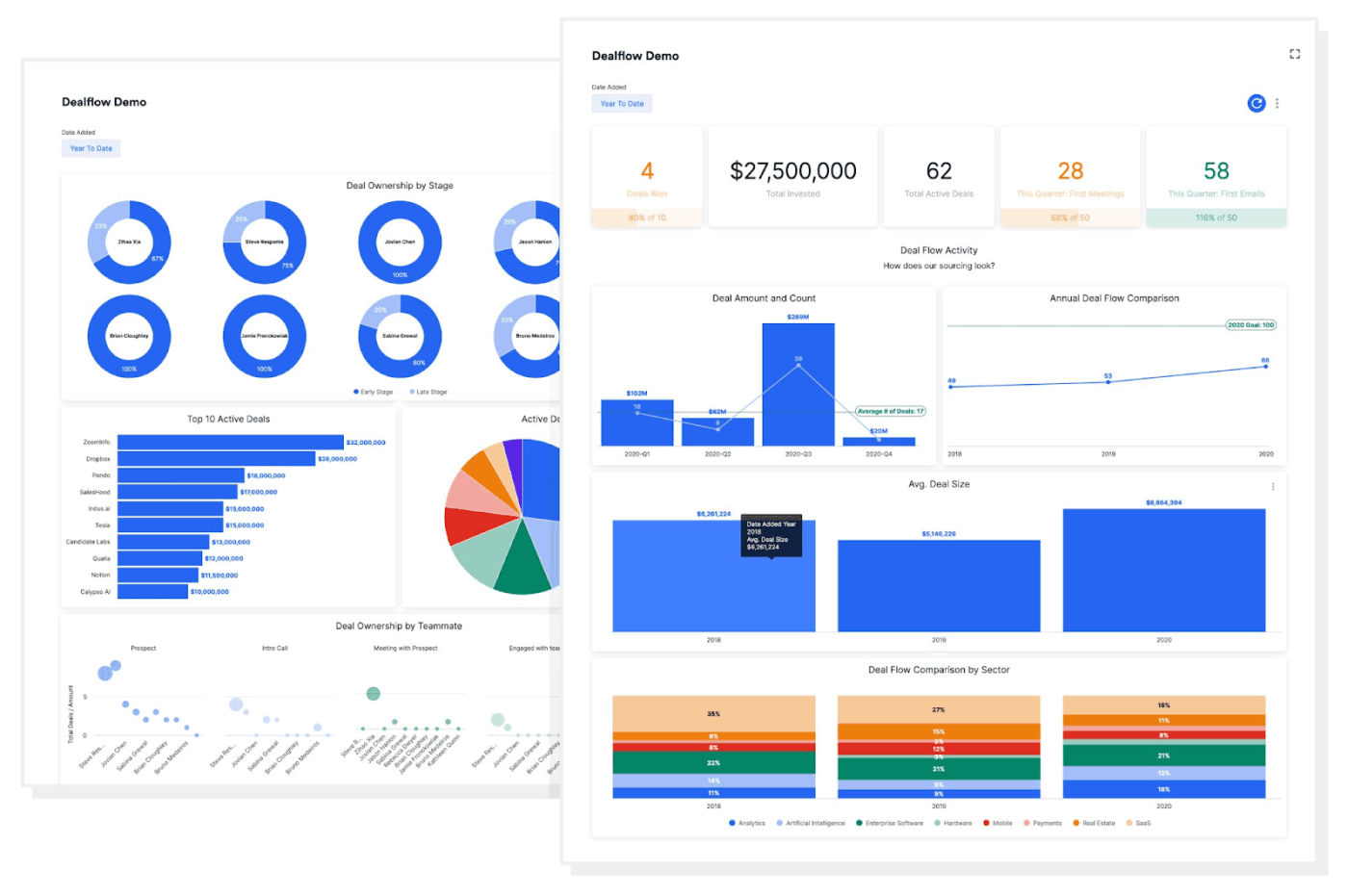
Affinity is tailored for teams that rely heavily on networks and warm introductions, like venture capital firms, investment teams, and deal desks. It automatically captures every email and calendar event to build a living map of who knows whom, giving your team visibility into the strongest connections.
The platform enriches your contact and company records with up-to-date data, including job changes, organization info, and more. Importantly, Affinity surfaces warm introduction paths, automatically highlighting internal connections to key stakeholders, which can help teams accelerate deals.
Here’s what a G2 review said:
It’s built specifically for the use cases of a venture investor. Integrates really well with your email and calendar. The note-taker and early AI features work really well. The mobile app is not very useful. The search function it needs more improvement
🧠 Fun Fact: Years ago, with the rise of Web 2.0 and social media, a new paradigm called Social CRM (or CRM 2.0) emerged. This enables companies to integrate social channels (like Facebook, Twitter) into their CRM strategy.
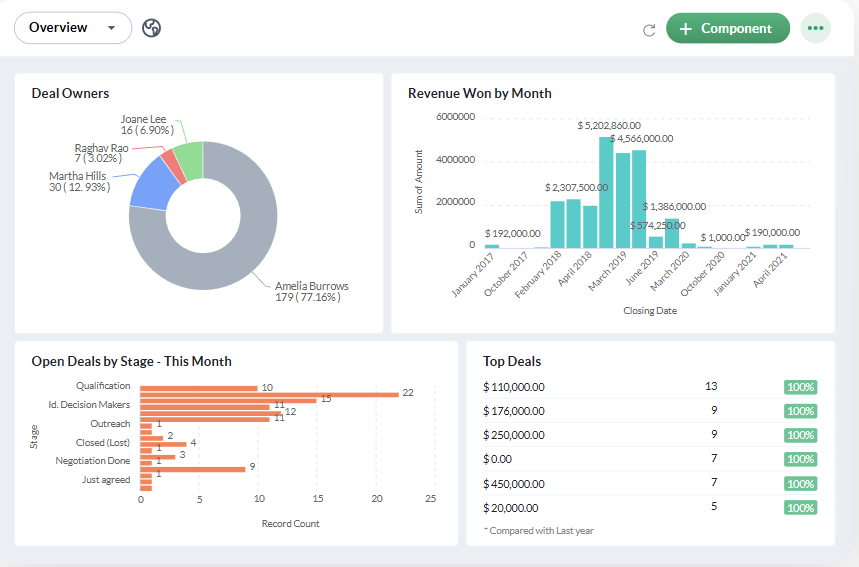
Bigin is designed for small businesses, freelancers, and micro-teams that want an intuitive CRM without overwhelming complexity. It supports multiple customizable pipelines, so you can track different types of customer journeys (sales, onboarding, support, etc.).
Plus, the platform lets you trigger stage-based automations. This way, when a deal moves into a particular stage, you can automatically send emails, create tasks, or reassess fields. You can make and track calls directly from the CRM using supported providers through Zoho’s PhoneBridge.
Insights from a user:
Bigin by Zoho CRM offers a clean, intuitive, and lightweight CRM experience — perfect for small and growing teams. The pipeline view makes tracking deals effortless, and the mobile app keeps everything accessible on the go. While Bigin is great for simplicity, it could use a few more advanced reporting and workflow customization options. The integrations with third-party tools outside the Zoho suite are somewhat limited
📖 Also Read: Best AI Email Writers for Professionals & Marketers
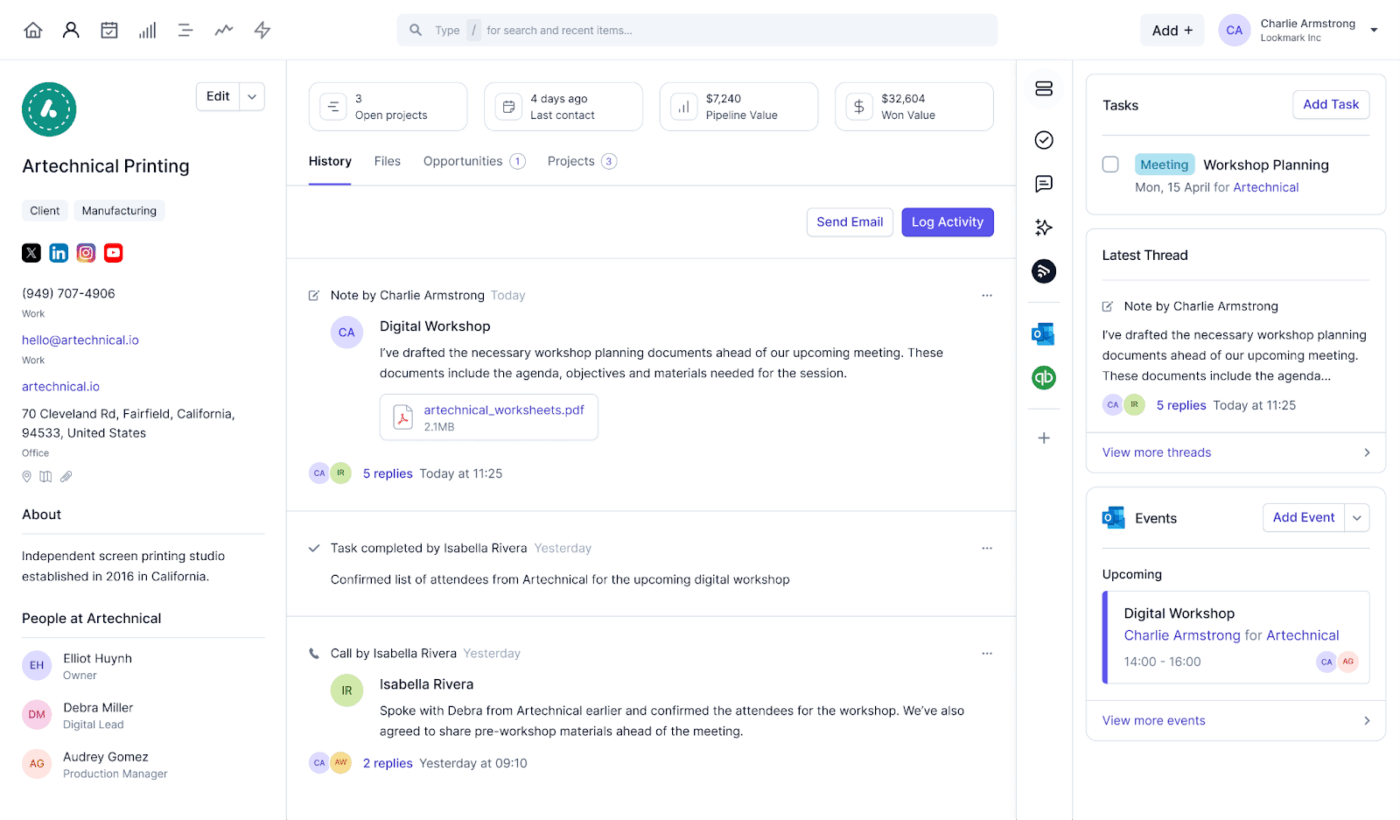
Capsule CRM is built for small-to-medium businesses that need a reliable, user-friendly system for managing contacts, tasks, and sales opportunities. On the contact side, it lets you store rich profiles, like names, company details, notes, and even social links, and it automatically enriches profiles with additional info.
Their pipeline management is visual and flexible. You can drag deals across stages in a Kanban board, set up multiple pipelines to reflect different sales processes (e.g., new business vs. upsell), and track deal values and customer engagement.
Additionally, its reporting features are solid, offering a variety of sales and activity reports (win/loss, pipeline growth, average deal size) that you can filter by dates, users, or teams.
A perspective on Capsule CRM:
I appreciate how Capsule CRM has been instrumental in maintaining a detailed record of conversations and opportunities with customers and prospects. I find the simplicity of Capsule CRM to be its standout feature; it just works without unnecessary complications. I notice that there’s a lot of functionality in Capsule CRM that I’m probably not using. It would be helpful to have tutorial videos to learn how to use these additional features effectively.
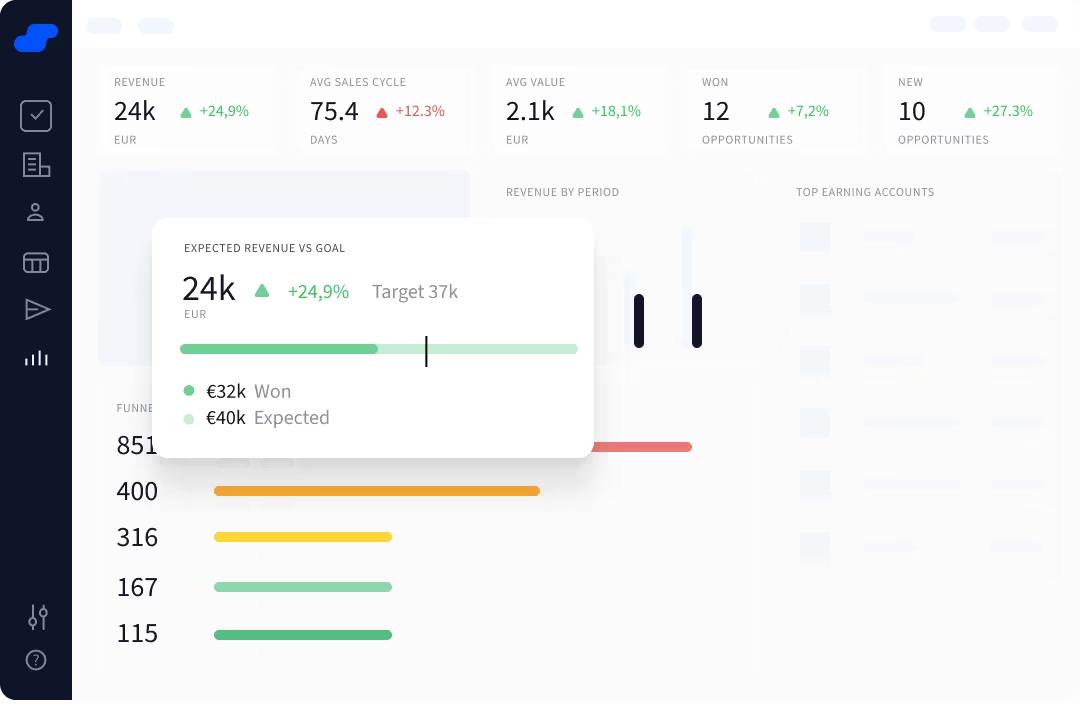
Salesflare is built for teams that hate manual data entry (and it shows!). The platform automatically pulls in contact details from emails, calendar meetings, signatures, social profiles, and even website visits. This makes it especially appealing to B2B companies where context and relationship history are essential.
Its visual pipeline keeps deals easy to manage, while automation handles the repetitive work: follow-up reminders, stage movements, and email sequences. Salesflare’s engagement tracking shows who opened your emails, clicked links, and visited your website. Thus, helping you nail nurture campaigns.
What a G2 user had to say:
I appreciate Salesflare’s ability to pull data from emails, calendars, social media, and phone logs, which saves me a lot of time by eliminating the need for manual updates… Salesflare may feel a bit limited for very large enterprises or teams. It is primarily suited for small and medium-sized businesses, and I would like it to be usable in large enterprises as well.
🔍 Did You Know? The earliest form of ‘CRM’ was literally a Rolodex. It was a spinning card wheel where salespeople stored customer details, invented by Arnold Neustadter and Hildaur Neilsen of the Zephyr American corporation in 1956.
📖 Also Read: Salesflare vs. ClickUp
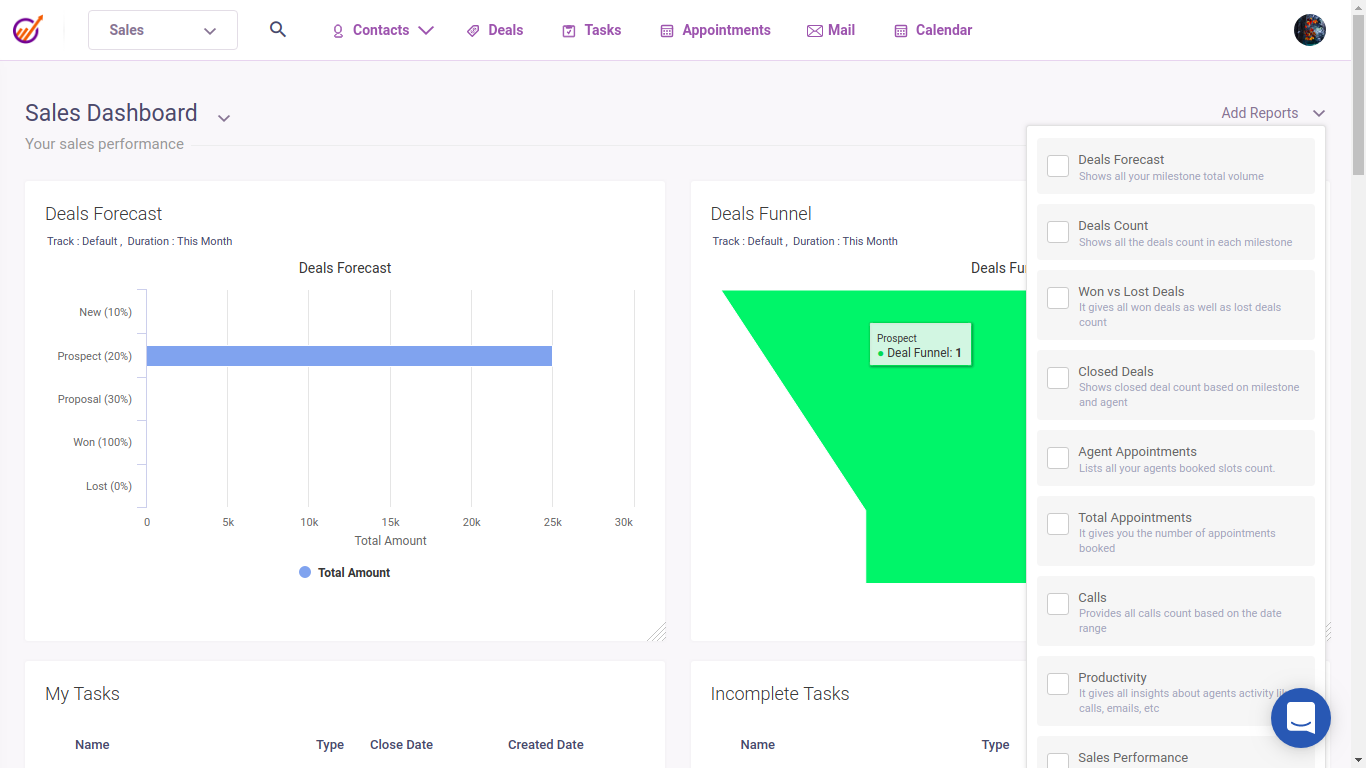
EngageBay offers a suite of tools for CRM, marketing automation, sales pipelines, and customer support. On the marketing side, it includes visual workflows for lead nurturing, segmentation, scoring, and multichannel campaigns. You can build targeted sequences that react to customer behavior, allowing even small teams to run sophisticated automation.
On the other hand, its sales CRM offers drag-and-drop pipelines, detailed contact profiles, appointment scheduling, and built-in telephony. The platform also supports real-time customer interactions through live chat, web forms, and support tickets, all feeding into one customer record.
From a G2 reviewer:
A large number of student inquiries every day, and managing all of them used to be quite chaotic.With EngageBay, everything is kept organize leads, emails, forms, and reminders are all in one place. The automations are especially helpful for us…I would appreciate it if the reports offered more detail to better support educational needs, such as tracking which batches had higher conversion rates or monitoring how students progress through the admission cycle.
🔍 Did You Know? In 1993, Tom Siebel left Oracle to start Siebel Systems, which became a pioneer in ‘Sales Force Automation’ (SFA), including tracking leads, automating sales tasks, and managing pipelines.
📖 Also Read: EngageBay CRM vs. ClickUp
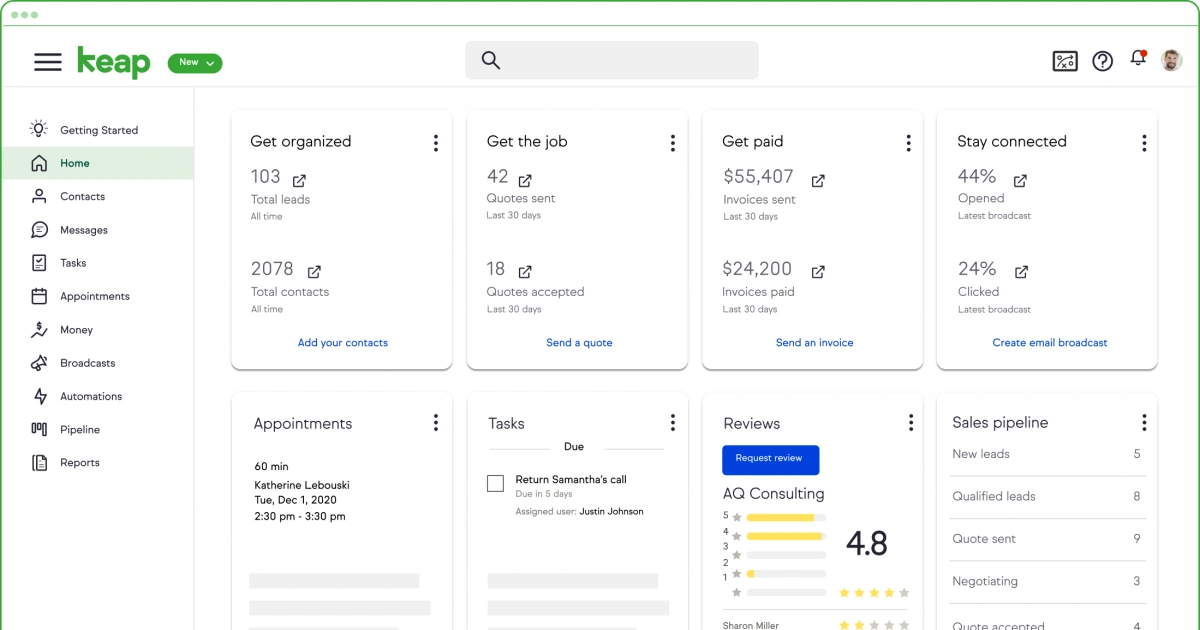
Keap (formerly Infusionsoft) is tailored for small businesses, solopreneurs, and service providers. The platform compiles contacts, email marketing, invoices, appointments, and payments. Additionally, you can ensure client management via integrated email syncing, call logs, and activity timelines.
Its automation builder is a highlight. Using triggers and actions, create personalized customer journeys that send follow-ups, assign tasks, update fields, and initiate email sequences based on user behavior.
A reviewer said:
I really appreciate Keap’s workflows; in my opinion, they are the best available in the industry. I also enjoy using their new SMS marketing features. Additionally, their email deliverability is excellent. Keap is quite expensive, which is my main issue with the software. Additionally, it can be complicated for new users. While it is a robust platform, this sometimes makes it difficult to use
💡 Pro Tip: If your team handles B2B or enterprise deals, set up your CRM stages around MEDDIC (Metrics, Economic Buyer, Decision Criteria, Decision Process, Identifying Pain, Champion). It improves forecast accuracy and creates cleaner, insight-driven opportunities.
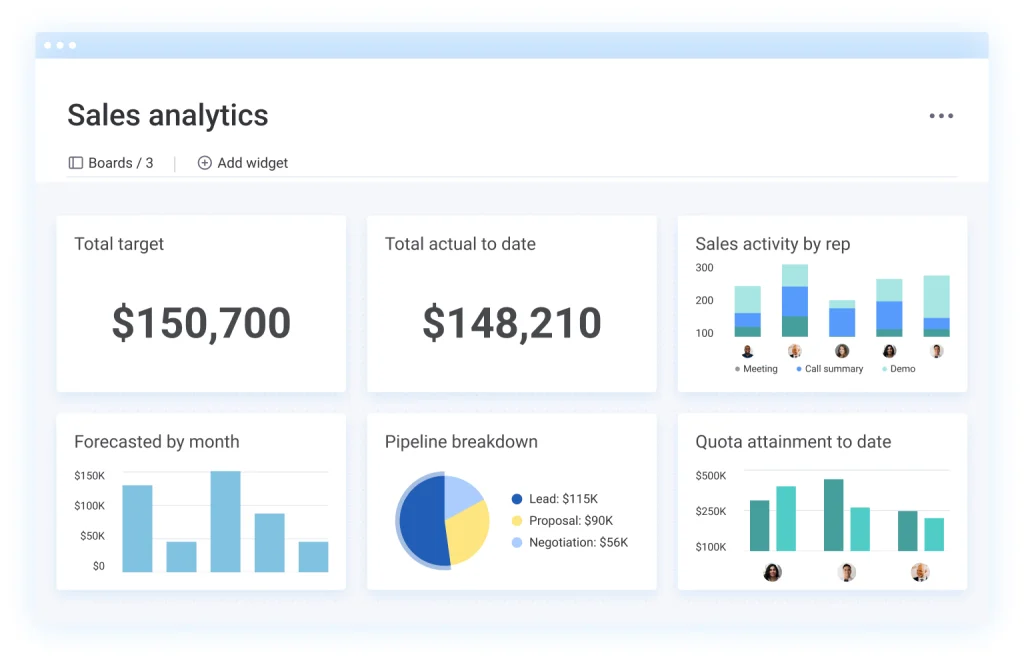
Monday.com gives you flexible customization around pipelines, workflows, and collaboration. Build visual boards using groups, columns, and views (table, Kanban, timeline) to track leads, deals, and contacts in whatever structure suits your team.
You’ll find email sequences, mass email sends, call and meeting logging, and automation features for tasks and deal movements. Its dashboards and forecasting tools enable you to monitor pipeline health, team performance, and deal outcomes through funnel charts, leaderboards, and filters.
A monday.com user said:
I really like how intuitive and easy monday CRM is to use – it’s very visual and straightforward, so our whole team can jump in without much training…The only downside for me is that I feel the CRM has a lot more potential than we’re currently using, and we’re probably just scratching the surface with the basic features
When it comes to choosing your next customer relationship management platform, the goal is simple: find something that doesn’t slow you down.
If you’re tired of the Attio CRM solution, the best alternative is ClickUp, the everything app for work.
It gives you a cleaner way to handle task management, sales operations, and multi-channel outreach in one place. With ClickUp Tasks, Custom Fields, Dashboards, Automations, and ClickUp Brain working together, you get a single platform that connects your deals, workflows, and team.
Ready to build meaningful customer relationships? Sign up to ClickUp for free today! ✅

© 2026 ClickUp

There’s an easier way. Try a free AI Agent in ClickUp that actually does the work for you—set up in minutes, save hours every week.