








Still downloading templates?
There’s an easier way. Try a free AI Agent in ClickUp that actually does the work for you—set up in minutes, save hours every week.
Sorry, there were no results found for “”
Sorry, there were no results found for “”
Sorry, there were no results found for “”
Most teams treat decisions like they treat receipts—important in the moment, impossible to find later. And that habit quietly buries institutional knowledge, turning every new hire into a detective.
It’s a widespread problem: in Stack Overflow’s survey, 45% blame knowledge silos for blocking ideas from flowing across their organization.
This article walks you through eight async decision record templates, explaining what they are and why distributed teams can’t afford to skip them. And, of course, how to pick the right format for every type of choice your team makes.
| Template | Download Link | Ideal For | Key Features |
|---|---|---|---|
| ClickUp Decision and Change Log Template | Get free template | Tracking evolving decisions over time | Change history tracking, decision status fields, AI summaries |
| ClickUp Decision Log Template | Get free template | Maintaining a running record of decisions | Visual decision log, owner and date tracking, category tagging |
| ClickUp Project Management Decision Log Template | Get free template | Linking decisions to project execution | Phase-based statuses, approvals tracking, automation alerts |
| ClickUp Decision-Making Framework Document Template | Get free template | Structuring evaluation before decisions | Criteria scoring tables, stakeholder context, option comparison |
| ClickUp DACI Model Template | Get free template | Clarifying decision ownership and roles | Driver/Approver roles, role mapping, assigned comments |
| ClickUp Buy vs Build Analysis Template | Get free template | Comparing strategic options across teams | Criteria-based comparison, cross-functional input, decision tracking |
| ClickUp Decision Tree Template | Get free template | Mapping conditional or branching decisions | Visual decision paths, node-based comments, AI-suggested branches |
| ClickUp Conversation Log Template | Get free template | Preserving decision discussions and context | Threaded discussions, chat integration, full reasoning history |
| Architecture Decision Record Template by Notion | Download this template | Documenting technical architecture decisions | ADR structure, rationale capture, searchable records |
| Decision Matrix Template by Miro | Download this template | Comparing options with structured scoring | Visual matrix, side-by-side comparison, consistent evaluation criteria |
📚 Also Read: Strategy Templates for Product Teams
An async decision record (sometimes called an ADR or decision doc) is a short, structured document that captures one specific decision. The async part means it’s written and reviewed without requiring everyone to be online at the same time.
📝 Architecture decision records (ADRs) are the best-known version of this format. They originated in software engineering as a way to document technical architecture decisions, often using resources like GitHub’s Decision Record (DR) Template.
Async decision records borrow the same format but apply it beyond engineering to product strategy, design direction, vendor selection, and process changes. The structured layout means a teammate in a different time zone can read the record, understand the full picture, and leave their input without needing a live walkthrough.
👀 Did You Know? MADR (Markdown Architectural Decision Records) is so Git-native that its official template tells teams to store decision records in docs/decisions, name them like nnnn-title.md, and version them right alongside the code. Even better, MADR itself lives as an open-source project on GitHub, with release branches and Git Flow conventions.
Remote teams constantly battle the frustration of missing context when they log on for the day. This context collapse leads to blocked work, endless pinging for updates, and a massive drain on overall productivity.
Here are the remote collaboration hurdles that structured documentation fixes :
📮 ClickUp Insight: 92% of knowledge workers risk losing important decisions scattered across chat, email, and spreadsheets. Without a unified system for capturing and tracking decisions, critical business insights get lost in the digital noise. With ClickUp’s Task Management capabilities, you never have to worry about this. Create tasks from chat, task comments, docs, and emails with a single click!
Prevent inconsistent documentation across departments with these templates.
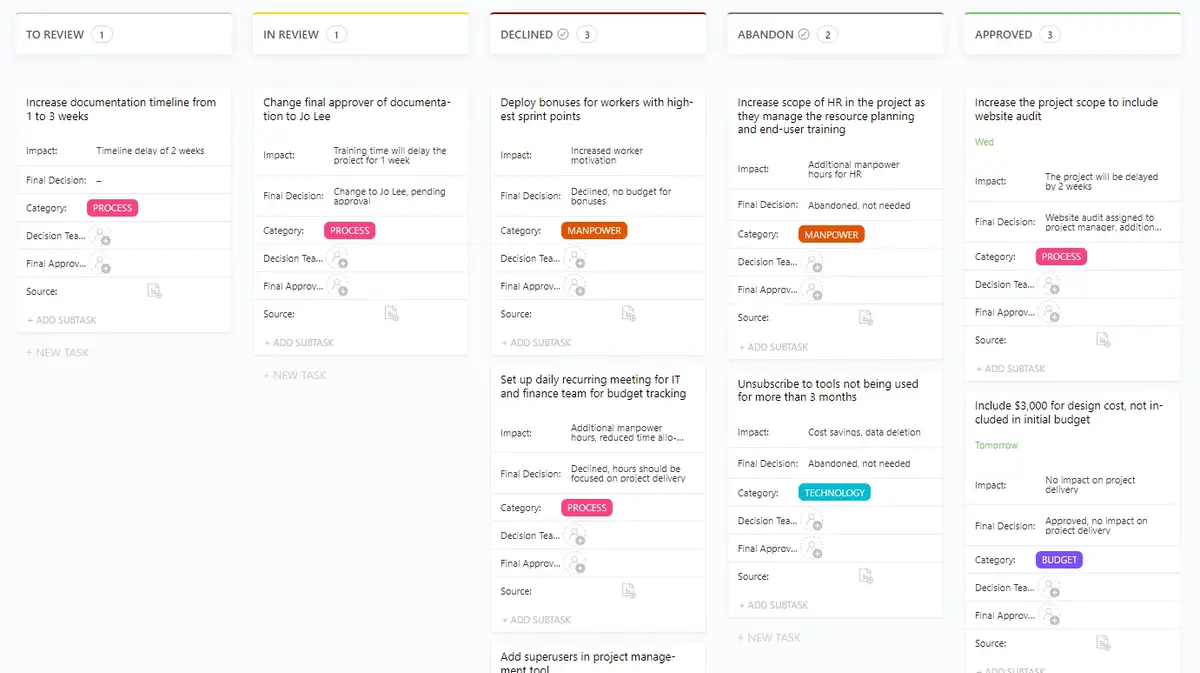
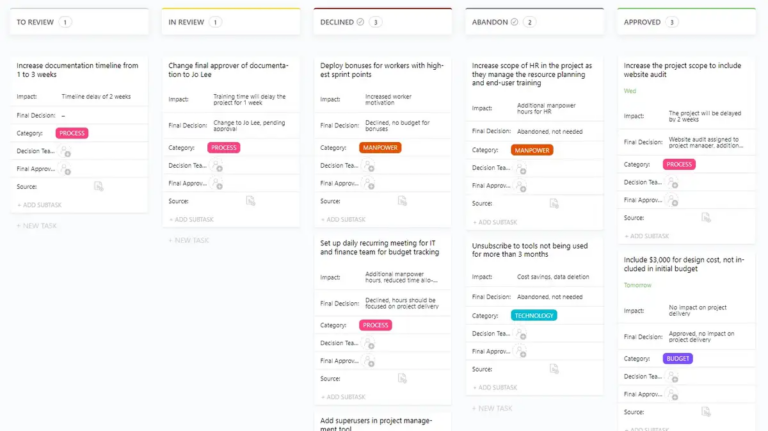
A lot of decisions don’t stay fixed for long. Priorities shift, new information comes in, and what looked right at the start may need to be adjusted later. The problem is that teams often remember the latest version of the decision, but lose the context behind how it changed and why.
The ClickUp Decision and Change Log Template helps teams document both the original decision and subsequent updates. It creates a clearer record of how thinking evolved over time, so stakeholders can review the full trail asynchronously without digging through chats or meeting notes.
✅ Best for: Product and operations teams managing evolving requirements that require frequent revisions.
🧠 Fun Fact: “Agenda” did not start as a meeting word. Etymonline says it originally meant “things to be done” in a theological sense in the 1650s, and only picked up the modern “items of business for a meeting” meaning in 1882.
💡 When your team is distributed across geographies and time zones, keeping team communication clear should be a priority. See how these team communication tools help your team stay aligned, move faster, and communicate clearly.
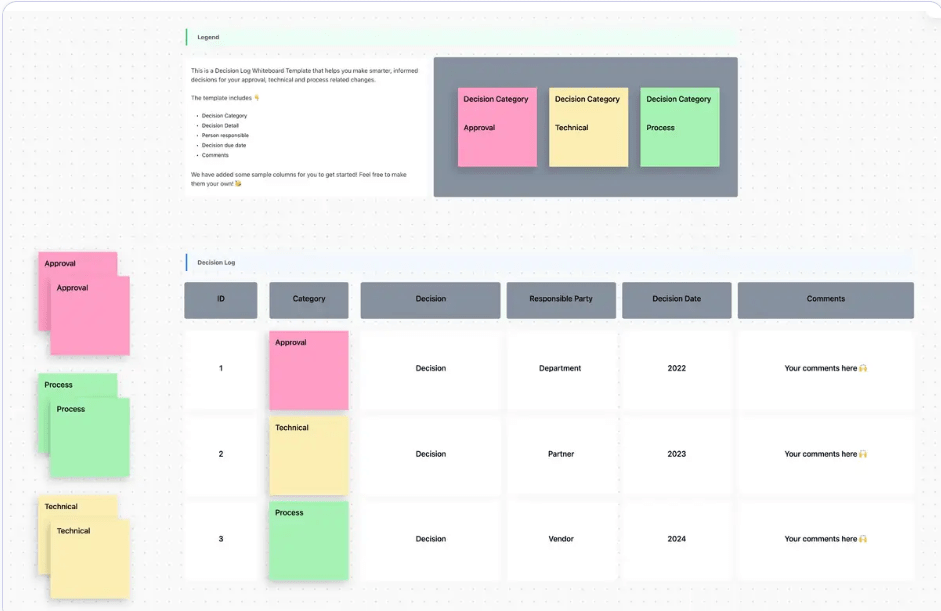
Async teams need a running record that makes each decision easy to scan later, especially for teammates catching up across functions, schedules, or time zones.
The ClickUp Decision Log Template provides a shared place to capture decisions across an initiative. Built on ClickUp Whiteboards, it lays them out in a visual log with fields for category, decision detail, owner, date, and comments. That makes it easier for anyone to review what changed, who made the call, and what needs to happen next.
✅ Best for: Project managers and program leads who want to track decision volume and patterns from a high level.
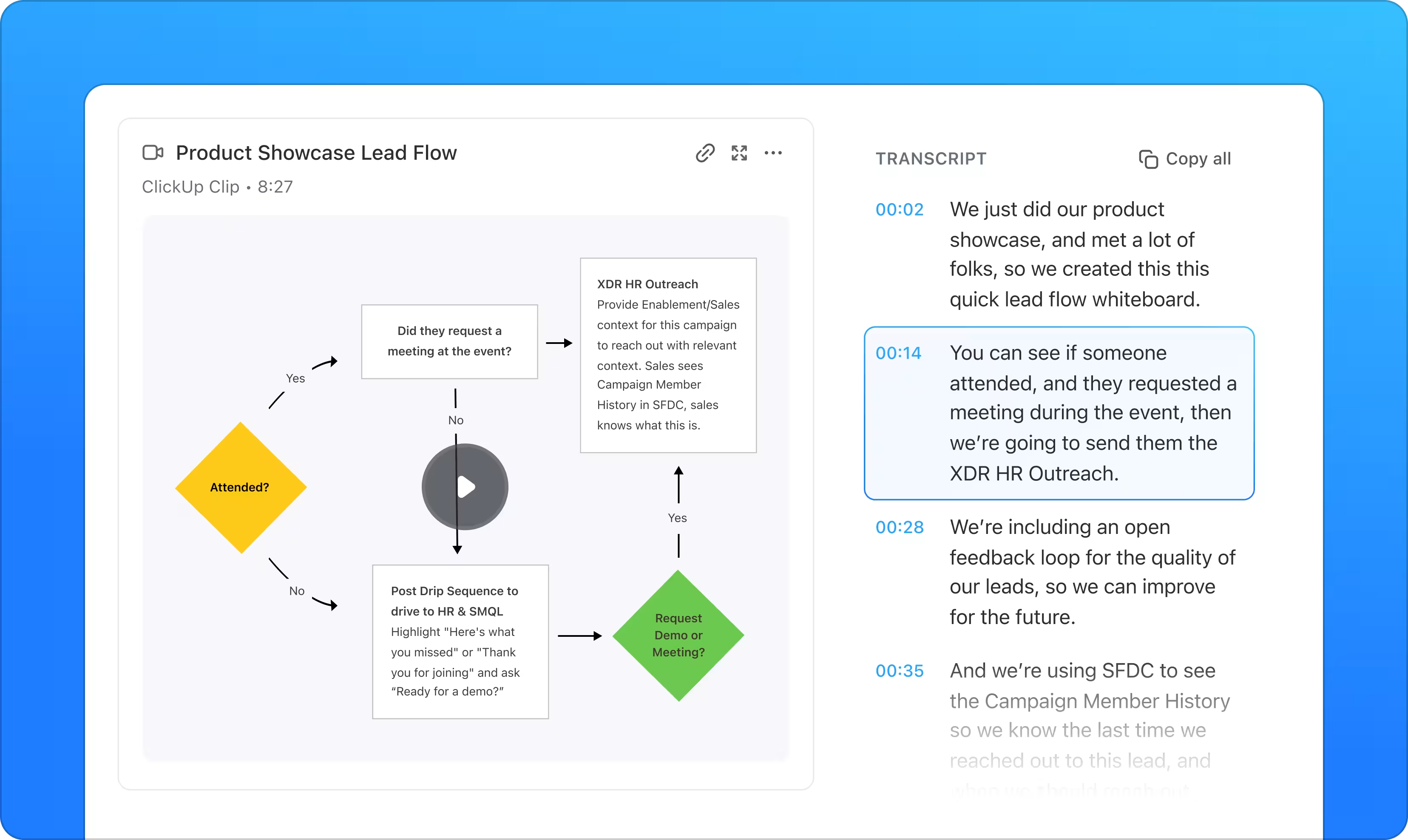
💡 Pro Tip: When a decision needs extra explanation, add a ClickUp Clip to the log. It gives teammates a screen-and-audio walkthrough they can watch on their own schedule, with timestamped comments for follow-up right inside the video.
Project decisions affect timelines, budgets, staffing, approvals, and the next phase of work. In async teams, that creates a bigger challenge: people need to understand not just what was decided, but where that decision sits in the project and what it changes downstream.
The ClickUp Project Management Decision Log Template helps teams document decisions in the context of active project work. You can group decisions by project aspect, track who approved them, monitor due dates and priorities, and move them through statuses that reflect their status.
That gives distributed teams a clearer record they can review without waiting for a meeting recap.
✅ Best for: Project managers running complex, multi-phase projects where decisions need to map back to timelines and dependencies.
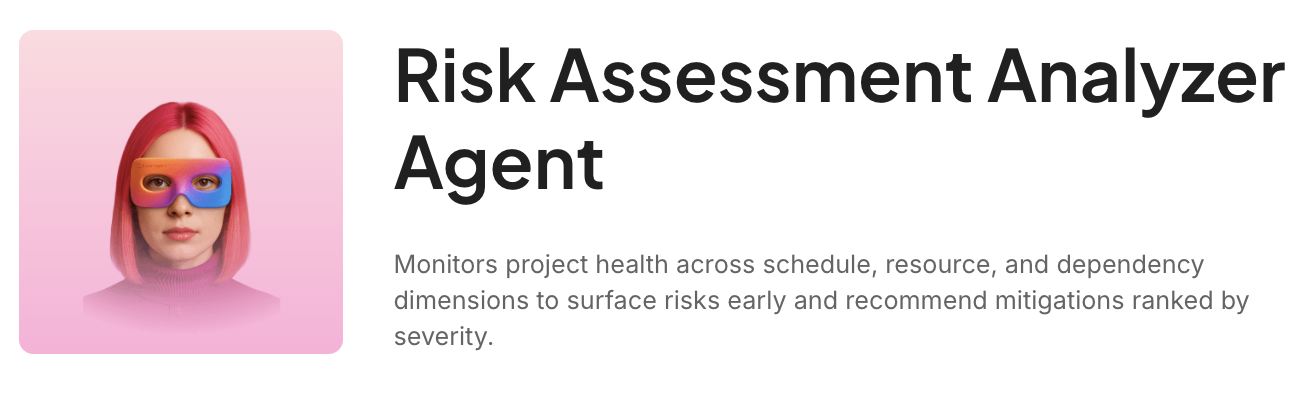
🚀 ClickUp Advantage: Logging the decision is one step. Understanding its ripple effects is the next. ClickUp’s Risk Assessment Analyzer Agent helps surface timeline, dependency, and resource risks early, so teams can act before the project absorbs the hit.
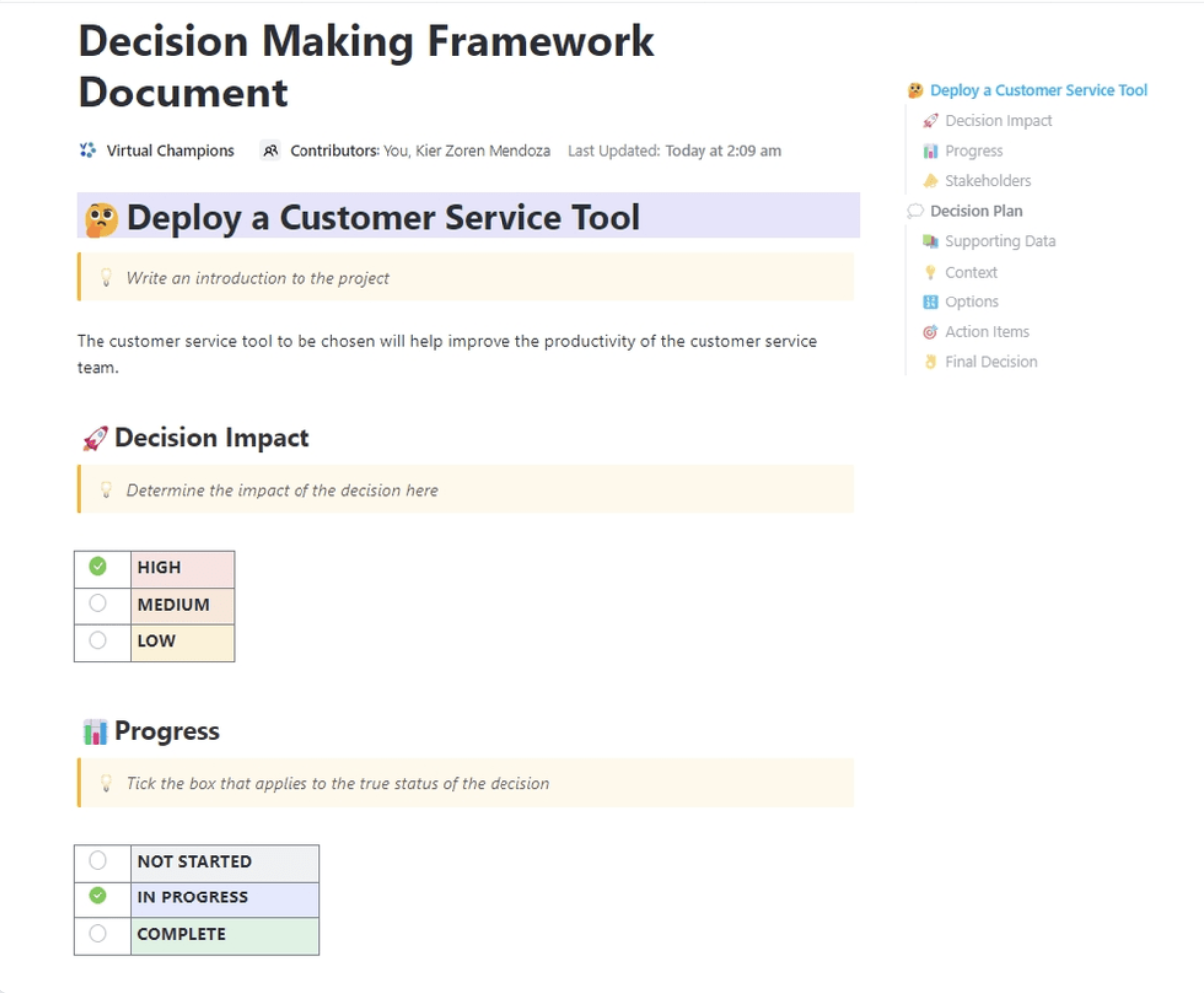
Not every decision fails because the team lacks options. Sometimes the real problem is that everyone is judging those options differently. One team is focused on cost, another on risk, and someone else is optimizing for speed.
The ClickUp Decision-Making Framework Document Template gives you a structured way to define how the decision will be evaluated before people weigh in. Built in ClickUp Docs, it includes sections for decision impact, stakeholders, context, options, action items, and the final call.
That way, contributors can assess the same decision through the same lens, even when they are reviewing it at different times.
✅ Best for: Cross-functional groups where different departments bring different evaluation criteria and need a standardized approach.
💡 Pro Tip: Not every decision input gets written down in the framework. ClickUp AI Notetaker helps capture the live discussion behind the decision, so key trade-offs, objections, and action items don’t disappear after the meeting ends.
🧠 Fun Fact: Email made the @ symbol famous because Ray Tomlinson needed a separator. The Internet Hall of Fame credits him with inventing network email and choosing @ to connect the username with the destination address. Ray noted he chose it because it was not already used in usernames or TENEX programming.
Several decisions stall because too many people are involved, and nobody is clear on who owns what. One person thinks they are giving input, while another thinks they are making the call. In async teams, that confusion slows everything down.
The ClickUp DACI Model Template gives your team a clear structure from the start. It separates decision ownership, approval authority, active contributors, and visibility, so async feedback stays focused. Built around the DACI framework, it clarifies exactly who plays which role in a decision before the discussion even starts.
✅ Best for: Team leads and department heads managing async decisions where ownership and approval lines need to stay clear.
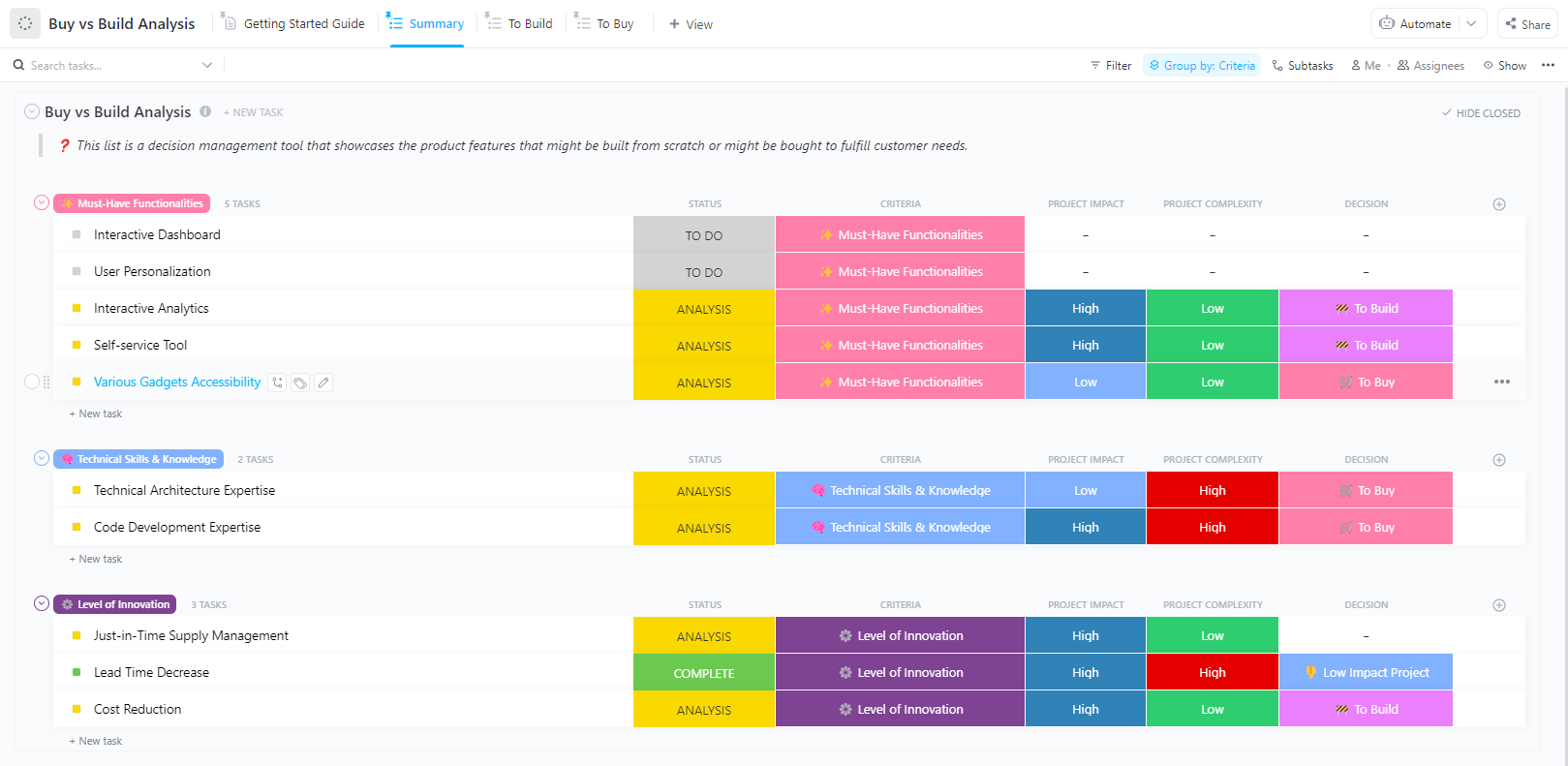
Do you invest internal time and resources to build, or move faster with an outside solution? That question gets harder when product, engineering, and finance are all weighing different tradeoffs asynchronously.
The ClickUp Buy vs Build Analysis Template lets you compare options based on criteria such as impact, complexity, and decision outcomes. You can lay out must-have functionality, technical requirements, and innovation goals in one shared workspace. This helps contributors add input before the final recommendation is made.
✅ Best for: Engineering and product teams facing tooling or infrastructure choices, or operations teams evaluating vendors.
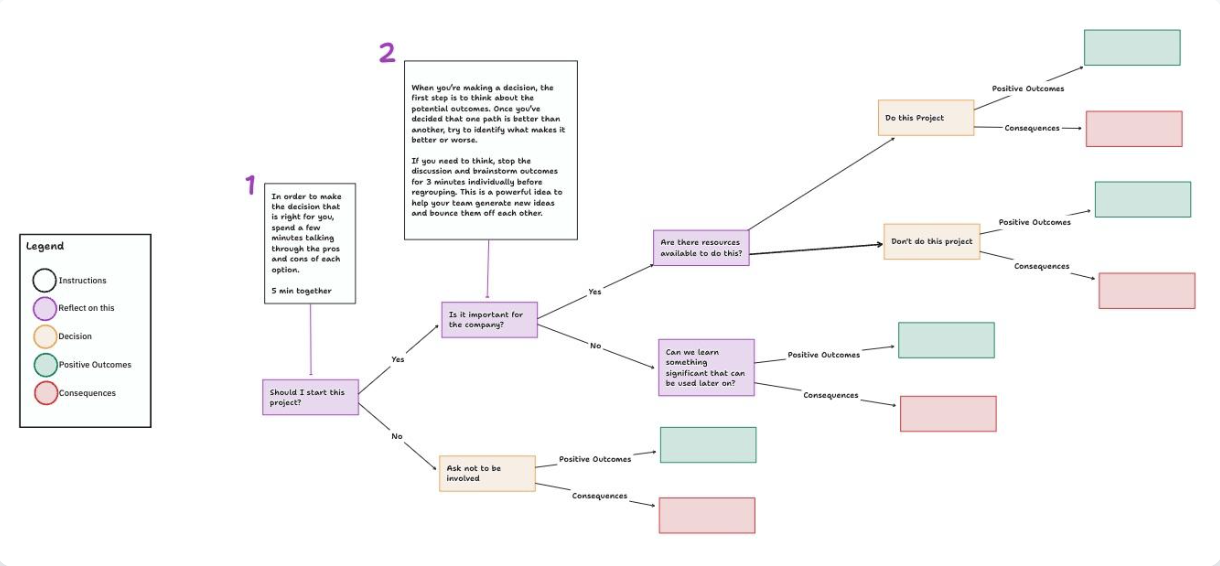
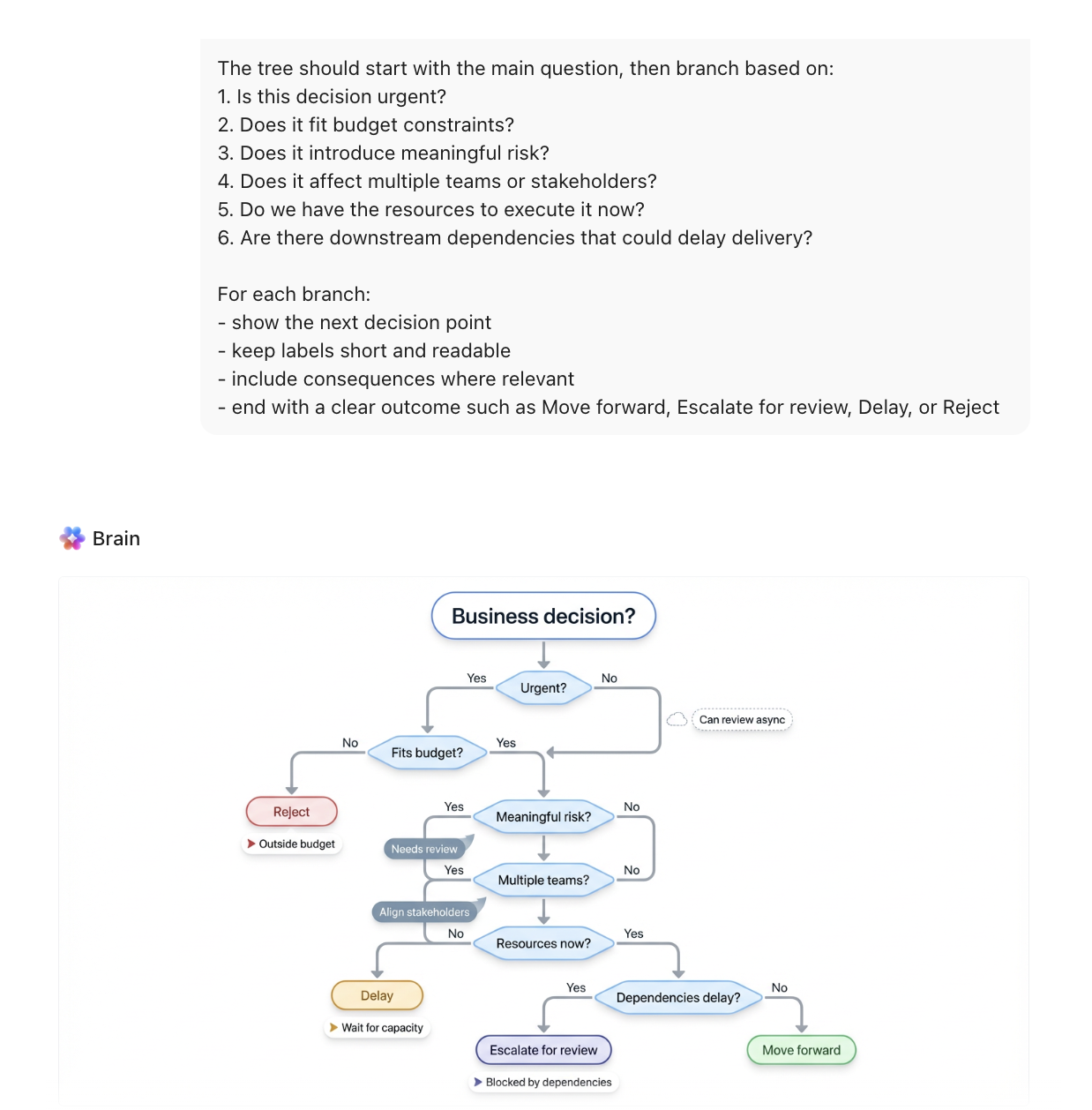
Some decisions are hard to document because they don’t yield a single clear answer. They branch. If one condition is true, the team moves one way. If not, the next question changes the path. In async work, that logic can get messy when it lives across long docs or disconnected comments.
The ClickUp Decision Tree Template turns that reasoning into a visual flow your team can follow. Built on ClickUp Whiteboards, it helps you map decision points, outcomes, and consequences in one shared space, so people can review the logic step by step and add input without needing a live walkthrough.
✅ Best for: Operations teams, product teams, and support leaders mapping async decisions for rollout paths, escalation flows, and risk-based scenarios.
🕰️ Time-saver: Don’t build every branch from scratch. Use ClickUp Brain to generate an initial decision tree from your prompt, then shape the paths and outcomes together in ClickUp Whiteboards.
⚡️ Template Archive: Tree Diagram Templates
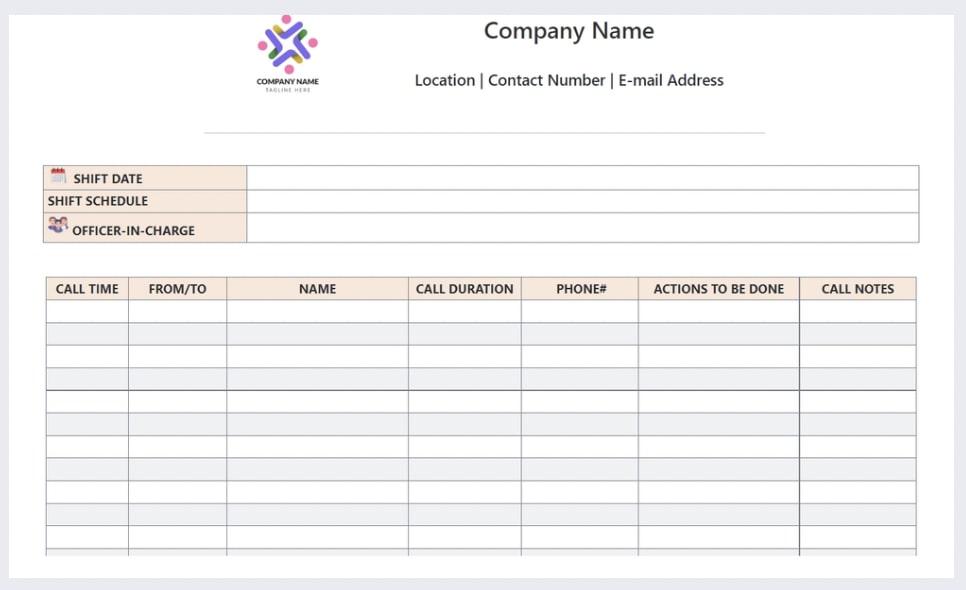
Some decisions are easy to document then and hard to understand later. You can record the final call, but still lose the discussion that shaped it. That becomes a problem when teammates need to review the reasoning asynchronously or when the team needs a clearer record of how consensus was formed.
The ClickUp Conversation Log Template helps you capture the discussion alongside the decision. You can log key exchanges, record follow-up actions, and preserve the reasoning trail in one place. This helps people catch up without piecing the story together from scattered chats and side notes.
✅ Best for: Product and operations teams managing evolving requirements that require frequent revisions.
🎥 Keep your distributed team in sync and your projects organized with the help of ClickUp’s collaborative features. 👇
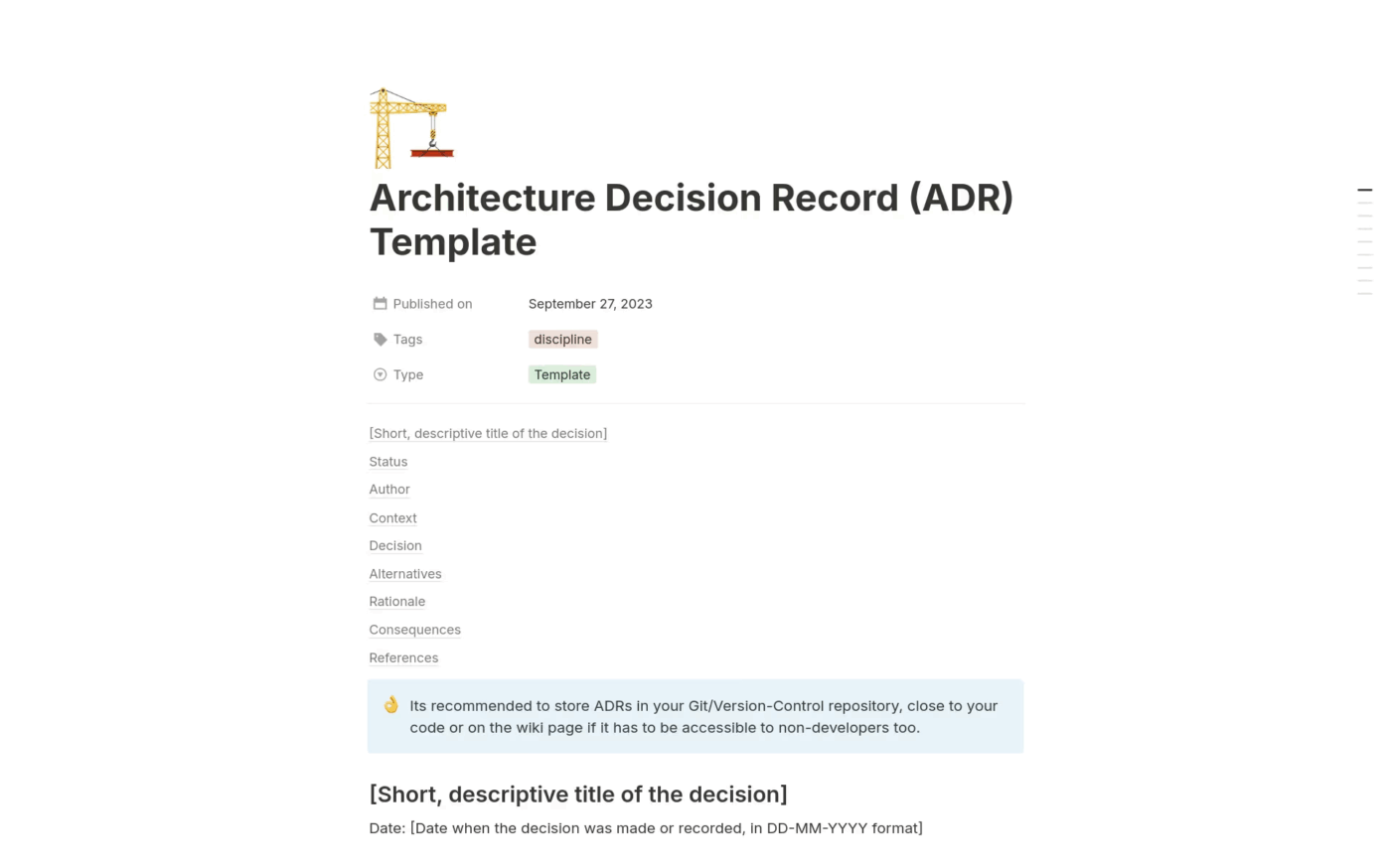
The Architecture Decision Record Template by Notion gives engineering teams a clean ADR structure right away. Instead of building the format from scratch, you get dedicated sections for context, decision, alternatives, rationale, consequences, and references in one organized page.
That makes it easier to record technical choices consistently and review them later without piecing the logic back together from scattered discussions.
✅ Best for: Engineering teams and technical leads documenting architecture decisions for future reference.
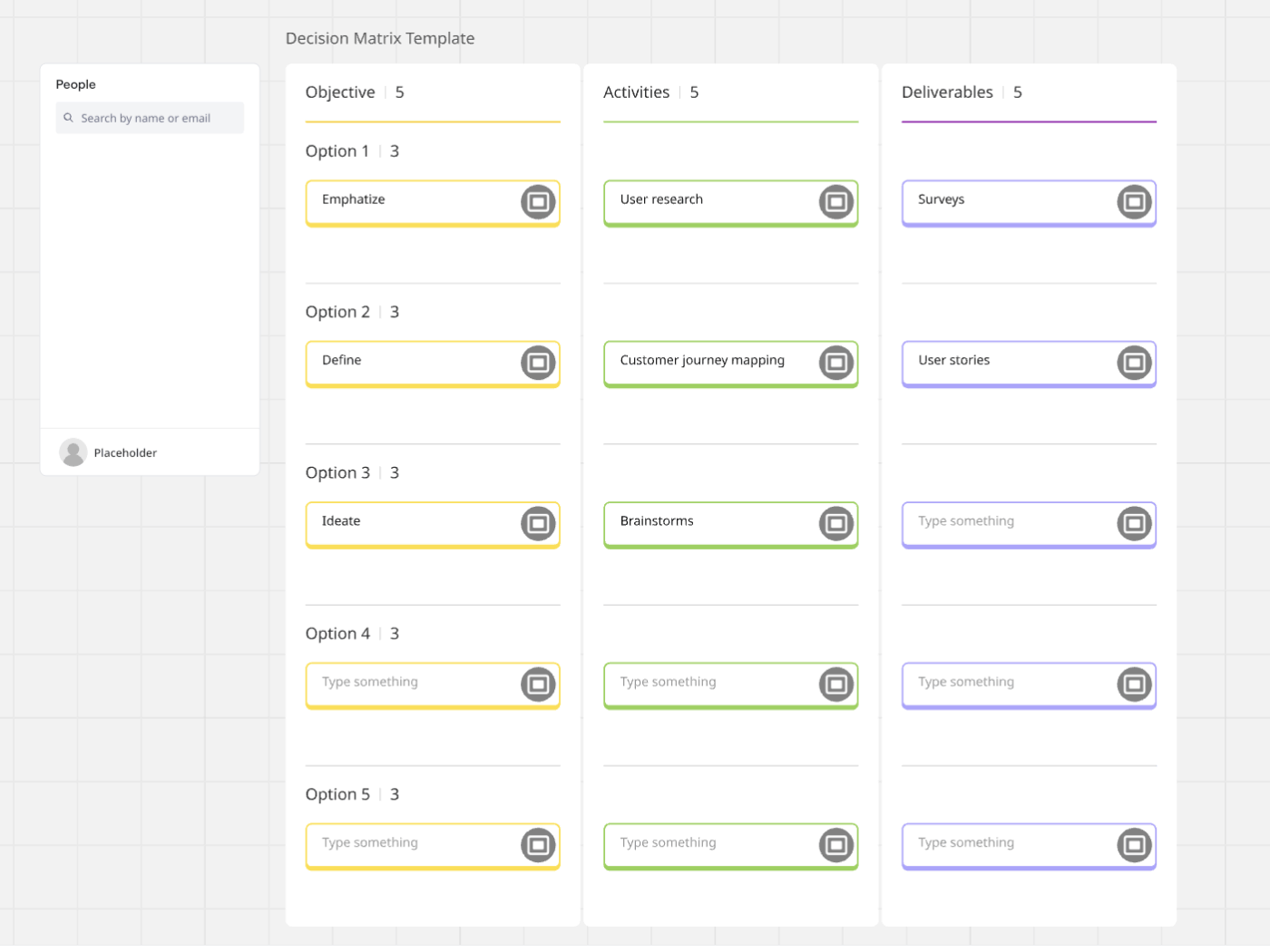
The Decision Matrix Template by Miro is built on a visual board, which makes option comparison easier to work through as a group. You can lay out the objective, compare several options side by side, and weigh the activities or deliverables associated with each.
That format works especially well for async decisions. People can review the same board, add input against the same criteria, and see the tradeoffs more clearly before the final call is made.
✅ Best for: Product teams and operations leads weighing multiple options before making a structured async decision.
The best template depends on what kind of decisions you are making, how many people are involved, and where your team already works.
Here’s how to narrow it down.
| If you need… | Choose this template | Why |
|---|---|---|
| A running record of all project decisions | Decision Log or Project Management Decision Log Template | Centralized tracking with filters and project-phase context |
| A framework for evaluating options before deciding | Decision-making Framework Document template | Standardizes criteria so async contributors score consistently |
| Clear role assignment | DACI Model Template | Eliminates the bottleneck of wondering who has the final call |
| A visual map of conditional decisions | Decision Tree Template | Easier to parse async than long prose |
| A record of the discussion | Conversation Log Template | Preserves deliberation for transparency and onboarding |
| A build-vs.-buy evaluation | Buy vs Build Analysis Template | Structured for cross-functional async input |
If your team’s decisions span multiple types, you’ll likely use more than one template. The advantage of keeping them in a single workspace is that ClickUp Brain can search across all your decision records at once, surfacing past choices relevant to the one you’re making now to eliminate context sprawl.
That’s the difference between a simple record and a true decision system.
📮 ClickUp Insight: Imagine losing up to 3 hours every week—just waiting for decisions. That’s the reality for 38% of employees. 👀
With ClickUp, you can design workflows that keep things moving: automatic approvals, role-based task routing, and real-time progress tracking. No more wasted hours wondering what comes next, just steady progress, every step of the way.
Summarize this article with AI ClickUp Brain not only saves you precious time by instantly summarizing articles, it also leverages AI to connect your tasks, docs, people, and more, streamlining your workflow like never before.Make Async Decision Records Easier to Maintain With ClickUp
Async decision record templates are a strong starting point. They give your team a consistent way to capture decisions, context, and rationale so the meaning does not get lost.
The real challenge is maintenance. Decisions evolve, constraints change, and follow-ups create new context. If updating the record feels like extra work, it stops happening.
That is where ClickUp can help on top of the templates. Keep your decision records in Docs, sketch trade-offs in Whiteboards, and attach follow-through as Tasks with owners. Use ClickUp AI to summarize long threads into a clean rationale, and AI Agents to keep logs updated and action items moving.
Use the templates to standardize your format, then use ClickUp to keep the record alive.
The ADR format is a lightweight document structure originally created to record software architecture choices. Async decision records use this exact same format, but apply it to any asynchronous choice, not just technical architecture.
An RFC (Request for Comments) is a proposal document designed to gather feedback before a choice is made. An async decision record captures the final outcome after the deliberation is complete.
Yes, these templates aren’t limited to engineering departments. Product teams use them for feature prioritization, design teams for direction changes, and operations teams for vendor evaluations.
Skip the documentation for easily reversible, low-impact choices that don’t affect other teams or future work. If the outcome won’t matter in a month, a formal record adds unnecessary overhead.

© 2026 ClickUp

There’s an easier way. Try a free AI Agent in ClickUp that actually does the work for you—set up in minutes, save hours every week.