






Still downloading templates?
There’s an easier way. Try a free AI Agent in ClickUp that actually does the work for you—set up in minutes, save hours every week.
Sorry, there were no results found for “”
Sorry, there were no results found for “”
Sorry, there were no results found for “”

For small business owners and their teams, time is the most valuable—and often the most scarce—resource. You wear multiple hats, juggle countless responsibilities, and constantly look for ways to do more with less.
Yet, despite our best efforts to optimize our days, there is one universal time sink that affects almost every organization: the meeting. The manual work that surrounds a meeting (like frantically taking notes, or spending hours drafting follow-up emails) pulls focus away from the conversation itself.
AI meeting assistants can take over much of the heavy lifting here.
In this article, we’ll talk about the best AI meeting assistants that can boost your team’s productivity and fit perfectly into your small business budget.
Here is a side-by-side snapshot of every tool on this list. Scroll down for the full breakdown of each one to find the best AI tools for effective meetings.
| Tool | Best for | Best features | Pricing* |
|---|---|---|---|
| ClickUp | Turning meeting notes into converged tasks and workflows | AI Notetaker, ClickUp Brain, Converged Super Agents, Automations, Docs-to-tasks | Free Forever; Customization available for enterprises |
| Fireflies.ai | Searchable meeting transcripts with CRM sync | AskFred AI chat, speaker transcripts, topic tracking, CRM auto-logging | Free plan available; Paid plans from $18/user/month |
| Otter.ai | Live transcription and fast meeting recaps | Real-time transcript, slide capture, role-based AI agents, advanced search/export | Free plan available; Paid plans from $16.99/user/month |
| Fathom | Simple, generous AI summaries | Unlimited recordings on free tier, highlight clips, CRM sync, Ask Fathom Q&A | Free plan available; Paid plans from $19/user/month |
| tl;dv | Recorded highlights and multi-meeting intelligence | Chaptered recordings, highlight clips, cross-meeting insights, 30+ languages | Free plan available; Paid plans from $29.30/user/month |
| Granola | Bot-free meeting notes | Local capture (no bot), structured notes + action items, AI reformat/chat | Free plan available; Paid plans from $14/user/month |
| Krisp | Noise cancellation plus AI meeting notes | Noise + echo cancellation, platform-agnostic capture, AI summaries, workflow sync | Paid plans from $16/user/month |
| Avoma | Revenue teams needing conversation intelligence | Topic detection, coaching scorecards, CRM auto-sync, call moments/snippets | Paid plans from $29/recorder seat/month |
| Fellow | Collaborative agendas and follow-ups | Agenda collaboration, agenda-tied summaries, action item tracking, reminders | Free plan available; Paid plans from $11/user/month |
| Notion AI | Meeting notes inside a flexible knowledge base | AI Meeting Notes blocks, AI Search across notes, relational databases, Notion Calendar links | Free plan available; Paid plans from $12/user/month |
Our editorial team follows a transparent, research-backed, and vendor-neutral process, so you can trust that our recommendations are based on real product value.
Here’s a detailed rundown of how we review software at ClickUp.
📚 Also Read: Best Small Business Apps to Simplify Your Work
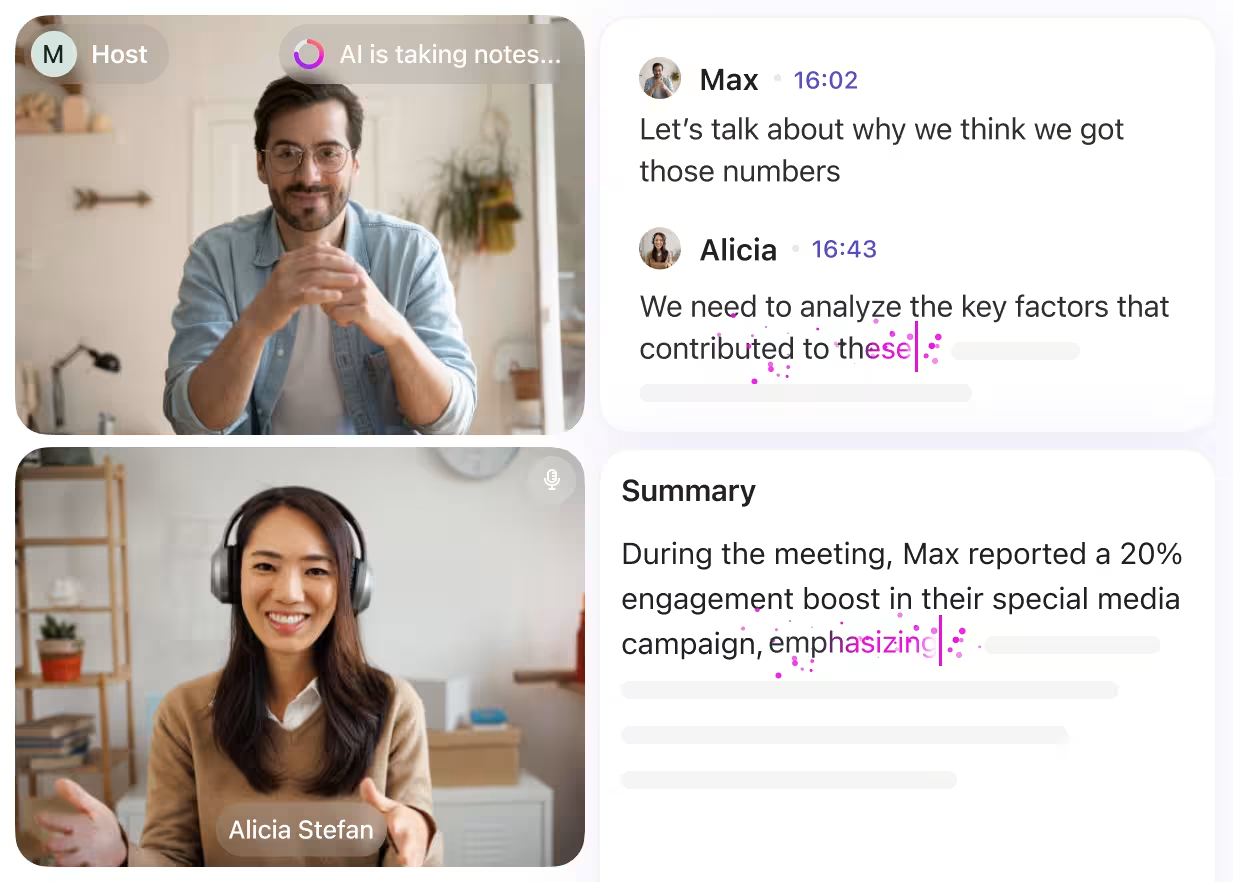
An AI meeting assistant is a software application that uses artificial intelligence to join, record, transcribe, and analyze meetings. Its primary purpose is to automate administrative tasks—specifically note-taking and task tracking—so human participants can focus on the discussion rather than the documentation.
It has three core pillars:
📮ClickUp Insight: According to our meeting effectiveness survey, nearly 40% of respondents attend between 4 to 8+ meetings per week, with each meeting lasting up to an hour. This translates to a staggering amount of collective time dedicated to meetings across your organization.
What if you could reclaim that time? ClickUp’s integrated AI Notetaker can help you boost productivity by up to 30% through instant meeting summaries—while ClickUp Brain helps with automated task creation and streamlined workflows—turning hours of meetings into actionable insights.
Unlike enterprise teams with dedicated IT departments, small businesses need tools that work out of the box. That’s because the wrong software creates more admin work than reducing it.
Evaluate these specific criteria before choosing a tool to simplify your meeting workflows:
For executive assistants and admin professionals managing complex schedules and multiple stakeholders, choosing the right AI tools can greatly streamline workflows. Watch this overview to see how leading AI tools can support executive assistants beyond just meeting management.
Let’s avoid important meeting recaps from being scattered across multiple tools.
Jumping in:
How much time does your team lose just moving takeaways from one tool to another? For most small businesses, the problem starts right after a meeting. You end up with notes in one app, action items in another, and key decisions buried in a chat thread you’ll never find again.
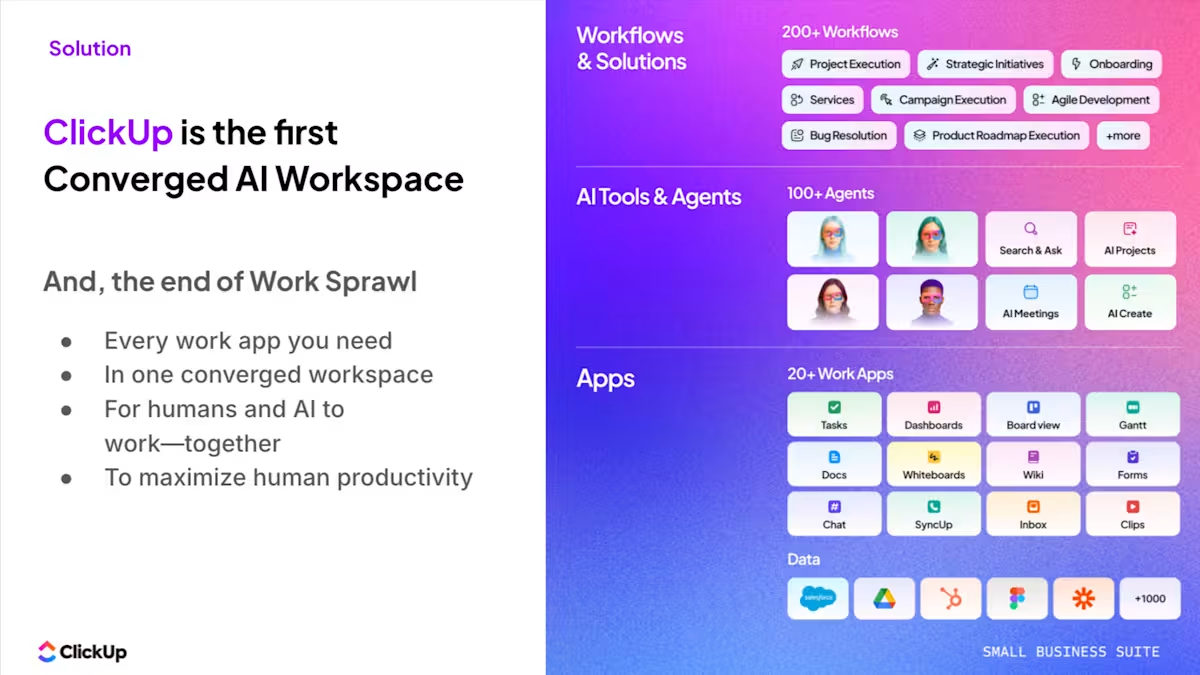
We call this “work sprawl,” and it’s what ClickUp solves. As the world’s first Converged AI Workspace, it brings your meetings, notes, docs, and tasks into one place, with AI monitoring everything from atop.
Let’s look at some of its core AI convergence features:
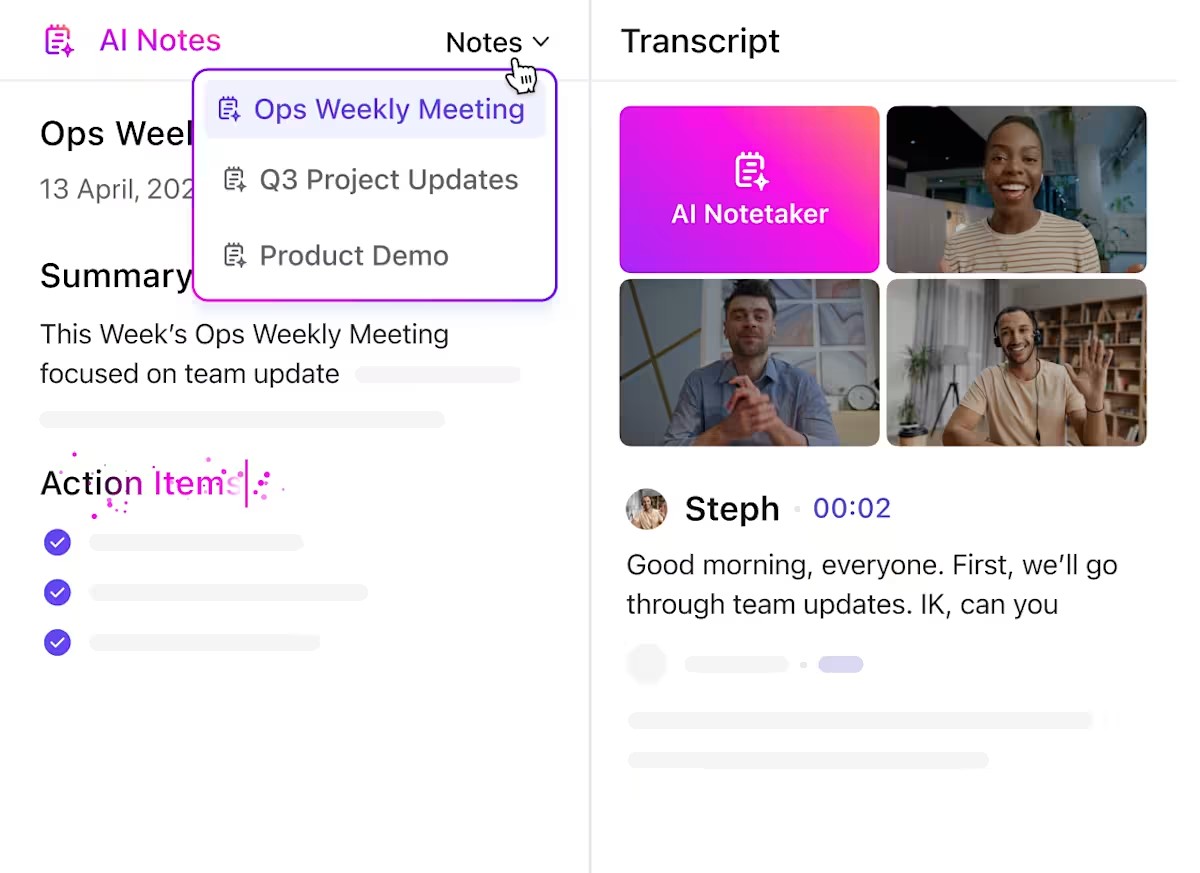
To begin with, you have ClickUp AI Notetaker. It can join scheduled meetings or be sent to ad hoc Zoom, Google Meet, and Microsoft Teams links. After the call, it creates a private ClickUp Doc, @mentions you, and makes the notes easy to reopen from the Planner or Docs Hub.
And the best part? The output is not stuck in a separate recorder. The next steps are assigned to the right person after the meeting ends, giving lean teams a much cleaner path from recap to execution.
ClickUp’s contextual work AI, ClickUp Brain, starts working much before the call even begins. It can search calendar events in natural language, check availability for one or more people, and create or update calendar events.
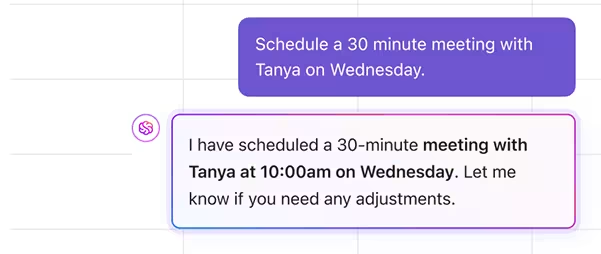
What’s more, it lets you generate meeting agendas from previous meetings, project status, and team priorities.
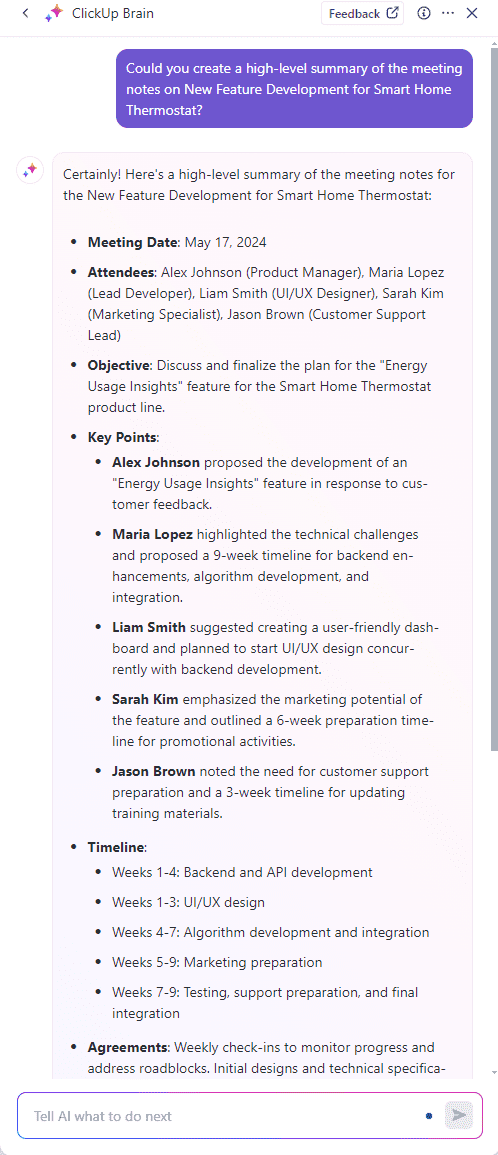
It is just as useful once the meeting is over. Because Brain can answer questions across tasks, Docs, Chat, and meeting notes, you can ask:
ClickUp Super Agents are built-in AI agents you can add to your workspace for specific jobs. And one reason they work amazingly well for small businesses is because of their extensive agent catalog.
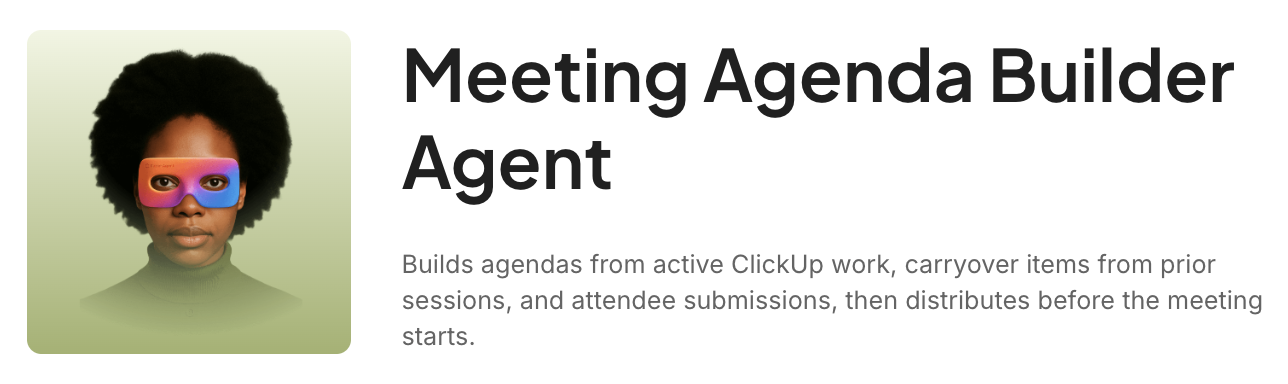
Simply put, instead of building everything yourself, you can start with secure, ready-made agents and tailor them to your workflow. For example, the ClickUp Meeting Agenda Builder Agent can pull together a shared agenda from active work, past outcomes, and attendee input.
In a nutshell:
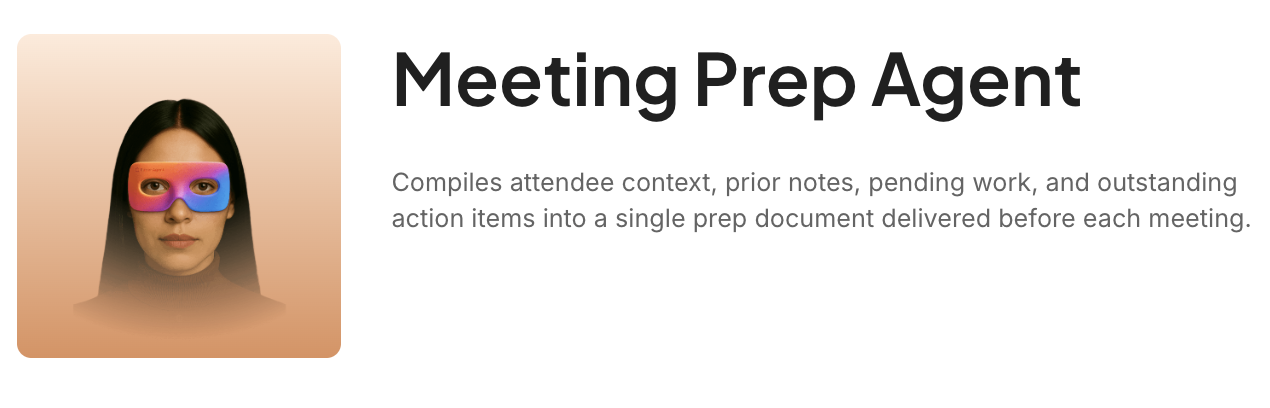
And while that’s happening, the ClickUp Meeting Prep Agent creates a personal brief with the context you need before the call. Together, they help you walk into meetings with the right background already in front of you.
🎥 Watch this video to see how you can bring AI into your small business without needing technical chops
Once ClickUp’s AI generates a task from the meeting transcript, ClickUp Automations handles the routing without you lifting a finger. That means you get to establish background rules for your workspace, and Automations handles the rest of the workflow.
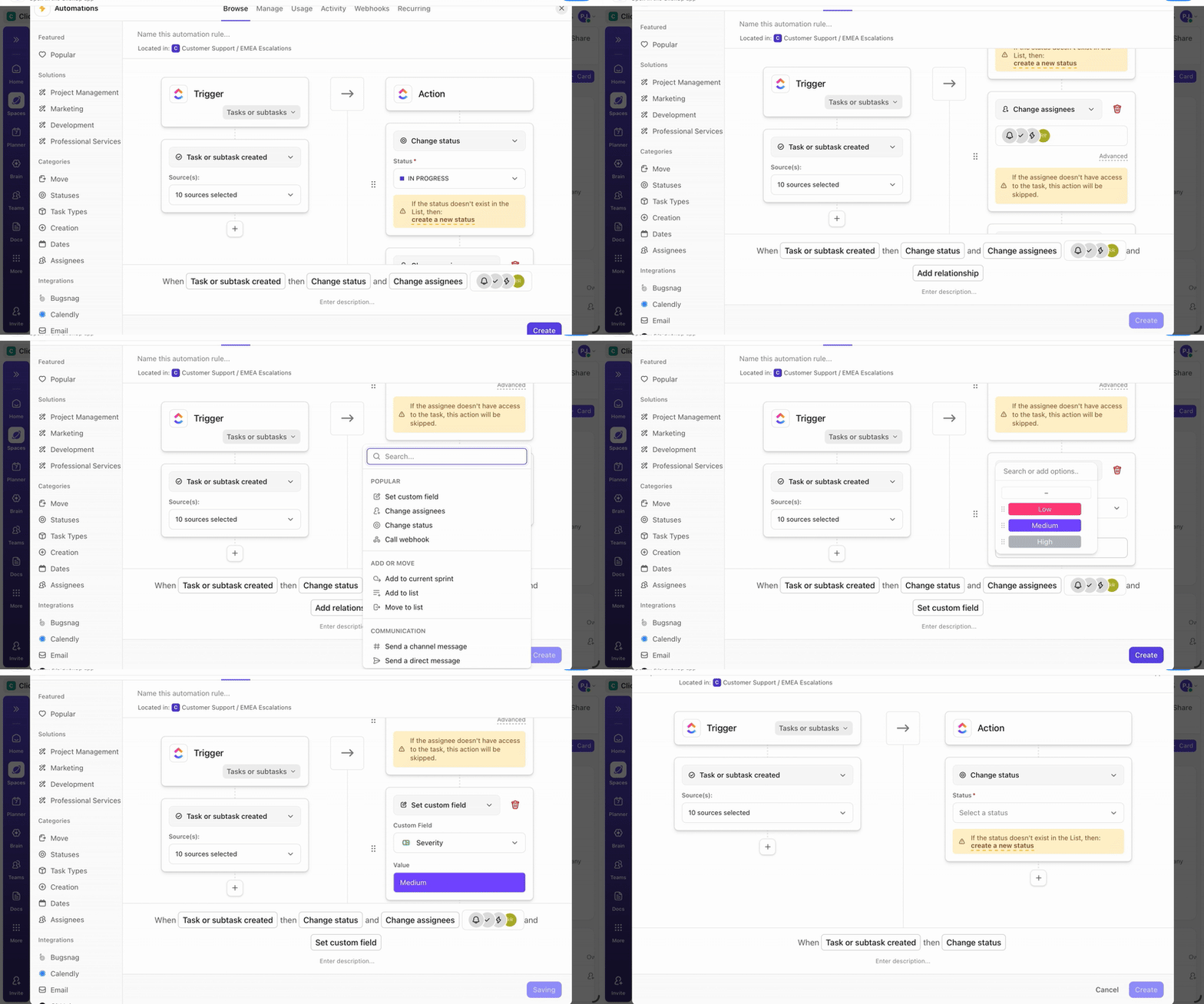
For instance, if the meeting transcript generates a new task containing the keyword “Design Update,” a pre-set automation recognizes that phrase and instantly alerts the lead designer, moving the newly created task into the “To Do” column of the design team’s specific workflow board.
Pros:
Cons:
A G2 user says:
I like having time tracking and meeting notes all in one place with ClickUp. The AI agents are very helpful, and they help keep my work organized. It’s great that I was able to replace lots of tools with just one. I appreciate being able to see all department work in one place, which keeps tasks clean. Plus, the easy import made the setup process smooth.
✅ Our Small Business AI Playbook lays out how to use AI across your business without adding more apps to manage.
🧠 Fun Fact: Thomas Edison did not imagine the phonograph as a music player first. He initially pitched it more like a 19th-century productivity tool for dictation and business communication, while music appeared lower on his list of future uses. In other words, one of history’s most iconic entertainment devices started out as something closer to a voice notes machine.
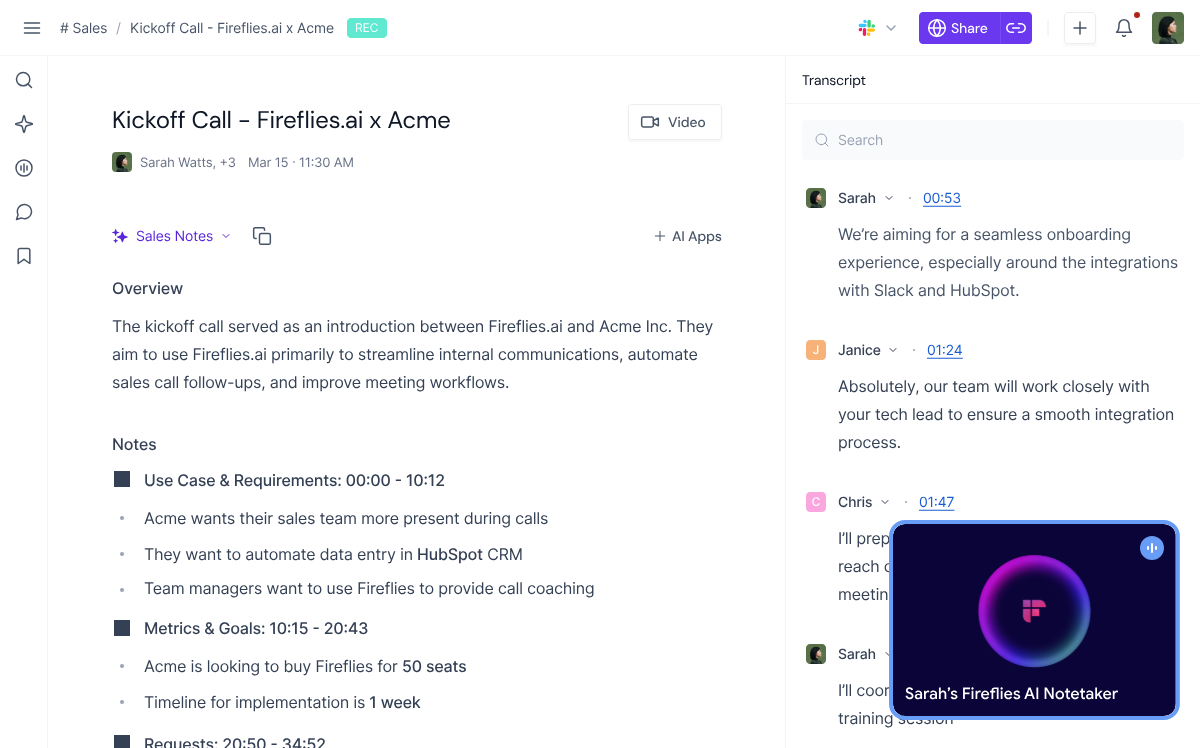
Fireflies.ai is an AI meeting assistant that captures, transcribes, and organizes meetings across conferencing platforms such as Zoom, Google Meet, Microsoft Teams, Webex, and more.
It also goes beyond passive note-taking. AskFred, Fireflies’ built-in AI assistant, can summarize calls, generate follow-up emails, extract action items, and create other meeting-based outputs.
It also features a “Topic Tracker” that searches for specific keywords, such as “pricing” or “objections,” during your calls. It then automatically logs these details directly into your CRM or project management software, saving your team from manual data entry.
Pros:
Cons:
A G2 user says:
I can fully pay attention to the conversation during a meeting because I know Fireflies has me covered with the notes, and also the AI function is great to get quick insights on what happened in a meeting, and for recap emails, it easily integrates into my team’s environment. Implementation was so seamless, I’ve never had to use customer support, but if the product is so good, I’m sure customer support is excellent. I use Fireflies on a daily basis.
👀 Keen to see more Fireflies alternatives? We’ve got a list for you 👇.
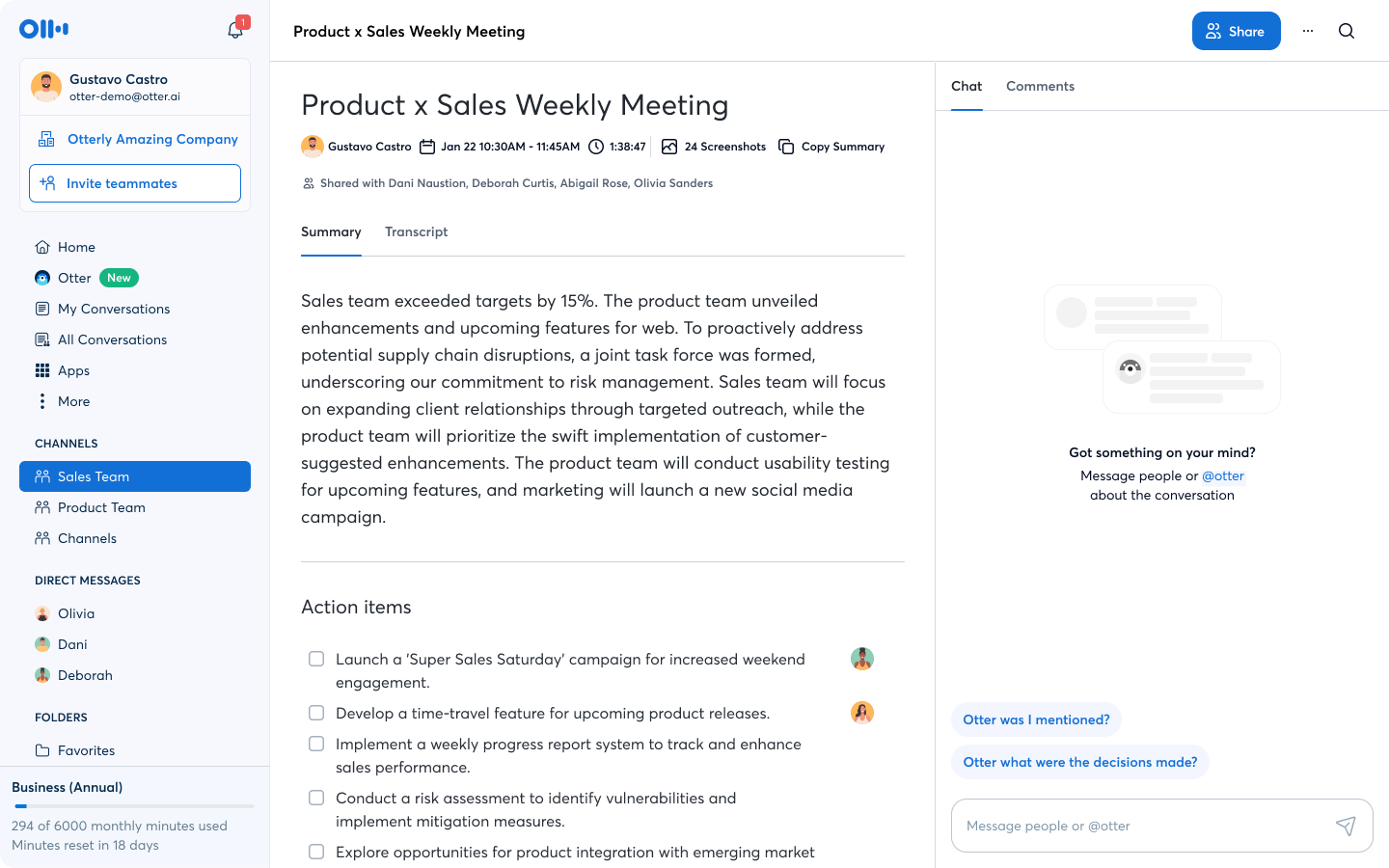
If you need to follow along with a meeting as it happens, Otter.ai provides a live transcript on your screen as people speak. That makes it incredibly useful for teams that require accessibility support, have non-native speakers, or simply prefer to read along to stay focused.
Its core mechanism is real-time processing. Instead of waiting for a recording to process after the call ends, Otter creates an active, interactive document during the meeting itself.
Otter offers specialized AI agents for sales and recruiting workflows. These agents automatically extract deal-relevant information and push it to your connected tools.
Pros:
Cons:
A G2 user says:
Whenever we start a meeting, it automatically joins in or at least requests to join the session. Takes notes and then gives an email as well after the meeting ends. Summaries are good and to the point.
📚 Also Read: Best Otter.ai Alternatives & Competitors
🧠 Fun Fact: A lot of formal meeting procedures exist because meetings used to be chaotic. The official Robert’s Rules history says Henry M. Robert encountered what he called practical disorder—different people bringing different ideas of procedure—and published the first edition of Robert’s Rules of Order in 1876 to bring order to it.
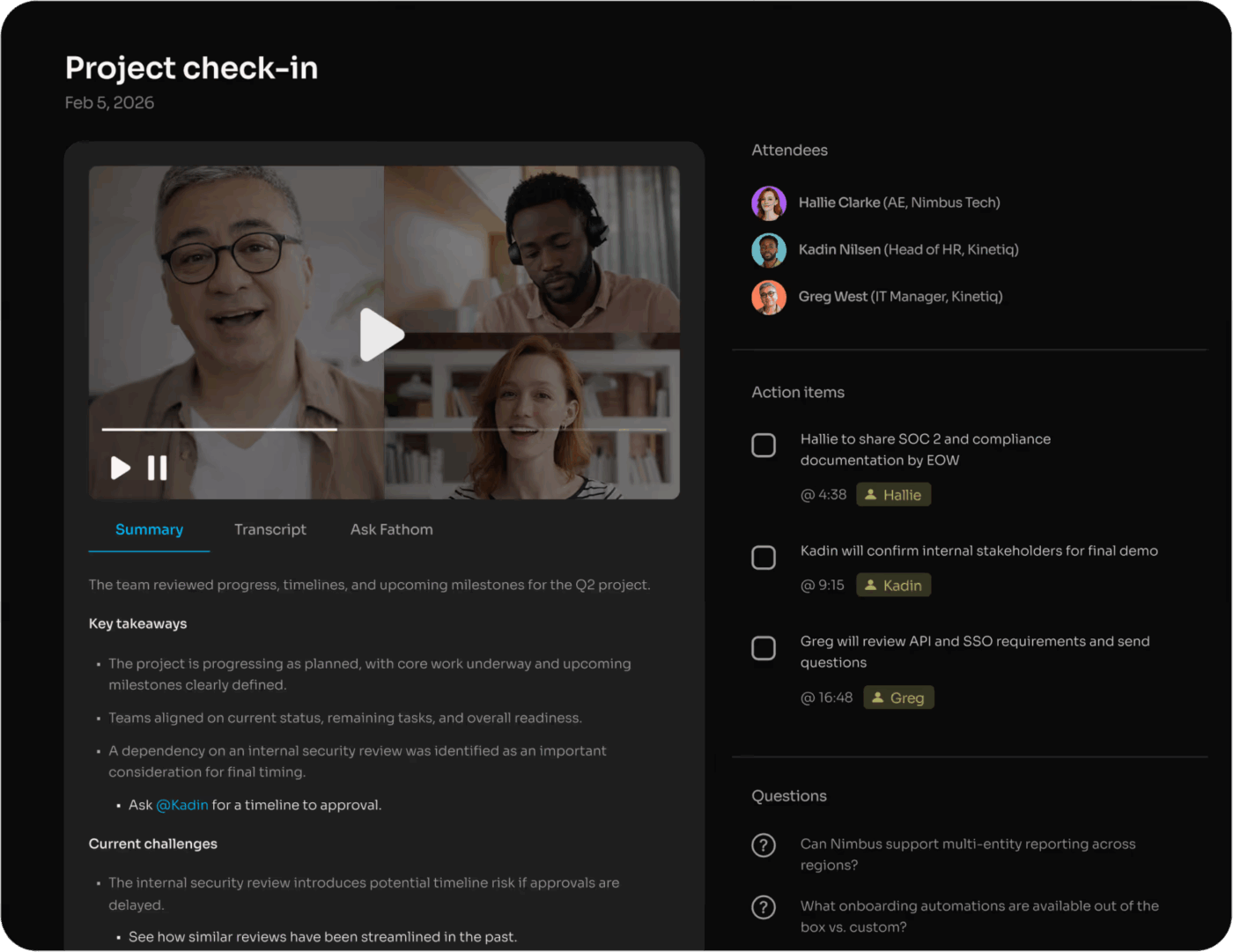
If you are a solo founder or small team operating on a strict budget, Fathom is a good choice.
It offers unlimited recording, transcription, and summarization at no cost. This is great for people who have many meetings but cannot justify another monthly software subscription.
Its core mechanism is user-triggered clipping. Instead of just giving you a massive wall of text at the end of a call, it lets you mark important moments as the meeting happens. This helps the software know exactly what to isolate for you later.
Pros:
Cons:
A G2 user says:
It’s very accurate and helps me summarize long meetings without having to overthink whether Fathom is skipping anything important. It doesn’t. It also syncs with my agenda, so I don’t need to add it manually. I love it! I use it on Mac; there is an easy downloader, so no problem there. Support reaches out to check if there is anything they can help you with. I use it almost every day in all my Google Meet meetings.
🚀 How Hit Your Mark marketing agency consolidated multiple tools into one
Hit Your Mark had their work scattered across Slack for communication, Loom/Vidyard for video clips, Miro for collaborative planning, Toggl for time tracking and reporting, and Tango for documentation. They decided to consolidate everything in ClickUp.
⚡ The results were immediate:
📚 Also Read: Best Fathom AI Alternatives for AI Note-Taking
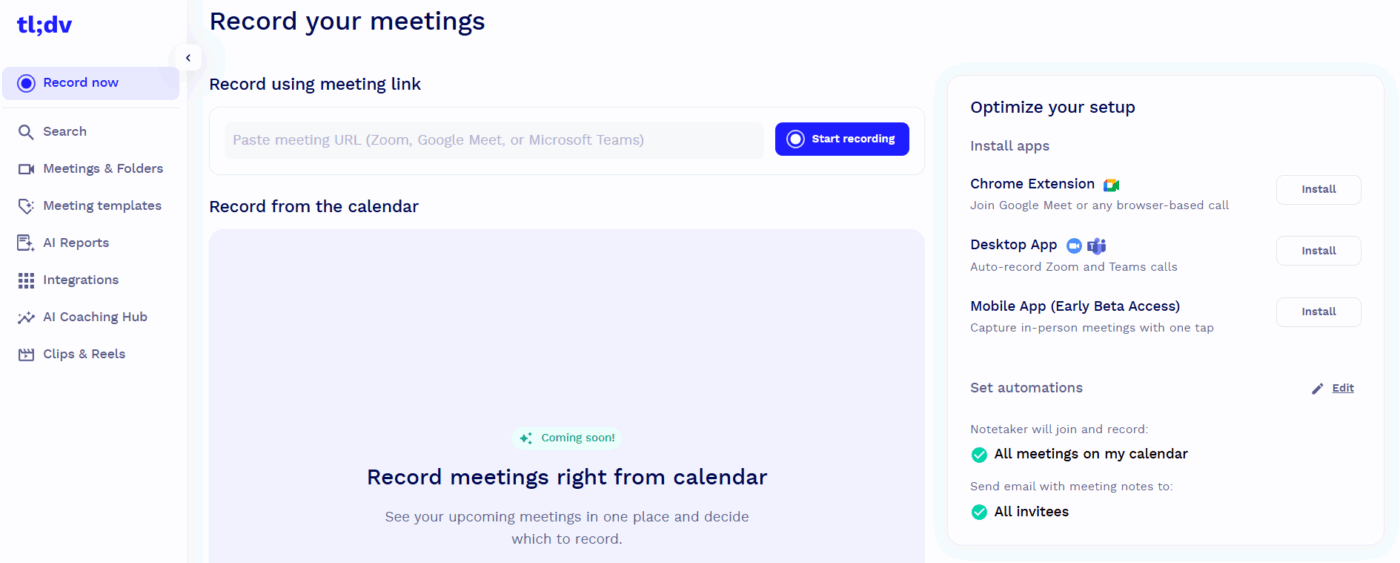
When a company wants to reduce mandatory meeting attendance, tl;dv supports it. It focuses more on the video recording than just the text transcript. It’s great for employees in different time zones to catch up on what they missed on their own schedule.
The platform treats a recorded meeting more like a YouTube video. It analyzes the spoken conversation and automatically cuts the timeline into distinct, labeled chapters.
This means a team member can click a timestamp titled “Q3 Marketing Budget” and skip directly to that specific update without sitting through the rest of the hour.
Pros:
Cons:
A G2 user says:
I use tl;dv to record and take notes during my sales calls, which lets me pay better attention during these interactions. I find it super easy to use, just like logging into any other software. The AI in tl;dv lets me ask any question I want and offers several pre-built prompts that are very useful, like drafting a follow-up email with detailed next steps. It keeps a running record of all my meetings, making it feel like having a secretary take minutes for me. Plus, the integration with my email and CRM system works great.
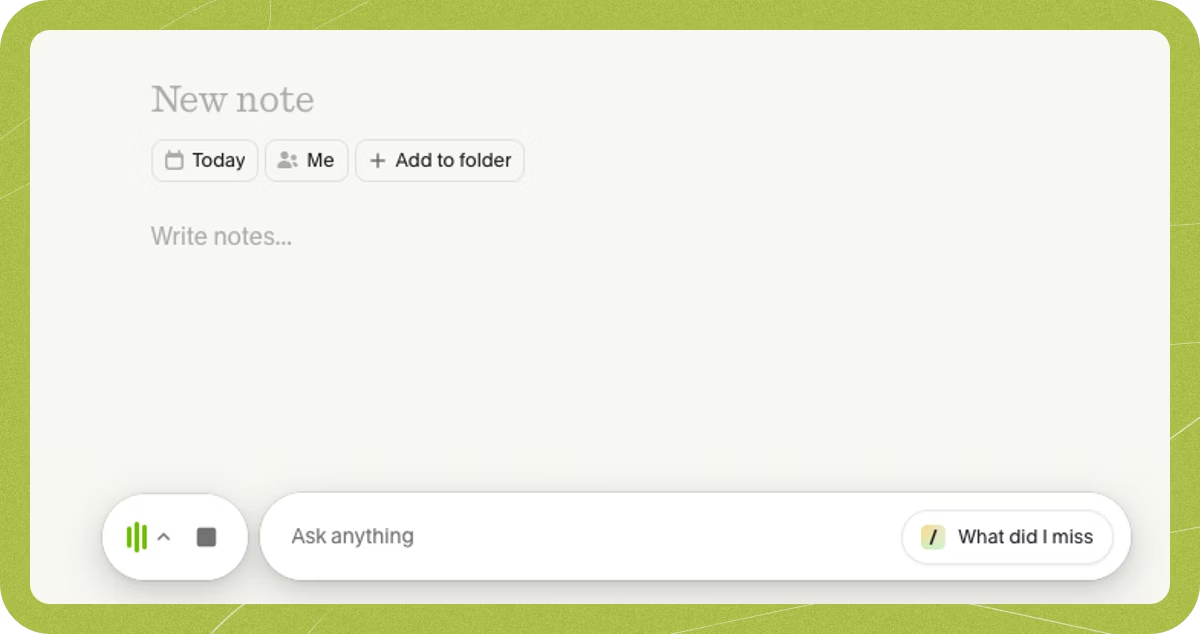
Meeting bots trigger awkward questions from clients and create consent friction. Granola is a desktop app that captures meeting audio natively on your device without sending a visible bot into the call. Nobody on the other end knows it’s running.
After the meeting, the AI generates structured notes with action items and summaries. You can chat with the AI to extract specific details or reformat notes for different audiences. It’s based on the idea that human judgment still plays an important role in creating good notes.
You type your own shorthand or brief thoughts during the conversation, and the software uses the background audio to fill in the specific details you missed.
Pros:
Cons:
A G2 user says:
One of the best tools I have and use. I use it every day for all my calls.
It helps me understand difficult accent merchants and to have clear and truthful interviews. I also configured an AI prompt to qualify my leads, which helps me greatly and saves a lot of time!
📚 Also Read: Best Granola AI Alternatives to Check Out
Not every business conversation happens on a scheduled Zoom link. Krisp operates differently by attaching directly to your computer’s audio system rather than integrating with a specific calendar or meeting software. This means it works with any voice application, from an impromptu Slack huddle to a specialized VoIP phone system running on your desktop.
Its foundation is built on audio clarity rather than just AI note-taking. Before it transcribes a single word, the software filters out background noise from both your microphone and the incoming audio of the people speaking to you.
Because it processes everything at this base audio layer, it generates transcripts and summaries without ever sending a virtual assistant into the meeting room.
Pros:
Cons:
A G2 user says:
The best part about Krisp is how it handles meeting summaries. The automatic recording feature is a lifesaver for back-to-back calls. I also love the flexibility of the transcription tool; it’s not just for live calls, as you can upload and transcribe any audio file directly into the platform.
📮ClickUp Insight: The results from our meeting effectiveness survey indicate that 42% of teams use recorded clips (21%) or project management tools (21%) for asynchronous work. But these tools may often require additional tools, separate subscriptions, logins, and learning curves.
As the everything app for work, ClickUp makes asynchronous communication easier. Access video clips, voice messages, project workflows, collaborative docs, and a built-in AI notetaker—all within a single workspace. Why manage multiple subscriptions and scattered information when a single solution can streamline your entire workflow?
💫 Real Results: Teams using ClickUp’s meeting management features report a whopping 50% reduction in unnecessary conversations and meetings!
⭐️ Bonus: How to Run an Effective Ad Hoc Meeting
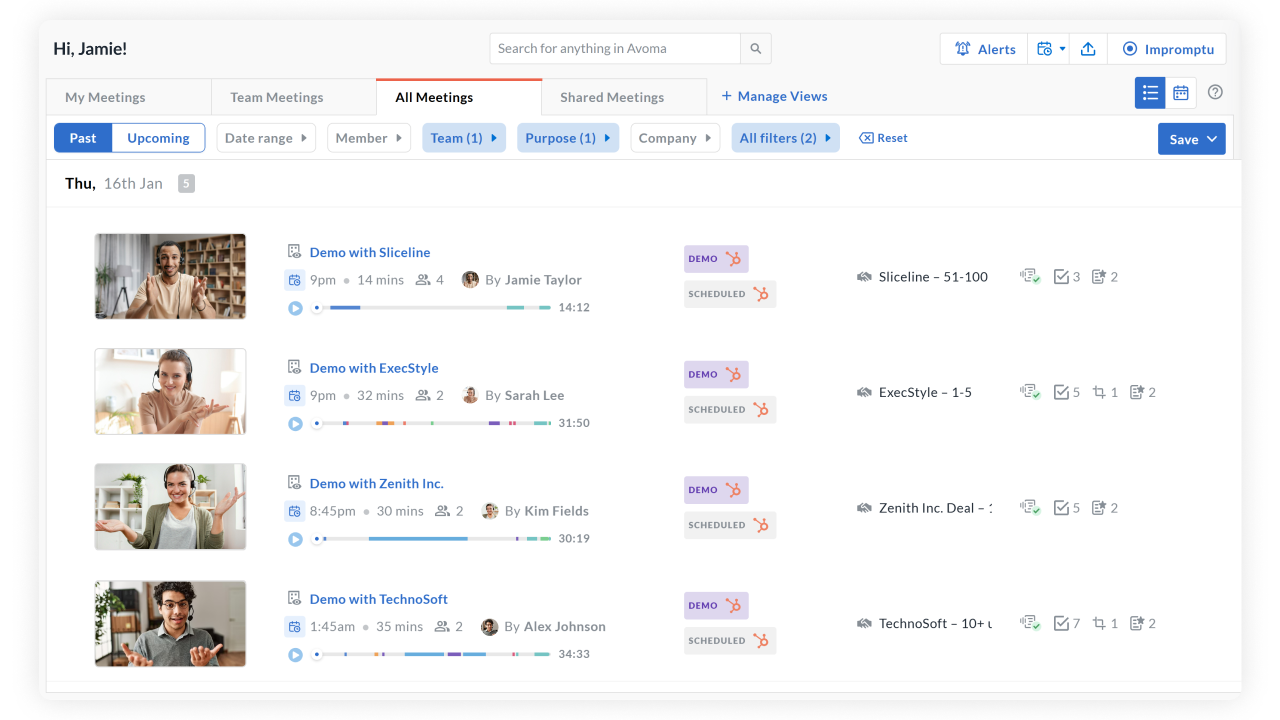
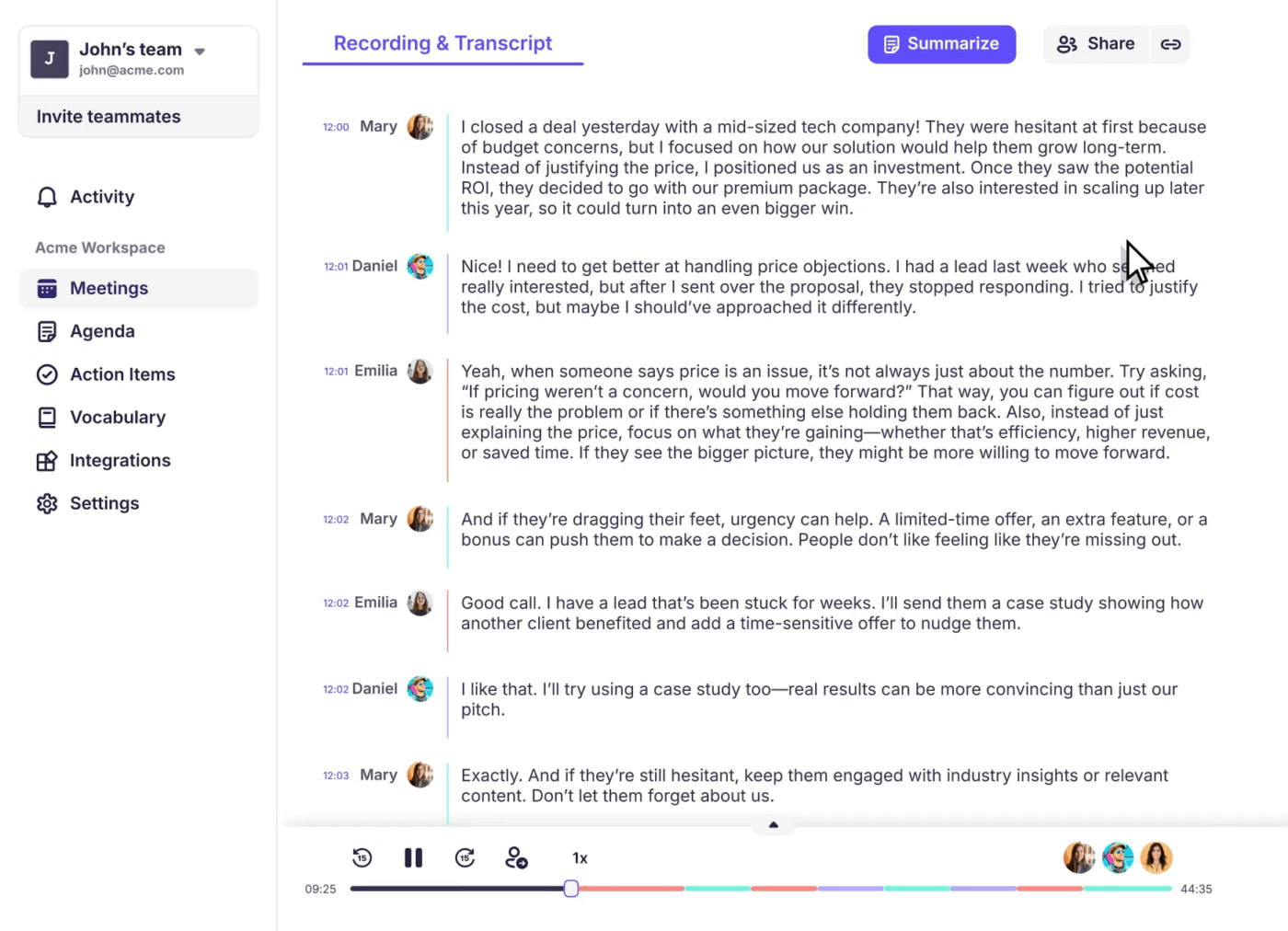
While many tools just write down what was said, Avoma evaluates how it was said. It operates as a conversation intelligence platform specifically designed to measure call quality. This makes it highly practical for a manager trying to understand if a sales representative is talking too much or actually listening to the client’s needs.
The software tracks conversational metrics throughout the meeting, including the talk-to-listen ratio, the use of filler words, and the overall sentiment of the speakers. Analyzing these specific data points provides concrete coaching material instead of just a basic transcript.
Pros:
Cons:
A G2 user says:
I use it mainly for demo & customer calls to easily extract key takeaways, major pain-points of the prospects, customers. Apart from just transcripts, I liked Avoma’s keyword tracking, talk patterns, call scoring, and even live copilot assistance.
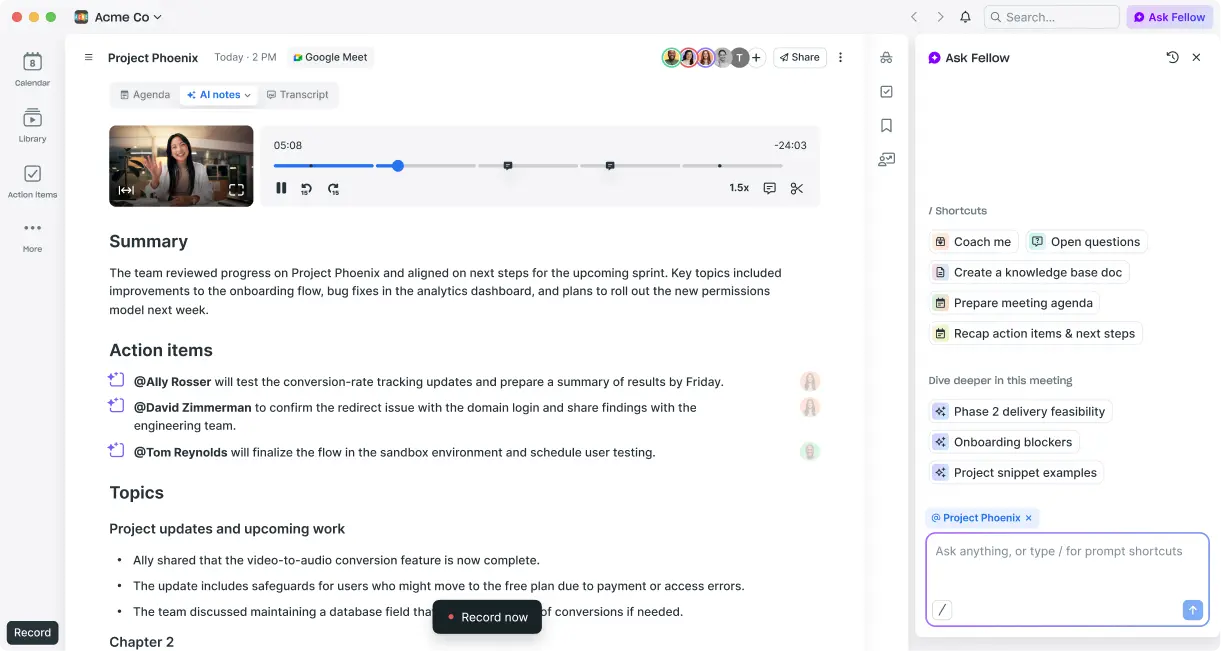
When a manager needs to ensure a discussion actually leads to completed work, Fellow focuses on the entire meeting lifecycle rather than just the transcription. It’s built to clarify exactly who is responsible for what by connecting the initial meeting agenda directly to the final action items.
The software operates as a central accountability tool. It tracks commitments made during a call and pushes them directly into your team’s project management software. This helps prevent decisions from being forgotten after everyone logs off.
Pros:
Cons:
A G2 user says:
It is a great tool for recording meetings, and the AI note-taking feature is really useful as well. It transcribes all the meetings and makes notes out of them, which can be used for reference without wasting time. It saves a lot of time and extra effort. Easy to use and auto-records all the meetings.
📚 Also Read: Best Fellow.app Alternatives
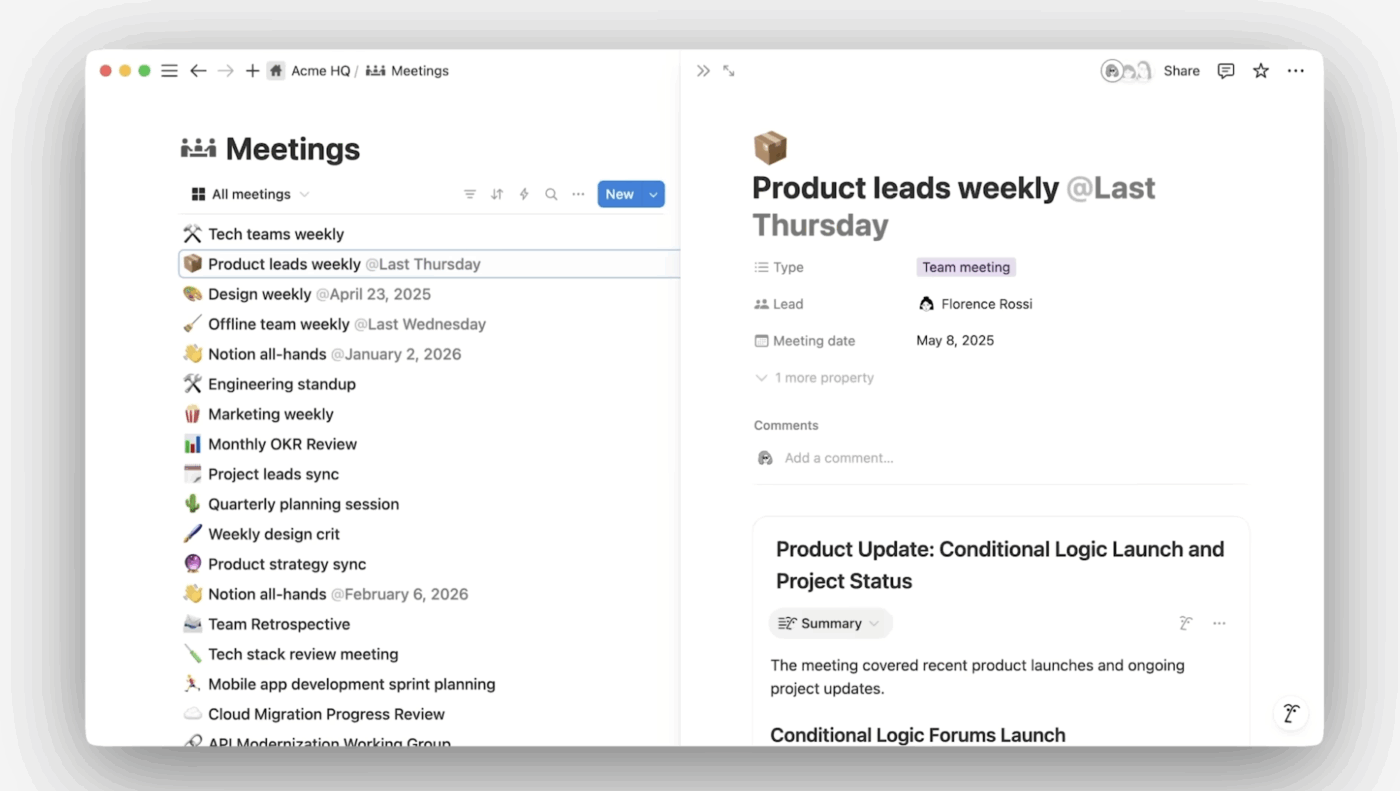
If your team already uses Notion as its primary workspace for managing projects and documents, the built-in Notion AI Meeting Notes feature is the most efficient option. It eliminates the need to pay for a separate transcription tool and prevents the hassle of constantly copying and pasting summaries from one app to another.
Its core mechanism is workspace integration. You type a simple command (/meet) on any Notion page, and it drops a recording block directly into the document you are already working on.
Plus, the AI Search feature lets you query across all your meeting notes and workspace content simultaneously.
Pros:
Cons:
A G2 user says:
I really like the interface of Notion, which is very easy to understand. The AI of Notion is quite suggestive and shows me where I should click, making it easier to analyze or create new documents. The ease of using the tool helps a lot in daily life. The AI of Notion optimizes my time and offers me more organization. An example is in meetings, where I can record and then get a summary with the main topics. This interface makes my daily life easier, optimizes my time, fills in fields, and brings new ideas along with creation.
📚 Also Read: ClickUp vs. Notion: Which Tool is Better?
AI meeting assistants are only useful when the output turns into follow-through. Notes should not live in a separate app that nobody checks. Action items should not get lost in chat. Decisions should not disappear after the call.
ClickUp helps small businesses like yours keep the whole loop connected. With AI Notetaker, your meeting summaries, decisions, and action items can land right where work happens. Add AI Agents to keep follow-ups moving, and tie everything back to the tasks, docs, and projects your team already runs.
If you want meetings to produce progress, not more cleanup, run them in ClickUp.
An AI assistant for meetings is software that automatically records, transcribes, and summarizes your video or audio calls. It extracts action items and key moments so you don’t have to take notes manually. Most tools join your calls as a participant or run silently on your desktop to deliver a structured recap within minutes.
The best AI note taker depends on whether you need notes to flow into a CRM, become tasks in a project management tool, or stay organized in a knowledge base. Tools like ClickUp stand out because meeting outputs connect directly to tasks and workflows.

© 2026 ClickUp

There’s an easier way. Try a free AI Agent in ClickUp that actually does the work for you—set up in minutes, save hours every week.