






Still downloading templates?
There’s an easier way. Try a free AI Agent in ClickUp that actually does the work for you—set up in minutes, save hours every week.
Sorry, there were no results found for “”
Sorry, there were no results found for “”
Sorry, there were no results found for “”
Writing a book asks for time, focus, and a lot of mental energy. Some days, the ideas flow. Other days, the blank page feels heavy, outlines fall apart, and keeping track of drafts becomes draining.
That tension between wanting to write well and needing to meet deadlines is familiar to anyone trying to finish a long-form project.
Using AI for writing a book has started to change how people approach this process. It can help shape rough ideas, organize chapters, and draft faster, but your voice comes from your decisions and revisions.
In this blog post, we’ll break down practical ways to use AI through each stage of writing and explore ways in which ClickUp, the world’s first Converged AI Workspace, helps along the way. 🧑💻
When your blank page stares back at you, the plot threads tangle, and the characters refuse to cooperate, writing a book can get overwhelming. AI writing tools function as practical collaborators in this process, handling repetitive tasks so you can focus on the creative decisions that make your book yours.
These tools work best when you understand what they can and cannot do. AI excels at generating options, organizing information, and spotting patterns in your manuscript. But it can’t replace your voice, vision, or the unique perspective you bring to your story.
Here’s a look at how AI can help write a book. 👇
AI functions as a tireless brainstorming partner when you need fresh angles.
Feed it a premise, character type, or theme, and it returns possibilities you might not have considered. If you’re writing a thriller set in a coastal town, AI can suggest plot complications, character backstories, or thematic elements that add depth.
The real value comes from using these suggestions as springboards. You might ask for 10 conflict scenarios, pick two that resonate, then twist them into something entirely different. This approach keeps you in control while expanding your creative palette.
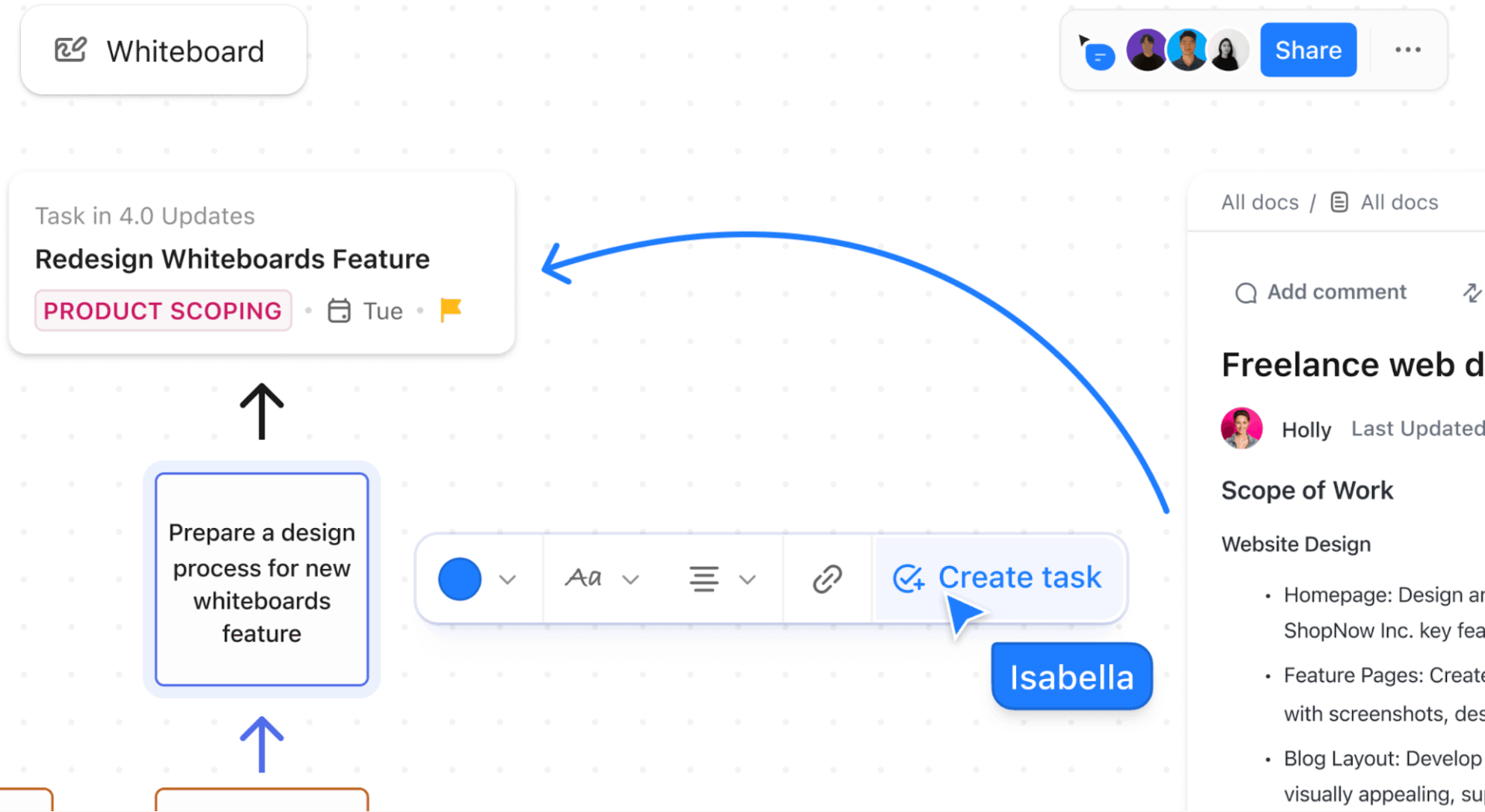
🚀 ClickUp Advantage: Explore ideas for your book with ClickUp Whiteboards. They act as a flexible canvas for mapping characters, conflicts, and themes without imposing a fixed structure. You can move ideas around, group what belongs together, and see how one choice affects the rest of the story as it takes shape.
For instance, while developing a thriller set in a coastal town, you place key characters, locations, and tensions on a Whiteboard.
You cluster two conflicts that share a hidden connection, add a new relationship between characters, and remove ideas that don’t strengthen the narrative. The board helps you shape a richer story by visually working through options.
Turning scattered ideas into a coherent structure is challenging for many writers.
AI writing tools can take your rough notes and propose a chapter-by-chapter framework. You describe your story beats, major turning points, and character arcs. The tool organizes these elements into a sequence that follows narrative logic.
This process reveals gaps in your entire book before you invest months in drafting. You might discover that Act Two lacks tension or that a subplot needs earlier setup. Adjusting the outline will take minutes, but rewriting entire chapters takes weeks.
🧠 Fun Fact: Charles Dickens dictated stories aloud, sometimes dramatically. Arthur Stone, one of his shorthand students, recorded large portions of Dickens’s speech directly, meaning some of Dickens’s work may have existed as spoken drafts before written ones. What’s fascinating is that scholars still don’t fully know who wrote what, how much was improvised, or what was read versus spoken on the spot.
Writer’s block often stems from perfectionism or uncertainty. Artificial intelligence removes the pressure of getting it right the first time.
When you cannot find the words to describe a scene, ask it to generate three versions. None will be perfect, but one might contain the phrase or approach that unlocks your own ideas.
Some writers use AI book writing software to draft sections they find tedious:
You then rewrite these drafts in your style, using them as raw material instead of starting from zero.
🔍 Did You Know? Leonardo da Vinci left behind over 7,000 pages of notebooks, many unfinished and scattered across themes. Scholars still debate the “correct” order of his ideas.
AI proofreading tools scan for patterns that human eyes miss. They flag overused words, identify pacing issues, and highlight inconsistencies in character behavior or timeline. They might notice you use the same sentence structure repeatedly or that your protagonist’s eye color changes halfway through the book.
They’re meant to complement human editors. AI can tell you a paragraph feels clunky, but a skilled editor explains why and how to fix it. This is why you must use AI tools only for the first pass, catching obvious issues before you invest in professional editing services.
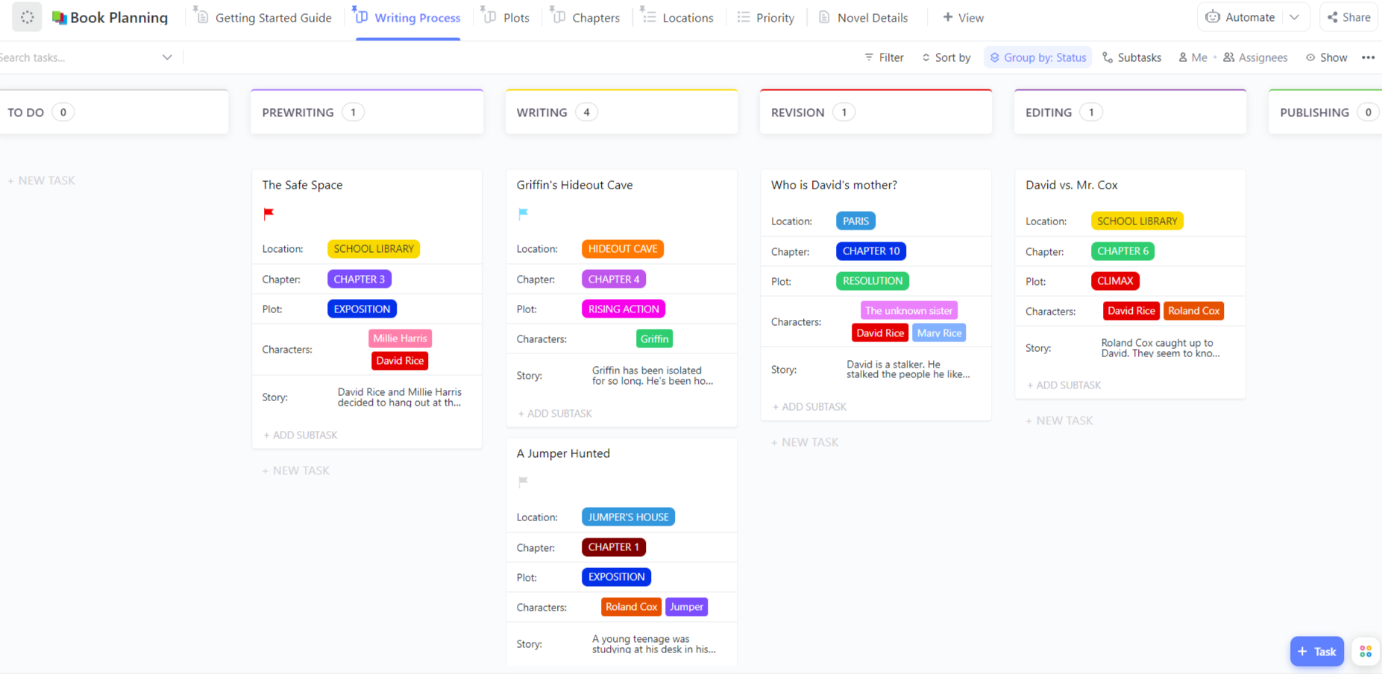
⚡️ Template Archive: Organize every stage of your writing journey, from brainstorming and outlining to editing and publishing with the ClickUp Book Planning Template.
With this template, you can also:
This step-by-step guide breaks down how AI fits into each stage of book creation.
ClickUp supports this flow as the world’s first Converged AI Workspace. Your outlines, chapter drafts, research notes, and revision tasks live alongside the work itself, not in disconnected tools that force context switching. As the book evolves, your structure and writing process evolve right along with it, avoiding Work Sprawl.
Let’s get started! 🎯
A solid outline is the foundation of AI book writing—it gives your AI writing assistant for authors enough structure to generate consistent chapters.
Begin by crystallizing exactly what your book will accomplish. Write one sentence capturing your book’s core promise: ‘This book teaches freelancers how to land corporate clients through cold email outreach’ or ‘A small-town teacher discovers a hidden talent that changes her community.’
Identify your reader’s journey:
Map this into 8-12 chapters, with 3-5 key sections under each. Then, use AI to pressure-test your logic: ‘What crucial steps am I missing between Chapter 2 and Chapter 3?’
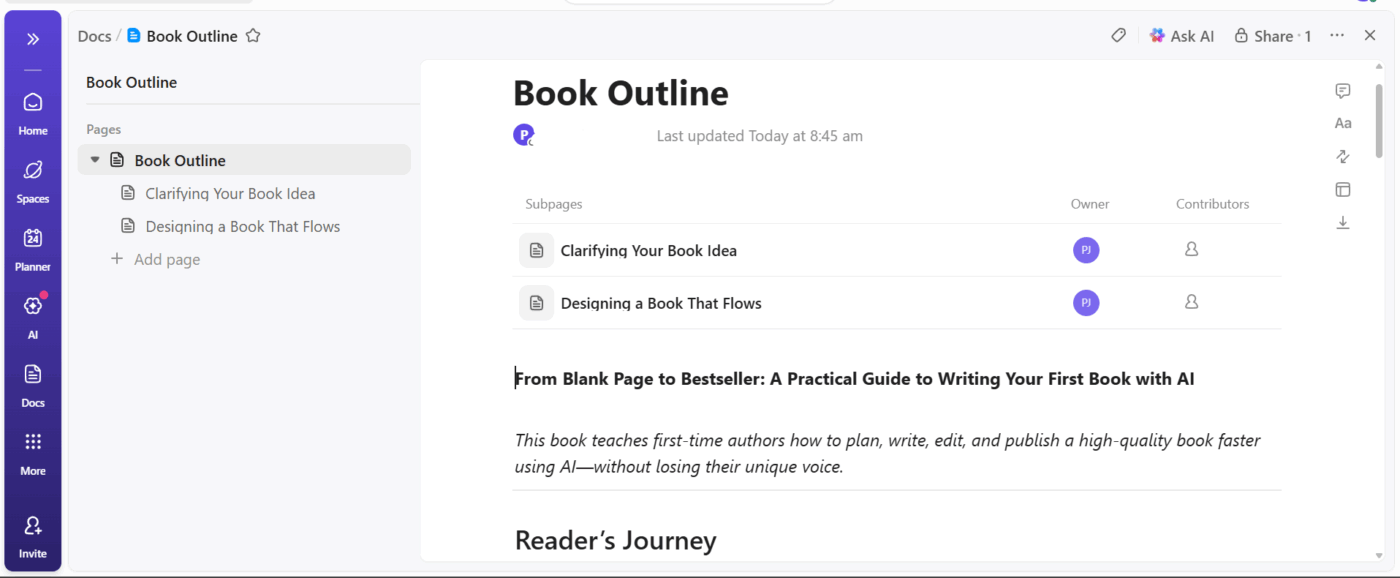
ClickUp Docs becomes your outline workshop. Create a Doc titled ‘[Your Book Title] – Master Outline’ and use nested pages for chapters and sections. Then, you can rearrange chapters by dragging pages and add research notes directly under relevant sections.
For a remote work book, create top-level pages for ‘Building Remote Culture,’ ‘Communication Systems,’ and ‘Performance Management,’ with nested chapter pages that outline the specific topics to cover.
Learn how to keep your writing notes organized:
Count your section: 10 chapters with four sections each = 40 writing tasks. Time yourself writing 500 words to calculate your speed. Then, add specific task names:
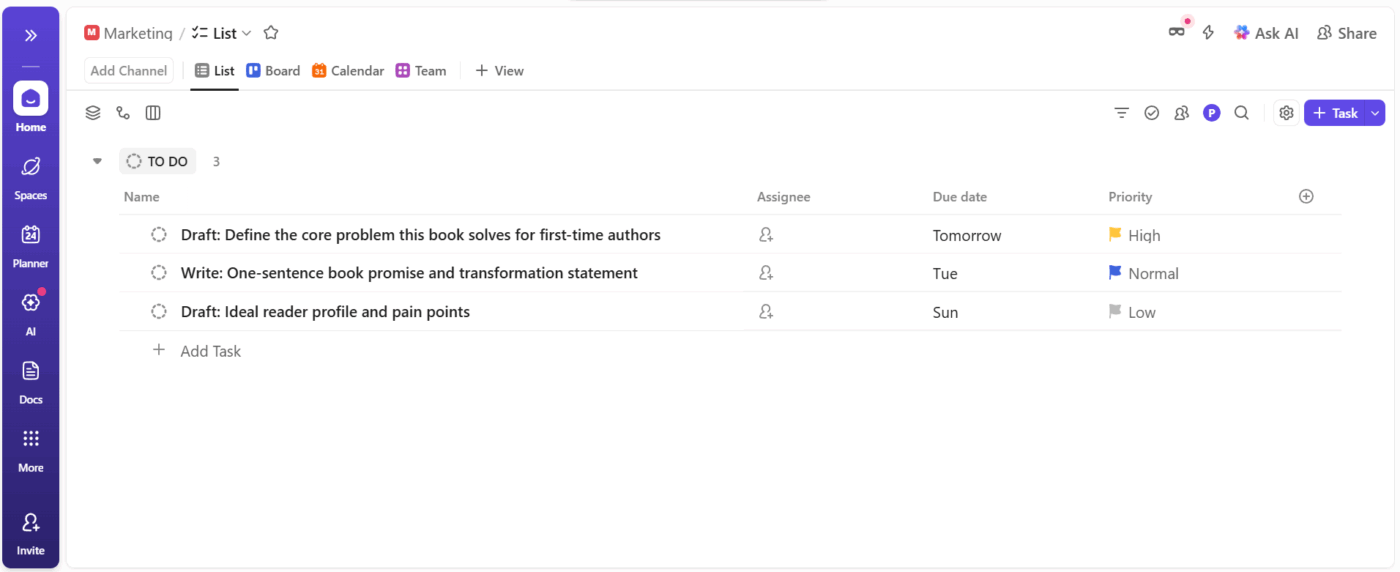
Convert your outline into a workflow using ClickUp Tasks. Create a List for each chapter, then add Tasks for individual sections with realistic due dates based on your writing speed. Remember to build in buffer time.
Add Custom Fields to track progress:
Include task descriptions with key points to cover, word counts, and research sources. This way, when you sit down to write, you’ll know exactly what that session should accomplish.
For a business memoir, create Lists like ‘The Idea Phase’ and ‘First Year Challenges,’ with tasks such as ‘Write: The failed investor pitch at the startup conference,’ including notes about specific details and emotions to convey.
🧠 Fun Fact: The term writer’s block was popularized in the 1940s, but ancient Roman authors complained about “sterility of thought.” Seneca wrote about days when “the mind refuses to obey.
Most writers abandon books during the middle when progress feels invisible. Design a cohesive space answering: How many sections have I completed? Am I on track? How much time am I actually writing?
Choose metrics matching your motivation style:
Assemble your book progress metrics in a single view using ClickUp Dashboards and targeted cards.
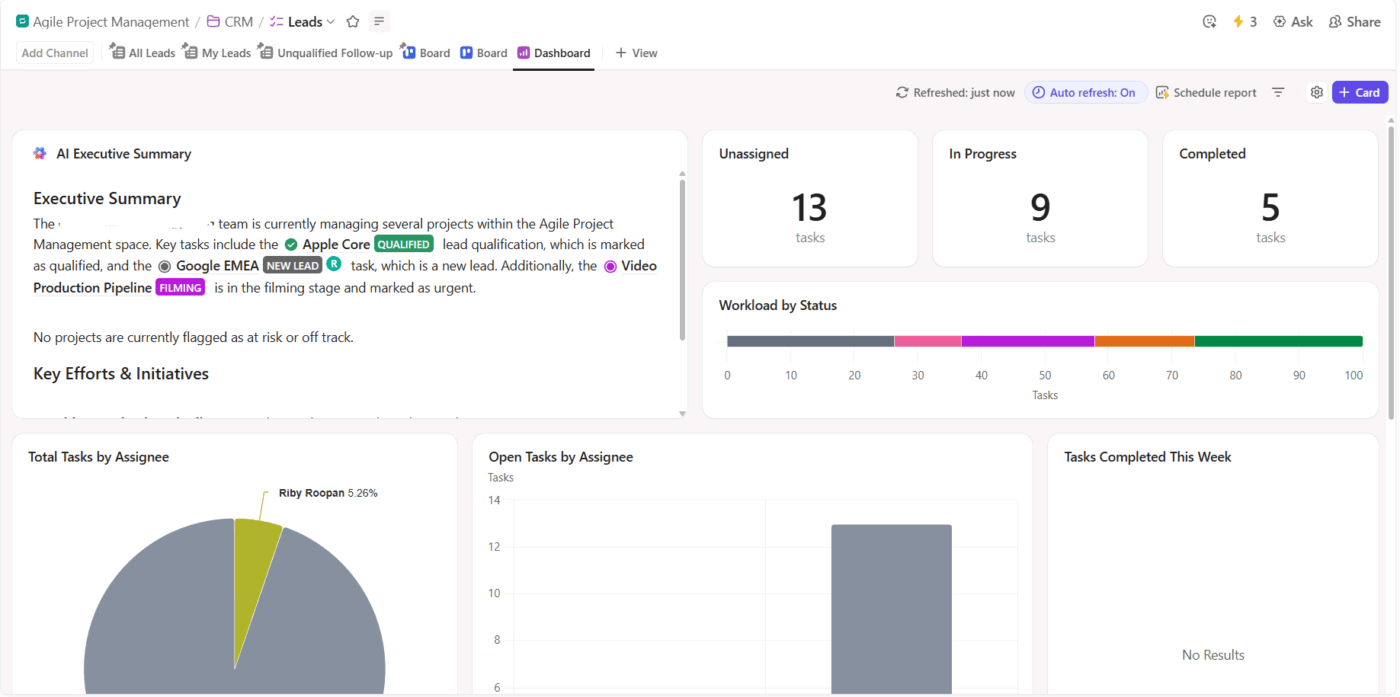
For example, you can:
A fiction author might also add cards showing completed chapters, a burndown chart for remaining tasks, and a time report breaking down hours spent on world-building vs. actual scene drafting.
A solid outline is the foundation of AI book writing—it gives your AI writing assistant for authors enough structure to generate consistent chapters.
Open your first writing task, review the key points, and then work on creating detailed AI instructions. Poor AI writing prompts produce generic content, which only leads to more editing work.
Include these elements:
Compare these prompts for an email marketing chapter:
❌ Weak: Write about email subject lines
✅ Strong: Write 600 words explaining how to write email subject lines that increase open rates for B2B SaaS companies. The target audience is content marketing managers at 50-200 employee companies. Cover using numbers and specificity, creating curiosity gaps, and personalizing with recipient data. Include one ineffective and one effective example for each technique. Professional but conversational tone.
ClickUp Brain eliminates app-switching friction with Contextual AI.
Open your manuscript Doc in ClickUp, position your cursor where you need detailed content, click the Brain icon, and enter your prompt.
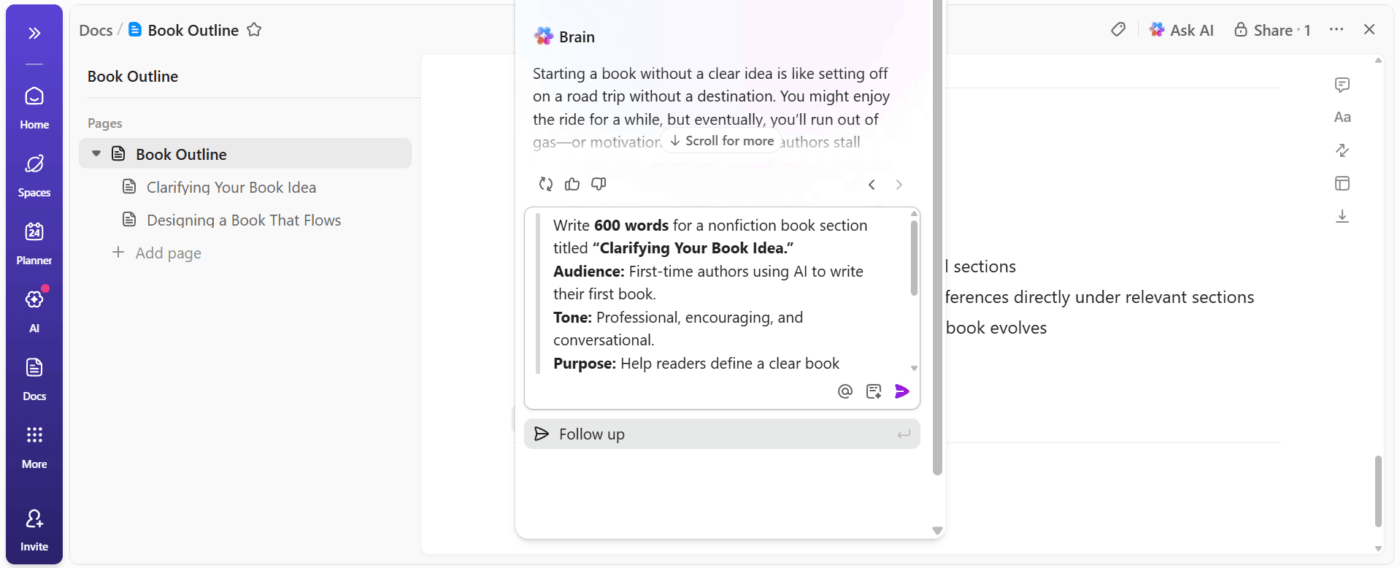
For a cookbook knife skills chapter, try this prompt: ‘Write 400 words teaching home cooks how to hold a chef’s knife properly and execute a basic chop. Explain the pinch grip, guiding hand position, and rocking motion. Address the common mistake of holding the knife like a hammer. Use encouraging language for intimidated readers.’
Simply review the output, add your personal anecdote about learning proper technique, adjust tone, then move to the next section.
🔍 Did You Know? The Surrealists used a technique called automatic writing, where they wrote continuously without planning or editing to bypass creative blocks. Some even used random word generators or cut-up texts. AI prompts today do the same thing.
Say you mark a chapter section complete, then manually create an editing task, move the original to ‘Awaiting Revision,’ and set a review reminder. You repeat these steps 40 times while writing your book.
AI helps you stop doing work that software can handle. Identify workflow patterns:
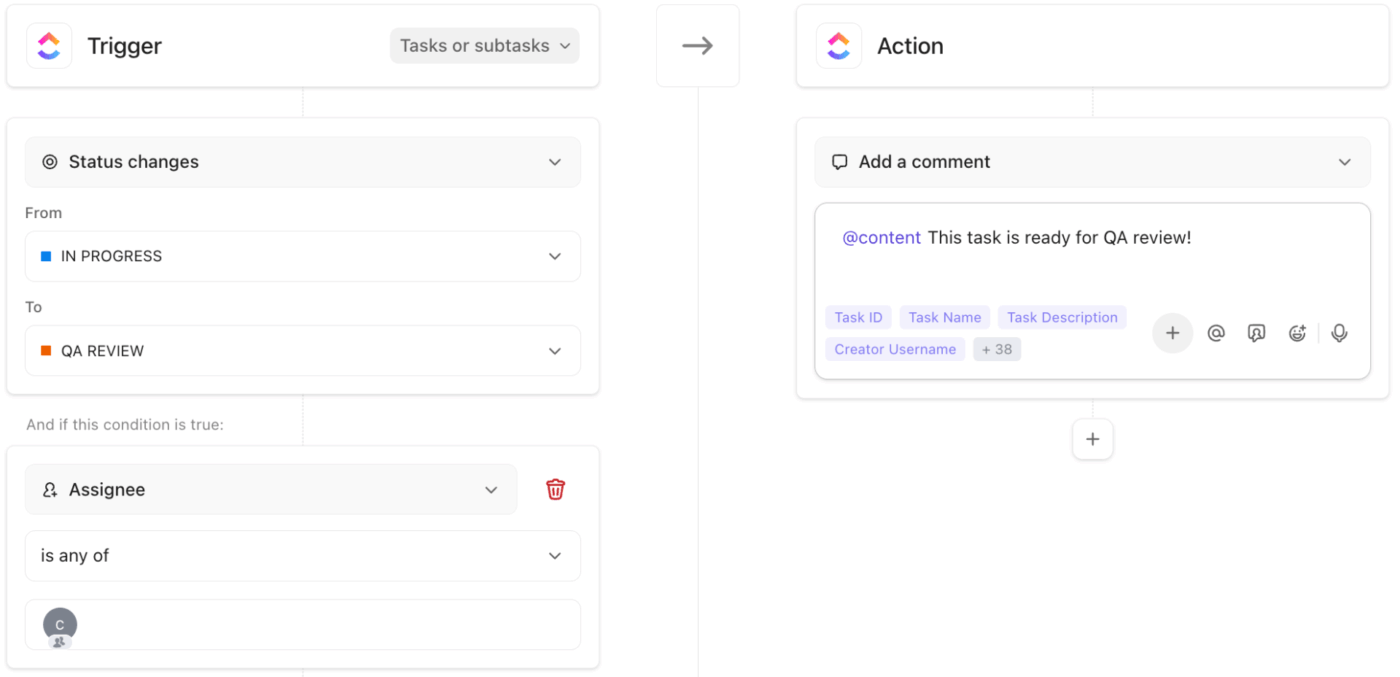
Execute workflow actions based on defined triggers using ClickUp Automations. Instead of manually moving chapters, chasing edits, or tracking feedback across drafts, Automations react to changes you make while writing.
Here are some workflow automation examples:
Watch this video to automate workflows faster:
Now that you have a complete first draft, remember that it exists to be rewritten. Resist editing everything simultaneously, and address different concerns in separate passes:
Read your manuscript aloud. You may stumble over awkward phrasing that your eyes glide past.
Use ClickUp Brain’s features strategically. Paste a section and ask: ‘What are the three weakest sentences in this passage and why?’ For an SEO strategies section, request: ‘Check whether this explanation makes sense to someone unfamiliar with search engine optimization. Identify jargon terms I haven’t defined.’
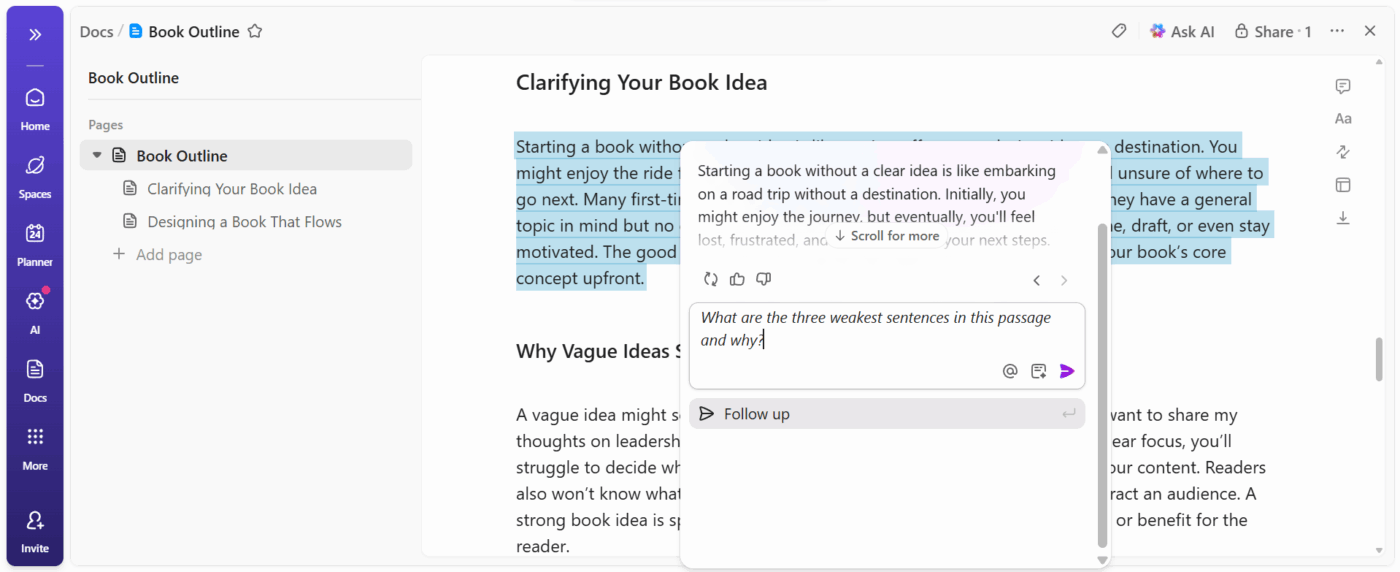
Update Task Statuses as you complete each editing pass, and keep Dashboard metrics accurate.
🧠 Fun Fact: Many classic novels were released in weekly or monthly installments. Authors like Alexandre Dumas used assistants and rapid drafting techniques to keep up.
You’ve now revised your book multiple times, but lost all objectivity. Select 3-5 beta readers representing your target audience, but remember not to choose your biggest fans or harshest critics.
Give readers specific questions:
Set a two-week deadline for feedback. As reviews arrive, create a Task for every substantive revision suggestion. Name Tasks specifically: ‘Revise Chapter 2 opening based on timeline confusion’ or ‘Add more examples to Chapter 5 productivity section.’
Of course, not every suggestion deserves to be implemented. When one reader wants more detail, and another wants brevity, you face a judgment call. But when three readers independently flag the same section as confusing, that section needs work.
Tag revision tasks by type: ‘Content Addition,’ ‘Clarification Needed,’ ‘Structural Change,’ ‘Style Adjustment.’ This helps you batch similar revisions together.
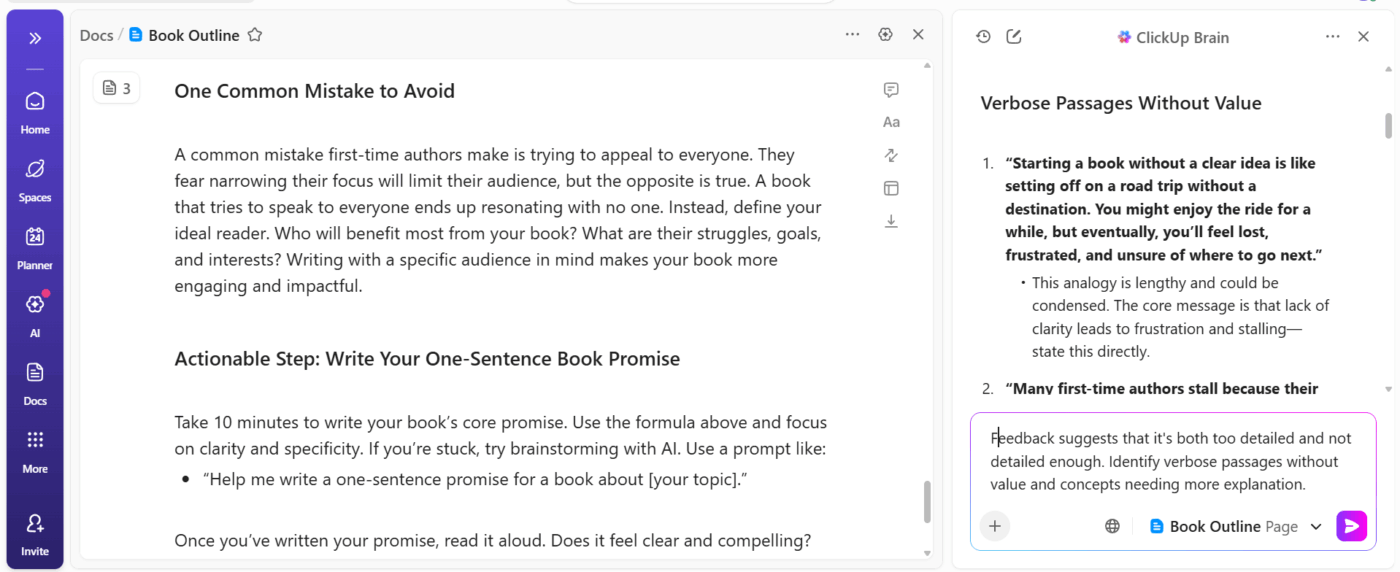
Additionally, ClickUp Brain can help you resolve contradictory feedback. If readers disagree about whether a chapter needs expansion or cutting, paste the chapter and prompt: ‘This feedback suggests that it’s both too detailed and not detailed enough. Identify verbose passages without value and concepts needing more explanation.’
Track which feedback you’ve addressed and which you’ve consciously ignored using a Custom Field with options like ‘Implemented’ or ‘Decided Against.’
🔍 Did You Know? Mark Twain preferred noise and activity while writing. He believed that conversation and everyday chaos helped keep his ideas lively, and he often worked in common areas rather than isolated rooms.
Here are our picks for the best AI book writing tools and AI writing assistants for drafting, editing, and managing your manuscript. ✍🏼
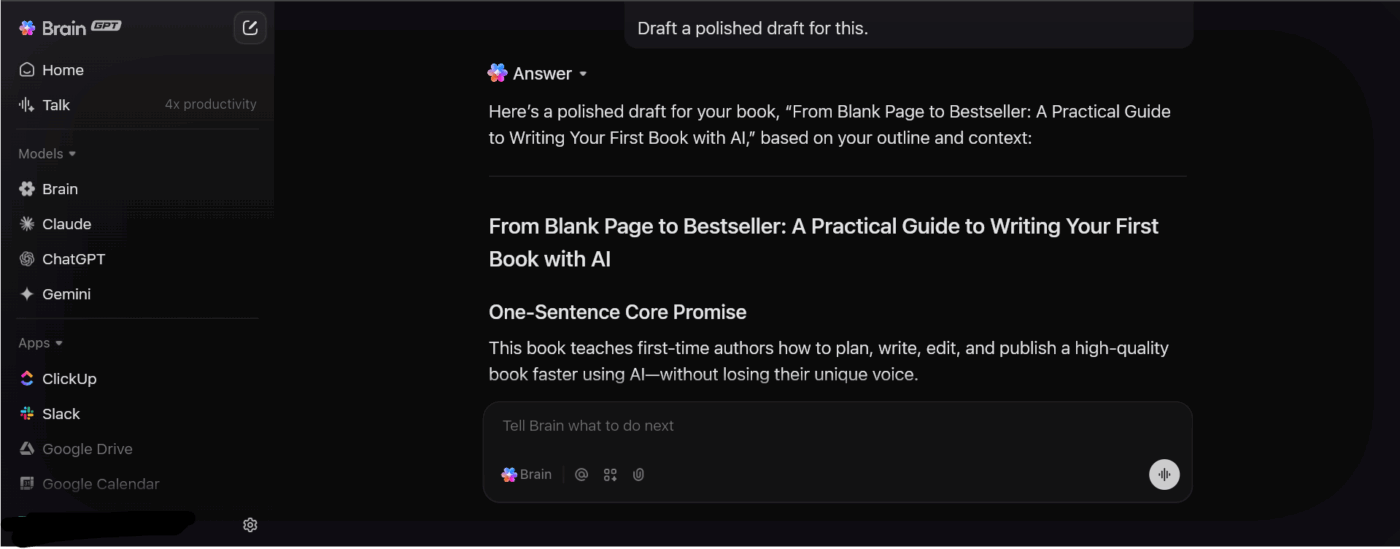
First up, we’ve got ClickUp! It’s a productivity app for writers where your chapters, notes, research, and deadlines live together, so you stay in control of every part of your book project.
Writing a book demands continuity across dozens of pages. ClickUp BrainGPT pulls context from your workspace, like your outlines, notes, and drafts, before it writes for you. That means it already knows what your book is about, instead of starting from scratch every time.
Suppose you’re writing a non-fiction book on creative burnout. Chapter 2 defines burnout using interviews and research, and Chapter 6 focuses on recovery.
So when you ask BrainGPT to draft a section in Chapter 6, it references the original definitions, terminology, and tone introduced earlier. It avoids re-explaining concepts, mirrors the phrasing used in Chapter 2, and builds on it.
What’s more, BrainGPT (like ClickUp Brain) is LLM-agnostic, giving you access to multiple AI models like ChatGPT, Claude, and Gemini. This helps you avoid AI Sprawl and work faster.
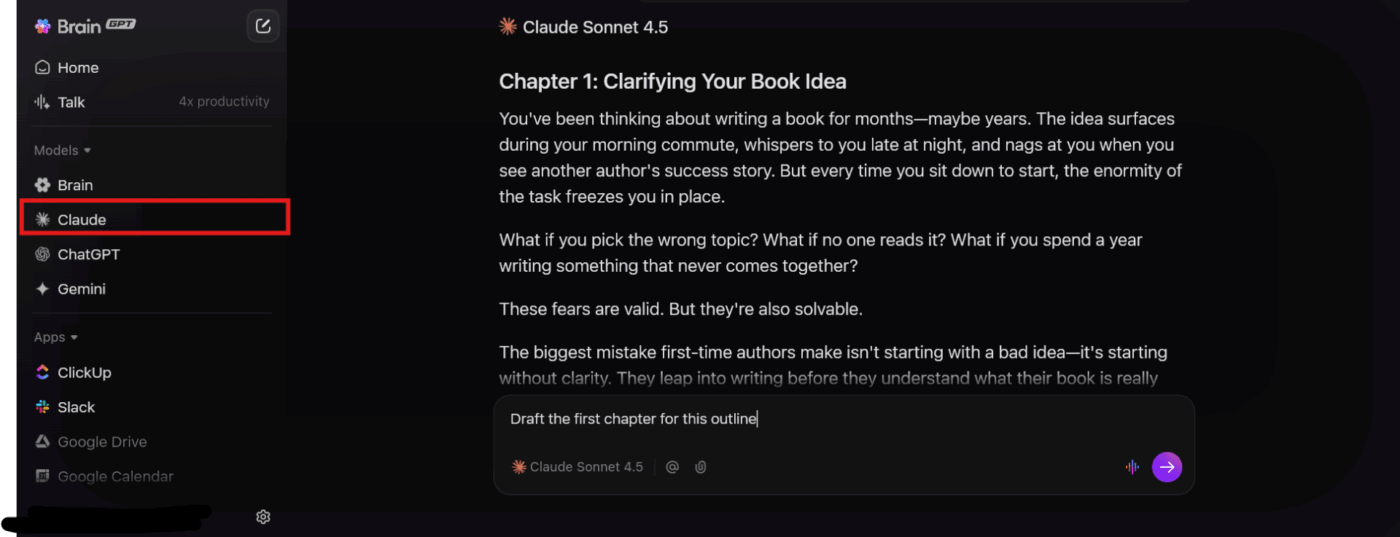
This also helps during revisions. Let’s say you change a core idea in Chapter 1.
You can ask BrainGPT to scan later chapters and suggest edits where that idea appears, keeping the manuscript aligned without manual cross-checking. BrainGPT supports the book as a single, evolving body of work.
Typing can slow momentum, especially during early drafting. ClickUp Talk-to-Text in BrainGPT turns spoken thoughts into clean, editable text in your writing workspace, then refines it using project context.
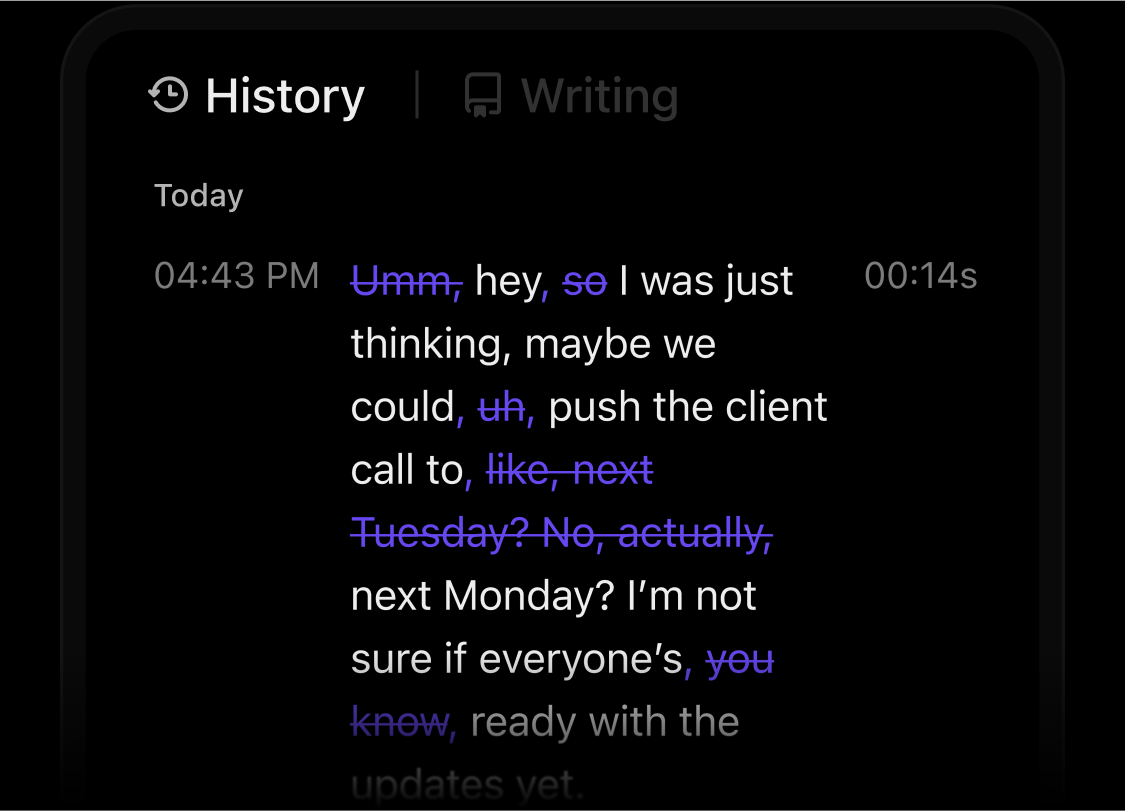
Let’s say you think through a scene transition while pacing your room. You dictate the idea, Talk to Text converts it into text, and BrainGPT smooths sentence flow to match the surrounding chapter.
The idea lands where it belongs before the energy fades. This works well for dialogue-heavy scenes, personal essays, or reflective sections where spoken language often sounds closer to the final voice.
Writing a book involves follow-ups, reminders, and status changes that quietly eat time. ClickUp Super Agents handle that background work based on rules you define.
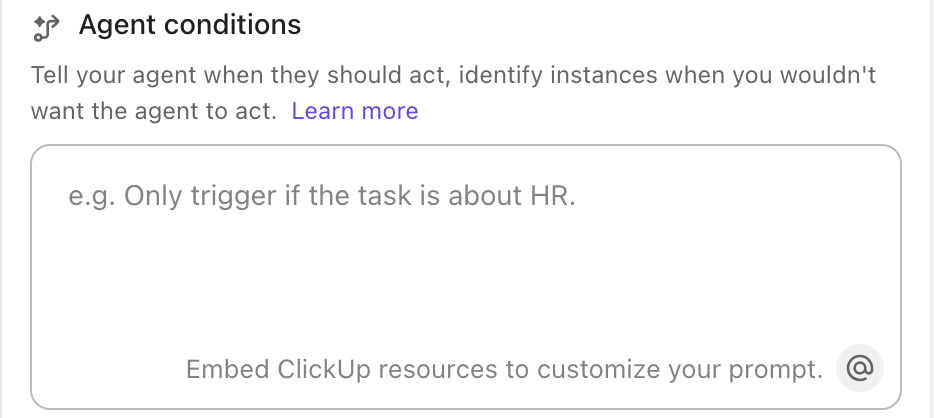
Suppose you finish a chapter and mark it as ‘draft complete’. An agent can automatically create an editing task, link research notes, update your writing timeline, and surface the chapter during weekly planning. Progress continues without manual tracking.
Here are some Custom Agents you can build in ClickUp:
Explore the best AI agents for content creation here:
From a G2 review:
Since switching to ClickUp, everything is in one place: tasks, timelines, docs, dashboards, comments, even meeting notes. It’s incredibly customizable but intuitive enough for everyone to adopt quickly. Features like Automations, AI writing assistant, and the revamped Calendar are real time-savers. And the best part? It scales with us — whether we’re launching a new campaign or managing long-term operations.
🧠 Fun Fact: Fyodor Dostoevsky often wrote novels under extreme time pressure, sometimes dictated at high speed to stenographers to meet publishing deadlines. Parts of The Gambler were completed in just 26 days.
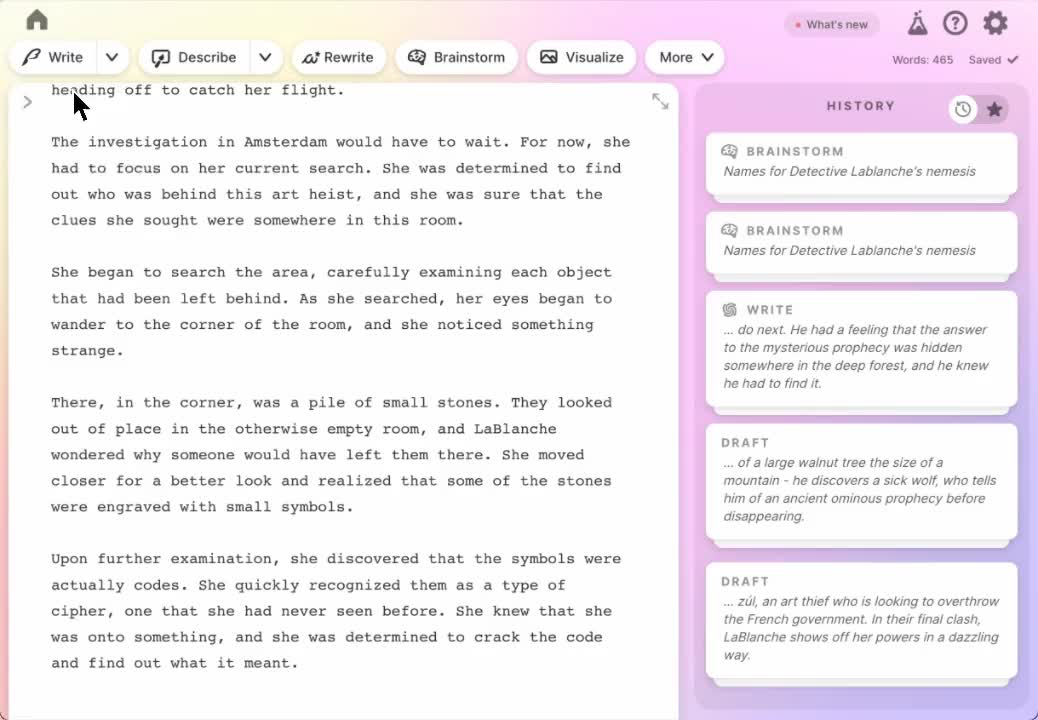
Sudowrite runs on its own Muse model, explicitly trained on fiction rather than the usual internet jumble. This matters because the AI understands narrative logic, like scene structure and character motivation.
Its Story Bible lets you fill it with character quirks, worldbuilding rules, magic systems, and whatever matters to your story. Then Sudowrite pulls from this database during every generation.
Additionally, Describe adds sensory details across all five senses to flat passages, and Twist suggests plot complications you hadn’t considered. Everything operates in chunks rather than whole chapters, matching how most fiction writers draft.
I personally adore Sudowrite, even though credit systems are not my favorite. Thinking about your plot twists, the Story Bible has a function where you can hide your various notecards from the AI; in theory, you could put your plot twist on a card and then hide it from the AI until you get to the reveal.
📖 Also Read: Top Sudowrite Alternative Tools for Writers
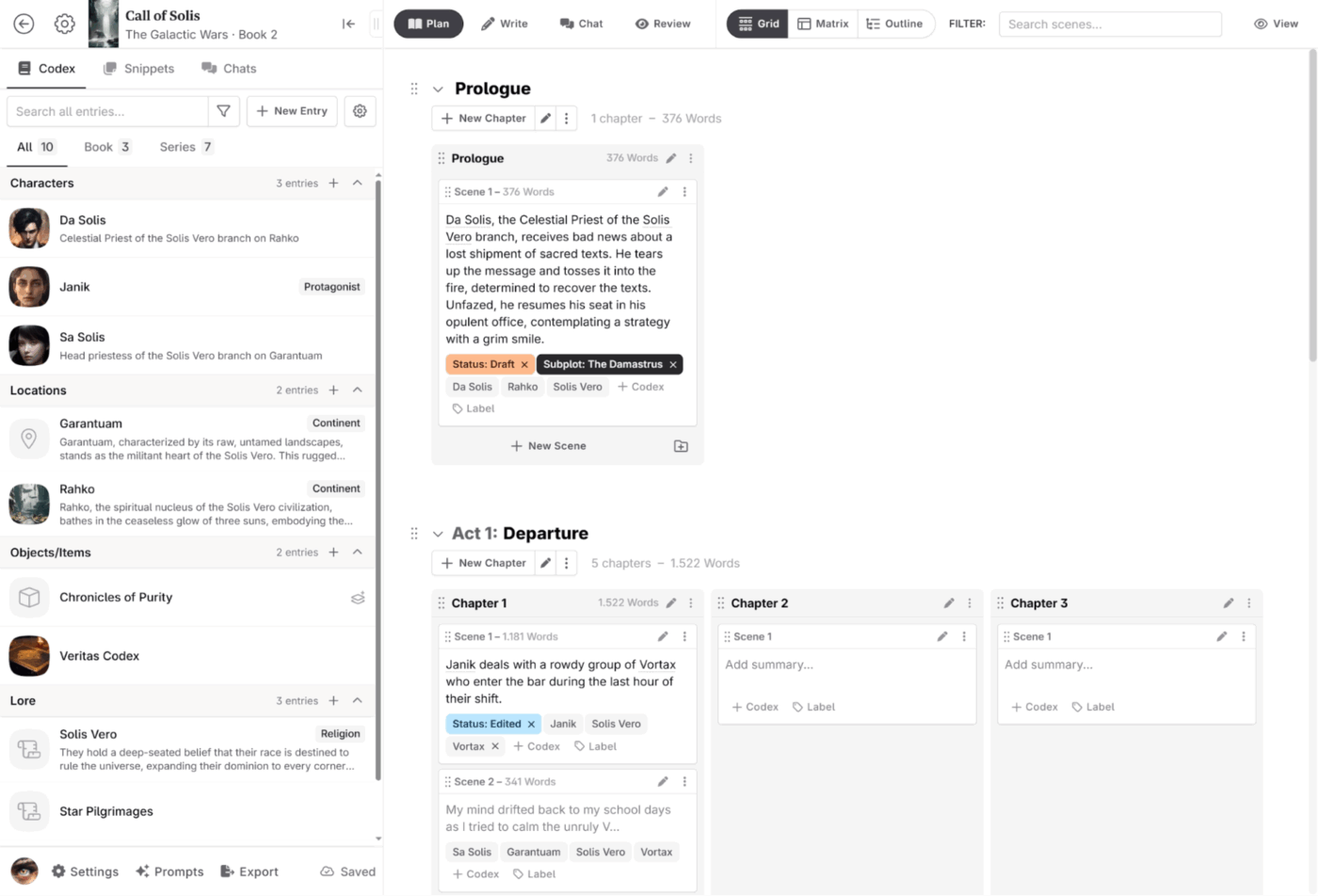
With Novelcrafter, you bring your own API keys from OpenAI, Anthropic, or Google to plug them into the platform’s infrastructure. The Codex serves as an interactive wiki for storing character sheets, worldbuilding documents, and plot threads.
When you generate text, the platform automatically pulls relevant Codex entries and feeds them as context to whichever AI model you’ve connected.
You can also clone any system prompt the tool uses, modify it, or build entirely new ones from scratch. This level of customization appeals to writers who know exactly how they want AI to behave, though it needs technical comfort that most authors don’t have.
As shared on Reddit:
I use NovelCrafter+OpenRouter and I like it very much. The interface is very comfortable and intuitive, and the structure both of the writing and the codex works very well for AI interaction.
I also LOVE the capacity of manipulating and creating the prompt generators to create my own instructions and commands. It’s an immensely powerful tool…
🔍 Did You Know? Vladimir Nabokov wrote Lolita on index cards, rearranging scenes endlessly before finalizing the novel. He said structure mattered more than sequence.
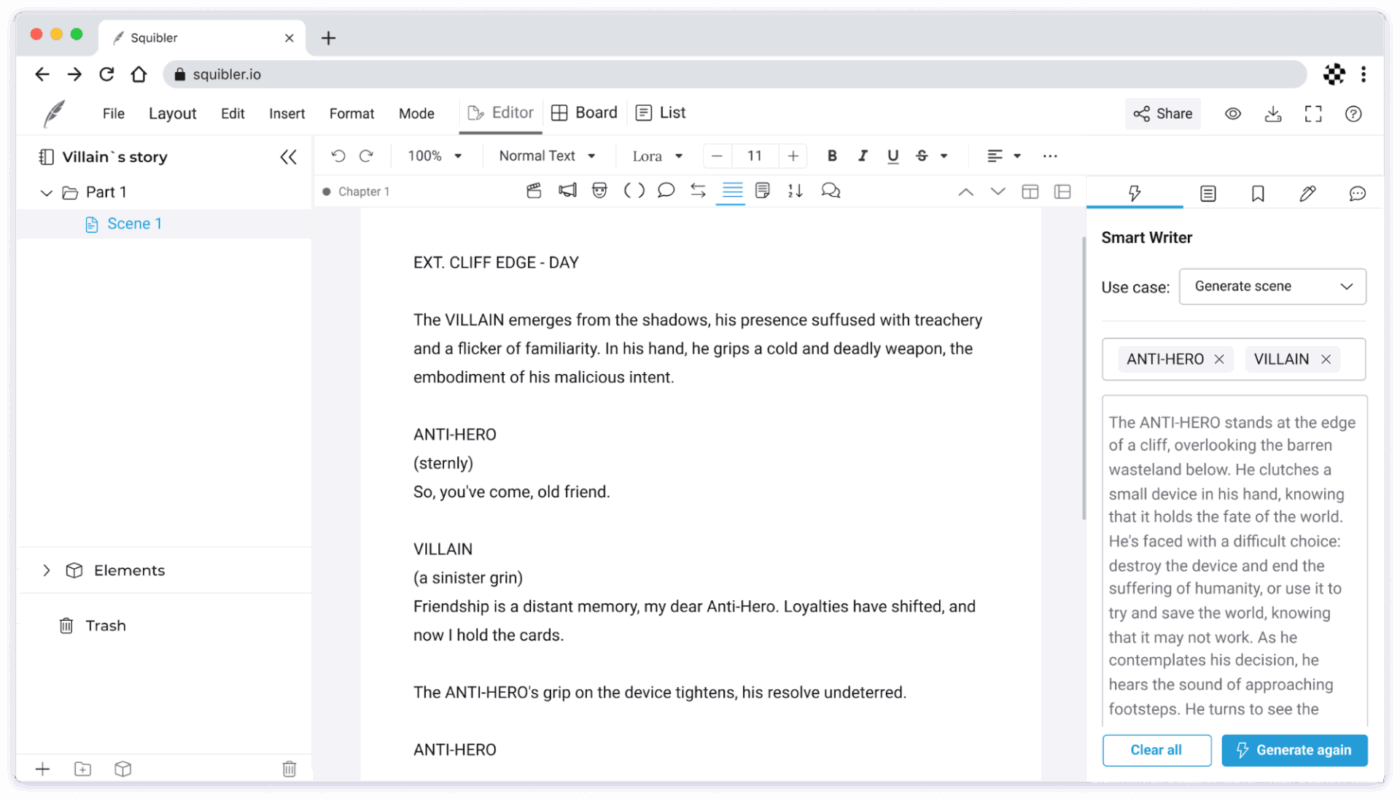
Squibler offers speed over sophistication. You can work more methodically, building Elements (characters, settings, objects) that the Smart Writer references when generating scenes.
The writing tool lives in the sidebar, offering to auto-complete sentences, rewrite paragraphs, or draft entire chapters based on your outline. The Corkboard view lets you visually shuffle scenes around, which is helpful when you realize chapter three should come after chapter seven.
🧠 Fun Fact: Ernest Hemingway kept his creativity sharp by stopping mid-sentence once he hit his daily 500-word goal, so he’d know exactly where to start the next day. Agatha Christie, on the other hand, treated mystery writing like a logic puzzle, carefully placing clues and red herrings so the solution was always fair to the reader. In The ABC Murders, she even used the alphabet as a structural constraint to keep the plot tight and solvable.
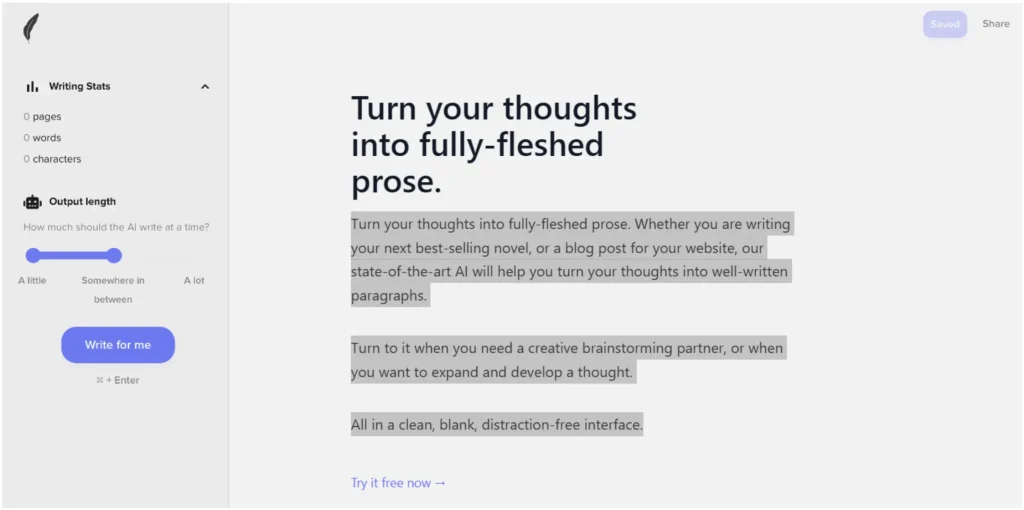
Shortly AI gives you a blank page and four commands. That’s it. No templates cluttering your view or complicated menus hiding features you’ll never use. Type a starting paragraph or prompt, and the AI will continue your thought in roughly 100-word chunks.
The four slash commands: /instruct, /rewrite, /shorten, and /expand handle text modification on selected passages. This stripped-down approach removes friction when you’re trying to maintain momentum during drafting sessions. Shortly AI makes sense for writers who find most writing software overwhelming and just want something that gets out of the way.
📮 ClickUp Insight: 43% of people say repetitive tasks provide helpful structure to their workday, but 48% find them draining and a distraction from meaningful work.
While routine can offer a sense of productivity, it often limits human creativity and holds you back from making meaningful progress.
ClickUp helps you break free from this cycle by automating routine tasks via intelligent AI Agents, so you can focus on deep work. Automate reminders, updates, and task assignments, and let features like Automated Time Blocking and Task Priorities protect your power hours.
💫 Real Results: Lulu Press saves 1 hour per day, per employee using ClickUp Automations—leading to a 12% increase in work efficiency.
The legal landscape around AI-generated content remains unsettled.
Copyright law in most jurisdictions protects human authorship, which creates complications when AI contributes substantially to your manuscript. Courts haven’t established clear precedents yet, but early rulings suggest that purely AI-generated text may not qualify for copyright protection.
This matters for several practical reasons:
Publishers increasingly ask authors to disclose AI usage during contract negotiations because transparency protects you from potential disputes down the line. Some contracts now include specific clauses addressing AI-generated content, requiring authors to confirm the extent of machine involvement.
Ethical questions run parallel to legal ones. Readers expect authenticity from authors. If AI drafts entire chapters and you publish them under your name without significant revision, you risk eroding trust. Different genres carry different expectations:
The practical approach: use AI as a tool, not a ghostwriter. When your creative fingerprints mark every page, legal ambiguities matter less and ethical concerns fade.
🔍 Did You Know? To meet deadlines for The Hunchback of Notre-Dame, Victor Hugo reportedly asked his servants to lock up his clothes, leaving him nothing to wear but a shawl. With no way to leave the house, he had no choice but to write.
Writing a book asks for consistency, patience, and a system that can hold weeks or months of work without slowing you down. When the process feels scattered, even strong drafts feel uncertain.
ClickUp brings your outline, chapters, revisions, and deadlines together, so nothing slips into a forgotten folder.
Contextual AI (ClickUp Brain and BrainGPT) works inside your documents, helping you draft, revise, and rethink sections without jumping between tools. Plus, AI Agents and Automations handle follow-ups, progress tracking, and routine updates, so the project keeps moving.
Build your book in a space designed to carry it all. Sign up for ClickUp today! ✅
An AI book writer tries to generate large portions of a book on its own based on a prompt, while an AI writing assistant supports your process instead. It helps you outline chapters, expand ideas, rewrite sections, or improve clarity while you stay in control of the content and direction.
Your voice comes from your choices; you decide the ideas, structure, tone, and final wording. AI should be used to suggest options, not make decisions for you. Editing every output, restructuring sentences in your own writing style, and feeding the AI examples of your past writing helps keep the voice consistent.
No. AI can act as a grammar checker, tightening sentences and pointing out inconsistencies. Human editors bring judgment, context, and an understanding of audience, pacing, and nuance. AI works best as a first pass, while human editors handle creative writing, refinement, and final quality.

© 2026 ClickUp

There’s an easier way. Try a free AI Agent in ClickUp that actually does the work for you—set up in minutes, save hours every week.