






Still downloading templates?
There’s an easier way. Try a free AI Agent in ClickUp that actually does the work for you—set up in minutes, save hours every week.
Sorry, there were no results found for “”
Sorry, there were no results found for “”
Sorry, there were no results found for “”
Project management isn’t one-size-fits-all.
While Agile is widely used—adopted by 32% of business leaders and 31% of technical teams—it’s not the best fit for every workflow.
Agile thrives in fast-changing environments, but its flexibility can be a challenge for teams that need more structure, predictable timelines, or compliance with strict regulations.
Agile’s iterative cycles, lack of rigid structure, and high stakeholder involvement can create friction for some. That’s where exploring Agile alternatives becomes valuable.
Whether it’s Waterfall’s step-by-step approach, Kanban’s visual workflow, or hybrid models that combine multiple methodologies, finding the right framework can make all the difference.
In this blog post, we’ll discuss the best Agile alternatives, their pros and cons, and how ClickUp can help teams implement them effectively.
Agile has transformed project management, helping teams move fast and adapt quickly. However, for many teams, Agile’s flexibility can become a drawback.
If you’re managing strict deadlines, heavy compliance requirements, or interdependent projects across multiple teams, Agile’s iterative approach may create more chaos than clarity.
Teams in regulated industries (like finance and healthcare) often need structured documentation, while large enterprises may struggle with Agile’s decentralized decision-making. In these cases, an alternative framework—one that balances flexibility with predictability—might be a better fit.
Agile project management sounds excellent in theory, but in practice, it can create the following challenges:
👉🏼 Consider a healthcare software development team trying to meet strict FDA guidelines. Agile’s light documentation approach won’t cut it. Switching to the Waterfall model will save the day by keeping the project life cycle traceable and compliant.
👀 Did You Know? 95% of professionals affirm Agile’s critical relevance to operations.
Agile’s iterative development suits dynamic environments, but it’s not always ideal. You should consider alternatives to Agile when:
💡Pro Tip: Test alternatives to Agile on a smaller project or pilot team before full adoption. This allows you to evaluate practicality, identify challenges, and fine-tune your approach while minimizing risk.
Below, we explore alternatives for a practical project management approach with unique strengths, limitations, and ideal applications.
🧠 Fun Fact: Only 7% of project management teams are fully proficient in Agile.
The Waterfall project management method is a linear, sequential approach to project planning and execution. It follows a structured process in which each phase must be completed before proceeding to the next—like water flowing down a waterfall.
Imagine a healthcare provider upgrading its system to meet strict compliance rules. Since requirements are fixed, they adopt the waterfall model, perfect for predictable, phase-by-phase project execution.
🎯 Here’s why it works:
⚠️ The downside of this methodology is its rigidity—mid-project changes can be difficult and expensive, and delays in one stage can cascade through the entire project.
Have you ever wondered how companies like Toyota became industry leaders? The answer lies in the Lean project management methodology. Rooted in manufacturing, it focuses on reducing and eliminating waste and delivering maximum value. It’s now widely adopted in sectors like software development and retail.
👉🏼 For example, a retail company facing supply chain delays can use Lean manufacturing principles to identify and eliminate bottlenecks, cutting costs and speeding up delivery.
🎯 It can help:
⚠️ Be mindful of potential challenges with Lean. Sustaining large or complex projects can be complicated, requiring experienced staff dedicated to continuous improvement. Additionally, an excessive focus on efficiency may sometimes come at the cost of quality.
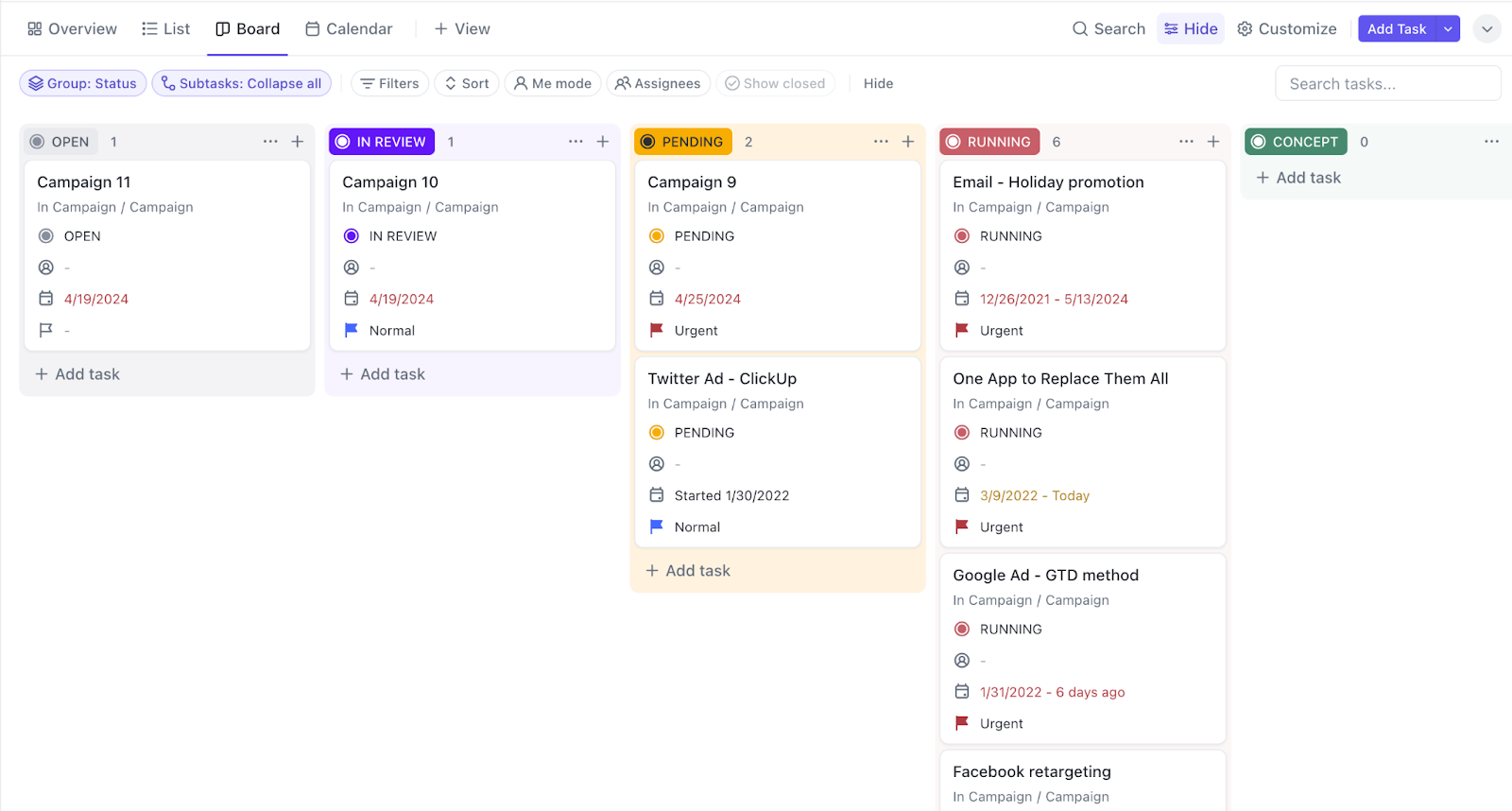
Kanban is a visual workflow management method that helps teams optimize efficiency by limiting work in progress (WIP) and continuously improving processes. It uses a Kanban board with columns representing different stages of work (e.g., To Do, In Progress, Done) to track tasks and ensure smooth progress.
👉🏼 An example of Kanban project management would be a software development project or team using Kanban to manage bug fixes.
By visualizing tasks on a simple board with columns like ‘To Do,’ ‘In Progress,’ and ‘Completed,’ they quickly prioritize urgent project delivery issues and improve release timelines without overwhelming the development teams.
⚠️ However, Kanban may fail in compliance-heavy industries due to limited documentation and a lack of predictability for deadline-driven projects.
🧠 Fun Fact: While both Lean and Kanban align with Agile principles (flexibility, iterative improvements, and customer-centric delivery), they can also function independently outside of Agile in industries like manufacturing and service management.
Suppose you’re managing a website overhaul project for a demanding client. With ever-changing requirements, sticking to a rigid plan isn’t practical.
That’s where Scrum comes in. By breaking work into short sprints, your team can deliver updates, test features, and respond quickly to feedback without losing momentum. Here’s why Scrum project management works:
Scrum thrives on adaptability but requires discipline. Be prepared to manage daily stand-ups and protect your team from scope creep to keep timelines on track.
🔑 Key Insight: Wondering how Agile and Scrum are different?
Unlike Agile’s general adaptability, Scrum works in fixed-length sprints (usually 1-4 weeks), delivering small, usable increments each cycle. Agile teams can use other methods like Kanban or Lean, whereas Scrum teams always follow Scrum’s framework within the Agile mindset.
📖 Also Read: Free Scrum Templates to Track Your Workflow
Now, let’s consider another scenario.
A multinational corporation tackling a global software solution maintains the pace of delivery using an Agile software development process. However, it chooses to switch to Waterfall for the compliance and integration phases, where precise timelines and documentation are necessary.
This combination allows the team to stay flexible and responsive without losing sight of the detailed structure needed for certain phases. Hybrid models combining Waterfall and Agile methodologies have grown significantly.
The key benefits of hybrid project management methodologies are:
⚠️ But hybrid methods aren’t without their challenges. Balancing both philosophies can be tricky, requiring solid planning to ensure seamless coordination between teams and phases as the project progresses.
CPM allows project managers to map out the longest task sequence to determine the overall project duration. It’s essential for large projects where precise timing is everything.
Your gains from CPM are:
⚠️ CPM’s complexity and rigidity make it less adaptable to shifting schedules or scarce resources. Poorly managed dependencies can cause delays, making implementation harder for smaller cross-functional teams.
PRINCE2 is a structured, process-driven development methodology. It focuses on clear roles, defined stages, and extensive documentation to ensure smooth and controlled delivery. It’s beneficial for projects with strict governance requirements.
With PRINCE2, you can:
⚠️ However, PRINCE2 can feel heavy on paperwork, especially for smaller projects. It’s also rigid, which might make it challenging to pivot when things change quickly. Plus, the need for a highly skilled team means not all teams may have the expertise to get the most out of it.
📮ClickUp Insight: Context-switching is silently eating away at your team’s productivity. Our research shows that 42% of disruptions at work come from juggling platforms, managing emails, and jumping between meetings. What if you could eliminate these costly interruptions?
ClickUp unites your workflows (and chat) under a single, streamlined platform. Launch and manage your tasks from across chat, docs, whiteboards, and more—while AI-powered features keep the context connected, searchable, and manageable!
Whether you’re managing a small software development project or a large infrastructure rollout, your methodology must match the project’s needs, the capabilities of the software developers or team, and the business goals.
Here’s what to weigh before zeroing in on a project management approach:
By blending methodologies, you can tailor your approach to project demands. For example, a retail company launching an eCommerce platform might use Waterfall for back-end development and Scrum-Kanban for front-end design.
This hybrid approach is increasingly popular in industries managing diverse project portfolios. Here is how to blend methodologies effectively:
Some advantages of blending methodologies are:
However, challenges include increased complexity in continuous integration and training and the risk of misalignment between the combined approaches.
👀 Did You Know? Agile teams track 7.5 success metrics on average—two more metrics vs. 5.9 for non-agile teams.
Whether you’re managing a Waterfall project with linear phases or adapting to Agile’s dynamic workflows, the right project management tool can make all the difference between success and failure.
Work today is broken. 60% of our time is spent sharing, searching for, and updating information across different tools. Our projects, documentation, and communication are scattered across disconnected tools that drain productivity.
ClickUp solves this problem as the everything app for work that combines project, knowledge, and chat in one place—all powered by the world’s most cohesive work AI.
Today, over 2 million teams use ClickUp to work faster with more efficient workflows, centralized knowledge, and focus-driven chat that eliminates distractions and unlocks organizational productivity.
We had previously used Jira for some project management and a variety of tools at the small team level but needed to find something that was as flexible as Jira without being as intimidating for non-technical staff. ClickUp was the best combination of ease of use, features, and power
Let’s explore how ClickUp’s features cater to different project management methodologies and amplify team efficiency.

Streamline sprint planning with ClickUp for Agile Teams.
Get access to Sprints in ClickUp and ensure tasks are prioritized, estimated with Story Points, and assigned to the right team members—all in one organized view.
Run async daily standups efficiently using ClickUp’s task updates and comment threads, where team members can share progress, blockers, and next steps, reducing unnecessary meetings and improving visibility.
Track sprint progress in real time with Burndown Charts and Velocity Reports, helping teams stay on track, identify bottlenecks early, and make data-driven decisions for continuous improvement.
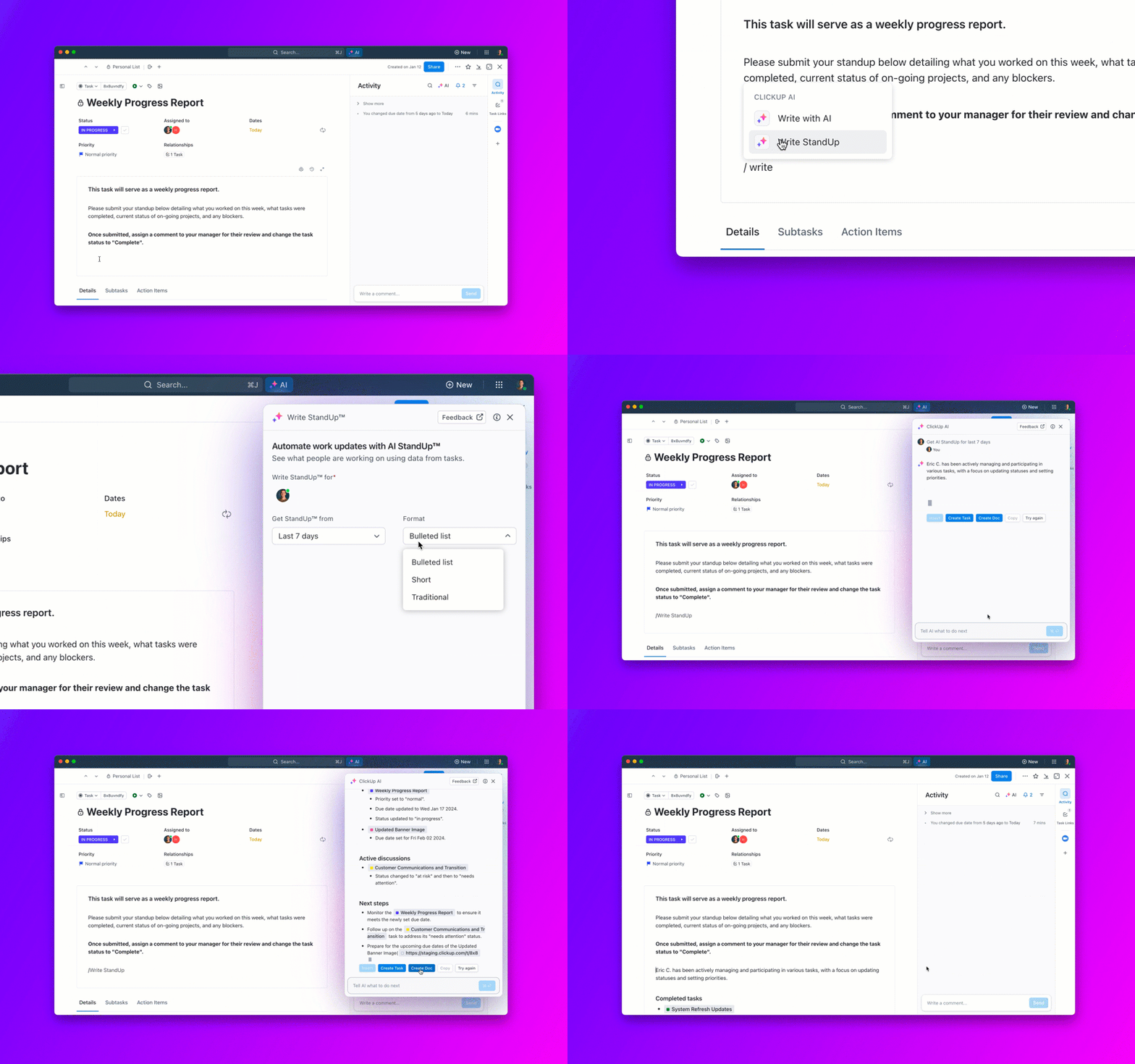
💡 Pro Tip: Generate AI-powered automated standups with ClickUp Brain, ClickUp’s built-in AI assistant, to get async updates at your fingertips!

The ClickUp Project Management platform is a powerful tool for keeping projects on track.
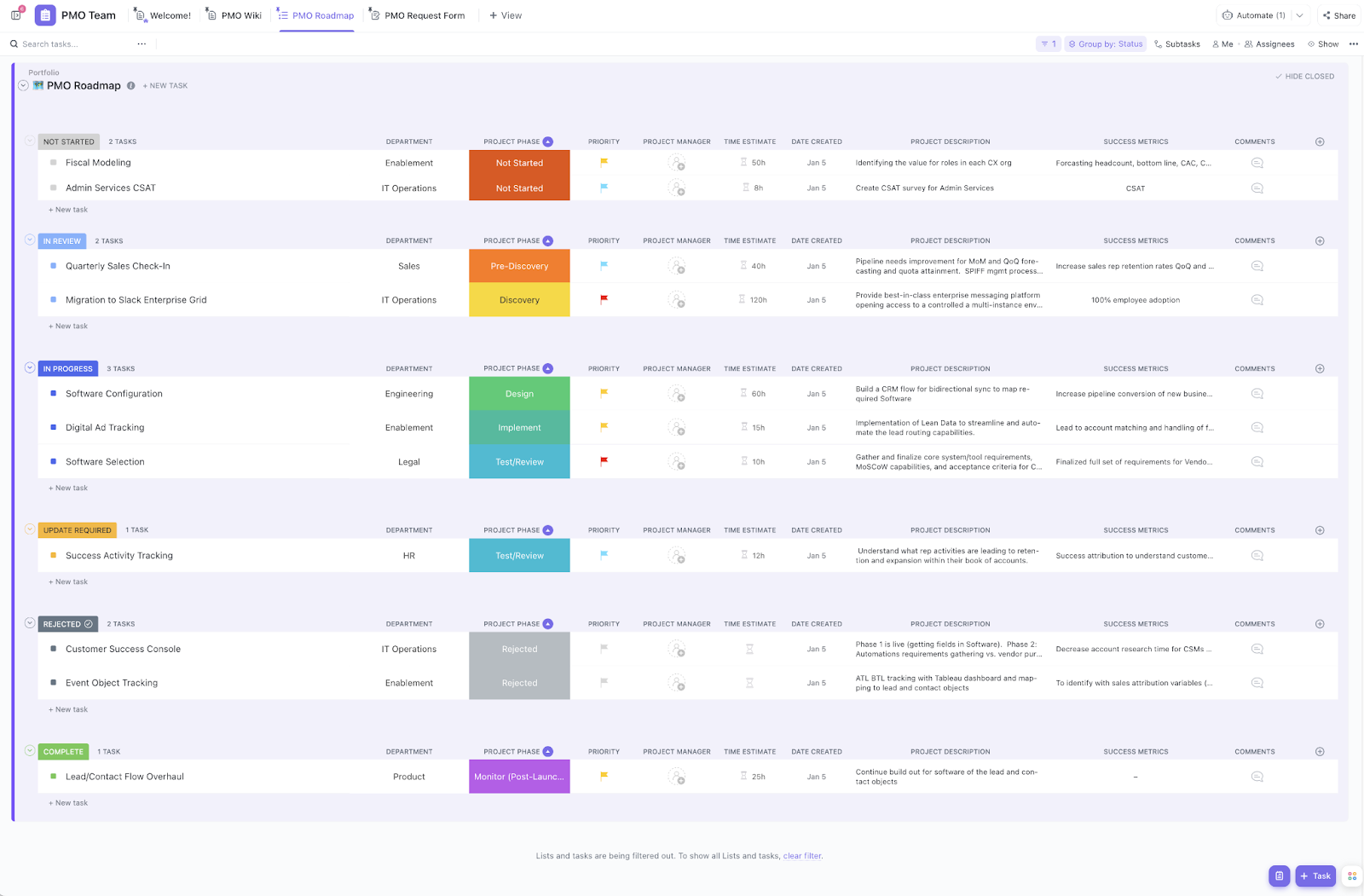
Plan and execute projects seamlessly using 15+ ClickUp Views (Kanban boards, lists, Gantt charts, and more), which provide a clear visual timeline of tasks, dependencies, and milestones, no matter which methodology you choose.
For example, a construction team following the Waterfall methodology can use Gantt charts to track dependencies and timelines. On the other hand, a lean manufacturing team might prefer Kanban boards to stay on top of tasks and eliminate bottlenecks.
Centralize communication and collaboration using ClickUp Chat, where teams can document project details, share updates, and discuss tasks in real time—all without switching tools.
📮ClickUp Insight: 83% of knowledge workers rely primarily on email and chat for team communication. However, nearly 60% of their workday is lost switching between these tools and searching for information.
With an everything app for work like ClickUp, your project management, messaging, emails, and chats all converge in one place! It’s time to centralize and energize!
ClickUp Dashboards make it easier to track and improve performance, giving managers real-time insights into team capacity, task completion rates, and project bottlenecks.

Whether a small project or a large, cross-functional effort, ClickUp ensures every task is assigned, progress is tracked, and collaboration flows smoothly.
Documentation is at the core of methodologies like Waterfall and PRINCE2, and ClickUp Docs streamlines the process and minimizes errors. Teams can collaborate seamlessly in real time, making it effortless to review, comment on, and edit documents—all in one place.
Pair it with ClickUp Brain, your AI assistant, to generate project briefs, meeting summaries, or technical specs quickly, saving you time so you can focus on what matters.

Task management is at the heart of efficient project management. ClickUp Tasks can break down complex and long-term projects into clear, actionable steps, making it easy to track responsibilities and progress.
Need to turn a comment into a task? It’s simple with Assigned Comments in ClickUp.
Finally, you can even improve team productivity with ClickUp’s Custom Task Statuses and Priorities, ensuring everyone knows what needs attention, what’s in progress, and what’s completed at a glance.

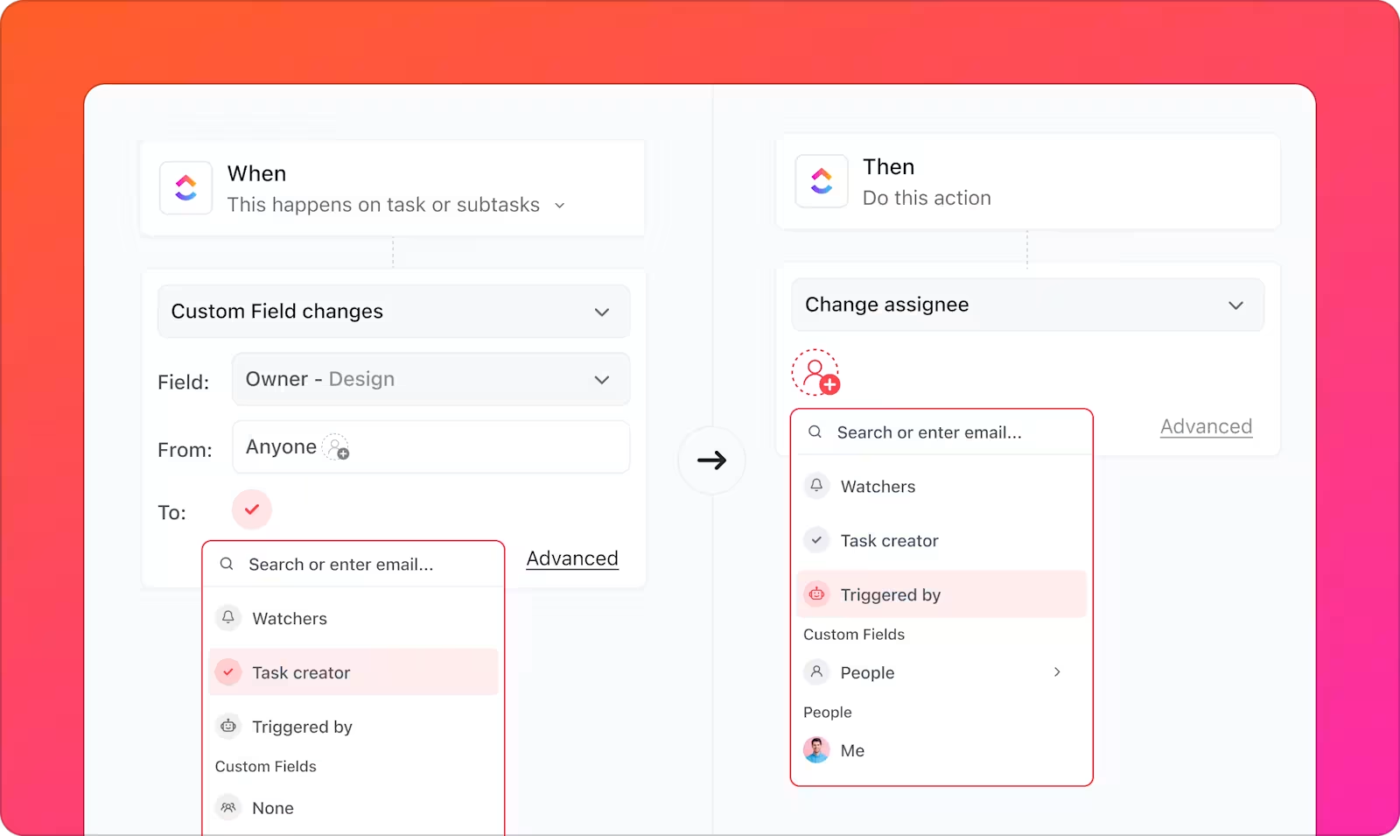
ClickUp Automations handle routine project workflows, reducing manual work by automatically assigning tasks, sending reminders, and updating statuses based on predefined if-then triggers and conditions.
For example, in the Critical Path Method (CPM), automating task dependencies ensures a smooth handoff between project phases without delays.
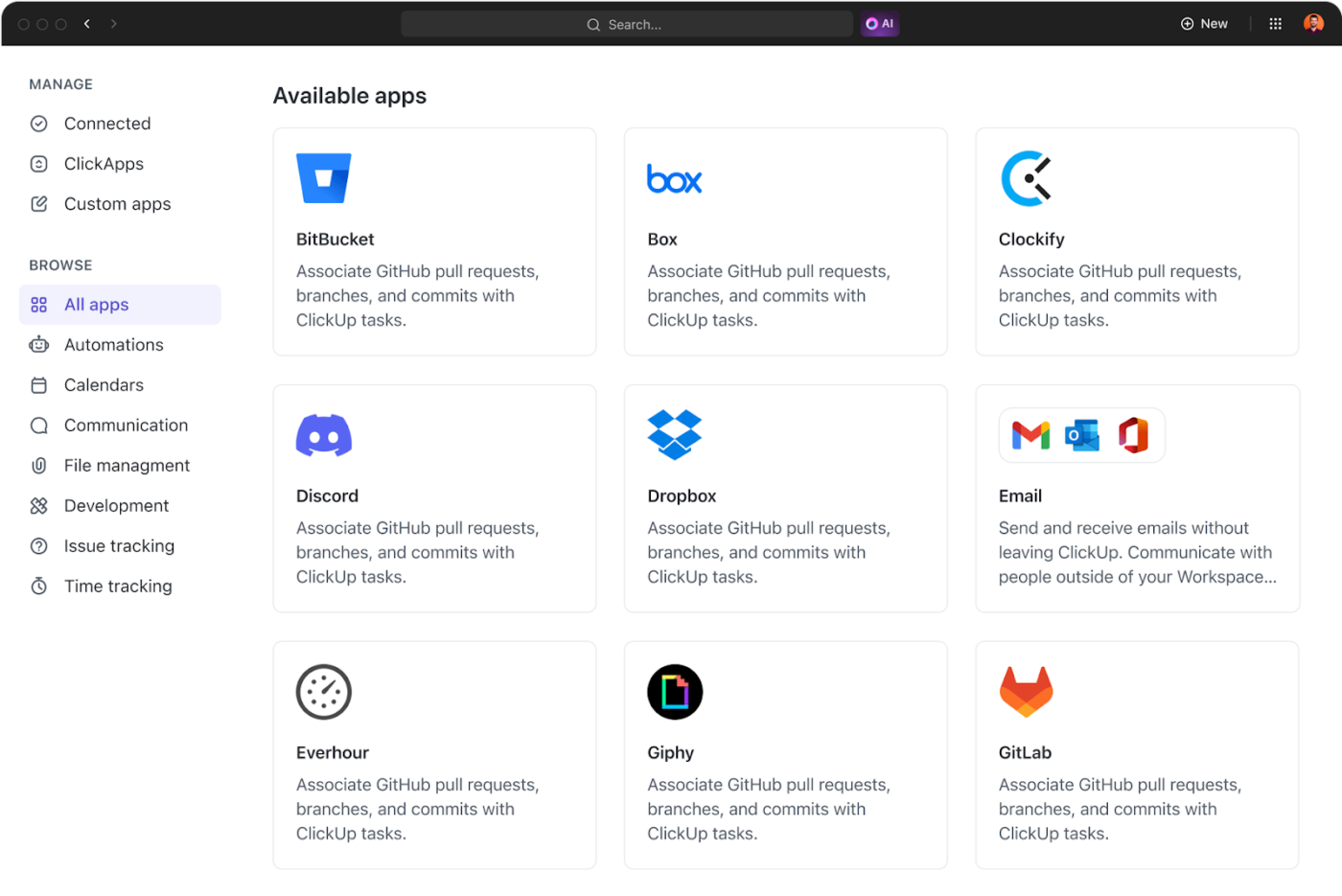
Whether you’re using GitHub for code or Figma for design, ClickUp Integrations bring your favorite tools together. Connect your team’s everyday tools to ClickUp, keeping code updates, design files, and key project assets linked directly to tasks. Streamline collaboration by centralizing feedback, progress tracking, and workflows—all in one place.
ClickUp offers powerful project scheduling features to keep projects on track. Need to avoid task overload? The ClickUp Workload View helps balance assignments by showing who’s at capacity.
When deadlines matter, the ClickUp Calendar View keeps everything visible. Whether you’re running product launches or content cycles, these tools simplify planning and execution.
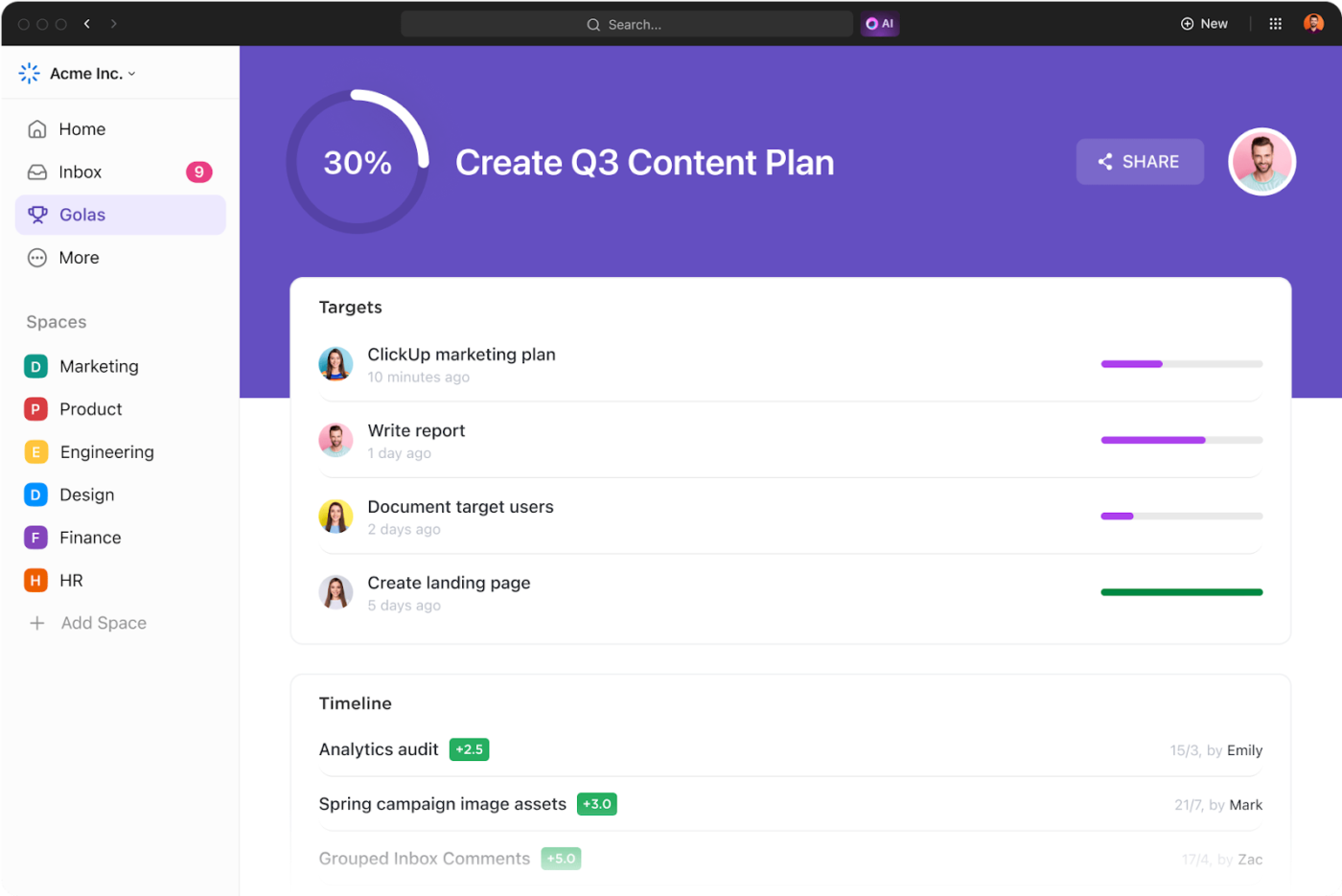
ClickUp Goals help teams focus on setting clear, measurable objectives. Agile development teams can use them to track sprint outcomes, while Lean teams can use them to monitor continuous improvement metrics.
ClickUp offers free project management templates to help teams work faster. Use ready-made workflows, task lists, and project views for smoother execution.
The ClickUp Project Management Template is perfect for managing complex, multi-phase projects that require detailed planning and tracking.
Here is what you can do with the template:
If you’re exploring Agile alternatives, several tools cater to different methodologies. Microsoft Project is ideal for structured Waterfall projects, helping teams map dependencies and stay on schedule. Sciforma supports PRINCE2 with strong governance, risk management, and reporting features.
For Lean methodologies, LeanKit by Planview offers workflow visualization to eliminate inefficiencies. Meanwhile, Wrike provides a flexible solution that blends Agile adaptability with structured planning, making it perfect for teams needing both flexibility and control.
Transitioning to a new project management approach can boost efficiency but often comes with challenges. Here’s how to overcome key hurdles:
📖 Also Read: Real Project Management Examples for Your Team
Even though 58% of organizations prioritize Agile adoption over traditional methods, Agile practices aren’t always the ideal fit for every project.
Agile methodology alternatives like Waterfall, Lean, Kanban, Scrum, and Hybrid models offer tailored solutions for varying complexities and goals.
Choosing the proper framework involves assessing scale, compliance, team dynamics, and documentation needs.
As the versatile, everything app for work, ClickUp supports all project management frameworks that boost collaboration, simplify workflows, and adapt to project needs. This helps teams stay productive and achieve successful outcomes.
Sign up for ClickUp today and redefine your project management experience.

© 2026 ClickUp

There’s an easier way. Try a free AI Agent in ClickUp that actually does the work for you—set up in minutes, save hours every week.