Sorry, there were no results found for “”
Sorry, there were no results found for “”
Sorry, there were no results found for “”
Back-to-back meetings can quietly hijack your day before you even notice. One call blends into the next, ideas collide, and your energy level drops before lunch.
You start with a virtual meeting on quarterly numbers, jump into a brainstorming session for the next product launch, and wrap up with a client sync, without a single break in between. It seems productive on the surface, but a day packed with stacked meetings leads to cognitive overload, higher stress levels, and less time for important tasks that require deep focus.
📮 ClickUp Insight: According to Clickup’s meeting effectiveness survey, nearly 40% of respondents attend between 4 to 8+ meetings per week, with each meeting lasting up to an hour. This translates to a staggering amount of collective time dedicated to meetings across your organization.
What if you could reclaim that time? ClickUp’s integrated AI Notetaker can help you boost productivity by up to 30% through instant meeting summaries—while ClickUp Brain helps with automated task creation and streamlined workflows—turning hours of meetings into actionable insights.
If your busy schedule leaves little room to breathe, it’s not just about managing more meetings. It’s about learning to protect your time, your brainpower, and your ability to contribute effectively across the week.
Read on to learn how.
Back-to-back meetings happen when one meeting ends and the next one begins without enough time to reset. There’s no pause to jot down key takeaways, no chance to prep for what’s coming up, and just a constant shuffle from one discussion to another.
When meetings are scheduled consecutively like this, it chips away at your ability to stay present, think clearly, and actually drive results. Whether it’s video meetings, online meetings, or in-person meetings, too many meetings back-to-back stack up fast, and so does the exhaustion.
📮 ClickUp Insight: 37% of workers send follow-up notes or meeting minutes to track action items, but 36% still rely on other, fragmented methods.
Without a unified system for capturing decisions, key insights you need may get buried in chats, emails, or spreadsheets. With ClickUp, you can instantly turn conversations into actionable tasks across all your Tasks, Chats, and Docs—ensuring nothing falls through the cracks.
Running from one meeting to the next sounds efficient. But in reality, it drains your energy level, reduces your focus, and leaves important tasks unfinished.
Here’s what’s really happening when your calendar looks like a game of Tetris:
One meeting might seem manageable. But when meetings start stacking without enough time in between, even productive meetings lose their spark.
📖 Also Read: Workload Management Tools to Boost Productivity
Packed schedules might look impressive at a glance. But underneath the meetings stacked hour after hour, focus weakens, stress builds, and meaningful work slows down.
You don’t notice it at first. One meeting runs over by a few minutes, then another starts before you’ve processed the last conversation. By the time afternoon hits, the important tasks that needed creative thinking slip down your list, replaced by constant engagement and surface-level updates.
Consecutive meetings push your brain into a constant reactive mode. Small gaps to breathe, reset, or even stretch disappear. Over time, stress levels climb higher, taking a toll on your concentration and your health.
Tight meeting schedules are often linked to eye strain, cognitive overload, and signs of early burnout, even if everything seems fine on the surface.
Moving from a brainstorming session to a client call without any buffer feels efficient. But behind the scenes, your energy level fractures. Each meeting pulls a little more focus until the day ends with half-finished notes and scattered ideas.
Without regular breaks, deep work starts feeling harder to reach, even when the calendar looks productive.
In a calendar packed with back-to-back meetings, ideas don’t get time to connect. You leave a video meeting about marketing strategy only to walk straight into another on operational updates.
With no time to reflect, decisions are made faster but often with less depth. Teams that once thrived on brainstorming sessions and problem-solving slowly start defaulting to safe, rushed choices.
Busy doesn’t always mean effective. When every meeting ends without a pause to define action steps, execution falls behind.
By the end of the week, it’s harder to trace what discussions actually led to progress, because most of the energy was spent switching between different tasks without enough room to focus.
📖 Also Read: How to Prepare for a Meeting in 5 Steps
Managing a busy schedule filled with back-to-back meetings calls for setting smarter rules that protect your focus, energy, and ability to drive real results.
Small shifts in how you schedule meetings and structure your day can turn stacked calendars into manageable, productive workdays.
Here’s what works:
Without space to reset, even important meetings start blending into each other. Build in 5–15 minute gaps between meetings to:
Buffer times act as a mental reset button, keeping energy levels steady across longer workdays.
Constant engagement leaves little room for deep thinking. Protect your most productive hours by setting blocks on your calendar where no meetings are allowed.
It could be two hours every morning reserved for strategic work, or one afternoon a week for uninterrupted focus. Even small no-meeting windows give breathing room back to your week without needing drastic changes.
📮 ClickUp Insight: 50% of our survey respondents report Friday as their most productive day. This could be a phenomenon unique to modern work. The possible reason? Fridays tend to have fewer meetings, and this, combined with the context accumulated from the workweek, could mean fewer disruptions and more time for deep, focused work.
Want to retain Friday-level productivity all week long? Embrace async communication practices with ClickUp, the everything app for work! Record your screen with ClickUp Clips, get instant transcriptions through ClickUp Brain, or ask ClickUp’s AI Notetaker to step in and summarize meeting highlights for you!
Not every update deserves a live meeting. Routine check-ins, project statuses, and quick decisions can be made through asynchronous meetings, which means updates are shared through written updates, voice notes, or recorded videos.
Shifting these discussions offline creates more flexibility, reduces time pressure, and helps everyone manage their schedules more effectively without constant engagement.
Without structure, meetings stretch longer and lose focus. Before sending an invite, define:
Setting clear roles ensures every meeting starts with a purpose and ends with actionable decisions, not just loose conversations.
⚡️Bonus Template: Need a quick way to set a meeting agenda and stick to it. Try this free daily standup meeting agenda template. Replicate it for each day that you use it!
📖 Also Read: Meeting Agenda Examples and Free Templates
Pushing meetings to fill every available minute exhausts everyone faster. Aim to end meetings slightly earlier, like 5 to 10 minutes, so participants have time to:
Even small gaps between meetings improve cognitive focus and reduce daily stress buildup across a packed schedule.
Managing back-to-back meetings gets easier when the right systems take the pressure off. Instead of relying on more meetings to fix meeting overload, you can shift how your team communicates, tracks action items, and plans the week.
Here’s how you can create a better workflow:
Instead of scheduling another video meeting for quick updates, teams can share project progress through asynchronous collaboration.
Using tools like ClickUp Docs and ClickUp Comments, you can:
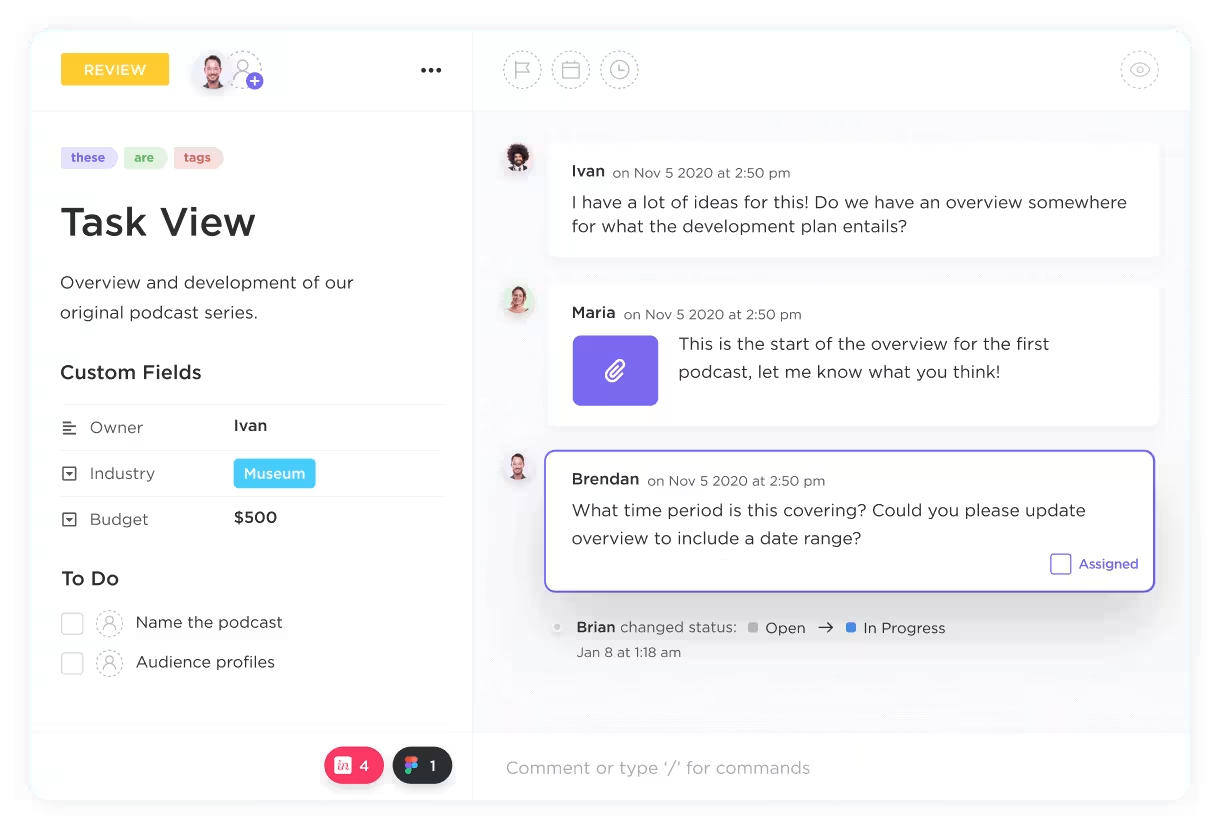
When meetings end without clear next steps, it leads to scattered execution. Capturing action items in real time keeps momentum strong.
ClickUp Tasks let you quickly assign follow-ups during meetings, set deadlines, and avoid the need for yet another sync to realign the team.
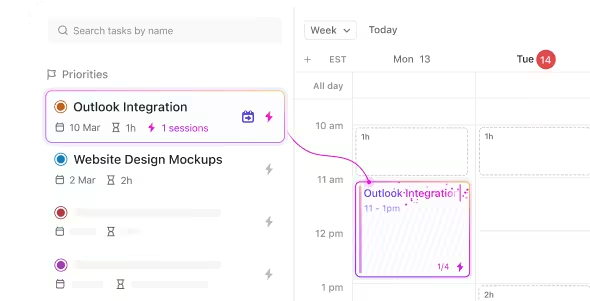
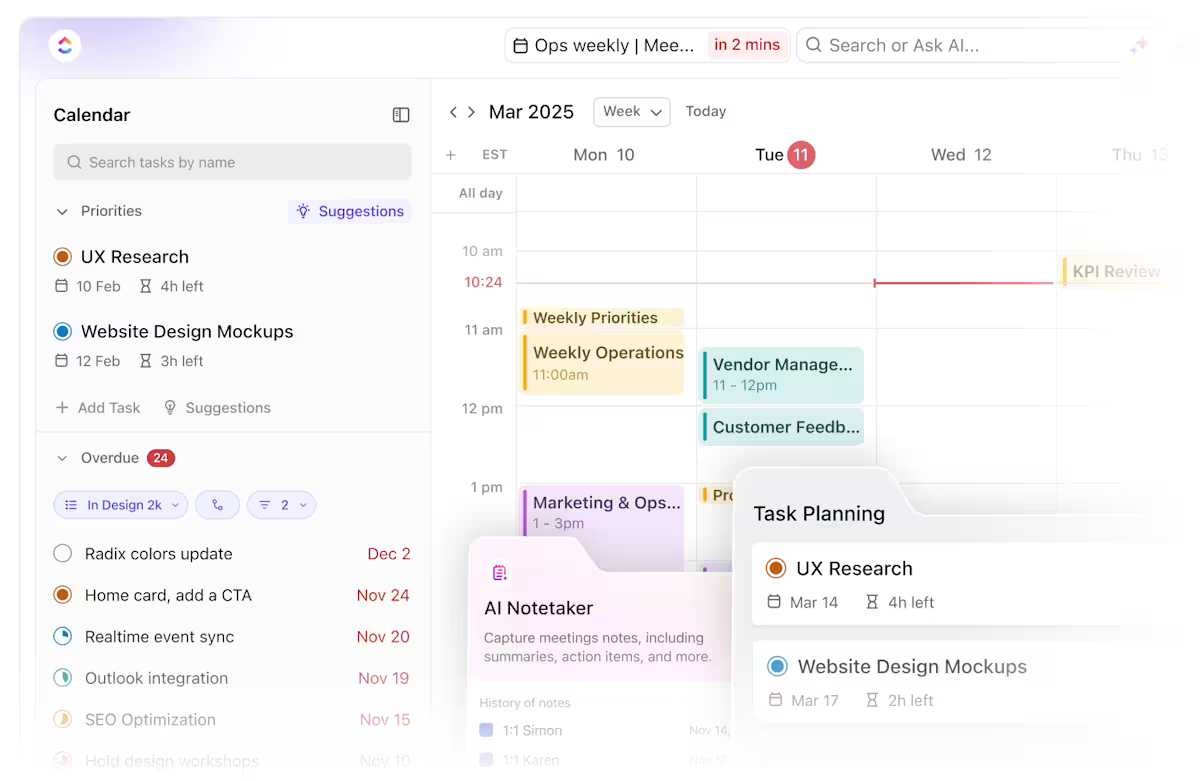
Without a clear overview of meetings and project work, it’s easy to overload your week. Full visibility into your calendar helps you build in buffer times, protect deep work blocks, and spot risks early.
ClickUp Calendar helps you balance meetings with task deadlines, so your schedule supports productivity instead of overwhelming it.
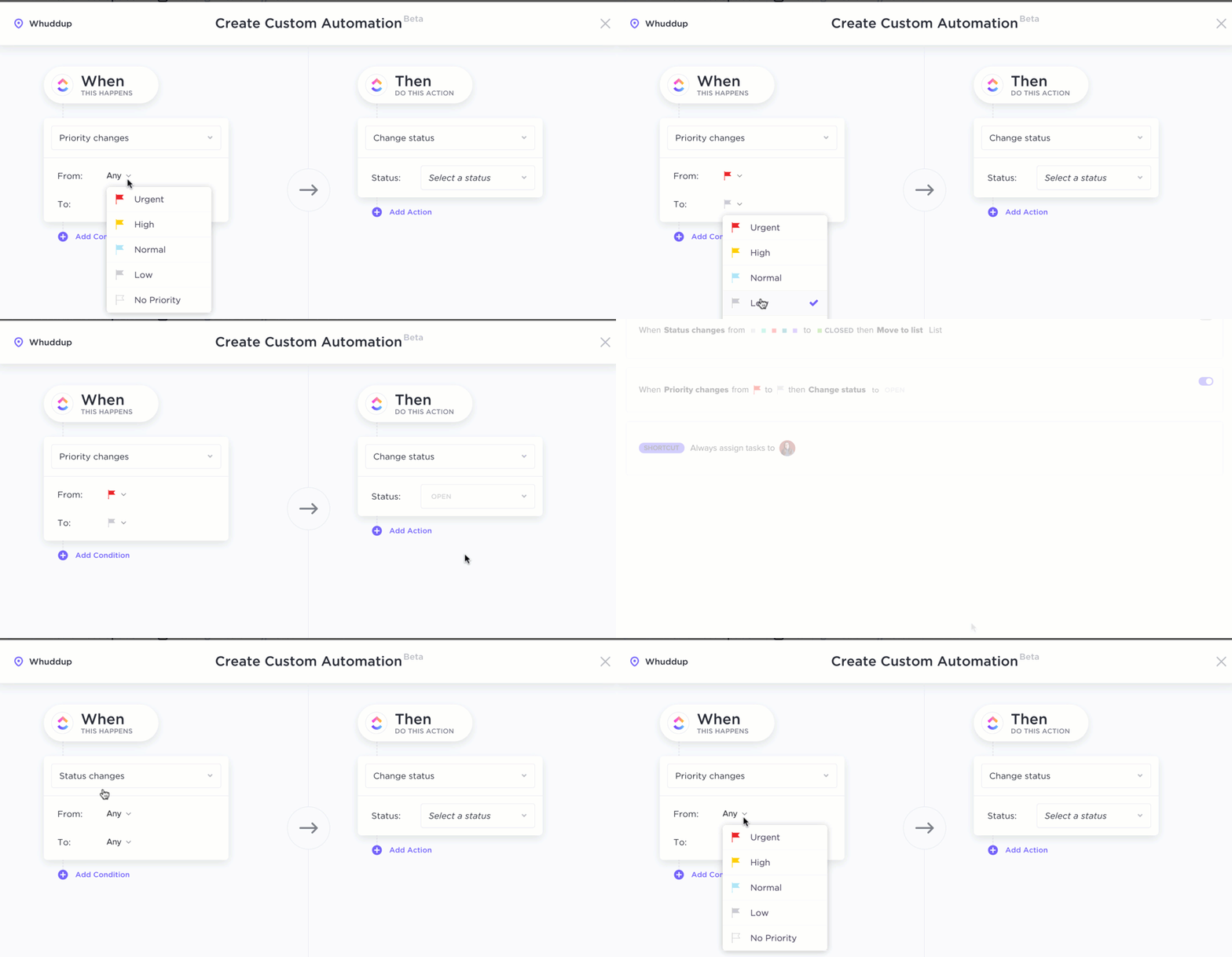
When action items slip through, extra meetings often fill the gap. Automating ClickUp reminders ensures follow-ups happen without needing live check-ins.
With ClickUp Automations, you can automatically trigger updates, notifications, or task progress nudges based on deadlines and status changes.
Clear meeting summaries reduce confusion and prevent repetitive discussions. Keeping records accessible ensures decisions stick and projects move forward smoothly.
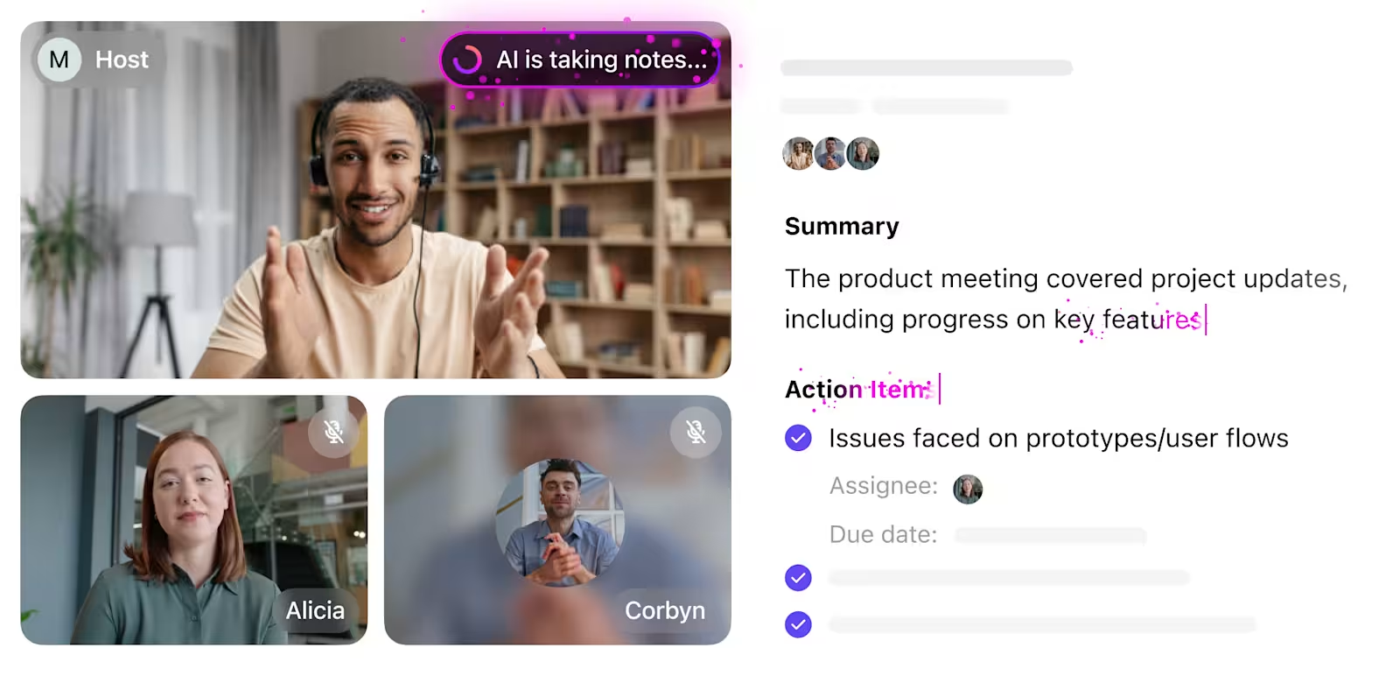
ClickUp Brain can summarize meetings, draft agendas, and suggest action steps, helping you minimize unnecessary syncs and focus on execution.
You can also use the ClickUp AI Notetaker to automatically capture real-time meeting notes, highlight key decisions, and organize follow-ups without manual effort.
With centralized notes, teams spend less time retracing conversations and more time moving projects forward.
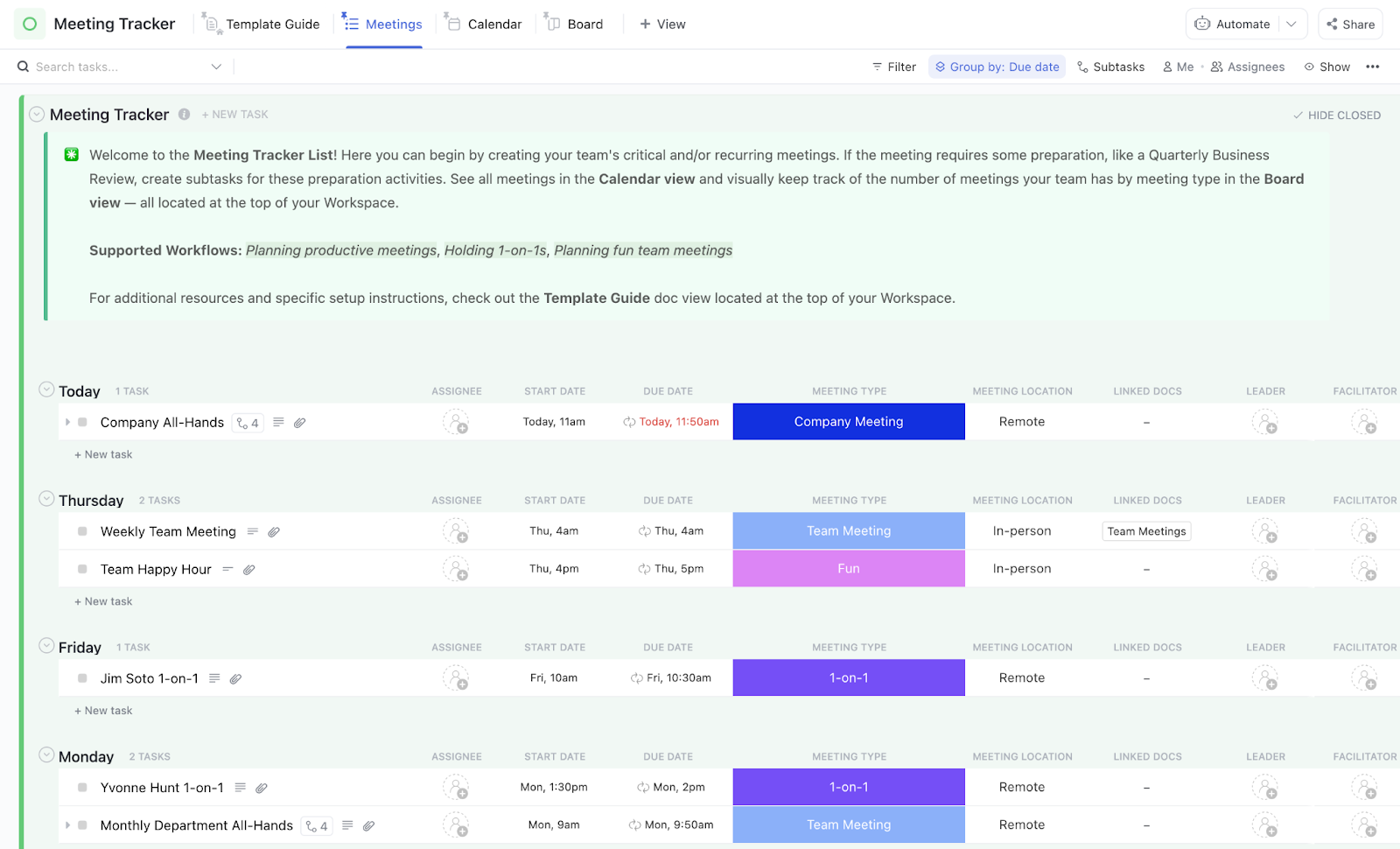
Tracking multiple meetings gets easier when everything is structured and easy to reference. The ClickUp Meeting Tracker Template helps you:
You can also streamline record-keeping with the ClickUp Meeting Minutes Template to capture discussions efficiently without adding extra admin load.
⚡ Template Archive: Free Meeting Notes Templates to Take Better Meeting Minutes
Back-to-back meetings aren’t automatically bad. When used precisely, they can accelerate decision-making, protect focus, and open up bigger spaces for deep work later in the week.
The difference lies in what you stack, how long you stack, and what mental load you’re demanding across those meetings.
Here’s when back-to-back scheduling works and when it doesn’t:
Back-to-back work when you’re asking your brain to stay in the same mental gear.
Stacking too many meetings, even on the same topic, eventually burns down mental clarity.
Research suggests decision-making quality drops sharply after 90–120 minutes of sustained cognitive strain. If you’re stacking three fast 30-minute stand-ups, that’s efficient. If you’re stacking six hour-long strategic reviews, you’re setting up cognitive overload by lunchtime.
The sweet spot? Stack 2–3 tightly scoped meetings, then force a buffer window for recovery.
✨ Use Case: Running back-to-back hiring panel interviews for candidates, but limiting to three interviews before taking a longer mental break.
Action-driven meetings that aim to make decisions, validate plans, or approve next steps, stacks far better than open-ended exploratory ones.
Brainstorming sessions, strategic ideations, and blue-sky discussions demand slower cognitive processing. Rushing them into back-to-back slots risks killing the best ideas before they surface.
Reserve back-to-back sprints for when speed, closure, and alignment are the goals.
✨ Use Case: Finalizing quarterly OKRs across teams, running launch readiness approval rounds.
Even when meetings share a context, a purpose, and a reasonable time block, stacking still carries hidden dangers:
Smart back-to-back scheduling helps in protecting energy, focus, and decision quality throughout the workday.
😎 Fun Read: The Best Types of Meetings for Teams
Packed calendars don’t have to mean lost focus or constant fatigue.
Managing hour-long meetings carefully and intentionally building space for shorter meetings can help protect your focus, even when meetings are scheduled consecutively across busy workdays. By setting smarter boundaries, structuring meetings carefully, and building real breathing room into your week, you create a space where both collaboration and deep work can thrive.
Productive meetings start before the next meeting even appears on your calendar, with tighter agendas, clear outcomes, and enough flexibility to maintain momentum without exhaustion.
The right tools make it easier to manage meetings without losing momentum where it matters most.
Try ClickUp today to streamline your meeting workflow and protect the energy you need for real progress.
© 2025 ClickUp