Sorry, there were no results found for “”
Sorry, there were no results found for “”
Sorry, there were no results found for “”
Poor communication is one of the biggest threats to business success. 14% of companies have lost customers due to it, and 8% have lost employees!
Long story short, if your business communication platform isn’t effective, even the best strategy will fall short—especially if you have a remote team.
So, here are the 13 best external and internal communication tools for a business and their key features.
| Tool | Best features | Best for | *Pricing |
|---|---|---|---|
| ClickUp | – ClickUp Chat for real-time collaboration- ClickUp Docs, Whiteboards, and Mind Maps for brainstorming- ClickUp Clips and Brain for async and AI-powered workflows- Task, goal, and project management under one roof | All-in-one collaboration for remote and hybrid teams | Free forever plan; Customizations available for enterprises. |
| Slack | – Real-time messaging in organized channels- File sharing and searchable history- Built-in audio and video calls- Enterprise-grade security features | Real-time messaging and group collaboration across teams | Free plan available; Paid plans start at $8.75/month per user |
| Zoom | – High-quality video conferencing and webinars- Live transcription and screen sharing- Meeting scheduling and calendar integrations- Polls, reactions, and recording features | Virtual meetings and remote team video communication | Free plan available; Paid plans start at $15.99/month per user |
| Microsoft Teams | – Seamless integration with Microsoft 365- Chat, video calls, and file collaboration- Guest access and strong compliance- Real-time document co-editing | Organizations already using Microsoft 365 for work | Free plan available; Paid plans start at $4/month per user |
| Trello | – Visual Kanban boards and checklists- Comments and file attachments- Calendar and timeline views- Automation for recurring tasks | Task tracking and light project collaboration | Free plan available; Paid plans start at $5/month per user |
| Monday.com | – Custom dashboards and workflow automation- CRM and sales pipeline tracking- Real-time collaboration via updates and comments- Task dependencies and reminders | Sales teams and operations managers managing workflows | Free plan available; Paid plans start at $12/month per seat |
| Google Workspace | – Gmail, Google Chat, Meet, Docs, and Drive- Real-time document collaboration- Secure cloud-based communication and file sharing- Built-in AI-powered productivity tools | Cloud-based communication and document management | Paid plans start at $7/month per user |
| Asana | – Structured project and task tracking- Comments, mentions, and file uploads- Custom dashboards and reporting- Guest access for client collaboration | Teams needing structured workflows and visibility | Free plan available; Paid plans start at $10.99/month per user |
| Workplace from Meta | – Familiar social media-style interface- Live video broadcasts and company groups- Insights and analytics for engagement- Third-party integrations | Company-wide internal communication and updates | Paid plans start at $4/month per user |
| Cisco Webex | – Enterprise-grade video meetings- Screen sharing, polls, and whiteboards- AI transcription and scheduling- Strong encryption and compliance | Secure video conferencing for large organizations | Free plan available; Paid plans start at $14.50/month per user |
| Dialpad | – AI-powered voice, video, and messaging- Call transcription and performance analytics- Business phone system with integrations- Mobile and desktop accessibility | Customer-facing teams and internal communication via phone | Paid plans start at $27/month per user |
| GoToConnect | – VoIP phone, video calls, and messaging- Call routing, analytics, and contact center tools- Supports up to 250 participants in video calls- 24/7 support and customer service | Businesses needing unified calling and video solution | Paid plans start at $29/month |
| Grasshopper | – Virtual phone numbers and call routing- Voicemail transcription and call screening- Unlimited extensions for teams- Mobile and desktop apps for accessibility | Small businesses managing professional phone systems | Paid plans start at $14/month |
* Please check the tool website for the latest pricing details.
In a sea of options, fishing out the best business communication solution that fits your needs can be difficult. Fortunately, a few attributes and key features determine how efficient a communication tool is. For instance:
➡️ Read More: How to Improve Collaboration in the Workplace
Our editorial team follows a transparent, research-backed, and vendor-neutral process, so you can trust that our recommendations are based on real product value.
Here’s a detailed rundown of how we review software at ClickUp.
Here are the top 13 collaboration and communication tools you can use to streamline communication and business operations:
While most tools on the list only assist in enhancing communication, ClickUp goes a step further. As the everything app for work, it unifies project management and communication so your team can maximize task efficiency by ensuring consistent coordination.
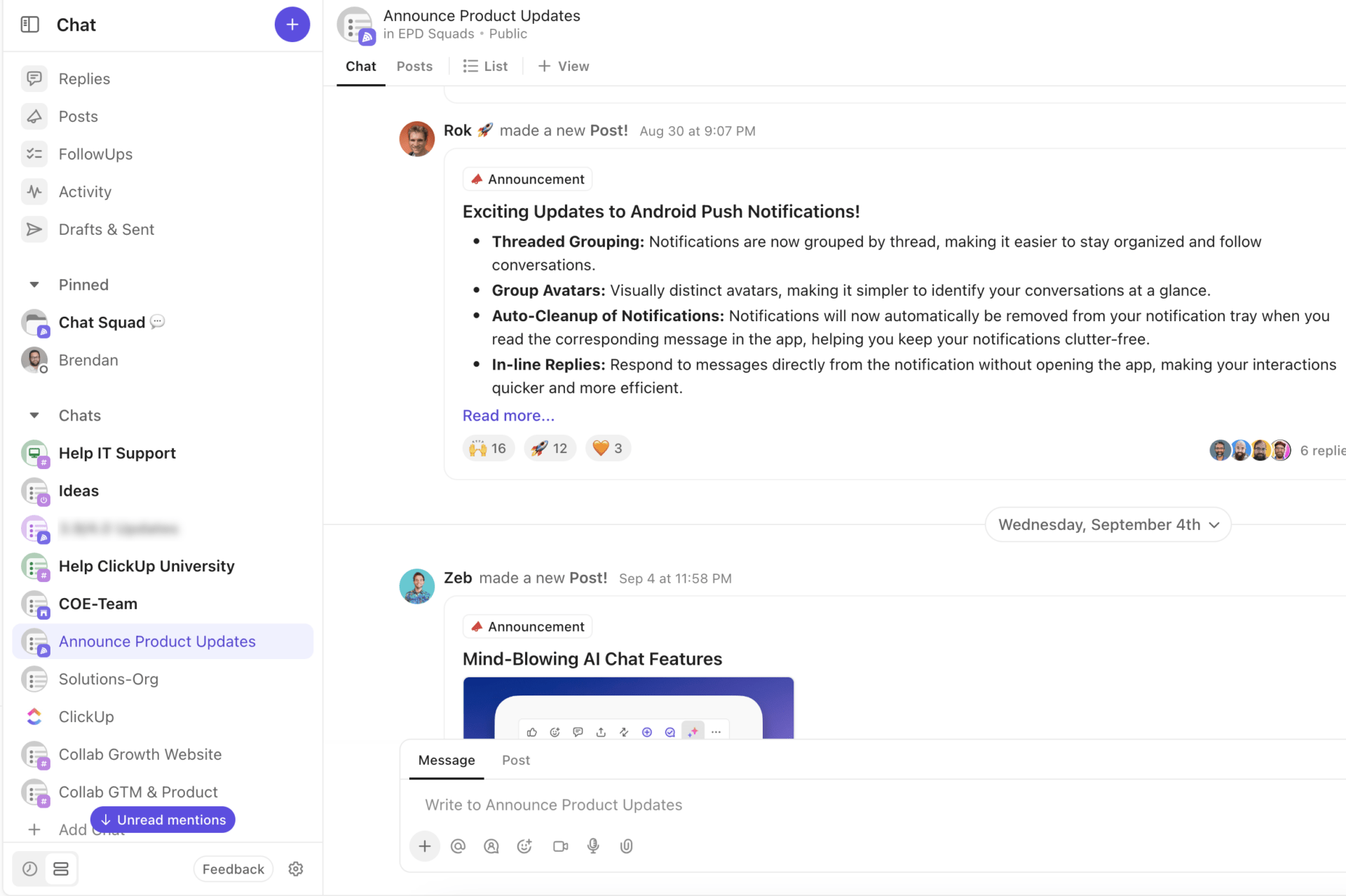
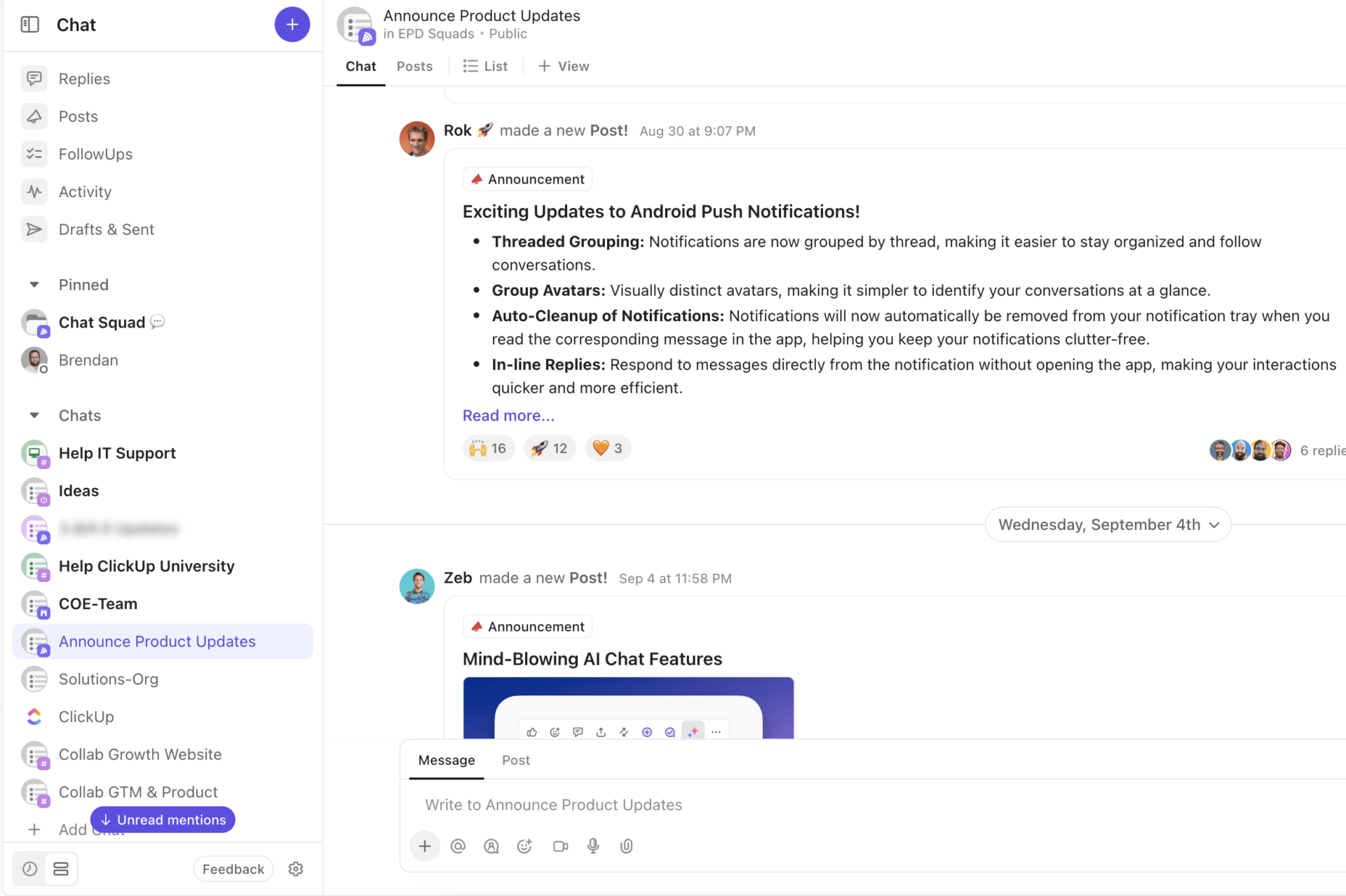
ClickUp Chat is a powerful tool for improving team communication, reducing silos, and enhancing overall productivity. Chats are integrated directly into tasks, documents, and projects, ensuring that discussions are always tied to relevant work. This eliminates the need to switch between tools and keeps communication focused.
Never lose track of important discussions again. ClickUp’s AI-powered Chat Summaries automatically condense lengthy conversations into clear, actionable recaps. Whether you’re catching up after a day off or need a quick overview before a meeting, AI Summaries ensure you’re always up to speed. This feature saves time, reduces information overload, and helps teams focus on what matters most—making decisions and moving projects forward.
ClickUp’s Syncups transform routine check-ins into dynamic, productive sessions. With built-in prompts and automated reminders, Syncups encourage teams to share updates, blockers, and priorities directly within Chat. The result? Transparent communication, faster alignment, and fewer unnecessary meetings. Syncups keep everyone accountable and informed, fostering a culture of continuous progress.
ClickUp’s AI Agents further elevate communication by automating routine processes, answering questions, and surfacing relevant information right when you need it. This ensures teams spend less time searching for answers and more time collaborating effectively.
The ClickUp Assign Comments feature instantly creates tasks from messages and assigns them to team members. This streamlines communication, prioritizes activities, and clearly outlines responsibilities for everyone.
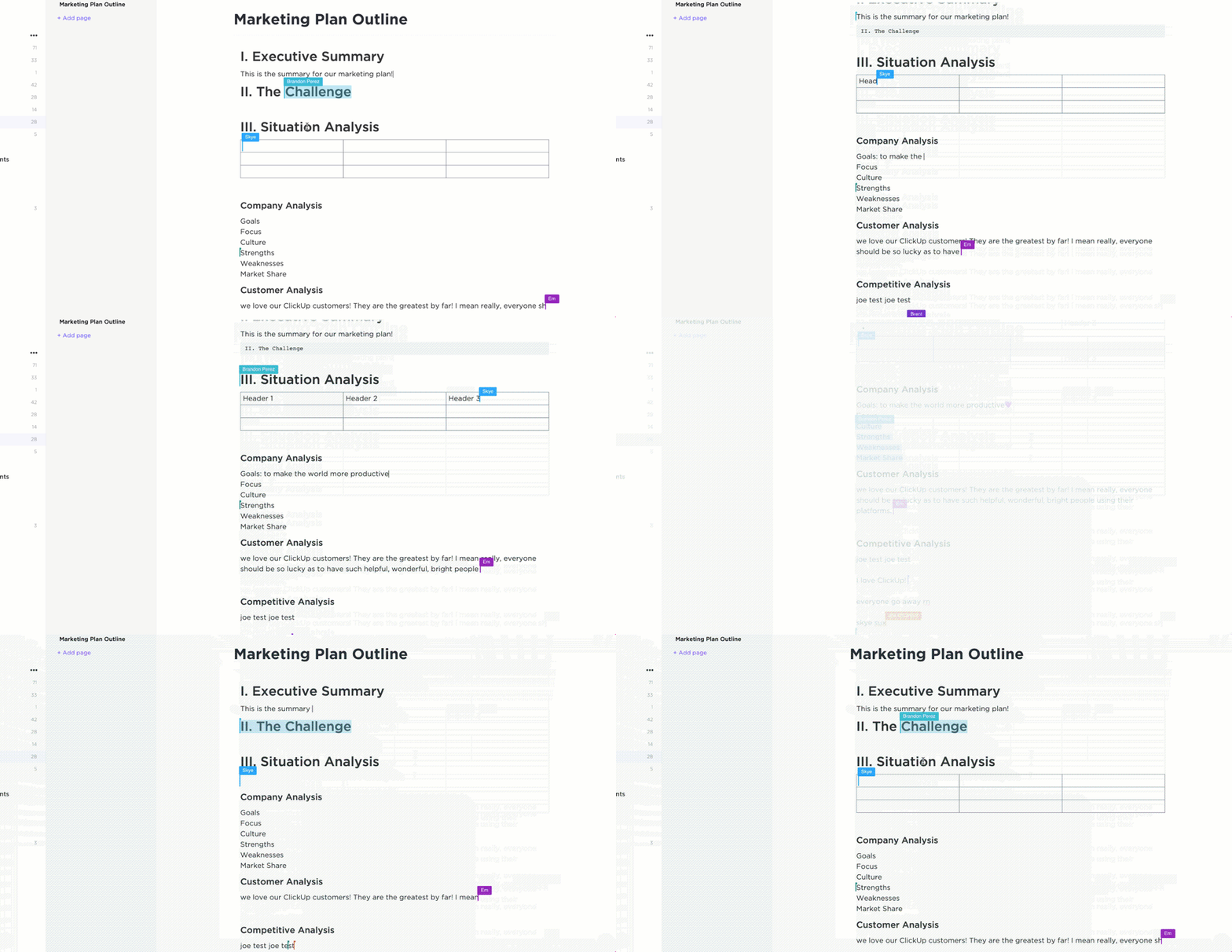
Another powerful collaboration feature is ClickUp Docs. With real-time editing capabilities, it lets everyone on the team collectively brainstorm project ideas, suggest changes, and create briefs.
Additionally, the ClickUp Collaboration Detection notifies you any time a team member makes edits, adds a comment, or assigns/reassigns a task, keeping everyone in the loop!
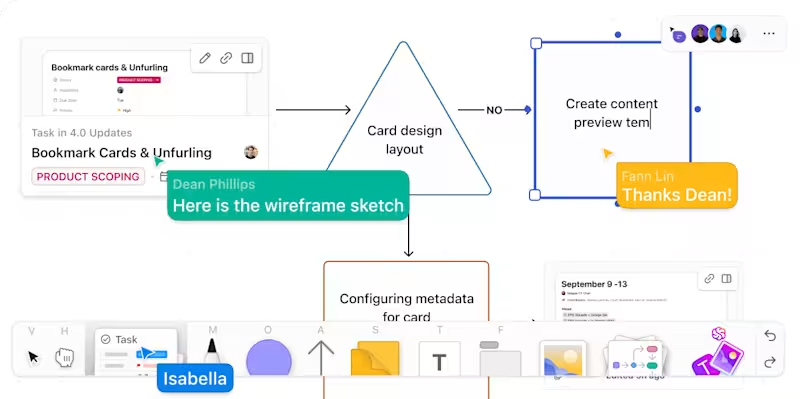
With ClickUp Whiteboards, create visual project plans and connect them to the rest of your workflow.
ClickUp Mind Maps prove helpful when the project execution phase kicks in. They give you a clear, visual view of your entire project, ensuring efficient teamwork, resource coordination, and workload management.
ClickUp Clips is ideal for remote collaboration. It lets you create and share screen recordings of documents, tasks, and chats with your team. It also generates automated transcripts of every clip—with proper timestamps and snippets—that you can convert into tasks, summaries, etc. This ensures communication clarity and effectiveness.
While there are plenty of collaboration features in ClickUp’s suite, the one standing at the core of it all is ClickUp Brain.
ClickUp Brain connects you with everything on the app—from documents to people. So, you can easily retrieve and share information, create and assign tasks, send and receive updates, and much more. That’s not all—ClickUp Brain also summarizes lengthy conversations, boosting communication speed and effectiveness.
ClickUp’s wide range of customizable templates is another significant USP.
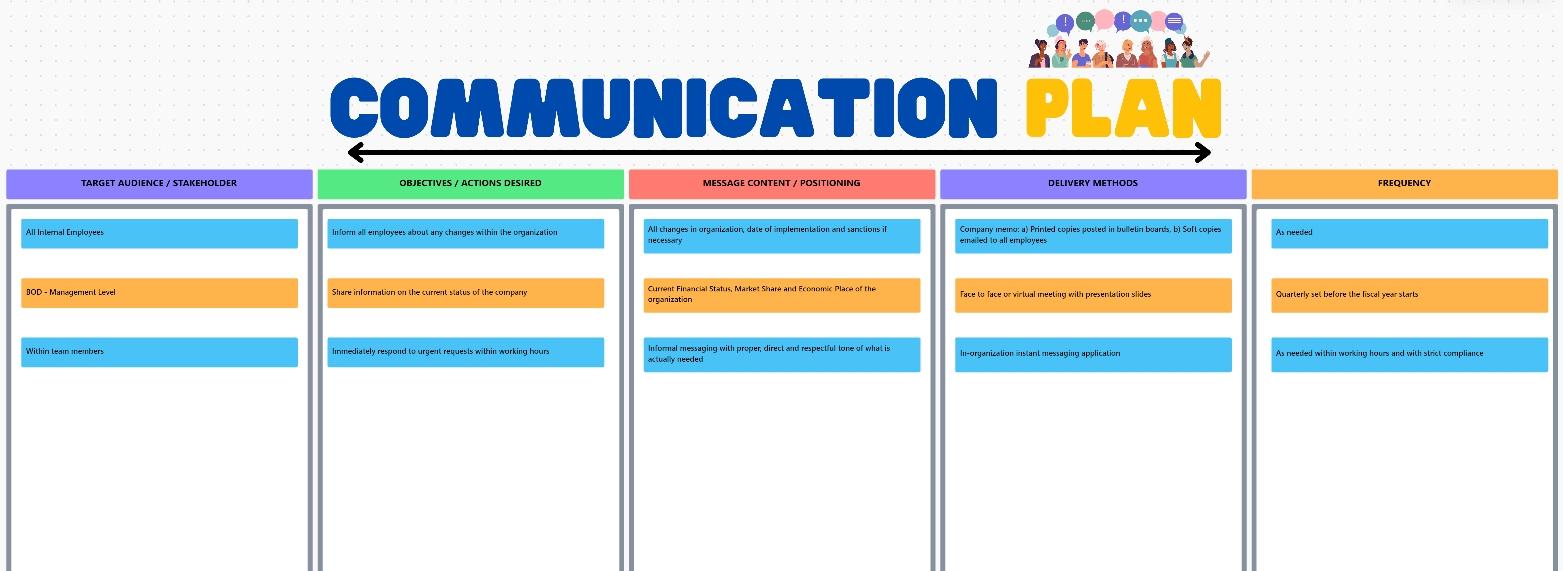
While there are hundreds of these free resources on the platform, the best one for boosting communication efficiency is the ClickUp Communications Plan Whiteboard Template.
The ClickUp Communications Plan Whiteboard Template allows you to map out messaging frameworks, set up communication channels, and align team members for knowledge sharing.
This helps manage workflows, track engagement, and ensure all communications are clear, timely, and consistent. Bringing everything in one place, it helps boost collaboration and improve overall communication efficiency—both within and outside the organization.
💡 Pro Tip: Want to organize your team’s activities with ease? It’s easy with ClickUp’s Team Communication and Meeting Matrix Template. Using this template, you can:
Here’s what Alfred Titus, Admin Support Manager at Brighten A Soul Foundation, has to say about ClickUp:
To any organization struggling with how to manage their projects, ClickUp will help in task collaboration. With this software, people can keep track of the to-do list items and work on those tasks within the stipulated time. It also helps the project management team to track the overall progress of the projects to ensure deadlines are kept.

Slack is a professional communication tool popular for group chats and instant messaging. It is ideal for large enterprises and organizations with various teams and departments.
With Slack, you can create individual channels to organize team communication. It also enables quick searches through past messages with advanced filtering options to reduce clutter.
Another aspect where Slack shines is security. The platform secures conversations with enterprise-grade encryption, minimizing the risk of data breaches.
🧐 Trivia: Emails remain the most effective communication tool for a business, with 18% of knowledge workers preferring it over others! 📧
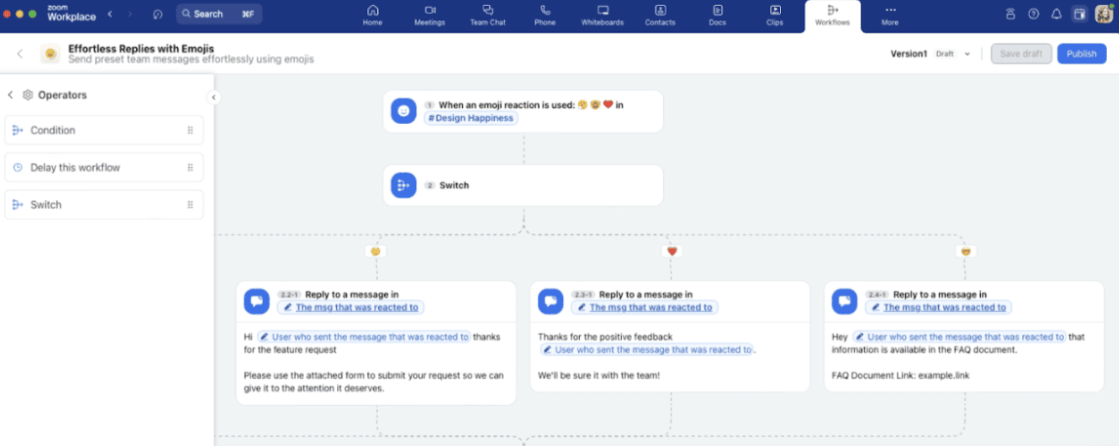
Zoom needs no introduction. This video conferencing tool took the world by storm during the COVID-19 pandemic and, since then, has become a go-to business communication software for virtual teams.
Zoom supports high-quality HD video and audio meetings for up to 1,000 participants. You can also generate automatic, accurate transcripts for every online meeting hosted on the platform. The best part? The tool’s intuitiveness and user-friendly interface.
What are real-life users saying about Zoom?
It is Zoom’s workplace features that appeal as easy-to-use video conferences with good integration options with other business applications. They are scalable solutions to enhance collaboration and ensure smooth communication among the members of a small team and huge enterprises alike.
📮 ClickUp Insight: Nearly 20% of our survey respondents send over 50 instant messages daily.
This high volume could signal a team constantly buzzing with quick exchanges—great for speed but also ripe for communication overload. With ClickUp’s integrated collaboration tools, like ClickUp Chat and ClickUp Assign Comments, your conversations are always linked to the right tasks, enhancing visibility and reducing the need for unnecessary follow-ups.

Another best software communication solution is Microsoft Teams. This team communication tool hosts interactive video meetings with real-time captions and recordings.
Plus, you can make and receive phone calls, chat with your team members, and create shared spaces. The platform also features strong security measures, with enterprise-level compliance and multi-factor authentication for data protection.
What are real-life users saying about Microsoft Teams?
Overall I have a good experience with Teams, we use it with a team of over 100, and it offers us the platform we need to communicate and collaborate well.
🧠 Fun Fact: Around 55% of communication is non-verbal, meaning gestures, posture, and facial expressions say more than words. 🙎🏻
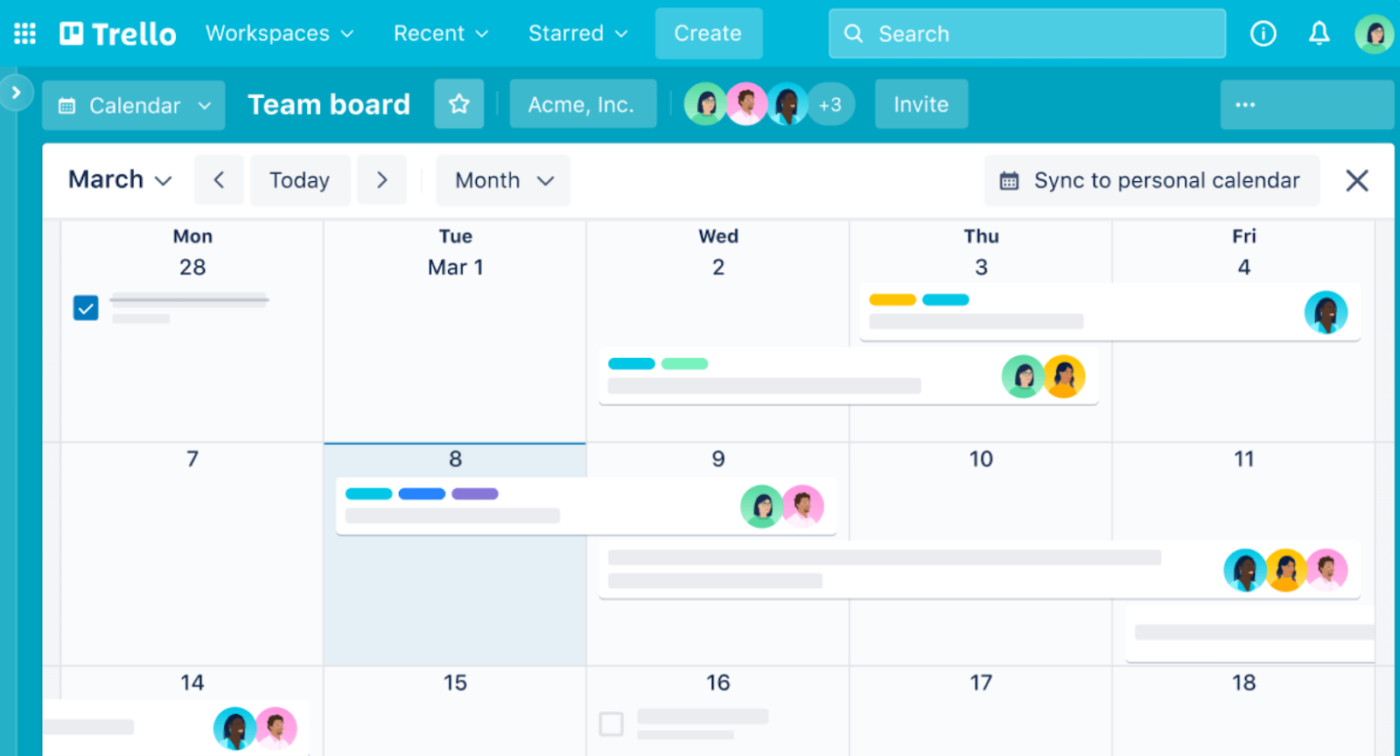
Although Trello is not a traditional communication tool, it can help you and your team collaborate on projects more effectively. The software visually organizes tasks with Kanban boards, automates recurring tasks, and offers templates to standardize processes.
Moreover, the mobile-friendly interface makes it all the easier to access the platform and work on the go.
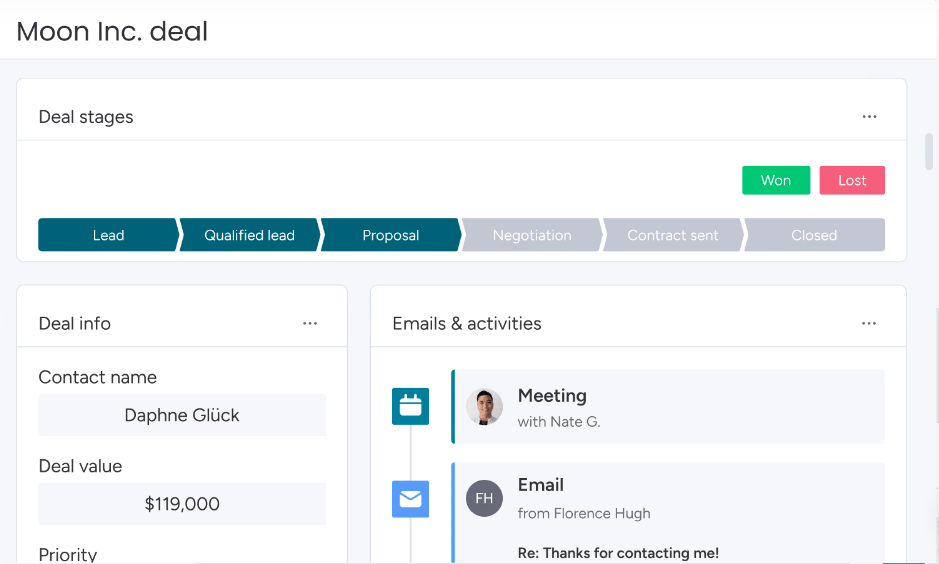
Monday.com’s customer relationship management solution has solid features for sales teams struggling with pipeline management and collaboration. With an interactive dashboard, it lets you visualize and track sales performance.
It also lets you manage leads throughout the pipeline to ensure proper nurturing. Moreover, it enables team collaboration with comments, task assignments, and file sharing. The mobile app is another pro that helps address critical CRM tasks instantly.
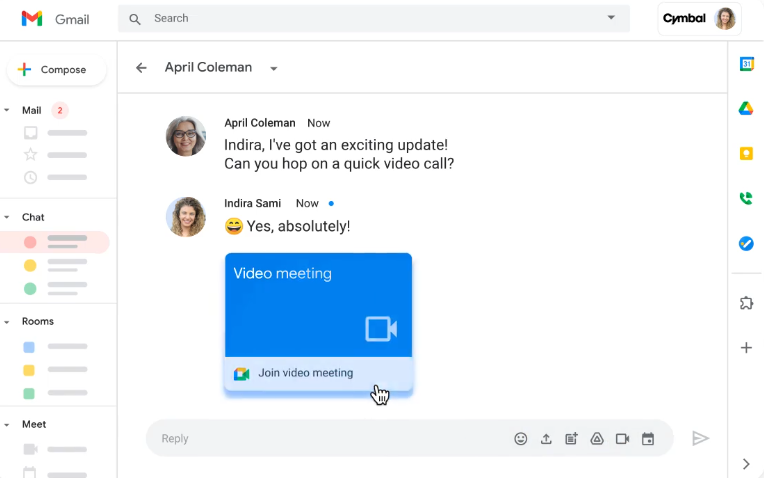
Google Workspace is a business productivity and collaboration suite. It boasts various communication tools that optimize all facets of business interaction—from internal to external. Some are Gmail (for emails), Google Meet (for video conferencing), and Google Chat (for group chat).
The platform secures crucial data with two-step verification and strong encryption. Besides, the all-new AI integration has made communication management even more efficient than before.
What are real-life users saying about Google Workspace?
The best part is that it includes required suites for communications, file storage, time and task management, security controls, and many more. We can manage our work by Google Workspace in any location.
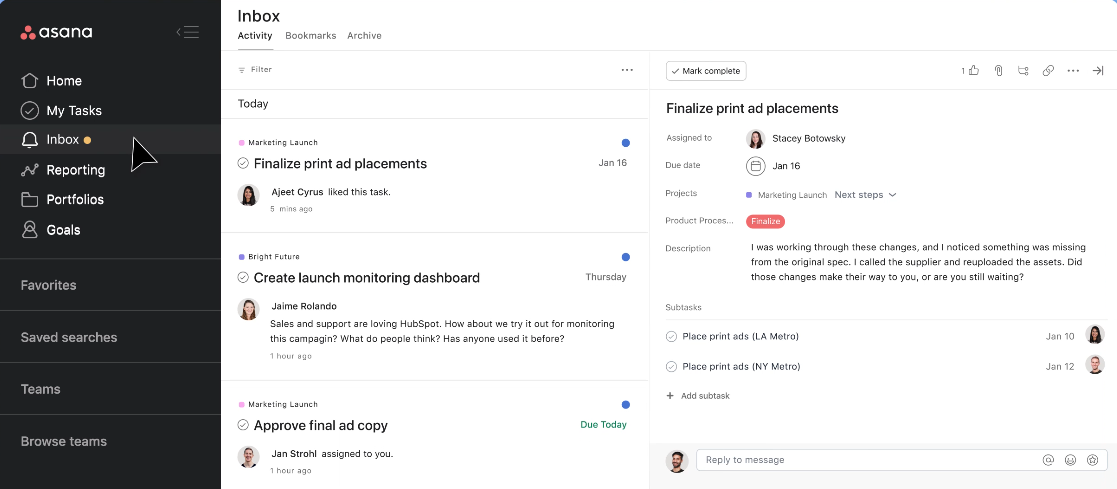
Looking for project management software that also contains ample collaboration features? Asana might interest you.
It boosts team collaboration by tracking project progress, automating task assignments and reminders, and generating performance reports. Plus, chat with teammates, get automated notifications, and customize your inbox, like a regular business messaging app.
What are real-life users saying about Asana?
I have used Asana on both the agency side for managing client work and on the personal side of managing my own individual work. Asana keeps things simple, it’s so easy to integrate with other tools, and visually is very appealing.
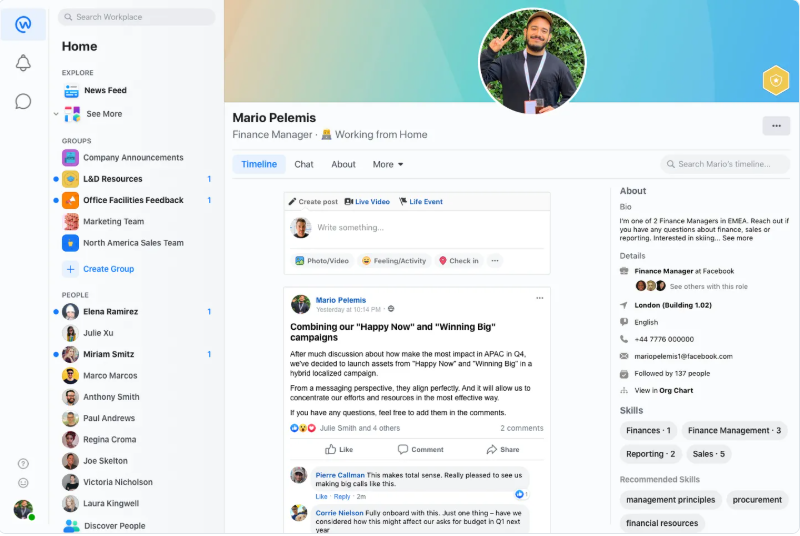
Workplace from Meta is a business communication platform designed to improve team collaboration. It offers real-time messaging, voice and video calls, and company-wide groups for streamlined communication.
With a familiar social media-style interface, it enables quick updates, live video broadcasts, and seamless integrations with popular work tools. However, do note that the tool is all set to be discontinued from 1st June 2026.
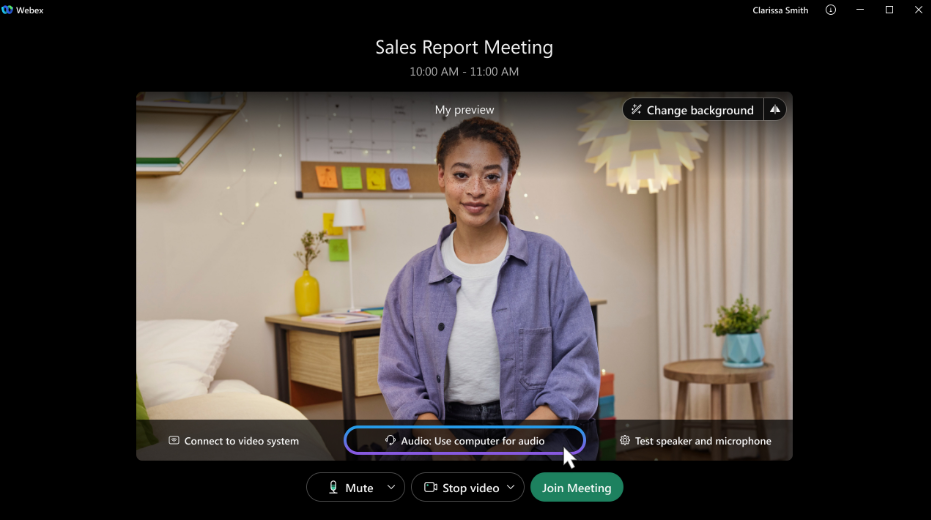
Cisco Webex is a comprehensive business communication software that excels in video conferencing with high-quality audio/video and automating meeting scheduling and reminders.
For enhanced team communication, Webex provides end-to-end encryption and advanced security protocols. Plus, it offers cloud-based call and contact center solutions for businesses.
What are real-life users saying about Cisco Webex?
We use Webex in our organization to communicate with our peers. It helps us organize and create tasks and be able to connect with one another at ease.
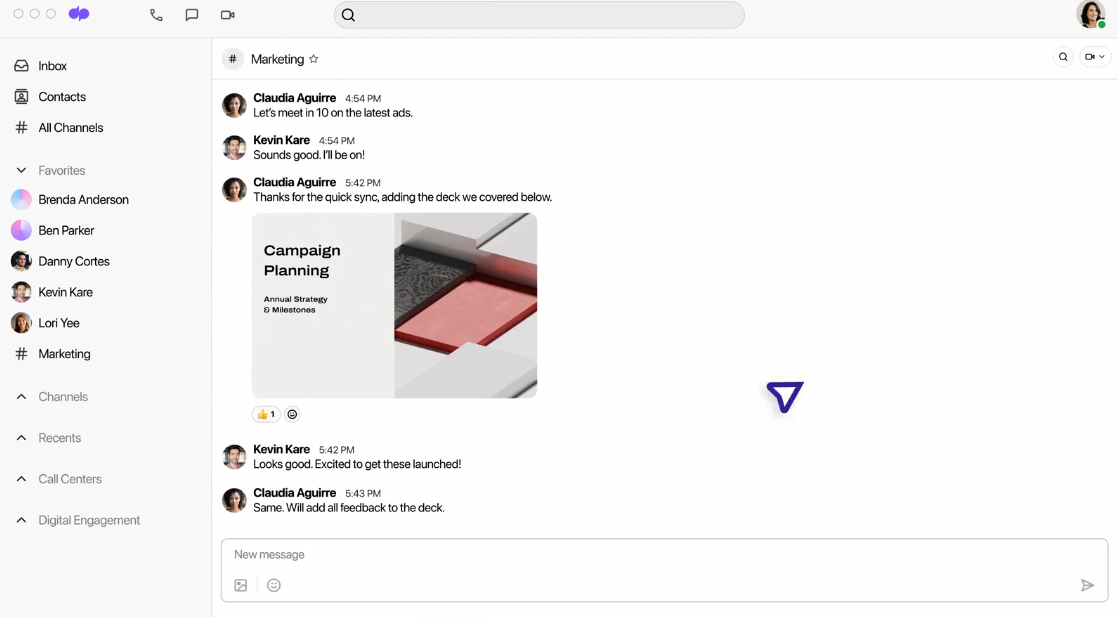
Dialpad is a business customer communications app, best suited for teams handling customer queries. Besides, you can use it to enhance internal communication.
With Dialpad, you can customize and prioritize notifications for calls, messages, and voicemails. The best part? Dialpad keeps teamwork smooth and secure with shared spaces, encryption, and multi-factor authentication. Safety first, collaboration second!
Dialpad Connect
Dialpad Meetings
Dialpad Support
Dialpad Sell
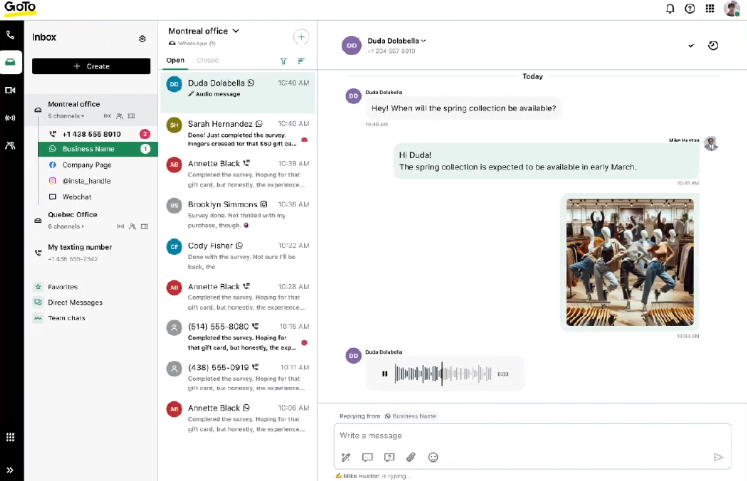
GoToConnect is a versatile communication tool offering cloud-based voice, video, and messaging for businesses. It supports direct messages and video conferences with up to 250 participants and screen-sharing capabilities.
GoToConnect makes remote communication effortless with its easy-to-use app and automated call routing for smooth customer experiences. Additionally, its powerful features help businesses centralize knowledge and improve team collaboration.
What are real-life users saying about GoToConnect?
GoTo Connect is good, and it works without breaking the bank. I would tell someone else starting a business that they should look at Connect.
💡 Pro Tip: A poor connection leads to lags, robotic voices, and frozen screens. So, use a wired connection or sit close to your Wi-Fi router to make your online meetings seamless. 😎
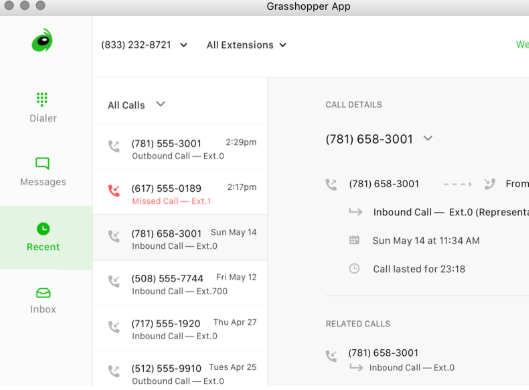
Grasshopper is a powerful collaboration tool for small businesses ideal for a professional virtual phone system. It allows you to set up custom greetings and hold music, making your phone interactions more polished.
You can forward calls to any device, ensuring you never miss an important message. It also offers voicemail transcription, making message management easier. Additionally, Grasshopper enables call screening and routing for better customer experience.
What are real-life users saying about Grasshopper?
Unified phone system. We are a mobile service company, and it allows us to have the technicians keep using their own phones and customize our on-call schedule.
Effective communication is essential for smooth teamwork and efficient customer interaction. Whether it’s collaborating with team members, sharing company news, or gathering customer feedback—it impacts every part of your business.
However, most tools on the market lack the right set of features to fully address these needs. That’s where ClickUp stands out.
A powerful internal business communication solution, it simplifies workflows, enhances team collaboration, and ensures that interactions run smoothly.
Ready to take your business communication to the next level? Try ClickUp today—sign up here for a free trial!
© 2025 ClickUp