
Sorry, there were no results found for “”
Sorry, there were no results found for “”
Sorry, there were no results found for “”
Time is what we want most but what we use worst.
Meetings are like sugar—too much, and your productivity crashes. A recent Slack survey revealed that spending more than two hours a day in meetings does just that. Not great, right?
Enter Vimcal, the “fastest calendar in the world,” here to save your time… or is it?
While Vimcal is a fantastic AI-powered calendar, it might not tick all the boxes for everyone. Maybe you need a calendar that syncs better with your team, offers more robust integrations, or just looks cooler.
Whatever your vibe, we’ve rounded up the best Vimcal alternatives that’ll help you reclaim your day, dodge meeting fatigue, and make every hour count. Let’s jump right in!
Here’s our list of the 11 best alternatives for Vimcal to help you plan your time with ease:
Vimcal markets itself as the “fastest calendar in the world,” but even the speediest tools can hit a few speed bumps. Here are a few limitations to watch out for:
While Vimcal’s speed and design are impressive, it might not be the right fit for those looking for a more robust work management solution.
👀 Did You Know? Workers have tripled their meeting time since 2020, thanks to the rise of remote work and digital collaboration. That’s why having the right tools is essential to keep productivity high and meetings on point!
| Tool | Use case | Best for |
| ClickUp | Project and calendar management | Large teams, startups, businesses |
| Motion | AI-powered scheduling | Productivity enthusiasts, teams |
| Sunsama | Daily planning and tasks | Professionals, remote workers |
| Amie | Calendar and task integration | Individuals, small teams |
| Akiflow | Task and calendar unification | Busy professionals, teams |
| Todoist | Task management and to-dos | Individuals, freelancers, teams |
| Calendly | Meeting scheduling | Sales teams, freelancers |
| Chili Piper | Sales meeting automation | Sales teams, enterprises |
| Google Calendar | Event scheduling | Individuals, teams, businesses |
| Fantastical | Apple calendar invite | Apple users, professionals |
| Outlook | Email and calendar integration | Corporations, enterprises |
With so many tools offering calendar organization, scheduling features, calendar management, and productivity boosters, it’s tough to know where to start.
We’ve narrowed it down for you—here’s our curated list of the top Vimcal alternatives for your personal or business use this year!

When it comes to Vimcal alternatives, ClickUp stands out as a top contender.
Better known as the everything app for work, ClickUp offers much more than simply task management—it doubles up as a project management calendar, perfect for teams looking to simplify their scheduling and manage appointments, meetings, and calls all in one place.
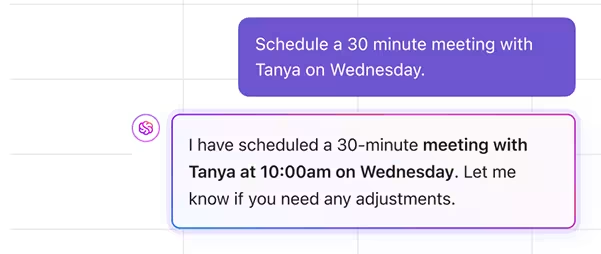
ClickUp offers an AI-powered calendar that adapts to your priorities. Using AI, it plans the perfect schedule based on your tasks, events, and goals. Whether you’re using the web version or the mobile app, you can easily see all your tasks, appointments, and meetings in one smooth interface.
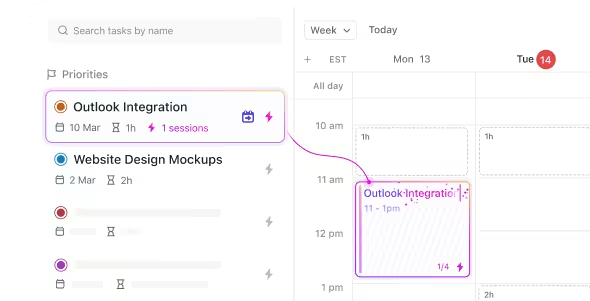
❌ With Vimcal:
✅ With ClickUp Calendar:

ClickUp’s AI Notetaker is every power meeting aficionado’s dream. It generates a complete transcript of your meeting and then turns into a perfect summary of insights, action items, and even ownership!
Visualize timelines, manage your workload, and share your calendar with your team or the public—all while prioritizing your work. Plus, it integrates flawlessly with your Google Calendar, so nothing is missed.
If your team relies on other tools, ClickUp Integrations have you covered. Easily connect with popular apps like HubSpot, Google Calendar, Outlook, Slack, Zoom, and more. With Zapier integration, you can even connect ClickUp to over 1,000+ tools for endless possibilities.
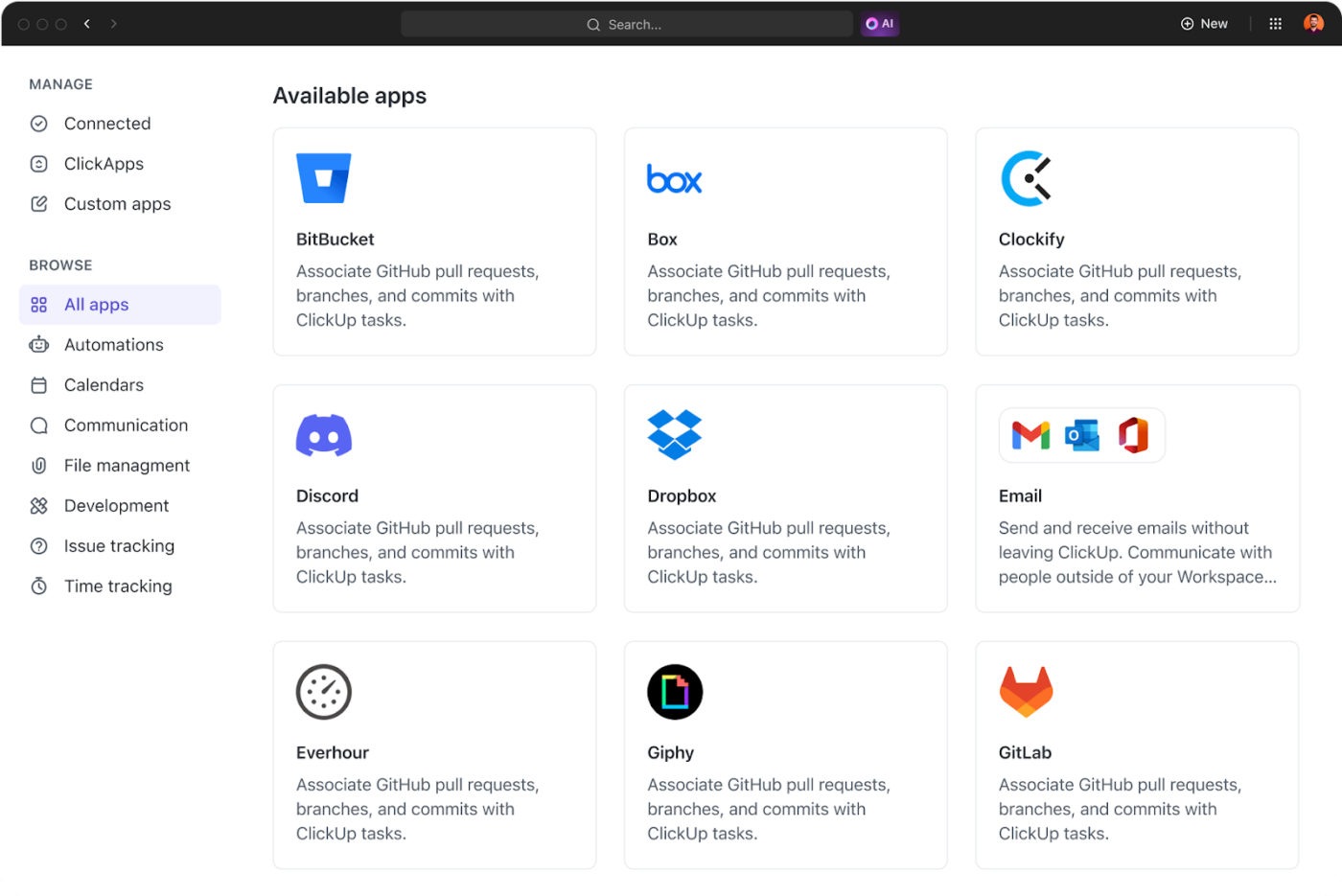
Google Calendar’s task sync with ClickUp means you can update a task in ClickUp and instantly see the change in Google Calendar. Update an event in Google, and the change will reflect in ClickUp, keeping everything in perfect harmony.
💡Pro Tip: Let ClickUp Forms take care of your bookings! Create customized forms, auto-route responses, and instantly turn bookings into ClickUp Tasks. No need for manual tracking—just schedule appointments effortlessly with smooth follow-ups.
What’s even better? ClickUp offers a wide range of pre-built templates to get you up and running quickly, including the ClickUp Calendar Planner Template, making it easier to ensure your tasks are completed on time.
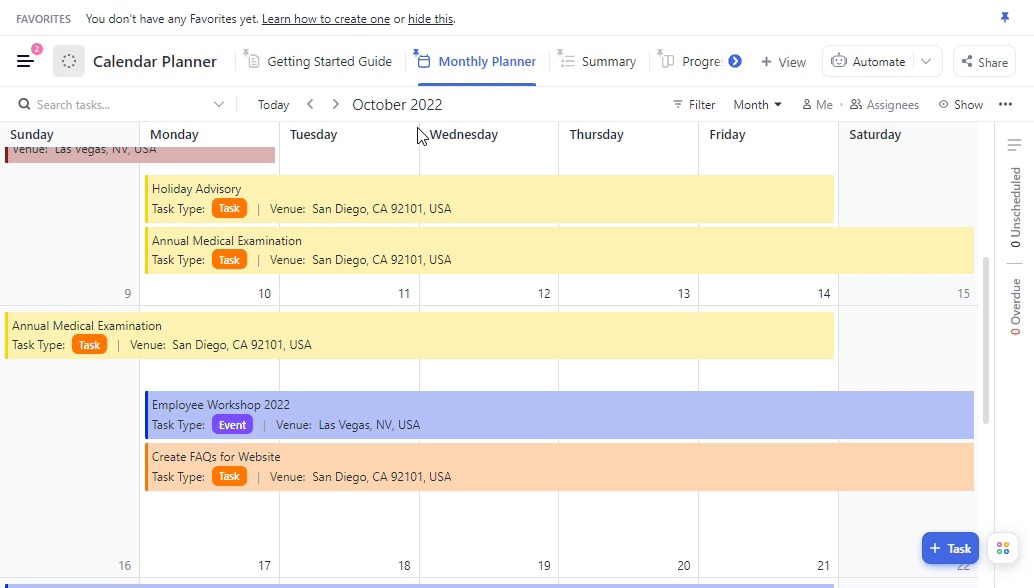
With various views tailored to your needs, it’s the perfect tool for effectively managing your executive calendar. The Monthly Planner Calendar view is your go-to for organizing tasks, events, and meetings by date.
ClickUp Meetings is another powerful tool to simplify staying organized. Manage your agenda, take notes, and set action items to keep your team accountable—all in one spot.

With rich editing, you can highlight key points and take notes easily. Assigned Comments let you assign action items directly to team members.
Use Task Checklists to track your agenda and mark off items as you go. Set Recurring Tasks for repeating meeting agendas, and use /Slash Commands to execute actions with minimal clicks quickly. Everything you need to keep meetings on track in one place—it’s truly the all-in-one solution you need.
We wanted to have an easy task assignment and tracking tool for our project. Clickup with its integration for many top 3rd party tools is great. Calendar integration smoothly integrates Clickup and our Google Workspace for Google Calendar
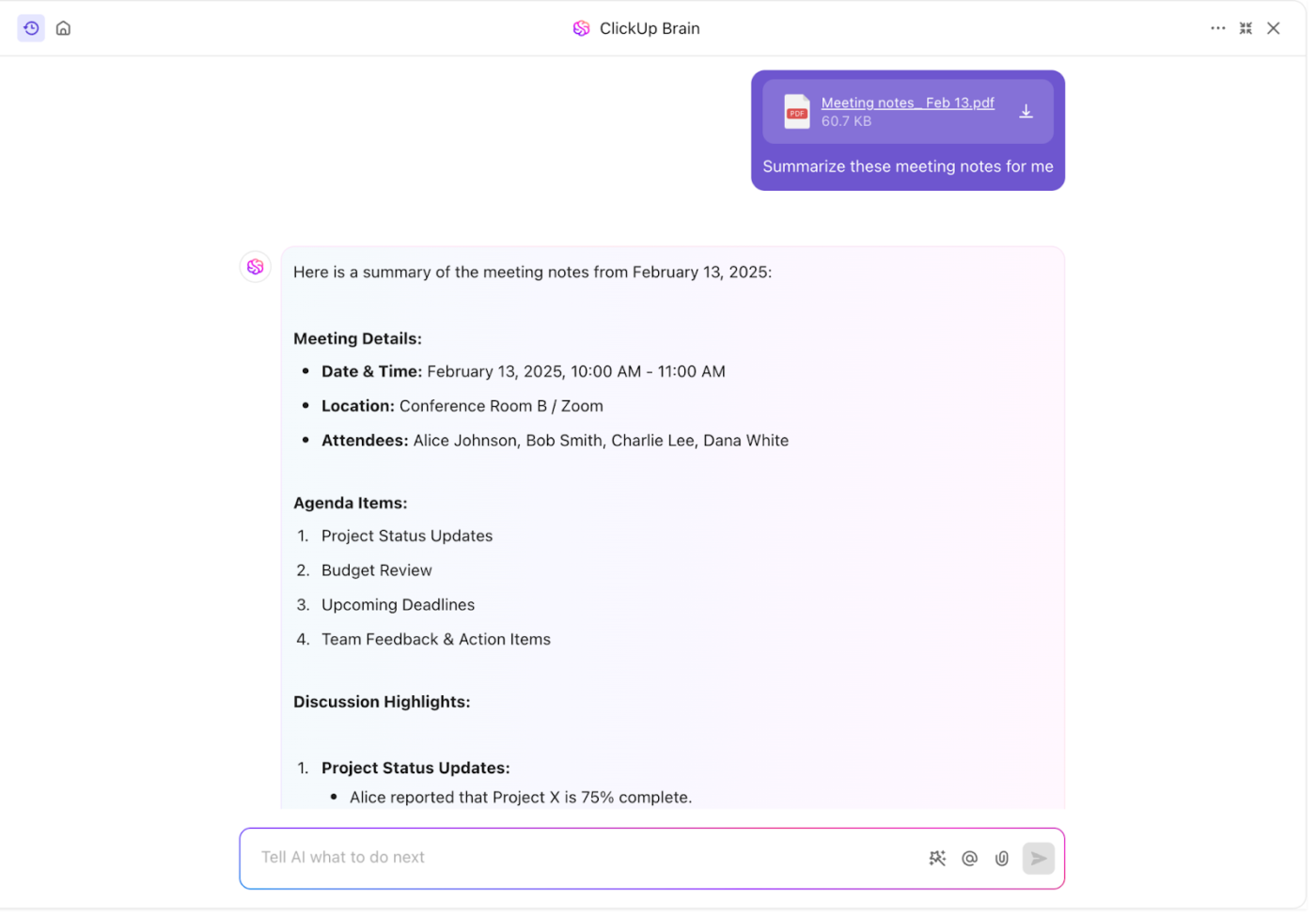
💡Pro Tip: Done with your meeting? Use ClickUp Brain to summarize your notes and forward them to your team. Never lose context again!
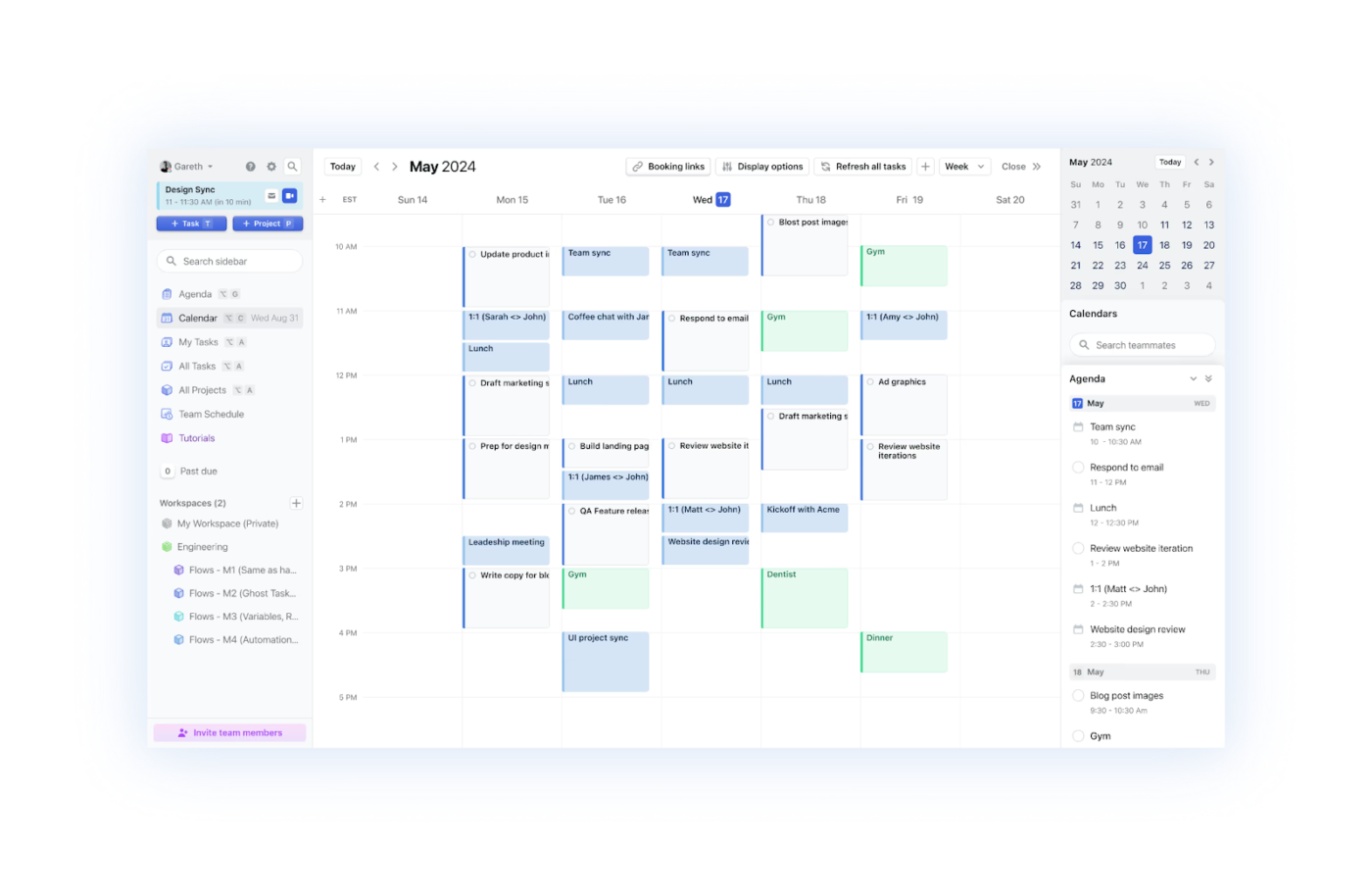
What if your schedule could think for itself? That’s what Motion does—it automatically organizes tasks and meetings based on priorities. Its standout features include syncing all your calendars, auto-scheduling meetings, and dynamically adjusting deadlines.
Its “Happiness Algorithm” ensures you focus on the most important tasks. It also predicts deadlines and reduces unnecessary meetings and emails, boosting productivity without overwhelming.
I just don’t have to worry if I am doing the right thing at the right time anymore. Set and forget and get on with your life. It provides real freedom.
📮 ClickUp Insight: Low-performing teams are 4 times more likely to juggle 15+ tools, while high-performing teams maintain efficiency by limiting their toolkit to 9 or fewer platforms. But how about using one platform?
As the everything app for work, ClickUp brings your tasks, projects, docs, wikis, chat, and calls under a single platform, complete with AI-powered workflows. Ready to work smarter? ClickUp works for every team, makes work visible, and allows you to focus on what matters while AI handles the rest.
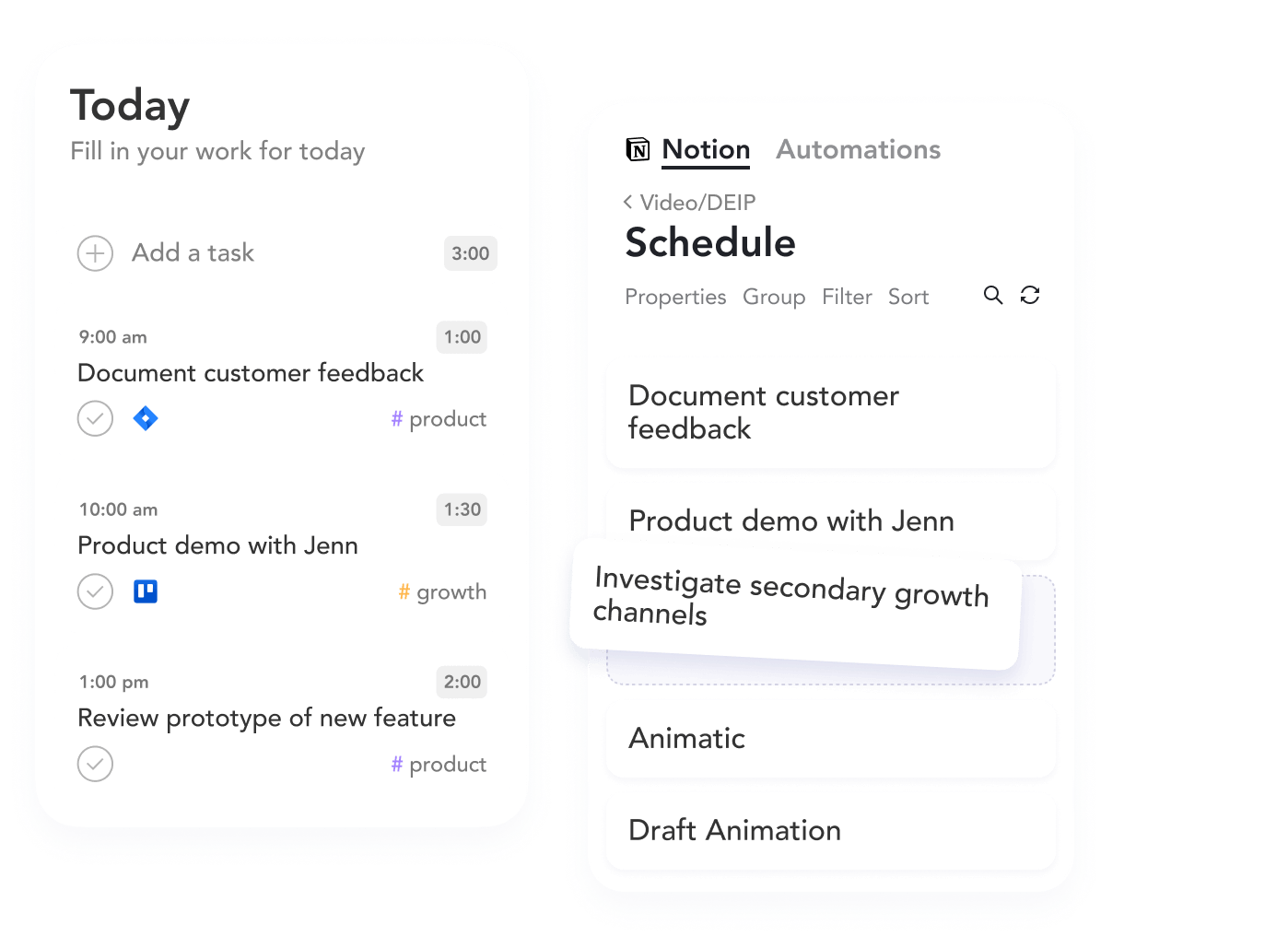
Who wouldn’t love a day when everything they need is organized in one place? Sunsama’s guided daily planning does that for you. It helps you focus by integrating tasks from tools like Trello and Asana with emails from Gmail or Outlook.
Set realistic goals, timebox your tasks, and complete your plan with drag-and-drop ease. Sunsama ensures you stay on track and end your day at a reasonable time—without the chaos.
It gives me a realistic picture of how I’m spending my time, which helps keep me aligned with my goals and intentions.
🧠 Fun Fact: After a year of their first full-time jobs, Ashutosh Priyadarshy and Travis Meyer realized they needed a better way to manage their work schedules. After four years of product failures, they finally struck gold with Sunsama in 2018.
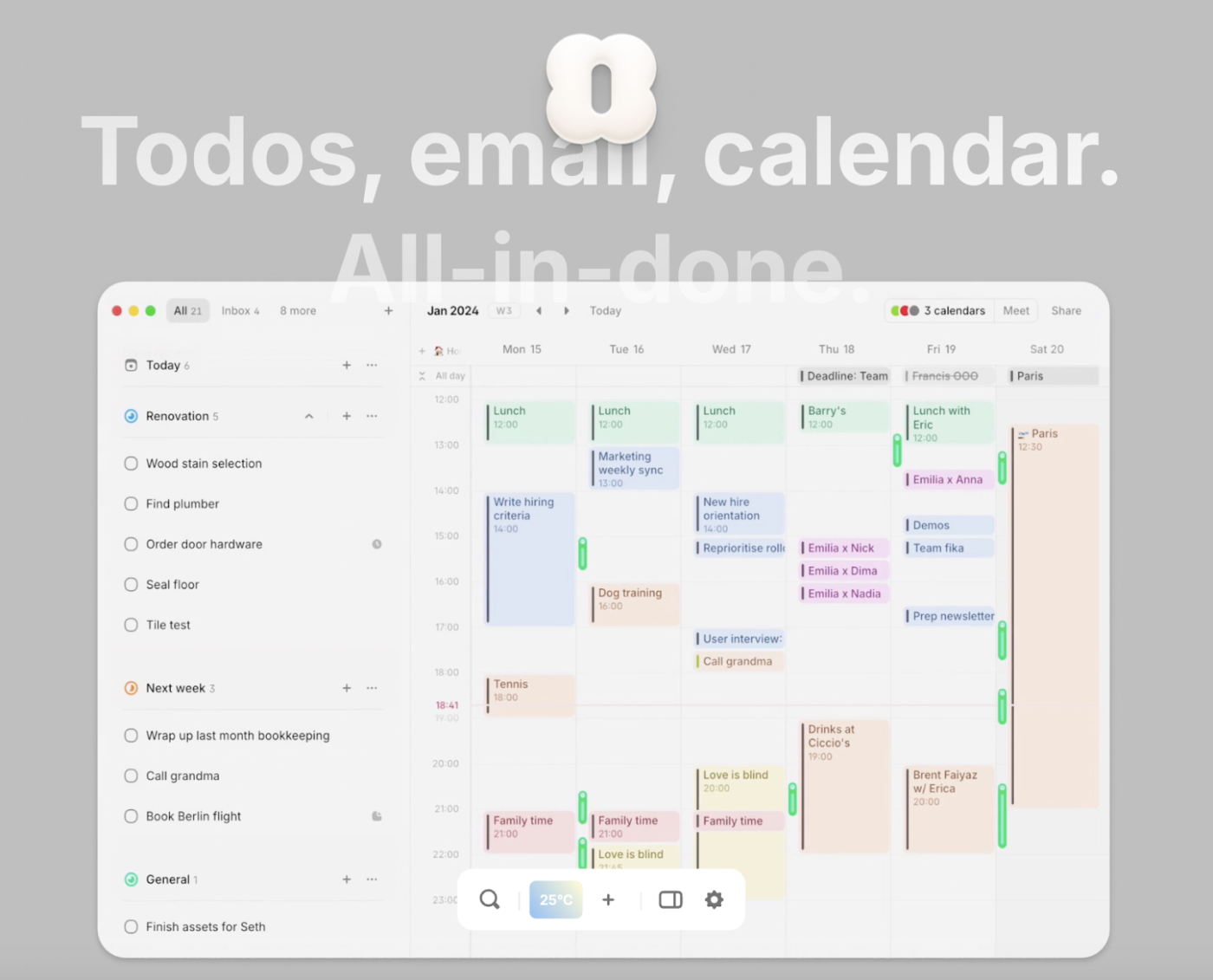
From syncing your Spotify listens to tracking your meetings, workload, sleep, workouts, meditation, and even heart rate, Amie brings everything together in one place. Amie isn’t just another scheduling app—it’s a beautifully designed workspace that blends your calendar, tasks, and emails into one sleek interface.
With an intuitive UI and a delightfully smooth experience, it makes planning feel effortless. Every interaction, from drag-and-drop scheduling to quick task creation, is built for speed and simplicity.
🧠 Fun Fact: Amie started as a creative “misuse” of Google Calendar. Its creator hacked together a prototype by pushing Google Calendar to its limits before turning it into the beautifully designed planner it is today.
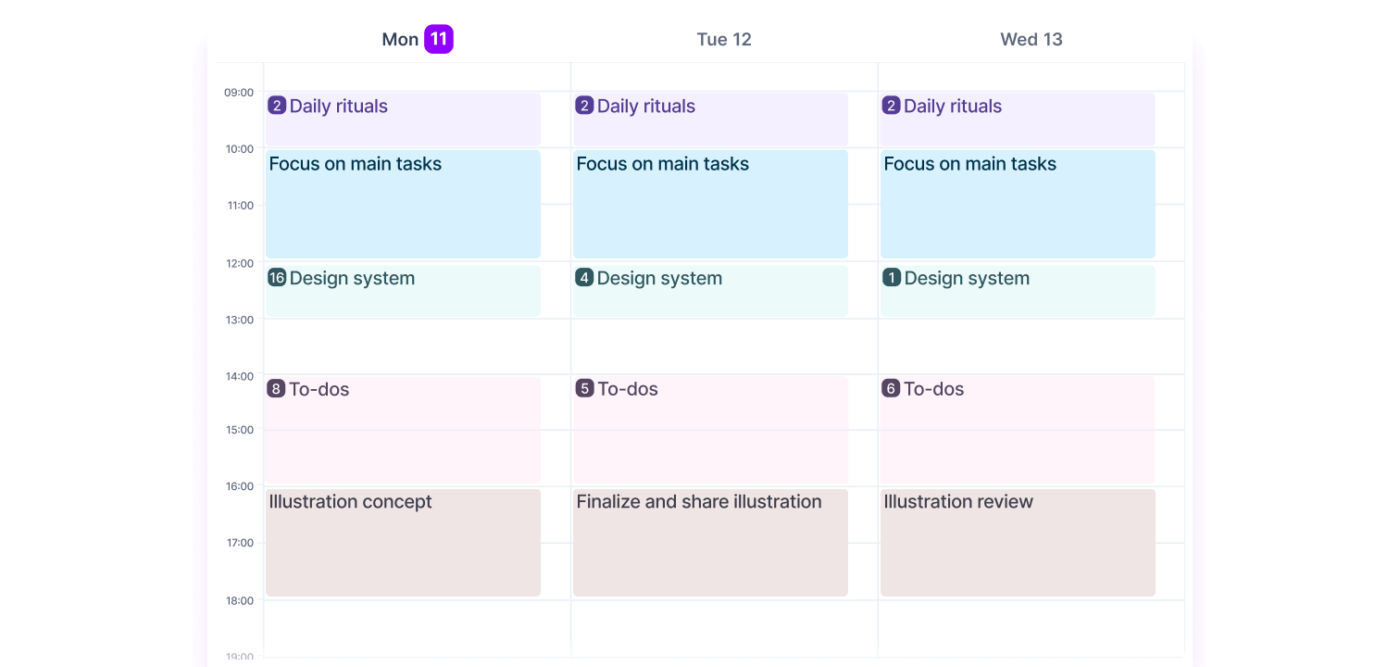
Focusing on efficiency, Akiflow turns scattered to-dos into an organized schedule. It is built for speed and control, combining task management with a robust calendar for managing meetings and helping you take charge of your time.
Capture tasks instantly, plan your day with time blocking, and jump into meetings quickly. The built-in shortcuts and rituals make structuring your day second nature—so you can focus on getting things done without overthinking the process.
By consolidating all my tools into a single, streamlined interface, it allows each of our team members to focus on what truly matters. It has become my essential companion for staying organized and on top of my daily tasks.
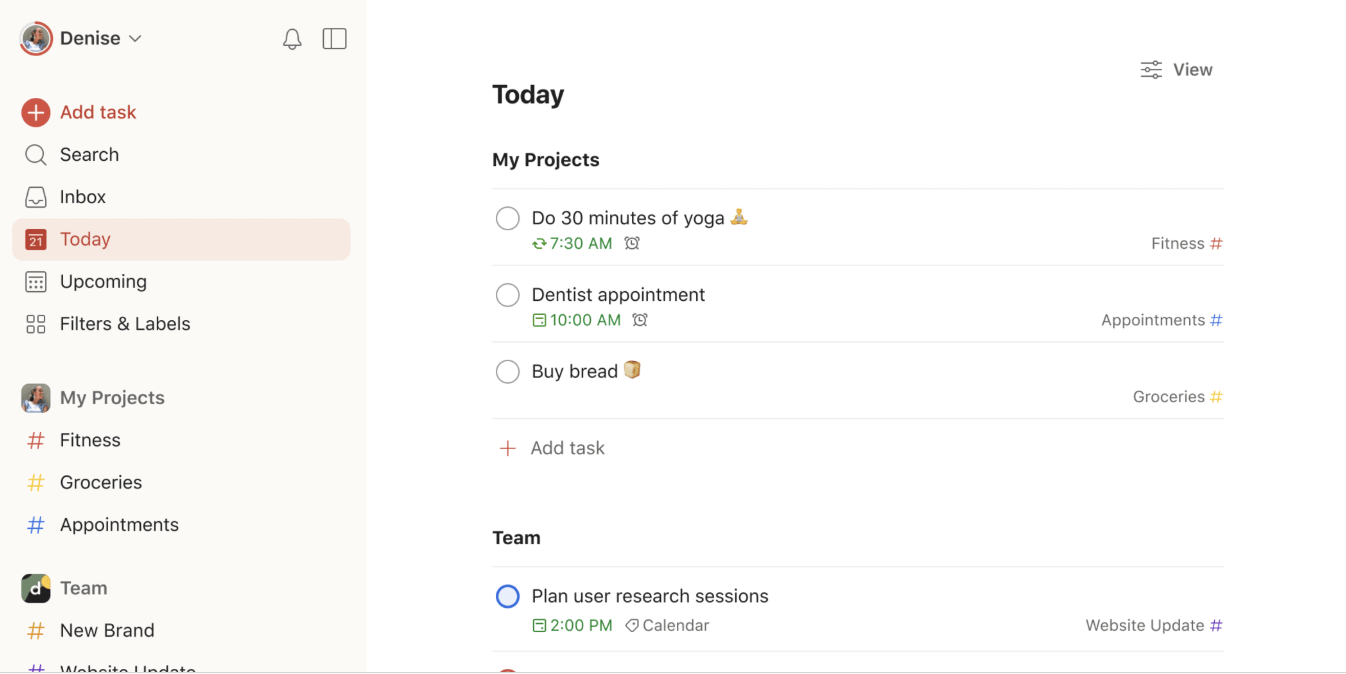
If you wish to keep your tasks in check without the clutter, try Todoist. It easily creates, manages, and prioritizes projects, labels, due dates, and comments. You can also track progress, break down complex projects with sub-tasks, and handle recurring tasks without the hassle.
Collaboration? Covered! Share tasks, keep everyone in sync with real-time updates, and integrate with tools like Dropbox, Slack, and Google Calendar to keep your workflow connected.
The software is easy to use and is a great way to create lists and track productivity. It is unfortunate that the advanced features and project management tools are limited in the free version.
👀 Did You Know? The Zeigarnik Effect shows that unfinished tasks haunt your mind. That’s why to-do lists are essential—they help you clear your mental clutter and focus on what matters most.

What sets Calendly apart is its elimination of the endless back-and-forth of email coordination. It takes the hassle out of scheduling by syncing with your calendar, showing only your available time slots to invitees.
You can easily customize your scheduling links, set preferred meeting durations, and adjust event categories to fit your needs. Invitees can book directly from your available times without any manual effort on your part.
I’ve used Calendly consistently over the last few years for sales presentations and also for candidate interviews. It has been consistent and always worked well.
Also Read: Best Calendly Alternatives & Competitors
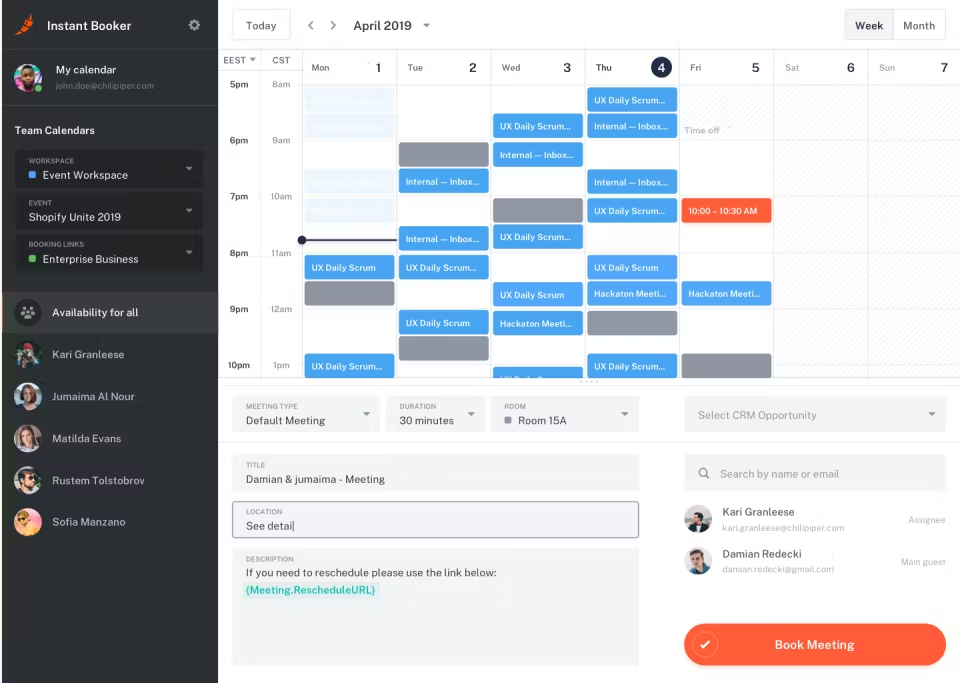
Want to simplify meeting scheduling while boosting sales conversions? Chili Piper might be the answer. It is a demand conversion platform designed to help businesses optimize lead qualification, routing, and scheduling.
Integrating chat, form routing, and scheduling streamlines sales and eliminates bottlenecks, allowing businesses to qualify leads, route inquiries, and book meetings instantly.
Chili Piper is smart, easy to implement, and impacts our business even when we’re closed for the night. With Chili Piper, I’m confident that demos booked on our website are properly routed and will convert better than our previous methods.
💡Pro Tip: Schedule templates in Excel, Google Sheets, and ClickUp to give you a head start, keeping tasks organized and deadlines in check with minimal effort. Perfect for never missing anything out of both personal and team schedules!

Google Calendar—simply put—makes scheduling easy. With real-time sync across all devices, it simplifies organizing your day by connecting with Gmail and other Google Workspace apps.
Whether for personal use or team collaboration, Google Calendar is designed to make time management smooth and efficient.
It’s probably one of the tools I use the most to organize my life and schedule with everyone in it, whether at work or in my personal life.
Also Read: Best Google Calendar Alternatives
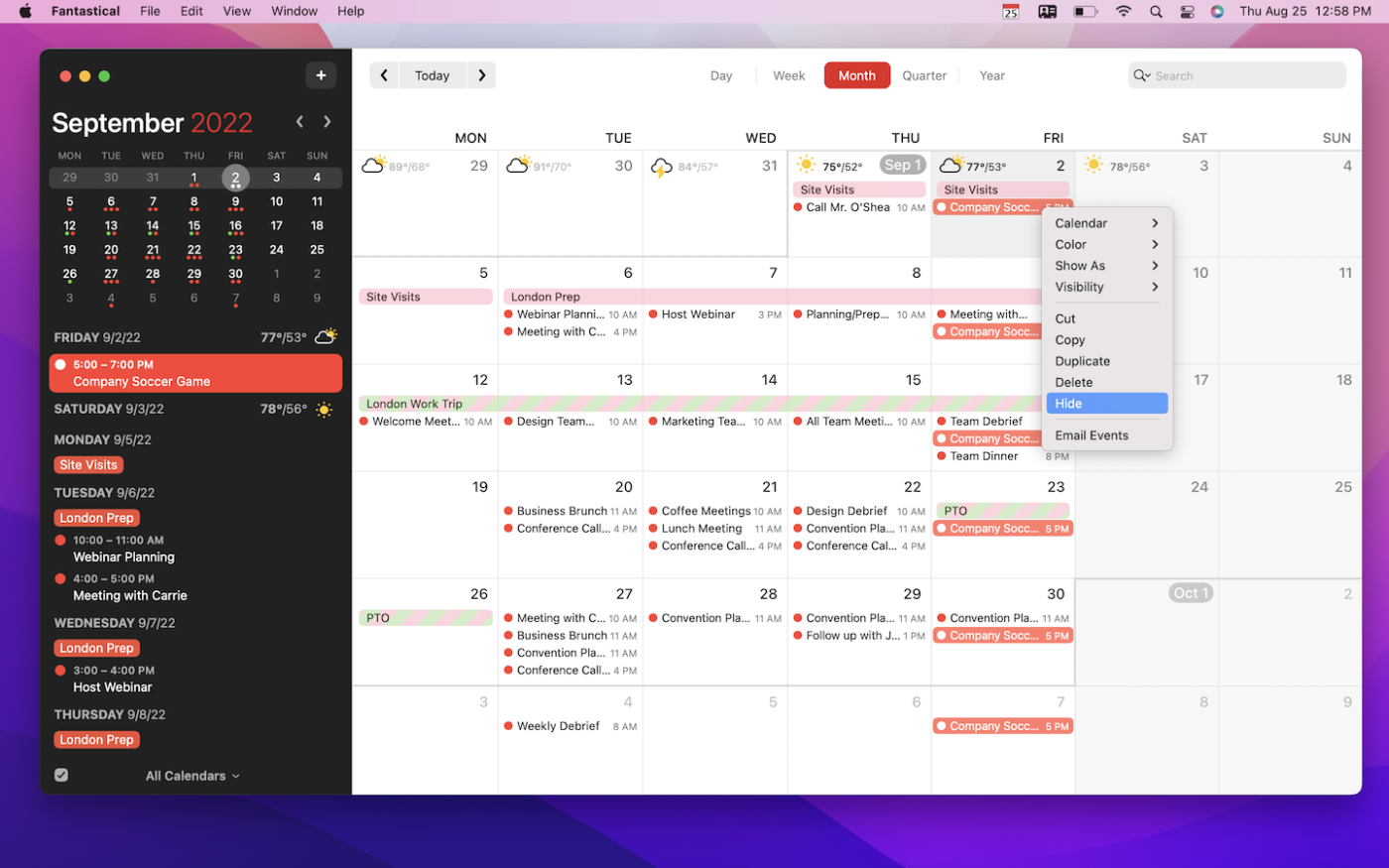
Available across Apple devices and Windows, Fantastical makes scheduling feel effortless. It syncs easily with iCloud, Google, Outlook, and more—keeping all your events and tasks in one sleek hub.
With customizable views (Day, Week, Month, and beyond) and natural language input, adding events is as easy as typing “Lunch with Alex at 1 PM on Friday.” Plus, built-in integrations let you hop into Zoom, Google Meet, or Teams meetings with a single click.
I like how easy it is to make recurring events and how it can decode plain English into a title, date, time, and location.
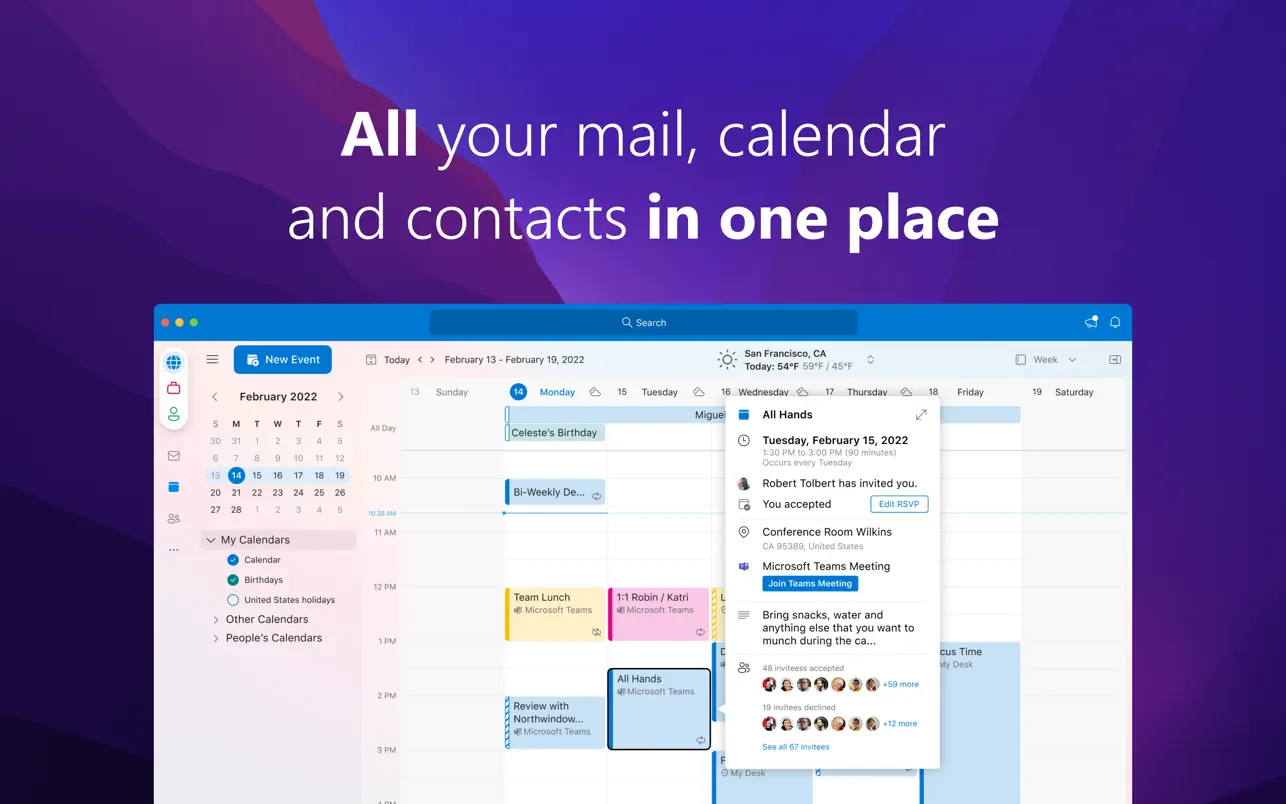
If you are searching for a smart way to manage your entire team’s schedules and events, Outlook has you covered! With features like customizable reminders, calendar sharing, color-coded themes, and overlays to compare multiple calendars, it’s a comprehensive solution for staying on track with your agenda.
What sets it apart is its seamless integration with Microsoft Teams. Schedule, join, and host meetings directly from your calendar—no extra clicks or windows involved!
This is a very crucial tool at work. It organizes all my emails, calendars, and meetings all in one place! This helps me a lot, especially in scheduling and reminding me about future meetings.
💡Pro Tip: Block out dedicated Focus Time on your calendar and treat it like an unmissable meeting—no distractions, no reschedules, just uninterrupted, focused work!
Even with countless scheduling tools, it’s easy to waste time and fall into the planning fallacy. Many Vimcal alternatives handle the basics but struggle to balance efficiency with ease of use.
ClickUp changes that. It combines task management, scheduling, and collaboration tools to help you manage your time more effectively.
Ready to make your time work for you? Sign up for ClickUp today!
© 2025 ClickUp